
How to Generate Product Videos from Images with AI
Turn product photos into engaging ecommerce videos with AI. Learn a practical workflow to create videos for Shopify, Amazon, and social media without manual editing.

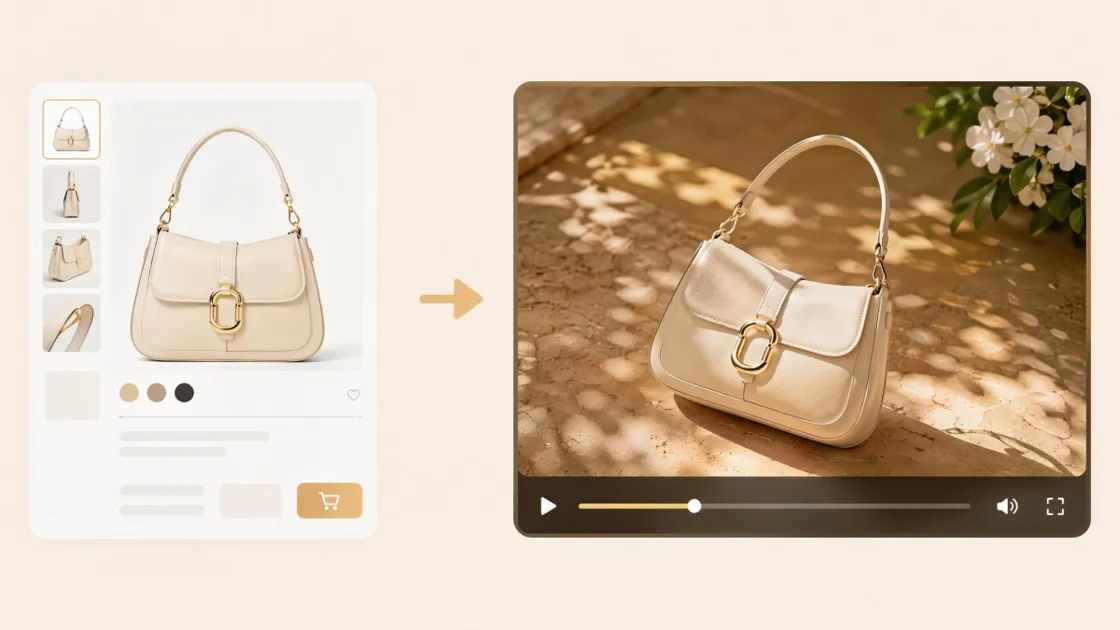
Most ecommerce businesses already have hundreds of product images. The challenge isn't creating more photos — it's turning those existing assets into engaging videos for Shopify, Amazon, TikTok, Instagram Reels, and other sales channels.
Creating product videos manually is expensive and difficult to scale. Every new product typically requires editing, motion effects, and platform-specific formatting. As product catalogs grow, producing videos for every SKU quickly becomes unrealistic for small teams.
AI changes that workflow. Instead of starting from scratch, you can transform existing product images into short marketing videos in minutes. An AI product video generator automatically adds motion, transitions, and visual effects, helping you create consistent video content without professional editing experience.
In this guide, you'll learn why product videos have become an essential part of ecommerce marketing, how to generate videos from images step by step, and how to build a scalable workflow for large product catalogs using Designkit.
Why Converting Product Images to Video Matters for Ecommerce
High-quality product photos remain essential for ecommerce, but they're no longer enough on their own. Shoppers increasingly expect to see products in action before making a purchase, especially on marketplaces and social platforms where video receives more attention than static content.
For many online stores, the fastest way to expand video marketing isn't filming new footage—it's reusing the product images they already have. AI image-to-video tools make this possible by turning existing product photos into short promotional videos that can be published across multiple channels.
This approach offers several practical advantages:
- Reuse existing product assets instead of organizing new photoshoots.
- Create consistent videos for every product in your catalog.
- Produce content faster without learning professional video editing.
- Adapt videos for marketplaces, online stores, and social media campaigns.
The result is a faster content workflow that helps ecommerce teams publish more video content while keeping production costs under control.
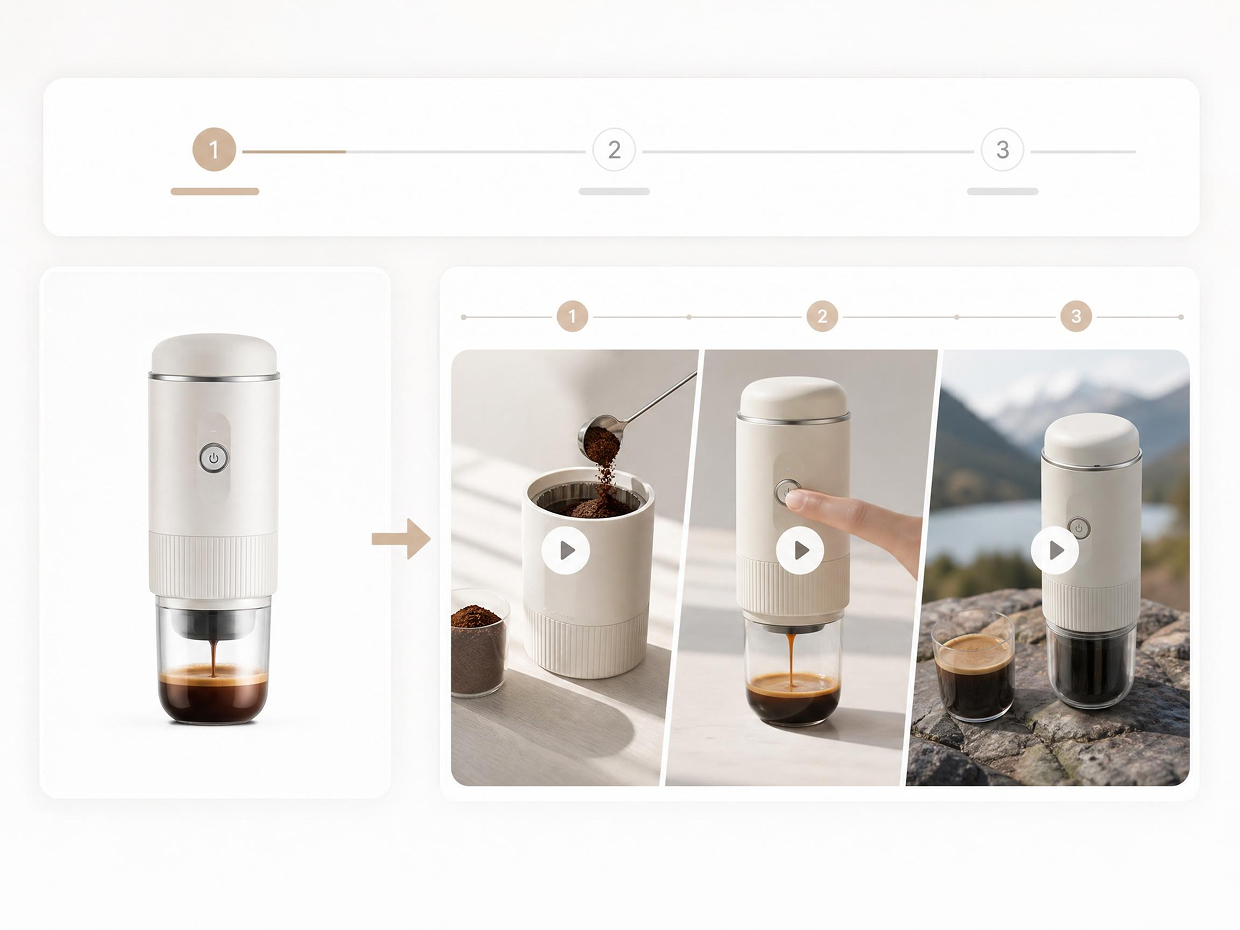
Why Product Images Alone No Longer Drive Conversions
Product photos answer basic questions about appearance, but they often struggle to communicate how a product feels, moves, or fits into everyday use. That's one reason video has become an important part of modern ecommerce.
A short product video can demonstrate details that static images cannot, including movement, scale, texture, and real-life usage. These visual cues help shoppers understand products more quickly and make purchase decisions with greater confidence.
Several factors explain why video continues to outperform images in many ecommerce scenarios:
Social Platforms Prioritize Engaging Content
Platforms like TikTok, Instagram Reels, and YouTube Shorts are designed around video experiences. While algorithms evaluate many ranking signals—including watch time, relevance, and engagement—video generally provides more opportunities to capture attention than a single image.
Videos Build Buyer Confidence
Showing a product from multiple angles helps answer common customer questions before they arise. Demonstrating features, materials, or functionality can reduce uncertainty and encourage more confident purchasing decisions.
Products Become Easier to Understand
Videos provide context that photos often cannot. Customers can better judge dimensions, textures, moving parts, or how a product is used in real life, reducing confusion after purchase.
For products such as electronics, kitchen tools, beauty products, fashion accessories, or home décor, these demonstrations often have a direct impact on purchase intent.
Research from Lambda Films also found that approximately 82% of consumers have purchased a product after watching a brand's video, highlighting the growing role of video throughout the buying journey.
How AI Turns Product Images into Video Ads
Traditional video production usually involves filming, editing software, animation, and multiple rounds of revisions. AI simplifies this workflow by automating much of the production process.
Instead of manually creating every scene, an AI video generator analyzes your product images, applies camera movements, generates transitions, and produces a finished video based on your prompt.
The process typically follows these steps:
|
Step |
What AI Does |
|---|---|
|
Image Analysis |
Detects products, composition, colors, and important visual elements. |
|
Generate Motion |
Adds camera movement, zoom effects, transitions, and scene animation automatically. |
|
Video Output |
Produces a ready-to-use marketing video optimized for ecommerce platforms. |
Because most of the creative work is automated, ecommerce teams can create videos much faster than with traditional editing software. This is especially valuable when launching new collections or managing large product catalogs.
According to Digital Applied, adding video to landing pages can increase conversion rates by up to 86%, making video one of the highest-impact content formats for ecommerce businesses.
Designkit follows this streamlined workflow by allowing users to upload product images, describe the desired video style with a prompt, and generate platform-ready videos in just a few steps—without complex editing or motion design experience.
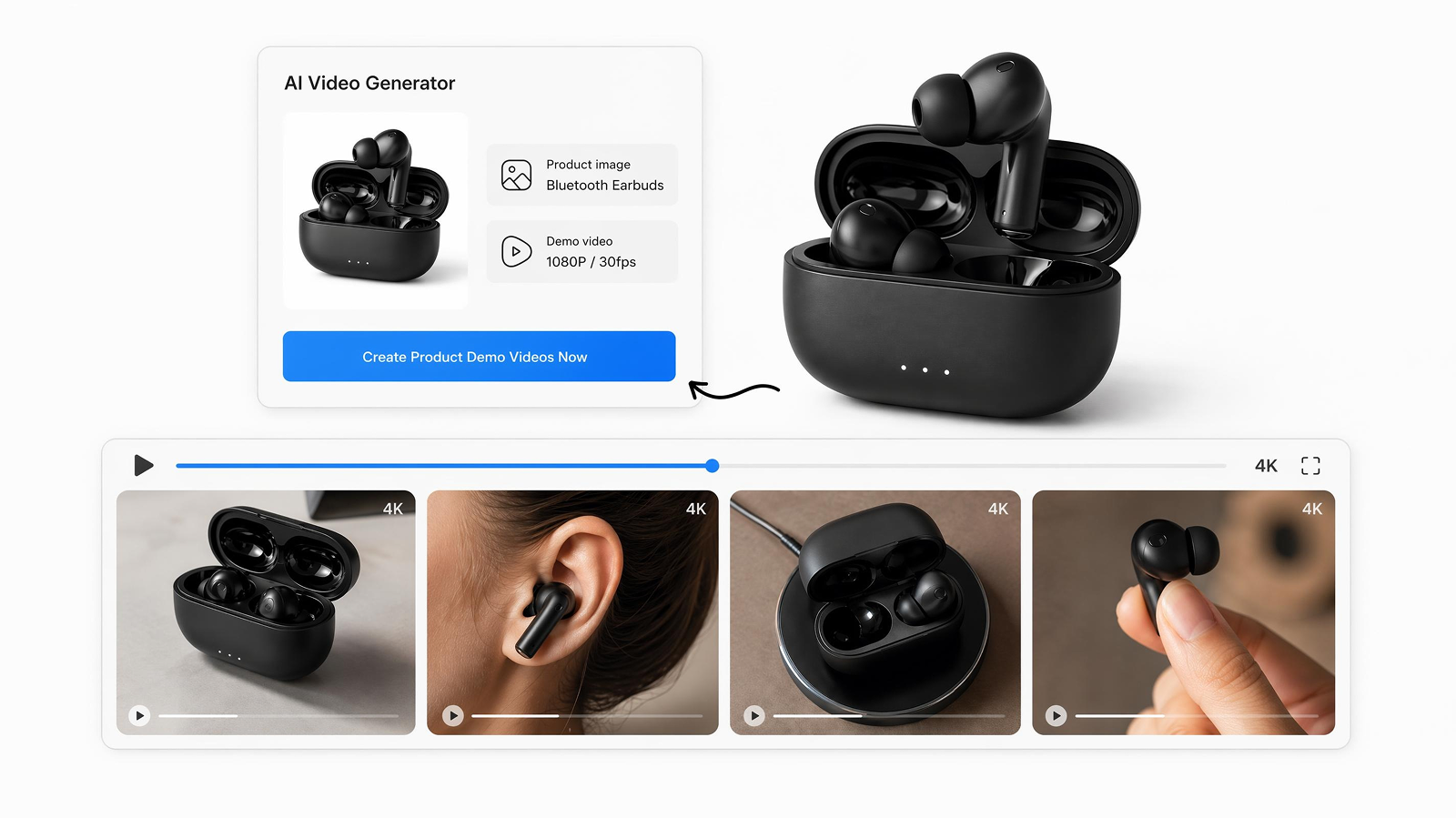
How to Generate Product Videos from Images with AI
Creating a product video no longer requires filming equipment or professional editing software. If you already have high-quality product photos, AI can turn them into marketing videos in just a few steps.
While different tools offer different workflows, the overall process remains similar: prepare your images, describe the video you want, generate the video, then export it in the appropriate format for your sales channels.
Here's a practical workflow that works well for most ecommerce businesses.
Prepare Your Product Images Before Using an AI Video Generator
The quality of your input images has a direct impact on the final video. AI can add motion and visual effects, but it cannot fully compensate for blurry photos or inconsistent lighting.
Before generating your video, review your product images using the following checklist.
Use High-Resolution Images
Start with sharp, high-resolution photos whenever possible. Clear images preserve product details and produce cleaner animations, especially when zoom or camera movement is applied.
Include Multiple Product Angles
Instead of uploading only a front-facing image, include several perspectives of the same product, such as:
- Front view
- Side view
- Back view
- Close-up detail shots
- Packaging or accessories
Multiple angles allow AI to create more natural scene transitions and make the video feel more dynamic.
Choose Consistent Lighting
Use photos with consistent brightness and color balance. Mixing images taken under different lighting conditions can make the final video appear less polished.
If your existing product photos have different backgrounds, consider removing or replacing them before generating the video to maintain a consistent visual style.
Well-prepared images reduce editing time later and improve the overall quality of the generated video.
Write an AI Prompt That Produces Better Product Videos
Your prompt tells the AI how the finished video should look and feel. The more specific your instructions, the more closely the output will match your expectations.
Instead of writing a single sentence like:
Make a product video.
Provide details about the product, audience, movement, and overall style. A simple prompt framework looks like this:
|
Component |
What to Include |
Example |
|---|---|---|
|
Product |
What appears in the images |
Leather Running Shoes |
|
Key Selling Point |
The feature to highlight |
Lightweight and breathable |
|
Motion Style |
Camera movement or animation |
Smooth 360° rotation with close-up zoom |
| Visual Mood | Overall look and feel | Modern, clean, premium |
| Target Platform | Where the video will be published | Shopify product page |
For example:
Create a clean ecommerce product video for lightweight leather running shoes. Start with a full product view, slowly rotate the shoe, zoom in on the breathable mesh upper, then finish with a lifestyle scene on a white background. Optimize the video for a Shopify product page.
Detailed prompts help AI generate more consistent results while reducing the need for multiple revisions.
Upload Images and Generate Your Product Video
Once your assets and text are ready, begin the digital creation phase now. Auto-generating product video from images is achievable through the AI Product Video Generator of Designkit, and using the following easy workflow:
1. Upload your product images
As you access the tool, press the “+Add” button to choose “Add Image” to select your best product photos.
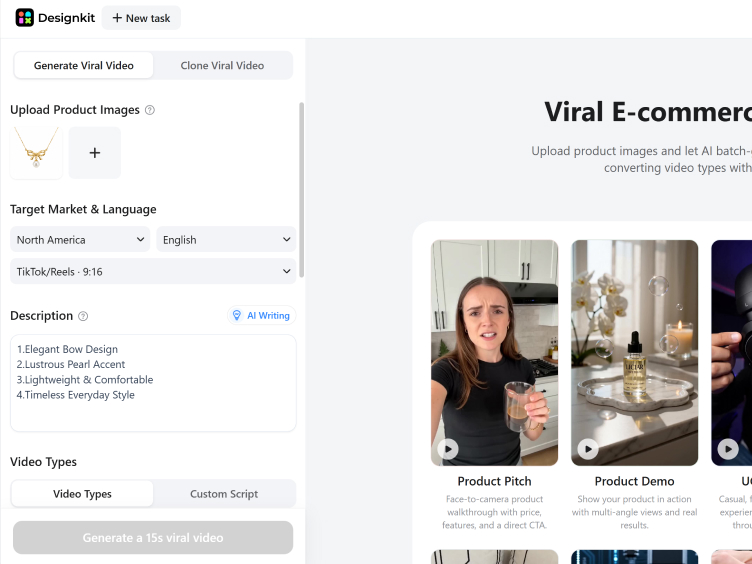
2. Choose video settings
Select the target platform, aspect ratio, and preferred video length.
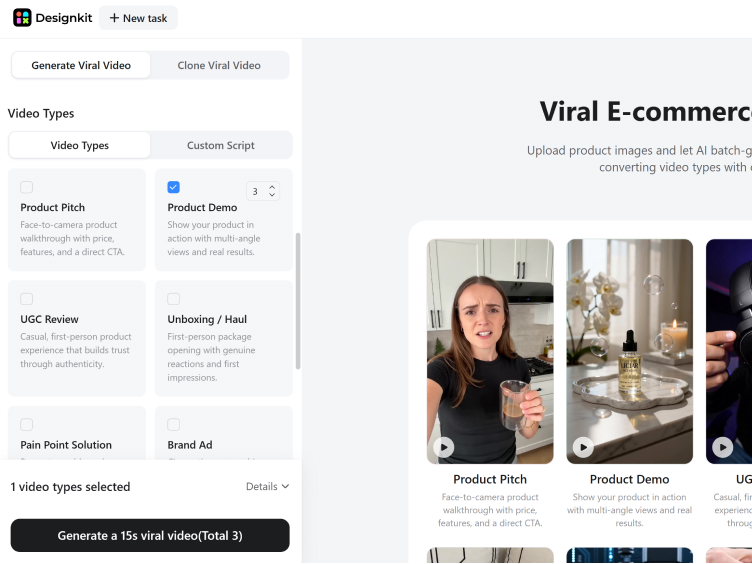
3. Generate the video
AI automatically creates camera movement, transitions, and scene sequencing.
4. Review the result
Preview the video and regenerate it if you'd like to experiment with a different style or prompt.
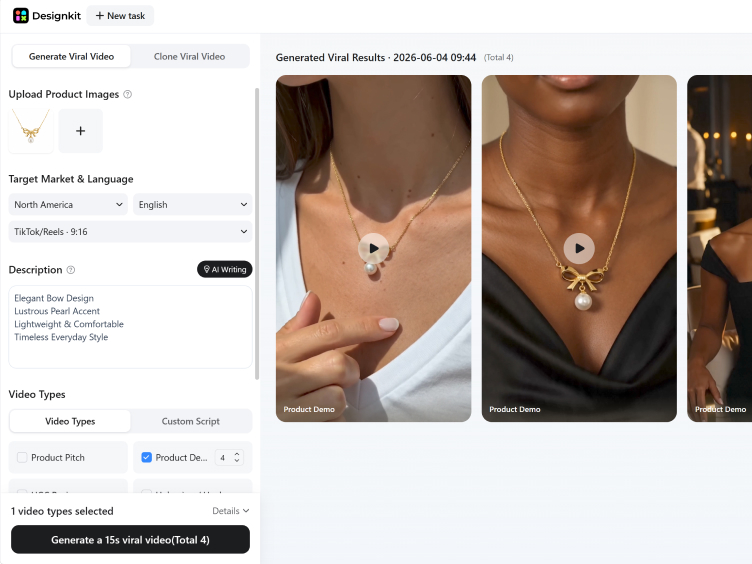
Most ecommerce products only require a short video between 15 and 30 seconds, making it easier to keep viewers engaged while highlighting key selling points.
Export Product Videos for Shopify and Amazon
Before publishing your video, export it in a format that matches the platform where it will be used.
Different marketplaces support different specifications, so choosing the correct format helps maintain image quality and avoids upload issues.
|
Platform |
Format & Quality |
Aspect Ratio |
Duration Guidelines |
|---|---|---|---|
|
Shopify |
MP4 |
16:9, 1:1, 4:5, 9:16 |
15–30 seconds |
|
Amazon |
MP4 (H.264) |
16:9 |
30–60 seconds |
| TikTok Shop | MP4 | 9:16 | 15–30 seconds |
| Instagram Reels | MP4 | 9:16 | 15–30 seconds |
When exporting, also check:
- Resolution (1080p is sufficient for most platforms)
- Text readability on mobile devices
- Video file size
- Brand colors and logo placement
- Overall playback quality
Designkit includes platform-ready export presets, allowing you to generate videos that match common ecommerce and social media requirements without manually adjusting every setting.
Once exported, your videos can be added to Shopify product pages, Amazon listings, paid advertising campaigns, or short-form social content to extend the value of your existing product images.
How to Generate Ecommerce Videos from a Full Product Listing
A single product image can generate a simple promotional video, but using your complete product listing creates a much stronger customer experience.
Most ecommerce listings already include multiple image types, such as hero images, detail shots, lifestyle photos, and packaging images. Instead of generating separate videos from individual photos, combine these assets into one cohesive product story.
This approach helps shoppers understand the product more quickly while making better use of content you've already created.
Build a Story with Your Existing Product Images
A successful product video isn't just a collection of animated images. It should guide viewers through the same questions they ask before making a purchase.
A simple four-part structure works well for most ecommerce products.
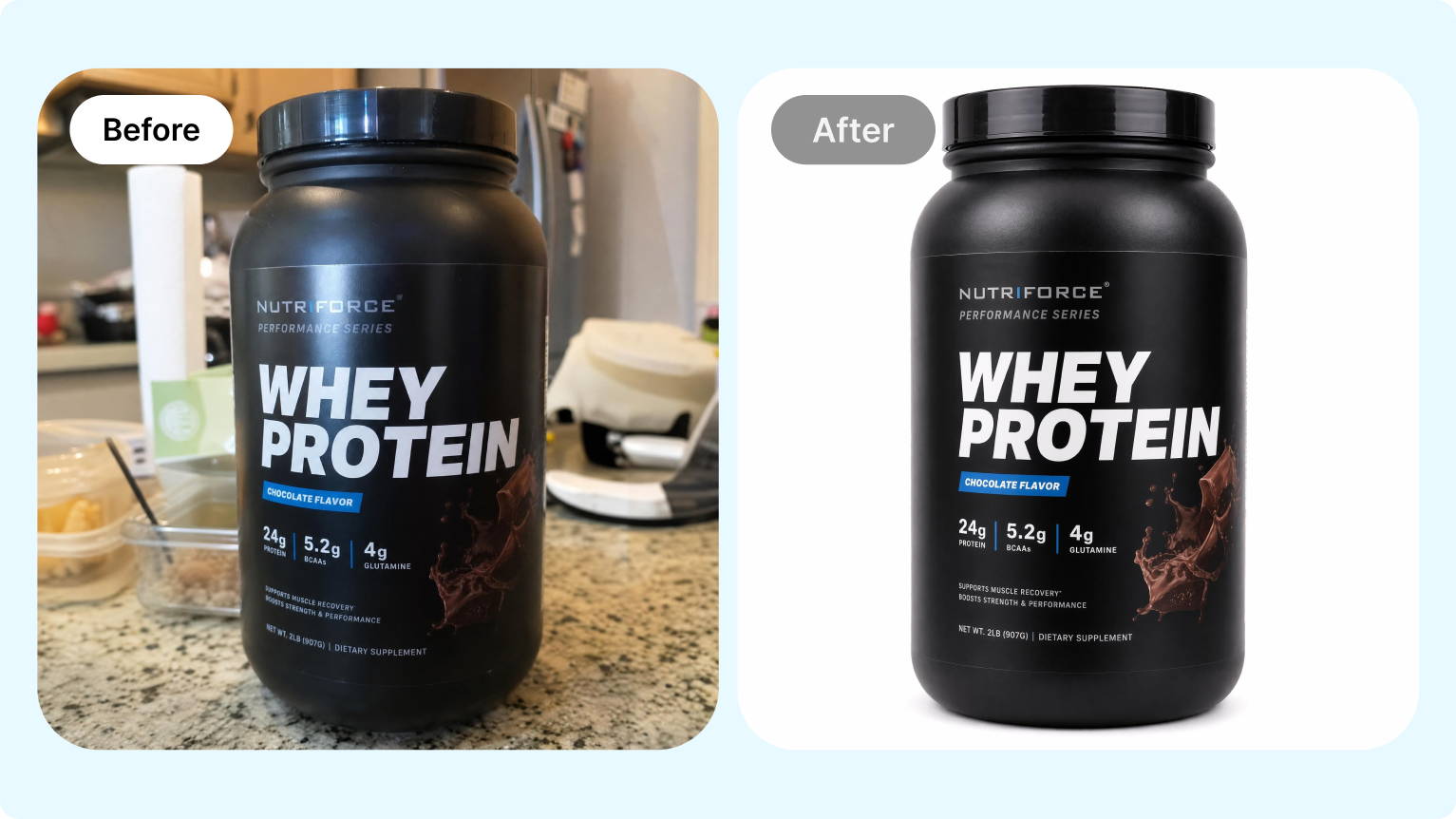
1. Start with a Hero Image
The opening scene should immediately show the product clearly.
Choose your highest-quality product image with a clean background and strong lighting. This first impression determines whether viewers continue watching.
For fast-scrolling platforms like TikTok or Instagram Reels, the first few seconds are especially important.
2. Highlight Product Details
Once you've captured attention, focus on the features that help customers make a buying decision.
For example:
- Material quality
- Product texture
- Buttons or controls
- Packaging
- Included accessories
- Unique design details
Adding slow zooms or subtle camera movement makes these details easier to notice than a static image.
This section is particularly valuable for products such as jewelry, electronics, cosmetics, and kitchen accessories, where close-up visuals help communicate quality.
3. Show the Product in Real Use
Lifestyle images help customers imagine owning the product.
Instead of showing only isolated product photos, include scenes that demonstrate how the item fits into everyday life.
For example:
- A coffee mug on a breakfast table
- Running shoes worn during a workout
- A skincare product on a bathroom counter
- Home décor displayed in a furnished room
These scenes create context and help shoppers visualize themselves using the product, which can increase purchase confidence.
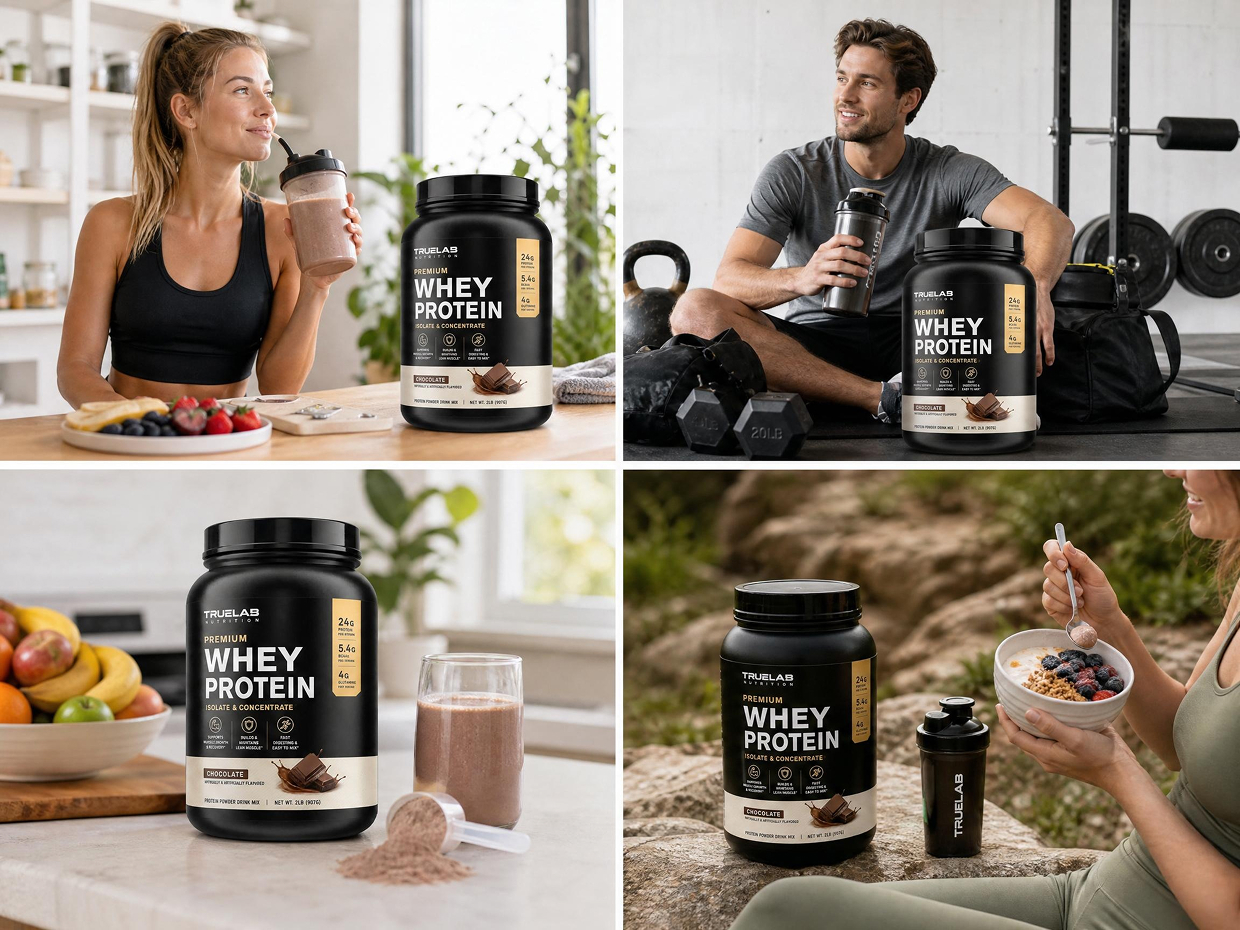
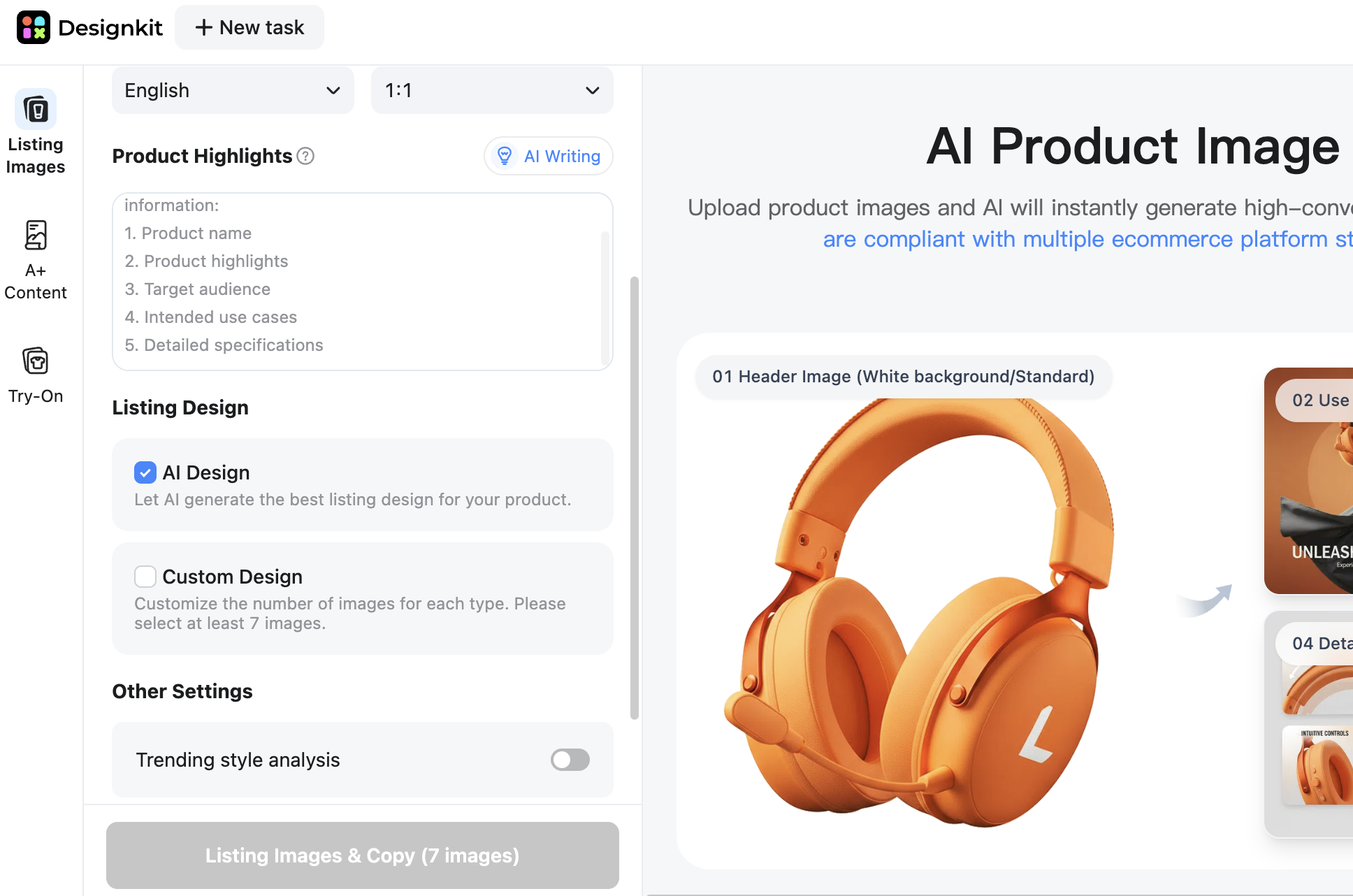
Generate Product Lifestyle Images
4. Finish with a Clear Call to Action
End the video with a simple next step.
Depending on where the video is published, your final frame might encourage viewers to:
- Shop Now
- Explore More Colors
- View Product Details
- Limited-Time Offer
- Visit Our Store
Keep the final screen clean and readable, especially for mobile viewers.
Turn Different Image Types into Better Video Scenes
Using an image to product video AI adds realistic movement to your static assets. Designkit allows you to create a high-quality lifestyle product video very quickly.
Different product images serve different purposes. Instead of applying the same animation to every photo, choose motion that matches the content of each scene.
|
Image Type |
Recommended Motion |
Best Use |
|---|---|---|
|
Hero Image |
Slow camera reveal |
Capture attention at the beginning of the video |
|
Detail Shot |
Close-up zoom |
Highlight textures, craftsmanship, or product features |
|
Lifestyle Image |
Gentle pan or natural movement |
Show how the product fits into real-life situations |
| Packaging Image | Rotation or slide transition | Demonstrate included accessories or premium packaging |
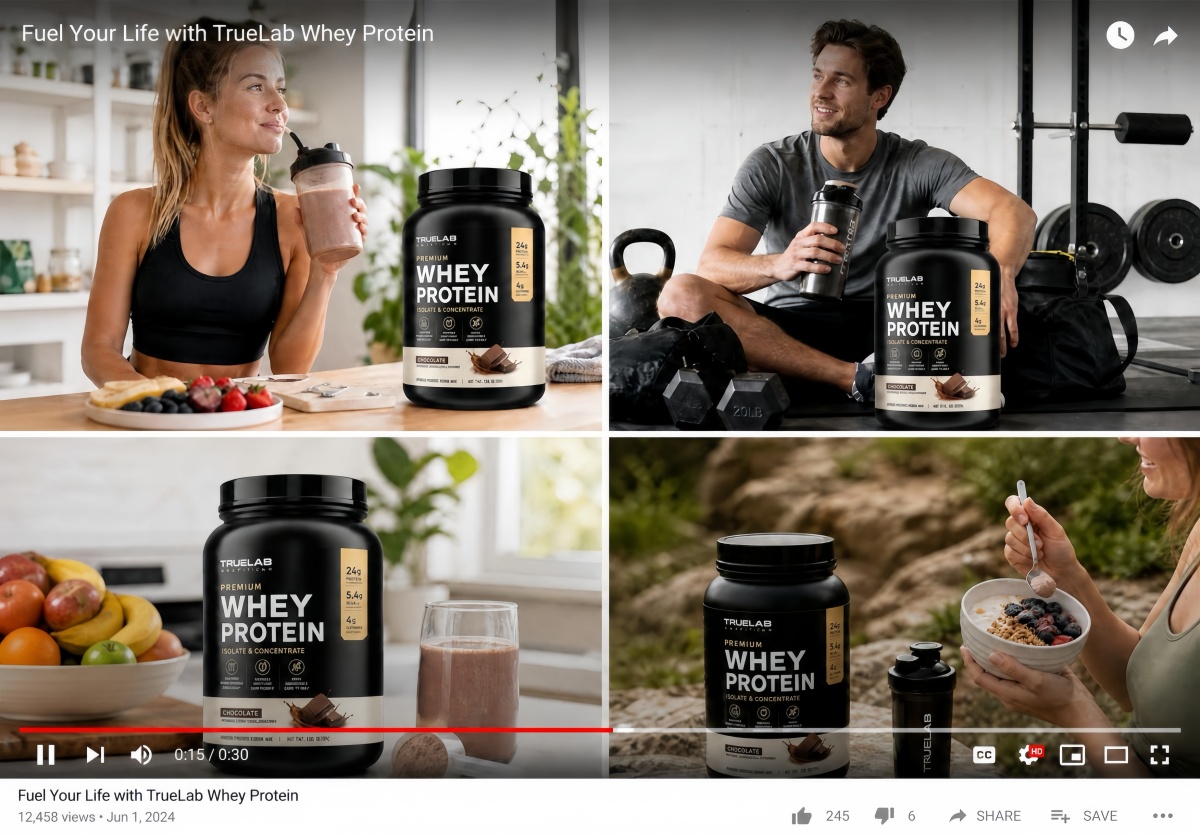
Generate Product Videos from Images
Structure Your Video for Higher Engagement
A high-performing video must follow a proven psychological structure to drive sales. Focus on creating a high-converting product video that keeps users watching longer. Your ecommerce video marketing efforts will succeed by following this specific narrative roadmap:
1. The Hook
Capture attention immediately.
Show your strongest product image, an interesting angle, or a visual transformation that encourages viewers to keep watching.
Examples include:
- Before-and-after comparisons
- Close-up product reveals
- Eye-catching lifestyle scenes
2. Product Demonstration
Use the middle section to answer the questions shoppers commonly have.
Focus on:
- What the product looks like
- Key features
- Size and proportions
- Materials
- How it's used
- Why it's different from similar products
Rather than listing specifications on screen, let the visuals explain the product whenever possible.
3. Call to Action
Finish with one clear action.
Avoid overwhelming viewers with multiple messages.
Instead, reinforce a single objective, such as visiting the product page, exploring more styles, or making a purchase.
How to Batch-Generate Product Videos from Images at Scale
Managing a large inventory requires a faster way to create quality content. You can now batch generate product videos using AI to save significant time. Systematizing your workflow ensures that every single SKU receives a professional marketing video.
Platforms like Designkit offer a powerful batch generation capability built for your catalog-scale production. This automated approach removes the frustration of starting from scratch for every item. Learn how to optimize your output while maintaining a very high creative standard:
Why Large Catalogs Demand a Scalable Video Production Workflow
Manual video creation is simply impossible when you have hundreds of unique products. Using batch-generated product videos AI changes the math for modern ecommerce brands. This level of ecommerce automation allows you to meet the demands of every platform.
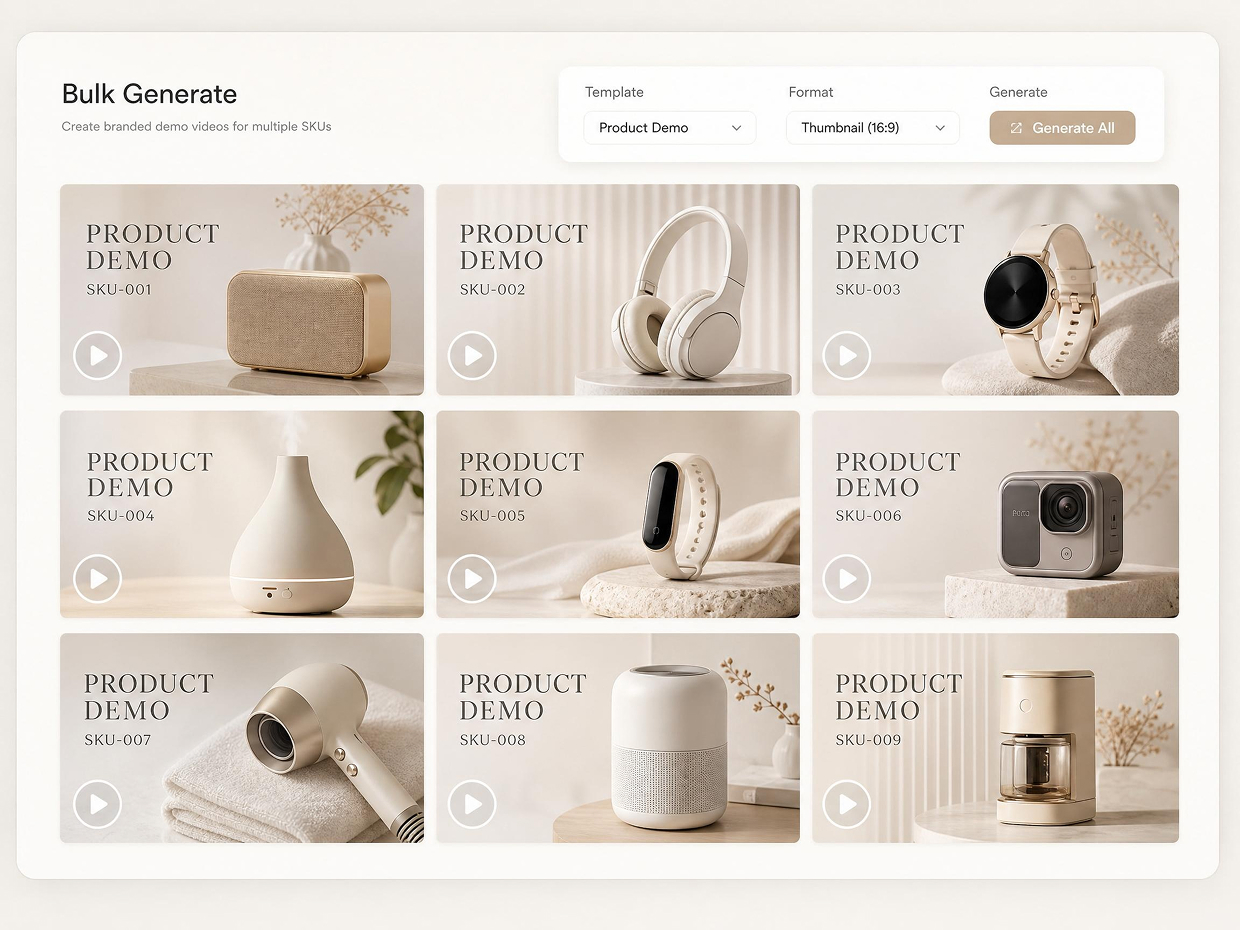
Traditional methods are too slow and expensive for high-volume product catalog management. Yet, automated systems handle repetitive tasks while you focus on your overall strategy. Scaling your production requires understanding the specific bottlenecks that automation solves for sellers:
1. Efficiency at Scale: Processing 500 SKUs manually would take months of editing.
2. Cost Reduction: Automation removes the need for expensive studios and large production crews.
3. Market Speed: Launch new collections across all channels simultaneously with instant video assets.
That’s the reason moving to a scalable model is the only way to stay competitive now. Your brand is now capable of bringing a video to each listing without any additional pressure. According to Wyzowl, around 91% of businesses now use video as a core marketing tool in 2026.
Build Reusable Prompt Templates for Consistent Video Output
Consistency matters when customers browse multiple products across the same ecommerce storefront simultaneously. A reusable product video prompt helps maintain visual alignment throughout your entire catalog collection. This structured AI video workflow prevents inconsistent branding between different product category advertisements. You can follow this simple, reusable prompt structure for faster production across similar products:
|
Template Element |
Main Purpose |
Example Input |
|---|---|---|
|
Product Category |
Defines the specific product type for the artificial intelligence system. |
Wireless Gaming Headphones |
|
Core Benefit |
Highlights the primary customer advantage during promotional video storytelling. |
Lightweight and Immersive Audio |
|
Motion Style |
Controls cinematic movement and overall visual presentation style automatically. |
Smooth Cinematic Rotation |
|
Platform Target |
Optimizes formatting requirements for specific ecommerce or social platforms. |
TikTok Product Advertisement |
This AI video workflow reduces repetitive work while improving brand consistency across multiple campaigns.
Run a Batch Product Video Workflow from Upload to Export
A scalable production process requires clear organization before generating large product video batches efficiently. You can auto-generate product videos from images using structured folder management systems easily. As explored, Designkit supports batch generation of product videos and AI workflows through streamlined upload and export automation. So, follow these practical steps to manage large-scale video production workflows successfully for ecommerce catalogs:
1. Organize Product Images by SKU
Separate every product collection into organized folders before starting your automated video generation process. Proper organization prevents incorrect assets from appearing inside unrelated marketing video advertisements later.
2. Apply Reusable Prompt Templates
Use standardized prompt structures across similar product categories to maintain visual consistency everywhere. This approach reduces repetitive manual writing during large-scale ecommerce production operations significantly.
3. Generate Videos in Sequential Batches
Run generation tasks in smaller controlled groups instead of processing entire catalogs simultaneously. Sequential processing improves quality control and prevents unnecessary rendering or export-related workflow errors.
4. Review and Export Final Assets
Check visual consistency, resolution quality, and formatting before publishing videos across live product listings. At this point, tools like Designkit allow sellers to export optimized marketplace videos directly after batch generation completes.
This workflow dramatically reduces production time while improving operational scalability for growing ecommerce businesses.
Conclusion
In conclusion, product images can now become videos without editing skills or complex production. From single products to full listings, an AI product video generator from image scales effortlessly. This workflow helps Shopify and Amazon sellers create faster, stronger listings. Along with that, platforms such as Designkit simplify each step, from preparation to export and batch production. Hence, use AI to turn existing catalog assets into publish-ready videos.
Frequently Asked Questions
Do I need design skills to generate product videos from images?
How many images do I need to create one product video?
One simple HD photo is enough to make a simple marketing clip. Using multiple angles ensures your AI product video generator from an image provides better visual results. Moreover, adding detail and lifestyle images helps you build a much stronger and compelling story.
Can AI-generated videos be used on Shopify and Amazon?
Yes, you can upload these files directly to your Shopify and Amazon product pages. An AI product video generator from an image produces high-definition assets for every marketplace. Most tools offer built-in presets that match the specific technical requirements of these platforms.
How do I keep videos consistent across hundreds of products?
You should batch generate product videos AI using reusable and standardized prompt template structures. This method ensures that every single advertisement maintains the same brand tone and style. Consistent motion and lighting settings help your entire catalog look professional and perfectly aligned.
What's the difference between Image to Video and AI Video Ad Recreation?
The Image to Video feature transforms your static photography into realistic cinematic motion scenes. Conversely, AI Video Ad Recreation uses reference clips to batch generate product videos. Designkit offers both professional solutions to help you meet different creative and marketing goals.
You May Also Like

PixVerse AI Review 2026: Is It Worth Using for AI Videos?

How to Animate a Picture with AI: Easy Step-by-Step Guide

How to Write a Video Script: Structure, Tips & Examples

What Is B-Roll? Meaning, Examples, and How to Use It

How to Make a TikTok Video: A Step-by-Step Guide 2026

How to Make an Instagram Post: Step by Step Creation Guide

Social Media Copywriting: Tips, Examples & Best Practices

What Are AI Fruits? The Trend, the Formats, and How to Make One

LTX Studio Review: Features, Pricing & AI Filmmaking Guide

HeyGen vs Arcads: Which AI Video Tool Wins in 2026?

Arcads AI Review 2026: Features, Pricing, Pros, Cons & Alternatives

Creatify AI Reviews: Features, Pricing & Alternatives (2026)
What Are Satisfying Videos? Types, Tips & How to Make (2026)

How to Generate Product Videos from Images with AI (2026 Guide)
How to Create a Product Launch Video with AI: A Step-by-Step Guide

What Is a Brand Video? Types, Examples & How to Create One
AI Product Demo vs Live Demo: Which Gets More SaaS Sign-Ups?
How to Create AI Product Promotion Videos in Minutes (Step-by-Step)
Best AI Product Video Ad Generators for Ecommerce in 2026

How to Boost Ecommerce Sales: Proven Strategies That Work
How to Add Video to eBay Listing: Step-by-Step Seller Guide
Short Form Video Marketing for E-commerce: AI Video Guide

What Is Video Marketing? E-commerce Guide & Strategies 2026
Ready to Turn Product Images into Videos at Scale?
Designkit helps ecommerce teams convert individual images or entire product catalogs into videos for Shopify, Amazon, TikTok, and other sales channels.


