
Turn Product Photos into High-Converting Launch Videos with AI
Learn how ecommerce brands create professional product launch videos from existing product images—without filming, editing, or hiring a production team.


Launching a new product is exciting, but creating promotional videos often slows everything down. Traditional video production requires planning, filming, editing, and multiple revisions, making it difficult for ecommerce teams to launch campaigns quickly.
Fortunately, you don't need a professional production crew to create high-quality product videos anymore. If you already have product photos, AI can transform them into engaging launch videos in minutes.
Whether you're introducing a new skincare product, fashion collection, home accessory, or consumer electronic device, AI helps you create professional launch videos for your Shopify store, Amazon listings, social media, and paid advertising.
In this guide, you'll learn how to create a product launch video with AI, what makes launch videos convert, and how Designkit helps ecommerce brands turn product images into compelling marketing videos.
Why Product Launch Videos Matter More Than Ever
Today's shoppers want to see products before they buy them. While product photography remains essential, videos help customers understand how a product looks, moves, and fits into everyday life.
A short product launch video can communicate value much faster than static images alone. It demonstrates product details, highlights key benefits, and creates a stronger emotional connection with potential buyers.
For ecommerce businesses, product launch videos can also improve performance across multiple channels, including:
- Shopify product pages
- Amazon listings
- Instagram Reels
- TikTok
- Facebook and Instagram Ads
- YouTube Shorts
Instead of creating separate assets for every campaign, one well-designed launch video can support your entire product release strategy.
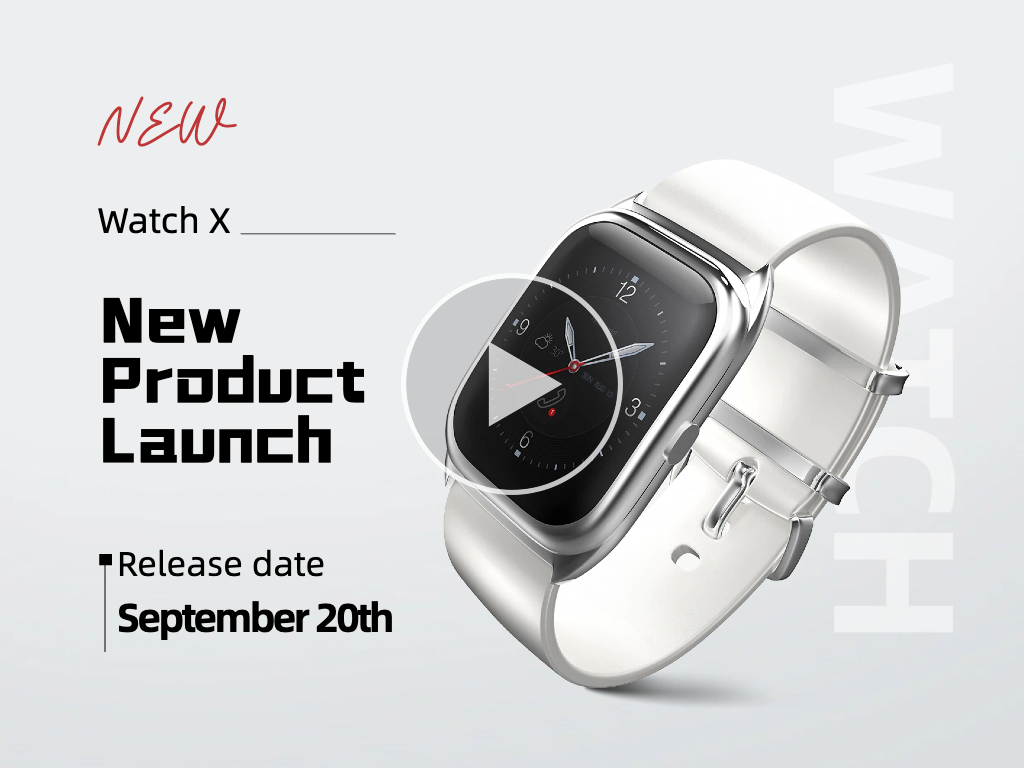
How Videos Outperform Static Product Images
Videos capture attention faster because motion naturally stands out in crowded feeds. They also provide context that photos alone cannot.
|
Feature |
Static Images |
Product Launch Video |
|---|---|---|
|
Product demonstration |
Limited |
Shows products from multiple angles and in use |
|
User engagement |
Moderate |
Higher due to motion and storytelling |
|
Buyer confidence |
Relies on imagination |
Shows real product experience |
|
Social media reach |
Good |
Often receives higher engagement |
| Purchase intent | Moderate | Stronger through visual demonstration |
For products that require demonstration — such as beauty tools, kitchen accessories, fitness equipment, or fashion items—videos answer common customer questions before they purchase.
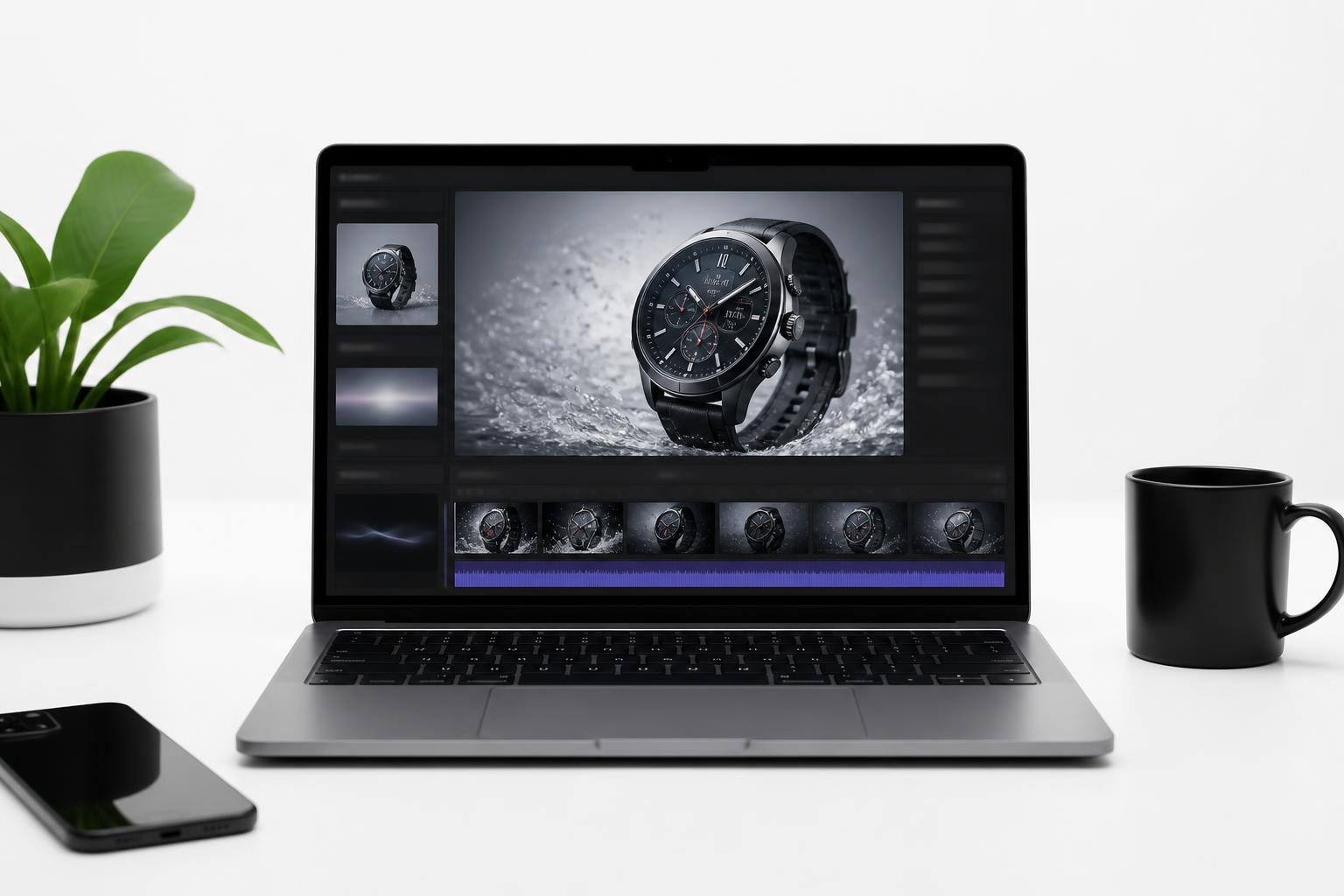
Instead of wondering how a product works, shoppers can see it in action.
Why Traditional Video Production Slows Product Launches
Creating commercial-quality videos through traditional production can take weeks. Brands often need photographers, videographers, editors, lighting equipment, locations, and multiple review rounds before publishing a single campaign.
For fast-moving ecommerce businesses, this creates several challenges:
- Higher production costs. Professional video shoots require significant budgets.
- Longer launch timelines. Editing and revisions often delay marketing campaigns.
- Limited flexibility. Updating pricing, messaging, or seasonal promotions usually requires creating new videos.
AI removes these bottlenecks by allowing marketing teams to generate launch-ready videos directly from existing product assets. Instead of organizing another shoot, brands can reuse their product photography and publish campaigns much faster.

How to Create a Product Launch Video with AI
Creating a professional launch video no longer requires advanced editing skills. With AI, the entire workflow becomes much simpler, especially if your product images are already prepared.
Follow these steps to create a product launch video that attracts attention and drives conversions.
Step 1: Define Your Product Story
Before opening any AI tool, decide what message your launch video should communicate.
Rather than listing every product feature, focus on one clear value proposition.
Ask yourself:
- Who is this product designed for?
- What problem does it solve?
- Why should shoppers care today?
- What action should viewers take after watching?
For example, if you're launching an insulated travel mug, your message isn't simply "new coffee mug."
Instead, your story could be:
Keep coffee hot for hours wherever you go.
This simple message becomes the foundation of your entire video.
Step 2: Gather Your Product Images
Most ecommerce brands already have professional product photos before launch.
Collect assets such as:
- Front and back product images
- Close-up detail shots
- Lifestyle photography
- Packaging photos
- Brand logo
- Promotional text
Higher-quality images produce better AI-generated videos.
If you don't have lifestyle photography yet, AI-generated product images can also be used as source material.
Step 3: Turn Product Photos into a Launch Video
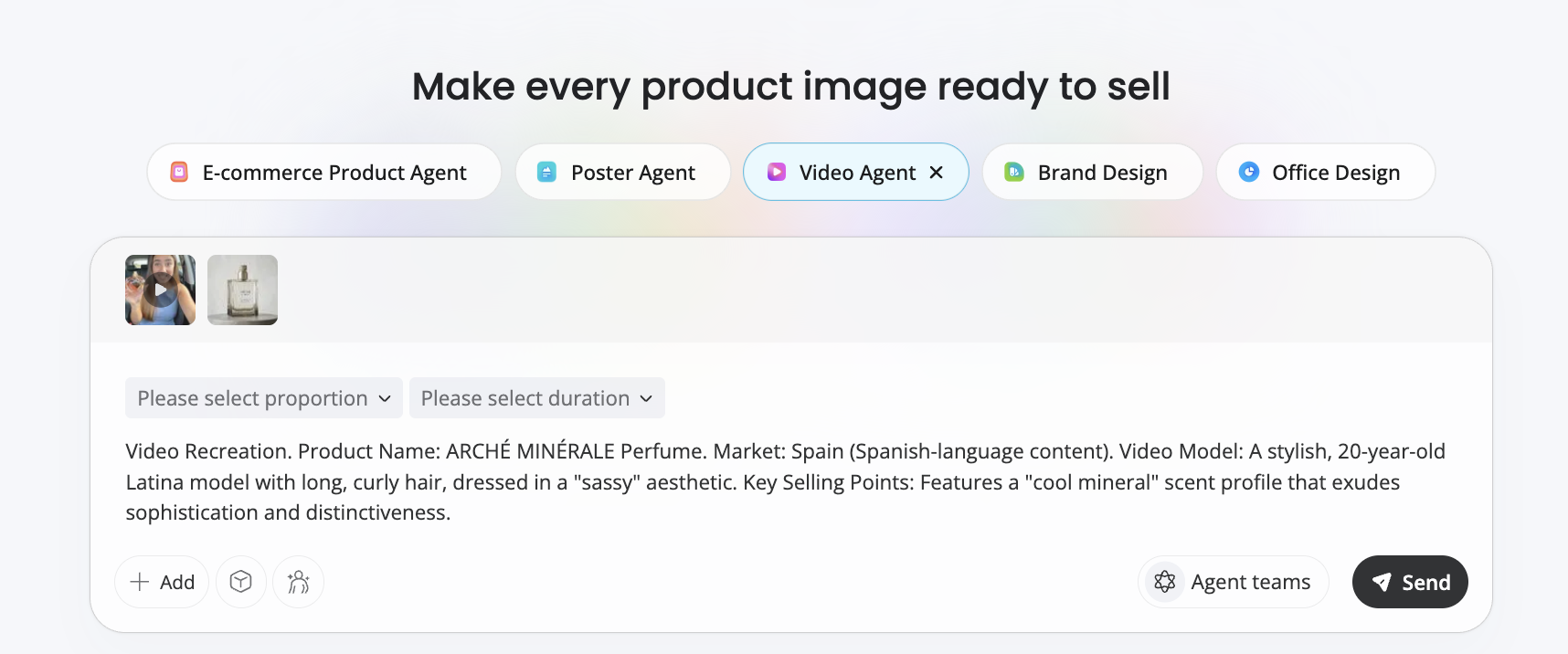
Upload your product images into Designkit and choose either Video Agent.
Instead of manually animating every scene, AI creates natural camera movement, smooth transitions, and dynamic product presentations automatically.
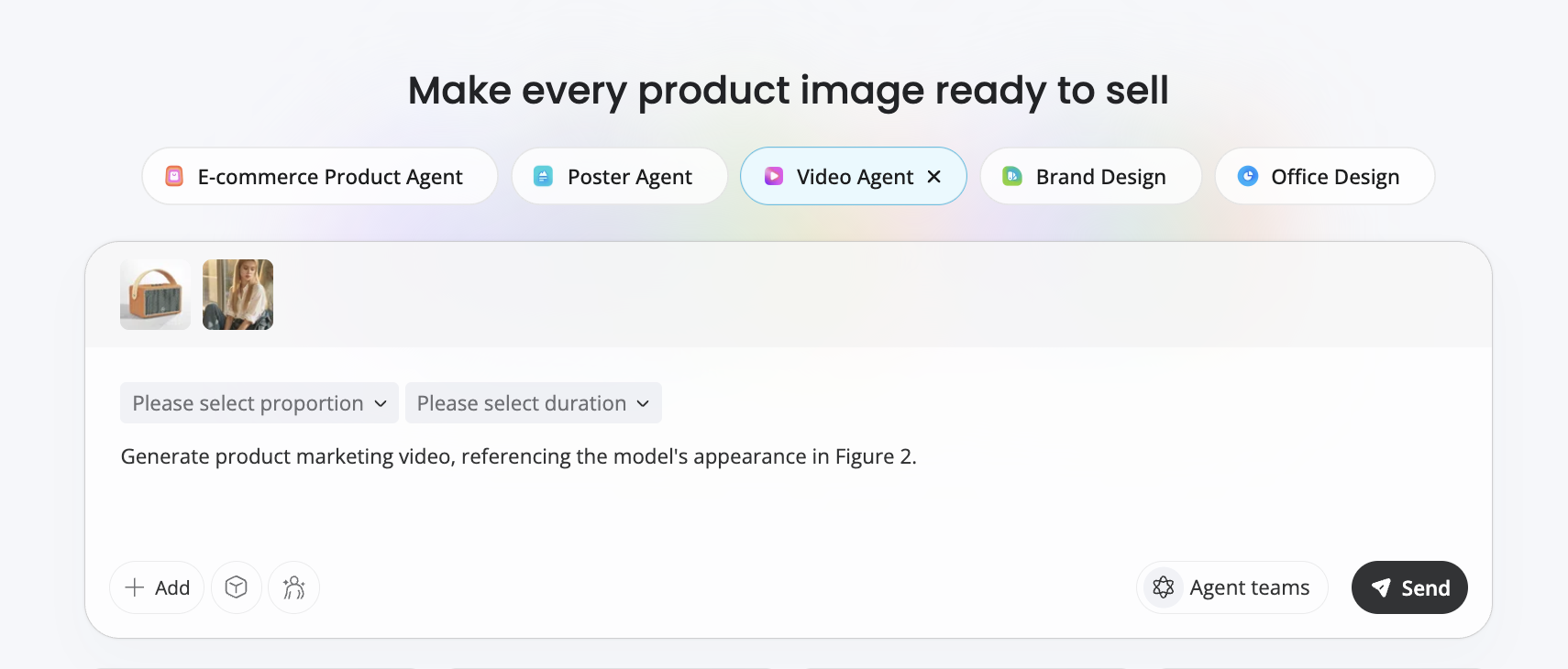
For example, you can generate scenes such as:
- Slow product rotations
- Zoom-in product details
- Lifestyle environments
- Floating product animations
- Premium lighting effects
- Smooth cinematic transitions
This approach transforms static product photography into a polished promotional video suitable for ecommerce marketing.
It works particularly well for:
- Beauty products
- Clothing
- Jewelry
- Electronics
- Home décor
- Kitchen products
- Consumer packaged goods
Step 4: Customize the Video for Your Campaign
Once the initial video is generated, personalize it for your launch campaign.
Consider adding:
- Product name
- Launch announcement
- Key selling points
- Promotional offer
- Call-to-action
- Brand colors and fonts
Keep on-screen text concise. Most viewers should understand your product within the first few seconds without reading large paragraphs.
Step 5: Preview and Export
Before publishing your video, review it carefully.
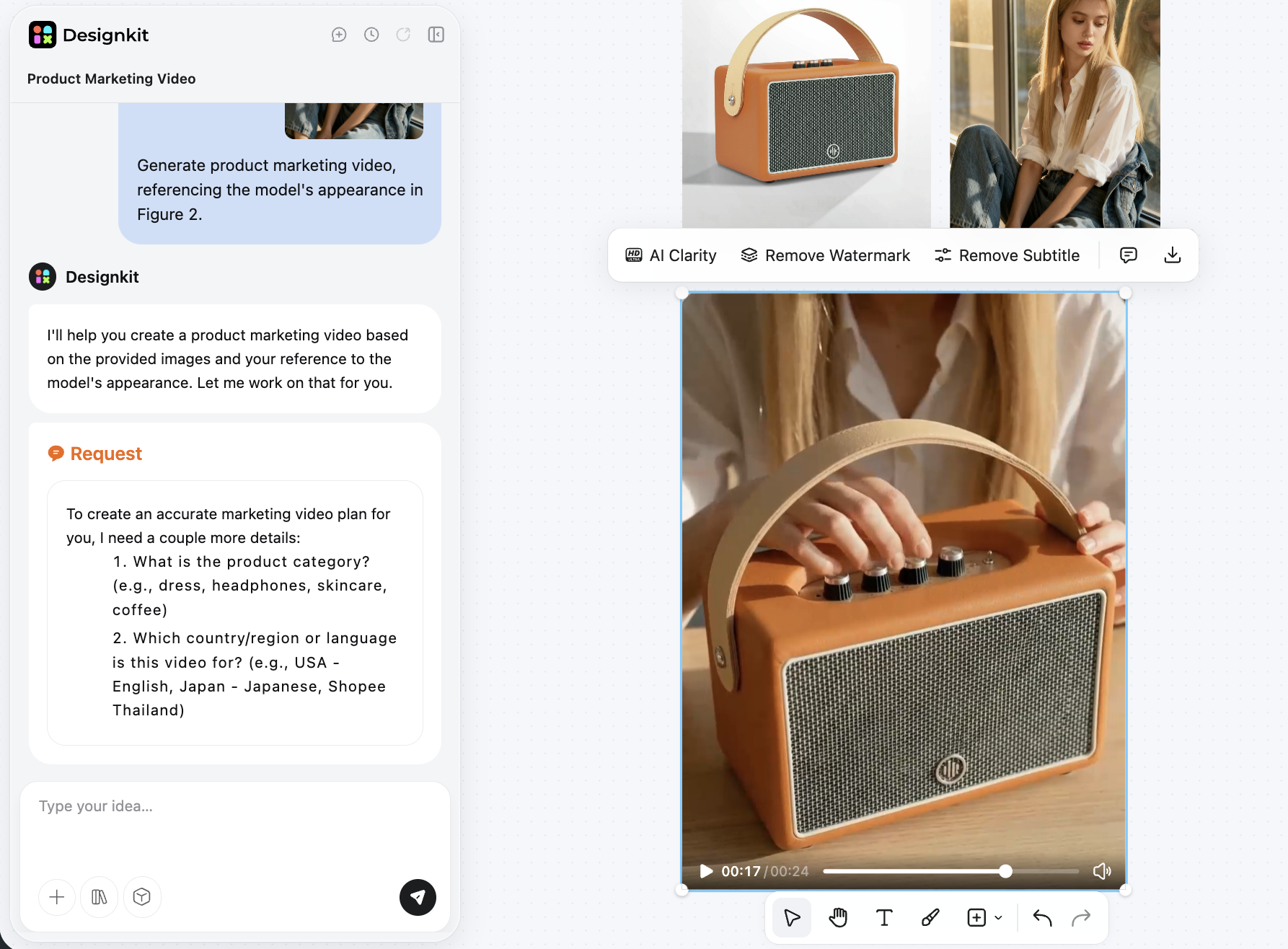
Check that:
- Scene transitions feel natural.
- Product details remain clear.
- Text is easy to read.
- Brand colors are consistent.
- Video length matches your target platform.
Finally, export your video in HD and prepare versions for different marketing channels.
A single master video can easily be adapted into vertical, square, and landscape formats for wider distribution.
What Makes a Product Launch Video Convert
Creating a launch video is only the first step. To generate clicks and sales, your video needs to capture attention quickly, communicate value clearly, and encourage viewers to take action.
The highest-performing product launch videos focus on customer outcomes rather than product specifications. Instead of explaining every feature, show how your product improves everyday life.
Hook Viewers Within the First Three Seconds
The opening moments determine whether someone keeps watching or scrolls away.
Start your video with a visual that immediately sparks curiosity or highlights the product's biggest benefit.
Some effective opening approaches include:
- Show the product solving a common problem.
- Reveal an eye-catching product transformation.
- Highlight the product's most impressive feature.
- Start with a lifestyle scene that your target audience relates to.
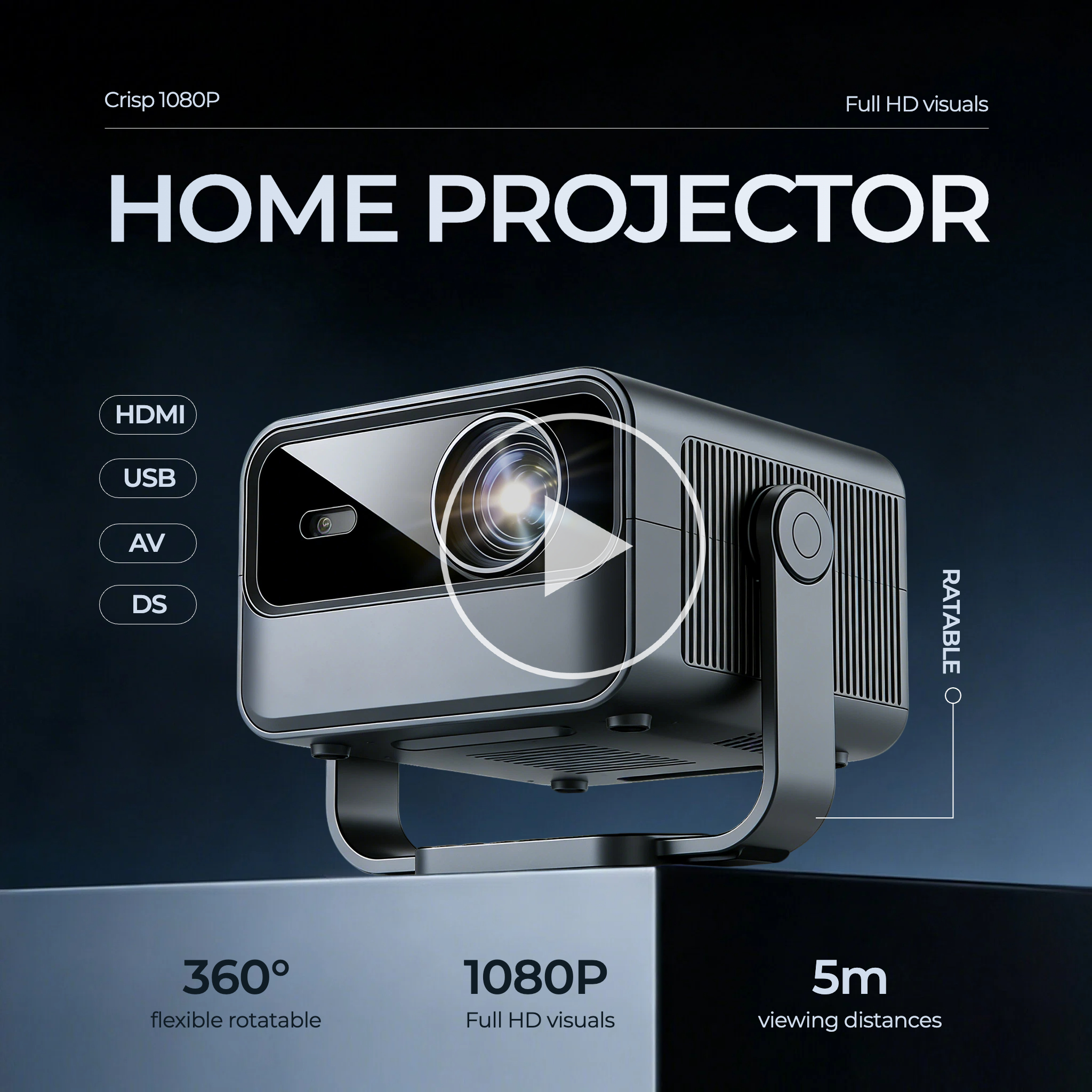
For example, instead of opening with a static product image, show a portable blender making a smoothie outdoors or a wrinkle remover restoring clothes within seconds.
A strong opening gives viewers a reason to keep watching.
Follow a Simple Story Structure
The best launch videos don't feel like advertisements. They tell a short story that helps customers imagine using the product.
A simple three-part structure works well for almost every ecommerce product:
1. Present the Problem
Show a familiar situation your audience experiences.
Examples include:
- A cluttered desk
- A leaking water bottle
- Slow phone charging
- Poor kitchen storage
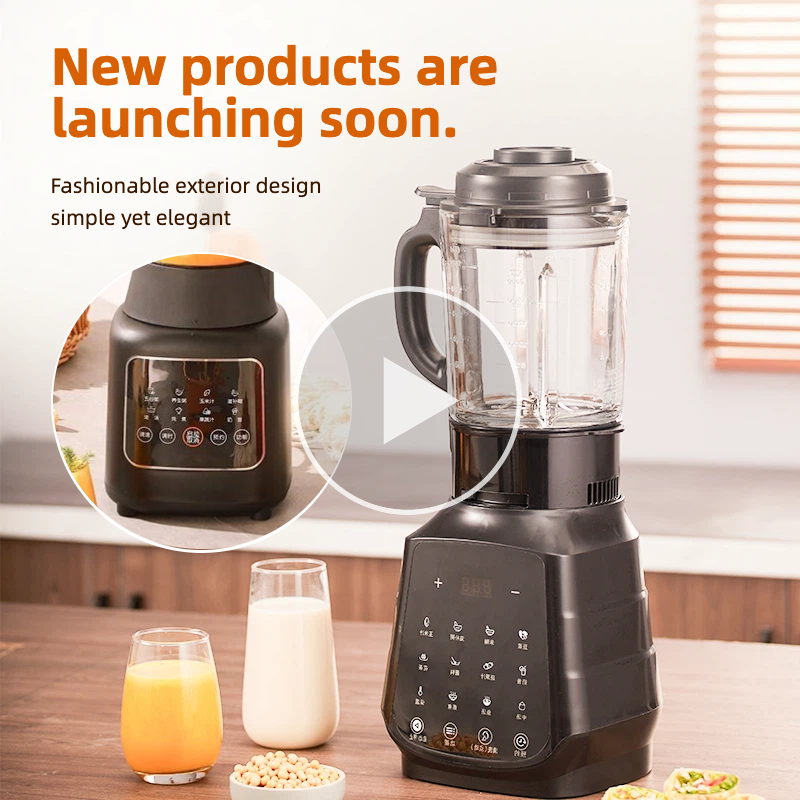
2. Introduce the Product
Position your product as the solution.
Focus on how it solves the problem instead of listing technical specifications.
3. Show the Result
Finish by showing the positive outcome.
Examples include:
- A clean, organized workspace
- Hot coffee that stays warm for hours
- Faster daily routines
- A stylish home setup
This simple progression makes the product feel useful rather than promotional.
Show the Product in Real Use
Customers want to understand what owning the product feels like.
Instead of showing only studio images, include scenes that demonstrate:
- Size
- Texture
- Materials
- Movement
- Everyday usage
- Close-up details
Lifestyle demonstrations help shoppers imagine themselves using the product, which often increases purchase confidence.
Match Video Format to Every Platform
Different platforms perform best with different video formats.
Prepare multiple versions of your launch video for the channels where your audience spends time.
|
Platform |
Recommended Format |
Aspect Ratio |
|---|---|---|
|
TikTok & Reels |
Vertical Video |
9:16 Ratio |
|
Facebook & Instagram |
Square Video |
1:1 Ratio |
|
YouTube & LinkedIn |
Landscape Video |
16:9 Ratio |
Designing for each platform helps maximize visibility without creating multiple videos from scratch.
Why Use Designkit for Product Launch Videos
Most ecommerce brands already have everything they need to create launch videos — professional product photos.
Designkit helps transform those existing assets into engaging promotional videos without scheduling another photoshoot or learning complex editing software.
Instead of building every scene manually, you can generate polished launch videos in just a few steps.
Turn Product Photos into Motion
Upload product images and let AI create realistic camera movements, smooth transitions, and cinematic animations.
This makes static photography feel more dynamic while keeping your product as the center of attention.
Create Videos Faster
Traditional production often takes days or weeks.
With Designkit, ecommerce teams can generate multiple video concepts within minutes, making it easier to prepare seasonal campaigns, product launches, and promotional events on tight schedules.
Maintain Consistent Branding
Customize every video with your:
- Logo
- Brand colors
- Fonts
- Headlines
- Promotional messaging
This keeps your marketing materials consistent across every channel.
Export for Multiple Platforms
Instead of editing separate versions manually, Designkit lets you generate videos optimized for:
- Shopify
- Amazon
- TikTok
- Instagram Reels
- Facebook Ads
- YouTube Shorts
One creative concept can easily support your entire launch campaign.
Scale Product Marketing
As your catalog grows, creating videos manually becomes increasingly difficult.
By turning existing product images into launch-ready videos, ecommerce teams can produce more marketing content without significantly increasing production costs.
Where to Distribute Your AI Product Launch Video
Publishing your video on the right channels is just as important as creating it.
Each platform reaches customers at different stages of the buying journey, so adapting your distribution strategy helps maximize visibility and conversions.
Shopify Product Pages
Your product page is often where buying decisions happen.
Adding a launch video near the top of the page helps shoppers quickly understand your product before reading detailed descriptions.
Videos are particularly effective for products that benefit from demonstrations, such as electronics, beauty products, kitchen tools, and fitness accessories.
Amazon Listings
Amazon allows eligible sellers to include videos on product detail pages.
A short demonstration video can showcase important features, product dimensions, packaging, and real-world usage, helping shoppers make purchasing decisions more confidently.
Instagram Reels
Instagram is ideal for visually appealing product launches.
Focus on:
- Lifestyle scenes
- Product close-ups
- Trending music
- Fast editing
- Clear branding
Short videos between 15 and 30 seconds generally perform well.
TikTok
TikTok rewards authentic and engaging content.
Instead of polished commercials, create videos that feel native to the platform by showing:
- Product demonstrations
- Before-and-after comparisons
- Everyday use cases
- Unboxing moments
Authentic storytelling often generates more engagement than highly produced advertisements.
Paid Social Advertising
Launch videos also work well across paid campaigns on Meta, TikTok, Pinterest, and YouTube.
Short, benefit-focused videos help attract attention while communicating your value proposition within the first few seconds.
Repurpose One Launch Video into Multiple Marketing Assets
A single product launch video can support your marketing across multiple channels.
Instead of creating separate videos for every campaign, repurpose your master video into several formats.
For example, you can:
- Turn a 30-second launch video into 15-second social ads.
- Create vertical versions for TikTok and Instagram Reels.
- Export square videos for Facebook and Instagram feeds.
- Produce short teaser clips for email campaigns.
- Add product demonstrations to Shopify product pages.
- Include videos on Amazon listings where available.
Repurposing content saves production time while maintaining consistent branding across every customer touchpoint.
Conclusion
Launching a new product no longer requires an expensive production crew or weeks of video editing.
If you already have product photos, AI can transform them into engaging launch videos that showcase your products across Shopify, Amazon, social media, and advertising campaigns.
The most effective launch videos focus on one clear message, demonstrate products in real-world situations, and quickly communicate the value customers receive.
With Designkit, ecommerce brands can turn existing product images into professional launch videos in minutes, making it easier to launch products faster, create more marketing content, and reach customers wherever they shop.
Frequently Asked Questions
Can AI create a product launch video from product photos?
How long does it take to create a product launch teaser with AI?
A specialized AI product launch video generator can produce high-quality results in mere minutes. You save several weeks of planning compared to traditional agency production for your launch. Fast generation allows your team to test multiple creative variations before the big day.
How long should a product launch video be?
For most ecommerce campaigns, 15 to 30 seconds is ideal. This length is well suited for TikTok, Instagram Reels, paid social ads, and product announcements while keeping viewers engaged.
What should a product launch video include?
An effective launch video should include:
- A strong opening hook
- Clear product visuals
- Real-life product usage
- Key benefits
- Brand identity
- A clear call to action
Rather than explaining every feature, focus on showing how the product improves the customer's experience.
Can I use the same product launch video on different platforms?
Yes, but you should export different aspect ratios for different channels. Vertical videos work best for TikTok and Instagram Reels, while landscape videos are better for Shopify websites, Amazon listings, and YouTube.
Do I need professional video editing skills?
No. Modern AI video tools like Designkit automate much of the editing process, allowing you to create professional-looking product launch videos using existing product photos and simple prompts.
What products work best with AI-generated launch videos?
AI-generated launch videos work well for almost any physical product, including beauty products, clothing, jewelry, electronics, home décor, kitchen accessories, fitness equipment, pet products, and consumer packaged goods.
You May Also Like

PixVerse AI Review 2026: Is It Worth Using for AI Videos?

How to Animate a Picture with AI: Easy Step-by-Step Guide

How to Write a Video Script: Structure, Tips & Examples

What Is B-Roll? Meaning, Examples, and How to Use It

How to Make a TikTok Video: A Step-by-Step Guide 2026

How to Make an Instagram Post: Step by Step Creation Guide

Social Media Copywriting: Tips, Examples & Best Practices

What Are AI Fruits? The Trend, the Formats, and How to Make One

LTX Studio Review: Features, Pricing & AI Filmmaking Guide

HeyGen vs Arcads: Which AI Video Tool Wins in 2026?

Arcads AI Review 2026: Features, Pricing, Pros, Cons & Alternatives
Creatify AI Reviews: Features, Pricing & Alternatives (2026)
What Are Satisfying Videos? Types, Tips & How to Make (2026)
How to Generate Product Videos from Images with AI (2026 Guide)
How to Create a Product Launch Video with AI: A Step-by-Step Guide
What Is a Brand Video? Types, Examples & How to Create One
AI Product Demo vs Live Demo: Which Gets More SaaS Sign-Ups?
How to Create AI Product Promotion Videos in Minutes (Step-by-Step)
Best AI Product Video Ad Generators for Ecommerce in 2026

How to Boost Ecommerce Sales: Proven Strategies That Work
How to Add Video to eBay Listing: Step-by-Step Seller Guide
Short Form Video Marketing for E-commerce: AI Video Guide
What Is Video Marketing? E-commerce Guide & Strategies 2026
Ready to Turn Your Product Photos into Launch Videos?
Turn your product images into a structured launch video designed for ecommerce platforms. Focus on clear storytelling, strong hooks, and conversion-driven formats without production complexity.


