
How to Turn White Background Product Photos into Amazon Lifestyle Images

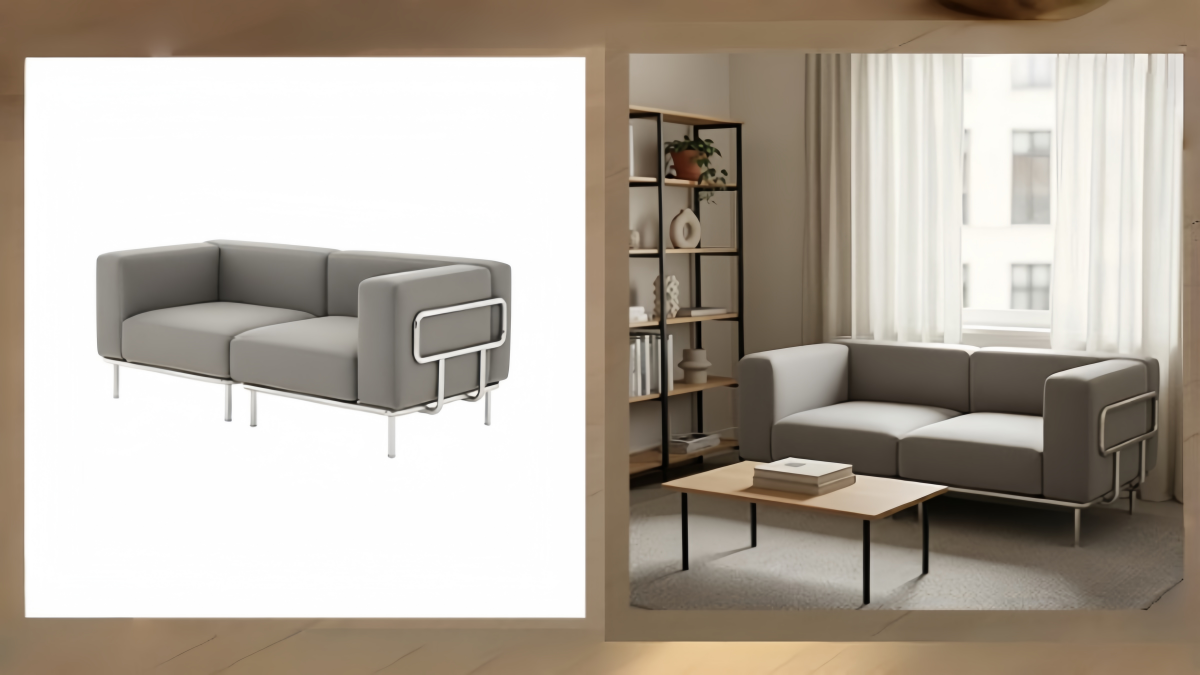
Converting plain white-background images into lifestyle product shots is now compulsory for Amazon sellers who want to get noticed among the massive amount of search results. You can use a neat studio picture for your primary image, but that will not tell a story or persuade your audience why the product should be a part of their life. Lifestyle images take on this role efficiently. By showcasing the product within natural surroundings, the actual size, and the different ways the product can be used, there is an instant increase in the perceived value, and the listing becomes more convincing.
Worry not! By using AI technology, you can switch your basic white-background product photos to stylish, Amazon-complaint lifestyle visuals without the need for costly props or photoshoot arrangements. If you want quick and trustworthy outcomes, Designkit's AI Amazon Product Listing Generator is a great solution as it converts unprocessed product photos into high-performing main images, infographics, and lifestyle scenes all well-optimized for Amazon in just one click.
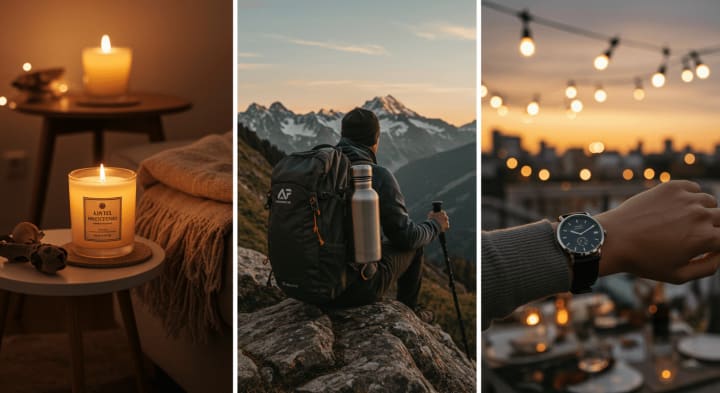
This article explains how to turn plain white-background product photos into compelling lifestyle images that boost Amazon listing performance. Let's explore!
Part 1: What Amazon Shoppers Need to See in Lifestyle Product Images
Lifestyle product images are a major factor in shaping consumer perception of products; quite often, they can have a greater influence on the decision to make a purchase than the description or specifications. The main image on white background is necessary from the compliance point of view, but it is lifestyle images that convey the product value, how to use it, and its suitability for the customer, which is what ultimately transforms uninterested viewers into customers who have faith in the product.
A good Amazon product image doesn't just represent the physical product; it shows the support to the buyer's life that the product can provide. Each component of a lifestyle photo must be consciously selected, and it must also correspond to your customer's desire.
Below are the key elements that make product photography lifestyle visuals highly effective, increasing user engagement and leading to conversions.
1. Real, authentic "in-use" context
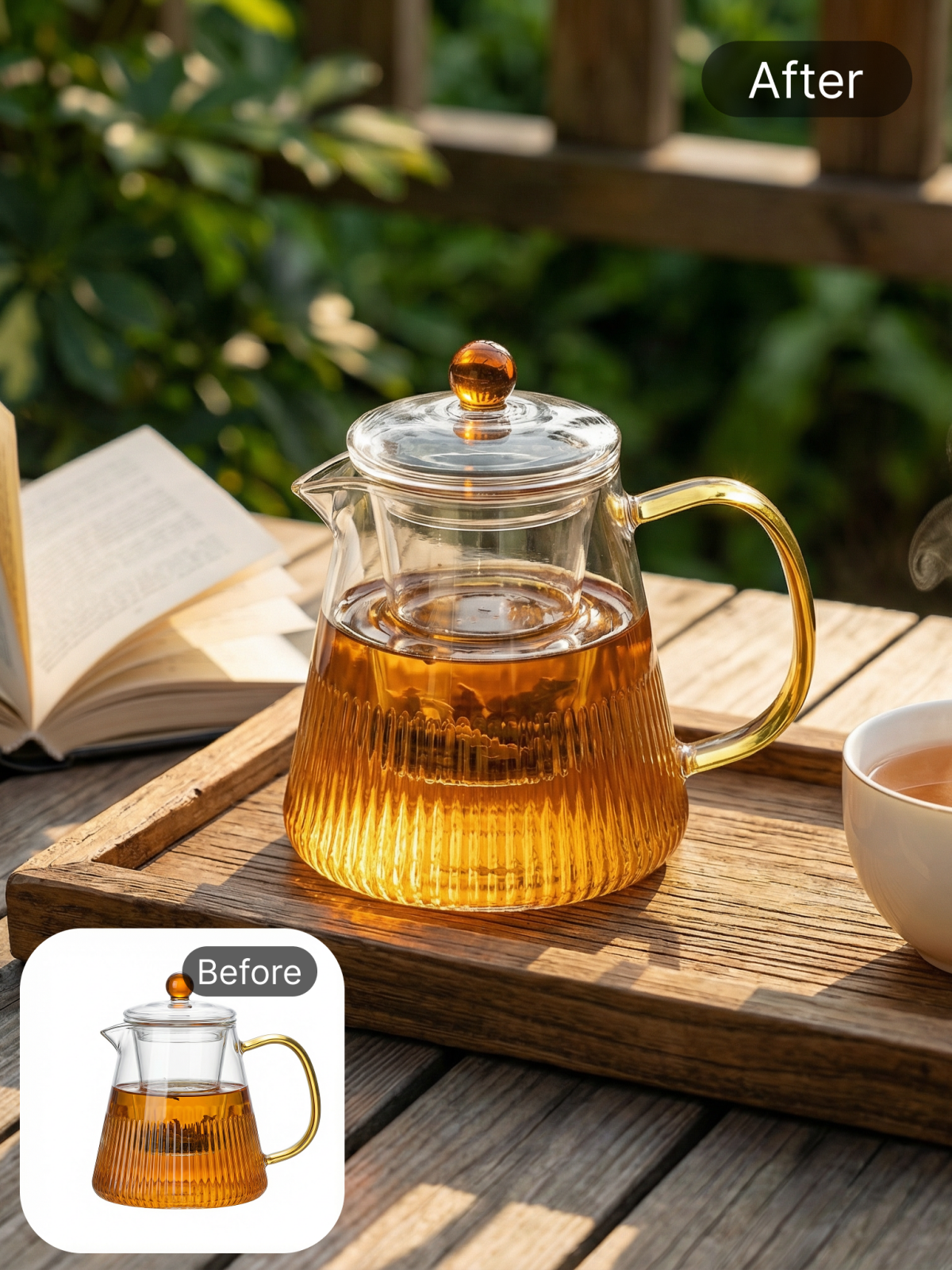
Consumers prefer to view a product being used in a natural setting. Genuine scenes will not only help the buyers to picture themselves owning the product right away but also get rid of any doubts about the functionality. It could be a hair trimmer in a bathroom, a frying pan on the stove, or tech gadgets on a desk, whatever it is, the setting must make sense and show the product's main function in a very realistic way.
2. Clear and accurate sense of scale
A major reason behind product returns in ecommerce is the misinterpretation of the size of a product by customers. To make the size more intuitive in the lifestyle visuals, it is better to show hands, models, the furniture that is already there, or other household items. Proper scaling references can decrease customers' uncertainties; also, they won't have to depend only on the dimensions mentioned in the text to know the size.
3. Key benefits demonstrated visually
Obviously, lifestyle images should be a depiction of use, but it is also important that they promote the product's distinctive features visually. Top-ranked images are the ones that show visually:
- The product is made from premium materials that are durable and strong.
- The product is waterproof or heat resistant.
- Ergonomics and comfort of a product.
- Multi-functional or features that save time.
- The product can be used for after/before scenarios or for transformational purposes.
4. Alignment with the target audience
A lifestyle scene of your product should come from the perspective of users of that product. Parents, athletes, professionals, pet owners, homeowners, everyone is influenced by different cues. So, when props, settings, and models mirror your target audience's self-identity, your Amazon listing images look and feel more attractive and convincing at once.
5. Environmental signals that boost believability
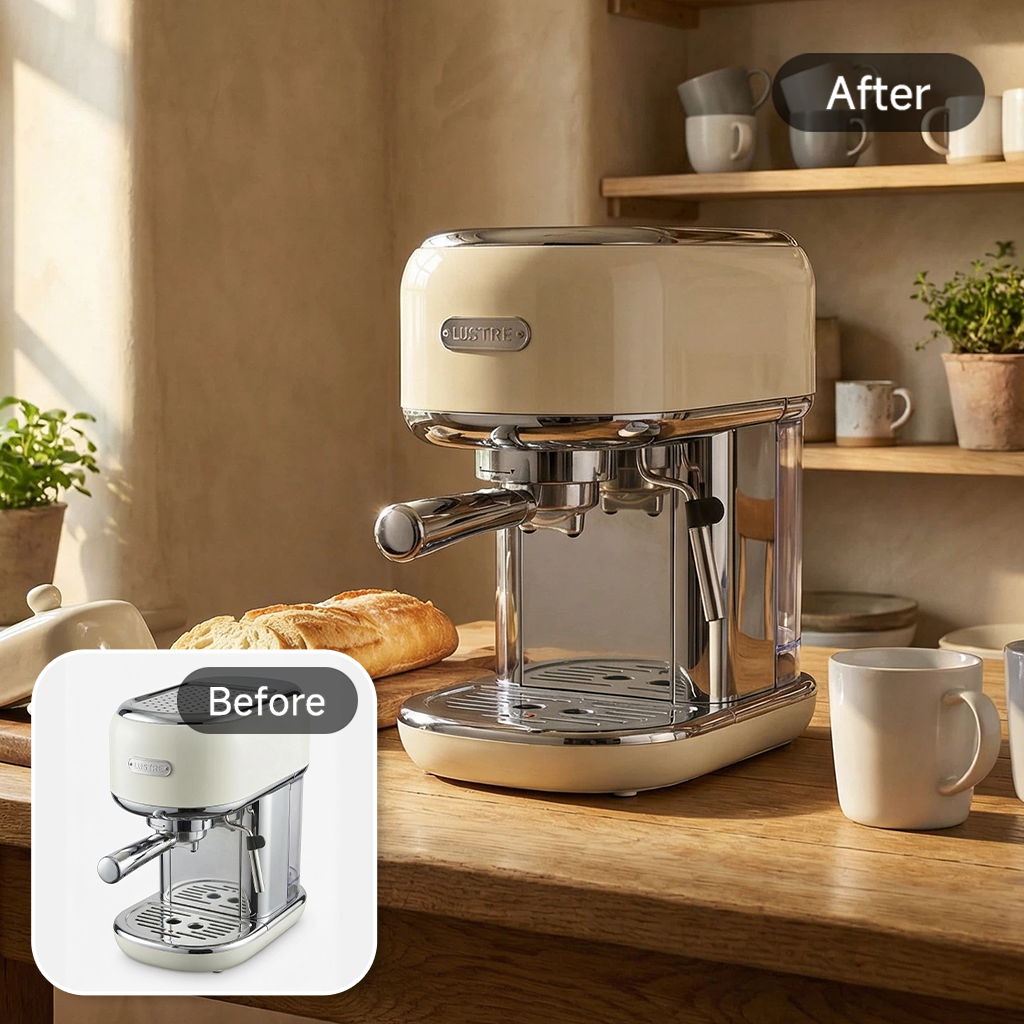
The setting around the product needs to support the product's intention, quality, and ambiance of the whole company. Compelling lifestyle product photos use external factors that reflect the product such as:
- Kitchen and home items are shown in tidy, uncluttered areas
- Décor warmly lit to convey comfort
- Camping gear shown with an outdoor setting
- Productivity tools shown in a professional work environment
They raise the perceived value and make it easier for customers to identify the product's place in the environment.
Mini checklist for sellers
Use this quick evaluation to maximize the strength of your product photography lifestyle images:
- Is the product shown in a realistic, in-use scenario?
- Is the scale unmistakably clear?
- Are key benefits visually highlighted?
- Does the setting match the target audience's lifestyle?
- Are the environment and mood clean, relevant, and believable?
- Is the image consistent with the rest of your Amazon listing images?
Part 2: Preparing White Background Photos for Clean Lifestyle Composites
Producing convincing lifestyle product photos is a journey that begins long before you start assembling the final visuals. The key item is a clean, well-lit and color-accurate, high-quality white background product photo.
Poor base shots will generate unrealistic composites, and the cutout edges will appear with traces of the mask, which will be rejected on Amazon. So, preparation is a very important step. Whether you decide to do manual retouches or use AI, the quality of your initial photo is what really defines how polished and believable your final lifestyle pictures will be.
Fundamental steps in capturing and exporting
For your product to fit seamlessly into any lifestyle scene, here are professional product photography tips :
1. High resolution and clarity
Capture photos at the highest resolution your camera supports. A higher pixel count preserves details when editing product photos and avoids a blurred effect when products are enlarged in lifestyle scenes.
2. Sharp and precise focus with clean edges
With a blurry or fuzzy border, the cutout will look fake. To get a sharp outline, you can stabilize your camera with a tripod, close the aperture and have plenty of light.
3. Proper exposure and white balance
If a photo is overexposed, the light areas will lose all detail while underexposure will make the whole picture grainy. Either situation will result in a less convincing composite. To make sure the product's exact colors are reproduced, use the correct white balance.
4. Use a fast shutter speed
Sharpness is compromised when there is movement and it is almost impossible to fix afterward. So, use a low ISO, fast shutter speed and a controlled environment.
5. Center the product and frame it properly
Having the object in the center makes it easy to remove the background and the product does not get distorted when its size is changed in lifestyle scenes.
6. Remove the dust, fingerprints and scratches
Imperfections will create a lot of trouble during post-production product photo editing. A quick cleaning before shooting will save a lot of time later.
7. Keep the angle the same for all variations
Photograph different colors or models of your product in the same manner, lighting, etc. Production of truly branded and lifestyle composites will greatly benefit from consistent angles.
When to fix vs. when to reshoot
Not every issue is worth correcting. Below are general guidelines:
Fixable issues:
- Minor dust, smudges, or surface imperfections
- Small exposure or color balance deviations
- Slight background shadows or uneven whites
- Simple edge clean-up
Reshoot required:
- Heavy motion blur
- Severe reflections or glare on glossy surfaces
- Incorrect angles or perspective distortion
- Low-resolution images that cannot withstand cropping
- Overexposed areas with lost detail (irreversible)
Common Prep Mistakes to Avoid
Even the most experienced sellers fall victim to the same prep mistakes that significantly degrade the quality of their lifestyle product images.
Below are some of the most common mistakes to avoid:
- Inconsistent shooting angles across variants will differentiate your images unnecessarily.
- Using wrinkled backdrops might result in shadows that are not wanted.
- Leaving the product dirty before shooting may be disastrous.
- In mixed lighting situations, do not rely on auto white balance.
- Cropping too tightly can limit your compositing flexibility.
- Using a poor quality smartphone camera without ample lighting will not give good results.
- Whites that are over-edited cause a halo effect around the product.
Part 3: How to Transform White Background Photos into Lifestyle Images
Turning white background photos into a lifestyle product image is a great way for Amazon sellers to display their products as if they were in a real living environment. This creates a more engaging experience for the customers which can lead to a higher rate of purchase. However, before you start, keep in mind that it is always better to work with high-quality photos, especially if you intend to rely on AI tools for the "before to lifestyle" transformation. Your photos should have a clear composition, be well exposed, and be taken from consistent angles. A solid base will allow the product to be naturally fit into the lifestyle areas without giving away any cutout or distortion artifacts.
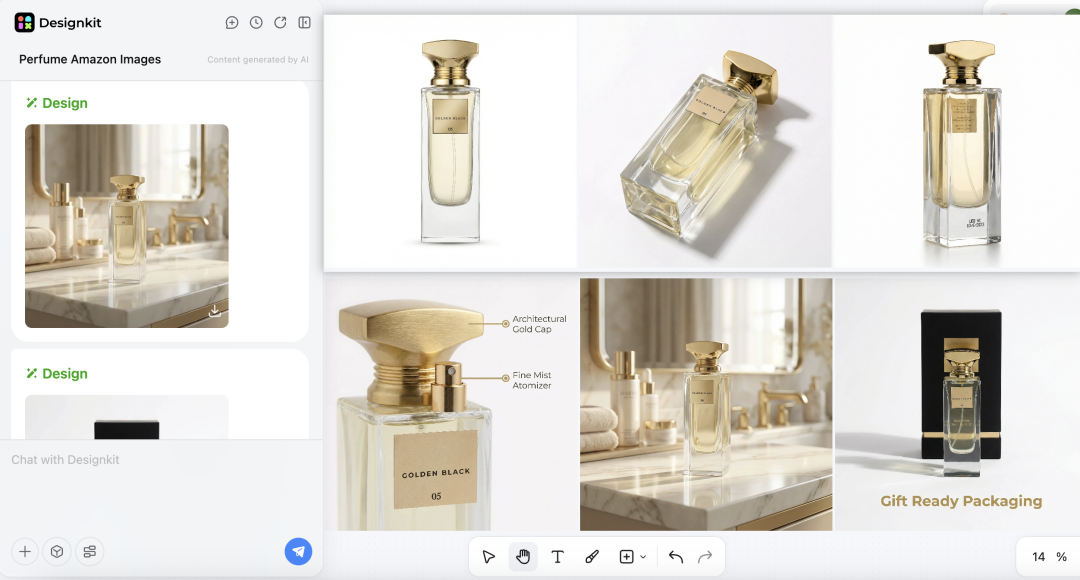
One option is Designkit, an AI-powered tool that helps sellers remove backgrounds, enhance clarity, and generate realistic lifestyle scenes quickly. Through its editing and upgrading capabilities, you can produce refined, high-resolution Amazon pictures for product listings that depict your item as seen in real environments with little manual labor.
Here, we'll take AI product photography one step further and convert them into fully optimized lifestyle Amazon listing images in a detailed 6-step guide.
Step 1. Get a Strong Base Image with Clean Edges
A high-quality white background product photo is the basis of good lifestyle product images. Make sure the background is perfectly clean, the edges are sharp, and the transparency is correctly done, so there are no halos or left-over shadows that make the product look unnatural. Accurate and clean cutouts enhance the level of realism and facilitate AI-based scene generation.
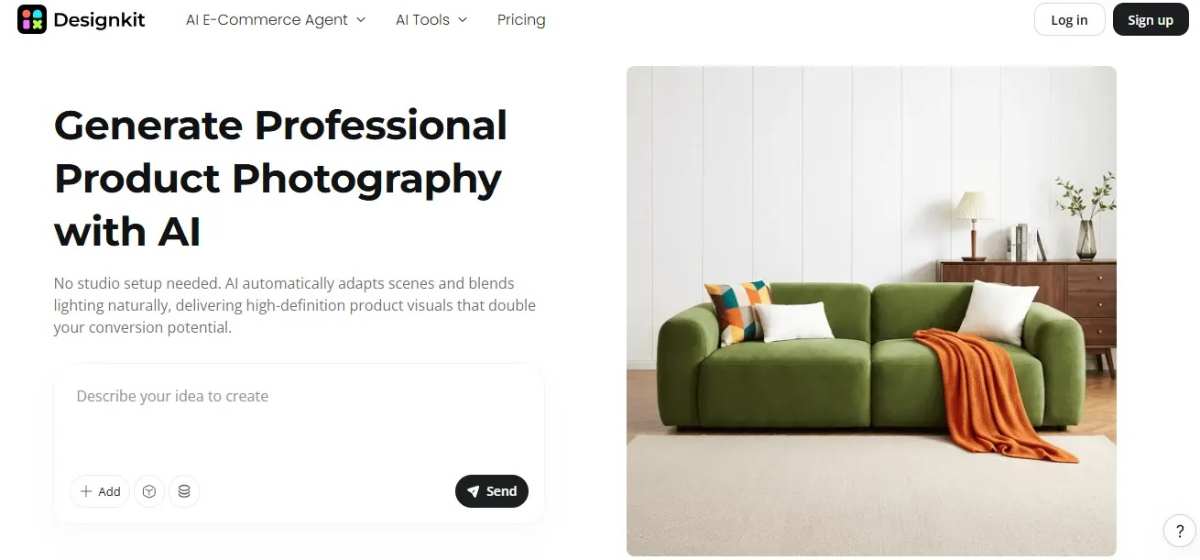
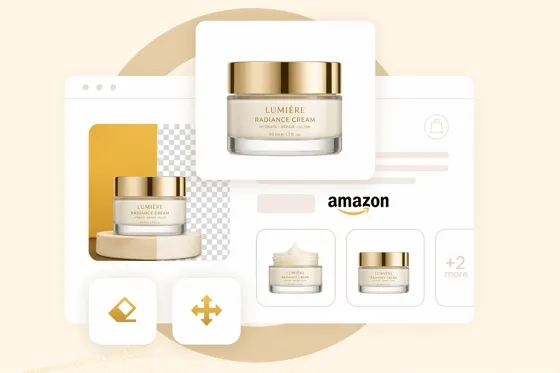
After your perfectly clean cutout is done, upload the packshot to the Designkit AI Product Photography Generator for preparing the image for a flawless background replacement and scene creation.
Step 2. Write Prompts That Produce Realistic Lifestyle Product Images
Making lifestyle product images that convince people to buy is about writing good prompts for AI product photography. A proper prompt mixes environment, lighting, camera angle, composition, materials, and even things like "no text/no watermark."
Examples of effective prompts:
- "Ceramic mug on a bright kitchen counter, morning sunlight, shallow depth of field, minimal props, no text"
- "Skincare bottle on spa towel, soft diffused lighting, top-down angle, clean background, no watermark"
- "Pet toy in cozy living room, warm natural light, eye-level shot, wooden floor, no text"
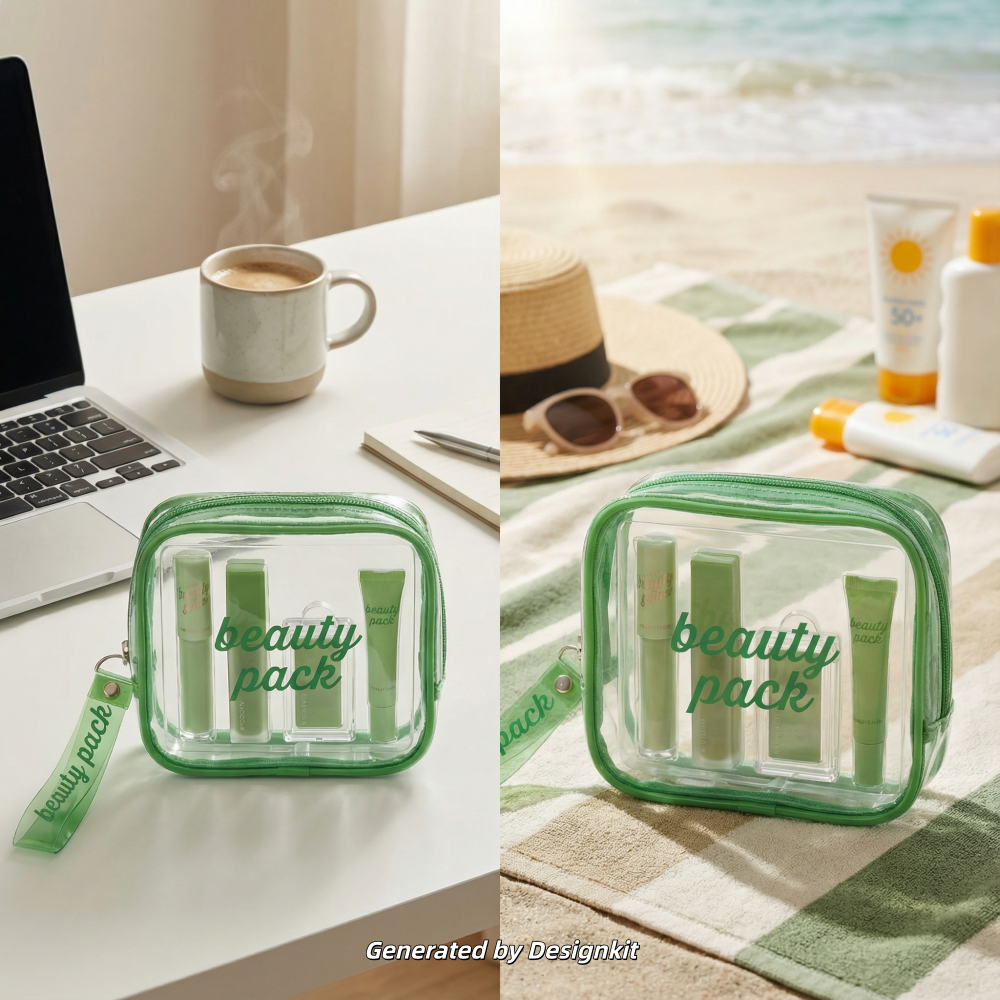
Want realistic lifestyle product images ? Designkit's AI Product Listing Images Generator is one option. The tool can create several lifestyle product images rapidly based on prompts or templates. The AI distributes scene settings, lighting, and composition automatically by analyzing product details, resulting in ready-to-use product lifestyle images.
Match Lighting and Shadows So the Product Doesn't Look Floating
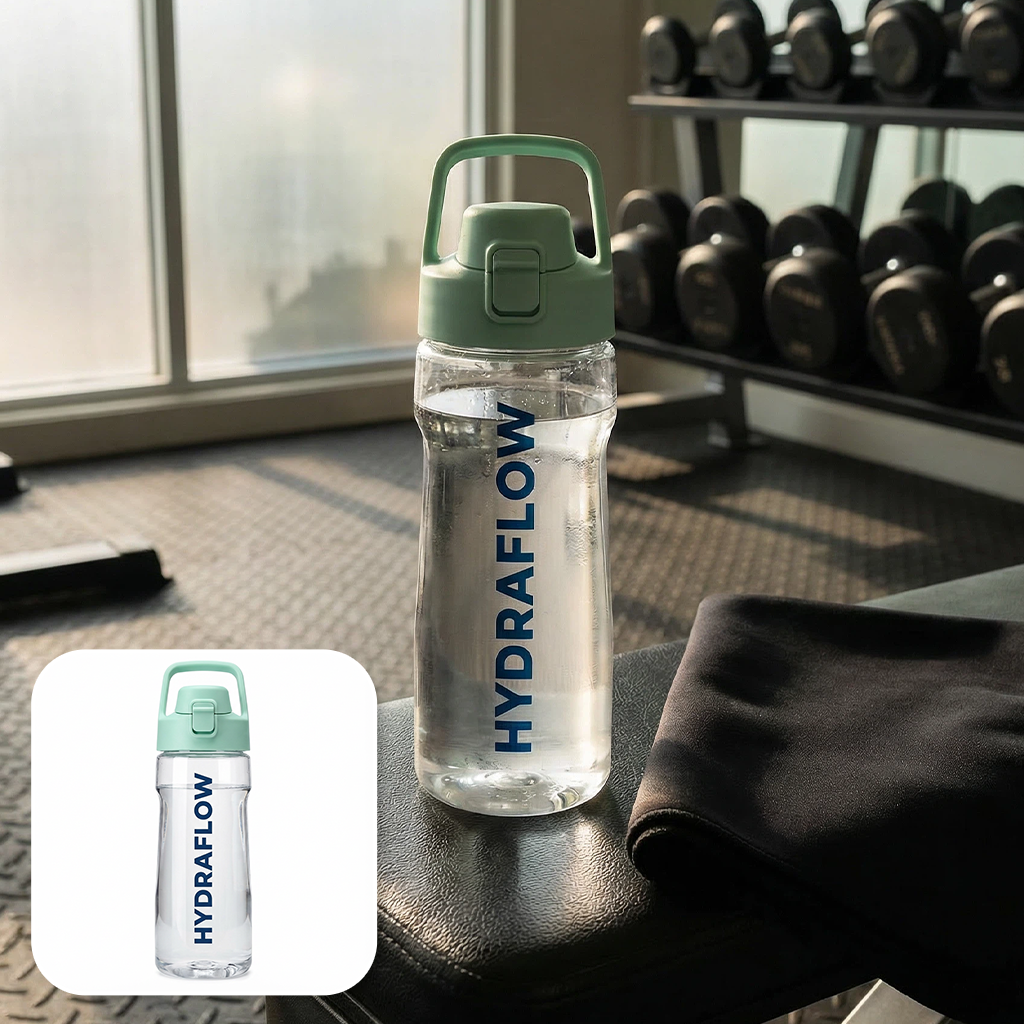
Accurate shadow matching is a crucial element if you want your product pictures to look realistic. Make sure the shadow direction is consistent with your light source. Besides that, a slight contact shadow should be added at the point where the product rests on the surface.
Moreover, ensure that the reflections and the color casts are in harmony throughout the image. Depth-of-field should be consistent with the environment, i.e., if the background is blurred, the foreground should be in focus for it not to appear as if the product is floating.
Keep a realism checklist handy:
- The shadows appear to fall naturally and are aligned with the light angle
- The contact shadows help in visually attaching the product to the surface
- The reflections are in accordance with the type of materials and the lighting
- The color temperature is consistent throughout the product and the scene
- The depth-of-field is in line with the scene's perspective
Pre/Post Criteria: Match your image with real-world reference pictures. When the product seems out of place, too shiny or the light cannot be matched with shadows, it requires being reworked. Designkit's generation and refinement features allow you to change lighting, shadows, and perspective, and regenerate the scene repeatedly until your lifestyle product images are impeccable and believable.
Step 5. Create Seasonal and Campaign Variations Without Reshooting
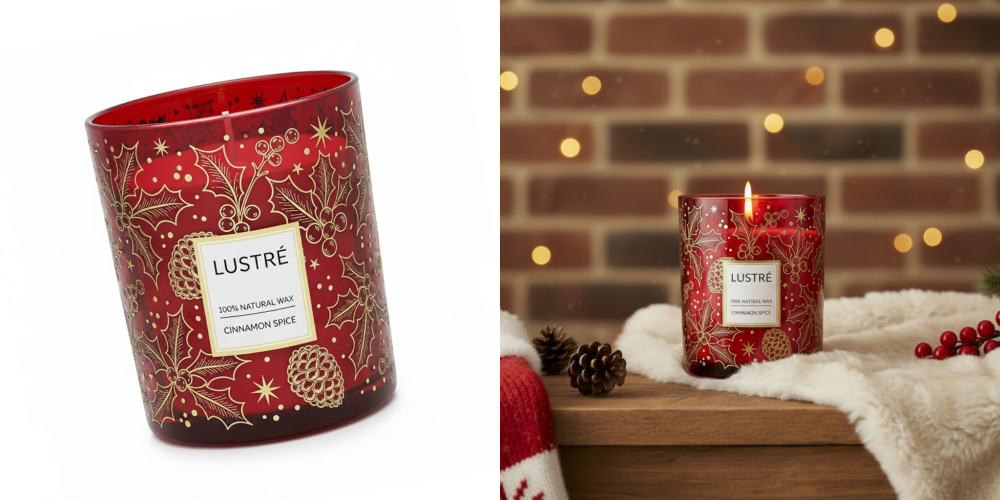
You might consider extending the use of one lifestyle product image if you create seasonal lifestyle images and campaign variations, with a few touches, e.g., spring, summer, holidays, sale events, different colorways, all this without the need of new photos.
Consistency is the key: the product should be the same one in all variations while the background, props or the mood should depict the season or the promotion. Such method is great for the Amazon listing optimization as it keeps the 7-image stack tied together and visually attractive.
Designkit's AI Image Generator makes this easy. Upload your base packshot, then apply simple scene prompts to spin multiple seasonal or campaign backgrounds.
Step 6. Export Amazon-Compliant Image Sizes and Keep Your Main Image Safe
Keeping Amazon compliance is very important: the primary image must be on a pure white background without any other items, while lifestyle and campaign variations can be placed in the secondary slots. Use the recommended size, 1600×1600 px or more, and keep the same aspect ratio consistently. Using clear naming conventions for files will help to manage and update listings easily.
Designkit's Amazon Listing Images Generator makes this easier. It generates images that are ready for Seller Central automatically, keeps your main image intact, adjusts the sizes of all assets properly, and produces both hero shots with white backgrounds and lifestyle variations in HD.
Part 4. Quality Control Checklist for AI Lifestyle Product Images
Keeping the bar high for AI-generated lifestyle product imagery is crucial for the e-commerce world. Having a well-organized quality control checklist at your disposal will not only help your pictures to be visually stunning but, at the same time, be fully compliant and ready for conversion. Concentrate on:
- Product anatomy & shape: The size and dimensions of the product should be realistic; there should be no warped edges or unnatural curves.
- Logos are well-executed: Logos should be represented accurately, clearly, and distortion-free.
- Main images must be text-free: No text, watermarks, or promotional overlays in the main or hero images.
- Hands/body should be realistic: If there are any, make sure the poses look natural, the scale is correct, and the skin tones are realistic.
- Branding should be consistent: The colors, style, and presentation should be in line with the rest of the lifestyle variations.
- No prohibited claims: Images should never mislead the viewer by implying benefits that don't exist or presenting unverified claims.
Conclusion
Amazon conversion and overall shopper engagement are directly impacted by high-quality lifestyle product images, which are now essential rather than optional. When you follow a well-organized process, starting with clean base images and adding realistic lighting, seasonal variations, and Amazon-compliant exports, you guarantee that your visuals will always attract clicks and sales.
Tools such as Designkit's AI Product Photography Generator simplify this process, making it quicker, scalable, and fully compliant, which is why they assist brands in producing refined, conversion-oriented product photography lifestyle assets that enhance their Amazon listing images.
Frequently Asked Questions
Can AI-generated lifestyle images look realistic?
Does Amazon allow AI-generated images?
Amazon is fine with AI-generated images if they honestly represent your product and comply with the Amazon policy standards. For example, main images should just have a white background and no props, lifestyle images must properly show the product, and no false or misleading claims.
Can I use the same packshot for multiple scenes?
Of course. One perfect quality photo can be the basis for multiple seasonal or campaign variations, different backgrounds, or lifestyle contexts giving the look and feel of your listing while cutting down on the production time.
How should I handle variations and parent-child listings?
It is necessary to have the same style, lighting, and product presentation for all child SKUs. AI tools such as Designkit enable the batch generation of lifestyle product images to promote consistency, thereby enhancing customer trust and decreasing return rates.
When should I avoid AI-generated images?
Don't use AI for products that are subject to regulations, medical devices, supplements making health claims, or any item for which compliance and accuracy are highly enforced. Here, the real photo is the most secure to guarantee compliance with Amazon and legal requirements.
You May Also Like
How to Use Google Veo 3.1 for Ecommerce Product Video
Nano Banana 2.1 Review: Features, Release Date & What’s New
Remove.bg Shutting Down Dec 1, 2026: What Users Are Saying
Amazon Individual vs Professional Selling Plan

How to Create an Amazon Seller Account: Requirements and Steps
Amazon Product Video Requirements: Specs & Upload
Amazon Brand Registry Requirements: Trademark, Account & Cost

Amazon Global Selling: How to Open Multiple Marketplaces
How to Make an Event on Facebook: Complete Setup Guide (2026)
Amazon Sponsored Brands: What They Are and When to Use Them

Amazon Sponsored Products: How to Launch Your First Campaign

Amazon Vine Program for Sellers: Get Early Product Reviews

7 Best Remove.bg Alternatives in 2026: Free & Paid Tools
Amazon A+ Content Dimensions: Module Image Sizes
Print-On-Demand Designs: Create, Prepare, and Preview Your Work

T-Shirt Design Size Guide: Placement, Dimensions, & DPI

Amazon A+ Content: What It Is and What to Build First
Is Print on Demand Profitable in 2026? Products and Niches

Amazon Brand Registry Application: How to Submit and Pass Review
How to Ship to Amazon FBA: Your First Shipment

What Is Amazon FBA? Should Beginners Use It in 2026

GPT Image 2 Prompts for Product Photos (Copy-Paste Examples)

How to List a Product on Amazon: Materials Checklist for First Listings

How to Get Ungated on Amazon: Restricted Category Approval Steps

Kling vs Veo for Product Video & UGC Ads (2026)

Nano Banana vs Midjourney for Product Photos and Campaign Visuals (2026)
Amazon Backend Keywords: Title, Bullets & Search Terms

How to Sell on Poshmark: A Complete Beginner's Guide

Zeely Reviews 2026: Features, Pricing, Pros, Cons & Alternatives
Instagram Carousel: What It Is, How to Post & Create One

What Is A/B Testing? A Practical Guide to Running Better Experiments

Best Time to Post on Instagram in 2026: Data & Tips
How to Get Verified on Instagram: Complete Guide

TikTok Monetization in 2026: Requirements & Ways to Earn

Instagram Desktop Posting Guide: Upload Posts, Stories & Reels
Nano Banana Prompts: 20+ Examples for Better AI Images

YouTube Shorts Monetization Requirements & Rules 2026

Hair Color Ideas 2026: Trending Shades & Virtual Try On

How to Write an Instagram Bio: Examples, Tips & Ideas

How Much Does YouTube Pay Per View? 1K, 100K & 1M Views

How to Make Money on Snapchat: 7 Ways to Earn

How to Get More Followers on Instagram in 2026

Best Time to Post on TikTok in 2026 for More Views
How to Repost on Instagram in 2026: A Simple Guide

Ideogram AI Review 2026: Features, Pricing & Alternatives

PixVerse AI Review 2026: Is It Worth Using for AI Videos?
Free Mac Photo Editor: 5 Tools Compared for Mac Users
How to Crop a Photo Into a Circle Online (Keep Quality)

Create TikTok Ads From One Photo: An AI Product Launch Kit
How to Make an Image Transparent Online (AI Guide)

Pixlr Background Remover Review 2026: Features, Pricing & Alternatives

How to Fix Overexposed Photos: Recover Highlights Fast

How to Animate a Picture with AI: Easy Step-by-Step Guide
OpenArt AI Review 2026: Features, Pricing & Alternatives

Best AI Headshot Generator: 9 Tools Compared for 2026
Best Stencil Maker Tools 2026: Turn Photos Into Stencils
Pixelbin Watermark Remover Review: Image & Video Results Tested
How to Make a Sticker on iPhone: Easy Step by Step Guide

Best AI Logo Generator in 2026: 10 Tools Compared
How to Turn a Photo Into a Cartoon: A Beginner-Friendly Guide

How to Write a Video Script: Structure, Tips & Examples

Depop vs Poshmark: Which Is Better for Selling in 2026?
Landscape vs Portrait: Key Differences & Best Uses in 2026

How to Create an Amazon Storefront: 4-Step Guide for New Sellers

How to Remove Watermark From Photo: AI, Photoshop & More

How to Sell Books on Amazon in 2026: Beginner Guide
How to Fix Pixelated Photos: Photoshop, AI Tools & Tips
Bing Image Creator: How It Works, Features, Uses & Alternatives

Best Products to Sell on Amazon: 10 Ideas for Beginners
How to Remove People from Photos with AI: A Step-by-Step Guide

What Is B-Roll? Meaning, Examples, and How to Use It

How to Increase Image Resolution: AI, Photoshop & PPI
How to Add Text to a Photo: 8 Tips for Better Results

How to Sell on Amazon in 2026: A Complete Seller Guide
How to Fix Grainy Photos: Easy Ways to Clear Images

How to Make a TikTok Video: A Step-by-Step Guide 2026

How to Make an Instagram Post: Step by Step Creation Guide

Social Media Copywriting: Tips, Examples & Best Practices

Creative Profile Picture Ideas for Every Style and Platform
Evoto AI Review 2026: Features, Pricing, Pros & Cons
Pixlr Photo Editor Review: Features, Pricing & Alternatives
Best AI Image Extender Tools in 2026: Expand Photos with AI
How to Make a Collage on iPhone: Easy Guide for 2026

What Are AI Fruits? The Trend, the Formats, and How to Make One
How to Sharpen an Image in Photoshop (Smart Sharpen and Unsharp Mask)

Seedance 2.5 Review: What Changed in ByteDance's New Model
Best Image Background Remover Tools in 2026: AI Tools Compared
How to Make Transparent Background in Paint: Step-by-Step Guide
How to Resize an Image: Best Methods, Tools & Quality Tips

LTX Studio Review: Features, Pricing & AI Filmmaking Guide
Best AI Image Generator Tools in 2026: Top AI Platforms Compared

Remove.bg Review 2026: Features, Pricing & Is It Worth It?

MiniMax H3: Features, Benchmarks, Pricing, and How to Use It

Luminar Neo Photo Editor Review 2026: AI Features, Price & Pros
How to Post Multiple Photos on Instagram (2026 Guide)

25 Facebook Cover Photo Ideas for Personal & Business Pages

What Is a PFP? Meaning, Examples & How to Create One

Multichannel Marketing Guide: Strategy, Tools & Examples
How to Create Digital Products That Sell in 2026

How to Make a Slideshow for Facebook: Photos, Music & Tips 2026

HeyGen vs Arcads: Which AI Video Tool Wins in 2026?

AI Product Photography: 7 Best Tools for Ecommerce in 2026
Can You Edit an Instagram Post After Posting?

Cyber Monday Marketing Ideas & Strategies (2026 Guide)

Black Friday Marketing Ideas for Ecommerce Brands (2026)
11 Best Canva Alternatives in 2026 for AI Design & Marketing
Instagram Marketing Guide: Strategies, Tips & AI Tools in 2026

8 Best Midjourney Alternatives in 2026: Features, Pricing & Comparison
Influencer Marketing Guide: Strategy, Campaigns & Creator Tips
How to Restore Old Photos: AI Tools, Tips & Best Methods

Arcads AI Review 2026: Features, Pricing, Pros, Cons & Alternatives

Pixelcut AI Review 2026: Features, Pricing, Pros, Cons & Alternatives

What Is a Hero Image? Definition, Examples & Design Tips
How to Apply Watermark to Photos: Methods, Tips & AI Tools
How to Remove a Background in Illustrator: 4 Easy Methods
How to Change Background Color on Instagram Story (Easy Guide)

Pippit AI Review 2026: Features, Pricing, Pros & Cons
8 Best AI Poster Generators in 2026: Create Posters Faster with AI
10 Best AI Image Enhancers in 2026: Tested & Compared
10 Best AI Image Editors in 2026: Features, Pricing & Comparison
7 Best AI Background Changer in 2026: Remove & Replace Photo Backgrounds
Luminar Neo vs Lightroom: Features, Pricing & Comparison 2026
Kittl Review 2026: Is It Worth It? Features & Pricing

15 Best Things to Sell on Etsy in 2026 (Listing Tips Included)
WooCommerce vs Shopify 2026: Pricing, Features & Which Is Better

How to Sell on Facebook Marketplace: Beginner Guide (2026)

How to Use Pinterest for Business: Strategy, Tips & Growth Guide

How to Sell on Etsy in 2026: Setup, Listings & Growth Tips

What Is a Target Audience? Types, Examples & How to Find Yours
How to Make a Blurry Image Clear: 5 AI & Manual Ways
TikTok Marketing Guide 2026: Strategies, Ideas & AI Tools
How to Remove Background on iPhone: 5 Easy Methods (2026)
Photoroom Background Remover Review 2026: Features & Alternatives
How to Remove Background in Canva: A Step-by-Step Guide
How to Remove Background in GIMP: Beginner-Friendly Guide

How to Celebrate National Dog Day 2026: Date & Easy Ideas

Funny Dog Memes to Try: Doge Meaning and 10 Original Ideas
Back to School Checklist 2026: Supplies, Timeline, and Planning
Recraft AI Review 2026: Features, Pricing, Pros, Cons & Alternatives
How to Make an Image Transparent in Google Slides: Opacity & Background Removal

VanceAI Photo Enhancer Review: Features, Pricing & Alternatives in 2026
Vibe Marketing Explained: Strategy, Examples & AI Tools

How to Sell on Depop: Beginner Guide to Getting Your First Sale
What Does Emojify Mean? Text, Photos, & Emoji Art Explained

Back to School Ad: 7 Creative Ideas for Better Campaign Results

Top 7 Back-to-School Sales Ideas to Boost Retail Sales (2026)
Top 8 Online Background Removers for Ecommerce Photos (2026)
How to Remove Background in Photoshop: 7 Easy Methods
6 Best AI Image Upscalers 2026: Tools Tested & Compared

Luma vs Seedance (2026): Ray 3.2 or Seedance 2.0?

15 Simple Self-Care Ideas for Busy Schedules and Daily Life

Celebrate International Cat Day 2026: Date & 10 Fun Ideas
Project Indigo Review: Is It Better Than iPhone Camera?

How to Match Makeup by Undertone: Virtual Lipstick and Foundation Try-On

Chic Outfit Ideas for Every Occasion: 15 Stylish Looks & Tips
How Big Is an 8x10 Photo? Size, Pixels & Frame Guide

How Big Is a 4x6 Photo? Dimensions, Pixels & Printing Tips
Picsart AI Review: Features, Pricing, Pros, Cons & Alternatives
Lovart AI Review: AI Design Agent Features, Pricing & Alternatives
Fotor AI Image Generator Review: Features, Pricing & Alternatives
How to Add Emoji to Photo Online for Free

Online Advertising Guide: Types, Costs & Examples (2026)

Facebook Advertising Guide: Costs, Strategy & Tools 2026

What Are E-commerce Ads? Examples, Strategy & Tools (2026)
Where to Sell Handmade Items Online (2026): Etsy, Amazon, or Shopify?

Shopify vs Amazon (2026): Brand Store or Marketplace FBA?
Amazon Handmade vs Etsy (2026): Which Is Better for Makers?
Etsy vs eBay (2026): Handmade, Vintage, or Secondhand?

Selling on Amazon vs eBay (2026): Fees, Profit & Where to Sell
What Is Brand Awareness? Examples, Strategies & Tools 2026

10 Best Online Selling Platforms (2026): Pick by What You Sell
Shopify vs Etsy (2026): Which Is Better for Handmade Sellers?

Wedding Dress Styles for Every Body Type: A Practical Guide for 2026
Emoji Wallpaper Ideas & How to Make One Online (2026)

YouTube Automation Step-by-Step AI Guide for Beginners
What Is Brand Identity? Examples, Elements & Strategy

Creatify AI Reviews: Features, Pricing & Alternatives (2026)
Minimalist Poster Design: How to Make a Clean Poster (2026)
What Are Satisfying Videos? Types, Tips & How to Make (2026)

How to Find a Product by Image: 7 Methods That Work (2026)
How to Make a Custom Poster That Is Ready to Print

Gemini Omni Review: Real Tests, Pros & Limitations for Video Generation
How to Generate Product Videos from Images with AI (2026 Guide)
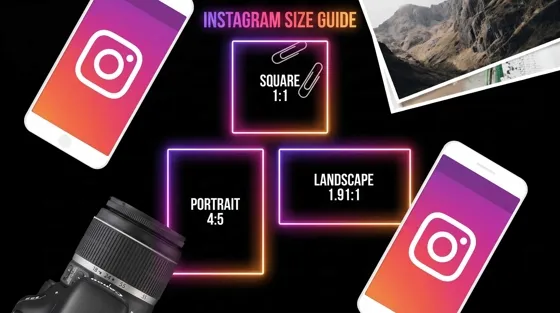
Instagram Image Size Guide 2026: Post, Reel, Story & Carousel Specs

AI Marketing Agent: How It Works, Benefits & E-Commerce Examples

Aesthetic Poster Ideas: Find Your Style and Create Printable Art
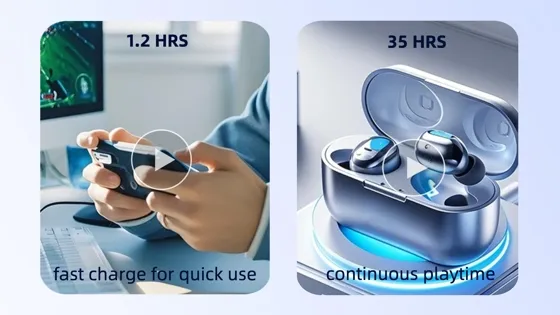
How to Create a Product Launch Video with AI: A Step-by-Step Guide
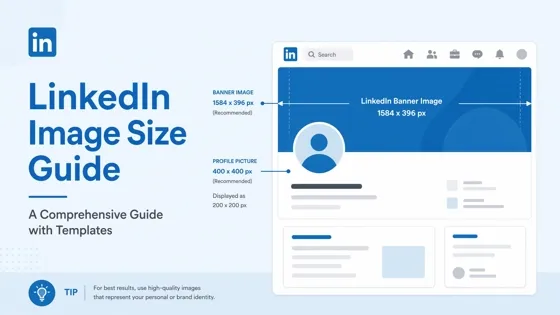
LinkedIn Image Size Guide: Profile, Post & Banner Dimensions
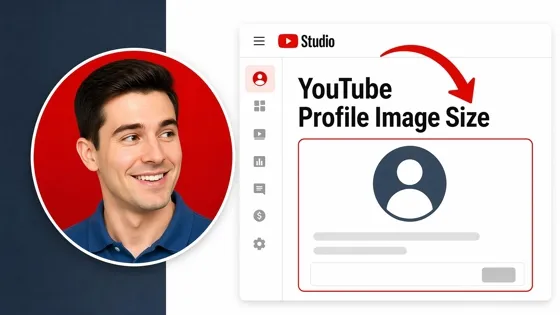
YouTube Profile Image Size: Best Dimensions & Safe Area 2026
What Is Personalized Advertising? Examples & How It Works
How to Build a Shopify Store That Actually Converts Visitors

What Is a Brand Video? Types, Examples & How to Create One

How to Create a Complete World Cup Product Listing Image Set

20 FIFA World Cup Merchandise Ideas That Fans Actually Buy
AI Product Demo vs Live Demo: Which Gets More SaaS Sign-Ups?

How to Create Amazon Summer Sale Posters and Banners with AI

Amazon Summer Sale 2026: Listing Design Trends & Product Image Ideas
How to Create AI Product Promotion Videos in Minutes (Step-by-Step)
Best AI Product Video Ad Generators for Ecommerce in 2026

Father's Day Gift Ideas: Personalized Card, Poster and Video

Father's Day Card Ideas: Messages, Printable and Personalized Cards

Amazon Marketing Guide 2026: Strategies, Tips & Tools
Local Advertising: Strategies, Examples & Tools (2026)

What Is Branded Content? Examples, Strategy & Tools 2026

What Is Performance Marketing? Strategies & Examples 2026

Inbound Marketing: Strategies, Examples & Tools (2026)

How to Boost Ecommerce Sales: Proven Strategies That Work
How to Add Video to eBay Listing: Step-by-Step Seller Guide

Ecommerce Video Ads: 7 Strategies That Drive Higher Conversions

7 Best AI Virtual Makeup Try-On Tools for Realistic Results in 2026

AI Virtual Makeup Try-On: Boost Beauty E-Commerce Sales in 2026

Free Online Glasses Try-On Tools: See Yourself in Glasses Instantly

Top Virtual Ring Try-On Tools for Engagement and Wedding Rings in 2026

How to Try Shoes On Virtually: A Step-by-Step Guide

Best Virtual Shoe Try-On Tools for Ecommerce: 2026 Guide

How to Try On Wigs and Bangs Virtually to Find Your Perfect Style

How to Photograph Shoes for Your Ecommerce Store in 2026
Short Form Video Marketing for E-commerce: AI Video Guide

What Is Video Marketing? E-commerce Guide & Strategies 2026

Create Model Outfit Photos Instantly With AI Outfit Generator

Best AI Virtual Try-On Clothes Tools for Any Body Type
How to Edit Amazon Product Photos That Boost Sales Fast

Product Photography Ideas: Creative Tips & Techniques for Better Shots

Product Photography Pricing 2026: Full Cost Guide by Type

Google Veo 4 Explained: Features, AI Video Creation & What’s New

How to Try On Clothes Online with AI for Better Fit & Style

Virtual Nose Ring Try On Online Before Your Piercing

White Background Product Photography Guide & Tips 2026

Product Photography Starter Package: Gear Checklist 2026

How to Try Makeup Online with AI and Virtual Makeup Try-On Apps (2026)

How to Use Virtual Earring Try-On for a Flattering Look in 2026

How to Try On Engagement Rings Online with AI in 2026

Scale Your Jewelry Brand with Virtual Jewelry Try-On Solutions

How to Try Hairstyles on Your Face Online (Step-by-Step Guide)

Best Virtual Hairstyle Try-On Tools Online for Realistic Previews 2026

How to Use a Free AI Hairstyle Generator to Find Your Perfect Look

Virtual Hair Color Try-On Guide for Every Skin Tone (2026)

Virtual Wedding Dress Try-On Online for Brides in 2026

How to Choose the Right Sunglasses for Your Face Shape Online

How Accurate Is Virtual Glasses Try-On? AI vs AR Compared

Best Virtual Try-On Glasses Apps in 2026 (Free & Paid Tools)

How AI Virtual Try-On Is Transforming Eyewear Ecommerce

5 Best Virtual Try-On Glasses Tools for Ecommerce and Consumers 2026

How to Try On Glasses Online with AI in 2026 (Easy Guide)

How to Create Jewelry Photos with AI Models That Drive Sales in 2026

Shopify Product Photography Guide with Tips & Setup

AI-Generated Fashion Models: Technology, Brand Adoption & Trends

How to Batch Generate 100+ AI Clothing Model Photos Fast

7 Best AI Fashion Model Generators for Ecommerce in 2026

Amazon Main Image Requirements: Size, Guidelines & Tips

Shopify Image Size 2026: Complete Guide and Tips for Better Product Display

Studio Product Photography vs AI Product Photography in 2026

7 Product Photography Mistakes That Hurt Ecommerce Sales

AI Clothing Model Photos for E-Commerce: Platform Rules & Best Practices

How AI Virtual Try-On Helps Fashion Brands Boost Sales & Reduce Returns

AI Fashion Models vs Real Models: Which Is Better for Brands?

Best Free AI Fashion Model Generators for Real Product Photos

Virtual Outfit Try-On Guide: Plan Outfits Before You Buy

GPT Image 2 Review: Features, Prompts & E-commerce Use Cases

What Is an AI Clothing Model Generator? Full Guide for Sellers

Change Outfit Colors Online for Outfit Preview with AI Clothes Color Changer

Virtual Try-On Technology in 2026: How It Works & Key Trends

How to Create Amazon Infographics: Boost Sales with Compelling Visuals

10 Best Virtual Try-On Apps & Tools for Online Shopping in 2026

How to Create AI Fashion Models: Complete Step-by-Step Guide

How to Use AI Fashion Models for E-Commerce Product Photos: A Complete 2026 Guide

How to Virtually Try On Clothes Online: A Complete Guide

How to Create Outdoor Product Scenes Without a Photoshoot Using AI
GPT-Image-2 for Ecommerce Product Images: What It Means for Online Stores

Optimize Etsy Images for Mobile: Listing Photos That Convert

Amazon 7-Image Listing Strategy: Boost Sales by Optimizing Every Image

Happy Horse 1.0: The AI Video Model E-Commerce Sellers Need to Know About

Etsy Thumbnail Optimization: Keep Your Product Fully Visible
AI UGC for Ecommerce in 2026: Text-to-Video, Image-to-Video & Reference Replication Guide

The Etsy Thumbnail Formula That Drives More Clicks and Sales

HappyHorse AI Review: Features, Benchmarks & How to Use It

How to Create Pro Amazon Listing Photos Without a Studio

10 High-Converting Lifestyle Product Images for Amazon Listings

How to Automate Your E-commerce Visuals with OpenClaw Workflow

Top 5 AI Tools to Generate Amazon Product Listing Images in 2026

How to Turn One Photo into 10 Etsy Listing Images Fast: Batch Workflow

Etsy Listing Photo Size Guide (2026): Mobile, Desktop & Shop View Specs

Turn White Background Images into Lifestyle Amazon Listings

Fix Etsy Image Cropping: Optimize Listing Photos for Every Device

Amazon Listing Images: Essential Shot List & Optimization Guide

How to Create Lifestyle Product Images Without a Studio

Seedance 3.0 Predictions: Will AI Video Enter the Feature Film Era?

Grok AI vs ChatGPT: Features, Pricing & Best Choice (2026)
How to Use Grok AI: Features, Tips & Best Prompts (2026 Guide)
Sora Is Shutting Down? Best AI Video Alternatives for Creators in 2026

Lifestyle Product Photography Trends 2026: Authentic Looks at Scale

How to Master Lifestyle Product Photography in 2026

Amazon Listing Images Guide 2026: 7-Slot Strategy & Requirements

360 Product Photography Guide 2026: Setup, Shoot and Workflow

Beginner's Guide to Generate Product Photos from Different Angles

AI Product Photography: Create Ecommerce Images Without a Photoshoot

How to Create Realistic AI Product Photos: Step-by-Step Pro Guide

Keep AI Product Images Consistent Across SKUs: Lighting, Color, Background
Seedance 2.0 for Ecommerce: Create AI Product Videos in Minutes
Seedance 2.0 Review: Features, Improvements, Pricing & How It Works (2026)

How to Scale E-commerce with a Product Image Generator

How to Use AI for Spring Product Photography: 2026 Amazon Guide

How to Create a Budget Home Product Photography Setup with AI

How to Achieve Professional Product Photography Standards in 2026

How to Take Product Photos with Phone: Pro Guide for Amazon & AI
Best AI Product Image Generator 2026: Top Tools for Amazon Sales

Amazon Photography Service vs. AI Generator: Best Choice for Sales

What Is Product Photography? Angles, Lighting & Editing Guide

Amazon Spring Sale 2026: Create High-Converting Listing Images (Guide)

AI Agents Transform Amazon Product Photography in 2026

Amazon Photoshoot in 2026: Do You Still Need a Studio?

11 Must-Have Tools for Amazon Product Photography in 2026

2026 Amazon Image Trends Shaping Seller Success and Conversions

Amazon Product Photography Requirements & Best Practices 2026
Make every product image ready to sell
Designkit is an all-in-one AI platform for ecommerce visuals. Create product photos, AI videos, virtual try-ons, and Amazon listing images in seconds. Generate HD backgrounds, batch edit photos, and scale your brand with studio-quality content.


