
Fotor AI Image Generator Review: Is It Worth Using in 2026?
Thinking about using Fotor AI Image Generator? This 2026 review covers features, image quality, pricing, pros and cons, and when you may want a different AI image tool.

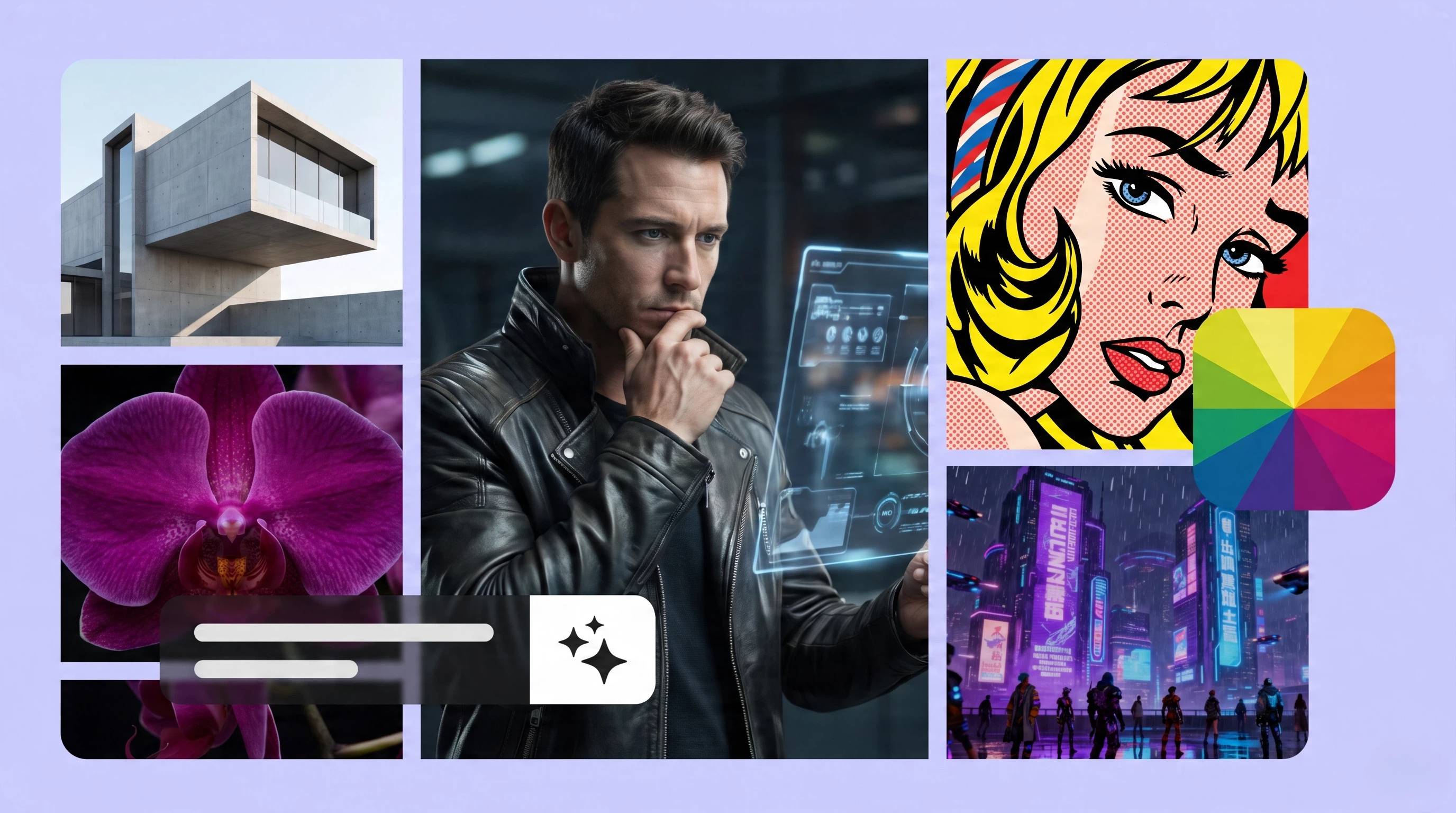
It's become easier to make art, marketing graphics, social media visuals and design concepts without advanced editing skills thanks to AI image generation. Generate AI images and edit them all in one place with Fotor AI Image Generator.
In this review, we will go over its key features, pricing, pros, cons, and compare it to other AI image tools, so you can decide if it is a good fit for your creative or business workflow.
What is Fotor AI?
Fotor began as an online photo editor but has grown into a complete AI-powered creative platform. Along with editing tools, it now offers AI image generation, image enhancement, background editing, and artistic effects for individuals and businesses.
The Fotor AI image generator enables users to create images from text prompts or transform existing photos into new styles, making it suitable for everything from creative experiments to marketing visuals.
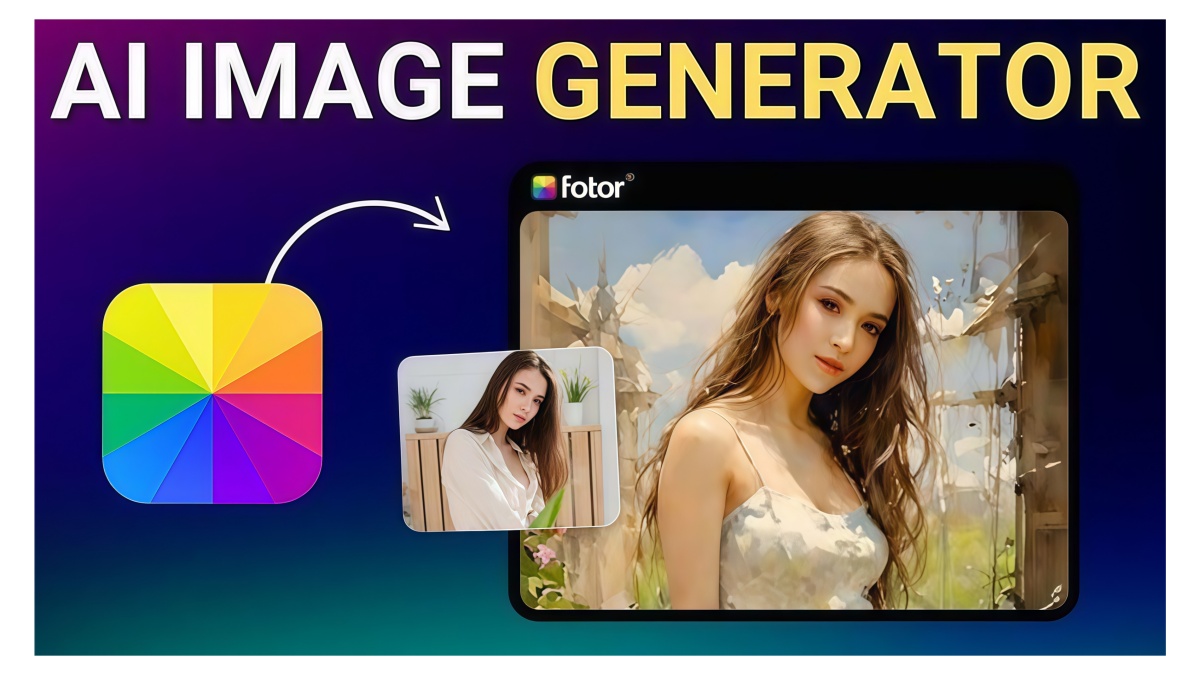
Key features of Fotor AI image generator
-
Text-to-image generation: Create unique images by describing your concept in a text prompt. Create a variety of image options in different styles with the Fotor AI image generator, perfect for illustrations, social media graphics, marketing materials, and brainstorming creative ideas.
-
Fotor AI image-to-image generator: Upload any photo, sketch, or illustration that you have and change it to a new artistic style while still keeping the original composition. If you want to play with different creative variations without starting from scratch, the Fotor AI image-to-image generator can help.
-
Fotor AI art generator: Create art in different styles, including anime, oil painting, watercolor, cyberpunk, cartoon, illustration, and 3D. The Fotor AI art generator gives creators a quick way to experiment with a range of visual aesthetics for personal and commercial use.
-
Fotor AI image combiner: Mix multiple images, subjects, or art styles into one smooth composition. Fotor AI image combiner helps you to create collages, concept boards, promotional visuals, and creative artwork without much manual editing.
-
AI Photo Enhancer & Magic Eraser: Improve picture quality with AI-driven enhancement that sharpens detail, increases resolution and restores clarity. Magic Eraser removes unwanted objects or distractions, then intelligently fills in the area you edited for a cleaner final image.
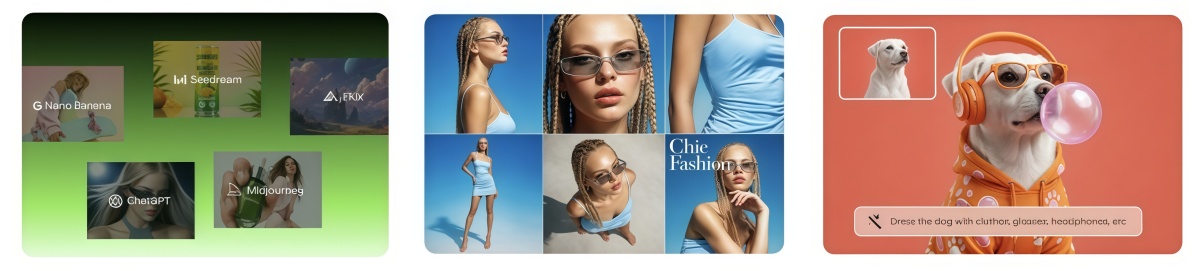
How to generate AI images with Fotor AI
Creating AI-generated artwork with Fotor is designed to be quick and beginner-friendly. The platform takes users through a simple workflow, from entering a prompt to refining the final image. Whether you're making social media graphics, digital art or marketing visuals, these steps will help you get the most out of the Fotor image generator without requiring advanced editing skills.
Step 1: Enter your prompt
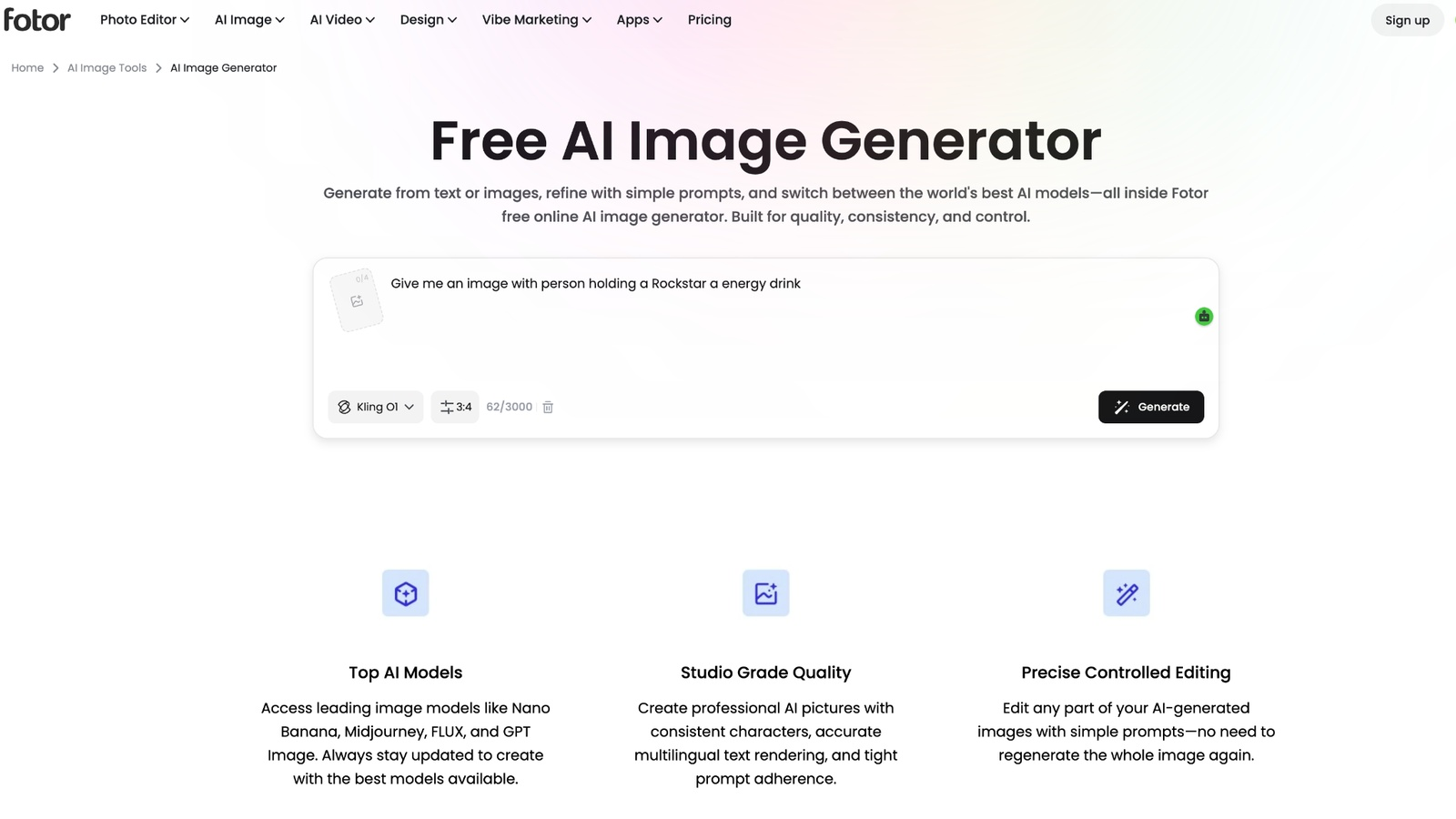
Open the Fotor AI Image Generator and describe the image you want to create. Include details such as the subject, background, lighting, colors, and mood to improve the output. Then, choose an art style that best matches your creative vision.
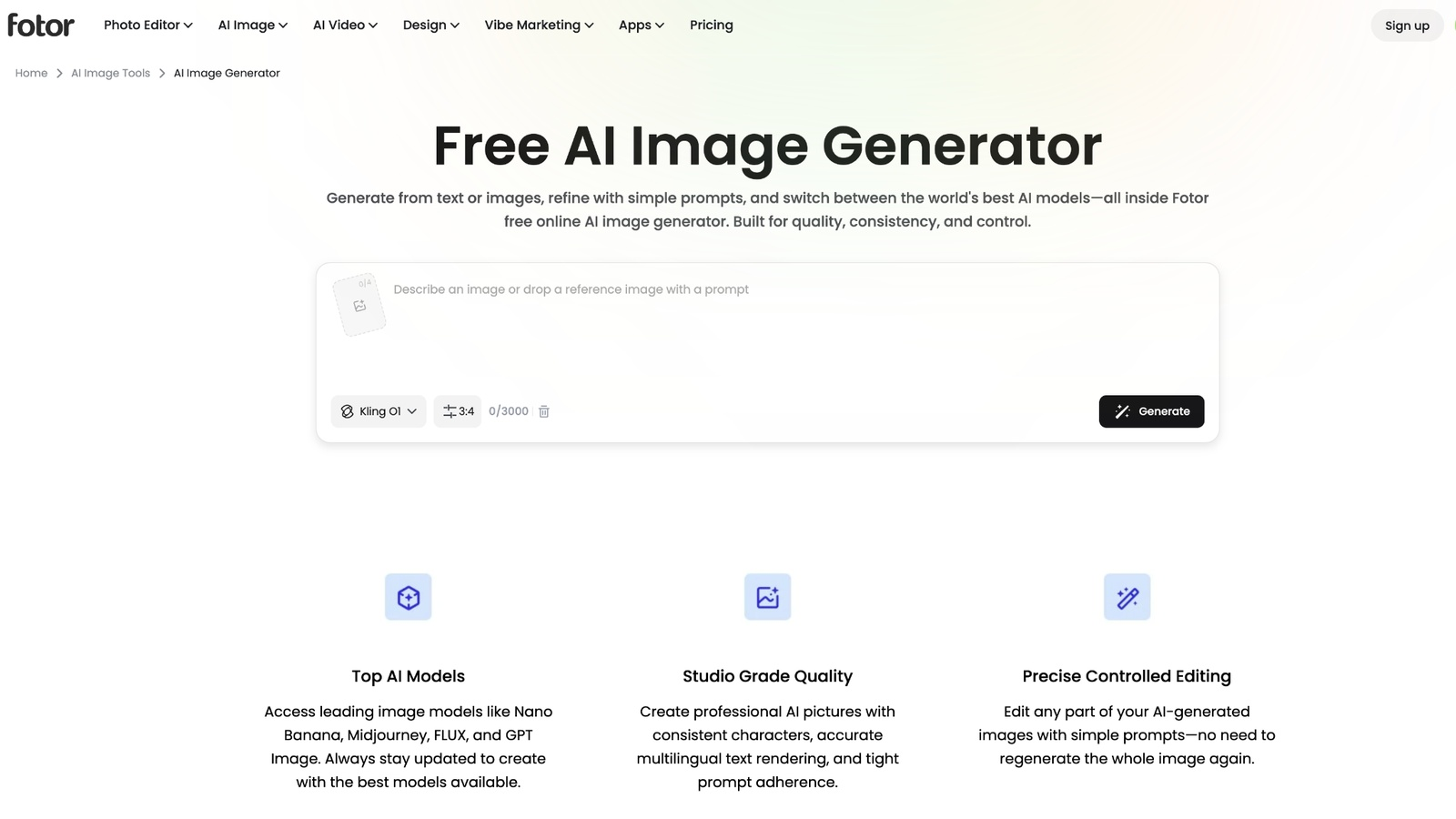
Step 2: Generate and customize
Click Generate to create multiple image variations. Before or after generation, you can adjust the aspect ratio, visual style, and quality settings to better suit your intended platform or project. Regenerate the image if you'd like to explore more creative options.
Step 3: Edit and export
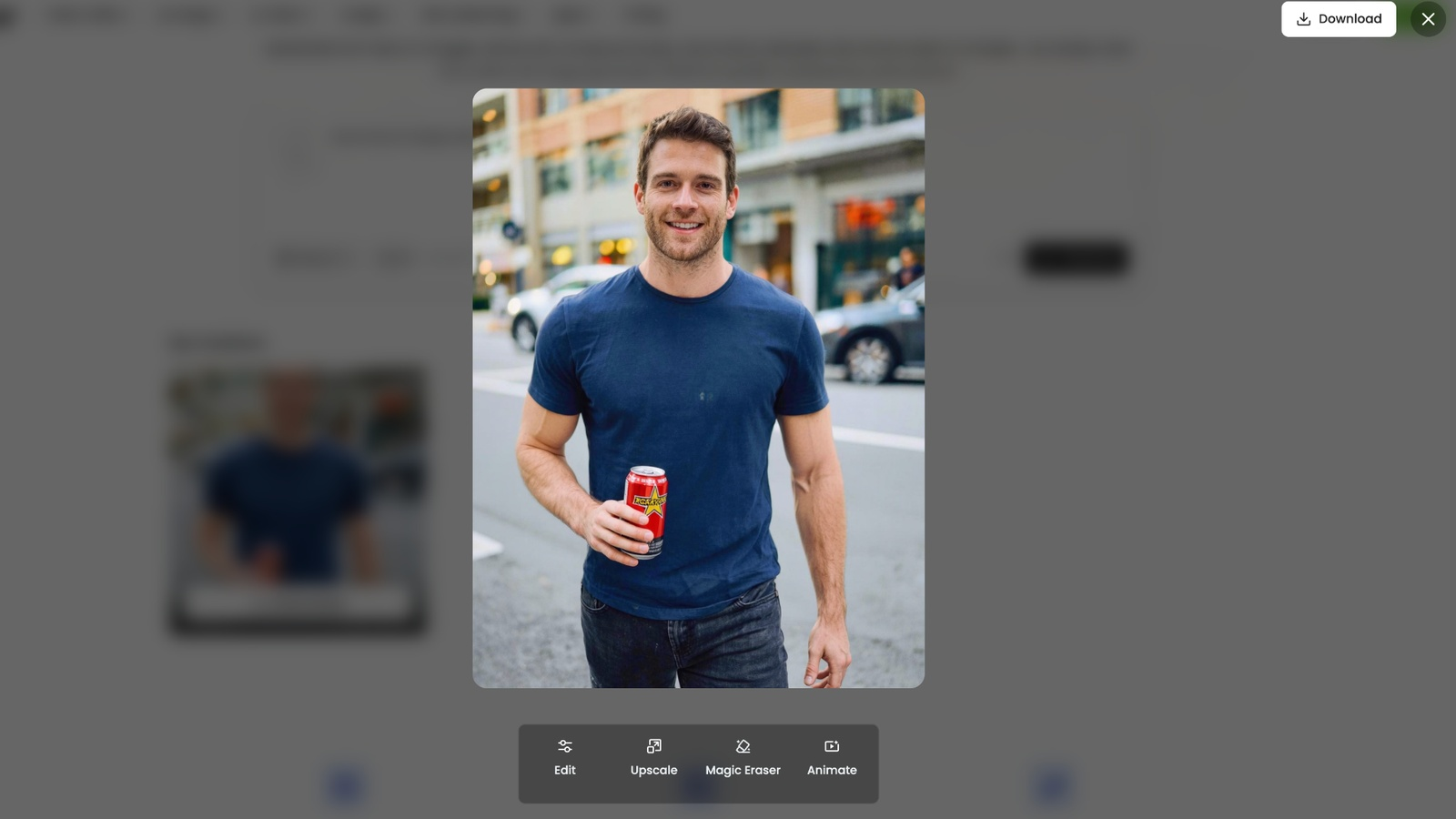
Pick the image you like and use Fotor's built-in editing tools such as AI enhancement, background editing, or object removal to perfect it. Once you're happy with the outcome, download the image in the format and resolution that suits your needs, whether for personal or commercial purposes.
Fotor AI image generator review: pros, cons & pricing (2026)
Fotor combines AI image generation with built-in editing tools in one platform. It is easy to use and delivers quick results, making it suitable for creators and marketers. Reviewing its pros, cons, and pricing can help you decide whether it fits your creative needs.
Pros and Cons
|
Pros |
Cons |
|---|---|
|
Beginner-friendly: Simple interface with an easy learning curve. |
Credit-based system: AI credits can run out quickly with frequent use. |
|
Fast generation: Creates multiple image variations within seconds. |
Limited product accuracy: Product details and branding may not stay consistent. |
|
All-in-one platform: Includes AI generation, editing, enhancement, and filters. |
Limited batch creation: Not built for high-volume ecommerce asset production. |
|
Free plan: Try core AI features before upgrading. |
Billing concerns: Some Fotor reviews mention auto-renewal and refund issues. |
Pricing
|
Plan |
Price |
Best for |
|---|---|---|
|
Fotor Basic |
Free |
Casual users who want to explore basic AI image generation and editing tools. |
|
Fotor Pro |
US$3.99/month (billed yearly) |
Individual creators who need more AI credits, editing tools, and faster image generation. |
|
Fotor Pro+ |
US$5.83/month (billed yearly) |
Frequent users who generate AI images regularly and need higher credit limits and more concurrent generations. |
|
Fotor Max |
From US$13.99/month(billed yearly) |
Professionals and teams require the highest AI credits, advanced AI models, and high-volume creative workflows. |
Is Fotor AI image generator good for ecommerce?
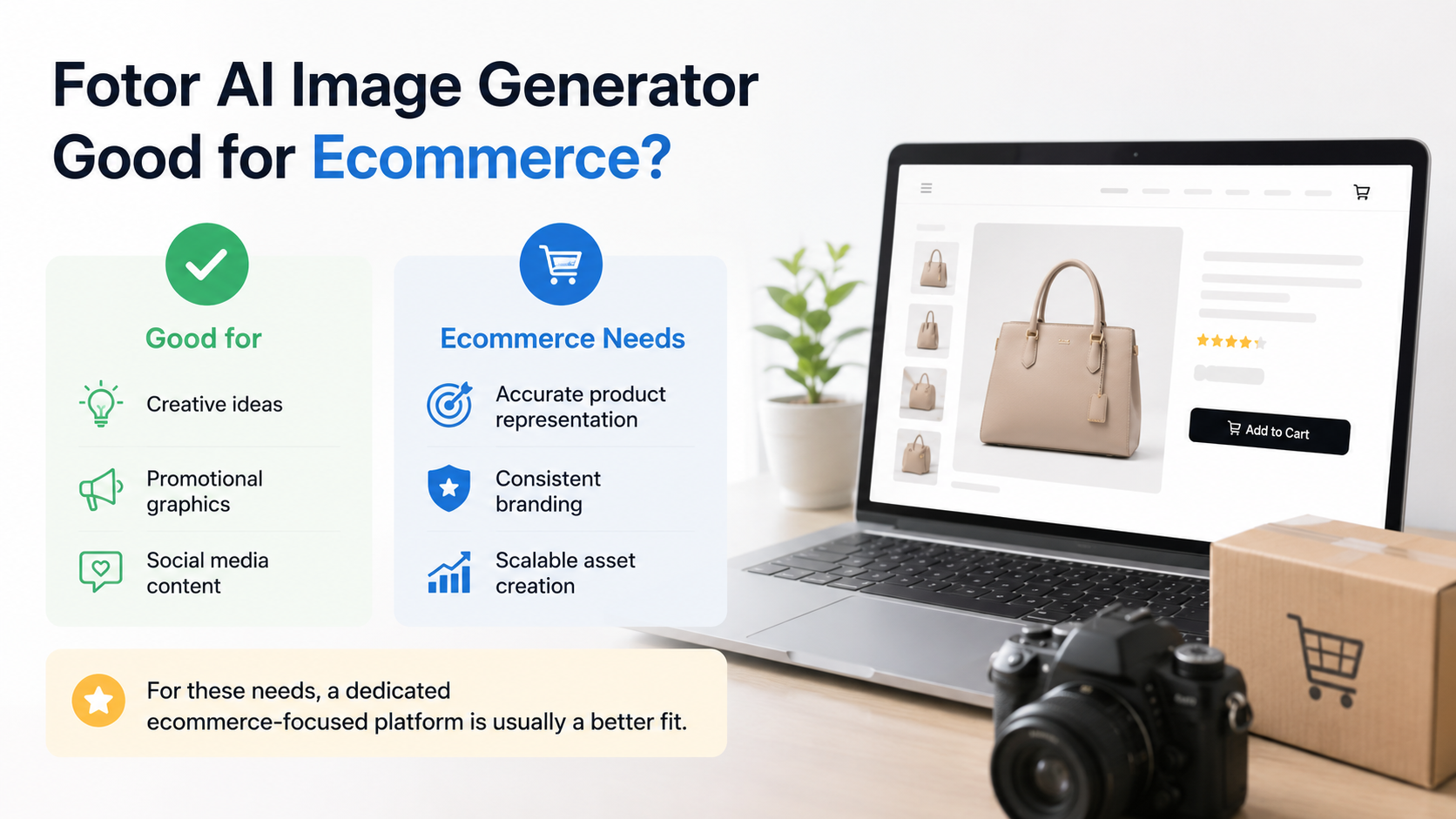
The Fotor AI image generator can help ecommerce teams come up with creative ideas, promotional graphics and social media content. However, online stores have a need for accurate product representation, consistent branding, and scalable asset creation. For those needs, a dedicated ecommerce-focused platform is usually a better fit.
Where Fotor can help
-
Creative concept exploration: Quickly see your campaign ideas, seasonal themes, packaging ideas or promotional artwork before you commit to final production.
-
Quick social media visuals: Create attention-grabbing graphics, banners, promotional posts, and creative illustrations for marketing across various social platforms.
Where ecommerce teams need more
-
Product-focused visuals: Online stores require accurate product colors, textures, dimensions, and branding, which AI art generators may not consistently preserve.
-
Multi-channel creative production: Ecommerce businesses need the same product to be adapted for their website, marketplaces, paid advertising, email campaigns, and social media with visual consistency.
-
Consistent creative variations: Large product catalogs need hundreds of matching lifestyle images, backgrounds and promotional creatives, so dedicated ecommerce-focused tools are more efficient than general-purpose AI image generators.
Best alternatives to Fotor AI image generator
All AI image generators have their limits and are not for every project. Some tools are geared toward artistic creativity, some toward design collaboration, and some toward ecommerce content creation. Which is best depends on what you're creating: illustrations, brand assets, marketing materials, or product-focused visuals. Here are three popular alternatives for various creative workflows.
Canva
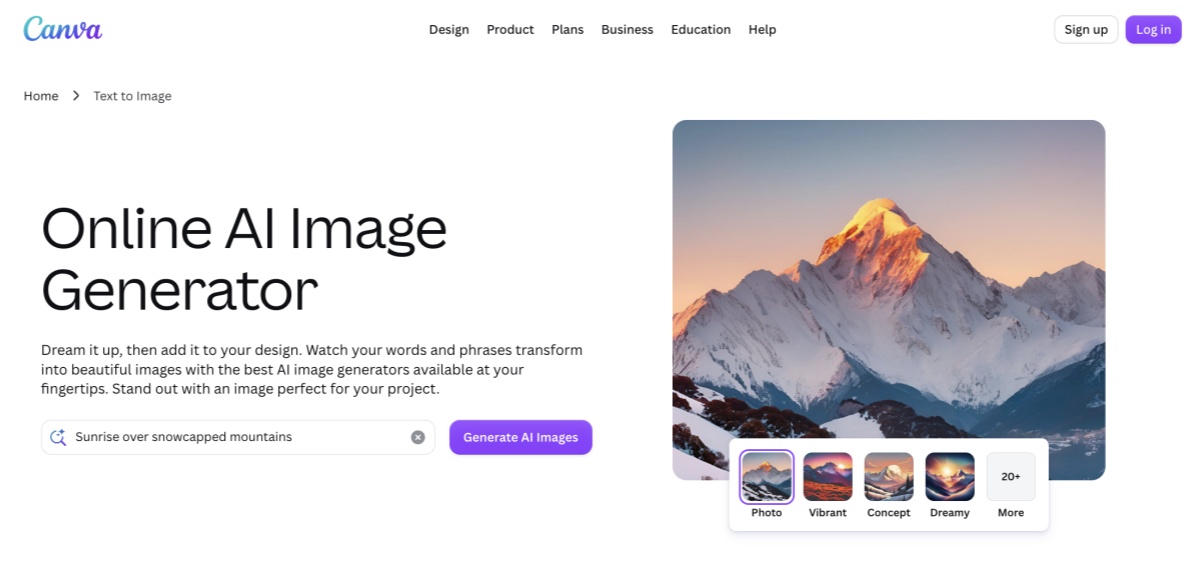
Canva's popular design platform now includes AI image generation. It is great for presentations, social media graphics, and branded content with templates and collaboration tools. However, it lacks the specialized AI art capabilities of dedicated image generators.
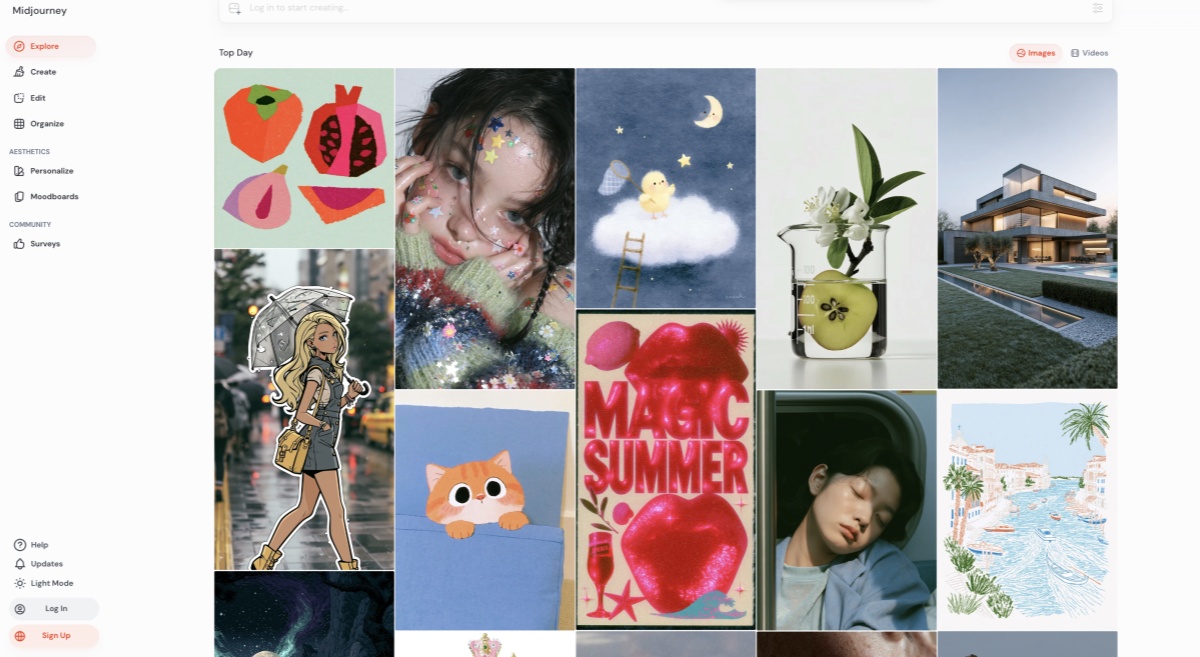
Midjourney
Midjourney has been great at creating detailed AI art and concept art. It's a favorite among artists and designers, but it's a bit of a learning curve and not built to produce consistent e-commerce product images.
Designkit
Designkit is for ecommerce brands that need product-focused visuals. It helps generate AI product photography, lifestyle photography, marketing creatives and marketplace-ready assets with more consistency and efficiency.
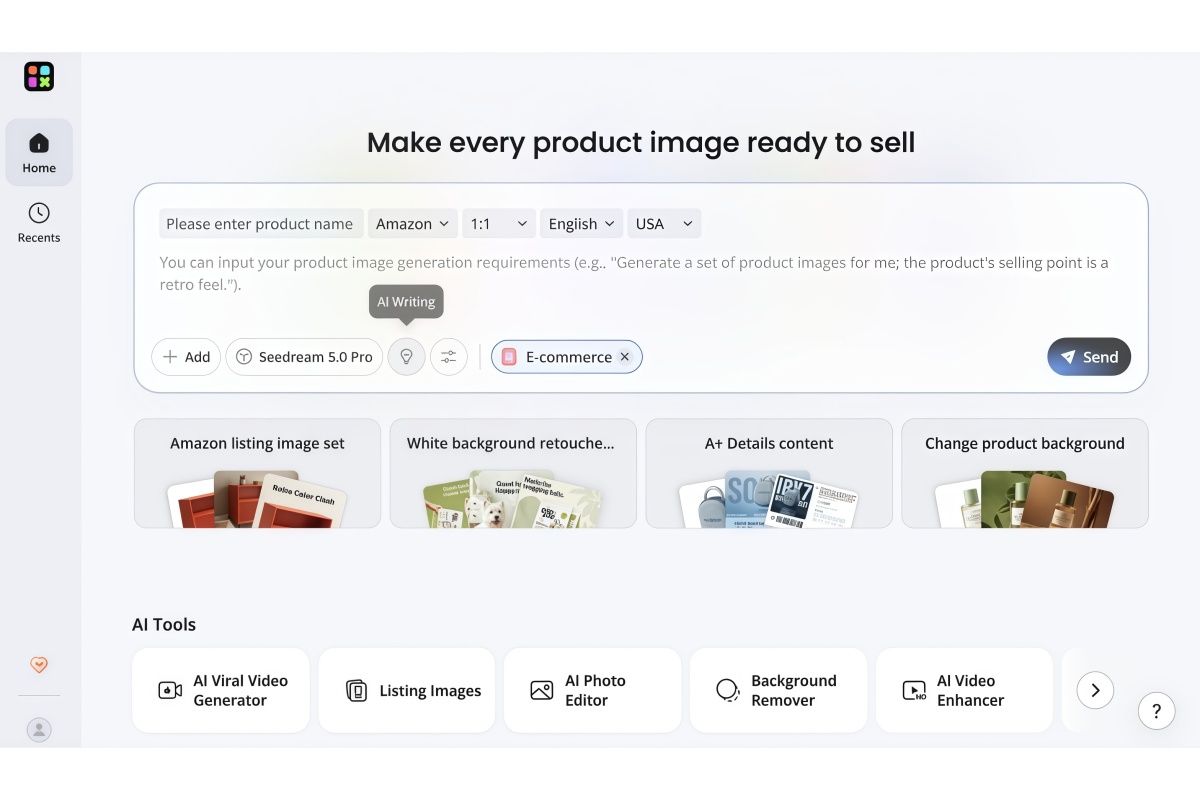
Designkit as an ecommerce-focused alternative
General AI image generators are excellent for art and concept testing, but e-commerce businesses generally require images that represent their products accurately across multiple sales channels. Built for this workflow, Designkit helps brands generate commercial-ready assets from existing product images. This is not meant to replace classic AI art tools, but to make content creation easier for online stores, DTC brands and marketplace sellers.
How to create e-commerce creatives with Designkit
Step 1: Upload your product information
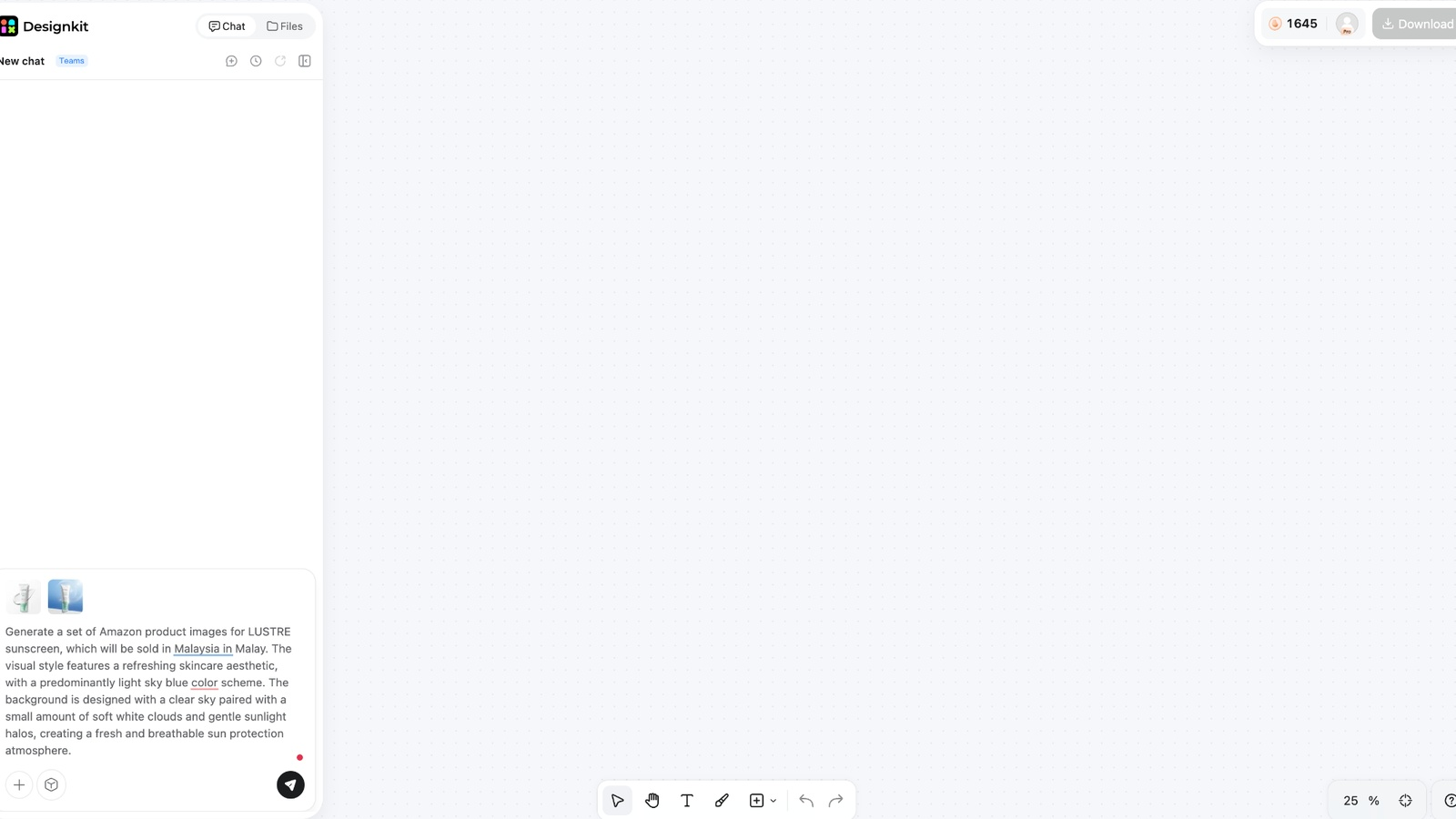
Upload your product image and other information that helps define the final output. This makes for a good reference for AI while keeping important product features like shape, color, and general appearance.
Step 2: Generate product-focused creative assets
Select what type of visual you want to create, from lifestyle images, promotional banners, product photography, or marketing creatives. The AI produces commercial-ready assets to present products through a variety of campaigns and platforms.
Step 3: Scale assets across channels
Once your visuals are generated, export them to websites, ecommerce marketplaces, social media, paid advertisements, or email marketing. This makes it easier to maintain a consistent visual identity across every customer touchpoint.
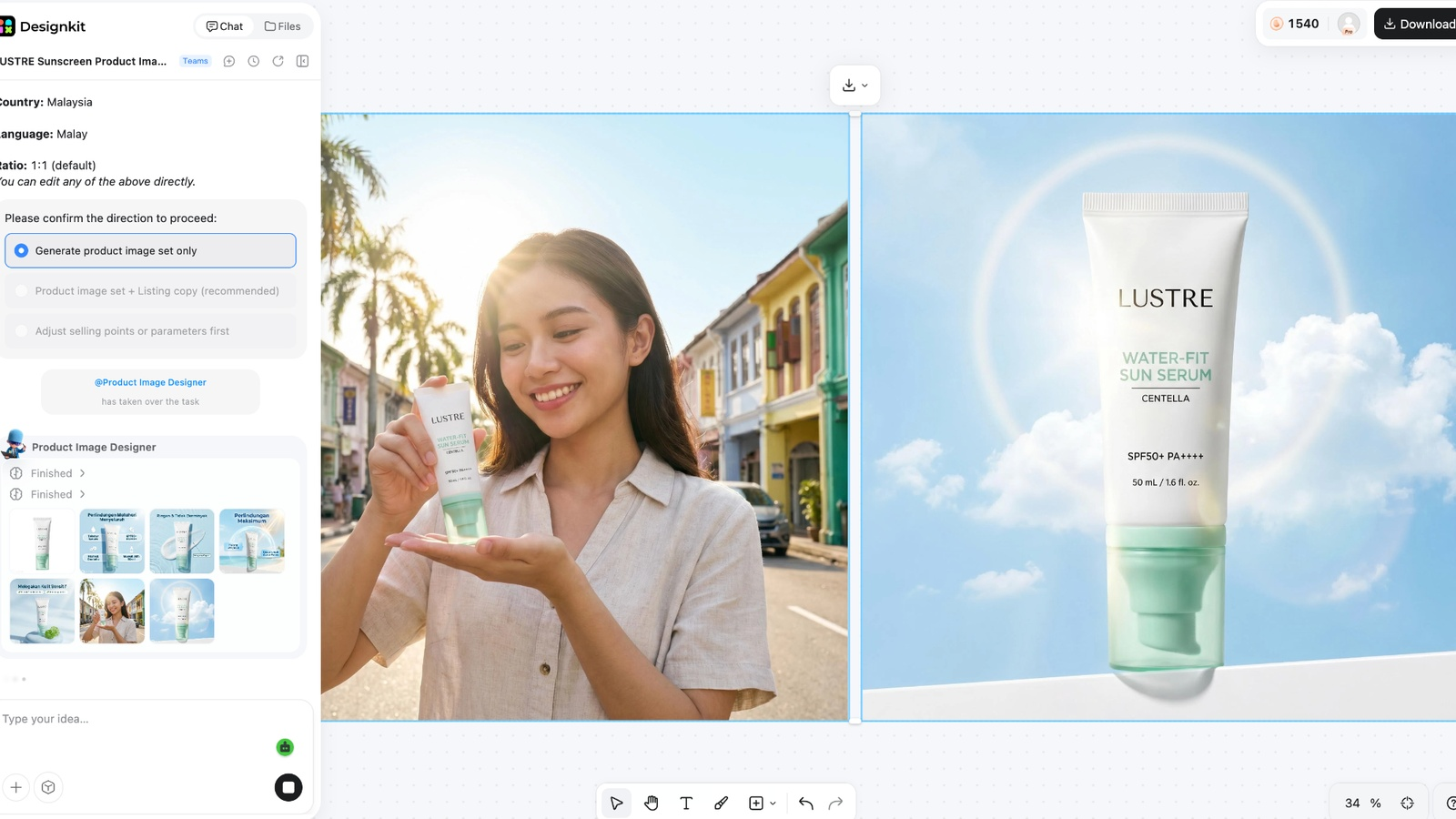
Why ecommerce brands choose Designkit
-
AI product photography: Create professional-quality product images without arranging traditional photoshoots, helping businesses save both time and production costs.
-
Lifestyle image generation: Place products into realistic environments that demonstrate how they look in everyday use while creating more engaging shopping experiences.
-
Product background replacement: Replace distracting or plain backgrounds with clean studio settings or branded scenes suitable for ecommerce listings and promotional campaigns.
-
Marketing creatives: Generate banners, advertisements, promotional graphics, and seasonal campaign visuals from existing product images using AI-assisted workflows.
-
AI product videos: Turn static product photos into engaging video content that can be used across ecommerce websites and social media platforms.
-
Batch content generation: Create several creative assets for large product catalogs, ensuring businesses are consistent and spend less time on manual editing.
-
Marketplace-ready exports: Export visuals optimized for popular ecommerce platforms, making it easier to publish consistent product content across multiple sales channels.
Fotor AI image generator vs Designkit
Both platforms use AI to create images, but they're intended for different creative purposes. Fotor is geared towards making artwork, illustrations, and creative graphics for individuals and marketers. Designkit is for ecommerce businesses that need consistent product visuals, marketing assets, and scalable content creation.
|
Feature |
Fotor AI Image Generator |
Designkit |
|---|---|---|
|
Primary focus |
AI art and creative image generation |
Ecommerce creative production |
|
Best suited for |
Designers, creators, marketers |
Ecommerce brands and online sellers |
|
AI image generation |
Text-to-image and image-to-image |
Product-focused image generation |
|
Editing tools |
Built-in photo editing |
Product editing and enhancement |
|
Product photography |
Basic support |
Dedicated AI product photography |
|
Lifestyle images |
General creative images |
Ecommerce lifestyle visuals |
|
Batch creation |
Limited |
Built for high-volume asset creation |
Which AI Image tool should you choose?
The best platform depends on the type of content you create and the workflow you follow. While both solutions use AI to simplify image creation, they serve different audiences and creative requirements.
Choose Fotor AI image generator if you:
-
Want an easy-to-use AI image generator with built-in editing tools.
-
Primarily create digital artwork, illustrations, or social media graphics.
-
Need text-to-image and image-to-image generation on one platform.
-
Prefer experimenting with artistic styles and creative concepts.
-
Are an individual creator, marketer, student, or hobbyist
Choose Designkit if you:
-
Create visuals for ecommerce stores or online marketplaces.
-
Need AI product photography and realistic lifestyle images.
-
Produce marketing assets for multiple products and campaigns.
-
Require consistent visuals across websites, ads, and marketplaces.
-
Want to generate commercial-ready assets efficiently at scale.
Conclusion
The Fotor AI image generator is a good option for creators looking for a user-friendly platform for AI art, concept images, and everyday design work. The combination of image creation and editing tools makes it the best option for beginners, marketers, and content creators who want to have an all-in-one creative workspace. Commercial workflows may not be the best fit for businesses that create product-focused marketing materials or that manage large ecommerce catalogs.
Frequently Asked Questions
Is Fotor AI Image Generator free?
Is Fotor AI Image Generator worth using in 2026?
Fotor is a handy option for beginners, creators, and marketers, as it brings together AI image generation and editing tools. Those who produce digital art or social media visuals on a regular basis will likely find it most useful.
Can Fotor AI generate commercial images?
Yes, Fotor can generate images for commercial projects, but users should always review the platform's latest licensing terms before using AI-generated visuals for advertising, branding, or product sales.
What AI credits does Fotor Pro include?
The free plan gives you a limited number of AI credits per month. With the Fotor Pro plan, you get more AI credits per month, which means you can create more images and enjoy exclusive editing features. Specific credit allocation can change, so you might want to double-check the official pricing page.
What is the difference between Fotor AI Image Generator and Designkit?
Fotor is more creative AI artwork, illustrations, and overall image editing. Designkit is all about e-commerce content creation. Designkit allows brands to produce product photography, lifestyle imagery, marketing creatives, and scalable commercial assets.
Is Fotor AI Image Generator suitable for ecommerce product images?
It can be useful for generating ideas, promotional graphics, and social media content. If you need accurate product representation and reliable marketplace assets for your business, then a dedicated ecommerce platform may be a good fit.
What are the best alternatives to Fotor AI Image Generator?
Some of the most popular alternatives include Canva for template-based design, Midjourney for high-quality AI artwork, and Designkit for ecommerce-focused product imagery and commercial creative production.
You May Also Like
Remove.bg Shutting Down Dec 1, 2026: What Users Are Saying

7 Best Remove.bg Alternatives in 2026: Free & Paid Tools

Instagram Carousel: What It Is, How to Post & Create One

Nano Banana Prompts: 20+ Examples for Better AI Images

Ideogram AI Review 2026: Features, Pricing & Alternatives

Free Mac Photo Editor: 5 Tools Compared for Mac Users

How to Crop a Photo Into a Circle Online (Keep Quality)

How to Make an Image Transparent Online (AI Guide)

Pixlr Background Remover Review 2026: Features, Pricing & Alternatives

How to Fix Overexposed Photos: Recover Highlights Fast

OpenArt AI Review 2026: Features, Pricing & Alternatives

Best AI Headshot Generator: 9 Tools Compared for 2026

Best Stencil Maker Tools 2026: Turn Photos Into Stencils

Pixelbin Watermark Remover Review: Image & Video Results Tested

How to Make a Sticker on iPhone: Easy Step by Step Guide

Best AI Logo Generator in 2026: 10 Tools Compared

How to Turn a Photo Into a Cartoon: A Beginner-Friendly Guide

Landscape vs Portrait: Key Differences & Best Uses in 2026

How to Remove Watermark From Photo: AI, Photoshop & More

How to Fix Pixelated Photos: Photoshop, AI Tools & Tips

Bing Image Creator: How It Works, Features, Uses & Alternatives

How to Remove People from Photos with AI: A Step-by-Step Guide

How to Increase Image Resolution: AI, Photoshop & PPI

How to Add Text to a Photo: 8 Tips for Better Results

How to Fix Grainy Photos: Easy Ways to Clear Images

Creative Profile Picture Ideas for Every Style and Platform

Evoto AI Review 2026: Features, Pricing, Pros & Cons

Pixlr Photo Editor Review: Features, Pricing & Alternatives

Best AI Image Extender Tools in 2026: Expand Photos with AI

How to Make a Collage on iPhone: Easy Guide for 2026

How to Sharpen an Image in Photoshop (Smart Sharpen and Unsharp Mask)

Best Image Background Remover Tools in 2026: AI Tools Compared

How to Make Transparent Background in Paint: Step-by-Step Guide

How to Resize an Image: Best Methods, Tools & Quality Tips

Best AI Image Generator Tools in 2026: Top AI Platforms Compared

Remove.bg Review 2026: Features, Pricing & Is It Worth It?

Luminar Neo Photo Editor Review 2026: AI Features, Price & Pros

How to Post Multiple Photos on Instagram (2026 Guide)

25 Facebook Cover Photo Ideas for Personal & Business Pages

What Is a PFP? Meaning, Examples & How to Create One

Can You Edit an Instagram Post After Posting?

11 Best Canva Alternatives in 2026 for AI Design & Marketing

8 Best Midjourney Alternatives in 2026: Features, Pricing & Comparison

How to Restore Old Photos: AI Tools, Tips & Best Methods

Pixelcut AI Review 2026: Features, Pricing, Pros, Cons & Alternatives

How to Apply Watermark to Photos: Methods, Tips & AI Tools

How to Remove a Background in Illustrator: 4 Easy Methods

How to Change Background Color on Instagram Story (Easy Guide)

8 Best AI Poster Generators in 2026: Create Posters Faster with AI

10 Best AI Image Enhancers in 2026: Tested & Compared

10 Best AI Image Editors in 2026: Features, Pricing & Comparison

7 Best AI Background Changer in 2026: Remove & Replace Photo Backgrounds

Luminar Neo vs Lightroom: Features, Pricing & Comparison 2026

Kittl Review 2026: Is It Worth It? Features & Pricing

How to Make a Blurry Image Clear: 5 AI & Manual Ways

How to Remove Background on iPhone: 5 Easy Methods (2026)

Photoroom Background Remover Review 2026: Features & Alternatives

How to Remove Background in Canva: A Step-by-Step Guide

How to Remove Background in GIMP: Beginner-Friendly Guide

Funny Dog Memes to Try: Doge Meaning and 10 Original Ideas

Back to School Checklist 2026: Supplies, Timeline, and Planning

Recraft AI Review 2026: Features, Pricing, Pros, Cons & Alternatives

How to Make an Image Transparent in Google Slides: Opacity & Background Removal

VanceAI Photo Enhancer Review: Features, Pricing & Alternatives in 2026

What Does Emojify Mean? Text, Photos, & Emoji Art Explained

Top 8 Online Background Removers for Ecommerce Photos (2026)

How to Remove Background in Photoshop: 7 Easy Methods

6 Best AI Image Upscalers 2026: Tools Tested & Compared

Project Indigo Review: Is It Better Than iPhone Camera?

How Big Is an 8x10 Photo? Size, Pixels & Frame Guide

How Big Is a 4x6 Photo? Dimensions, Pixels & Printing Tips

Picsart AI Review: Features, Pricing, Pros, Cons & Alternatives

Lovart AI Review: AI Design Agent Features, Pricing & Alternatives

Fotor AI Image Generator Review: Features, Pricing & Alternatives

How to Add Emoji to Photo Online for Free

Emoji Wallpaper Ideas & How to Make One Online (2026)

Minimalist Poster Design: How to Make a Clean Poster (2026)

How to Make a Custom Poster That Is Ready to Print

Instagram Image Size Guide 2026: Post, Reel, Story & Carousel Specs

LinkedIn Image Size Guide: Profile, Post & Banner Dimensions

YouTube Profile Image Size: Best Dimensions & Safe Area 2026

How to Edit Amazon Product Photos That Boost Sales Fast
Find the Right AI Image Platform for Your Workflow
Fotor is well suited for AI art, creative image generation, and everyday design projects. If your goal is to create professional product photos, lifestyle visuals, and sales-ready ecommerce assets from a unified workflow, Designkit offers a more specialized solution.


