
Shopify Image Size 101: A Complete Guide for Shopify Sellers
Learn ideal dimensions, requirements, and best practices to create optimized Shopify product images that improve SEO, boost store visibility, increase engagement, and drive higher conversions and sales performance.

Shopify product image size is key for a professional, high-converting store. Correct dimensions improve speed, quality, and UX. This guide covers ideal Shopify image sizes and optimization tips to boost performance, SEO, and conversions!
Part 1. Why does size matter for Shopify product images?
The size of product images on Shopify is a key aspect that determines the visual appeal, performance, and conversion rates in your store. The right dimensions can make sure that images are clear, consistent, and optimized to the fullest in all devices, which can make the shopping process smoother and turn the visitors into customers.
-
Visual quality: Visual images are clear and sharp with no blur and distortions due to their appropriate sizes.
-
Speed to load: speed to load is optimized through the use of images to speed up the loading of your store, improving the user experience, and search engine optimization.
-
Business image: The image of your store will look clean and trustworthy due to the consistent size of the image.
-
More efficient conversions: The vivid size of products that they need will help customers to know more about products, and they will increase their chances of purchasing them.
-
Mobile responsiveness: Pictures must be resized correctly to fit any device and not have any issues with being cropped.
In simple terms, the appropriate image sizes improve the appearance of your Shopify store and increase its functionality.
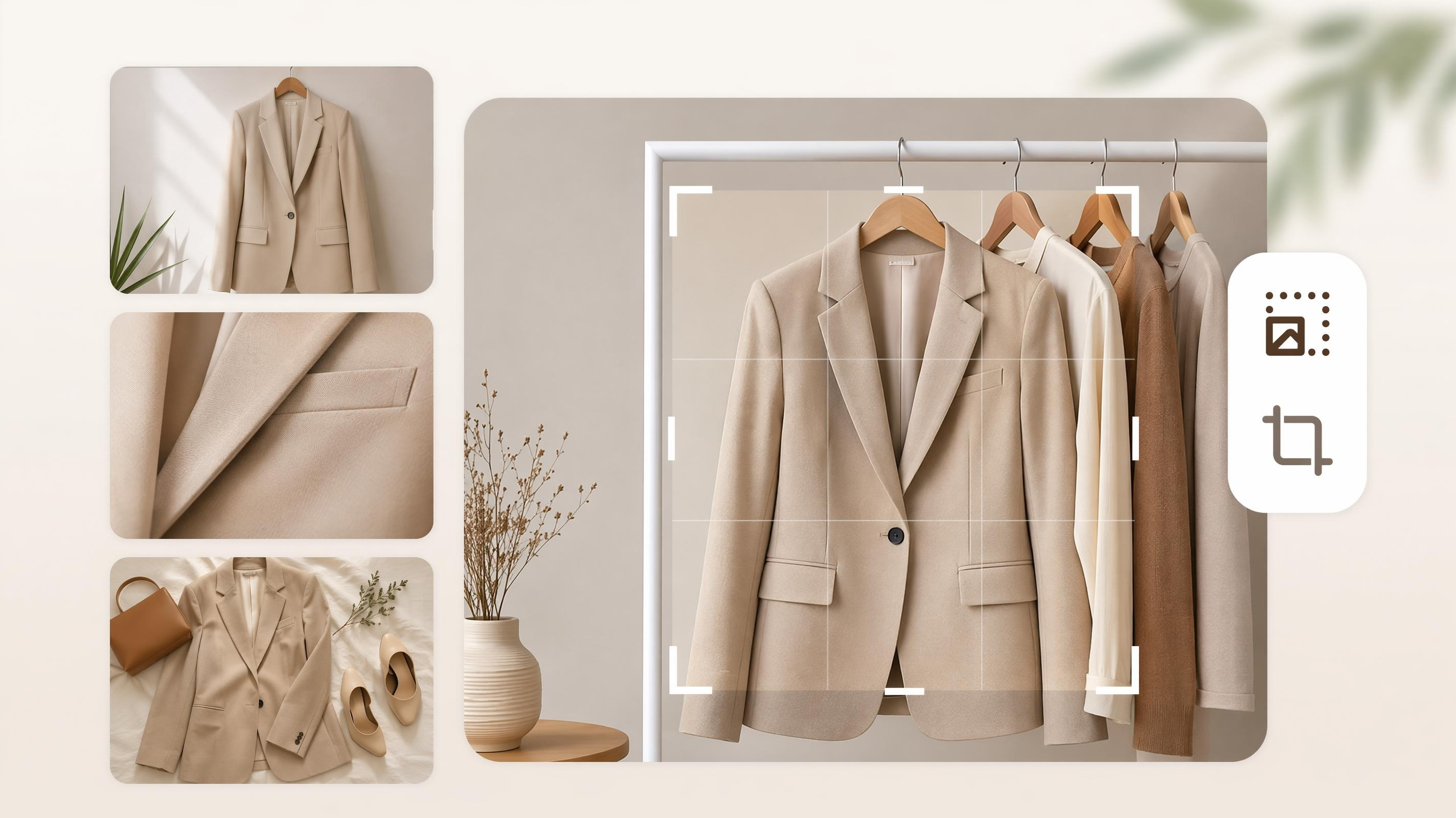
Part 2. Shopify image size guidelines and requirements 2026
To make conversions, high-quality images are required, and in 2026, the selection of the appropriate size of the product image in Shopify will be more significant than ever. This guide will deconstruct ideal image size rules and specifications to design optimized, high-performing product images.
Shopify image limits
-
Maximum image size: 5,000 × 5,000 pixels
-
Maximum file size: 20 MB
-
Minimum size for zoom: 800 × 800 pixels
-
Recommended product size: 2,048 × 2,048 pixels
If your image is larger than 5,000 × 5,000 pixels, it is automatically resized.
Shopify image sizes guide (by type)
Not all components of your Shopify store have the same size image, and that is fine. Selecting the appropriate size of each part will assist in avoiding poor cropping, stretching, or misalignment.
1. Shopify product image size
The image of the product plays a huge role in influencing the customer to visit your store and purchase on Shopify. The correct size makes your images clear, quick to open, and correctly displayed on any device. The right dimensions not only make your store look professional, but also prevent such problems as low-quality pictures, inadequate cropping, or improperly placed pictures of products.
Here's a simple summary of the Shopify product image size specifications:
-
Product size: 2048 pixels per pixel to avoid bad quality zoom and sharpness.
-
Resolution: minimum 800 x 800 pixels, to avoid a bigger resolution.
-
Aspect ratio: 1:1 (square images are ideal to be used to maintain product grids)
-
Image format: JPG, PNG, for optimality in quality and efficiency.
-
Size: Less than 1-3 MB for better loading.
-
Uniformity: Make all product images the same size and proportion for a neat appearance of the store.
-
Zoom in: Big images (up to 4472 x 4472 pixels) will help in zooming.
2. Shopify collection image size
Images on your collection pages group products together, allowing your customers to shop at your Shopify store. Using the right product image size on the collection page prevents cropping or image distortion.
Here's a brief overview of Shopify collection image sizes:
-
Optimal size: 2000 x 2000 pixels (for best quality and responsive display)
-
Minimum size: 800 x 800 pixels to display with acceptable quality.
-
Aspect ratio: 1:1 (squares are best because of a uniform layout)
-
Format: JPG or PNG for a good quality-speed balance.
-
Size: Store with less than 12-2 MB to get faster pages.
-
Uniformity: Make all images in the collection similar in style and size to get a uniform look across the store.
-
Cropping tip: Make sure the most interesting parts are in the center so they don't get cropped on mobile.
3. Shopify hero image size
Hero images are large banner ads placed at the top of a Shopify store to highlight important messages or promotions. Understanding the hero image size on Shopify is essential to ensure that they are displayed correctly across devices.
The Hero image Shopify size can be given as:
-
Recommended size: 1920 × 600 px or 1920 × 1080 px for full-width banners
-
Minimum: 1200 px wide for it to be legible on a large screen
-
Aspect ratio: suggests a 16:9 aspect ratio or that landscape is preferred in hero images.
-
File format: JPG for quicker load time or PNG for better quality
-
File size: keep the file size small (1-2 MB) for faster webpage loading.
-
Design tip: Use centered text and elements for mobile.
-
Eye-catching images: Good quality, attention-grabbing images that match your brand or promotion.
4. Shopify slideshow and banner image size
Slideshow and banner images for the rotating sections show promotions or featured products. ensuring all slides are consistent with transitions and appearances can improve the visuals of your product page.
-
Width range: 1,200–2,000 pixels
-
Height range: 400–600 pixels
-
Aspect ratio: wide rectangular
-
Maximum file size: 20 MB
-
Using identical dimensions ensures smooth transitions without layout shifting
5. Shopify blog image size
Blog images are used for featured posts and inline visuals to support your written content and improve engagement.
Featured images
-
Recommended size: 1,800 × 1,000 pixels
-
Aspect ratio: wide rectangular size: 20 MB
Inline images
-
Responsive sizing based on theme
-
Automatically scaled
-
Flexible aspect ratio
6. Shopify logo image size
Shopify logo images represent your brand identity and appear in the header, the checkout page, and sometimes in email notifications. Using the correct size ensures your logo looks sharp, professional, and properly aligned across all devices. Understanding product image size for Shopify also helps maintain overall visual consistency in your store.
-
Recommended size: 250 × 100 pixels (or up to 450 × 250 pixels for retina displays)
-
Aspect ratio: Flexible, but typically 2:1 or 3:1 works best
-
Maximum file size: 1–2 MB (for fast loading performance)
-
Format: PNG (preferred for transparency and clean edges)
-
Responsive scaling: Automatically adjusts to header and mobile layouts
7. Shopify background image size
Background images are used in full-width sections to improve the aesthetics and branding of your Shopify website. A better understanding of Shopify background image size can help background images adapt to various devices.
-
Recommended size: 1,920 × 1,080 pixels
-
Aspect ratio: 16:9
-
Maximum file size: 20 MB
-
Adaptive scaling to section width
A quick summary of all the Shopify image size requirements above
| Image type | Recommended size | Aspect ratio | File size limit | Notes |
|---|---|---|---|---|
| Product images | 2048 × 2048 px | 1:1 (Square) | 1–3 MB | Best for zoom and clarity |
| Collection images | 2000 × 2000 px | 1:1 (Square) | 1–2 MB | Keep elements centered |
| Hero images | 1920 × 600 / 1080 px | 16:9 (Wide) | 1–2 MB | Ideal for banners & promos |
| Slideshow/banner | 1200–2000 × 400–600 px | Wide Rectangle | Up to 20 MB | Use same size for all slides |
| Blog featured | 1800 × 1000 px | Wide | Up to 20 MB | Used for blog thumbnails |
| Blog inline | Flexible | Flexible | Up to 20 MB | Auto-scaled by theme |
| Background images | 1920 × 1080 px | 16:09 | Up to 20 MB | Full-width sections |
Part 3. Get perfect Shopify image sizes for your online store
Wrong image sizes may cause Shopify stores to appear unprofessional, distort product images, and create a poor browsing experience. Images that do not fit well slow down pages, confuse customers, and lessen trust, resulting in fewer clicks and lost sales. Designkit makes it easier, enabling you to design perfectly sized images of products that fit perfectly in your store. This enhances visual clarity, user experience and increases engagement, which translates to increased conversions and improved sales performance.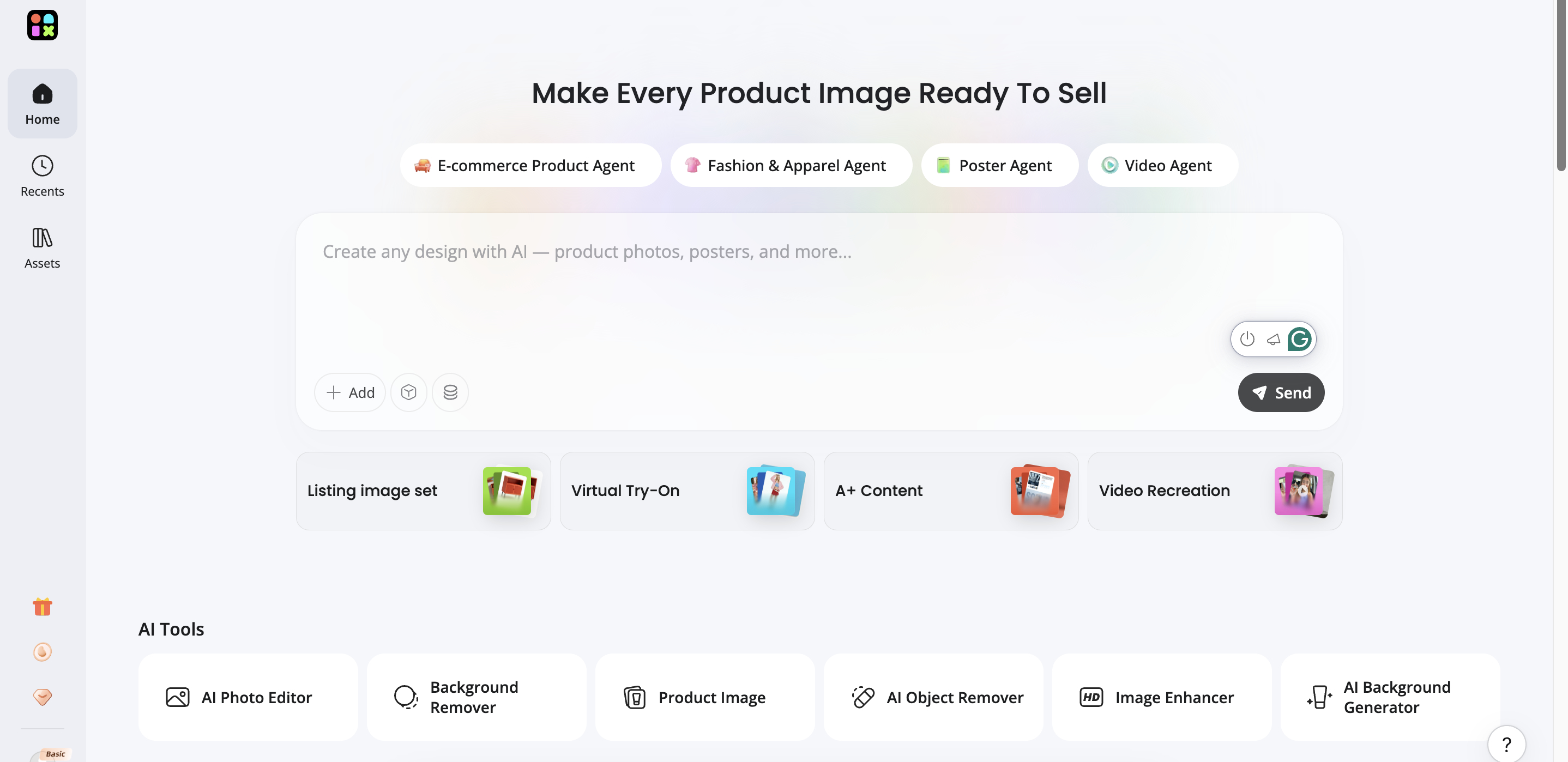
How to optimize Shopify product image sizes with Designkit
Simple image optimization can help increase store speed, image quality, and overall customer satisfaction for Shopify stores. Designkit makes it easy to generate optimized, sized product images without technical know-how.
Step 1: Setup and generate images
Log in to your Designkit account and select "AI Product Editor" to upload your product images from your Shopify store. You can either download your product image to your local device and upload it to Designkit, or simply drag and drop it directly from your Shopify store to Designkit. If you want to resize multiple product images at once, simply click "Batch upload".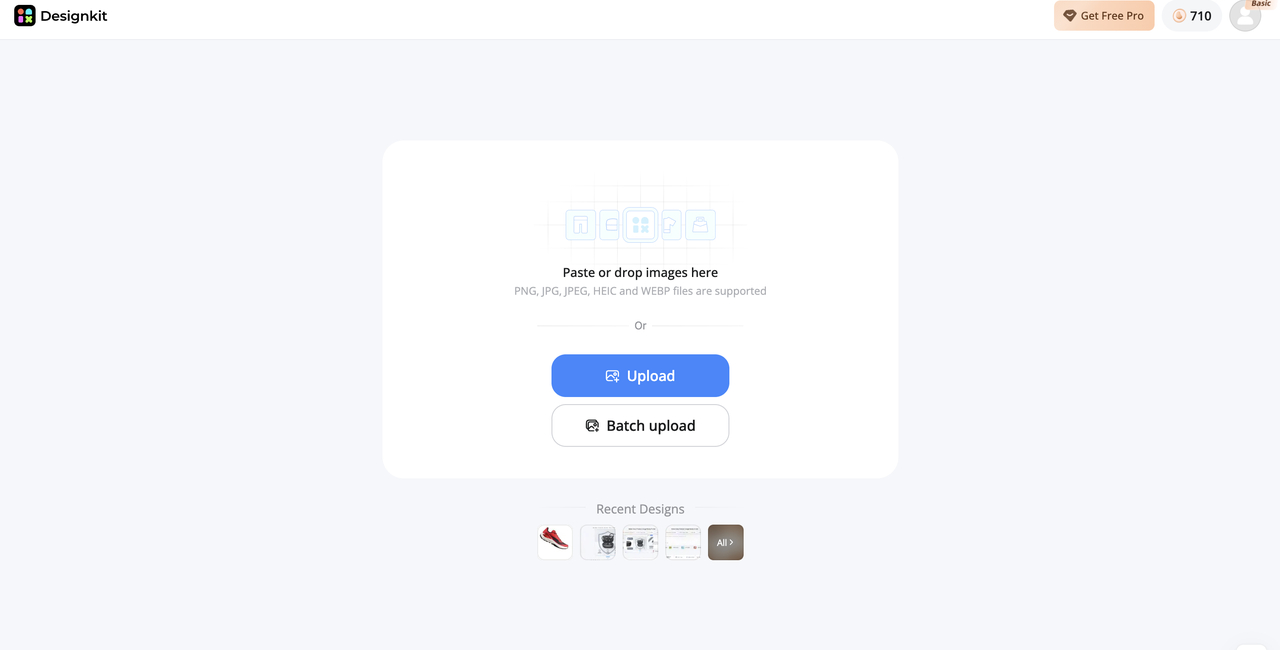
Step 2: Optimize and adjust image size
Choose the best design from the generated images that meet your Shopify product or store sizes. If not the right size, click the "Resize" button to easily change the image size for product, collection, or banner. If you want to use the image for larger backgrounds such as banners or hero images, click "Extender" to increase the size of the background while maintaining the attention to the product.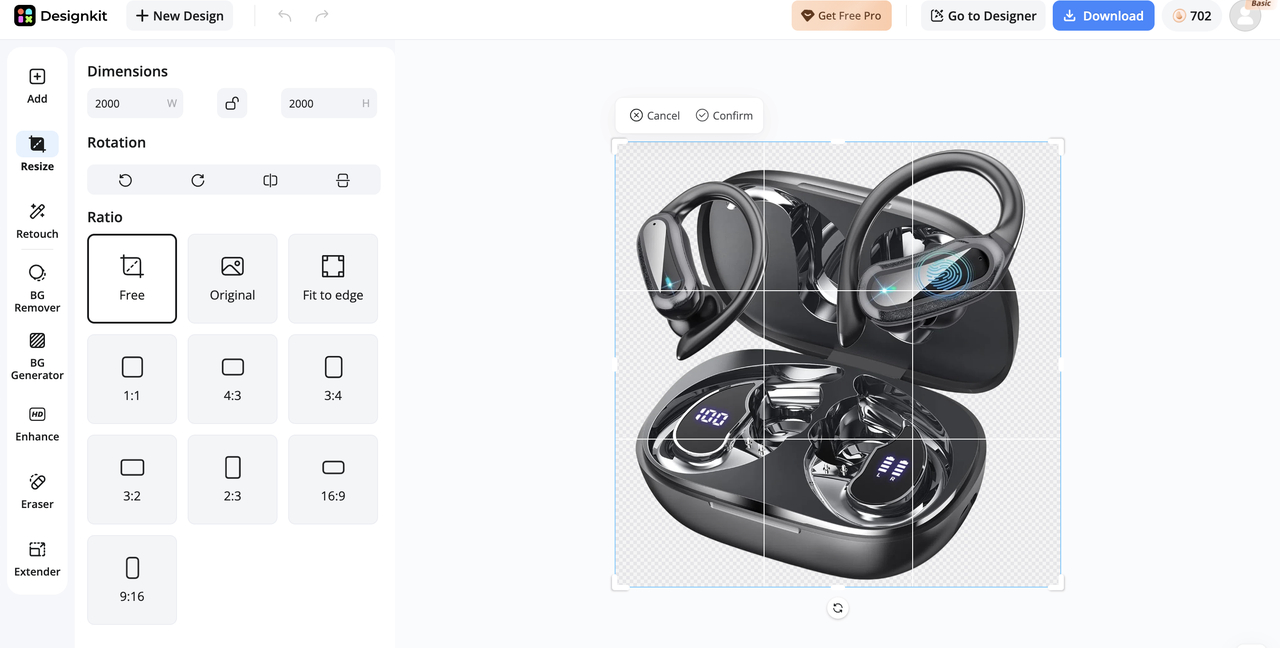
For customizable editing, you can enhance the image quality to create a sharper, clearer, and more professional look. Click "BG generator" to generate a new background for your product image. Add shadows and elements to increase the reality of your product.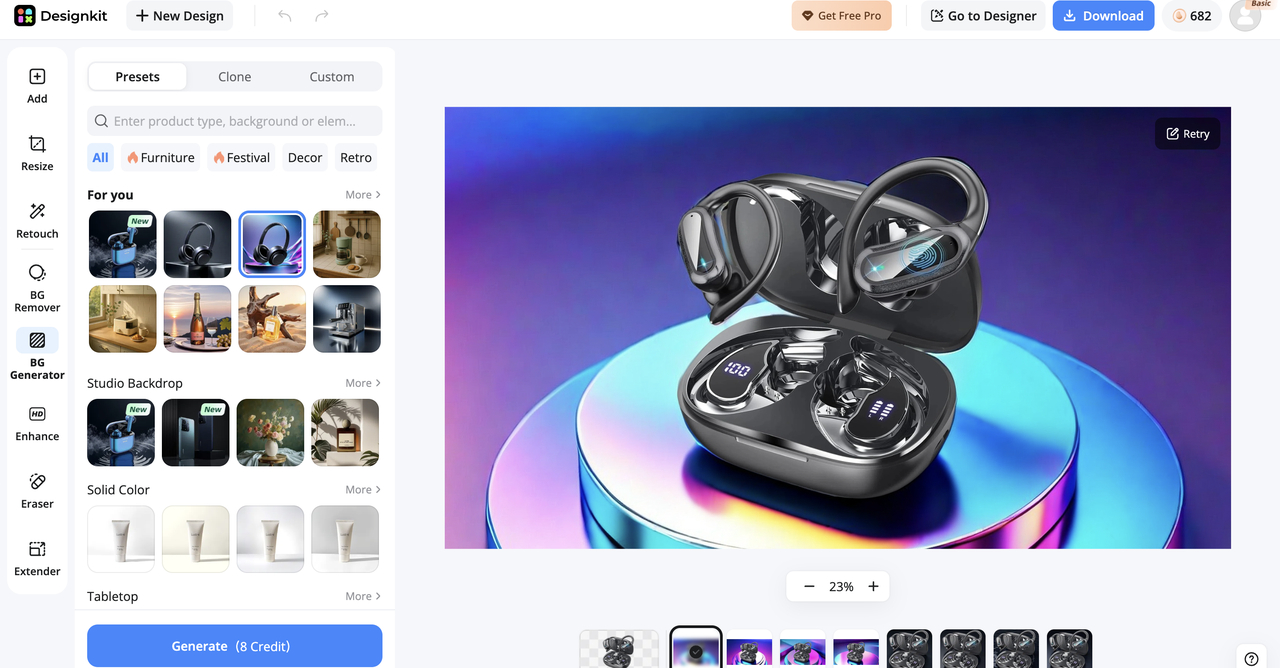
Step 3: Review and export the final image
Review the final image for clarity, composition, and size. Confirm it looks good and is well aligned on different devices. Ensure it's suitable for Shopify display. Export the image in JPG or PNG and upload it to your Shopify store.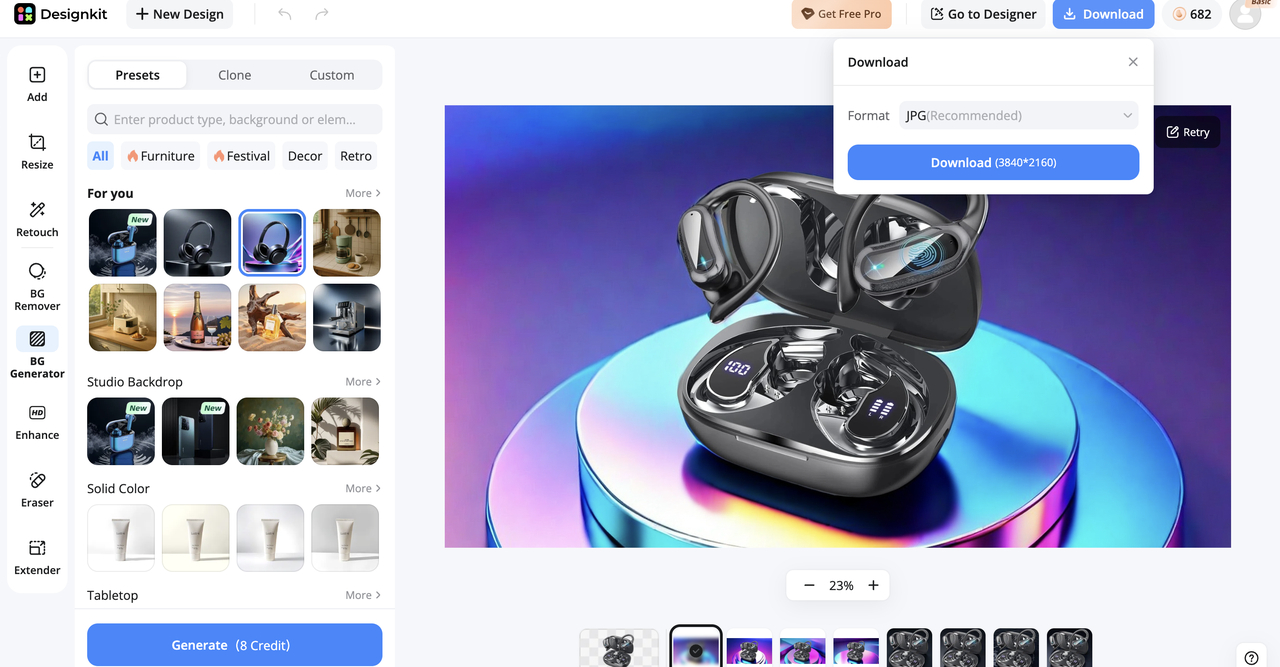
Enhance your Shopify images with Designkit features
Enhancing Shopify images with Designkit will solve eCommerce problems such as poor images, lack of interest, and shaky products. The tools will boost sales, increase confidence, and create a successful Shopify store.
Seamless background extender
Uncoordinated or poorly aligned backgrounds create an impression of unprofessionalism in Shopify stores and reduce their credibility. This is remedied by Designkit's seamless background extender, which can extend product backgrounds without losing information. This allows for images to be cropped into banners and designs flawlessly, leading to a more streamlined storefront, higher brand recognition, and increased engagement.
Quick & accurate image resizing
Inaccurate image sizes can cause cropping, stretching, and uneven product grids, making navigation difficult, reducing brand credibility, and hindering market penetration. Designkit's online image resizer solves this issue by offering quick and precise resizing compatible with Shopify. It ensures all images align across pages, creating a consistent layout that improves navigation, trust, and penetration.
Professional product visual creation
Simple product images do not tend to attract people and may decrease click-through rates. Designkit enhances basic illustrations to high-quality and studio-level images that increase the value of your product. This assists in making your products more high-end and attractive, and it becomes simpler to be distinguished, establish confidence, increase interaction, and generate more income.
Advanced image enhancement tools
Poor lighting, dull colors, and lack of sharpness can make products look unappealing and hurt conversions. Designkit enhances images automatically by adjusting brightness, contrast, and clarity, resulting in visually appealing photos that improve user experience, build trust, and drive higher conversions.
Complete listing image sets for consistency
Product images of unequal sizes and proportions create an untidy storefront and result in loss of brand value. Designkit's product listing generator helps you achieve this by generating consistent sets of images. This results in a neat, orderly storefront, shopper trust, and a satisfying experience, which in turn leads to higher engagement and sales.
Part 4. Shopify image optimization tips for faster & better results
To achieve the best speed, visual quality, and customer experience for your store, you need to optimize your Shopify images. Well-optimized pictures will make your products appear professional and load fast on any device.
Use high-resolution images
Your product will look clear, sharp, and professional with high-resolution images. They will see more details and thus be more trusting of your store. Just ensure the resolution is maintained while keeping the file size small for optimal speed.
Maintain consistent image sizes
Using the same image size makes for a clean look. It removes poor layout grids with bad product lines. And consistency provides a uniform look and feel.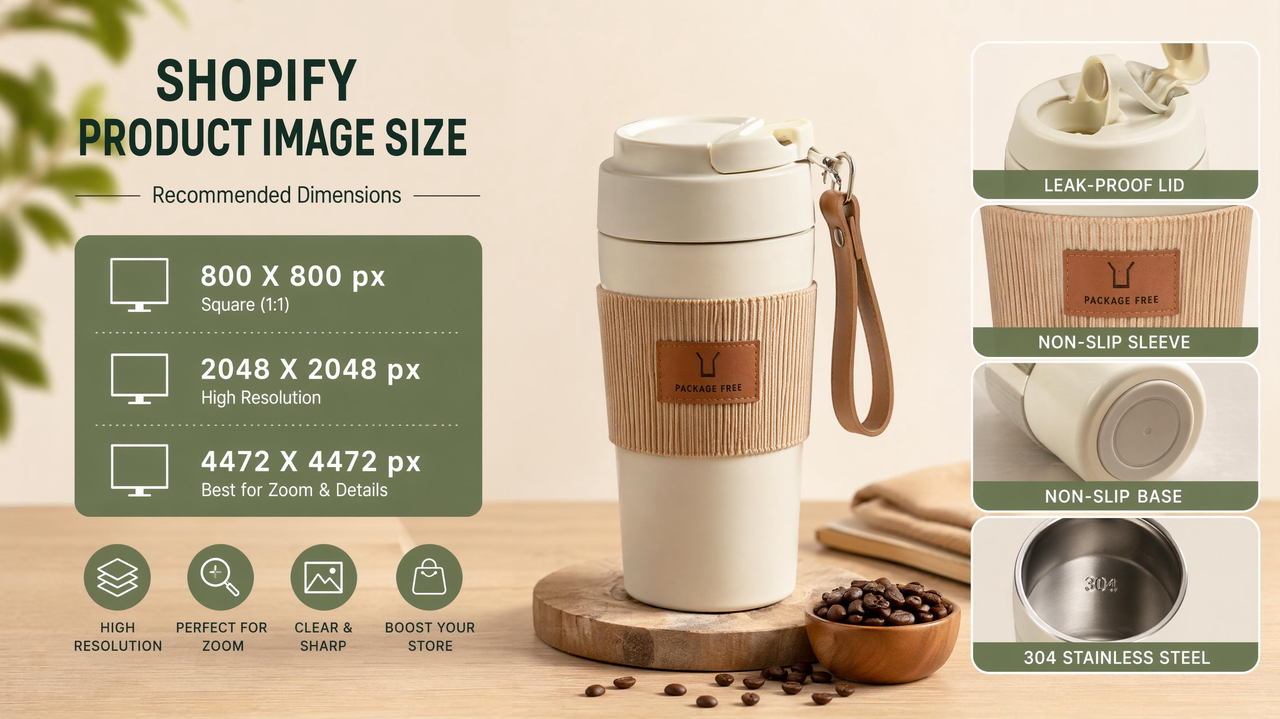
Choose the correct file format (JPG or PNG)
JPG is the best format for loading images, as it is fast and produces high-quality results. PNG is better suited for product images with opaque backgrounds or edges. The right format improves speed and display.
Keep file sizes optimized for the web
Big image files increase the loading time of your Shopify store. Lighter, more efficient files load faster and boost your store's search engine optimization (SEO) score. A good rule of thumb is life and death.
Use proper aspect ratios for each section
The right aspect ratios will not distort or crop images. It ensures consistency of imagery across devices on your product pages. Consistent ratios improve mobile user experience.
Compress images without losing quality
It improves the loading speed of your e-commerce store without compromising visuals. Experiment with compression tools for the right balance.
Part 5. Common Shopify product image mistakes to avoid
Shopify product images are significant in decision-making when purchasing. Minimal visual errors can decrease credibility and decrease conversions. Preventing these mistakes will make the store more professional and increase conversion rates.
Using low-resolution or blurry images
Poor image quality implies that your products are cheap and untrustworthy. Customers might abandon your store if they can't easily read the details. Sharp and high-resolution images are always better and more impactful.
Ignoring proper Shopify image dimensions
The images may be cropped, stretched, or poorly laid out due to incorrect sizing. This impacts the visual attraction and loading time of your store. Make sure to adhere to Shopify's image size recommendations.
Inconsistent backgrounds across products
Various backgrounds appear disarranged and unprofessional in your store. It decreases brand consistency and distracts customers from products. Use a single background style to be tidy.
Overediting or misleading product images
Over-editing may alter the product's actual appearance. This can lead to customer dissatisfaction and returns. Make edits natural and natural to the product.
Not showing multiple angles and details
Customers cannot learn about the product from a single image. They desire to observe various angles, textures, and close-ups. The trust is established by several images that enhance purchasing choices.
Conclusion
Shopify product photos need to be optimized to create a high-converting, fast, and professional online store. Maximizing load time, visual quality, and customer confidence is achieved by selecting the correct image size and ensuring brand recognition by uniformity across all images. By implementing image best practices and avoiding pitfalls, you can go a long way to make the user experience better and enhance your ranking. It becomes even less difficult using such programs as Designkit that assist in creating perfectly smooth, homogeneous, and pretty pictures of products that can make users attract more traffic and make more purchases.
Frequently Asked Questions
What is the best image size for Shopify product page for better store performance?
How does product image size Shopify affect my store speed and design?
The size of product images affects Shopify speed and design, as large or unoptimized images slow loading and interfere with the layout. Appropriate sizing will ensure high performance, a clean design, and easy browsing, enhancing customer trust and engagement. Image size and compression are automatically optimized in Designkit to reduce store performance. Store Shopify stores quickly and attractively with Designkit.
What is the ideal image size for Shopify products to avoid cropping issues?
The optimal size for Shopify product images is 2048 × 2048 pixels at a 1:1 ratio. It avoids cropping, stretching, and distortion, maintaining consistent, clean product grids across all devices. Designkit automatically scales images to fit and align perfectly. Shopify Product images: Use Designkit to get perfectly sized images.
Why are Shopify product image sizes important for mobile responsiveness?
Appropriate Shopify picture dimensions ensure that merchandise looks good on mobile, tablet, and desktop. Incorrect sizing may result in images being cut off or blurred, leading to a loss of trust and a poor user experience. Adequate sizing ensures seamless, responsive visuals across all devices. Designkit is used to produce mobile-optimized images that automatically vary without compromising quality. Use Designkit to get fully responsive Shopify images.
How can I choose the best image size for products on Shopify for higher conversions?
The optimal size for a Shopify Image is 2048 × 2048 pixels, which is clear, consistent, and professional. Quality images enable customers to learn more about products, build trust, optimize conversions, and minimize returns. Designkit creates a streamlined image to increase engagement and sales. Make high-converting Shopify product images with Designkit.
How can Amazon infographics enhance product clarity and buyer decision-making?
Infographics simplify by presenting information visually. Buyers can be easily overwhelmed, and decision-making can stall. Designkit presents information in well-organized and easy-to-read formats. This allows buyers to grasp key features at a glance and make buying decisions easily.
Why are Amazon Product Infographics important for building a strong product branding?
Infographics are important for branding because of their consistent design. This reduces credibility and recognition. Designkit maintains consistency in colors, fonts, and layout of infographic designs. This enhances branding, trust, and professionalism.
You May Also Like

T-Shirt Design Size Guide: Placement, Dimensions, & DPI

How to Sell on Poshmark: A Complete Beginner's Guide

Zeely Reviews 2026: Features, Pricing, Pros, Cons & Alternatives

Create TikTok Ads From One Photo: An AI Product Launch Kit

Depop vs Poshmark: Which Is Better for Selling in 2026?

How to Create an Amazon Storefront: 4-Step Guide for New Sellers

How to Sell Books on Amazon in 2026: Beginner Guide

How to Sell on Amazon in 2026: A Complete Seller Guide

AI Product Photography: 7 Best Tools for Ecommerce in 2026

What Is a Hero Image? Definition, Examples & Design Tips

Pippit AI Review 2026: Features, Pricing, Pros & Cons

Back to School Ad: 7 Creative Ideas for Better Campaign Results

Top 7 Back-to-School Sales Ideas to Boost Retail Sales (2026)

How to Create a Complete World Cup Product Listing Image Set

How to Create Amazon Summer Sale Posters and Banners with AI

Amazon Summer Sale 2026: Listing Design Trends & Product Image Ideas

Ecommerce Video Ads: 7 Strategies That Drive Higher Conversions

How to Photograph Shoes for Your Ecommerce Store in 2026

Product Photography Ideas: Creative Tips & Techniques for Better Shots

Product Photography Pricing 2026: Full Cost Guide by Type

White Background Product Photography Guide & Tips 2026

Product Photography Starter Package: Gear Checklist 2026

Shopify Product Photography Guide with Tips & Setup

Amazon Main Image Requirements: Size, Guidelines & Tips

Shopify Image Size 2026: Complete Guide and Tips for Better Product Display

Studio Product Photography vs AI Product Photography in 2026

7 Product Photography Mistakes That Hurt Ecommerce Sales

Change Outfit Colors Online for Outfit Preview with AI Clothes Color Changer

How to Create Amazon Infographics: Boost Sales with Compelling Visuals

How to Create Outdoor Product Scenes Without a Photoshoot Using AI

Optimize Etsy Images for Mobile: Listing Photos That Convert

Amazon 7-Image Listing Strategy: Boost Sales by Optimizing Every Image

Etsy Thumbnail Optimization: Keep Your Product Fully Visible

The Etsy Thumbnail Formula That Drives More Clicks and Sales

How to Create Pro Amazon Listing Photos Without a Studio

10 High-Converting Lifestyle Product Images for Amazon Listings

How to Automate Your E-commerce Visuals with OpenClaw Workflow

Top 5 AI Tools to Generate Amazon Product Listing Images in 2026

How to Turn One Photo into 10 Etsy Listing Images Fast: Batch Workflow

Etsy Listing Photo Size Guide (2026): Mobile, Desktop & Shop View Specs

Turn White Background Images into Lifestyle Amazon Listings

Fix Etsy Image Cropping: Optimize Listing Photos for Every Device

Amazon Listing Images: Essential Shot List & Optimization Guide

How to Create Lifestyle Product Images Without a Studio

Lifestyle Product Photography Trends 2026: Authentic Looks at Scale

How to Master Lifestyle Product Photography in 2026

Amazon Listing Images Guide 2026: 7-Slot Strategy & Requirements

360 Product Photography Guide 2026: Setup, Shoot and Workflow

Beginner's Guide to Generate Product Photos from Different Angles

AI Product Photography: Create Ecommerce Images Without a Photoshoot

How to Create Realistic AI Product Photos: Step-by-Step Pro Guide

Keep AI Product Images Consistent Across SKUs: Lighting, Color, Background

How to Scale E-commerce with a Product Image Generator

How to Use AI for Spring Product Photography: 2026 Amazon Guide

How to Create a Budget Home Product Photography Setup with AI

How to Achieve Professional Product Photography Standards in 2026

How to Take Product Photos with Phone: Pro Guide for Amazon & AI

Best AI Product Image Generator 2026: Top Tools for Amazon Sales

Amazon Photography Service vs. AI Generator: Best Choice for Sales

What Is Product Photography? Angles, Lighting & Editing Guide

Amazon Spring Sale 2026: Create High-Converting Listing Images (Guide)

AI Agents Transform Amazon Product Photography in 2026

Amazon Photoshoot in 2026: Do You Still Need a Studio?

11 Must-Have Tools for Amazon Product Photography in 2026

2026 Amazon Image Trends Shaping Seller Success and Conversions

Amazon Product Photography Requirements & Best Practices 2026
Make every product image ready to sell
Designkit is an all-in-one AI platform for ecommerce visuals. Create product photos, AI videos, virtual try-ons, and listing images in seconds. Generate HD backgrounds, batch edit photos, and scale your brand with studio-quality content.
