
When to Post on Instagram in 2026 for Better Engagement
Find the best time to post on Instagram in 2026 with data-backed benchmarks, audience-specific insights, and practical testing tips. Learn how to choose posting windows that improve reach, engagement, and content performance.

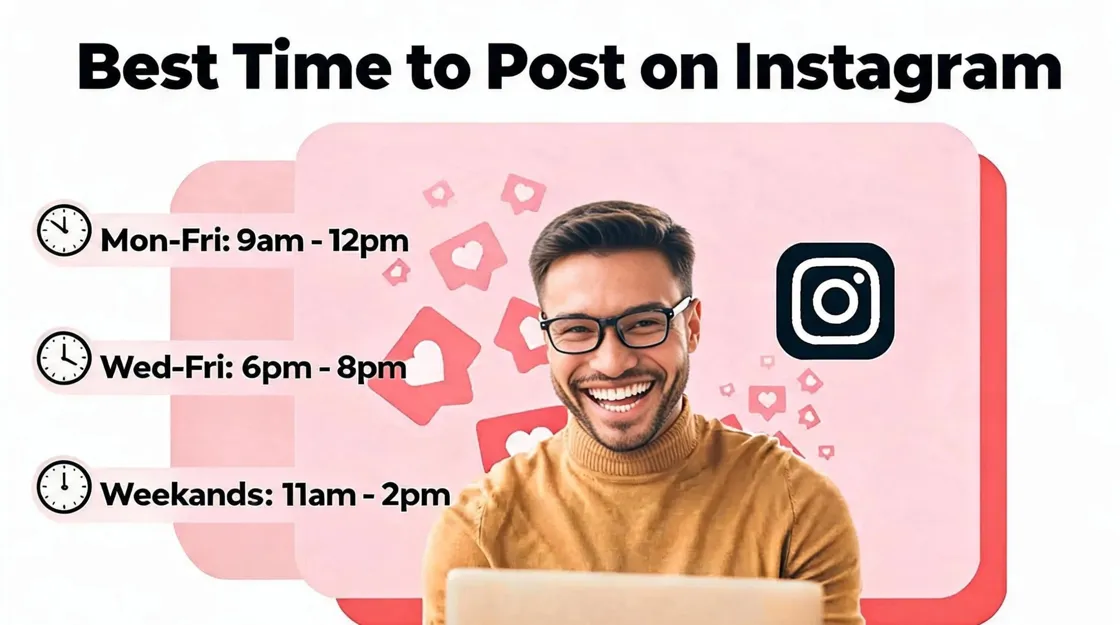
Finding the best time to post on Instagram is not about following one universal hour. Audience behavior, time zones, content format, industry, and engagement patterns can all influence when your posts perform best.
This guide combines current benchmark research with a practical testing framework to help you move beyond generic posting schedules. You'll learn how to use Instagram Insights, compare posting windows, measure meaningful results, and build a schedule that fits your specific audience.
Key Takeaways
-
There is no single best time to post on Instagram that works for every account.
-
Use industry benchmarks as a starting point, not a guaranteed formula for reach or engagement.
-
Your followers' activity, location, time zone, content format, and audience intent can change the optimal posting window.
-
Use Instagram Insights to identify when your audience is most active.
-
Test 2–3 posting windows and keeping other variables as consistent as possible.
-
Measure reach, engagement, shares, saves, profile visits, and conversions—not just likes.
-
Look for repeatable performance patterns rather than basing your schedule on one viral post.
-
Reassess your posting schedule regularly as your audience and content strategy evolve.
-
Prepare strong Instagram visuals in advance, so your content is ready when your audience is most active.
Best Time to Post on Instagram at a Glance
The best time to post on Instagram depends on your audience, location, content type, and activity patterns. Current benchmark studies offer useful starting points, but they do not identify one universal posting schedule for every account. Buffer's analysis of 9.6 million posts found Thursday at 9 a.m. to be its strongest overall slot, while Sprout Social's 2026 data highlights Tuesday and Wednesday afternoon and evening windows. Use these findings as a starting point, then test different times against your own Instagram Insights.
2026 Instagram Posting Times by Day
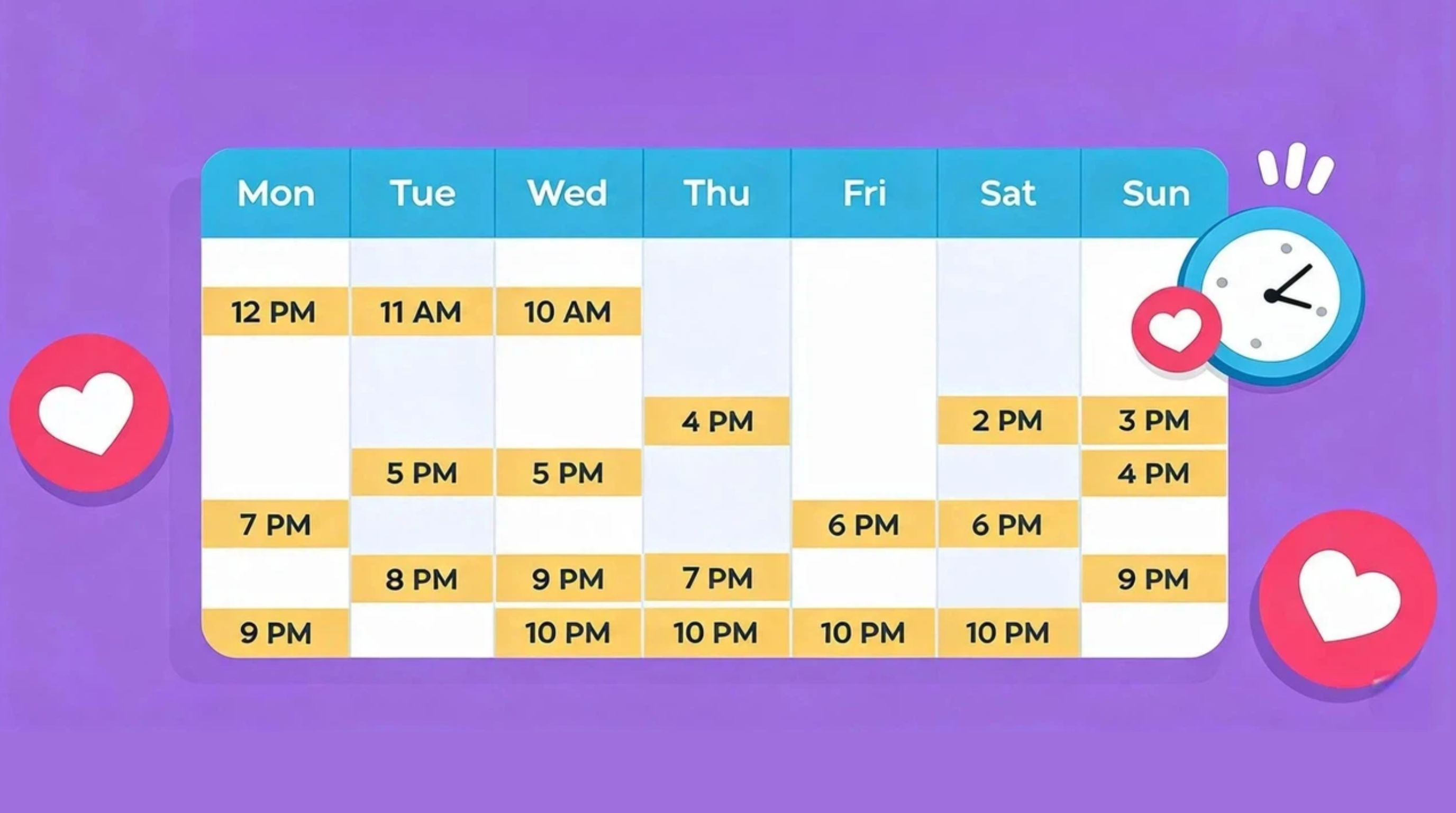
The windows below are based on Sprout Social's 2026 Instagram analysis and are reported in the audience's local time. Buffer's separate analysis of 9.6 million posts identified Thursday at 9 a.m. as its strongest overall slot. Use these benchmarks as starting points, then compare them with your own Instagram Insights.
|
Day |
Recommended Starting Window |
What to Test |
|---|---|---|
|
Monday |
2–4 p.m. |
Afternoon performance |
|
Tuesday |
1–7 p.m. |
Afternoon/evening activity |
|
Wednesday |
12–9 p.m. |
Midday through evening |
|
Thursday |
12–2 p.m.; also test 9 a.m. |
Morning and midday windows |
|
Friday |
No strongly recommended window |
Treat as a lower-priority, Insights-only test |
|
Saturday |
No strong benchmark window |
Test only if your audience is active on weekends |
|
Sunday |
No strong benchmark window |
Test only if your Insights show weekend activity |
What the 2026 Studies Actually Agree On
The 2026 studies do not point to one universal Instagram posting time, but they show a few useful patterns. Midweek tends to outperform weekends, while the strongest hours vary by study. Sprout Social highlights stronger engagement around Tuesday and Wednesday afternoons, while Buffer identifies Thursday at 9 a.m. as a standout slot. These differences show why timing should be treated as a starting point, not a fixed rule.
-
Midweek is generally stronger: Tuesday and Wednesday appear more consistently favorable than Saturday and Sunday.
-
There is no universal best hour: Different datasets produce different peak times because audience behavior varies by industry, location, and account.
-
Use your audience's local time: Benchmark times should be interpreted according to when your target followers are active, rather than copied from another market.
-
Test both study-backed windows: Try Sprout's Tuesday/Wednesday afternoon windows alongside Buffer's Thursday 9 a.m. benchmark, then compare your own results.
-
Let Instagram Insights decide: After testing, keep the time slots that consistently produce stronger reach, engagement, and audience activity for your account.
Best Time to Post on Instagram by Day
The best time to post on Instagram can vary by day as audience activity changes throughout the week. Use these daily benchmarks as starting points, then test different time slots to find when your followers are most active.
Best Time to Post on Instagram Monday
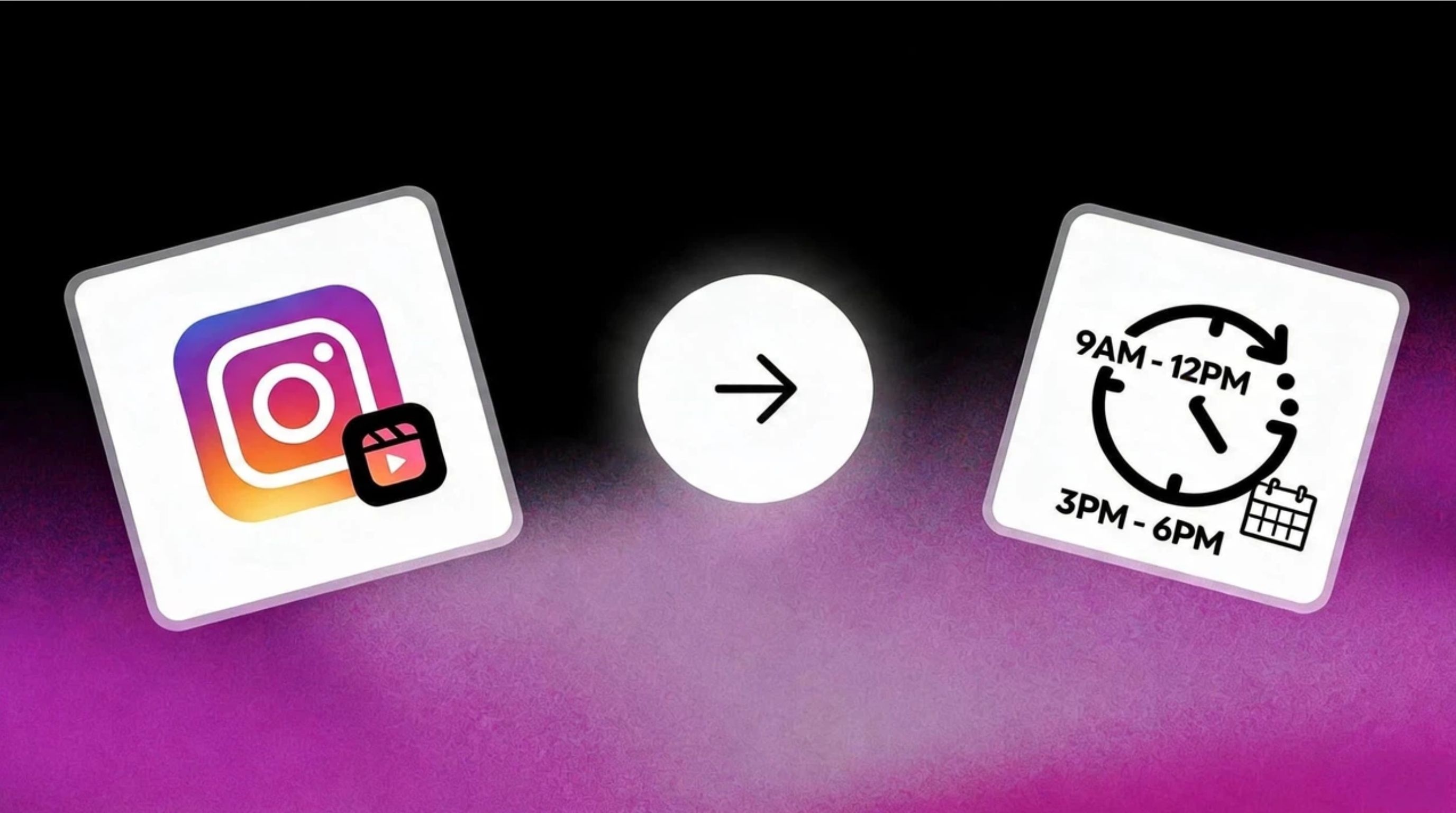
Monday can be a useful testing day, particularly during the afternoon when audiences return to their normal weekly routines. Sprout Social's 2026 Instagram data identifies 2–4 p.m. as a strong Monday window. Test educational, promotional, or practical content here and compare reach, saves, and engagement with your midweek results.
Test: Compare two Monday afternoon slots using similar content and evaluate performance after a consistent period.
Best Time to Post on Instagram Tuesday
Tuesday is one of the stronger days for Instagram activity. Sprout Social reports a broad 1–7 p.m. window, giving creators room to test both afternoon and early-evening publishing. This makes Tuesday suitable for Reels, educational content, product showcases, and discussion-led posts.
Test: Compare an early-afternoon post with a later slot while keeping the format and content intent similar.
Best Time to Post on Instagram Wednesday
Wednesday consistently appears among the strongest Instagram days in current benchmarks. Buffer identifies 12 p.m. and 6 p.m. among its top individual slots, while Sprout Social reports activity from 12–9 p.m. For best time to post on Instagram on Wednesday, test midday and evening windows against your own audience data.
Test: Compare midday and evening posts and track reach, engagement, saves, shares, and profile visits.
Best Time to Post Instagram Thursday
Thursday is notable because different studies identify different peak periods. Buffer's 2026 analysis places 9 a.m. at the top, while Sprout Social reports 12–2 p.m. as a strong Instagram window. Rather than presenting either as universal, test both periods with comparable content.
Test: Publish similar posts in the morning and afternoon, then compare reach and engagement.
Best Time to Post on Instagram Friday
Friday generally performs below the stronger midweek days. Buffer's latest dataset ranks Friday among Instagram's weakest days overall, although its strongest Friday slots occur later in the day. If you're testing the best time to post on Instagram Friday, use Friday as a secondary experiment rather than your primary publishing window.
Test: Compare a Friday evening post with a similar Wednesday or Thursday post before making Friday part of your core schedule.
Best Time to Post on Instagram on Saturday and Sunday
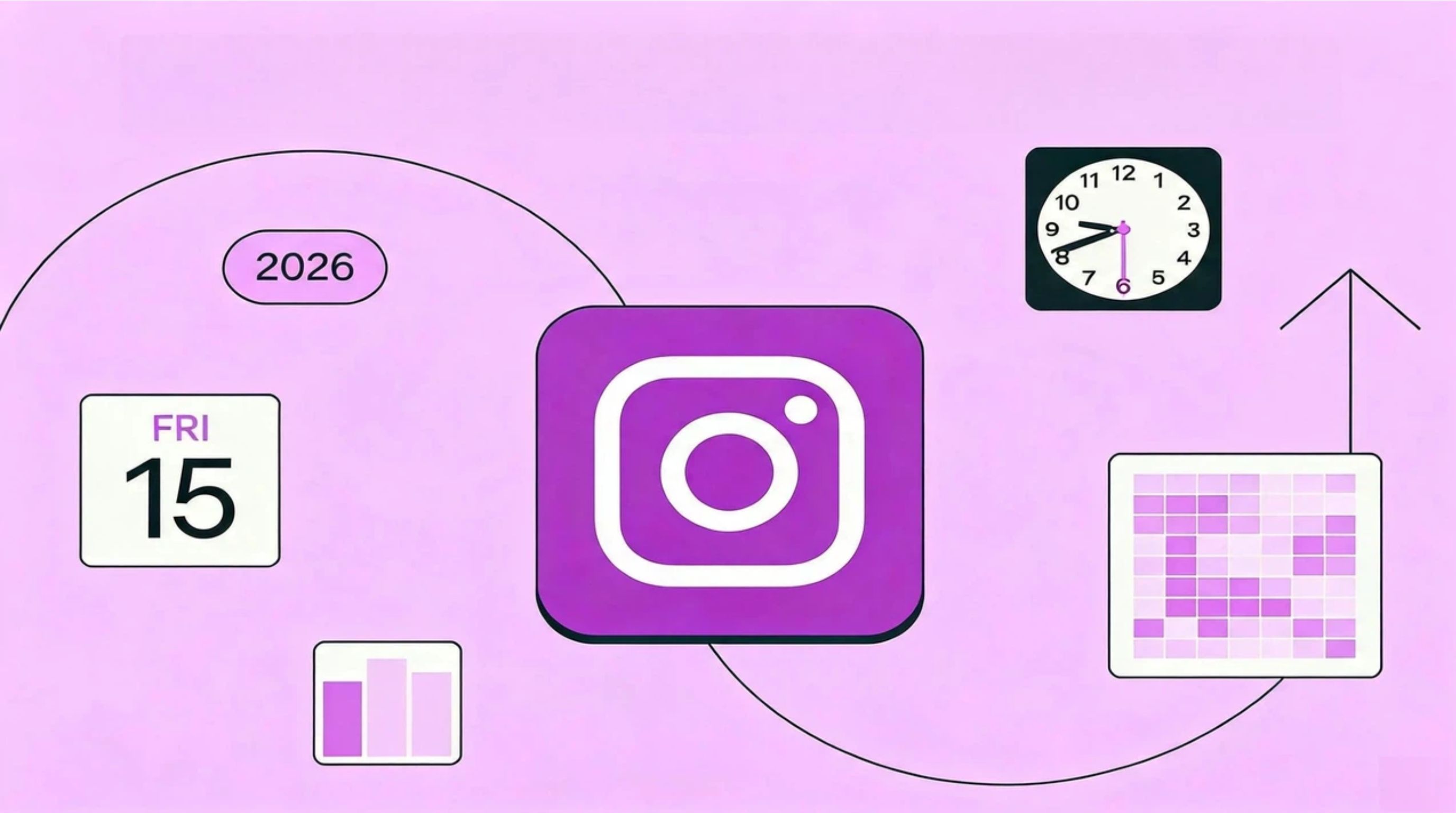
Weekend performance is less consistent than weekday activity. Sprout Social identifies weekends as the weakest overall period for Instagram, while Buffer finds Sunday evening performs better than other Sunday windows and Saturday remains relatively weak. For the best time to post instagram on Saturday, test evening content only if your audience is active then.
For the best time to post on Instagram Sunday, use Sunday evening as a starting test rather than assuming it will outperform your weekday schedule.
Test: Compare limited weekend posts with equivalent midweek content before committing to regular weekend publishing.
Best Time to Post on Instagram by Content Type
The best time to post on Instagram depends on content type, audience behavior, and engagement intent. Reels may benefit from periods when users have more time to watch, while carousels can perform well when audiences are likely to read and save information. Product posts should align with browsing or purchase intent, whereas Stories can support consistent visibility throughout the day. Use Instagram Insights to compare each format's reach, saves, shares, views, and interactions, then refine your posting schedule based on patterns specific to your audience.
Best Time to Post Reels on Instagram
Reels can require different testing because video performance depends on viewing behavior as well as initial engagement. Buffer notes that Reels may follow slightly different peak windows from static posts and carousels. When testing the best time to post Reels on instagram, track initial views, watch time, completion, shares, saves, and non-follower reach rather than relying on likes alone.
Test: Publish comparable Reels across two or three audience-active windows and keep the strongest-performing time as your baseline.
Best Time to Post Instagram Stories
Instagram Stories are more flexible than feed posts because they can be shared throughout the day. The ideal timing depends on the goal: views, replies, link clicks, or conversions. Product promotions may perform better when followers are actively browsing, while polls and questions need periods when users have time to respond. Use Instagram Insights to identify when your followers are most active, then adjust your Story schedule based on actual performance.
Test: Post similar Stories at two different active periods and compare views, exits, replies, sticker taps, and link clicks.
Best Time to Post Instagram Carousels
The best time to post Instagram carousels depends on the type of information and engagement you want to generate. Educational and step-by-step carousels require more attention because users need to swipe through multiple slides, while product carousels may work better when followers are researching or considering a purchase. Look beyond likes and evaluate reach, saves, shares, profile visits, and interactions to understand whether timing helps your content.
Test: Publish similar carousel topics at two different time slots and compare reach, saves, shares, and engagement to identify the stronger window.
Worst Times to Post on Instagram (And When to Skip)
There is no universally bad time to post on Instagram because audience activity differs by location, industry, and follower habits. However, very early mornings, late nights, or periods when your followers are consistently inactive may produce weaker initial reach and engagement. Rather than avoiding these periods based only on generic benchmarks, use Instagram Insights and your historical results to identify consistently underperforming time slots.
Test: Compare a low-activity time with one of your audience's peak periods using similar content. If the weaker slot repeatedly generates lower reach and engagement, remove it from your regular schedule.
What Determines the Best Time to Post on Instagram?
There is no single best time to post on Instagram for every account. The right posting window depends on when your followers are active, where they are located, what you post, and why they use Instagram. Use your own audience data as the primary signal, then test different time slots to find a consistent pattern.

When Your Followers Are Actually Active
Your followers' activity should be the starting point for finding when the best time is to post on Instagram. Check Instagram Insights for periods when your audience is most active, then publish slightly before those peaks, so the post is available as activity increases. Compare several posts rather than choosing a time from a single successful result.
Your Audience's Time Zone Matters More Than Yours
If your audience is spread across multiple regions, your local posting time may not match their active hours. For example, a business targeting customers in different countries may need separate posting windows or a time that overlaps with its largest audience segments. The best time for uploading Instagram content should therefore reflect where your followers actually live.
Content Format Can Change Performance
Different formats can attract different viewing habits, so avoid assuming one schedule works equally well for every post. A carousel may perform well when followers have time to swipe through educational content, while short-form video may benefit from periods of higher browsing activity. Track each format separately to identify your optimal Instagram posting time.
For visually focused content, having polished assets ready can also make it easier to maintain a consistent testing schedule. Tools such as Instagram resize tools can help prepare visuals for the platform without changing your posting strategy.
Industry and Audience Intent
Audience intent can strongly influence when people are most likely to engage. Educational accounts may see activity around study or work breaks, while retail brands may perform better when customers are browsing before or after work. Instead of copying generic "best time" charts, test several relevant windows and compare results using the same content goal and format.
How to Find Your Personal Best Time to Post on Instagram
Generic recommendations are useful for establishing a starting point, but your account data provides a stronger basis for deciding when to publish. Test different windows, keep the content variables reasonably consistent, and compare results over several posts before choosing your regular publishing schedule.
Check Instagram Insights
Use Instagram Insights to identify when your followers are most active and compare that activity with the performance of your recent posts. Look beyond follower activity alone; check reach, interactions, shares, and saves to determine whether those active periods actually produce better results for your account.
Start With 2–3 Benchmark Windows
Choose two or three realistic posting windows based on your audience activity, such as morning, afternoon, and evening. These become your initial best Instagram posting hours to test. Avoid changing the schedule every day, because too many variables make it difficult to determine which time is genuinely performing better.
Run a Controlled Posting-Time Test
Test comparable content at different times while keeping the day, format, topic, and quality as consistent as possible. For example, compare similar Reels on Tuesday morning and Thursday evening rather than comparing a promotional Reel with an unrelated educational carousel. Record results after each test, so patterns become easier to identify.
|
Test |
Day |
Time |
Format |
Reach |
Engagement |
Shares |
Saves |
|---|---|---|---|---|---|---|---|
|
A |
Wednesday |
Time |
Reel |
— |
— |
— |
— |
|
B |
Thursday |
Time |
Carousel |
— |
— |
— |
— |
|
C |
Tuesday |
Time |
Reel |
— |
— |
— |
— |
Measure More Than Likes
Likes show initial interest, but they do not necessarily indicate whether a posting window supports your goal. Track reach, comments, shares, saves, profile visits, follows, or clicks where relevant. Track the metrics that matter most to your goal, such as shares, saves, profile visits, follows, or clicks, to identify which posting times drive meaningful results.
Identify Repeatable Winners
A strong posting window should perform consistently rather than producing one unusually successful post. After several tests, compare the same metrics across your strongest time slots and look for recurring patterns. Keep the winning window as your baseline, then continue testing nearby times to refine your schedule.
How to Turn Benchmark Times Into a Weekly Instagram Schedule
Benchmark studies are useful for identifying promising posting windows, but they should not become a fixed schedule you follow without testing. A practical Instagram schedule combines benchmark data, content type, audience activity, and past performance. Start with the strongest days and time ranges from current studies, then assign different content formats to those windows based on their purpose. Over several weeks, compare results and gradually replace generic benchmarks with time slots supported by your own Instagram Insights.
1. Start With Your Strongest Benchmark Windows
Use benchmark data to build an initial schedule rather than choosing times randomly. If Tuesday through Thursday shows stronger activity, prioritize these days for important content such as Reels, educational carousels, product posts, or promotional campaigns. Keep weaker days available for lower-priority content instead of stopping completely.
For example, a starting schedule could look like:
|
Day |
Content |
Starting Window |
|---|---|---|
|
Monday |
Educational post |
Afternoon |
|
Tuesday |
Reel |
Afternoon |
|
Wednesday |
Carousel |
Midday or evening |
|
Thursday |
Product post |
Morning or afternoon |
|
Friday |
Reel or Story |
Evening |
|
Saturday |
Stories |
Flexible |
|
Sunday |
Community content |
Flexible |
The exact times should be adjusted according to your audience's location and activity.
2. Match the Time to the Content Type
Posting time should support what you want users to do with the content. A Reel needs enough opportunity for viewing and sharing, while an educational carousel may need a window when followers have time to read and swipe. Product content should align with periods when your audience is more likely to browse, compare, or take action.
Avoid filling every benchmark slot with the same format. Instead, distribute your content according to its purpose and expected engagement behavior.
3. Build a Testable Weekly Schedule
Do not change your posting time, format, topic, and creative style simultaneously. That makes it difficult to determine what caused a performance change. Start by testing two or three promising time windows while keeping the content format reasonably consistent.
Test: For two to four weeks, record the publishing time, content type, reach, views, engagement, saves, shares, and profile visits. Compare similar posts rather than judging the schedule from one high- or low-performing post.
4. Refine the Schedule Using Instagram Insights
After collecting enough results, compare your actual performance with the benchmark windows. If your audience consistently responds better at a different time, prioritize your own data. For example, if benchmark research suggests an afternoon window but your carousels repeatedly generate more saves when posted in the eveningng, the evening slot is more useful for your account.
The goal is not to find one perfect Instagram posting time. It is to build a repeatable weekly schedule based on measurable audience behavior, then revisit it as your audience, content strategy, and performance patterns change.
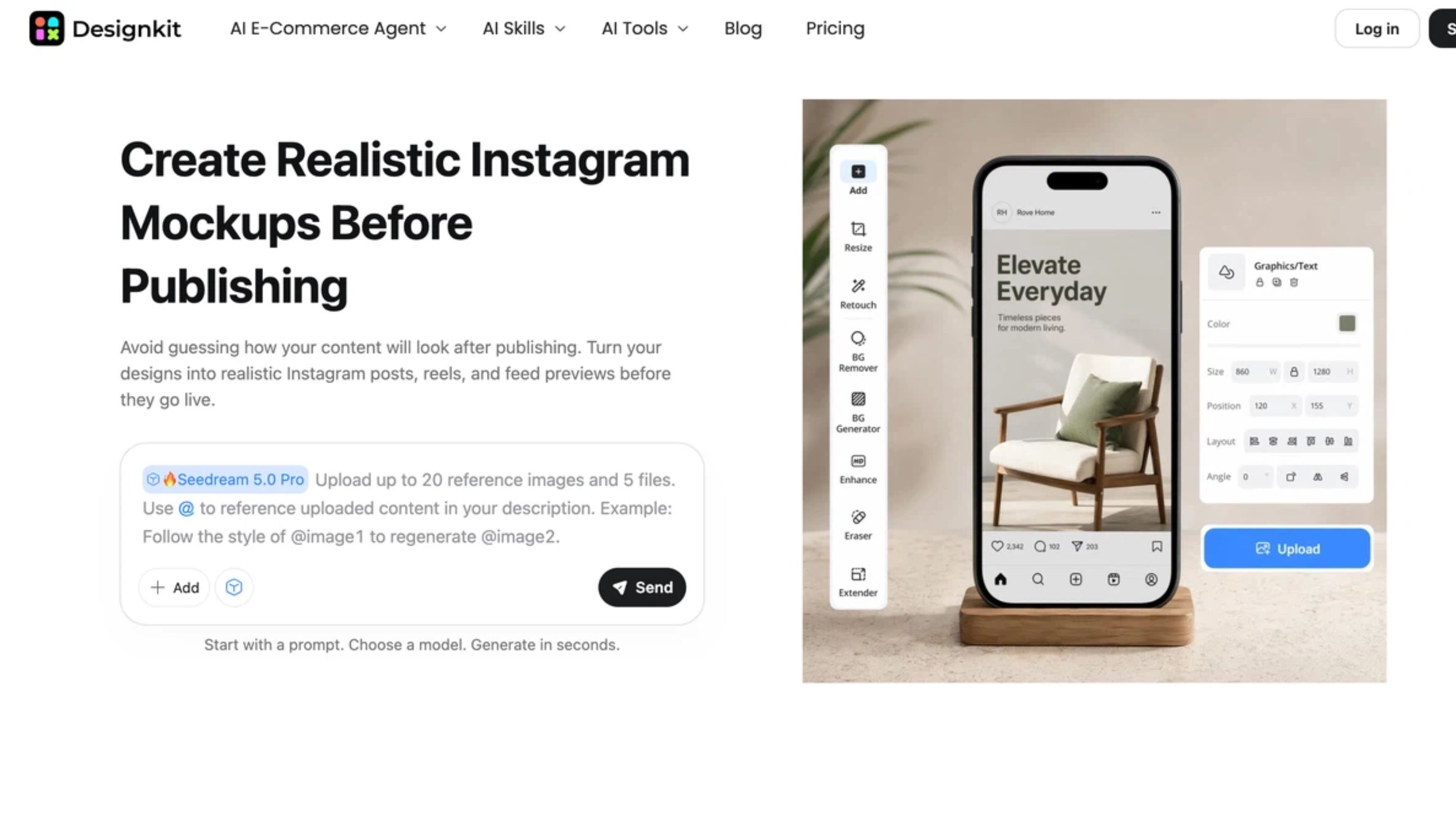
Create Better Instagram Content With Designkit
Finding the right posting time only matters when you have engaging content ready to publish. Once you identify your strongest windows, Designkit can help turn ideas, existing visuals, and campaign assets into polished content for Reels, carousels, Stories, promotional posts, and other Instagram formats. For example, brands can also adapt product images into campaign-ready visuals without rebuilding every asset from scratch.
How to Create Instagram Content With Designkit
Step 1: Upload Your Existing Assets
Upload a photo, graphic, campaign asset, or other visual you want to use. You can start with existing content or use an idea as the basis for a new Instagram creative.
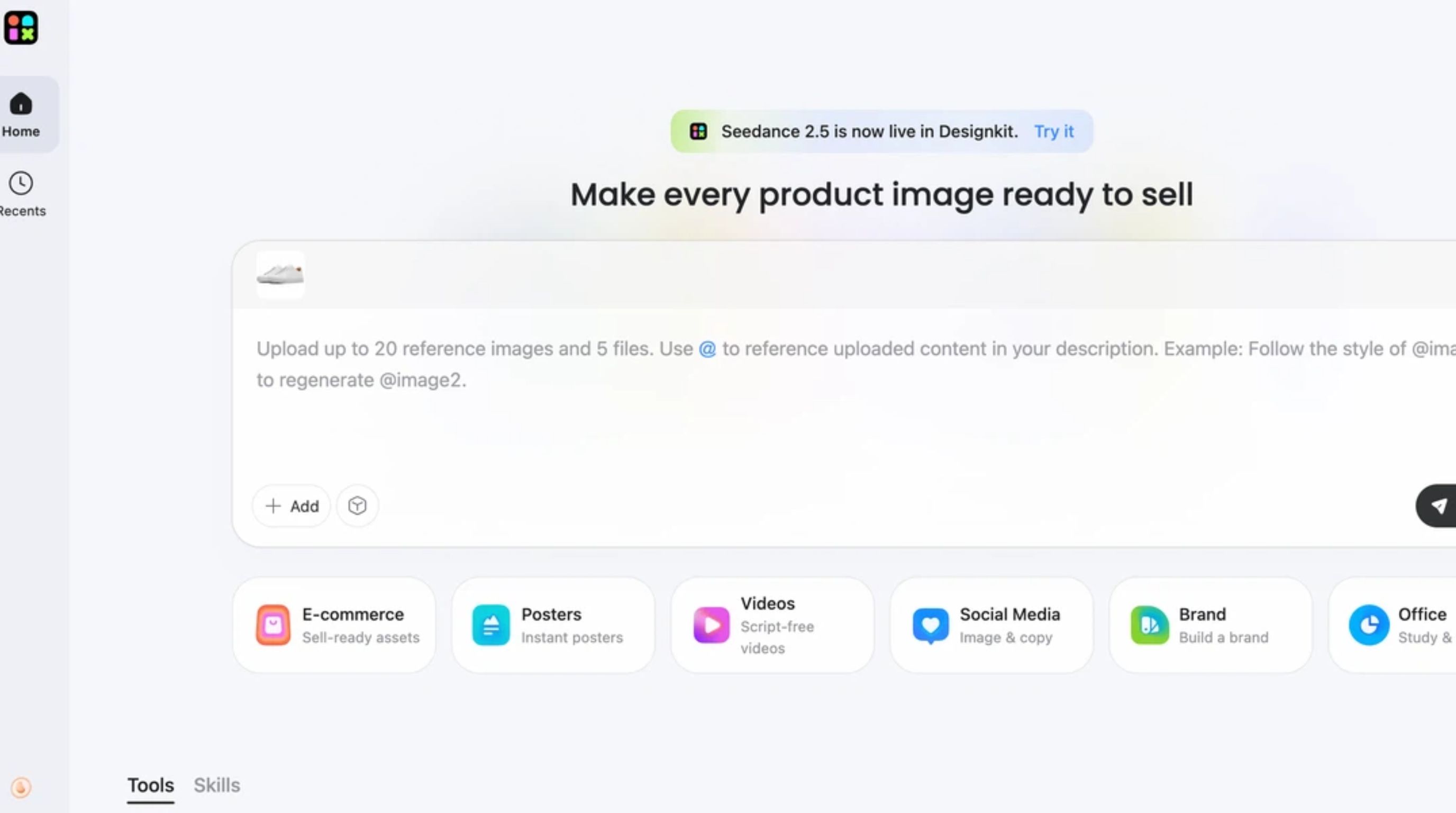
Step 2: Define the Content You Need
Choose the Instagram format and describe the content you want, including the subject, style, audience, message, and purpose. For example, you can prepare a Reel concept, Story visual, carousel graphic, or promotional post.
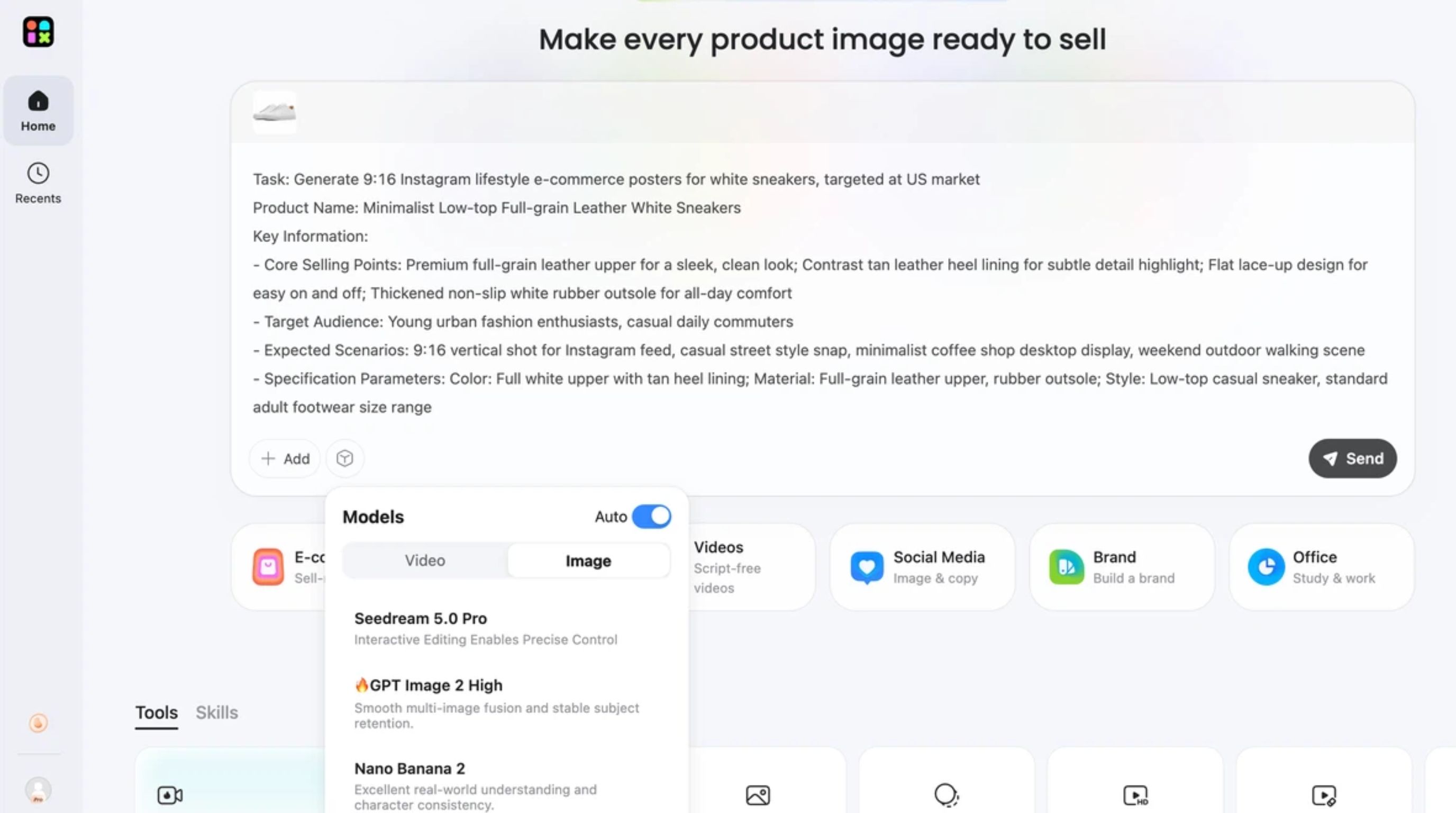
Step 3: Refine and Prepare for Publishing
Review the generated or edited result and adjust the visuals until they fit your content plan. Prepare the final asset for its intended Instagram format, then schedule or publish it during the posting window supported by your audience data.
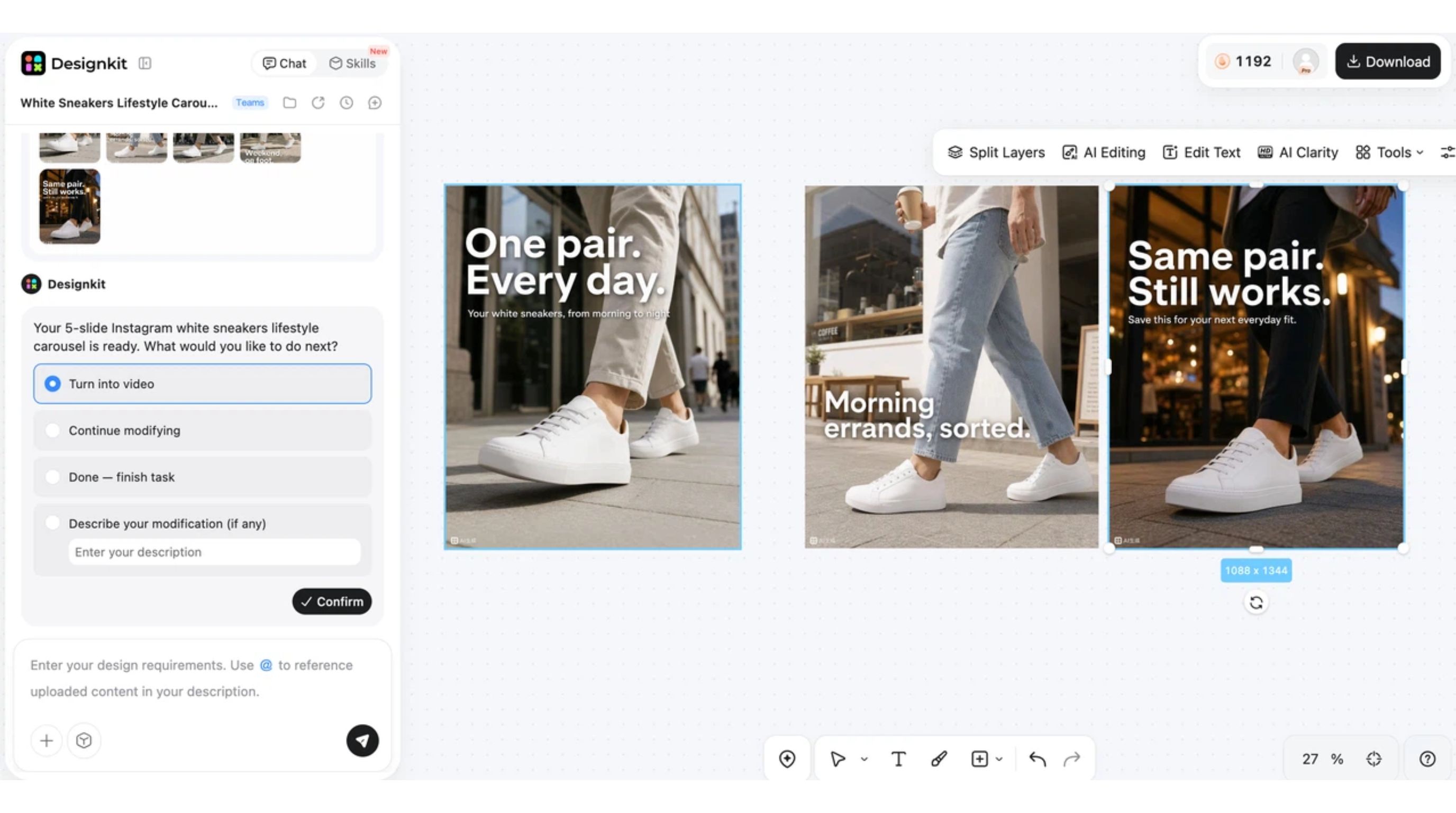
Designkit Features for Instagram Content
-
AI image generation: Turn content ideas into original visuals for Instagram posts, Stories, campaigns, and other creative needs. This helps creators develop new concepts when existing assets do not fit the planned content.
-
Image editing: Refine existing photos and graphics by improving their presentation, adjusting visual elements, or preparing them for publication. This is useful for creators and brands working with content they already have.
-
AI video generation: Produce short-form video content that can be adapted for Instagram Reels and promotional campaigns. For video-focused workflows, the Instagram video maker provides a more relevant starting point.
-
Multi-format assets: Adapt visuals for different Instagram placements, including feed posts, Reels, and Stories. Reusing the same creative idea across formats can make it easier to maintain a consistent publishing workflow.
Conclusion
The best time to post on Instagram is not a universal hour that guarantees reach or engagement. Use 2026 benchmark studies as starting points, then refine your schedule with Instagram Insights and controlled testing. Consider your audience's time zone, activity patterns, content format, and business goals. Track reach, shares, saves, profile visits, and conversions, not just likes, and review your results regularly. With Designkit, you can prepare polished, high-quality Instagram content in advance, so it is ready when your audience is most active.
Frequently Asked Questions
Does posting time affect Instagram reach?
Should I post before my followers become active?
Not necessarily. A better approach is to test publishing slightly before or around the periods when your audience is most active, then compare the resulting performance. The goal is to give the post an opportunity to gain early interactions while your audience is available, rather than assuming that posting earlier will always produce better reach.
How many posting times should I test before choosing a schedule?
Start with two or three realistic posting windows and test each one across several comparable posts. Avoid choosing a winner after a single test because one post can perform unusually well for reasons unrelated to timing. Compare reach, engagement, saves, shares, and other goal-specific metrics before establishing your regular schedule. Instagram also provides personalized performance guidance for creators.
Should I use the same posting time every week?
A consistent schedule can make performance easier to evaluate, but you do not need to use exactly the same time forever. Once you identify a reliable window, use it as your baseline and occasionally test nearby times. If audience activity or content performance changes, update the schedule rather than following an old time simply for consistency.
Can I use one Instagram posting schedule for multiple countries?
A single schedule can work when audiences in different countries have similar activity patterns, but it is usually better to account for their local time zones. If your audience is spread across several regions, group followers by major market and test publishing windows that overlap with their active periods. Your Insights and audience data should determine which regions deserve priority.
Why does my best posting time change over time?
Audience behavior can change as followers' routines, locations, demographics, and content preferences shift. Seasonal events and changes in your content mix can also affect performance. Review your Insights regularly instead of treating your previous winning time as permanent. Instagram's Best Practices includes personalized guidance designed to help creators understand and improve account performance.
How should businesses choose an Instagram posting schedule?
Businesses should connect posting times with business goals rather than optimizing only for likes. Identify when target customers are active, prioritize important product or campaign content for stronger windows, and measure profile visits, clicks, leads, or purchases alongside engagement. When AI-generated visuals are needed for campaigns, AI social media poster generator can help prepare supporting creative assets before scheduled publishing.
You May Also Like

Amazon Individual vs Professional Selling Plan
Amazon Brand Registry Requirements: Trademark, Account & Cost

How to Create an Amazon Seller Account: Requirements and Steps
Amazon Product Video Requirements: Specs & Upload

Amazon Global Selling: How to Open Multiple Marketplaces

Amazon Vine Program for Sellers: Get Early Product Reviews

Amazon Sponsored Products: How to Launch Your First Campaign

Amazon Sponsored Brands: What They Are and When to Use Them

Is Print on Demand Profitable in 2026? Products and Niches

Print-On-Demand Designs: Create, Prepare, and Preview Your Work

Local Business Marketing: Ideas, Priorities and Ways to Get Local Customers

Social Media Audit: How to Review Performance and Find What Works

How to Build a Personal Brand: A Strategic Guide
How to Create a YouTube Channel for Your Business in 2026
Social Media Content Planner: Plan & Schedule Posts

Amazon A+ Content Dimensions: Module Image Sizes

Amazon A+ Content: What It Is and What to Build First

Amazon Brand Registry Application: How to Submit and Pass Review

How to Ship to Amazon FBA: Your First Shipment

What Is Amazon FBA? Should Beginners Use It in 2026

How to Get Ungated on Amazon: Restricted Category Approval Steps

Amazon Backend Keywords: Title, Bullets & Search Terms

What Is A/B Testing? A Practical Guide to Running Better Experiments

Best Time to Post on Instagram in 2026: Data & Tips

How to Get Verified on Instagram: Complete Guide

TikTok Monetization in 2026: Requirements & Ways to Earn

YouTube Shorts Monetization Requirements & Rules 2026

How to Make an Event on Facebook: Complete Setup Guide (2026)

Instagram Desktop Posting Guide: Upload Posts, Stories & Reels

How Much Does YouTube Pay Per View? 1K, 100K & 1M Views

How to Make Money on Snapchat: 7 Ways to Earn

How to Get More Followers on Instagram in 2026

Best Time to Post on TikTok in 2026 for More Views

How to Repost on Instagram in 2026: A Simple Guide

How to Create Digital Products That Sell in 2026

Cyber Monday Marketing Ideas & Strategies (2026 Guide)

Black Friday Marketing Ideas for Ecommerce Brands (2026)

Instagram Marketing Guide: Strategies, Tips & AI Tools in 2026

Influencer Marketing Guide: Strategy, Campaigns & Creator Tips

How to Sell on Facebook Marketplace: Beginner Guide (2026)

How to Use Pinterest for Business: Strategy, Tips & Growth Guide

How to Sell on Etsy in 2026: Setup, Listings & Growth Tips

WooCommerce vs Shopify 2026: Pricing, Features & Which Is Better

What Is a Target Audience? Types, Examples & How to Find Yours

Multichannel Marketing Guide: Strategy, Tools & Examples

TikTok Marketing Guide 2026: Strategies, Ideas & AI Tools

Vibe Marketing Explained: Strategy, Examples & AI Tools

15 Best Things to Sell on Etsy in 2026 (Listing Tips Included)

How to Sell on Depop: Beginner Guide to Getting Your First Sale

Where to Sell Handmade Items Online (2026): Etsy, Amazon, or Shopify?

Shopify vs Amazon (2026): Brand Store or Marketplace FBA?

Amazon Handmade vs Etsy (2026): Which Is Better for Makers?

Online Advertising Guide: Types, Costs & Examples (2026)

Facebook Advertising Guide: Costs, Strategy & Tools 2026

Etsy vs eBay (2026): Handmade, Vintage, or Secondhand?

Selling on Amazon vs eBay (2026): Fees, Profit & Where to Sell

10 Best Online Selling Platforms (2026): Pick by What You Sell

Shopify vs Etsy (2026): Which Is Better for Handmade Sellers?

What Are E-commerce Ads? Examples, Strategy & Tools (2026)

What Is Brand Awareness? Examples, Strategies & Tools 2026

What Is Brand Identity? Examples, Elements & Strategy

YouTube Automation Step-by-Step AI Guide for Beginners

AI Marketing Agent: How It Works, Benefits & E-Commerce Examples

What Is Personalized Advertising? Examples & How It Works

How to Build a Shopify Store That Actually Converts Visitors

Amazon Marketing Guide 2026: Strategies, Tips & Tools

Local Advertising: Strategies, Examples & Tools (2026)

What Is Branded Content? Examples, Strategy & Tools 2026

What Is Performance Marketing? Strategies & Examples 2026

Inbound Marketing: Strategies, Examples & Tools (2026)
Make the Most of Your Best Instagram Posting Time
Find your best Instagram posting time and create engaging visuals with Designkit to stay consistent, reach active audiences, and make every post count.


