
Amazon FBA for Beginners: What It Is and When to Use It
Learn what Amazon FBA is, how it changes your workload and fees, and when to choose FBA or self-shipping for your first inventory send.

If you have sat through a “start Amazon” course, you have probably heard FBA presented as the default move: send inventory in, let Amazon ship, and chase Prime delivery on your offers. That pitch skips the part that gets beginners stuck. You still have to know what Fulfillment by Amazon does to your inventory, your schedule, and your margin before the first carton leaves your side.
So start here: what FBA means in practice, what you gain and what you hand over, and which fee categories to run on your own SKU. Once those are clear, choosing FBA or shipping orders yourself stops feeling like guesswork.
What Amazon FBA Means
FBA stands for Fulfillment by Amazon. You send eligible inventory to Amazon fulfillment centers. Amazon stores those units, then picks, packs, and ships them when a customer buys. For many of those orders, Amazon also covers a large share of customer service and returns. When an offer qualifies, shoppers can get the Prime fulfillment path they already trust for speed. That shopper side is why FBA shows up in every beginner pitch. It is still only a fulfillment choice, not a ranking guarantee, and not the same thing as “being an Amazon seller.”
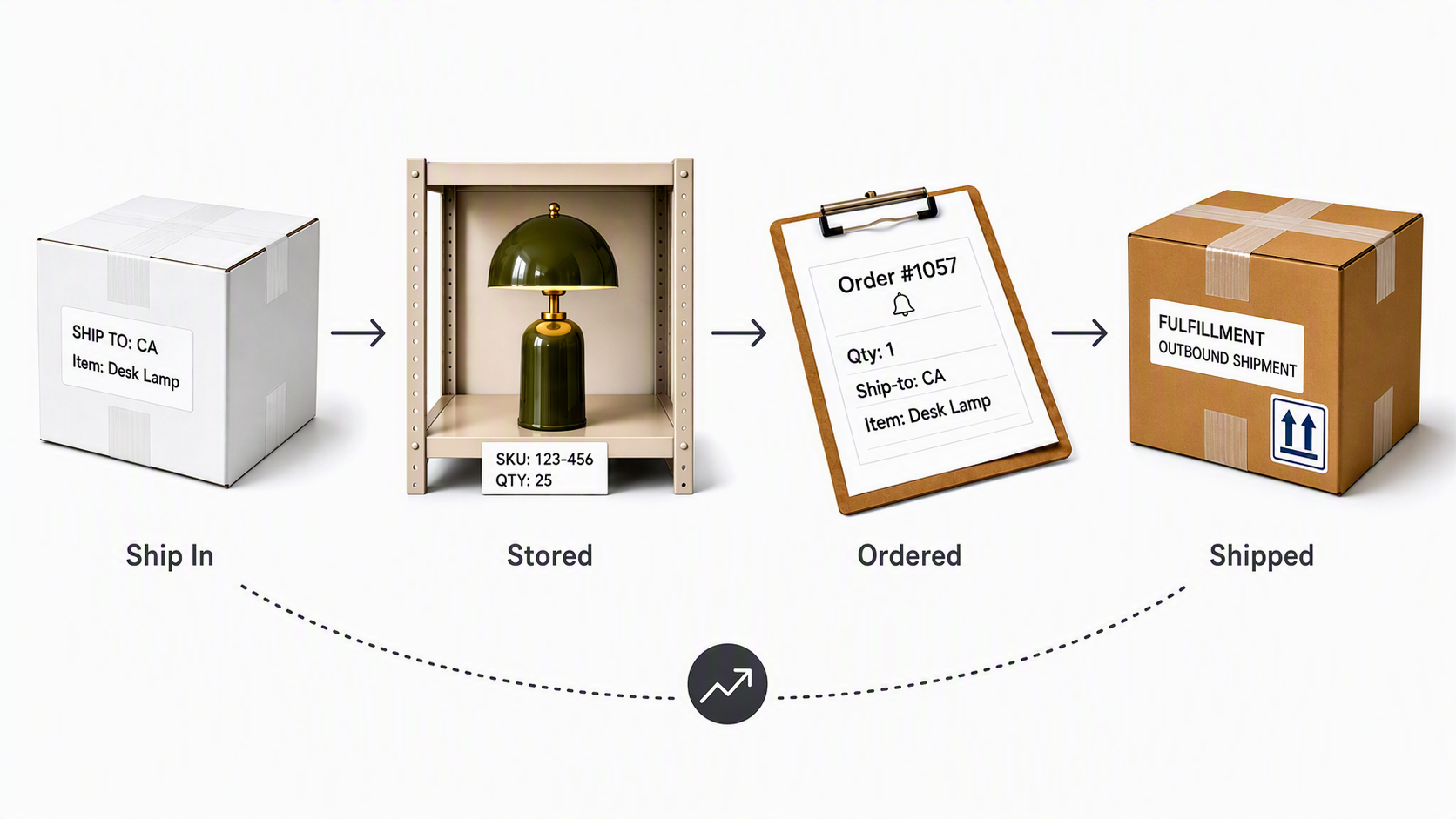
Opening an account and publishing a listing puts you on the marketplace. FBA is what happens after the order if you choose Amazon to fulfill that inventory. The flow looks like this:
- You list (or join) a product and assign inventory to FBA.
- You prepare units and send them into Amazon’s network under current inbound rules in Seller Central.
- Amazon receives and stores the units.
- A customer buys.
- Amazon ships from that stored inventory.
- Amazon handles much of the related service and returns for those FBA units, within its policies.
What You Get and Give Up with Amazon FBA
Once those units sit in Amazon’s network, two shifts show up right away: what Amazon handles for you, and what you still have to own.
What Amazon takes on
- Day-to-day picking, packing, and shipping for FBA inventory
- Storage inside Amazon’s fulfillment network
- A large share of customer service and returns on those fulfilled orders
- Prime fulfillment for qualifying offers
For most beginners, the main win is time. You spend fewer evenings packing boxes, and the delivery story shoppers already know can sit on top of eligible offers.
What you still own
- Product selection and pricing
- Listing quality: title, bullets, images, compliance
- How much inventory to send, and how fast it needs to sell
- Inbound prep when you ship to Amazon
- Account health, ads, and brand choices outside pure fulfillment
You also hand over control in places that matter day to day. Packaging follows Amazon’s flow. Units sit in Amazon’s buildings, so slow movers create storage pressure on your profit. Size and weight matter more, because fulfillment and storage pricing track how Amazon classifies the unit.
That is why some products feel “easy” in FBA and others feel expensive before you even advertise. Lightweight, standardized goods that turn over cleanly usually put less stress on storage and prep. Bulky, slow, fragile, or highly customized items lean harder on fees and inbound work. Use that as a read on fit, then pressure-test it with real fee math.
FBA Fees You Should Model
If the tradeoffs still look attractive, money is the next filter. Amazon FBA fees are not a single line. Map the fee types that belong to FBA, then run your SKU in Amazon’s tools for your marketplace.
Fulfillment vs storage
Fulfillment fees hit when Amazon ships a unit to a customer. They usually scale with size tier and weight. Storage fees hit while units sit in the network. Inventory that lingers can face higher storage pressure over time, which is why turn speed belongs in your plan, not only launch excitement.
One boundary helps beginners: selling-plan fees and referral fees are marketplace selling costs. They are not “FBA fees,” and FBA does not erase them. When you enroll, you add fulfillment and storage on top.
Use Amazon’s calculator
Blog fee tables go stale and often mix marketplaces. For a decision you will act on, open Amazon’s Revenue Calculator or the current official fee pages in Seller Central. Enter dimensions, weight, and price for your SKU, and estimate profit left after referral plus FBA charges. If you cannot clear a workable margin under realistic assumptions, pause before a large inbound shipment.
You do not need a perfect forecast. You need a model clear enough to say “this SKU can carry FBA” or “not yet.”
When FBA Beats Shipping It Yourself
Besides FBA, I'm sure you've also heard of FBM. So what's the difference between the two? The decision is whether Amazon should fulfill this inventory, or whether you ship it yourself under FBM, also known as Fulfillment by Merchant.
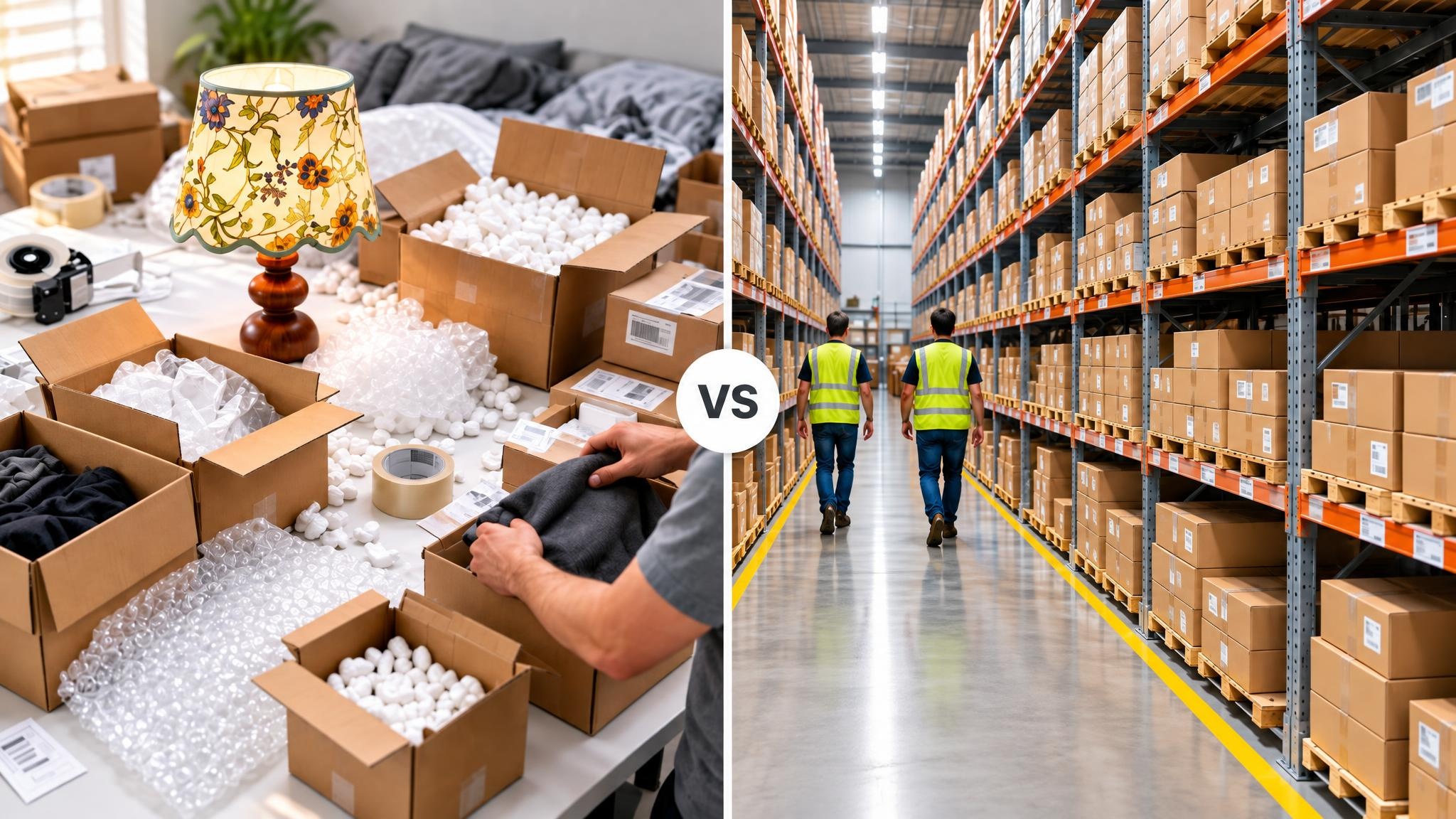
FBA vs FBM at a glance
| Factor | FBA | FBM |
|---|---|---|
| Who holds inventory | Amazon fulfillment centers | You or your warehouse |
| Who ships the order | Amazon | You or your warehouse |
| Day-to-day packing work | Lower for FBA units | Higher unless you outsource |
| Delivery / Prime path | Strong when the offer qualifies | Depends on your speed and programs |
| Cost shape | Fulfillment + storage on top of referral | Your pick/pack/ship and storage costs |
| Packaging control | Limited | High |
| Early fit | Units that turn and clear FBA costs | Tests, thin margins, awkward or custom goods |
A beginner checklist
Before you commit a first large shipment to Amazon, work through these:
- After referral and estimated FBA fulfillment and storage, does the unit still leave room for ads, returns, and mistakes?
- Can the first send stay small enough to learn, instead of locking too much cash in inventory?
- Is the listing ready to sell, including clear, compliant images?
- Can your cash handle inventory sitting while you learn how fast it sells?
- Is the product a poor FBA fit on size, fragility, customization, or expected slow turn? If yes, FBM is often the cleaner first step.
Tips to start
- Small FBA test: Use this when the calculator looks solid and you want Prime-path fulfillment without building your own shipping operation yet.
- Start on FBM: Use this while you validate demand, protect a thin margin, or ship something awkward for Amazon’s network.
- Hold the big send: If the numbers are still fuzzy, fix the offer and per-unit profit before you load inventory.
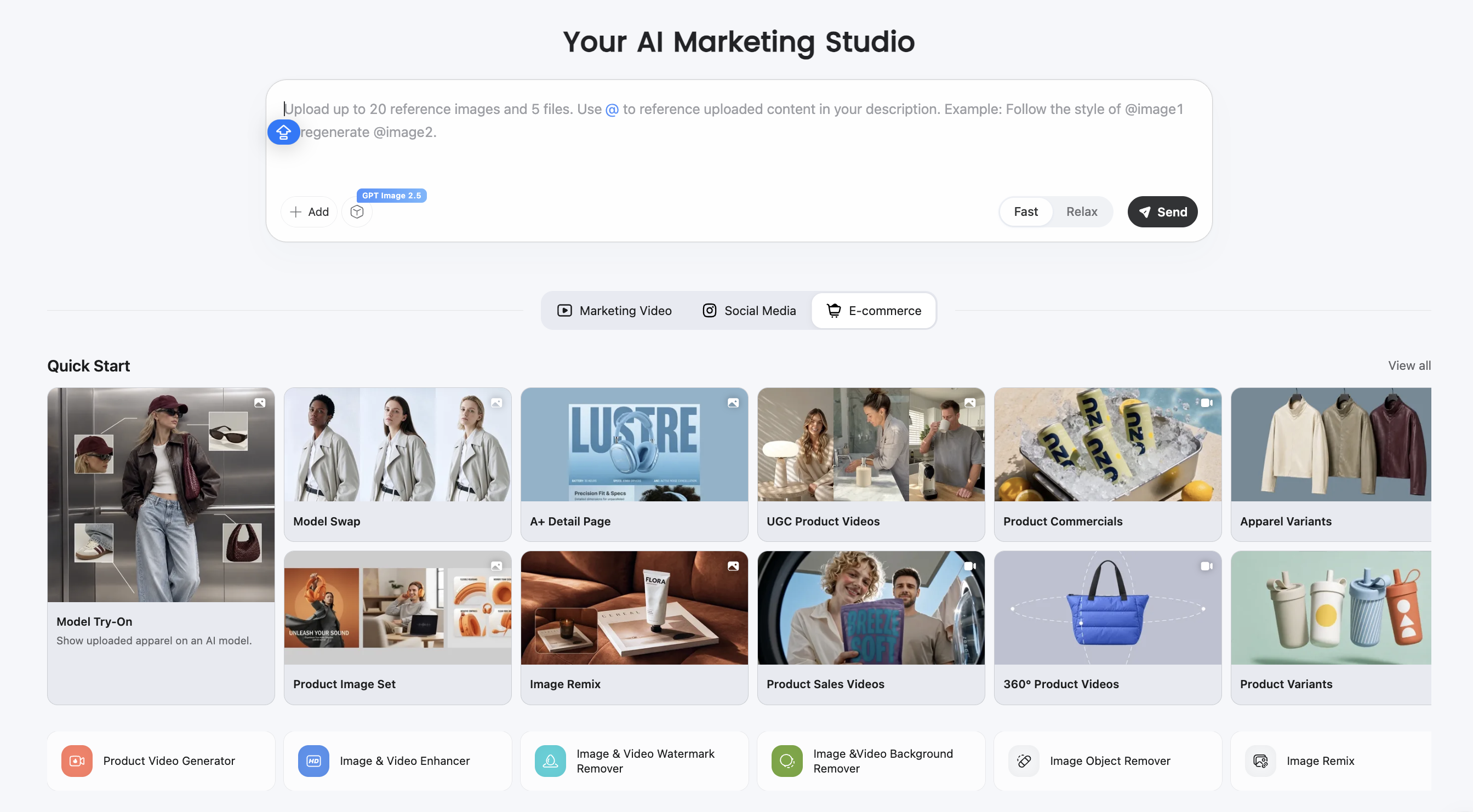
If FBA is the call, finish the listing before inventory moves. Shoppers hit images first, so a weak gallery wastes the inbound work. Designkit’s Amazon Listing Images Generator can turn one product photo into a white-background main image plus lifestyle and feature frames for Amazon listing use; confirm current image rules in Seller Central for your category, and see the Amazon Listing Images Guide if you need the full shot list.
Conclusion
Fulfillment by Amazon means Amazon stores eligible inventory and ships customer orders for you, while you still own the product, the listing, and the inventory plan. It pays off when your product can absorb fulfillment and storage costs without parking cash in slow inventory. Clear that bar and you buy back packing time plus a delivery path shoppers already trust. Miss it, and fulfilling orders yourself stays the cheaper way to learn until the math improves.
Frequently Asked Questions
Can I use FBA for some products and FBM for others?
Do I need a Professional selling plan to use FBA?
FBA availability and account requirements can depend on your marketplace and selling plan. Check the current FBA enrollment rules in Seller Central for your store before you send inventory.
What if my FBA inventory sells slowly?
Slow units keep accruing storage costs and can face higher long-term storage pressure. That is why turn speed belongs in the decision before a large inbound, not only after stock is stuck.
Can I remove inventory from Amazon fulfillment centers later?
Yes, sellers can typically create removal or disposal requests in Seller Central for FBA inventory, subject to current policies and fees. Plan for that option if you are testing a first send.
Does FBA treat oversized, fragile, or restricted products the same as standard units?
No. Size tier, prep rules, and category restrictions can change fees and eligibility. Confirm requirements for your SKU in Seller Central before you assume standard FBA pricing and handling.
You May Also Like

Amazon A+ Content Dimensions: Module Image Sizes

Print-On-Demand Designs: Create, Prepare, and Preview Your Work

Amazon A+ Content: What It Is and What to Build First

Is Print on Demand Profitable in 2026? Products and Niches

Amazon Brand Registry Application: How to Submit and Pass Review

How to Ship to Amazon FBA: Your First Shipment

What Is Amazon FBA? Should Beginners Use It in 2026

How to Get Ungated on Amazon: Restricted Category Approval Steps

Amazon Backend Keywords: Title, Bullets & Search Terms

What Is A/B Testing? A Practical Guide to Running Better Experiments

Best Time to Post on Instagram in 2026: Data & Tips

How to Get Verified on Instagram: Complete Guide

TikTok Monetization in 2026: Requirements & Ways to Earn

Instagram Desktop Posting Guide: Upload Posts, Stories & Reels

YouTube Shorts Monetization Requirements & Rules 2026

How Much Does YouTube Pay Per View? 1K, 100K & 1M Views

How to Make Money on Snapchat: 7 Ways to Earn

How to Get More Followers on Instagram in 2026

Best Time to Post on TikTok in 2026 for More Views

How to Repost on Instagram in 2026: A Simple Guide

Multichannel Marketing Guide: Strategy, Tools & Examples

How to Create Digital Products That Sell in 2026

Cyber Monday Marketing Ideas & Strategies (2026 Guide)

Black Friday Marketing Ideas for Ecommerce Brands (2026)

Instagram Marketing Guide: Strategies, Tips & AI Tools in 2026

Influencer Marketing Guide: Strategy, Campaigns & Creator Tips

15 Best Things to Sell on Etsy in 2026 (Listing Tips Included)

WooCommerce vs Shopify 2026: Pricing, Features & Which Is Better

How to Sell on Facebook Marketplace: Beginner Guide (2026)

How to Use Pinterest for Business: Strategy, Tips & Growth Guide

How to Sell on Etsy in 2026: Setup, Listings & Growth Tips

What Is a Target Audience? Types, Examples & How to Find Yours

TikTok Marketing Guide 2026: Strategies, Ideas & AI Tools

Vibe Marketing Explained: Strategy, Examples & AI Tools

How to Sell on Depop: Beginner Guide to Getting Your First Sale

Online Advertising Guide: Types, Costs & Examples (2026)

Facebook Advertising Guide: Costs, Strategy & Tools 2026

What Are E-commerce Ads? Examples, Strategy & Tools (2026)

Where to Sell Handmade Items Online (2026): Etsy, Amazon, or Shopify?

Shopify vs Amazon (2026): Brand Store or Marketplace FBA?

Amazon Handmade vs Etsy (2026): Which Is Better for Makers?

Etsy vs eBay (2026): Handmade, Vintage, or Secondhand?

Selling on Amazon vs eBay (2026): Fees, Profit & Where to Sell

What Is Brand Awareness? Examples, Strategies & Tools 2026

10 Best Online Selling Platforms (2026): Pick by What You Sell

Shopify vs Etsy (2026): Which Is Better for Handmade Sellers?

YouTube Automation Step-by-Step AI Guide for Beginners

What Is Brand Identity? Examples, Elements & Strategy

AI Marketing Agent: How It Works, Benefits & E-Commerce Examples

What Is Personalized Advertising? Examples & How It Works

How to Build a Shopify Store That Actually Converts Visitors

Amazon Marketing Guide 2026: Strategies, Tips & Tools

Local Advertising: Strategies, Examples & Tools (2026)

What Is Branded Content? Examples, Strategy & Tools 2026

What Is Performance Marketing? Strategies & Examples 2026

Inbound Marketing: Strategies, Examples & Tools (2026)
Finish Listing Images Before Your First FBA Shipment
If you choose FBA, shoppers still judge the offer by photos first. Designkit turns one product photo into a main image plus lifestyle and feature frames, so the listing looks ready before inventory ships.
