
What Is the Best Time to Post on TikTok in 2026?
Find the best time to post on TikTok in 2026 with daily posting windows, audience insights, and analytics tips. Learn how to test your schedule, create engaging content, and improve your chances of reaching more viewers.

Knowing when to post can make a difference in how quickly your TikTok content reaches an active audience. However, there is no single posting time that guarantees more views for every creator or brand.
This guide explores current TikTok posting-time benchmarks, daily publishing windows, and the factors that influence audience activity. You'll also learn how to use TikTok Analytics, test different time slots, track performance, and prepare engaging content before your ideal posting window.
Key Takeaways
-
There is no universal best time to post on TikTok; audience behavior varies by account.
-
Use current posting-time benchmarks as a starting point, not a guaranteed formula for more views.
-
Consider your audience's location, activity patterns, content type, and engagement history.
-
Use TikTok Analytics to identify when your followers are most active.
-
Test different posting windows and track views, watch time, and engagement.
-
Consistent, engaging content matters just as much as posting at the right time.
-
Prepare your TikTok content in advance so it is ready for your strongest publishing windows.
Best Time to Post on TikTok at a Glance
Finding the right TikTok posting time can help you reach your audience when they're most active. The table below combines benchmark data from multiple studies, but these times should be treated as starting points rather than universal rules.
Timezone note: All recommended posting windows are in your audience's local time. Adjust the schedule based on where your followers are located, not necessarily your own timezone.
|
Day |
Recommended Starting Window |
What the Research Suggests |
|---|---|---|
|
Monday |
12–5 p.m. |
Adobe Express identifies afternoon as a strong period, with its broader benchmark around noon–5 p.m. Buffer also flags approximately 1 p.m. as a strong Monday posting time. |
|
Tuesday |
2–6 p.m. |
Sprout Social identifies 2–5 p.m. as a strong Tuesday window, while Adobe Express highlights 5 p.m. as a favorable time. |
|
Wednesday |
1–8 p.m. |
Sprout Social reports a broad 1–8 p.m. window, while Adobe Express points to 2–5 p.m. as a favorable period. |
|
Thursday |
1–5 p.m. |
Sprout Social identifies 1–5 p.m. as a strong Thursday window, while Adobe Express recommends approximately 3–5 p.m. |
|
Friday |
3–5 p.m. |
Sprout Social identifies 3–5 p.m. as its strongest Friday window, while Adobe Express highlights 5 p.m. |
|
Saturday |
Test 9 a.m. and evening |
Research varies considerably. Buffer identifies Saturday as a strong overall day, while Sprout Social reports weaker weekend performance. Test both morning and evening slots with your audience. |
|
Sunday |
Test 8–9 a.m. |
Buffer identifies 9 a.m. as its top Sunday slot, while Adobe Express reports 8 a.m. as favorable for views. Sprout Social ranks Sunday among the weaker days. |
These times are research-based starting points, not guaranteed best times. Actual performance can vary by audience location, niche, follower activity, content format, and measurement methodology. Compare these benchmarks with your TikTok Analytics data before setting a permanent posting schedule.
Best Time to Post on TikTok by Day
The best time to post on TikTok varies by audience behavior, location, niche, and content type. The benchmarks below combine research from Sprout Social, Buffer, and Adobe Express, giving you useful starting points rather than a universal schedule. All recommended windows are in your audience's local time. Use them as testing points, then adjust your schedule based on your own TikTok Analytics.
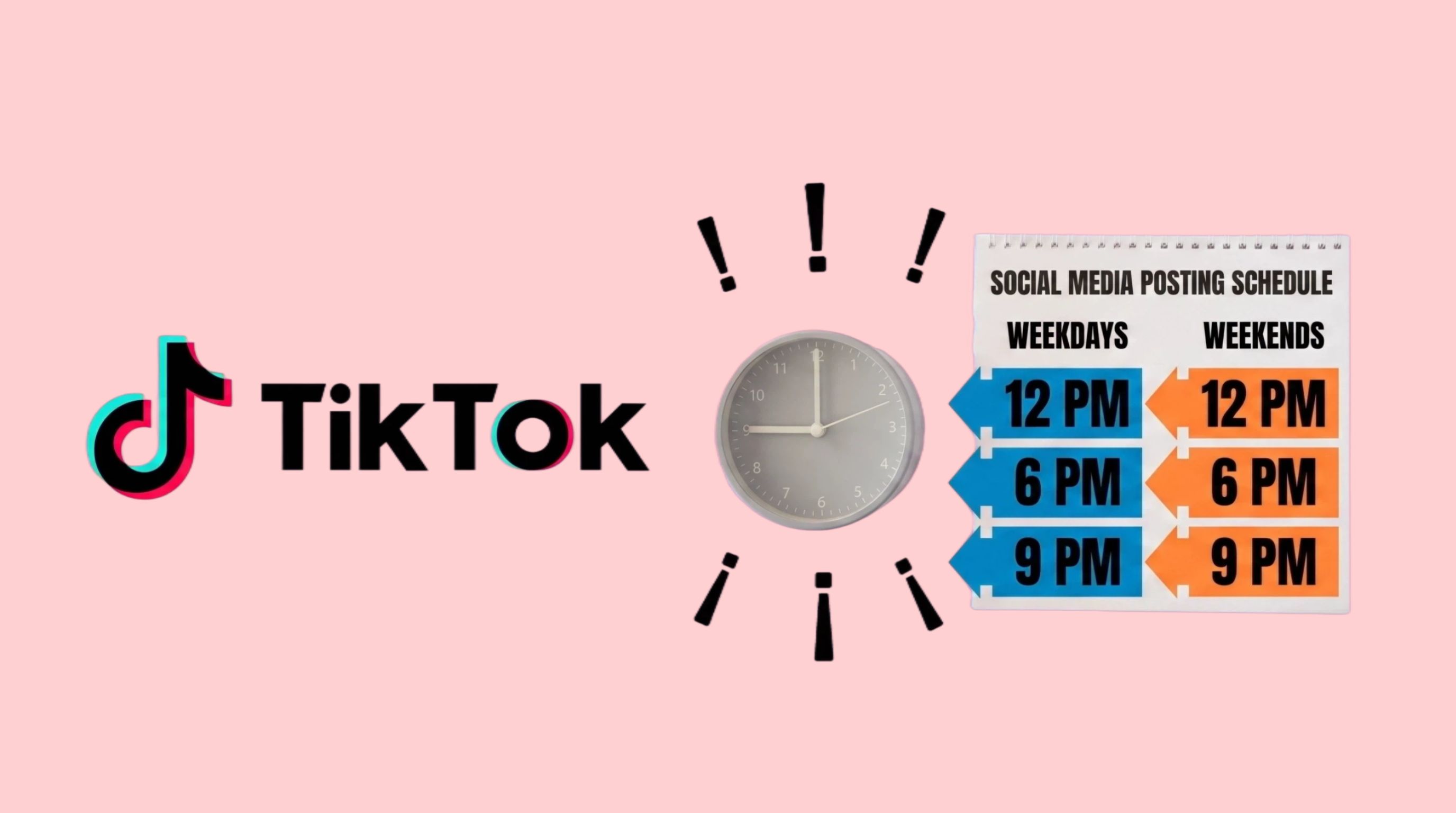
Monday
Recommended starting window: 1–5 p.m.
For the best time to post on TikTok Monday, the studies show slightly different opportunities. Sprout Social reports 3–5 p.m., Buffer identifies 1 p.m. as a strong Monday slot, while Adobe Express suggests a broader noon:5 p.m. window. Start with the afternoon range and validate in your Analytics to determine when your followers are most active.
Tuesday
Recommended starting window: 2–6 p.m.
Your TikTok posting time can influence early reach and engagement, but research does not point to one universal hour. Sprout Social recommends 2–6 p.m., Adobe Express highlights 5 p.m., while Buffer identifies 6 a.m. as its strongest Tuesday slot. Because these datasets differ, validate in your Analytics before choosing a fixed publishing time.
Wednesday
Recommended starting window: 1–8 p.m.
For the best time to post on TikTok Wednesday, Sprout Social identifies a broad 1–8 p.m. window, while Adobe Express points to 2–5 p.m. Buffer's data differs, identifying 10 p.m. as its strongest Wednesday slot. Begin with the afternoon period, then validate your Analytics and compare views, watch time, and engagement.
Thursday
Recommended starting window: 1–5 p.m.
Sprout Social identifies 1–5 p.m. as a strong Thursday window, while Adobe Express recommends 3–5 p.m. Buffer's research differs, with 1 p.m. ranking highly and another strong period appearing later in the evening. Treat the afternoon as your starting point, then validate your Analytics to identify the strongest response from your audience.
Friday
Recommended starting window: 3–5 p.m.
Sprout Social reports 3–5 p.m. as a strong Friday window, while Adobe Express highlights 5 p.m. Buffer's research instead places 6 p.m. among its strongest Friday times. These differences show why benchmark data should guide testing rather than dictate your schedule. Validate in your Analytics and compare performance across several Fridays.
Saturday and Sunday
Recommended approach: Test weekend posting windows rather than assuming one universal time.
Weekend research shows the greatest disagreement. Sprout Social's 2026 data indicates that Saturday and Sunday tend to be weaker days, while Buffer ranks Saturday as its strongest overall day, with 5 p.m. as a leading Saturday slot and 9 a.m. Sunday as its top overall time. Adobe Express also reports strong weekend opportunities, including 8 a.m. Sunday for views.
Because the studies produce conflicting results, weekends must be tested for your specific audience. Try morning, afternoon, and evening slots over several weeks, then compare views, watch time, shares, and engagement in TikTok Analytics.
What Determines the Best Time to Post on TikTok?
There is no universal posting time that works for every TikTok account. Your audience location, follower activity, content type, and previous performance all influence when your videos are most likely to gain traction. Use research-based benchmarks as a starting point, then rely on your TikTok Analytics to refine your schedule.
Where Your Audience Lives
Your audience's location affects when they are online. A time that works for viewers in the US may not work for audiences in Pakistan, the UK, or Australia. Check where most of your followers are located and interpret posting windows in their local time.
If you target multiple regions, prioritize your largest or most valuable audience segment. You can also test separate posting windows to determine which time zone delivers stronger reach and engagement.
When Your Followers Are Active
Your followers' activity patterns are more relevant than general industry averages. Check your TikTok Analytics to identify when your audience is most active, then test publishing around those periods.
Don't judge a time slot by views alone. Compare watch time, shares, comments, and engagement across several posts to find when the best time is to post a TikTok for your specific audience.
Your Content Type
Posting time can also depend on what you're publishing. Educational content, entertainment videos, product promotions, and trend-based posts may attract viewers at different times.
Rather than comparing unrelated videos, test similar content across different time slots. This makes it easier to determine whether timing is actually affecting performance.
Your Account's Historical Performance
Your own historical data can provide a stronger benchmark than generic "best time" studies. Track views, watch time, engagement, shares, and follower growth for posts published at different times.
After several weeks, identify the windows that consistently perform well and continue testing them. If you regularly create short-form content, an AI TikTok video generator can help you produce variations while your performance data guides the publishing schedule.
How to Find Your Personal Best Time to Post on TikTok
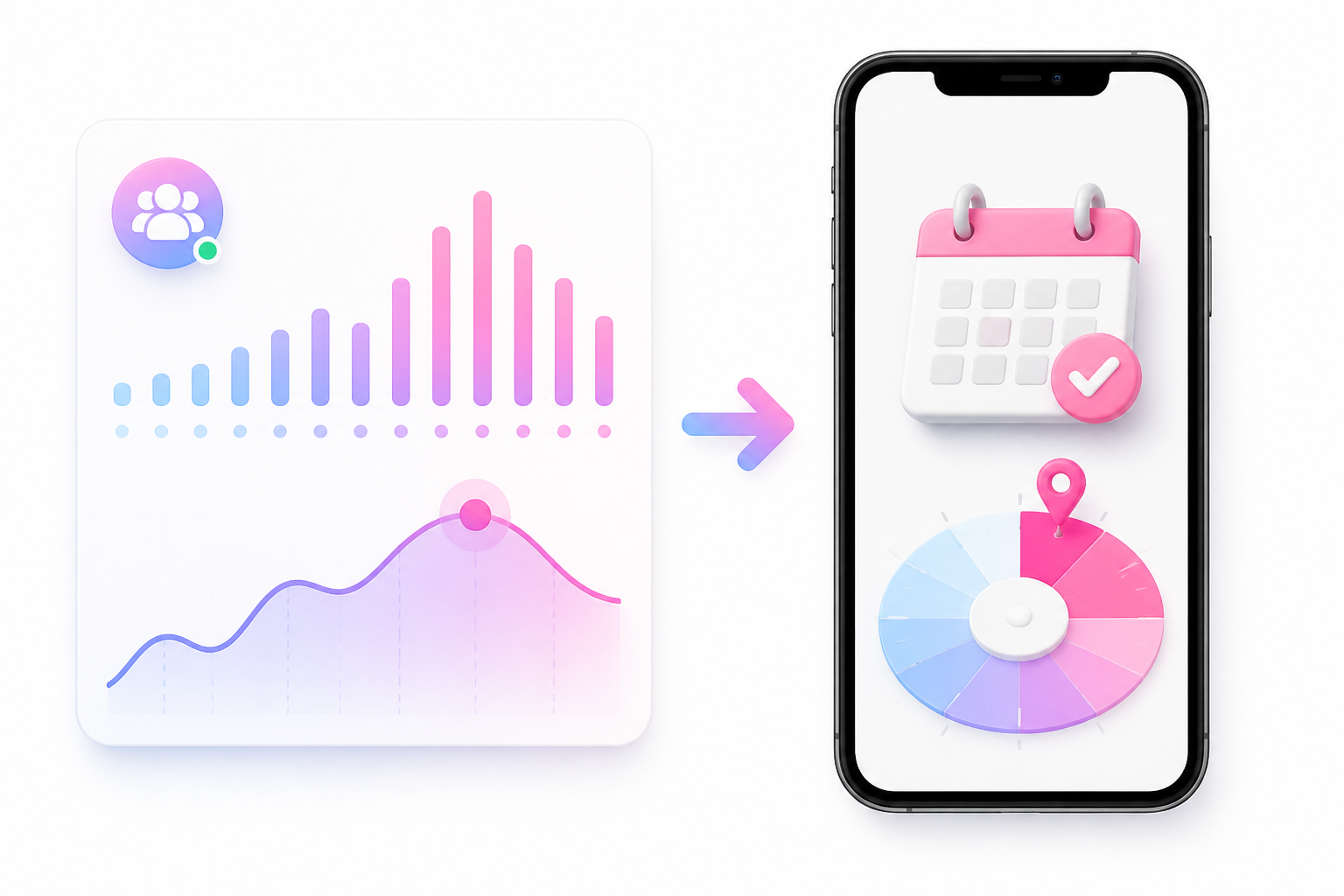
Generic benchmarks can help you choose a starting point, but your own audience data is more useful for building a reliable posting schedule. To find when to post on TikTok, use TikTok Analytics, test different time slots, and compare results over several weeks.
1. Check TikTok Analytics
Start with your TikTok Analytics to understand your audience and content performance.
Look at:
-
Follower activity: Identify when your audience is most active.
-
Video views: Compare reach across different publishing times.
-
Watch time: See whether viewers stay longer on videos posted at certain times.
-
Engagement: Track likes, comments, shares, and other interactions.
Use these insights as your starting point instead of relying entirely on general posting-time studies.
2. Identify Your Audience Activity Patterns
Your followers may be most active at different times depending on their location, lifestyle, and interests. Look for recurring activity patterns rather than choosing a time based on one day's data. If most of your audience is in a different time zone, use their local time when planning your schedule.

3. Test Different Posting Times
Instead of immediately choosing one hour, run a simple four-week test. Keep your content style and posting frequency relatively consistent, so timing is easier to evaluate.
Week 1 — Morning: Test a morning posting window.
Week 2 — Afternoon: Test an afternoon slot.
Week 3 — Evening: Test an evening slot.
Week 4 — Compare: Review the results and identify the strongest period.
This gives you a clearer idea of the best time to post TikToks for your specific audience.
4. Track Results on a Simple Table
Record each post's publishing time alongside views, watch time, and engagement. Comparing several posts across different time slots helps identify consistent performance patterns instead of relying on one unusually successful video. The table below uses sample records for illustration only; your actual results will vary based on your audience and content.
|
Post |
Time |
Views |
Watch Time |
Engagement |
|---|---|---|---|---|
|
Video 1 |
9:00 AM |
8,400 |
5.2 sec |
6.8% |
|
Video 2 |
1:00 PM |
12,700 |
6.4 sec |
8.1% |
|
Video 3 |
5:00 PM |
18,900 |
7.1 sec |
10.3% |
|
Video 4 |
8:00 PM |
15,200 |
6.8 sec |
9.4% |
|
Video 5 |
10:00 PM |
9,600 |
5.7 sec |
7.2% |
Note: These are illustrative example records, not actual TikTok analytics data.
5. Compare Similar Posts
Timing should not be evaluated in isolation. A highly engaging video may outperform another post regardless of when it was published.
For a more accurate comparison:
-
Compare posts with similar content types.
-
Test different times on the same or comparable weekdays.
-
Look at watch time and engagement alongside views.
-
Repeat your strongest time slots to confirm the pattern.
6. Adjust Your Schedule Over Time
Once you identify a promising window, continue testing it rather than treating it permanently. Audience habits can change because of seasons, holidays, trends, content shifts, or changes in your follower base.
If your results change, return to Analytics and test new windows. The goal is not to find one magical posting hour. It is to establish a repeatable posting window that consistently gives your audience the best opportunity to see, watch, and engage with your content.
How to Get More Views From Your TikTok Postin g Schedule
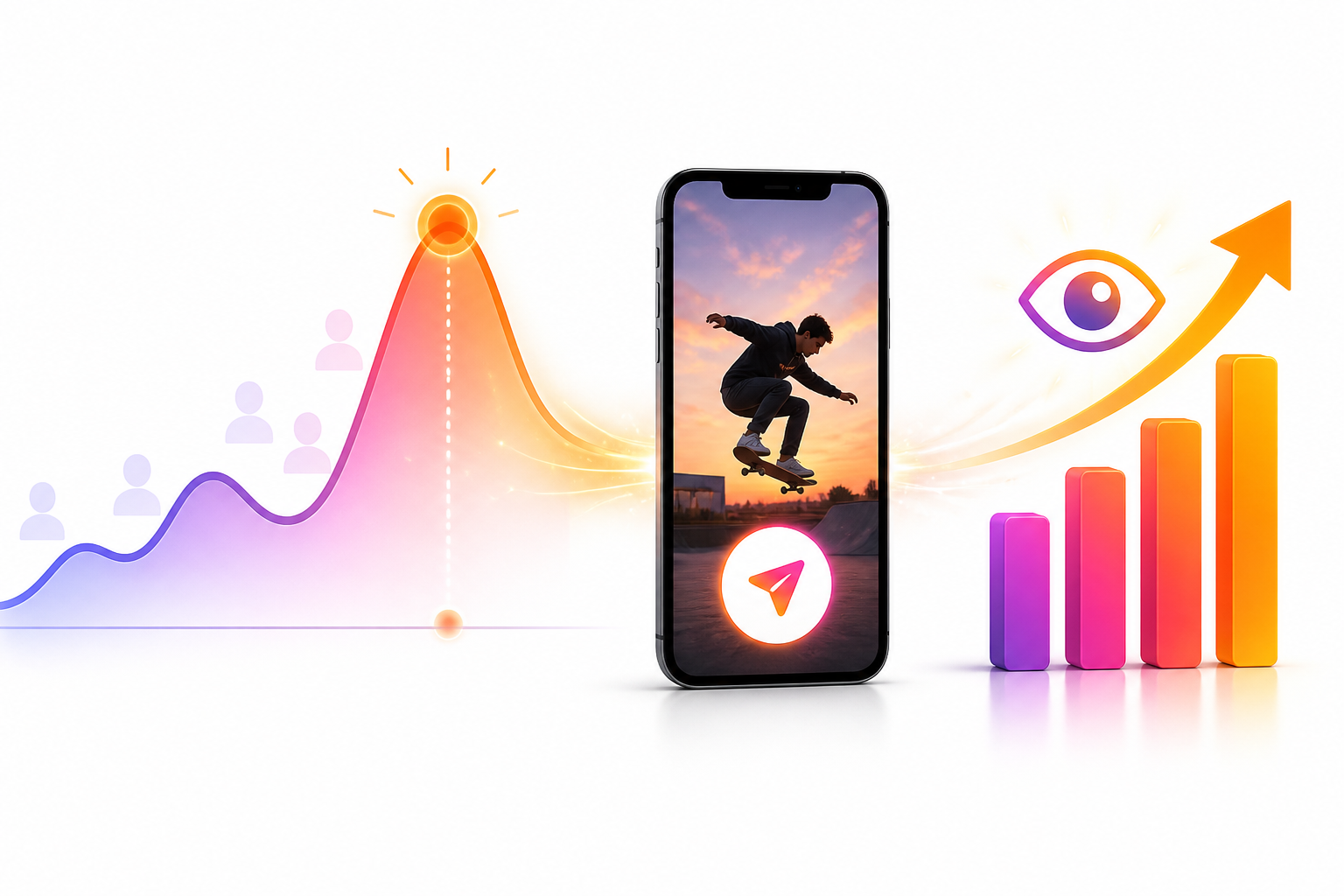
Choosing the right posting window is only one part of improving TikTok reach. To get more views, your video also needs to capture attention quickly, match what your audience wants to watch, and give TikTok enough performance signals to recommend it. Use your posting schedule as part of a broader content strategy rather than treating timing as a guarantee of higher views.
Prepare Your Video Before Peak Activity
Have your video ready before your target audience becomes active. Uploading and checking the final caption, cover, hashtags, tags, and other details in advance helps you avoid rushing at your planned publishing time.
Hook Viewers Immediately
The opening seconds can determine whether someone keeps watching or scrolls away. Start with the main benefit, an interesting question, a surprising statement, or the most compelling part of the video instead of a lengthy introduction.
For example, a tutorial can begin with the result before explaining the steps. A product video can immediately show the product in use. Strong openings make your chosen posting time more valuable because they give active viewers a reason to keep watching.
Match Content to Audience Intent
Posting when your audience is active works best when the content also matches what they want to see. Use your niche, previous high-performing posts, comments, searches, and audience behavior to identify relevant topics.

If your followers frequently engage with tutorials, focus on practical how-to content. If they respond better to entertainment or trends, adapt your content accordingly. The goal is to align timing, topic, and viewer intent rather than optimizing the clock alone.
Maintain a Consistent Schedule
Consistency makes it easier to understand which posting windows work for your account. Choose a manageable schedule and test your selected time slots repeatedly instead of changing your publishing time with every post.
You do not necessarily need to post several times a day. A sustainable schedule with consistent quality can give you enough data to compare performance without overwhelming your audience or content workflow.
Review Performance Instead of Guessing
After publishing, review more than total views. Look at watch time, completion behavior, shares, comments, and engagement to understand whether your posting time and content are working together.
Compare similar videos published at different times and look for repeated patterns. If one time slot consistently performs better, test it again before making it your regular publishing window. Reassess the schedule periodically as your audience and content strategy evolve.
Create TikTok-Ready Visuals With Designkit Before Your Best Posting Time
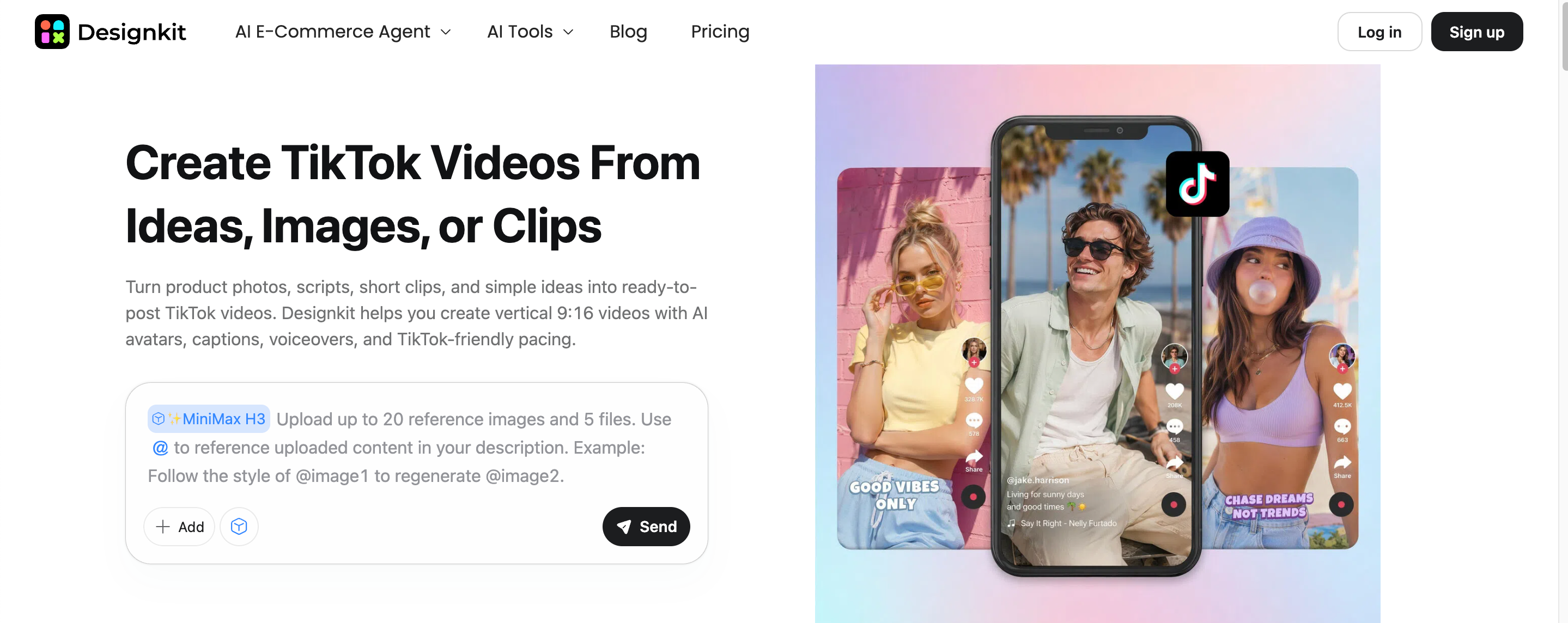
Once you know the best time to post on TikTok, the next challenge is having engaging content ready for that window. Designkit helps turn existing product images, campaign assets, and creative ideas into polished visuals that support your TikTok content strategy. You can adapt product photos, explore different backgrounds and creative directions, and prepare supporting assets for promotions, launches, or social campaigns. This gives creators and brands a more consistent workflow for producing TikTok-ready visuals without starting every creative from scratch.
3 Steps to Create TikTok-Ready Visuals With Designkit
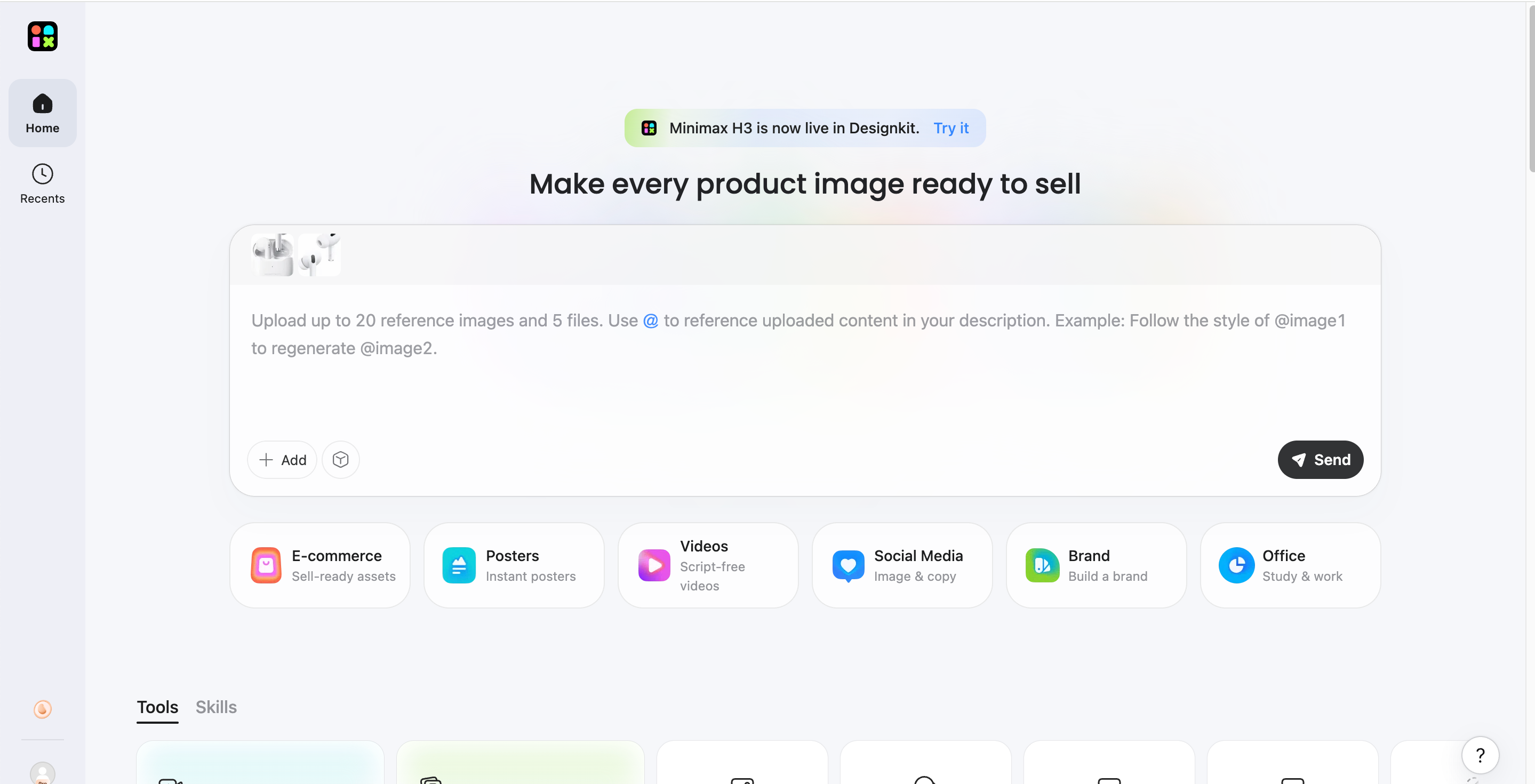
Step 1: Upload Your Product or Creative Asset
Add an existing product image, campaign visual, or reference image you want to adapt for your TikTok content.
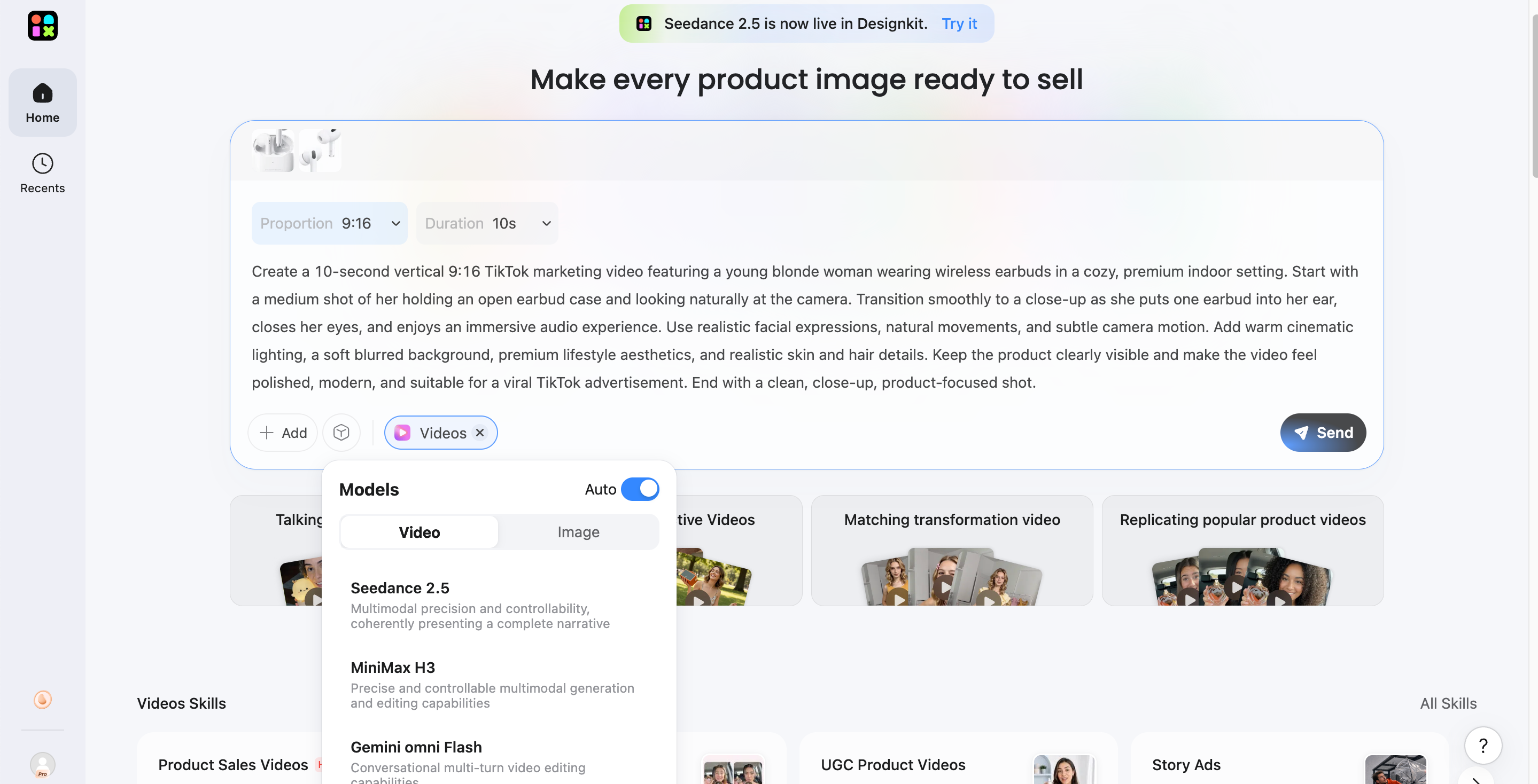
Step 2: Describe Creative Direction
Use a prompt to explain the desired background, style, composition, product focus, or promotional concept.
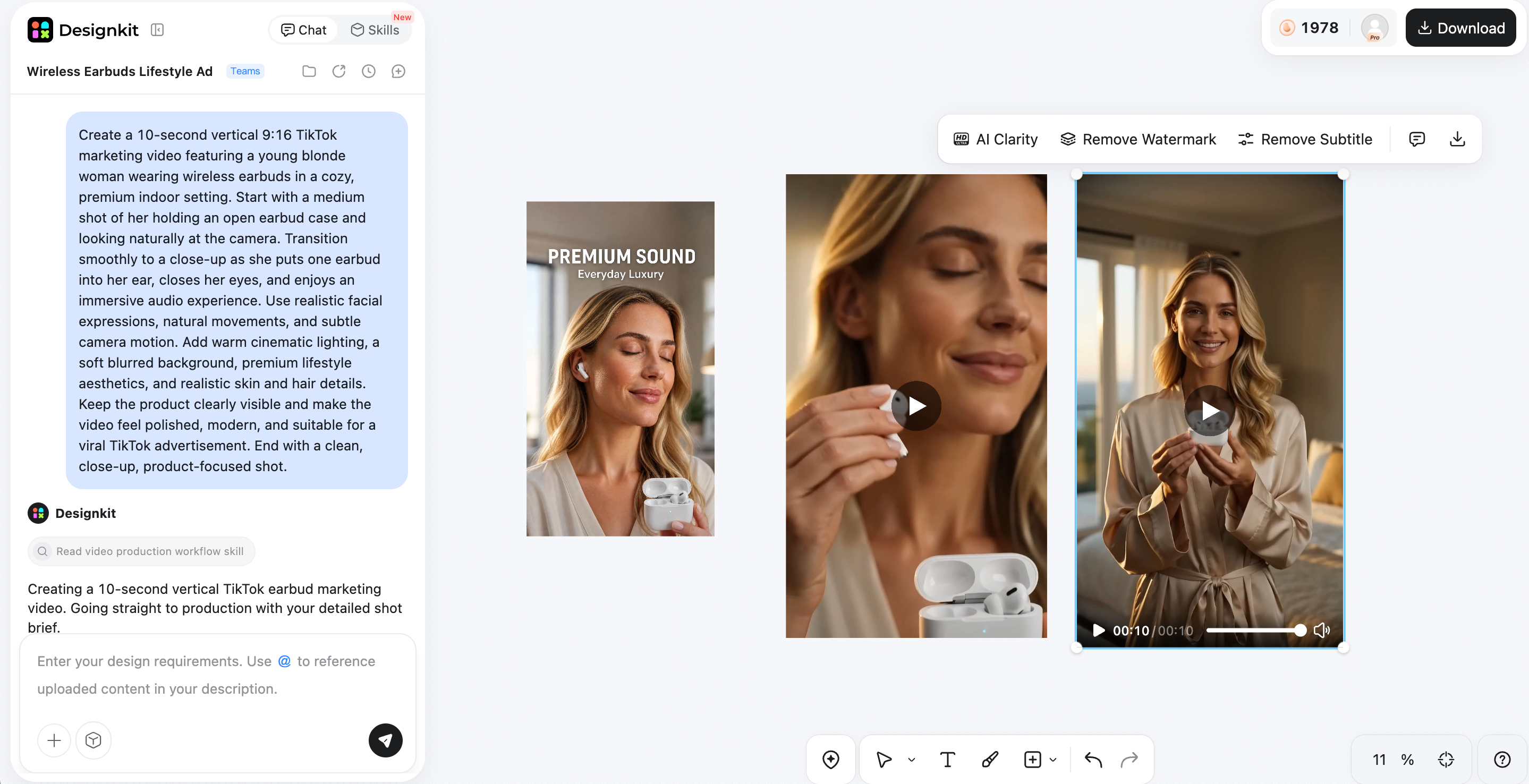
Step 3: Refine and Prepare for Publishing
Review the result, make adjustments, and prepare the final visual for your TikTok content workflow.
Create My TikTok-Ready Visuals
How Designkit Creates TikTok Content for Posting
Turn Existing Product Images Into Social Creatives
Designkit can transform existing product images into social-ready visuals without requiring a complete photoshoot. Adapt product shots into engaging creative formats, add visual context, and prepare assets that fit short-form content. This is useful when you need fresh content for a regular product photography generator workflow.
Create Different Visual Directions
Test different creative approaches by changing backgrounds, compositions, styles, and visual treatments around the same core asset. This lets you explore multiple directions without starting from scratch, making it easier to find a look that fits your audience and campaign. Use AI image to image workflows to develop variations.
Prepare Supporting Marketing Assets
TikTok content often works better when supported by complementary visuals for promotions, campaigns, and product launches. Designkit helps you develop additional creative assets from existing ideas, so your content can maintain a connected visual direction across a campaign. A video ad maker can support promotional content needs.
Keep Content Consistent
Consistent visuals make your TikTok content easier to recognize across posts and campaigns. Designkit lets you work from existing assets while maintaining similar styles, layouts, and branding elements across new creatives. This is particularly useful for businesses managing frequent content production and adapting assets for multiple social channels.

Common TikTok Posting Mistakes to Avoid
Knowing when to post on TikTok is useful, but timing alone does not determine whether a video performs well. Avoid these common mistakes so your posting schedule is based on audience behavior, consistent testing, and content performance.
Posting Only When a Generic Chart Says So
Industry benchmarks can provide useful starting points, but they are not universal rules. A time that works for another account may not work for yours because audience behavior, niche, location, and content format differ. Use published benchmarks as test windows, then compare the results with your own TikTok Analytics.
Ignoring Your Audience's Time Zone
Posting according to your own local time can be misleading if most of your followers live elsewhere. Check where your audience is located and schedule posts around their active hours. For accounts with audiences across multiple regions, test different time zones and identify which windows consistently generate stronger views and engagement.
Changing Posting Times Too Often
Testing is important, but constantly switching your posting schedule makes performance harder to compare. Give each time slot enough posts to produce meaningful data before deciding whether it works. Change one variable at a time and compare similar content across different posting windows.
Focusing on Timing Instead of Content Quality
A well-timed post cannot compensate for weak content. Strong hooks, clear messaging, relevant topics, good visuals, and audience retention still play a major role in performance. Treat posting time as one part of your strategy rather than expecting the right time to make every TikTok successful.
Posting Without Tracking Results
Without tracking performance, it is difficult to know whether a posting window actually works. Record publishing time, views, watch time, engagement, and other relevant metrics for each video. Look for patterns across multiple posts and use those findings to refine your schedule instead of relying on assumptions or a single viral result.
Conclusion
Finding the best time to post on TikTok starts with research, but your own audience data should guide the final decision. Use daily benchmarks as starting points, consider your audience's time zone, and test different posting windows through TikTok Analytics. Consistency, strong content, and performance tracking matter just as much as timing. For brands and creators preparing visuals to support their posting strategy, Designkit can help develop polished social creatives, variations, and marketing assets that keep your TikTok content engaging and consistent.
Frequently Asked Questions
How far in advance should I schedule a TikTok post?
Should I change my posting time when my audience grows?
Yes. A growing audience can change when and where your followers are active, so your previous posting schedule may become less effective. Review your audience activity and performance regularly rather than keeping the same time indefinitely. Designkit can support the updated strategy by helping you produce new TikTok video creatives that fit your evolving audience.
What should I do if my TikTok views suddenly drop?
First, check whether the decline affects one video or several posts. Review watch time, engagement, traffic sources, content changes, and posting times before changing your strategy. Avoid assuming that timing is the only cause. Designkit can help refresh your visual approach with tools such as an AI video enhancer, while you continue testing and monitoring performance.
Should I post at the same time on weekdays and weekends?
Not necessarily. Audience routines can differ significantly between weekdays and weekends, so one posting time may not work equally well across the entire week. Test separate windows for each period and compare results in Analytics. For brands creating content for these different schedules, Designkit can help adapt visuals through its marketing video maker.
Does TikTok posting frequency affect the ideal posting time?
It can. Posting more frequently gives you more opportunities to test different time slots, but publishing too much without maintaining quality can make performance harder to evaluate. Focus on a sustainable schedule and compare similar posts across different windows. Designkit can support frequent content production by helping teams prepare reusable creative assets and variations efficiently.
You May Also Like

Amazon Individual vs Professional Selling Plan

How to Create an Amazon Seller Account: Requirements and Steps

Amazon Product Video Requirements: Specs & Upload

Amazon Brand Registry Requirements: Trademark, Account & Cost

Amazon Global Selling: How to Open Multiple Marketplaces

How to Make an Event on Facebook: Complete Setup Guide (2026)

Amazon Sponsored Brands: What They Are and When to Use Them

Amazon Sponsored Products: How to Launch Your First Campaign

Amazon Vine Program for Sellers: Get Early Product Reviews

Amazon A+ Content Dimensions: Module Image Sizes

Print-On-Demand Designs: Create, Prepare, and Preview Your Work

Amazon A+ Content: What It Is and What to Build First

Is Print on Demand Profitable in 2026? Products and Niches

Amazon Brand Registry Application: How to Submit and Pass Review

How to Ship to Amazon FBA: Your First Shipment

What Is Amazon FBA? Should Beginners Use It in 2026

How to Get Ungated on Amazon: Restricted Category Approval Steps

Amazon Backend Keywords: Title, Bullets & Search Terms

What Is A/B Testing? A Practical Guide to Running Better Experiments

Best Time to Post on Instagram in 2026: Data & Tips

How to Get Verified on Instagram: Complete Guide

TikTok Monetization in 2026: Requirements & Ways to Earn

Instagram Desktop Posting Guide: Upload Posts, Stories & Reels

YouTube Shorts Monetization Requirements & Rules 2026

How Much Does YouTube Pay Per View? 1K, 100K & 1M Views

How to Make Money on Snapchat: 7 Ways to Earn

How to Get More Followers on Instagram in 2026

Best Time to Post on TikTok in 2026 for More Views

How to Repost on Instagram in 2026: A Simple Guide

Multichannel Marketing Guide: Strategy, Tools & Examples

How to Create Digital Products That Sell in 2026

Cyber Monday Marketing Ideas & Strategies (2026 Guide)

Black Friday Marketing Ideas for Ecommerce Brands (2026)

Instagram Marketing Guide: Strategies, Tips & AI Tools in 2026

Influencer Marketing Guide: Strategy, Campaigns & Creator Tips

15 Best Things to Sell on Etsy in 2026 (Listing Tips Included)

WooCommerce vs Shopify 2026: Pricing, Features & Which Is Better

How to Sell on Facebook Marketplace: Beginner Guide (2026)

How to Use Pinterest for Business: Strategy, Tips & Growth Guide

How to Sell on Etsy in 2026: Setup, Listings & Growth Tips

What Is a Target Audience? Types, Examples & How to Find Yours

TikTok Marketing Guide 2026: Strategies, Ideas & AI Tools

Vibe Marketing Explained: Strategy, Examples & AI Tools

How to Sell on Depop: Beginner Guide to Getting Your First Sale

Online Advertising Guide: Types, Costs & Examples (2026)

Facebook Advertising Guide: Costs, Strategy & Tools 2026

What Are E-commerce Ads? Examples, Strategy & Tools (2026)

Where to Sell Handmade Items Online (2026): Etsy, Amazon, or Shopify?

Shopify vs Amazon (2026): Brand Store or Marketplace FBA?

Amazon Handmade vs Etsy (2026): Which Is Better for Makers?

Etsy vs eBay (2026): Handmade, Vintage, or Secondhand?

Selling on Amazon vs eBay (2026): Fees, Profit & Where to Sell

What Is Brand Awareness? Examples, Strategies & Tools 2026

10 Best Online Selling Platforms (2026): Pick by What You Sell

Shopify vs Etsy (2026): Which Is Better for Handmade Sellers?

YouTube Automation Step-by-Step AI Guide for Beginners

What Is Brand Identity? Examples, Elements & Strategy

AI Marketing Agent: How It Works, Benefits & E-Commerce Examples

What Is Personalized Advertising? Examples & How It Works

How to Build a Shopify Store That Actually Converts Visitors

Amazon Marketing Guide 2026: Strategies, Tips & Tools

Local Advertising: Strategies, Examples & Tools (2026)

What Is Branded Content? Examples, Strategy & Tools 2026

What Is Performance Marketing? Strategies & Examples 2026

Inbound Marketing: Strategies, Examples & Tools (2026)
Turn the Right Timing Into Better TikTok Content
Posting at the right time is only part of a successful TikTok strategy. Prepare polished visuals, adapt product assets, and build engaging content with Designkit before your audience is ready to watch.


