
Arcads AI Review 2026: Is It Worth It for Performance Marketing?
Arcads AI review for 2026: how the UGC ad tool works, real pricing signals, pros and cons, Creatify comparison, and whether it’s worth it for paid social teams.


Finding winning video creatives is easily the most expensive bottleneck in performance marketing today. The drill is painfully familiar. Script 10 new hooks, hire creators to shoot them, wait weeks for the files, and blow through the budget before a campaign even goes live. This frustrating cycle explains exactly why AI-generated video tools have suddenly flooded the market.
Among these platforms, Arcads has emerged as a heavily debated tool in the AI video ad space. It promises highly realistic talking-head ads without the headache of sourcing human talent. But there is a catch. With entry costs that often kick in before the output can be properly tested, media buyers naturally want a clear read on what is actually being delivered.
This comprehensive Arcads review breaks down the platform's core mechanics. We explore how the generation process works, what it costs, where it falls short, and how it stacks up against popular alternatives. By the end of this guide, determining whether this tool fits your specific paid social workflow will be simple.
What Is Arcads AI?
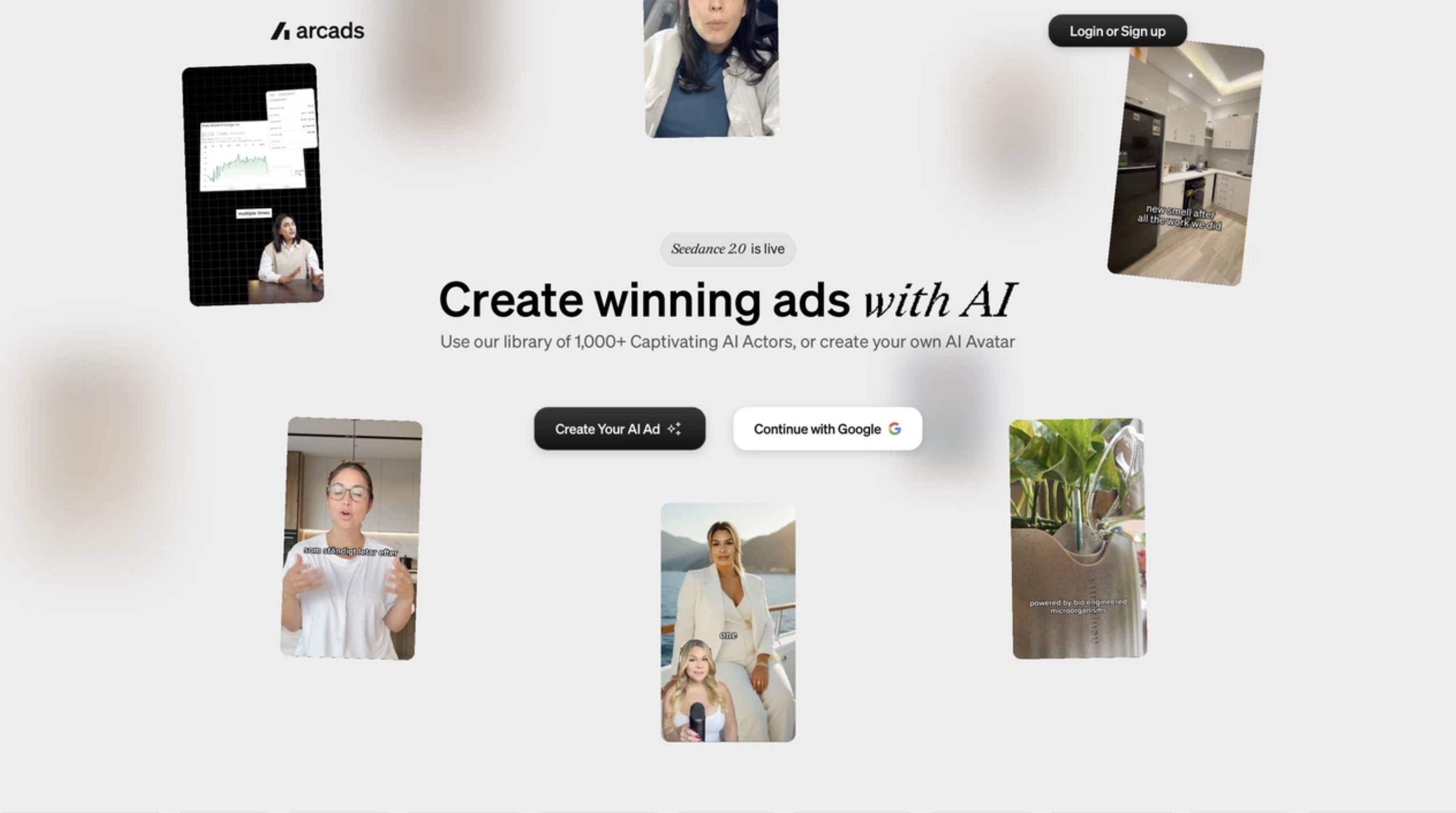
Arcads is an AI video ad generator built exclusively to churn out user-generated content (UGC). It relies on digital actors rather than hired human creators. A marketer simply pastes a text script, selects an actor from the library, and walks away with a finished talking-head video ad just minutes later.
Unlike general text-to-video generators that produce cinematic b-roll, this platform has one singular focus: performance marketing. The resulting output is intentionally designed to feel organic. Think lo-fi creator content that feels right at home natively on TikTok, Meta Reels, and YouTube Shorts.
Who Is Arcads AI Built for?
This software caters heavily to performance marketers, e-commerce brands, mobile app studios, affiliates, and digital agencies. Essentially, it serves teams requiring a high-volume stream of fresh ad creatives to test daily. It completely eliminates the logistical nightmare of booking a creator shoot every single time a winning hook goes stale.
What Is Arcads AI UGC Content, Exactly?
"UGC-style" ads mimic the look of a real person holding a phone. They are filming themselves talking directly to the camera about a product or service. Forget perfect studio lighting. Forget polished, overly scripted delivery. The platform recreates this raw, authentic format using digital actors trained on real motion-capture performances. As a result, the final clip blends seamlessly into social media feeds rather than sticking out like a sore thumb as a high-budget commercial.
What Can Be Created with Arcads AI?
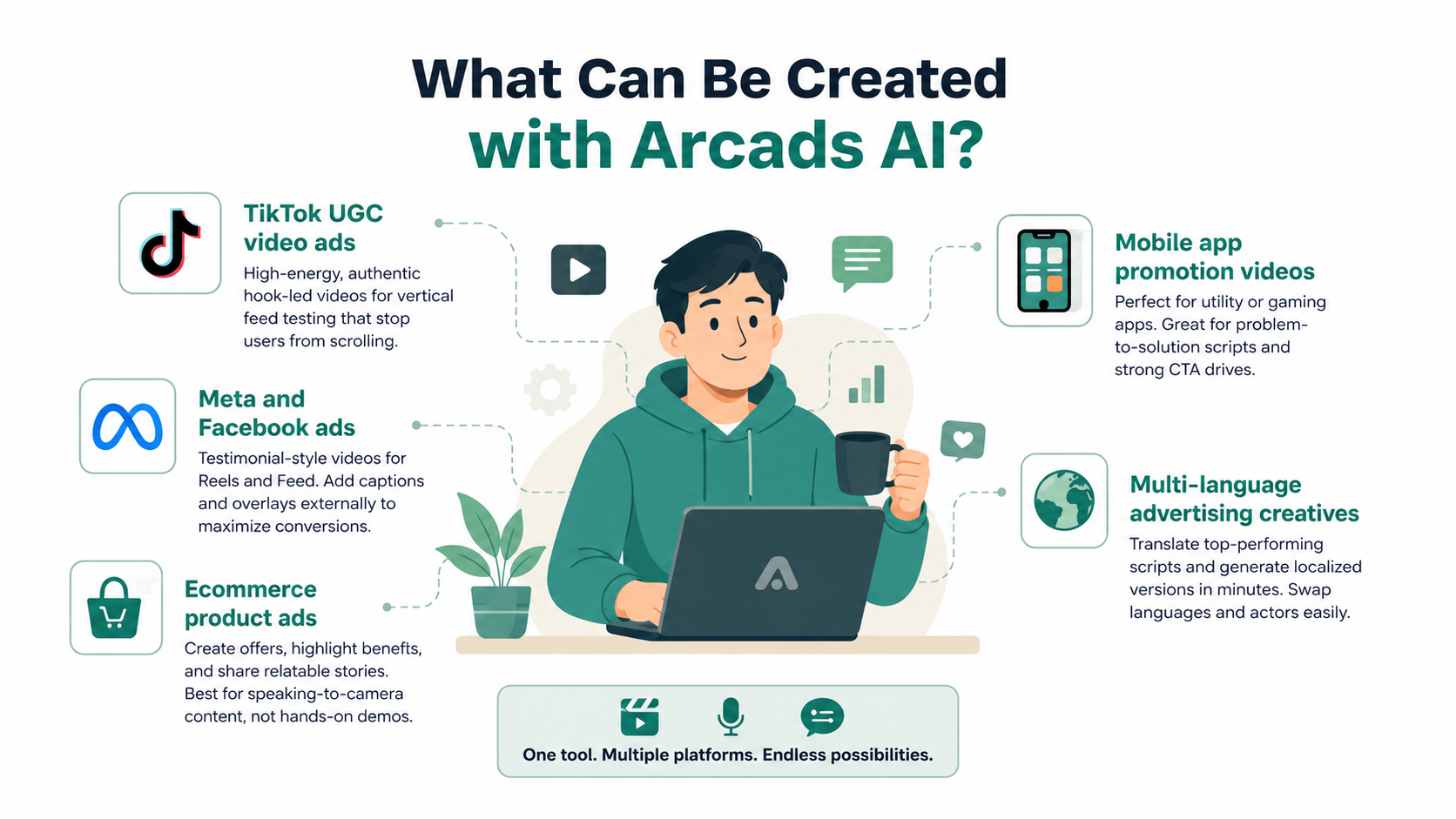
These talking-head clips adapt well across multiple platforms and campaign types. Based on current performance marketing trends, here is what works best.
TikTok UGC Video Ads
TikTok demands high-energy, undeniably authentic content. Hook-led talking-head clips perfectly sized for vertical feed testing can be generated rapidly. These short videos excel at pattern-interrupting openings designed to stop users from scrolling.
Meta and Facebook Video Ads
For Meta, short testimonial-style creatives can be tailored effectively for Reels and the standard Feed. However, adding captions and graphic overlays in an external editor remains necessary to truly maximize conversion rates on Facebook.
Ecommerce Product Ads
Scripts can be drafted where the digital actor discusses a specific offer, highlights product benefits, or shares a relatable personal anecdote. That said, the output feels somewhat limited if the campaign requires hands-on product demonstration footage, simply because the actors only speak directly to the camera.
Mobile App Promotion Videos
Whether advertising a practical utility app or exploring Arcade AI ugc styles for mobile gaming, this tool proves highly effective. It performs beautifully for problem-to-solution scripts and direct calls-to-action urging viewers to immediately download an app.
Multi-Language Advertising Creatives
For massive international campaigns, top-performing English scripts can easily be translated and generated into localized versions. Swapping languages and actors for regional market tests takes minutes.
Arcads AI Feature: How It Works
The platform operates on one core, highly streamlined workflow: script in, video out. However, a few specific features are what actually make the resulting files usable for aggressive paid social media campaigns.
AI Actor Library
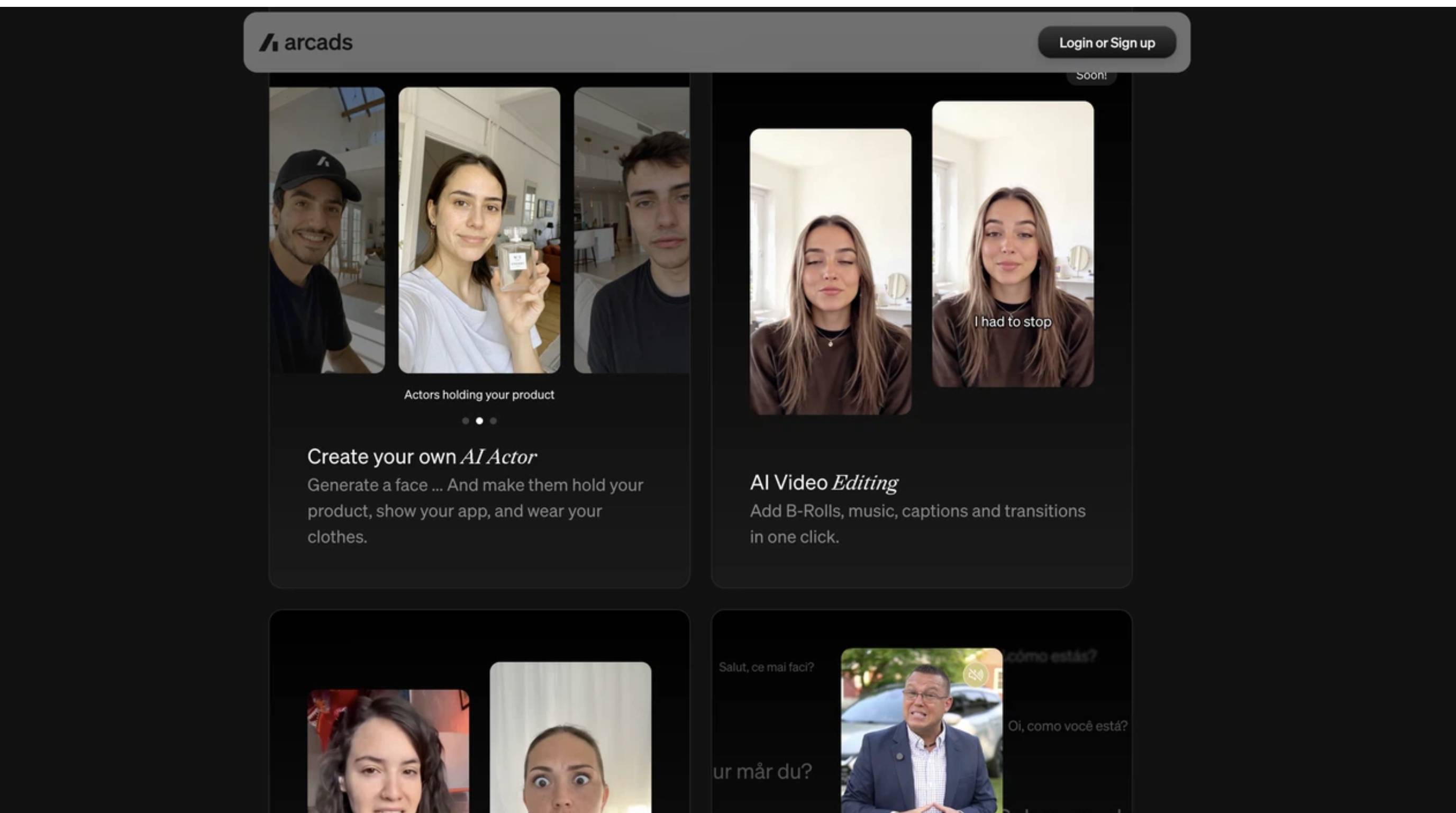
The platform provides access to a massive library of over 300 digital actors. These feature different ages, ethnicities, speaking tones, and on-camera energy levels. Such variety allows brands to accurately match an actor's specific persona to a target audience, rather than relying on one boring, generic corporate presenter for every single campaign.
Script-to-Video Generation
The primary function remains beautifully simple. A plain-text script gets pasted into the generator. The software then maps that text onto the chosen actor's lip movements, facial micro-expressions, and speaking pacing. A finished, realistic talking-head clip renders in roughly two minutes.
Speech-to-Speech and Voice Control
If the default AI voices sound a bit too robotic, the speech-to-speech feature offers an excellent workaround. Users can record their own voice reading the script to capture the exact tone, emphasis, and emotion required. The system then applies that human vocal performance to the digital actor, significantly boosting the ad's overall realism.
Multi-Language Localization
The exact same script can quickly be generated across multiple languages and actors. This proves incredibly powerful for growth teams running the same promotional offer across different global regions. It entirely eliminates the need for expensive, localized casting calls.
What Arcads Doesn't Do
It is critical to understand that this tool produces the raw talking-head clip only. It does not add b-roll footage, stylized text captions, background music, or scene-to-scene edits. Teams will absolutely still need a separate editor, like CapCut or a dedicated UGC video maker, to turn the raw AI clip into a fully finished, platform-ready advertisement.
Arcads Pricing: Plans, and Cost Per Video
Pricing remains one of the most common points of confusion for new users. This happens primarily because the detailed subscription plans are not always listed publicly until an account is actually created.
Arcads pricing breakdown
|
Plan |
Price |
Videos included |
Best For |
|---|---|---|---|
|
Starter |
$110/month |
10 videos |
Solo marketers |
|
Creator |
$220/month |
20 videos |
Growing brands |
|
Pro |
Custom pricing |
Higher volume + API access |
Agencies |
Note: Pricing can be varied if a discount is applied.
Is Arcads AI free?
A frequent question among marketers is whether Arcads AI is free to use for a quick test campaign. Simply put, no. The platform does not offer a free plan or a standard free trial in commonly reported setups. The usual lowest entry point is the paid Starter plan, and rendering a video typically requires an active, paid subscription. One workaround often utilized by cautious media buyers is to preview an actor’s voice against a script before spending any generation credits. This reduces the risk of rendering a bad video, but it certainly does not remove the paywall.
Things to Know Before Subscribing
When researching Arcards pricing, close attention must be paid to how credits are consumed. Users are charged a flat cost per video generated. Furthermore, credits typically do not roll over between billing cycles. This forces a strict "use it or lose it" workflow. For teams focused heavily on high-volume creative testing, these costs add up astonishingly fast if multiple failed variants are generated.
Is Arcads Pricing Worth It?
At roughly $11 per generated video, the platform is undeniably cheaper than hiring a human creator on marketplaces like Fiverr. Out there, a single short video can easily cost anywhere from $80 to $200. For media buyers who need a massive volume of disposable ad variants, the math absolutely makes sense. However, the true value ultimately depends on how heavily the actor's visual quality is weighed against the total volume of videos required.
Arcads AI Reviews: Pros & Cons
Across third-party Arcads AI reviews, a consistent pattern shows up: Strong actor realism, but real limits on flexibility and price transparency.
|
Strengths |
Limitations |
|---|---|
|
Realistic AI actors |
No free trial |
|
Fast video generation |
Expensive entry price |
|
Multi-language support |
Talking-head only |
|
Strong lip sync |
No built-in editor |
|
Great for paid ads |
Limited creative formats |
What Users Like
Media buyers consistently praise the lip-sync and micro-expressions. Many note they are among the absolute best currently available in the AI content space. The ability to go from a blank text script to a fully rendered video in about two minutes allows for lightning-fast campaign launches. Furthermore, the impressively diverse actor library ensures brands can almost always find a perfect demographic match for their target market.
Common Complaints
The glaring lack of a free trial and the fact that pricing isn't public until sign-up frustrates plenty of new users. Additionally, because the tool only outputs raw talking-head clips, marketers get annoyed that b-roll, captions, and product demos still need to be added manually. Finally, the non-rolling credits and higher entry cost, especially when compared to newer AI video generators, are frequent, loud pain points.
Creatify vs Arcads: Which One Should You Use?
Arcads and Creatify both simplify AI video ad creation, but they serve different needs. Arcads is stronger for realistic AI UGC ads, while Creatify offers more flexibility for product ads and URL-to-video generation. Here's a quick comparison:
|
Feature |
Arcads |
Creatify |
|---|---|---|
|
AI actors |
Yes |
Yes |
|
Free plan |
No |
Yes |
|
URL-to-video |
No |
Yes |
|
Talking-head ads |
Excellent |
Good |
|
Product ads |
Limited |
Strong |
|
Localization |
Yes |
Yes |
|
Best for |
Realistic AI UGC |
Flexible video ads |
When Creatify Is the Better Choice
Creatify shines as the better choice for beginners who need a true all-in-one editor. It excels at flexible ad creation, allowing marketers to turn a simple product URL directly into a finished video complete with dynamic graphics. It also offers a lower entry cost and a welcome try-before-you-buy model. This makes it ideal for building product-centric ads rather than strictly actor-centric ones.
Create Supporting Ad Visuals with Designkit
While generating realistic talking-head clips solves one massive, expensive bottleneck, video remains only half of the equation. Most paid social campaigns still require a huge volume of product stills, lifestyle scenes, video thumbnails, and marketplace-ready images to surround those videos.
This is exactly where Designkit becomes essential. Designkit helps e-commerce and performance marketing teams instantly generate critical product and campaign visuals. While it certainly does not replace the AI-actor workflow, it serves as the perfect companion tool to ensure your entire ad account remains fresh and visually cohesive.
How to Create Campaign Creatives with Designkit in 3 Steps
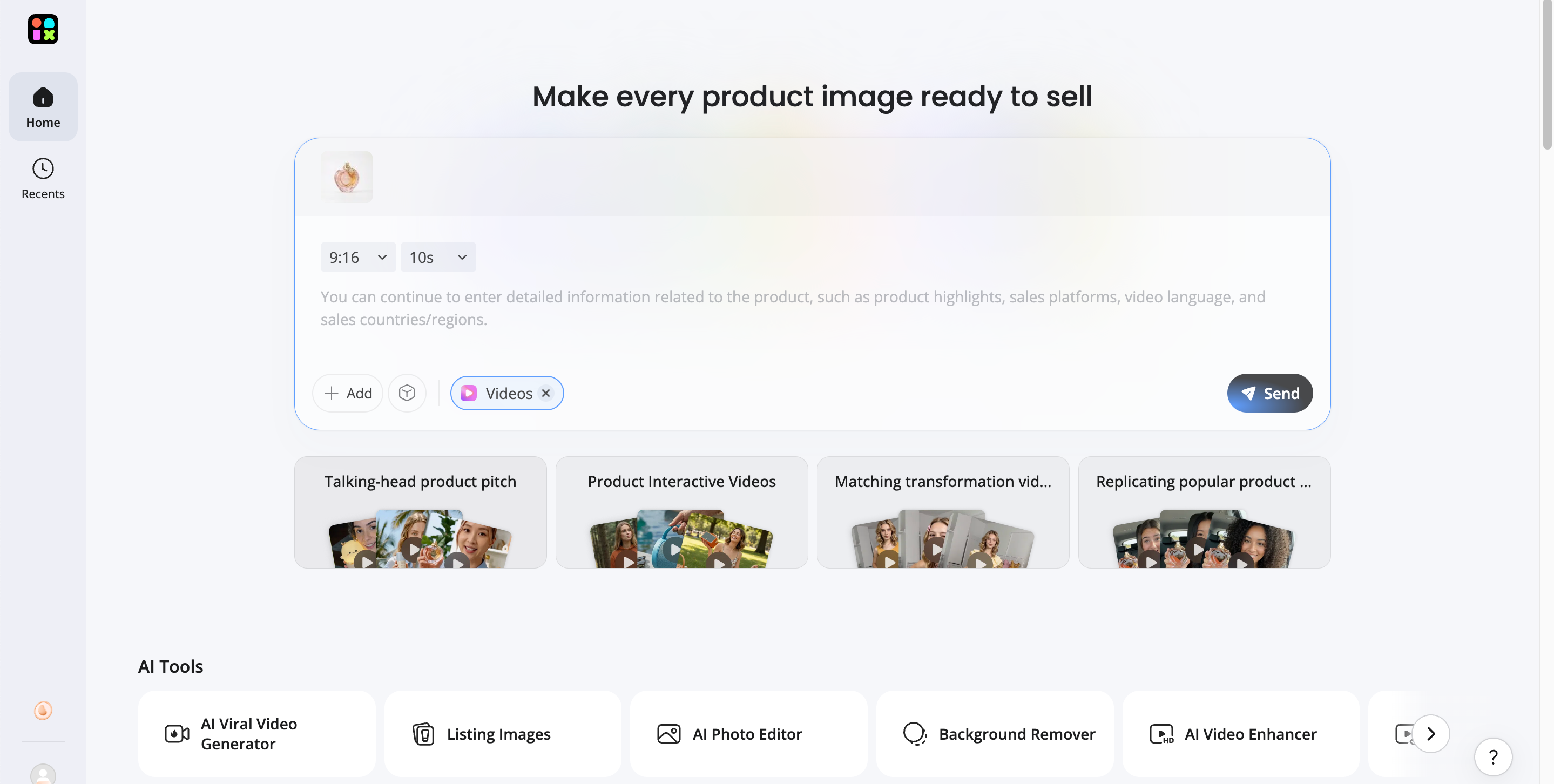
Step 1: Upload Your Product Visual Asset
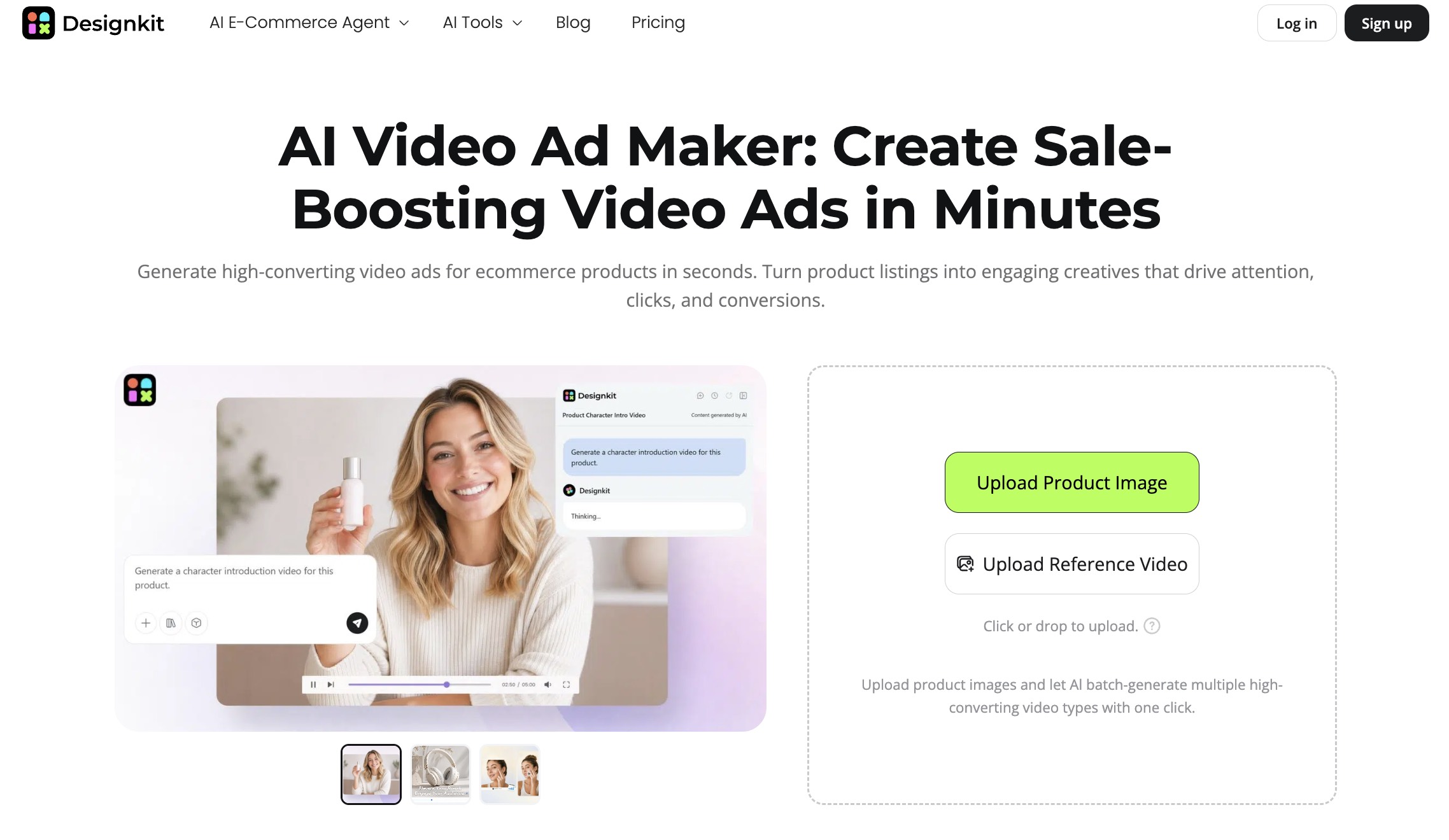
To kick off video production, log into the workspace and click the + Add button inside the main prompt box to upload your product photo. Next, select the Videos option located directly beneath the prompt field. The AI immediately analyzes your visual file, using it as an anchor to generate script-free video ads while carefully preserving key product details and overall visual consistency.
Step 2: Generate Commercial Video Assets
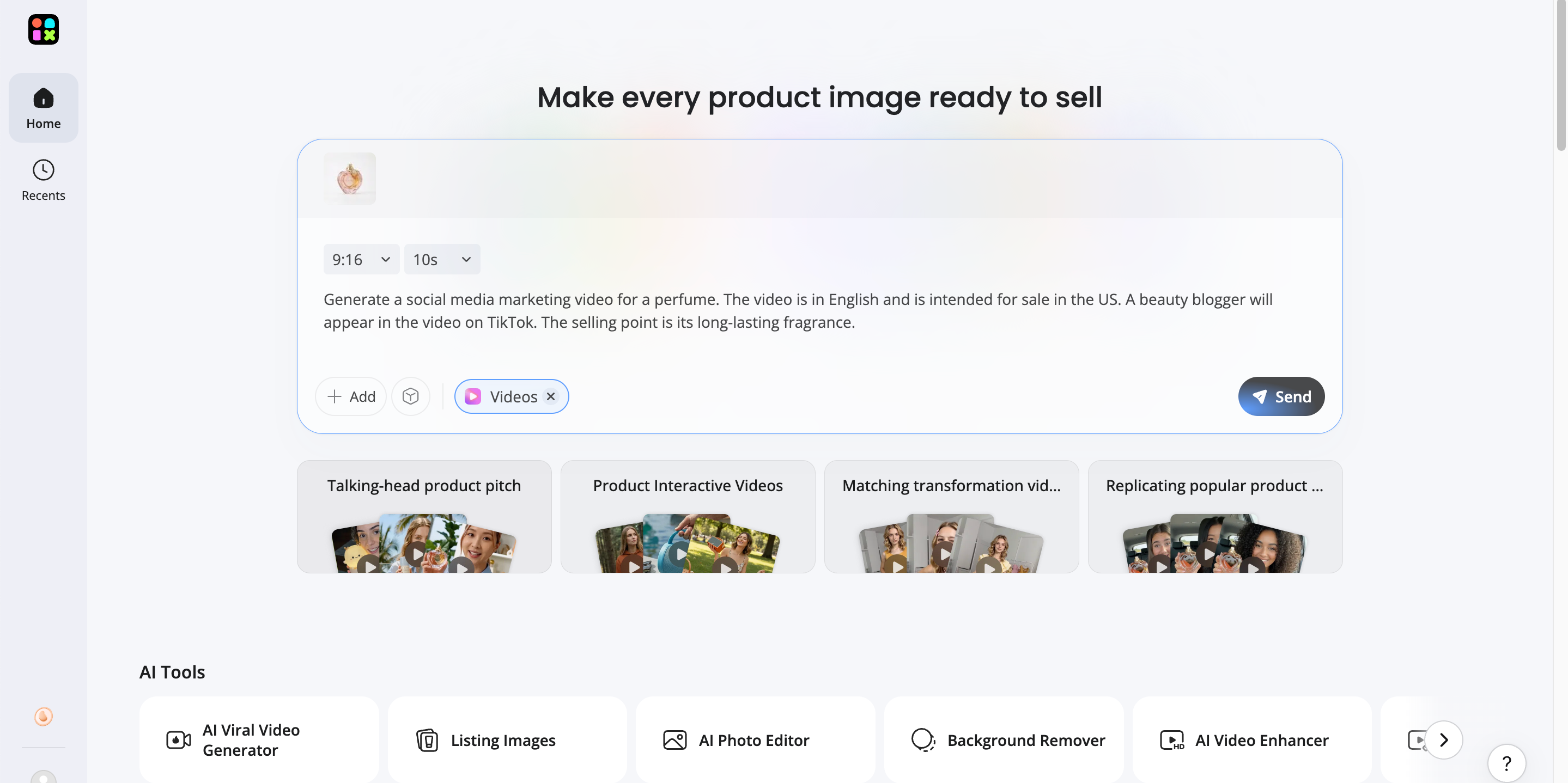
In the prompt box, type out your core selling points, key features, or campaign theme, then click Send. Designkit automatically generates script-free marketing videos, short promo clips, and commercial video assets tailored directly to your paid ad goals. This allows you to produce multiple creative variations rapidly without manually filming or editing every single asset.
Step 3: Adapt Video Content across Channels
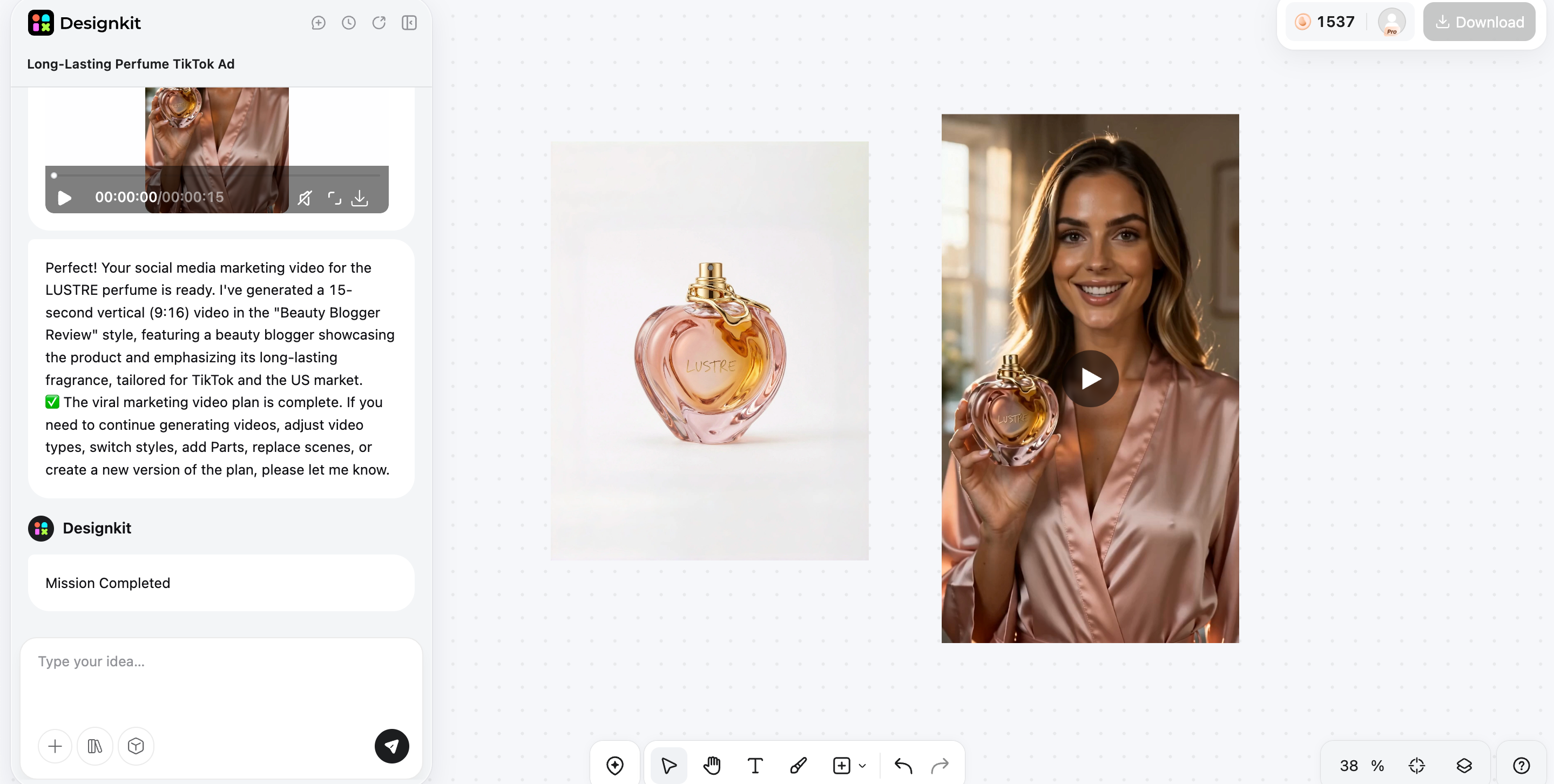
Once your generated video renders on the main canvas, you can make final adjustments using specific toolbar options like AI Clarity, Remove Watermark, or Remove Subtitle. When the aesthetic is locked in, simply hit Download to grab your campaign-ready asset.
Create Supporting Ad Visuals Free
Designkit features that pair with an Arcads workflow
AI Product & Lifestyle Scene Generation: Generate studio-quality product images and vibrant lifestyle scenes that flawlessly match the visual style and mood of the video ads.
Rapid Creative Refreshes: Perform incredibly quick image edits for daily creative testing. This is easily scaled across full asset sets using a robust batch photo editor to keep ads looking fresh.
Social Media Banner Assets: Seamlessly produce stunning campaign graphics using an AI social media poster generator to run high-converting retargeting banners directly alongside video ads.
Multi-Channel Asset Resizing: Instantly reformat visuals for absolutely every placement. This ensures creative assets fit perfectly across paid social channels and an automated product listing generator for a Shopify store.
Final Thoughts
Arcads is a top-tier choice for performance teams that need realistic, actor-led UGC ads and already run an active creative testing workflow. Its lip-sync quality and actor variety are unmatched. However, it is less appealing if you require a free trial, built-in video editing, or hands-on product demos rather than talking heads.
Paired with conversion-focused scripts, Arcads dramatically slashes production time and costs. For best results, combine its raw UGC video clips with Designkit to instantly generate the matching product stills, lifestyle scenes, and social banners needed for a complete campaign.
Frequently Asked Questions
What is Arcads AI?
Is Arcads AI free?
No, there is absolutely no free plan or standard free trial available. A paid subscription tier is strictly required to generate and export usable video content.
How much does Arcads cost?
Pricing starts at $110 per month on the Starter plan, which includes 10 videos (breaking down to roughly $11 per video). The Creator plan costs $220 per month for 20 videos.
Can Arcads create TikTok ads?
Yes. It is highly optimized for vertical, hook-led TikTok ads that require an authentic, native-looking aesthetic to effectively stop users from scrolling past.
Can Arcads generate product demo videos?
No. The platform specifically generates talking-head footage of actors speaking directly to the camera. It cannot generate complex footage of hands interacting with or demonstrating a physical product.
Does Arcads include captions and b-roll editing?
No. It only outputs the raw video clip of the actor speaking. A totally separate video editor must be used to add stylized captions, background music, or secondary b-roll footage.
Is Arcads better than Creatify?
It heavily depends on the specific need. It is vastly superior for ultra-realistic human actors and pure UGC styles. Creatify, on the other hand, is better for beginners who want an all-in-one editor and seamless URL-to-video generation for product-focused ads.
Can Arcads replace UGC creators?
For rapid, high-volume script testing and basic talking-head hooks, yes. However, for complex product demonstrations, elaborate unboxing experiences, or highly unique on-location shoots, real human creators are still entirely necessary.
What are the limitations of Arcads AI?
The main limitations include the glaring lack of a built-in video editor, expensive non-rolling generation credits, and the sheer inability to create anything other than a person talking to a camera. If you are missing the static visuals needed to complete a campaign alongside the videos, using Designkit to instantly generate the required lifestyle scenes and product banners is a smart move.
Is Arcads worth it for ecommerce brands?
Yes, particularly for fast-moving e-commerce brands that spend heavily on Meta or TikTok ads and routinely struggle to produce enough creative variations to prevent ad fatigue. The overall cost per video is significantly lower than hiring continuous human talent.
You May Also Like

PixVerse AI Review 2026: Is It Worth Using for AI Videos?

How to Animate a Picture with AI: Easy Step-by-Step Guide

How to Write a Video Script: Structure, Tips & Examples

What Is B-Roll? Meaning, Examples, and How to Use It

How to Make a TikTok Video: A Step-by-Step Guide 2026

How to Make an Instagram Post: Step by Step Creation Guide

Social Media Copywriting: Tips, Examples & Best Practices

What Are AI Fruits? The Trend, the Formats, and How to Make One

LTX Studio Review: Features, Pricing & AI Filmmaking Guide

HeyGen vs Arcads: Which AI Video Tool Wins in 2026?
Arcads AI Review 2026: Features, Pricing, Pros, Cons & Alternatives
Creatify AI Reviews: Features, Pricing & Alternatives (2026)

What Are Satisfying Videos? Types, Tips & How to Make (2026)

How to Generate Product Videos from Images with AI (2026 Guide)
How to Create a Product Launch Video with AI: A Step-by-Step Guide
What Is a Brand Video? Types, Examples & How to Create One

AI Product Demo vs Live Demo: Which Gets More SaaS Sign-Ups?

How to Create AI Product Promotion Videos in Minutes (Step-by-Step)
Best AI Product Video Ad Generators for Ecommerce in 2026

How to Boost Ecommerce Sales: Proven Strategies That Work
How to Add Video to eBay Listing: Step-by-Step Seller Guide
Short Form Video Marketing for E-commerce: AI Video Guide

What Is Video Marketing? E-commerce Guide & Strategies 2026
Build Complete Advertising Campaign Creatives Faster
Arcads creates UGC video ads. Designkit generates product images, lifestyle visuals, banners, and social-ready assets to complete every campaign.
