
Creatify AI Reviews: Is It Worth Using in 2026?
Looking for honest Creatify AI reviews before choosing an AI video generator? This guide covers what Creatify AI does, how it works, pricing, pros, cons, Creatify Studio, and how it compares with Designkit for ecommerce teams.

AI video generators have revolutionised traditional marketing, providing brands with the ability to create conversion-oriented content without hiring costly production crews. Creatify AI has emerged as a leader in this space, specialising in creating digital avatars and short-form video ads. In this in-depth 2026 review, we'll look at how the platform works, how much it costs, what benefits it offers – and how it might leave holes in your digital shopfront strategy.
What is Creatify AI?
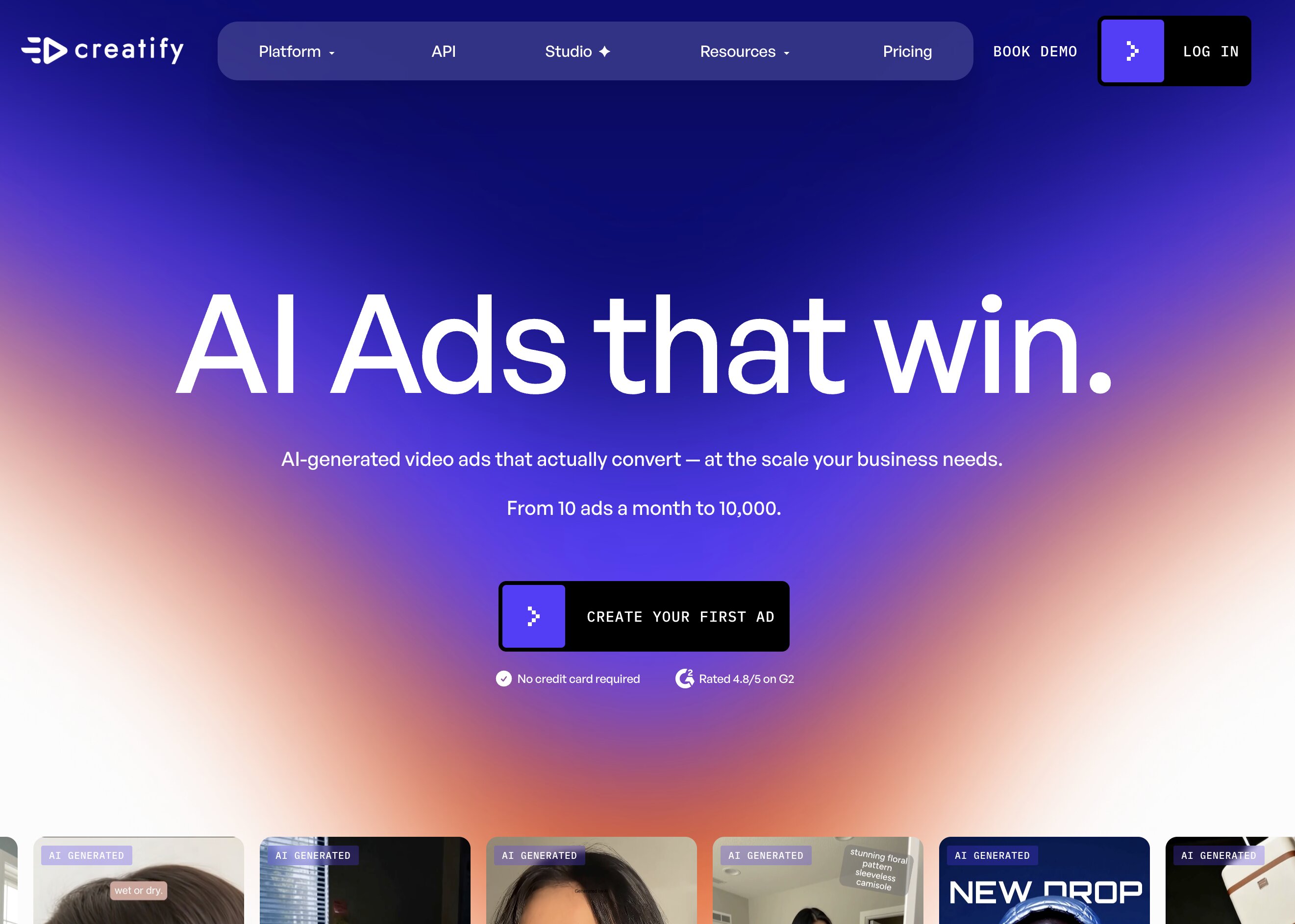
Creatify AI is an AI-powered video ad generator for ecommerce brands, agencies and performance marketers. Copy a product URL or upload an image, and the platform pulls the details, writes a script and creates a short video with an AI avatar or voiceover.
What does Creatify AI do?
At its core, the platform handles one job: producing short-form video ads at scale. Instead of briefing a creator for every new angle, you can generate several variations from a single product link. That's useful for testing different hooks, scripts, and avatars without waiting weeks for new footage.
Who is it built for?
-
Ecommerce brands running paid social campaigns
-
Amazon sellers who need video content
-
Shopify merchants testing new ad angles
-
Agencies producing creativity for multiple clients
-
Social media marketers with frequent video needs
Common use cases
-
Product ads for Meta and TikTok: Generate short promotional videos designed for paid campaigns on platforms like Meta and TikTok.
-
UGC-style social videos: Create creator-style videos with AI avatars to produce authentic-looking social content.
-
Product launch clips: Produce promotional videos that showcase new products and highlight their key features.
-
Short-form video for paid testing: Generate multiple ad variations to test different hooks, scripts, and creative approaches for better campaign performance.
How to create a video ad with Creatify AI
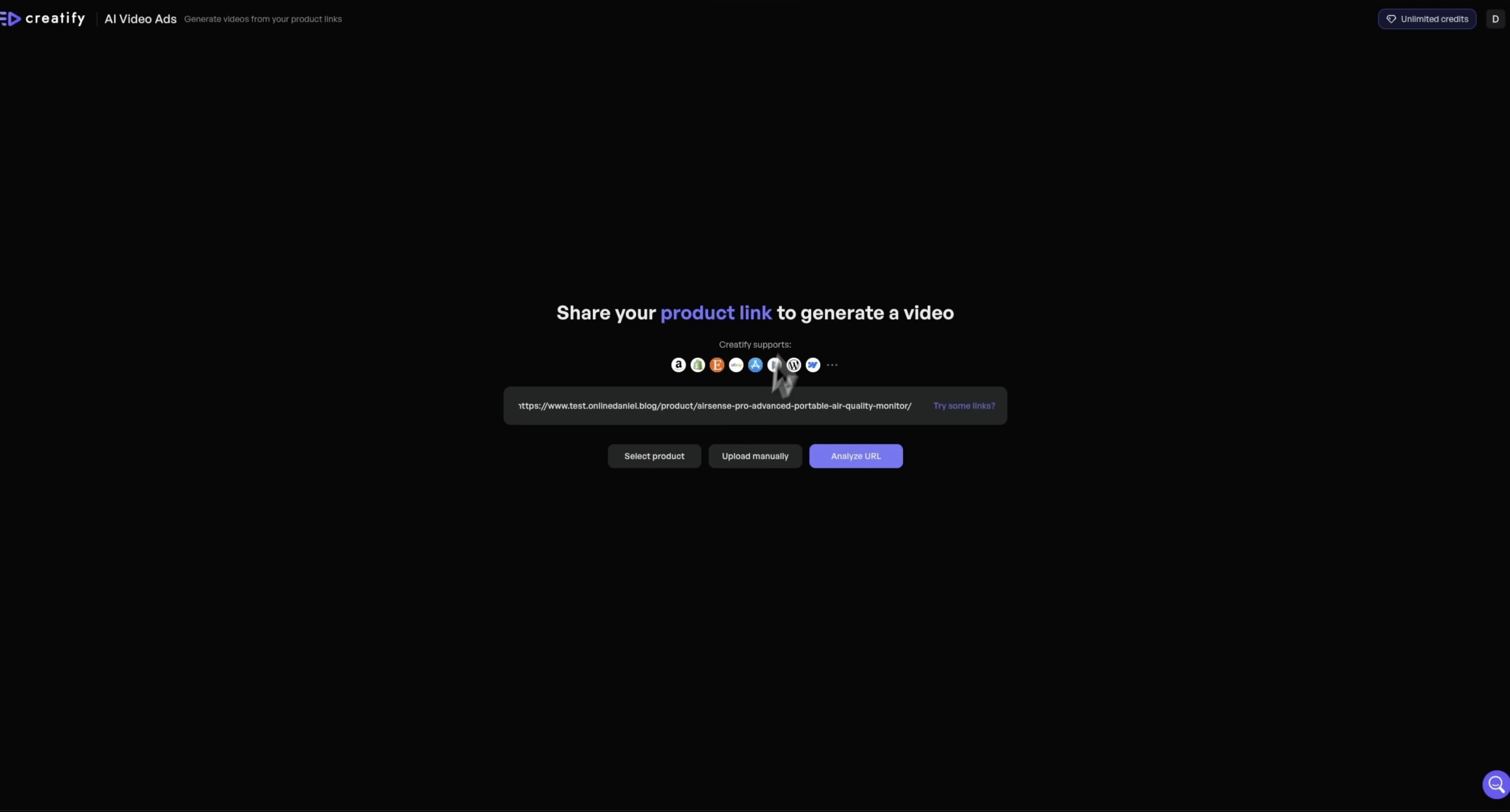
Step 1: Add your product details
Upload images directly or copy/paste a product URL from a store such as Shopify, Amazon or Etsy. The platform builds the script from details such as name, features, and price.
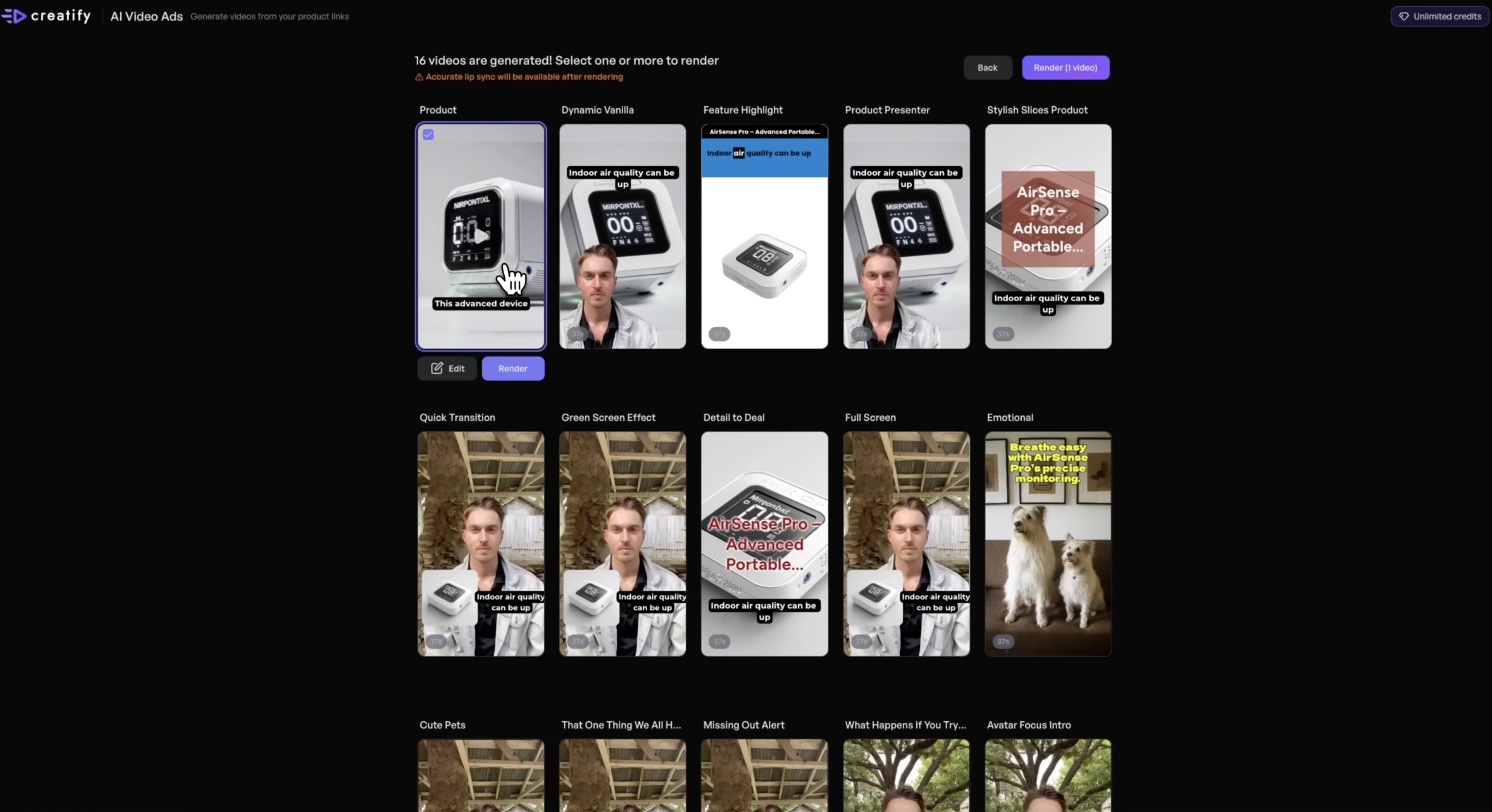
Step 2: Generate the video
Once the details are set, the tool drafts a script and pairs it with an avatar, a voiceover, and a visual template. There is a library of avatars to choose from, and you can tweak tone, language, and style before rendering.
Step 3: Export and polish
Once the first draft renders, fine-tune inside Creatify Studio, the platform's in-browser editor. Tweak the speed, replace assets, change the voiceover, or add captions before exporting.
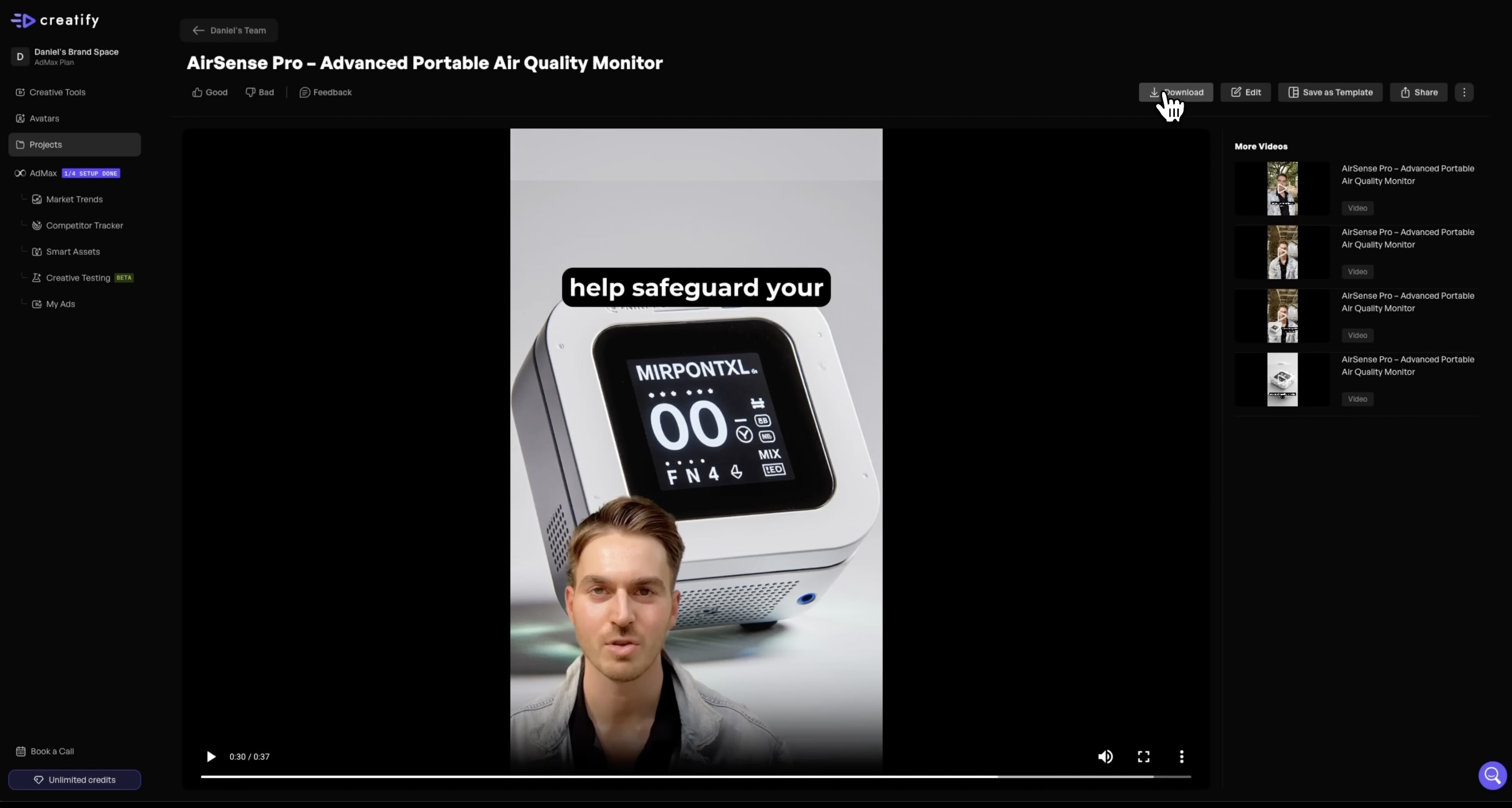
Creatify AI review: pros, cons & pricing (2026)
Evaluating how this software integrates into your daily business operations requires examining its core strengths alongside its technical limitations.
Platform strengths
-
Rapid asset output: Goes from an e-commerce web link to a polished video draft in under five minutes.
-
No editing experience needed: A direct, block-based workspace eliminates complex multi-track video editing learning curves.
-
Polished digital avatars: Digital actors deliver accurate lip-syncing across dozens of target languages.
-
Conversion-oriented copywriting: Automated script generators provide reliable hooks, setups, and call-to-actions tailored for paid ads.
Platform limitations
-
Strict credit consumption: Iterative modifications, testing different voices, and re-rendering drafts chew through monthly platform credits quickly.
-
Limited static image support: The creation workflow is explicitly built for video, making it poorly suited for producing static display banners or image ads.
-
Paywalled feature access: Advanced features such as active competitor tracking analysis tools and collaborative team seats require higher-tier upgrades.
-
Watermarked evaluation tier: Free trial exports feature visible watermarks that render the outputs unusable for active ad accounts.
-
Incomplete e-commerce visual toolkit: The system does not support the generation of listing-ready main images, contextual lifestyle scenes, or platform-compliant product detail page (PDP) visual modules.
Creatify AI pricing (2026)
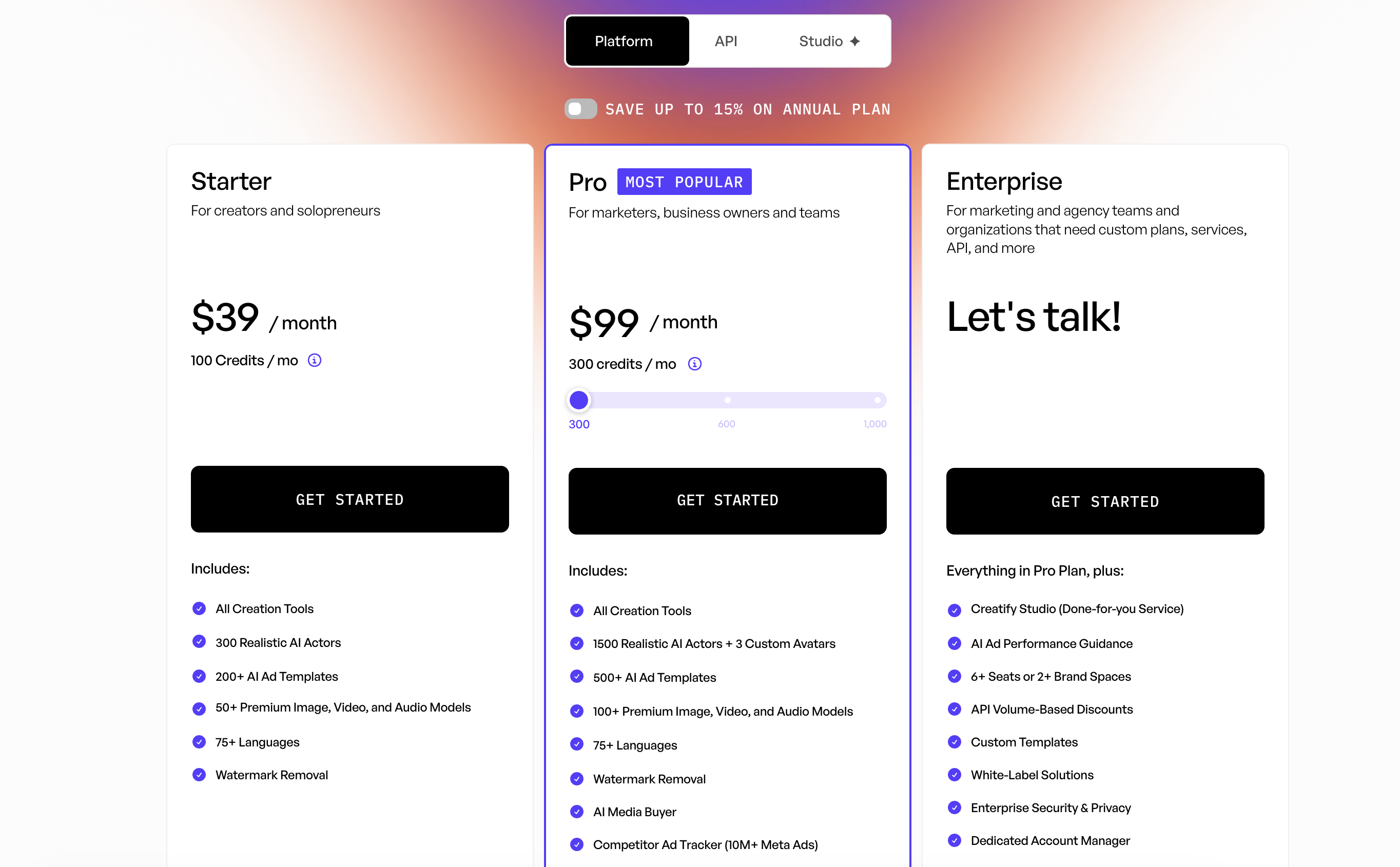
Creatify AI uses a credit-based subscription model. Higher plans provide additional monthly credits together with expanded collaboration and business features.
|
Plan |
Monthly price |
Credits |
Best for |
|---|---|---|---|
|
Free |
$0 |
10 credits |
Testing the platform with watermarked exports |
|
Starter |
$39/month |
100 credits |
Solo creators creating marketing videos |
|
Pro |
$99/month |
300+ credits |
Teams producing video ads at higher volume |
|
Enterprise |
Custom |
Custom |
Organizations requiring APIs, Creatify Studio, and enterprise-scale workflows |
While Creatify AI focuses on AI-powered marketing videos, many ecommerce businesses also need listing images, lifestyle visuals, product detail page assets, and marketplace-ready creative sets. For those broader creative workflows, it's worth looking at how Designkit approaches ecommerce content production.
Speed up e-commerce visual production with Designkit
Video ads are only one part of ecommerce marketing. You also need listing images, product detail page visuals, social creatives, promotional banners, and marketplace-ready assets that stay consistent across every sales channel. Designkit is an AI-powered design agent built specifically for ecommerce, helping you create these assets from a single product upload instead of managing multiple design tools.
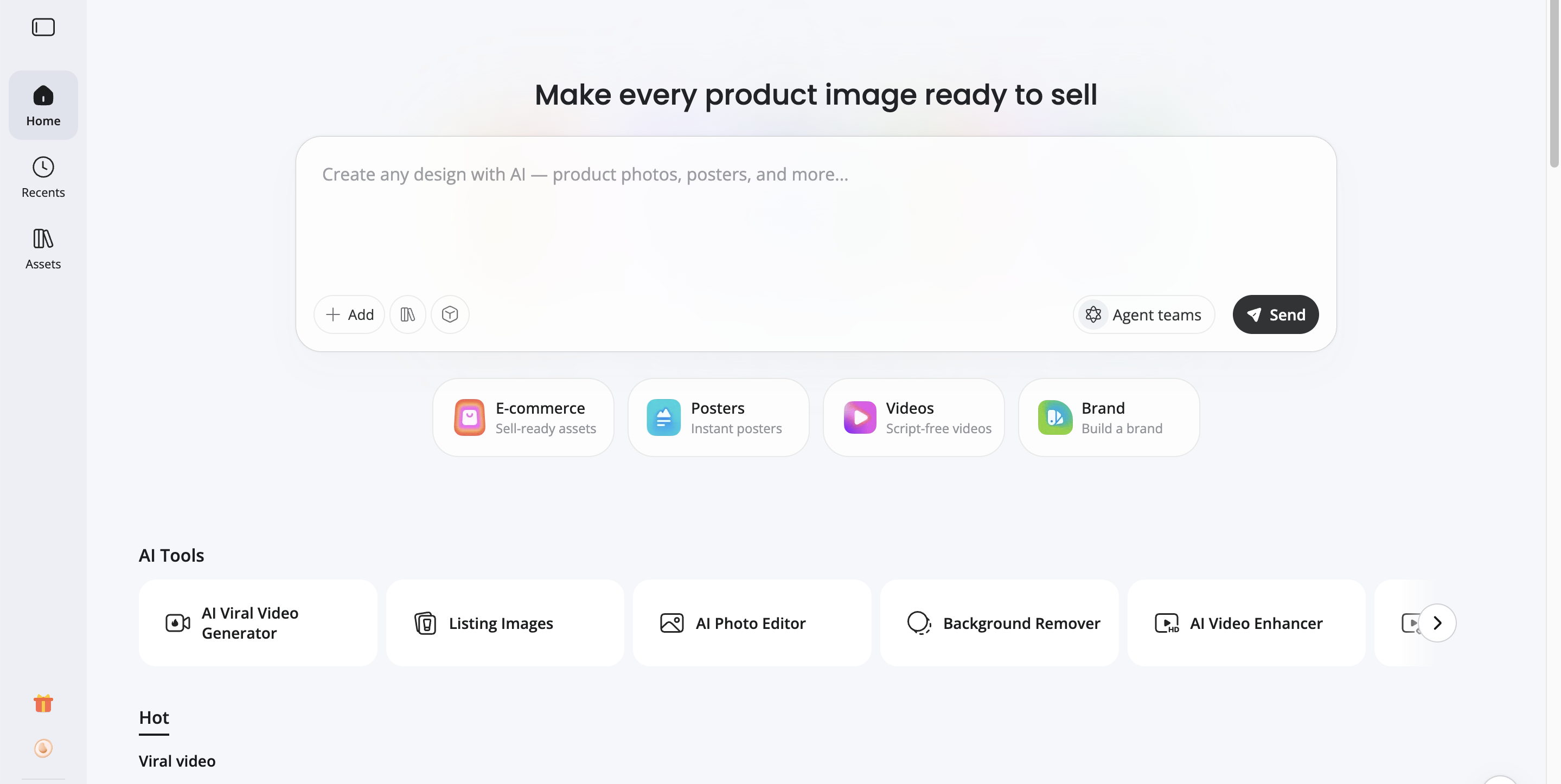
How to create product marketing assets with Designkit
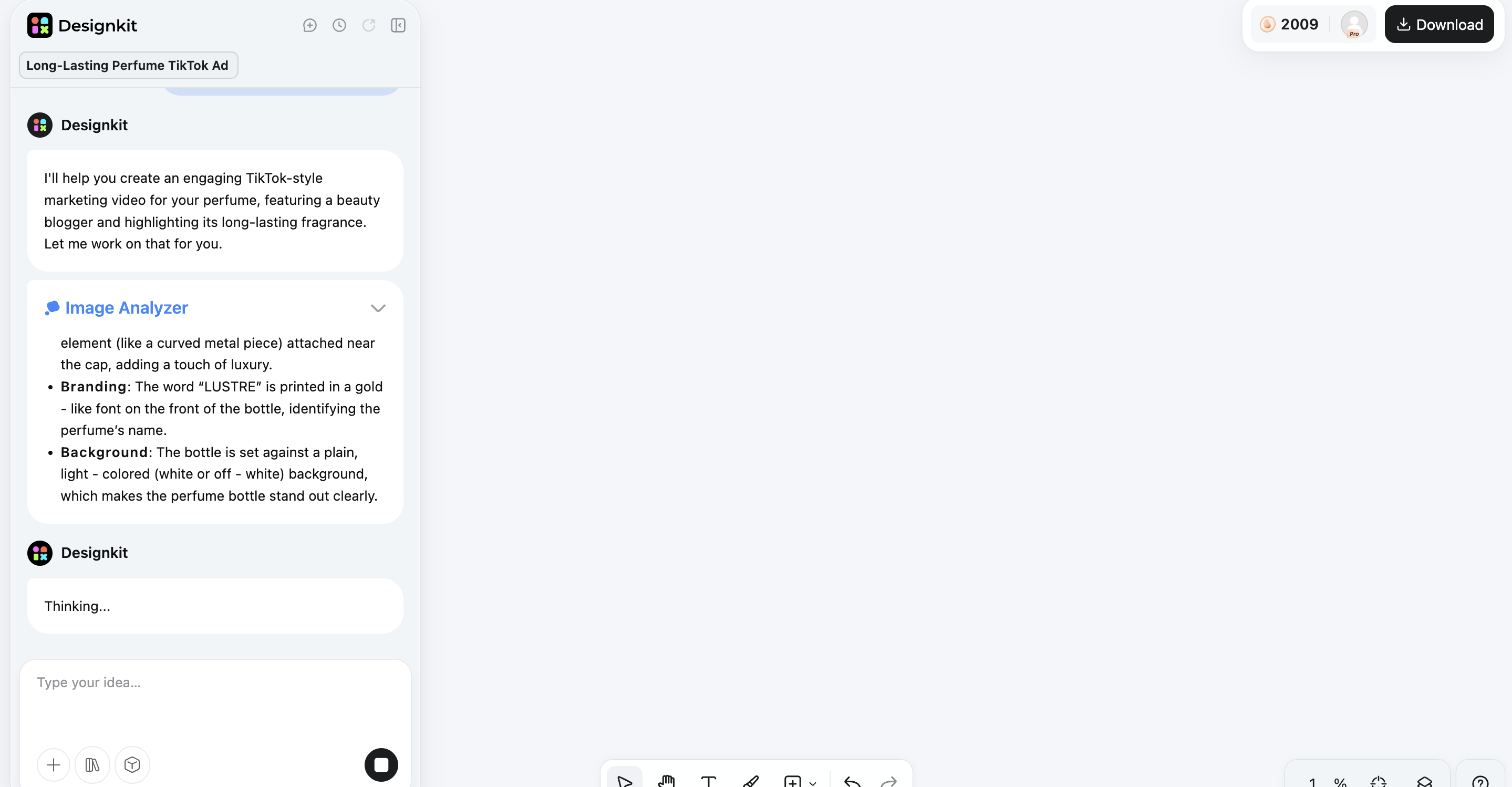
Step 1: Upload your product images
Start with a clean product photo, such as a white-background image or an apparel flat layer. Designkit analyzes your product and uses it as the foundation for generating multiple creative assets.
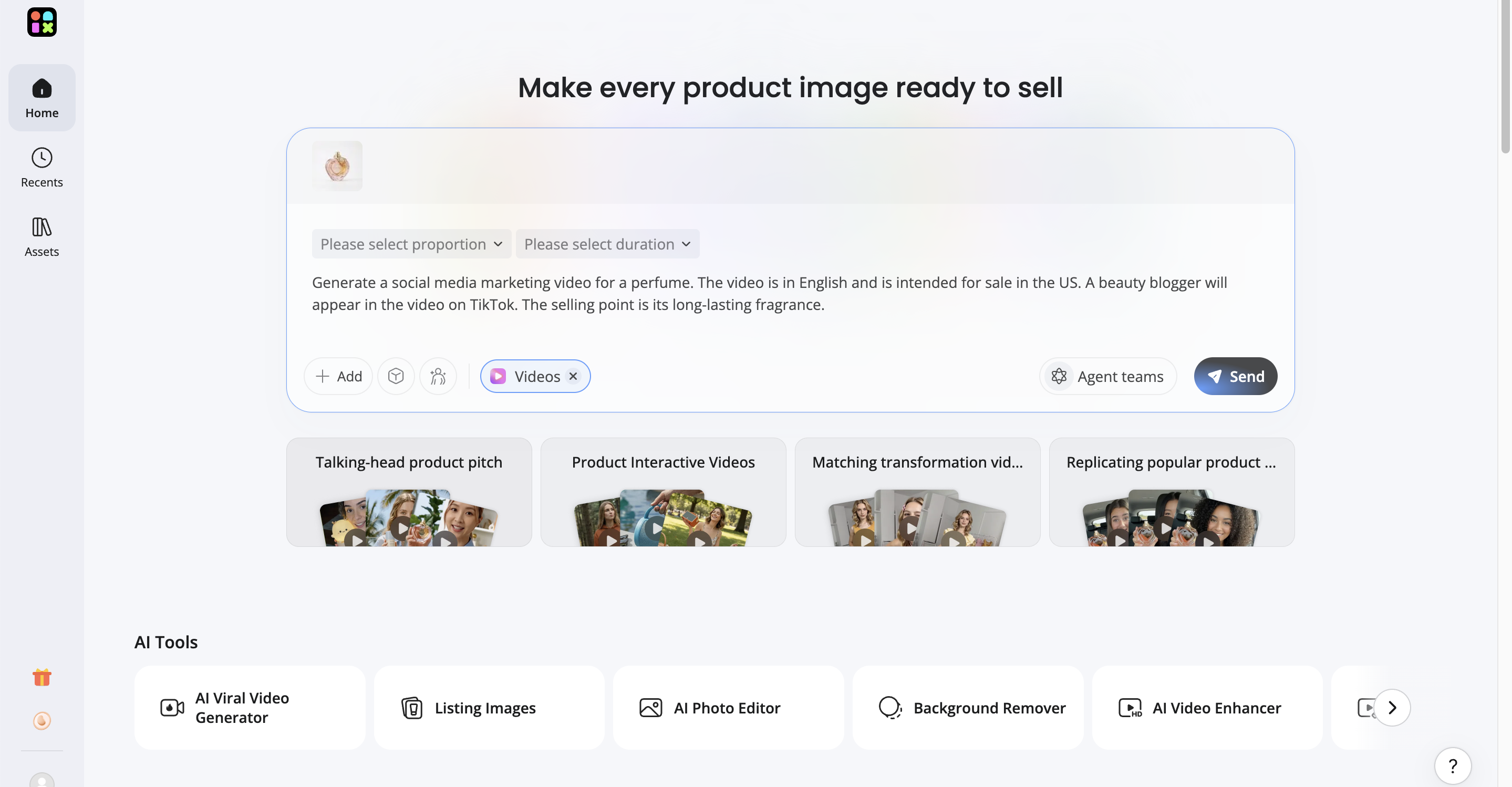
Step 2: Generate AI-powered marketing assets
Choose the creative assets you need for your campaign. Designkit can produce lifestyle scenes, product marketing videos, virtual try-on images, product detail page visuals, and marketplace-ready creatives while adapting layouts for platforms like Amazon, Shopify, TikTok, and Instagram.
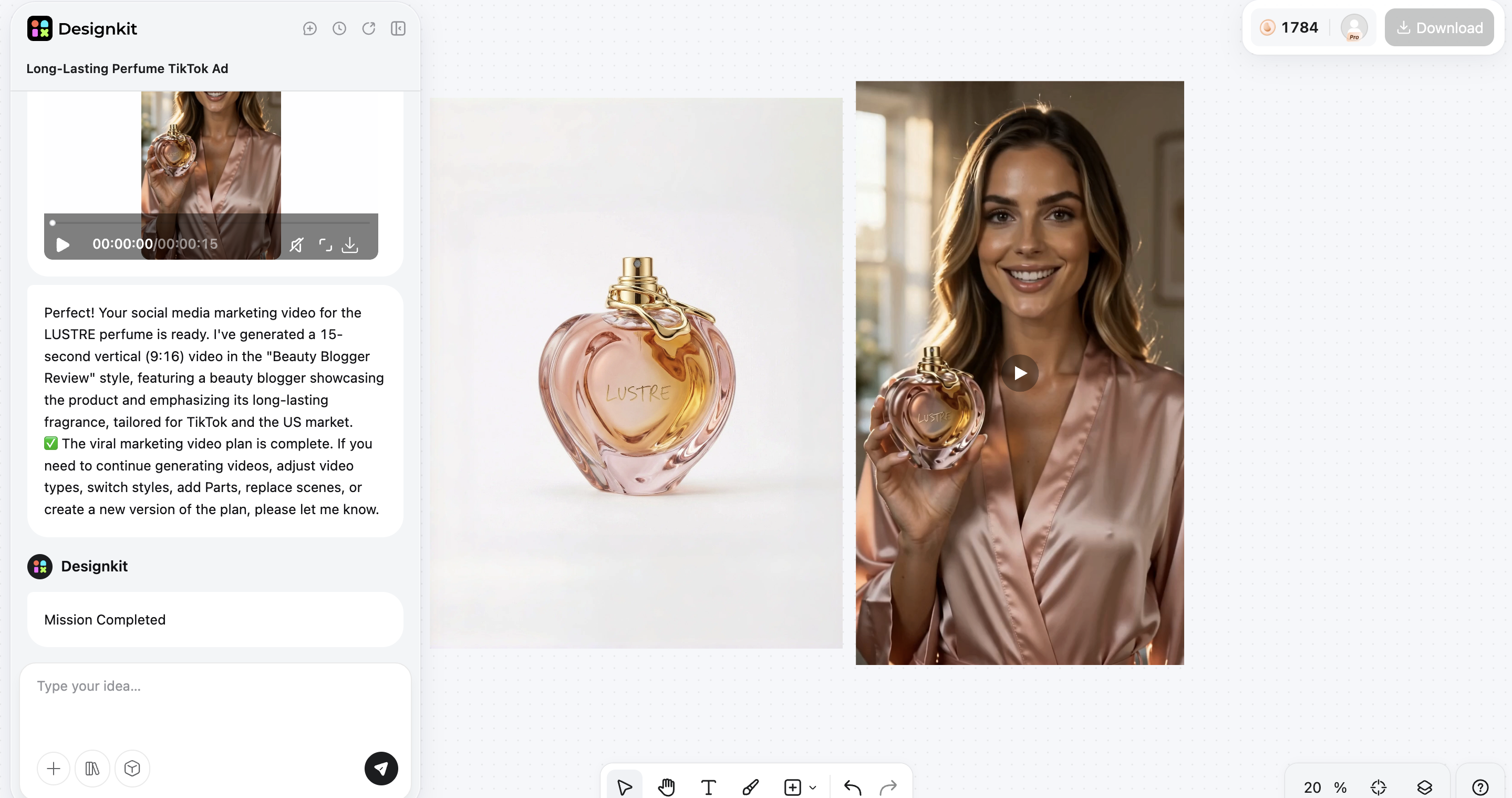
Step 3: Export for every sales channel
Preview your completed assets before downloading. Export images and videos in formats suitable for ecommerce marketplaces, online stores, and advertising platforms, so your creative production stays consistent across campaigns.
Core features of Designkit for e-commerce creative production
-
Marketplace-ready images: Turn raw smartphone photos into high-converting storefront main images.
-
Studio-quality lifestyle scenes: Place items into hyper-realistic environmental backgrounds without organising a physical photoshoot production.
-
Multi-platform video creation: Build product-focused promotional videos alongside your static asset generation in one application.
-
Virtual try-on system: Render clothing line items dynamically onto realistic digital models to show authentic texture, drape, and fit.
-
Automated batch iterations: Create diverse visual combinations and aspect ratios instantly for structured A/B testing.
-
Intelligent asset editing: Utilize automated background replacement tools, contrast enhancement settings, and canvas dimension controls customized for online marketplaces.
Creatify AI vs Designkit: which fits your workflow?
Both Creatify AI and Designkit use AI to make content creation easier, but they address different parts of the ecommerce process. Creatify AI is focused on AI video advertising. Designkit allows e-commerce teams to generate product images, lifestyle visuals, marketing videos and marketplace-ready creative assets from one product upload.
|
Feature |
Creatify AI |
Designkit |
|---|---|---|
|
Primary focus |
AI video ad generation |
Ecommerce visual content production |
|
Best suited for |
Social media video ad campaigns |
Product launches and marketplace listings |
|
Content outputs |
Marketing videos, basic image ads |
Product images, lifestyle visuals, marketing videos, social creatives |
|
Creative approach |
Video-first, template-driven workflow |
Multi-format ecommerce creative workflow |
|
Product visuals |
Basic image ad support |
AI product images, scene generation, lifestyle visuals |
|
Virtual try-on |
No |
Yes (apparel and accessories) |
|
Batch creation |
Video ad variations |
Multi-format creative variations |
|
Marketplace support |
Social advertising platforms |
Amazon, Shopify, TikTok Shop, and other ecommerce channels |
|
Ideal users |
Marketing and advertising teams |
Ecommerce brands, online sellers, and private-label businesses |
Choose Creatify AI if:
Your business model lives and dies by video-first social channels. It is an ideal asset for teams that prioritize automated script writing, user-generated-content styling, talking digital avatars, and rapid video testing loops to maintain visibility on networks like TikTok.
Choose Designkit if:
You run an active e-commerce store or scale private label brands where visual presentation directly affects listing conversion rates. It is the correct solution for operators who require listing-ready main images, contextual lifestyle scenes, digital apparel model rendering, and uniform multi-size asset sets across different online marketplaces.
Final thoughts
Creatify AI is a great option for businesses that want to generate AI-generated video ads in just a few minutes. Social media marketing and paid advertising are good fits for it, with AI avatars, script generation and a template-driven workflow.
For ecommerce workflows that include listing images, lifestyle photography, product detail page assets and multi-channel creative production, Designkit offers a broader solution. Brands can maintain a consistent look across their sales channels and save production time by creating multiple ecommerce assets from a single product upload.
Frequently Asked Questions
Is Creatify AI worth it in 2026?
Is Creatify AI free to use?
Yes, Creatify AI offers a free plan with limited monthly credits. Free exports include watermarks, while paid plans provide additional credits, higher usage limits, and more advanced features.
What is Creatify Studio?
Creatify Studio is Creatify AI's enterprise solution for larger teams. It provides expanded collaboration features, higher usage limits, and business-focused tools for managing high-volume creative production.
How much does Creatify AI cost in 2026?
The Starter tier begins around $39 per month, while the production-oriented Pro tier sits near $99 per month. Enterprise options are priced on demand.
Is Creatify AI good for Amazon and Shopify sellers?
Yes, especially for social media ads and promotional videos. However, if sellers also need listing photos, lifestyle images, and marketplace-ready creative assets, an e-commerce-focused platform might be a better fit for their overall workflow.
What are the limitations of Creatify AI?
Creatify AI is primarily designed for video creation. Credit-based pricing can become costly for high-volume users, and its image-generation capabilities are more limited than platforms built specifically for ecommerce creative production.
What is the best alternative to Creatify AI?
The best alternative depends on your workflow. If your focus is AI video advertising, Creatify AI remains a strong option. If you need product images, lifestyle visuals, marketing videos, and marketplace-ready assets from one workflow, Designkit is a strong ecommerce-focused alternative.
Can Designkit create both product images and marketing videos?
Yes, Designkit helps ecommerce businesses generate listing-ready product images, lifestyle visuals, marketing videos, virtual try-on assets, and other creative content from a single product upload, making it easier to maintain consistent assets across multiple sales channels.
You May Also Like

PixVerse AI Review 2026: Is It Worth Using for AI Videos?

How to Animate a Picture with AI: Easy Step-by-Step Guide

How to Write a Video Script: Structure, Tips & Examples

What Is B-Roll? Meaning, Examples, and How to Use It

How to Make a TikTok Video: A Step-by-Step Guide 2026

How to Make an Instagram Post: Step by Step Creation Guide

Social Media Copywriting: Tips, Examples & Best Practices

What Are AI Fruits? The Trend, the Formats, and How to Make One

LTX Studio Review: Features, Pricing & AI Filmmaking Guide

HeyGen vs Arcads: Which AI Video Tool Wins in 2026?

Arcads AI Review 2026: Features, Pricing, Pros, Cons & Alternatives
Creatify AI Reviews: Features, Pricing & Alternatives (2026)

What Are Satisfying Videos? Types, Tips & How to Make (2026)

How to Generate Product Videos from Images with AI (2026 Guide)
How to Create a Product Launch Video with AI: A Step-by-Step Guide
What Is a Brand Video? Types, Examples & How to Create One
AI Product Demo vs Live Demo: Which Gets More SaaS Sign-Ups?
How to Create AI Product Promotion Videos in Minutes (Step-by-Step)
Best AI Product Video Ad Generators for Ecommerce in 2026

How to Boost Ecommerce Sales: Proven Strategies That Work
How to Add Video to eBay Listing: Step-by-Step Seller Guide
Short Form Video Marketing for E-commerce: AI Video Guide

What Is Video Marketing? E-commerce Guide & Strategies 2026
Choose the AI tool that fits your creative workflow
Creatify AI is ideal for AI-generated video ads and avatar-based marketing campaigns. If your ecommerce workflow also includes product images, lifestyle visuals, virtual try-on, and marketplace-ready creative assets, Designkit provides a broader AI-powered solution for end-to-end ecommerce content production.


