
AI E-commerce Workflow: Automate Product Visuals via OpenClaw
A practical guide to replacing manual image editing with modular, agent-driven automation — from background removal to listing-ready asset packs.

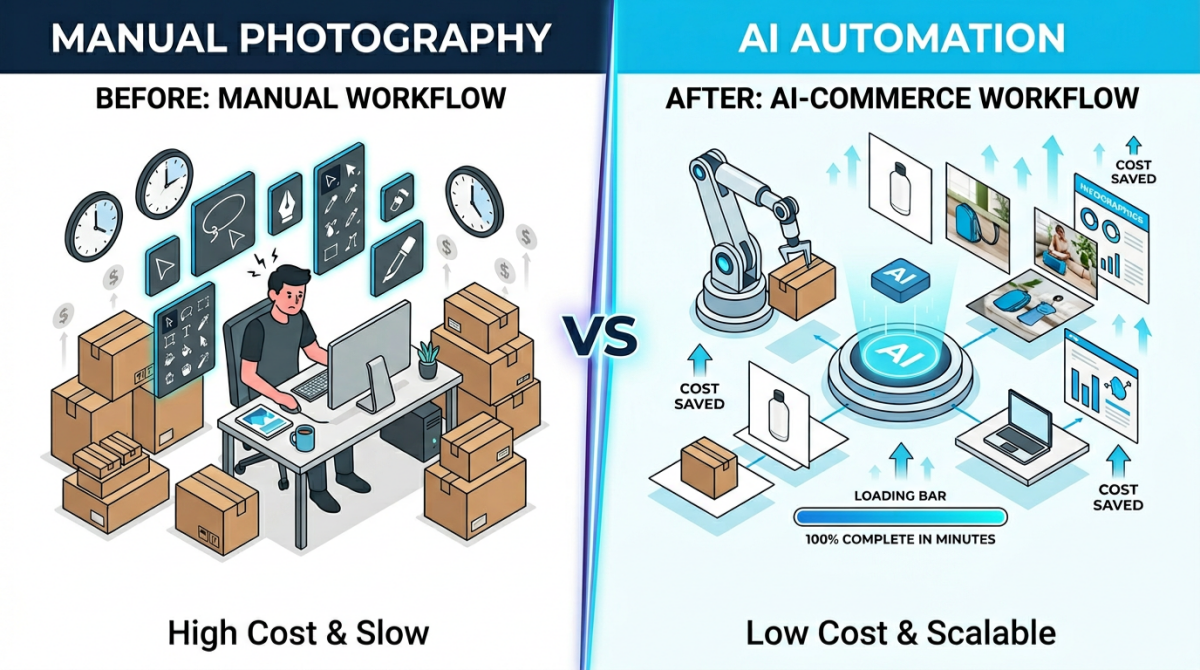
E-commerce sellers face a persistent production bottleneck: turning raw product images into platform-ready assets requires time, technical skills, and often expensive outsourcing. The numbers tell the story.
A typical product listing on Amazon or Shopify requires 5-7 distinct images — a clean white-background main image, lifestyle shots, detail close-ups, and infographics. For a single SKU, this means either hiring a photographer and designer or spending hours manually editing raw supplier photos. When you operate 100+ SKUs, the workload becomes impossible to manage manually.
Part 1. Why Product Visual Production Needs an AI Workflow
Every product listed on Amazon, Shopify, or TikTok Shop demands a stack of images — typically five to seven per SKU. A white-background hero shot. A couple of lifestyle scenes. An infographic overlay. Maybe a short video thumbnail. Multiply that by a catalog of hundreds or thousands of SKUs, and the math stops working for any team that still relies on manual photo editing.
The bottleneck is not creative talent. It is throughput. According to a 2024 survey by Jungle Scout, 64% of Amazon sellers cited product photography costs as a top-three operational expense. Outsourcing a single product shoot can run $200–$500 per SKU in western markets, and turnaround times of one to two weeks are common [Source: Practical Ecommerce].
An AI e-commerce workflow addresses this by chaining discrete AI tasks — background removal, image restoration, scene generation, text overlay — into a single automated pipeline. Instead of bouncing files between Photoshop, a retoucher, and a graphic designer, the entire sequence runs programmatically. The output is a set of marketplace-ready images, formatted to platform specifications, produced in minutes rather than days.
This is not a theoretical concept. The tooling has matured enough that individual skills for each step can be installed, configured, and orchestrated by an AI agent. The rest of this article explains how, using OpenClaw as the orchestration layer.
1.1 Common Bottlenecks in Manual Product Image Editing
Three recurring pain points surface in nearly every e-commerce image workflow that has not yet been automated:
- Background removal at scale. Cutting out a product from its original background is straightforward for one image. Doing it consistently across 500 SKUs — maintaining edge quality, handling transparent or reflective objects, outputting marketplace-compliant white backgrounds — turns into a full-time job. Most bulk AI image editors exist precisely because this task is repetitive and rule-based enough to automate.
- Low-quality source images. Suppliers often provide photos taken on phone cameras under inconsistent lighting. These need resolution upscaling, noise reduction, and color correction before they are usable. Doing this manually per image is time-intensive and requires trained retouching skills.
- Listing image composition. Beyond the hero shot, marketplaces reward listings that include lifestyle imagery, feature callouts, and comparison infographics. Creating these requires both design software proficiency and knowledge of platform-specific layout guidelines. For sellers operating across Amazon US, Amazon EU, and Shopify simultaneously, the matrix of required formats grows quickly.
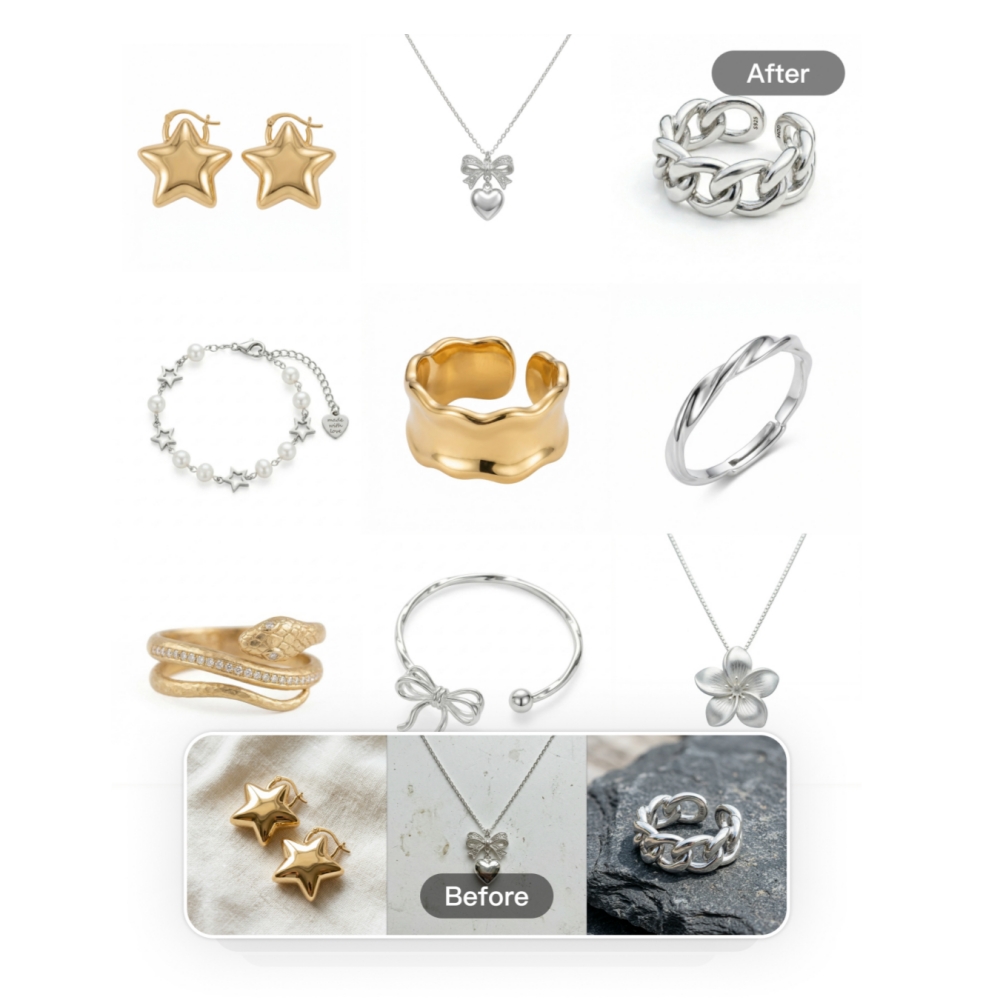
Each of these bottlenecks maps directly to a category of AI capability that can now be packaged, versioned, and invoked through a skill-based automation framework — which is where OpenClaw enters the picture.
Part 2. What Is OpenClaw and How Does It Enable an AI E-commerce Workflow
OpenClaw is an open skill protocol for AI agents. Its public registry, ClawHub, functions like npm for agent capabilities: developers publish versioned skill packages, and anyone can install them with a single command. At the time of writing, ClawHub hosts over 49,000 skills spanning categories from web search to calendar management to image processing.
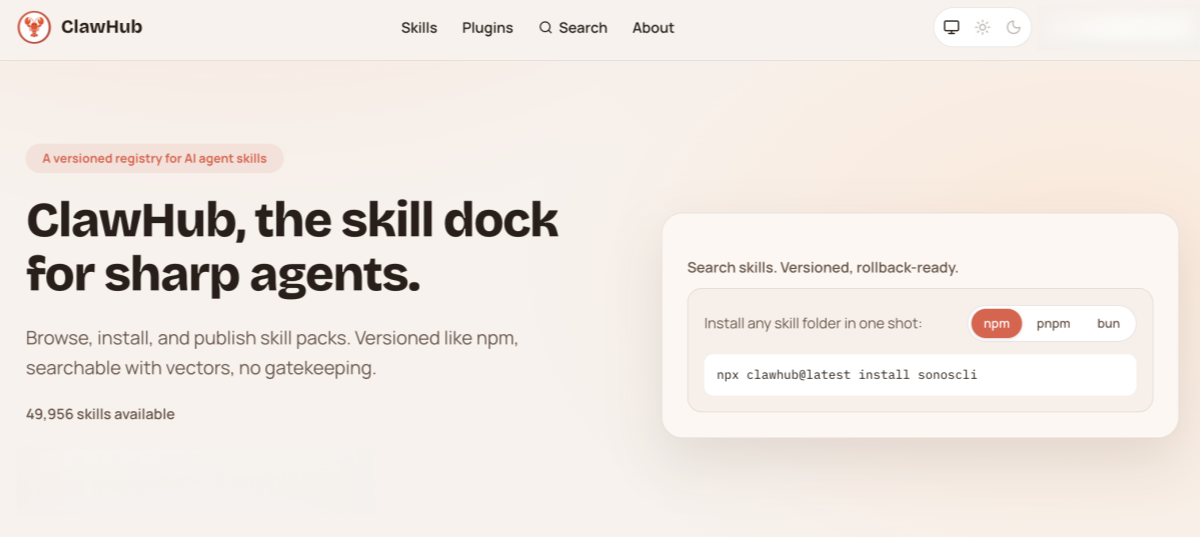
For e-commerce sellers, the relevant piece is that AI image processing capabilities — background removal, photo enhancement, listing image generation — can be packaged as an installable skill and invoked by an AI agent through natural-language conversation. No API plumbing. No custom scripts. The agent reads the skill's routing rules, collects the necessary parameters via dialogue, calls the bundled processing scripts, and returns the finished images.
One concrete example on ClawHub is the Designkit Ecommerce Studio skill. Published under an MIT-0 license (free to use, no attribution required), it bundles three sub-capabilities into a single installable package:
| Sub-Capability | What It Does | Internal Module |
|---|---|---|
| Cutout-Express | Removes backgrounds; outputs transparent PNG or pure white (RGB 255,255,255) images | designkit-edit-tools |
| Clarity-Boost | Restores blurry or low-resolution photos via AI super-resolution | designkit-edit-tools |
| Listing-Kit | Multi-step generation of complete listing image sets (hero, lifestyle, infographic) | designkit-ecommerce-product-kit |
This structure illustrates a key advantage of the skill-based approach: a single install gives the agent access to an entire visual production pipeline, not just one isolated function. The agent routes each request to the correct sub-capability automatically.
2.1 How an OpenClaw Skill Works: The 5-Step Automation Flow
Under the hood, every OpenClaw skill follows a standardized conversation flow. Understanding these five steps clarifies why a skill-based visual automation pipeline feels like talking to a colleague rather than operating software:
- Intent Recognition. The agent parses your request and matches it to a specific capability defined in the skill's routing rules. Say you type "remove the background from this product photo" — the agent maps that to the background-removal module.

- Parameter Collection. The skill's manifest declares which inputs are required (e.g., an image URL) and which are optional (e.g., output format). The agent asks only for what is missing, using natural prompts — not form fields. Optional parameters fall back to sensible defaults.

- Execution Confirmation. The agent restates the planned action in plain language — "I'll remove the background and return a transparent PNG" — then proceeds immediately. No redundant "Are you sure?" step.
- API Call. Bundled shell and Python scripts handle the actual image processing by calling the skill provider's API. Credentials (a single API key) are passed securely via headers. The user never touches raw HTTP requests.
- Result Delivery. The agent parses the API response, extracts the processed image URLs, and presents them inline. If something fails, it returns a human-readable error message with actionable next steps — not a stack trace.
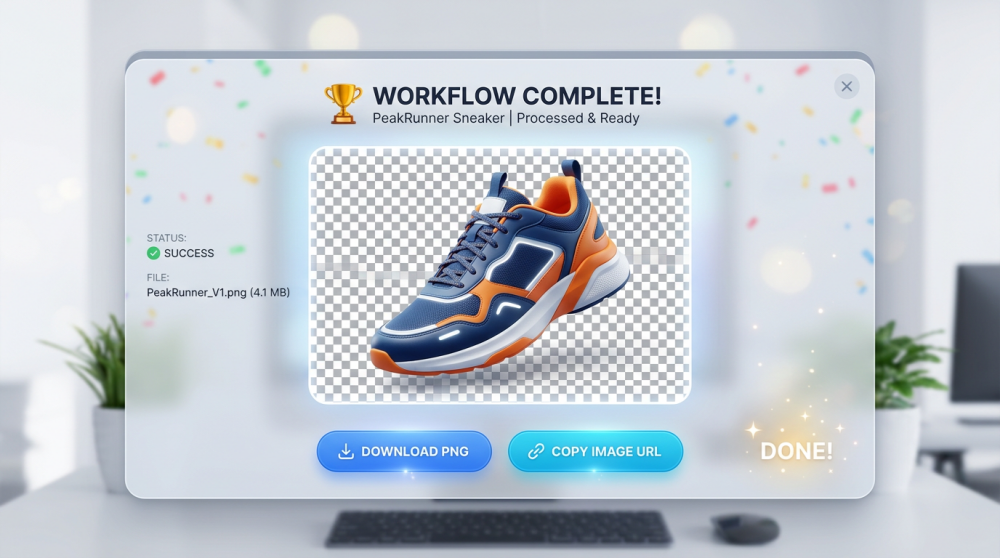
The entire exchange happens in a chat interface. For a seller who needs to process a batch of product photos, the interaction might be three messages long.
2.2 Security and Trust: What Happens to Your Images
A reasonable concern: if an AI agent is uploading your product images to a remote API, how do you verify that the skill is doing what it claims?
OpenClaw addresses this with a two-layer security review for every published skill:
- VirusTotal scan — the skill's files are scanned for known malware signatures before publication.
- OpenClaw's own assessment — an automated review evaluates four dimensions: whether the skill's stated purpose matches its actual code; whether its runtime instructions stay within declared scope; whether it requests only the credentials it needs; and whether it asks for unnecessary persistence or elevated privileges.
For instance, the Designkit Ecommerce Studio skill on ClawHub received a "Benign — high confidence" rating, with the assessment confirming that its single required credential (DESIGNKIT_OPENCLAW_AK) is used exactly as declared and that no unrelated files or directories are accessed.
Additional privacy safeguards are built into the protocol: request logging is disabled by default, API keys are redacted in any logs that are enabled, and local images are validated as real image files (JPG, PNG, WEBP, GIF) before upload. Only files the user explicitly provides are transmitted.
Part 3. Step-by-Step: Building Your Automated Product Photography Pipeline
Theory covered. Here is the practical walkthrough. The scenario: you have a batch of raw supplier photos for a new product line. You need marketplace-ready images for an Amazon US listing. The goal is to go from unedited source files to a complete listing image set without opening Photoshop.
This three-step automated product photography pipeline uses the three sub-capabilities described above — each invoked through the same OpenClaw skill.
3.1 Clean Up Product Images with Bulk AI Background Removal
Start with the most universal requirement: clean, white-background product images.
- Input: Upload your supplier photos — the skill accepts JPG, PNG, WEBP, and GIF formats. You can upload multiple images at once for batch processing.
- Process: The agent routes your request to Cutout-Express, which isolates the product from its original background and generates a new image with either a pure white background or a transparent one.
- Output: White-background images at RGB 255,255,255 — the exact specification required by Amazon's main image guidelines. Transparent-background PNGs are also available for use in custom compositions.
Batch processing note: The skill supports uploading multiple images and applying the same operation to the entire batch in a single action. For sellers managing catalogs with hundreds of SKUs, this is where the time savings become significant — what might take a freelance retoucher several days can be completed in a single session.
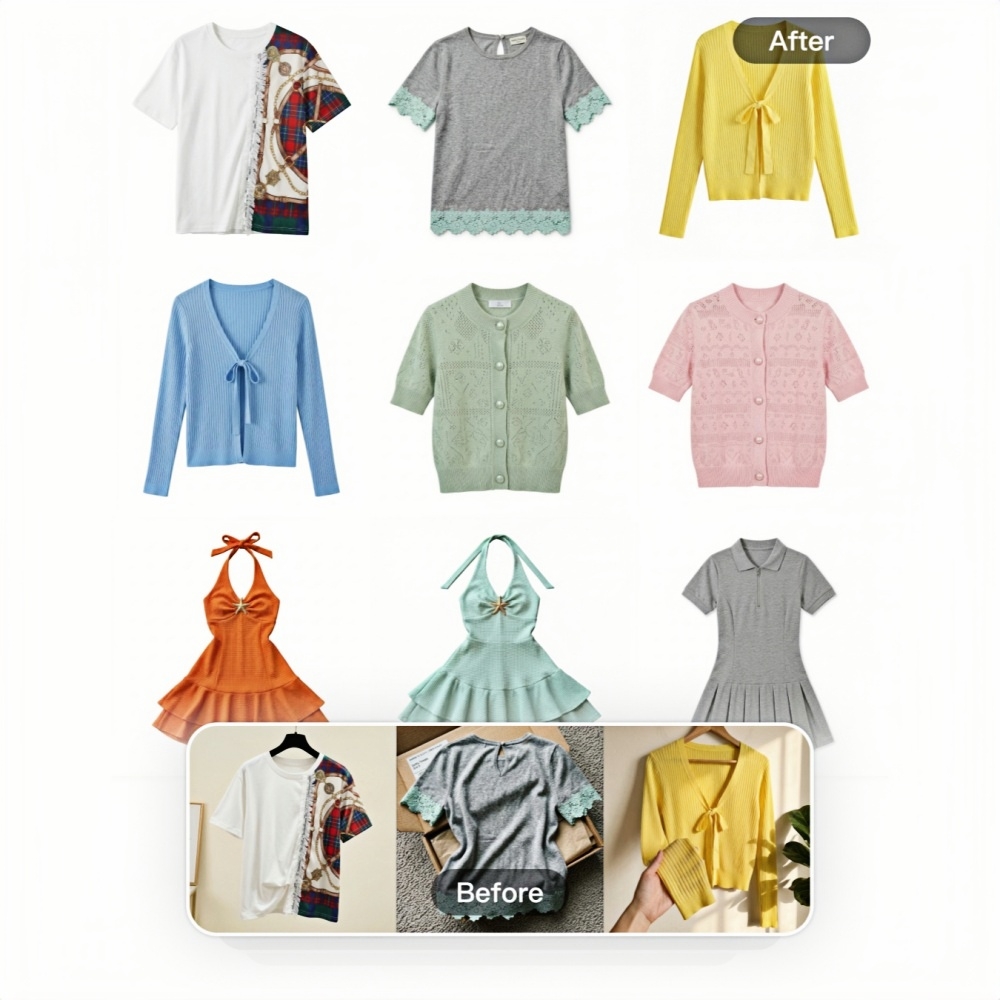
Designkit's Cutout-Express, the module powering this step, is specifically engineered for e-commerce product images and outputs marketplace-compliant white backgrounds by default — eliminating the need for manual color-value checks.
3.2 Restore Low-Quality Source Photos with AI Enhancement
Not every supplier provides studio-quality originals. Phone camera shots, over-compressed JPEGs, and poorly lit images are common. Before these can be used in listings, they need restoration.
- Input: The low-resolution or blurry product images from your batch.
- Process: The agent invokes Clarity-Boost, which applies AI-driven super-resolution and noise reduction. This is not simple sharpening — the model reconstructs detail that was lost in compression or low-resolution capture.
- Output: Enhanced images with improved clarity, suitable for use as hero shots or as inputs for the next step (listing image generation).
This step can run before or after background removal, depending on the quality of your source material. If the original photos are particularly low-resolution, enhancing first gives the background removal model better edges to work with.

3.3 Generate a Complete Listing Image Set in One Workflow
This is the step that moves a bulk AI image editor from "useful tool" to "production pipeline." With clean, high-quality product images prepared, the Listing-Kit capability generates a full set of listing assets in a single multi-step workflow.
The agent collects the necessary inputs through two conversational turns:
- First turn: Your product's key selling points and style preferences (e.g., "minimalist Scandinavian aesthetic" or "bold lifestyle setting").
- Second turn: Target platform, market, language, and aspect ratio (e.g., Amazon US, English, 1:1 square format).
From there, the skill generates:
- A hero shot on a clean white background
- Lifestyle scenes placing the product in realistic environments
- Infographic overlays with feature callouts and text
Text elements are automatically localized if you specify a different target language — useful for sellers listing the same product across Amazon US, Amazon DE, and Amazon JP simultaneously.

What makes this step architecturally different from the previous two is that it is not a single API call. Listing-Kit is a multi-step orchestration — the agent sequences several operations (image generation, layout composition, text rendering) into one cohesive output. This is the kind of workflow that the OpenClaw skill architecture is specifically designed to enable: modular capabilities, chained together by an agent, configured through conversation.
Conclusion: Putting Your Visual Automation Pipeline into Action
The shift from manual image production to an automated pipeline is not about replacing creative judgment — it is about removing the repetitive mechanical work that slows down every product launch. The OpenClaw skill architecture makes this practical by packaging AI capabilities into versioned, installable modules that an agent can orchestrate through natural conversation.
The workflow outlined here — background removal, image enhancement, and listing image generation — covers the core visual production needs for most e-commerce operations. Each step can run independently or as part of a chained pipeline, and batch processing means the approach scales from a handful of SKUs to an entire catalog.
If you want to test the approach, Designkit's ecommerce-skills package on ClawHub is a practical starting point. New accounts receive free credits to run the full workflow on your own product photos — enough to evaluate whether the output quality and speed meet your requirements before committing to a paid plan.
Frequently Asked Questions
Do I need coding skills to use an OpenClaw e-commerce skill?
Are AI-generated listing images compliant with Amazon and Shopify guidelines
For main hero shots, the skill outputs pure white backgrounds at RGB 255,255,255, which meets Amazon's main image requirement [Source: Amazon Seller Central]. Image dimensions and resolution are automatically adapted to platform specifications. That said, marketplace policies evolve — a final human review before publishing is always good practice.
Can I process hundreds of SKUs with a bulk AI image editor?
Yes. OpenClaw skills natively support batch inputs — upload multiple images and apply the same operation to all of them in a single action. Designkit's implementation, for example, allows you to apply background removal, enhancement, or listing generation across an entire batch with one click. Processing volume is governed by your API credit balance, and Designkit offers 20 free credits on signup plus 10 daily login credits to get started.
Are the generated images safe to use commercially?
Images generated under paid plans are royalty-free and cleared for commercial use across Amazon listings, Shopify stores, social media advertising, and other marketing channels, according to Designkit's terms of service. If you are using a different skill provider, verify their licensing terms independently.
How is this different from using standalone AI image tools?
Standalone tools handle individual tasks — one tool for background removal, another for upscaling, a third for layout design. An OpenClaw-based visual automation pipeline chains these capabilities into a single workflow managed by one agent. Files flow between steps automatically, parameters stay consistent, and you interact through one conversation thread instead of switching between multiple apps and browser tabs.
You May Also Like
How to Use Google Veo 3.1 for Ecommerce Product Video
Nano Banana 2.1 Review: Features, Release Date & What’s New
Remove.bg Shutting Down Dec 1, 2026: What Users Are Saying
Amazon Individual vs Professional Selling Plan

How to Create an Amazon Seller Account: Requirements and Steps
Amazon Product Video Requirements: Specs & Upload
Amazon Brand Registry Requirements: Trademark, Account & Cost

Amazon Global Selling: How to Open Multiple Marketplaces
How to Make an Event on Facebook: Complete Setup Guide (2026)
Amazon Sponsored Brands: What They Are and When to Use Them

Amazon Sponsored Products: How to Launch Your First Campaign

Amazon Vine Program for Sellers: Get Early Product Reviews

7 Best Remove.bg Alternatives in 2026: Free & Paid Tools
Amazon A+ Content Dimensions: Module Image Sizes
Print-On-Demand Designs: Create, Prepare, and Preview Your Work

T-Shirt Design Size Guide: Placement, Dimensions, & DPI

Amazon A+ Content: What It Is and What to Build First
Is Print on Demand Profitable in 2026? Products and Niches
Amazon Brand Registry Application: How to Submit and Pass Review
How to Ship to Amazon FBA: Your First Shipment

What Is Amazon FBA? Should Beginners Use It in 2026

GPT Image 2 Prompts for Product Photos (Copy-Paste Examples)

How to List a Product on Amazon: Materials Checklist for First Listings

How to Get Ungated on Amazon: Restricted Category Approval Steps

Kling vs Veo for Product Video & UGC Ads (2026)

Nano Banana vs Midjourney for Product Photos and Campaign Visuals (2026)
Amazon Backend Keywords: Title, Bullets & Search Terms

How to Sell on Poshmark: A Complete Beginner's Guide

Zeely Reviews 2026: Features, Pricing, Pros, Cons & Alternatives
Instagram Carousel: What It Is, How to Post & Create One

What Is A/B Testing? A Practical Guide to Running Better Experiments
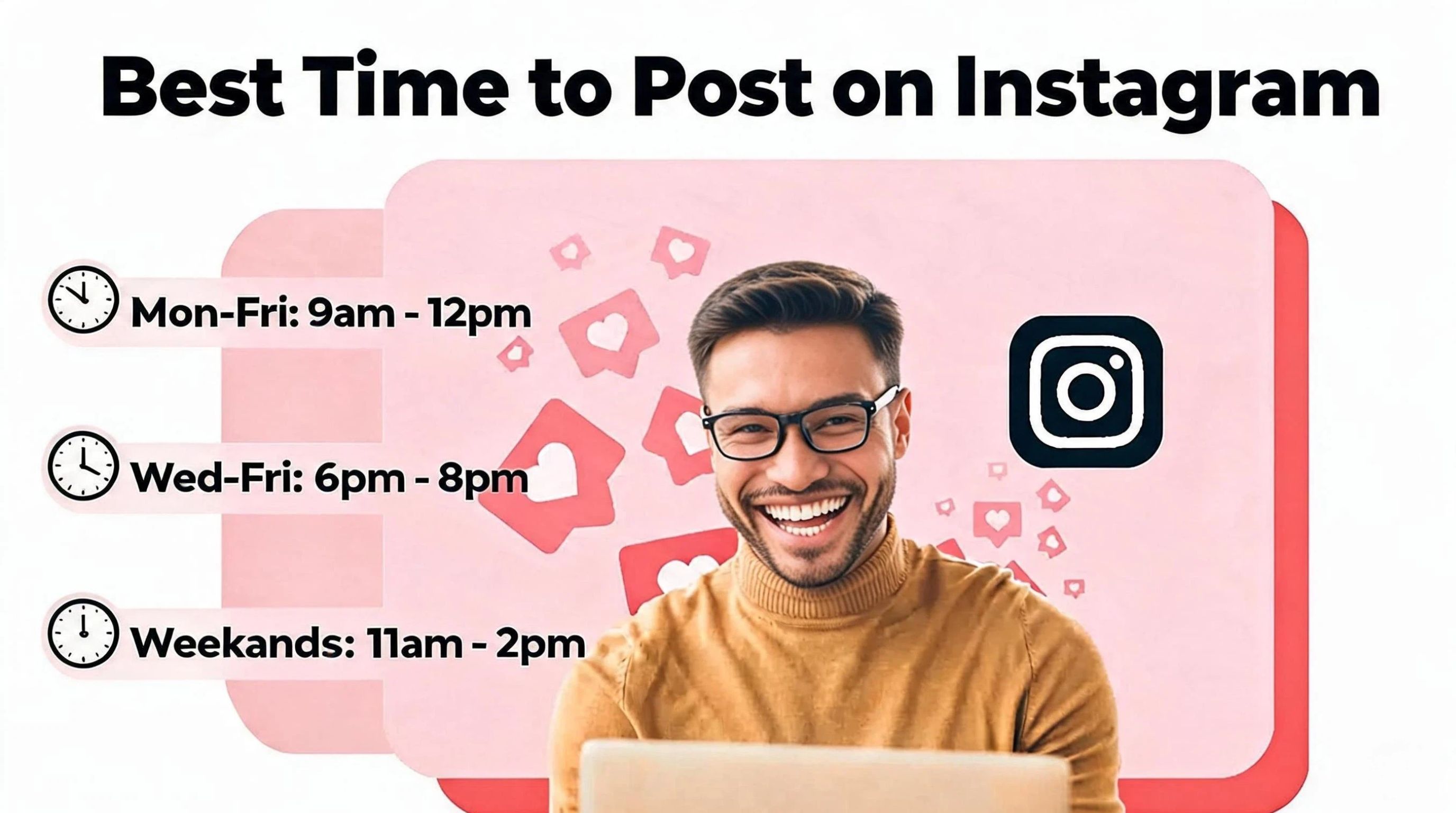
Best Time to Post on Instagram in 2026: Data & Tips
How to Get Verified on Instagram: Complete Guide

TikTok Monetization in 2026: Requirements & Ways to Earn

Instagram Desktop Posting Guide: Upload Posts, Stories & Reels
Nano Banana Prompts: 20+ Examples for Better AI Images
YouTube Shorts Monetization Requirements & Rules 2026

Hair Color Ideas 2026: Trending Shades & Virtual Try On

How to Write an Instagram Bio: Examples, Tips & Ideas

How Much Does YouTube Pay Per View? 1K, 100K & 1M Views

How to Make Money on Snapchat: 7 Ways to Earn

How to Get More Followers on Instagram in 2026

Best Time to Post on TikTok in 2026 for More Views
How to Repost on Instagram in 2026: A Simple Guide

Ideogram AI Review 2026: Features, Pricing & Alternatives

PixVerse AI Review 2026: Is It Worth Using for AI Videos?
Free Mac Photo Editor: 5 Tools Compared for Mac Users
How to Crop a Photo Into a Circle Online (Keep Quality)

Create TikTok Ads From One Photo: An AI Product Launch Kit
How to Make an Image Transparent Online (AI Guide)
Pixlr Background Remover Review 2026: Features, Pricing & Alternatives

How to Fix Overexposed Photos: Recover Highlights Fast

How to Animate a Picture with AI: Easy Step-by-Step Guide
OpenArt AI Review 2026: Features, Pricing & Alternatives
Best AI Headshot Generator: 9 Tools Compared for 2026
Best Stencil Maker Tools 2026: Turn Photos Into Stencils
Pixelbin Watermark Remover Review: Image & Video Results Tested
How to Make a Sticker on iPhone: Easy Step by Step Guide
Best AI Logo Generator in 2026: 10 Tools Compared
How to Turn a Photo Into a Cartoon: A Beginner-Friendly Guide

How to Write a Video Script: Structure, Tips & Examples

Depop vs Poshmark: Which Is Better for Selling in 2026?
Landscape vs Portrait: Key Differences & Best Uses in 2026

How to Create an Amazon Storefront: 4-Step Guide for New Sellers
How to Remove Watermark From Photo: AI, Photoshop & More

How to Sell Books on Amazon in 2026: Beginner Guide
How to Fix Pixelated Photos: Photoshop, AI Tools & Tips
Bing Image Creator: How It Works, Features, Uses & Alternatives

Best Products to Sell on Amazon: 10 Ideas for Beginners
How to Remove People from Photos with AI: A Step-by-Step Guide

What Is B-Roll? Meaning, Examples, and How to Use It
How to Increase Image Resolution: AI, Photoshop & PPI
How to Add Text to a Photo: 8 Tips for Better Results

How to Sell on Amazon in 2026: A Complete Seller Guide
How to Fix Grainy Photos: Easy Ways to Clear Images

How to Make a TikTok Video: A Step-by-Step Guide 2026

How to Make an Instagram Post: Step by Step Creation Guide

Social Media Copywriting: Tips, Examples & Best Practices

Creative Profile Picture Ideas for Every Style and Platform
Evoto AI Review 2026: Features, Pricing, Pros & Cons
Pixlr Photo Editor Review: Features, Pricing & Alternatives
Best AI Image Extender Tools in 2026: Expand Photos with AI
How to Make a Collage on iPhone: Easy Guide for 2026

What Are AI Fruits? The Trend, the Formats, and How to Make One
How to Sharpen an Image in Photoshop (Smart Sharpen and Unsharp Mask)

Seedance 2.5 Review: What Changed in ByteDance's New Model
Best Image Background Remover Tools in 2026: AI Tools Compared
How to Make Transparent Background in Paint: Step-by-Step Guide
How to Resize an Image: Best Methods, Tools & Quality Tips

LTX Studio Review: Features, Pricing & AI Filmmaking Guide
Best AI Image Generator Tools in 2026: Top AI Platforms Compared

Remove.bg Review 2026: Features, Pricing & Is It Worth It?

MiniMax H3: Features, Benchmarks, Pricing, and How to Use It
Luminar Neo Photo Editor Review 2026: AI Features, Price & Pros
How to Post Multiple Photos on Instagram (2026 Guide)

25 Facebook Cover Photo Ideas for Personal & Business Pages
What Is a PFP? Meaning, Examples & How to Create One
Multichannel Marketing Guide: Strategy, Tools & Examples
How to Create Digital Products That Sell in 2026

How to Make a Slideshow for Facebook: Photos, Music & Tips 2026

HeyGen vs Arcads: Which AI Video Tool Wins in 2026?

AI Product Photography: 7 Best Tools for Ecommerce in 2026
Can You Edit an Instagram Post After Posting?

Cyber Monday Marketing Ideas & Strategies (2026 Guide)
Black Friday Marketing Ideas for Ecommerce Brands (2026)
11 Best Canva Alternatives in 2026 for AI Design & Marketing
Instagram Marketing Guide: Strategies, Tips & AI Tools in 2026
8 Best Midjourney Alternatives in 2026: Features, Pricing & Comparison
Influencer Marketing Guide: Strategy, Campaigns & Creator Tips
How to Restore Old Photos: AI Tools, Tips & Best Methods

Arcads AI Review 2026: Features, Pricing, Pros, Cons & Alternatives
Pixelcut AI Review 2026: Features, Pricing, Pros, Cons & Alternatives

What Is a Hero Image? Definition, Examples & Design Tips
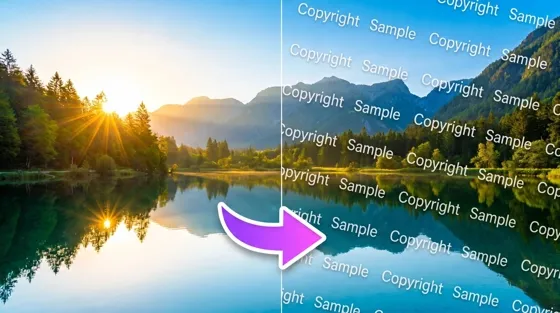
How to Apply Watermark to Photos: Methods, Tips & AI Tools
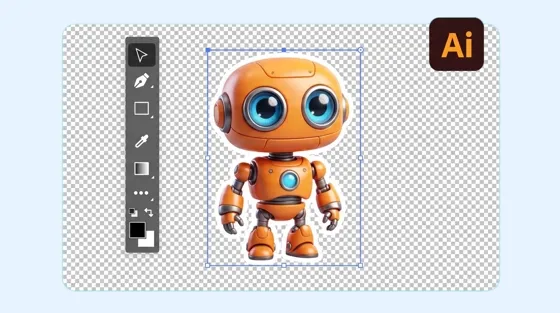
How to Remove a Background in Illustrator: 4 Easy Methods
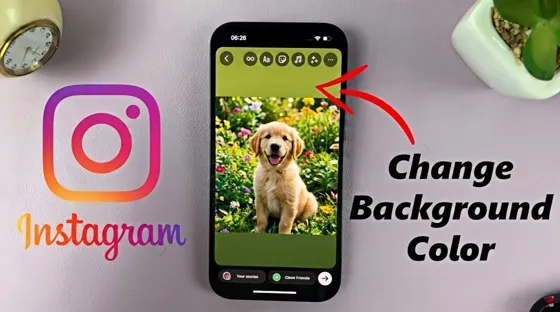
How to Change Background Color on Instagram Story (Easy Guide)

Pippit AI Review 2026: Features, Pricing, Pros & Cons
8 Best AI Poster Generators in 2026: Create Posters Faster with AI
10 Best AI Image Enhancers in 2026: Tested & Compared
10 Best AI Image Editors in 2026: Features, Pricing & Comparison

7 Best AI Background Changer in 2026: Remove & Replace Photo Backgrounds
Luminar Neo vs Lightroom: Features, Pricing & Comparison 2026
Kittl Review 2026: Is It Worth It? Features & Pricing

15 Best Things to Sell on Etsy in 2026 (Listing Tips Included)
WooCommerce vs Shopify 2026: Pricing, Features & Which Is Better
How to Sell on Facebook Marketplace: Beginner Guide (2026)
How to Use Pinterest for Business: Strategy, Tips & Growth Guide
How to Sell on Etsy in 2026: Setup, Listings & Growth Tips
What Is a Target Audience? Types, Examples & How to Find Yours
How to Make a Blurry Image Clear: 5 AI & Manual Ways
TikTok Marketing Guide 2026: Strategies, Ideas & AI Tools
How to Remove Background on iPhone: 5 Easy Methods (2026)
Photoroom Background Remover Review 2026: Features & Alternatives
How to Remove Background in Canva: A Step-by-Step Guide
How to Remove Background in GIMP: Beginner-Friendly Guide

How to Celebrate National Dog Day 2026: Date & Easy Ideas

Funny Dog Memes to Try: Doge Meaning and 10 Original Ideas
Back to School Checklist 2026: Supplies, Timeline, and Planning
Recraft AI Review 2026: Features, Pricing, Pros, Cons & Alternatives
How to Make an Image Transparent in Google Slides: Opacity & Background Removal

VanceAI Photo Enhancer Review: Features, Pricing & Alternatives in 2026
Vibe Marketing Explained: Strategy, Examples & AI Tools
How to Sell on Depop: Beginner Guide to Getting Your First Sale
What Does Emojify Mean? Text, Photos, & Emoji Art Explained

Back to School Ad: 7 Creative Ideas for Better Campaign Results

Top 7 Back-to-School Sales Ideas to Boost Retail Sales (2026)
Top 8 Online Background Removers for Ecommerce Photos (2026)
How to Remove Background in Photoshop: 7 Easy Methods
6 Best AI Image Upscalers 2026: Tools Tested & Compared

Luma vs Seedance (2026): Ray 3.2 or Seedance 2.0?

15 Simple Self-Care Ideas for Busy Schedules and Daily Life

Celebrate International Cat Day 2026: Date & 10 Fun Ideas
Project Indigo Review: Is It Better Than iPhone Camera?

How to Match Makeup by Undertone: Virtual Lipstick and Foundation Try-On

Chic Outfit Ideas for Every Occasion: 15 Stylish Looks & Tips
How Big Is an 8x10 Photo? Size, Pixels & Frame Guide
How Big Is a 4x6 Photo? Dimensions, Pixels & Printing Tips
Picsart AI Review: Features, Pricing, Pros, Cons & Alternatives
Lovart AI Review: AI Design Agent Features, Pricing & Alternatives
Fotor AI Image Generator Review: Features, Pricing & Alternatives

How to Add Emoji to Photo Online for Free

Online Advertising Guide: Types, Costs & Examples (2026)

Facebook Advertising Guide: Costs, Strategy & Tools 2026

What Are E-commerce Ads? Examples, Strategy & Tools (2026)
Where to Sell Handmade Items Online (2026): Etsy, Amazon, or Shopify?
Shopify vs Amazon (2026): Brand Store or Marketplace FBA?
Amazon Handmade vs Etsy (2026): Which Is Better for Makers?
Etsy vs eBay (2026): Handmade, Vintage, or Secondhand?
Selling on Amazon vs eBay (2026): Fees, Profit & Where to Sell
What Is Brand Awareness? Examples, Strategies & Tools 2026

10 Best Online Selling Platforms (2026): Pick by What You Sell
Shopify vs Etsy (2026): Which Is Better for Handmade Sellers?

Wedding Dress Styles for Every Body Type: A Practical Guide for 2026
Emoji Wallpaper Ideas & How to Make One Online (2026)
YouTube Automation Step-by-Step AI Guide for Beginners
What Is Brand Identity? Examples, Elements & Strategy
Creatify AI Reviews: Features, Pricing & Alternatives (2026)
Minimalist Poster Design: How to Make a Clean Poster (2026)
What Are Satisfying Videos? Types, Tips & How to Make (2026)

How to Find a Product by Image: 7 Methods That Work (2026)

How to Make a Custom Poster That Is Ready to Print

Gemini Omni Review: Real Tests, Pros & Limitations for Video Generation
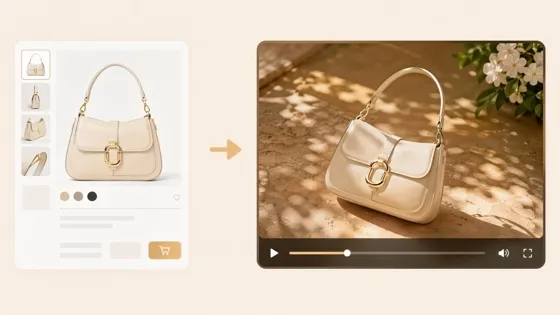
How to Generate Product Videos from Images with AI (2026 Guide)
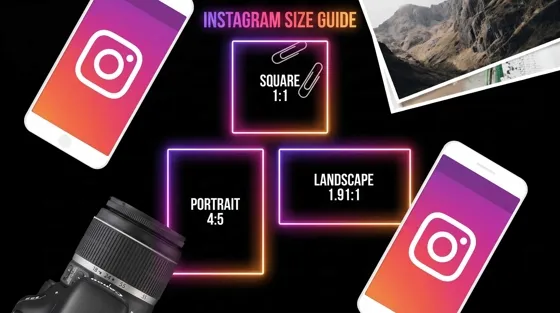
Instagram Image Size Guide 2026: Post, Reel, Story & Carousel Specs

AI Marketing Agent: How It Works, Benefits & E-Commerce Examples

Aesthetic Poster Ideas: Find Your Style and Create Printable Art
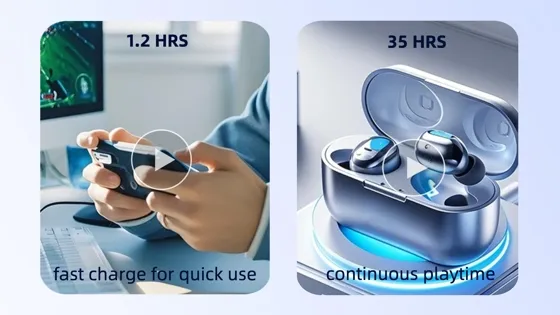
How to Create a Product Launch Video with AI: A Step-by-Step Guide
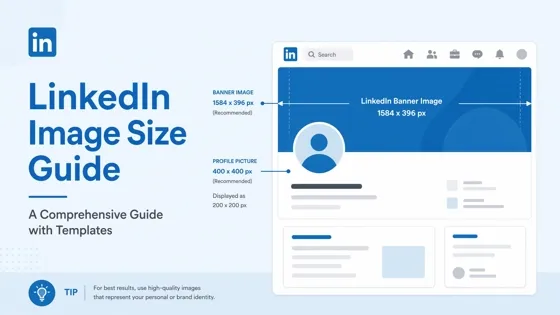
LinkedIn Image Size Guide: Profile, Post & Banner Dimensions
YouTube Profile Image Size: Best Dimensions & Safe Area 2026
What Is Personalized Advertising? Examples & How It Works
How to Build a Shopify Store That Actually Converts Visitors
What Is a Brand Video? Types, Examples & How to Create One

How to Create a Complete World Cup Product Listing Image Set

20 FIFA World Cup Merchandise Ideas That Fans Actually Buy
AI Product Demo vs Live Demo: Which Gets More SaaS Sign-Ups?

How to Create Amazon Summer Sale Posters and Banners with AI

Amazon Summer Sale 2026: Listing Design Trends & Product Image Ideas
How to Create AI Product Promotion Videos in Minutes (Step-by-Step)
Best AI Product Video Ad Generators for Ecommerce in 2026

Father's Day Gift Ideas: Personalized Card, Poster and Video

Father's Day Card Ideas: Messages, Printable and Personalized Cards

Amazon Marketing Guide 2026: Strategies, Tips & Tools
Local Advertising: Strategies, Examples & Tools (2026)

What Is Branded Content? Examples, Strategy & Tools 2026

What Is Performance Marketing? Strategies & Examples 2026
Inbound Marketing: Strategies, Examples & Tools (2026)

How to Boost Ecommerce Sales: Proven Strategies That Work
How to Add Video to eBay Listing: Step-by-Step Seller Guide

Ecommerce Video Ads: 7 Strategies That Drive Higher Conversions

7 Best AI Virtual Makeup Try-On Tools for Realistic Results in 2026

AI Virtual Makeup Try-On: Boost Beauty E-Commerce Sales in 2026

Free Online Glasses Try-On Tools: See Yourself in Glasses Instantly

Top Virtual Ring Try-On Tools for Engagement and Wedding Rings in 2026

How to Try Shoes On Virtually: A Step-by-Step Guide

Best Virtual Shoe Try-On Tools for Ecommerce: 2026 Guide

How to Try On Wigs and Bangs Virtually to Find Your Perfect Style

How to Photograph Shoes for Your Ecommerce Store in 2026
Short Form Video Marketing for E-commerce: AI Video Guide
What Is Video Marketing? E-commerce Guide & Strategies 2026

Create Model Outfit Photos Instantly With AI Outfit Generator

Best AI Virtual Try-On Clothes Tools for Any Body Type
How to Edit Amazon Product Photos That Boost Sales Fast

Product Photography Ideas: Creative Tips & Techniques for Better Shots

Product Photography Pricing 2026: Full Cost Guide by Type
Google Veo 4 Explained: Features, AI Video Creation & What’s New

How to Try On Clothes Online with AI for Better Fit & Style

Virtual Nose Ring Try On Online Before Your Piercing

White Background Product Photography Guide & Tips 2026

Product Photography Starter Package: Gear Checklist 2026

How to Try Makeup Online with AI and Virtual Makeup Try-On Apps (2026)

How to Use Virtual Earring Try-On for a Flattering Look in 2026

How to Try On Engagement Rings Online with AI in 2026

Scale Your Jewelry Brand with Virtual Jewelry Try-On Solutions

How to Try Hairstyles on Your Face Online (Step-by-Step Guide)

Best Virtual Hairstyle Try-On Tools Online for Realistic Previews 2026

How to Use a Free AI Hairstyle Generator to Find Your Perfect Look

Virtual Hair Color Try-On Guide for Every Skin Tone (2026)

Virtual Wedding Dress Try-On Online for Brides in 2026

How to Choose the Right Sunglasses for Your Face Shape Online

How Accurate Is Virtual Glasses Try-On? AI vs AR Compared

Best Virtual Try-On Glasses Apps in 2026 (Free & Paid Tools)

How AI Virtual Try-On Is Transforming Eyewear Ecommerce

5 Best Virtual Try-On Glasses Tools for Ecommerce and Consumers 2026

How to Try On Glasses Online with AI in 2026 (Easy Guide)

How to Create Jewelry Photos with AI Models That Drive Sales in 2026

Shopify Product Photography Guide with Tips & Setup

AI-Generated Fashion Models: Technology, Brand Adoption & Trends

How to Batch Generate 100+ AI Clothing Model Photos Fast

7 Best AI Fashion Model Generators for Ecommerce in 2026

Amazon Main Image Requirements: Size, Guidelines & Tips

Shopify Image Size 2026: Complete Guide and Tips for Better Product Display

Studio Product Photography vs AI Product Photography in 2026

7 Product Photography Mistakes That Hurt Ecommerce Sales

AI Clothing Model Photos for E-Commerce: Platform Rules & Best Practices

How AI Virtual Try-On Helps Fashion Brands Boost Sales & Reduce Returns

AI Fashion Models vs Real Models: Which Is Better for Brands?

Best Free AI Fashion Model Generators for Real Product Photos

Virtual Outfit Try-On Guide: Plan Outfits Before You Buy

GPT Image 2 Review: Features, Prompts & E-commerce Use Cases

What Is an AI Clothing Model Generator? Full Guide for Sellers

Change Outfit Colors Online for Outfit Preview with AI Clothes Color Changer

Virtual Try-On Technology in 2026: How It Works & Key Trends

How to Create Amazon Infographics: Boost Sales with Compelling Visuals

10 Best Virtual Try-On Apps & Tools for Online Shopping in 2026

How to Create AI Fashion Models: Complete Step-by-Step Guide

How to Use AI Fashion Models for E-Commerce Product Photos: A Complete 2026 Guide

How to Virtually Try On Clothes Online: A Complete Guide

How to Create Outdoor Product Scenes Without a Photoshoot Using AI
GPT-Image-2 for Ecommerce Product Images: What It Means for Online Stores

Optimize Etsy Images for Mobile: Listing Photos That Convert

Amazon 7-Image Listing Strategy: Boost Sales by Optimizing Every Image

Happy Horse 1.0: The AI Video Model E-Commerce Sellers Need to Know About

Etsy Thumbnail Optimization: Keep Your Product Fully Visible
AI UGC for Ecommerce in 2026: Text-to-Video, Image-to-Video & Reference Replication Guide

The Etsy Thumbnail Formula That Drives More Clicks and Sales

HappyHorse AI Review: Features, Benchmarks & How to Use It

How to Create Pro Amazon Listing Photos Without a Studio

10 High-Converting Lifestyle Product Images for Amazon Listings

How to Automate Your E-commerce Visuals with OpenClaw Workflow

Top 5 AI Tools to Generate Amazon Product Listing Images in 2026

How to Turn One Photo into 10 Etsy Listing Images Fast: Batch Workflow

Etsy Listing Photo Size Guide (2026): Mobile, Desktop & Shop View Specs

Turn White Background Images into Lifestyle Amazon Listings

Fix Etsy Image Cropping: Optimize Listing Photos for Every Device

Amazon Listing Images: Essential Shot List & Optimization Guide

How to Create Lifestyle Product Images Without a Studio
Seedance 3.0 Predictions: Will AI Video Enter the Feature Film Era?
Grok AI vs ChatGPT: Features, Pricing & Best Choice (2026)
How to Use Grok AI: Features, Tips & Best Prompts (2026 Guide)
Sora Is Shutting Down? Best AI Video Alternatives for Creators in 2026

Lifestyle Product Photography Trends 2026: Authentic Looks at Scale

How to Master Lifestyle Product Photography in 2026

Amazon Listing Images Guide 2026: 7-Slot Strategy & Requirements

360 Product Photography Guide 2026: Setup, Shoot and Workflow

Beginner's Guide to Generate Product Photos from Different Angles

AI Product Photography: Create Ecommerce Images Without a Photoshoot

How to Create Realistic AI Product Photos: Step-by-Step Pro Guide

Keep AI Product Images Consistent Across SKUs: Lighting, Color, Background
Seedance 2.0 for Ecommerce: Create AI Product Videos in Minutes
Seedance 2.0 Review: Features, Improvements, Pricing & How It Works (2026)

How to Scale E-commerce with a Product Image Generator

How to Use AI for Spring Product Photography: 2026 Amazon Guide

How to Create a Budget Home Product Photography Setup with AI

How to Achieve Professional Product Photography Standards in 2026

How to Take Product Photos with Phone: Pro Guide for Amazon & AI
Best AI Product Image Generator 2026: Top Tools for Amazon Sales

Amazon Photography Service vs. AI Generator: Best Choice for Sales

What Is Product Photography? Angles, Lighting & Editing Guide

Amazon Spring Sale 2026: Create High-Converting Listing Images (Guide)

AI Agents Transform Amazon Product Photography in 2026

Amazon Photoshoot in 2026: Do You Still Need a Studio?

11 Must-Have Tools for Amazon Product Photography in 2026

2026 Amazon Image Trends Shaping Seller Success and Conversions

Amazon Product Photography Requirements & Best Practices 2026
Make every product image ready to sell
Designkit is an all-in-one AI platform for ecommerce visuals. Create product photos, AI videos, virtual try-ons, and Amazon listing images in seconds. Generate HD backgrounds, batch edit photos, and scale your brand with studio-quality content.


