
Best Virtual Hairstyle Try-On Tools Online in 2026
Try new hairstyles and colors virtually before your salon visit. Get realistic previews and avoid haircut regrets instantly online.


Choosing a new haircut or color used to require a massive leap of faith. Nowadays, digital technology allows you to experiment with any look from your home. The virtual hairstyle try-on app market is currently flooded with numerous tools that promise quality results. Research from Dataintelo reports that the global hairstyle simulation market is projected to reach above $7 billion dollars by 2034.
Unfortunately, many platforms are flashy gimmicks that lack actual depth and realism. Thus, this guide tests the top tools for every consumer and professional hair seller. We will help you avoid expensive mistakes before you visit the salon.
What to Look for in a Virtual Hairstyle Try-On Tool
Before choosing a platform, you must understand the key elements of digital hair styling. A quality virtual hairstyle try-on app should offer both realism and variety. In this part, we will discuss the core factors that define a truly professional styling tool:
Five Features That Separate Good Hairstyle Try-On Apps from Gimmicks
Identifying a reliable virtual hairstyle try-on app involves checking these 5 essential factors:
|
Evaluation Factor |
What to Check for Quality |
Why It Matters for You |
|---|---|---|
|
Library Variety |
Number of unique textures and lengths. |
Ensures you find a specific look that matches your hair. |
|
Color Precision |
Realistic blending and vibrant shade options. |
Helps you visualize accurate results before applying real hair dye. |
|
AI Matching |
Face shape detection and automatic alignment. |
Provides a natural preview that actually fits your facial structure. |
|
Pricing Depth |
Transparency regarding free features and paywalls. |
Prevents frustration when core styling options are locked behind costs. |
|
Accessibility |
Browser compatibility versus mandatory mobile app installs. |
Offers flexibility for users who prefer desktop or mobile devices. |
Using a hairstyle try-on tool without these features often leads to unrealistic previews. Yet, always prioritize platforms that offer high-definition rendering and smart facial tracking technology.
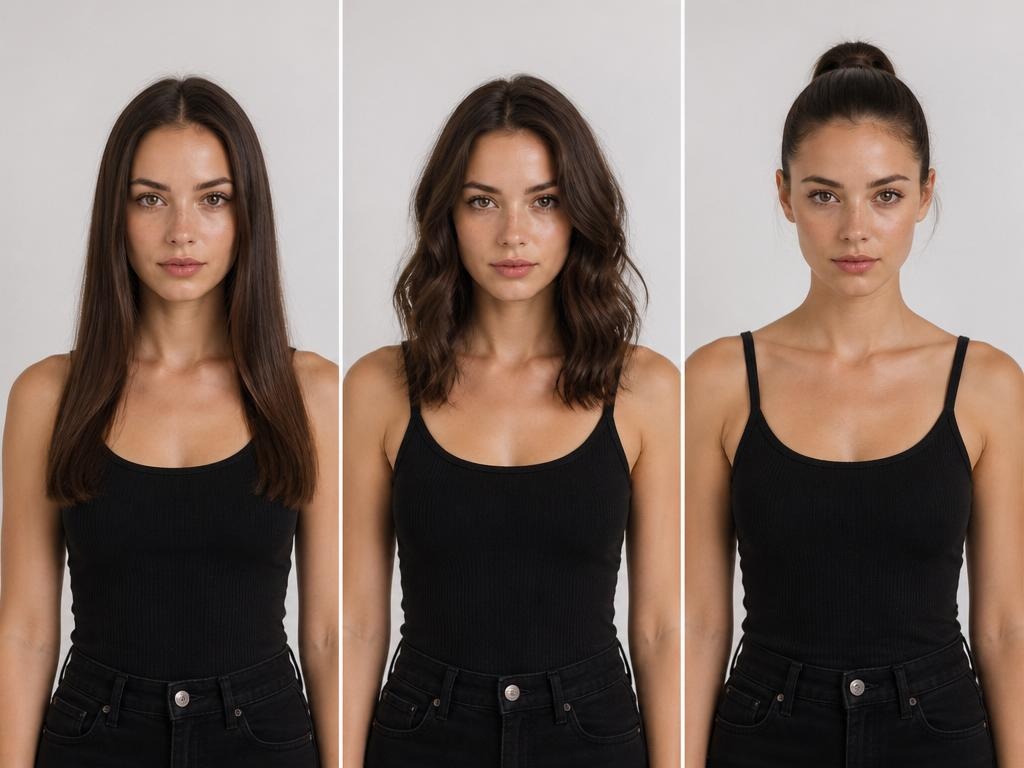
Consumer Self-Try-On vs Seller Product Showcase Tools
Apart from the above, you must first identify whether you need a personal or a professional tool. The right hairstyle try-on technology depends entirely on your specific end goal. According to Frontiers, cosmetic consumers using digital try-on services report much higher confidence and satisfaction in purchases. So, we have categorized these digital solutions into 2 primary groups for your convenience:
Consumer Self-Try-On Tools
These user-friendly platforms focus on helping individuals visualize a brand-new personal look:
1. Personal Use: These platforms allow individuals to upload a selfie for personal style testing.
2. Instant Feedback: Users can quickly see how different cuts look on their own faces.
3. Decision Support: Most people use these apps before visiting a professional hair salon nearby.
4. Social Sharing: Many consumer tools include features to share new looks with your friends.
Seller Product Showcase Tools
Businesses utilize these advanced systems to create professional, quality marketing assets:
1. E-commerce Focus: Brands use these tools to generate quality images for product listings.
2. Model Variety: Sellers can place wigs on diverse AI models to reach global markets.
3. Cost Efficiency: These platforms replace the need for expensive photoshoots and professional human models.
4. Workflow Tools: Professional systems help create bulk listing photos for online stores.
Hence, choosing a proper hairstyle try-on category ensures you get the most relevant features. Moreover, early adopters of virtual try-on technology report sales increases of 40% for products. Whether you are a shopper or a seller, the right tool simplifies your process. Thus, verify your needs before selecting a platform to ensure the best possible visual results.
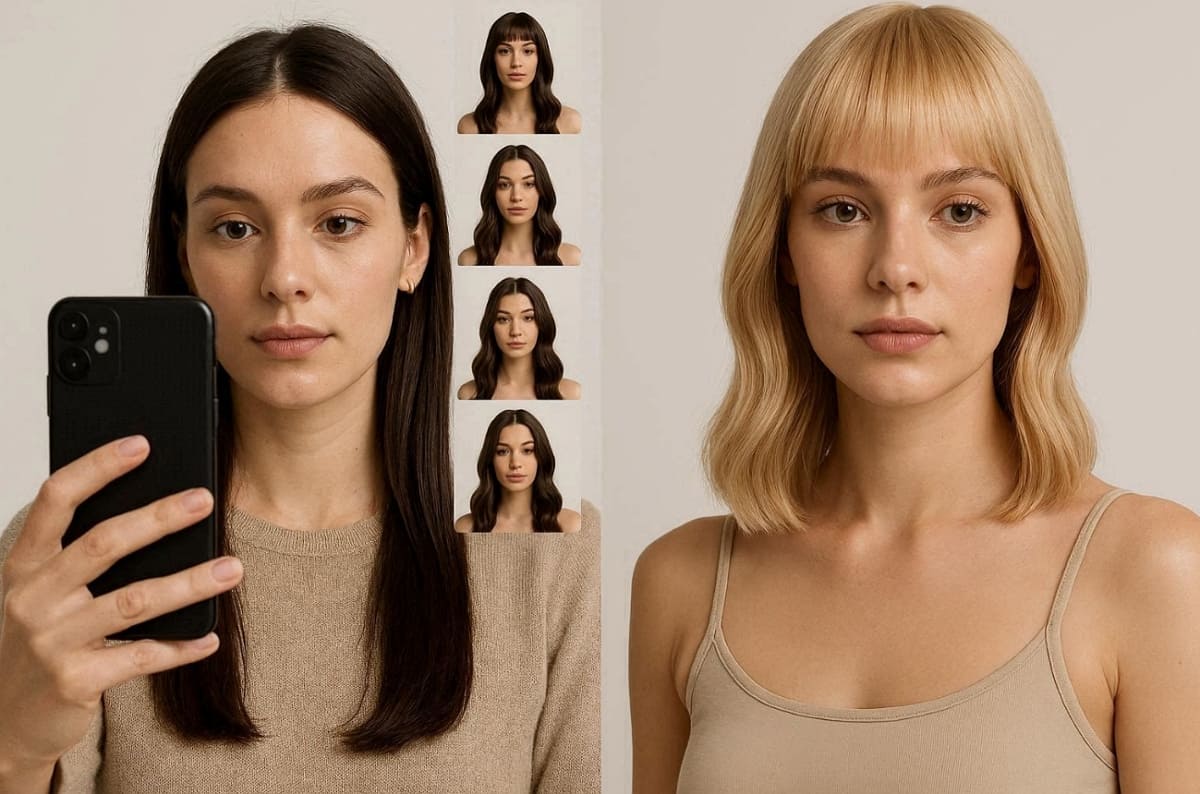
7 Best Virtual Hairstyle Try-On Tools
Finding the perfect digital tool requires a deep look at modern styling technology. We have evaluated each platform based on realism and the overall user experience. According to Dataintelo's Beauty Report, investments in artificial intelligence beauty technology exceeded $4 billion globally over the last year.
Whether you need a virtual hairstyle try-on free tool or a professional platform, this analysis focuses on the specific strengths and limitations. This section provides a detailed breakdown of the top-performing solutions available:
1. YouCam Hairstyle
Best Suited For: Casual users wanting rapid and realistic salon-style previews for free.
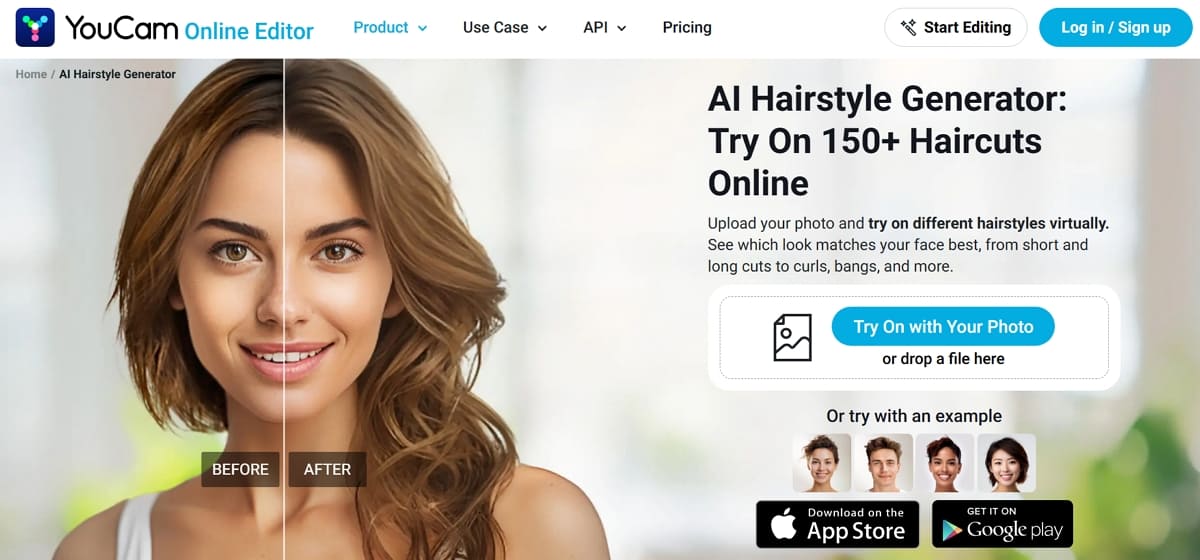
YouCam Hairstyle is a leading virtual hairstyle try-on free system for everyone. This tool is perfect for discovering new bangs or textures from your browser. Moreover, its AI technology provides instant feedback on how specific styles fit your face.
Key Features
1. This dedicated hairstyle try-on app supports over 150 hairstyles across lengths and textures.
2. AI face detection improves hairstyle try-on accuracy based on individual facial structures.
3. Bang simulator allows targeted hairstyle try-on experiments without committing to real cuts.
Strength: Hair color tool supports multiple shades, including gradients, in this tool.
Limitation: Advanced hair options often require a paid monthly subscription to access fully.
Free vs Paid: The web version offers a generous virtual hairstyle try-on free experience. However, the premium app subscription unlocks the full library and removes all ads.
2. Virtual Hairstyler
Best Suited For: Users who want to explore thousands of detailed and diverse professional styles.
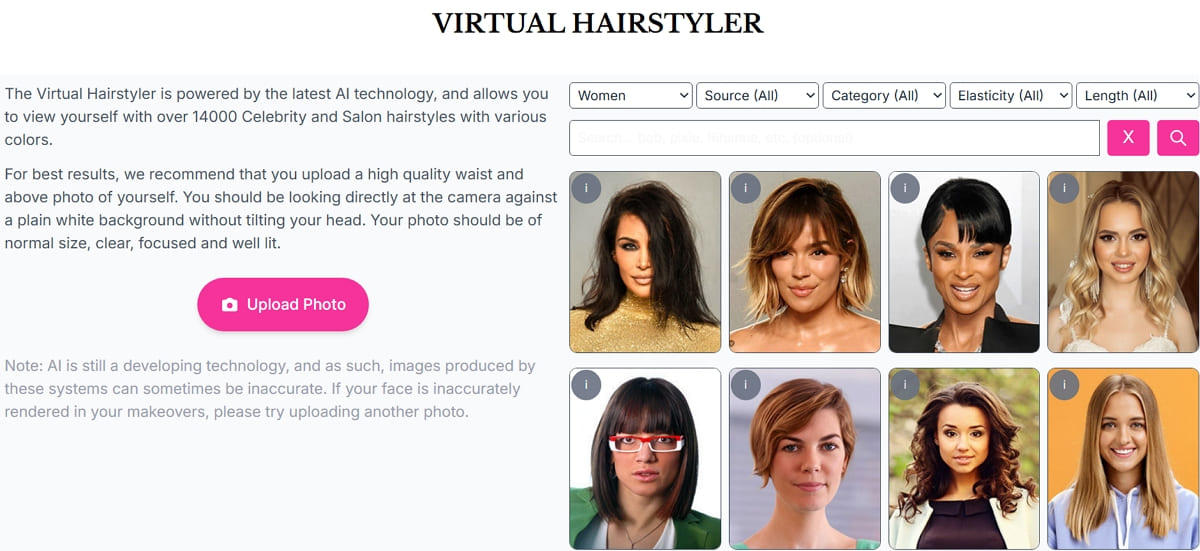
Virtual Hairstyler provides a massive digital library for a thorough virtual hair try-on. This tool analyzes your face shape and skin tone to provide suitability ratings easily. Along with that, you can even filter results by hair density and even specific fashion occasions.
Key Features
1. Access over 14,000 styles for women and men with frequent weekly updates.
2. Includes 18 base shades plus advanced balayage and chunky highlight styling options.
3. AI analysis improves hairstyle try-on accuracy based on face shape and features.
Strength: Dropdown menus allow you to sort by hair elasticity and specific cut lengths.
Limitation: The user interface feels slightly dated compared to modern minimalist mobile styling apps.
Free vs Paid: The free version offers limited styles for initial hairstyle try-on testing. Yet, paid plans unlock full library access and advanced virtual hair try-on customization tools.
3. HairstyleAI.ai
Best Suited For: Individuals seeking photorealistic results rather than simple and live camera filters.
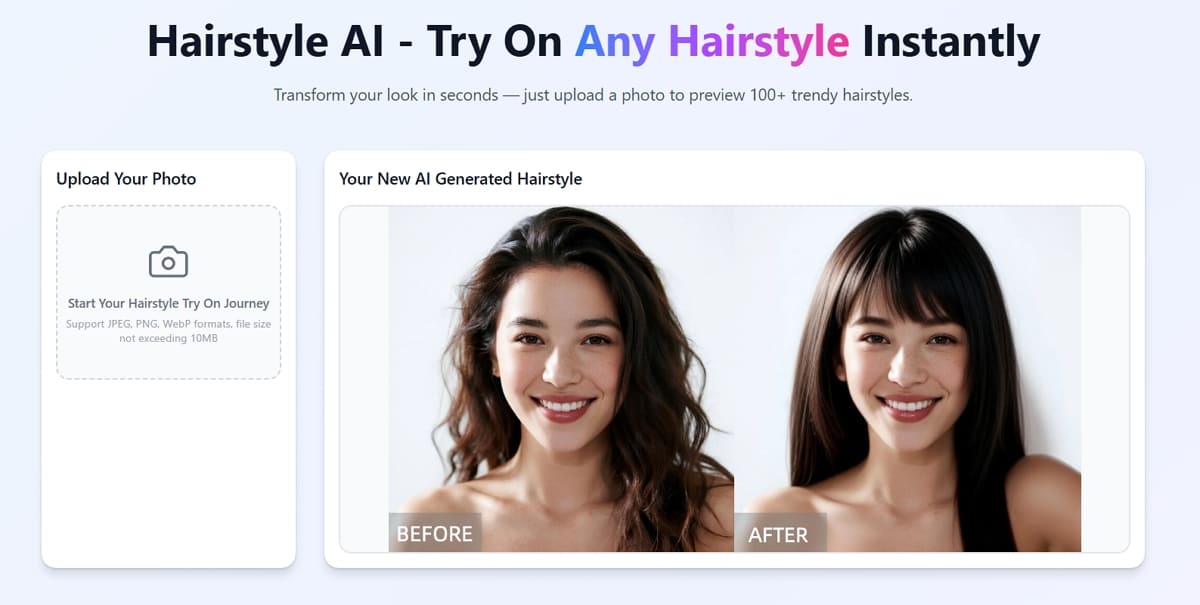
This tool acts as a powerful generator for a quality hairstyle try-on experience. Instead of live AR, it uses generative technology to create professional and realistic images. In the end, you receive high-resolution photos that look like they were taken in a studio.
Key Features
1. Produces high-definition photoshoots that accurately mimic real-life hair textures.
2. It enables you to create up to 30 unique styles and over 100 photos per session.
3. Adapts hairlines and textures to fit your specific features and facial shape perfectly.
Strength: Delivers incredibly realistic outputs that show your face from multiple camera angles.
Limitation: You must wait for image processing instead of seeing results in real time.
Free vs Paid: New users can access several free credits to test this hairstyle try-on tool. Whereas serious users can choose between monthly plans or a simple one-time payment. The one-time pack offers a full set of 30 styles for reference.
4. ImagineArt Hairstyle Changer
Best Suited For: Users wanting creative control through text prompts and hyper-realistic digital hair mockups.
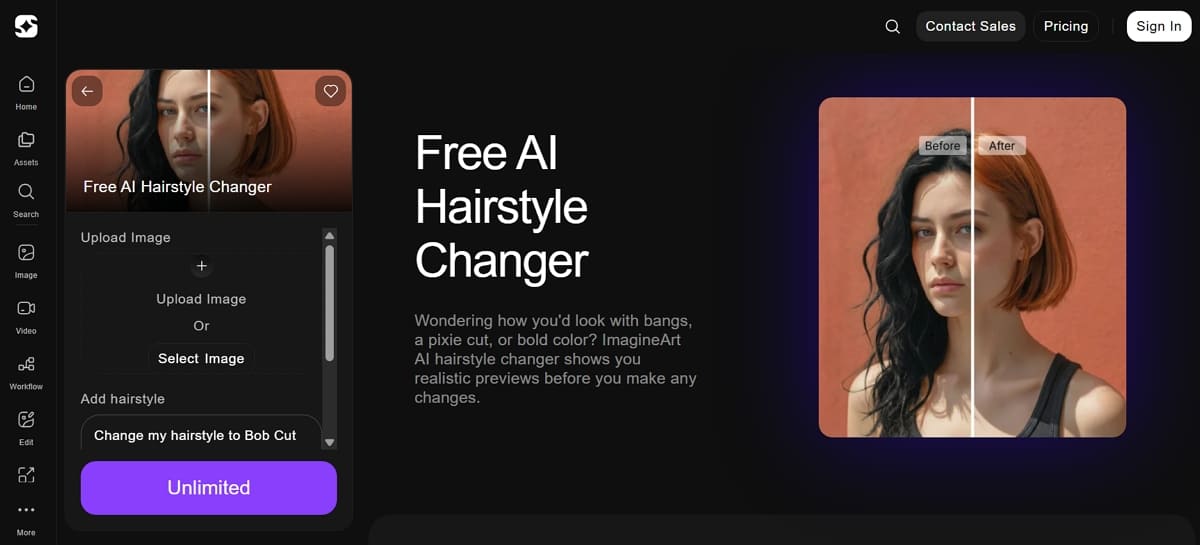
ImagineArt offers a unique and highly flexible virtual hairstyle try-on free experience. This web-based tool uses advanced AI to restyle your uploaded photos using simple text. You can describe specific layers or colors to see a custom transformation in seconds.
Key Features
1. Detects density and contours to ensure volume and bangs sit in believable positions.
2. Supports all hair types and complex textures for both men and women online.
3. Generates images in multiple aspect ratios, including 1:1 or 9:16, for easy social media sharing and use.
Strength: Provides incredible creative freedom by allowing you to combine multiple hair ideas.
Limitation: Output quality depends heavily on how clearly you describe your desired hairstyle.
Free vs Paid: The initial signup provides a small bundle for a virtual hairstyle try-on free. Daily allowances typically cover 1 or 2 quality images for a quick test. Paid plans starting at 9 USD unlock thousands of credits for frequent styling experiments.
5. Designkit
Best Suited For: Professional wig sellers and hair accessory brands needing realistic product catalog images.
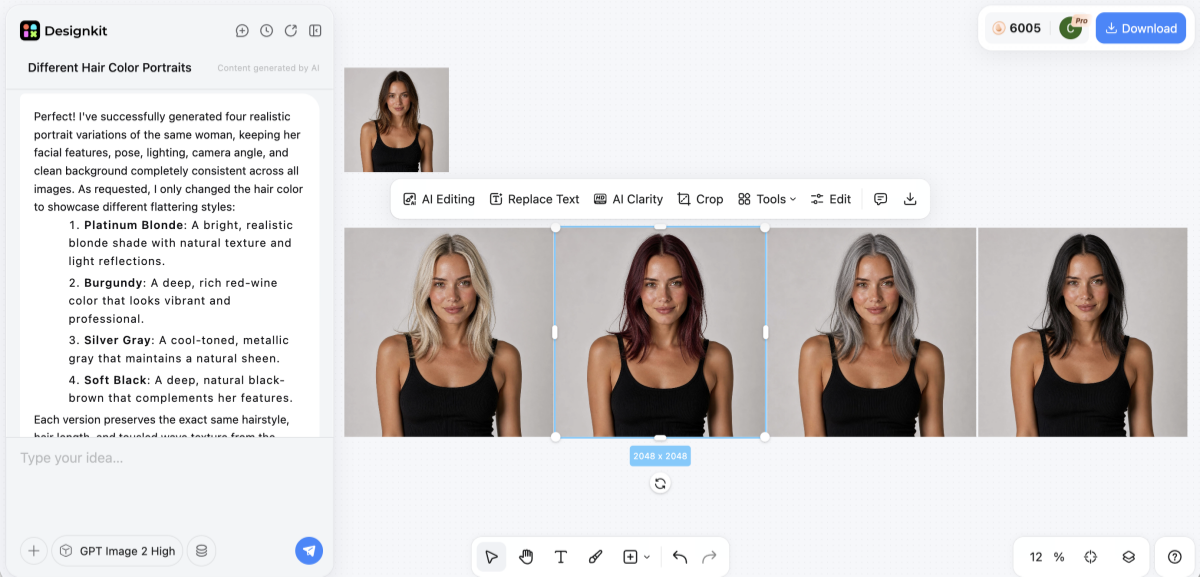
Designkit is a professional solution for any business needing a quality hairstyle try-on. Unlike consumer apps, this tool focuses on generating high-end photos for digital product listings. While trying, you can upload a wig photo and place it on diverse AI models instantly.
It streamlines bulk content creation for ecommerce stores by producing consistent, marketplace-ready visuals. Moreover, this platform helps brands maintain visual quality across catalogs without relying on traditional photoshoots.
Key Features
1. Professional Visualization: Utilize the specialized Virtual Try-On interface to see how high-end wigs look on various models instantly.
2. Advanced Customization: Leverage the AI Color Changer to adjust product shades to match your seasonal inventory precisely.
3. Model Customization: Select specific demographics and poses of your AI model to match your brand's unique marketing aesthetic.
Strength: Offers fast turnarounds and incredible model diversity to help scale your business.
Limitation: It is not a live selfie app for casual use by individual consumers.
Free vs Paid: Professional sellers can start with free credits to test the hairstyle try-on accuracy. In addition, pricing is tailored for business growth and high-volume content creation for various marketplaces. Basic and Pro tiers offer unlimited removal tools and UHD image enhancement for brands.
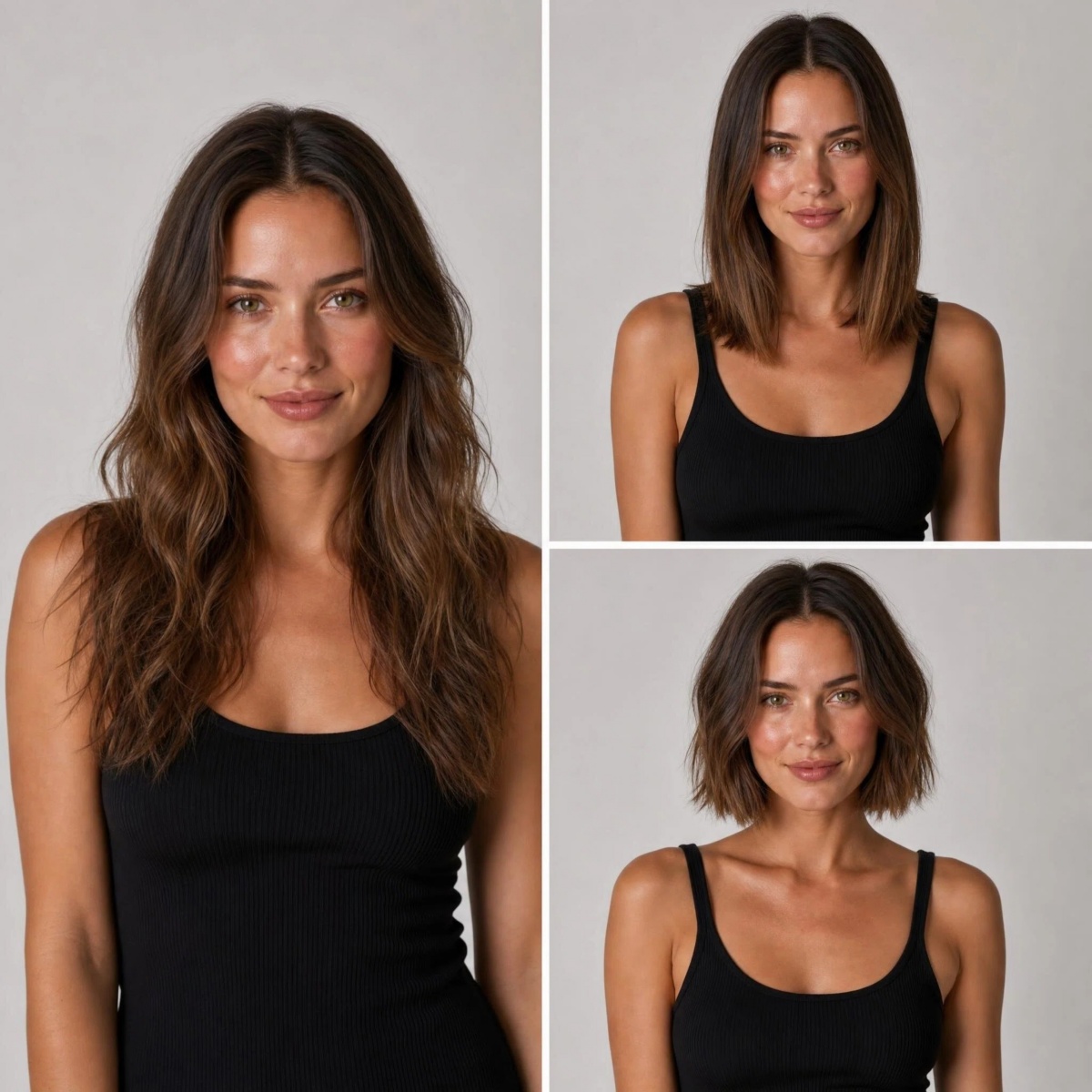
Try Different Hairstyles Online Free
6. AI SuitUp
Best Suited For: Professionals wanting photorealistic headshots and serious haircut previews without any app downloads.
AI SuitUp provides a quality virtual hairstyle try-on app experience directly in your browser. You can instantly see how extreme makeovers look on your unique face shape. This results in realistic images that are suitable for LinkedIn or professional business portfolios.
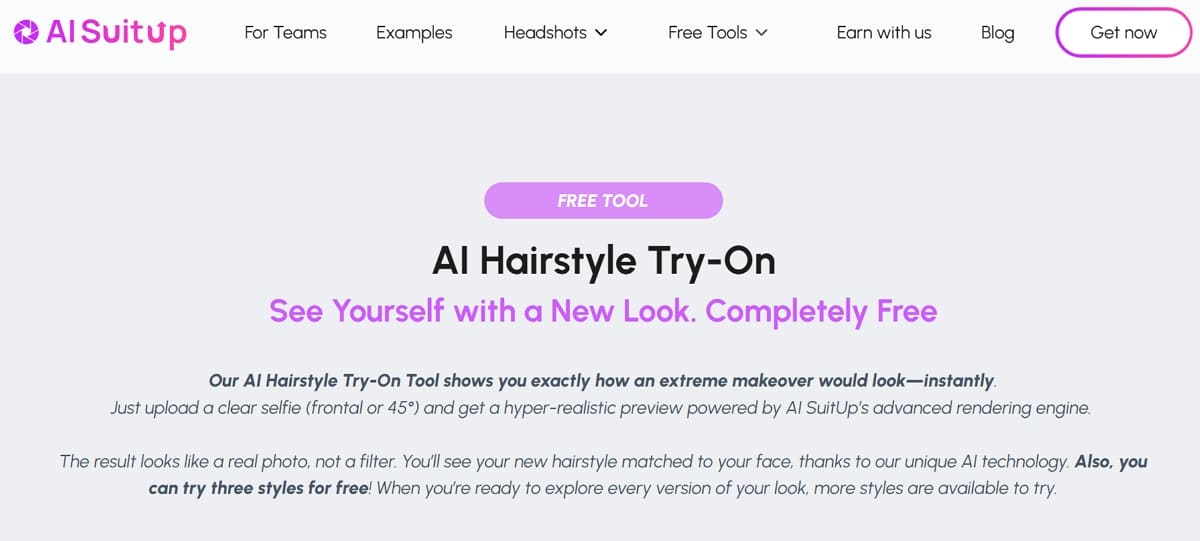
Key Features
1. Uses advanced diffusion models to match hair shine and perspective to your pose.
2. Upload a selfie and instantly generate polished hairstyle try-on previews online.
3. Delivers professional-grade results with realistic edges and shadows for every generated photo.
Strength: Works entirely in web browsers with no account registration required for initial tests.
Limitation: Focuses on a smaller selection of styles compared to massive consumer filter libraries.
Free vs Paid: The hairstyle page allows users to test up to 3 styles completely for free. No signup is required for these first looks, making it ideal for a quick test. Yet, paid packages are available for those needing full high-definition headshot sets and multiple poses.
7. The Right Hairstyles
Best Suited For: Users planning detailed hairstyle try-on comparisons with guided recommendations.
The Right Hairstyles features a robust virtual hair try-on tool focused on salon realism. It combines inspirational content with AI tools to simplify hairstyle try-on decisions. This also ensures you only spend time on styles that will likely suit your features.
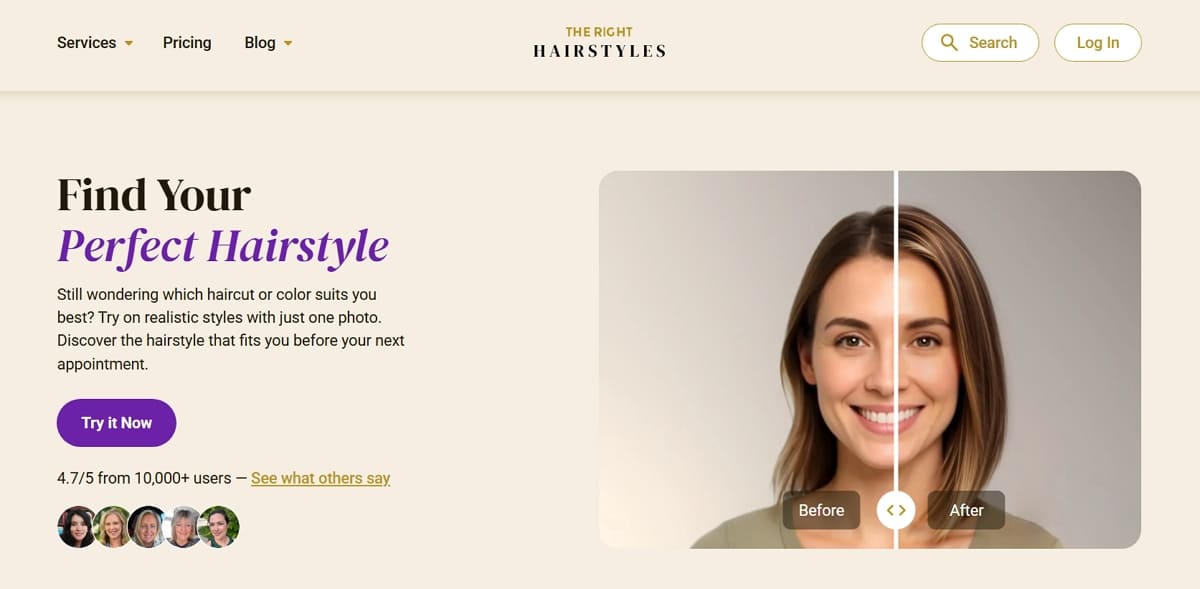
Key Features
1. Includes over 100 short, medium, and long styles alongside 9 popular hair colors.
2. Employs machine learning to suggest specific cuts based on your unique facial structure.
3. Allows you to preview a new haircut and color simultaneously for a full makeover.
Strength: Offers a very user-friendly interface with fast previews and personalized hair recommendations.
Limitation: The free tier is quite limited and often requires watching ads to try on.
Free vs Paid: New users can get one virtual hair try-on for free by watching an ad. Paid subscriptions or credit packs unlock unlimited access to the entire library and colors. In addition, premium modes allow for side-by-side comparisons of different styles to help your final decision.
Quick Reference Comparison and How to Choose
Finding a proper virtual hairstyle try-on app requires comparing several technical factors. Now, we have summarized our findings to help you identify the best styling tool. So, this final section provides a fast decision path for every type of user.
Side-by-Side Feature and Pricing Comparison Table
The following table summarizes the top virtual hairstyle try-on free or paid options:
|
Tool Name |
Hairstyle Library |
Color Adjustment |
Free Tier |
App Required |
Best For |
|---|---|---|---|---|---|
|
YouCam Hairstyle |
150+ styles |
Yes, multi-tone |
Limited |
Optional |
Fast virtual hairstyle try on free previews |
|
Virtual Hairstyler |
14,000+ styles |
Yes, highlights |
Limited |
No |
Deep hairstyle try-on exploration |
|
HairstyleAI.ai |
30 styles per set |
Yes, realistic |
Limited |
No |
Photoreal virtual hair try-on results |
|
ImagineArt |
Prompt-based |
Yes, flexible |
Limited |
No |
Creative virtual hairstyle try on free customization |
|
Designkit |
Seller Focused |
Yes, strong |
Limited |
No |
Wig and hair accessory sellers |
|
AI SuitUp |
Small curated set |
Yes |
Limited |
No |
Professional virtual hairstyle try-on app results |
|
The Right Hairstyles |
100+ styles |
Yes |
Very limited |
No |
Guided hairstyle try-on recommendations |
Hence, selecting a proper hairstyle try-on depends entirely on your unique personal goals. If you want to try a virtual hairstyle on a free test, you can use ImagineArt. Those needing precise and accurate color rendering should choose Virtual Hairstyler for their needs.
Along with that, every professional wig seller should prioritize using Designkit to scale their business listings. Apart from that, men seeking diverse and trendy beard or hair styles will prefer The Right Hairstyles.
How to Pick the Right Tool Based on Your Actual Need
Choosing a proper virtual hair try-on tool requires matching features to your goal. We have identified specific decision paths to help you choose the best platform. Use these scenarios to find the most effective software for your styling needs:
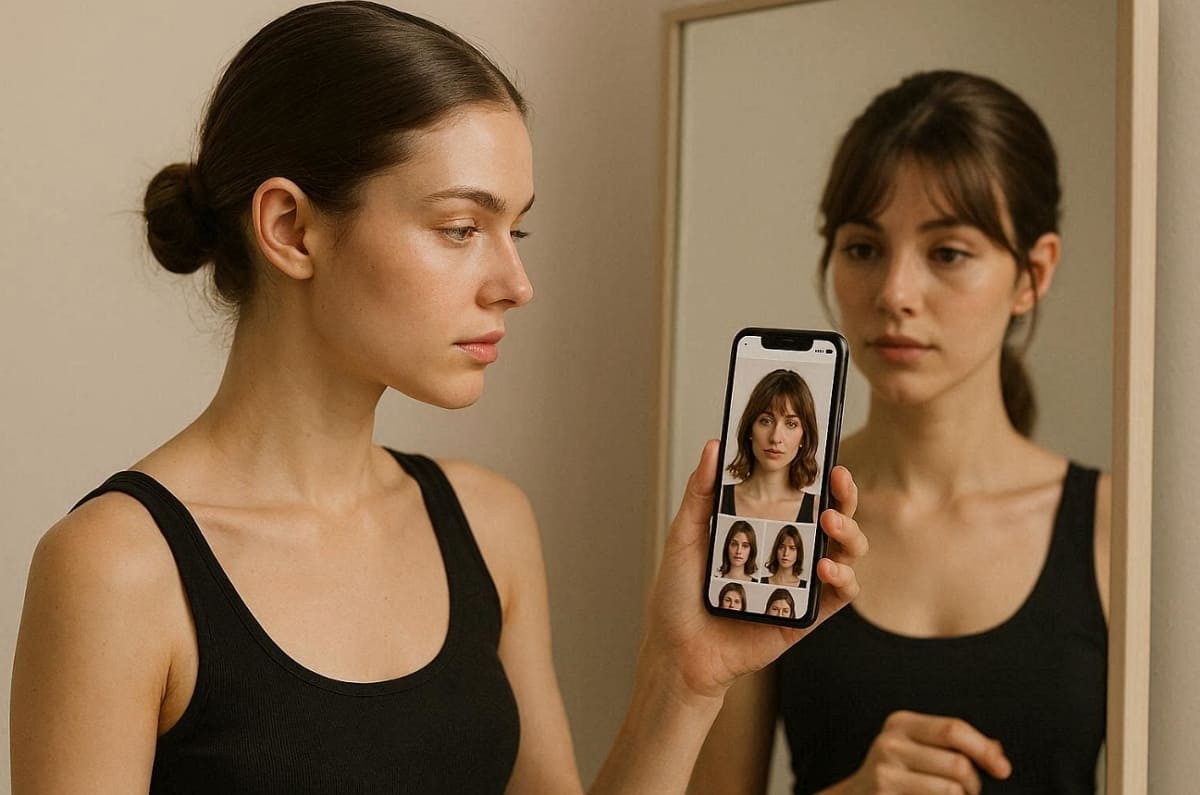
1. For Personal Makeovers: Choose consumer apps like YouCam to preview cuts on your face.
2. For Professional Sellers: Use Designkit to generate realistic model images for your online store.
3. For Artistic Freedom: Try ImagineArt if you want to describe a custom look with text.
4. For Realistic Results: Pick AI SuitUp or HairstyleAI for high definition and photorealistic still images.
5. For Massive Variety: Browse Virtual Hairstyler to access thousands of different salons and celebrity looks.
In addition to this, every virtual hair try-on experience is better when the tool fits your intent. Whether you are a casual user or a brand, the right choice saves time. Thus, evaluate these specific paths carefully to ensure you achieve the most accurate visual results.
Conclusion
To sum up, choosing the right virtual hairstyle try-on app depends on your goal. Consumers benefit from realistic previews, while sellers need scalable product visualization tools. Each platform offers unique strengths, from creative control to massive hairstyle libraries. Experimenting with these digital solutions helps you avoid expensive mistakes before making any changes. Yet, always test multiple options from our list to find your most accurate styling match.
Frequently Asked Questions
Do free virtual hairstyle try-on tools deliver usable results?
Do I need to download an app for virtual hairstyle try-on?
Several modern platforms function perfectly in your browser as a virtual hairstyle try-on app. These web versions allow you to upload photos without installing any heavy software. Yet, mobile apps provide stronger real-time previews for advanced hairstyle try-on accuracy.
Can I preview a hairstyle and hair color change at the same time?
Yes, some virtual hair try-on tools support simultaneous hairstyle and color change previews. These features help users visualize complete transformations before committing to real cuts or dye. Still, always check whether your chosen virtual platform allows layering adjustments together.
Should I show virtual try-on screenshots to my stylist?
Absolutely, sharing a clear hairstyle try-on image helps your stylist understand your exact goals. Visual references provide much better clarity than using only verbal descriptions during your appointment. Your professional stylist can then determine if the digital look fits your natural texture.
How can wig sellers use virtual try-on for product photography?
Professional sellers use a virtual hair try-on to create high-quality product listings. These systems allow you to place wig images on diverse AI models without expensive photoshoots. As a result, business owners can generate hundreds of realistic wearing effect photos for their digital catalogs.
You May Also Like

How to Match Makeup by Undertone: Virtual Lipstick and Foundation Try-On

Wedding Dress Styles for Every Body Type: A Practical Guide for 2026

7 Best AI Virtual Makeup Try-On Tools for Realistic Results in 2026

AI Virtual Makeup Try-On: Boost Beauty E-Commerce Sales in 2026

Free Online Glasses Try-On Tools: See Yourself in Glasses Instantly

Top Virtual Ring Try-On Tools for Engagement and Wedding Rings in 2026

How to Try Shoes On Virtually: A Step-by-Step Guide

Best Virtual Shoe Try-On Tools for Ecommerce: 2026 Guide

How to Try On Wigs and Bangs Virtually to Find Your Perfect Style

Create Model Outfit Photos Instantly With AI Outfit Generator

Best AI Virtual Try-On Clothes Tools for Any Body Type

How to Try On Clothes Online with AI for Better Fit & Style

Virtual Nose Ring Try On Online Before Your Piercing

How to Try Makeup Online with AI and Virtual Makeup Try-On Apps (2026)

How to Use Virtual Earring Try-On for a Flattering Look in 2026

How to Try On Engagement Rings Online with AI in 2026

Scale Your Jewelry Brand with Virtual Jewelry Try-On Solutions

How to Try Hairstyles on Your Face Online (Step-by-Step Guide)

Best Virtual Hairstyle Try-On Tools Online for Realistic Previews 2026

How to Use a Free AI Hairstyle Generator to Find Your Perfect Look

Virtual Hair Color Try-On Guide for Every Skin Tone (2026)

Virtual Wedding Dress Try-On Online for Brides in 2026

How to Choose the Right Sunglasses for Your Face Shape Online

How Accurate Is Virtual Glasses Try-On? AI vs AR Compared

Best Virtual Try-On Glasses Apps in 2026 (Free & Paid Tools)

How AI Virtual Try-On Is Transforming Eyewear Ecommerce

5 Best Virtual Try-On Glasses Tools for Ecommerce and Consumers 2026

How to Try On Glasses Online with AI in 2026 (Easy Guide)

How to Create Jewelry Photos with AI Models That Drive Sales in 2026

AI-Generated Fashion Models: Technology, Brand Adoption & Trends

How to Batch Generate 100+ AI Clothing Model Photos Fast

7 Best AI Fashion Model Generators for Ecommerce in 2026

AI Clothing Model Photos for E-Commerce: Platform Rules & Best Practices

How AI Virtual Try-On Helps Fashion Brands Boost Sales & Reduce Returns

AI Fashion Models vs Real Models: Which Is Better for Brands?

Best Free AI Fashion Model Generators for Real Product Photos

Virtual Outfit Try-On Guide: Plan Outfits Before You Buy

What Is an AI Clothing Model Generator? Full Guide for Sellers

Virtual Try-On Technology in 2026: How It Works & Key Trends

10 Best Virtual Try-On Apps & Tools for Online Shopping in 2026

How to Create AI Fashion Models: Complete Step-by-Step Guide

How to Use AI Fashion Models for E-Commerce Product Photos: A Complete 2026 Guide

How to Virtually Try On Clothes Online: A Complete Guide
See Your New Look Before the Salon
Upload your photo and instantly preview realistic hairstyles and colors online—no commitment needed.
