

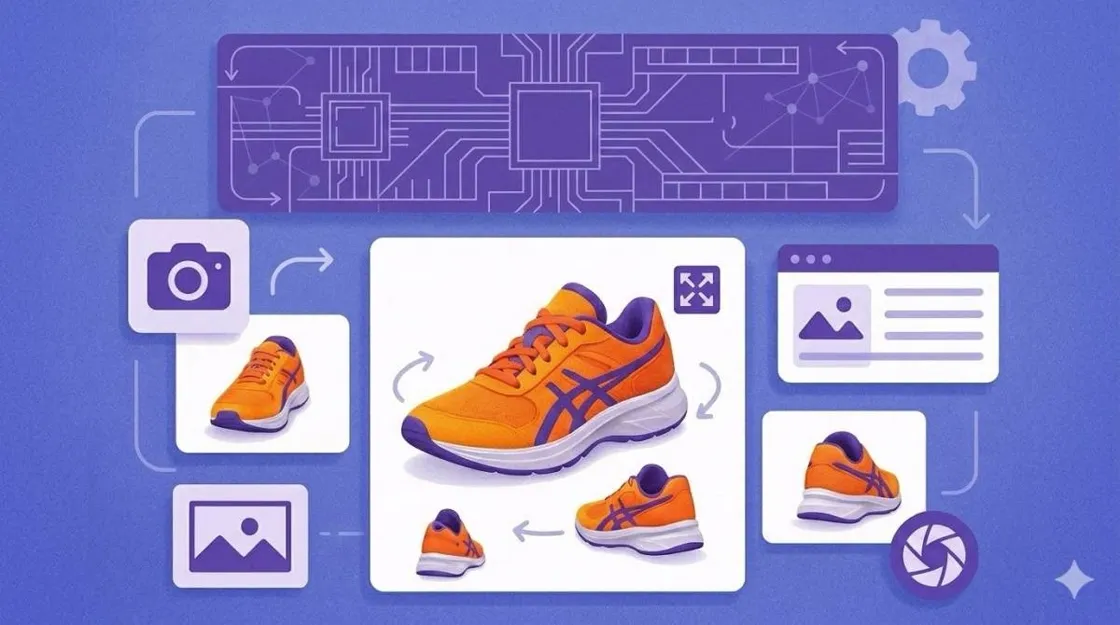
In 2026, ecommerce sellers need multiple product views to build buyer trust fast. To succeed in online sales, they must provide a clear and complete visual experience. Alongside that, modern shoppers rely on multiple product views to understand an item before they buy.
Yet, missing a specific angle often leads to lower trust and much higher return rates. Therefore, learning the best ecommerce product photography angles is the first step toward better sales. So, this guide teaches you how to generate a professional image set very quickly. We will even explore exact photo counts, platform rules, and a fast new AI workflow.
- Part 1. Why Multi-Angle Product Images Are Non-Negotiable for Ecommerce
- Part 2. The Best Angles for Product Photography — From Front View to Detail Close-Up
- Part 3. How to Generate Product Photos from Different Angles with AI
- Part 4. Using AI Multi-Angle Photos for Amazon Listings and Ecommerce Platforms
- Conclusion
Part 1. Why Multi-Angle Product Images Are Non-Negotiable for Ecommerce
Modern online shoppers demand a comprehensive visual experience before they commit to buying. Providing product images from different angles is essential for building strong customer trust. High-quality multiple product views also help reduce costly returns and significantly improve conversion rates. Thus, this section explores how specific visual data influences the way that people shop:
How Product Photo Angles Affect Buyer Trust and Conversion
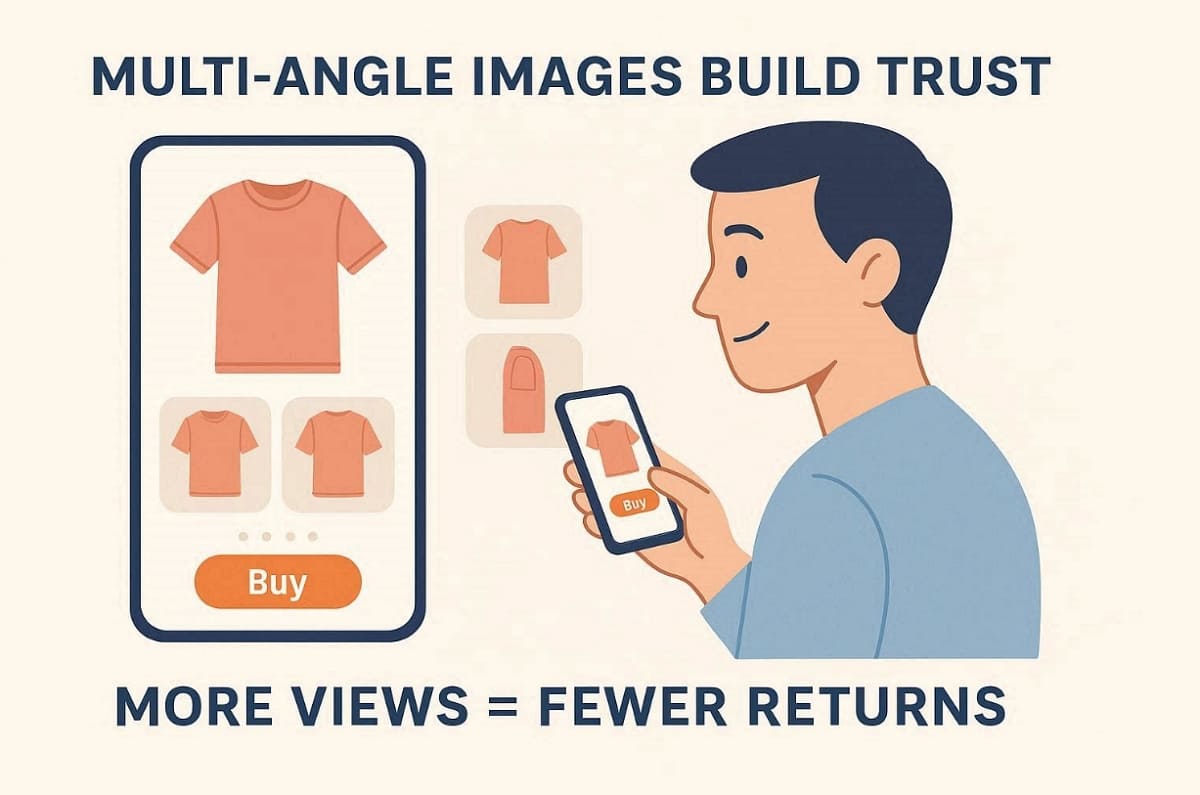
Providing a variety of viewpoints is the best way to eliminate customer hesitation. Research shows that shoppers feel more confident when viewing product images from different angles. Recent data from GrabOn shows that 58% of returns happen due to misleading or low-quality images. As a result, brands lose 25% of their customers after a single bad return experience.
According to the Baymard Institute, 56% of users explore images as their first action upon arriving at a product page. Alongside that, listings with multiple product views achieve 30% higher conversion rates than single shots. Hence, using multi-angle product images ensures that buyers understand every detail before they commit.
How Many Product Photos Does an Ecommerce Listing Actually Need?
Each marketplace has specific requirements for the number of images you should upload. So, the following table outlines the ideal counts for the most famous online selling platforms:
|
Platform |
Recommended Image Count |
Primary Visual Strategy |
|
Amazon |
7 to 9 Images |
Focus on compliance and ecommerce product photography angles. |
|
Shopify |
5 to 8 Images |
Use storytelling through various product images. |
|
Etsy |
6 to 10 Images |
Show handmade details using multiple product views for every item. |
Hence, these ranges ensure your ecommerce product covers both functional and aesthetic views. Moreover, strong visual coverage prevents misunderstandings that often lead to product returns.
Part 2. The Best Angles for Product Photography — From Front View to Detail Close-Up
Choosing the best angles for product photography also ensures your customers see every feature. A standard set of views builds immediate trust and removes any buyer hesitation. Follow this technical guide to master the most important perspectives for your store:
The 6 Essential Product Photography Angles
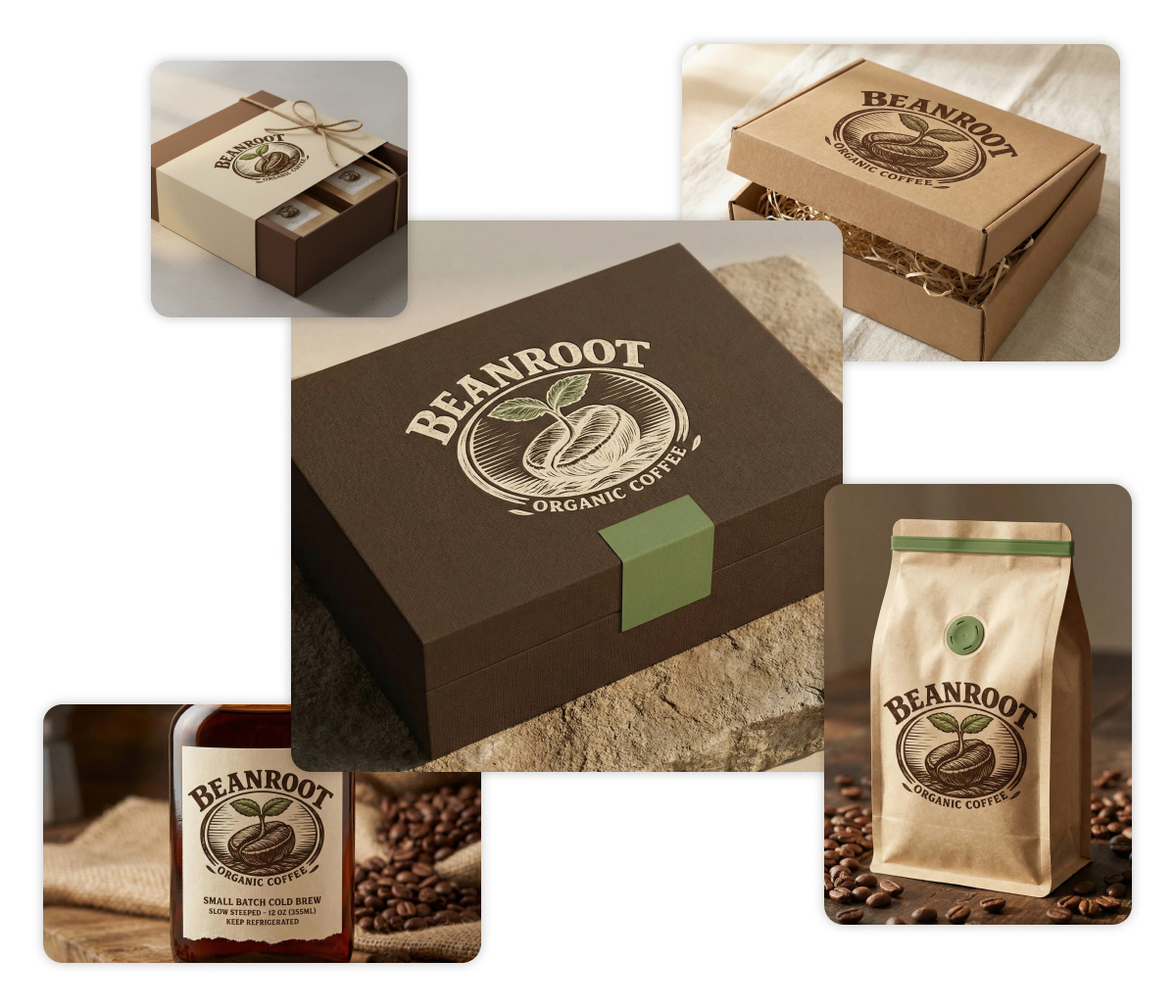
Every high-quality listing requires a specific set of shots to show the product. Using a variety of product photo angles helps shoppers understand the physical item better. The following table explains the core views used in professional ecommerce photography:
|
Angle Type |
What It Shows |
Best Category Use |
Platform Note |
|
Front View |
Clear product face and main design |
Hero and primary images |
Required for the Amazon main listing image |
|
Back View |
Rear design, ports, or closures |
Apparel and electronics |
Displays labels, branding, and safety details |
|
Side View |
Product depth, profile, and thickness |
Footwear and furniture |
Important for slim or dimension-focused items |
|
45° Angle |
Balanced three-dimensional perspective |
Beauty and kitchenware |
Combines front and top for better visual context |
|
Top View |
Overhead layout and structure |
Jewelry and flat lays |
Ideal for clean layouts and social media visuals |
|
Detail Close-Up |
Texture, materials, and fine details |
Luxury and electronics |
Emphasizes build quality and premium finishes |
Quality Control Checklist for All Angles
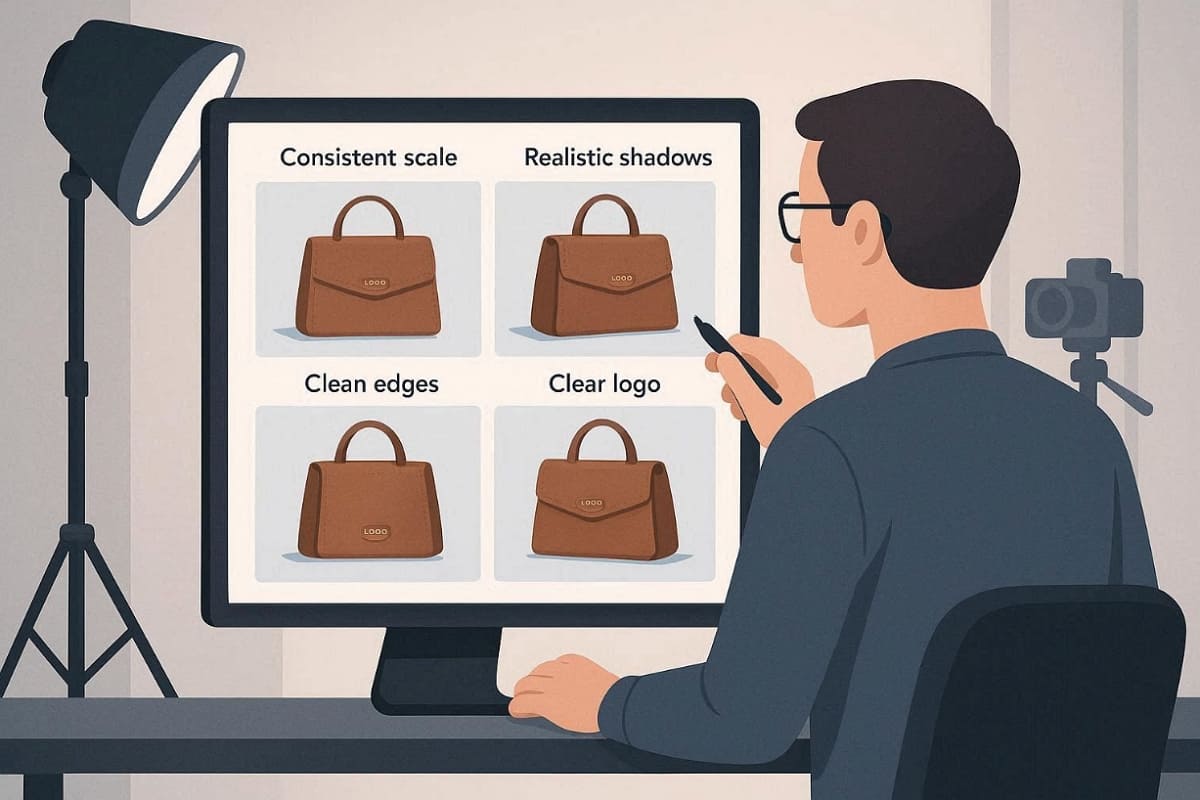
You must verify that every image looks real before you upload the file. So, use this checklist to maintain a high standard for your photography angles:
1. Scale and Perspective: Ensure the item looks the same size in every single shot.
2. Realistic Shadows: Check that lighting directions match across the entire multi-angle image set.
3. Edge Artifacts: Look for any strange digital lines or blurry spots on product edges.
4. Logo Integrity: Verify that your brand text is not warped or distorted by AI.
Choosing the Right Product Photo Angles for Your Category
Different types of products require unique views to highlight their most important features. Review these category sets to find the best angles for product photography now:
1. Apparel: Must-have front view and back view with a detailed fabric close-up shot.
2. Electronics: Focus on a side view for ports and a clear top view button.
3. Beauty: Prioritize a 45° angle to show the packaging and the product texture.
4. Home Decor: Use a mix of lifestyle views and a sharp detail close-up shot.
Thus, understanding these specific product photography angles makes your listings much more effective and professional.
Part 3. How to Generate Product Photos from Different Angles with AI
Modern technology allows you to create professional visuals without a traditional photo studio. You can generate product photos from different angles using powerful new software tools. An AI product photography generator provides high-quality results in just a few seconds. However, you must still review every image for physical accuracy and platform compliance. This section explains how to use these digital tools to scale your business:
What Is an AI Product Photography Angles Generator?
An AI Product Photography Angles Generator creates product visuals from several viewpoints automatically. It uses machine learning models to generate product images from different angles realistically. Users only need to upload one reference photo, and the system predicts additional perspectives. These tools also simulate lighting, shadows, and environments for professional production.
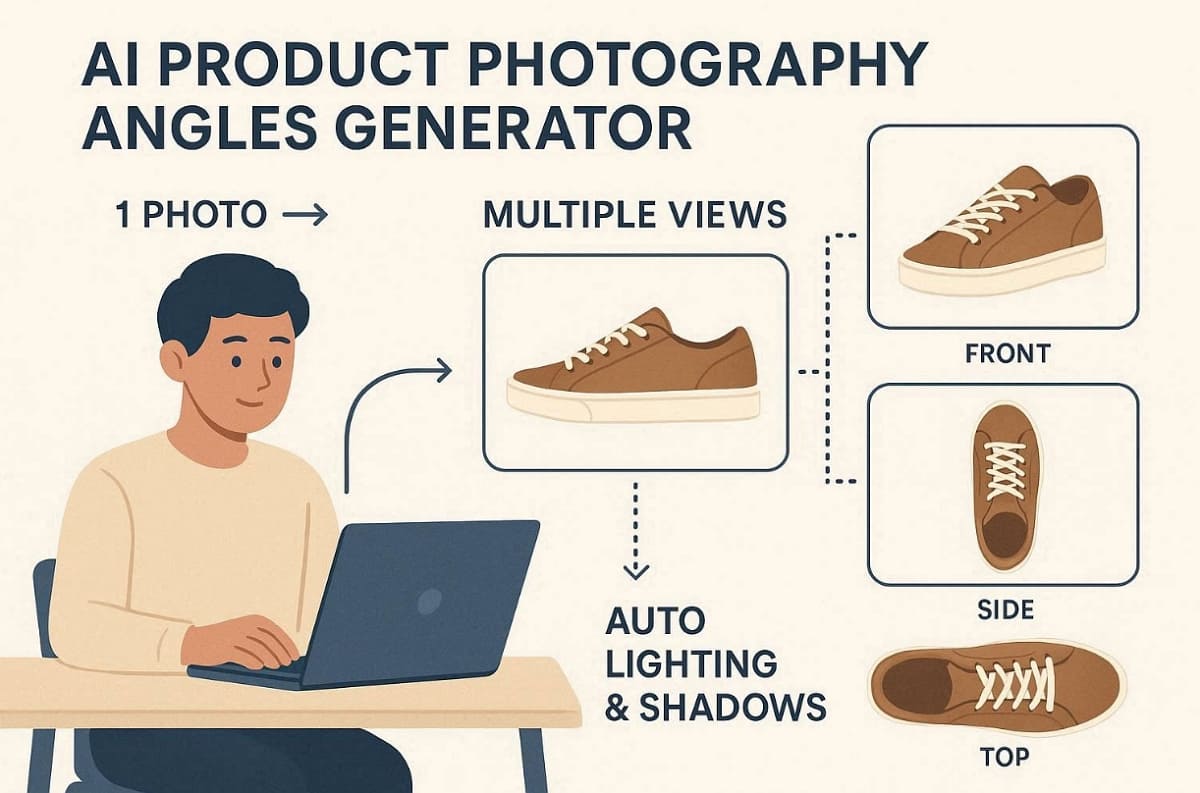
When AI Works Best: The AI image generator technology works best for matte finishes and crisp silhouettes. However, you should generate product photos from different angles carefully for reflective items. Transparent materials and text-critical packaging often require a detailed human quality review.
Step-by-Step: Generate Multi-Angle Product Images in Minutes
Creating a professional gallery for your listing takes only a few simple steps. You can generate product photography angles with AI to save significant time. So, follow these specific instructions to generate product photos from different angles very quickly:
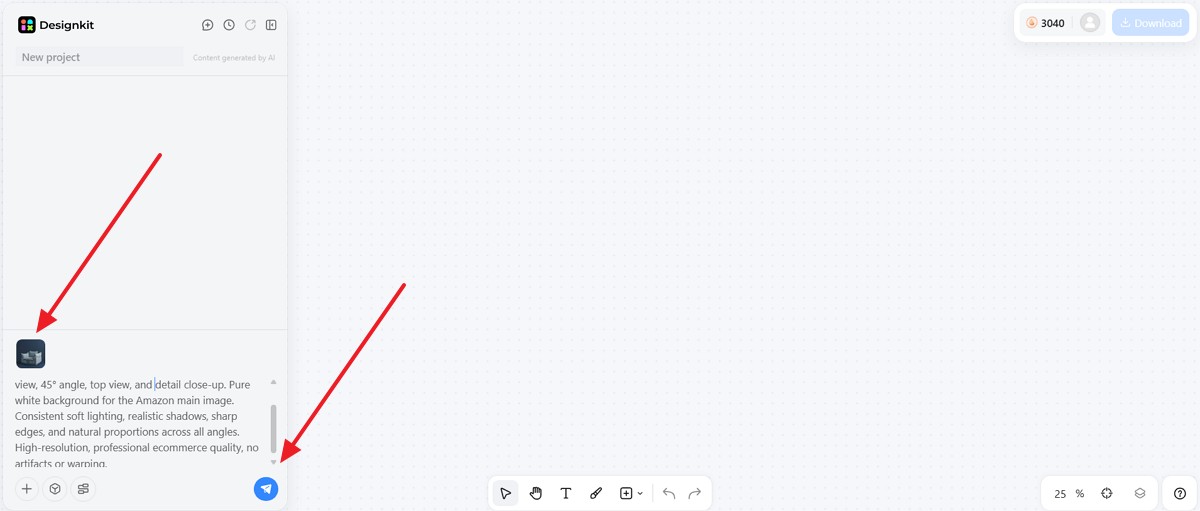
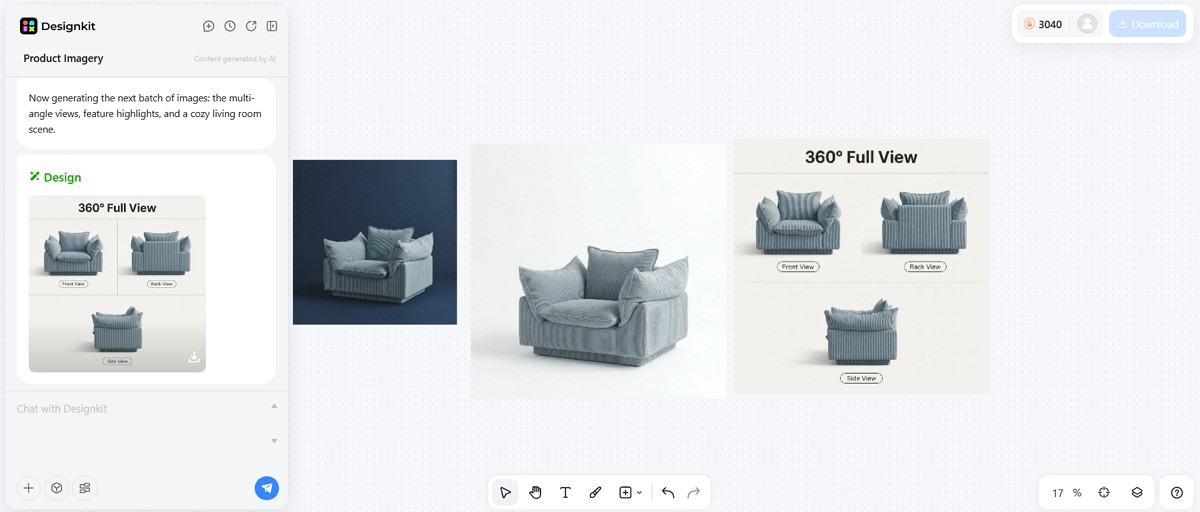
Step 1. Upload Your Product Reference Image
Start by uploading one reference photo into the AI product photography generator by Designkit. After that, input the specific prompt to generate your desired images and press the “Send” button. You should use a clear image with sharp edges and very even lighting.
Quick Input Checklist:
1. Capture a centered product without background distractions.
2. Ensure lighting is soft and consistent across the product surface.
3. Avoid strong reflections that confuse the AI model.
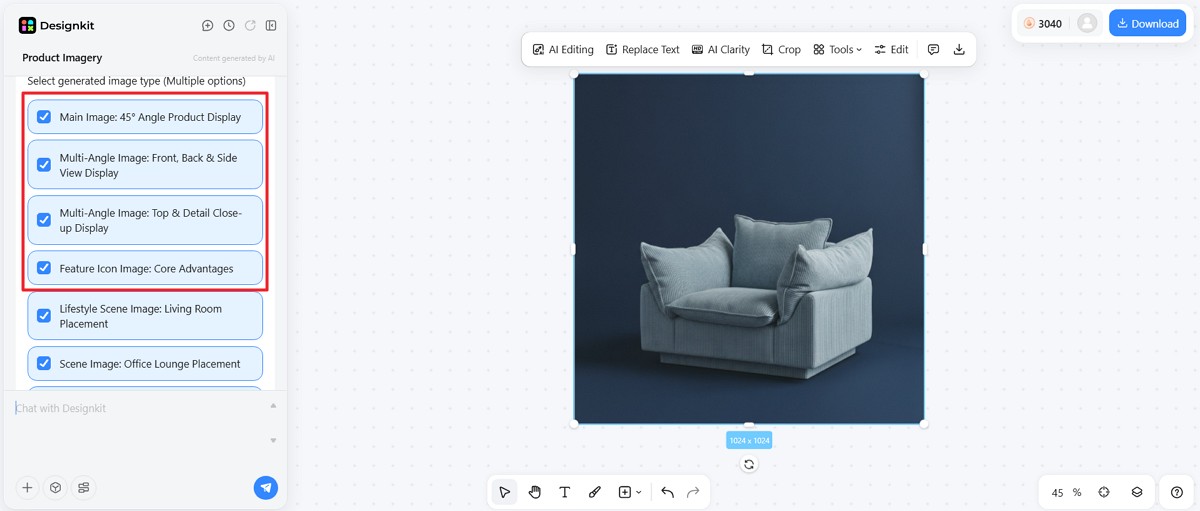
Step 2. Select the Angles You Need
Choose an angle preset or tick the boxes individually within the Designkit interface. It is often best to start with a standard front view for consistency. Later, expand the set using side view, back view, and 45° angle perspectives. You can also include top-view and detail close-up shots for additional clarity.
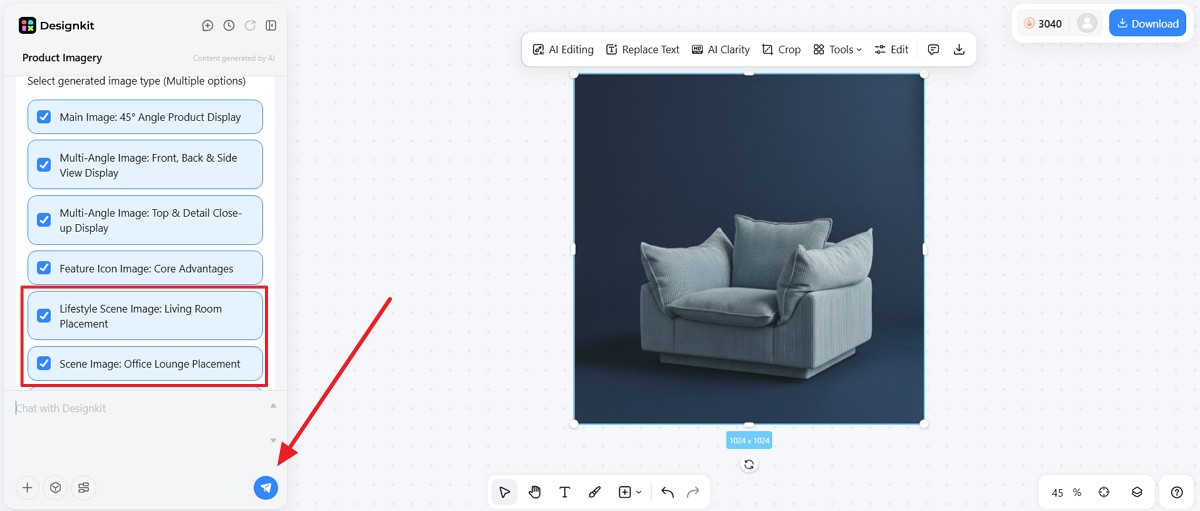
Step 3. Set Scene and Background Style
After selecting angles, configure the visual environment for each image. Most ecommerce platforms require white backgrounds for primary product photos. Consequently, lifestyle scenes work better for ads and storytelling content. So, opt for between white-background templates and lifestyle styles and press the “Send” button.
Step 4. Generate and Preview All Angles
Compare your results side-by-side using the native preview feature provided by Designkit. Verify that the material textures and colors match perfectly across all multi-angle product images. If you see any mismatched proportions, you should regenerate that specific view immediately.
Quality Review Checklist:
1. Confirm materials appear realistic under simulated lighting.
2. Inspect product logos to avoid warped text artifacts.
3. Compare perspectives to verify natural shape proportions.
Step 5. Download and Publish to Your Listing
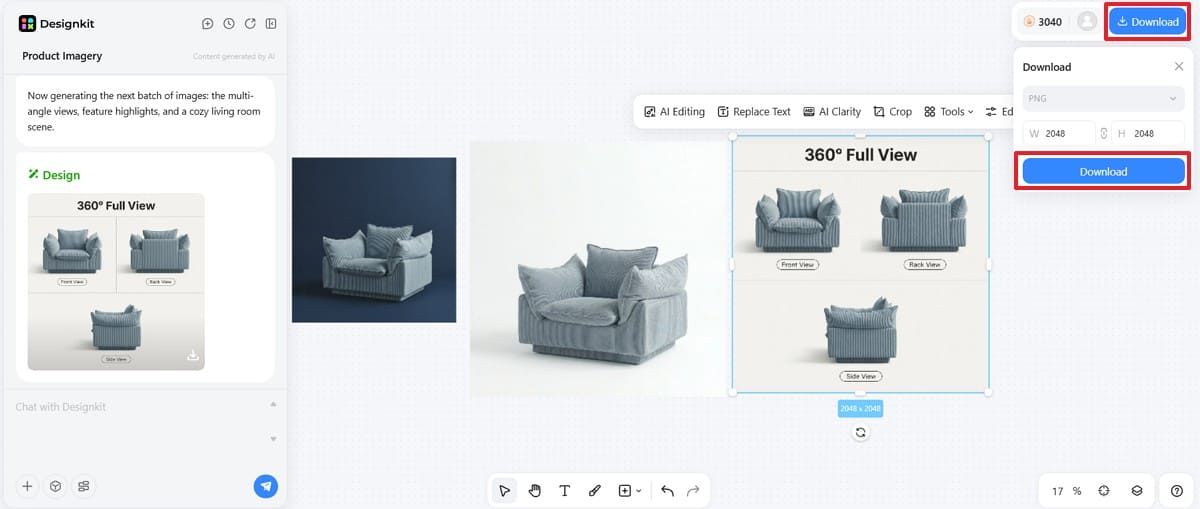
After approval, export the final channel-ready size files directly from the Designkit dashboard. Simply click the required image and then press the "Download" button. Choose image size ("Height" / "Width") that matches requirements for Amazon listing images and other marketplaces and hit “Download.” Furthermore, proper export settings reduce additional editing and improve upload workflow efficiency.
5 Tips to Get Better AI-Generated Product Photo Angles
Generating accurate visuals requires careful preparation before creating AI-based product images. Follow these expert strategies to improve the quality of your digital image sets:
1. Start with the Hero Shot: Always generate a clean and professional front view to set the base.
2. Define Material Finishes: Use detailed prompt blocks for textures to enhance the overall visual realism.
3. Maintain Angle Logic: Verify that every shot follows the official product photography angles for marketplaces.
4. Showcase Fine Quality: Request a high-resolution, detailed close-up to highlight the fine craftsmanship of items.
5. Perform Compliance Checks: Complete a final manual review to ensure your files meet strict Amazon rules.
Hence, applying these product photo angles tips will help you create high-converting listing images.
Part 4. Using AI Multi-Angle Photos for Amazon Listings and Ecommerce Platforms
To scale your business, you must manage your visual assets across multiple online channels. Using modern tools helps you maintain a high standard for your entire digital catalog. In this part, you will learn to manage your multiple product views for maximum impact and visibility:
How AI Meets Amazon’s Multi-Image Requirements
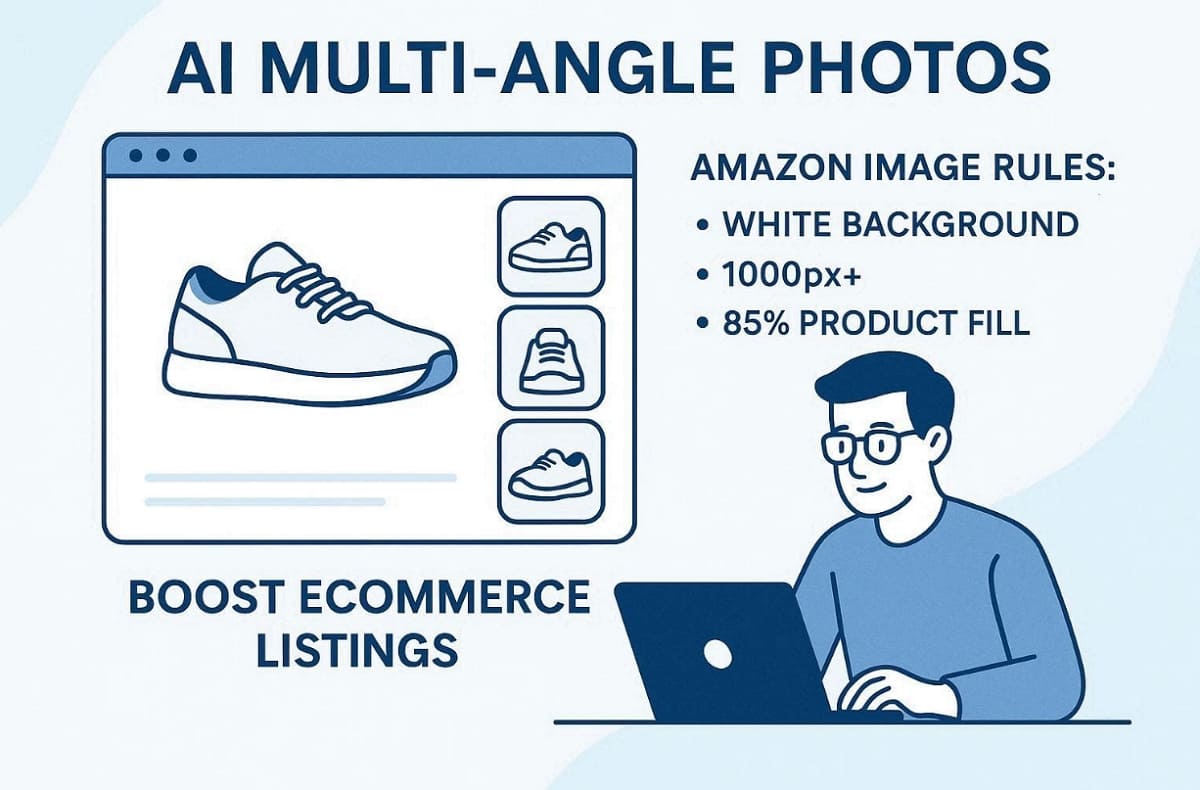
Amazon has very strict rules regarding the quality and composition of your listing photos. According to Amazon’s Product Image Guide, they require main images at 1000px minimum on a white background (RGB 255,255,255) with 85% product fill. You must ensure that your ecommerce product photography angles meet every official platform requirement.
In such cases, Designkit’s Amazon Listing Images Generator provides specialized templates to help you stay fully compliant. Besides, the AI Product Listing Images Generator creates the exact sizes needed for the zoom feature. So, use the following recommended image set to optimize your specific Amazon product page:
1. Main Image: Use a clean front view with a pure white background and no props.
2. Secondary Views: Include a clear back view and a side view for full coverage.
3. Dimensional Shot: Show a 45° angle to give buyers a better sense of physical scale.
4. Feature Highlight: Add a high-resolution detail close-up to show off your premium material quality.
Along with the above, always perform a final human review before you publish these generated images to your account.
Scaling Multiple Product Views Across Shopify, Etsy, and Social Channels
Different platforms require unique visual storytelling strategies to attract and convert active online shoppers. With Designkit’s AI Product Listing Images Generator, you can create a consistent base image set. Then, you can export variants for various aspect ratios and different social media channels. The following table shows the priority of multiple product views for each popular platform:
|
Platform |
Key Angle Priority |
Visual Style Focus |
|
Shopify |
Lifestyle and multi-angle product images |
Brand storytelling and high-quality aesthetic views. |
|
Etsy |
Top view and material detail shots |
Handmade feel with very warm and natural lighting. |
|
|
Creative 45° angle and lifestyle scenes |
High engagement with bold colors and stylish compositions. |
|
Facebook Ads |
Clean front view and feature highlights |
Clear value demonstration |
Hence, mastering ecommerce product photography angles allows you to distribute your content much more effectively. The AI image generator ensures that your brand looks professional on every single website.
Conclusion
In summary, mastering multiple product views is essential for building trust and increasing sales. AI workflows now allow sellers to create consistent product galleries without traditional studios. With tools like Designkit, sellers quickly generate angles from a single reference image. However, always review your multi-angle product images for total accuracy and strict marketplace compliance. So, following this workflow helps brands scale professional product photography across growing ecommerce catalogs efficiently.
Frequently Asked Questions
What are the best angles for product photography?
How many product photos do I need for an ecommerce listing?
You typically need between 7 and 9 images for a professional Amazon listing. Shopify stores perform best with 5 to 8 high-quality multiple product views per page. In addition, Etsy listings often require 6 to 10 shots to show handmade quality and texture. In general, understanding how many product photos ecommerce listings require improves buyer confidence and reduces returns.
Can AI generate product images from different angles?
You can easily generate product photos from different angles using modern software tools. An AI product photography angles generator uses one reference image to predict new views. Yet, you should always review these images to ensure they represent your item accurately. Plus, reflective materials and detailed packaging may still require manual quality checks.
Are AI-generated multi-angle product images allowed on Amazon?
Yes, you can use these images if they follow every strict marketplace image rule. An Amazon Listing Images Generator helps you create compliant white backgrounds and proper sizes. Ensure your multi-angle product images do not mislead customers about the actual physical item. Additionally, make sure your multi-angle product images do not mislead customers about the actual physical item.
What is the difference between front view, side view, and 45° angle photos?
Different product photo angles highlight unique aspects of a product’s shape and structure, as mentioned below:
1. Front view: Displays the main face of the product clearly for buyers.
2. Side view: Shows depth, thickness, and functional side components.
3. 45° angle: Combines front and side elements to create a realistic three-dimensional appearance.
Hence, using a balanced combination of these angle images helps customers understand product proportions more easily.
You May Also Like

T-Shirt Design Size Guide: Placement, Dimensions, & DPI

How to Sell on Poshmark: A Complete Beginner's Guide

Zeely Reviews 2026: Features, Pricing, Pros, Cons & Alternatives

Create TikTok Ads From One Photo: An AI Product Launch Kit

Depop vs Poshmark: Which Is Better for Selling in 2026?

How to Create an Amazon Storefront: 4-Step Guide for New Sellers

How to Sell Books on Amazon in 2026: Beginner Guide

How to Sell on Amazon in 2026: A Complete Seller Guide

AI Product Photography: 7 Best Tools for Ecommerce in 2026

What Is a Hero Image? Definition, Examples & Design Tips

Pippit AI Review 2026: Features, Pricing, Pros & Cons

Back to School Ad: 7 Creative Ideas for Better Campaign Results

Top 7 Back-to-School Sales Ideas to Boost Retail Sales (2026)

How to Create a Complete World Cup Product Listing Image Set

How to Create Amazon Summer Sale Posters and Banners with AI

Amazon Summer Sale 2026: Listing Design Trends & Product Image Ideas

Ecommerce Video Ads: 7 Strategies That Drive Higher Conversions

How to Photograph Shoes for Your Ecommerce Store in 2026

Product Photography Ideas: Creative Tips & Techniques for Better Shots

Product Photography Pricing 2026: Full Cost Guide by Type

White Background Product Photography Guide & Tips 2026

Product Photography Starter Package: Gear Checklist 2026

Shopify Product Photography Guide with Tips & Setup

Amazon Main Image Requirements: Size, Guidelines & Tips

Shopify Image Size 2026: Complete Guide and Tips for Better Product Display

Studio Product Photography vs AI Product Photography in 2026

7 Product Photography Mistakes That Hurt Ecommerce Sales

Change Outfit Colors Online for Outfit Preview with AI Clothes Color Changer

How to Create Amazon Infographics: Boost Sales with Compelling Visuals

How to Create Outdoor Product Scenes Without a Photoshoot Using AI

Optimize Etsy Images for Mobile: Listing Photos That Convert

Amazon 7-Image Listing Strategy: Boost Sales by Optimizing Every Image

Etsy Thumbnail Optimization: Keep Your Product Fully Visible

The Etsy Thumbnail Formula That Drives More Clicks and Sales

How to Create Pro Amazon Listing Photos Without a Studio

10 High-Converting Lifestyle Product Images for Amazon Listings

How to Automate Your E-commerce Visuals with OpenClaw Workflow

Top 5 AI Tools to Generate Amazon Product Listing Images in 2026

How to Turn One Photo into 10 Etsy Listing Images Fast: Batch Workflow

Etsy Listing Photo Size Guide (2026): Mobile, Desktop & Shop View Specs

Turn White Background Images into Lifestyle Amazon Listings

Fix Etsy Image Cropping: Optimize Listing Photos for Every Device

Amazon Listing Images: Essential Shot List & Optimization Guide

How to Create Lifestyle Product Images Without a Studio

Lifestyle Product Photography Trends 2026: Authentic Looks at Scale

How to Master Lifestyle Product Photography in 2026

Amazon Listing Images Guide 2026: 7-Slot Strategy & Requirements

360 Product Photography Guide 2026: Setup, Shoot and Workflow

Beginner's Guide to Generate Product Photos from Different Angles

AI Product Photography: Create Ecommerce Images Without a Photoshoot

How to Create Realistic AI Product Photos: Step-by-Step Pro Guide

Keep AI Product Images Consistent Across SKUs: Lighting, Color, Background

How to Scale E-commerce with a Product Image Generator

How to Use AI for Spring Product Photography: 2026 Amazon Guide

How to Create a Budget Home Product Photography Setup with AI

How to Achieve Professional Product Photography Standards in 2026

How to Take Product Photos with Phone: Pro Guide for Amazon & AI
Best AI Product Image Generator 2026: Top Tools for Amazon Sales

Amazon Photography Service vs. AI Generator: Best Choice for Sales

What Is Product Photography? Angles, Lighting & Editing Guide

Amazon Spring Sale 2026: Create High-Converting Listing Images (Guide)

AI Agents Transform Amazon Product Photography in 2026

Amazon Photoshoot in 2026: Do You Still Need a Studio?

11 Must-Have Tools for Amazon Product Photography in 2026

2026 Amazon Image Trends Shaping Seller Success and Conversions

Amazon Product Photography Requirements & Best Practices 2026
Make every product image ready to sell
Designkit is an all-in-one AI platform for ecommerce visuals. Create product photos, AI videos, virtual try-ons, and Amazon listing images in seconds. Generate HD backgrounds, batch edit photos, and scale your brand with studio-quality content.
