

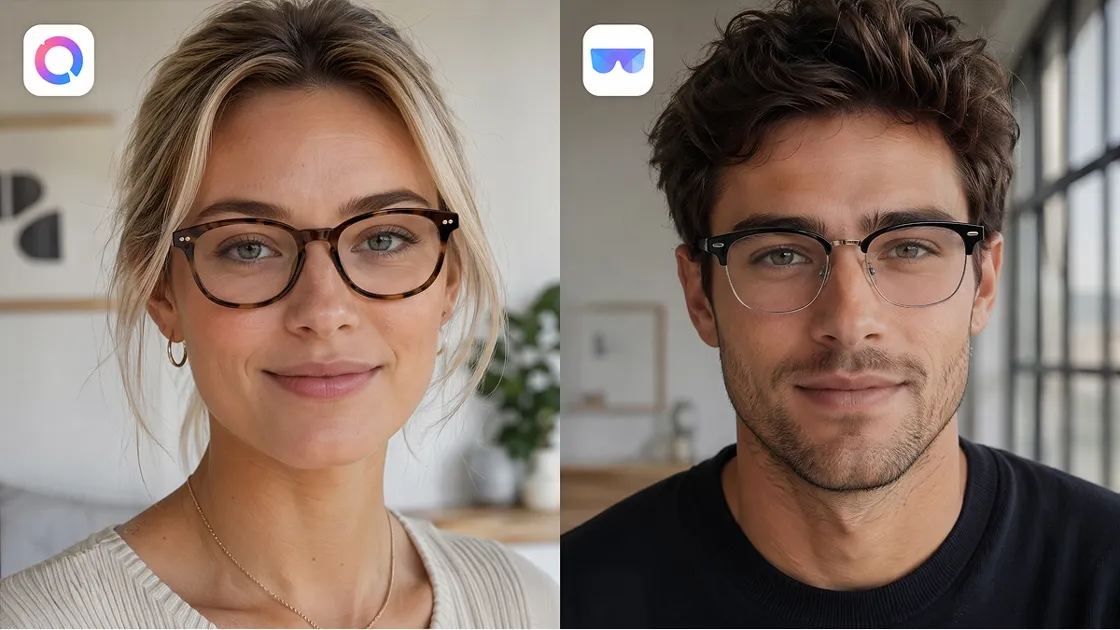
Online shopping for the ideal pair of glasses frames was once a big risk. Dozens of different mobile tools now claim to offer the most realistic digital previews. However, these various platforms vary widely in their actual realism and frame selection. Some provide real-time video while others focus on quality photo-based results.
A study by Flynaut reveals that 76% of consumers like brands that have an AR-driven experience. Therefore, this guide reviews the best virtual try-on glasses app options available in 2026. You will also learn how each app performs in realism, usability, and frame variety. Apart from that, we will also break down free versus paid features to simplify your final decision.
Part 1. What Makes a Great Virtual Try-On Glasses App
Before exploring our top reviews, you must understand how to judge these tools effectively. Selecting the right virtual try-on glasses app depends on several specific technical factors. A quality platform should provide a seamless, highly realistic shopping experience.
According to Fortune Business Insights, the global virtual mirror market is projected to reach above $20 billion by 2026. In order to assist you in making a choice, we have developed the following 6 core evaluation criteria:
|
Evaluation Factor |
What to Check |
Why It Matters |
|---|---|---|
|
Realism Accuracy |
Frame alignment, shadows, proportions |
Ensures natural-looking virtual try-on glasses app results |
|
Frame Selection |
Variety of shapes, brands, colors |
Help users explore diverse styling options easily |
|
Ease of Use |
Simple interface, fast loading |
Improves overall experience using any virtual try-on glasses app |
|
Free vs Paid |
Features included without a subscription |
Determines value before upgrading to premium features |
|
Platform Support |
iOS, Android, browser compatibility |
Ensure access across devices for flexible usage |
|
Privacy Handling |
Data storage and deletion policies |
Protects user images within any virtual try-on glasses app |
Hence, this framework ensures that you find a tool that matches your unique facial structure.
Part 2. Best Virtual Try-On Glasses Apps Reviewed
The best virtual try-on glasses app cannot be found without a thorough comparison. We have compared all of the tools in terms of their technology and user advantages. A quick reference table below summarizes the most popular digital eyewear solutions available:
|
App Name |
Primary Platform |
Technology Type |
Best Use Case |
|---|---|---|---|
|
GlassOn |
iOS and Web |
AR Real-Time |
Rapid live testing |
|
Warby Parker |
iOS and Android |
AR Native |
Retailer specific |
|
Banuba |
iOS and Android |
AR Face Scan |
Global accuracy |
|
Designkit |
Web Browser |
AI Photo-Based |
No download needed |
|
VirTry |
iOS Native |
AR Mobile |
Premium tracking |
Exploring each virtual try-on glasses app helps you identify your ideal match. Thus, let us dive into the specific features of our first top-rated selection:
1. GlassOn (iOS)
Supported Platform: iOS app for iPhone and no-code web components for stores.
Best For: Users wanting rapid live previews and retailers seeking easy shop integration.
Technology Type: The system primarily utilizes AR to deliver a natural, real-time experience.
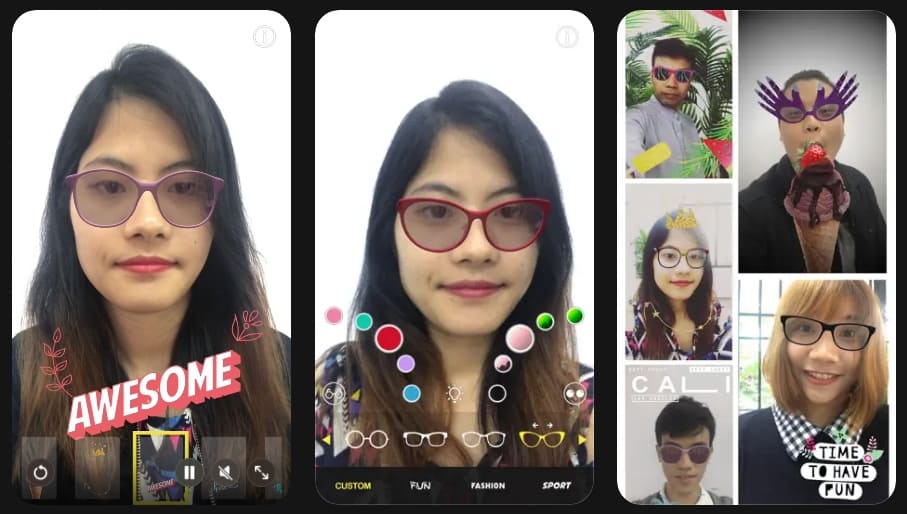
GlassOn is a versatile virtual try-on glasses app that overlays 3D frames. It allows you to see how different styles look using your front camera. This tool also helps online shops turn product photos into interactive 3D models.
Key Features
1. You can preview high-quality eyewear models that move naturally with your head turns.
2. Nearsighted users can virtually remove their current glasses to try on new digital frames.
3. Users are able to define their own unique styles and share them on social media.
Pros & Cons
|
Pros |
Cons |
|---|---|
|
Real-time AR feels natural and responsive for mobile users. |
Frame selection depends on GlassOn’s catalog and partner uploads. |
|
Useful for both consumers and ecommerce retailers. |
Best tracking needs good lighting and a reasonably recent iPhone. |
Pricing Plans
|
Plan Name |
Monthly Cost |
Included Features and Capacity |
|---|---|---|
|
Starter |
Free to install |
Up to 10 models and 2 months of usage for new online shops. |
|
Growth |
$49 Monthly |
Unlimited usage time and up to 50 models with face measurement tool access. |
|
Enterprise |
$199 Monthly |
Support for 300 models plus dedicated customization assistance for large eyewear brands. |
2. Warby Parker (Android, iOS)
Supported Platform: This official app is available on the Play Store and App Store.
Best For: Ideal for shoppers who want a complete, brand-specific eyewear experience.
Technology Type: Combines AR visualization and AI recommendations for the best virtual try-on glasses app.
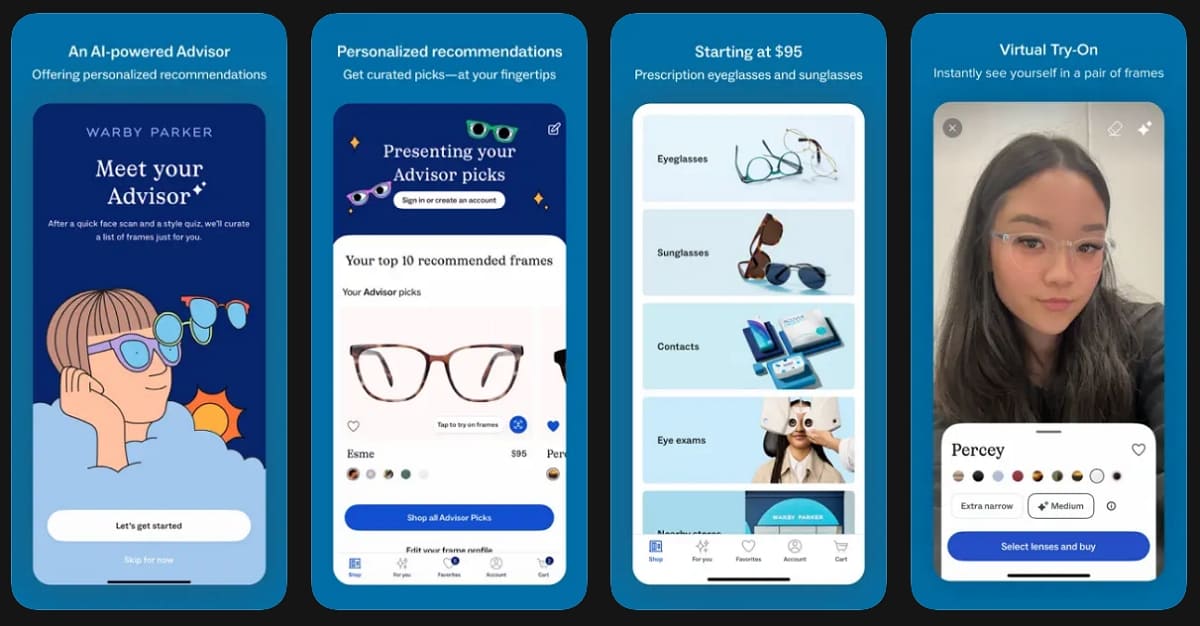
The Warby Parker app is a refined mobile shopping assistant for all your frames. It allows you to browse, virtually try on, and purchase prescription glasses or sunglasses easily. Along with that, this system creates a seamless flow from digital browsing to your final home delivery.
Key Features
1. Use face scans and style quizzes to get personalized frame recommendations quickly.
2. Measure your pupillary distance accurately using your phone camera and no ruler.
3. View frames on your face with high visual accuracy as you move around.
Pros & Cons
|
Pros |
Cons |
|---|---|
|
AI recommendations simplify frame selection for style-confused shoppers. |
Limited to the Warby Parker catalog without third-party brand support. |
|
Complete flow includes virtual try-on, home kits, and prescription ordering. |
US/Canada focus limits international shipping and insurance coverage. |
Pricing Plans
|
Plan |
Price |
What It Includes |
|---|---|---|
|
App Download |
Free on iOS/Android |
Full virtual try-on, AI recommendations, and PD measurement tools. |
|
Frames |
Starts at $95 USD |
Includes prescription lenses; sunglasses and premium options cost more. |
|
Home Try-On |
Free for 5 frames |
Ship frames to test physically before final purchase commitment. |
3. Banuba (Android, iOS)
Supported Platform: This platform supports Android, iOS, web, and SDK integrations for effortless solutions.
Best For: It is best for retailers and developers who want customizable virtual try-on integrations.
Technology Type: The core technology is a Face AR SDK that provides realistic, real-time 3D product overlays.
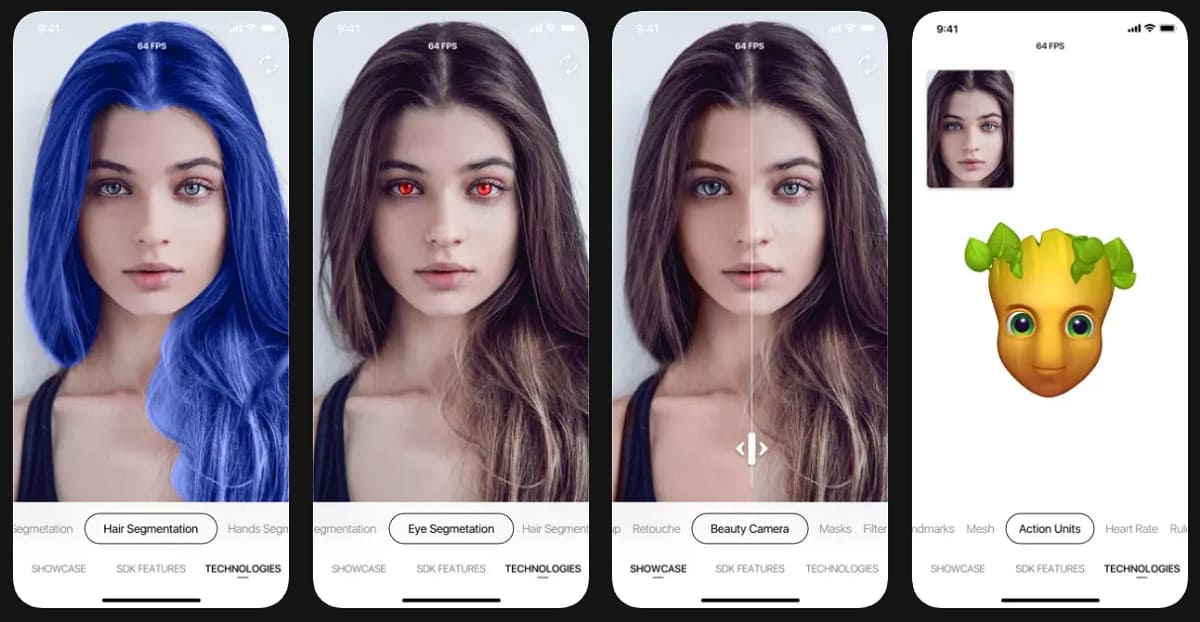
This is a professional AR platform that powers try-on experiences inside many other popular apps. Along with glasses, the technology covers various products, including jewelry and even trendy hair colors. Therefore, it is an essential virtual try-on glasses app framework for modern e-commerce businesses.
Key Features
1. Physics-based rendering ensures that frames behave naturally as your head moves.
2. Examines skin tone and face shape to recommend the most appropriate eyewear styles.
3. Developers can integrate these AR tools into mobile apps and websites.
Pros & Cons
|
Pros |
Cons |
|---|---|
|
Highly realistic AR visuals with physics-based lighting and shadows. |
Requires developer integration rather than direct consumer app access. |
|
Cross-platform support covers mobile, web, desktop, and VisionOS devices. |
Pricing complexity suits enterprises more than individual small retailers. |
Pricing Plans
|
Plan |
Price |
What It Includes |
|---|---|---|
|
Face AR SDK |
Custom licensing |
Platform support, features, and monthly active users determine the final cost. |
|
TINT Platform |
Demo/trial available |
Tailored pricing based on traffic volume and deployment requirements. |
|
Free Trial |
14 days standard |
Test full SDK capabilities before committing to commercial licensing. |
4. Designkit (Android, iOS)
Supported Platform: This is a browser-based web app that requires no installation to use.
Best For: It works best for ecommerce sellers needing studio-quality on-model product photos.
Technology Type: The platform uses generative AI rather than a live augmented reality camera overlay.
Designkit is a powerful Virtual Try-on Glasses tool built for professional ecommerce and marketplace workflows. It uses generative technology to create photorealistic on-model images from simple product shots. Instead of a live camera feed, it produces high-quality creatives for your listings. This makes it a unique virtual try-on glasses app alternative for business growth.
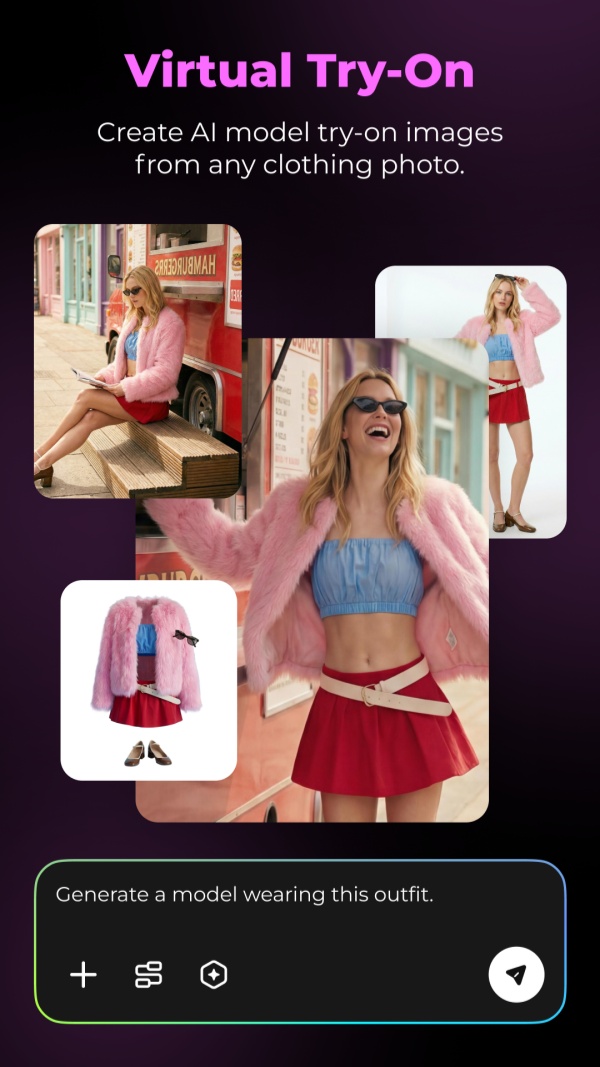
It also enables brands to maintain visual consistency across multiple product listings without repeated photoshoots. Additionally, its AI-driven rendering reduces production costs while accelerating content creation timelines. As a result, sellers can scale their catalogs efficiently while maintaining high visual standards.
Key Features
1. Multi-Category AI Try-On: Generate realistic images for glasses, clothing, shoes, and even jewelry.
2. Model Customization: Select demographics and poses of your digital model inside this flexible tool.
3. Batch Generation: Ecommerce teams can create hundreds of try-on photos for many products quickly.
Pros & Cons
|
Pros |
Cons |
|---|---|
|
Handles multi-product outfits and exports for major marketplaces. |
Lacks real-time AR previews using your own face or camera. |
|
Flexible model/scene control aids localization and A/B testing. |
Image quality depends on input photos and prompt refinements. |
Pricing Plans
|
Plan Name |
Price |
Included Benefits |
|---|---|---|
|
Free Trial |
20 Signup Credits |
Test all core AI try-on features without any upfront financial commitment. |
|
Basic |
$10/month |
Unlimited removal tools, UHD enhancement, batch processing |
|
Pro |
$20/month |
Unlimited all features, batch tools, and UHD image enhancement |
2.5. VirTry (iOS)
Supported Platform: This app is available for iPhone and supports Apple Vision devices.
Best For: Perfect for users wanting quick comparisons within a simple virtual try-on glasses app.
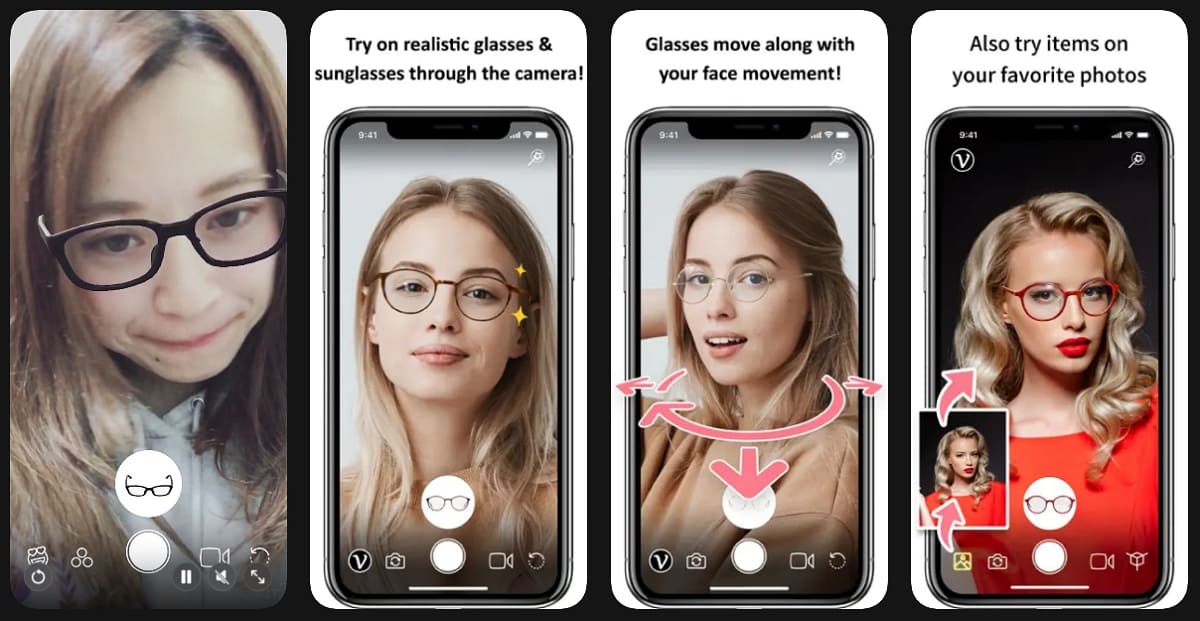
Technology Type: The app uses advanced AR tracking to move 3D models with your head movements.
While exploring the best virtual try-on glasses app, it is a lifestyle app that provides a mirror-like experience using your camera. In addition to glasses, the app allows you to test sunglasses and even headphones instantly. Additionally, VirTry aims to help you find styles that suit your unique face shape comfortably.
Key Features
1. Users can start trying on frames immediately without entering any personal data.
2. Offers multiple frame designs inside this virtual try-on glasses app library.
3. Enable users to save their favorite looks to review later or share online.
Pros & Cons
|
Pros |
Cons |
|---|---|
|
Mirror-like AR experience with smooth 3D tracking and no setup needed. |
iOS-only, no Android support or third-party frame imports. |
|
Fun effects and social sharing make trying frames engaging. |
Catalog is limited to app-provided items only. |
Pricing Plans
|
Plan |
Price |
What It Includes |
|---|---|---|
|
App Download |
Free on App Store |
Full real-time try-on, photo/video save, and favorites list. |
|
In-App Use |
Completely free |
No paid tiers; registration enables cloud storage optionally. |
Part 3. Free vs. Paid Virtual Try-On Apps
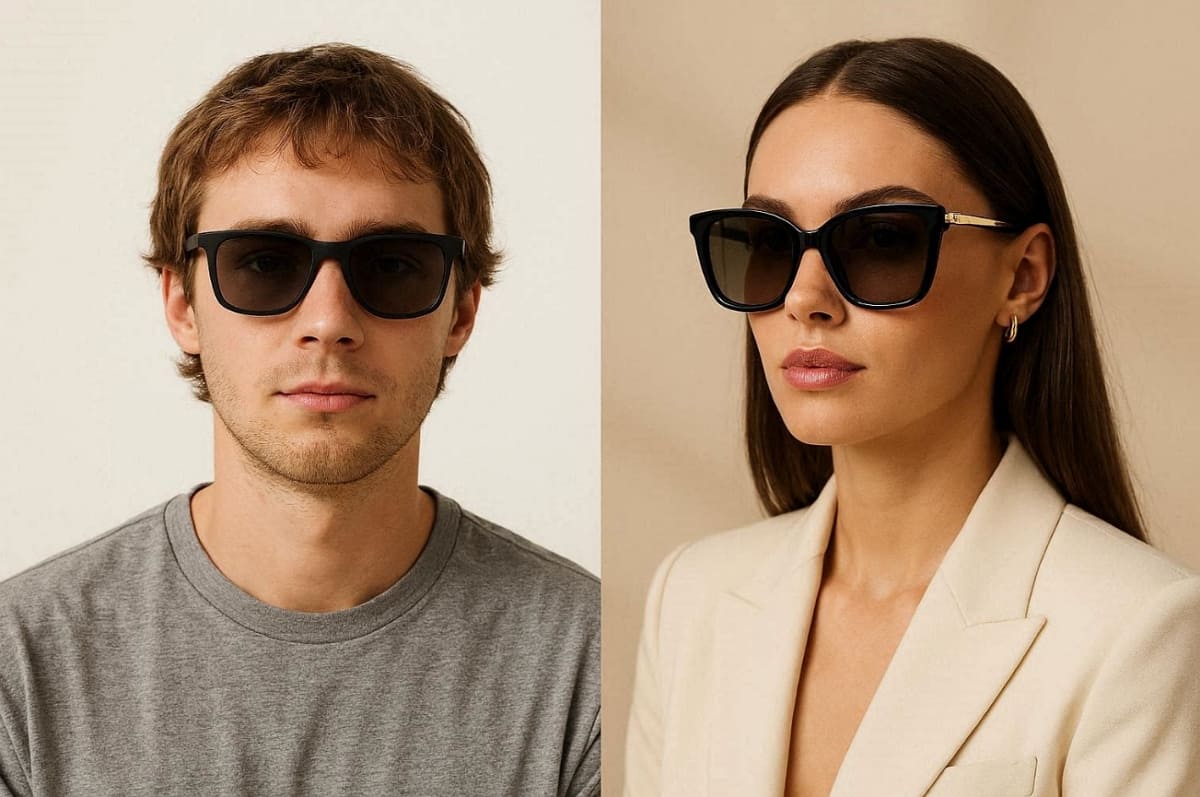
Knowing the particular differences in price assists you in selecting the most effective tool. The majority of customers begin with a free virtual try-on glasses app and test styles. However, premium plans offer advanced features that provide much higher realism and accuracy.
Shopify Retail Analysis found that interacting with augmented reality content can increase customer conversion rates by 94%, according to Fortune Business Insights. So, this section breaks down the value of each tier to simplify your decision:
What You Get for Free
1. Basic Frame Access: Most free tools offer a curated selection of standard eyewear shapes.
2. Standard Tracking: You can use basic AR to see how frames look on the face.
3. Limited Results: Free versions may restrict the number of photos you can save daily.
4. Platform Access: Most free virtual try-on glasses app options work on mobile browsers.
Why Upgrade to Paid
1. Premium Frames: Paid tiers unlock exclusive designer brands and the latest trendy frame colors.
2. Higher Resolution: Enjoy ultra-high definition previews that show every fine detail and texture.
3. AI Features: Advanced plans include smart face scanning and automated personalized style recommendation engines.
4. Batch Tools: Business users get access to bulk generation for entire product catalogs easily.
Comparison Summary
Refer to the table below to compare these virtual try-on glasses app tiers:
|
Feature Level |
Free Version Capabilities |
Paid Version Advantages |
|---|---|---|
|
Styling Variety |
Access to basic and generic frames. |
Full access to premium designer collections. |
|
Image Detail |
Standard quality for quick digital previews. |
UHD resolution for professional and realistic results. |
|
Technology |
Simple real-time tracking features. |
Advanced AI recommendations and smart face scans. |
Casual consumers usually find a free virtual try-on glasses app quite sufficient. Premium paid plans should be considered by professional sellers and frequent shoppers. Thus, align your budget with the features that you require to get a successful digital transformation.
Conclusion
To conclude, the best virtual try-on glasses app selection is based on your platform and preferences. There are users who use mobile AR, and those who use browser-based AI convenience tools. Each option reviewed offers unique strengths in usability and frame variety.
Yet, we recommend testing multiple options to find the best app. Comparing these top-rated platforms ensures you achieve the most realistic digital preview results. Additionally, Research and Markets reports that the virtual try-on technology market is expected to grow 26% this year.
Frequently Asked Questions
What is the best free virtual try-on glasses app?
Do I need to download an App to try on glasses virtually?
No, you can easily try on glasses without app downloads by using modern web-based tools. Browser solutions like Designkit allow you to upload photos for a very realistic digital preview. These AI platforms offer great convenience for users who prefer shopping on their desktop computers daily.
Are virtual try-on apps safe for my privacy?
Most virtual try-on glasses app privacy policies explain how your photos are stored securely. Trusted apps either process images locally or delete uploaded photos after each session automatically. So, always review permissions and privacy terms before using any app with personal facial data uploads.
Can I use try-on apps for both prescription glasses and sunglasses?
Most virtual try-on glasses app platforms support both prescription glasses and stylish sunglasses collections. Some apps specialize more in fashion eyewear, while others focus on prescription accuracy features. Before trying, you can check frame libraries to ensure the app meets your specific eyewear needs.
You May Also Like

How to Match Makeup by Undertone: Virtual Lipstick and Foundation Try-On

Wedding Dress Styles for Every Body Type: A Practical Guide for 2026

7 Best AI Virtual Makeup Try-On Tools for Realistic Results in 2026

AI Virtual Makeup Try-On: Boost Beauty E-Commerce Sales in 2026

Free Online Glasses Try-On Tools: See Yourself in Glasses Instantly

Top Virtual Ring Try-On Tools for Engagement and Wedding Rings in 2026

How to Try Shoes On Virtually: A Step-by-Step Guide

Best Virtual Shoe Try-On Tools for Ecommerce: 2026 Guide

How to Try On Wigs and Bangs Virtually to Find Your Perfect Style

Create Model Outfit Photos Instantly With AI Outfit Generator

Best AI Virtual Try-On Clothes Tools for Any Body Type

How to Try On Clothes Online with AI for Better Fit & Style

Virtual Nose Ring Try On Online Before Your Piercing

How to Try Makeup Online with AI and Virtual Makeup Try-On Apps (2026)

How to Use Virtual Earring Try-On for a Flattering Look in 2026

How to Try On Engagement Rings Online with AI in 2026

Scale Your Jewelry Brand with Virtual Jewelry Try-On Solutions

How to Try Hairstyles on Your Face Online (Step-by-Step Guide)

Best Virtual Hairstyle Try-On Tools Online for Realistic Previews 2026

How to Use a Free AI Hairstyle Generator to Find Your Perfect Look

Virtual Hair Color Try-On Guide for Every Skin Tone (2026)

Virtual Wedding Dress Try-On Online for Brides in 2026

How to Choose the Right Sunglasses for Your Face Shape Online

How Accurate Is Virtual Glasses Try-On? AI vs AR Compared

Best Virtual Try-On Glasses Apps in 2026 (Free & Paid Tools)

How AI Virtual Try-On Is Transforming Eyewear Ecommerce

5 Best Virtual Try-On Glasses Tools for Ecommerce and Consumers 2026

How to Try On Glasses Online with AI in 2026 (Easy Guide)

How to Create Jewelry Photos with AI Models That Drive Sales in 2026

AI-Generated Fashion Models: Technology, Brand Adoption & Trends

How to Batch Generate 100+ AI Clothing Model Photos Fast

7 Best AI Fashion Model Generators for Ecommerce in 2026

AI Clothing Model Photos for E-Commerce: Platform Rules & Best Practices

How AI Virtual Try-On Helps Fashion Brands Boost Sales & Reduce Returns

AI Fashion Models vs Real Models: Which Is Better for Brands?

Best Free AI Fashion Model Generators for Real Product Photos

Virtual Outfit Try-On Guide: Plan Outfits Before You Buy

What Is an AI Clothing Model Generator? Full Guide for Sellers

Virtual Try-On Technology in 2026: How It Works & Key Trends

10 Best Virtual Try-On Apps & Tools for Online Shopping in 2026

How to Create AI Fashion Models: Complete Step-by-Step Guide

How to Use AI Fashion Models for E-Commerce Product Photos: A Complete 2026 Guide

How to Virtually Try On Clothes Online: A Complete Guide
Try Glasses On Your Face Instantly with AI
Stop guessing which frames suit you. Use DesignKit’s virtual try-on experience to preview glasses on your face in real time with realistic AI rendering. Compare styles, test frames, and find your perfect look before you buy.
