
Pippit AI Review: Is It Worth Using in 2026?
Create ecommerce videos faster with Pippit AI. Explore its AI video generator, templates, pricing, strengths, limitations, and whether it fits your content workflow.

Pippit AI is an AI-powered content creation platform built to help ecommerce businesses, marketers, and creators produce videos and marketing assets with less manual effort. From generating promotional videos to creating AI-powered visuals, the platform aims to simplify content production for online stores and social media campaigns.
But is it the right solution for your workflow? This Pippit AI review explores its core features, pricing, AI video capabilities, advantages, limitations, and ideal use cases to help you decide whether it deserves a place in your content stack in 2026.
What Is Pippit AI?
Pippit AI is designed to make content creation faster by combining AI-powered generation, editing, and automation into a browser-based platform. Rather than relying on multiple creative tools, users can produce ecommerce videos, promotional content, and marketing visuals from one workspace.
Pippit AI Overview
Pippit AI is a browser-based content creation tool in the CapCut and ByteDance ecosystem. It allows ecommerce sellers, marketers, and creators to produce AI-generated videos, product visuals, and promotional content with minimal editing experience. It's a useful tool for quick, efficient marketing content creation and can create assets from text prompts, product links, or templates.
|
Best For |
Not Ideal For |
|---|---|
|
Ecommerce sellers |
Professional filmmakers |
|
Social marketers |
Complex timeline editing |
|
Small businesses |
Heavy post-production |
|
Beginners |
Advanced motion graphics |
|
Beginners |
AI-assisted content creation |
Typical outputs include product videos, social advertisements, AI avatars, marketing images, marketplace assets, and promotional creatives that help businesses launch campaigns more efficiently.
Pippit AI Features Review
Pippit AI combines multiple AI tools into a single workspace for ecommerce content production. Rather than offering one standalone generator, it supports video creation, image generation, automation, editing, and publishing, making it easier to manage marketing assets from start to finish.
Pippit AI Video Generator
Pippit AI video generator is a highlight of the platform, allowing users to generate promotional videos without advanced editing skills. The tool allows you to get started with a text prompt, product link, or ready-made template and makes the process of video production easier for ecommerce and social media. The blend of AI automation, editing flexibility, and fast generation makes it ideal for creators needing persistent marketing content at scale.
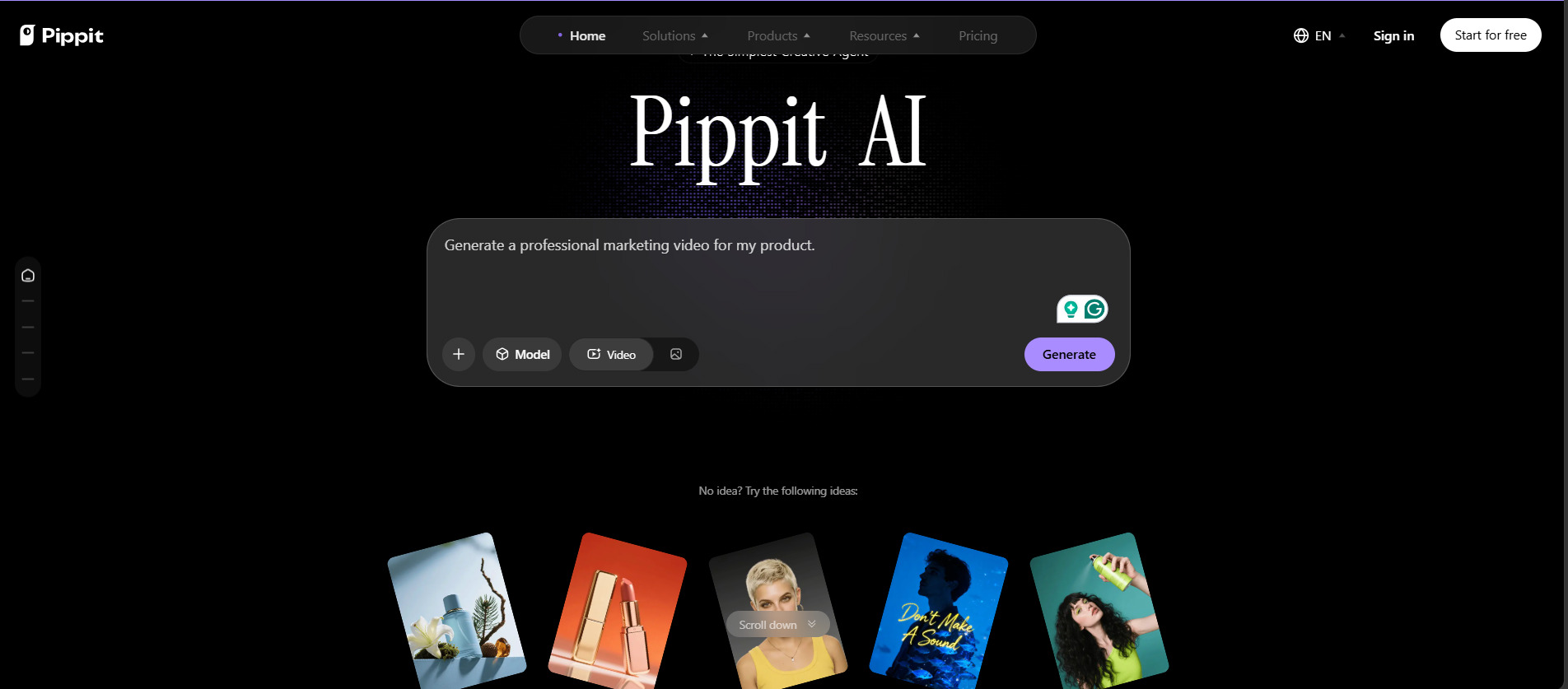
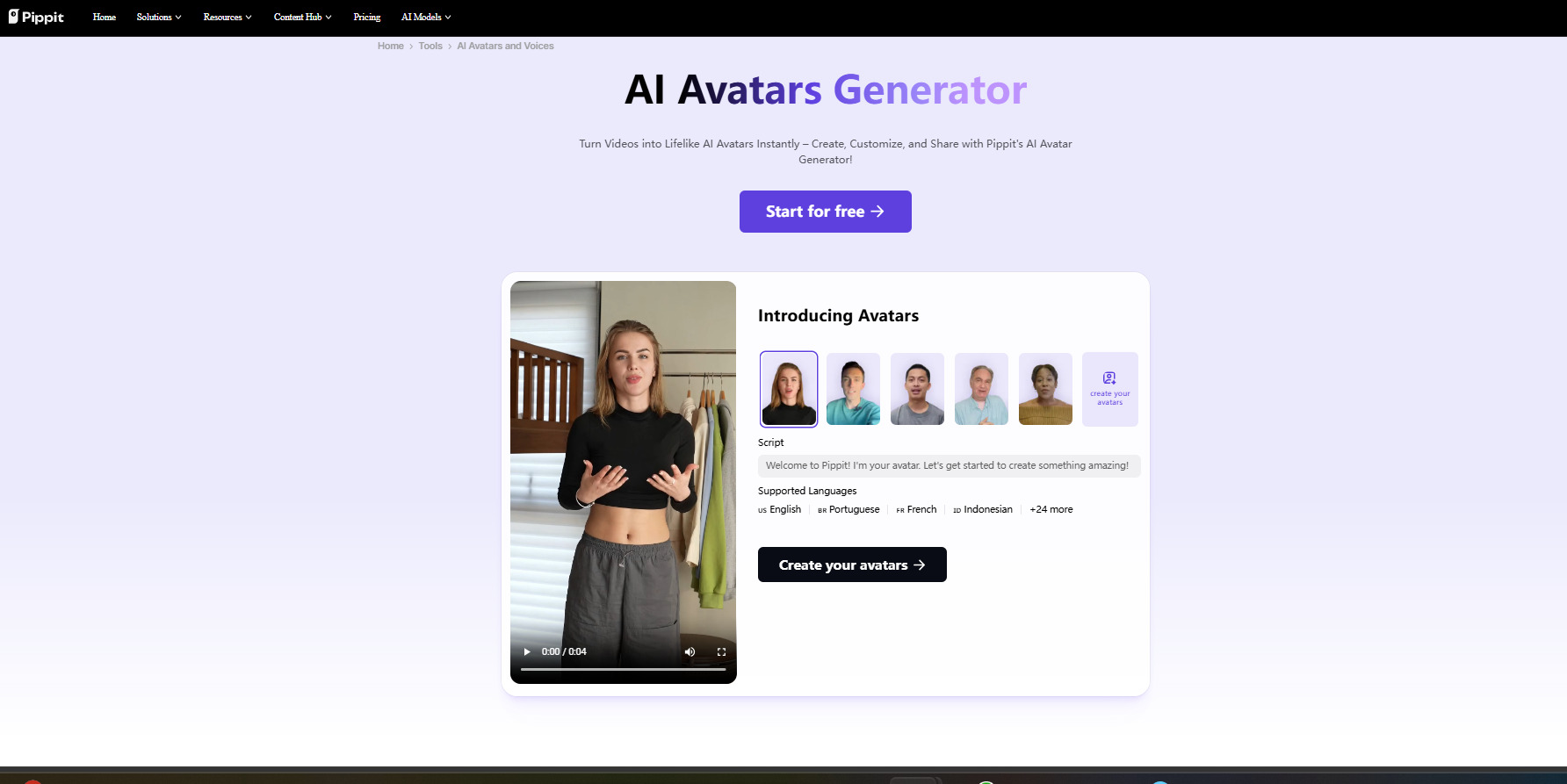
AI Images, Avatars and Product Content
Pippit AI is not only making videos but also providing AI tools for creating avatars, talking photos, product images, and marketing images. Image Agent and background editing features make it easy to create polished ecommerce assets with minimal effort. Its image editing capabilities are adequate for day-to-day marketing, but not as powerful as dedicated design platforms.
AI Agent and Workflow Automation
Pippit AI also offers AI-powered workflow tools that make repetitive marketing tasks easier. Instead of building each campaign from scratch, users can automate elements of the creative process, organize content better, and produce multiple assets from a single idea. The purpose of these automation features is to increase productivity and help businesses maintain a consistent publishing schedule, but they can only be used if AI credits are available.
Editing and Publishing
Once the videos and creative assets are created, Pippit AI has built-in editing and publishing tools to get the content ready for distribution. Users can modify visuals, change text, replace media, and optimize videos without having to go into separate editing software. And when you add that to export options, watermark-free downloads on eligible plans, and scheduling capabilities, the platform is built to make the transition from content creation to final publication across multiple channels a whole lot easier.
Pippit AI Pricing
Before you commit to the platform, it's important to understand Pippit AI pricing. The free plan is a good way to get familiar with its features, but companies that produce content regularly should consider monthly credits, premium AI features, and export options when choosing a subscription.
Is Pippit AI Free?
A lot of users ask the question, is Pippit AI free? Yes, there is a free plan where you can generate credits daily to try out features like video generation, AI images, and talking photos. But every AI task needs credits, and creators who create lots of content can reach the limit quickly. Upgrade to get additional monthly credits, faster processing, no watermarks on your exports, and additional premium features.
Pippit AI Pricing Plans
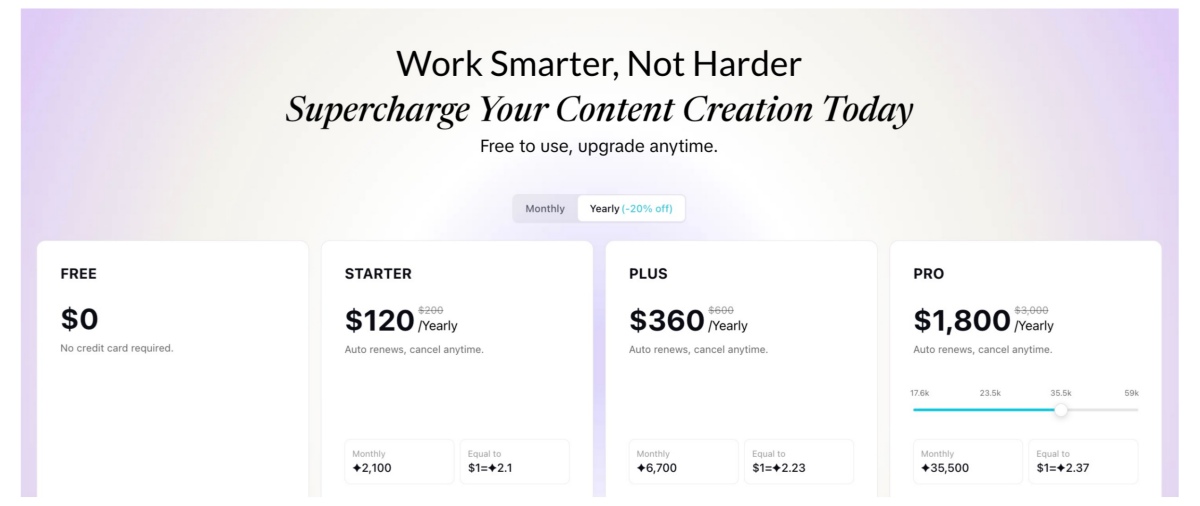
Pricing is based on credit allowances each month and premium features. Higher tiers increase generation power, processing speed and allow watermark-free export.
|
Plan |
Monthly Price* |
Yearly Option* |
Credits (monthly)* |
Best For |
Key Features |
|---|---|---|---|---|---|
|
Free |
0 |
— |
Free daily credits |
First-time users |
Free daily credits, Video Agent, Remix Viral Videos, AI Talking Photos, Image Agent |
|
Starter |
$12/month |
$120/year |
~2,100 |
Individual creators |
More monthly credits, faster generation, advanced AI models, watermark removal |
|
Plus |
$36/month |
$360/year |
~6,700 |
Growing businesses |
More monthly credits, faster generation, advanced AI models, watermark removal |
|
Pro |
$180/month |
$1800/year |
~35,500 |
Teams & high-volume creators |
Highest monthly credits, fastest generation, advanced AI models, watermark removal |
*Pricing may change based on promotions, regional availability, and billing cycles. Always verify current plans before subscribing.
Pippit AI Pros and Cons
Pippit AI lets you create e-commerce content with AI in an accessible way, but it's not built for every creative workflow. Knowing the platform's strengths and weaknesses can help you evaluate whether it will work for you in terms of content creation.
What Pippit AI Does Well
Pippit AI provides an easy-to-use browser workspace that makes the process of creating marketing content fast and accessible to beginners. With AI-powered templates, agent-style workflows, and fast content creation, it helps ecommerce sellers and social media marketers quickly produce product videos and promotional visuals.
The platform is especially suitable for businesses that prioritize speed, simplicity, and steady content creation over advanced editing features.
Pippit AI Limitations
Pippit AI does have a great feature set, but there are some limitations to consider before subscribing. Free plan can be limiting, as AI generations are limited by a credit system. If a user is posting several videos each week, they could easily exceed their monthly quota.
Creative flexibility is also inferior to professional editing software. Dedicated editing applications might be more suitable if you are a business looking for cinematic storytelling, complex motion graphics, advanced color grading, or detailed timeline editing.
The platform is best viewed as a marketing content generator rather than a complete replacement for high-end video production software.
Is Pippit AI Worth It in 2026?
Is Pippit AI worth it? It really depends on your content goals.
Ideal for ecommerce businesses and marketers who value speed, automation, and consistent social content over highly customized production. The platform is a real bargain for those who regularly produce product promotions, short-form ads, marketplace videos, or AI-assisted marketing assets, with its automation capabilities and efficient workflow.
However, filmmakers, agencies producing cinematic campaigns, or editors who need full creative control may find its customization options limited compared to professional editing suites.
Our final thoughts on the Pippit AI review are that the platform is a great option for ecommerce sellers, small businesses, and creators who want to churn out marketing content quickly without having to master advanced editing software.
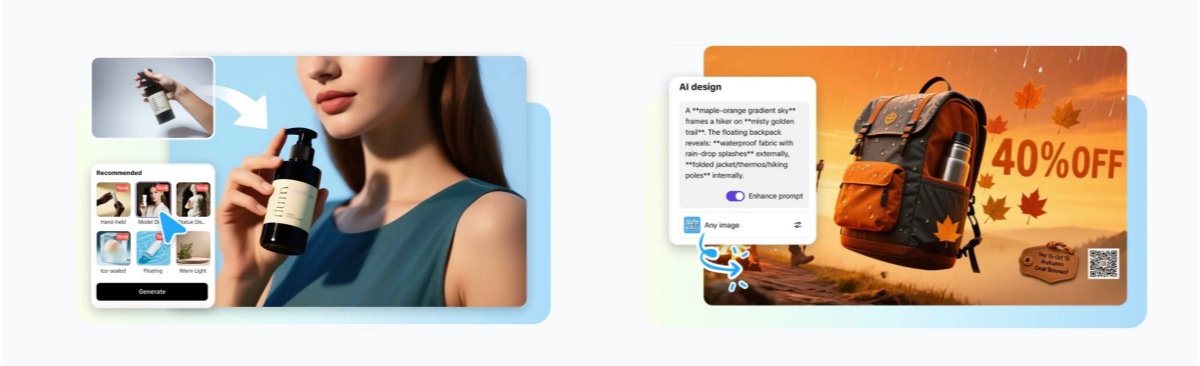
Pippit AI Alternative for Ecommerce Visual Content
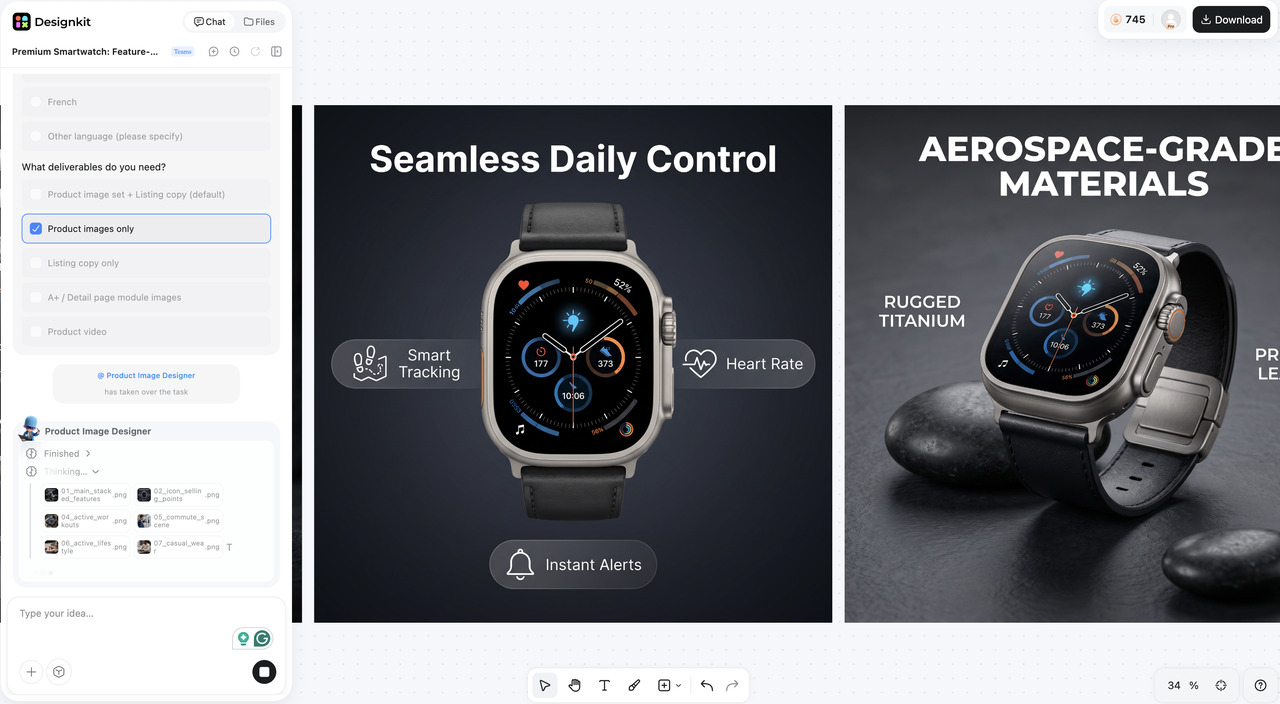
Pippit AI is built for AI-powered video creation, so it's a solid option for promotional and social content. Ecommerce businesses, however, usually need a wider set of visual assets such as product photography, marketplace images, display ads, and branded creatives. In these cases, Designkit is a complementary platform that focuses on scalable ecommerce visual content production.
What Is Designkit?
Designkit is an AI-powered ecommerce design platform for online marketers, sellers, and growing brands. Users can create product visuals, advertising creatives, and branded marketing assets from one workspace. Designkit is built for scalable content generation, allowing businesses to quickly and efficiently generate consistent, high-quality visuals.

How Designkit Fits Ecommerce Workflows
Designkit makes it easy to create, customize, and reuse branded assets across multiple marketing channels, supporting all stages of ecommerce visual production.
1. Create Product Images and Marketing Creatives in One Workflow
Generate product photos, promotional banners, social media graphics, and advertising creatives without switching between multiple design tools. This unified workflow saves time while keeping visuals consistent.
2. Generate Multiple Creative Variations Quickly
Use AI to create different versions of the same campaign with alternative backgrounds, layouts, colors, and styles. Testing multiple creatives becomes much faster and more efficient.
3. Maintain Brand Consistency across Campaigns
Maintain consistency in logos, fonts, colours, and visual elements across product launches, seasonal promotions, and ongoing marketing campaigns to increase brand recognition.
4. Export Assets for Ecommerce, Ads, and Social Media
Export premium visuals optimized for online stores, ecommerce marketplaces, digital ads, email campaigns, and social media, all from one project.
5. Scale Content Production More Efficiently
As your product catalog expands, Designkit helps generate large volumes of professional marketing assets while reducing repetitive design work and improving team productivity.
How to Create Marketing Assets with Designkit
Creating ecommerce visuals with Designkit requires only a few simple steps.
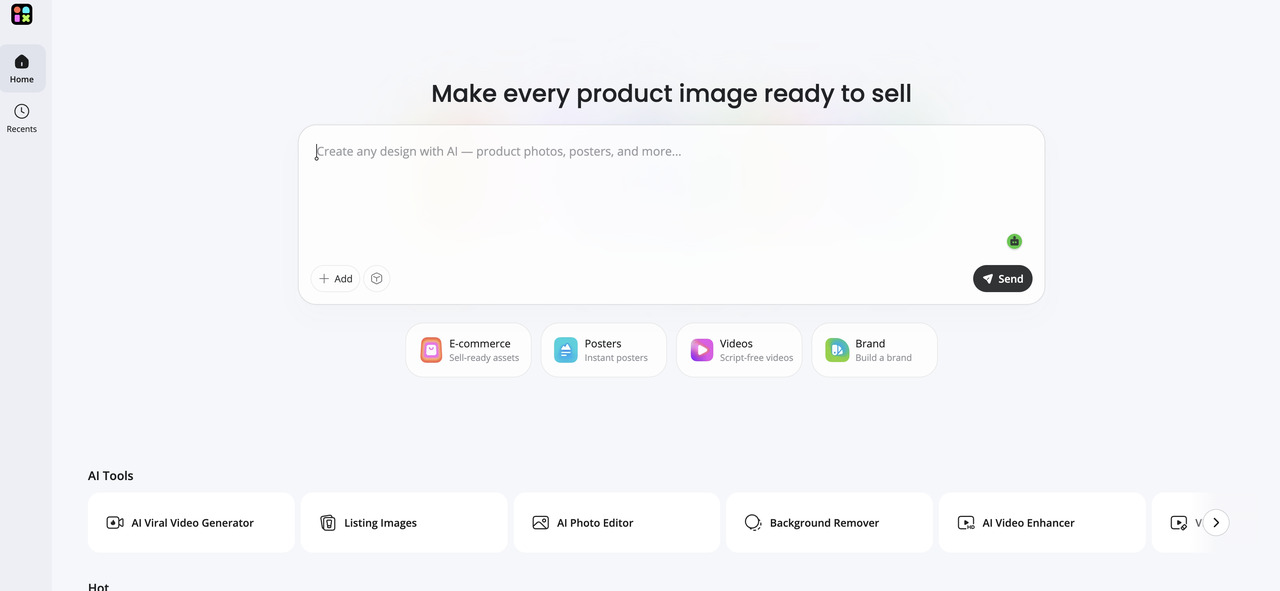
Step 1: Upload Your Product Images or Brand Assets
Upload your product photos, logos, or existing brand materials into Designkit. These assets provide the foundation for generating AI-powered marketing creatives that match your brand identity.
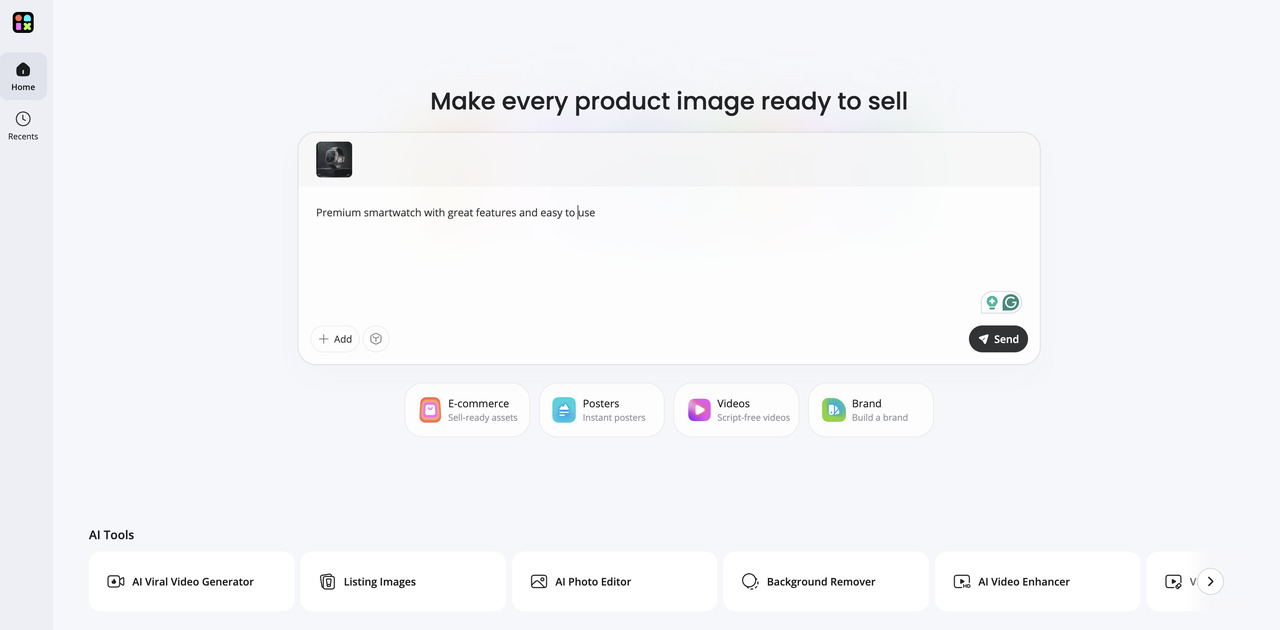
Step 2: Generate Product Visuals and Marketing Creatives
Use Designkit's AI tools to create product images, promotional banners, advertising graphics, and ecommerce creatives. Refine layouts, backgrounds, and styles to suit different campaigns.
Step 3: Customize and Export for Multiple Channels
Make final adjustments by editing text, colors, and branding elements. Export finished assets for ecommerce marketplaces, websites, digital advertising, and social media platforms.
Pippit AI vs Designkit
Both platforms help ecommerce creators create marketing content, but they serve different creative needs. Pippit AI is an expert in AI-powered video generation and workflow automation, while Designkit is focused on scalable ecommerce visuals for product listings, advertising, and brand campaigns.
|
Feature |
Pippit AI |
Designkit |
|---|---|---|
|
Main focus |
AI videos + creative agent workflows |
Ecommerce visual content production |
|
Product videos |
Strong |
Available |
|
Product photography |
Available |
Strong |
|
Image editing |
Basic to moderate |
Strong |
|
Marketing creatives |
Good |
Strong |
|
Marketplace listing visuals |
Limited to moderate |
Strong |
|
Best for |
Video-first workflows |
Ecommerce visual content workflows |
Choose Pippit AI If You Need:
Choose Pippit AI if your primary focus is creating AI-generated products and promotional videos. It is well suited for businesses that want agent-assisted short-form video production, ready-made social media templates, and a beginner-friendly platform for producing marketing videos quickly.
Choose Designkit If You Need:
If your workflow involves not only video production but also visuals for a product launch, product photos that are ready to be used in a marketplace, advertising creatives, and branded assets, look to Designkit. It is a more flexible option for companies needing scalable, multi-channel ecommerce visual content from a single platform.
Conclusion
If you are an ecommerce seller, marketer, or creator who wants to create AI-powered videos fast, Pippit AI is a good option for you. Content creation is a breeze with its browser-based workflow, automation features, templates, and Pippit AI video generator, and the free plan gives users a chance to try out the platform before upgrading. Businesses with ongoing content needs, however, should reconsider Pippit AI pricing and credit limits. If your workflow also involves product photography, marketplace images, and marketing creatives, Designkit offers a broader ecommerce visual content solution in addition to AI-powered video production.
Frequently Asked Questions
What is Pippit AI used for?
Is Pippit AI free?
Yes, Pippit AI has a free plan that comes with daily credits, so you can try out features like video generation, AI images, and talking photos. However, if you're a regular content creator, you might want to go for a paid plan to get more credits, premium features, and watermark-free exports.
Does Pippit AI have an AI video generator?
Yes. The Pippit AI video generator allows users to create videos from text prompts, product links, and templates. It allows companies to create marketing videos quickly without needing advanced editing skills.
How do Pippit AI credits work?
Pippit AI uses a credit-based system. Each task generated by AI consumes credits; the amount depends on the selected feature and AI model. Users who create content frequently can obtain larger monthly credit allowances with paid plans.
Is Pippit AI good for ecommerce?
Yes. Pippit AI is well suited for ecommerce businesses that need product videos, promotional content, and social media assets. If your workflow also includes product photography and marketing creatives, Designkit can complement your video production with AI-powered visual design tools.
How much does Pippit AI cost?
Pippit AI offers a free plan along with Starter, Plus, and Pro subscription plans. Since Pippit AI pricing may change over time, it's best to check the official website for the latest pricing and plan details.
Does Pippit AI create UGC-style videos?
Yes. Pippit AI can generate UGC-style promotional videos using templates, AI avatars, and automated editing tools. These features help businesses create engaging marketing content for social media and ecommerce campaigns.
Can Pippit AI generate product videos from images or links?
Yes. Pippit AI can create product videos from uploaded images or product page links, making it easier for businesses to turn existing product information into marketing-ready video content.
What are the limitations of Pippit AI?
Pippit AI is best suited for marketing-focused content rather than advanced video production. Its credit-based system, free plan limitations, and fewer professional editing tools may not meet the needs of users requiring cinematic editing or complex motion graphics.
What is a strong Pippit AI alternative for ecommerce visuals?
If you need more AI-generated videos, Designkit is a strong Pippit AI alternative for ecommerce visual content. It helps businesses create product images, marketplace-ready visuals, ad creatives, and branded marketing assets from one platform.
You May Also Like

T-Shirt Design Size Guide: Placement, Dimensions, & DPI

How to Sell on Poshmark: A Complete Beginner's Guide

Zeely Reviews 2026: Features, Pricing, Pros, Cons & Alternatives

Create TikTok Ads From One Photo: An AI Product Launch Kit
Depop vs Poshmark: Which Is Better for Selling in 2026?
How to Create an Amazon Storefront: 4-Step Guide for New Sellers

How to Sell Books on Amazon in 2026: Beginner Guide

How to Sell on Amazon in 2026: A Complete Seller Guide

AI Product Photography: 7 Best Tools for Ecommerce in 2026

What Is a Hero Image? Definition, Examples & Design Tips
Pippit AI Review 2026: Features, Pricing, Pros & Cons

Back to School Ad: 7 Creative Ideas for Better Campaign Results

Top 7 Back-to-School Sales Ideas to Boost Retail Sales (2026)

How to Create a Complete World Cup Product Listing Image Set

How to Create Amazon Summer Sale Posters and Banners with AI

Amazon Summer Sale 2026: Listing Design Trends & Product Image Ideas
Ecommerce Video Ads: 7 Strategies That Drive Higher Conversions
How to Photograph Shoes for Your Ecommerce Store in 2026

Product Photography Ideas: Creative Tips & Techniques for Better Shots

Product Photography Pricing 2026: Full Cost Guide by Type
White Background Product Photography Guide & Tips 2026

Product Photography Starter Package: Gear Checklist 2026
Shopify Product Photography Guide with Tips & Setup
Amazon Main Image Requirements: Size, Guidelines & Tips

Shopify Image Size 2026: Complete Guide and Tips for Better Product Display

Studio Product Photography vs AI Product Photography in 2026

7 Product Photography Mistakes That Hurt Ecommerce Sales
Change Outfit Colors Online for Outfit Preview with AI Clothes Color Changer
How to Create Amazon Infographics: Boost Sales with Compelling Visuals

How to Create Outdoor Product Scenes Without a Photoshoot Using AI

Optimize Etsy Images for Mobile: Listing Photos That Convert

Amazon 7-Image Listing Strategy: Boost Sales by Optimizing Every Image
Etsy Thumbnail Optimization: Keep Your Product Fully Visible
The Etsy Thumbnail Formula That Drives More Clicks and Sales

How to Create Pro Amazon Listing Photos Without a Studio

10 High-Converting Lifestyle Product Images for Amazon Listings
How to Automate Your E-commerce Visuals with OpenClaw Workflow

Top 5 AI Tools to Generate Amazon Product Listing Images in 2026

How to Turn One Photo into 10 Etsy Listing Images Fast: Batch Workflow
Etsy Listing Photo Size Guide (2026): Mobile, Desktop & Shop View Specs

Turn White Background Images into Lifestyle Amazon Listings

Fix Etsy Image Cropping: Optimize Listing Photos for Every Device
Amazon Listing Images: Essential Shot List & Optimization Guide

How to Create Lifestyle Product Images Without a Studio
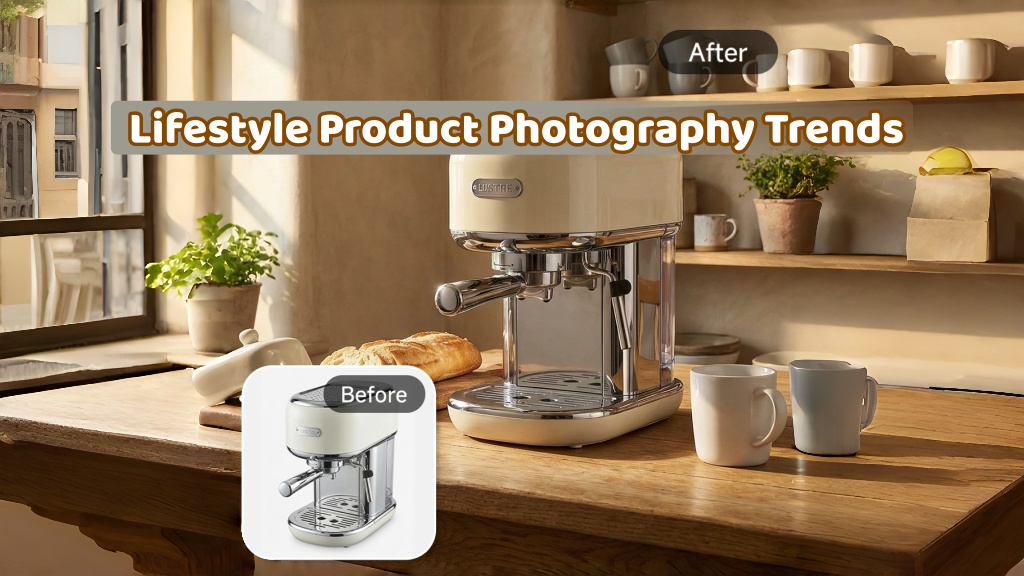
Lifestyle Product Photography Trends 2026: Authentic Looks at Scale
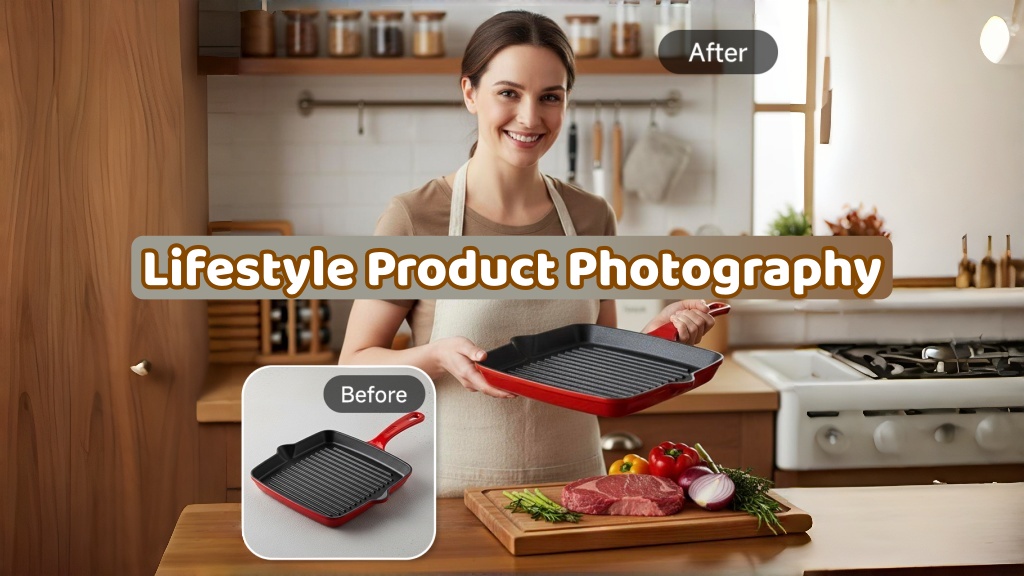
How to Master Lifestyle Product Photography in 2026

Amazon Listing Images Guide 2026: 7-Slot Strategy & Requirements
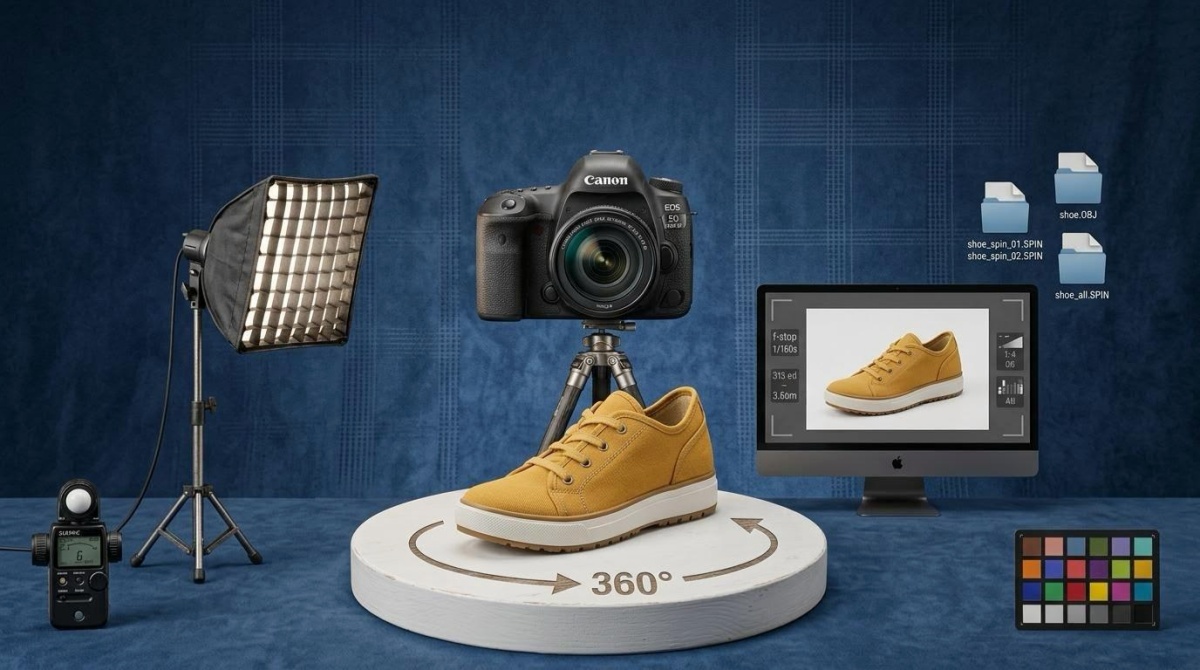
360 Product Photography Guide 2026: Setup, Shoot and Workflow
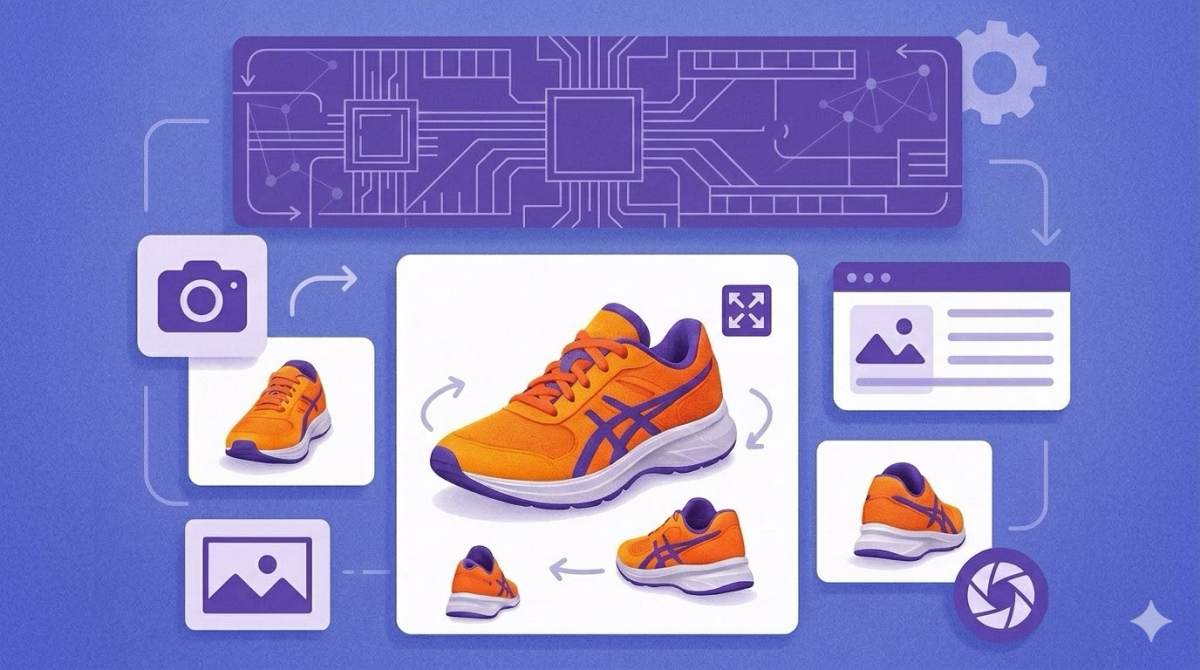
Beginner's Guide to Generate Product Photos from Different Angles

AI Product Photography: Create Ecommerce Images Without a Photoshoot
How to Create Realistic AI Product Photos: Step-by-Step Pro Guide
Keep AI Product Images Consistent Across SKUs: Lighting, Color, Background
How to Scale E-commerce with a Product Image Generator

How to Use AI for Spring Product Photography: 2026 Amazon Guide

How to Create a Budget Home Product Photography Setup with AI

How to Achieve Professional Product Photography Standards in 2026

How to Take Product Photos with Phone: Pro Guide for Amazon & AI
Best AI Product Image Generator 2026: Top Tools for Amazon Sales
Amazon Photography Service vs. AI Generator: Best Choice for Sales
What Is Product Photography? Angles, Lighting & Editing Guide
Amazon Spring Sale 2026: Create High-Converting Listing Images (Guide)

AI Agents Transform Amazon Product Photography in 2026
Amazon Photoshoot in 2026: Do You Still Need a Studio?
11 Must-Have Tools for Amazon Product Photography in 2026
2026 Amazon Image Trends Shaping Seller Success and Conversions
Amazon Product Photography Requirements & Best Practices 2026
Choose the Right AI Tool for Your Content Needs
Pippit AI helps create videos with AI. Designkit also generates product images, marketing creatives, and campaign assets for ecommerce brands.
