
How to Use Virtual Earring Try-On for the Most Flattering Look
Try earrings virtually before you buy. Match styles to your face shape and find your most flattering look instantly.


Earrings often look flawless on websites, but look odd on the wearer. Face shape plays a major role in how earrings enhance or distort features. Consumers find it difficult to determine which designs suit their unique proportions. This confusion leads to disappointing purchases and inconsistent styling results across outfits.
Fortunately, a virtual earring try-on helps users preview styles before making final decisions confidently. By combining face shape knowledge with visualization tools, choices become more accurate. This guide explains how to match earrings with facial structure and proportions. You will also learn practical ways to test styles visually before purchasing.
Part 1. Why Face Shape Matters When Choosing Earrings
Earrings are potent accessories that can change your face as a whole in a significant way. When a couple is chosen on fashion grounds, chances are high that they will not match. Instead, focusing on your specific bone structure ensures a much more harmonious result.
A professional virtual try-on earrings experience helps you visualize these critical differences. Thus, the right jewelry will draw attention to the best parts of your body and appropriately balance the numbers. In order to get this balance, we should consider the way to balance certain shapes with facial lines:
1.1. How Earring Shapes Change Facial Proportions
The main objective of jewelry styling is to bring out the feeling of visual harmony. For example, long drop styles help to elongate and slim a wider facial structure. Similarly, circular hoops can soften sharp angles for those with square or rectangular jawlines. According to Shopify AR Insights, interactions with AR content lead to a 93% higher conversion rate over images.
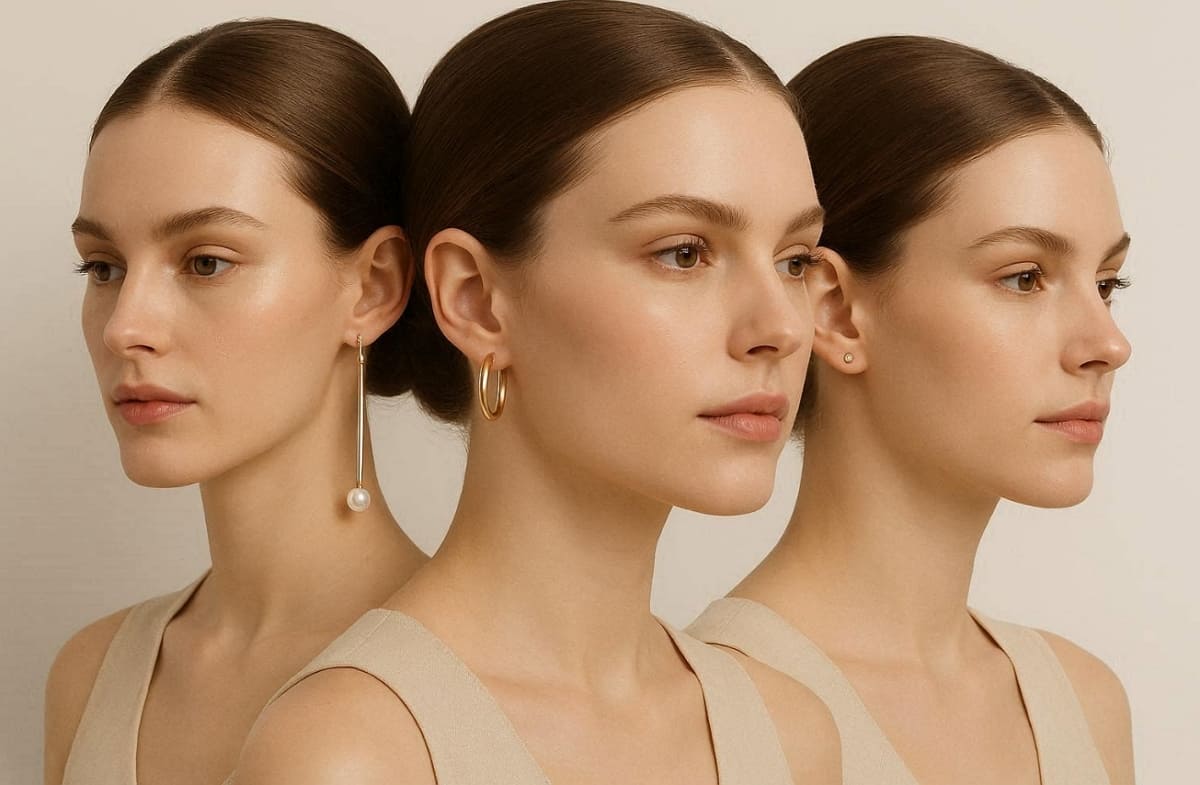
Therefore, using a virtual try-on tool allows you to see these transformations in real time. Every accessory interacts with your natural lines to either highlight or minimize specific areas. Review these key geometric principles to see how different designs influence your appearance:
1. Elongation: Vertical designs pull the eye downward, making round faces appear much longer.
2. Softening: Curved edges and circular motifs reduce the harshness of very strong, boxy jawlines.
3. Widening: Bold studs or wide chandeliers add necessary volume to narrow or thin faces.
1.2. Why Product Photos Don’t Show the Full Picture
Static product images on a white background lack the context of human movement. Standard model photos rarely match the specific skin tone or facial structure you have. This gap often causes confusion when you try on earrings online at home later. Therefore, the fashion e-commerce sector faces high return rates reaching up to 40% annually.
Moreover, generic photography cannot account for your unique jawline or hair color. Yet, digital visualization tools are becoming essential for overcoming these traditional online shopping limitations. The following table highlights the specific advantages of using modern digital preview technology:
|
Traditional Shopping Issue |
How Digital Tools Solve It |
|---|---|
|
Fixed Proportions |
View how different sizes look specifically on your unique ear lobes |
|
Model Mismatch |
See the jewelry on your own face instead of a random model |
|
Static Angles |
Gauge the visual impact of the earrings from various head positions |
|
Lighting Gaps |
Observe how metal tones interact with your actual skin and hair colors |
As soon as you are aware of these visual limitations, it becomes a lot easier to locate the appropriate digital solution. Furthermore, an Icecartel report shows that global online jewelry revenues are projected to reach above $85 billion in 2026.
Part 2. Best Earrings for Different Face Shapes
Choosing the right jewelry requires a deep understanding of your unique facial geometry. Actionable style recommendations help you navigate the vast world of modern earring designs. A quality virtual earring try-on ensures you select truly flattering pieces. Review the following breakdown to find the most compatible styles for your features:
2.1. Best Earrings for Round and Oval Faces
These shapes require different approaches to achieve a balanced and harmonious facial look. A virtual earring try-on helps you identify which silhouettes provide the best contrast. Yet, focus on the following designs that add necessary structure or maintain your natural facial symmetry:
Top Recommendations for These Shapes
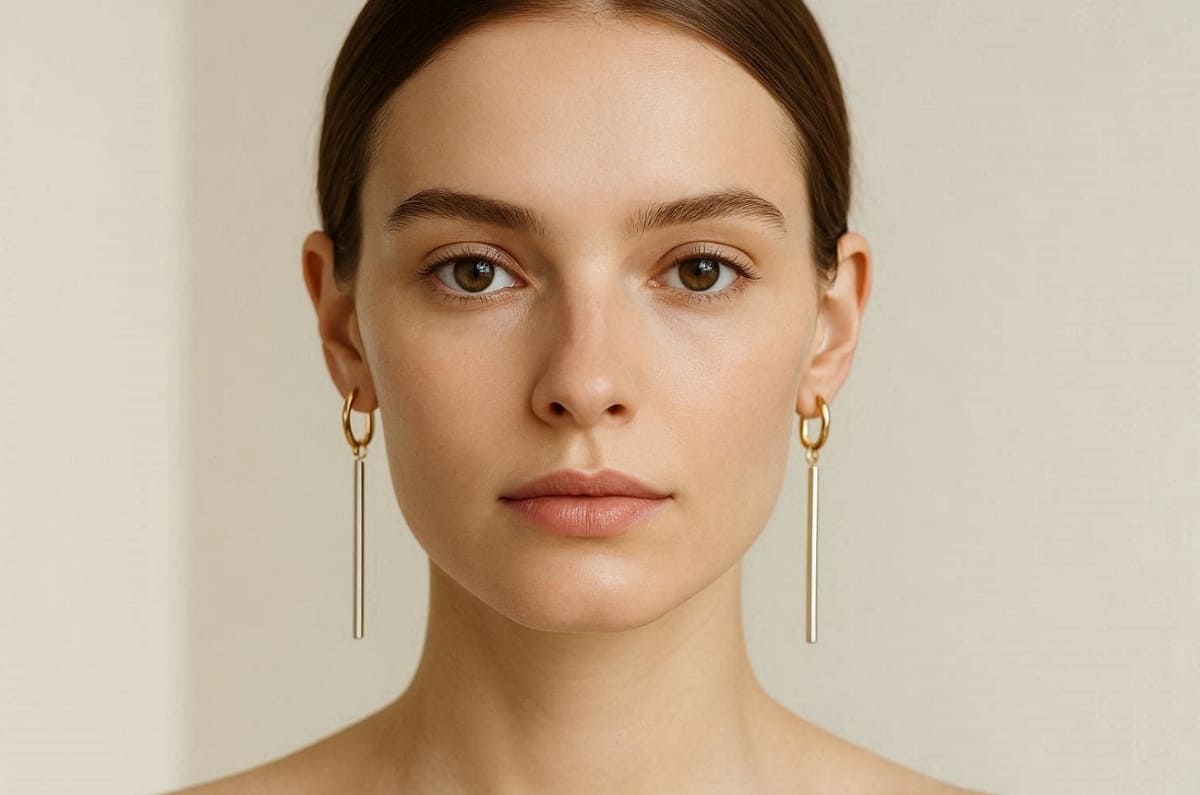
Long drop earrings or narrow chandeliers create a slimming effect for circular shapes. In addition, oval faces are highly versatile and can wear statement hoops or elegant pearls. Apart from that, triangular drops also highlight the natural symmetry found in most oval facial structures.
Styles You Should Definitely Avoid
Be mindful of these specific shapes that can disrupt your natural visual balance:
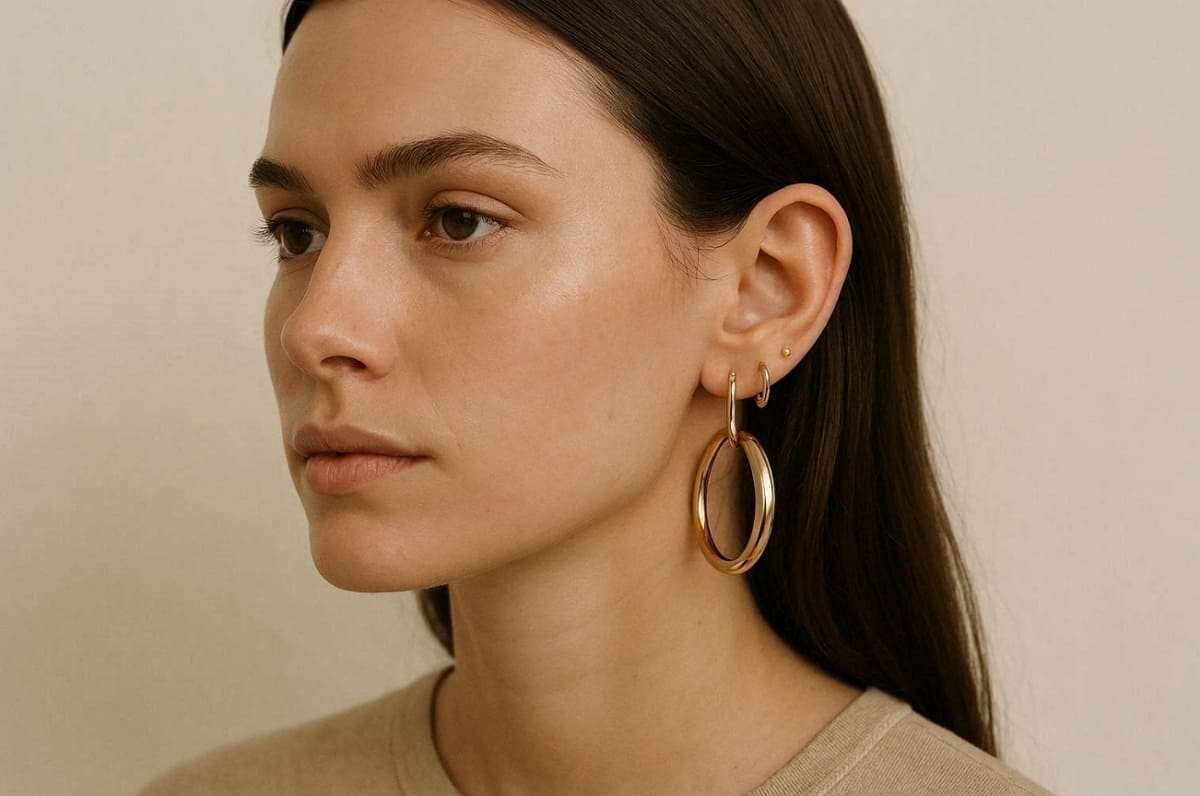
1. Chunky Circular Hoops: Large round earrings emphasize facial fullness and should be avoided by those with round faces.
2. Small Button Studs: These are small, wide earrings that can make a face that is already round look even larger.
3. Extra-Long Thin Threads: These styles can make an oval face appear unnecessarily long and thin.
4. Wide Oversized Disks: Flat, wide circular designs often overwhelm the delicate features of oval faces.
2.2. Best Earrings for Square, Heart, and Long Faces
Each of these structures has specific angular needs that require a thoughtful jewelry choice. Digital previews help you see how different volumes interact with your unique jawline. So, look for silhouettes that soften sharp angles or add volume where it is needed:
Top Recommendations for These Shapes
Square faces need soft, rounded edges to balance out a very strong jawline. Along with that, chandelier or teardrop styles add necessary volume near the narrow heart-shaped chin. Similarly, bold clusters and short, wide earrings help to create width for long faces.
Styles You Should Definitely Avoid
Explore these particular designs to prevent over-emphasizing your facial width or length:
1. Sharp Rectangular Drops: Angular jewelry only serves to emphasize the boxiness of a square face.
2. Top-Heavy Inverted Triangles: These styles draw too much attention to a wider heart-shaped forehead area.
3. Ultra-Slim Shoulder Dusting Dangles: Extremely long, thin pieces make a long face appear much narrower.
4. Square Industrial Studs: Hard geometric lines often clash with the natural beauty of angular faces.
2.3. How to Choose Earring Size and Metal Tone
Scale and color are just as important as the actual shape of jewelry. A virtual try-on earrings tool allows you to test these variables instantly. Even the most beautiful design may fail when the size is totally incorrect. Consider these essential factors to ensure your jewelry perfectly matches your physical frame:
Selecting the Right Size and Scale
Small features can be easily overwhelmed by very large and heavy statement jewelry pieces. Conversely, large features may make tiny studs appear almost invisible on the ear. So, verify your choices with try-on tools to ensure the jewelry fits your frame.
Matching Metal Tones to Skin
Choose the most suitable metallic finish, comparing the choices with your natural skin undertones:
1. Bright Silver Finishes: It suits cool skin tones that have blue undertones best in silver and platinum.
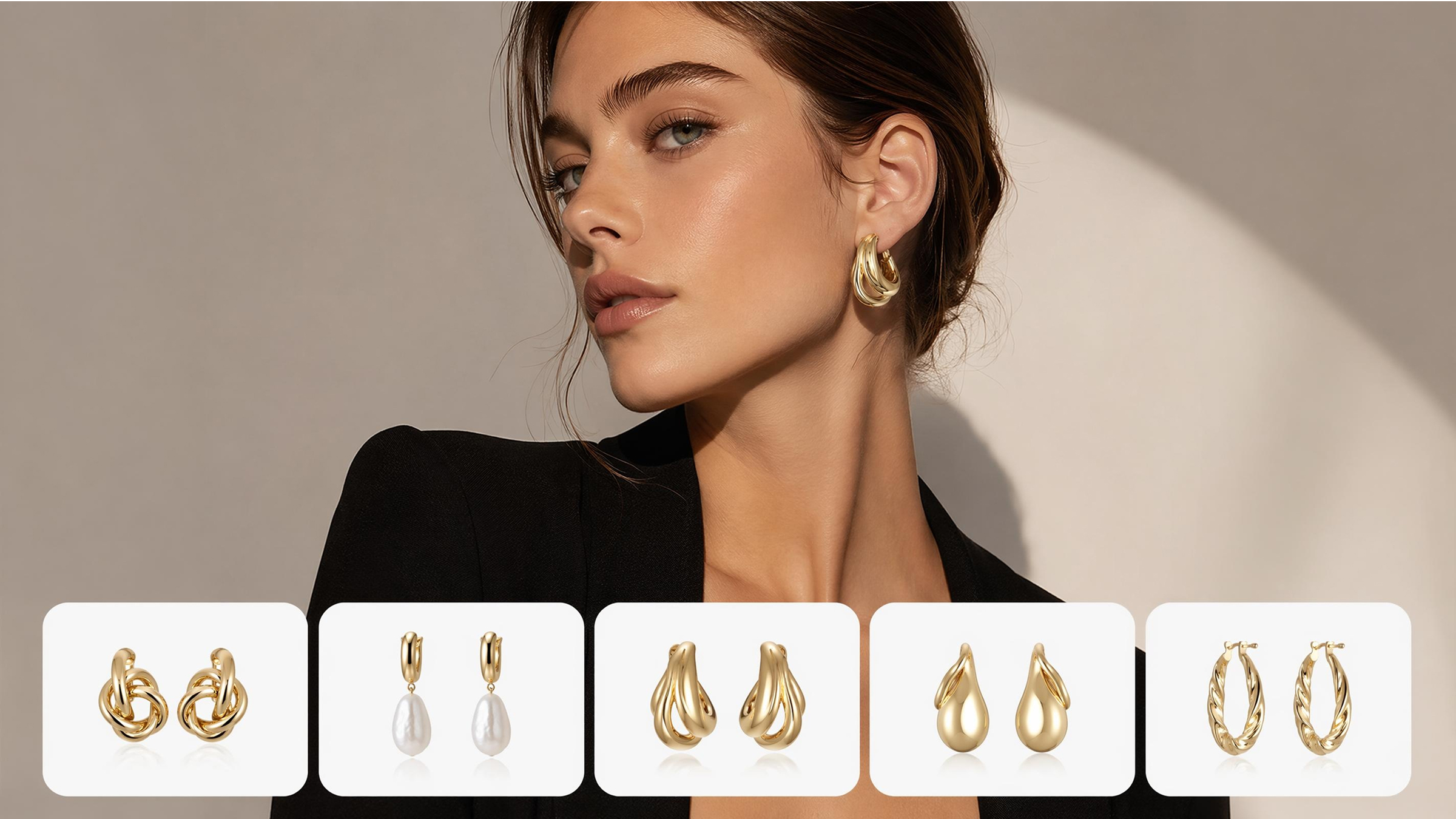
2. Polished Yellow Gold: Yellow gold metals are very complementary to warm complexions with golden undertones.
3. Elegant Rose Gold: This is an ideal pinkish metal that suits individuals with neutral or olive skin.
4. Matte Black Metals: It is a contemporary, edgy contrast that is applicable to nearly all skin tones.
5. Combination of Metals: With the help of both gold and silver, there will be complete freedom in your total wardrobe.
Part 3. How to Try On Earrings Virtually Before Buying
Moving from style theory to digital action allows you to validate your final choices. A professional virtual ear piercing try-on provides an accurate preview of every design. Visualizing jewelry on your own face removes the guesswork from your online shopping experience. Yet, modern tools help you see how metal reflects light against your specific skin tone. Follow these practical steps to ensure your digital session yields the most realistic results:
3.1. AI Tools to Preview Earrings on Your Face: Step by step guide
The last stage in your virtual earring try-on adventure is to select the correct platform. You can either upload a personal photo or use an advanced AI-generated model. In addition to this, tools like Designkit Virtual Try-On allow users to try on piercings virtually by using high-fidelity digital models.
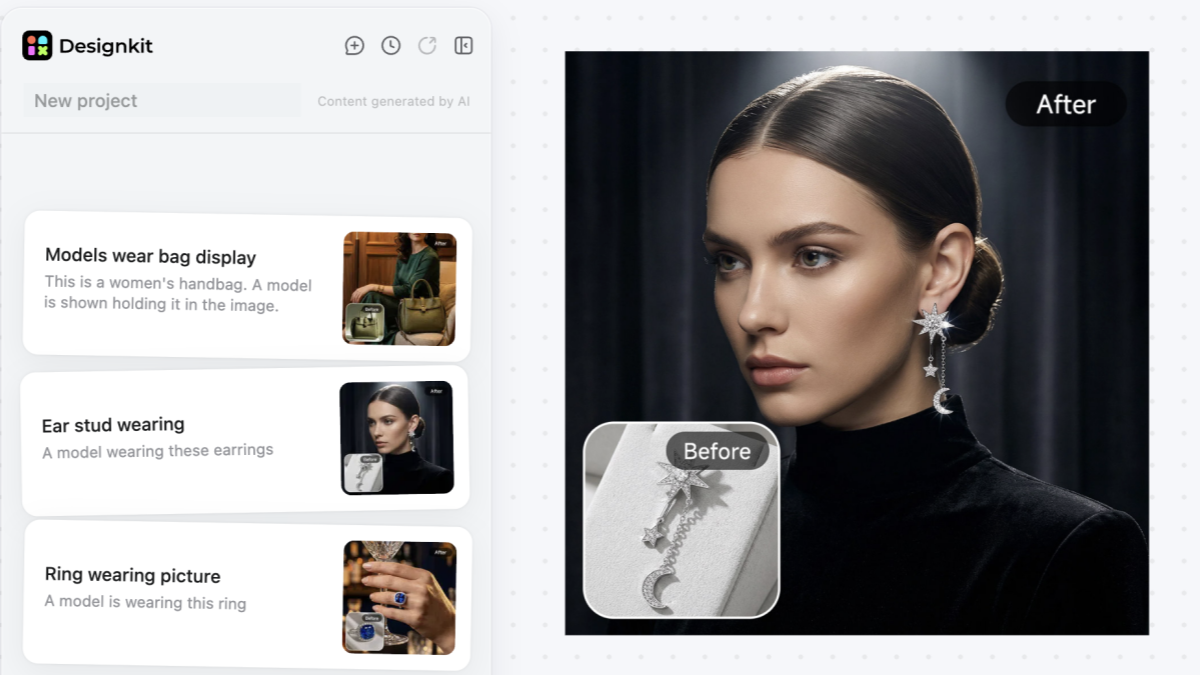
Follow this simple step-by-step workflow to use a virtual earring try-on and find your most flattering jewelry style with Designkit.
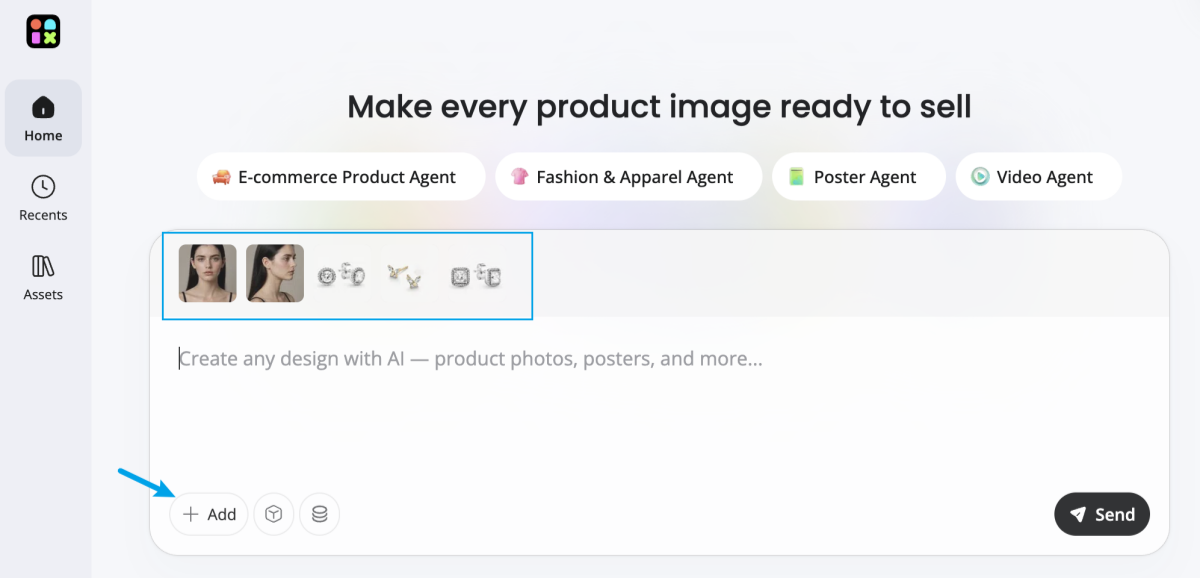
Step 1: Upload Your Photos
Upload one clear front-facing portrait or half-body photo. You can also upload multiple angles of your face for more accurate results. Then, add one or more earring product images you want to try on.
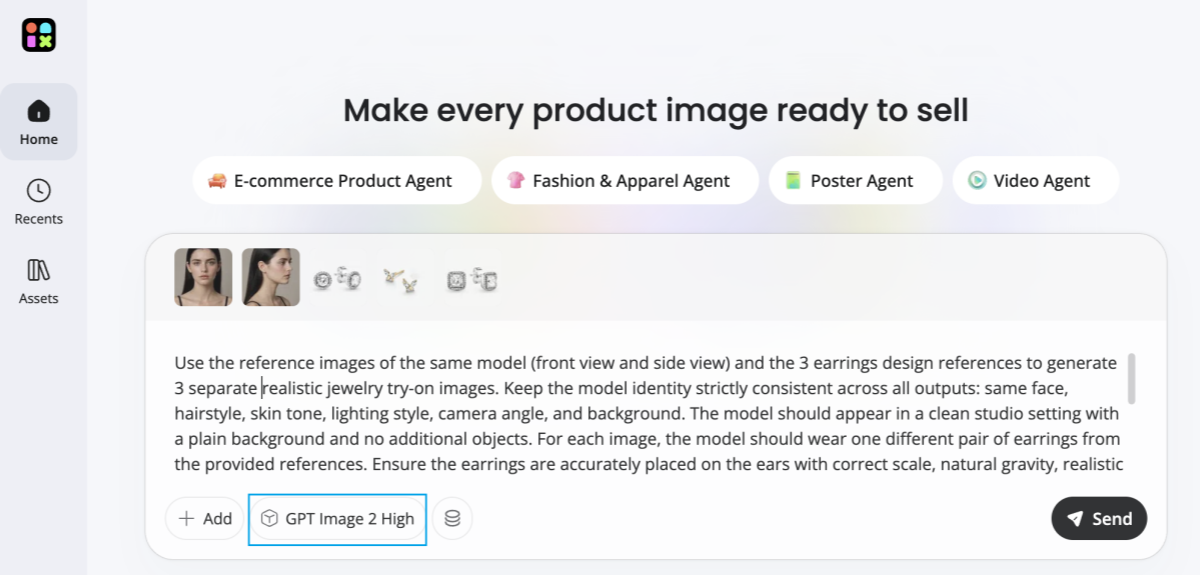
Step 2: Add a Prompt & Select AI Model
Enter a simple prompt such as “gold hoop earrings” or “silver drop earrings on model.” Then choose an AI image model. Designkit supports the latest AI models for high-quality, realistic try-on results.
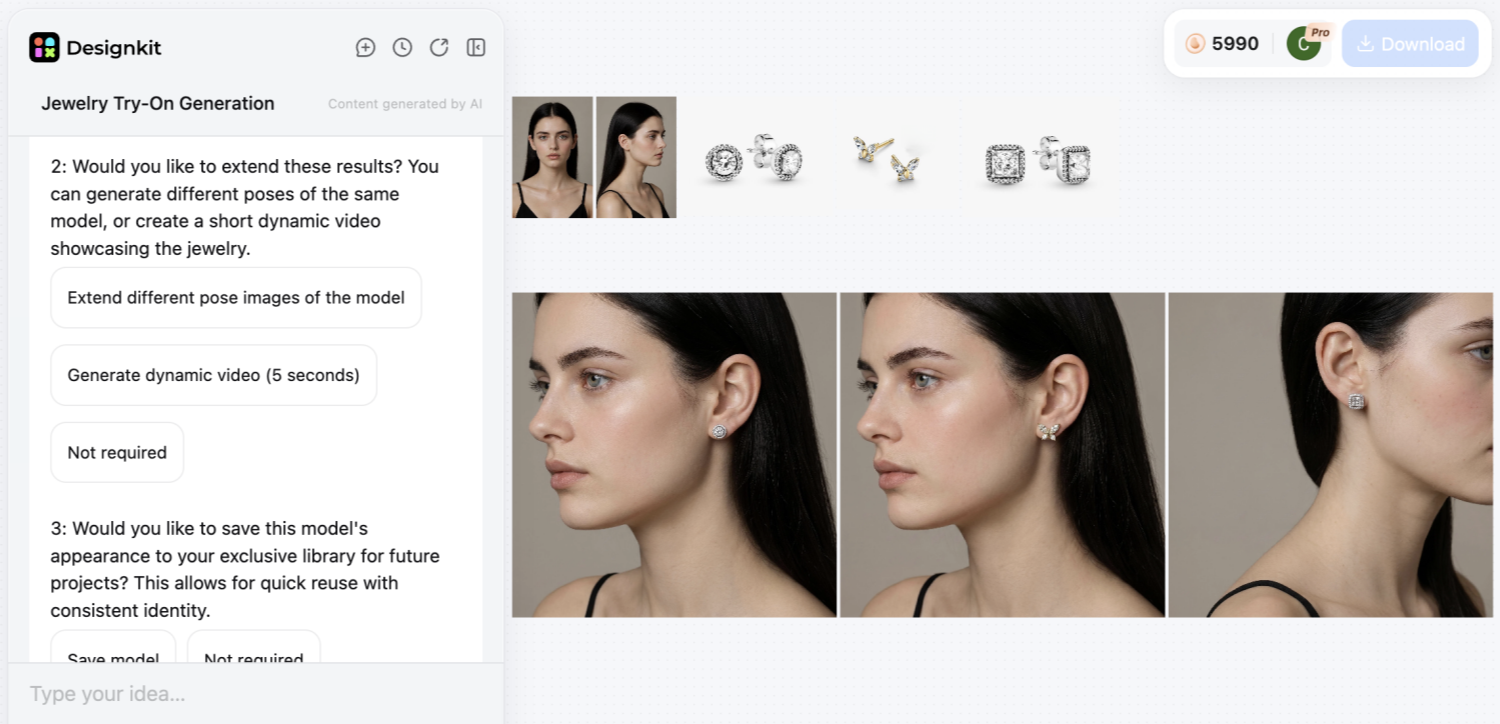
Step 3: Preview & Compare Results
Generate your virtual try-on images and instantly see how different earring styles look on your face. Compare multiple designs side by side to identify the most flattering match for your facial features and proportions.
Step 4: Download & Share
Download your favorite results in high resolution or share them with friends and family to get feedback before making a purchase decision.
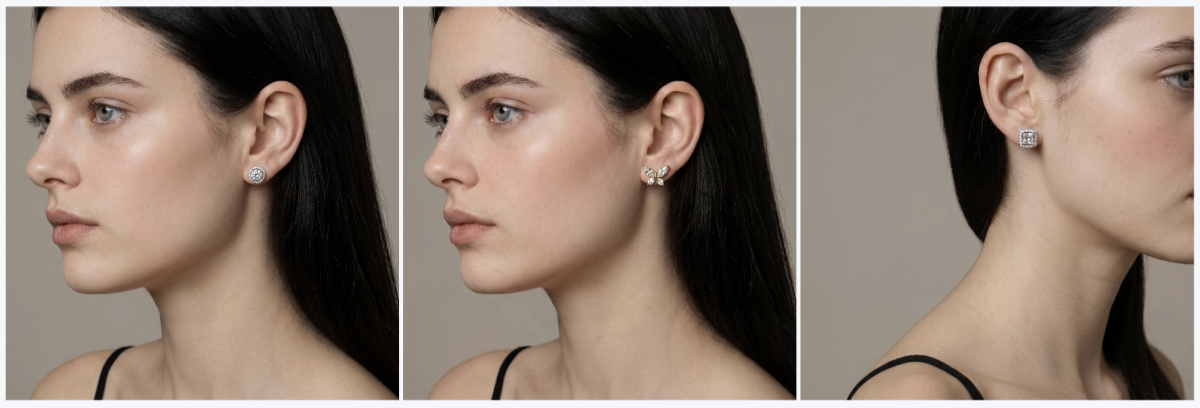
This platform also helps jewelry sellers generate professional model images for their online stores. The workflow is fast and allows for infinite combinations of styles and metal tones. Anyhow, explore these two distinct methods to find the best workflow for your specific needs:
1. Own Photo: Add a selfie of your own to see how various earring types would appear on your own features.
2. AI Model: Use a professional digital human to see how jewelry fits various diverse facial frames.
Apart from that, the following table compares the primary methods to help you choose the best preview option:
|
Method Type |
Primary User Goal |
Key Practical Advantage |
|---|---|---|
|
Personal Photo |
Individual shoppers |
Provides a high degree of personalized accuracy for every consumer |
|
AI Models |
Visualizing trends |
See jewelry on different ethnicities and skin tones without a camera |
|
Sellers Only |
Catalog generation |
Create professional model imagery without the high cost of physical shoots |
3.2. How to Get Accurate Virtual Try-On Results
Quality input is essential for a realistic virtual ear piercing try-on session. Proper lighting and head positioning determine the success of your digital jewelry preview. Along with that, ensure that your ears are clearly visible by pulling your hair back securely first. Avoid using filters that might distort your natural face shape or skin color details. Review the following checklist to optimize your personal digital try-on session for accuracy:
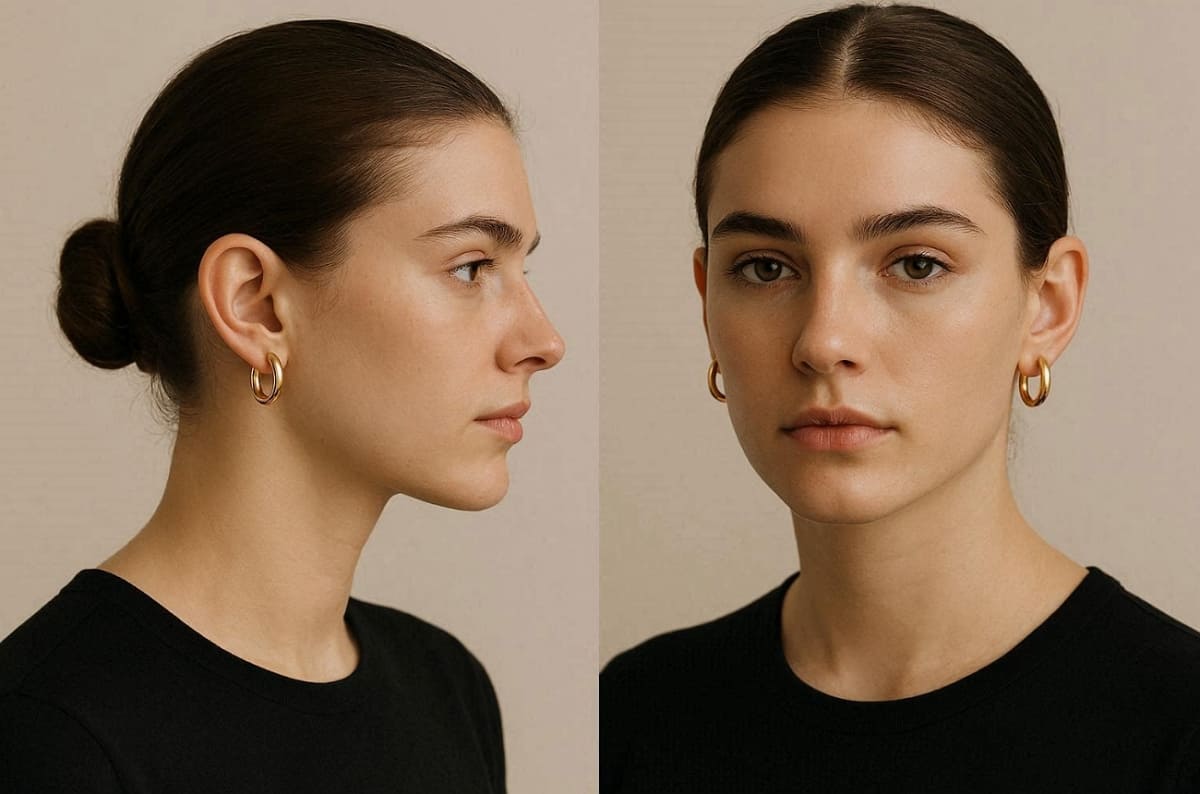
1. Natural Lighting: Stand near a window to capture true metallic shine and skin undertones.
2. Neutral Background: Use a plain wall to keep the focus entirely on your new jewelry.
3. Level Camera: Hold your device at eye level to maintain correct facial and ear proportions.
4. Sharp Focus: Ensure the camera lens is clean to capture the intricate jewelry details clearly.
5. Multiple Angles: Capture front and side views to see how the earrings hang naturally.
Hence, using these tools ensures that your next jewelry purchase is a perfect style match. Moreover, confirm your favorite styles today using the latest in professional AI modeling technology. According to Dataintelo, retailers utilizing virtual try-on solutions report an average conversion rate improvement of 28% to 35%.
Conclusion
In conclusion, pairing your face shape with your earrings is a perfect match. A modern virtual earring try-on session confirms your style choices with visual accuracy. These innovative digital tools allow you to shop for jewelry with absolute style confidence. Yet, remember that the right design can effortlessly enhance your unique and natural facial features. Hence, using advanced AI technology helps you avoid common mistakes when buying luxury accessories online.
Frequently Asked Questions
How accurate is the virtual earring try-on for matching my face shape?
Can hairstyles affect results when using virtual try-on earrings tools?
Yes, hairstyles significantly influence how earrings appear during any virtual try-on earrings session online. Hair covering the ears may hide details, while tied hair improves overall visibility and styling accuracy. For best results, keep hair pulled back to display ear shape and jewelry placement clearly.
Is a virtual ear piercing try-on useful before getting new piercings?
A virtual ear piercing try-on helps visualize placement before committing to permanent jewelry decisions confidently. Users can test different styles and sizes without any physical changes to their ears. So, this reduces risk and ensures your final piercing aligns with personal style and facial proportions.
Can I take screenshots during a virtual earring try-on session?
Yes, most platforms allow screenshots during a virtual earring try-on for later comparison purposes. Saving multiple looks helps you evaluate styles before making final purchase decisions. This method also allows you to share options with friends or stylists for additional feedback.
How can sellers benefit from virtual try-on earrings technology for ecommerce?
Virtual try-on earrings allow sellers to design realistic images of their products without the costly photoshoots. The AI platforms produce standard model images in the catalogs, enhancing brand presentation and conversion rates. So, tools like Designkit also streamline workflows by combining try-on previews with professional listing image generation.
You May Also Like

How to Match Makeup by Undertone: Virtual Lipstick and Foundation Try-On

Wedding Dress Styles for Every Body Type: A Practical Guide for 2026

7 Best AI Virtual Makeup Try-On Tools for Realistic Results in 2026

AI Virtual Makeup Try-On: Boost Beauty E-Commerce Sales in 2026

Free Online Glasses Try-On Tools: See Yourself in Glasses Instantly

Top Virtual Ring Try-On Tools for Engagement and Wedding Rings in 2026

How to Try Shoes On Virtually: A Step-by-Step Guide

Best Virtual Shoe Try-On Tools for Ecommerce: 2026 Guide

How to Try On Wigs and Bangs Virtually to Find Your Perfect Style

Create Model Outfit Photos Instantly With AI Outfit Generator

Best AI Virtual Try-On Clothes Tools for Any Body Type

How to Try On Clothes Online with AI for Better Fit & Style

Virtual Nose Ring Try On Online Before Your Piercing

How to Try Makeup Online with AI and Virtual Makeup Try-On Apps (2026)

How to Use Virtual Earring Try-On for a Flattering Look in 2026

How to Try On Engagement Rings Online with AI in 2026

Scale Your Jewelry Brand with Virtual Jewelry Try-On Solutions

How to Try Hairstyles on Your Face Online (Step-by-Step Guide)

Best Virtual Hairstyle Try-On Tools Online for Realistic Previews 2026

How to Use a Free AI Hairstyle Generator to Find Your Perfect Look

Virtual Hair Color Try-On Guide for Every Skin Tone (2026)

Virtual Wedding Dress Try-On Online for Brides in 2026

How to Choose the Right Sunglasses for Your Face Shape Online

How Accurate Is Virtual Glasses Try-On? AI vs AR Compared

Best Virtual Try-On Glasses Apps in 2026 (Free & Paid Tools)

How AI Virtual Try-On Is Transforming Eyewear Ecommerce

5 Best Virtual Try-On Glasses Tools for Ecommerce and Consumers 2026

How to Try On Glasses Online with AI in 2026 (Easy Guide)

How to Create Jewelry Photos with AI Models That Drive Sales in 2026

AI-Generated Fashion Models: Technology, Brand Adoption & Trends

How to Batch Generate 100+ AI Clothing Model Photos Fast

7 Best AI Fashion Model Generators for Ecommerce in 2026

AI Clothing Model Photos for E-Commerce: Platform Rules & Best Practices

How AI Virtual Try-On Helps Fashion Brands Boost Sales & Reduce Returns

AI Fashion Models vs Real Models: Which Is Better for Brands?

Best Free AI Fashion Model Generators for Real Product Photos

Virtual Outfit Try-On Guide: Plan Outfits Before You Buy

What Is an AI Clothing Model Generator? Full Guide for Sellers

Virtual Try-On Technology in 2026: How It Works & Key Trends

10 Best Virtual Try-On Apps & Tools for Online Shopping in 2026

How to Create AI Fashion Models: Complete Step-by-Step Guide

How to Use AI Fashion Models for E-Commerce Product Photos: A Complete 2026 Guide

How to Virtually Try On Clothes Online: A Complete Guide
Find Your Most Flattering Earrings with Virtual Try-On
Stop guessing which earrings suit your face shape. Use a virtual earring try-on to preview styles instantly, compare designs, and make confident jewelry choices before you buy.
