

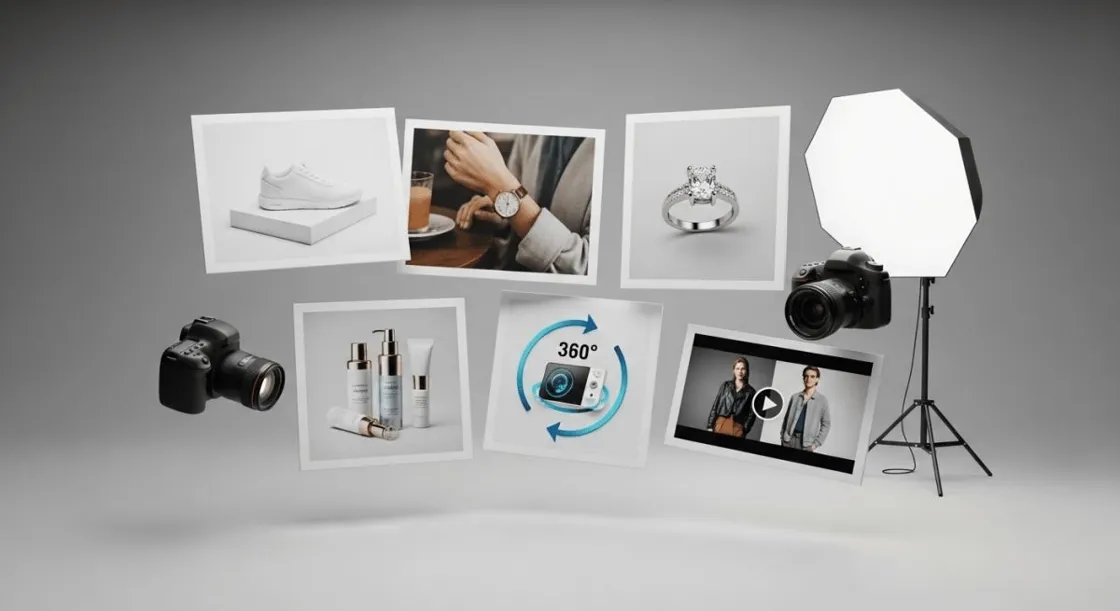
Making high-quality ecommerce product photography was once a whole production with studio lights, cameras, and professional editing. However, sellers on Amazon, Shopify, and Etsy, small ecommerce teams, and even brands that are launching new products can produce usable product listing images without having to hold a photoshoot.
This tutorial will show you how to prepare a set of product images ready for publication, how to save them in the appropriate sizes for different platforms, the simplest QC checklist, and how to recycle a prompt template to have consistent visuals across your listings. One such tool is Designkit which can make this whole process easier by simply allowing you to use product photos even if taken on mobile and turning them into studio-quality visuals for e-commerce using AI.
In case of creating ecommerce product images without a photoshoot, it is still necessary to keep the products' representation realistic. Don't resort to deceptive editing to alter the product's shape, color, size or feature. Follow trademark laws, copyrighted designs, and brand assets, and make sure that the recreated visuals are not the replica of the protected material.
To meet compliance and gain trust (EEAT), sellers are advised to thoroughly study Amazon's official image requirements and other platform rules prior to publishing.
- Part 1: Why Ecommerce Product Photography Is Costing You More Than You Think
- Part 2: What Is an AI Product Photography Generator — and How Does It Work?
- Part 3: Step-by-Step AI Workflow — Create Ecommerce Product Photos in Minutes
- Part 4: AI-Generated Product Photos for Amazon, Shopify, and Beyond
- Conclusion
Part 1: Why Ecommerce Product Photography Is Costing You More Than You Think
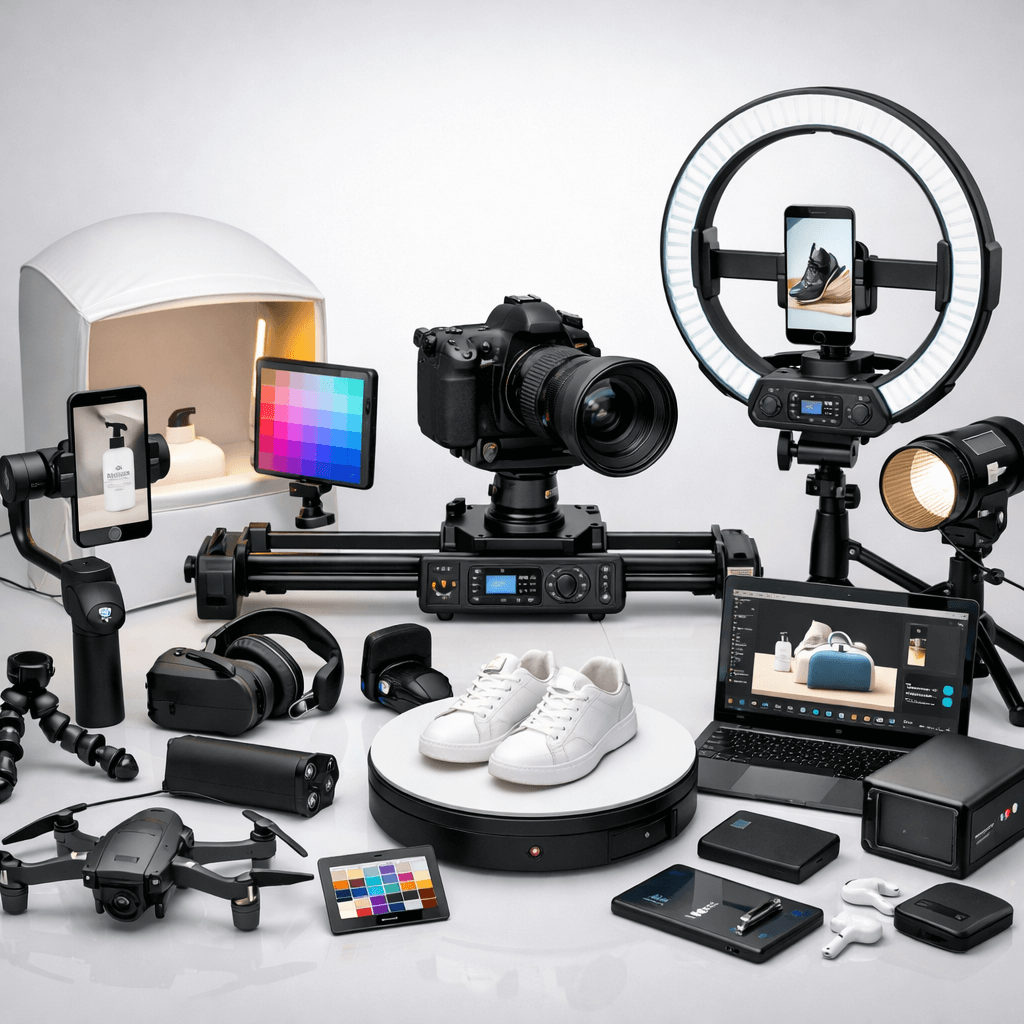
Traditional ecommerce product photography methods can be very costly as it typically involves renting studio space, hiring professional photographers, using lighting equipment, props, and post-production editing. Moreover, for brands that have regular product launches or large inventories, repeating this ecommerce photography process for every product can not only delay listing updates but also drastically raise production costs.
1.1 The Hidden Costs Behind a Single Product Photoshoot
What usually happens in ecommerce product photography is not only taking pictures. Expenses sometimes cover the photographer, the studio, props or styling, shipping product samples, models or hand models, and post-production retouching. Simple pictures with a white background may cost $25, $75 each, whereas styled or lifestyle images can be $100 to $500+ each, based on how complicated they are.
A simple cost calculator: per SKU vs. per catalog
Formula:
Total Cost = (Images per SKU × Cost per Image) × Number of SKUs + Model/Styling Costs + Studio/Production Fees + Revisions/Reshoots
|
Scenario |
SKUs |
Images per SKU |
Avg Cost/Image |
Estimated Total |
|
Small launch |
1 |
5 |
$75 |
~$375 |
|
Small catalog |
10 |
5 |
$75 |
~$3,750 |
|
Medium catalog |
50 |
5 |
$75 |
~$18,750 |
1.2 What Happens When Your Product Images Aren't Good Enough?
Poor ecommerce photography is a direct threat to your sales. Fuzzy or badly lit photos undermine confidence, make the product look cheap, and cause misunderstandings about the features. On major marketplaces like Amazon and Shopify, unattractive product photos will most likely cause a drop in click-through rates (CTR), fewer conversions, an increase in returns, and customer questions multiply, the combination hits both your revenue and your operational efficiency.
A quick quality checklist for product images
| Optimization Focus | Key Action & Objective |
| Crisp focus & sharpness | Every product detail should be clear, with no blur. |
| Accurate color representation | Ensure colors match the real product to avoid misleading customers. |
| Consistent lighting | Even, natural-looking lighting across all images to maintain uniformity. |
| Full product visibility | Show the complete product from multiple angles, including front, back, and sides. |
| Highlight key details & textures | Make important features, textures, or patterns easily visible. |
| Uniform angles & framing | Keep angles consistent across SKUs for a professional catalog look. |
| Clean, distraction-free backgrounds | Avoid clutter, props, or colors that compete with the product. |

Part 2: What Is an AI Product Photography Generator — and How Does It Work?
An AI Product Photography Generator relies on sophisticated algorithms to convert simple product photos into high-end, studio-quality images for listings. Utilizing the product's shape, material, and category. An AI Image Generator can eliminate backgrounds, tweak lighting, simulate professional poses, and concoct lifelike settings, all of which drastically lessen the requirement for costly studio sessions while at the same time delivering uniform, high-quality visuals for ecommerce listings.
2.1 From a Basic Product Sample to a Commercial-Grade Image
Getting AI Product Photography Generator into your process means working efficiently and quickly. Your starting point would be a simple product image in which AI will subject isolation method to separate product from its background. Then, it uses inference and reconstruction to improve details, change colors, and make textures more accurate. After that, this system brings in lighting and background rendering, giving the product a professionally looking, studio-quality finish.
|
Feature |
Traditional Photography |
AI Product Photography Generator |
|
Time per SKU |
1–2 weeks |
10–30 seconds |
|
Cost per SKU |
$300–$500+ |
$0–$10 (tool subscription) |
|
Iteration speed |
Slow; reshoots required |
Instant; multiple versions in minutes |
|
Equipment |
Cameras, lighting, props, studio |
Basic product photo (even mobile) |
|
Skill required |
Photographer & editor |
Minimal; tool handles edits |
|
Limitations |
High cost, scheduling, human error |
May need prompt tuning for complex scenes |
2.2 What Can AI Actually Generate? Backgrounds, Scenes, and More
An AI Image Generator may be equipped to generate various types of e-commerce product photography assets from just one simple photo:
- White-background hero shots: Neat and compliant, very suitable as the main product image on Amazon or Shopify.
- Lifestyle or contextual scenes: The product is shown as being used, which helps customers imagine the size, function, or style of the product.
- Close-ups and detail shots: Textures, materials, and main features can be brought out.
- Feature callouts / infographic-style images: Specifications or unique selling points can be highlighted (make sure edits are not misleading).
- Seasonal or promotional assets: Visuals that are holiday, sale, or campaign specific.
- A/B test variants: Rapidly produce multiple styles to determine which images yield the highest conversion.

On top of that, AI features style control that allows you to change backgrounds, lighting, and the general appearance of the scene to fit your brand identity. Typically, hero images are kept very simple and clean, while secondary images are used to show lifestyle shots, details, or promotional variations, all of which help you to build an entire, conversion-optimized product listing.
Part 3: Step-by-Step AI Workflow — Create Ecommerce Product Photos in Minutes
Turn simple product photos into top-notch ecommerce pictures with an AI Product Listing Images Generator. First off, you upload your image. Then, AI isolates the subject. After that, it helps you come up with backgrounds and lighting, plus you can export the images tailored for the platform. A few minutes only, per SKU, is what it takes for each step. And if you use a QC checklist, the images you get will be bright, color-true, and regulation-compliant, just the right ones for Amazon, Shopify, or Etsy.
Step 1 — Prepare Your Product Sample Image
Start your ecommerce photography with a simple product picture. A smartphone photo alone would do the job, only be sure that the product is in the center, the light is even, the shadows are not too visible, and the outlines are sharp. Avoid the use of heavy filters or color-changing effects. To be consistent and have more freedom to be creative, you may even consider making 2-3 different product shots from various angles, which would allow the AI to generate better images from different viewpoints.
Step 2 — Choose Your Scene, Style, and Platform Format
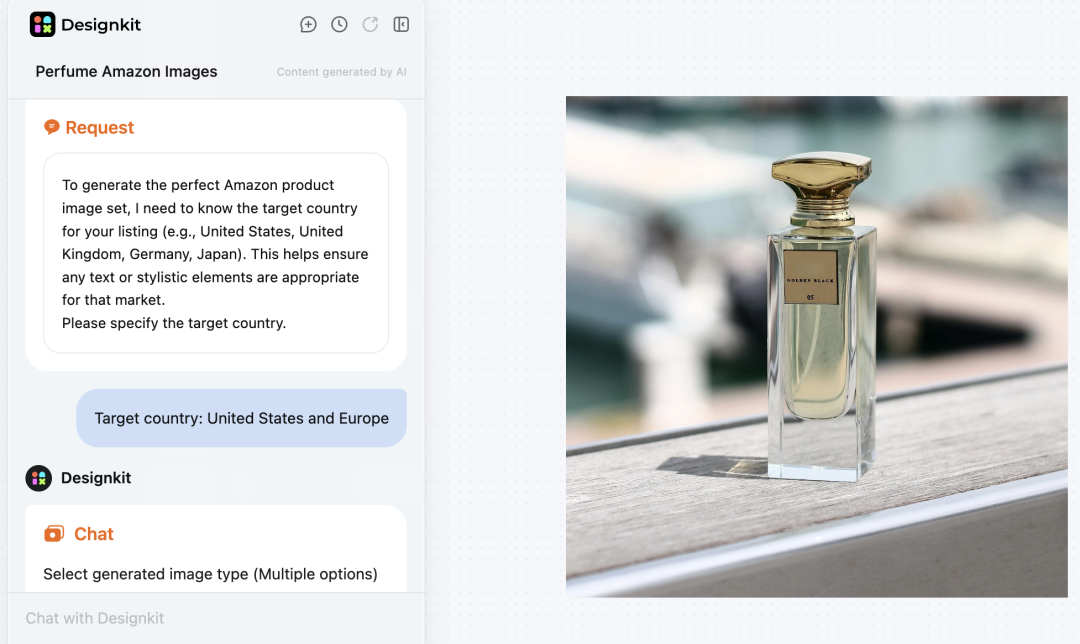
Firstly, make a visual representation of your product and next, decide on a background and a style that matches your product and the aim of your listing. As an example, hero images with plain backgrounds are appropriate for primary pictures on Amazon, whereas, lifestyle pictures are excellent for secondary images that show the setting or how the product is utilized. After this, choose the output ratios and dimensions that match each platform; since Amazon, Shopify, and Etsy have slightly different requirements, it would be best to ensure images fit their recommended sizes.
By using Designkit AI Product Listing Images Generator, you can select templates from scene templates, modify style settings, and use platform-ready presets. In Designkit's prompt field, you can paste a prompt template and then make changes to materials, lighting, and scene type, if necessary.
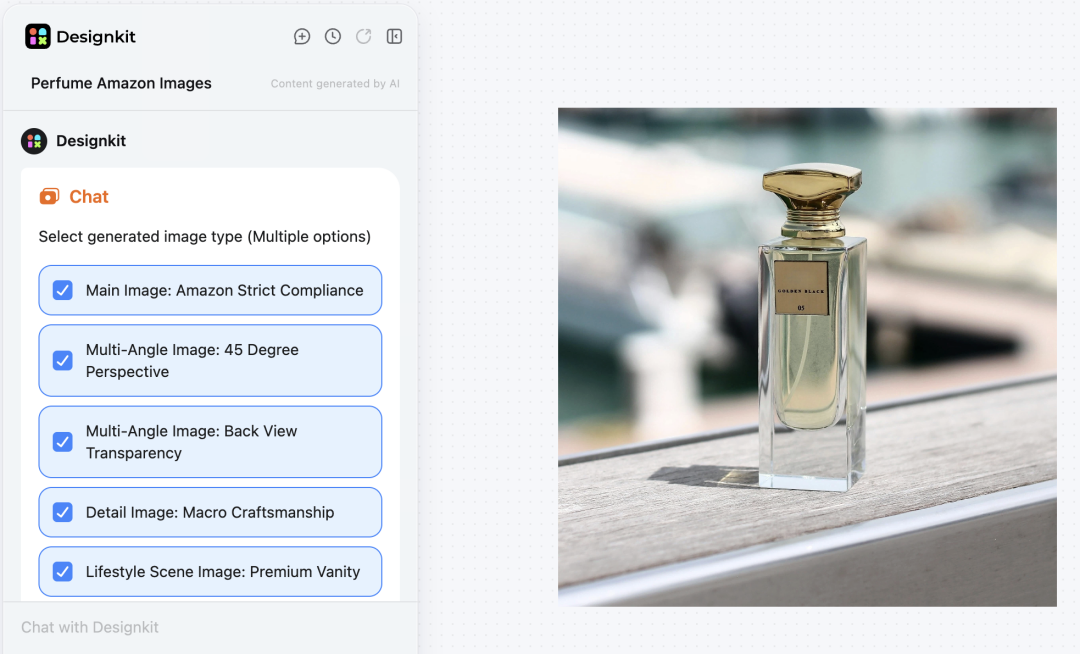
Template:
"Generate a [scene type] image of [product name], showing [key features], with [lighting style] on a [background type], realistic and studio-quality."
Step 3 — Generate, Review, and Refine Your AI Product Listing Images
Use an AI Product Listing Images Generator to create several variations of your product images once your scene, style, and platform settings are set up. Compare each output to the original product image by checking details, correct shape, realistic shadows, clean edges, consistent color, and logo or text integrity.
Fine-tuning the prompt, exchanging the background, or regenerating additional variants are some of the typical fixes. Batch generation can be a real time-saver if you are dealing with a large catalog or doing A/B testing since it will produce multiple SKUs or test images at a time.
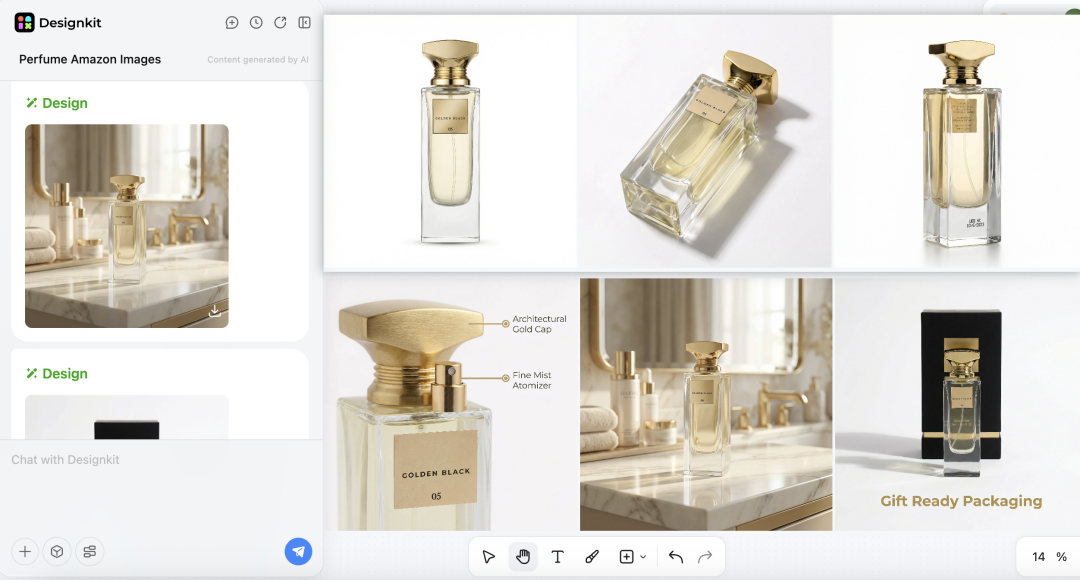
In Designkit, you can generate several versions, compare them in the preview, and keep the most accurate and polished image(s) after a quick human review—ensuring your AI Product Photography Generator outputs are ready for ecommerce listings.
Common Issues & Fixes
Here's a quick troubleshooting guide for common AI product image quality issues:
|
Issue |
Likely Cause |
Fix |
|
Blurry or soft details |
Low-quality input image |
Use a higher-resolution product photo |
|
Color mismatch |
Prompt not specific about colors |
Specify exact color and material in prompt |
|
Unrealistic shadows or reflections |
AI scene template mismatch |
Choose a more suitable lighting/background template |
|
Cropped or missing product parts |
Poor subject isolation |
Re-upload image with clearer edges or adjust AI mask |
|
Artifacts or distortions |
Overly complex prompt or low resolution |
Simplify prompt, increase output resolution, regenerate |
|
Inconsistent angles across images |
Single angle input |
Provide multiple angles for batch consistency |
|
Text or logo distortions |
AI misinterprets text |
Lock text/logo in prompt and confirm in preview before export |
Step 4 — Export, Optimize, and Publish
For high-quality Amazon or Shopify listings, you should target 2000px+ for the longest side, and you should use light compression that preserves quality but still reduces file size to a reasonable level.
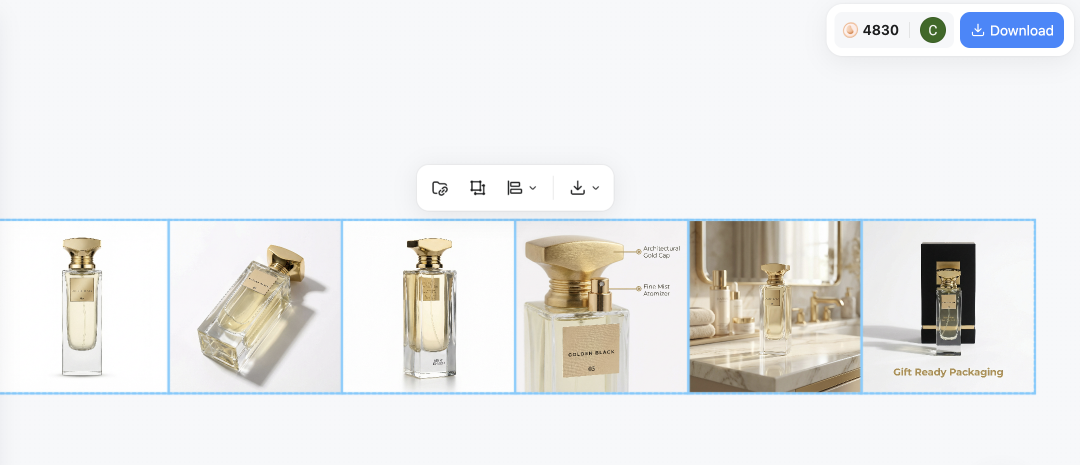
One last checklist before you upload:
- Double check the resolution and aspect ratio are correct
- Evaluate the color accuracy and detail preservation
- Make sure all product views are represented
- Examine the background, shadows, and lighting for consistency
- Incorporate descriptive alt text and metadata
Platforms such as Designkit are simplifying this area by presenting you with the choice to export different sizes and formats for various channels, thereby reducing the time used in re-cropping and hastening your e-commerce product photography workflow.
Part 4: AI-Generated Product Photos for Amazon, Shopify, and Beyond
AI-generated ecommerce product photography ensures compliance and speeds up scaling. Use Amazon Listing Images Generator to meet platform specs, optimize Shopify ratios, and produce multiple angles or variants quickly for large catalogs.
4.1 Meeting Amazon's Listing Image Requirements with AI
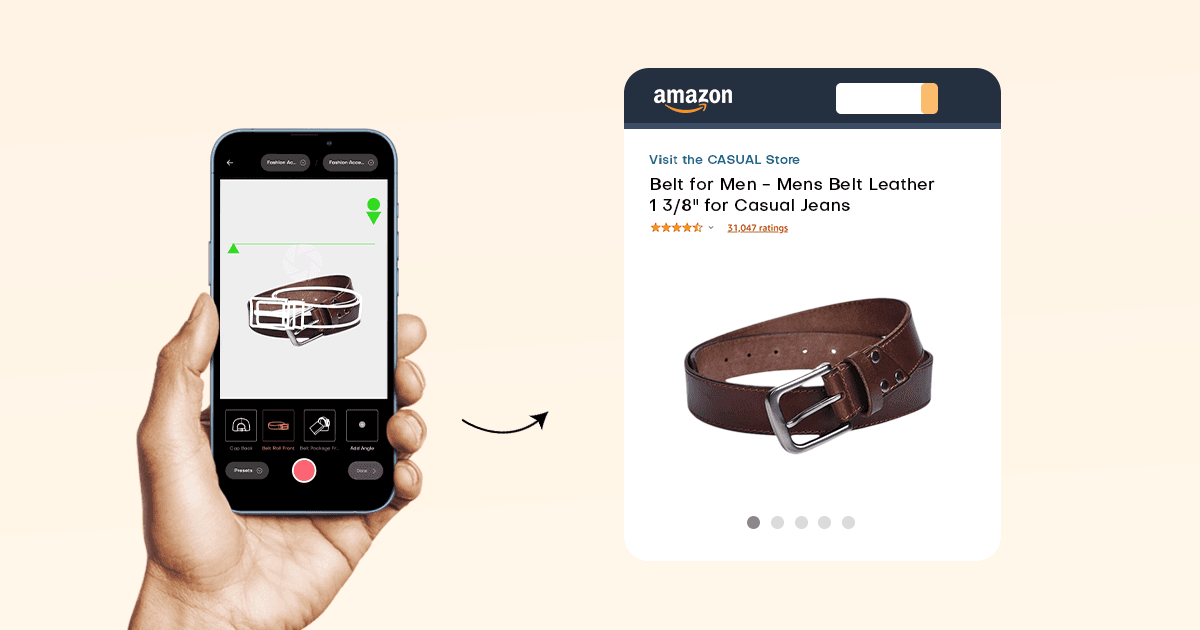
In terms of producing images for Amazon products, the initial image must truly reflect the product, simply showing the product clearly on a plain white background without any text, brands, or elements that are not included in the product. Approximately 85% of the image should be the product, it should be entirely visible, and the image should indicate the correct size, quantity, and color of the product. Besides the first image, the rest of the images can depict the product in use, show a close-up of the details, or different angles of the product, but they should be truthful and not deceptive.
Tools like Designkit's Amazon Photography tool offer white-background and size presets to speed up compliant image creation while keeping human review in the loop.
4.2 Scaling Product Images Across Shopify, Etsy, and Social Channels
Utilizing AI, it becomes a breeze to recycle the same product photo set across various channels. Adjust the aspect ratios as per the platform: 1:1 for Etsy, 4:5 for Shopify, 9:16 for TikTok/Instagram, etc. Meanwhile, maintain the angles, light, and style unchanged. The main uniform set should be generated with Designkit initially; later on, different channel-specific crop sizes can also be saved and used for quick multi-platform publishing.
|
Platform |
Recommended Ratio |
Notes / Special Requirements |
|
Shopify |
4:5 |
Mobile-friendly, supports lifestyle shots |
|
Etsy |
1:1 |
Hero image must fill frame, clear details |
|
Instagram/TikTok |
9:16 |
Vertical format, optional promotional overlays |
|
|
1.91:1 |
Horizontal for feed ads, keep product centered |
Conclusion
You don't have to spend a lot of money on studios or even take weeks to create professional ecommerce product photography. AI tools such as Designkit enable you to produce high-quality, ready-to-launch images in no time while also being accurate and compliant with marketplace rules. Sellers who adhere to QC checklists and best practices can scale their listings efficiently, boost their conversions, and minimize returns. Give it a shot by generating a first product, thoroughly reviewing it, and finding out how AI can simplify your whole product image workflow.
Frequently Asked Questions
Can AI-generated images replace professional ecommerce product photography?
Are AI product images allowed on Amazon?
Yes, if images comply with Amazon's image requirements—accurate representation, white-background main images, no misleading edits. Always review outputs manually.
What's the best AI Product Photography Generator for ecommerce sellers?
Look for tools with platform presets, batch generation, consistency, export options, ease of use, price, and IP controls. Tools like Designkit cover listing-image workflows, including generation and platform-ready presets.
How many product images do I need for an Amazon listing?
Aim for 7–9 images: 1 main white-background image, 3–4 alternative angles, 1–2 lifestyle/context shots, 1–2 detail or size/scale images.
Can I use a smartphone photo as input for an AI Image Generator?
Yes, ensure the product is centered, evenly lit, with minimal shadows, and edges are clear. Optional: capture 2–3 angles for better AI consistency.
How long does it take to generate ecommerce photos with AI?
Typically, minutes to ~30 minutes per SKU, depending on variations and refinements—much faster than the 1–2 weeks often required for traditional photoshoots.
You May Also Like

T-Shirt Design Size Guide: Placement, Dimensions, & DPI

How to Sell on Poshmark: A Complete Beginner's Guide

Zeely Reviews 2026: Features, Pricing, Pros, Cons & Alternatives

Create TikTok Ads From One Photo: An AI Product Launch Kit

Depop vs Poshmark: Which Is Better for Selling in 2026?

How to Create an Amazon Storefront: 4-Step Guide for New Sellers

How to Sell Books on Amazon in 2026: Beginner Guide

How to Sell on Amazon in 2026: A Complete Seller Guide

AI Product Photography: 7 Best Tools for Ecommerce in 2026

What Is a Hero Image? Definition, Examples & Design Tips

Pippit AI Review 2026: Features, Pricing, Pros & Cons

Back to School Ad: 7 Creative Ideas for Better Campaign Results

Top 7 Back-to-School Sales Ideas to Boost Retail Sales (2026)

How to Create a Complete World Cup Product Listing Image Set

How to Create Amazon Summer Sale Posters and Banners with AI

Amazon Summer Sale 2026: Listing Design Trends & Product Image Ideas

Ecommerce Video Ads: 7 Strategies That Drive Higher Conversions

How to Photograph Shoes for Your Ecommerce Store in 2026

Product Photography Ideas: Creative Tips & Techniques for Better Shots

Product Photography Pricing 2026: Full Cost Guide by Type

White Background Product Photography Guide & Tips 2026

Product Photography Starter Package: Gear Checklist 2026

Shopify Product Photography Guide with Tips & Setup

Amazon Main Image Requirements: Size, Guidelines & Tips

Shopify Image Size 2026: Complete Guide and Tips for Better Product Display

Studio Product Photography vs AI Product Photography in 2026

7 Product Photography Mistakes That Hurt Ecommerce Sales

Change Outfit Colors Online for Outfit Preview with AI Clothes Color Changer

How to Create Amazon Infographics: Boost Sales with Compelling Visuals

How to Create Outdoor Product Scenes Without a Photoshoot Using AI

Optimize Etsy Images for Mobile: Listing Photos That Convert

Amazon 7-Image Listing Strategy: Boost Sales by Optimizing Every Image

Etsy Thumbnail Optimization: Keep Your Product Fully Visible

The Etsy Thumbnail Formula That Drives More Clicks and Sales

How to Create Pro Amazon Listing Photos Without a Studio

10 High-Converting Lifestyle Product Images for Amazon Listings

How to Automate Your E-commerce Visuals with OpenClaw Workflow

Top 5 AI Tools to Generate Amazon Product Listing Images in 2026

How to Turn One Photo into 10 Etsy Listing Images Fast: Batch Workflow

Etsy Listing Photo Size Guide (2026): Mobile, Desktop & Shop View Specs

Turn White Background Images into Lifestyle Amazon Listings

Fix Etsy Image Cropping: Optimize Listing Photos for Every Device

Amazon Listing Images: Essential Shot List & Optimization Guide

How to Create Lifestyle Product Images Without a Studio

Lifestyle Product Photography Trends 2026: Authentic Looks at Scale

How to Master Lifestyle Product Photography in 2026

Amazon Listing Images Guide 2026: 7-Slot Strategy & Requirements

360 Product Photography Guide 2026: Setup, Shoot and Workflow

Beginner's Guide to Generate Product Photos from Different Angles

AI Product Photography: Create Ecommerce Images Without a Photoshoot

How to Create Realistic AI Product Photos: Step-by-Step Pro Guide

Keep AI Product Images Consistent Across SKUs: Lighting, Color, Background

How to Scale E-commerce with a Product Image Generator

How to Use AI for Spring Product Photography: 2026 Amazon Guide

How to Create a Budget Home Product Photography Setup with AI

How to Achieve Professional Product Photography Standards in 2026

How to Take Product Photos with Phone: Pro Guide for Amazon & AI
Best AI Product Image Generator 2026: Top Tools for Amazon Sales

Amazon Photography Service vs. AI Generator: Best Choice for Sales

What Is Product Photography? Angles, Lighting & Editing Guide

Amazon Spring Sale 2026: Create High-Converting Listing Images (Guide)

AI Agents Transform Amazon Product Photography in 2026

Amazon Photoshoot in 2026: Do You Still Need a Studio?

11 Must-Have Tools for Amazon Product Photography in 2026

2026 Amazon Image Trends Shaping Seller Success and Conversions

Amazon Product Photography Requirements & Best Practices 2026
Make every product image ready to sell
Designkit is an all-in-one AI platform for ecommerce visuals. Create product photos, AI videos, virtual try-ons, and Amazon listing images in seconds. Generate HD backgrounds, batch edit photos, and scale your brand with studio-quality content.
