
Kling vs Veo: Which Model Wins for Product Video and UGC Ads?
Start with the clip you need to ship. Kling 3.0 is motion-first for product animation and image-to-video. Veo 3.1 is audio-first for cinematic realism and lip-sync.


If you are choosing between Kling AI and Google Veo for product video or UGC ads, start with the clip you need to ship this week. Kling 3.0 is the better default for silent product motion, longer takes, and batch image-to-video. Veo 3.1 is the better default when the ad includes on-camera speech, native audio, or a cinematic lifestyle beat you want in one pass.
Quick Verdict: Which Model Fits Your Workflow?
Match the model to the publish goal, not the demo that looked best in a tweet.
|
Your priority |
Best choice |
Why it wins |
|---|---|---|
|
Amazon listing / PDP product motion |
Kling AI (3.0) |
Strong image-to-video, longer single passes, lower cost at volume |
|
Silent TikTok / Reels product demos |
Kling AI (3.0) |
Fast variants and product-led motion |
|
TikTok UGC with on-camera speech |
Google Veo (3.1) |
Native dialogue and stronger lip-sync |
|
Brand hero / cinematic lifestyle |
Google Veo (3.1) |
Environment realism, lighting, atmosphere |
|
Large catalog motion variants |
Kling AI (3.0) |
Better economics for batch image-to-video |
|
Multi-shot storyboards in one generation |
Kling AI (3.0) |
Built-in multi-shot planning up to 15 seconds |
|
One-pass audio + video social ads |
Google Veo (3.1) |
Fewer audio handoffs before publish |
Pricing changes by platform, resolution, audio, and retries. Treat cost signals as directional. Check your billing page before you scale.
What Each Model Is Built For
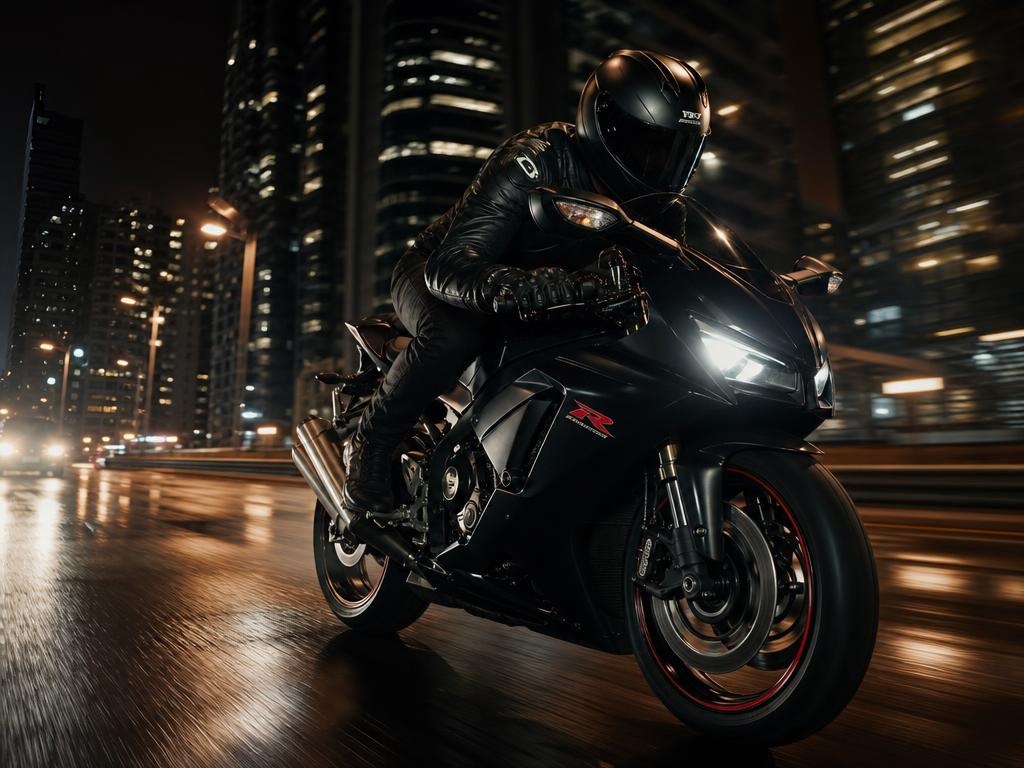
Kling 3.0 (Kuaishou) is a motion-first generator. It is built for camera moves, product animation, and image-to-video from catalog photos. Think a runner mid-stride or a car in real speed, not a static packshot.
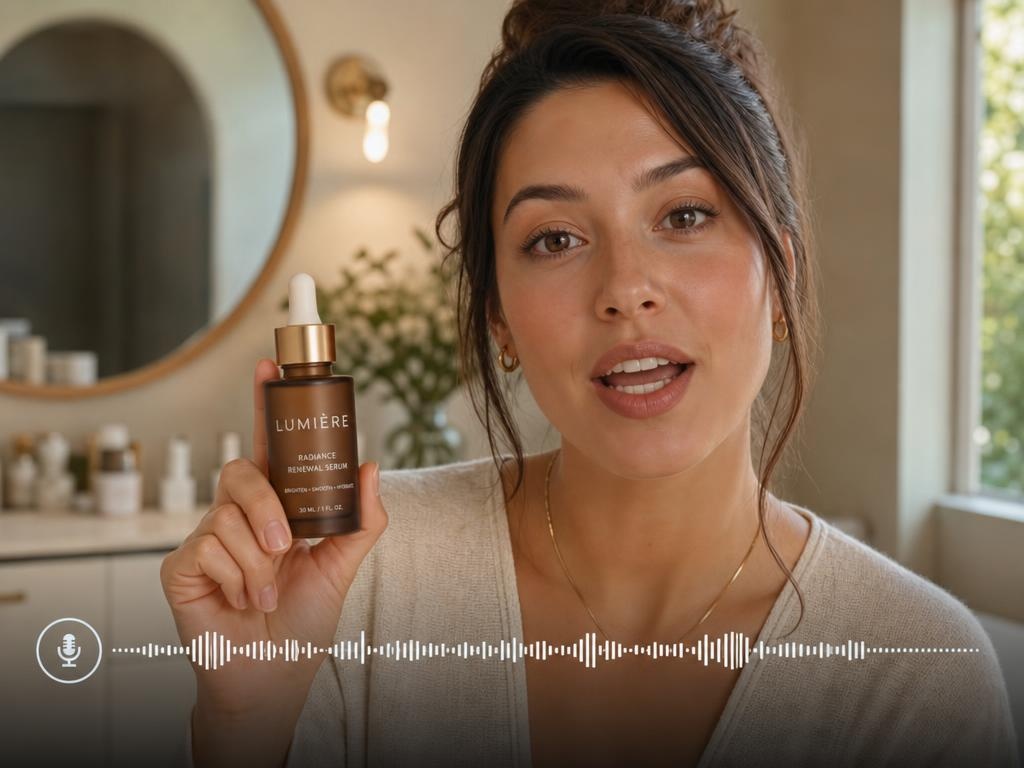
Veo 3.1 (Google) is an audio-first, cinematic generator. It is built for film-like realism, synchronized sound, and lip-sync in one pass: the talking UGC beat you can publish without a separate VO pass.
The decision is not which model wins a benchmark. It is which one fits the next clip in your pipeline.
How They Differ in Production
Visual quality and motion
Kling AI usually ships convincing product motion first: push-ins, handheld product demos, and catalog-to-video hero clips that need little retouching. Clean-backdrop orbits are useful for some listing slots, but they are not the only (or always the most common) ecommerce brief.
Google Veo usually wins on lighting and environment realism. Lifestyle inserts can look more filmed even when the product shares the frame with the room.
For short social sequences, Kling can cover several beats in one multi-shot generation. Veo often delivers a stronger single hero beat, then extension or edit assembly for longer stories.
Clip length and multi-shot control
This is where the kling vs veo 3 choice shows up in daily production.
Kling 3.0 generates 3 to 15 seconds per pass. Multi-shot mode can plan several labeled beats in one generation, which helps short product stories without heavy stitching.
Veo 3.1 generates 4, 6, or 8 seconds per pass on current Google surfaces. That is enough for a hero beat or talking clip, but longer edits usually mean extension tools or assembly in post.
If your brief is a 12-second silent product spin, Kling is often the simpler path. If your brief is a 6-second creator line with synced audio, Veo is often the simpler path.
Audio and lip-sync
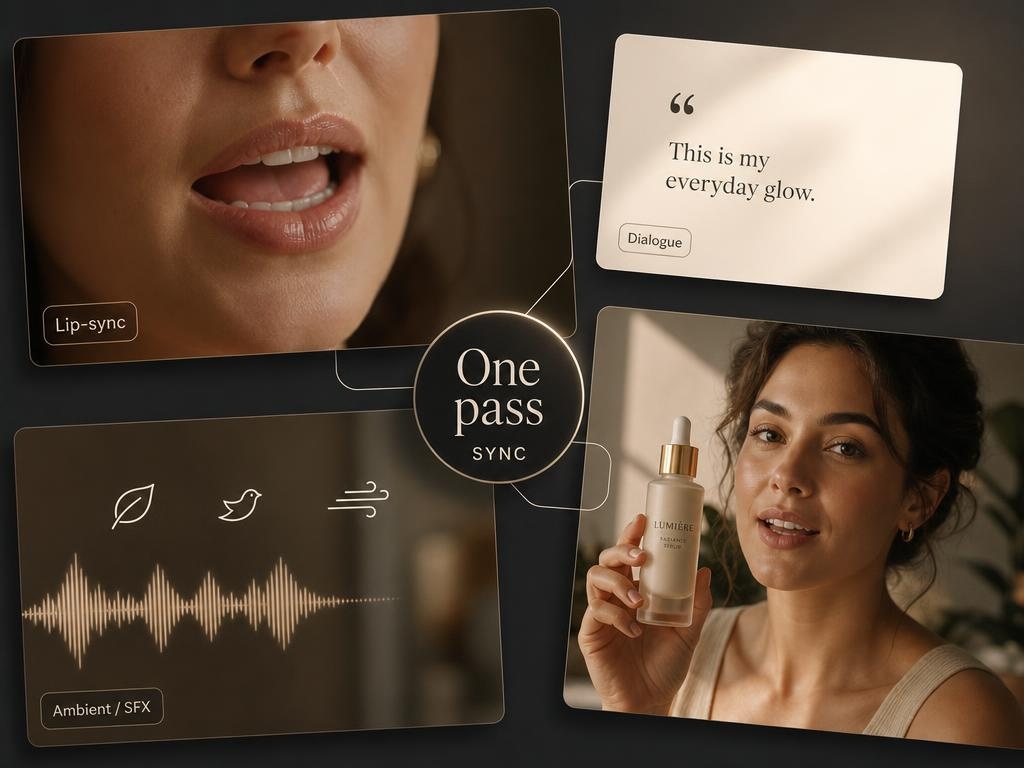
Veo 3.1 generates synchronized dialogue, ambient sound, and lip-sync in one pass. That is its main edge for talking-head UGC and speech-led social ads.
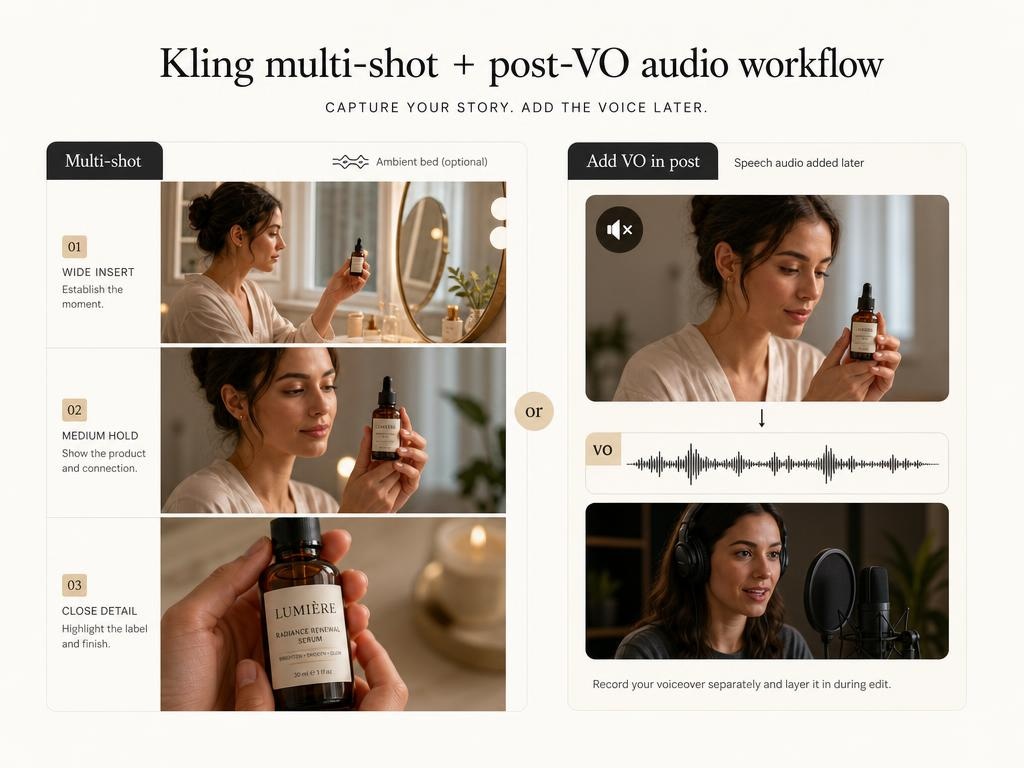
Kling 3.0 can generate ambient beds and music on some tiers, and it supports native audio in multi-shot mode. For on-camera speech, many teams still mute Kling product clips and add VO in post, or route talking beats to Veo.
Pricing and production cost
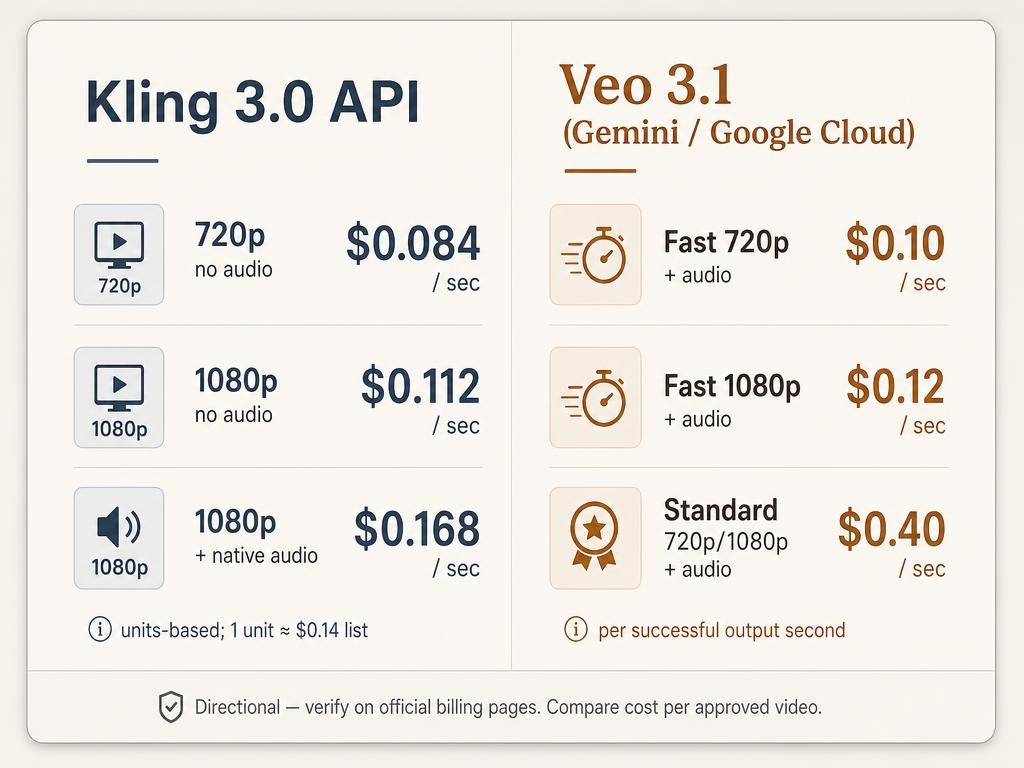
Compare cost per approved video , not list price alone. Your real bill includes retries, audio cleanup, lip-sync fixes, and edit assembly. Public API rates move. Verify on the billing page before you scale.
On Veo 3.1 (Gemini / Google Cloud), directional list rates are about $0.10/sec Fast 720p with audio, $0.12/sec Fast 1080p with audio, and $0.40/sec Standard at 720p/1080p with audio.
On Kling 3.0 developer pricing (units-based; about $0.14 list per unit), directional rates land near $0.084/sec at 720p without audio, $0.112/sec at 1080p without audio, and $0.168/sec at 1080p with native audio. For silent product motion at volume, Kling is often cheaper. For one-pass talking ads, Veo's per-second quote is easier to forecast before you generate.
Test Both on Your Hero SKU
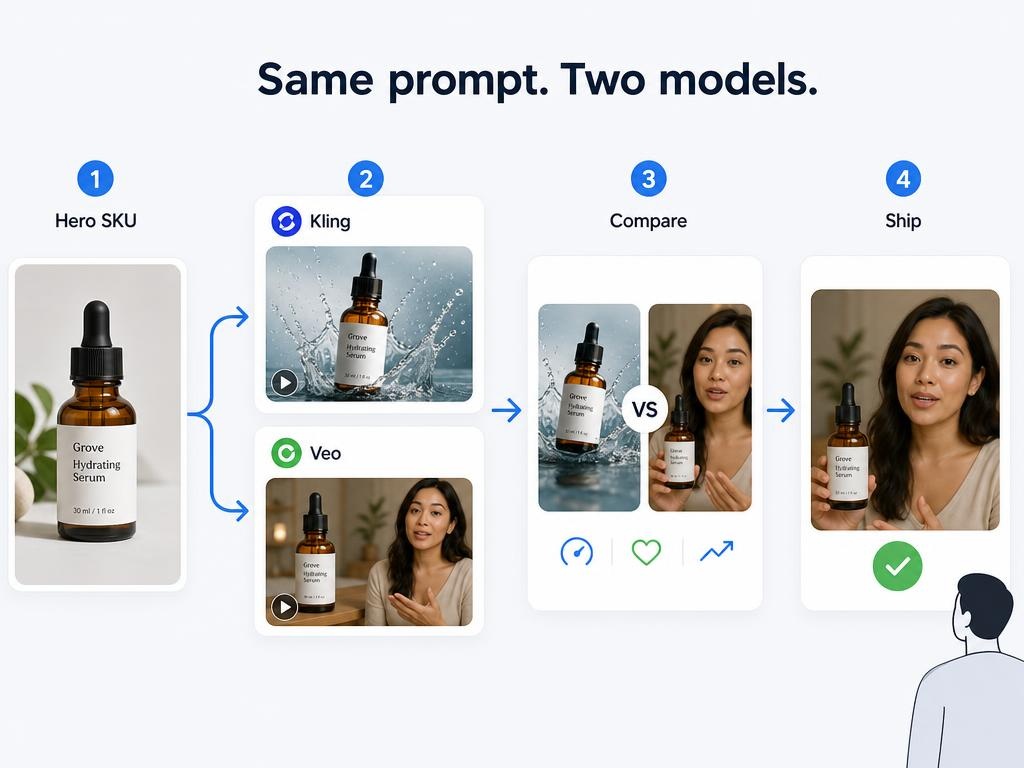
Run one approved product image through both models with the same prompt on your hero SKU. Match resolution tier as closely as each platform allows (1080p when available) and log retries to a keeper.
|
Shot type |
Kling 3.0 |
Veo 3.1 |
Default pick |
|---|---|---|---|
|
Catalog / clean-backdrop product motion |
Strong orbit and volume economics |
Strong lighting, shorter base length |
Kling |
|
Lifestyle scene insert |
Fast variants; watch prop drift |
Stronger light, depth, atmosphere |
Veo |
|
UGC talking-head + product hold |
Weaker lip-sync; mute + VO fallback |
Strong dialogue sync |
Veo |
|
Packaging text / logo motion |
Text may warp on small labels |
Same risk on fine type |
Static end card in post |
Test prompts (copy into both tools):
Catalog / clean-backdrop motion (use when the channel needs isolated product, not as every team’s default): Slow orbit or gentle push-in on the product against a clean, simple backdrop. Soft grounded shadow. Smooth camera movement, no text, no people. Premium ecommerce lighting.
Lifestyle insert: Place the product on a modern kitchen counter during morning light. Gentle camera push-in. Warm, natural color grade. No people.
UGC talking-head: Medium close-up of a friendly creator holding the product at chest height, speaking directly to camera: "I've been using this for two weeks. Here's the one thing that surprised me." Natural indoor lighting, subtle handheld feel.
A simple afternoon test: Run those three prompts on both models. Score instruction following, shippability, post work needed, and retries to one approved clip. Default to the model that wins the work you publish most often. Keep the other for the shot types where it clearly wins.
Common mistakes: picking the prettier silent clip over the clip you can ship with audio; comparing credit prices without edit hours; skipping a dialogue test when the ad includes speech; forcing one model for every shot in a mixed campaign; expecting small label text to stay perfect without a static end card.
Run a Mixed Campaign Without Picking One Winner
A DTC skincare launch often needs listing motion, silent TikTok demos, creator speech ads, and short PDP clips. A practical split is Kling for product motion and batch variants , Veo for talking creator and lifestyle beats , then one timeline for a consistent brand finish.
That hybrid stack is common in current kling 3.0 vs veo 3.1 workflows because the models optimize different stages: Kling for volume motion, Veo for audio-led social cuts.
Try Kling and Veo in Designkit
Once you know which clip type fits the brief, you do not need a separate tool stack for each model. Designkit already supports AI video generation with Kling and Veo in one workspace, so you can test the same SKU under both and ship the winner.
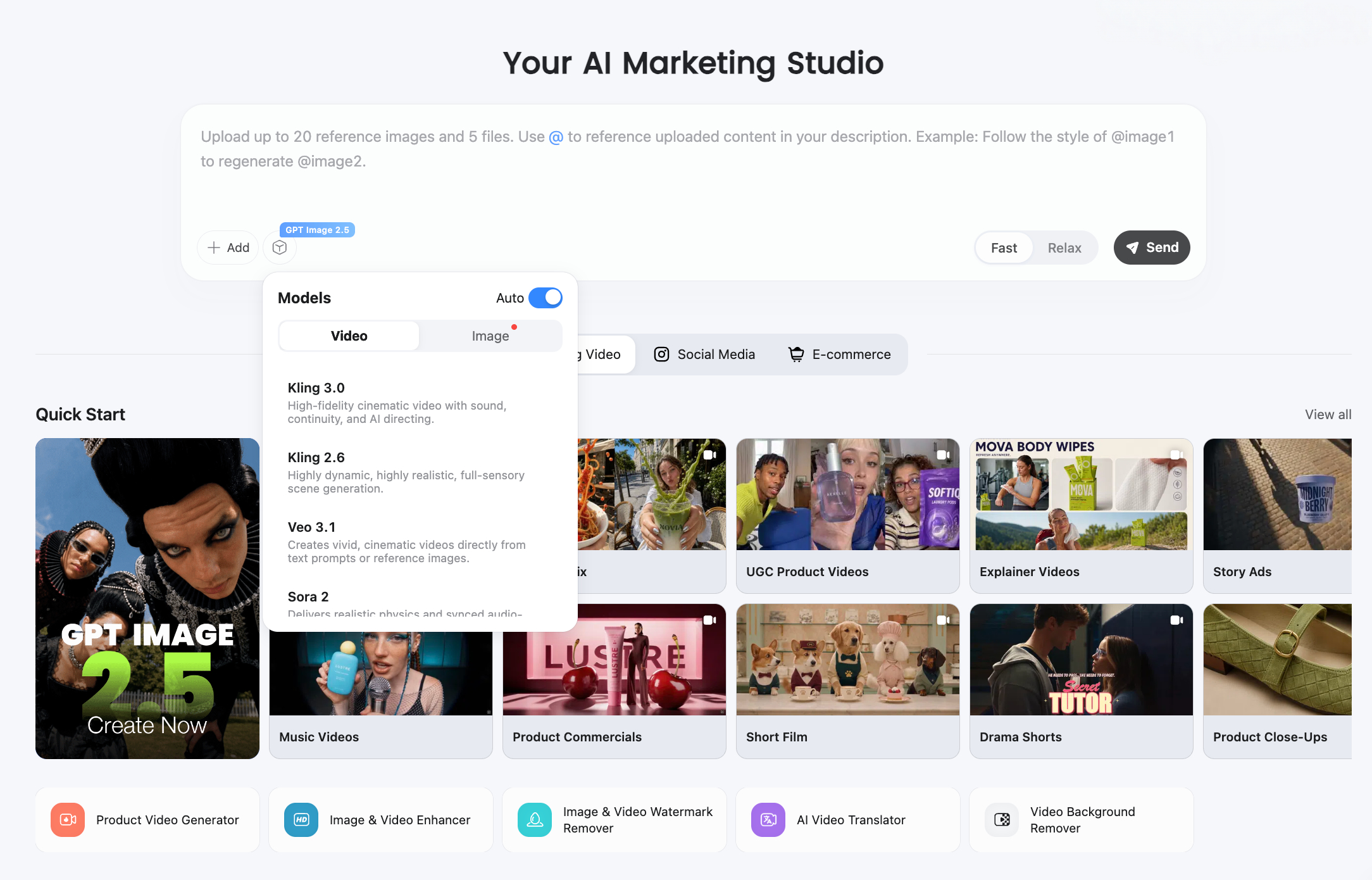
Open Designkit Viral Video to generate product-motion or UGC-style clips, compare Kling vs Veo on your own asset, and keep iteration inside the same ecommerce workflow. Use this article to pick the model for the shot; use Designkit to run that shot without leaving your content pipeline.
Frequently Asked Questions
Is Kling AI or Google Veo better for product videos?
What is the difference between Kling vs Veo and Kling 3.0 vs Veo 3.1?
Searchers use those phrases interchangeably. This article compares Kling 3.0 and Veo 3.1, the flagship tiers most platforms expose in 2026. Confirm the exact model name in your tool's UI.
Which model is cheaper for 10-second 1080p clips?
Kling 3.0 is often cheaper for a 10-second visual-only clip because it can reach that length in one pass. Veo 3.1 bills per second on API tiers (for example $0.40/s Standard at 1080p on Gemini API) and usually needs extension or assembly past 8 seconds. Compare cost per approved video, not list price alone.
Does Veo 3.1 have better lip-sync than Kling 3.0?
For talking-head UGC, Veo 3.1 is generally the stronger choice. Kling 3.0 still works when you mute the clip and add voiceover in post, or when the ad is product-only.
Can I turn product images into video with Kling or Veo?
Yes. Both support image-to-video. Start from a sharp packshot or approved lifestyle still, use the test prompts above, and compare edge fidelity and motion on your SKU.
You May Also Like

GPT Image 2 Prompts for Product Photos (Copy-Paste Examples)

How to List a Product on Amazon: Materials Checklist for First Listings

Kling vs Veo for Product Video & UGC Ads (2026)

Nano Banana vs Midjourney for Product Photos and Campaign Visuals (2026)

Seedance 2.5 Review: What Changed in ByteDance's New Model

MiniMax H3: Features, Benchmarks, Pricing, and How to Use It

Luma vs Seedance (2026): Ray 3.2 or Seedance 2.0?

Gemini Omni Review: Real Tests, Pros & Limitations for Video Generation

GPT Image 2 Review: Features, Prompts & E-commerce Use Cases

Happy Horse 1.0: The AI Video Model E-Commerce Sellers Need to Know About
AI UGC for Ecommerce in 2026: Text-to-Video, Image-to-Video & Reference Replication Guide

HappyHorse AI Review: Features, Benchmarks & How to Use It

Seedance 3.0 Predictions: Will AI Video Enter the Feature Film Era?
Grok AI vs ChatGPT: Features, Pricing & Best Choice (2026)
How to Use Grok AI: Features, Tips & Best Prompts (2026 Guide)
Sora Is Shutting Down? Best AI Video Alternatives for Creators in 2026
Seedance 2.0 for Ecommerce: Create AI Product Videos in Minutes
Seedance 2.0 Review: Features, Improvements, Pricing & How It Works (2026)
Pair Video Models with Campaign-Ready Stills
Once you know which clip goes to Kling or Veo, start from on-brand product stills so both models get the same reference frame. Designkit helps you build those assets before image-to-video.
