
How to Launch Your First Sponsored Products Campaign
Start with one automatic campaign on your best ASIN, keep the daily budget modest, and use the first week to read search terms.

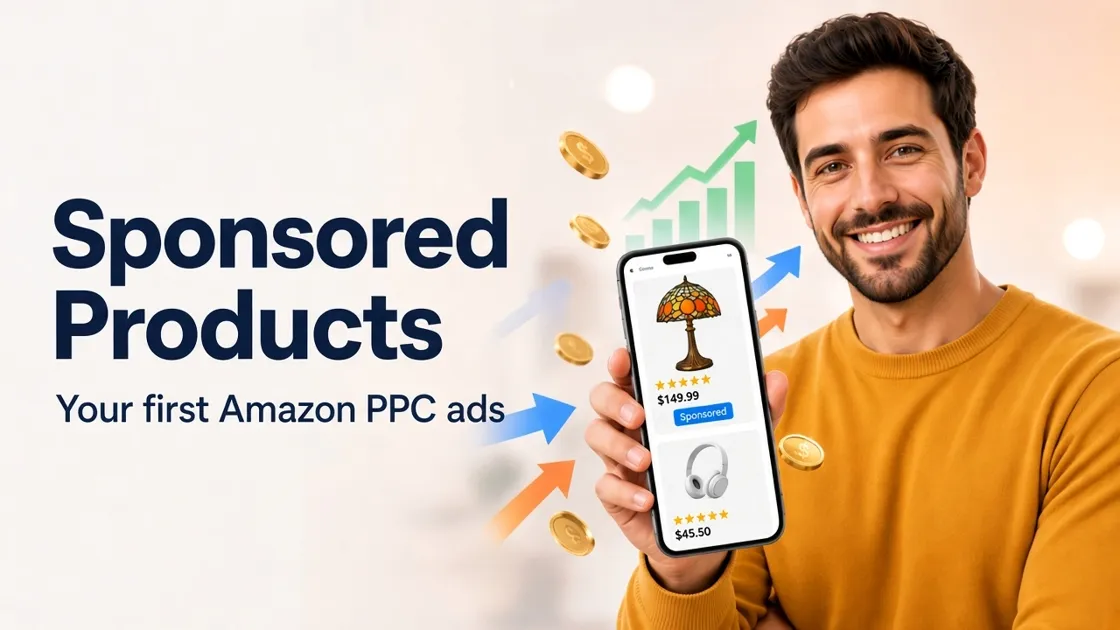
Your product can sell even when it does not show up high in organic search yet. Amazon Sponsored Products place a sponsored product card in search and on related product pages. You pay when a buyer clicks. For most new sellers, this is the first Amazon ad type to learn.
That click only helps if the listing can convert. Before you set a budget, know what shoppers see on the card and what must already work on the detail page.
What Sponsored Products Ads Are
Sponsored Products are pay-per-click ads for one listing. In search results and on related product pages, shoppers see a product card with your main image, title, price, and a small Sponsored label. A click opens that ASIN’s detail page, the same page they would open from an organic result. You pay when someone clicks, not when the ad only appears.
Most new sellers start here because the ad uses one ASIN, it can run on the images you already uploaded, and Brand Registry is usually not required.
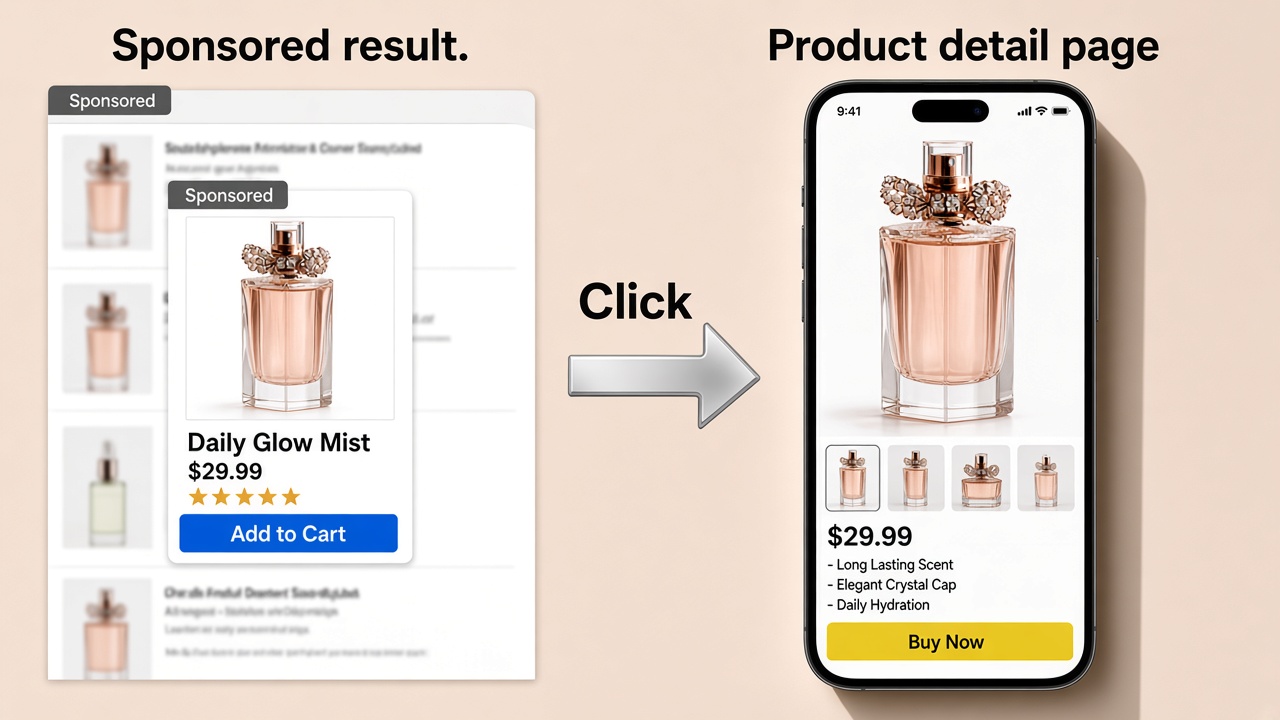
Checklist Before You Spend
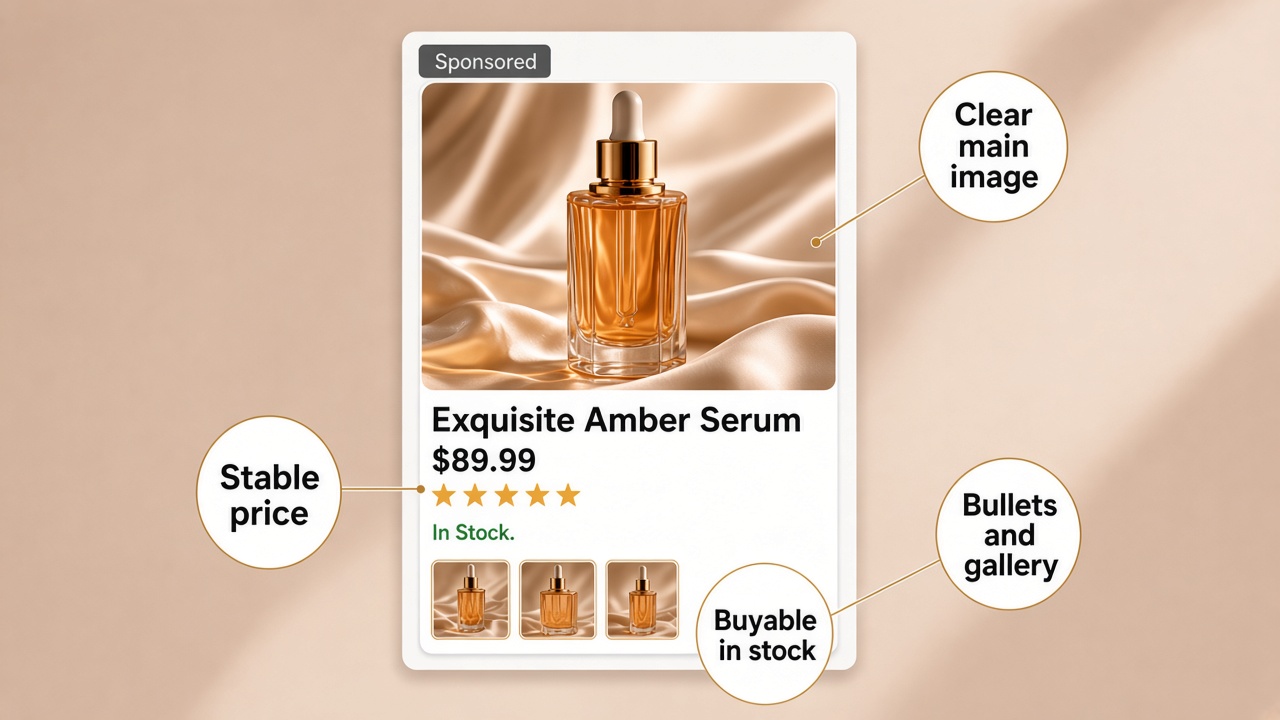
Paid clicks only help if the listing can convert. Before you advertise on Amazon with Sponsored Products, confirm:
- The offer is in stock and competitive enough to win the buy box when shoppers land
- The main image reads clearly on mobile and desktop
- Bullets and secondary images show what the product is and who it is for
- Price and shipping will stay stable during the test
- You know which ASIN gets the first budget (usually your strongest SKU)
Running ads is not step one of launching a product. Finish a sellable listing first. Designkit’s how to sell on Amazon guide covers that path. For the image set buyers see after the click, use the Amazon listing images guide .
If the gallery is still weak, fix it before you raise daily budgets. Weak creatives turn paid clicks into wasted ad spend.
Set Up Your First Campaign
Button labels move around in Seller Central and Amazon Ads, but the setup is still the same:
- Open Advertising or Campaign Manager and create a Sponsored Products campaign.
- Select one hero ASIN and keep a sales-focused goal if you are still learning.
- Choose an automatic campaign so Amazon can match your listing to search queries and related products.
- Set your daily budget and bids, then launch.
Many new sellers start around $10–$30 per day . Treat that as a common starting range, not an Amazon-fixed price. Use Amazon’s suggested bid range as a start. If you see a Dynamic bids option that only lowers bids, use that while you learn. Amazon can drop the bid when a click looks unlikely to convert.
Let automatic run about one to two weeks , or until you have a usable search term report. Then add a manual campaign. Move converting terms into phrase or exact match. Shrink automatic once manual owns the proven keywords.
If you're new to Amazon PPC, you don't need ten campaigns on day one. One automatic campaign on one hero ASIN is enough. Add structure after you have data.
Bids, Budgets, and Match Types
Amazon Sponsored Products cost is simple: you pay per click . There is no fixed Amazon “turn on ads” monthly package for standard Sponsored Products. Your controls are daily budget and bid.
Daily budget caps spend for the day. Expect early spend to buy learning more than profit. Raise the cap only after search terms look on-product and the listing converts.
Bids affect how often you compete for placements. Suggested bids are a starting point, not a promise. Competitive categories cost more per click.
In week one, chase learning, not a perfect Advertising Cost of Sale (ACOS) . ACOS is ad spend divided by attributed ad sales. Your break-even ACOS depends on your margin. Early on, judge the campaign by whether the search terms look relevant, not by a single target percentage.
Match types on manual campaigns:
| Match type | Reach | Control | Best stage |
|---|---|---|---|
| Broad | Wide | Lower | Early discovery |
| Phrase | Medium | Medium | When a core phrase looks solid |
| Exact | Narrow | Highest | Proven converting terms |
Add negative keywords after bad terms show up in the report. Do not build a long negative list from guesses before any spend lands.
Read Search Terms, Then Fix the Listing
In the first week, check:
- Impressions and clicks (is the ad showing?)
- Search term report (which queries triggered it?)
- Orders or units, if any
- Wasted spend on clearly unrelated terms (negate them)
If you get clicks and few sales, do not only raise bids. Open the detail page the ad sends buyers to. Weak listing creatives waste Sponsored Products traffic. Strengthen the gallery first. Designkit’s Amazon Listing Images tool can help you build a white main image and supporting frames from product photos.
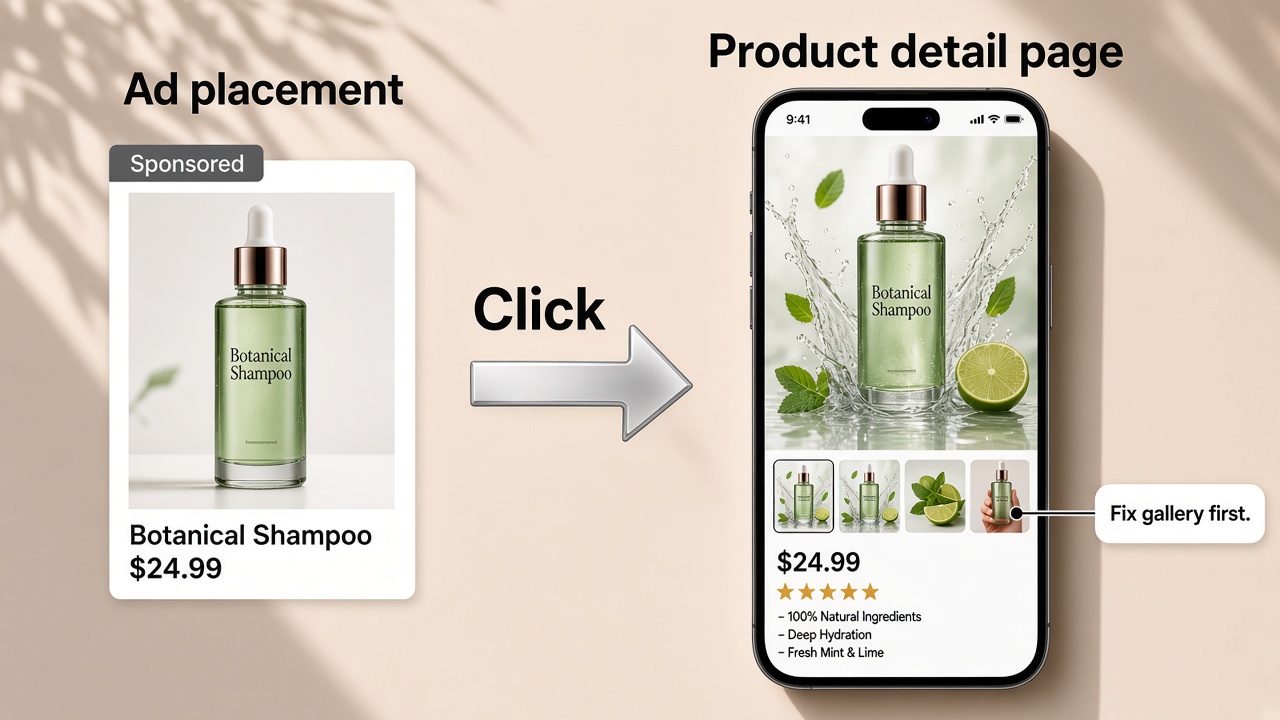
For this first campaign, keep the job small: a capped budget, cleaner search terms, and a listing that can convert.
Launch Small, Learn Keywords Fast
Sponsored Products are usually the first Amazon ad sellers should run. Confirm the listing can convert, launch a simple automatic campaign, and cap daily spend. Week one is for reading search terms, not for perfect ACOS. Scale budget after the keywords make sense. Once the search terms make sense and the listing converts, raise budget with less guesswork.
Frequently Asked Questions
Do I need Brand Registry to run Sponsored Products?
How much do Amazon Sponsored Products cost?
You pay per click. You set a daily budget and bids. There is no single Amazon “ad package” price. Many new sellers test around $10–$30 per day at first. Cost per click still varies by category and competition.
Should I start with automatic or manual campaigns?
Most new sellers start with automatic to collect search terms, then move winning terms into manual after about one to two weeks of data. You can run both on small budgets if you review the search term report every week.
Are Sponsored Products the same as Amazon PPC?
Sponsored Products are the most common first Amazon PPC ad type. Amazon PPC can also include Sponsored Brands and Sponsored Display. This guide only covers your first Sponsored Products campaign.
Why do I get clicks but few sales?
Common causes include weak main or benefit images, price or review gaps, or keywords that do not match the product. Fix the listing and negative out bad terms before you raise bids.
You May Also Like

How to Make an Event on Facebook: Complete Setup Guide (2026)

Amazon Sponsored Brands: What They Are and When to Use Them

Amazon Sponsored Products: How to Launch Your First Campaign

Amazon Vine Program for Sellers: Get Early Product Reviews

Amazon A+ Content Dimensions: Module Image Sizes

Print-On-Demand Designs: Create, Prepare, and Preview Your Work

Amazon A+ Content: What It Is and What to Build First

Is Print on Demand Profitable in 2026? Products and Niches

Amazon Brand Registry Application: How to Submit and Pass Review

How to Ship to Amazon FBA: Your First Shipment

What Is Amazon FBA? Should Beginners Use It in 2026

How to Get Ungated on Amazon: Restricted Category Approval Steps

Amazon Backend Keywords: Title, Bullets & Search Terms

What Is A/B Testing? A Practical Guide to Running Better Experiments

Best Time to Post on Instagram in 2026: Data & Tips

How to Get Verified on Instagram: Complete Guide

TikTok Monetization in 2026: Requirements & Ways to Earn

Instagram Desktop Posting Guide: Upload Posts, Stories & Reels

YouTube Shorts Monetization Requirements & Rules 2026

How Much Does YouTube Pay Per View? 1K, 100K & 1M Views

How to Make Money on Snapchat: 7 Ways to Earn

How to Get More Followers on Instagram in 2026

Best Time to Post on TikTok in 2026 for More Views

How to Repost on Instagram in 2026: A Simple Guide

Multichannel Marketing Guide: Strategy, Tools & Examples

How to Create Digital Products That Sell in 2026

Cyber Monday Marketing Ideas & Strategies (2026 Guide)

Black Friday Marketing Ideas for Ecommerce Brands (2026)

Instagram Marketing Guide: Strategies, Tips & AI Tools in 2026

Influencer Marketing Guide: Strategy, Campaigns & Creator Tips

15 Best Things to Sell on Etsy in 2026 (Listing Tips Included)

WooCommerce vs Shopify 2026: Pricing, Features & Which Is Better

How to Sell on Facebook Marketplace: Beginner Guide (2026)

How to Use Pinterest for Business: Strategy, Tips & Growth Guide

How to Sell on Etsy in 2026: Setup, Listings & Growth Tips

What Is a Target Audience? Types, Examples & How to Find Yours

TikTok Marketing Guide 2026: Strategies, Ideas & AI Tools

Vibe Marketing Explained: Strategy, Examples & AI Tools

How to Sell on Depop: Beginner Guide to Getting Your First Sale

Online Advertising Guide: Types, Costs & Examples (2026)

Facebook Advertising Guide: Costs, Strategy & Tools 2026

What Are E-commerce Ads? Examples, Strategy & Tools (2026)

Where to Sell Handmade Items Online (2026): Etsy, Amazon, or Shopify?

Shopify vs Amazon (2026): Brand Store or Marketplace FBA?

Amazon Handmade vs Etsy (2026): Which Is Better for Makers?

Etsy vs eBay (2026): Handmade, Vintage, or Secondhand?

Selling on Amazon vs eBay (2026): Fees, Profit & Where to Sell

What Is Brand Awareness? Examples, Strategies & Tools 2026

10 Best Online Selling Platforms (2026): Pick by What You Sell

Shopify vs Etsy (2026): Which Is Better for Handmade Sellers?

YouTube Automation Step-by-Step AI Guide for Beginners

What Is Brand Identity? Examples, Elements & Strategy

AI Marketing Agent: How It Works, Benefits & E-Commerce Examples

What Is Personalized Advertising? Examples & How It Works

How to Build a Shopify Store That Actually Converts Visitors

Amazon Marketing Guide 2026: Strategies, Tips & Tools

Local Advertising: Strategies, Examples & Tools (2026)

What Is Branded Content? Examples, Strategy & Tools 2026

What Is Performance Marketing? Strategies & Examples 2026

Inbound Marketing: Strategies, Examples & Tools (2026)
Make Ads Land on Strong Images
Your first Sponsored Products campaign only pays off if the detail page converts. Build clearer main and benefit images in Designkit before you raise daily budgets.
