
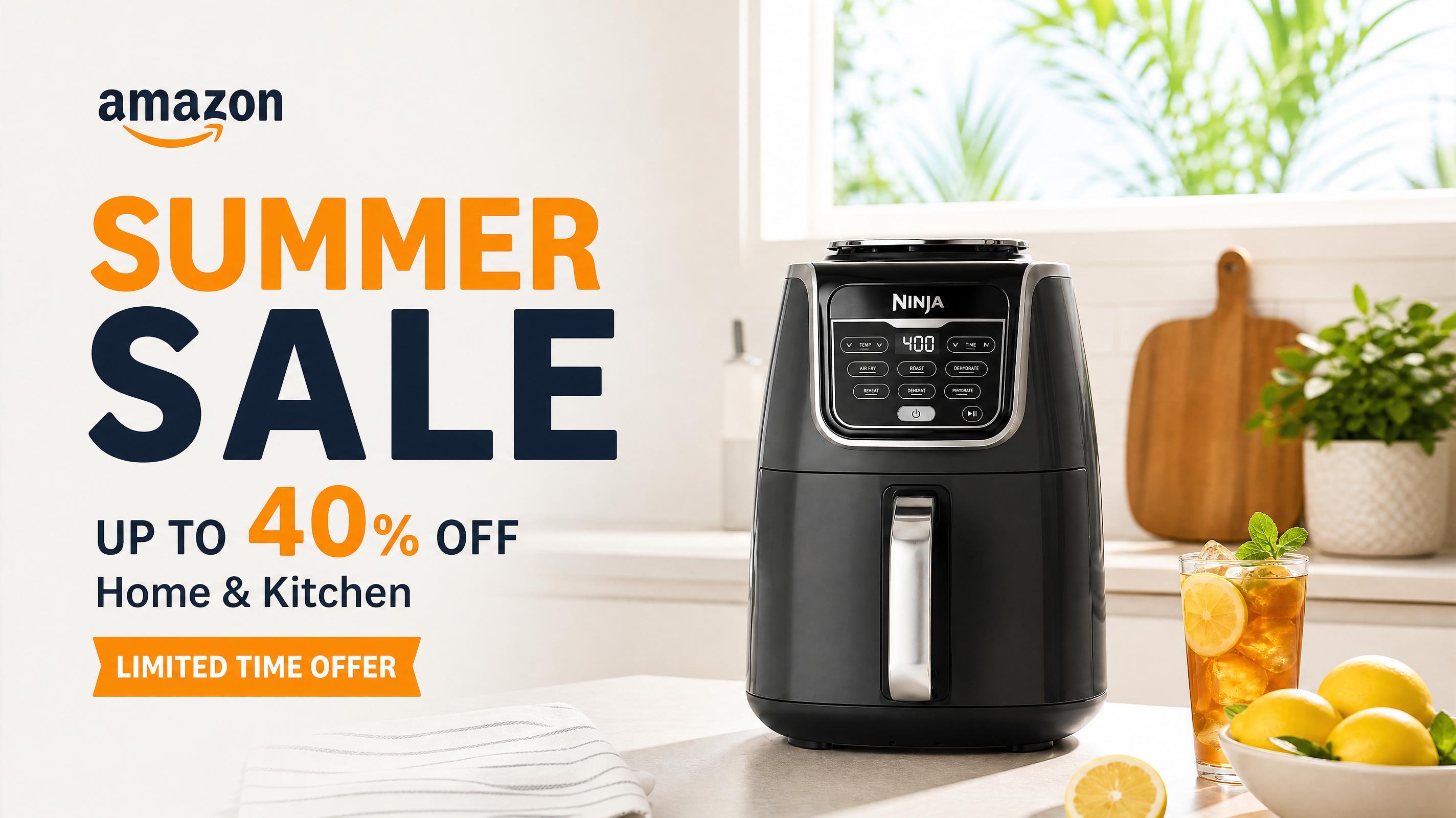
How to Create Amazon Summer Sale Posters and Banners with AI
Design Amazon Summer Sale banners in minutes. Upload your product image and get Amazon-ready creatives instantly, no designer needed.

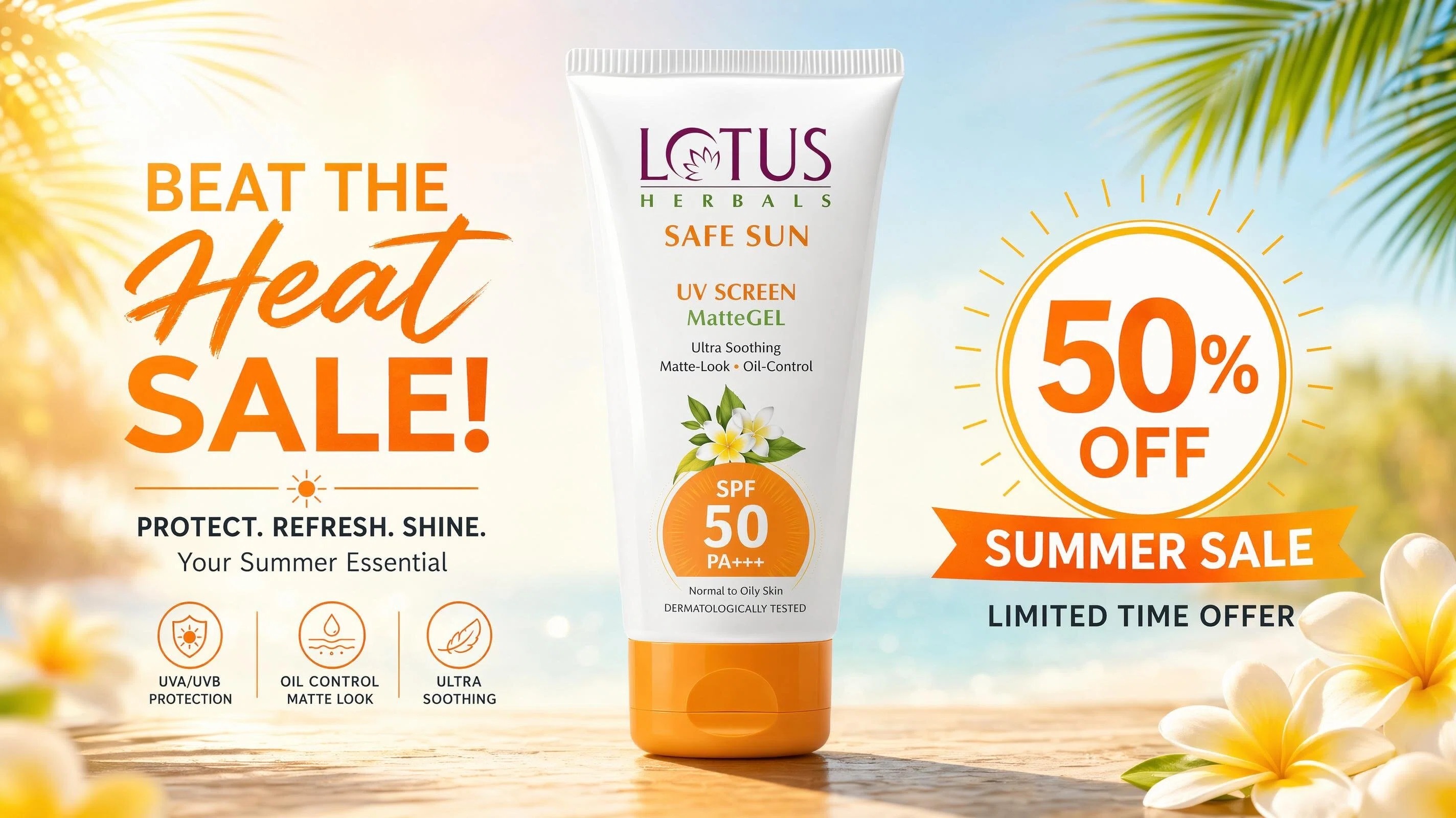
Amazon Summer Sale campaigns demand a constant stream of fresh promotional visuals. But for many sellers, producing banners, posters, and seasonal marketing assets still depends on time-consuming design workflows or outsourced creative teams. This is where AI-powered design tools are changing the process.
There are many tools that can help create Amazon summer sale banner designs faster and easier by simply allowing sellers to come up with ready-to-use creatives in a matter of minutes. In fact, by using the AI Amazon listing image generator, sellers can upload their product images and generate Amazon-ready banners and promotional visuals instantly by themselves, without having to go to a third party.
This guide explains how to create high-converting Amazon Summer Sale posters and banners using AI tools in a fast, simple, step-by-step way without design skills.
Amazon Summer Sale Poster Maker Online: Why Sellers Are Switching to AI Tools
Creating Amazon Summer Sale banners through traditional design workflows can be slow and difficult to scale. Sellers often need multiple banner variations for different products, promotions, and campaign stages, making repeated design requests time-consuming and costly.
AI design tools provide a faster alternative. Instead of creating every banner from scratch, sellers can upload product images and generate Amazon-ready promotional visuals in minutes. This makes it easier to test different creative concepts, update campaign assets, and prepare seasonal promotions without relying on lengthy design processes.
With tools like Designkit, a single product image can be transformed into banners featuring customized backgrounds, layouts, and promotional styles designed for Amazon storefronts and seasonal campaigns.
How to Create Amazon Summer Sale Posters with AI
This section demonstrates how to create an Amazon Summer Sale poster using AI while following Amazon's visual guidelines. From product images and promotional messaging to layout and typography, each step contributes to a b anner designed for both visibility and readability.
The workflow combines design recommendations with hands-on creation, allowing campaign assets to be developed and refined within the same process. Rather than switching between multiple resources, you'll move from concept to a completed promotional visual through a single guided workflow.
By the end of the tutorial, you'll have an Amazon-ready Summer Sale poster that can be used across storefront promotions, seasonal campaigns, and product marketing activities.
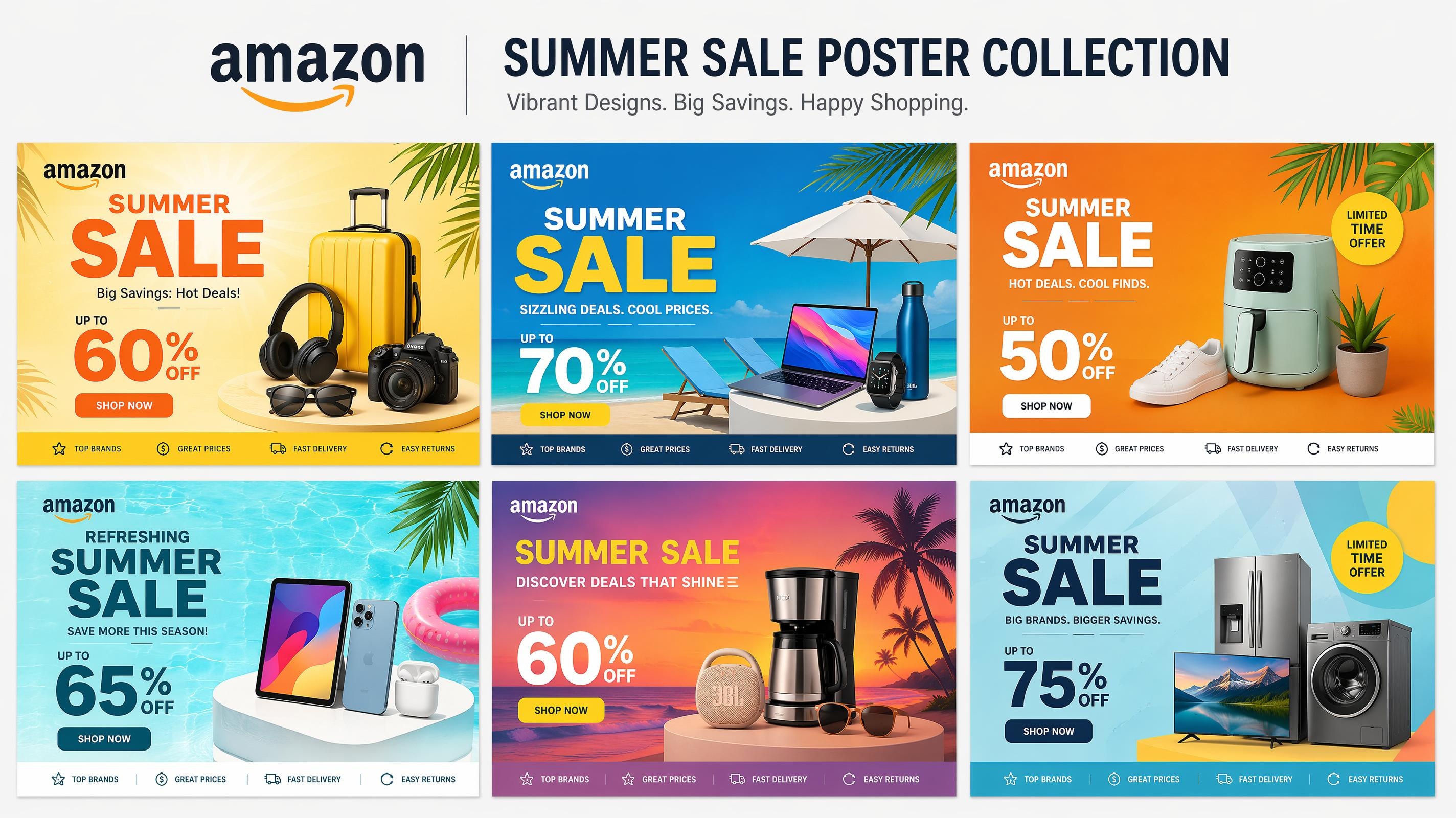
Amazon Image Requirements and Summer Sale Banner Design Best Practices
Creating an effective Amazon Summer Sale banner involves more than choosing attractive colors and promotional text. Campaign visuals need to meet Amazon's image requirements while still capturing attention and encouraging shoppers to explore the product.
The first step is making sure your images comply with Amazon's guidelines. Image quality, file format, background requirements, and product visibility all play a role in whether a creative is suitable for use on the platform.
Amazon image requirements
-
High-resolution images (500–10,000 pixels on the longest side)
-
Clear visuals with no pixelation or distortion
-
Supported formats: JPEG and PNG
-
Main product images must use a pure white background (RGB 255, 255, 255)
-
No watermarks, logos, or promotional text on main product images
-
Products should be fully visible and accurately represented
Meeting these requirements is only part of the process. Strong Summer Sale banners also rely on clear visual hierarchy and seasonal design elements. Promotional messaging should be easy to read, products should remain the focal point of the design, and colors should support the campaign theme without overwhelming the layout.
For Summer Sale campaigns, bright seasonal colors such as yellow, orange, and blue can help draw attention. The most effective designs balance promotional messaging with product visibility, keeping the focus on the offer while ensuring the product remains easy to recognize.
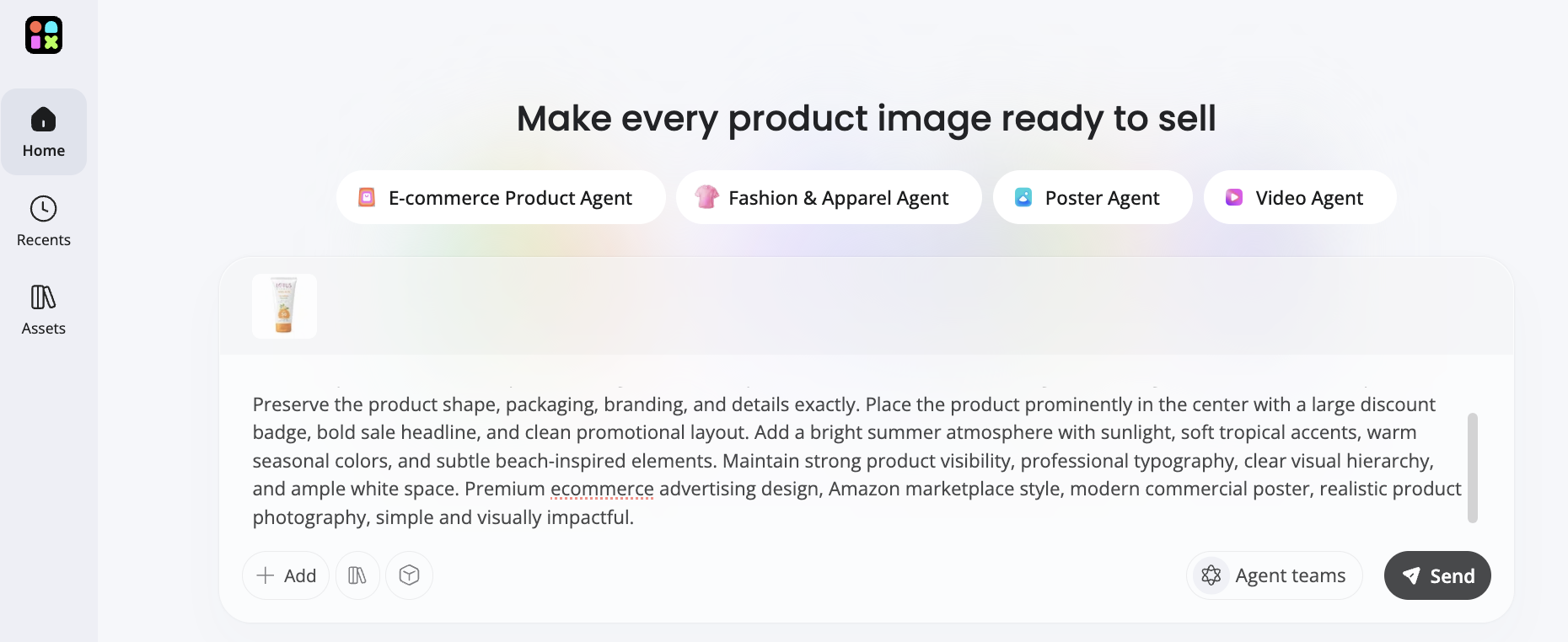
Step 1: Upload Product Image and Enter Prompt
Navigate to Designkit Product Listing Generator website. Upload up to product images, then enter platforms (Amazon, Shopify, TikTok Shop), region, language, and aspect ratio. Add basic product details like name, highlights, audience, and use cases, then click Generate Image Set to create structured listing concepts for the Amazon summer sale listing design.
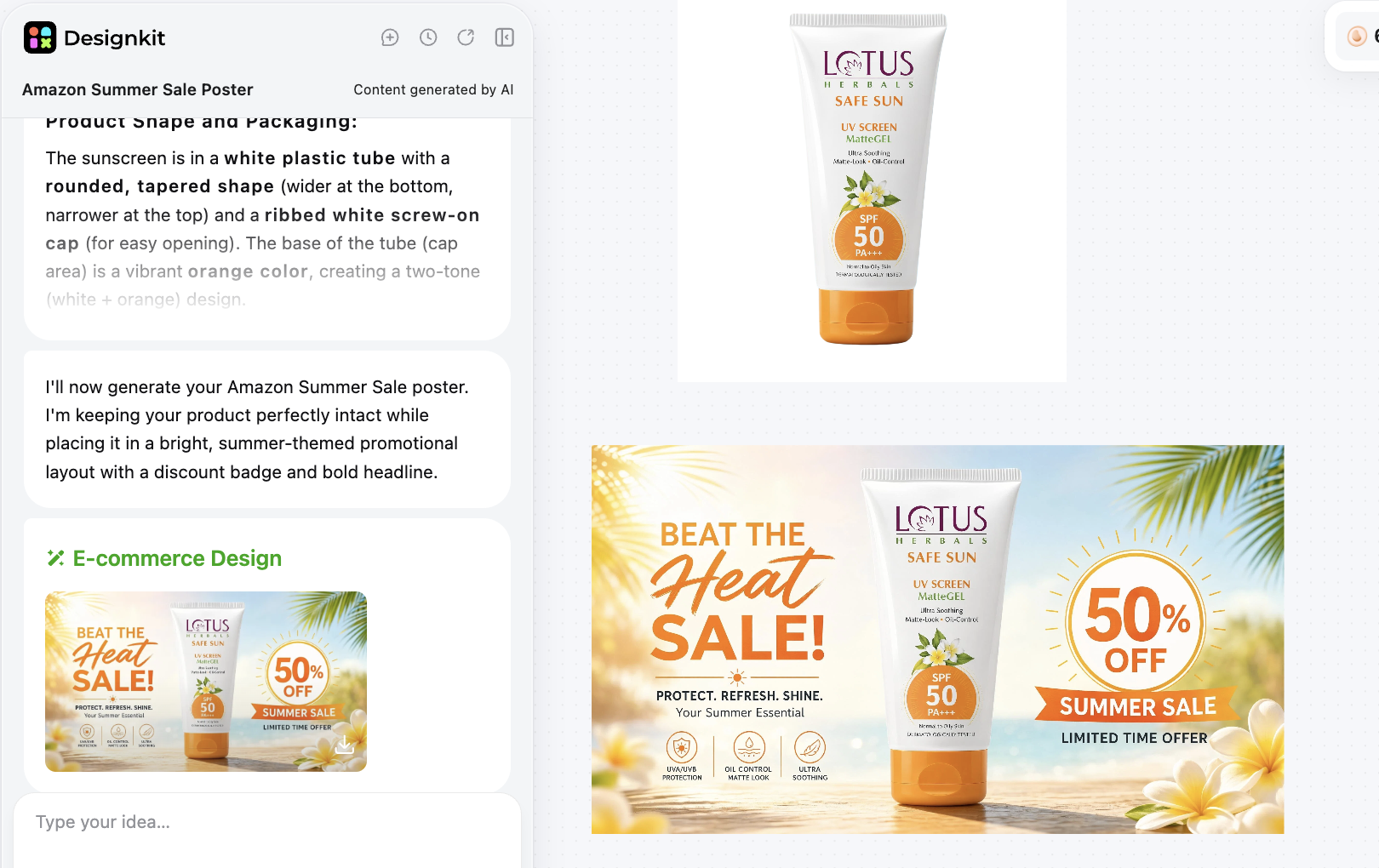
Step 2: Generate Amazon Summer Sale Banner
Once your initial amazon summer sale banner design is generated, refine it by adjusting the on-image text for better clarity and conversion. Simply hover your mouse over the image and click "Edit Text", where you can add, remove, or modify any promotional message such as discounts, product highlights, or Summer Sale tags to better match your campaign.
Generate Summer Sale Banner Free
After finalizing the text, upload the image to a tool like Designkit AI photo editor. Here, you can retouch the visual, remove or replace the background, enhance lighting, and improve overall product clarity.
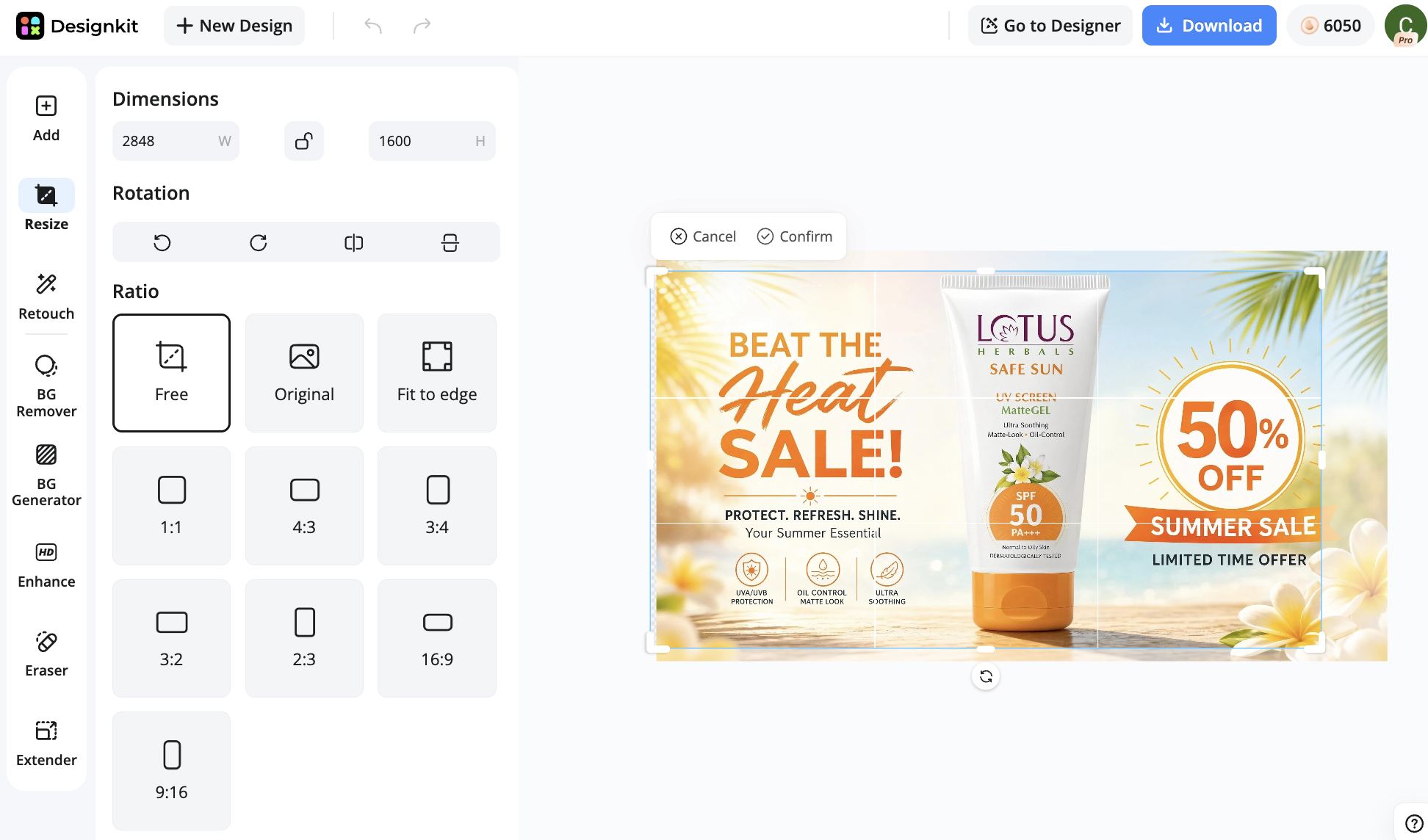
Advanced Amazon Product Banner Design AI: Reference-Based Workflow + Scaling Multiple SKUs
This workflow is designed for sellers managing multiple products or large catalogs. A reference image establishes a consistent visual style that can be applied across multiple Summer Sale banners, helping maintain brand consistency as new campaign assets are created.
Once the style is defined, additional banners can be generated for different products while keeping layouts, colors, and overall design direction aligned. This approach is particularly useful for seasonal campaigns that require a large number of promotional assets within a short timeframe.
How to Recreate Amazon Summer Sale Banner Design Using Reference Images
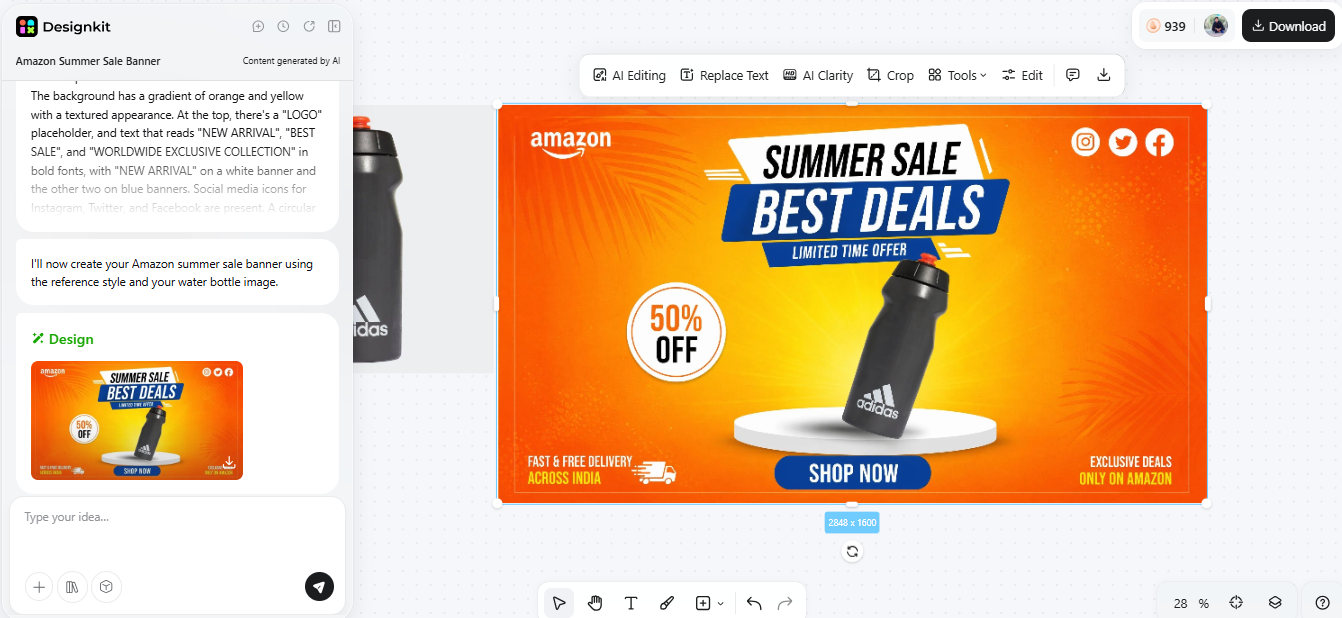
The first step in recreating a well-performing Amazon summer sale banner design based on reference images would be to pick an ad from a strong competitor or an old winning creative as a guide for your layout and style. This will allow the AI to learn well-tested visual elements such as color harmony, typography placement, and product focus.
Then, head over to Designkit Product Photography Generator. Press "Add > Add Image" and import both your product image and a reference image.
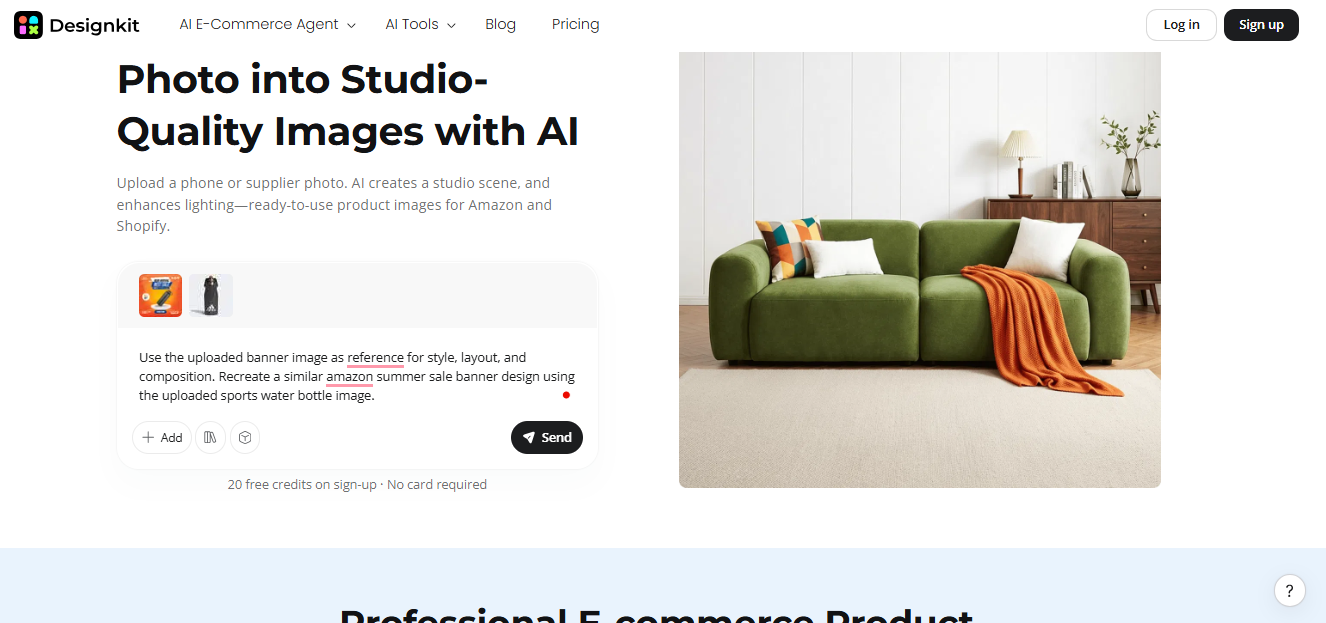
Prompt example
"Use the uploaded banner image as a reference for style, layout, and composition. Recreate a similar Amazon summer sale banner design using the uploaded sports water bottle image."
Click "Download" to save the image.
Generate Reference-Based Banner Free
How to Generate Consistent Amazon Product Banner Design AI for Multiple Products
Managing a large product catalog can quickly turn banner creation into a repetitive task. Creating individual campaign assets for every SKU adds production time and slows down seasonal launches.
Batch generation helps streamline this process. Product images can be uploaded together and paired with a shared campaign prompt, allowing multiple Summer Sale banners to be created in a single workflow.
As new products are added to the campaign, additional banner variations can be generated using the same setup, reducing production effort while keeping content aligned with the overall promotion.
Best AI Tools for Amazon Summer Sale Poster Creation (Free Trial Options)
Not every design tool is built for Amazon promotions. When evaluating AI tools for Summer Sale campaigns, look for features that support e-commerce workflows, seasonal creative production, and Amazon-compatible design requirements.
The most useful tools can turn product images into campaign-ready banners while helping maintain consistent layouts, branding, and promotional messaging across multiple assets.
Here are the points to consider when you are going through the tool options:
-
Generation speed: How fast can you create banners? Will it take minutes or hours?
-
E-commerce readiness: Does it provide support for Amazon-style layouts and dimensions?
-
Image upload support: The capability to operate product photos directly.
-
Prompt control: Degree of freedom to re-style, re-tone, and re-campaign your theme.
-
Export quality: High-resolution outputs suitable for Amazon listings and ads.
Free trials and credit-based plans make it easier to evaluate AI design tools before committing to a subscription. Different prompts, visual styles, and campaign concepts can be tested side by side, providing a clearer sense of which creative direction performs best.
Designkit supports this process by turning product images into Summer Sale banners and promotional assets through a single workflow. Creative variations can be generated, reviewed, and refined quickly, helping sellers move from concept to campaign-ready visuals in less time.
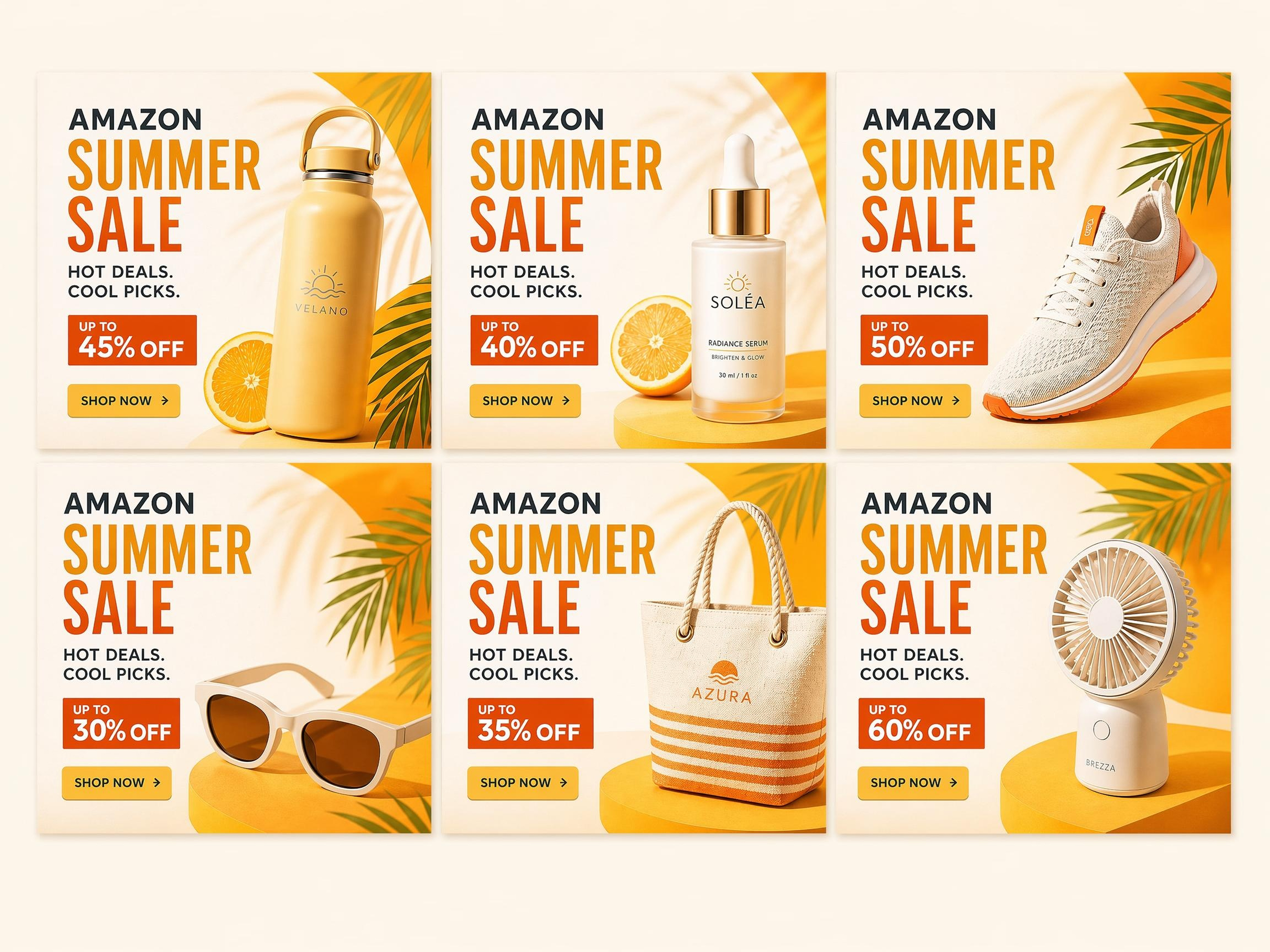
How Amazon Sellers Use AI to Scale Summer Sale Banner Production Across Campaigns
AI is changing how sellers manage Amazon summer sale banner design through the ability to create, test, and enlarge creatives across complete seasonal campaigns within minutes. Instead of manually designing each amazon summer sale poster, sellers can now generate several variations right away and effortlessly change them for different products, audiences, and marketplaces.
Quick creative iteration
AI enables sellers to rapidly create several banner variations and test different headlines, layouts, and visual styles. This leads to faster optimization and the ability to spot top-performing creatives without doing manual redesigns.
Seasonal large-scale across SKUs
Using batch creation, sellers can submit several product images and make uniform Summer Sale banners for their entire product range. This guarantees each product to have the same campaign theme but still be individually optimized.
Multi-market adaptation
AI simplifies the adjustment of creatives for different regions such as the US, UK, and EU. Sellers can easily change the message, style, and visual indication without losing the brand identity that agrees with all the markets.
Automation advantage
With the help of automation, it is possible to delegate a monotonous part of the design work and at the same time, increase the speed of the campaign launch. This method supports quick and easy testing and huge production of Amazon summer sale banner design materials, allowing sellers to keep pace with the competition during seasonal events that have high traffic.
Conclusion
Preparing promotional assets for Amazon Summer Sale campaigns no longer requires lengthy design workflows or significant production resources. AI design tools help sellers generate campaign-ready visuals more efficiently, reducing the time needed to launch and update seasonal promotions.
By combining product images with AI-generated layouts, backgrounds, and campaign styling, sellers can produce banner variations, support multiple products, and keep promotional content aligned across different campaigns.
As seasonal promotions become more competitive, the ability to produce and update creative assets quickly can help brands stay responsive, maintain a consistent visual presence, and focus more attention on campaign performance and growth.
Frequently Asked Questions
Do I need design skills to create Amazon Summer Sale banners?
Will AI-generated banners meet Amazon's requirements?
Yes, if created correctly. AI-generated banners can be optimized to follow Amazon's image rules such as clarity, correct dimensions, and compliance guidelines. Tools like Designkit help ensure outputs are structured to match Amazon listing requirements while still being visually engaging.
How do AI tools help with multi-market campaigns?
AI makes it easy to adapt creatives for different regions like the US, UK, and EU. You can adjust text, tone, and visuals while keeping the same brand style across all listings and marketplaces.
Which tool should I start with for AI banner creation?
For beginners, tools like Designkit are a practical starting point. They allow fast creation of Amazon summer sale poster designs with built-in workflows that simplify generation, editing, and optimization for Amazon listings.
You May Also Like

Amazon Summer Sale 2026: Listing Design Trends & Product Image Ideas

Amazon Spring Sale 2026: Create High-Converting Listing Images (Guide)

10 High-Converting Lifestyle Product Images for Amazon Listings

Amazon 7-Image Listing Strategy: Boost Sales by Optimizing Every Image

2026 Amazon Image Trends Shaping Seller Success and Conversions

Top 5 AI Tools to Generate Amazon Product Listing Images in 2026

How to Create Amazon Infographics: Boost Sales with Compelling Visuals

Amazon Photography Service vs. AI Generator: Best Choice for Sales

AI Agents Transform Amazon Product Photography in 2026

Amazon Listing Images: Essential Shot List & Optimization Guide
Ready to Launch Your Amazon Summer Sale Campaign?
Stop waiting on designers. Upload your product images and generate Amazon-ready Summer Sale banners, posters, and listing visuals in minutes with Designkit.
