
How to Sell on Facebook Marketplace: A Complete Guide for Beginners
Learn how to sell on Facebook Marketplace, from creating product listings and choosing the right selling channels to improving product photos, attracting buyers, and increasing conversions with smarter tools.


Selling on Facebook Marketplace is one of the easiest ways to reach local buyers, but successful selling requires more than posting a product and waiting for inquiries. The best sellers create trustworthy listings, price items competitively, use high quality photos, and respond quickly to potential buyers.
This guide explains how to sell on Facebook Marketplace in 2026. You'll learn how to create effective listings, price your products, attract more buyers, avoid common mistakes, and use AI tools like Designkit to create professional product images that help your listings stand out.
How Selling On Facebook Works
Facebook offers several ways to sell products, each designed for different business goals. Whether you're selling locally, running an ecommerce brand, or building a community, choosing the right selling channel can help you reach the right customers.
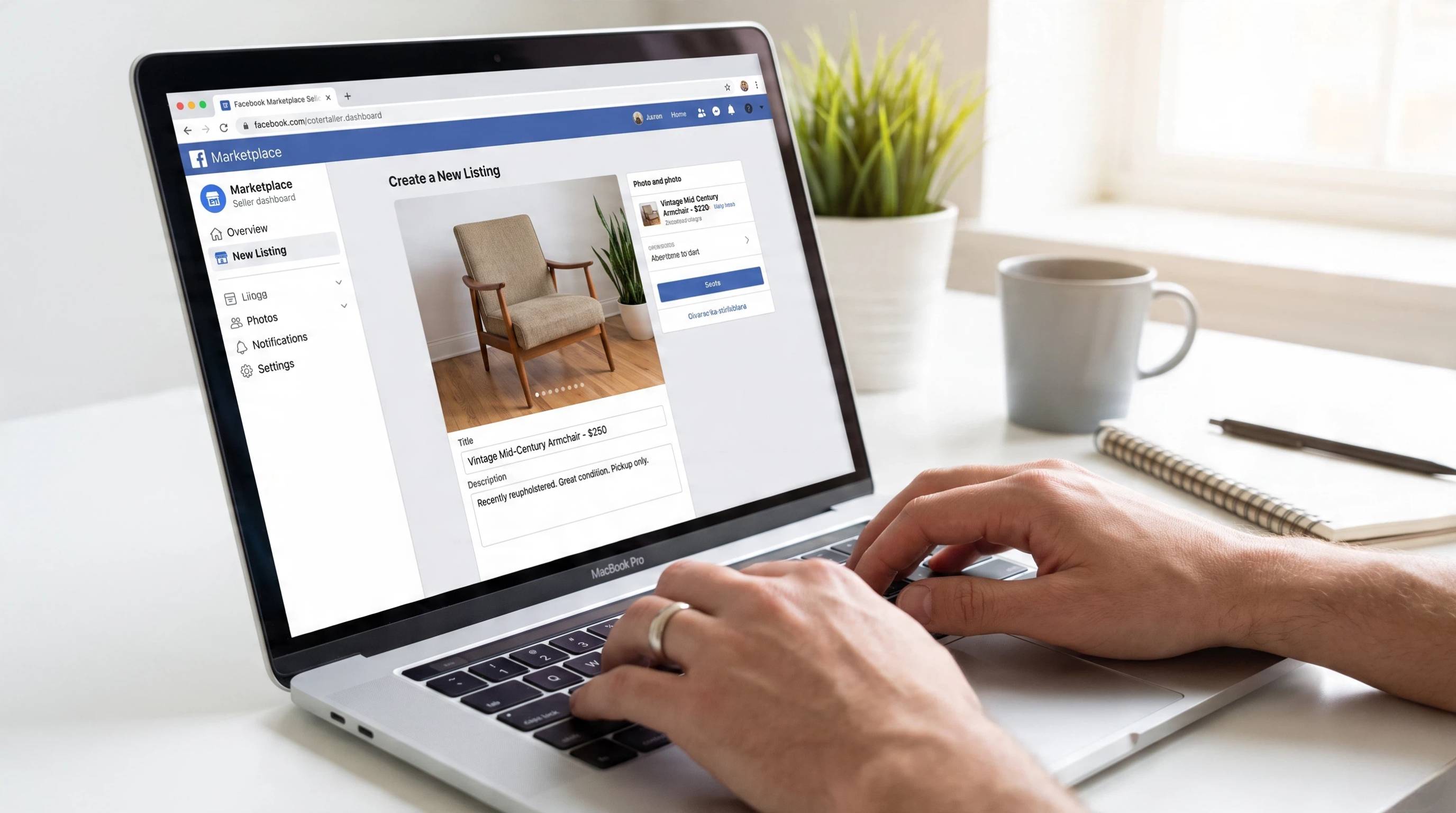
Facebook Marketplace
Facebook Marketplace is designed primarily for local buying and selling. Products are displayed to nearby shoppers, making it a popular option for individuals and small businesses looking for fast buyer discovery. Availability and commercial selling features may vary by region, and heavy business use can be restricted in some areas.
Facebook Shops
Facebook Shops allows businesses to create a branded online storefront where customers can browse product collections across Facebook and Instagram. It's well suited for ecommerce brands that want to showcase a catalog in one place. Shop features and checkout availability change over time, so always verify the latest requirements through Meta Help.
Facebook Buy & Sell Groups
Buy & Sell Groups connect sellers with communities built around specific locations or interests. Because members already share common interests, listings often reach a more targeted audience than general marketplaces. Following each group's rules and engaging respectfully can improve visibility and buyer trust.
Facebook Business Pages
Facebook Business Pages help businesses promote products, share updates, run ads, and build long-term customer relationships. While pages are not primarily designed as a marketplace, they are valuable for growing brand awareness, driving traffic, and supporting ongoing marketing efforts.
|
Channel |
Best For |
Advantage |
|---|---|---|
|
Marketplace |
Local selling |
Fast buyer discovery |
|
Shops |
Ecommerce brands |
Product catalog |
|
Groups |
Community selling |
Targeted audience |
|
Pages |
Businesses |
Brand growth |
Facebook Marketplace Fees (Local Pickup vs Shipping)
Direction: verify current fees before selling on Facebook Marketplace, understand how seller fees work so you can price your products accurately. Meta's fee structure may change over time, so always verify the latest seller fees through Meta Help before publishing your listings. Meta seller fees before publishing.
|
Sale type |
Typical fee pattern |
|---|---|
|
Local pickup + offline payment |
Often no Meta selling fee |
|
Ship with Meta/Facebook checkout |
Often ~10% selling fee (minimum may apply) |
Why Fee-Aware Pricing Matters
If you sell through local pickup and accept payment directly from the buyer, you may avoid Meta selling fees in many cases. However, orders shipped through Meta's checkout typically include selling fees that reduce your final earnings.
For example, if you sell a product for $50 and shipping checkout applies a 10% selling fee, you'll pay approximately $5 in platform fees before accounting for packaging and shipping costs. Pricing your products with these expenses in mind helps protect your profit margin and prevents unexpected losses as your sales grow.
How To Sell on Facebook Marketplace in 7 Steps
Step 1: Research Your Product And Prepare Information
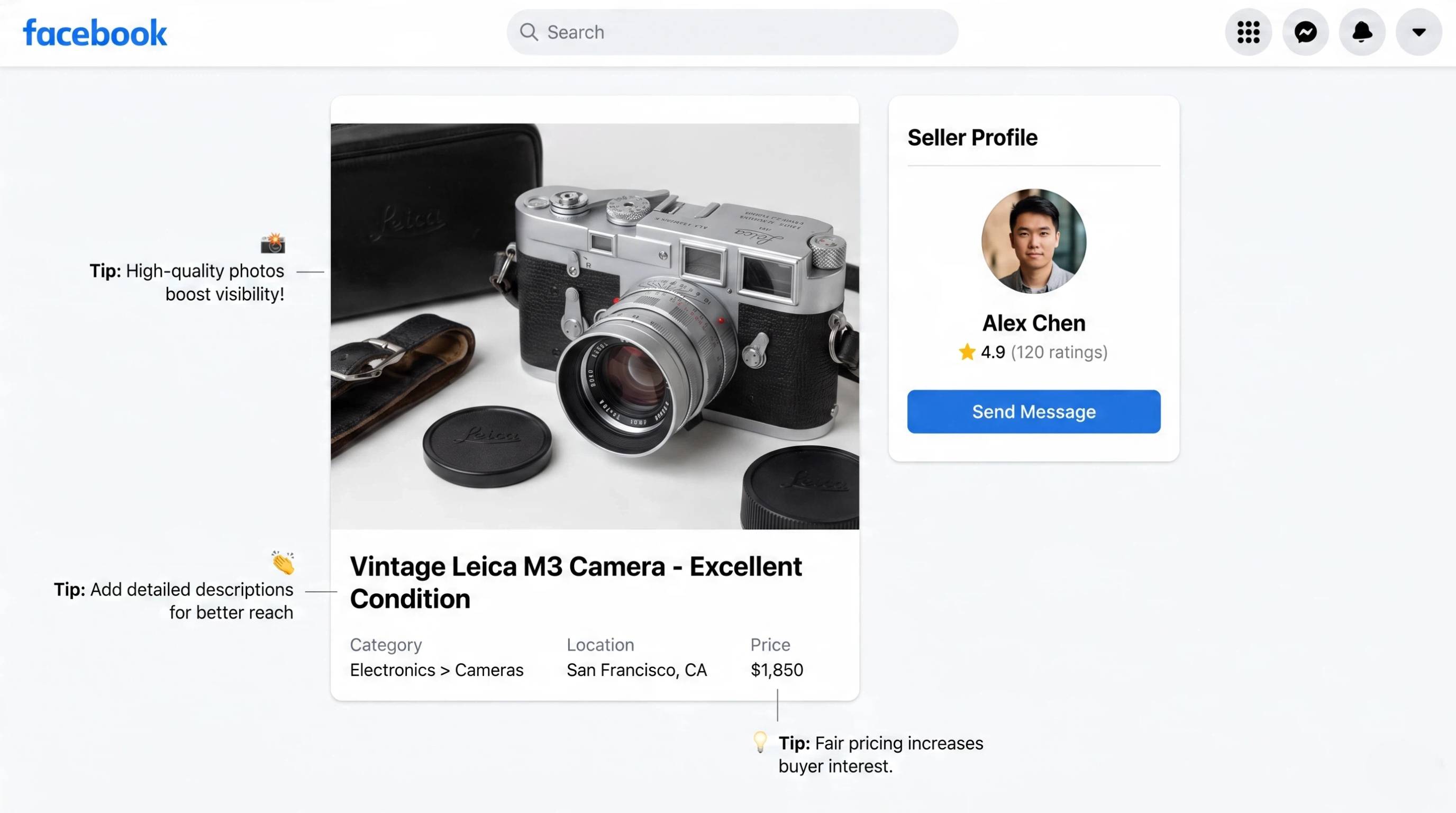
Before creating a listing, gather everything buyers need, including accurate measurements, product details, clear photos, and any relevant specifications. Well-prepared listing assets reduce buyer questions, improve trust, and make your listing easier to complete and manage.
Step 2: Create High-Quality Product Photos
Use bright, natural lighting and photograph your product from multiple angles. Include close-up shots, clean backgrounds, and lifestyle images whenever possible to help buyers understand the item's size, condition, and appearance. Strong visuals can significantly improve click-through rates.
Step 3: Write A Listing That Builds Trust
Create a clear title, detailed description, relevant keywords, accurate condition, and the correct category. Honest, complete information helps buyers make faster decisions and increases your chances of making a sale. These are essential tips for selling on Facebook Marketplace successfully.
Step 4: Set Competitive Pricing
Research similar listings before setting your price. Leave room for reasonable negotiation if appropriate, and consider offering product bundles to increase order value. Competitive pricing helps attract more buyers while protecting your profit margin.
Step 5: Choose Delivery Or Pickup Options
Decide whether you'll offer local pickup, shipping, or both. If meeting buyers in person, choose a safe public location and confirm payment arrangements in advance. Flexible delivery options can make your listings more appealing to different types of customers.
Step 6: Promote Your Listing
Don't rely on Marketplace alone. Share your listing in relevant Facebook Buy & Sell Groups, post it on your Business Page, and use Messenger to answer inquiries quickly. Expanding your reach is one of the best ways to make money on Facebook Marketplace consistently.
Step 7: Respond And Build Buyer Relationships
Reply to messages promptly, answer questions honestly, negotiate professionally, and confirm payment details before completing the sale. Positive communication encourages good reviews, repeat customers, and stronger trust, helping your future Marketplace listings perform better.
How To Make Money On Facebook Marketplace
Facebook Marketplace offers opportunities for individuals and businesses to earn income by selling products that match local demand. Choosing the right category and presenting your listings professionally can help increase your chances of making consistent sales.
1. Reselling And Flipping
Buy undervalued products from garage sales, clearance events, or local listings, then resell them at a profit. Electronics, furniture, and home goods are popular categories for flipping.
2. Handmade Products
Sell handmade crafts, candles, jewelry, artwork, clothing, or personalized gifts. Unique products often attract buyers looking for items they can't find in traditional retail stores.
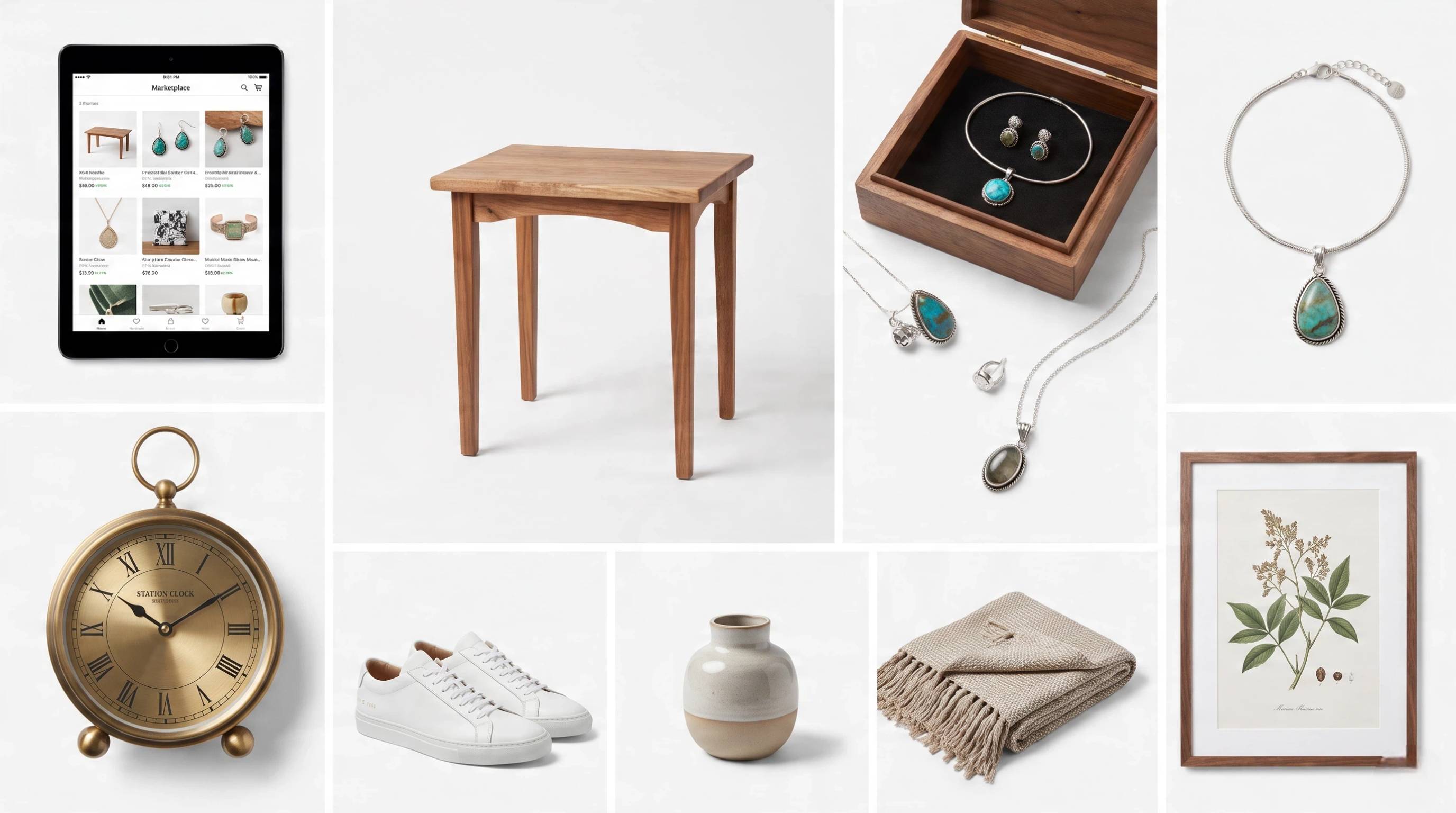
3. Vintage Items
Vintage clothing, collectibles, antiques, books, and home décor can perform well when accurately described and photographed. Highlight the item's condition and unique features to attract collectors.
4. Print-On-Demand Products
Create custom designs for apparel, mugs, posters, phone cases, and other products using a print-on-demand supplier. This model allows you to sell without holding inventory.
5. Local Services
If Marketplace supports service listings in your region, you can promote services such as furniture assembly, home cleaning, tutoring, lawn care, or pet sitting to reach nearby customers.
6. Small Business Inventory
Local businesses can use Facebook Marketplace to sell excess inventory, seasonal products, or best-selling items while reaching customers already searching for products nearby.
Facebook Marketplace Selling Tips That Increase Sales
Small improvements to your listings can make a noticeable difference in visibility and conversions. Use these best practices to attract more buyers and increase sales.
1. Use The Right First Image
Your first photo appears in Marketplace search results, so make it bright, clear, and focused on the product. A strong thumbnail encourages more buyers to click your listing.
2. Update Old Listings
Refresh older listings by improving photos, adjusting prices, rewriting titles, or updating descriptions. Regular updates can help your products remain competitive.
3. Offer Multiple Options
If your product comes in different colors, sizes, or styles, mention the available options in your listing. Giving buyers more choices can increase interest and sales.
4. Reply Quickly
Respond to inquiries as soon as possible. Fast replies improve the buyer experience, reduce abandoned conversations, and increase your chances of closing a sale.
5. Build Seller Credibility
Provide accurate descriptions, communicate professionally, complete transactions reliably, and encourage satisfied buyers to leave positive reviews whenever possible.
6. Test Different Images
Experiment with different cover photos and product images to see which versions attract more clicks. Small visual changes can significantly improve listening performance over time.

Create Better Facebook Selling Images with AI Tool
Creating a Facebook listing is easy, but creating a listing that makes people stop scrolling is much harder. Since buyers often decide within seconds whether to click a product, professional visuals can significantly improve attention and trust.
Designkit helps sellers transform simple product photos into polished selling images, promotional graphics, and social content faster.
How to Create Facebook Selling Creative with Designkit
Step 1: Upload Your Product Photo
Upload product photos and key details like the title and features, so Designkit can prepare listing-ready creative tailored to your products.
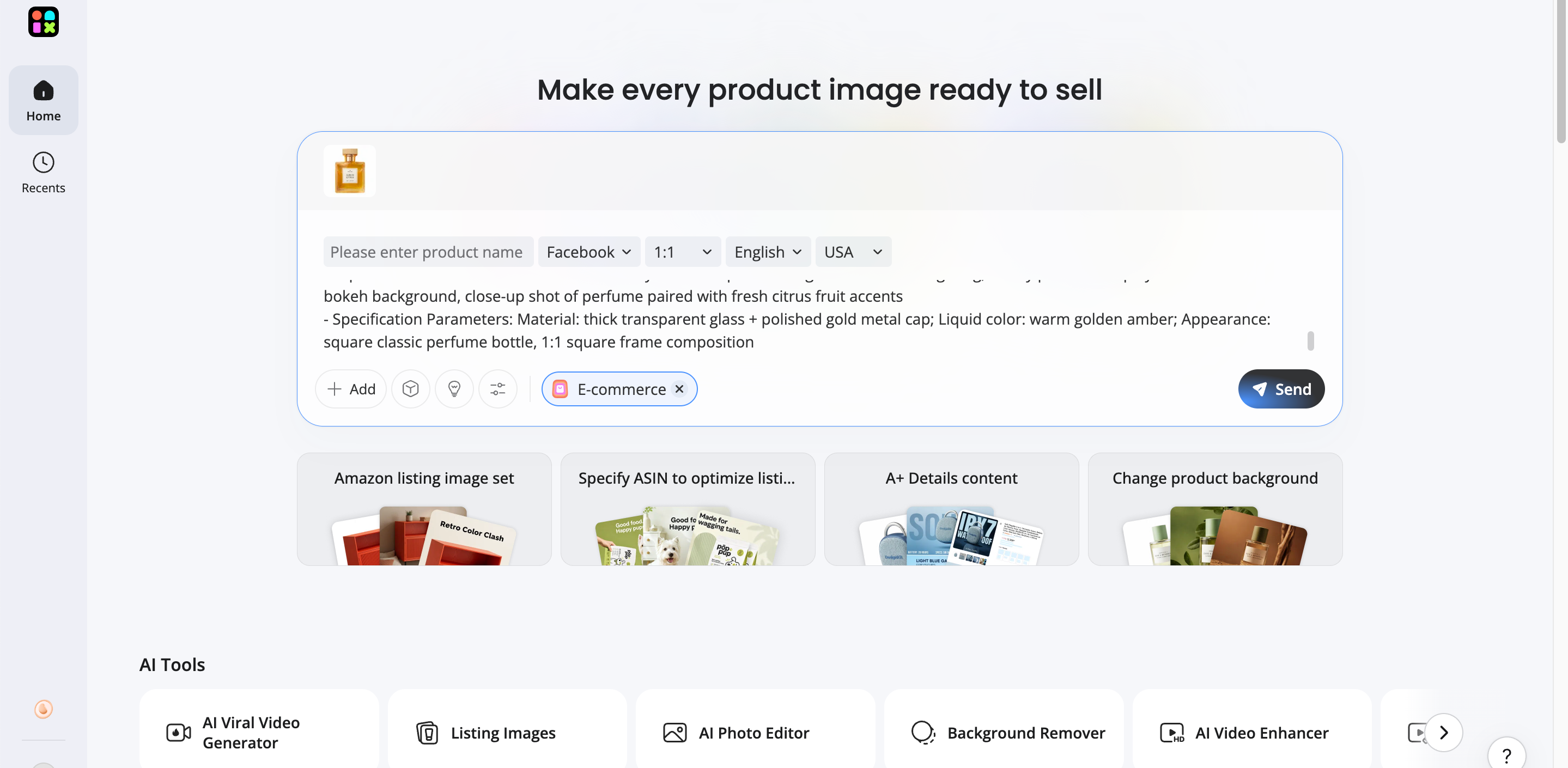
Step 2: Generate Selling Visuals
Generate polished product images, descriptions, and promotional assets optimized for Facebook Marketplace and your brand style.
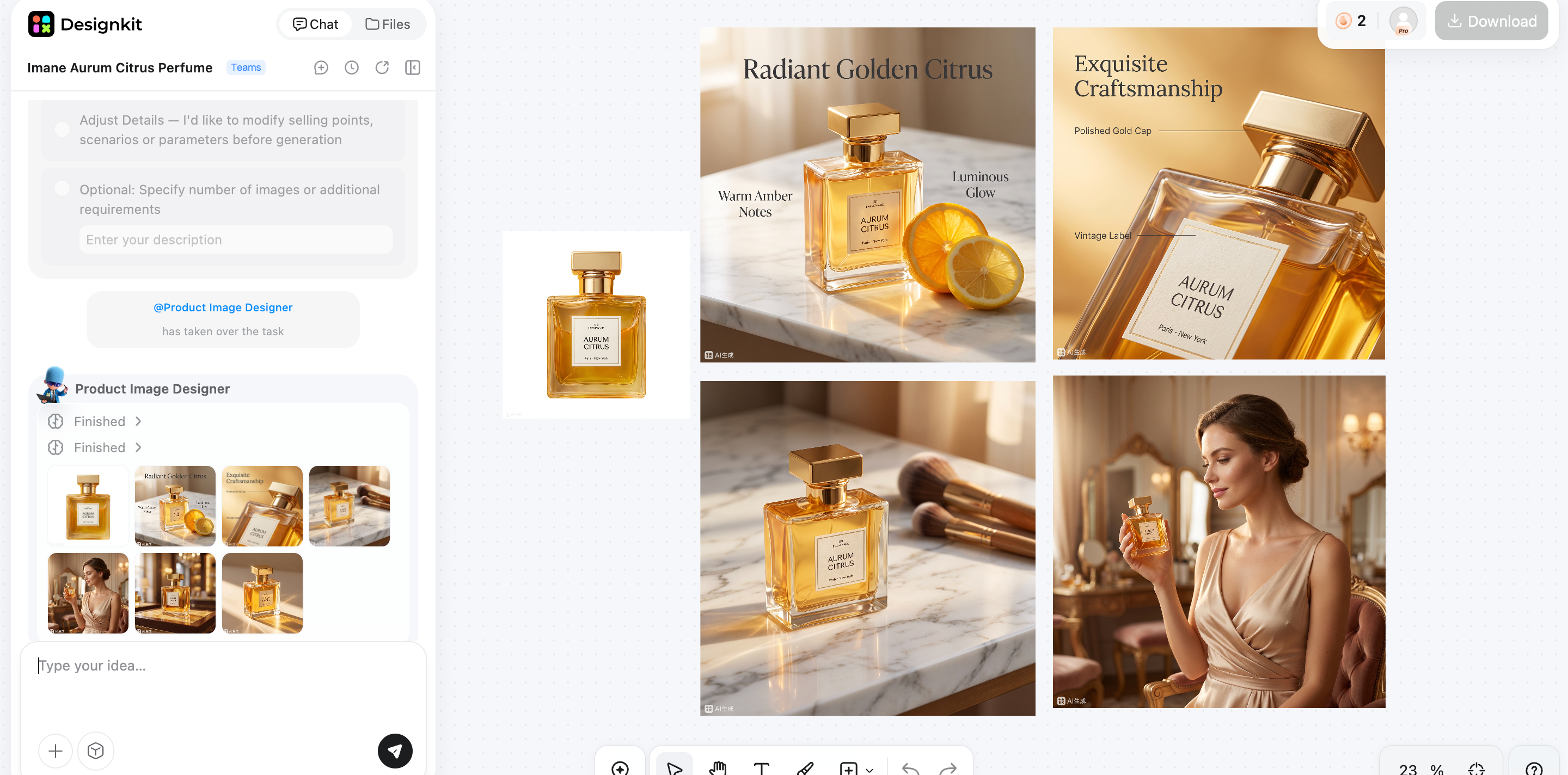
Step 3: Export and Publish
Export your finished creative, upload it to Facebook Marketplace, and reuse the same assets across other selling channels with ease.
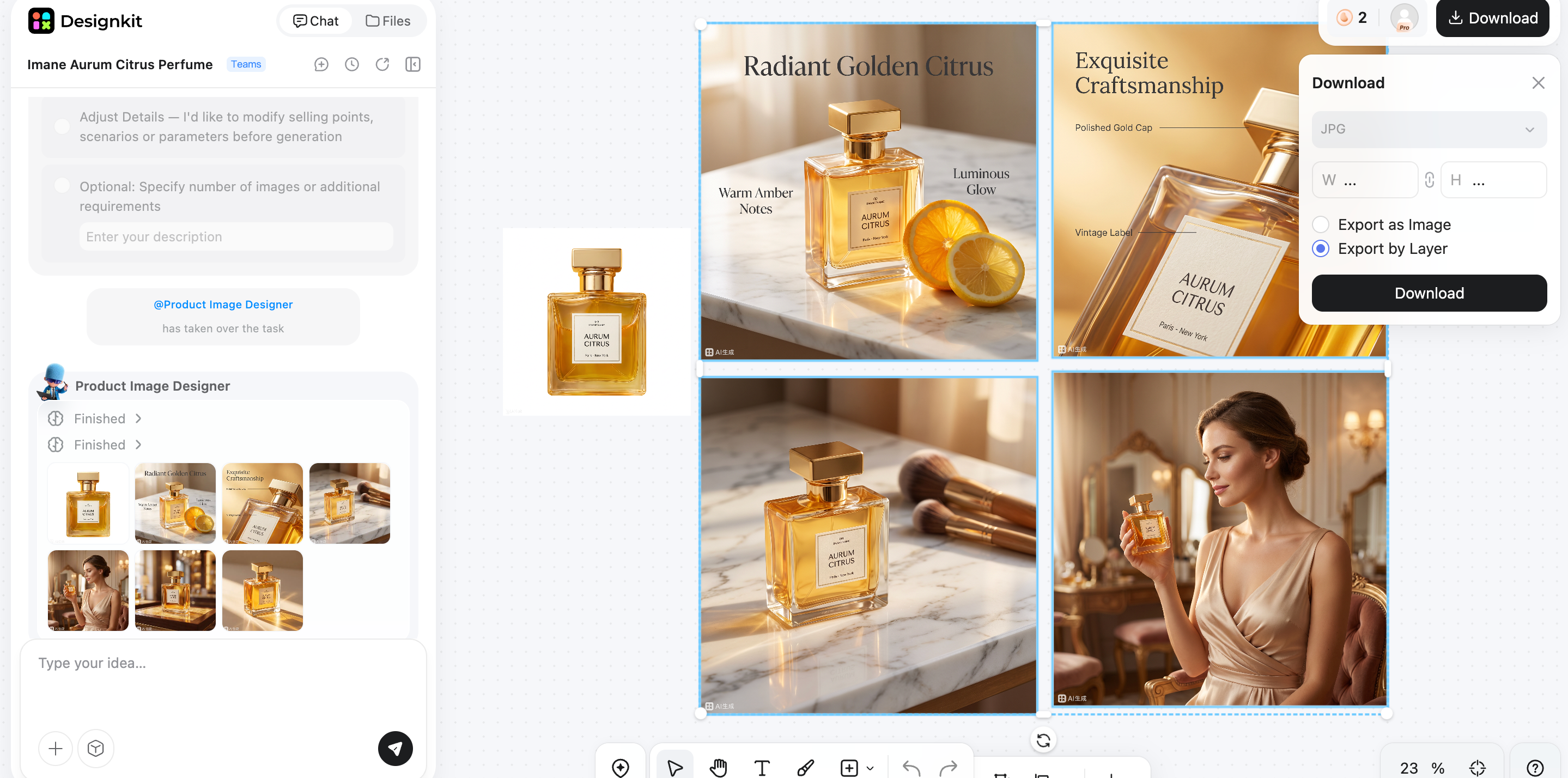
Create Better Facebook Selling Images
How Designkit Helps Facebook Sellers
Creating a successful Facebook listing takes more than uploading a product photo. Professional visuals help your products stand out in Marketplace, Shops, Groups, and Business Pages. Designkit enables sellers to create polished, consistent listing assets quickly, making it easier to attract buyers and strengthen their brand.
1. Transform Basic Product Photos into Professional Visuals
Turn ordinary product photos into high-quality ecommerce images with AI. Designkit enhances lighting, removes backgrounds, creates realistic lifestyle scenes, and produces polished visuals that help your Facebook listings capture attention and build buyer confidence.
2. Create Multiple Creative Variations
Generate multiple versions of your product images from a single upload. Create different backgrounds, promotional layouts, seasonal creatives, or lifestyle scenes to test what performs best across Facebook Marketplace, Shops, Groups, and other marketing channels.
3. Keep Branding Consistent Across Channels
Maintain a unified brand identity with consistent colors, backgrounds, fonts, and visual styles across all your Facebook sales channels. A cohesive look makes your business appear more professional, improves brand recognition, and creates a better shopping experience for potential customers.
Stay Safe When Selling On Facebook Marketplace
Selling through Facebook Marketplace is generally straightforward, but taking a few safety precautions can help protect both you and your buyers. Whether you're meeting in person or shipping products, following safe selling practices reduces the risk of scams and unsuccessful transactions.
-
Meet buyers in a public, well-lit location or an official safe exchange zone whenever possible.
-
Avoid sharing your home address until it's absolutely necessary for the transaction.
-
Verify that payment has been received in your own banking or payment app instead of relying on screenshots or emailed confirmations.
-
Be cautious of buyers who create unnecessary urgency, ask to move conversations off Facebook immediately, or use unusual payment requests.
-
If you're meeting someone in person, consider bringing a friend or letting someone know where you're going.

Common Mistakes When Selling Items On Facebook
Even good products can struggle to sell if the listing isn't well presented. Avoiding these common mistakes can improve buyer confidence and increase your chances of making a sale.
Using Poor-Quality Photos
Dark, blurry, or low-resolution images make products appear less trustworthy. Use bright lighting, multiple angles, and clear photos that accurately represent the item.
Writing Unclear Descriptions
Missing details about size, condition, features, or included accessories often lead to buyer questions or abandoned purchases. Be clear, honest, and complete.
Pricing Without Research
Setting prices too high can discourage buyers, while pricing too low reduces your profit. Compare similar Marketplace listings before deciding on a competitive price.
Ignoring Buyer Messages
Slow responses can cause buyers to lose interest and purchase from another seller. Reply promptly to questions and keep communication professional throughout the sale.
Creating Listings Without Trust Signals
Listings with incomplete information, few photos, or inconsistent details can make buyers hesitant. Accurate descriptions, quality images, and clear communication help establish credibility and increase the likelihood of successful transactions.
Conclusion
Selling on Facebook can be an effective way to reach local buyers, grow an ecommerce business, or promote products through multiple channels like Marketplace, Shops, Groups, and Business Pages. Success comes from creating detailed listings, using competitive pricing, responding quickly to buyers, and presenting products with professional visuals. As competition increases, high-quality images and consistent branding can make a significant difference in attracting clicks and building trust. Designkit helps simplify this process by turning basic product photos into polished listing assets, making it easier to create engaging Facebook listings, strengthen your brand, and increase your sales potential.
Frequently Asked Questions
How Do I Sell On Facebook Marketplace For Beginners?
Is Selling On Facebook Marketplace Free?
In many cases, listing items for local pickup is free, although fees may apply to certain shipping transactions or checkout services depending on your region and Meta's current policies. Always review the latest fee information before selling. Designkit helps you get more value from each listing by creating high-quality visuals that attract buyers.
What Fees Does Facebook Marketplace Charge?
Fees depend on how you sell. Local pickup with direct payment often has no Meta selling fee, while shipped orders using Meta's checkout may include a selling fee. Policies can change, so check Meta Help for current rates. Designkit helps maximize your return by improving your listing images and increasing buyer confidence.
What Products Sell Best On Facebook Marketplace?
Popular products include furniture, electronics, home décor, baby items, fitness equipment, clothing, handmade goods, and seasonal products. Items with competitive pricing and professional presentation often perform best. Designkit helps showcase your products with polished images and lifestyle visuals that encourage more clicks.
How Can I Get More Views On Facebook Marketplace?
Improve your title, use clear keywords, upload high-quality photos, price competitively, refresh older listings, and share them in relevant Facebook Groups or on your Business Page. Better presentation increases visibility and engagement. Designkit helps create eye-catching product visuals that encourage more buyers to click your listings.
Why Is My Facebook Marketplace Listing Not Getting Messages?
Low-quality photos, unclear descriptions, unrealistic pricing, or high competition can reduce buyer interest. Updating your images, improving your title, and providing complete product information often helps increase inquiries. Designkit makes it easy to create more attractive listing images that build trust and generate more engagement.
How Do I Make My Facebook Marketplace Photos Better?
Photograph your products in good lighting, use clean backgrounds, show multiple angles, and include close-up detail shots. Lifestyle images can also help buyers visualize the product. Designkit enhances existing photos, removes distracting backgrounds, and generates professional listing visuals without advanced editing skills.
How Do I Sell Safely On Facebook Marketplace?
Meet buyers in public, well-lit places, verify payments directly in your payment app, avoid sharing personal information too early, and watch for common scam tactics. Good communication also helps create safer transactions. Designkit supports the selling process by helping you present products professionally from the start.
Can Businesses Sell Products On Facebook Marketplace?
Yes. Many small businesses use Facebook Marketplace alongside Shops and Business Pages to reach local customers and expand online sales. Success depends on competitive pricing, clear product information, and professional visuals. Designkit helps businesses create consistent product images and branded creatives for every Facebook sales channel.
You May Also Like

How to Use Pinterest for Business: Strategy, Tips & Growth Guide

How to Sell on Etsy in 2026: Setup, Listings & Growth Tips

What Is a Target Audience? Types, Examples & How to Find Yours

TikTok Marketing Guide 2026: Strategies, Ideas & AI Tools

Vibe Marketing Explained: Strategy, Examples & AI Tools

How to Sell on Depop: Beginner Guide to Getting Your First Sale

Where to Sell Handmade Items Online (2026): Etsy, Amazon, or Shopify?

Shopify vs Amazon (2026): Brand Store or Marketplace FBA?

Amazon Handmade vs Etsy (2026): Which Is Better for Makers?

Online Advertising Guide: Types, Costs & Examples (2026)

Facebook Advertising Guide: Costs, Strategy & Tools 2026

Etsy vs eBay (2026): Handmade, Vintage, or Secondhand?

Selling on Amazon vs eBay (2026): Fees, Profit & Where to Sell

10 Best Online Selling Platforms (2026): Pick by What You Sell

Shopify vs Etsy (2026): Which Is Better for Handmade Sellers?

What Are E-commerce Ads? Examples, Strategy & Tools (2026)

What Is Brand Awareness? Examples, Strategies & Tools 2026

What Is Brand Identity? Examples, Elements & Strategy

YouTube Automation Step-by-Step AI Guide for Beginners

AI Marketing Agent: How It Works, Benefits & E-Commerce Examples

What Is Personalized Advertising? Examples & How It Works

How to Build a Shopify Store That Actually Converts Visitors

Amazon Marketing Guide 2026: Strategies, Tips & Tools

Local Advertising: Strategies, Examples & Tools (2026)

What Is Branded Content? Examples, Strategy & Tools 2026

What Is Performance Marketing? Strategies & Examples 2026

Inbound Marketing: Strategies, Examples & Tools (2026)
Make Your Facebook Products Stand Out
Turn simple product photos into clearer Marketplace images and reusable social creatives so buyers can trust what they see.
