How Much Does YouTube Pay Per View in 2026?

Learn how much YouTube pays per view, 1,000 views, and 1 million views. Understand RPM vs. CPM, monetized views, ad revenue, Shorts, audience factors, and what actually determines your YouTube earnings.

author daniel carterDaniel Carter
How Much Does YouTube Pay Per View in 2026?

"How much does YouTube pay per view?" sounds like a simple question, but YouTube earnings do not follow a fixed rate. A view does not automatically generate revenue, and creator earnings can vary based on monetized playbacks, RPM, audience location, content type, advertiser demand, and watch behavior.

This guide explains how YouTube revenue works, what creators can realistically earn from 1,000 or 1 million views, how RPM differs from CPM, and which factors can increase or reduce earnings.

YouTube earnings vary by location, ad demand, and RPM rather than a fixed pay-per-view rate.

Key Takeaways

  • YouTube does not pay a fixed amount for every view; earnings depend on monetized views and other revenue factors.

  • RPM is more useful than CPM when estimating what a creator actually earns per 1,000 views.

  • Not every YouTube view generates an ad impression or revenue.

  • Earnings can vary based on audience location, content topic, watch behavior, advertiser demand, seasonality, and ad availability.

  • YouTube Shorts and long-form videos use different monetization models, so their earnings should not be compared using the same rate.

  • Use your own YouTube Analytics to understand actual RPM and revenue instead of relying only on online payout estimates.

  • Increasing revenue involves more than getting views; stronger retention, relevant content, and additional income streams can improve earning potential.

Does YouTube Pay Per View?

YouTube does not pay a fixed amount for every video view. Revenue depends on whether a view is monetized, the type of ad served, audience location, niche, and other factors. This is why how much YouTube pays per view cannot be answered with one universal rate.

Views vs Monetized Views

A video view and a monetized view are not the same. Your total views include everyone who watches, while monetized views are those that generate eligible ad activity. Factors such as ad availability, viewer location, and advertiser demand affect how many views produce revenue. This is why how much do YouTubers make per view varies from channel to channel.

How YouTube Views Become Revenue

When an eligible viewer watches a monetized video and an ad is served, that activity can contribute to your YouTube revenue per view. However, not every view includes an ad or generates the same value. Creators generally track RPM to understand their actual earnings after YouTube's revenue share. For context, YouTube pay per 1000 views is calculated from this broader revenue picture.

How YouTube Views Become Revenue

Why There Is No Universal Per-View Rate

There is no standard per view YouTube payment because advertising value changes by audience, niche, geography, season, and video format. A creator may earn more from fewer views if those views attract higher-value advertisers. When estimating how much YouTube pay for 1000 views, use your actual RPM rather than multiplying every view by a fixed rate.

If you're producing videos to build a monetized channel, tools such as a YouTube video maker can help streamline the content-production side, but video quality and audience engagement still determine whether those views turn into meaningful revenue.

How Much Does YouTube Pay Per 1,000 Views?

The most useful way to estimate YouTube earnings is through RPM (Revenue Per Mille), which shows how much a creator earns per 1,000 views after YouTube's revenue share. There is no guaranteed rate: earnings vary based on niche, audience location, ad demand, video length, seasonality, and how many views are monetized. For a clearer understanding of YouTube monetization, it helps to distinguish RPM from CPM, as CPM reflects advertiser spending rather than the creator's actual earnings.

Use RPM Instead of a Generic Pay Rate

For long-form videos, a broad working range is around $1–$10+ RPM per 1,000 views for many channels, although some high-value niches and audiences can generate higher rates. This means the equivalent earnings per individual view are approximately $0.001–$0.01+ per view.

Views

Illustrative RPM

Estimated Revenue

Approx. Earnings per View

1,000

$1–$10+

$1–$10+

$0.001–$0.01+

10,000

$1–$10+

$10–$100+

$0.001–$0.01+

100,000

$1–$10+

$100–$1,000+

$0.001–$0.01+

1,000,000

$1–$10+

$1,000–$10,000+

$0.001–$0.01+

These are simplified estimates for long-form content. Actual RPM can fall below or exceed this range, and total YouTube income may also include memberships, Premium revenue, sponsorships, affiliate sales, and other sources.

Example Earnings Calculation

If a channel has an RPM of $5, the calculation is straightforward:

100,000 views ÷ 1,000 × $5 RPM = $500 estimated revenue

The same $5 RPM would equal approximately $0.005 per view. However, this does not mean every individual view generates $0.005 because not every view necessarily results in an ad impression.

YouTube Earnings by Niche

RPM can differ substantially between categories because advertisers place different values on audiences and keywords. Finance and business content, for example, can attract higher-value advertisers than broad entertainment content.

Niche

Typical RPM Level

Example Earnings at 100K Views

Finance & investing

High

~$500–$2,000+

Technology & software

Medium–high

~$300–$1,500+

Education & tutorials

Medium

~$200–$1,000+

Health & fitness

Medium

~$200–$1,000+

Gaming

Low–medium

~$100–$600+

Entertainment & vlogs

Low–medium

~$100–$500+

These category figures are illustrative ranges rather than fixed industry rates. Audience geography can also have a major effect. A channel with viewers in markets where advertisers compete heavily for impressions may earn considerably more than one with a similar number of views from lower-ad-spend markets.

Ultimately, asking "How much does YouTube pay per view?" is less useful than looking at your channel's actual RPM. Use YouTube Analytics to track your revenue over a meaningful sample of videos and compare how RPM changes by topic, audience, video length, and traffic source.

How Much Does YouTube Pay Per Million Views?

Reaching 1 million views is a major YouTube milestone, but it does not guarantee a fixed payment. YouTube earnings depend on factors such as RPM, viewer location, content niche, ad availability, watch time, and the number of views that are actually monetized. Understanding YouTube earnings per 1 million views can help creators estimate potential revenue, while using an AI video generator can make it easier to produce content consistently.

How Much Does YouTube Pay Per Million Views

A Million Views Does Not Equal a Fixed Payout

For long-form videos, a typical illustrative RPM range may be $1–$10+ per 1,000 views. Based on this range, 1 million views could generate approximately $1,000–$10,000+ in advertising revenue. However, actual earnings may be lower or higher depending on the channel, audience, and content category.

Niche / RPM Level

Example RPM

Estimated Earnings at 1M Views

Low-RPM niche

~$1–$3

~$1,000–$3,000

Mid-RPM niche

~$3–$6

~$3,000–$6,000

High-RPM niche

~$6–$10+

~$6,000–$10,000+

For example, if a channel earns a $5 RPM, 1 million views would generate approximately $5,000 in RPM-based revenue: 1,000,000 ÷ 1,000 × $5 = $5,000

This calculation represents revenue per 1,000 views, not a guaranteed payment for every individual view. In practice, per view YouTube payment is often only a fraction of a cent because not every view includes an advertisement. Some viewers may use ad blockers, skip ads, watch from regions with lower advertising demand, or view content that is not eligible for monetization.

These figures are illustrative rather than guaranteed. A finance, business, or software channel may earn substantially more than a gaming, music, or general entertainment channel with the same number of views because advertisers often pay more to reach certain audiences.

Factor

Potential Effect on Revenue

Viewer location

Different advertising markets can produce different RPMs

Content category

Advertiser demand varies by niche

Watch behavior

Longer viewing can create more ad opportunities

Ad availability

Not every view results in a monetized playback

Seasonality

Advertiser spending can rise or fall throughout the year

Video format

Long-form videos and Shorts use different monetization models

Revenue sources

YouTube Premium, memberships, and other income can add to total earnings

Long-Form Videos vs. YouTube Shorts

The payment model differs between long-form videos and YouTube Shorts. Long-form videos can display ads before, during, or after playback, while Shorts revenue is distributed through a shared advertising pool. As a result, Shorts generally have a much lower RPM than traditional videos.

A creator may receive millions of Shorts views but earn less than another creator with fewer long-form views. When comparing per view YouTube payment, always consider whether the views came from Shorts or standard videos.

Long-Form Videos vs. YouTube Shorts

Why "1 Million Views = X Dollars" Articles Can Mislead

A single payout figure ignores the factors that determine RPM. One million views is better treated as a range than a fixed paycheck: roughly $1,000–$10,000+ for the illustrative long-form RPM range above, with the channel's niche, audience, video format, and monetization status often making a substantial difference.

Your actual YouTube Analytics data provides the most accurate estimate of your earnings. Check your RPM, monetized playbacks, estimated revenue, and viewer demographics to understand how much your channel earns per view and how those results compare with broader YouTube payment estimates.

RPM vs CPM: Which One Tells You How Much You Earn?

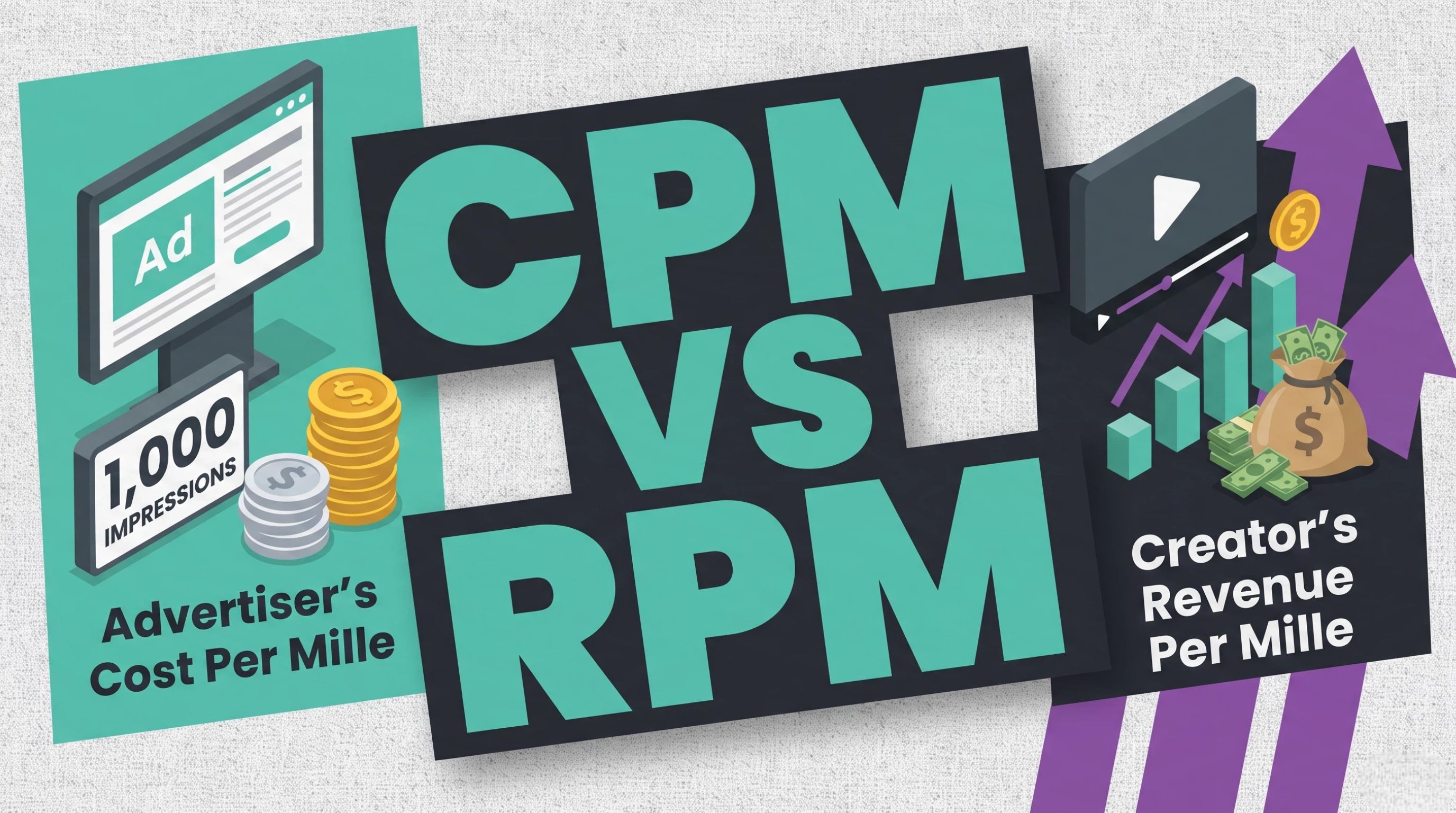
RPM and CPM are often used interchangeably when discussing YouTube earnings, but they measure different things. CPM reflects advertiser spending, while RPM provides a clearer view of what a creator earns per 1,000 total views after YouTube's revenue share. Understanding the difference helps creators interpret Analytics correctly and avoid overstating their potential income.

RPM vs CPM

What Is RPM?

RPM (Revenue Per Mille) represents how much a creator earns per 1,000 total video views after YouTube's revenue share. It can reflect revenue from sources reported in YouTube Analytics, depending on the content and monetization features available. Because RPM considers total views rather than only ad impressions, it is generally more useful when estimating actual creator income.

What Is CPM?

CPM (Cost Per Mille) measures how much advertisers pay for 1,000 ad impressions before YouTube's revenue share. It is primarily an advertiser-side metric, so a high CPM does not mean the creator receives that exact amount. CPM can also vary with audience location, niche, seasonality, advertiser demand, and the types of ads shown.

Why RPM Is Usually Better for Creator Earnings Estimates

If you want to estimate how much does YouTube pay for 1000 views, RPM is the most relevant metric because it accounts for total views and the creator's share of revenue. CPM can help you understand the advertising market around your content, but it does not represent your final payout. Checking your actual RPM in YouTube Analytics gives a more useful baseline for forecasting.

RPM is usually more useful than a simple per-view estimate because it reflects how much a creator actually earns per 1,000 monetized views after relevant revenue factors are considered. It provides a more realistic basis for comparing earning potential across content types, audiences, and platforms, while recognizing that actual rates can vary by audience location, advertiser demand, content category, and monetization eligibility.

Simple Example

Suppose a channel has a $6 CPM and a $3 RPM. The $6 CPM indicates the approximate advertiser cost for eligible ad impressions, while the $3 RPM means the creator earns about $3 per 1,000 total views based on the revenue reflected in Analytics. The two figures are therefore useful for different purposes: CPM → advertiser metric; RPM → creator earnings metric.

How Much Do YouTubers Make From Shorts vs Long-Form Videos?

YouTube Shorts and long-form videos generate ad revenue through different monetization models, so their earnings should not be compared using one universal per-view rate. The difference becomes clearer when you look at illustrative RPM ranges: the same number of views can produce dramatically different revenue depending on the format.

How Much Do YouTubers Make From Shorts vs Long-Form Videos

Long-Form YouTube Videos

Long-form videos generally offer higher revenue per 1,000 views because ads can appear before, during, or after eligible videos. For illustration, a long-form RPM of around $1–$10+ per 1,000 views means 1,000 views could generate roughly $1–$10+, while 1 million views could generate approximately $1,000–$10,000+.

The actual RPM varies by niche, audience location, video length, advertiser demand, and monetized playbacks. These figures are estimates, not guaranteed payouts.

YouTube Shorts

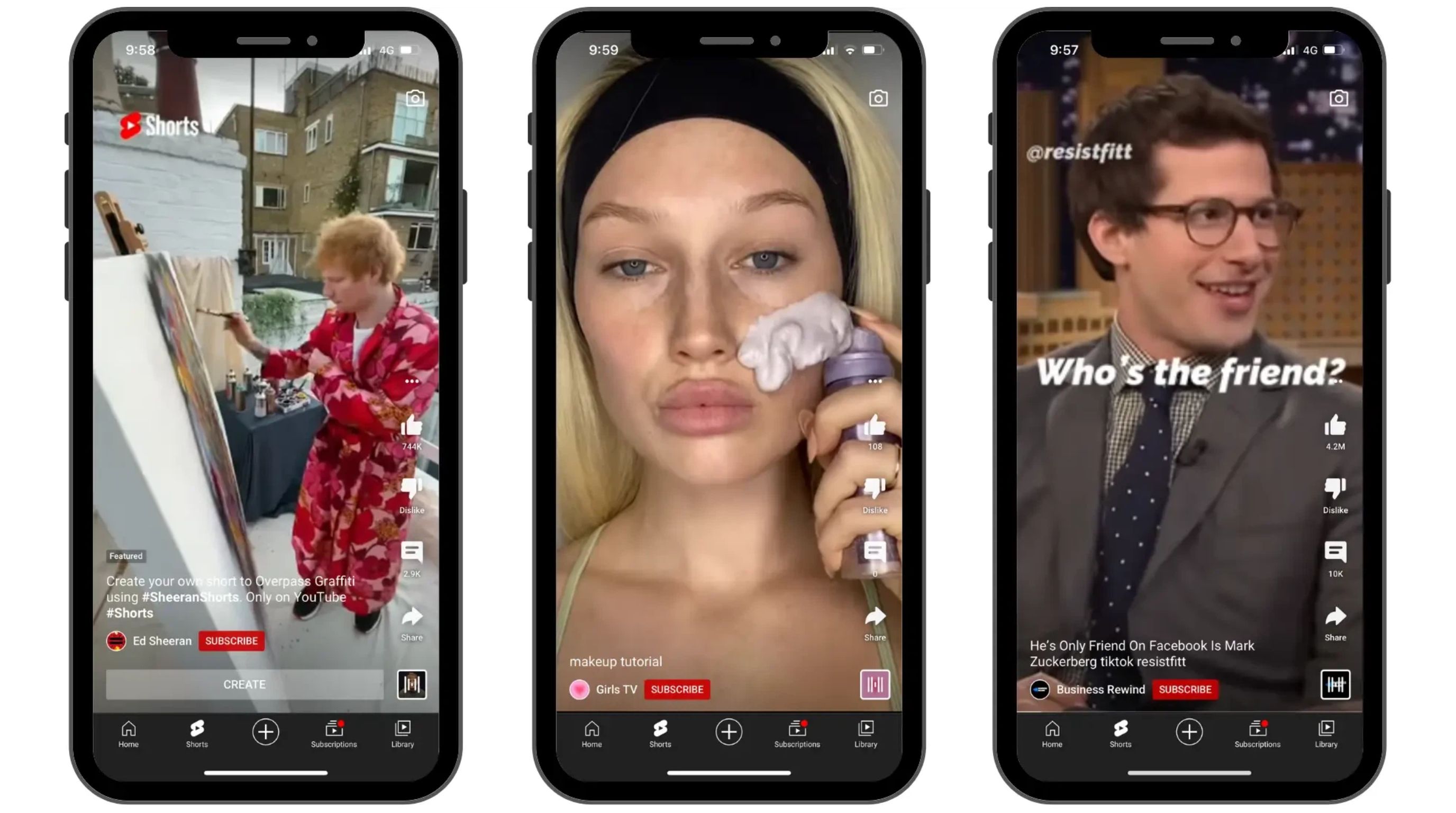
Shorts use a different revenue-sharing system in which advertising revenue from the Shorts Feed is pooled and distributed among eligible creators. Because of this model, Shorts typically produce much lower earnings per 1,000 views than long-form videos.

As an illustrative order-of-magnitude estimate, Shorts RPM may be around $0.01–$0.10 per 1,000 views, although individual channels can fall outside this range. That would put 1 million Shorts views at roughly $10–$100 in Shorts ad revenue under those illustrative assumptions.

Video Format

Illustrative Earnings per 1K Views

Illustrative Earnings per 1M Views

Long-form

~$1–$10+

~$1,000–$10,000+

Shorts

~$0.01–$0.10

~$10–$100

These ranges are intentionally broad estimates rather than official YouTube rates. Actual earnings depend on factors such as audience, geography, content category, monetization eligibility, and current advertising demand.

Why Shorts Cannot Use the Same Per-View Calculation

The difference in these estimates shows why 1,000 Shorts views cannot simply be multiplied by the same RPM used for long-form videos. A million views on a long-form video could potentially generate thousands of dollars, while a million Shorts views may generate only tens of dollars from Shorts Feed ads.

For creators, the takeaway is simple: view count alone does not determine YouTube earnings. The format generating those views, along with the channel's audience and monetization conditions, has a major effect on revenue.

What Determines How Much YouTube Pays You?

YouTube earnings are shaped by a combination of audience, content, advertising conditions, and viewer behavior, not simply the number of views a video receives. Understanding these factors explains why two channels with similar view counts can generate very different revenue and why a video's earnings may change from month to month.

Viewer Geography

Where your viewers are located can significantly affect ad rates because advertisers in different markets have different budgets and competition levels. A video watched primarily in one country may therefore generate more or less advertising revenue than the same video watched elsewhere. Audience geography is one reason creators should look beyond total views when evaluating earnings.

Content Topic and Advertiser Demand

Some topics attract stronger advertiser demand than others. Finance, business, software, and other commercially valuable subjects may have advertisers willing to pay more for relevant audiences, while broader entertainment topics can have different rates. Content topic also influences advertiser demand, as some categories attract higher-value advertisers and stronger competition for ad placements. As a result, creators covering commercially valuable topics may see higher RPMs than those producing content in categories with lower advertising demand. However, higher advertiser demand does not guarantee higher earnings for every video.

Watch Time and Viewer Behavior

Viewer behavior can influence how many opportunities there are for monetized ads, particularly on longer videos where eligible ad placements may be available. Strong retention and watch time can also indicate that viewers are engaging with the content rather than leaving immediately. However, watch time alone does not determine revenue; monetization status and ad delivery still matter.

Watch Time and Viewer Behavior

Ad Availability and Monetized Playbacks

Not every view results in an ad impression. An advertiser may not be targeting a particular viewer, an ad may not be available, or the viewing situation may not qualify for monetization. As a result, total views can be considerably higher than monetized playbacks. This difference is important when trying to understand why estimated earnings do not simply rise at a fixed rate with every view.

Seasonality

Advertising demand changes throughout the year. During major shopping periods, businesses may increase their advertising budgets, potentially affecting creator earnings. At other times, demand may decrease and revenue can follow. Creators planning seasonal campaigns can also use an AI festival poster generator to prepare promotional visuals around key events. This means earnings per 1,000 views can fluctuate even when audience and content strategy remain consistent.

Content Suitability

Advertisers generally want their promotions shown alongside content that meets their suitability standards. Videos that contain controversial, sensitive, or otherwise unsuitable material may face limited advertising compared with content that is broadly advertiser-friendly. For creators focused on commercial content, using tools such as a product video generator can help produce product-focused videos while keeping the creative direction consistent.

How to Increase YouTube Revenue Without Simply Getting More Views

Increasing YouTube revenue does not always require chasing higher view counts. A stronger approach is to improve the value of each view through better retention, commercially relevant topics, diversified income streams, and data-led decisions. The goal is to make existing audience attention more valuable rather than relying only on higher traffic.

Improve Viewer Retention

Keeping viewers engaged for longer can create more opportunities for eligible monetization, particularly on longer videos. Start with a clear opening, deliver the promised information quickly, and remove unnecessary sections that cause viewers to leave. Review audience-retention data to identify where viewers drop off and use those insights to improve future videos.

Choose Topics With Clear Audience and Commercial Intent

Topics that solve specific problems or help viewers make purchasing decisions can attract commercially valuable audiences. Research questions, product comparisons, tutorials, and industry-specific subjects can align content with advertiser demand. You can also support product-focused campaigns with a product demo video when demonstrating products alongside your broader content strategy.

Choose Topics With Clear Audience and Commercial Intent

Diversify YouTube Revenue

Ad revenue is only one potential income source for an established channel. Depending on eligibility and audience, creators can explore memberships, sponsorships, affiliate marketing, merchandise, and other revenue opportunities. Diversification reduces reliance on advertising alone and can make earnings more resilient when ad rates or monetized views fluctuate.

Use Analytics to Find Your Highest-Earning Content

Your Analytics data can reveal which videos generate the strongest combination of views, watch time, audience retention, and revenue. Compare these metrics across topics and formats rather than judging performance by views alone. If certain subjects consistently produce stronger RPM or revenue, use those patterns to guide future content planning and publishing decisions.

Get More Views With Better YouTube Visuals Using Designkit

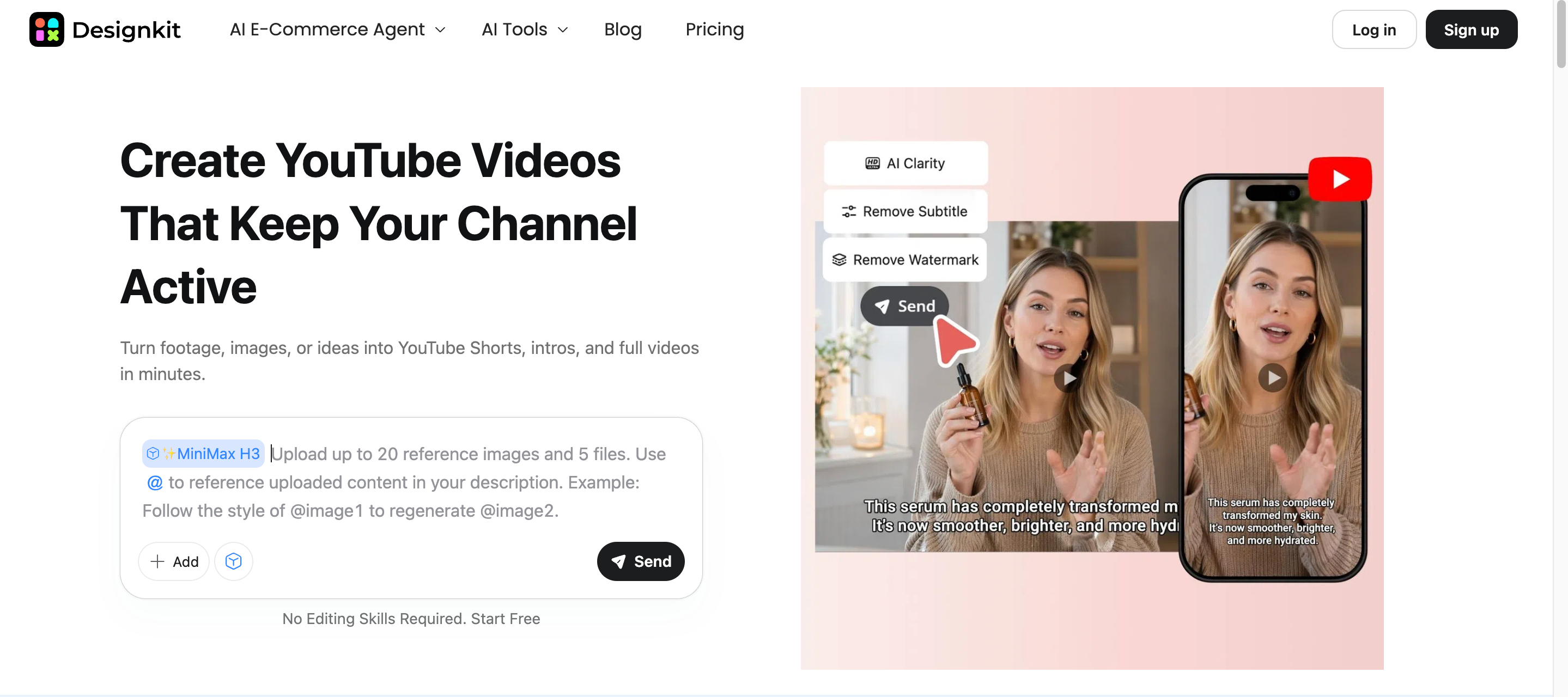
Getting more views starts with giving the right audience a reason to click and watch. Strong thumbnails, clear visual messaging, and consistent channel branding can help make videos more appealing in search results and recommendations. Designkit can help creators turn existing images and concepts into YouTube-ready visuals, making it easier to develop thumbnail variations, test different creative directions, and maintain a recognizable channel style.

Designkit YouTube Video Maker

How to Create YouTube Visuals With Designkit

Step 1: Add Your Assets or References

Start by adding the images you want Designkit to use as references. You can include product photos, models, or other relevant visuals, so the generated content reflects the subjects shown in your source images.

text

Step 2: Generate YouTube-Ready Content

Choose a video model from the available options and enter a prompt explaining the video concept, such as how the product should appear, what actions or transformations should happen, and where the content will be used. The interface also lets you set the video aspect ratio and duration.

text

Step 3: Preview and Export Your Content

Check and preview your generated result. Automatically generate a thumbnail and YouTube copywriting based on your video. Now, take the generated visuals and get views to earn money on YouTube.

text

Create YouTube Visuals

How Designkit Helps YouTube Creators Get More Views

Thumbnail-Ready Visual Concepts

Designkit can turn an existing image or idea into a stronger thumbnail concept by adjusting the subject, composition, background, and overall visual direction. This gives creators multiple options for presenting the same video topic without rebuilding every thumbnail from scratch.

Turn Text and Images into YouTube Videos

Designkit can turn prompts and reference images into short-form video content, helping creators produce visuals without filming every scene manually. It supports different creative directions, making it useful for automated and high-volume YouTube workflows.

YouTube Script and Copy Generation

For channels using automation, AI-generated scripts and copy can help develop video ideas, hooks, descriptions, and other supporting text. This gives creators a starting point for each video while reducing repetitive planning work and leaving room for human review and refinement.

Recreate Viral YouTube Content

Creators can repurpose existing footage instead of producing every video from scratch. Designkit's AI video ad recreation tool can help improve the presentation of existing footage, while video recreation workflows can support new versions for different YouTube content needs.

Conclusion

YouTube does not offer a fixed payment for every view. Actual earnings depend on RPM, monetized playbacks, audience location, content type, advertiser demand, watch behavior, and other revenue sources. Rather than chasing views alone, creators should study Analytics, improve retention, choose valuable topics, and diversify their income.

Once your channel is eligible for monetization, consistent, professional visuals can support stronger content presentation and audience engagement. Designkit helps creators turn existing images and creative ideas into YouTube-ready thumbnails and promotional assets, making it easier to maintain a polished channel identity and produce visuals that support ongoing content growth.

Frequently Asked Questions

What is a good RPM for a YouTube channel?

There is no single RPM that counts as “good” because it varies widely by niche, audience location, content type, and monetization mix. A channel with an RPM of $5 may perform well in one niche but poorly in another. Instead of comparing yourself with other creators, track your RPM over time and look for consistent improvement.

When does YouTube start paying creators?

YouTube starts paying eligible creators after they qualify for the YouTube Partner Program, complete the required payment setup, and reach the applicable payment threshold. Having views or subscribers alone does not automatically trigger payments. Your actual earnings also depend on how many views are monetized and which revenue sources your channel uses.

How do I check my YouTube earnings in Analytics?

Open YouTube Studio and go to Analytics to view estimated revenue, RPM, CPM, views, watch time, and other performance metrics. You can also compare individual videos to see which topics, formats, or audiences generate more revenue. Looking at RPM alongside views gives you a better picture of how efficiently your content is monetizing.

Why did my YouTube revenue decrease even though views increased?

More views do not always mean more revenue because your RPM may have fallen at the same time. Changes in audience location, content type, monetized views, advertiser demand, and seasonality can all affect earnings. Check your RPM, monetized playbacks, and traffic sources in YouTube Analytics to identify what changed.

Does YouTube Premium contribute to creator earnings?

Yes. Eligible creators can receive a share of YouTube Premium subscription revenue when Premium members watch their content. The amount depends partly on how much Premium members watch your videos compared with other content on the platform. This revenue is separate from traditional ad impressions.

Which YouTube revenue sources are included in RPM?

RPM represents how much a creator earns per 1,000 total video views and can include revenue from several YouTube monetization sources. Depending on the channel, this may include ads, YouTube Premium, memberships, Super Chat, Super Stickers, and Super Thanks. Because RPM uses total views rather than only monetized views, it is generally more useful than CPM for understanding your actual earnings per view.

Why are some YouTube views not monetized?

Not every view results in an ad impression or generates advertising revenue. Ad availability, viewer location, advertiser targeting, content suitability, and whether an ad is actually served can all affect monetization. This means a video can receive a large number of views while only a portion of them contribute directly to ad revenue.

You May Also Like

how to get verified on instagram

How to Get Verified on Instagram: Complete Guide

Learn how to get verified on Instagram in 2026. Understand verification requirements, Meta Verified, the application process, review time, and common mistakes.
tiktok monetization

TikTok Monetization in 2026: Requirements & Ways to Earn

Discover TikTok monetization in 2026, from Creator Rewards and brand deals to LIVE Gifts and subscriptions, with eligibility tips and earning strategies.
how to post on instagram from desktop

Instagram Desktop Posting Guide: Upload Posts, Stories & Reels

Learn how to post on Instagram from desktop, upload Stories and Reels, manage content from your PC, and create better visuals without switching devices.
youtube shorts monetization

YouTube Shorts Monetization Requirements & Rules 2026

Learn YouTube Shorts monetization requirements for 2026, how Shorts revenue works, earning strategies, and ways to create engaging videos consistently.
how much does youtube pay per view

How Much Does YouTube Pay Per View: Earnings Explained for 2026

Learn how much YouTube pays per view, 1,000 views, and 1 million views. Understand RPM, CPM, monetized views, revenue factors, and creator earnings.
how to make money on snapchat

How to Make Money on Snapchat: 7 Ways to Earn

Learn how to make money on Snapchat through creator monetization, brand deals, affiliate marketing, products, subscriptions, and other income streams.
how to get more followers on instagram

How to Get More Followers on Instagram in 2026

Learn how to get more followers on Instagram with Reels, profile SEO, engaging content, collaborations, and analytics strategies that support sustainable growth.
best time to post on tiktok

Best Time to Post on TikTok in 2026 for More Views

Find the best time to post on TikTok in 2026, with daily posting windows, audience insights, Analytics tips, and strategies to boost views and engagement.
how to repost on instagram

How to Repost on Instagram in 2026: A Simple Guide

Learn how to repost on Instagram, including posts, Reels, and Stories. Follow simple steps, credit creators, and make shared content more engaging with custom visuals.
multichannel marketing

Multichannel Marketing Guide: Strategy, Tools & Examples

Discover multichannel marketing strategies, examples, and tools to reach customers across every platform, and start building consistent campaigns today.
how to create digital products

How to Create Digital Products That Sell in 2026

Learn how to create digital products from idea to launch: validate demand, build ebooks or templates, choose where to sell, and market them with stronger product visuals.
cyber monday

Cyber Monday Marketing Ideas & Strategies (2026 Guide)

Learn what Cyber Monday is, how it differs from Black Friday, and discover ecommerce marketing ideas, advertising strategies, and AI workflows to increase holiday sales.
black friday marketing

Black Friday Marketing Ideas for Ecommerce Brands (2026)

Explore Black Friday marketing ideas, ecommerce strategies, campaign examples, and advertising tips to boost holiday sales with smarter creative workflows.
instagram marketing

Instagram Marketing Guide: Strategies, Tips & AI Tools in 2026

Learn how to build an Instagram marketing strategy with content ideas, growth tips, campaign tactics, and AI tools to create better brand visuals.
influencer marketing

Influencer Marketing Guide: Strategy, Campaigns & Creator Tips

Learn what influencer marketing is, how to build a strategy, run campaigns, choose creators, and when AI or virtual-model content can support scalable creative testing.
best things to sell on etsy

15 Best Things to Sell on Etsy in 2026 (Listing Tips Included)

Discover the best things to sell on Etsy in 2026, from digital products to personalized gifts. Learn how to choose profitable ideas and create listings that convert.
woocommerce vs shopify

WooCommerce vs Shopify 2026: Pricing, Features & Which Is Better

Compare WooCommerce vs Shopify in 2026. Explore pricing, features, SEO, scalability, customization, and find the best ecommerce platform for your store.
how to sell on facebook

How to Sell on Facebook Marketplace: Beginner Guide (2026)

Learn how to sell on Facebook Marketplace in 2026, from creating listings and pricing products to improving photos, attracting buyers, and growing sales.
how to use pinterest for business

How to Use Pinterest for Business: Strategy, Tips & Growth Guide

Learn how to use Pinterest for business, create high-performing Pins, build a marketing strategy, and scale visual content that drives traffic and sales.
how to sell on etsy

How to Sell on Etsy in 2026: Setup, Listings & Growth Tips

Learn how to sell on Etsy in 2026, from opening your shop and creating listings to optimizing product images, pricing, and marketing strategies that drive sales.
target audience

What Is a Target Audience? Types, Examples & How to Find Yours

Learn what a target audience is, explore different audience types and examples, and discover how to identify your ideal customers for better marketing campaigns.
tiktok marketing

TikTok Marketing Guide 2026: Strategies, Ideas & AI Tools

Learn how to build a TikTok marketing strategy in 2026 with content ideas, brand examples, ads tips, and AI video tools to create better campaigns faster.
vibe marketing

Vibe Marketing Explained: Strategy, Examples & AI Tools

Learn what vibe marketing means, how to build a vibe marketing strategy, real examples, and how AI tools help brands create consistent campaign creatives faster.
how to sell on depop

How to Sell on Depop: Beginner Guide to Getting Your First Sale

Learn how to sell on Depop from setup to first sale. Get tips for listings, photos, pricing, shipping, and growing your shop with practical strategies.
what is online advertising

Online Advertising Guide: Types, Costs & Examples (2026)

Learn what online advertising is, how it works, what it costs, and which ad types can help you reach the right audience and drive measurable results.
What is facebook advertising

Facebook Advertising Guide: Costs, Strategy & Tools 2026

Learn how Facebook advertising works, what it costs, which ad formats to use, and how to build higher-converting campaigns with better creativity.
e-commerce ad explained

What Are E-commerce Ads? Examples, Strategy & Tools (2026)

Learn what e-commerce ads are, key types and platforms, real examples, proven strategies, and tools to create high-converting ad creatives that drive sales.
where to sell handmade items

Where to Sell Handmade Items Online (2026): Etsy, Amazon, or Shopify?

Find where to sell handmade items online by product type, traffic, fees, branding, and fulfillment. Compare Etsy, Amazon Handmade, Shopify, and more.
shopify vs amazon

Shopify vs Amazon (2026): Brand Store or Marketplace FBA?

Compare Shopify vs Amazon for sellers: $100 fee math, brand control vs Amazon traffic, FBA fulfillment, and when to use both for DTC growth.
amazon handmade vs etsy

Amazon Handmade vs Etsy (2026): Which Is Better for Makers?

Compare Amazon Handmade vs Etsy for makers: $100 fee math, approval rules, branding, FBA, and when to start on Etsy or scale on Amazon.
etsy vs ebay

Etsy vs eBay (2026): Handmade, Vintage, or Secondhand?

Compare selling on Etsy vs eBay for handmade, vintage, and secondhand goods: fees on a $100 sale, listing rules, shipping, and when to use both.
selling on amazon vs ebay

Selling on Amazon vs eBay (2026): Fees, Profit & Where to Sell

Selling on Amazon vs eBay? Compare fees, fulfillment options, listing rules, and profits to find the best marketplace for your products in 2026.
what brand awareness is

What Is Brand Awareness? Examples, Strategies & Tools 2026

Learn what brand awareness is, why it matters, key types, real examples, strategies to increase it, and tools to create consistent brand content at scale.
best platforms for selling online

10 Best Online Selling Platforms (2026): Pick by What You Sell

Compare the 10 best online selling platforms for 2026 by fees, product type, and goals. From Shopify to Facebook, find the right place to list first.
Shopify vs Etsy for handmade sellers

Shopify vs Etsy (2026): Which Is Better for Handmade Sellers?

Compare Shopify vs Etsy for handmade sellers. Learn the differences in fees, traffic, branding, SEO, and long-term growth to decide which platform fits your business in 2026.
What is youtube automation

YouTube Automation Step-by-Step AI Guide for Beginners

Learn YouTube automation in 2026 with AI tools, step-by-step methods, niches, monetization strategies, and how Designkit speeds up your video clips.
what is brand identity

What Is Brand Identity? Examples, Elements & Strategy

Learn what brand identity is, why it matters, its key elements, real examples, and practical steps to build a consistent brand identity for your business.
ai marketing agent

AI Marketing Agent: How It Works, Benefits & E-Commerce Examples

Learn what an AI marketing agent is, how it works, key benefits, real e-commerce use cases, and how businesses automate content creation to grow faster.
personalized advertising

What Is Personalized Advertising? Examples & How It Works

Discover personalized advertising, real examples, and how brands use data-driven personalized ads on social media to boost engagement and sales.
how to build a shopify store

How to Build a Shopify Store That Actually Converts Visitors

Learn how to build a Shopify store step by step—from setup to products and payments—and create a professional, high-converting online store fast.
amazon marketing

Amazon Marketing Guide 2026: Strategies, Tips & Tools

Learn Amazon marketing in 2026 with SEO, PPC, content, and AI tools to boost visibility, improve listings, and turn clicks into conversions.
local advertising

Local Advertising: Strategies, Examples & Tools (2026)

Learn top local advertising strategies for small businesses: digital platforms, local ad examples, and tools to reach nearby customers fast.
branded content

What Is Branded Content? Examples, Strategy & Tools 2026

Learn what branded content is, how it works, types, strategy, and real examples. Discover how to create brand-compliant content that builds trust and engagement.
performance marketing

What Is Performance Marketing? Strategies & Examples 2026

Learn what performance marketing is, how it works, real examples, and proven strategies to measure results and grow your business faster.
what is inbound marketing

Inbound Marketing: Strategies, Examples & Tools (2026)

Learn what inbound marketing is, how it works, strategies, examples, and tools to attract customers naturally and grow your business with trust.

Turn More YouTube Attention Into Opportunity

Understand YouTube earnings and create polished thumbnails, promotional visuals, and assets that attract viewers, strengthen your channel, and boost video performance.

Create Better YouTube Visuals