
How to Try On Clothes Online and Preview Your Perfect Fit (Step-by-Step Guide)
Upload a photo, preview outfits instantly, and explore different clothing styles to make smarter fashion decisions.

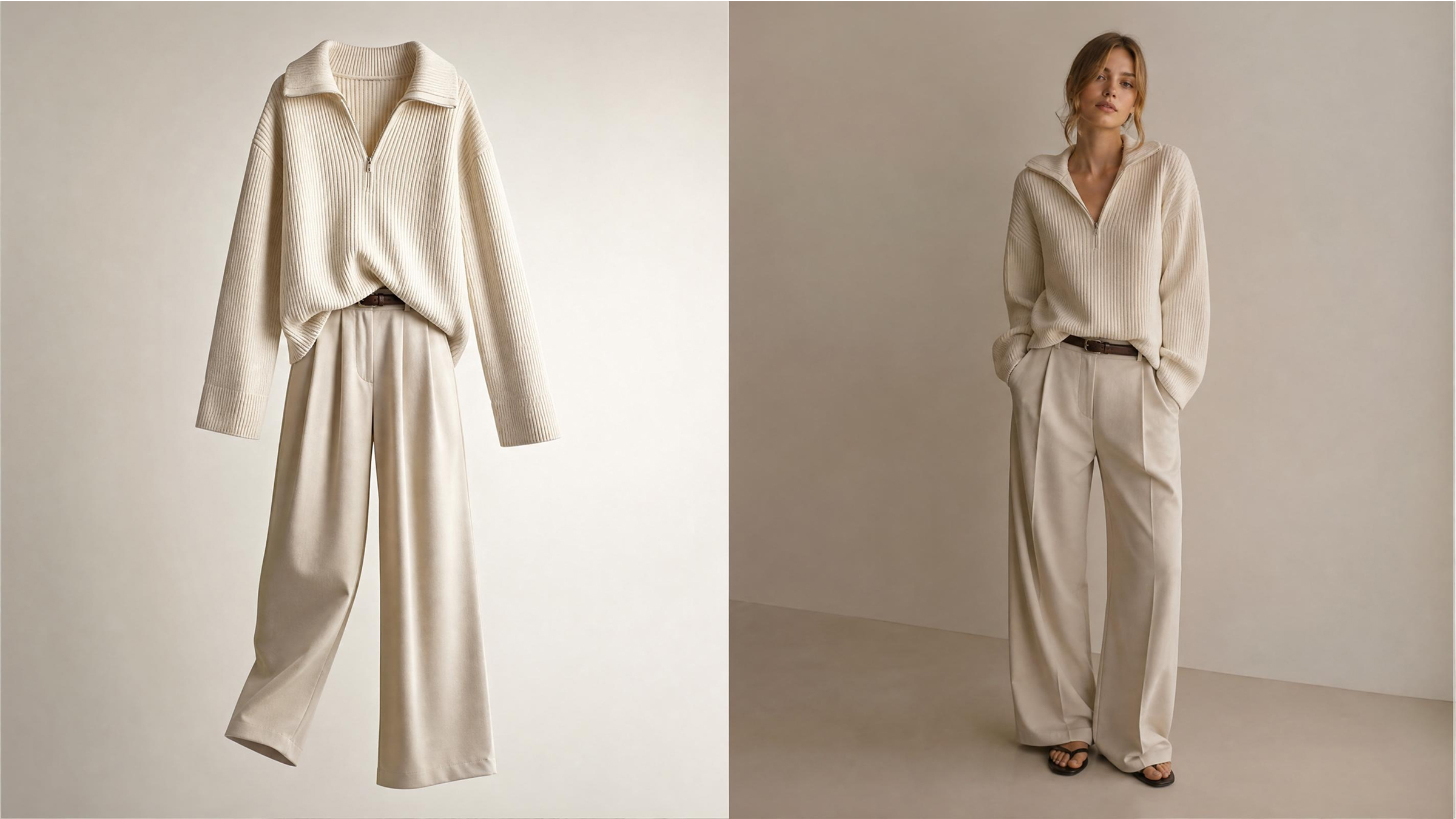
Buying clothes online often feels risky because sizing and fit remain uncertain. A lot of shoppers hesitate since fabric, style, and proportions appear different in real life. According to Synctrack, online clothing returns average 25% to 30% globally due to fit uncertainty. This confusion leads to frequent returns and wasted spending on unsuitable clothing choices online.
Nonetheless, modern tools now make it easier to try on clothes online accurately. Advanced AI systems simulate garments on your body using simple photos or models. Therefore, this simple guide provides the necessary steps to visualize any outfit on your body. You can easily transform a basic product photo into a realistic and stylish preview.
Part 1. What You Need Before You Try Clothes On Virtually
Getting good results with an AI try-on won't happen with just a mobile phone and the internet. Understanding the preparation process is the key to mastering an AI clothing try-on. Digital tools need quality data to map garments onto your body shape perfectly.
Yet, poor preparation often leads to distorted images that look very fake and unprofessional. Therefore, setting up your environment correctly ensures that every virtual fitting session is highly accurate. Follow these essential preparatory steps to prepare your digital workspace for the best results:
1.1. Prepare Photos for Accurate Virtual Try-On Results
High-resolution images are necessary whenever you want to try on clothes online accurately. The software must clearly distinguish between your skin and the fabric of your garment. Both user photos and garment images must be clear, balanced, and properly aligned. Use the following guidelines to capture the perfect base photo for your virtual session:
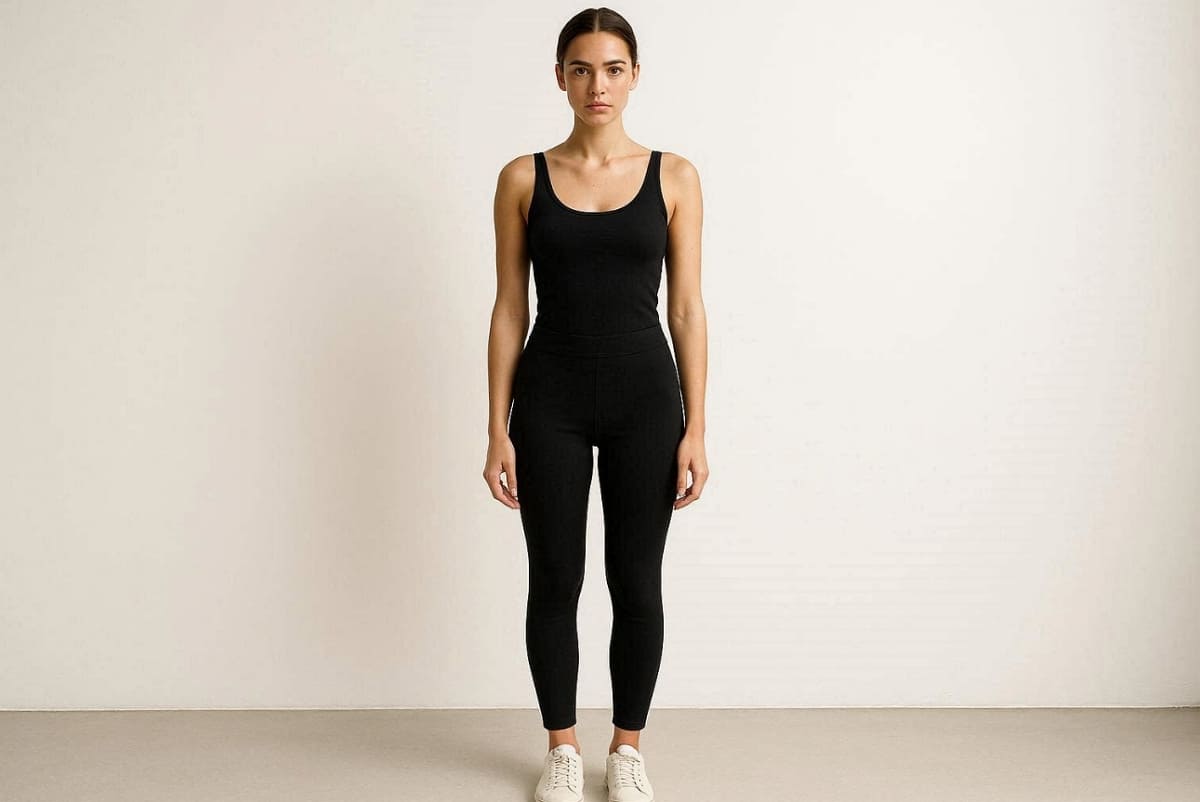
User Photo Guidelines
1. Frontal Posture: Capture a straight, full-body photo with neutral posture for accurate body mapping today.
2. Fitted Attire: Wear fitted clothing to help AI detect natural body shape proportions very clearly now.
3. Optimal Lighting: Ensure proper lighting so shadows do not distort clothing placement or any fabric texture.
4. Plain Backdrop: Keep a plain background to avoid distractions during the virtual try-on process.
Besides that, XLook reports that 92% of shoppers report much higher confidence when using realistic virtual fitting.
Garment Image Guidelines
1. Clear Structure: Use flat lay or model images with clearly visible clothing edges and garment structure.
2. Smooth Fabric: Avoid wrinkled or folded garments because they reduce realism in your digital output previews.
3. High Resolution: Choose HD product images to improve texture detail and fabric simulation quality today.
4. Centered Alignment: Ensure clothing items are centered to simplify alignment during virtual try-on clothing workflows.
1.2. Choosing an AI Tool That Supports Full Clothing Try-On Workflows
Beginners should also look for a platform that handles every different fashion scenario easily. Additionally, a professional virtual try-on clothing tool must support swaps and full outfit generation. Tools like Designkit offer an all-in-one workflow that simplifies the entire complex digital process.
You can access these advanced features through a browser-based interface with no software download. This versatile platform allows you to manage multiple styles within a single user interface. Moreover, most shoppers now show interest in using artificial intelligence before buying new items. Review this comparison to understand which specific features are essential for your fashion success:
|
Feature Type |
Importance Level |
Why It Matters for Beginners |
|---|---|---|
|
Model Selection |
Very High |
Helps you see how different sizes fit various diverse body types today. |
|
Outfit Swapping |
High |
Allows for quick changes between several different items on a single photo. |
|
Face Integration |
Medium |
Ensures the final generated image looks like a real and personal portrait. |
|
Batch Processing |
High |
Saves significant time when you need to visualize many different clothing items. |
Part 2. How to Try On Clothes Online with AI Step by Step
Trying on clothes online no longer means guessing whether an outfit will suit you. With Designkit’s AI Virtual Try-On, you can upload a full-body photo, describe the outfit you want, and instantly generate realistic outfit previews on yourself. Instead of switching between multiple workflows, everything happens in one simple process—making it easier to explore styles, compare looks, and visualize clothing before making a purchase decision.
Follow these steps to create your own virtual clothes try-on result in minutes:
Step 1. Upload a Clear Full-Body Photo and the Outfit You Want to Try
Start by opening Designkit AI Virtual Try-On. Upload a high-quality full-body image where your outfit and body proportions are clearly visible. The better the input image, the more realistic your AI clothing preview will look.
This approach works especially well if you want to try on clothes online and see how different silhouettes, lengths, and styles appear on your actual body shape.
Photo Tips for Better Results
- Use a Full-Body Shot: Include your entire outfit area from head to toe whenever possible.
- Choose Natural Lighting: Clear lighting helps AI preserve skin tone and clothing details.
- Keep Background Simple: Avoid crowded backgrounds for cleaner clothing replacement.
- Stand Naturally: Front-facing poses usually produce the most balanced try-on outputs.
Once your image is uploaded, Designkit generates a realistic clothing transformation directly from your instructions.
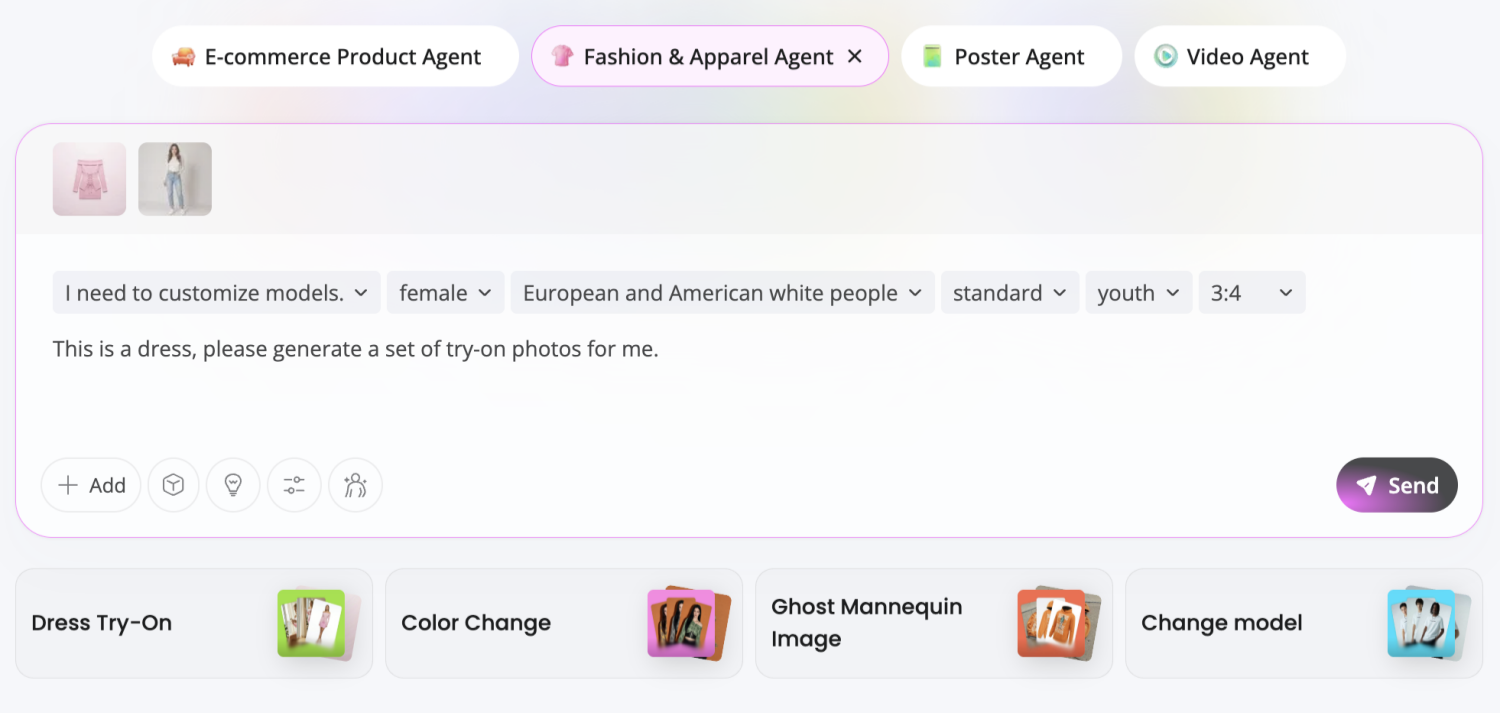
You can describe specific garments, colors, aesthetics, fabrics, or occasions to create personalized AI clothing try-on results.
Example Prompts
- Casual: “Oversized beige hoodie with relaxed blue jeans and white sneakers”
- Office: “Minimalist business outfit with tailored blazer and straight-leg trousers”
- Date Night: “Elegant black satin dress with silver accessories”
- Street Style: “Modern oversized leather jacket with wide-leg cargo pants”
The more detailed your prompt, the more accurate your virtual outfit try-on result becomes.
Step 2. Generate, Compare, and Refine Your Virtual Looks
Click generate and let Designkit create your virtual try-on image. Within moments, you can preview how different outfits look on your own body and compare multiple styles side by side.
This is where AI becomes useful—not just for shopping, but for exploring new aesthetics, building outfit inspiration, and reducing uncertainty before buying.
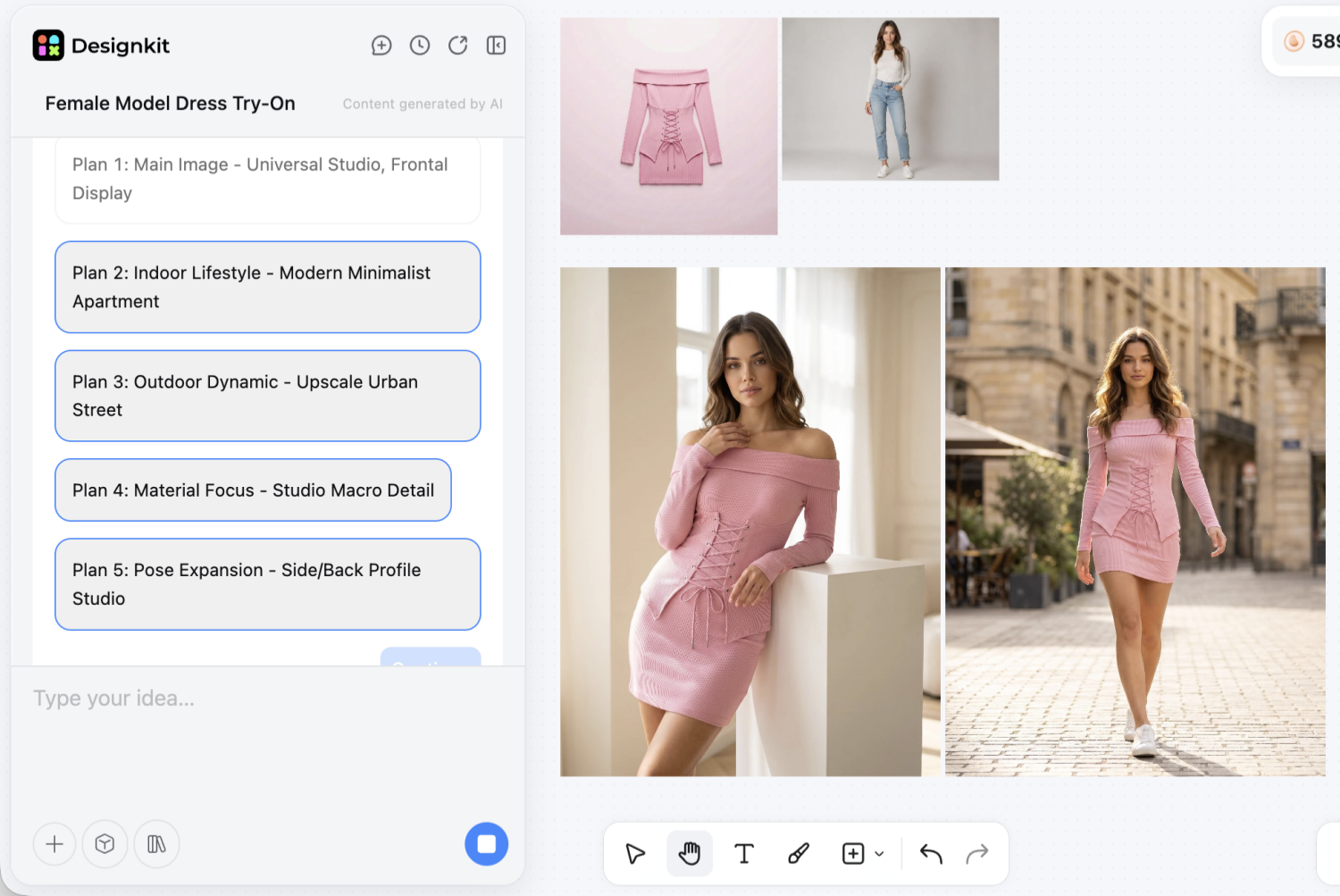
Ways to Improve Your Results
- Generate Multiple Versions: Test different prompts to compare styles quickly.
- Adjust Specific Details: Change colors, sleeve length, fabric, or fit directly in your prompt.
- Explore Complete Looks: Include shoes and accessories for a full outfit preview.
- Save Favorites: Keep your best virtual outfits for future shopping or styling decisions.
Upload your photo, describe your ideal outfit, and let Designkit turn ideas into realistic fashion previews—before you ever add anything to cart.
Part 3. When to Use Each Virtual Try-On Method
Choosing the right approach depends entirely on your specific fashion goals and current needs. You can try clothes on virtually to explore new trends or prepare for shopping. Yet, understanding these different scenarios helps you get the most out of every digital session.
Flexible tools like Designkit allow you to switch between various methods with total ease. Hence, this section explains how to select the best workflow for your unique personal style:
3.1. Choosing the Right Method for Shopping vs Styling
Selecting a virtual try-on clothing method depends on your desired level of realism. Quick shopping decisions often benefit from the speed of using a digital fashion model. Conversely, detailed styling requires using your own personal photo for a much better fit. Thus, the following points help you match your current objective to the correct digital step:
1. Quick Shopping: Use Step 1 to see how different garment colors look on models.
2. Personal Fitting: Choose Step 2 when you need to see clothes on your body.
3. Wardrobe Planning: Select Step 3 to build complete outfits for upcoming special events.
4. Trend Testing: Use any method to experiment with bold styles you usually avoid wearing.
3.2. Using Virtual Try-On for Personal Use and Product Images
Personal users and professional sellers have different requirements for an AI clothing try-on. Consumers focus on personal fit, while brands need quality and consistent marketing imagery. Modern software bridges this gap by providing professional visualization for every type of user.
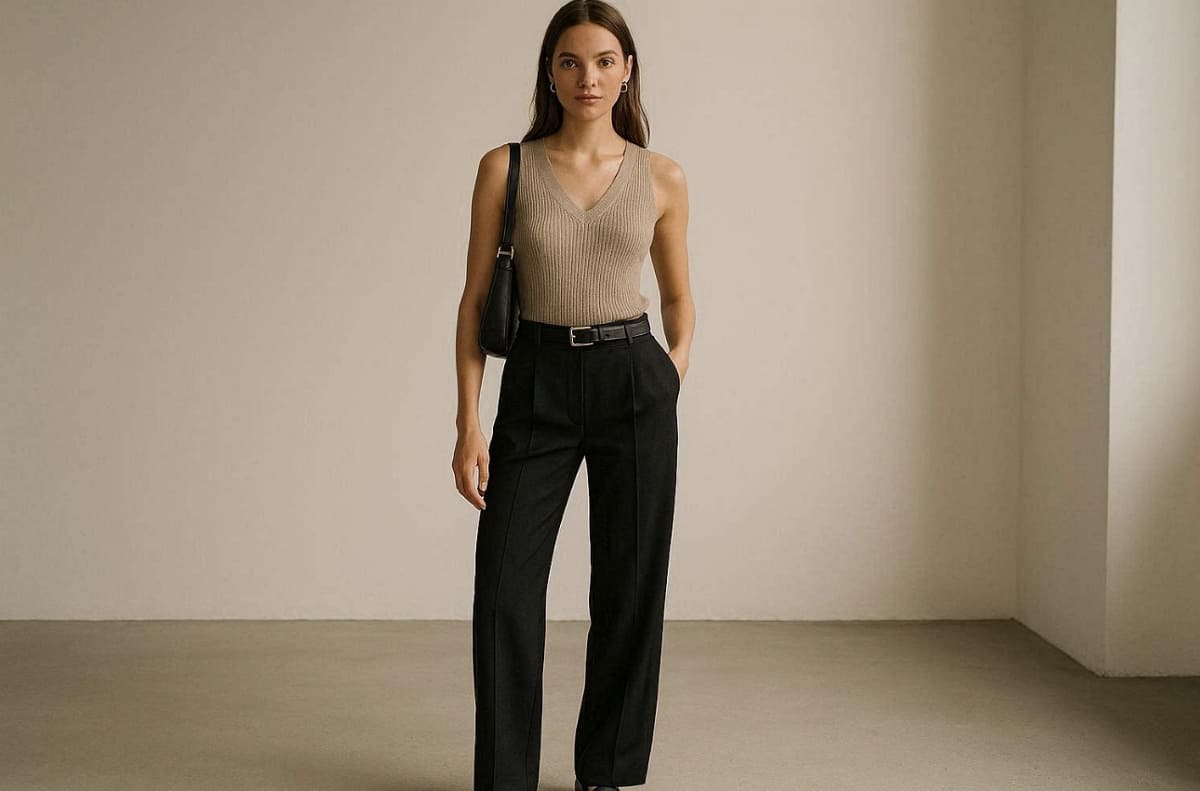
Whether you are a shopper or a seller, these methods offer incredible visual value. Apart from that, check this table to see how each method serves both personal and commercial needs:
|
User Type |
Best Method |
Primary Benefit for Users |
|---|---|---|
|
Individual Shopper |
Step 2: Personal Photo |
See an accurate representation of how a new dress fits your own body. |
|
Fashion Content Creator |
Step 3: Outfit Generator |
Create stylish and engaging social media posts using unique and trendy digital looks. |
|
eCommerce Seller |
Step 1: Model Generator |
Generate high-resolution product images without the high cost of a physical photoshoot. |
|
Styling Professional |
All Step Workflows |
Offer clients a diverse range of visual options for their personal wardrobe planning. |
Part 4. Common Problems with AI Clothing Try-On and How to Fix Them
Sometimes your digital results might not look as realistic as you initially expected. Technical glitches or poor input quality often interfere with AI clothing try-on. Therefore, understanding these common hurdles is the first step toward achieving much better visual accuracy.
In addition, troubleshooting these minor issues helps you try clothes on virtually with more professional confidence. So, follow these expert tips to ensure your generated images look perfectly realistic and polished:
4.1. Why Virtual Try-On Results Look Unrealistic
Several environmental and technical factors can negatively impact your AI clothing try-on results. The most frequent issue involves using photos that lack sufficient detail for the software. Moreover, complex patterns or loose garments can confuse the digital body mapping system. Review these common causes for unrealistic outcomes to avoid them in your next session:
1. Poor Resolution: Grainy or low-quality images prevent the software from detecting fabric textures properly.
2. Bad Lighting: Harsh shadows can warp the appearance of digital clothes on your body.
3. Baggy Clothing: Wearing loose items makes it very difficult for the AI to track proportions.
4. Incorrect Poses: Awkward angles often lead to distorted garment placement and unnatural-looking fabric folds.
4.2. Simple Fixes to Improve AI Try-On Accuracy
You can easily fix most quality issues when you try on clothes online. Small adjustments to your lighting and posture will significantly improve your final digital output. Focusing on these details ensures that every garment fits your silhouette with extreme precision. Thus, explore the following table to solve common problems during your virtual styling sessions quickly:
|
Common Problem |
Fast Solution |
Expected Improvement Result |
|---|---|---|
|
Blurry Texture |
Clean your camera lens |
Sharper fabric details and much more realistic surface reflections on the garment. |
|
Warped Edges |
Use a plain background |
Clean garment lines that do not blend into the surrounding environment. |
|
Inaccurate Fit |
Wear tight base layers |
Better body mapping that reflects your true physical proportions and natural curves now. |
|
Dull Colors |
Use natural daylight |
Vibrant and accurate shades that match the actual product you are viewing online. |
Conclusion
In summary, mastering the ability to try on clothes online simplifies your entire modern shopping journey. Digital tools eliminate the risk of purchasing products that do not match your body. By following our step-by-step guide, you can achieve highly realistic results instantly.
Whether using models or personal photos, these technologies ensure total fashion confidence for everyone. According to Mordor Intelligence's market forecast, the global virtual try-on market will likely reach $48 billion by 2030. Thus, start experimenting with new styles right now to transform your personal wardrobe forever.
Frequently Asked Questions
Do I need professional photos to try on clothes online effectively?
Can Virtual try-on clothing handle different body shapes accurately?
Virtual try-on clothing supports diverse body types through model selection features. AI adjusts garment proportions to match various heights, curves, and torso lengths. Moreover, personal photo upload provides the most precise fit visualization for your silhouette.
Can sellers use these tools for professional virtual try-on clothing images?
Sellers create virtual try-on clothing catalog photos without expensive photoshoots. In addition, tools like Designkit generate lifestyle model images from product photos for eCommerce listings. Professional results match studio quality while supporting diverse body type representation.
Will my personal photos stay private when I try on clothes online today?
Most reputable platforms that let you try on clothes online prioritize your personal data. Still, always review the privacy policy to ensure your images are not stored without consent. Furthermore, choosing a secure and trusted tool protects your digital identity during every styling session.
You May Also Like

How to Match Makeup by Undertone: Virtual Lipstick and Foundation Try-On

Wedding Dress Styles for Every Body Type: A Practical Guide for 2026

7 Best AI Virtual Makeup Try-On Tools for Realistic Results in 2026

AI Virtual Makeup Try-On: Boost Beauty E-Commerce Sales in 2026

Free Online Glasses Try-On Tools: See Yourself in Glasses Instantly

Top Virtual Ring Try-On Tools for Engagement and Wedding Rings in 2026

How to Try Shoes On Virtually: A Step-by-Step Guide

Best Virtual Shoe Try-On Tools for Ecommerce: 2026 Guide

How to Try On Wigs and Bangs Virtually to Find Your Perfect Style

Create Model Outfit Photos Instantly With AI Outfit Generator

Best AI Virtual Try-On Clothes Tools for Any Body Type

How to Try On Clothes Online with AI for Better Fit & Style

Virtual Nose Ring Try On Online Before Your Piercing

How to Try Makeup Online with AI and Virtual Makeup Try-On Apps (2026)

How to Use Virtual Earring Try-On for a Flattering Look in 2026

How to Try On Engagement Rings Online with AI in 2026

Scale Your Jewelry Brand with Virtual Jewelry Try-On Solutions

How to Try Hairstyles on Your Face Online (Step-by-Step Guide)

Best Virtual Hairstyle Try-On Tools Online for Realistic Previews 2026

How to Use a Free AI Hairstyle Generator to Find Your Perfect Look

Virtual Hair Color Try-On Guide for Every Skin Tone (2026)

Virtual Wedding Dress Try-On Online for Brides in 2026

How to Choose the Right Sunglasses for Your Face Shape Online

How Accurate Is Virtual Glasses Try-On? AI vs AR Compared

Best Virtual Try-On Glasses Apps in 2026 (Free & Paid Tools)

How AI Virtual Try-On Is Transforming Eyewear Ecommerce

5 Best Virtual Try-On Glasses Tools for Ecommerce and Consumers 2026

How to Try On Glasses Online with AI in 2026 (Easy Guide)

How to Create Jewelry Photos with AI Models That Drive Sales in 2026

AI-Generated Fashion Models: Technology, Brand Adoption & Trends

How to Batch Generate 100+ AI Clothing Model Photos Fast

7 Best AI Fashion Model Generators for Ecommerce in 2026

AI Clothing Model Photos for E-Commerce: Platform Rules & Best Practices

How AI Virtual Try-On Helps Fashion Brands Boost Sales & Reduce Returns

AI Fashion Models vs Real Models: Which Is Better for Brands?

Best Free AI Fashion Model Generators for Real Product Photos

Virtual Outfit Try-On Guide: Plan Outfits Before You Buy

What Is an AI Clothing Model Generator? Full Guide for Sellers

Virtual Try-On Technology in 2026: How It Works & Key Trends

10 Best Virtual Try-On Apps & Tools for Online Shopping in 2026

How to Create AI Fashion Models: Complete Step-by-Step Guide

How to Use AI Fashion Models for E-Commerce Product Photos: A Complete 2026 Guide

How to Virtually Try On Clothes Online: A Complete Guide
See Every Outfit Before You Add It to Cart
Stop guessing how clothes will look. Upload a photo, test multiple outfit styles, and create realistic previews to find the right fit faster.


