
How to Try Makeup Online with AI in 2026 (Guide and Best Apps)
Try makeup online with AI in seconds. Learn how to use virtual makeup try-on apps and tools to test looks, compare styles, and find your perfect beauty match before you buy.

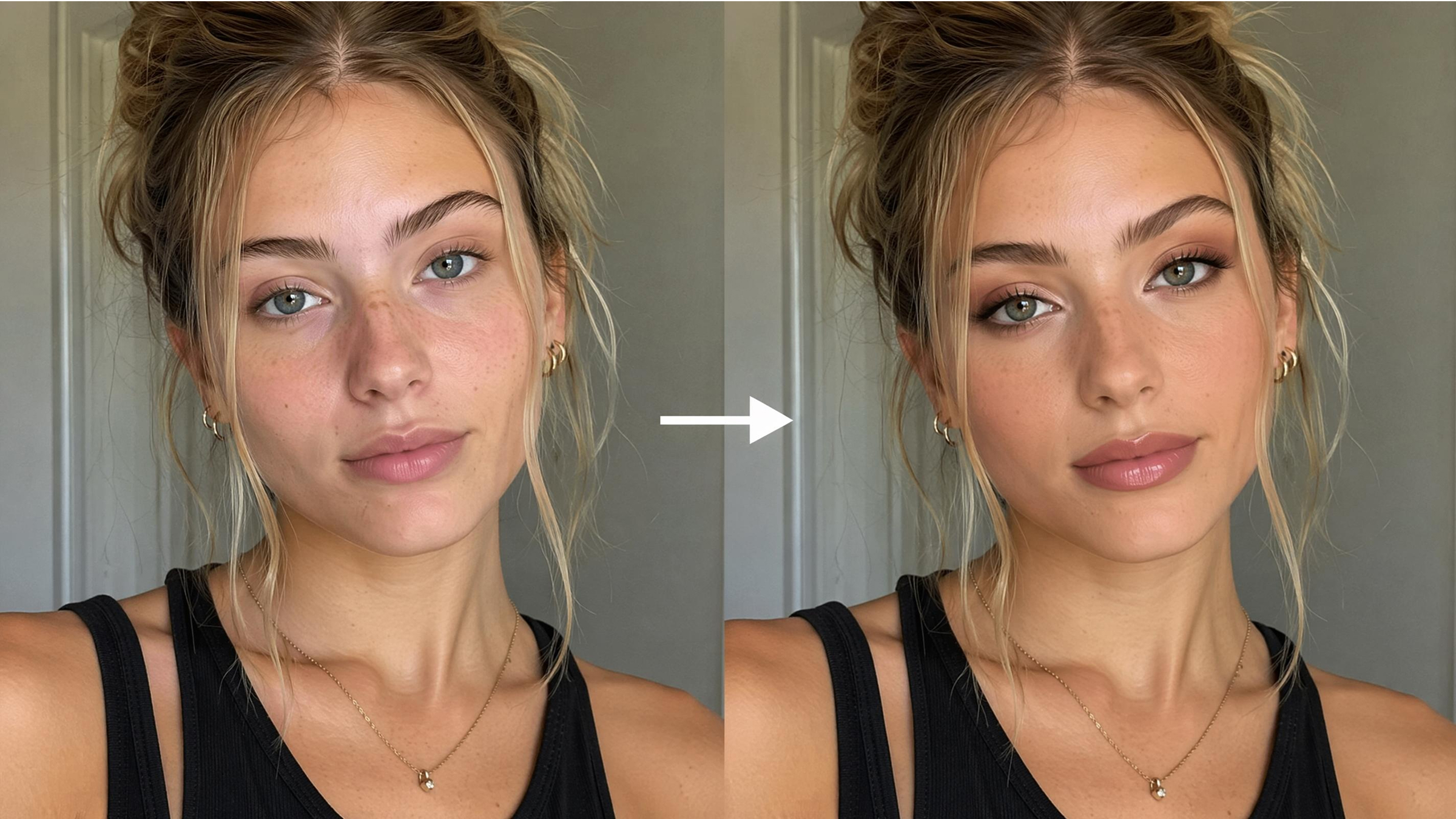
Cosmetic shopping online is difficult as the shade and finish look different on every skin type. Many consumers fear that the shade of lipstick they buy could be wrong. This can result in poor beauty purchases and loss of money. Yet, modern technology now offers an effortless way to try on makeup online.
Advanced artificial intelligence provides a highly realistic preview of various beauty products. Intel Market Research also shows that more than 60% of beauty consumers now favor utilizing virtual try-on tools prior to buying. Therefore, this helpful guide explains exactly how to use these innovative digital simulation tools. Apart from that, you will also learn how to compare looks and select the most flattering styles.
What You Need Before Trying Makeup Online with AI
The key to a successful and realistic virtual makeover is preparation. Understanding the basic requirements helps you get the most from every simulation tool. Yet, a quality try-on makeup online session depends heavily on your initial setup. Clear expectations allow you to navigate various beauty platforms with much more confidence. So, follow these essential preparatory steps to ensure your digital results look truly professional:
How to Take the Right Photo for Better Virtual Makeup Try-On Results
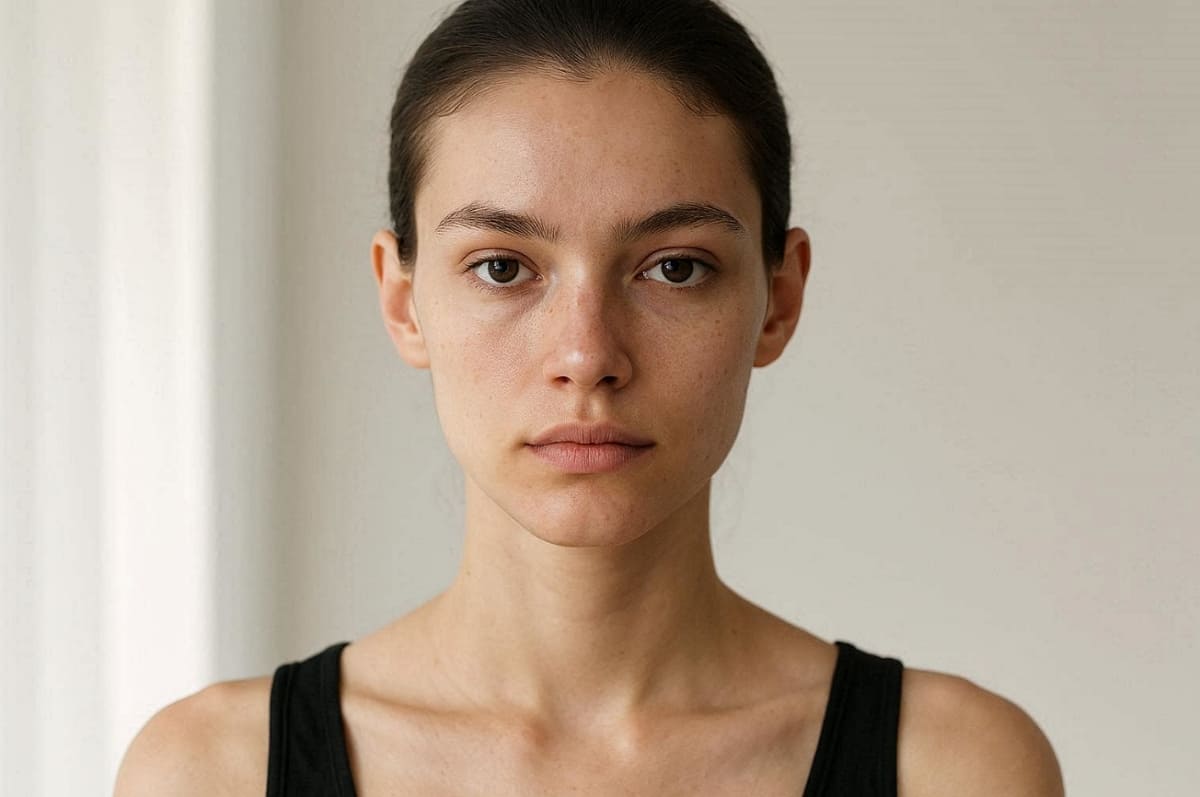
A high-quality photo is the foundation of an accurate virtual makeup try-on experience. AI makeup tools rely on clear facial details to correctly apply lipstick, foundation, blush, eyeliner, and other cosmetic effects. Poor lighting, blurry images, or obstructed facial features can lead to unrealistic makeup placement and inaccurate color matching.
To try on makeup online successfully, your photo should clearly show your natural skin tone, facial symmetry, and facial landmarks. According to Brenton Way, consumers using virtual try-on experiences are 2.4x more likely to purchase beauty products. That makes photo quality one of the most important factors affecting your final results.
Follow these essential tips to improve the realism and accuracy of your AI makeup simulation:
|
Photo Tip |
Why It Matters |
Quick Recommendation |
|---|---|---|
|
Bright Natural Lighting |
Shows true skin undertones and texture details for realistic makeup colors |
Face a window during daytime |
|
Sharp Camera Focus |
Helps AI detect lips, eyes, brows, and facial contours accurately |
Clean the camera lens before taking photos |
|
Front-Facing Angle |
Improves facial symmetry detection and makeup alignment |
Keep your face centered and look straight ahead |
|
Neutral Facial Expression |
Prevents distorted lipstick, blush, or contour placement |
Relax your face naturally |
|
No Existing Makeup |
Provides a clean base for more accurate cosmetic overlays |
Remove makeup before uploading your photo |
|
Hair Pulled Back |
Keeps the forehead, cheeks, and jawline visible for better mapping |
Tie hair away from your face |
|
Plain Background |
Reduces distractions and prevents AI mapping errors |
Use a clean wall or neutral background |
AR Makeup Apps vs AI Makeup Try-On Tools
The decision between the two options comes down to your objectives and resources. Virtual makeup try-on generally involves augmented reality. Conversely, an AI makeup try-on creates highly detailed static images from photos. Each method has its own benefits for experimenting with beauty products and looks. This comparison will help you decide which approach is best for you:
|
Feature Type |
AR Makeup Apps |
AI Makeup Try-On Tools |
|---|---|---|
|
User Experience |
Provides a live interactive mirror experience using your front-facing camera |
Generates a quality static image based on an uploaded personal photo |
|
Realism Level |
Excellent for seeing how colors move with your natural facial expressions |
Superior for professional lighting and realistic texture blending on the skin |
|
Primary Goal |
Perfect for quick everyday product testing and fast shade matching sessions |
Best for high-end content creation and complex artistic beauty style transformations |
|
Hardware Need |
Requires a stable internet connection and a modern smartphone or tablet device |
Works on most browsers without needing advanced mobile processing power or apps |
Therefore, this knowledge allows you to choose the right digital device for your cosmetology. So, decide whether you need a quick preview or a detailed professional digital portrait.
Part 2. Step-by-Step Guide to Try On Makeup Online
Learning to try on makeup online requires following a few simple and logical steps. Modern platforms are designed to be extremely user-friendly for every beauty enthusiast. You can easily navigate through different digital interfaces to find your ideal cosmetic look. Hence, this section provides a clear roadmap for using both live camera and photo tools:
Use Virtual Makeup Try-On Apps with Live Camera
Using a virtual makeup try-on app offers a dynamic and interactive mirror experience. Many brands now provide free virtual makeup try-on directly on their websites. The software uses your front camera to track facial movements in real time accurately.
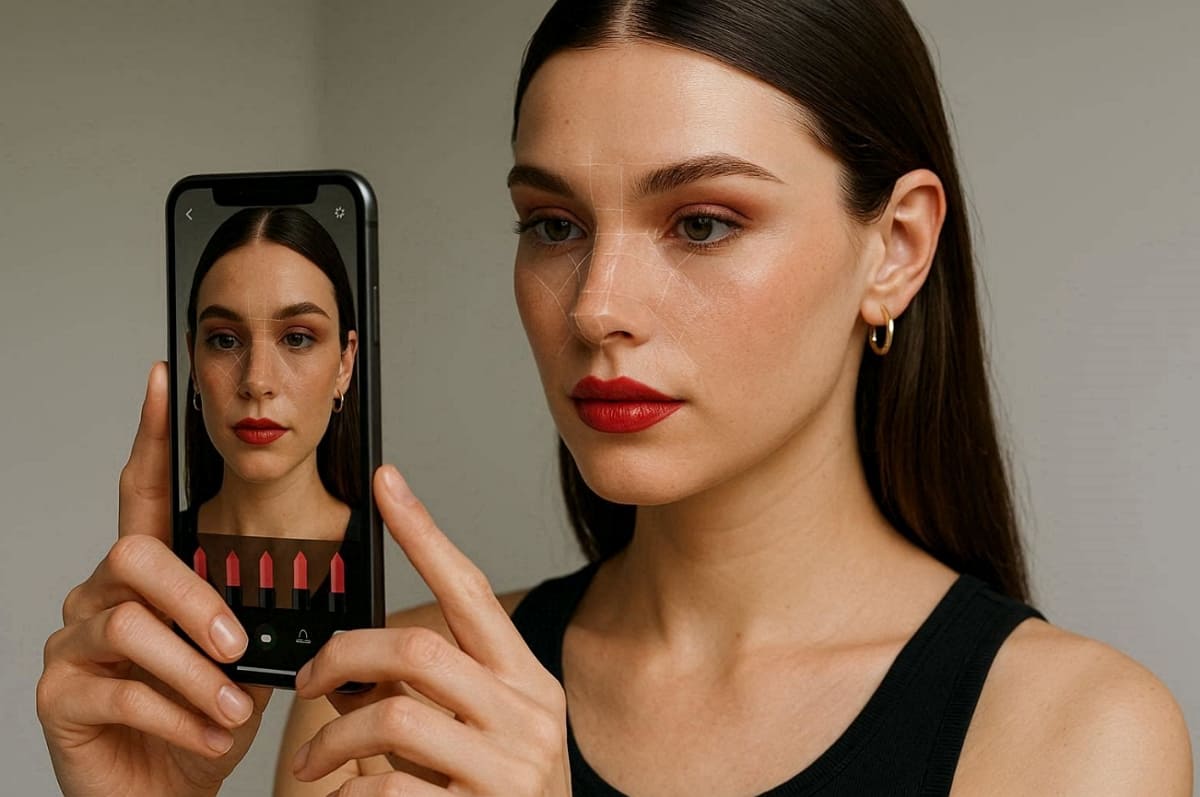
Step-by-Step AR Process
1. Open your chosen beauty application and grant the necessary permissions for camera access.
2. Position your face within the digital frame until the software recognizes your features.
3. Explore the product library and choose which cosmetic products you want to try.
4. Switch between different shades and textures to observe how they interact with your skin.
5. Use the capture button to save your favorite real-time look for later review.
Tips for Live Try-On Success
● Stable Connection: Ensure that your internet connection is stable to prevent any lag in facial tracking sessions.
● Steady Movement: Avoid moving your head too quickly because this can cause the digital makeup to shift.
● Variable Lighting: Test your selected products in various lighting conditions for the most accurate color results.
Try On Makeup Virtually from a Photo with AI
You can try on makeup virtually by taking an HD picture of yourself. By this stage, it's better to use an AI makeup try-on solution for effortless results. They take into consideration your skin's texture and apply makeup with detailed digital accuracy.
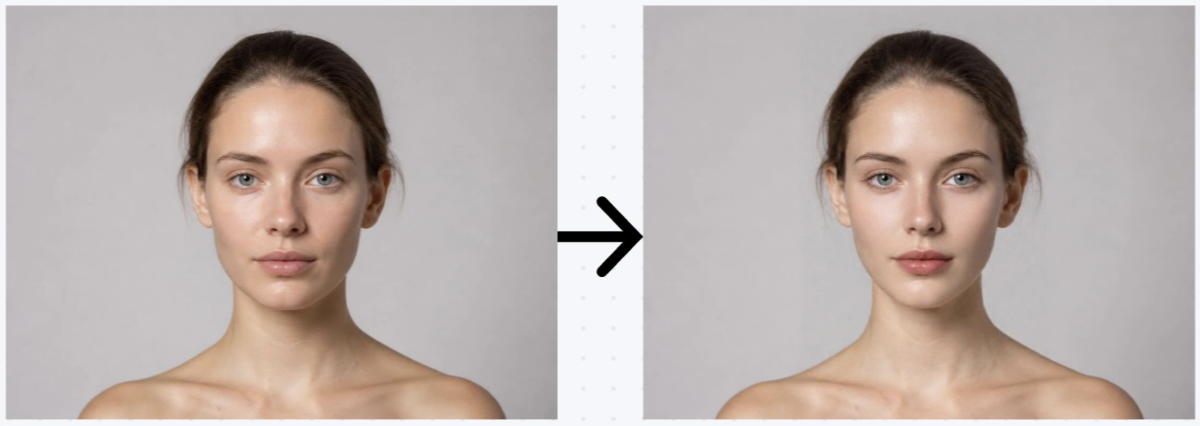
If you want more realistic and customizable beauty results, AI makeup generators offer far more flexibility than traditional AR filters. Instead of relying only on live camera overlays, AI tools can recreate detailed makeup looks directly from your uploaded photo. Designkit’s AI beauty generator intelligently analyzes facial structure, skin tone, lighting, and makeup placement to generate highly realistic virtual makeup previews.
Step-by-Step AI Makeup Try-On Process
Step 1. Upload a Clear Photo of Your Face
Start by uploading a high-quality selfie with good lighting and a front-facing angle. Clear facial details help the AI accurately detect your eyes, lips, cheeks, and skin texture for more natural makeup application results.
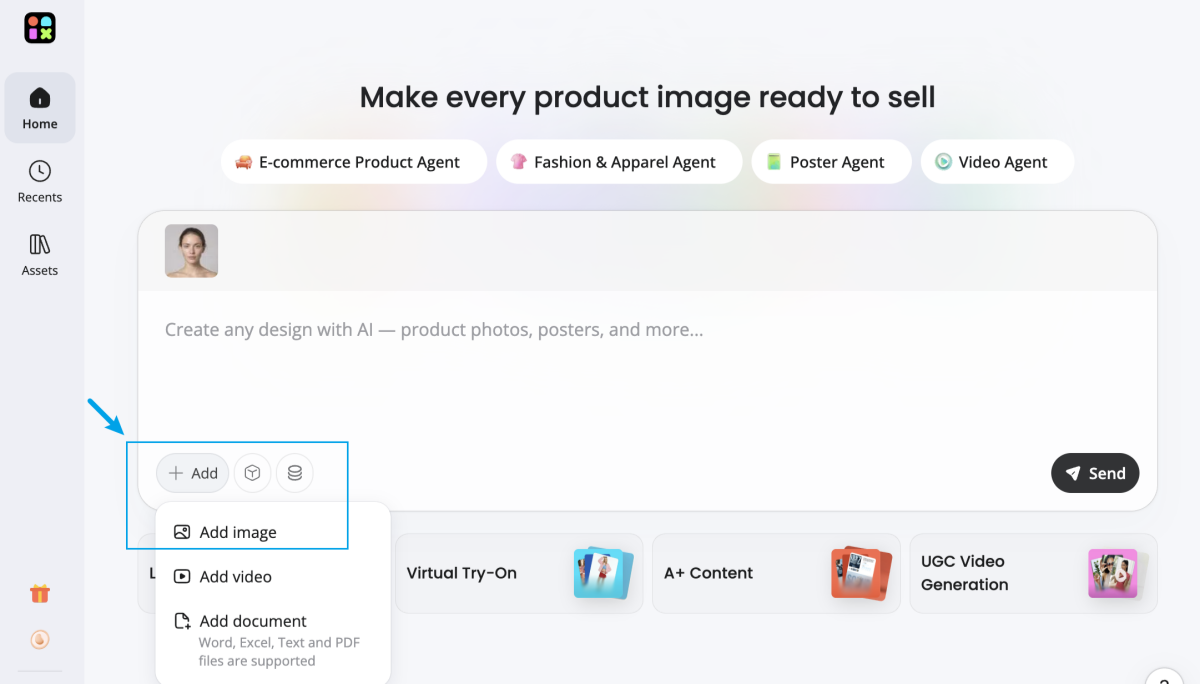
Step 2. Describe the Makeup Look You Want
Enter a detailed prompt describing the exact beauty style you want to try. You can customize elements such as:
- Eyebrow shape
- Eyeshadow colors
- Eyeliner style
- Blush intensity
- Lipstick shade and finish
- Overall makeup aesthetic
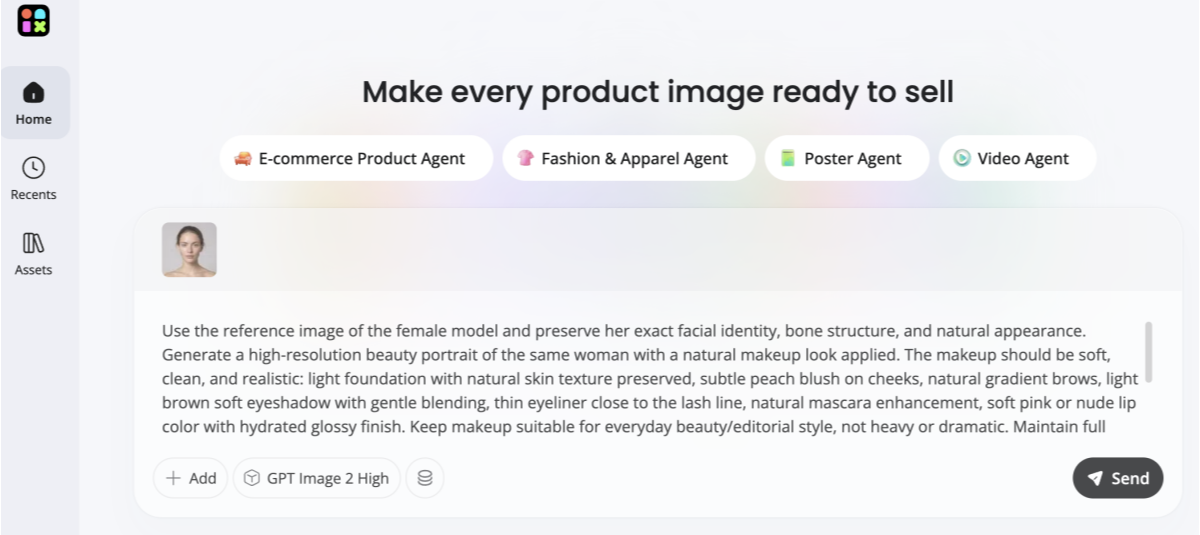
Example prompt for AI Makeup Try-On:
"Use the reference image of the female model and preserve her exact facial identity, bone structure, and natural appearance. Generate a high-resolution beauty portrait of the same woman with a natural makeup look applied.
The makeup should be soft, clean, and realistic: light foundation with natural skin texture preserved, subtle peach blush on cheeks, natural gradient brows, light brown soft eyeshadow with gentle blending, thin eyeliner close to the lash line, natural mascara enhancement, soft pink or nude lip color with hydrated glossy finish. Keep makeup suitable for everyday beauty/editorial style, not heavy or dramatic.
Maintain full facial consistency with the reference image (same eyes, nose, lips, face shape, and proportions). Do not change identity or age. Keep hairstyle, lighting direction, head angle, and background consistent with the original photo. Studio-like clean lighting, smooth skin but still realistic pores and texture, high-end beauty editorial photography style, sharp focus on face, minimal background distractions, professional cosmetic campaign quality."
Step 3. Choose an AI Image Model and Generate
Select your preferred AI generation model based on the makeup style or realism level you want. Designkit’s AI agent automatically applies your requested makeup details while preserving natural skin texture and facial proportions.
Step 4. Preview, Download, and Share Your Look
Once the AI finishes generating your makeup preview, compare different styles, save your favorite looks, and download high-resolution images instantly.
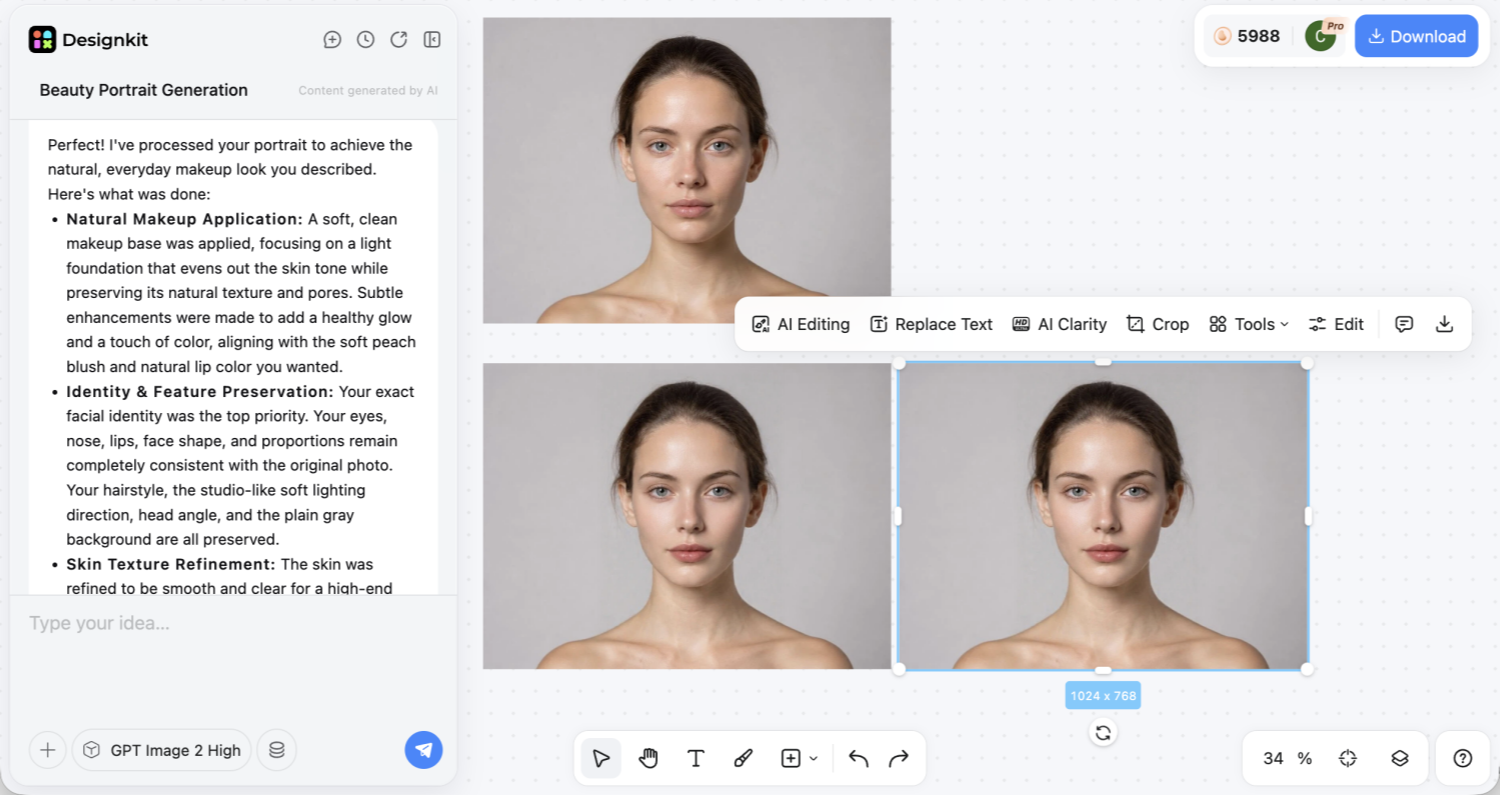
You can also share the results with friends or family before deciding which makeup style suits you best.
Best Free Virtual Makeup Try-On Tools to Try
There is currently a lot of choice when it comes to free virtual makeup try-on tools. Many top beauty brands and developers offer powerful applications for every consumer. These digital platforms provide diverse features ranging from simple filters to complex AI models. Still, exploring different options helps you find the specific interface that matches your personal style. The following curated list highlights the most reliable beauty platform available:
5 Best Apps for Makeup Try-On
A virtual makeup try-on app gives users a fast and interactive way to preview cosmetic products before purchasing. These apps use augmented reality (AR) technology to apply lipstick, foundation, eyeliner, and other makeup products directly onto your live camera feed in real time.
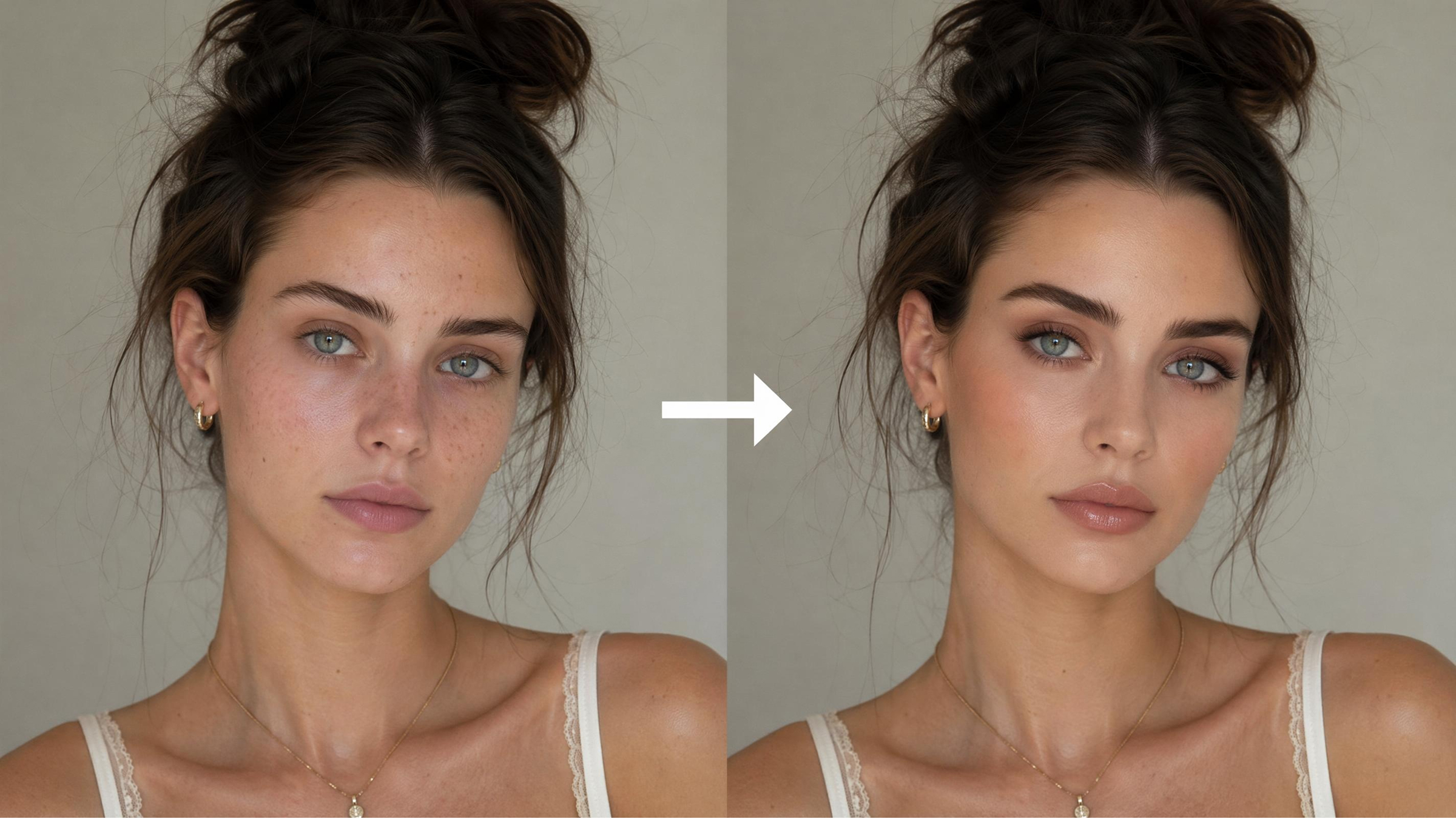
Real-time makeup try-on tools are especially useful for online beauty shopping because they help users compare shades, experiment with different styles, and reduce the risk of buying products that may not match their preferences. Below are some of the most widely used makeup try-on apps available today:
1. YouCam Makeup
YouCam Makeup is one of the most recognized virtual makeup apps for real-time beauty filters and cosmetic previews. The app supports live AR makeup overlays for lipstick, eye makeup, blush, and contour styles.
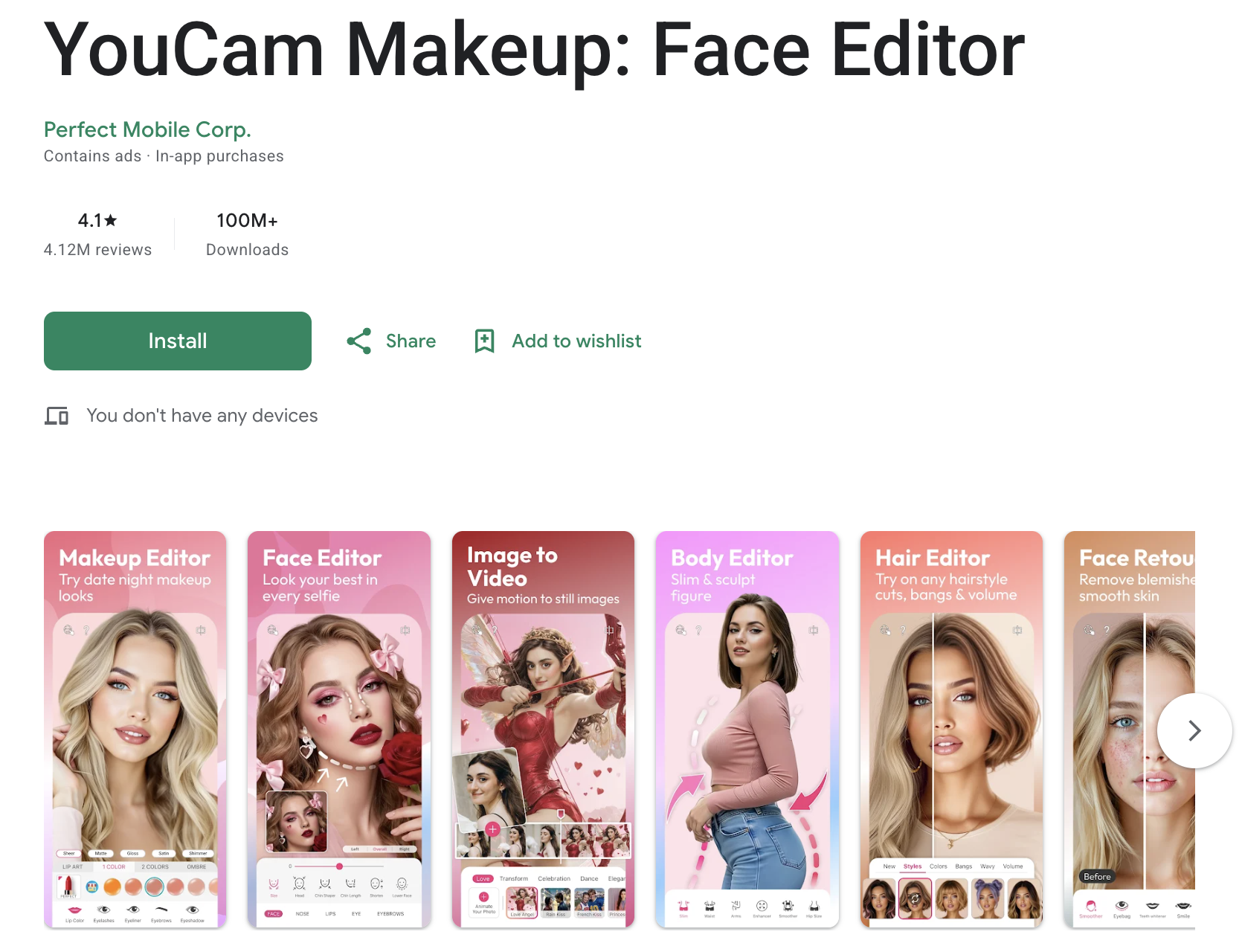
Best for: Users who want a wide variety of makeup styles and beauty filters in one app.
- Live AR makeup try-on using the phone camera
- Large selection of lipstick and eye makeup styles
- Beauty filters and selfie editing tools
- Supports both live camera and uploaded photos
2. Sephora Virtual Artist
Sephora Virtual Artist helps shoppers test makeup products from Sephora’s beauty catalog before purchasing online. Users can preview different lipstick shades, foundation colors, and eye makeup products directly on their face.
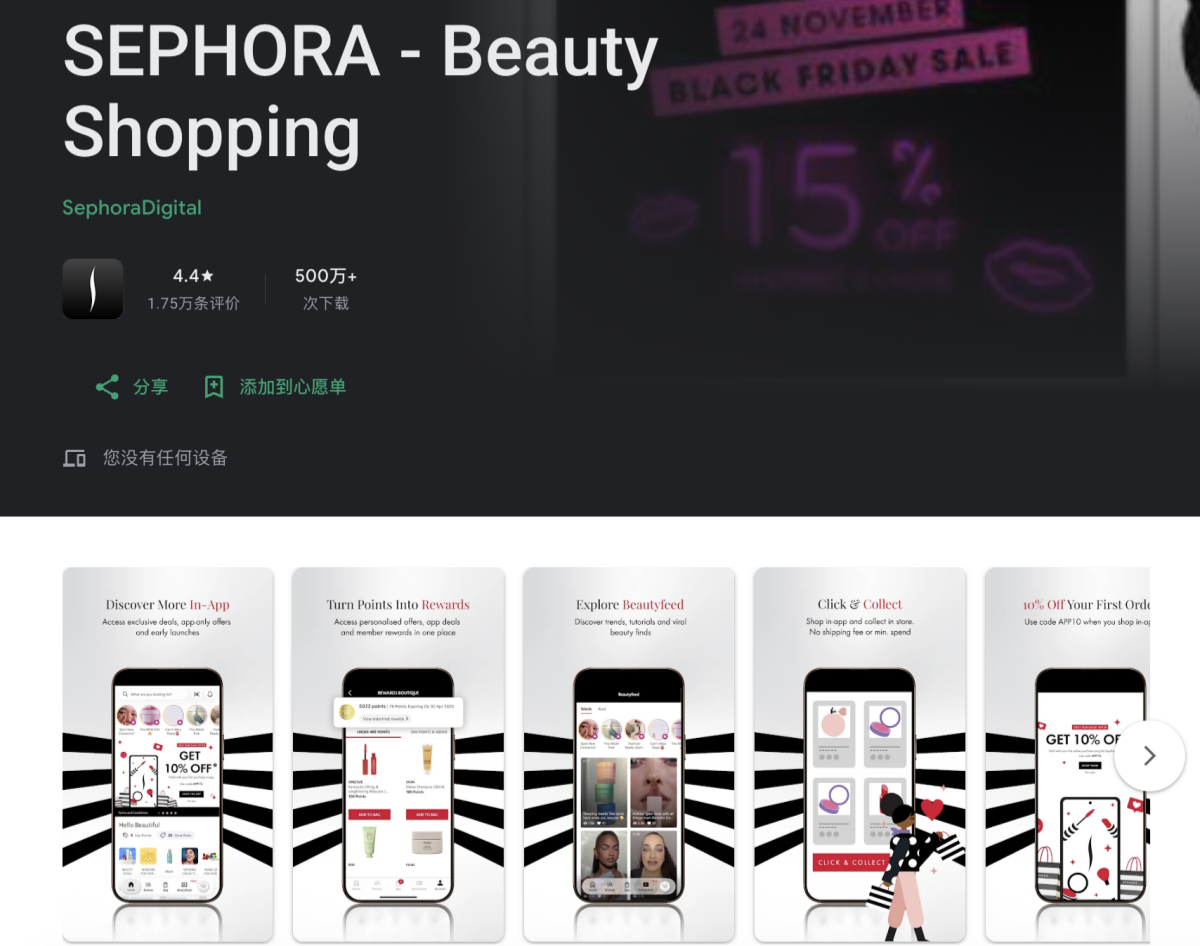
Best for: Online beauty shoppers comparing branded cosmetic products.
- Virtual try-on for Sephora makeup products
- Lipstick and foundation shade previews
- Direct shopping integration inside the app
- Works with live camera previews
3. Ulta Beauty GLAMlab
Ulta Beauty GLAMlab is Ulta Beauty’s built-in AR makeup try-on feature. It allows users to test products from multiple beauty brands while browsing the retailer’s online catalog.
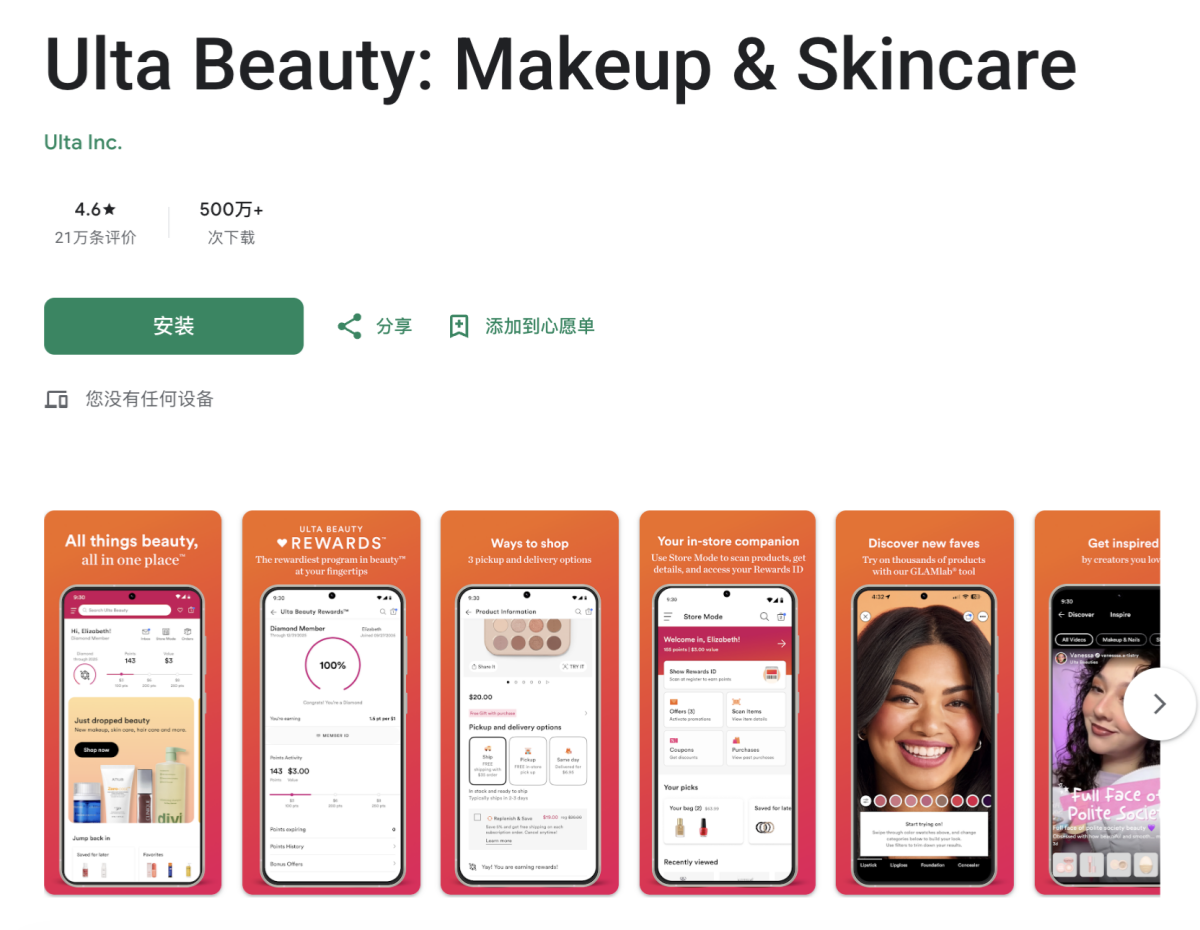
Best for: Comparing products from both affordable and premium beauty brands.
- Real-time makeup previews inside the Ulta app
- Supports lipstick, eyeliner, lashes, and foundation testing
- Integrated with Ulta’s online shopping experience
- Useful for exploring multiple makeup brands in one place
4. BeautyPlus
BeautyPlus: A popular AI beauty and photo editing app that offers a wide range of face enhancement tools, including makeup-style filters, skin smoothing, and portrait retouching features for selfies.
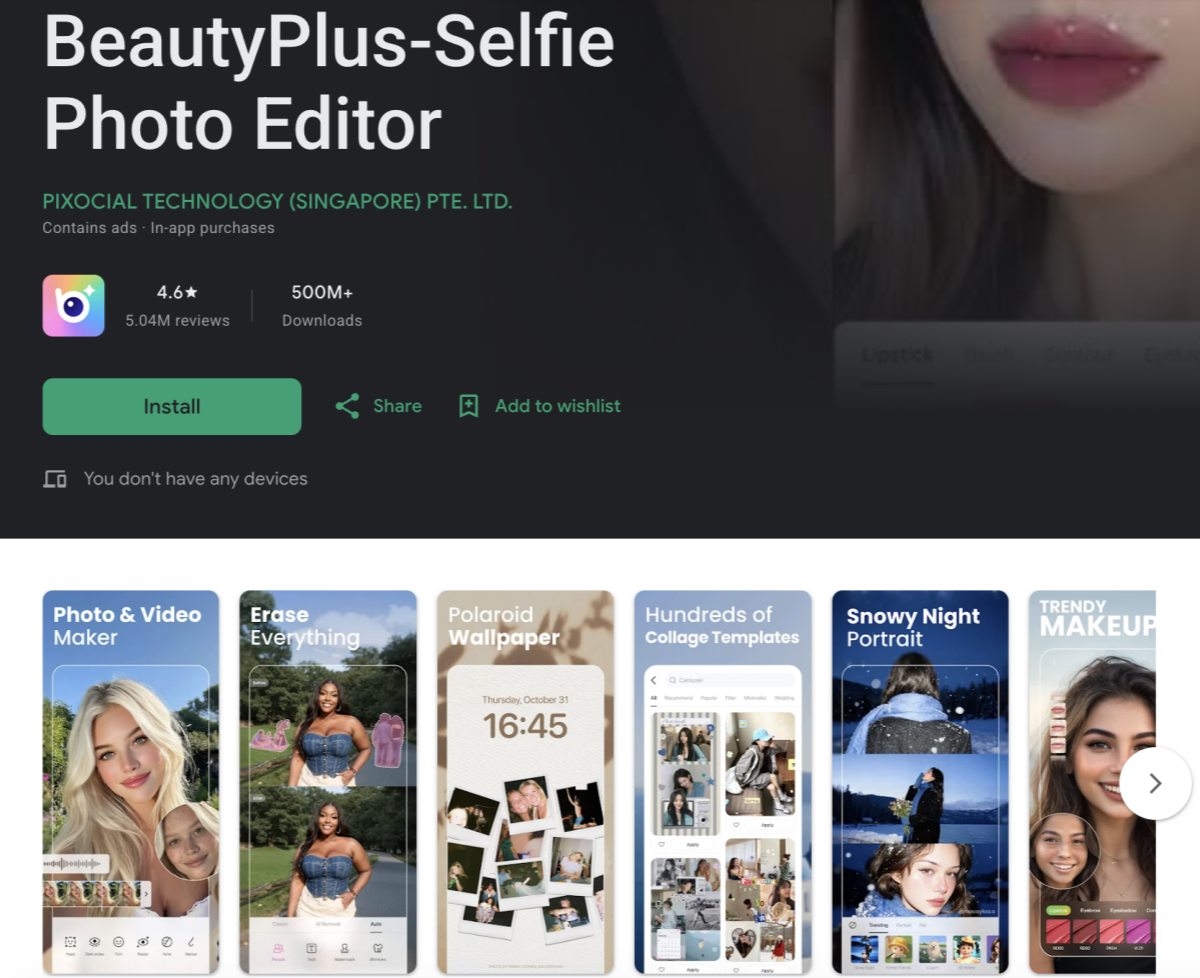
Why users like it:
- AI-powered beauty filters for skin smoothing and facial enhancement
- Includes makeup-style effects such as lipstick, blush, and eye filters
- Strong selfie editing and portrait retouching capabilities
- Easy-to-use interface designed for quick photo improvements
- Widely used for social media-ready images and casual beauty edits
This app is best suited for users who want quick AI beauty enhancements and stylized makeup effects for personal photos rather than professional-grade virtual try-on simulation.
5. FaceTique
FaceTique: A mobile beauty app that provides virtual makeup-style photo effects and facial beautification tools for experimenting with different looks on uploaded images.
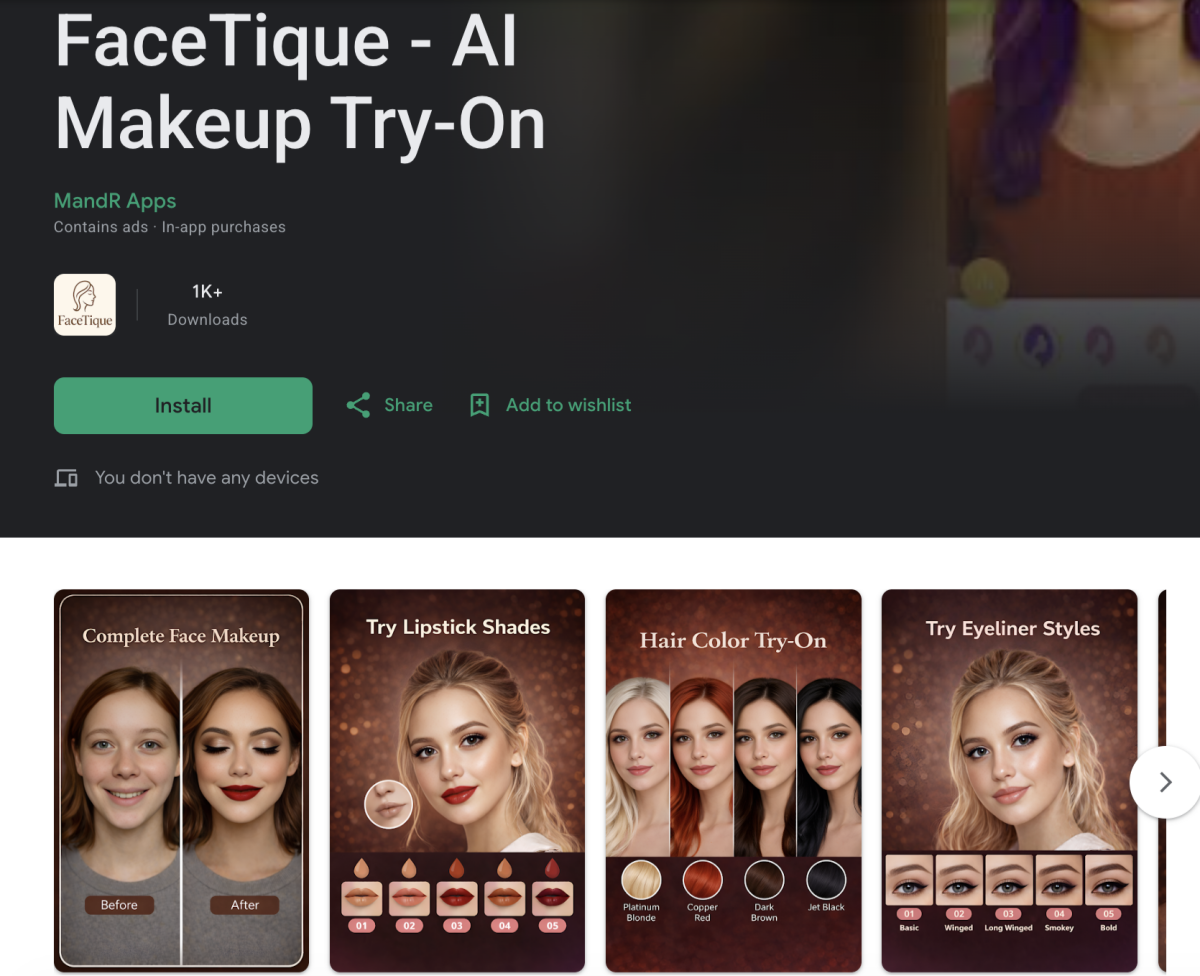
Why users like it:
- Offers makeup-style filters applied to selfies and portraits
- Supports basic facial beautification adjustments
- Allows users to try different beauty looks on photos
- Lightweight design suitable for quick editing tasks
- Simple workflow for casual makeup visualization experiments
This app is suitable for users who want basic photo-based makeup simulation and simple beauty experimentation rather than advanced AR or professional-grade AI try-on systems.
According to Free Yourself, around 66% of consumers are interested in AR beauty try-on technology before purchasing cosmetic products online. This growing demand explains why virtual makeup tools continue to become a standard part of modern beauty shopping experiences.
5 Best AI Tools for Photo-Based Makeup Try-On
Unlike beauty try-on apps, an AI makeup try-on platform focuses on uploaded photos instead of real-time camera filters. These tools use artificial intelligence to analyze facial features, lighting, and skin texture before applying digital makeup effects. As a result, users can generate cleaner and more polished beauty previews that are suitable for social media, ecommerce, or marketing content.
Photo-based AI makeup tools are especially useful for users who want more editing control, higher image quality, or professional-looking beauty visuals. Some tools prioritize ecommerce beauty workflows, while others focus more on portrait enhancement or creative content generation.
|
Tool Name |
Main Strength |
Best For |
|---|---|---|
|
AI portrait enhancement combined with beauty retouching and makeup-style filters |
Users improving selfies, portraits, and profile pictures with simple AI editing tools |
|
|
Web-based virtual makeup try-on tool that lets users preview different cosmetic looks using uploaded photos |
Consumers testing lipstick, eye makeup, and full-face beauty looks before purchasing products online |
|
|
AI-generated virtual try-on visuals designed for ecommerce and product visualization workflows |
Beauty brands and sellers creating scalable cosmetic marketing images and product previews |
|
|
AI-powered virtual makeup platform that enables realistic photo-based makeup simulation and style testing |
Users and beauty brands exploring makeup looks through AI-driven facial analysis and virtual try-on |
|
|
Virtual makeup presets designed specifically for portrait beauty enhancement |
Quickly applying digital makeup styles to selfies and personal photos |
1. Fotor AI Makeup Generator
Fotor AI Makeup Generator is best known for AI portrait enhancement and beauty retouching features. The platform provides simple editing tools that improve selfies with smoothing, lighting adjustments, and beauty-style effects.
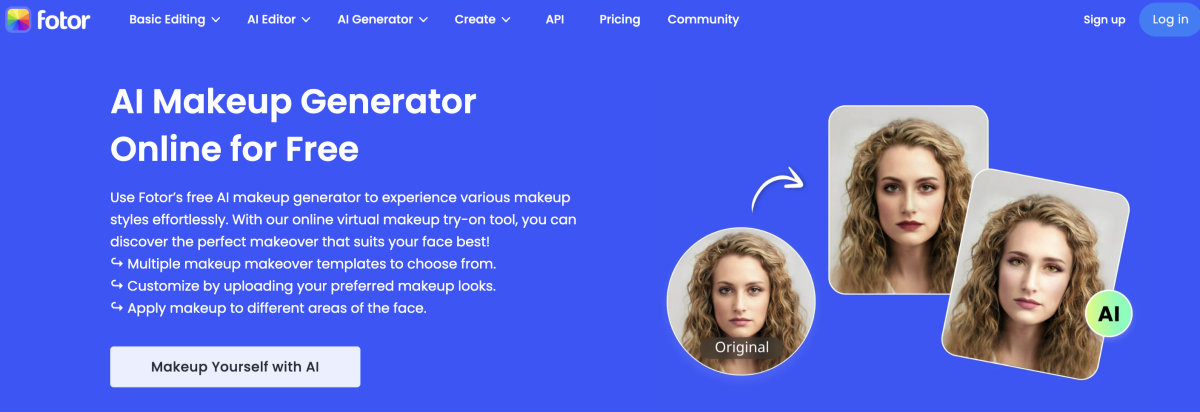
Why people use it:
- Easy-to-use AI beauty editing workflow
- Includes portrait retouching and enhancement tools
- Works well for profile pictures and polished selfies
- Requires very little manual editing experience
2. Maybelline Virtual Makeover
Maybelline Virtual Makeover: A web-based virtual makeup tool that lets users upload a photo and experiment with different makeup styles such as lipstick, eye makeup, and full-face looks using Maybelline products.
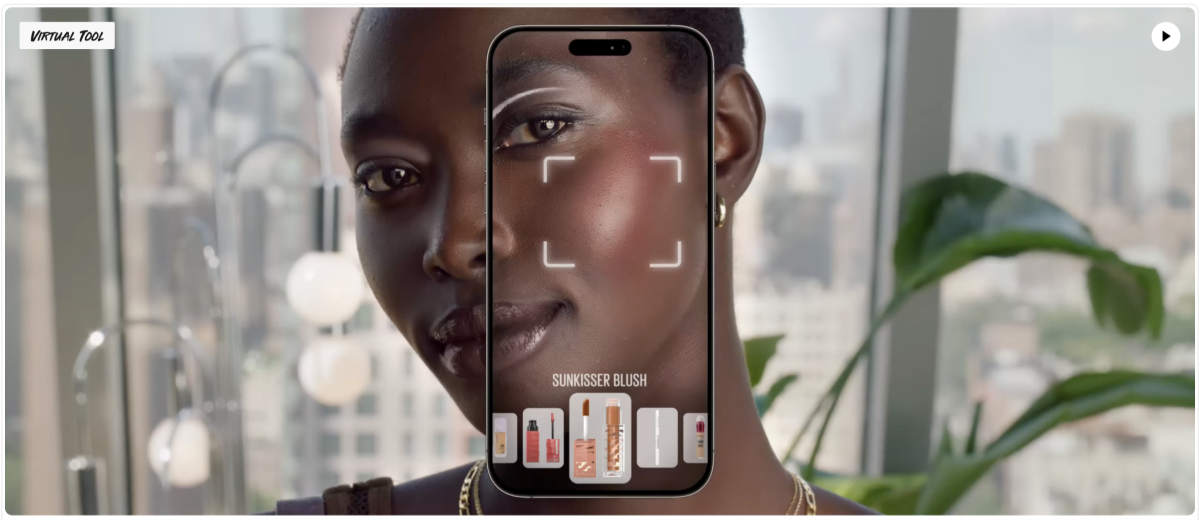
Why users like it:
- Works directly in the browser without installation
- Supports photo upload for virtual makeup application
- Focuses on Maybelline product-based makeup looks
- Simple interface suitable for quick style testing
- Helps users preview makeup effects before purchasing products
This tool is suitable for users who want a straightforward way to test makeup looks online using real product references.
3. Designkit Virtual Try On
Designkit Virtual Try On focuses on AI-generated virtual try-on experiences for ecommerce and product visualization. Instead of only adding simple beauty filters, the platform is designed to help brands and creators generate product-focused marketing imagery from uploaded photos.
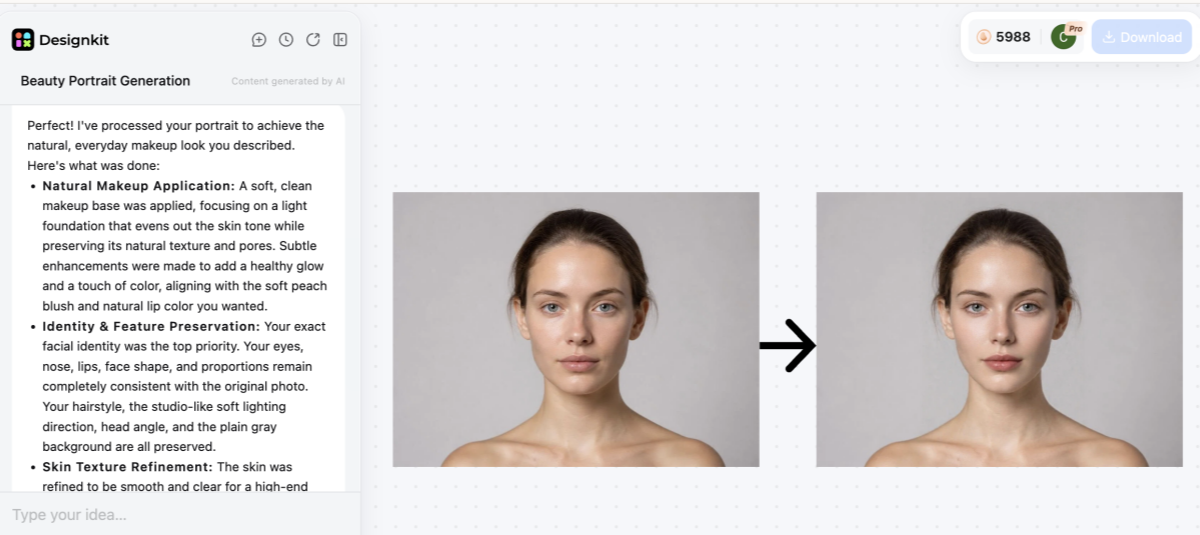
Why people use it:
- Supports AI-based virtual try-on workflows for beauty and fashion products
- Useful for ecommerce product marketing and promotional visuals
- Works directly from uploaded photos instead of requiring live camera tracking
- Designed for scalable content generation across multiple product variations
4. Perfect Corp AI Makeup
Perfect Corp AI Makeup: An AI-powered beauty platform that enables photo-based virtual makeup try-on with a wide range of cosmetic styles and customization options for different beauty scenarios.
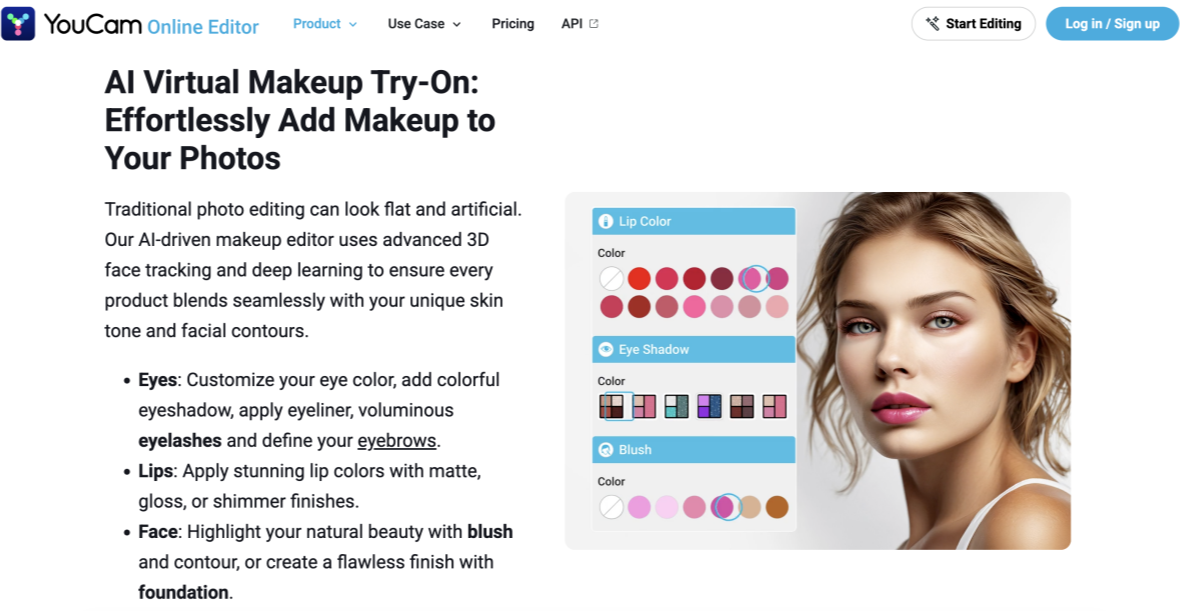
Why users like it:
- Uses AI facial detection to map makeup onto uploaded photos
- Supports multiple makeup categories such as lips, eyes, and skin tones
- Offers realistic virtual try-on results based on facial features
- Designed for both personal use and beauty brand integrations
- Helps users compare different makeup styles in one place
This platform is commonly used by both consumers and beauty brands to visualize makeup looks and improve online shopping decisions.
5. Perfect365 Online
Perfect365 Online is one of the earlier virtual makeup applications focused specifically on digital beauty enhancement. The platform offers preset makeup looks that can be applied directly to uploaded selfies and portraits.
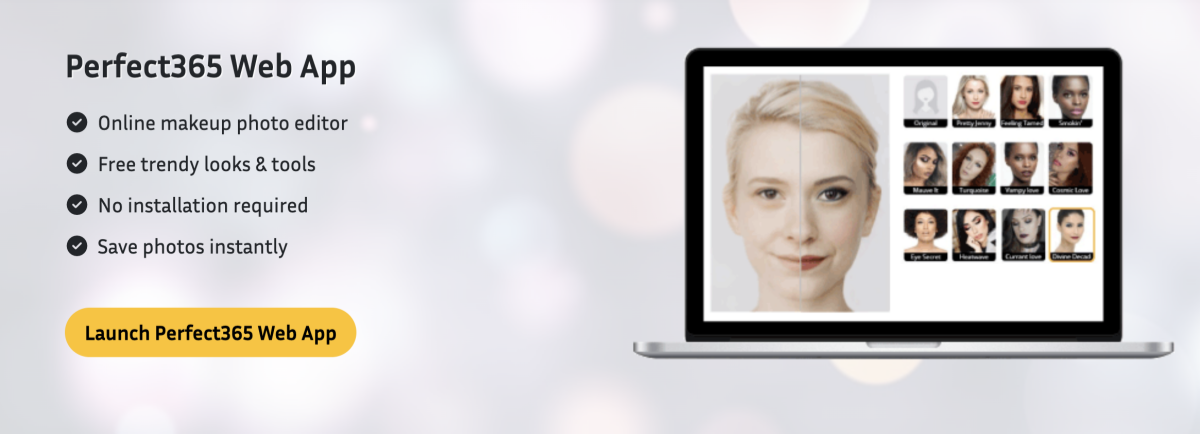
Why people use it:
- Built specifically for virtual makeup editing
- Simple preset-based beauty enhancement workflow
- Popular for casual selfie editing and portrait improvements
- Easy for beginners who want fast makeup simulations
Compared with real-time AR makeup apps, these AI photo-based tools usually provide more flexibility for editing uploaded images and creating reusable digital beauty content. They are commonly used for ecommerce marketing, social media creation, beauty inspiration, and portrait enhancement workflows.
Still, choosing the right technology ensures your digital makeup looks stunning and completely realistic. Explore these options today to find your new favorite virtual beauty assistant online.
How to Get More Realistic Virtual Makeup Try-On Results
Achieving professional and lifelike results requires more than just opening a beauty application. Advanced techniques help you bridge the gap between a digital filter and reality. A successful virtual makeup try-on session depends on several subtle environmental factors. Furthermore, you must consider how digital textures interact with your unique skin and features. Follow these expert tips to ensure your digital makeover looks completely natural:
How to Compare and Save Your Makeup Looks
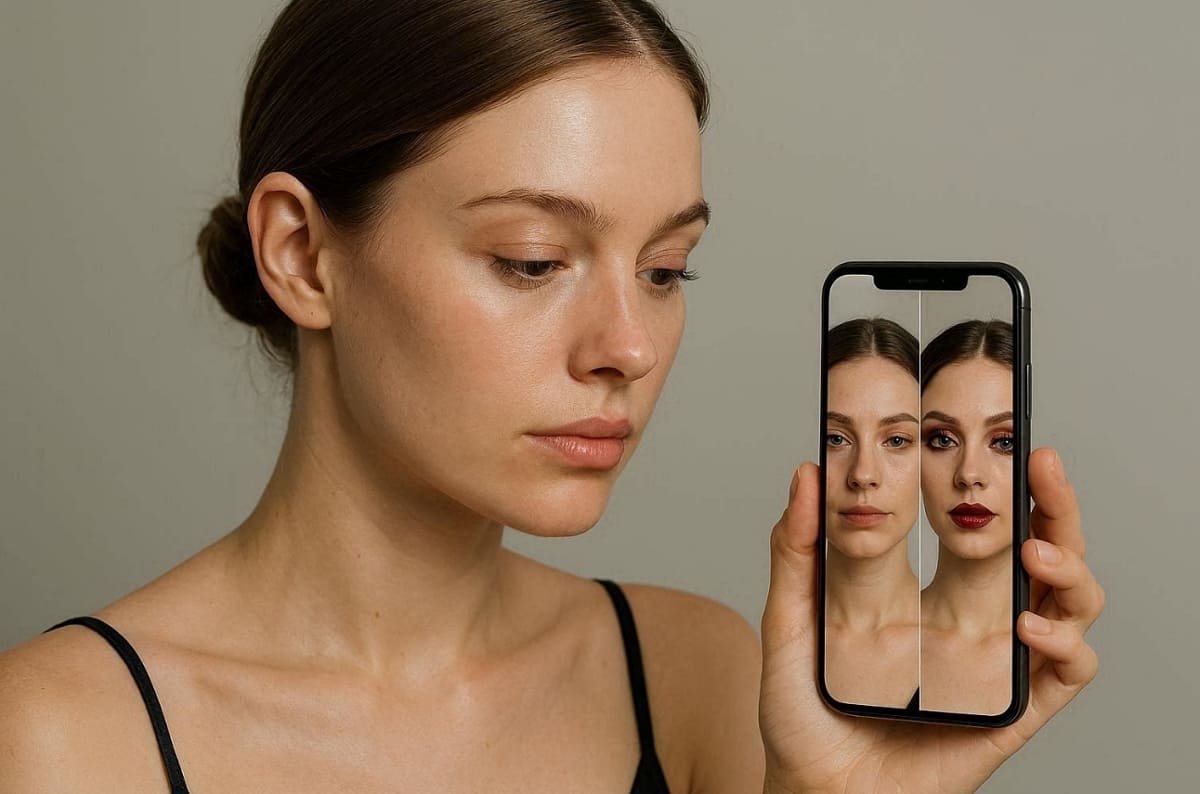
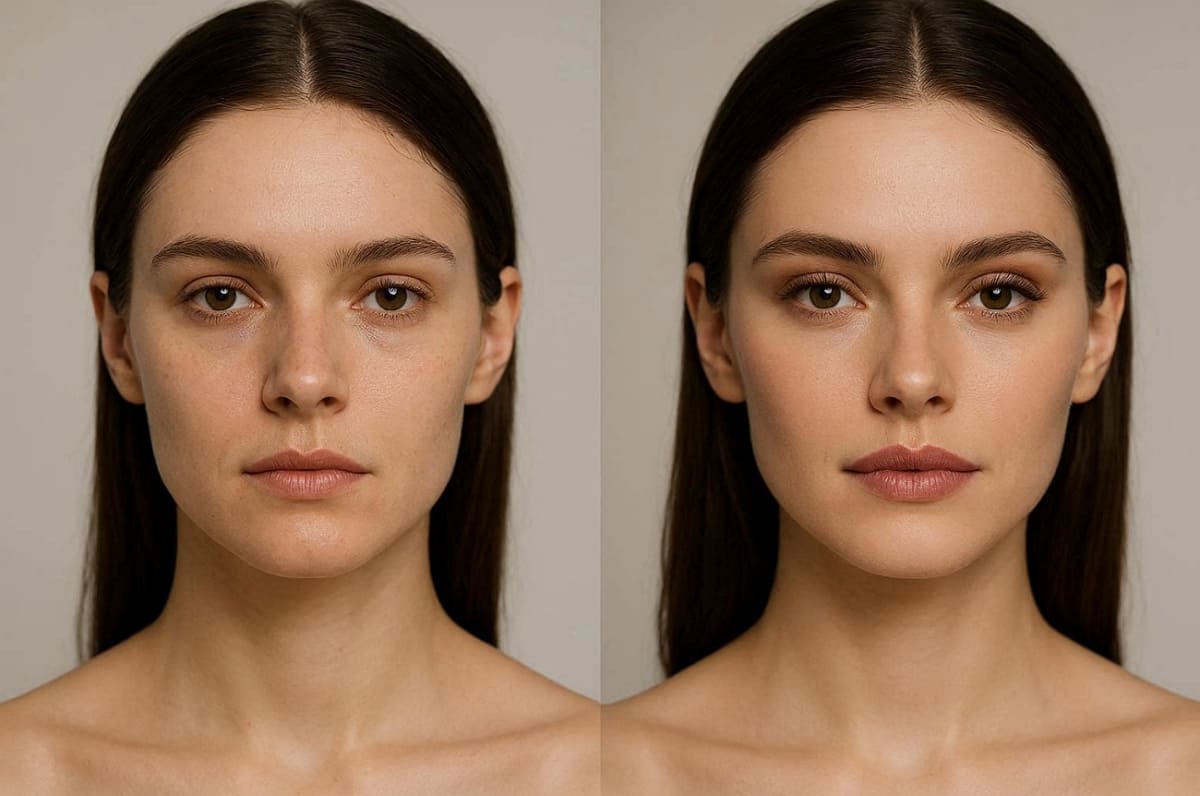
A successful session to try on makeup online ends with a careful side-by-side comparison. Saving your progress allows you to review multiple options before making a purchase. The majority of online tools will provide a “before and after” feature to show how it will look. This is an important stage to make sure you end up with a look you will love.
Stepwise Comparison Process
1. Navigate to the history or gallery section of the application to view saved results.
2. Select two or three different looks to display them together for a direct comparison.
3. Think about how the garments appear on your skin type and various computer lighting.
4. Eliminate the options that do not match your desired aesthetic or your current outfit.
5. Download your final favorites to your device for easy reference during your future shopping.
Tips for Finalizing Your Look
● Split Screen: Use split-screen views to compare your natural face with the new digital application.
● Social Sharing: Share your top digital looks with trusted friends to get their honest and helpful opinions.
● Product Links: Always save the specific product names so you can find them in the store later.
How to Make Your Makeup Look Work with Your Outfit and Style
When creating a virtual try-on platform, it should always account for your whole look. Matching your cosmetic palette to your wardrobe creates a much more unified appearance. Earrings and glasses are also part of a total visual look that can be simulated with products like Designkit Virtual Try-On. This platform allows users to see how different styles work across diverse visual contexts.
For those looking to create professional eCommerce product imagery, the Designkit AI Fashion Model Generator is an excellent resource. This tool generates fully styled model images from simple product photos for a complete look. Therefore, use these styling principles to ensure your digital makeup matches your overall personal vibe:
1. Color Harmony: Choose lipstick shades that complement the specific colors of your current outfit.
2. Occasion Logic: Match the intensity of your digital makeup to the intended event or time.
3. Texture Sync: Pair matte lip colors with professional attire for a sophisticated and clean look.
4. Lighting Check: View your final style under different digital filters to ensure total color balance.
Hence, finalizing your look with these styling steps ensures a harmonious and beautiful digital result.
Conclusion
To summarize, learning to try on makeup online transforms your entire beauty shopping journey. Digital tools eliminate the risk of purchasing products that do not match your skin. Using our guide, you can get incredibly natural results in an instant.
Whether using live apps or AI, these technologies ensure total style confidence for everyone. According to Intel Market Research, brands with virtual try-on report 200%+ online conversion increases. Hence, explore the various platforms mentioned to find your own perfect and flattering makeup look.
Frequently Asked Questions
Is it possible to try on makeup online with high levels of accuracy?
How does a virtual makeup try-on handle different natural skin undertones?
A professional virtual makeup try-on uses artificial intelligence to analyze your unique complexion. These systems adjust the digital pigment to show how colors react with your skin. This technology helps you find the most flattering shades without testing physical products yourself.
Can I use a free virtual makeup try-on for professional photography?
You can certainly find a free virtual makeup try-on that offers high resolution. Many leading AI platforms generate polished images suitable for social media and digital portfolios. Selecting a high-quality tool ensures that your digital makeover looks completely lifelike.
Does an AI makeup try-on work better than using live camera apps?
An AI makeup try-on usually provides much better detail and texture for static portraits. While live apps offer speed, AI engines excel at professional lighting and smooth blending. Yet, choose the tool that best matches your specific needs for either speed or quality.
Can I save and compare looks after using an online makeup simulator?
An online makeup simulator allows users to save multiple looks for detailed comparison later. Moreover, comparing styles side by side helps identify which makeup suits your features and preferences best. This process improves decision-making and ensures you choose products that match your personal style.
You May Also Like

How to Match Makeup by Undertone: Virtual Lipstick and Foundation Try-On

Wedding Dress Styles for Every Body Type: A Practical Guide for 2026

7 Best AI Virtual Makeup Try-On Tools for Realistic Results in 2026

AI Virtual Makeup Try-On: Boost Beauty E-Commerce Sales in 2026

Free Online Glasses Try-On Tools: See Yourself in Glasses Instantly

Top Virtual Ring Try-On Tools for Engagement and Wedding Rings in 2026

How to Try Shoes On Virtually: A Step-by-Step Guide

Best Virtual Shoe Try-On Tools for Ecommerce: 2026 Guide

How to Try On Wigs and Bangs Virtually to Find Your Perfect Style

Create Model Outfit Photos Instantly With AI Outfit Generator

Best AI Virtual Try-On Clothes Tools for Any Body Type

How to Try On Clothes Online with AI for Better Fit & Style

Virtual Nose Ring Try On Online Before Your Piercing

How to Try Makeup Online with AI and Virtual Makeup Try-On Apps (2026)

How to Use Virtual Earring Try-On for a Flattering Look in 2026

How to Try On Engagement Rings Online with AI in 2026

Scale Your Jewelry Brand with Virtual Jewelry Try-On Solutions

How to Try Hairstyles on Your Face Online (Step-by-Step Guide)

Best Virtual Hairstyle Try-On Tools Online for Realistic Previews 2026

How to Use a Free AI Hairstyle Generator to Find Your Perfect Look

Virtual Hair Color Try-On Guide for Every Skin Tone (2026)

Virtual Wedding Dress Try-On Online for Brides in 2026

How to Choose the Right Sunglasses for Your Face Shape Online

How Accurate Is Virtual Glasses Try-On? AI vs AR Compared

Best Virtual Try-On Glasses Apps in 2026 (Free & Paid Tools)

How AI Virtual Try-On Is Transforming Eyewear Ecommerce

5 Best Virtual Try-On Glasses Tools for Ecommerce and Consumers 2026

How to Try On Glasses Online with AI in 2026 (Easy Guide)

How to Create Jewelry Photos with AI Models That Drive Sales in 2026

AI-Generated Fashion Models: Technology, Brand Adoption & Trends

How to Batch Generate 100+ AI Clothing Model Photos Fast

7 Best AI Fashion Model Generators for Ecommerce in 2026

AI Clothing Model Photos for E-Commerce: Platform Rules & Best Practices

How AI Virtual Try-On Helps Fashion Brands Boost Sales & Reduce Returns

AI Fashion Models vs Real Models: Which Is Better for Brands?

Best Free AI Fashion Model Generators for Real Product Photos

Virtual Outfit Try-On Guide: Plan Outfits Before You Buy

What Is an AI Clothing Model Generator? Full Guide for Sellers

Virtual Try-On Technology in 2026: How It Works & Key Trends

10 Best Virtual Try-On Apps & Tools for Online Shopping in 2026

How to Create AI Fashion Models: Complete Step-by-Step Guide

How to Use AI Fashion Models for E-Commerce Product Photos: A Complete 2026 Guide

How to Virtually Try On Clothes Online: A Complete Guide
Find Your Best Makeup Look
Upload a selfie and instantly test different lipstick shades, makeup styles, and beauty trends with AI. Compare looks side by side, save your favorites, and make beauty shopping decisions with confidence.
