
Etsy Listing Image Sizes in 2026: What Every Seller Needs to Know About Mobile, Desktop, and Shop View

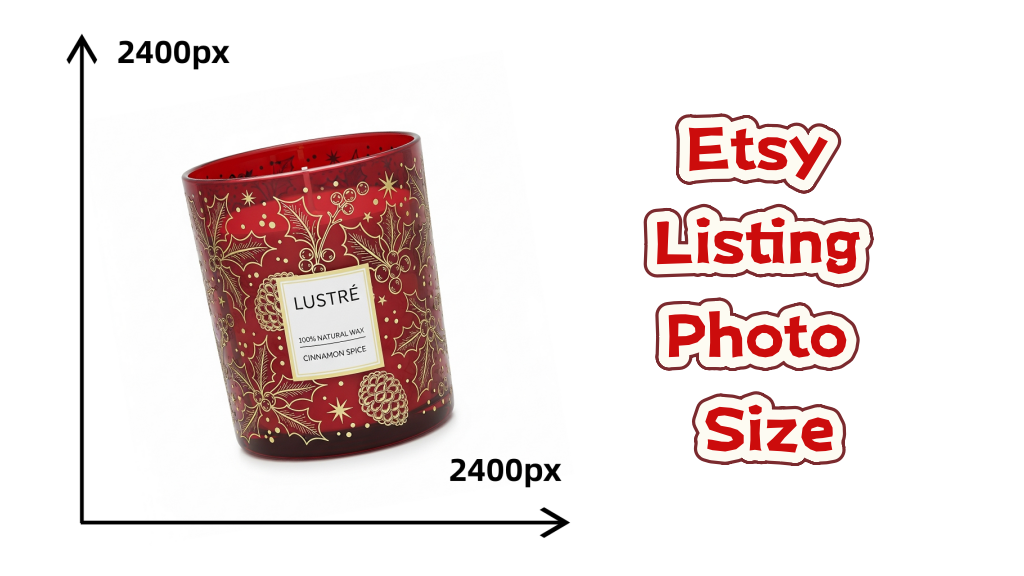
If you sell on Etsy, you have probably noticed something frustrating: your listing images look different depending on where a buyer views them. A photo that appears sharp on desktop may show up cropped, zoomed in, or oddly framed on the mobile app.
This is not a glitch. Since mid-2025, Etsy has been applying multiple aspect ratio crops across devices, and as of early 2026, the inconsistency remains. The platform now displays listing images in 4:3, 3:4, and 1:1 crops depending on whether a buyer browses on mobile, desktop search, or your shop page.
This guide covers the exact Etsy listing image size specs for 2026, explains crop behavior across each view, and walks you through a safe-zone strategy so your product images look clean everywhere.
Why Etsy Listing Image Sizes Vary Across Devices
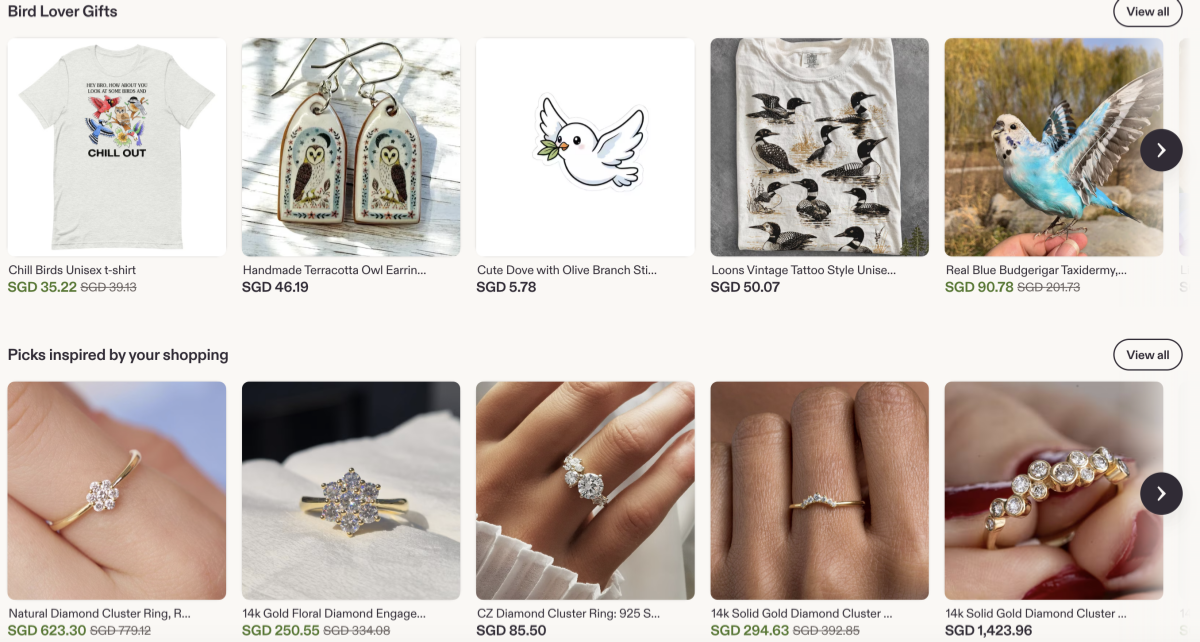
Etsy dynamically crops your uploaded image into different aspect ratios based on context:
- Mobile app (search & home feed): 3:4 portrait crop — taller than wide, optimized for vertical scrolling.
- Desktop search results: 4:3 landscape crop or close to 1:1.
- Shop page (desktop): 1:1 square crop, sometimes with additional zoom on smaller images.
This multi-crop behavior began around August 2025 and has persisted. Etsy has not committed to a single standard. For sellers, this means one uploaded image must survive cropping in at least three different ratios.
Etsy Image Requirements and Crop Behavior by Device
Official Specs: 2026 Update
According to Etsy's Help Center, the baseline requirements are:
| Specification | Value | Notes |
|---|---|---|
| Minimum resolution | 2,000 px on shortest side | Required for sharp display and zoom |
| First image minimum | 635 × 635 px | Below this, listings may rank lower |
| File types | JPG, PNG, GIF, HEIC | sRGB color space recommended |
| Max file size | 20 MB (official) | Under 1 MB recommended for speed |
| Images per listing | Up to 10 | First image is used for thumbnails |
However, as of February 2026, Etsy support provided updated guidance for sellers wanting one image across all crops. According to a support chat shared by Sasha, a top 1% Etsy seller:
"We recommend uploading a 2400 × 2400 square image since it gives the most flexibility across the 1:1, 4:3, and 3:4 crops. To keep text visible and avoid excessive zoom, please center your product with generous spacing around all edges."
— Etsy Support, February 2026 (via video documentation)
Crop Behavior by Device
| View | Aspect Ratio | Crop Direction | Key Concern |
|---|---|---|---|
| Mobile app | 3:4 (portrait) | Crops sides | Horizontal elements cut off |
| Desktop search | 4:3 (landscape) | Crops top & bottom | Vertical text or elements lost |
| Shop page (desktop) | 1:1 (square) | Crops & may zoom | Small images appear blown up |
| Listing detail | Varies | Mixed | Between square and landscape |
4:3 vs. 1:1 vs. Square with Safe Zone
| Format | Strengths | Weaknesses in 2026 |
|---|---|---|
| 4:3 landscape | Fills desktop search well; traditional Etsy format | Heavily cropped on mobile (3:4) |
| 1:1 square | Reusable across social media and other marketplaces | Zoomed on shop page; less vertical space on mobile |
| 2400 × 2400 + safe zone | Survives all three crops; Etsy-recommended | Requires centering discipline; some white space on desktop |
The Safe Zone Strategy
The core challenge: if Etsy crops your image in three ratios, how do you keep critical content visible? The answer is a safe zone — the same concept used in TV production and responsive web design.
- Start with a 2400 × 2400 px canvas.
- Mark an inner safe zone of ~1517 × 1780 px, centered. This area survives all three crop ratios based on hands-on device testing.
- Place all critical content within the safe zone — product, text, logos.
- Fill the outer area with a neutral background. Treat it as expendable buffer.
Composition rules
- Central focus: Center your product to survive cropping from all four sides.
- Text away from borders: Any text within ~400 px of the edge risks being cut.
- Clean backgrounds: Uniform backdrops handle asymmetric cropping gracefully.
- Level horizons: Straight compositions maintain balance regardless of how much is trimmed.
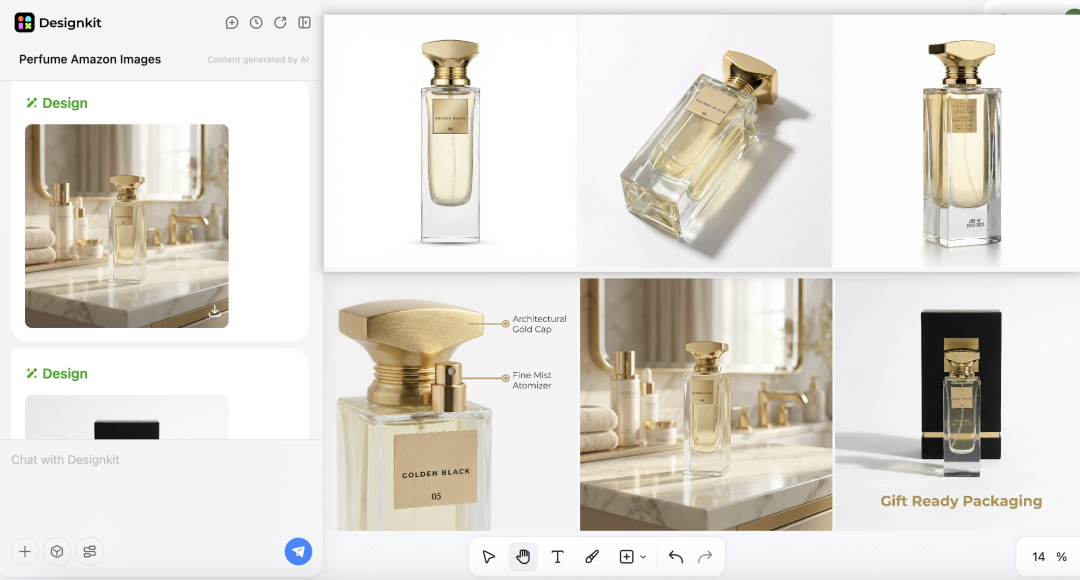
For sellers who use AI-assisted design tools — such as Designkit's AI Product Listing Images Generator — you can generate product images at high resolution and position them within the safe zone. AI-generated imagery tends to be naturally centered with neutral backgrounds, which aligns well with what this method requires.
Mobile vs. Desktop — and Whether to Act Now
Where Etsy Buyers Actually Shop
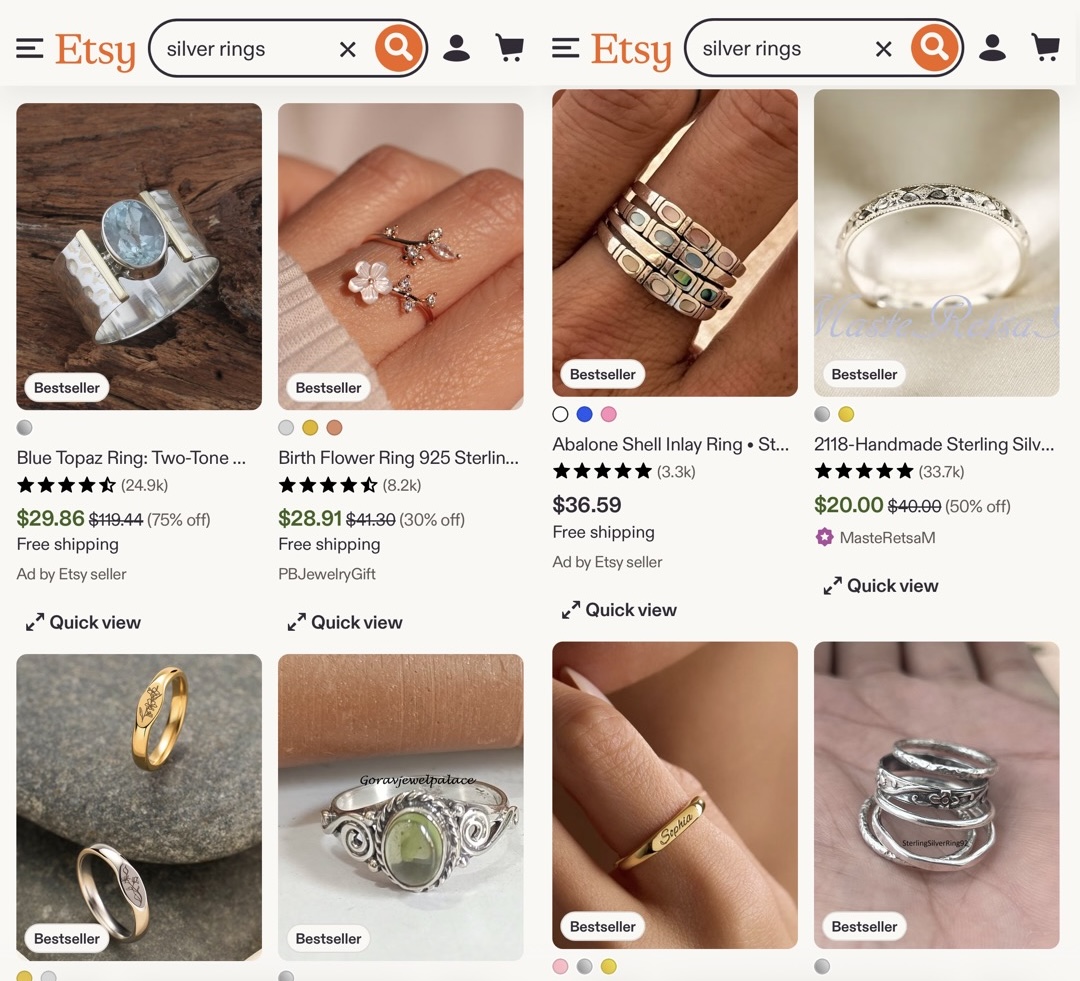
According to Etsy's Q4 2025 investor relations presentation, 46% of gross merchandise sales (GMS) came from the mobile app, with 54% from desktop or mobile web. Etsy also noted that "app users skew younger" and that the company is investing in app-based discovery features (source: Etsy Q4 2025 Earnings Presentation).
Practical implications:
- Younger buyer demographics (stickers, digital planners, trendy jewelry) — prioritize mobile optimization and the 3:4 crop.
- Older buyer demographics (vintage, specialized supplies) — desktop still dominates; 4:3 experience matters more.
- Mixed or unknown audiences — the 2400 × 2400 safe-zone approach is the safest default.
Full Workflow: Shooting to Upload
Step 1: Shoot or source your image
Aim for at least 3000 × 3000 px source files. Frame wide, keep horizons level, use even lighting, and center the subject. For sellers without a photography setup, AI-powered tools like Designkit's AI Product Photography Generator can produce studio-quality images from a single reference photo.
Step 2: Resize to target canvas
| Step | Action | Purpose |
|---|---|---|
| Source quality | Keep originals at 3000 px+ | Flexibility for resizing |
| Canvas | 2400 × 2400 px square | Etsy-recommended upload format |
| Safe zone | ~1517 × 1780 px centered guides | Content survives all crops |
| Color | Convert to sRGB | Prevents color shifting |
| Export | JPG (photos) or PNG (graphics) | Quality vs. file size balance |
| File size | Under 1 MB | Fast uploads and page loads |
Step 3: Test across devices
Upload to a test listing and check it on the Etsy mobile app, desktop search, your shop page, and the listing detail page. Expect a few iterations — the original tester reported roughly seven rounds of adjustment.
Common Mistakes to Avoid
- Text at the edges — the most common issue. Keep all text well inside the safe zone.
- Images under 2000 × 2000 px — Etsy zooms these on the shop page, causing a blurry result.
- Designing for one ratio only — a perfect 4:3 landscape gets severely cropped on mobile.
- Skipping sRGB conversion — Adobe RGB images may display with shifted colors.
- Not testing on real devices — the seller app preview does not always match the buyer experience.
Should You Update Now or Wait?
Etsy may eventually unify its crop format, but waiting has a cost: 46% of potential buyers may see a poorly cropped version of your product today.
- New listings: Use 2400 × 2400 with the safe zone from the start.
- Well-performing listings: Test the new format on a few listings first; compare results over 2–4 weeks.
- Underperforming listings: Redesigning the image is a low-risk experiment worth trying.
Key Takeaways
- Etsy crops listing images in three ratios (4:3, 3:4, 1:1) depending on device. This continues in 2026.
- Upload 2400 × 2400 px square images with critical content in a ~1517 × 1780 px centered safe zone.
- 46% of Etsy GMS comes from mobile; 54% from desktop — neither can be ignored.
- Match your image optimization to your buyer demographics: younger skews mobile, older skews desktop.
- Shoot wide, center subjects, export in sRGB, and always test on real devices before publishing.
Frequently Asked Questions
What is the best Etsy listing image size in 2026?
Why does my listing image look zoomed in on my shop page?
Etsy's desktop shop page applies a 1:1 crop and sometimes zooms further, especially on images near the 2000 × 2000 px minimum. A 2400 × 2400 upload with generous margins reduces this effect.
Do I need separate images for mobile and desktop?
No. Etsy does not support device-specific uploads. Use a single square image with a safe zone so key content survives all three crop ratios.
What percentage of Etsy buyers shop on mobile?
46% of Etsy's gross merchandise sales came from the mobile app in Q4 2025, with 54% from desktop or mobile web. Mobile users skew younger. (Source: Etsy Investor Relations)
How can I create properly sized images efficiently for many listings?
Set up a 2400 × 2400 px template with safe-zone guides in Canva, Photoshop, or Figma. For large catalogs, AI tools like Designkit support batch processing with preset ratios, letting you apply consistent sizing and compositions across many listings at once.
How do I manage resizing for hundreds of product listings?
You can use Designkit to automate this entire workflow with just a few clicks. Its AI tools automatically apply correct ratios and optimize Etsy listing photo size. This saves hours on manual work and ensures professional, consistent product displays.
You May Also Like
How to Use Google Veo 3.1 for Ecommerce Product Video
Nano Banana 2.1 Review: Features, Release Date & What’s New
Remove.bg Shutting Down Dec 1, 2026: What Users Are Saying
Amazon Individual vs Professional Selling Plan

How to Create an Amazon Seller Account: Requirements and Steps
Amazon Product Video Requirements: Specs & Upload
Amazon Brand Registry Requirements: Trademark, Account & Cost

Amazon Global Selling: How to Open Multiple Marketplaces
How to Make an Event on Facebook: Complete Setup Guide (2026)
Amazon Sponsored Brands: What They Are and When to Use Them

Amazon Sponsored Products: How to Launch Your First Campaign

Amazon Vine Program for Sellers: Get Early Product Reviews

7 Best Remove.bg Alternatives in 2026: Free & Paid Tools
Amazon A+ Content Dimensions: Module Image Sizes
Print-On-Demand Designs: Create, Prepare, and Preview Your Work

T-Shirt Design Size Guide: Placement, Dimensions, & DPI

Amazon A+ Content: What It Is and What to Build First
Is Print on Demand Profitable in 2026? Products and Niches
Amazon Brand Registry Application: How to Submit and Pass Review
How to Ship to Amazon FBA: Your First Shipment

What Is Amazon FBA? Should Beginners Use It in 2026

GPT Image 2 Prompts for Product Photos (Copy-Paste Examples)

How to List a Product on Amazon: Materials Checklist for First Listings

How to Get Ungated on Amazon: Restricted Category Approval Steps

Kling vs Veo for Product Video & UGC Ads (2026)

Nano Banana vs Midjourney for Product Photos and Campaign Visuals (2026)
Amazon Backend Keywords: Title, Bullets & Search Terms

How to Sell on Poshmark: A Complete Beginner's Guide

Zeely Reviews 2026: Features, Pricing, Pros, Cons & Alternatives
Instagram Carousel: What It Is, How to Post & Create One
What Is A/B Testing? A Practical Guide to Running Better Experiments

Best Time to Post on Instagram in 2026: Data & Tips
How to Get Verified on Instagram: Complete Guide

TikTok Monetization in 2026: Requirements & Ways to Earn

Instagram Desktop Posting Guide: Upload Posts, Stories & Reels
Nano Banana Prompts: 20+ Examples for Better AI Images

YouTube Shorts Monetization Requirements & Rules 2026

Hair Color Ideas 2026: Trending Shades & Virtual Try On

How to Write an Instagram Bio: Examples, Tips & Ideas

How Much Does YouTube Pay Per View? 1K, 100K & 1M Views

How to Make Money on Snapchat: 7 Ways to Earn

How to Get More Followers on Instagram in 2026

Best Time to Post on TikTok in 2026 for More Views
How to Repost on Instagram in 2026: A Simple Guide

Ideogram AI Review 2026: Features, Pricing & Alternatives

PixVerse AI Review 2026: Is It Worth Using for AI Videos?
Free Mac Photo Editor: 5 Tools Compared for Mac Users
How to Crop a Photo Into a Circle Online (Keep Quality)

Create TikTok Ads From One Photo: An AI Product Launch Kit
How to Make an Image Transparent Online (AI Guide)
Pixlr Background Remover Review 2026: Features, Pricing & Alternatives

How to Fix Overexposed Photos: Recover Highlights Fast

How to Animate a Picture with AI: Easy Step-by-Step Guide
OpenArt AI Review 2026: Features, Pricing & Alternatives
Best AI Headshot Generator: 9 Tools Compared for 2026
Best Stencil Maker Tools 2026: Turn Photos Into Stencils
Pixelbin Watermark Remover Review: Image & Video Results Tested
How to Make a Sticker on iPhone: Easy Step by Step Guide

Best AI Logo Generator in 2026: 10 Tools Compared
How to Turn a Photo Into a Cartoon: A Beginner-Friendly Guide

How to Write a Video Script: Structure, Tips & Examples

Depop vs Poshmark: Which Is Better for Selling in 2026?
Landscape vs Portrait: Key Differences & Best Uses in 2026

How to Create an Amazon Storefront: 4-Step Guide for New Sellers

How to Remove Watermark From Photo: AI, Photoshop & More

How to Sell Books on Amazon in 2026: Beginner Guide
How to Fix Pixelated Photos: Photoshop, AI Tools & Tips
Bing Image Creator: How It Works, Features, Uses & Alternatives

Best Products to Sell on Amazon: 10 Ideas for Beginners
How to Remove People from Photos with AI: A Step-by-Step Guide

What Is B-Roll? Meaning, Examples, and How to Use It
How to Increase Image Resolution: AI, Photoshop & PPI
How to Add Text to a Photo: 8 Tips for Better Results

How to Sell on Amazon in 2026: A Complete Seller Guide
How to Fix Grainy Photos: Easy Ways to Clear Images

How to Make a TikTok Video: A Step-by-Step Guide 2026

How to Make an Instagram Post: Step by Step Creation Guide

Social Media Copywriting: Tips, Examples & Best Practices

Creative Profile Picture Ideas for Every Style and Platform
Evoto AI Review 2026: Features, Pricing, Pros & Cons
Pixlr Photo Editor Review: Features, Pricing & Alternatives
Best AI Image Extender Tools in 2026: Expand Photos with AI
How to Make a Collage on iPhone: Easy Guide for 2026

What Are AI Fruits? The Trend, the Formats, and How to Make One
How to Sharpen an Image in Photoshop (Smart Sharpen and Unsharp Mask)

Seedance 2.5 Review: What Changed in ByteDance's New Model
Best Image Background Remover Tools in 2026: AI Tools Compared
How to Make Transparent Background in Paint: Step-by-Step Guide
How to Resize an Image: Best Methods, Tools & Quality Tips

LTX Studio Review: Features, Pricing & AI Filmmaking Guide
Best AI Image Generator Tools in 2026: Top AI Platforms Compared

Remove.bg Review 2026: Features, Pricing & Is It Worth It?

MiniMax H3: Features, Benchmarks, Pricing, and How to Use It

Luminar Neo Photo Editor Review 2026: AI Features, Price & Pros
How to Post Multiple Photos on Instagram (2026 Guide)
25 Facebook Cover Photo Ideas for Personal & Business Pages
What Is a PFP? Meaning, Examples & How to Create One

Multichannel Marketing Guide: Strategy, Tools & Examples
How to Create Digital Products That Sell in 2026

How to Make a Slideshow for Facebook: Photos, Music & Tips 2026

HeyGen vs Arcads: Which AI Video Tool Wins in 2026?

AI Product Photography: 7 Best Tools for Ecommerce in 2026
Can You Edit an Instagram Post After Posting?

Cyber Monday Marketing Ideas & Strategies (2026 Guide)
Black Friday Marketing Ideas for Ecommerce Brands (2026)
11 Best Canva Alternatives in 2026 for AI Design & Marketing
Instagram Marketing Guide: Strategies, Tips & AI Tools in 2026

8 Best Midjourney Alternatives in 2026: Features, Pricing & Comparison
Influencer Marketing Guide: Strategy, Campaigns & Creator Tips
How to Restore Old Photos: AI Tools, Tips & Best Methods

Arcads AI Review 2026: Features, Pricing, Pros, Cons & Alternatives

Pixelcut AI Review 2026: Features, Pricing, Pros, Cons & Alternatives

What Is a Hero Image? Definition, Examples & Design Tips
How to Apply Watermark to Photos: Methods, Tips & AI Tools
How to Remove a Background in Illustrator: 4 Easy Methods
How to Change Background Color on Instagram Story (Easy Guide)

Pippit AI Review 2026: Features, Pricing, Pros & Cons
8 Best AI Poster Generators in 2026: Create Posters Faster with AI
10 Best AI Image Enhancers in 2026: Tested & Compared
10 Best AI Image Editors in 2026: Features, Pricing & Comparison
7 Best AI Background Changer in 2026: Remove & Replace Photo Backgrounds
Luminar Neo vs Lightroom: Features, Pricing & Comparison 2026
Kittl Review 2026: Is It Worth It? Features & Pricing

15 Best Things to Sell on Etsy in 2026 (Listing Tips Included)
WooCommerce vs Shopify 2026: Pricing, Features & Which Is Better

How to Sell on Facebook Marketplace: Beginner Guide (2026)
How to Use Pinterest for Business: Strategy, Tips & Growth Guide

How to Sell on Etsy in 2026: Setup, Listings & Growth Tips

What Is a Target Audience? Types, Examples & How to Find Yours
How to Make a Blurry Image Clear: 5 AI & Manual Ways

TikTok Marketing Guide 2026: Strategies, Ideas & AI Tools
How to Remove Background on iPhone: 5 Easy Methods (2026)
Photoroom Background Remover Review 2026: Features & Alternatives
How to Remove Background in Canva: A Step-by-Step Guide
How to Remove Background in GIMP: Beginner-Friendly Guide

How to Celebrate National Dog Day 2026: Date & Easy Ideas

Funny Dog Memes to Try: Doge Meaning and 10 Original Ideas
Back to School Checklist 2026: Supplies, Timeline, and Planning
Recraft AI Review 2026: Features, Pricing, Pros, Cons & Alternatives
How to Make an Image Transparent in Google Slides: Opacity & Background Removal

VanceAI Photo Enhancer Review: Features, Pricing & Alternatives in 2026
Vibe Marketing Explained: Strategy, Examples & AI Tools
How to Sell on Depop: Beginner Guide to Getting Your First Sale
What Does Emojify Mean? Text, Photos, & Emoji Art Explained

Back to School Ad: 7 Creative Ideas for Better Campaign Results

Top 7 Back-to-School Sales Ideas to Boost Retail Sales (2026)
Top 8 Online Background Removers for Ecommerce Photos (2026)
How to Remove Background in Photoshop: 7 Easy Methods
6 Best AI Image Upscalers 2026: Tools Tested & Compared

Luma vs Seedance (2026): Ray 3.2 or Seedance 2.0?

15 Simple Self-Care Ideas for Busy Schedules and Daily Life

Celebrate International Cat Day 2026: Date & 10 Fun Ideas
Project Indigo Review: Is It Better Than iPhone Camera?

How to Match Makeup by Undertone: Virtual Lipstick and Foundation Try-On

Chic Outfit Ideas for Every Occasion: 15 Stylish Looks & Tips
How Big Is an 8x10 Photo? Size, Pixels & Frame Guide
How Big Is a 4x6 Photo? Dimensions, Pixels & Printing Tips
Picsart AI Review: Features, Pricing, Pros, Cons & Alternatives
Lovart AI Review: AI Design Agent Features, Pricing & Alternatives
Fotor AI Image Generator Review: Features, Pricing & Alternatives
How to Add Emoji to Photo Online for Free

Online Advertising Guide: Types, Costs & Examples (2026)

Facebook Advertising Guide: Costs, Strategy & Tools 2026

What Are E-commerce Ads? Examples, Strategy & Tools (2026)
Where to Sell Handmade Items Online (2026): Etsy, Amazon, or Shopify?
Shopify vs Amazon (2026): Brand Store or Marketplace FBA?
Amazon Handmade vs Etsy (2026): Which Is Better for Makers?
Etsy vs eBay (2026): Handmade, Vintage, or Secondhand?

Selling on Amazon vs eBay (2026): Fees, Profit & Where to Sell
What Is Brand Awareness? Examples, Strategies & Tools 2026

10 Best Online Selling Platforms (2026): Pick by What You Sell
Shopify vs Etsy (2026): Which Is Better for Handmade Sellers?

Wedding Dress Styles for Every Body Type: A Practical Guide for 2026
Emoji Wallpaper Ideas & How to Make One Online (2026)

YouTube Automation Step-by-Step AI Guide for Beginners
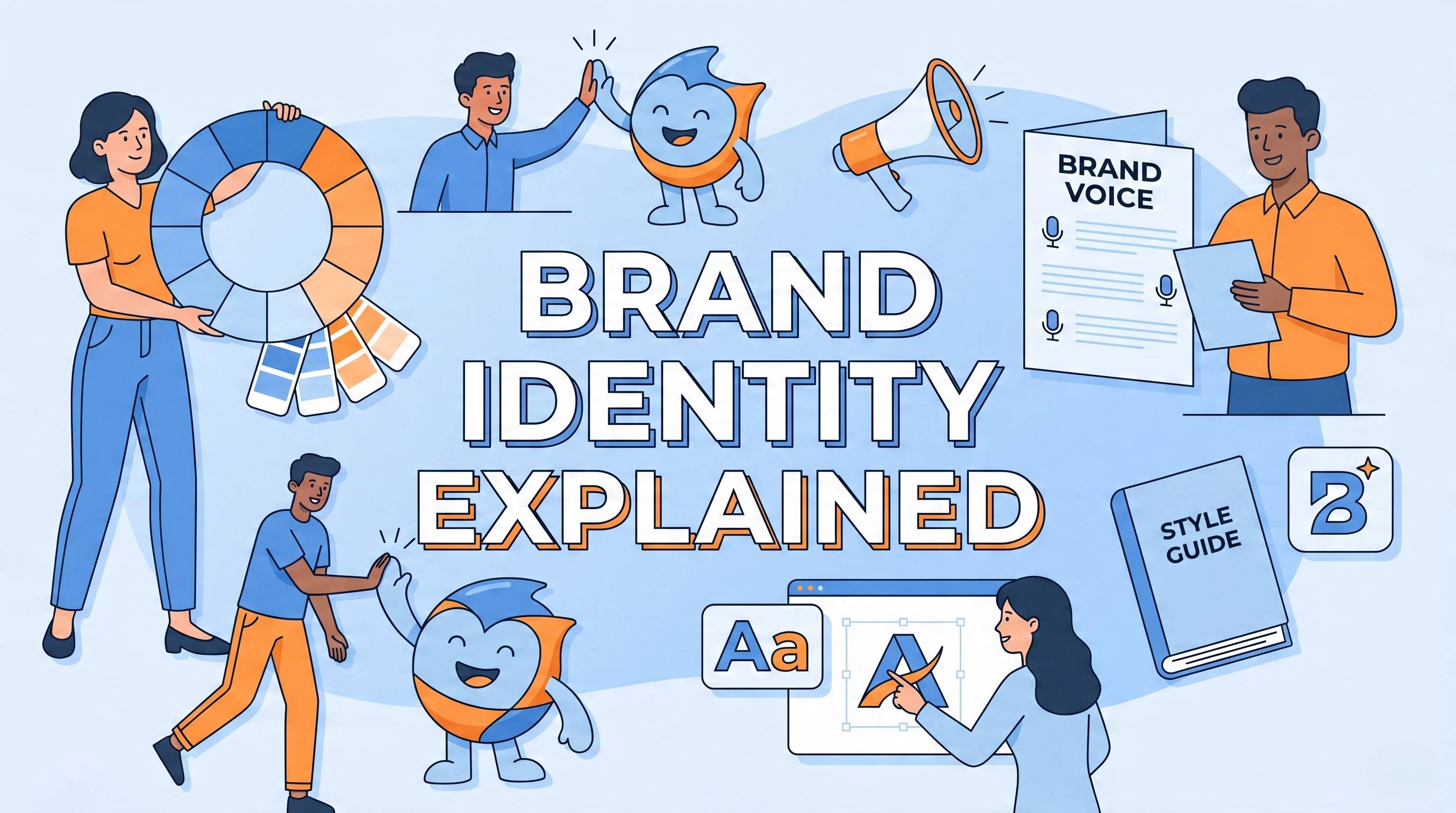
What Is Brand Identity? Examples, Elements & Strategy

Creatify AI Reviews: Features, Pricing & Alternatives (2026)
Minimalist Poster Design: How to Make a Clean Poster (2026)
What Are Satisfying Videos? Types, Tips & How to Make (2026)

How to Find a Product by Image: 7 Methods That Work (2026)
How to Make a Custom Poster That Is Ready to Print

Gemini Omni Review: Real Tests, Pros & Limitations for Video Generation
How to Generate Product Videos from Images with AI (2026 Guide)
Instagram Image Size Guide 2026: Post, Reel, Story & Carousel Specs

AI Marketing Agent: How It Works, Benefits & E-Commerce Examples

Aesthetic Poster Ideas: Find Your Style and Create Printable Art
How to Create a Product Launch Video with AI: A Step-by-Step Guide
LinkedIn Image Size Guide: Profile, Post & Banner Dimensions
YouTube Profile Image Size: Best Dimensions & Safe Area 2026
What Is Personalized Advertising? Examples & How It Works
How to Build a Shopify Store That Actually Converts Visitors
What Is a Brand Video? Types, Examples & How to Create One

How to Create a Complete World Cup Product Listing Image Set

20 FIFA World Cup Merchandise Ideas That Fans Actually Buy
AI Product Demo vs Live Demo: Which Gets More SaaS Sign-Ups?

How to Create Amazon Summer Sale Posters and Banners with AI

Amazon Summer Sale 2026: Listing Design Trends & Product Image Ideas
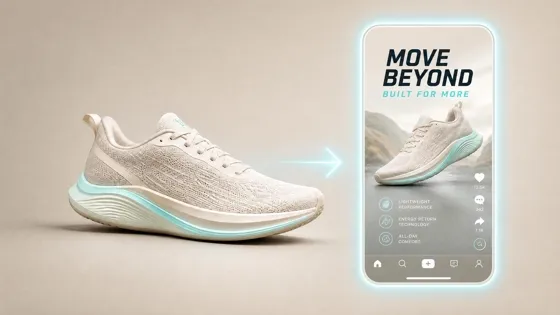
How to Create AI Product Promotion Videos in Minutes (Step-by-Step)

Best AI Product Video Ad Generators for Ecommerce in 2026

Father's Day Gift Ideas: Personalized Card, Poster and Video

Father's Day Card Ideas: Messages, Printable and Personalized Cards

Amazon Marketing Guide 2026: Strategies, Tips & Tools
Local Advertising: Strategies, Examples & Tools (2026)

What Is Branded Content? Examples, Strategy & Tools 2026
What Is Performance Marketing? Strategies & Examples 2026

Inbound Marketing: Strategies, Examples & Tools (2026)

How to Boost Ecommerce Sales: Proven Strategies That Work
How to Add Video to eBay Listing: Step-by-Step Seller Guide

Ecommerce Video Ads: 7 Strategies That Drive Higher Conversions

7 Best AI Virtual Makeup Try-On Tools for Realistic Results in 2026

AI Virtual Makeup Try-On: Boost Beauty E-Commerce Sales in 2026

Free Online Glasses Try-On Tools: See Yourself in Glasses Instantly

Top Virtual Ring Try-On Tools for Engagement and Wedding Rings in 2026

How to Try Shoes On Virtually: A Step-by-Step Guide

Best Virtual Shoe Try-On Tools for Ecommerce: 2026 Guide

How to Try On Wigs and Bangs Virtually to Find Your Perfect Style

How to Photograph Shoes for Your Ecommerce Store in 2026
Short Form Video Marketing for E-commerce: AI Video Guide
What Is Video Marketing? E-commerce Guide & Strategies 2026

Create Model Outfit Photos Instantly With AI Outfit Generator

Best AI Virtual Try-On Clothes Tools for Any Body Type

How to Edit Amazon Product Photos That Boost Sales Fast

Product Photography Ideas: Creative Tips & Techniques for Better Shots

Product Photography Pricing 2026: Full Cost Guide by Type

Google Veo 4 Explained: Features, AI Video Creation & What’s New

How to Try On Clothes Online with AI for Better Fit & Style

Virtual Nose Ring Try On Online Before Your Piercing

White Background Product Photography Guide & Tips 2026

Product Photography Starter Package: Gear Checklist 2026

How to Try Makeup Online with AI and Virtual Makeup Try-On Apps (2026)

How to Use Virtual Earring Try-On for a Flattering Look in 2026

How to Try On Engagement Rings Online with AI in 2026

Scale Your Jewelry Brand with Virtual Jewelry Try-On Solutions

How to Try Hairstyles on Your Face Online (Step-by-Step Guide)

Best Virtual Hairstyle Try-On Tools Online for Realistic Previews 2026

How to Use a Free AI Hairstyle Generator to Find Your Perfect Look

Virtual Hair Color Try-On Guide for Every Skin Tone (2026)

Virtual Wedding Dress Try-On Online for Brides in 2026

How to Choose the Right Sunglasses for Your Face Shape Online

How Accurate Is Virtual Glasses Try-On? AI vs AR Compared

Best Virtual Try-On Glasses Apps in 2026 (Free & Paid Tools)

How AI Virtual Try-On Is Transforming Eyewear Ecommerce

5 Best Virtual Try-On Glasses Tools for Ecommerce and Consumers 2026

How to Try On Glasses Online with AI in 2026 (Easy Guide)

How to Create Jewelry Photos with AI Models That Drive Sales in 2026

Shopify Product Photography Guide with Tips & Setup

AI-Generated Fashion Models: Technology, Brand Adoption & Trends

How to Batch Generate 100+ AI Clothing Model Photos Fast

7 Best AI Fashion Model Generators for Ecommerce in 2026

Amazon Main Image Requirements: Size, Guidelines & Tips

Shopify Image Size 2026: Complete Guide and Tips for Better Product Display

Studio Product Photography vs AI Product Photography in 2026

7 Product Photography Mistakes That Hurt Ecommerce Sales

AI Clothing Model Photos for E-Commerce: Platform Rules & Best Practices

How AI Virtual Try-On Helps Fashion Brands Boost Sales & Reduce Returns

AI Fashion Models vs Real Models: Which Is Better for Brands?

Best Free AI Fashion Model Generators for Real Product Photos

Virtual Outfit Try-On Guide: Plan Outfits Before You Buy

GPT Image 2 Review: Features, Prompts & E-commerce Use Cases

What Is an AI Clothing Model Generator? Full Guide for Sellers

Change Outfit Colors Online for Outfit Preview with AI Clothes Color Changer

Virtual Try-On Technology in 2026: How It Works & Key Trends

How to Create Amazon Infographics: Boost Sales with Compelling Visuals

10 Best Virtual Try-On Apps & Tools for Online Shopping in 2026

How to Create AI Fashion Models: Complete Step-by-Step Guide

How to Use AI Fashion Models for E-Commerce Product Photos: A Complete 2026 Guide

How to Virtually Try On Clothes Online: A Complete Guide

How to Create Outdoor Product Scenes Without a Photoshoot Using AI
GPT-Image-2 for Ecommerce Product Images: What It Means for Online Stores

Optimize Etsy Images for Mobile: Listing Photos That Convert

Amazon 7-Image Listing Strategy: Boost Sales by Optimizing Every Image

Happy Horse 1.0: The AI Video Model E-Commerce Sellers Need to Know About

Etsy Thumbnail Optimization: Keep Your Product Fully Visible
AI UGC for Ecommerce in 2026: Text-to-Video, Image-to-Video & Reference Replication Guide

The Etsy Thumbnail Formula That Drives More Clicks and Sales

HappyHorse AI Review: Features, Benchmarks & How to Use It

How to Create Pro Amazon Listing Photos Without a Studio

10 High-Converting Lifestyle Product Images for Amazon Listings

How to Automate Your E-commerce Visuals with OpenClaw Workflow

Top 5 AI Tools to Generate Amazon Product Listing Images in 2026

How to Turn One Photo into 10 Etsy Listing Images Fast: Batch Workflow

Etsy Listing Photo Size Guide (2026): Mobile, Desktop & Shop View Specs

Turn White Background Images into Lifestyle Amazon Listings

Fix Etsy Image Cropping: Optimize Listing Photos for Every Device

Amazon Listing Images: Essential Shot List & Optimization Guide

How to Create Lifestyle Product Images Without a Studio

Seedance 3.0 Predictions: Will AI Video Enter the Feature Film Era?

Grok AI vs ChatGPT: Features, Pricing & Best Choice (2026)
How to Use Grok AI: Features, Tips & Best Prompts (2026 Guide)
Sora Is Shutting Down? Best AI Video Alternatives for Creators in 2026

Lifestyle Product Photography Trends 2026: Authentic Looks at Scale

How to Master Lifestyle Product Photography in 2026

Amazon Listing Images Guide 2026: 7-Slot Strategy & Requirements

360 Product Photography Guide 2026: Setup, Shoot and Workflow

Beginner's Guide to Generate Product Photos from Different Angles

AI Product Photography: Create Ecommerce Images Without a Photoshoot

How to Create Realistic AI Product Photos: Step-by-Step Pro Guide

Keep AI Product Images Consistent Across SKUs: Lighting, Color, Background
Seedance 2.0 for Ecommerce: Create AI Product Videos in Minutes
Seedance 2.0 Review: Features, Improvements, Pricing & How It Works (2026)

How to Scale E-commerce with a Product Image Generator

How to Use AI for Spring Product Photography: 2026 Amazon Guide

How to Create a Budget Home Product Photography Setup with AI

How to Achieve Professional Product Photography Standards in 2026

How to Take Product Photos with Phone: Pro Guide for Amazon & AI

Best AI Product Image Generator 2026: Top Tools for Amazon Sales

Amazon Photography Service vs. AI Generator: Best Choice for Sales

What Is Product Photography? Angles, Lighting & Editing Guide

Amazon Spring Sale 2026: Create High-Converting Listing Images (Guide)

AI Agents Transform Amazon Product Photography in 2026

Amazon Photoshoot in 2026: Do You Still Need a Studio?

11 Must-Have Tools for Amazon Product Photography in 2026

2026 Amazon Image Trends Shaping Seller Success and Conversions

Amazon Product Photography Requirements & Best Practices 2026
Make every product image ready to sell
Designkit is an all-in-one AI platform for ecommerce visuals. Create product photos, AI videos, virtual try-ons, and Amazon listing images in seconds. Generate HD backgrounds, batch edit photos, and scale your brand with studio-quality content.


