
How to make a TikTok video: A step-by-step guide
Learn how to make a TikTok video from planning and scripting to editing and publishing. Discover simple ways to create engaging TikTok content with Designkit.

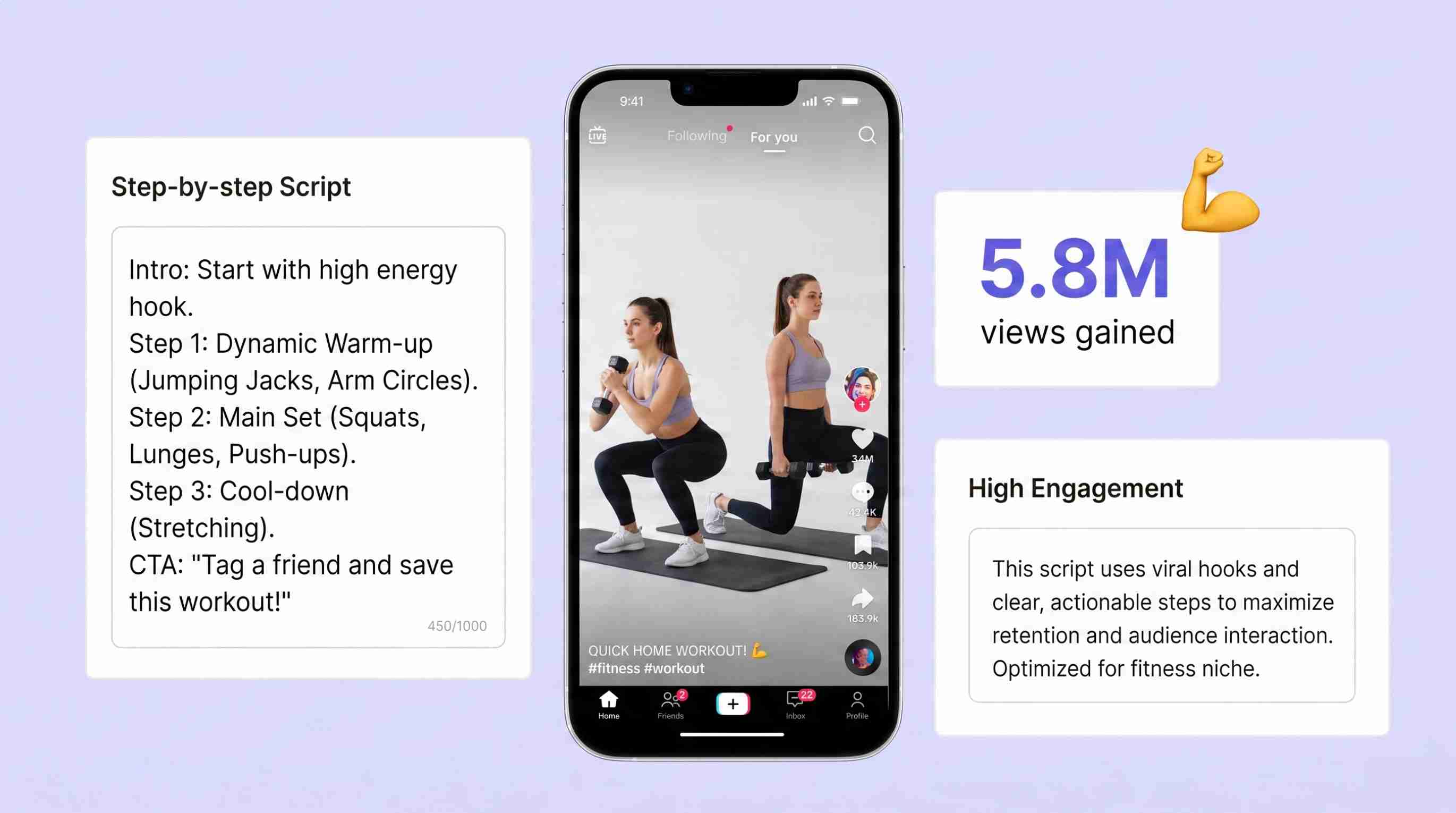
Once you know what you want your video to say and how you want to say it, creating a TikTok video is easy. The hard part is turning an idea into a short video that feels clear, grabs attention, and gives viewers a reason to stay tuned. The basic process is pretty much the same, whether you're creating a tutorial, talking about a product, describing an idea, telling a story, or jumping on a trend. You need a focused idea, a simple structure, visuals that fit, and an edit that cuts anything unnecessary. This tutorial will guide you through making a TikTok video from planning to publishing, with practical tips for making videos that are easier to watch and easier to make consistently.
Key takeaways
-
Start with a clear topic, purpose, and audience
-
Select a TikTok format that suits the concept
-
Create a compelling hook and a simple video format
-
Film or design content that fits the vertical screen
-
Edit with captions, music, transitions, and effects where appropriate
-
Review the finished video before publishing
What do you need to make a TikTok video?
You do not need professional equipment or a complicated production setup to make a TikTok video. A phone, a clear idea, and a few suitable assets can be enough. What matters more is deciding what the viewer should get from the video before you start creating it.
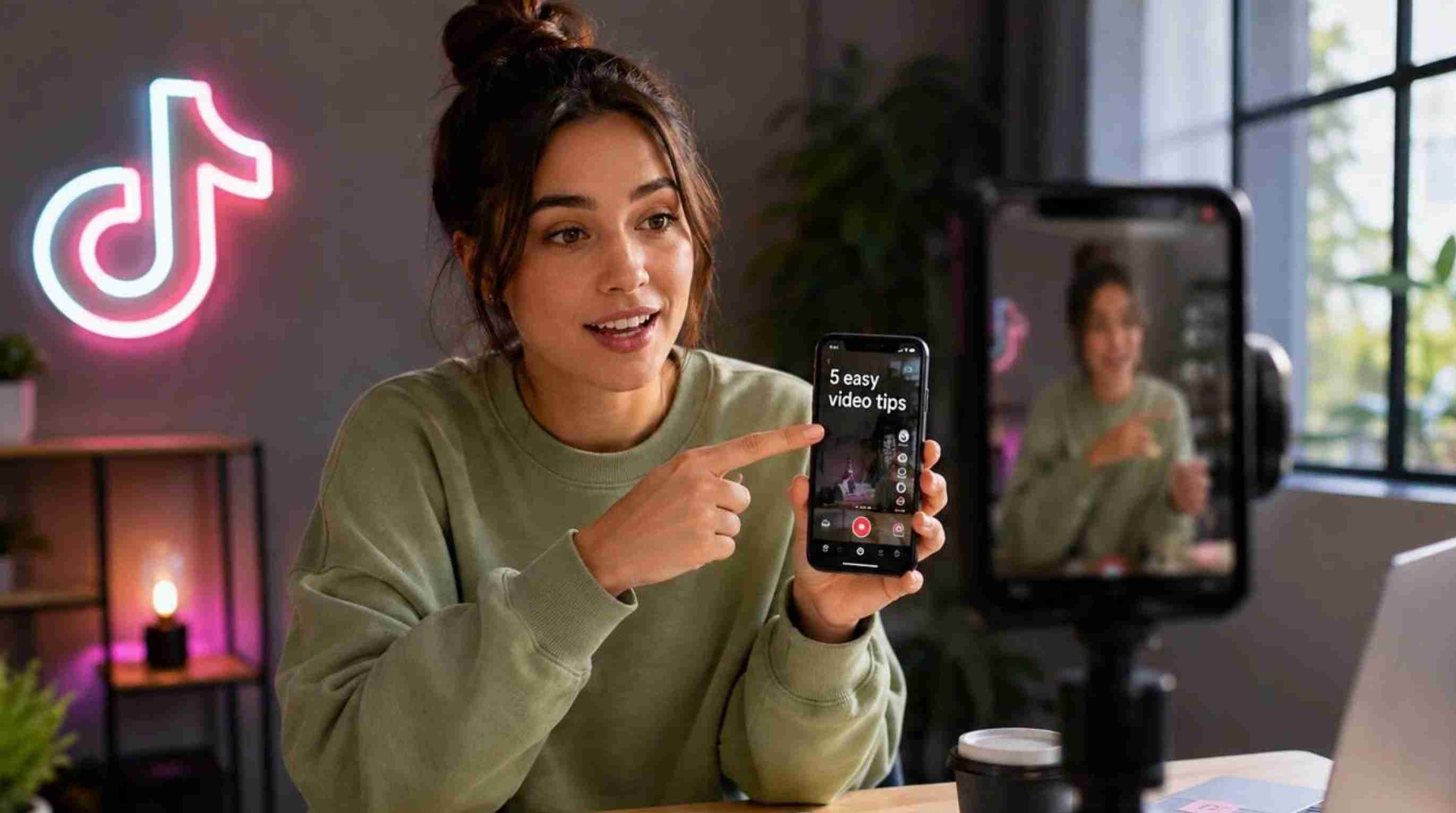
A clear video idea
Choose one topic or message. It could be a speed tutorial, a product demo, a personal story, a handy tip or an answer to a question that often gets asked. Having a focused idea makes it easier to decide what goes into the video and what doesn't.
A target audience
Think about who you're talking to and what would be helpful or interesting to them. A beginner may require a simple explanation; an experienced viewer may want a shortcut, comparison or specific example. The language, pacing, visuals, and level of detail you use can also be influenced by your audience.
A suitable TikTok format
The format should fit the idea. Common options include:
-
Tutorial or how-to: Show viewers how to do something.
-
Product showcase: Demonstrate a product, feature, or use case.
-
Educational video: Explain a concept, tip, or piece of information.
-
Storytelling: Build the video around an experience, situation, or sequence of events.
-
Behind-the-scenes: Show how something is made or what happens outside the final result.
-
Trend-based video: Try to adapt a current format, sound, or concept to your content.
A simple structure
Short videos are easier to follow when they have a clear start, middle and end. Start with a hook, deliver the meat, and finish with a useful takeaway or CTA. You don't have to script every word, but understanding the order of your main points can help prevent the video from feeling disjointed.
Visuals and audio
Decide what the viewer needs to see and hear. Depending on the format, you may need footage, photos, screen recordings, voiceover, music, sound effects, or on-screen text. Preparing these assets beforehand can make recording and editing much easier, especially when the video includes several scenes or visual elements.
A vertical-friendly layout
Think about the video as mobile-first content. Just be sure the main subject is visible, leave enough room for readable text, and don't put important information too close to the edges. A clean frame makes it easier for viewers to understand what they are looking at.
How to make a TikTok video step by step
Once you have your idea and basic assets, the process can be broken into three stages: plan, create and edit, then review and publish. Keeping these stages separate helps you make decisions before you start spending time on the final edit.
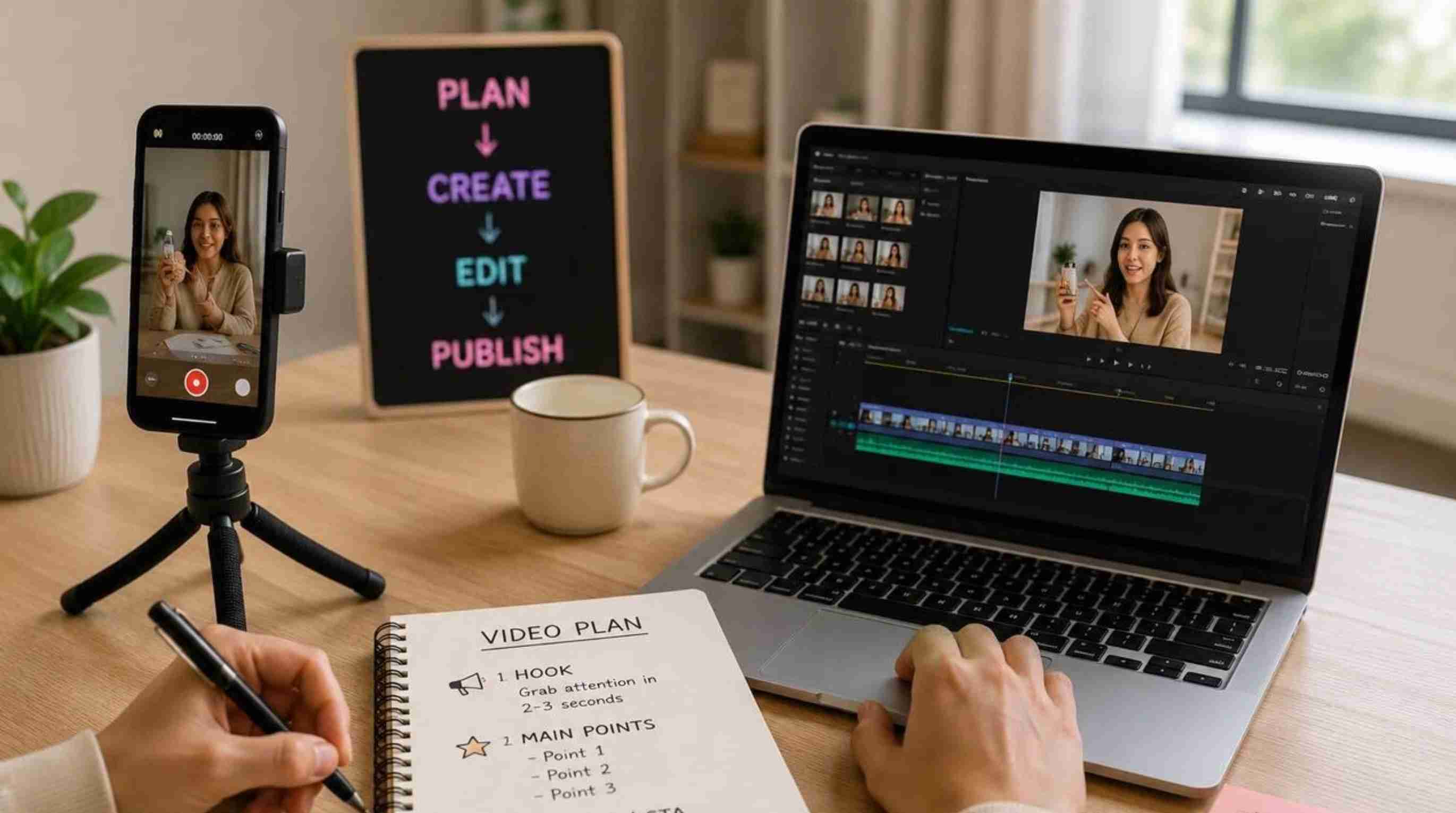
Step 1: Choose your topic and plan the video
Start with a clear topic, goal and target audience. Determine if the concept is suitable for a tutorial, product presentation, educational video, story, etc. Then plan the hook, the main points and the ending before you hit the record. You don't need a full script for every video, but it's easier to produce if you have the scenes or talking points in order.
Step 2: Create and edit the video
Create visuals or shoot your footage with a TikTok video maker. Start with your main hook, then order your clips or scenes in a logical sequence. Remove the pauses, the repetitions and anything that doesn't serve the message. Add captions, music, transitions or effects where they help the viewer follow the content. Keep the layout easy to view vertically.
Step 3: Review, optimize, and publish
Watch the finished video from start to finish before you publish it. Make sure the introduction is clear, the message is concise, the text is legible, and the audio is audible. Add an appropriate caption, hashtags or CTA and preview the final video on a mobile screen before publishing it to TikTok.
How to make good TikTok videos that keep viewers watching
Once you know how to make a TikTok video, small changes to the structure and editing can make a TikTok video more enjoyable to watch. You don't need fancy effects and a million cuts. Make sure you have a good reason for the viewer to stay; every scene should serve a purpose, and the video should be easy to follow from opening to final frame.
Start with a strong hook
The opening should tell viewers why they should keep watching. Start with a question, useful promise, surprising statement, or visual that immediately introduces the subject. For a tutorial, you could show the finished result first. For a product video, show the product solving a problem before explaining how it works.
Keep the message focused
Just pick any idea and make a video around it. Attempting to explain too many unrelated points will make the video feel rushed and hard to follow. If you have more info that is worth sharing, then make another video out of it. A focused message makes it easier to select the right visuals, write captions and determine what to cut during editing.
Make every scene useful
Go through each clip and ask whether it contributes information, context, movement or personality. Okay, I'm going to go ahead and start the recording. This is especially useful when you are making TikTok videos from several clips, as a shorter sequence can get the same message across without making viewers wait until the next useful point.
Use readable on-screen text
Keep on-screen text short enough to read while viewing the video. Use captions to support what's said, highlight a key point, or walk the viewer through a process. Watch the completed video on a phone-sized screen, and do not place important text where TikTok's interface may cover it.
Use audio intentionally
Select music, voiceover and sound effects as per the requirements of the video. A tutorial will work with a clear narration, but a visual montage may work better with music. Maintain background audio at a level that allows speech to be understood. Avoid adding sounds that distract from the main message.
Create visual movement
A video can feel slow if the same shot remains on the screen for too long. The frame, clip, text, or visual element may be altered when it supports the content. You don't have to have a transition between every scene. Small changes in the visuals can add movement while keeping the focus on the subject.
End with a clear payoff or CTA
Tell the audience why they will want to watch the entire video. Give the next step. Summarize the main idea. Answer the question from the introduction. Show the final result. If you want engagement, ask a question that is relevant. If you want your viewers to take action, then use a CTA that corresponds to the purpose of the video.
Create engaging TikTok videos faster with Designkit
Designkit's AI TikTok video maker can help when you have a TikTok idea, but you need a faster way to shape it into usable video content. Its video workflow can analyze the pacing and structure of existing content, then help develop scripts or creative concepts based on that direction. This is useful when you want to explore different ways to present the same idea instead of starting every video from a blank page.
How to create TikTok videos in 3 steps with Designkit
From developing a concept to refining the final video, Designkit helps you create content that fits your message, audience, and publishing goals.
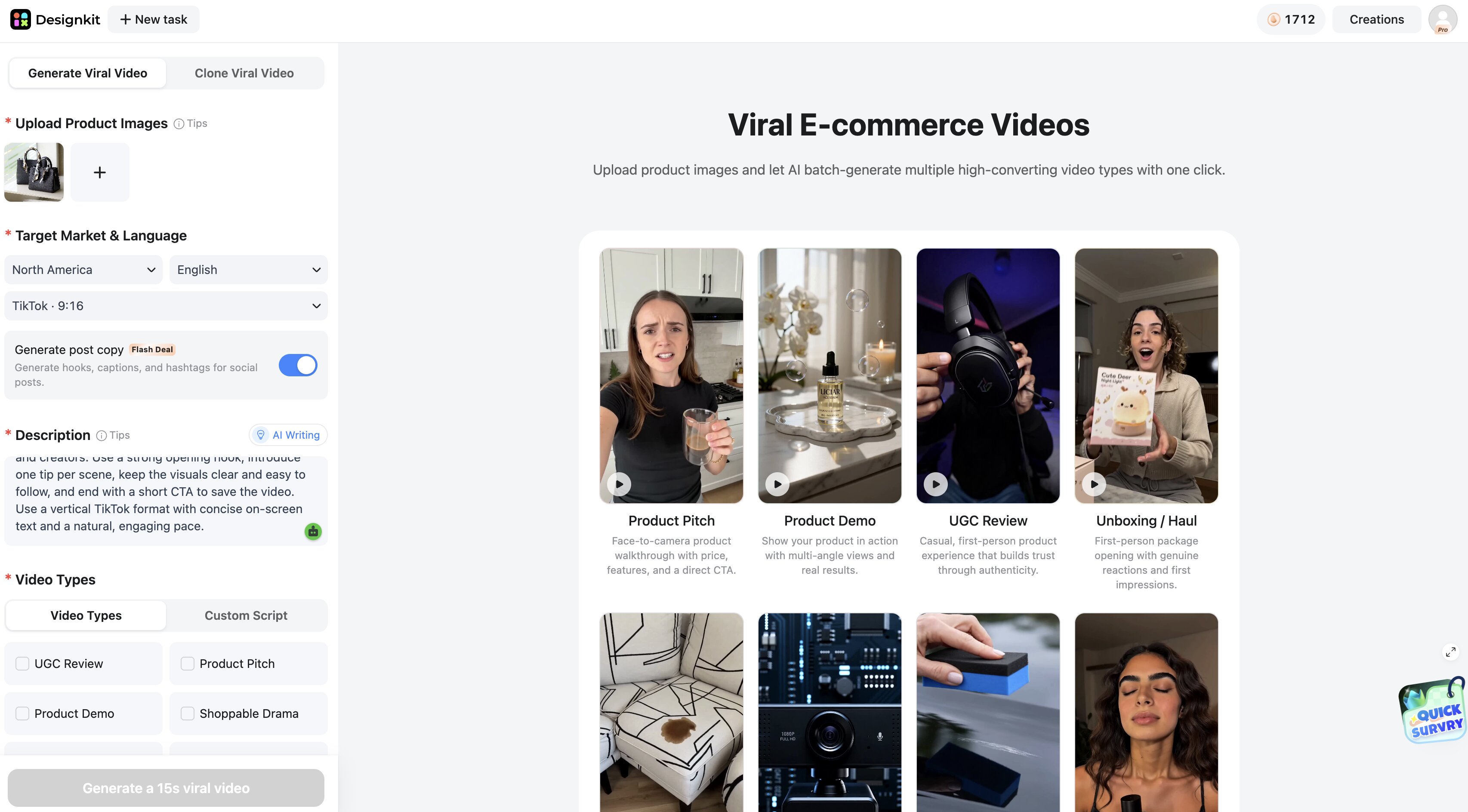
Step 1: Add your video idea
Start with the topic, product, message, or creative direction you want to turn into a TikTok. You can also use an existing video as a reference when you want to study its pacing, structure, or presentation style. Define what you want the new video to communicate and who it is intended for.
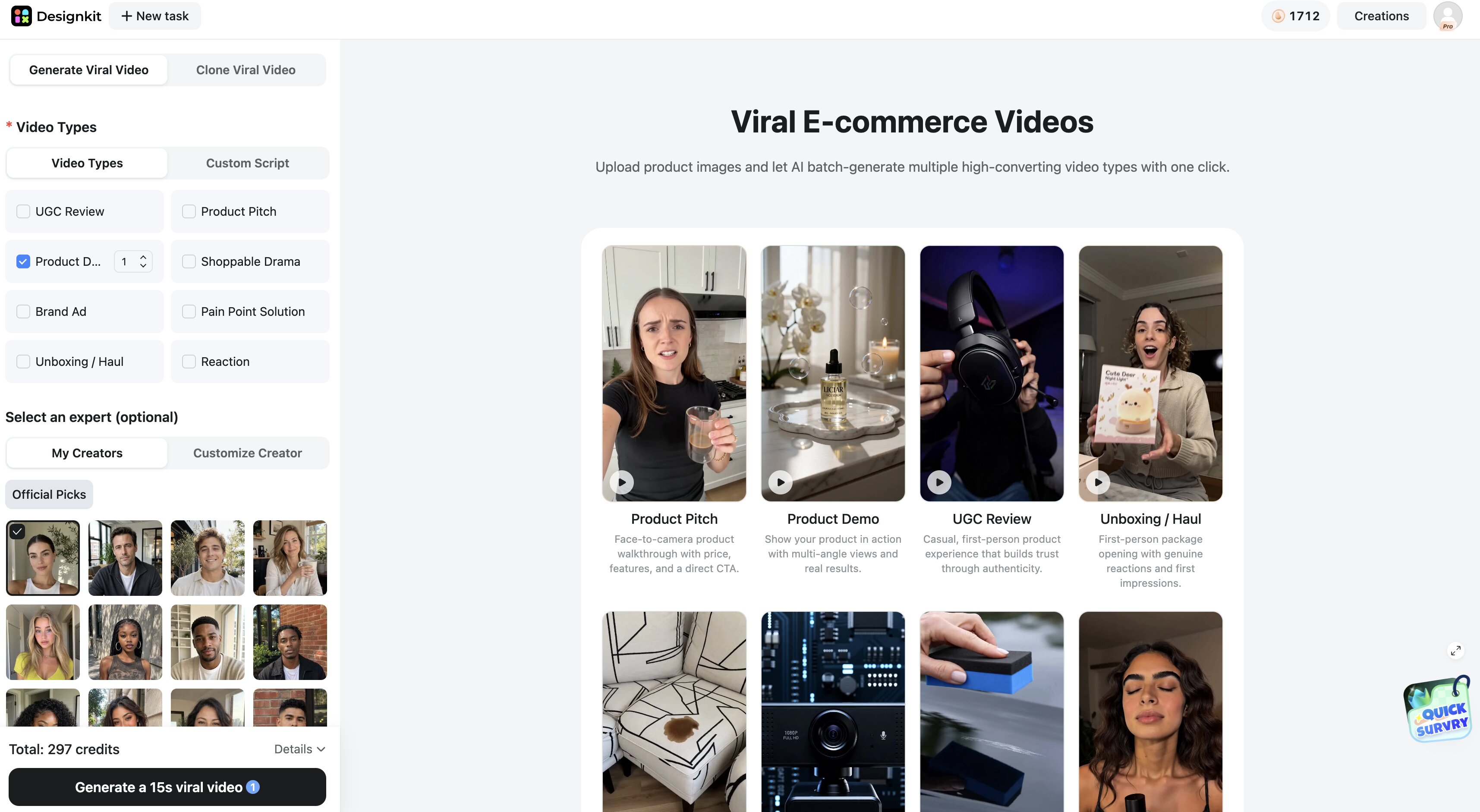
Step 2: Generate and refine the video concept
Use Designkit to develop the video script or creative direction based on your input. Review the proposed structure and adjust the scenes, messaging, or presentation so they fit your idea. You can explore different content directions when you want to test multiple hooks or approaches for the same topic.
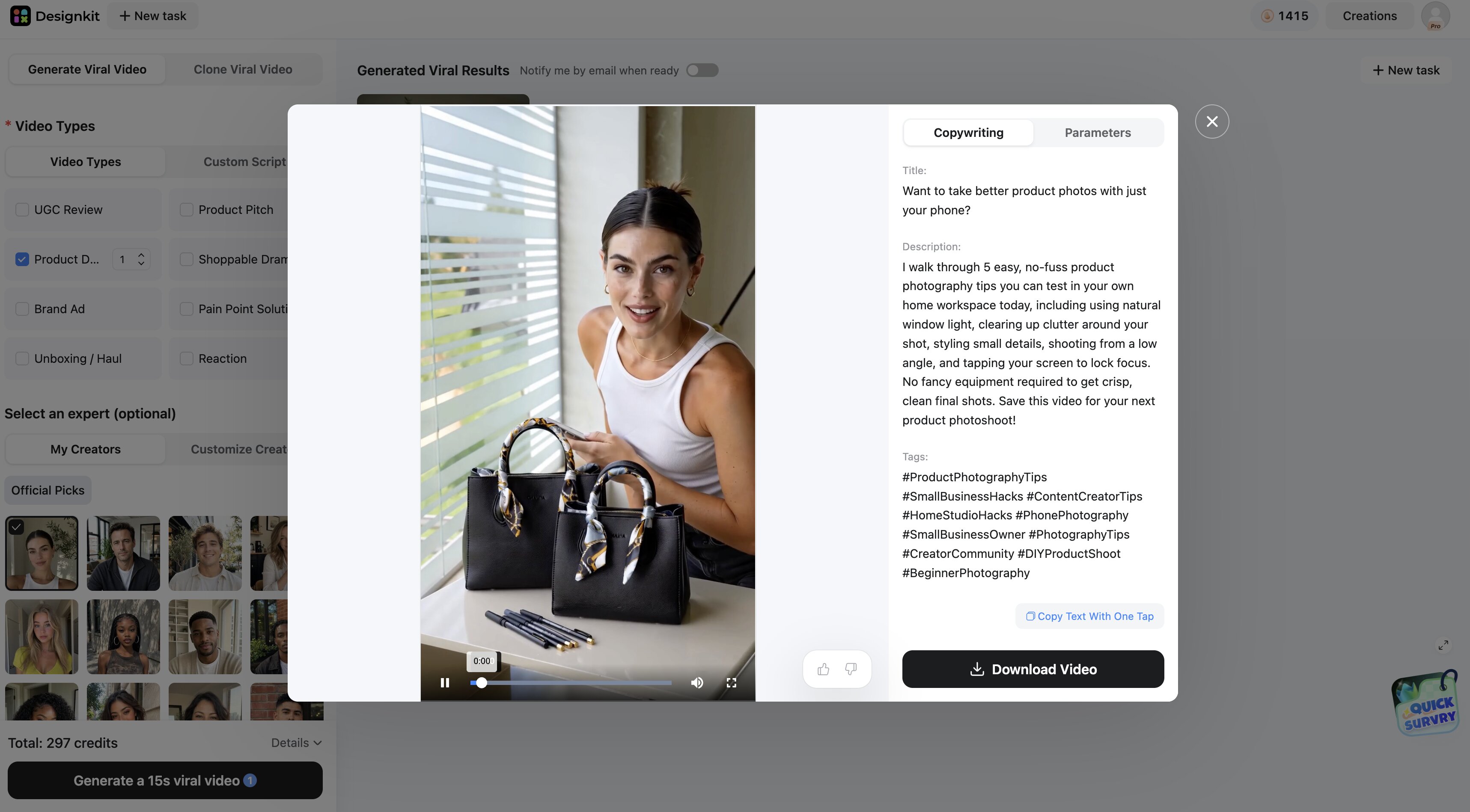
Step 3: Finalize the content for TikTok
Review the completed concept and make sure the pacing, visuals, and message work together in a vertical format. Once the content is ready, prepare the final video for TikTok. If you also need supporting social media copy, Designkit can help create the written content around the same idea.
How Designkit Helps Create Social Media Content
Designkit brings copy, videos, and visual creation into one workflow, helping you create consistent social media content for different goals and platforms.
Generate copy and videos in one place
Designkit can help you develop TikTok videos and supporting social media copy within the same workflow, while its AI video generator provides another option when you want to create video content without filming everything yourself.
Create content for different goals
Develop TikTok content for product promotions, educational videos, product announcements, brand awareness, and engagement-focused campaigns. For product-focused videos, you can also prepare supporting visuals with Designkit's product photography generator before creating the video.
Keep copy and visuals consistent
Match the video message with supporting copy so that both assets communicate the same idea. This will help keep your social content stylistically consistent, both in terms of visuals and writing.
Generate video scripts with AI Writing
With AI Writing in Generate Viral Video, enter your ideas or prompts, and Designkit can generate the video script for you. The generated script can then be turned into a video, helping you move from an initial concept to finished content faster.
Prepare content for social publishing
Designkit's Workspace feature, currently in beta, can generate a marketing script and cover for a video when you are preparing it for social media publishing. You can generate the publishing content, the cover, or both based on what you need.
Common TikTok video mistakes to avoid
If the video is difficult to follow or spends too much time getting to the point, a great idea can be lost. Common problems to look out for before you publish:
Starting without a clear idea or goal
Know what you want viewers to understand or do before you start creating. A focused goal makes it easier to choose the right visuals and structure.
Making the opening too slow
Get to the main point quickly instead of spending too much time on introductions. Start with the hook, result, question, or problem that gives viewers a reason to continue.
Trying to communicate too many ideas
Your video must contain one core message. If there are a lot of points to cover, you might want to break them into separate TikTok videos instead of cramming them all into one video.
Using excessive text, transitions, or effects
Creative elements should support the content rather than distract from it. Use captions and effects when they make the message easier to understand.
Ignoring vertical framing and mobile readability
Check that important subjects and text are clearly visible in the vertical layout. Avoid placing key information too close to the edges or behind interface elements.
Using music or trends that do not fit the content
Choose sounds and trends that match the video's purpose and tone. A popular format may not work if it feels unrelated to the subject.
Making the video longer than necessary
Remove pauses, repeated points, and scenes that do not add useful information. A tighter edit can make the same message easier to follow.
Ending without a clear payoff or CTA
Give viewers a useful result, takeaway, or next step. Depending on the goal, you can invite them to comment, follow, learn more, or take another relevant action.
Publishing without checking quality
Check the whole video before you post and check audio, text, visuals, pacing and overall message. It is easier to fix small problems before the video is live.
Final thoughts
If you focus on one clear idea, plan the structure, make the visuals, and keep the final edit focused, you will find it easier to learn how to create a TikTok video. You don't have to use too many effects; if the video has a good hook, easy-to-read text, appropriate audio, and a clear conclusion, it will be more easily understood. If you want to speed up the process, Designkit can help you to turn an idea into a video script and video, while its Workspace beta feature can prepare supporting marketing content and a cover for social publishing.
Frequently Asked Questions
How do I make a TikTok video for the first time?
How do I make a video on TikTok without showing my face?
You can make a TikTok without showing your face using product footage, screen recordings, images, text, voiceovers, or any other visuals. The trick is to make them clear enough to let the video do the visuals and narration. If you'd rather not be on camera, Designkit can also help you take an idea and turn it into a scripted video.
How long should a TikTok video be?
A TikTok should be long enough to communicate your key message but not include any additional segments. Length is topic and format dependent, so concentrate on tight pacing and the elimination of pauses or repetition. Designkit can help you organize the video around a single idea, which makes it easier to polish your content before you publish.
What makes a good TikTok video?
Good TikTok videos have a clear hook, a clear message, helpful visuals, readable text, appropriate audio, and a clear ending. It shouldn't be overdone with effects, but should give the audience a reason to keep watching. With a range of video directions including Product Pitch, Product Demo, UGC Review, and Unboxing/Haul, Designkit allows you to choose a style that fits your content.
Can I create TikTok videos with AI?
Yes, AI can help with different parts of TikTok creation, including scripting and video generation. Designkit's AI Writing feature in Generate Viral Video lets you enter ideas or prompts, generates the video script, and then turns the script into a video. You should still review the result to make sure the message, visuals, and pacing fit your intended audience.
How can I make TikTok videos faster?
You can speed up the process by starting with a clear idea, using a simple structure, and avoiding unnecessary editing. AI tools can also reduce repetitive work. With Designkit, you can use AI Writing to generate the script and video, while the Workspace beta feature can generate a marketing script and cover when preparing the video for social publishing.
You May Also Like

PixVerse AI Review 2026: Is It Worth Using for AI Videos?

How to Animate a Picture with AI: Easy Step-by-Step Guide

How to Write a Video Script: Structure, Tips & Examples

What Is B-Roll? Meaning, Examples, and How to Use It

How to Make a TikTok Video: A Step-by-Step Guide 2026

How to Make an Instagram Post: Step by Step Creation Guide

Social Media Copywriting: Tips, Examples & Best Practices

What Are AI Fruits? The Trend, the Formats, and How to Make One

LTX Studio Review: Features, Pricing & AI Filmmaking Guide

HeyGen vs Arcads: Which AI Video Tool Wins in 2026?

Arcads AI Review 2026: Features, Pricing, Pros, Cons & Alternatives
Creatify AI Reviews: Features, Pricing & Alternatives (2026)
What Are Satisfying Videos? Types, Tips & How to Make (2026)
How to Generate Product Videos from Images with AI (2026 Guide)
How to Create a Product Launch Video with AI: A Step-by-Step Guide
What Is a Brand Video? Types, Examples & How to Create One
AI Product Demo vs Live Demo: Which Gets More SaaS Sign-Ups?
How to Create AI Product Promotion Videos in Minutes (Step-by-Step)

Best AI Product Video Ad Generators for Ecommerce in 2026

How to Boost Ecommerce Sales: Proven Strategies That Work
How to Add Video to eBay Listing: Step-by-Step Seller Guide
Short Form Video Marketing for E-commerce: AI Video Guide

What Is Video Marketing? E-commerce Guide & Strategies 2026
Make Your TikTok Content Go Viral Today
Create engaging TikTok videos with Designkit and turn your ideas into polished, platform-ready content for brands, creators, and businesses.


