
Bing Image Creator Explained: Features, Uses, Pricing & Limitations
Discover how Bing Image Creator turns text prompts into AI images, including its features, pricing, limitations, and how it compares with other AI image generators.

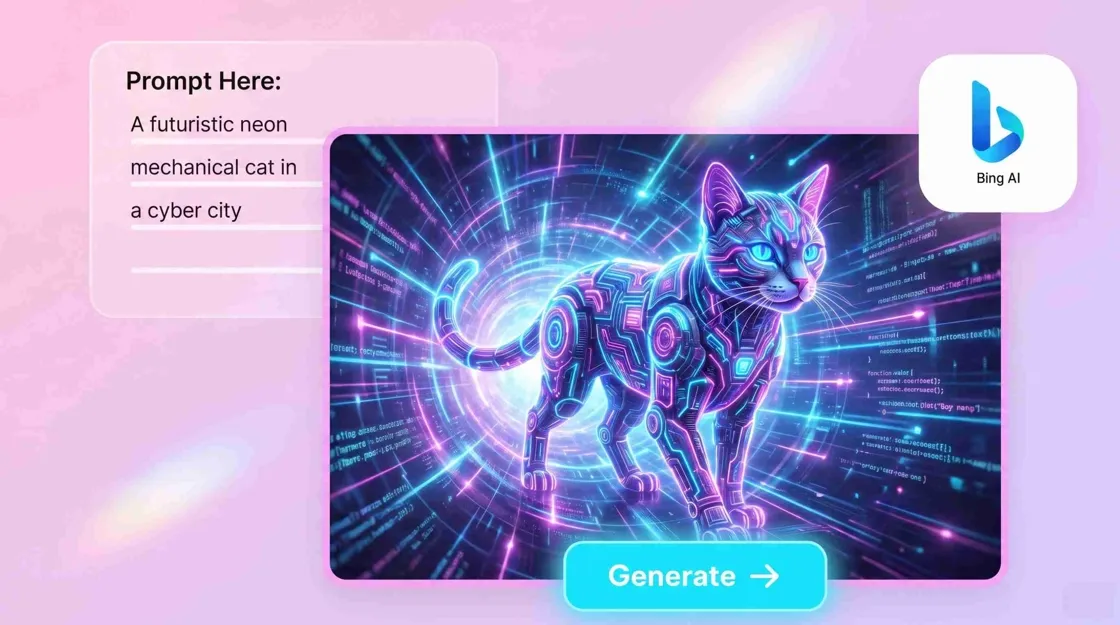
Bing Image Creator is a Microsoft-provided tool that uses artificial intelligence to create images. It has been designed so users can create images easily without needing knowledge of graphic design or photo-editing skills. In 2026, Bing Image Creator will enable you to use different models for image creation, such as MAI-Image-2e, GPT-4o, and DALL-E 3.
In this article, we will look at Bing Image Creator, its workings, features, pricing, accessibility, use cases, prompt-writing tips, limitations, and alternatives such as Midjourney, ChatGPT, Microsoft Designer, and Designkit.
What Is Bing Image Creator?
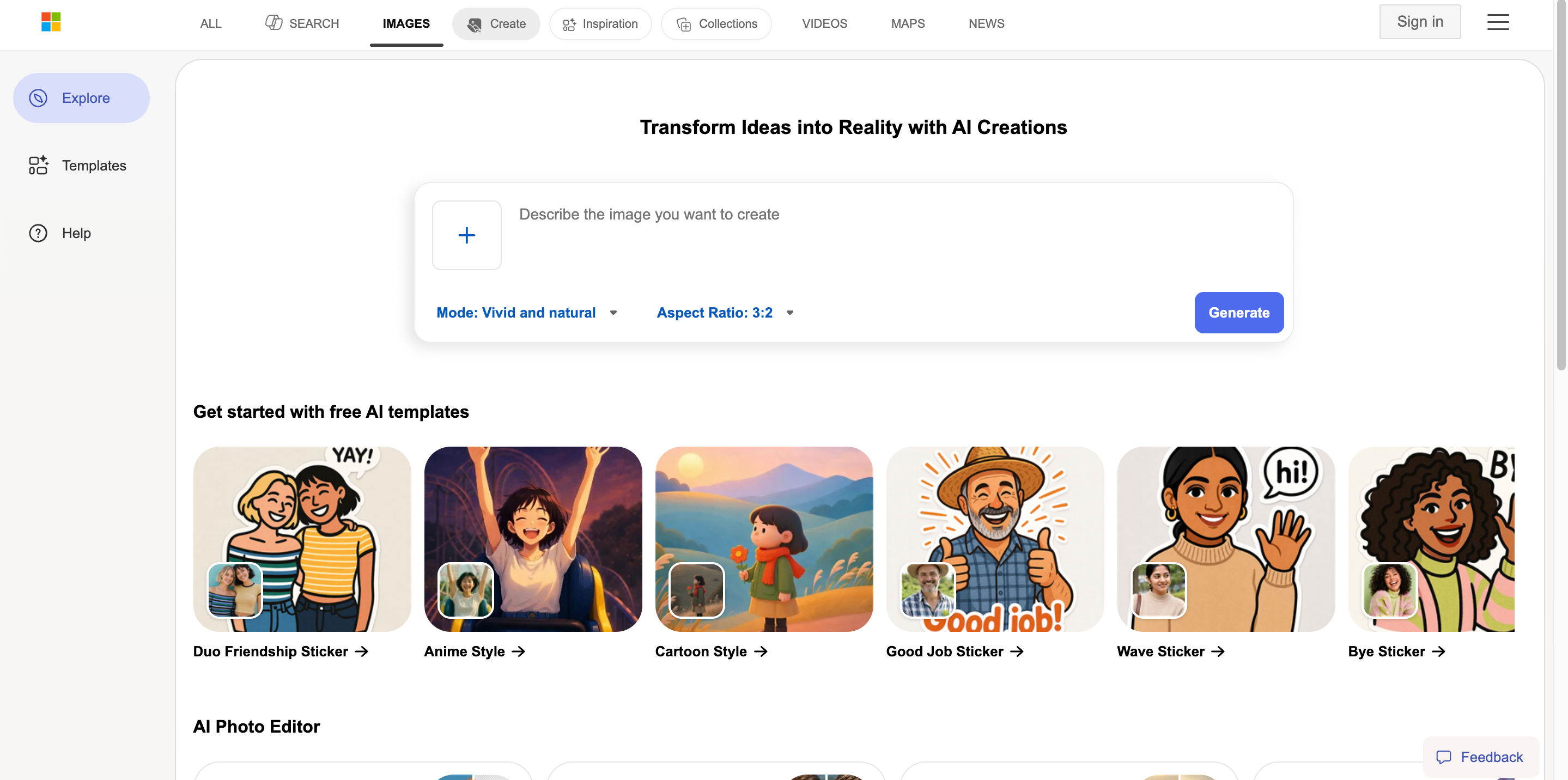
Bing Image Creator is a Microsoft service that generates images using artificial intelligence based on text prompts. Instead of drawing an image manually, you give it your commands. You can input "an interior of a modern coffee shop with warm lighting and minimalistic furniture," and it will make the corresponding image for you. It is available via Bing and the Bing app. Now, Microsoft recommends that its users use Image Creator. You will need your own Microsoft Account of your own to use it effectively.
How Does Bing Image Creator Work?
Bing Image Creator uses text-to-image AI technology to transform written descriptions into visual content. The AI analyzes the details in your prompt, including the subject, environment, style, composition, and other instructions, then creates an image based on those elements.
The quality of the result depends heavily on the prompt. A simple description such as "a dog in a park" may create a general image, while a more detailed prompt describing the dog's appearance, camera angle, lighting, and artistic style can produce a more specific result. Like other AI image generators, Bing Image Creator works best when users provide clear visual direction rather than only broad concepts.
Who Should Use Bing Image Creator?
Bing Image Creator is designed for anyone who wants to create visuals quickly without advanced design skills. It can be useful for brainstorming ideas, creating creative assets, or exploring different visual styles before producing final content.
|
User |
Best Use Case |
|---|---|
|
Content creators |
Social media images, blog visuals, creative ideas |
|
Designers |
Concept exploration and visual inspiration |
|
Marketers |
Campaign concepts and promotional ideas |
|
Small businesses |
Marketing graphics and brand visuals |
|
Ecommerce sellers |
Product concepts and lifestyle ideas |
For users who need quick creative exploration, Bing Image Creator provides an accessible way to experiment with AI-generated images. However, businesses that require highly consistent product visuals, accurate branding, or large-scale ecommerce production may need a more specialized workflow.
Bing Image Creator Features Review
Bing Image Creator is strongest when simplicity and experimentation matter. You can move from an idea to a visual without opening professional design software or learning complicated editing tools.
Generate Images From Text Prompts
The core feature of Bing Image Creator is text-to-image generation. Users can describe a scene, object, character, illustration, or creative concept, and the AI creates a visual based on the instructions. You can control elements, such as subject appearance, background environment, artistic style, lighting, camera perspective, and overall mood. This makes it useful for turning early ideas into visual references without manually designing each element.
Explore Different Visual Styles
Bing Image Creator can create images in different styles, allowing users to experiment with creative directions. A single idea can be transformed into different visual approaches, such as realistic photography, digital art, illustrations, or cinematic scenes. This flexibility makes it helpful during the brainstorming stage when users want to compare different creative possibilities.
Create Visual Variations Quickly
One advantage of AI image generators is the ability to explore multiple versions of an idea without starting over each time. If the first result does not match your expectations, you can refine the prompt and create new variations. Changing details such as composition, colors, lighting, or style can help you discover a direction that better matches your goal.
Turn Creative Ideas Into Visual Concepts
Bing Image Creator works well as an idea-generation tool for creators, marketers, and businesses. It can help visualize campaign themes, content ideas, design concepts, and creative directions before moving into final production. However, generated images should still be reviewed carefully, especially when accuracy matters. Details such as text, logos, product packaging, and specific brand elements may require additional editing or verification.
Is Bing Image Creator Free?
Bing Image Creator is free to use with a Microsoft account, allowing users to create AI-generated images without paying for a subscription. But free usage may include limits on faster generations, and availability can vary based on Microsoft's current policies. It is a good option for beginners, content creators, and users who want to experiment with AI images. For businesses that need large-scale production, consistent branding, or ecommerce-ready visuals, a specialized creative workflow may be more suitable.
|
Feature |
Details |
|---|---|
|
Cost |
Free access available with a Microsoft account |
|
Subscription requirement |
No paid subscription required to start using it |
|
Fast generations |
Limited priority generations may be available |
|
Standard generations |
Available after fast generations are used |
|
Best suited for |
AI image experiments, creative ideas, and general visual creation |
How to Use Bing Image Creator
Creating images with Bing Image Creator is a straightforward process. You provide a text description, review the generated result, and refine your prompt until the output matches your idea more closely.
Step 1: Open Bing Image Creator
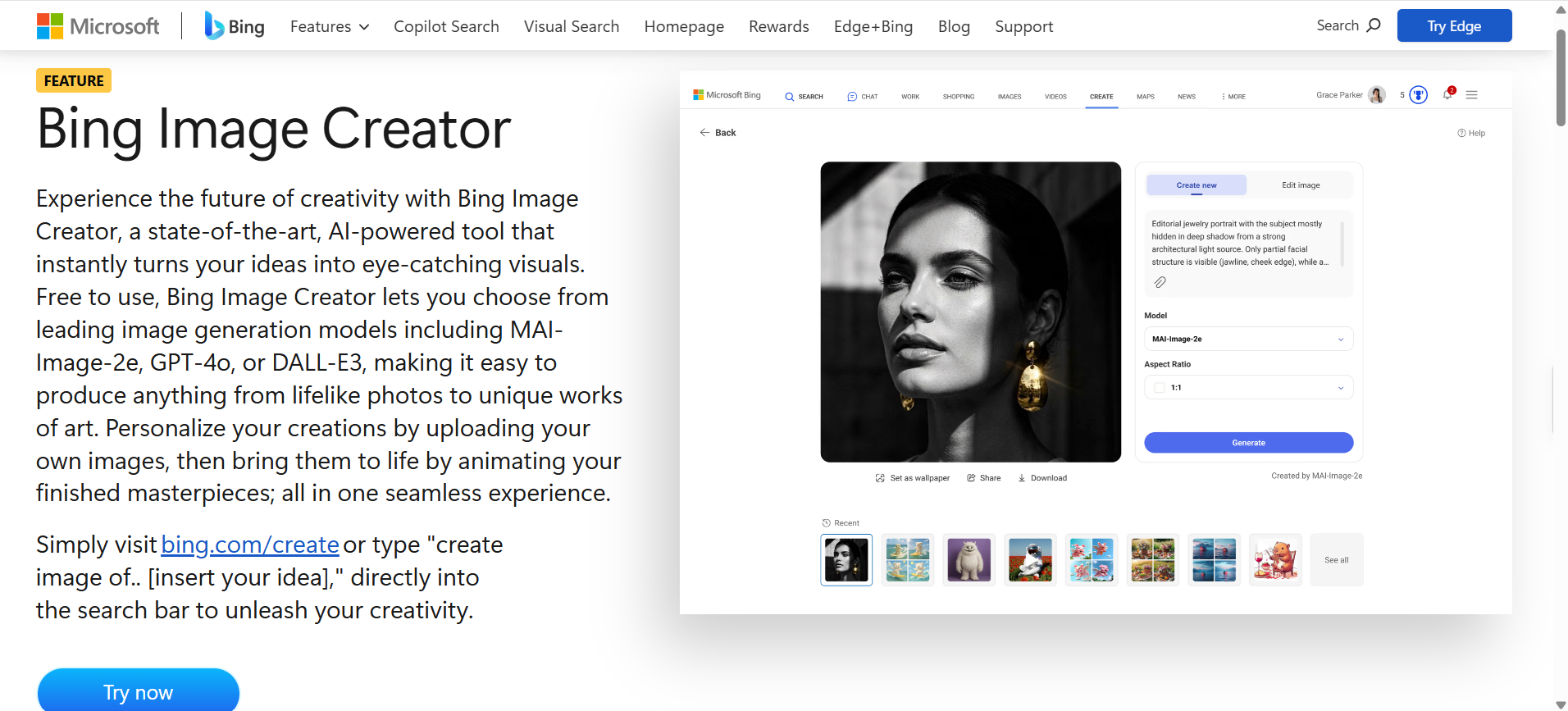
Visit Bing Image Creator and sign in with your Microsoft account. Once you enter the image creation workspace, you can start describing the visual you want to generate.
Step 2: Write Your Image Prompt
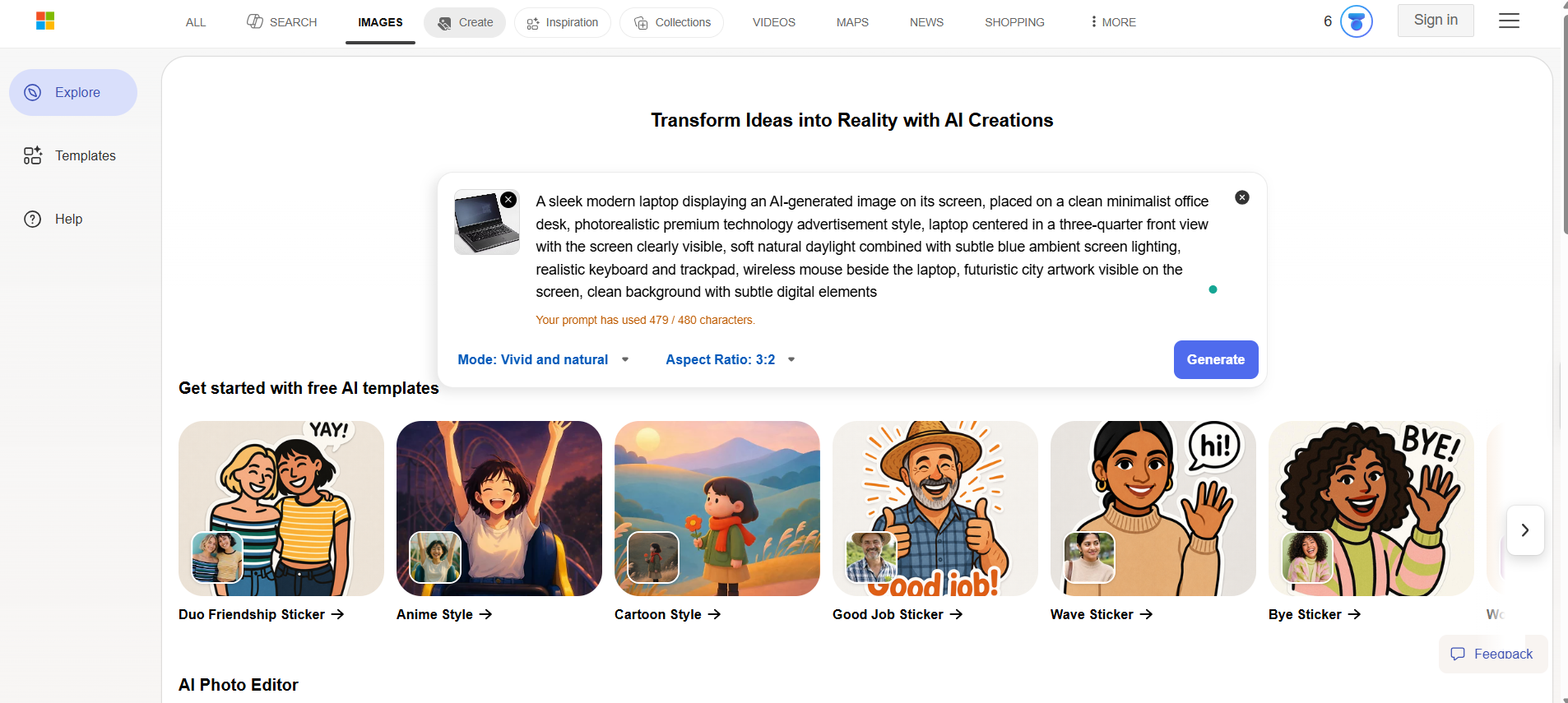
Start with the visual concept. Add more about the subject, place, style, composition, light, and any details you want in the final image.
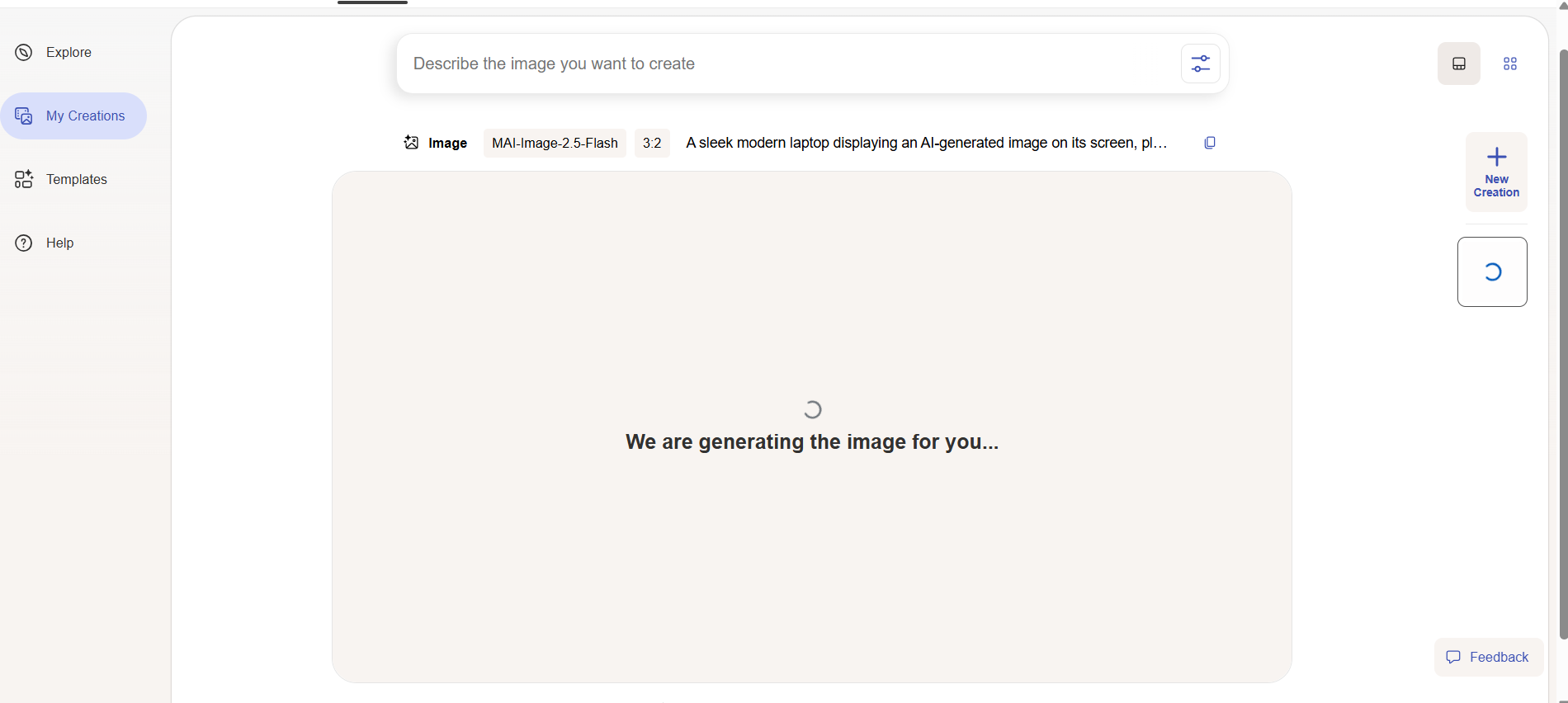
Step 3: Generate and Review the Image
Upload your finished prompt and wait for the output picture. Don't publish the first cut. Verify that the subject is expected to exist and the composition is what you intend. Verify that any text or product information that is generated is correct.
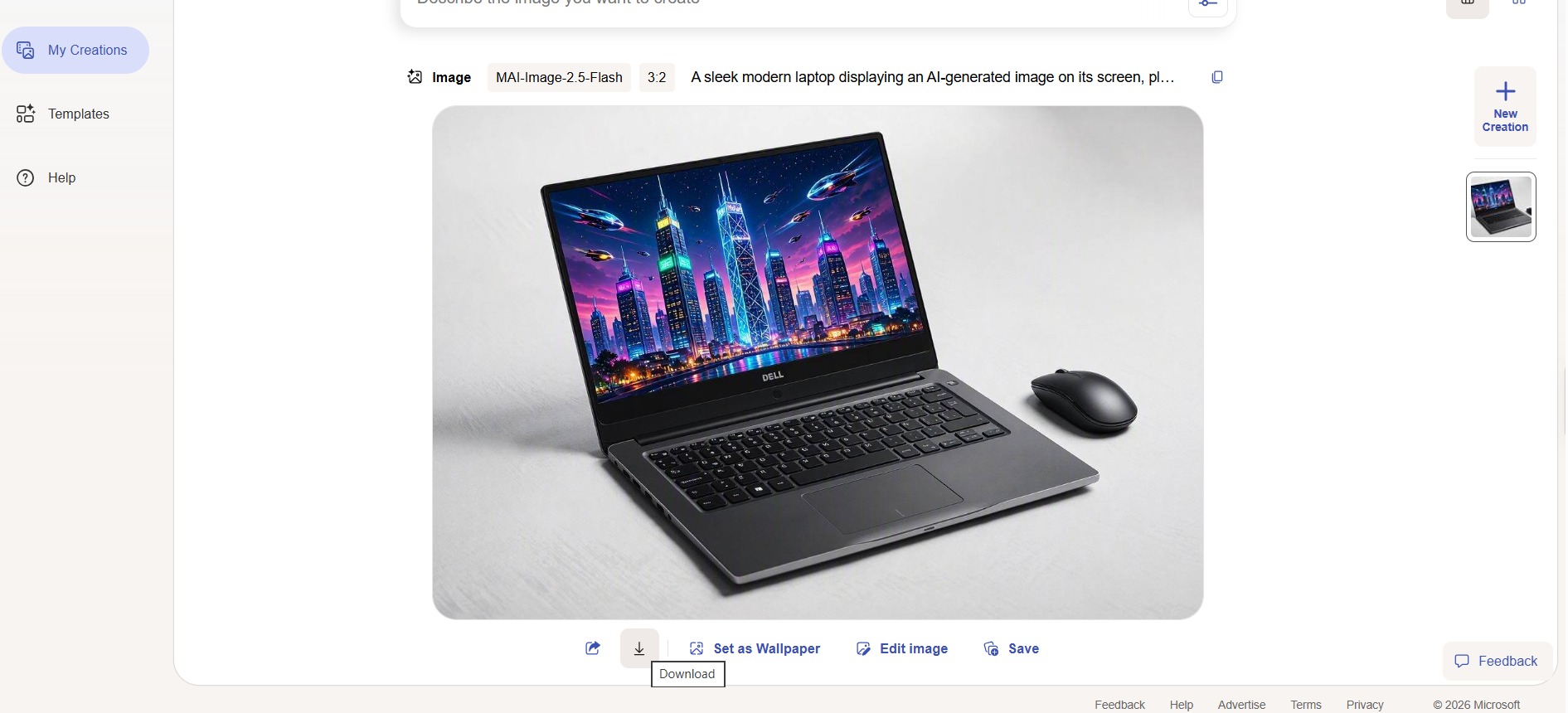
Step 4: Refine the Result
If the result is close but not correct, identify the specific problem and adjust the prompt. For example, if the subject is too small, request a closer composition. If the lighting is too dark, ask for brighter natural lighting. If the background is distracting, describe a cleaner environment.
Bing Image Creator Alternatives: Which AI Image Generator Should You Choose?
Bing Image Creator is not the only option for AI image creation. Different tools are designed with different priorities in mind, so the best choice depends on whether you value creative exploration, conversational generation, design workflows, or e-commerce production.
|
Tool |
Best For |
Free vs Paid |
Quality & Control |
Ecommerce Fit |
|---|---|---|---|---|
|
Midjourney |
AI art and creative concepts |
Strong artistic style and visual quality |
Limited to moderate |
Moderate |
|
ChatGPT/DALL·E |
Conversational image creation |
Easy prompt refinement through chat |
Moderate |
Moderate |
|
Microsoft Designer |
Social graphics and simple designs |
Templates and quick content creation |
Moderate |
Moderate |
|
Designkit |
Ecommerce visuals and product content |
Product-focused image editing, listing creatives, and marketing assets |
High |
Moderate |
|
Designkit |
Ecommerce visual production |
Plan-dependent |
Strong workflow control |
High |
Bing Image Creator vs Other AI Image Generators
When comparing AI image tools, image quality is only one factor to consider. The right choice depends on how much control, consistency, editing capability, and workflow support you need.
Free Access and Usage Limits
Free AI image generators are useful for testing ideas and creating occasional visuals. However, users who need many images for campaigns, product listings, or daily content production may need to consider generation limits, workflow efficiency, and available editing features.
Creative Control and Customization
Tools designed for AI art may provide more freedom for exploring unique styles and imaginative concepts. But businesses often need more than creative freedom. They also need accurate details, repeatable results, and visuals that match their brand requirements.
Ecommerce and Product Image Needs
For ecommerce sellers, the challenge is not only creating attractive images but also presenting the actual product accurately. Product details, packaging, colors, and features need to remain consistent across different listing images and marketing materials.
This is where ecommerce-focused tools like Designkit can provide a more practical workflow by helping sellers transform existing product photos into listing visuals, lifestyle scenes, and promotional content.
How to Create Ecommerce Visuals With Designkit
While Bing Image Creator works well for exploring creative ideas, ecommerce sellers often need visuals that keep the original product accurate and ready for commercial use.
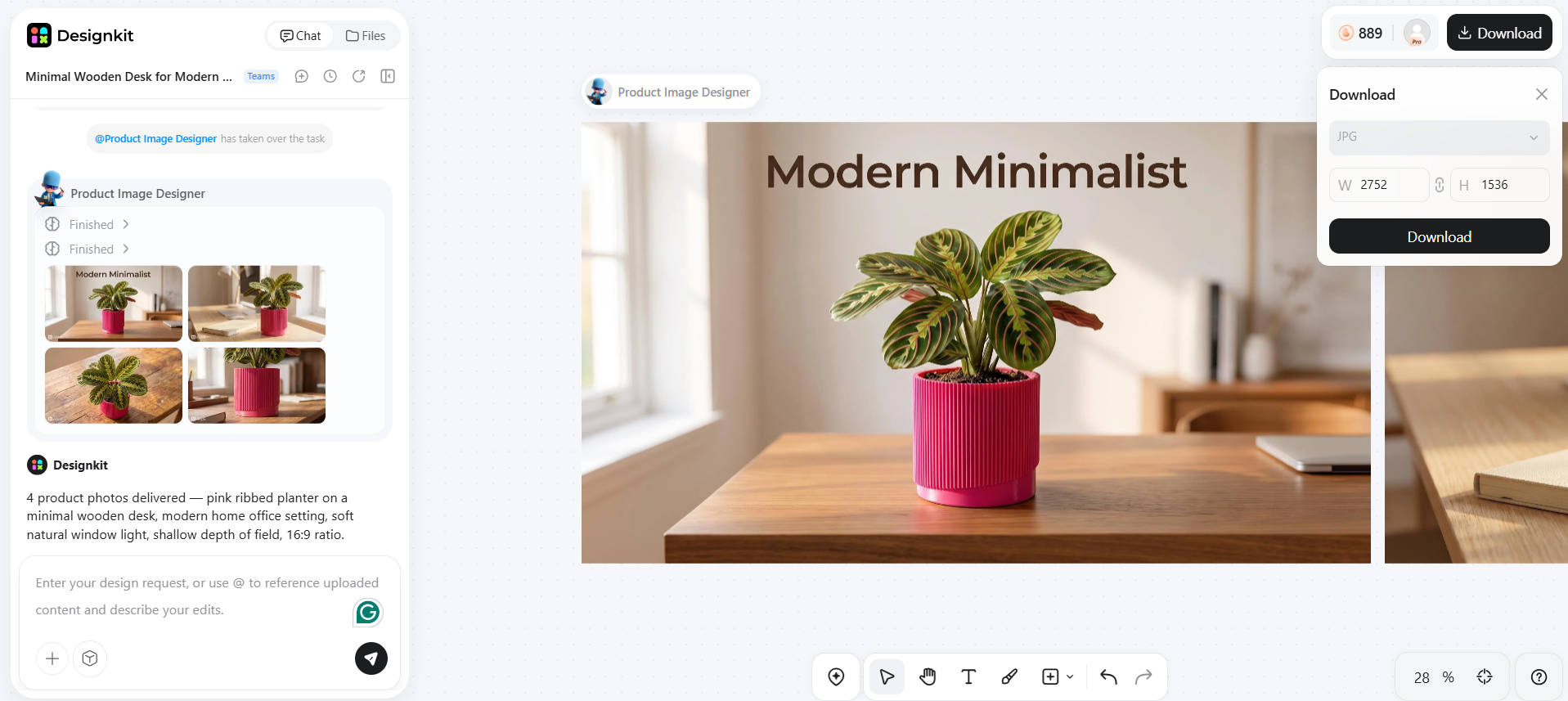
Designkit helps turn product photos and information into ecommerce-ready assets, including Amazon listing images, lifestyle visuals, promotional creatives, and product videos. Instead of creating random AI images from text prompts, sellers can build visuals around their actual products.
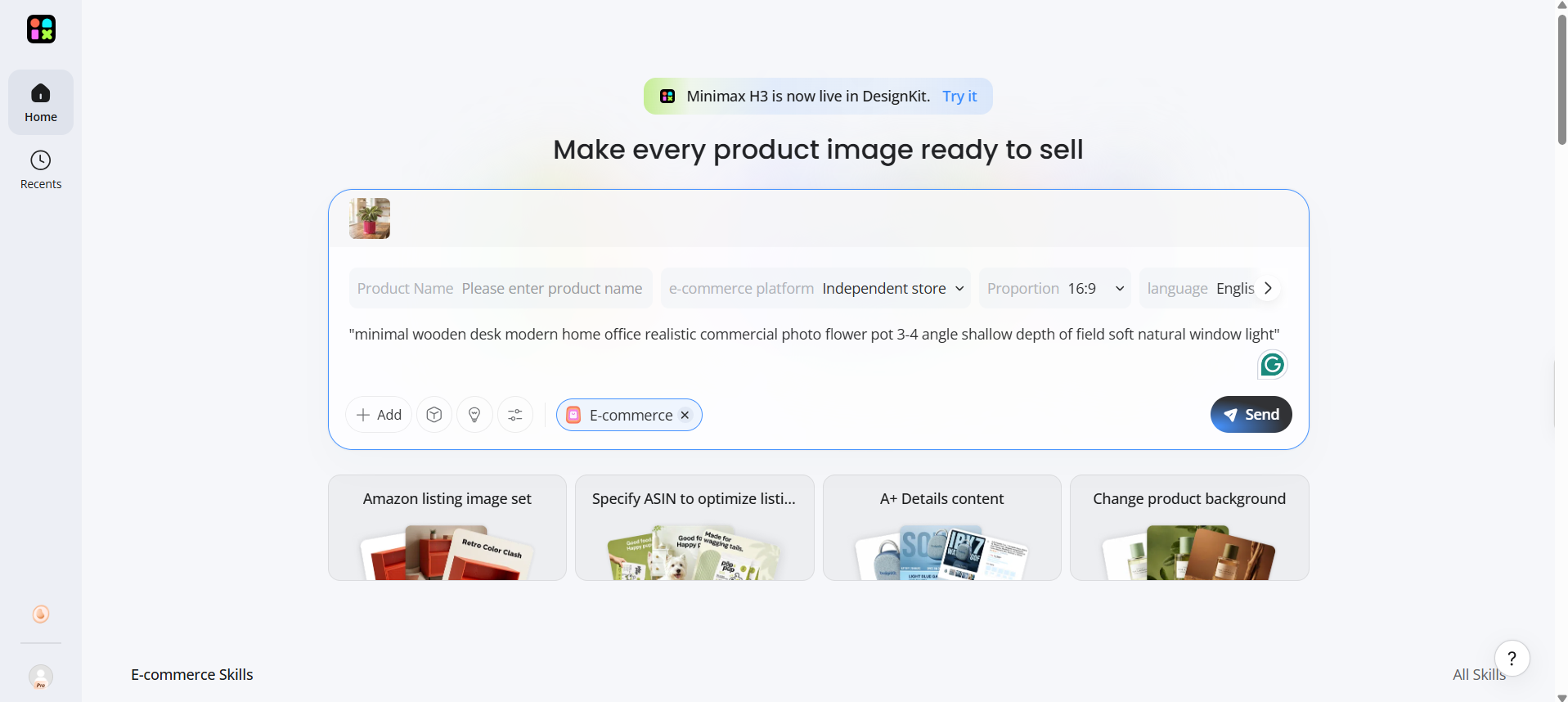
Step 1: Upload Your Product Image
Upload your product image in Designkit. Start with a product photo from your phone, supplier, or existing catalog.
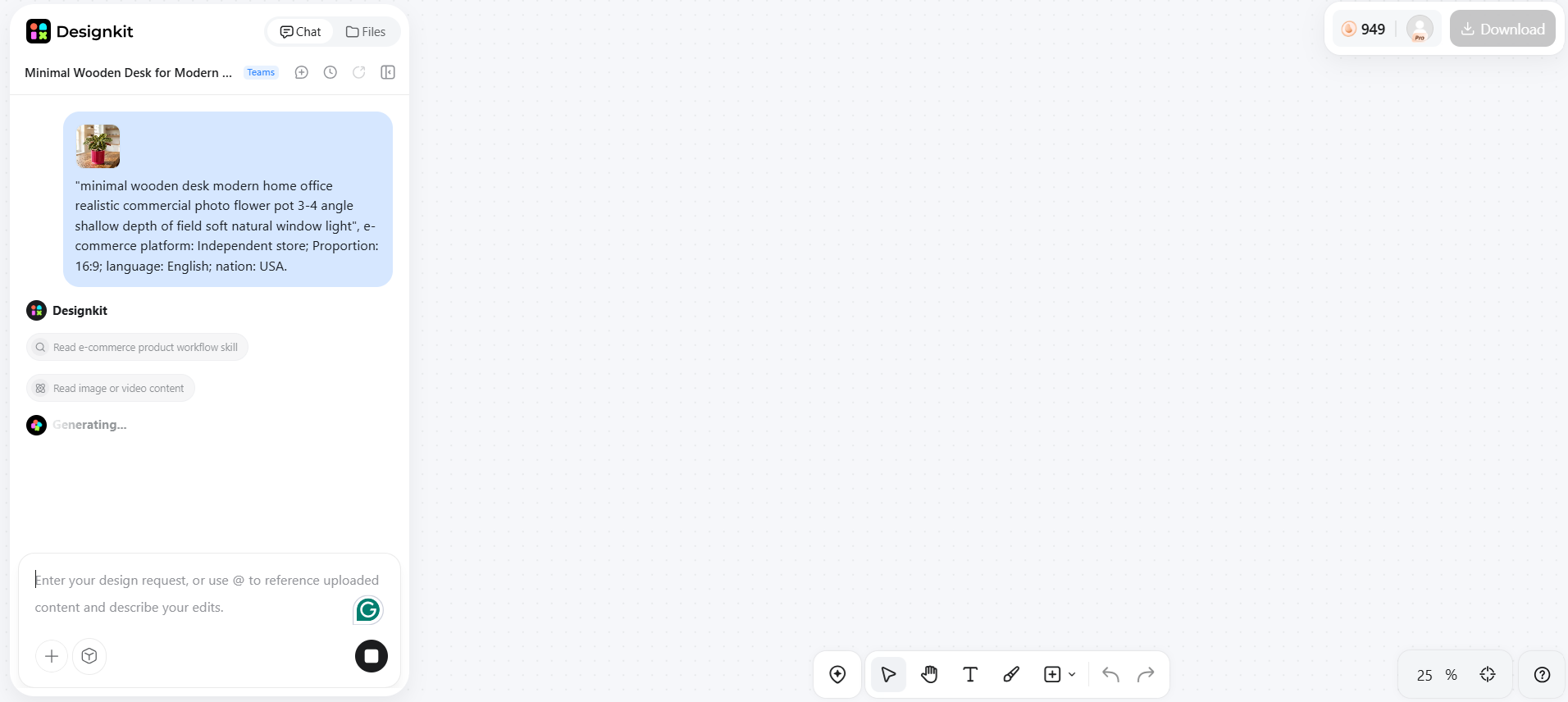
Step 2: Create Product Visuals and Marketing Assets
Generate product scenes, lifestyle environments, listing visuals, or other e-commerce assets with Designkit AI around the product.
Step 3: Review and Prepare Your Assets
Verify product details, optimize e-commerce presentation, refine lighting, and confirm required marketplace specifications before publishing. Check that AI-generated visuals match the product's color, shape, and branding; use clean studio-style lighting; and meet platform image requirements.
Bing Image Creator Pros and Cons
Bing Image Creator is a beginner-friendly AI image tool that makes it easy to turn text prompts into visuals. It works well for exploring creative ideas, but users should also understand its limitations before using it for professional projects or commercial content.
|
Pros |
Cons |
|---|---|
|
Easy to use with a simple text-to-image workflow, even for users without design experience |
Generated results may require multiple prompt revisions to match your expectations |
|
Free access makes it convenient for beginners and casual creators to experiment with AI images |
Text, logos, product details, and complex elements may not always be accurate |
|
Useful for creating creative concepts, illustrations, social media visuals, and marketing ideas |
Maintaining consistent styles, characters, or brand visuals across multiple images can be challenging |
|
Supports different image styles and creative directions for visual exploration |
Not designed as a complete workflow for ecommerce product images or large-scale content production |
Final Thoughts
Bing Image Creator is a useful AI image tool for quickly turning ideas into visuals, especially for creative exploration, social media content, and early design concepts. However, businesses often need more than AI-generated images. They need accurate products, consistent branding, and visuals designed for specific marketing goals. For ecommerce sellers, creating high-performing content requires a workflow that keeps the product at the center. Designkit helps transform existing product photos into listing images, lifestyle scenes, and marketing creatives that are ready for ecommerce use.
Frequently Asked Questions
What is Bing Image Creator?
Is Bing Image Creator free to use?
Yes, Bing Image Creator is available for free with a Microsoft account. Users may have access to faster generations with certain usage limits, while additional creations may be processed at a standard speed. It is a good option for users who want to try AI image generation without paying for a dedicated tool.
How do I get better results from Bing Image Creator?
The quality of your results depends heavily on your prompt. Include details such as the main subject, environment, visual style, composition, lighting, and important elements you want to appear in the image. If the result is not accurate, refine specific parts of the prompt instead of rewriting everything.
Can Bing Image Creator create product images for Amazon or ecommerce?
Bing Image Creator can help generate product concepts and lifestyle ideas, but it may not always preserve exact product details such as packaging, colors, labels, or product shape. For ecommerce listings, sellers often need visuals based on real product photos to maintain accuracy. Designkit helps transform existing product images into listing visuals, lifestyle scenes, and marketing assets designed for ecommerce workflows.
What is the best alternative to Bing Image Creator?
The best alternative depends on your goal. Tools like Midjourney are popular for artistic images, while ChatGPT and Microsoft Designer are useful for conversational creation and general designs. For ecommerce sellers who need product-focused visuals, listing images, and marketing creatives, Designkit provides a workflow built around commercial content creation.
You May Also Like
Remove.bg Shutting Down Dec 1, 2026: What Users Are Saying

7 Best Remove.bg Alternatives in 2026: Free & Paid Tools

Instagram Carousel: What It Is, How to Post & Create One

Nano Banana Prompts: 20+ Examples for Better AI Images

Ideogram AI Review 2026: Features, Pricing & Alternatives

Free Mac Photo Editor: 5 Tools Compared for Mac Users

How to Crop a Photo Into a Circle Online (Keep Quality)

How to Make an Image Transparent Online (AI Guide)

Pixlr Background Remover Review 2026: Features, Pricing & Alternatives

How to Fix Overexposed Photos: Recover Highlights Fast

OpenArt AI Review 2026: Features, Pricing & Alternatives

Best AI Headshot Generator: 9 Tools Compared for 2026

Best Stencil Maker Tools 2026: Turn Photos Into Stencils

Pixelbin Watermark Remover Review: Image & Video Results Tested

How to Make a Sticker on iPhone: Easy Step by Step Guide

Best AI Logo Generator in 2026: 10 Tools Compared

How to Turn a Photo Into a Cartoon: A Beginner-Friendly Guide

Landscape vs Portrait: Key Differences & Best Uses in 2026

How to Remove Watermark From Photo: AI, Photoshop & More

How to Fix Pixelated Photos: Photoshop, AI Tools & Tips

Bing Image Creator: How It Works, Features, Uses & Alternatives

How to Remove People from Photos with AI: A Step-by-Step Guide

How to Increase Image Resolution: AI, Photoshop & PPI

How to Add Text to a Photo: 8 Tips for Better Results

How to Fix Grainy Photos: Easy Ways to Clear Images

Creative Profile Picture Ideas for Every Style and Platform

Evoto AI Review 2026: Features, Pricing, Pros & Cons

Pixlr Photo Editor Review: Features, Pricing & Alternatives

Best AI Image Extender Tools in 2026: Expand Photos with AI

How to Make a Collage on iPhone: Easy Guide for 2026

How to Sharpen an Image in Photoshop (Smart Sharpen and Unsharp Mask)

Best Image Background Remover Tools in 2026: AI Tools Compared

How to Make Transparent Background in Paint: Step-by-Step Guide

How to Resize an Image: Best Methods, Tools & Quality Tips

Best AI Image Generator Tools in 2026: Top AI Platforms Compared

Remove.bg Review 2026: Features, Pricing & Is It Worth It?

Luminar Neo Photo Editor Review 2026: AI Features, Price & Pros

How to Post Multiple Photos on Instagram (2026 Guide)

25 Facebook Cover Photo Ideas for Personal & Business Pages

What Is a PFP? Meaning, Examples & How to Create One

Can You Edit an Instagram Post After Posting?

11 Best Canva Alternatives in 2026 for AI Design & Marketing

8 Best Midjourney Alternatives in 2026: Features, Pricing & Comparison

How to Restore Old Photos: AI Tools, Tips & Best Methods

Pixelcut AI Review 2026: Features, Pricing, Pros, Cons & Alternatives

How to Apply Watermark to Photos: Methods, Tips & AI Tools

How to Remove a Background in Illustrator: 4 Easy Methods

How to Change Background Color on Instagram Story (Easy Guide)

8 Best AI Poster Generators in 2026: Create Posters Faster with AI

10 Best AI Image Enhancers in 2026: Tested & Compared

10 Best AI Image Editors in 2026: Features, Pricing & Comparison

7 Best AI Background Changer in 2026: Remove & Replace Photo Backgrounds

Luminar Neo vs Lightroom: Features, Pricing & Comparison 2026

Kittl Review 2026: Is It Worth It? Features & Pricing

How to Make a Blurry Image Clear: 5 AI & Manual Ways

How to Remove Background on iPhone: 5 Easy Methods (2026)

Photoroom Background Remover Review 2026: Features & Alternatives

How to Remove Background in Canva: A Step-by-Step Guide

How to Remove Background in GIMP: Beginner-Friendly Guide

Funny Dog Memes to Try: Doge Meaning and 10 Original Ideas

Back to School Checklist 2026: Supplies, Timeline, and Planning

Recraft AI Review 2026: Features, Pricing, Pros, Cons & Alternatives

How to Make an Image Transparent in Google Slides: Opacity & Background Removal

VanceAI Photo Enhancer Review: Features, Pricing & Alternatives in 2026

What Does Emojify Mean? Text, Photos, & Emoji Art Explained

Top 8 Online Background Removers for Ecommerce Photos (2026)

How to Remove Background in Photoshop: 7 Easy Methods

6 Best AI Image Upscalers 2026: Tools Tested & Compared

Project Indigo Review: Is It Better Than iPhone Camera?

How Big Is an 8x10 Photo? Size, Pixels & Frame Guide

How Big Is a 4x6 Photo? Dimensions, Pixels & Printing Tips

Picsart AI Review: Features, Pricing, Pros, Cons & Alternatives

Lovart AI Review: AI Design Agent Features, Pricing & Alternatives

Fotor AI Image Generator Review: Features, Pricing & Alternatives

How to Add Emoji to Photo Online for Free

Emoji Wallpaper Ideas & How to Make One Online (2026)

Minimalist Poster Design: How to Make a Clean Poster (2026)

How to Make a Custom Poster That Is Ready to Print

Instagram Image Size Guide 2026: Post, Reel, Story & Carousel Specs

LinkedIn Image Size Guide: Profile, Post & Banner Dimensions

YouTube Profile Image Size: Best Dimensions & Safe Area 2026

How to Edit Amazon Product Photos That Boost Sales Fast
Create Visuals Beyond AI Image Generation
Turn your product photos into professional ecommerce assets with Designkit. Create listing images, lifestyle scenes, product videos, and marketing visuals while keeping your products accurate and brand-ready.
