


Topics: ai ugc for ecommerce · ugc video for shopify · ugc video for amazon ads · ai ugc product video · ai ugc for facebook ads
If you run an ecommerce brand in 2026, you already know the content treadmill. Every week, your ad sets need fresh creative. Every platform — Meta, TikTok, Amazon, Pinterest — wants native-format video. And the gap between how much content you need and how much you can afford to produce keeps getting wider.
The traditional options haven't improved: hiring UGC creators still takes 2–4 weeks and $350–$800 per video. In-house production means cameras, studios, and models. Agencies are expensive and slow to brief.
AI-generated UGC changes this equation fundamentally — but most coverage of the topic either oversells the technology or undersells the practical workflow. This guide cuts through both.
We'll cover exactly what AI UGC can and can't do for ecommerce brands in 2026, how Designkit's agent-powered generation works across three distinct modes, and what real DTC brands have achieved using it. By the end, you'll have a clear picture of whether — and how — it fits your content operation.
Quick definition: "AI UGC" in this article means video content generated by an AI agent using your brand assets (product images, text briefs, or reference videos) — designed to look and perform like authentic user-generated content in paid and organic social channels.
1. Why Traditional UGC Production Doesn't Scale
To understand where AI UGC fits, it helps to be precise about where the traditional model breaks down. There are four distinct friction points, and they compound.
The creator pipeline problem
The average UGC creator engagement involves 3–5 briefing rounds before shooting even begins, followed by one week of production and one week of revisions. For brands running performance creative at volume, this means a 3–4 week minimum cycle per video — and a marketing team spending 40% of its bandwidth on production coordination rather than optimization.
The in-house cost ceiling
Studio rental, model day-rates, and editing retainers stack up quickly. A production session that yields 5–8 usable clips typically runs $2,500 or more. When an ad underperforms, there's no fast iteration path — you're back at the top of the production queue.
The stock footage originality problem
Meta's 2026 originality scoring penalizes repetitive and generic creative more aggressively than at any point in the platform's history. Generic stock video now drives CTRs below 0.6% in most verticals. If your creative looks like everyone else's, the algorithm treats it accordingly.
The agency coordination problem
Agency rates average $650+ per deliverable, and communicating brand SOP is notoriously error-prone over written briefs. Two-to-three week production turnarounds mean flash-sale assets frequently miss the sale window.
The underlying issue isn't cost or quality in isolation — it's the combination of high cost, long lead times, and zero ability to iterate quickly. AI UGC addresses all three simultaneously.
None of this means professional creators or agencies have no place in an ecommerce brand's content mix. They do — particularly for hero brand content and high-production brand films. But for performance creative at volume, the math simply doesn't work at traditional production economics.
2. How AI UGC Actually Works in 2026 — Seedance 2.0 Under the Hood
Not all AI video generation is the same. Understanding what the underlying model can actually do — and what it can't — is essential for setting realistic expectations.
Designkit runs on Seedance 2.0, ByteDance's state-of-the-art video generation model (ELO 1269 on Artificial Analysis Arena as of Q1 2026). Here's what its core capabilities translate into for ecommerce use cases:
|
Seedance 2.0 Capability |
What it means for your ad account |
|
12-type multimodal input |
Feed product image + brand colors + model reference + scene description simultaneously. The output is brand-consistent from frame one — no manual asset placement. |
|
Precise first & last frame control |
Specify exactly what the opening hook looks like and what the final CTA frame contains — including brand logo position. No post-production required. |
|
<40ms audio lip-sync |
AI avatar voiceovers sync precisely without manual alignment. Cuts edit time by roughly 30% compared to standard dubbing workflows. |
|
15-second continuous single-shot action |
Outputs the 15-second TikTok Spark Ads standard format in one uninterrupted shot. No jump-cut stitching, no continuity breaks. |
|
Native 2K output |
Crop to 4:5 or 9:16 with zero quality loss. Meets Meta and TikTok recommended resolution specs natively. |
|
Multi-character/product consistency |
The same AI avatar can appear across 10 different shots in a campaign without breaking visual continuity or requiring re-casting. |
One important note on what AI UGC is not: Seedance 2.0 does not generate deepfake likenesses of real, identifiable people. AI avatars are original synthetic characters. This distinction matters for platform compliance, which we cover in Section 5.
3. Three Generation Modes — and When to Use Each
Designkit's agent doesn't work from fixed templates. It generates video from your inputs — and there are three distinct modes depending on what assets you're starting from. Choosing the right mode for the right situation is the core skill to develop.
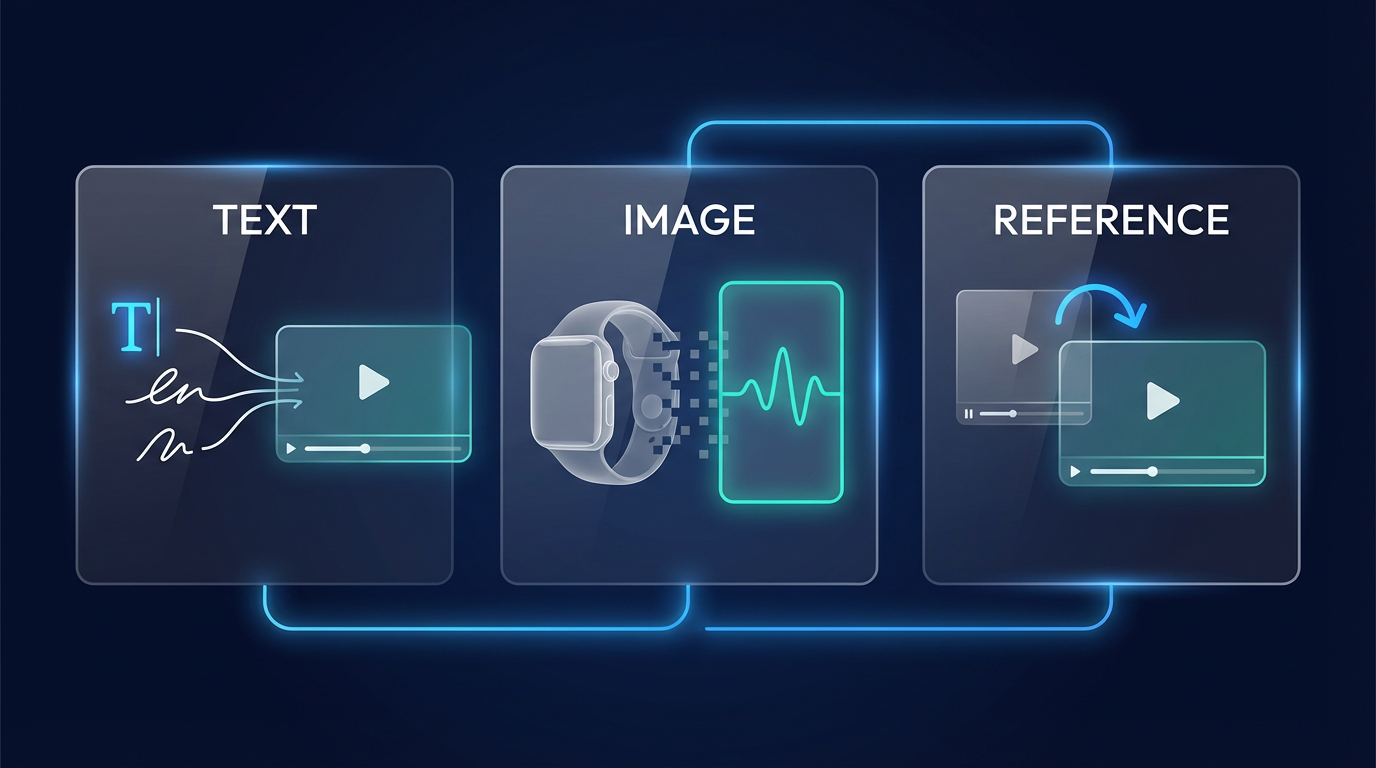
Mode 1 — Text-to-Video
You write a brief. The agent generates the entire video — script, visuals, scene composition, motion, and voiceover — from your words alone. No existing footage or product imagery required.
This mode is best suited to:
- Concept-first briefs where you know the creative angle but don't have assets yet
- Rapid A/B hook testing — write 5 different opening hooks and generate all 5 in one batch
- Brand awareness content where atmosphere and storytelling matter more than product close-ups
Example brief: "Open with someone discovering our skincare product on a bathroom shelf, surprised reaction, ASMR unboxing, ends with clear skin reveal. Warm morning light. 15 seconds. 9:16."
Practical tip
The more specific your brief, the more controllable the output. Vague briefs produce generic videos. Specifics like lighting mood, pacing, hook type, and scene transitions are all fair game.
Mode 2 — Image-to-Video
Upload 2–4 product photos. The agent analyzes them and generates a dynamic, platform-native UGC clip — adding motion, scene transitions, voiceover narration, and visual composition automatically.
This is the most widely used mode among ecommerce brands because the input barrier is so low: every brand already has product photography.
This mode works particularly well for:
- Shopify and Amazon catalog items where product photography already exists
- Before/After and product reveal formats where the visual sequence is the message
- Seasonal campaigns where you need volume quickly around a product line
- New SKU launches before any video production has been scheduled
Mode 3 — Reference Video Replication
Upload or link a high-performing UGC video — your own best-performing ad, or a competitor's viral post — and the agent recreates its underlying creative structure using your brand's assets. Same hook mechanics. Same pacing rhythm. Same scene architecture. Your product, your brand colors.
This mode is powerful for:
- Scaling a winning creative formula across new products or audiences without rebuilding from scratch
- Applying viral TikTok trends to your own product without needing trend-aware production talent
- Maintaining creative consistency across large ad sets while still generating unique variants
When to combine modes
Many experienced Designkit users combine modes across a single campaign: Text-to-Video for concept exploration, Image-to-Video for the core SKU set, and Reference Replication to clone the top performer across additional product lines.
4. Platform-Specific Workflows
The generation process adapts to your destination platform. Here's how it works in practice for the two most common ecommerce contexts.
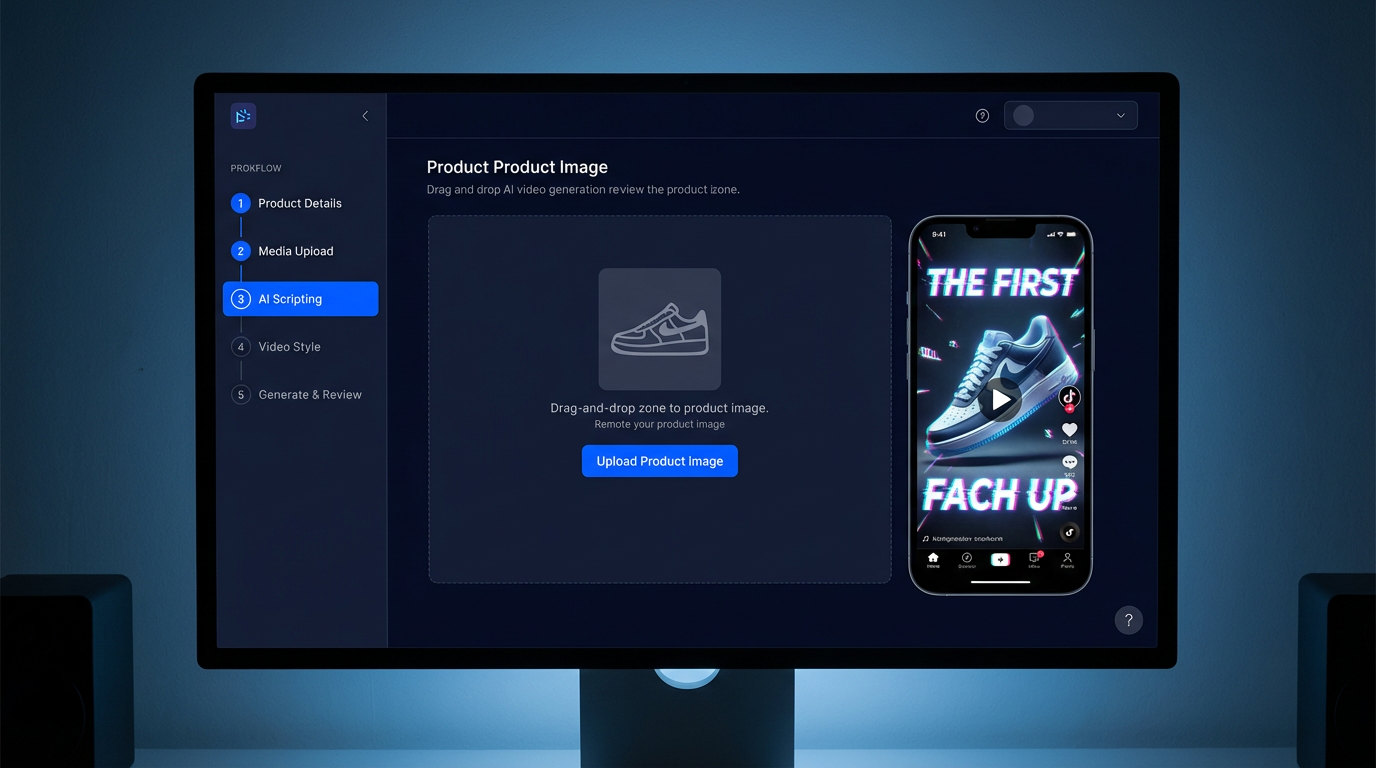
Shopify → Meta / TikTok Spark Ads (5-minute workflow)
This is the fastest path from product page to live ad. Most brands complete it in under five minutes on their first attempt.
|
Step |
Time |
What happens |
|
1 |
0:00–0:30 |
Install Designkit from the Shopify App Store. Select a SKU. The app auto-pulls the hero image, price, and alt-text — no manual upload. |
|
2 |
0:30–1:00 |
Choose your generation mode: Text-to-Video if you're briefing from scratch, Image-to-Video if you're working from product photos, or Reference Replication if you have a winning ad to clone. |
|
3 |
1:00–2:00 |
Upload brand logo and optionally a model reference image (or generate an AI avatar). The agent weaves these into every frame. |
|
4 |
2:00–4:00 |
Hit Generate. Seedance 2.0 produces three variants in 90–120 seconds — each with a different hook, pacing, or CTA treatment. Preview all three. |
|
5 |
4:00–5:00 |
Select your preferred variant. It saves to Shopify Media automatically and is immediately available for Meta Ads Manager and TikTok Ads Manager. |
Download: 5-Minute Shopify UGC Workflow — Screenshot Pack (PDF, 14 pp.) → designkit.com/resources/shopify-ugc-workflow
Amazon A+ and Main Image Video
Amazon's content guidelines are strict — pricing overlays, competitive comparisons, and unverified claims all trigger review rejection. Designkit's agent includes a built-in Amazon TOS compliance layer that screens every generation before download.
The five-step Amazon workflow:
- Upload 3 product angles (360° where possible) plus your ASIN if available — the agent auto-pulls your listing title and bullet points for context.
- Brief the agent: describe your product's core benefit, target customer, and desired tone. Or use Reference Replication to match the structure of a high-performing A+ video in your category.
- The agent generates two versions simultaneously: an A+ Content Module video and a Product Detail Page main image video — different specs, one generation job.
- Run the built-in compliance pre-check. The system flags outputs that touch Amazon's 10 restricted zones — pricing, competitor references, absolute superlatives, unverified health claims — before download.
- Download MP4 + thumbnail in Amazon's exact specification (1920×1080, H.264, 30fps, under 30 seconds). Upload directly to Seller Central.
Important: Designkit is currently the only Seedance 2.0 platform with a built-in Amazon A+ compliance checker. This matters: failed Amazon video reviews delay listing updates and, in some categories, suppress ranking during the review period.
5. Platform Compliance — Meta, TikTok, and Amazon
The most common question we hear from brands considering AI UGC: "Will our ads get flagged or suppressed because they're AI-generated?"
The straightforward answer is no — with three conditions. And understanding those conditions matters more than the yes/no.
The three universal requirements
- Use authentic brand assets. Always start from your real product images, logo, and brand colors. Seedance 2.0 generates original synthetic characters — it does not create deepfake likenesses of real, identifiable people. This is the single most important compliance principle.
- Produce a minimum of 3 hook variants per ad set. Meta's 2026 Advantage+ algorithm actively rewards creative diversity. Running identical creative across an audience group triggers originality penalties. Three distinct hook treatments per audience is the current baseline.
- Export at 1080p minimum / 2 Mbps bitrate. Low-bitrate uploads trigger automatic quality suppression on both Meta and TikTok. Designkit exports at 2K by default.
Platform-specific notes
Meta / Instagram: Advantage+ Creative evaluates AI-generated videos on the same quality signals as filmed content. The generation method is not a ranking factor. Designkit outputs consistently score 'High Quality' in Meta's creative scoring tool when brand assets are properly provided.
TikTok Spark Ads: TikTok's June 2025 policy update explicitly permits AI-generated video under Spark Ads, provided real product assets are used and an AI disclosure is included. Designkit adds an optional disclosure overlay on export.
Amazon: Amazon's compliance risk is content-based, not generation-method-based. The compliance questions are identical whether you filmed the video or generated it: does it contain pricing, competitive comparisons, or unverified claims? The built-in pre-check handles this automatically.
Pre-launch compliance checklist
❑ No unauthorized likenesses of real, identifiable people
❑ No competitor logos or trademarks visible in-frame
❑ No absolute superlatives in voiceover ('best', 'number one', '#1') without supporting substantiation
❑ AI-generated disclosure label included where required (EU, UK, California, and select US states)
❑ Product claims documentation on file for health, finance, and supplement categories
6. What Real Brands Have Achieved — Three Case Studies
The following cases are drawn from Designkit customer campaigns. All data points are verified against platform analytics or provided directly by the brand.
Peachtree Home Goods — Scaling Meta Ad Volume Without Scaling Headcount
Peachtree is a Shopify-native home goods brand generating roughly $180K monthly GMV. Their content problem was straightforward: they needed 60 UGC videos per month to sustain their Meta ad frequency strategy, and their existing agency was charging $650 per video.
That's a $39,000/month production budget — workable at their revenue level, but leaving almost no margin for creative testing. When a concept underperformed, they had no budget left to iterate.
Switching to Designkit's Image-to-Video mode, a single operator now maintains the full 60-video monthly output using their existing product photography catalog. The results after 90 days:
|
CAC |
Monthly production cost |
ROAS |
|
↓ 27% |
$39,000 → $5,400 |
2.1 → 3.4 |
Glowly Beauty — Solving Amazon A+ Review Rejection
Glowly is an Amazon FBA beauty brand. Their problem was specific: their self-produced A+ videos had a sub-40% first-review pass rate. Each rejection reset a 3–5 business day review cycle and suppressed new listing momentum.
They switched to Designkit's Image-to-Video mode with the built-in Amazon TOS compliance pre-check enabled. Product photos feed directly to the agent; every output is screened against Amazon's 10 restricted content categories before download.
|
First-review pass rate |
Detail page conversion rate |
|
<40% → 92% |
4.8% → 6.7% |
PawSnack Pet Treats — 200 TikTok Assets in 30 Days
PawSnack needed 200 TikTok UGC assets in 30 days for a new product launch — a volume that would have required simultaneously managing 20–30 UGC creators to achieve through traditional channels.
Using all three generation modes in combination — Text-to-Video for concept exploration, Image-to-Video for the product-photo-driven SKU set, and Reference Replication to clone their own top-performing TikTok ads across new products — they hit 200 videos in 3 working days via batch API.
|
Viral breakouts (VV > 1M) |
Launch-month GMV |
Time to 200 assets |
|
2 videos |
$112,000 |
3 working days |
Case study data provided directly by brands and verified against platform analytics. Individual results vary.
7. AI UGC vs Human Creators vs Agency — An Honest Comparison
AI UGC is not the right choice for every situation. Here's an honest breakdown of where each model works best, without the promotional spin.
|
AI UGC (Designkit) |
Human Creator |
Outsourced Agency |
|
|
Cost per video |
$9 (60 sec) |
$350 – $800 |
$250 – $650 |
|
Delivery time |
2 – 5 minutes |
2 – 4 weeks |
1 – 3 weeks |
|
Monthly capacity |
Unlimited |
5 – 10 videos |
20 – 40 videos |
|
Brand consistency |
★★★★★ (asset lock) |
★★ (personal style) |
★★★ |
|
Perceived authenticity |
★★★★ (82% blind test) |
★★★★★ |
★★★ |
|
Iteration speed |
Minutes |
Weeks |
Days to weeks |
|
Compliance risk |
Low — no real portraits |
High — contract risk |
Medium |
|
Best for |
≥ 20 videos/month |
≤ 5 premium videos |
5 – 30 videos |
Authenticity figure from Designkit internal blind study: 200 DTC marketing professionals evaluated videos generated by Seedance 2.0 using product images only. March 2026.
The honest answer is that AI UGC and human creators occupy different roles. AI UGC wins on volume, speed, and cost at scale. Human creators win on nuanced storytelling and organic audience trust — particularly in early-stage community building. The best-performing brands in our network use both.
Where AI UGC is not the right choice: early-stage brand identity work, premium lifestyle campaigns where high production value is the message itself, or categories where authentic human testimony is a hard purchase driver (e.g., complex health products with nuanced efficacy claims).
AI UGC in 2026 is no longer a novelty experiment. For ecommerce brands producing more than 20 videos a month — or any brand that wants to get to that volume — it represents a genuine structural change in how performance creative gets made.
The three-mode approach (Text-to-Video, Image-to-Video, Reference Replication) means there's an entry point regardless of your starting assets. Most brands find that Image-to-Video, fed by existing product photography, delivers the fastest time to first result. From there, Reference Replication becomes the primary scaling lever once you have a winning creative formula to clone.
What AI UGC won't do: replace the creative judgment that determines what to make. The agent executes; the brief still matters. Brands that invest in writing clear, specific briefs consistently outperform those that treat generation as a black box.
The brands winning with AI UGC in 2026 aren't the ones using the most sophisticated tools — they're the ones with the clearest understanding of what their audience responds to, and the production velocity to test it at scale.
Ready to try it? Designkit's first three generations are free — no credit card required.
Generate my first UGC video free →
This article was written and reviewed by the Designkit editorial team. Data and benchmarks cited reflect Designkit customer campaigns (Jan–Mar 2026, n > 4,000 ad sets) unless otherwise noted. Individual results vary. Platform policies referenced are current as of April 2026 and are subject to change.
Frequently Asked Questions
Will AI-generated ads get flagged or suppressed on Meta or TikTok?
I only have product photos — no video footage. Is that enough?
Yes. Seedance 2.0's Image-to-Video pipeline is purpose-built for exactly this. Two to four product photos plus an optional model reference is typically sufficient to generate a 15-second, platform-native UGC video.
How does this compare to Meta Advantage+ AI-generated creative?
Meta Advantage+ generates layout and color variations from your existing creative assets. Designkit generates entirely new videos from scratch — from a text brief, product photos, or a reference video. The two tools solve different problems and work well in combination.
Can I batch-generate large volumes at once?
Yes. The Team plan supports batch API with up to 200 concurrent generation jobs per workspace. A 200-video batch typically completes in under 3 hours.
What file formats does Designkit export?
MP4 (H.264 / H.265), MOV ProRes, WebM. Up to 2K resolution, 30 or 60 fps, adjustable bitrate from 2 to 100 Mbps. All formats meet Meta, TikTok, Amazon, and Pinterest spec requirements natively.
Do I need to label ads as AI-generated?
In the EU, UK, and California, disclosure is required for realistic human portrayals. Designkit's export flow includes an optional AI-disclosure overlay. Regulations are evolving; we recommend checking current requirements in your specific market before launching.
What's the cost to produce 20 UGC videos a month?
On the Lite plan: $0.15/second × 15 seconds × 20 videos = $45/month. Pro plan at $0.62/second for hero-quality output — typically used selectively for top-performing creative. Compare this to a $9,000/month agency budget for the same volume.
Is my product imagery kept private?
Yes. All uploaded assets are stored in your private workspace. Customer data is never used to train models, and assets are not shared across accounts.
Do you support agency accounts for multiple clients?
Yes. The Team plan includes per-client workspaces, SSO/SAML authentication, and white-label export. Designed for creative agencies managing performance content at scale.
What happens if a generated video comes out low quality?
Failed generations trigger an automatic credit refund within 24 hours. Manual quality complaints are reviewed within 48 hours with a guaranteed credit decision.
You May Also Like
Kling Motion Control: When to Use It for Product Clips (2026)

Halloween Poster Ideas for Parties, Sales and Social Posts
TikTok Carousel: How to Create and Post Photo Carousels

2026 Nail Color Trends: Top Shades and Styles

Local Business Marketing: Ideas, Priorities and Ways to Get Local Customers
Social Media Audit: How to Review Performance and Find What Works
Social Media Content Planner: Plan & Schedule Posts
Best AI Ad Generators in 2026: Tools for Creating Better Ads
Motion Graphics: Types, Examples and Creation Guide
How to Build a Personal Brand: A Strategic Guide
Seedance vs Kling: Which AI Video Model Fits Product Clips?
Seedream vs GPT Image: Which Fits Ecommerce Product Photos? (2026)
How to Create a YouTube Channel for Your Business in 2026
Seedream 5.0 AI Review for Ecommerce Product Images
How to Use Google Veo 3.1 for Ecommerce Product Video
Nano Banana 2.1 Review: Features, Release Date & What’s New
Remove.bg Shutting Down Dec 1, 2026: What Users Are Saying
Amazon Individual vs Professional Selling Plan

How to Create an Amazon Seller Account: Requirements and Steps
Amazon Product Video Requirements: Specs & Upload
Amazon Brand Registry Requirements: Trademark, Account & Cost

Amazon Global Selling: How to Open Multiple Marketplaces
How to Make an Event on Facebook: Complete Setup Guide (2026)
Amazon Sponsored Brands: What They Are and When to Use Them
Amazon Sponsored Products: How to Launch Your First Campaign

Amazon Vine Program for Sellers: Get Early Product Reviews

7 Best Remove.bg Alternatives in 2026: Free & Paid Tools

Amazon A+ Content Dimensions: Module Image Sizes
Print-On-Demand Designs: Create, Prepare, and Preview Your Work

T-Shirt Design Size Guide: Placement, Dimensions, & DPI

Amazon A+ Content: What It Is and What to Build First
Is Print on Demand Profitable in 2026? Products and Niches
Amazon Brand Registry Application: How to Submit and Pass Review
How to Ship to Amazon FBA: Your First Shipment

What Is Amazon FBA? Should Beginners Use It in 2026

GPT Image 2 Prompts for Product Photos (Copy-Paste Examples)

How to List a Product on Amazon: Materials Checklist for First Listings

How to Get Ungated on Amazon: Restricted Category Approval Steps

Kling vs Veo for Product Video & UGC Ads (2026)

Nano Banana vs Midjourney for Product Photos and Campaign Visuals (2026)
Amazon Backend Keywords: Title, Bullets & Search Terms

How to Sell on Poshmark: A Complete Beginner's Guide

Zeely Reviews 2026: Features, Pricing, Pros, Cons & Alternatives
Instagram Carousel: What It Is, How to Post & Create One
What Is A/B Testing? A Practical Guide to Running Better Experiments

Best Time to Post on Instagram in 2026: Data & Tips
How to Get Verified on Instagram: Complete Guide
TikTok Monetization in 2026: Requirements & Ways to Earn

Instagram Desktop Posting Guide: Upload Posts, Stories & Reels
Nano Banana Prompts: 20+ Examples for Better AI Images
YouTube Shorts Monetization Requirements & Rules 2026

Hair Color Ideas 2026: Trending Shades & Virtual Try On

How to Write an Instagram Bio: Examples, Tips & Ideas
How Much Does YouTube Pay Per View? 1K, 100K & 1M Views
How to Make Money on Snapchat: 7 Ways to Earn

How to Get More Followers on Instagram in 2026
Best Time to Post on TikTok in 2026 for More Views
How to Repost on Instagram in 2026: A Simple Guide

Ideogram AI Review 2026: Features, Pricing & Alternatives

PixVerse AI Review 2026: Is It Worth Using for AI Videos?
Free Mac Photo Editor: 5 Tools Compared for Mac Users
How to Crop a Photo Into a Circle Online (Keep Quality)

Create TikTok Ads From One Photo: An AI Product Launch Kit
How to Make an Image Transparent Online (AI Guide)
Pixlr Background Remover Review 2026: Features, Pricing & Alternatives

How to Fix Overexposed Photos: Recover Highlights Fast

How to Animate a Picture with AI: Easy Step-by-Step Guide
OpenArt AI Review 2026: Features, Pricing & Alternatives
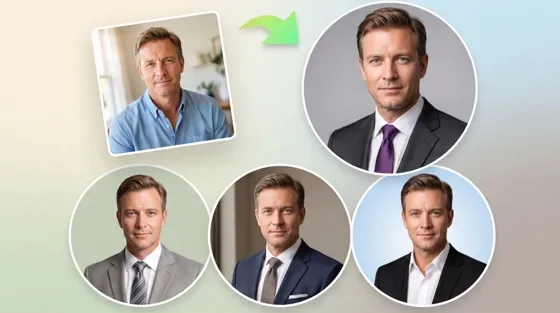
Best AI Headshot Generator: 9 Tools Compared for 2026
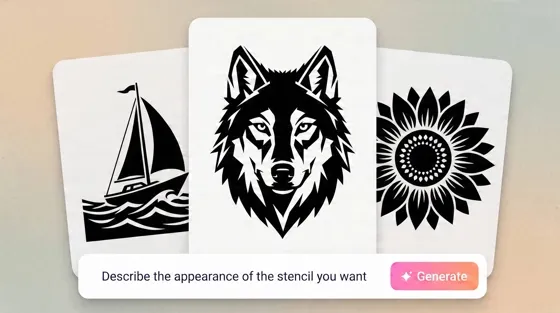
Best Stencil Maker Tools 2026: Turn Photos Into Stencils
Pixelbin Watermark Remover Review: Image & Video Results Tested
How to Make a Sticker on iPhone: Easy Step by Step Guide
Best AI Logo Generator in 2026: 10 Tools Compared
How to Turn a Photo Into a Cartoon: A Beginner-Friendly Guide

How to Write a Video Script: Structure, Tips & Examples

Depop vs Poshmark: Which Is Better for Selling in 2026?
Landscape vs Portrait: Key Differences & Best Uses in 2026

How to Create an Amazon Storefront: 4-Step Guide for New Sellers

How to Remove Watermark From Photo: AI, Photoshop & More

How to Sell Books on Amazon in 2026: Beginner Guide
How to Fix Pixelated Photos: Photoshop, AI Tools & Tips
Bing Image Creator: How It Works, Features, Uses & Alternatives

Best Products to Sell on Amazon: 10 Ideas for Beginners
How to Remove People from Photos with AI: A Step-by-Step Guide

What Is B-Roll? Meaning, Examples, and How to Use It
How to Increase Image Resolution: AI, Photoshop & PPI
How to Add Text to a Photo: 8 Tips for Better Results

How to Sell on Amazon in 2026: A Complete Seller Guide
How to Fix Grainy Photos: Easy Ways to Clear Images

How to Make a TikTok Video: A Step-by-Step Guide 2026

How to Make an Instagram Post: Step by Step Creation Guide

Social Media Copywriting: Tips, Examples & Best Practices
Creative Profile Picture Ideas for Every Style and Platform
Evoto AI Review 2026: Features, Pricing, Pros & Cons
Pixlr Photo Editor Review: Features, Pricing & Alternatives
Best AI Image Extender Tools in 2026: Expand Photos with AI

How to Make a Collage on iPhone: Easy Guide for 2026

What Are AI Fruits? The Trend, the Formats, and How to Make One
How to Sharpen an Image in Photoshop (Smart Sharpen and Unsharp Mask)

Seedance 2.5 Review: What Changed in ByteDance's New Model
Best Image Background Remover Tools in 2026: AI Tools Compared
How to Make Transparent Background in Paint: Step-by-Step Guide
How to Resize an Image: Best Methods, Tools & Quality Tips

LTX Studio Review: Features, Pricing & AI Filmmaking Guide
Best AI Image Generator Tools in 2026: Top AI Platforms Compared

Remove.bg Review 2026: Features, Pricing & Is It Worth It?

MiniMax H3: Features, Benchmarks, Pricing, and How to Use It

Luminar Neo Photo Editor Review 2026: AI Features, Price & Pros

How to Post Multiple Photos on Instagram (2026 Guide)

25 Facebook Cover Photo Ideas for Personal & Business Pages
What Is a PFP? Meaning, Examples & How to Create One
Multichannel Marketing Guide: Strategy, Tools & Examples
How to Create Digital Products That Sell in 2026

How to Make a Slideshow for Facebook: Photos, Music & Tips 2026

HeyGen vs Arcads: Which AI Video Tool Wins in 2026?

AI Product Photography: 7 Best Tools for Ecommerce in 2026
Can You Edit an Instagram Post After Posting?

Cyber Monday Marketing Ideas & Strategies (2026 Guide)
Black Friday Marketing Ideas for Ecommerce Brands (2026)
11 Best Canva Alternatives in 2026 for AI Design & Marketing
Instagram Marketing Guide: Strategies, Tips & AI Tools in 2026
8 Best Midjourney Alternatives in 2026: Features, Pricing & Comparison
Influencer Marketing Guide: Strategy, Campaigns & Creator Tips
How to Restore Old Photos: AI Tools, Tips & Best Methods

Arcads AI Review 2026: Features, Pricing, Pros, Cons & Alternatives
Pixelcut AI Review 2026: Features, Pricing, Pros, Cons & Alternatives

What Is a Hero Image? Definition, Examples & Design Tips
How to Apply Watermark to Photos: Methods, Tips & AI Tools
How to Remove a Background in Illustrator: 4 Easy Methods
How to Change Background Color on Instagram Story (Easy Guide)

Pippit AI Review 2026: Features, Pricing, Pros & Cons
8 Best AI Poster Generators in 2026: Create Posters Faster with AI
10 Best AI Image Enhancers in 2026: Tested & Compared
10 Best AI Image Editors in 2026: Features, Pricing & Comparison

7 Best AI Background Changer in 2026: Remove & Replace Photo Backgrounds
Luminar Neo vs Lightroom: Features, Pricing & Comparison 2026
Kittl Review 2026: Is It Worth It? Features & Pricing

15 Best Things to Sell on Etsy in 2026 (Listing Tips Included)
WooCommerce vs Shopify 2026: Pricing, Features & Which Is Better
How to Sell on Facebook Marketplace: Beginner Guide (2026)
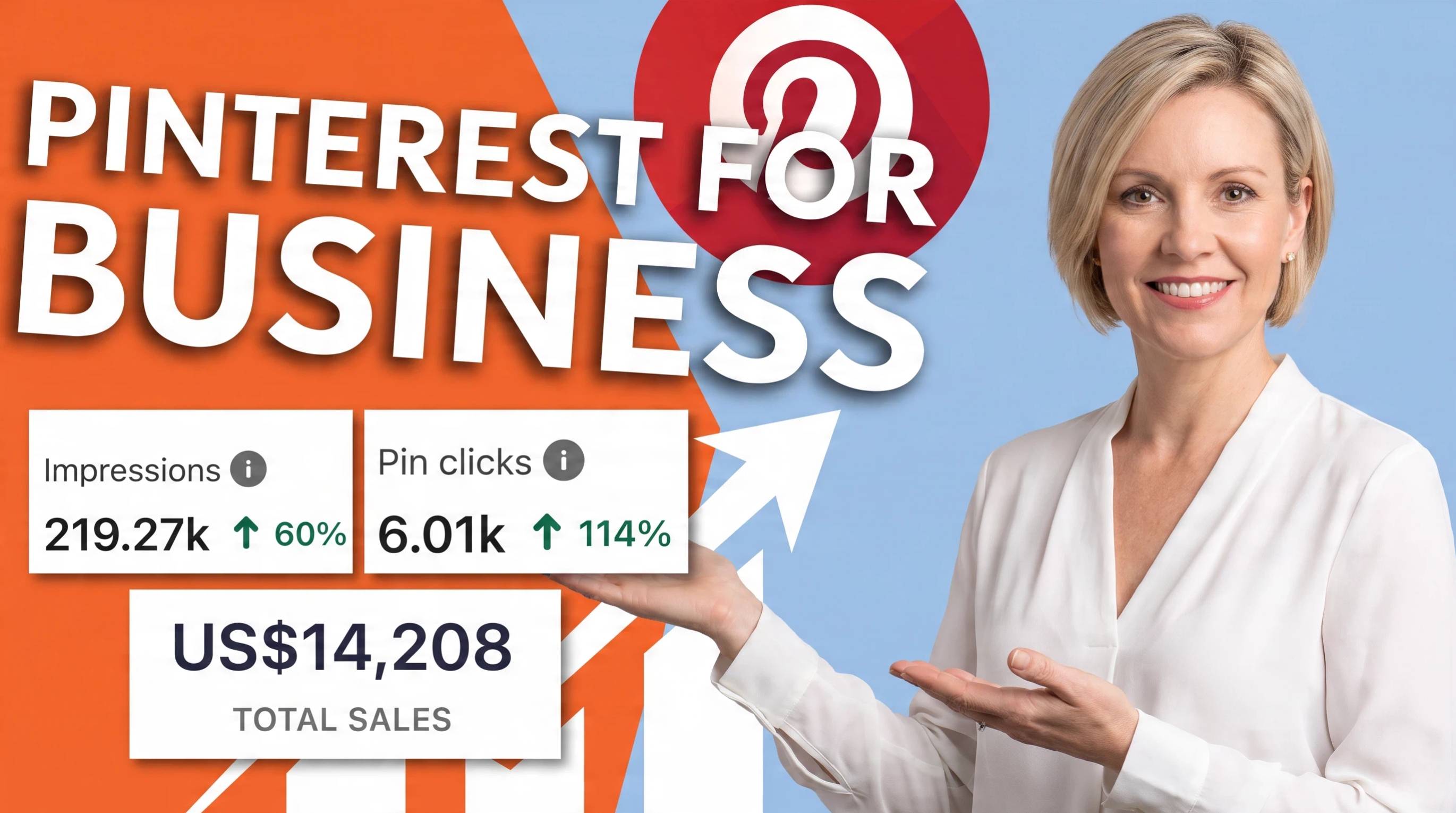
How to Use Pinterest for Business: Strategy, Tips & Growth Guide

How to Sell on Etsy in 2026: Setup, Listings & Growth Tips

What Is a Target Audience? Types, Examples & How to Find Yours
How to Make a Blurry Image Clear: 5 AI & Manual Ways
TikTok Marketing Guide 2026: Strategies, Ideas & AI Tools
How to Remove Background on iPhone: 5 Easy Methods (2026)
Photoroom Background Remover Review 2026: Features & Alternatives
How to Remove Background in Canva: A Step-by-Step Guide
How to Remove Background in GIMP: Beginner-Friendly Guide

How to Celebrate National Dog Day 2026: Date & Easy Ideas
Funny Dog Memes to Try: Doge Meaning and 10 Original Ideas
Back to School Checklist 2026: Supplies, Timeline, and Planning
Recraft AI Review 2026: Features, Pricing, Pros, Cons & Alternatives
How to Make an Image Transparent in Google Slides: Opacity & Background Removal

VanceAI Photo Enhancer Review: Features, Pricing & Alternatives in 2026
Vibe Marketing Explained: Strategy, Examples & AI Tools
How to Sell on Depop: Beginner Guide to Getting Your First Sale
What Does Emojify Mean? Text, Photos, & Emoji Art Explained

Back to School Ad: 7 Creative Ideas for Better Campaign Results

Top 7 Back-to-School Sales Ideas to Boost Retail Sales (2026)
Top 8 Online Background Removers for Ecommerce Photos (2026)
How to Remove Background in Photoshop: 7 Easy Methods
6 Best AI Image Upscalers 2026: Tools Tested & Compared

Luma vs Seedance (2026): Ray 3.2 or Seedance 2.0?

15 Simple Self-Care Ideas for Busy Schedules and Daily Life

Celebrate International Cat Day 2026: Date & 10 Fun Ideas
Project Indigo Review: Is It Better Than iPhone Camera?

How to Match Makeup by Undertone: Virtual Lipstick and Foundation Try-On

Chic Outfit Ideas for Every Occasion: 15 Stylish Looks & Tips
How Big Is an 8x10 Photo? Size, Pixels & Frame Guide
How Big Is a 4x6 Photo? Dimensions, Pixels & Printing Tips
Picsart AI Review: Features, Pricing, Pros, Cons & Alternatives
Lovart AI Review: AI Design Agent Features, Pricing & Alternatives

Fotor AI Image Generator Review: Features, Pricing & Alternatives

How to Add Emoji to Photo Online for Free
Online Advertising Guide: Types, Costs & Examples (2026)
Facebook Advertising Guide: Costs, Strategy & Tools 2026
What Are E-commerce Ads? Examples, Strategy & Tools (2026)
Where to Sell Handmade Items Online (2026): Etsy, Amazon, or Shopify?
Shopify vs Amazon (2026): Brand Store or Marketplace FBA?
Amazon Handmade vs Etsy (2026): Which Is Better for Makers?
Etsy vs eBay (2026): Handmade, Vintage, or Secondhand?
Selling on Amazon vs eBay (2026): Fees, Profit & Where to Sell

What Is Brand Awareness? Examples, Strategies & Tools 2026

10 Best Online Selling Platforms (2026): Pick by What You Sell
Shopify vs Etsy (2026): Which Is Better for Handmade Sellers?

Wedding Dress Styles for Every Body Type: A Practical Guide for 2026
Emoji Wallpaper Ideas & How to Make One Online (2026)
YouTube Automation Step-by-Step AI Guide for Beginners
What Is Brand Identity? Examples, Elements & Strategy
Creatify AI Reviews: Features, Pricing & Alternatives (2026)
Minimalist Poster Design: How to Make a Clean Poster (2026)
What Are Satisfying Videos? Types, Tips & How to Make (2026)

How to Find a Product by Image: 7 Methods That Work (2026)

How to Make a Custom Poster That Is Ready to Print

Gemini Omni Review: Real Tests, Pros & Limitations for Video Generation

How to Generate Product Videos from Images with AI (2026 Guide)
Instagram Image Size Guide 2026: Post, Reel, Story & Carousel Specs

AI Marketing Agent: How It Works, Benefits & E-Commerce Examples

Aesthetic Poster Ideas: Find Your Style and Create Printable Art
How to Create a Product Launch Video with AI: A Step-by-Step Guide
LinkedIn Image Size Guide: Profile, Post & Banner Dimensions
YouTube Profile Image Size: Best Dimensions & Safe Area 2026
What Is Personalized Advertising? Examples & How It Works
How to Build a Shopify Store That Actually Converts Visitors
What Is a Brand Video? Types, Examples & How to Create One

How to Create a Complete World Cup Product Listing Image Set

20 FIFA World Cup Merchandise Ideas That Fans Actually Buy
AI Product Demo vs Live Demo: Which Gets More SaaS Sign-Ups?

How to Create Amazon Summer Sale Posters and Banners with AI

Amazon Summer Sale 2026: Listing Design Trends & Product Image Ideas
How to Create AI Product Promotion Videos in Minutes (Step-by-Step)
Best AI Product Video Ad Generators for Ecommerce in 2026

Father's Day Gift Ideas: Personalized Card, Poster and Video

Father's Day Card Ideas: Messages, Printable and Personalized Cards
Amazon Marketing Guide 2026: Strategies, Tips & Tools
Local Advertising: Strategies, Examples & Tools (2026)

What Is Branded Content? Examples, Strategy & Tools 2026
What Is Performance Marketing? Strategies & Examples 2026
Inbound Marketing: Strategies, Examples & Tools (2026)

How to Boost Ecommerce Sales: Proven Strategies That Work
How to Add Video to eBay Listing: Step-by-Step Seller Guide

Ecommerce Video Ads: 7 Strategies That Drive Higher Conversions

7 Best AI Virtual Makeup Try-On Tools for Realistic Results in 2026

AI Virtual Makeup Try-On: Boost Beauty E-Commerce Sales in 2026

Free Online Glasses Try-On Tools: See Yourself in Glasses Instantly

Top Virtual Ring Try-On Tools for Engagement and Wedding Rings in 2026

How to Try Shoes On Virtually: A Step-by-Step Guide

Best Virtual Shoe Try-On Tools for Ecommerce: 2026 Guide

How to Try On Wigs and Bangs Virtually to Find Your Perfect Style

How to Photograph Shoes for Your Ecommerce Store in 2026
Short Form Video Marketing for E-commerce: AI Video Guide
What Is Video Marketing? E-commerce Guide & Strategies 2026

Create Model Outfit Photos Instantly With AI Outfit Generator

Best AI Virtual Try-On Clothes Tools for Any Body Type
How to Edit Amazon Product Photos That Boost Sales Fast

Product Photography Ideas: Creative Tips & Techniques for Better Shots

Product Photography Pricing 2026: Full Cost Guide by Type
Google Veo 4 Explained: Features, AI Video Creation & What’s New

How to Try On Clothes Online with AI for Better Fit & Style

Virtual Nose Ring Try On Online Before Your Piercing

White Background Product Photography Guide & Tips 2026

Product Photography Starter Package: Gear Checklist 2026

How to Try Makeup Online with AI and Virtual Makeup Try-On Apps (2026)

How to Use Virtual Earring Try-On for a Flattering Look in 2026

How to Try On Engagement Rings Online with AI in 2026

Scale Your Jewelry Brand with Virtual Jewelry Try-On Solutions

How to Try Hairstyles on Your Face Online (Step-by-Step Guide)

Best Virtual Hairstyle Try-On Tools Online for Realistic Previews 2026

How to Use a Free AI Hairstyle Generator to Find Your Perfect Look

Virtual Hair Color Try-On Guide for Every Skin Tone (2026)

Virtual Wedding Dress Try-On Online for Brides in 2026

How to Choose the Right Sunglasses for Your Face Shape Online

How Accurate Is Virtual Glasses Try-On? AI vs AR Compared

Best Virtual Try-On Glasses Apps in 2026 (Free & Paid Tools)

How AI Virtual Try-On Is Transforming Eyewear Ecommerce

5 Best Virtual Try-On Glasses Tools for Ecommerce and Consumers 2026

How to Try On Glasses Online with AI in 2026 (Easy Guide)

How to Create Jewelry Photos with AI Models That Drive Sales in 2026

Shopify Product Photography Guide with Tips & Setup

AI-Generated Fashion Models: Technology, Brand Adoption & Trends

How to Batch Generate 100+ AI Clothing Model Photos Fast

7 Best AI Fashion Model Generators for Ecommerce in 2026

Amazon Main Image Requirements: Size, Guidelines & Tips

Shopify Image Size 2026: Complete Guide and Tips for Better Product Display

Studio Product Photography vs AI Product Photography in 2026

7 Product Photography Mistakes That Hurt Ecommerce Sales

AI Clothing Model Photos for E-Commerce: Platform Rules & Best Practices

How AI Virtual Try-On Helps Fashion Brands Boost Sales & Reduce Returns

AI Fashion Models vs Real Models: Which Is Better for Brands?

Best Free AI Fashion Model Generators for Real Product Photos

Virtual Outfit Try-On Guide: Plan Outfits Before You Buy

GPT Image 2 Review: Features, Prompts & E-commerce Use Cases

What Is an AI Clothing Model Generator? Full Guide for Sellers

Change Outfit Colors Online for Outfit Preview with AI Clothes Color Changer

Virtual Try-On Technology in 2026: How It Works & Key Trends

How to Create Amazon Infographics: Boost Sales with Compelling Visuals

10 Best Virtual Try-On Apps & Tools for Online Shopping in 2026

How to Create AI Fashion Models: Complete Step-by-Step Guide

How to Use AI Fashion Models for E-Commerce Product Photos: A Complete 2026 Guide

How to Virtually Try On Clothes Online: A Complete Guide

How to Create Outdoor Product Scenes Without a Photoshoot Using AI
GPT-Image-2 for Ecommerce Product Images: What It Means for Online Stores

Optimize Etsy Images for Mobile: Listing Photos That Convert

Amazon 7-Image Listing Strategy: Boost Sales by Optimizing Every Image

Happy Horse 1.0: The AI Video Model E-Commerce Sellers Need to Know About

Etsy Thumbnail Optimization: Keep Your Product Fully Visible
AI UGC for Ecommerce in 2026: Text-to-Video, Image-to-Video & Reference Replication Guide

The Etsy Thumbnail Formula That Drives More Clicks and Sales

HappyHorse AI Review: Features, Benchmarks & How to Use It

How to Create Pro Amazon Listing Photos Without a Studio

10 High-Converting Lifestyle Product Images for Amazon Listings

How to Automate Your E-commerce Visuals with OpenClaw Workflow

Top 5 AI Tools to Generate Amazon Product Listing Images in 2026

How to Turn One Photo into 10 Etsy Listing Images Fast: Batch Workflow

Etsy Listing Photo Size Guide (2026): Mobile, Desktop & Shop View Specs

Turn White Background Images into Lifestyle Amazon Listings

Fix Etsy Image Cropping: Optimize Listing Photos for Every Device

Amazon Listing Images: Essential Shot List & Optimization Guide

How to Create Lifestyle Product Images Without a Studio
Seedance 3.0 Predictions: Will AI Video Enter the Feature Film Era?
Grok AI vs ChatGPT: Features, Pricing & Best Choice (2026)
How to Use Grok AI: Features, Tips & Best Prompts (2026 Guide)
Sora Is Shutting Down? Best AI Video Alternatives for Creators in 2026

Lifestyle Product Photography Trends 2026: Authentic Looks at Scale

How to Master Lifestyle Product Photography in 2026

Amazon Listing Images Guide 2026: 7-Slot Strategy & Requirements

360 Product Photography Guide 2026: Setup, Shoot and Workflow

Beginner's Guide to Generate Product Photos from Different Angles

AI Product Photography: Create Ecommerce Images Without a Photoshoot

How to Create Realistic AI Product Photos: Step-by-Step Pro Guide

Keep AI Product Images Consistent Across SKUs: Lighting, Color, Background
Seedance 2.0 for Ecommerce: Create AI Product Videos in Minutes
Seedance 2.0 Review: Features, Improvements, Pricing & How It Works (2026)

How to Scale E-commerce with a Product Image Generator

How to Use AI for Spring Product Photography: 2026 Amazon Guide

How to Create a Budget Home Product Photography Setup with AI

How to Achieve Professional Product Photography Standards in 2026

How to Take Product Photos with Phone: Pro Guide for Amazon & AI
6 Best AI Product Image Generators in 2026

Amazon Photography Service vs. AI Generator: Best Choice for Sales

What Is Product Photography? Angles, Lighting & Editing Guide

Amazon Spring Sale 2026: Create High-Converting Listing Images (Guide)

AI Agents Transform Amazon Product Photography in 2026

Amazon Photoshoot in 2026: Do You Still Need a Studio?

11 Must-Have Tools for Amazon Product Photography in 2026

2026 Amazon Image Trends Shaping Seller Success and Conversions

Amazon Product Photography Requirements & Best Practices 2026
Make every product image ready to sell
Designkit is an all-in-one AI platform for ecommerce visuals. Create product photos, AI videos, virtual try-ons, and Amazon listing images in seconds. Generate HD backgrounds, batch edit photos, and scale your brand with studio-quality content.


