

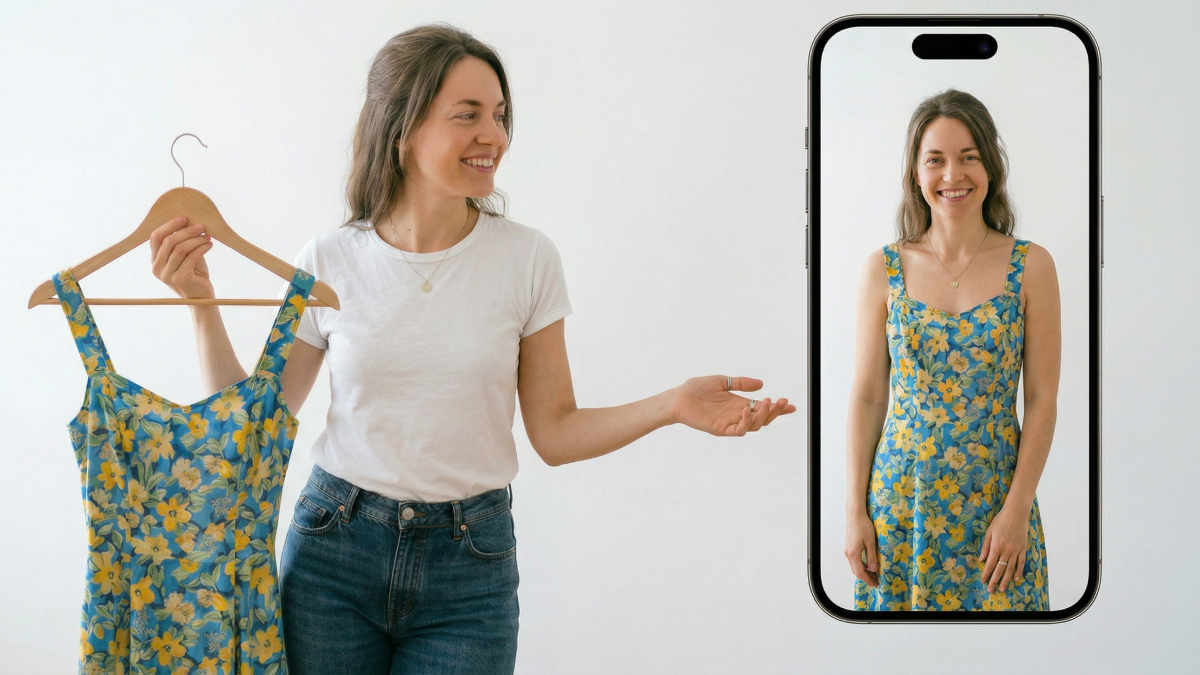
Modern e-commerce sellers now require quality visual content for their online stores. An AI fashion model generator offers a fast and affordable alternative to photoshoots. Traditional studio sessions usually take several weeks and cost thousands of dollars. However, new virtual try-on technology allows you to create effortless and amazing images instantly.
Therefore, you can generate professional model photos directly from your simple flat lay product shots. Thus, understanding how these systems work helps you make better business decisions overall. This guide will explore how to scale your brand using advanced artificial intelligence tools.
Part 1. What Is an AI Fashion Model Generator and Why It Matters for E-Commerce
An AI fashion model generator creates realistic model photos from simple product images. It helps online sellers replace expensive shoots with scalable digital content production workflows. Moreover, this innovation connects directly with evolving virtual try-on technology used in ecommerce.
According to Fortune Business Insights, the global fashion artificial intelligence market will reach over $2 billion by 2026. Nowadays, brands need faster image production to compete across marketplaces. So, AI solutions reduce costs and support consistent branding across large catalogs. Hence, as ecommerce grows globally, the quality of visual content strongly impacts conversion rates and customer trust.
1.1. How AI Fashion Model Generators Actually Work
An AI fashion model generator turns flat images into realistic on-model photos instantly. The system uses advanced diffusion models to blend garments onto digital subjects with precision. It is important to clearly distinguish this professional technology from basic virtual try-on solutions used in e-commerce.
1. B2B Content Production: Generators create high-resolution listing assets for professional e-commerce brands.
2. C2C Shopping Experience: Shoppers use fitting tools to visualize clothes on their own personal bodies.
3. Automated Image Synthesis: Systems automatically match lighting and proportions to ensure a very believable fit.
4. Scalable Visual Output: Sellers can generate hundreds of unique model photos in just a few minutes.
1.2. Why Fashion Brands Are Moving Away from Traditional Photoshoots
Many modern brands are now prioritizing fashion try-on AI over traditional studio sessions. Traditional photography sessions present three major challenges for modern and fast-growing fashion brands. Thus, the following table highlights why physical shoots are becoming less practical for digital sellers:
|
Core Pain Point |
Traditional Photoshoot Impact |
AI Fashion Model Benefit |
|---|---|---|
|
High Production Cost |
Costs typically range from $500 to $2,000 per session. |
Reduces per-image costs to just a small fraction of studio fees. |
|
Slow Turnaround Time |
Waiting 1 to 3 weeks for final delivery slows down every launch. |
Delivers polished and listing-ready images in hours instead of several long weeks. |
|
Limited Model Diversity |
Single models cannot cover multiple ethnicities or body types for global markets. |
Supports diverse representation across all regions with just one product |
Recent virtual try-on news confirms that digital automation is now a priority. Many brands are now prioritizing fashion try-on AI over traditional studio photography sessions. By adopting these new tools, sellers can generate a variety of body types instantly and easily.
Moreover, a Business Research Insights report states that 60% of online consumers choose their purchase decisions based on product image quality. This transition allows companies to scale their visual catalogs across multiple global markets. Ultimately, these core pain points are driving the rapid rise of digital generators.
Part 2. AI-Generated Model Photos vs Traditional Photoshoots — A Side-by-Side Comparison
Choosing the right visual strategy requires a careful look at modern production methods. An AI fashion model offers unique advantages that traditional photography cannot match. However, smart business owners must evaluate every single factor before making their choice. This section provides a data-backed comparison to help you optimize your content workflow. We will examine how digital generation stacks up against classic studio photoshoot sessions:
2.1. Comparing Cost, Speed, and Scalability
Modern sellers need to produce massive amounts of content without breaking their budget. The following table compares the AI fashion model approach to traditional photography methods:
|
Factor |
Traditional Photoshoots |
AI Fashion Model Approach |
|---|---|---|
|
Per-Image Cost |
$50 to $200 or higher per final image |
$1 to $10 per generated image |
|
Turnaround Time |
1 to 3 weeks, including editing |
Completed within hours or same day |
|
Batch Capacity |
Limited by scheduling and team availability |
Hundreds of images generated simultaneously |
|
Model Diversity |
Requires hiring multiple models and extra budget |
One-click changes across ethnicity and body types |
|
Scene Flexibility |
Physical sets require planning and setup time |
AI generates multiple backgrounds instantly |
This comparison shows how scalability improves significantly with fashion model solutions. High-SKU sellers benefit because marginal production costs decrease with larger output volumes. AI tools also function as an AI clothes changer for flexible visual experimentation.
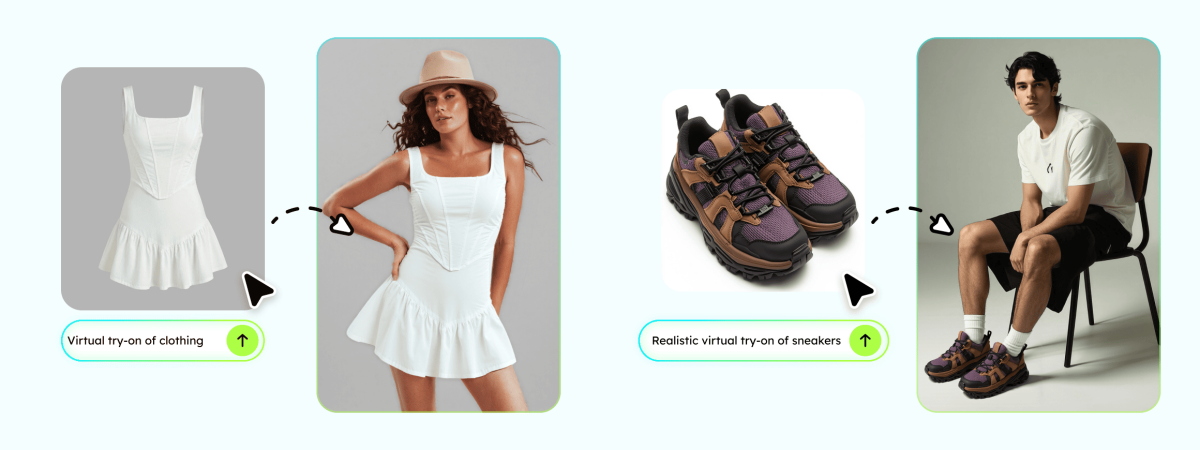
You can swap garments across models and scenes using a single source image. Furthermore, FashionINSTA shows that brands using advanced, AI-powered digital imagery can go to market 70% faster than traditional brands. So, this capability improves efficiency while maintaining consistent product presentation quality.
2.2. Where Traditional Photoshoots Still Make Sense
Although AI fashion model tools dominate scalability, traditional shoots still have specific advantages. These scenarios require real-world control, physical detail, and human creative direction:
1. High-End Brand Campaigns: Hero shots for major billboards usually require a professional human photographer.
2. Complex Video Production: Commercials and lookbooks often need real movement that AI cannot yet perfect.
3. Intricate Fabric Textures: Extreme close-ups of delicate lace or silk still favor high-end camera lenses.
These use cases demand realism levels that AI tools are still improving gradually. However, relying only on traditional shoots limits speed and scalability significantly.
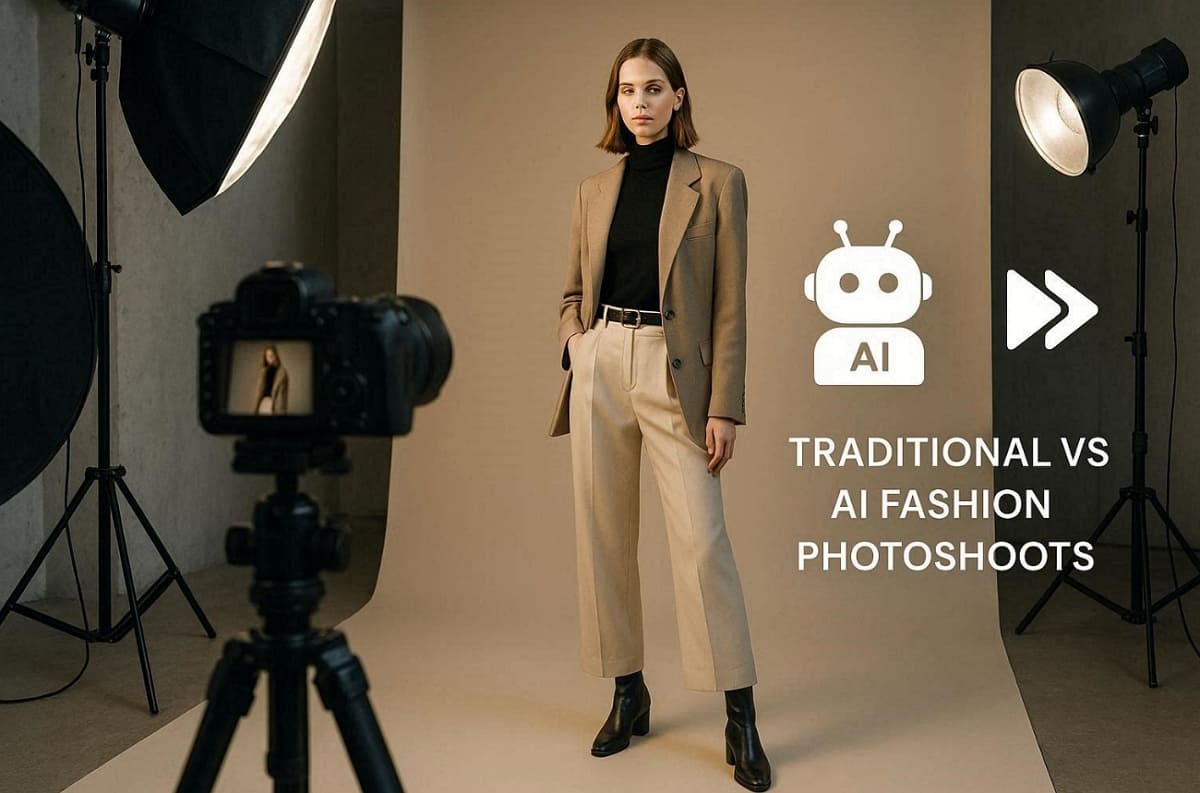
Recommended Strategy for Modern Ecommerce Sellers
1. Use traditional shoots for flagship products and high-budget campaigns
2. Utilize AI fashion model tools for daily listings and bulk product catalogs
3. Combine both approaches to balance cost, quality, and production speed
This hybrid model allows brands to stay competitive in this growing market. Yet, for most listing needs, AI delivers faster results with strong visual consistency.
Part 3. How to Create an AI Fashion Model Photos Step by Step
Creating professional visuals with an AI fashion model is a very simple process. You can follow clear steps to transform your product images into quality photos. Many small businesses report cutting visual content costs by 80%+ using AI-powered tools. Anyhow, this section walks you through the entire production workflow for your online retail store:
3.1. Prepare Your Product Images for AI Generation
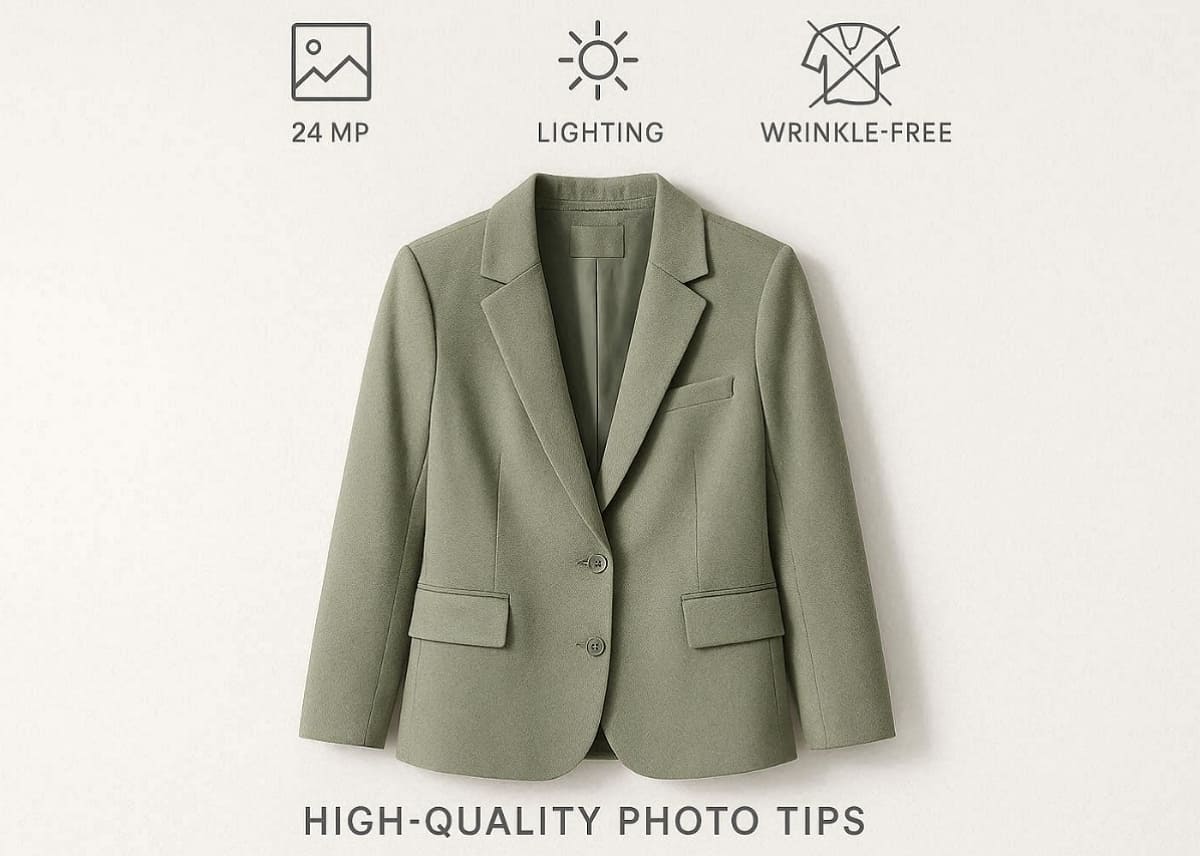
As explored, quality original photos are essential for achieving the best results with an AI fashion model. You must follow these specific guidelines to ensure your digital outputs look perfectly professional:
Essential Input Requirements
1. Background Setup: Always use a clean white background or hanging shot for every product.
2. Image Resolution: Ensure your original photo is at least 1,024 pixels wide.
3. Lighting Quality: Use even natural light to avoid harsh shadows on your garment's surface.
4. Garment State: Make sure your clothing items have minimal wrinkles before taking any original photos.
Common Mistakes to Avoid
1. Blurry images reduce clarity and negatively impact overall AI fashion model output quality.
2. Extreme perspective angles distort garment shape and lead to unrealistic fitting results.
3. Heavy occlusion hides product details and prevents accurate garment reconstruction by AI.
Quick Professional Tip: Standard smartphone photos work perfectly fine if the lighting and angles are strictly correct.
Following these simple preparation steps ensures your fashion model generates clean listing images. This careful attention to detail helps maintain a very high standard for your brand.
3.2. Choose Your AI Model Appearance and Scene Settings
Now you can customize your AI try-on experience by selecting specific subject parameters. Modern platforms allow you to define the perfect digital representative for your fashion brand. You can use the try it on AI features to adjust these core visual elements:
1. Model Parameters: Choose the gender, skin tone, body type, and age range for your subject.
2. Scene Settings: Select between solid-color backgrounds or realistic outdoor and street-style lifestyle settings.
3. Diversity Focus: AI natively supports diverse representation across every ethnicity and body type for sellers.
4. Market Localization: Use different models for various global regions without any extra photoshoot costs.
This approach ensures your brand remains inclusive and relevant across many different cultural markets.
3.3. Generate, Review, and Export Listing-Ready Images
Finally, let the AI fashion model generator produce your complete set of professional visuals. The standard generation workflow typically involves these 4 simple and very fast production steps:
1. Upload: Place your clean product photo into the chosen digital model generation platform.
2. Select: Pick your preferred model appearance and scene settings for the final image output.
3. Generate: Allow artificial intelligence to process and render your realistic on-model fashion photo.
4. Review: Conduct a manual quality check to ensure garment details and lighting remain consistent.
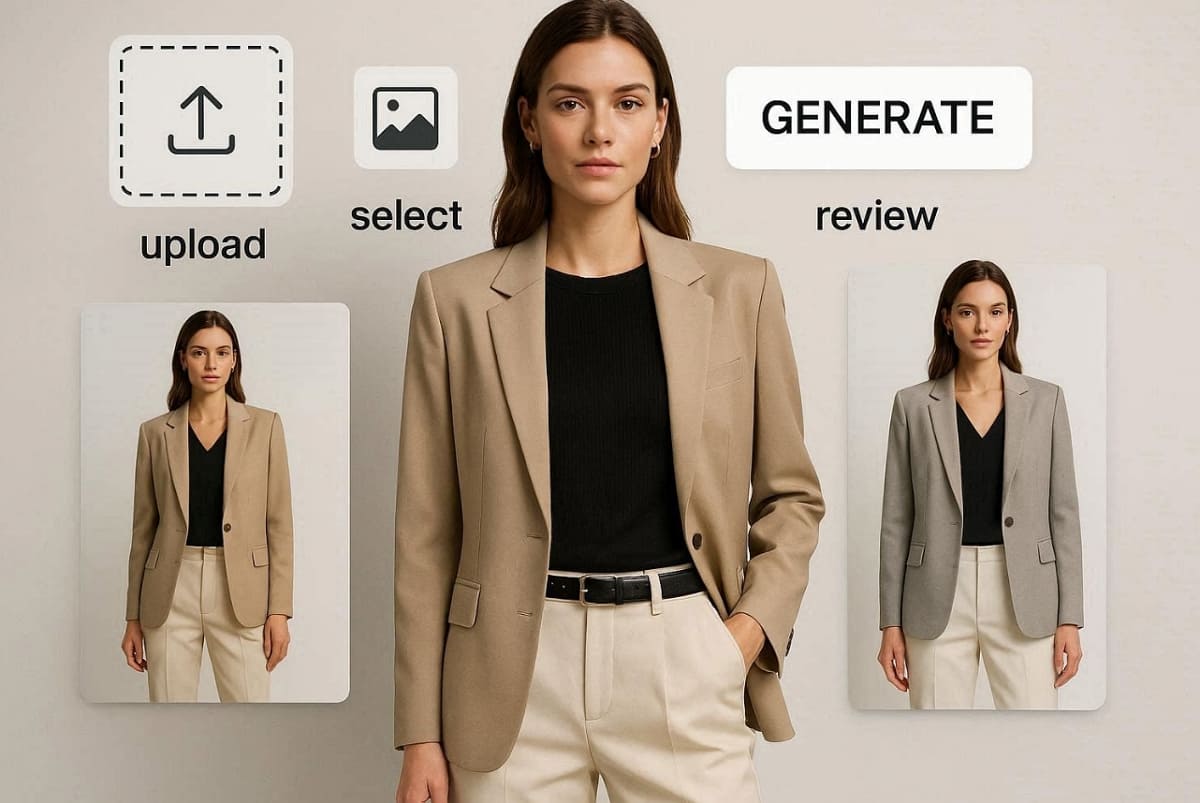
For instance, Designkit's AI Product Photography Generator lets you upload flat images easily. It converts one product into multiple AI fashion models for various use cases. You can also use its AI Product Listing Images Generator for platform-ready exports. It ensures your final images meet strict Amazon and Shopify marketplace resolution requirements. Thus, this streamlined process allows sellers to produce listing-ready visuals without needing any design skills.
Part 4. E-Commerce Scenarios Where AI Fashion Models Add the Most Value
Specific business situations highlight the true power of an AI fashion model generator. It even solves real-world production problems for both small and large online brands. Therefore, understanding these practical applications helps you maximize your total return on digital investments. We will now explore how different sellers utilize these tools for their daily operations:
4.1. Scaling Product Listings for Amazon, Shopify, and Other Marketplaces
Sellers with over 100 unique items often struggle to produce enough quality photos. Manually shooting large catalogs takes too much time and costs far too much money. Yet, using an AI fashion model allows you to gain various benefits, as explained below:
1. AI fashion model tools generate bulk product images for large inventory stores.
2. Sellers can create both hero images and lifestyle visuals in one workflow.
3. Listing creation time reduces from weeks to just a few days.
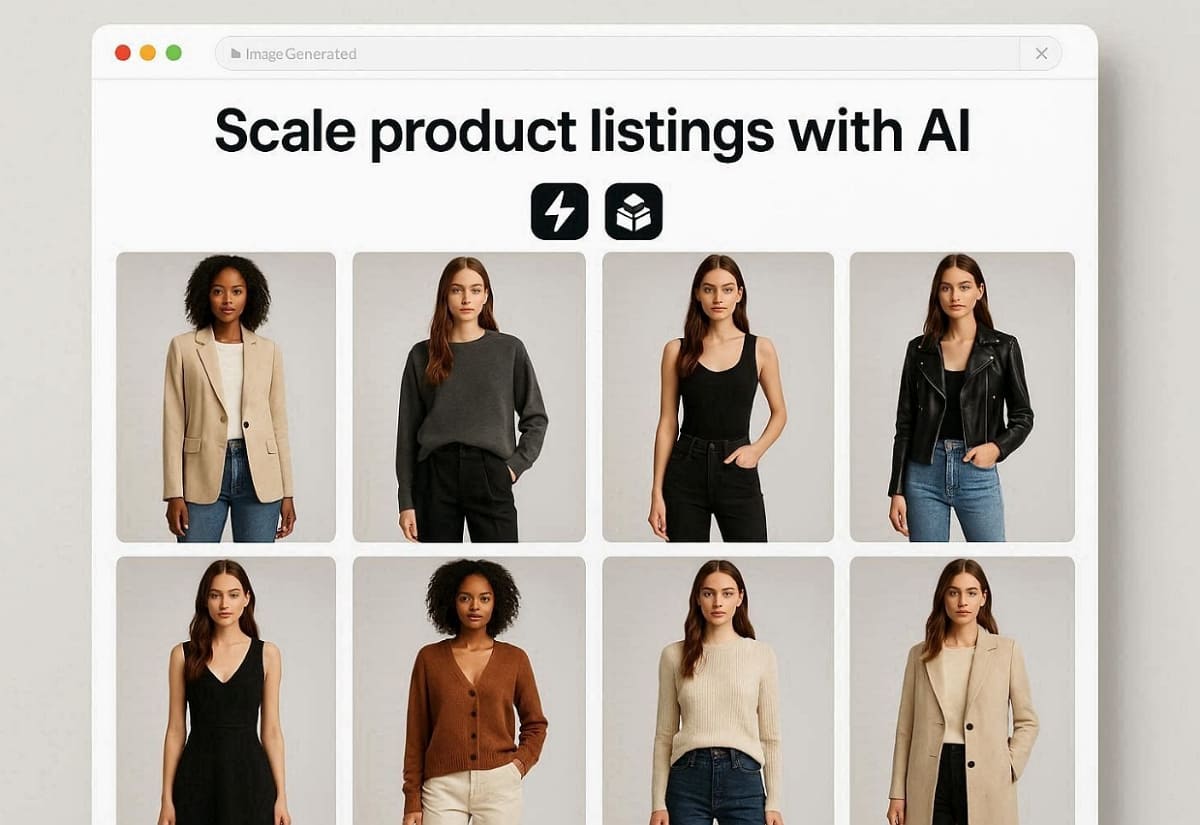
Along with that, tools like Designkit's Amazon Listing Images Generator can output compliant image sets directly. This approach ensures consistency while meeting strict marketplace image requirements easily. Furthermore, quality creative images have the potential to increase total sales by 30% annually.
4.2. Keeping Up with Fast Fashion and Seasonal Launches
Apart from the above, time pressure is a major factor for brands launching new seasonal clothing collections. The following table compares traditional seasonal workflows against modern digital automation:
|
Scenario |
Traditional Approach |
AI Fashion Model Advantage |
|---|---|---|
|
Product Launch Timing |
Requires weeks for photoshoot planning and delivery |
Generates images the same day after design completion |
|
Trend Responsiveness |
Slow reaction to fast-changing fashion trends |
Instantly adapts visuals using fashion try-on AI workflows |
|
Testing New Styles |
High cost limits experimentation across multiple designs |
Low-cost testing enables rapid validation of product ideas |
|
Seasonal Campaigns |
Delayed visuals may miss peak demand periods |
Immediate content creation ensures timely campaign launches |
This comparison highlights how AI fashion model tools improve speed and flexibility significantly. As a result, brands can launch collections faster while reducing dependency on traditional production timelines.
4.3. Localizing Product Visuals for Cross-Border E-Commerce
Different regions require localized visuals that reflect cultural and demographic preferences accurately. Furthermore, around 50% of leading retailers now integrate virtual try-on tools for global customers. Thus, a single AI fashion model setup can adapt images for multiple international target markets, as discovered below:
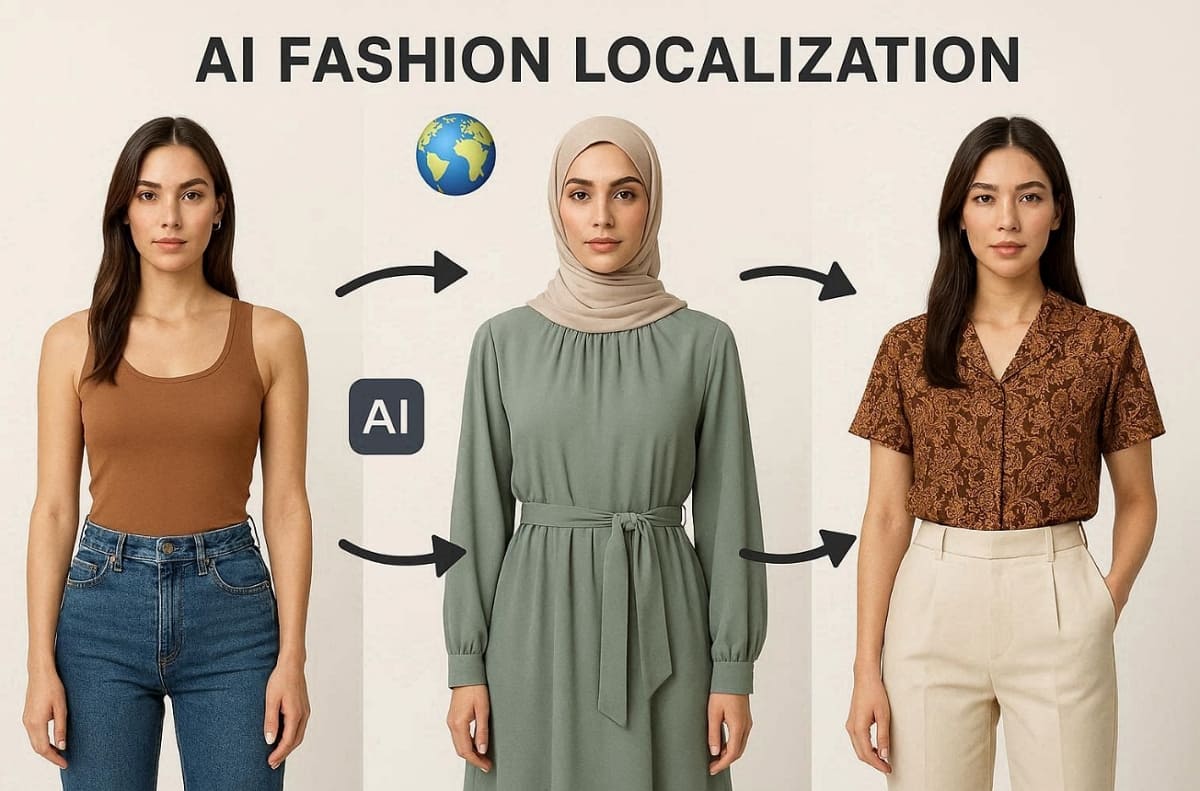
1. Western markets often expect diverse representation across different body types.
2. Middle Eastern markets may require modest styling and culturally appropriate presentation.
3. Southeast Asian markets prefer localized facial features and relatable visual identities.
Hence, an AI Outfit Generator helps brands adapt styles across various regional campaigns. Sellers can modify model appearance and scene settings without additional production costs. This flexibility reduces localization expenses while improving global conversion rates significantly.
Conclusion
In summary, adopting an AI fashion model generator will transform your professional photography workflow. These modern tools allow you to scale your production without high studio costs. Traditional photoshoots are no longer the only way to create high-quality marketing visuals. For example, Designkit helps streamline the entire process with simple, effective automation tools. This platform provides realistic results that help your brand stand out among competitors.
Frequently Asked Questions
Are AI-generated fashion model images realistic enough for ecommerce listings?
What is the difference between AI model generators and virtual try-on technology?
An AI fashion model generator creates static images for listings and for marketing content. In contrast,
virtual try-on technology
lets customers preview outfits on their own bodies. Both tools serve different purposes, but can work together in a complete ecommerce strategy.
Can I customize the model's appearance and the scene background for my brand?
You have complete control over subject parameters like gender, skin tone, and body type. Advanced platforms also include an AI clothes changer feature to swap garments across different scenes. This flexibility lets you match your brand aesthetic without renting physical locations.
Is using AI fashion model tools cost-effective for small ecommerce sellers?
AI solutions significantly reduce costs compared to traditional photoshoots for small ecommerce businesses. Sellers avoid expenses related to models, studios, and post-production editing services. This makes AI tools ideal for budget-conscious brands looking to scale visual content production efficiently.
Why is it important to use a professional tool for production?
Professional tools offer specialized automation features that ensure your final images meet strict marketplace resolution requirements. Their integrated system lets you generate and export listing-ready photos in just a few minutes. Thus, using Try It on AI with Designkit helps you maintain a high-quality brand identity.
You May Also Like

How to Match Makeup by Undertone: Virtual Lipstick and Foundation Try-On

Wedding Dress Styles for Every Body Type: A Practical Guide for 2026

7 Best AI Virtual Makeup Try-On Tools for Realistic Results in 2026

AI Virtual Makeup Try-On: Boost Beauty E-Commerce Sales in 2026

Free Online Glasses Try-On Tools: See Yourself in Glasses Instantly

Top Virtual Ring Try-On Tools for Engagement and Wedding Rings in 2026

How to Try Shoes On Virtually: A Step-by-Step Guide

Best Virtual Shoe Try-On Tools for Ecommerce: 2026 Guide

How to Try On Wigs and Bangs Virtually to Find Your Perfect Style

Create Model Outfit Photos Instantly With AI Outfit Generator

Best AI Virtual Try-On Clothes Tools for Any Body Type

How to Try On Clothes Online with AI for Better Fit & Style

Virtual Nose Ring Try On Online Before Your Piercing

How to Try Makeup Online with AI and Virtual Makeup Try-On Apps (2026)

How to Use Virtual Earring Try-On for a Flattering Look in 2026

How to Try On Engagement Rings Online with AI in 2026

Scale Your Jewelry Brand with Virtual Jewelry Try-On Solutions

How to Try Hairstyles on Your Face Online (Step-by-Step Guide)

Best Virtual Hairstyle Try-On Tools Online for Realistic Previews 2026

How to Use a Free AI Hairstyle Generator to Find Your Perfect Look

Virtual Hair Color Try-On Guide for Every Skin Tone (2026)

Virtual Wedding Dress Try-On Online for Brides in 2026

How to Choose the Right Sunglasses for Your Face Shape Online

How Accurate Is Virtual Glasses Try-On? AI vs AR Compared

Best Virtual Try-On Glasses Apps in 2026 (Free & Paid Tools)

How AI Virtual Try-On Is Transforming Eyewear Ecommerce

5 Best Virtual Try-On Glasses Tools for Ecommerce and Consumers 2026

How to Try On Glasses Online with AI in 2026 (Easy Guide)

How to Create Jewelry Photos with AI Models That Drive Sales in 2026

AI-Generated Fashion Models: Technology, Brand Adoption & Trends

How to Batch Generate 100+ AI Clothing Model Photos Fast

7 Best AI Fashion Model Generators for Ecommerce in 2026

AI Clothing Model Photos for E-Commerce: Platform Rules & Best Practices

How AI Virtual Try-On Helps Fashion Brands Boost Sales & Reduce Returns

AI Fashion Models vs Real Models: Which Is Better for Brands?

Best Free AI Fashion Model Generators for Real Product Photos

Virtual Outfit Try-On Guide: Plan Outfits Before You Buy

What Is an AI Clothing Model Generator? Full Guide for Sellers

Virtual Try-On Technology in 2026: How It Works & Key Trends

10 Best Virtual Try-On Apps & Tools for Online Shopping in 2026

How to Create AI Fashion Models: Complete Step-by-Step Guide

How to Use AI Fashion Models for E-Commerce Product Photos: A Complete 2026 Guide

How to Virtually Try On Clothes Online: A Complete Guide
Make every product image ready to sell
Designkit is an all-in-one AI platform for ecommerce visuals. Create product photos, AI videos, virtual try-ons, and Amazon listing images in seconds. Generate HD backgrounds, batch edit photos, and scale your brand with studio-quality content.


