
How to Master Shoe Product Photography: Traditional and AI Workflows
From studio setups to AI-generated shots—create consistent, conversion-ready shoe images across every SKU and campaign.

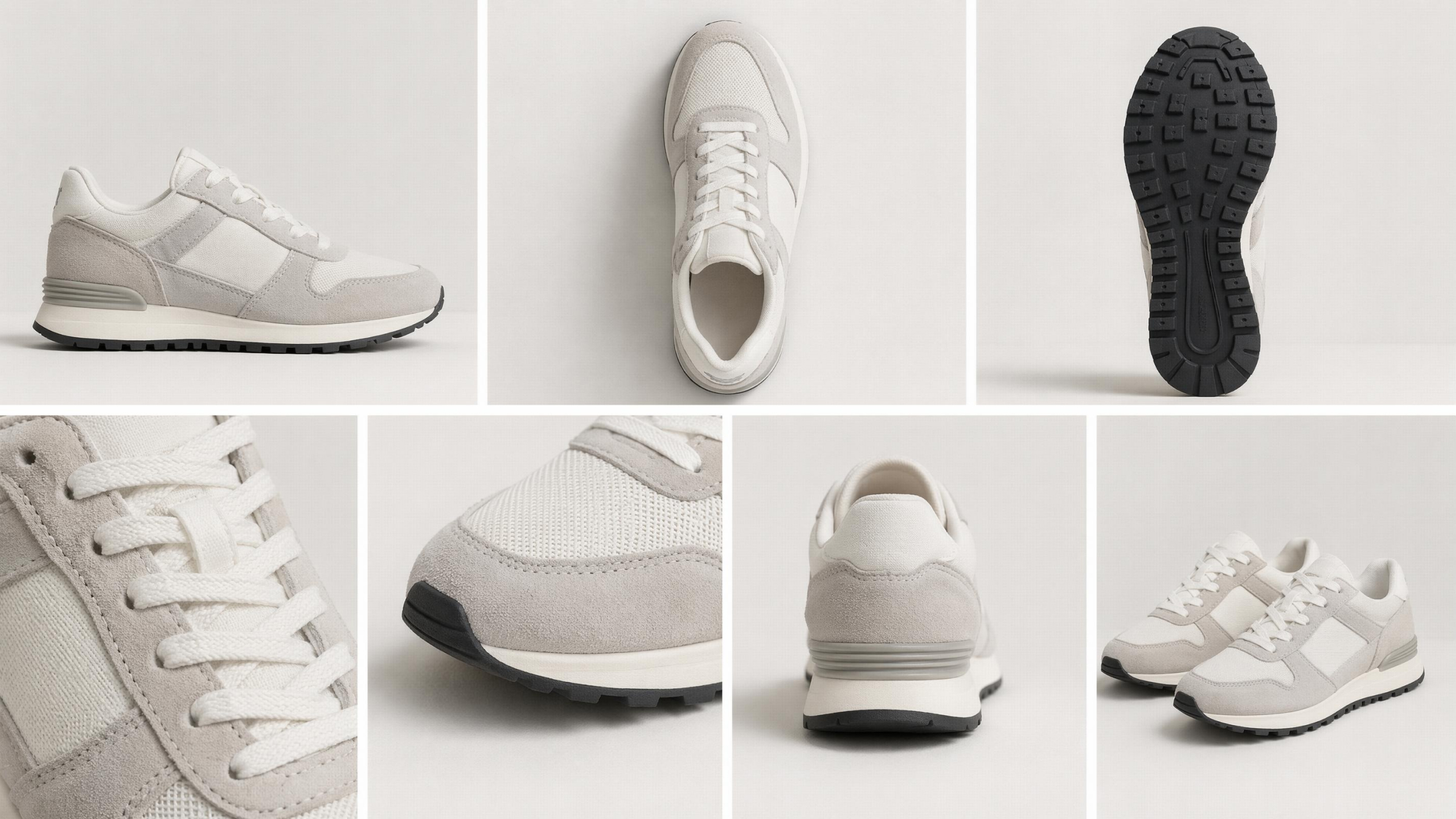
Shoe product photography plays a crucial role in driving conversions for ecommerce brands. However, creating consistent and quality ecommerce product images requires significant time and resources. Many sellers struggle to maintain visual consistency across multiple SKUs and seasonal product updates.
Traditional workflows involve studio setups and detailed editing for each product image. Meanwhile, modern solutions simplify how to create shoe product photography using scalable digital processes. Some tools now generate multiple image variations from a single source photo. Thus, this guide compares traditional methods and AI workflows to help you choose effectively.
What Makes Effective Shoe Product Photography for Ecommerce
Quality shoe product photography serves as the primary visual hook for online buyers. Effective images must communicate comfort and precise color accuracy to every customer. Moreover, clean visuals allow shoppers to inspect the fine craftsmanship of your footwear product photography.
Modern digital workflows can generate multiple image types from just a single source image. These professional standards ensure your brand builds long-term trust with your target audience. According to ElectroIQ, quality product images increase conversion rates by 33% compared to low-quality visual content. To achieve these results, you must master several specific technical elements and visual styles:
Essential Shoe Photography Angles and Image Types
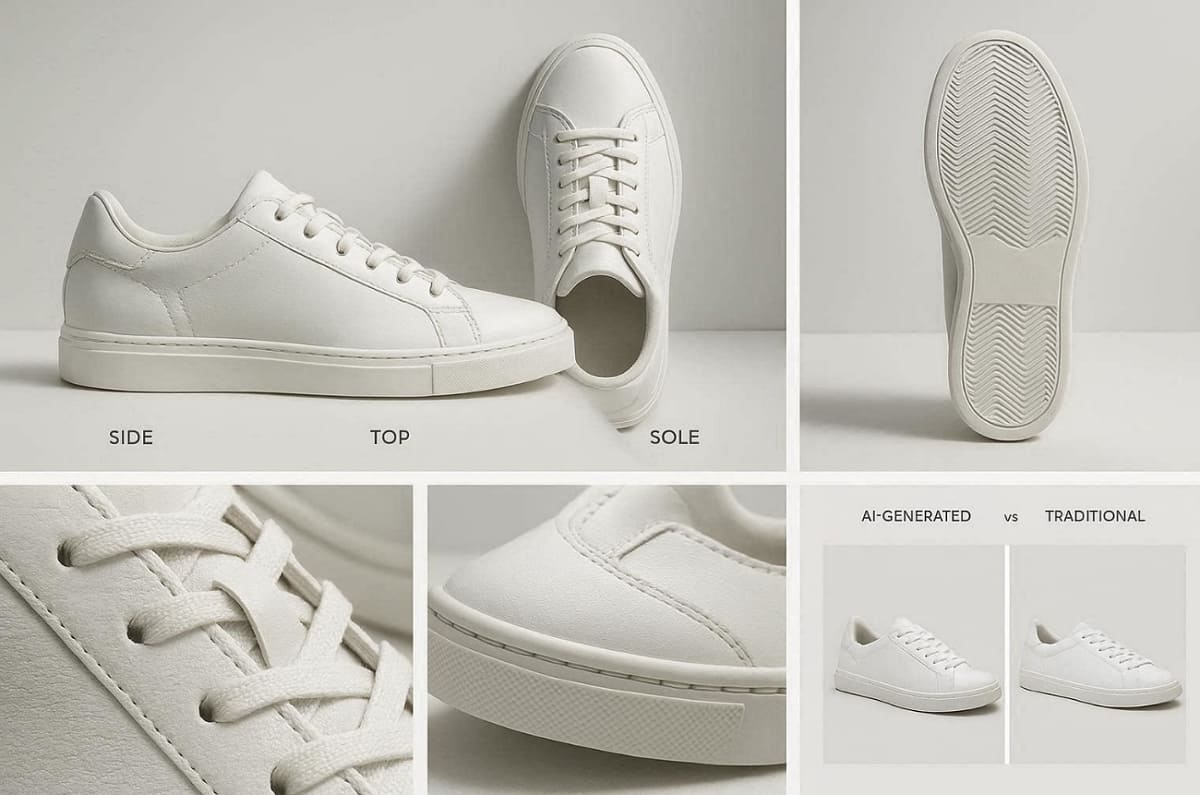
Selecting the correct shoe photography angles is vital for showing a complete product view. You should provide a side profile, a top-down view, and a clear outsole shot. Back views and macro close-ups help customers understand the fit and material quality.
In addition, standard white background shoe images remain the industry baseline for every professional product listing. Still, remember that AI tools can generate these variations from one input to save significant time. The following table summarizes the most critical shots needed for a professional footwear listing:
|
Shot Type |
Purpose |
User Benefit |
|---|---|---|
|
Side Profile |
Shows the silhouette |
Understands the overall shape |
|
Outsole View |
Displays the grip |
Evaluates the shoe performance |
|
Macro Shot |
Reveals stitching |
Confirms the build quality |
Apart from that, a Skywall Photography study finds that visual transparency through detailed shots can reduce ecommerce return rates by nearly 50%.
Lighting Techniques for Clear and Accurate Shoe Images
The optimal lighting setup for product photographs of shoes is large softboxes to soften shadows. Soft light eliminates excess shine on shiny materials such as leather and plastic detailing. Furthermore, placing your light at a 45° angle produces subtle shadows for depth.
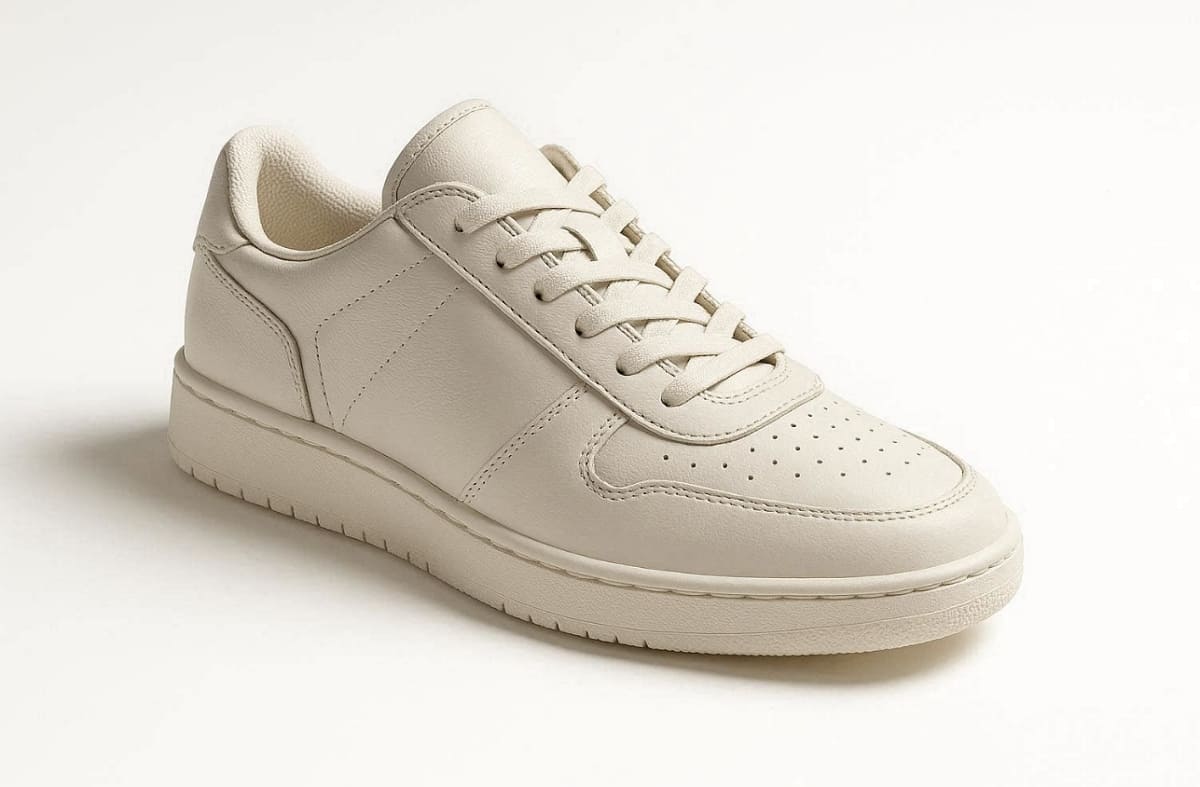
In addition, the use of different lighting techniques can be easily replicated for branding purposes. Many times, backlighting is also useful to separate the shoe silhouette from the studio background clearly. A successful lighting setup generally focuses on these 3 primary and essential lighting methods:
1. Soft Lighting: Minimizes harsh highlights on reflective materials like patent leather or vinyl.
2. Side Lighting: Emphasizes the physical texture of suede, canvas, or intricate knit patterns.
3. Top Lighting: Provides a clean and even glow across the entire length of the footwear.
Why Lifestyle Shoe Images Improve Conversion Rates
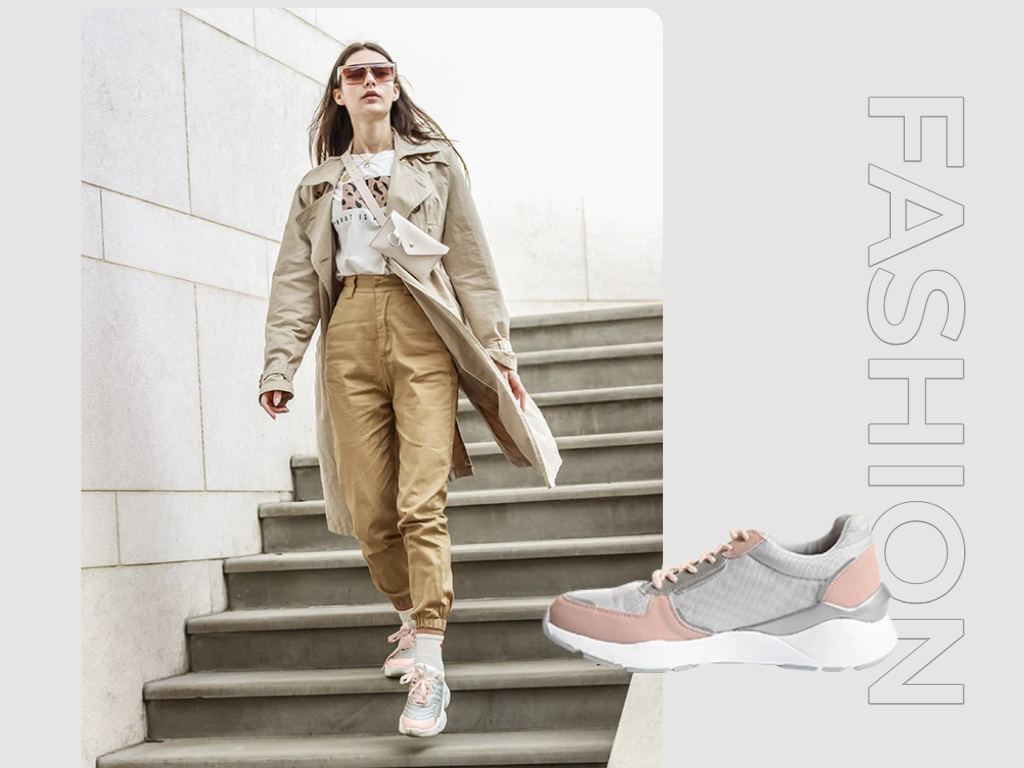
Reliable lifestyle shoe photography helps customers visualize the product during their daily activities. Action shots in the gym or city streets provide vital context for specific footwear uses. These relatable scenes transform a simple product into a desirable part of a lifestyle.
Alongside that, tools like Designkit ensure realistic shadows and scene matching to create a truly authentic visual result. Moreover, showing shoes in a natural environment significantly reduces the psychological barrier to making purchases.
Key Benefits of Lifestyle Context
Adding environmental context provides several strategic advantages that help boost your overall sales performance:
1. Emotional Connection: Connects the footwear to specific aspirations like fitness or professional success.
2. Scale Awareness: Helps the buyer understand the true size and fit on a human foot.
3. Social Proof: Mimics the look of influencer content, which is highly effective for modern sales.
Traditional Shoe Product Photography Workflow
The traditional method relies on physical labor to ensure every single detail looks perfect. Studio workflows provide high creative control but often take several hours per product SKU. This established process sets the baseline for quality and helps you learn how to create shoe product photography:
Preparing Shoes and Setting Up a Simple Studio
A professional shoe photography setup starts with deep cleaning every inch of the footwear. You should use stuffing or specialized inserts to maintain the natural shape of shoes. In addition, set up a clean white sweep to create a seamless background for your shots. Proper preparation prevents small imperfections from ruining your final HD product image files.
Core Setup Checklist:
1. Physical Prep: Remove all stray threads and use microfiber cloths for dust-free surfaces.
2. Shape Retention: Insert foam or tissue paper to prevent the toe box from collapsing.
3. Background Choice: Use a non-reflective paper roll to create a smooth and professional infinity curve.
Capturing White Background Images and Key Angles
Producing white background shoe product photography is essential for most major online marketplace listings. You must move the physical camera or product to capture every necessary selling angle. A detailed checklist helps you verify that no critical details or features are missed. This manual phase is often the most time-consuming part of the entire traditional workflow.
|
Requirement |
Technical Action |
Expected Result |
|---|---|---|
|
Consistency |
Use fixed tripod positions |
Identical framing for all SKUs |
|
Sharpness |
Apply high aperture settings |
Deep focus across the entire shoe |
|
Alignment |
Follow a standard grid |
Perfectly centered and level imagery |
Editing for Consistency and Ecommerce Standards
After the shoot, you must edit the shoe product photos to remove all visible dust. Color correction is necessary to make sure the digital image matches the physical product. Crop your images according to specific marketplace requirements for Amazon or personal web stores.
Furthermore, standardize your file exports to maintain fast loading speeds for your mobile shop users. Manual editing ensures a polished finish but requires skilled designers for every single shot.
Standard Post-Processing Steps:
1. Background Removal: Cleaning the white space to ensure a pure hex-code white finish.
2. Color Calibration: Adjusting levels so the digital hue matches the physical fabric accurately.
3. Shadow Enhancement: Adding subtle contact shadows to give the shoe a grounded, realistic look.
AI Shoe Product Photography Workflow with Designkit
Modern AI has transformed how ecommerce brands approach shoe product photography. Instead of booking a studio or buying expensive lighting gear, you can now generate professional visuals directly from a single source photo. Designkit is an AI agent built for ecommerce teams, turning ordinary product shots into catalog-ready images through a simple, automated workflow.
This approach keeps quality consistent across every listing, no matter how many SKUs you manage. Industry data suggests a growing share of high-performing online merchants now rely on AI for product imagery, simply because it removes the bottlenecks of traditional shoots. Here is the complete four-step pipeline for generating shoe images with Designkit.
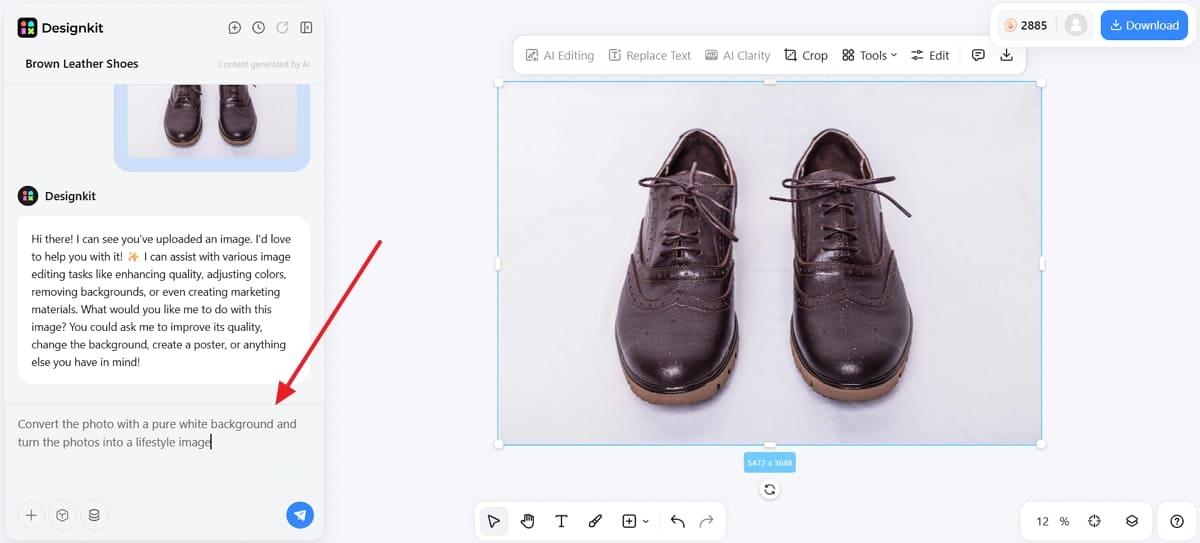
Step 1: Upload a Shoe Image or Supplier Photo
Start by uploading your shoe photo into Designkit's Product Photography Generator. The input can be as simple as a smartphone snapshot or a supplier reference image, so you don't need a polished original to begin.
For the cleanest results, make sure the footwear is well-lit and clearly visible in the frame, with the full silhouette in view. The AI agent reads this source image to understand the shoe's shape, color, and material before generating anything new.

Step 2: Enter Your Prompt
Next, type a short prompt describing the image you want. A clear, specific prompt is what drives quality output, whether you need a clean white background shot for your main catalog or a styled lifestyle scene for marketing.
You can describe the setting, mood, and lighting in a single line, and Designkit's AI agent interprets it to build the scene around your shoe. This dual-use flexibility means one upload can serve both your product listings and your secondary marketing assets.
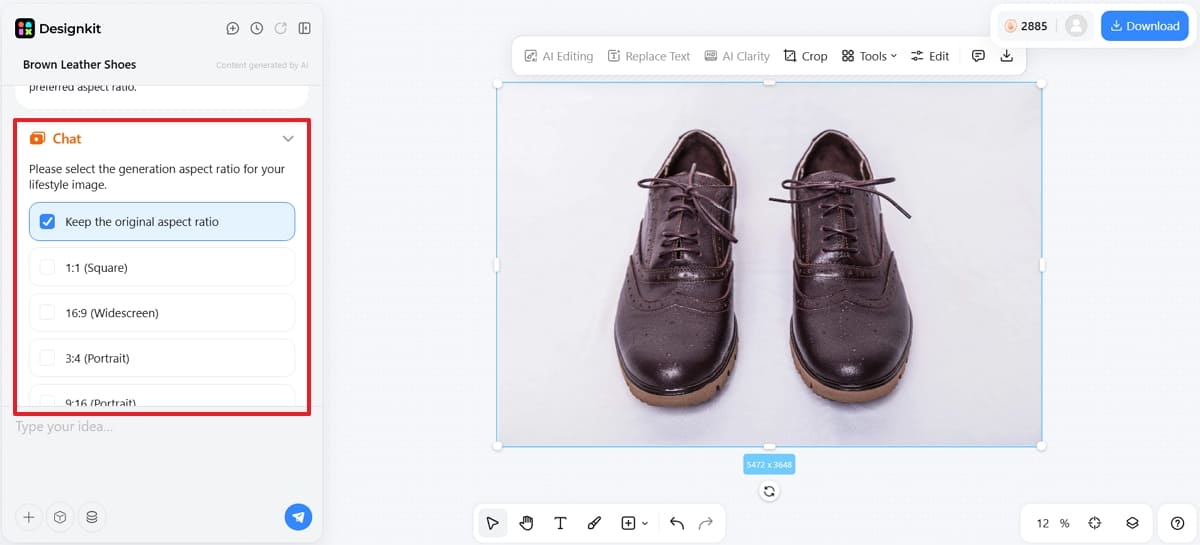
Step 3: Choose an AI Model and Let It Generate
Select your preferred AI generation model and let Designkit do the work. The agent preserves fine details that matter for footwear, including fabric texture, stitching, and outsole grip, so the digital shoe looks exactly like the physical product.
You retain control over lighting, shadows, and aspect ratio, allowing the shoe to sit naturally in any environment. This is where realism refinement happens, so the final render holds up to close inspection by buyers.
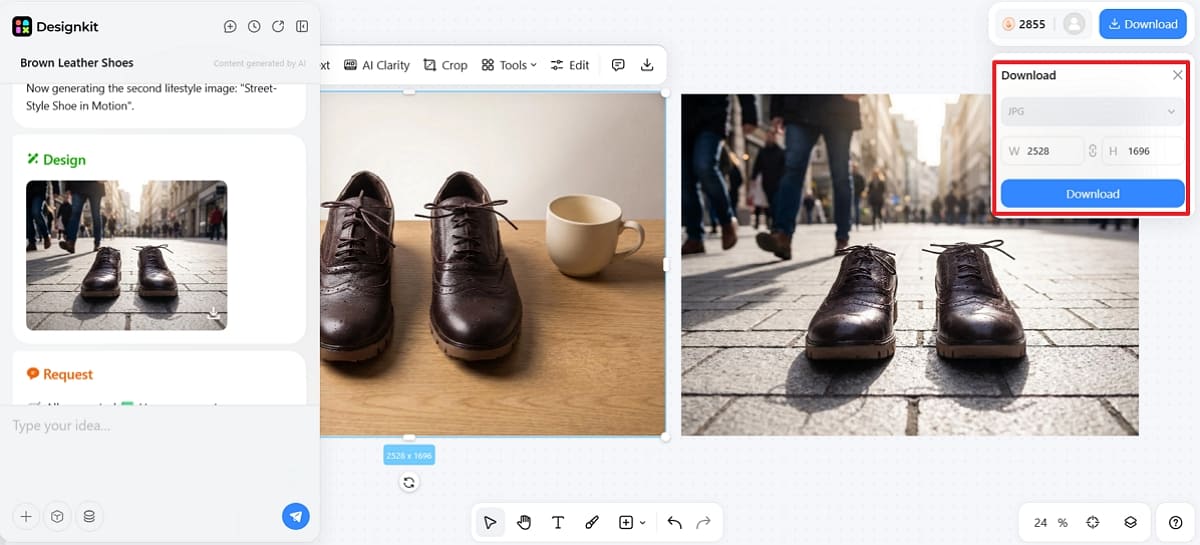
Step 4: Preview and Download
Once generation completes, preview your results and verify the material finish before exporting. When you're happy with a shot, choose your format and aspect ratio, then download your high-resolution ecommerce assets.
To keep your store visually consistent, reuse the same prompt and settings as a template across multiple SKUs, updating your entire catalog in a fraction of the usual time. This template-driven approach is what lets teams stay ahead of seasonal campaigns with minimal manual effort.
Template reuse ensures that every product in your collection follows a very uniform style. This efficiency is crucial for big marketplaces that require hundreds of quality images. Moreover, automated generation helps your team stay ahead of seasonal trends with minimal manual effort.
Shoe Product Photography Ideas for Ecommerce
Innovative shoe product photography ideas help your brand stand out from the competition. New ideas help you capture the unique characteristics of all shoe products. Yet, Designkit serves as a powerful execution tool to bring these creative visual concepts to life. So, explore the following creative categories to enhance your digital storefront and marketing campaigns:
Amazon-Ready Product Images and Listing Visuals
Creating compliant Amazon shoe product images is essential for succeeding on major marketplace platforms. You must provide a main image with a pure white background to meet requirements. Secondary images should include informative infographics that highlight specific product features or sizing charts clearly.
At this point, utilizing the Designkit’s Amazon Photoshoot AI tool ensures that your assets meet all strict guidelines. Thus, HD visuals ensure your footwear looks professional and trustworthy to millions of potential global buyers. The following table summarizes the essential image types required for a high-performing Amazon listing:
|
Image Type |
Requirement |
Strategic Value |
|---|---|---|
|
Main Hero |
Pure white background |
Meets marketplace compliance and ensures a clean first impression. |
|
Feature Detail |
Macro zoom on textures |
Highlights the premium material quality and stitching for potential buyers. |
|
Action Shot |
Footwear in motion |
Helps the customer visualize the product being used in real life. |
Lifestyle Images for Different Footwear Use Cases
Dynamic sneaker lifestyle photography helps users visualize the shoes during their favorite athletic activities. Specific running shoe photography should emphasize the grip and comfort needed for long-distance tracks. Here, the multi-scene generation feature allows you to place one product in several different realistic environments.
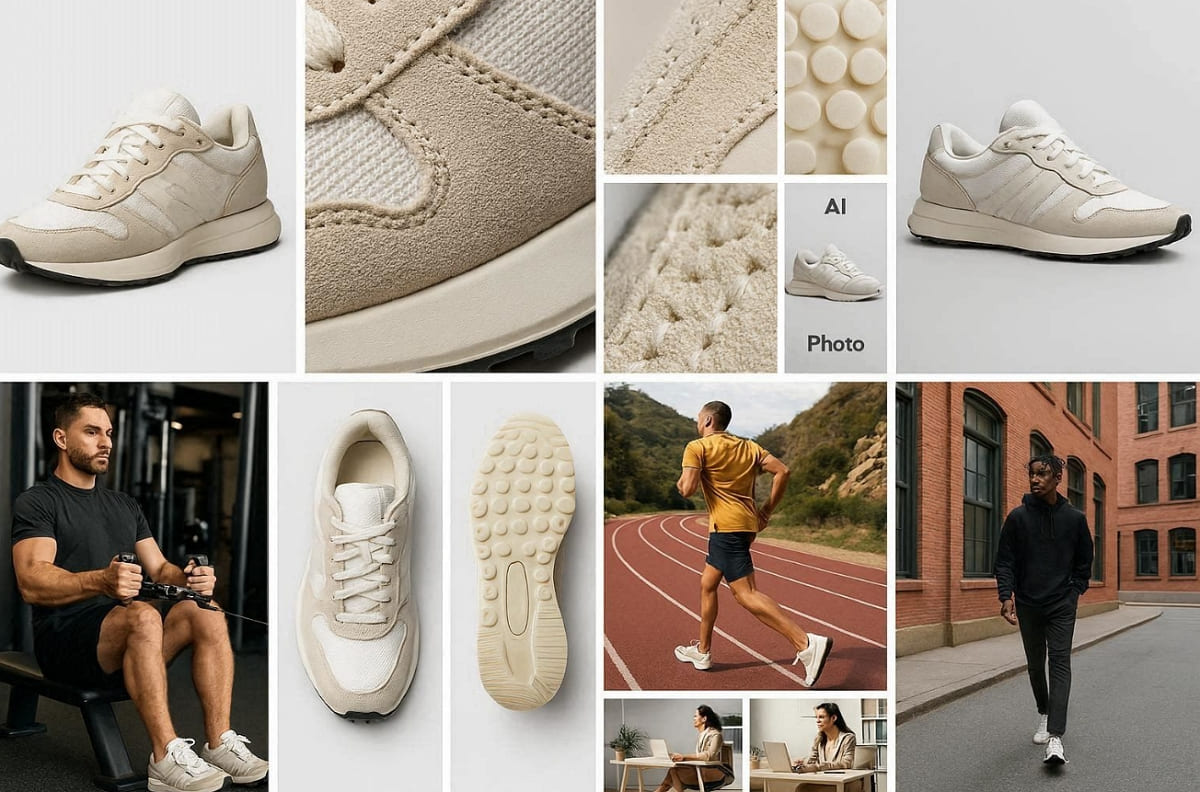
Moreover, context imagery fills in the visual experience of a phone or computer screen and the real world. So, you can strengthen your brand narrative by using these five different lifestyle scenarios:
1. Professional Gym: Show athletic footwear in a modern fitness center to highlight high performance and durability.
2. Urban Streetwear: Use city backdrops to emphasize the trendy style and daily comfort of casual sneakers.
3. Outdoor Hiking: Place rugged boots on rocky mountain trails to prove they handle difficult terrain easily.
4. Morning Run: Capture shoes on a sunlit track to showcase the energy and speed of runners.
5. Casual Office: Display leather loafers in a workplace setting to suggest a professional and stylish appearance.
Detail Shots, Black Shoes, Seasonal Campaign Visuals
Advanced digital workflows simplify the process of highlighting intricate design features for every collection. You can create a cohesive visual narrative by focusing on these specific technical categories:
Mastering Black Shoe Product Photography
Capturing black shoe product photography requires precise lighting to reveal subtle fabric textures and silhouettes. These dark materials often need high-contrast environments to prevent the product from looking flat.
Generating Seasonal Product Images
Use fast variation generation to create seasonal product images for your upcoming holiday sales. Along with that, adjust the background colors and lighting instantly to match the unique mood of each season.
Choosing Between Traditional and AI Shoe Photography
Deciding on the best traditional vs AI product photography approach depends on your specific goals. Both methods offer distinct advantages depending on your total budget and required production speed. Still, established brands often weigh manual creative control against the massive scalability of digital systems. Review the specific scenarios below to select the most effective solution for your brand:
When Traditional Studio Photography Works Best
Luxury brands still favor professional shoe photography for their marketing campaigns. A manual studio is the best choice for total lighting control. This method is ideal for flagship product launches that require unique and complex artistic direction.
Physical shoots allow for tactile adjustments that are sometimes difficult to replicate perfectly digitally. While more expensive, traditional shoots provide a boutique feel for your premium footwear collections. Review the following comparison to see where manual studio labor provides the most significant value:
|
Project Requirement |
Traditional Studio Value |
Specific Benefit |
|---|---|---|
|
Luxury Editorials |
Artisanal lighting control |
Captures the high-end feel of premium leather |
|
Complex Textures |
Manual focus stacking |
Ensures every microscopic thread remains sharp and clear |
|
Unique Props |
Physical set design |
Allows for custom artistic interactions with real objects |
|
Brand Identity |
Bespoke creative direction |
Delivers a unique look that defines a premium brand |
|
Material Proof |
Physical sample testing |
Verifies how specific fabrics react to real light sources |
|
Artistic Fit |
Real model interaction |
Shows how shoes crease and move on human feet |
When AI Is More Efficient for Ecommerce Teams
Selecting AI shoe product photography is the smartest choice for brands needing rapid scalability. This modern workflow allows you to update hundreds of product listings in record time. In such cases, Designkit serves as a scalable solution for teams managing high volumes of seasonal inventory.
You can even maintain perfect visual consistency across multiple SKUs without hiring a full crew. So, automated systems are significantly more cost-effective for growing marketplaces and fast-fashion digital stores. The primary benefits of switching to an automated AI workflow include:
1. Rapid Turnaround: Generate a complete set of marketing assets in just a few seconds.
2. Cost Efficiency: Eliminate the high recurring expenses associated with physical studio rentals and labor.
3. Batch Processing: Update your entire online storefront simultaneously with perfectly uniform visual templates.
4. Global Reach: Easily create diverse model imagery to appeal to various international demographic audiences.
5. Simple Updates: Refresh your lifestyle scenes instantly to match current trends or seasonal sales.
In addition to that, research from 2MC 24/7 shows that AI reduces shoe product photography costs 80% for small e-commerce businesses.
Conclusion
In summary, choosing the right shoe product photography method depends on your specific brand goals and budget. Traditional studio workflows offer high creative control for your most premium footwear collections. However, modern AI systems provide incredible speed and scalability for high-volume digital stores.
Both professional approaches help you build a very consistent and trustworthy online presence. Analyze your current inventory needs before selecting the most efficient production path for success. Thus, focusing on quality visuals will ultimately drive more conversions and customer loyalty for years.
Frequently Asked Questions
What are the most important shoe photography tips for beginners starting ecommerce stores?
What is the best lighting for shoe product photography to ensure accurate colors?
The
best lighting for shoe product photography
uses diffused soft light for balanced exposure. Position lights strategically to highlight textures without creating strong reflections on shiny surfaces. Furthermore, consistent lighting setups help maintain accurate color representation across all product images efficiently.
Which shoe photography angles are essential for creating complete ecommerce product listings?
Key shoe photography angles include side, top, back, outsole, and close-up detail shots. These perspectives help customers understand shape and material quality. Using consistent angles ensures uniform presentation across all footwear product photography listings online.
How accurate is AI shoe product photography compared to a traditional studio shoot?
Modern digital systems preserve every single stitch and fabric texture with incredible precision. Still, accuracy depends on input image quality and proper prompt control during generation workflows. However, minor variations may occur compared to physical studio shoots under real lighting conditions.
What are the primary cost differences between manual shoots and digital workflows?
Traditional photography requires expensive gear and recurring daily fees for professional studio rentals. Nonetheless, digital platforms like Designkit’s AI Photo Editor significantly reduce your total recurring marketing spend. So, switching to an automated system is the most cost-effective path for growing brands.
You May Also Like

What Is Product Photography? Angles, Lighting & Editing Guide

11 Must-Have Tools for Amazon Product Photography in 2026

How to Achieve Professional Product Photography Standards in 2026

Product Photography Ideas: Creative Tips & Techniques for Better Shots

How to Create Outdoor Product Scenes Without a Photoshoot Using AI

How to Master Lifestyle Product Photography in 2026

White Background Product Photography Guide & Tips 2026
Create Studio-Quality Shoe Images Without the Studio
Skip the lighting rigs and lengthy edits. Upload one shoe photo and let Designkit generate white background, lifestyle, and detail shots—consistent across all your SKUs and ready for Amazon, your store, and seasonal campaigns.


