
AI Image Extender: Expand Photos Beyond Their Borders with AI
Extend images beyond their original borders with AI. Compare the best AI image extender tools and create seamless backgrounds, flexible layouts, and professional visuals in minutes.

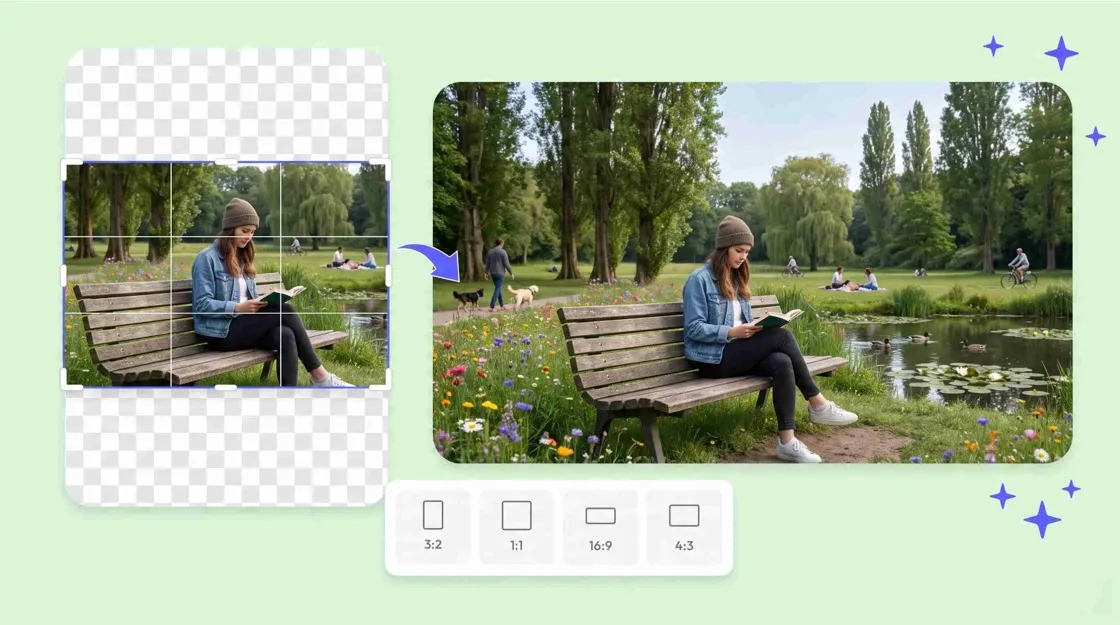
An AI image extender is an AI that extends a photo outside of the original frame to create new visual content that blends with the existing scene. AI is able to add realistic background areas based on colors, textures, lighting, and surrounding elements instead of stretching pixels or cropping important details. Social media, ecommerce, advertising, presentations, and print layouts. It makes converting images simple.
If you need to turn a portrait into a landscape, add space for marketing copy, change a photo to a different aspect ratio, or fix a tightly cropped product photo, an image extender can save you time and manual editing. In this guide, we'll cover how AI image extension works, what features to look for, the best tools to try, practical ways to expand photos, common mistakes to avoid, and how to choose the right solution for your workflow.
What is an AI image extender?
An AI image extender takes a picture that you already have and extends the canvas around it, filling the new space with new content. It's not just about zooming in on the picture. Instead, the AI generates further visual information that is combined with the original composition. This procedure is also commonly referred to as AI outpainting or image uncropping. It can help you create wider backgrounds, give your subjects breathing space, or fit a photo into a new aspect ratio without cropping out the original subject.
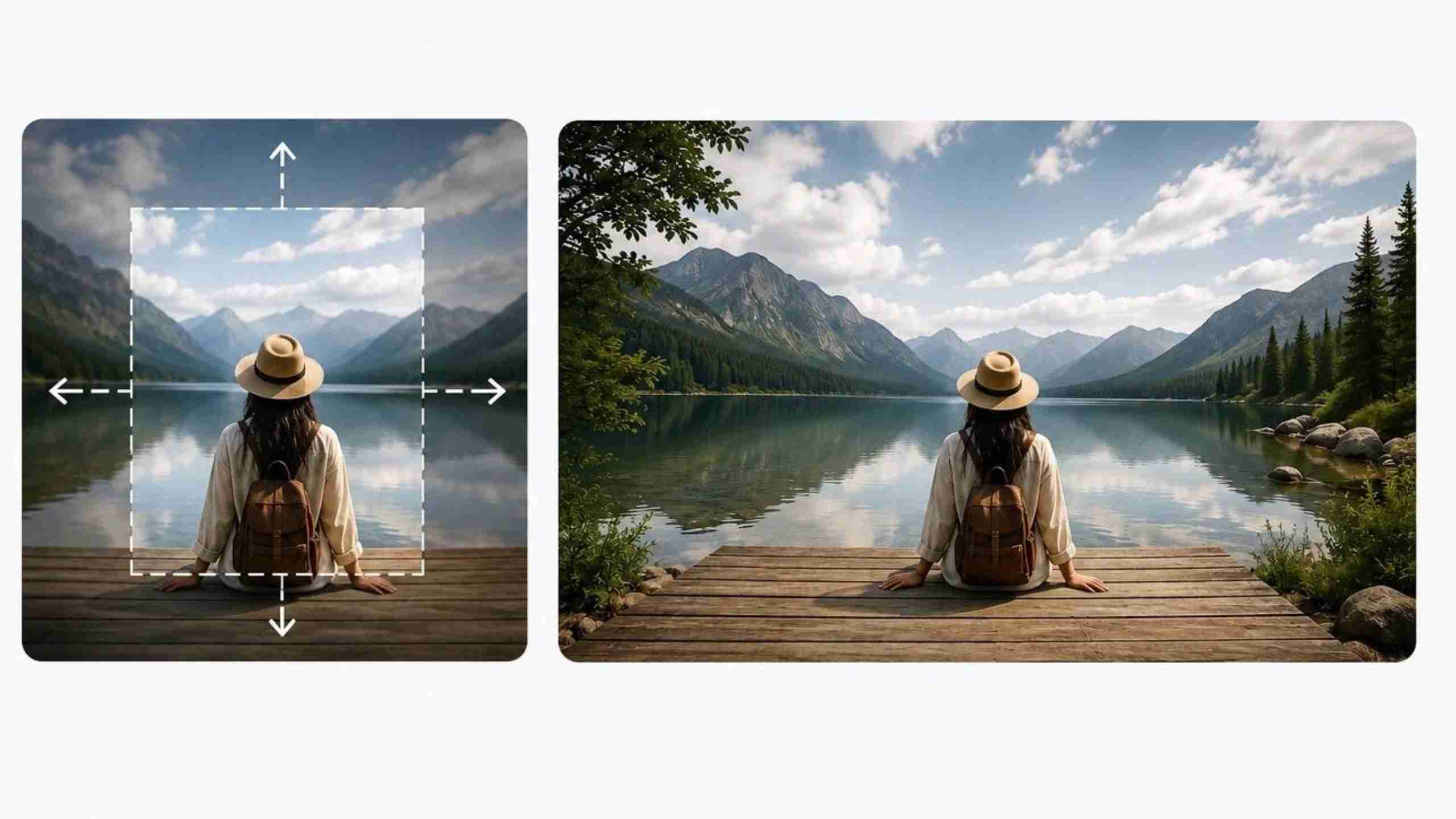
How does AI image extension work?
Most AI image extension tools rely on several related processes:
-
AI outpainting: Generates content outside the original image boundaries.
-
Context-aware generation: Uses nearby visual information to predict suitable colors, shapes, textures, and objects.
-
Seamless background completion: Extends backgrounds such as walls, skies, floors, landscapes, or studio settings.
-
Image reconstruction: Creates new pixels that visually connect with the original photo.
What can you use an AI image extender for?
An AI image extender can support many creative and professional workflows, including:
-
Recovering space around tightly cropped subjects
-
Preparing images for different layouts and aspect ratios
-
Improving product and marketing visuals
-
Extending creative backgrounds
-
Adapting existing photography for print materials
AI image extender vs traditional image editing
|
AI Image Extender |
Traditional Image Editing |
|---|---|
|
Automatic expansion |
Manual canvas editing |
|
AI-generated backgrounds |
Requires editing skills |
|
Fast workflow |
Time-consuming |
|
Natural-looking results |
Limited by existing pixels |
AI does not actually recover the exact pixels that were cropped out. It generates a plausible continuation based on the available visual context.
How to choose the best AI image extender
The best AI image extender will depend on the type of image you have, the kind of output you want and how much control you want to have over editing. Look for tools that give realistic results, have flexible options for expansion, offer several aspect ratios, and provide high-quality exports.
Image quality and realistic AI generation
Look for animage expander that gives you extensions that maintain consistent lighting, color, perspective, and texture. The generated area should be merged with the original image, not in a way that it looks like an obvious artificial insertion. Generally, high-resolution input images are a better starting point as they contain more visual information for the AI to analyze.
Flexible expansion options
A useful tool should allow you to expand horizontally, vertically, or in multiple directions. Custom aspect ratios are also important if you need the same image for different channels. For example, you may need one photo at 1:1 for a product post, 4:5 for social content, 16:9 for a banner, and 9:16 for vertical content.
Editing and customization tools
More than just expansion might be needed for an effective workflow. Also look for tools that support:
-
Background editing in AI
-
Removing objects
-
Image improvement
-
Crop and resize options
-
Generation of backgrounds
Export formats and compatibility
Select a tool that can handle popular formats such as JPG, PNG, and WEBP for a seamless sharing and editing experience. Social media, ecommerce, websites, and advertising are all other places platform-ready sizes can help you get your images ready. Flexible export options allow you to use the same expanded image for different channels without the need to convert it again.
Best AI image extender tools
There are several popular platforms for AI image expansion. The choice of which one to use depends on whether you care about graphic design, mobile editing, quick expansion or ecommerce workflows.
Canva AI image extender
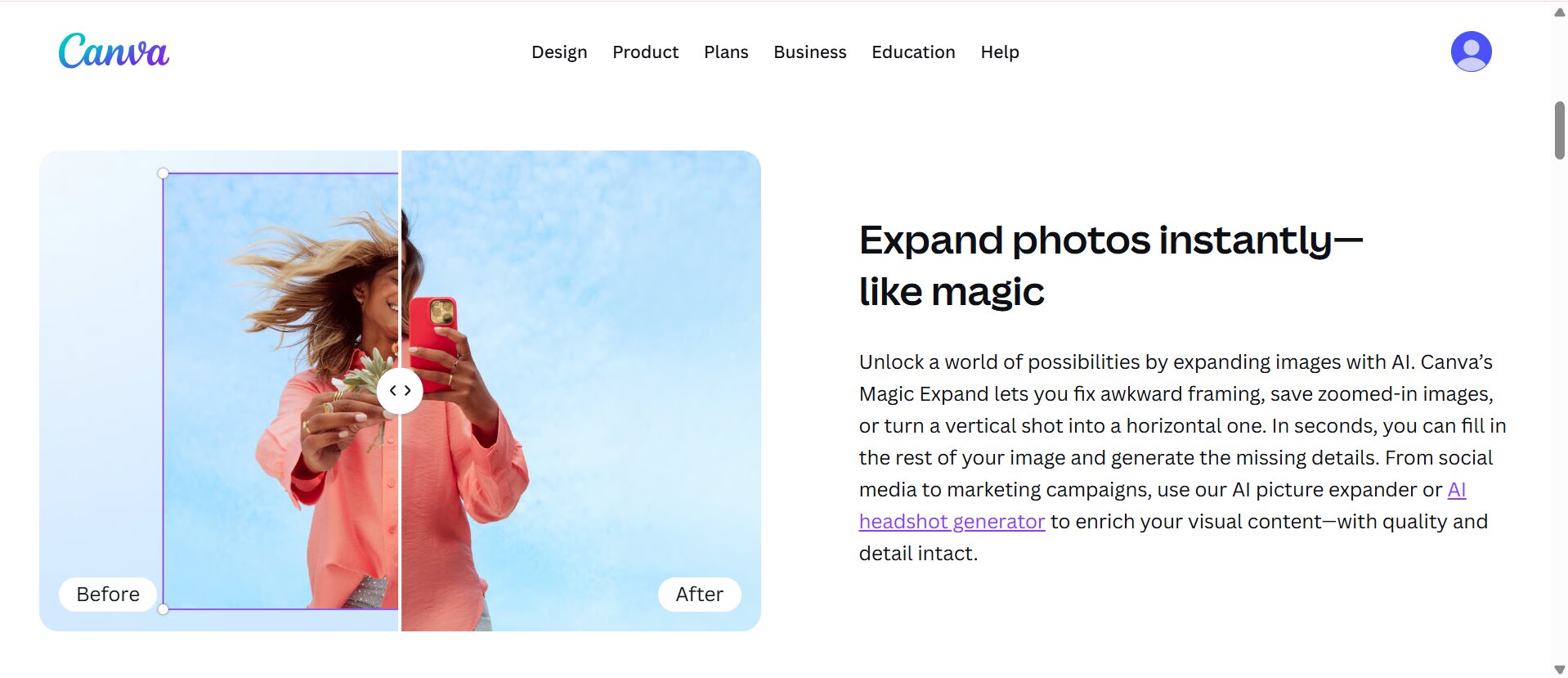
Canva's Magic Expand can extend an image in different directions and adapt it to selected aspect ratios. It is useful when you already create designs, presentations, social posts, or marketing graphics inside Canva. Canva also provides multiple generated results, so you can choose the version that fits your layout.
Key features
-
Magic expands for extending image edges
-
Multiple aspect ratio options
-
AI-generated background extensions
-
Easy integration with design templates
PicsArt AI image extender
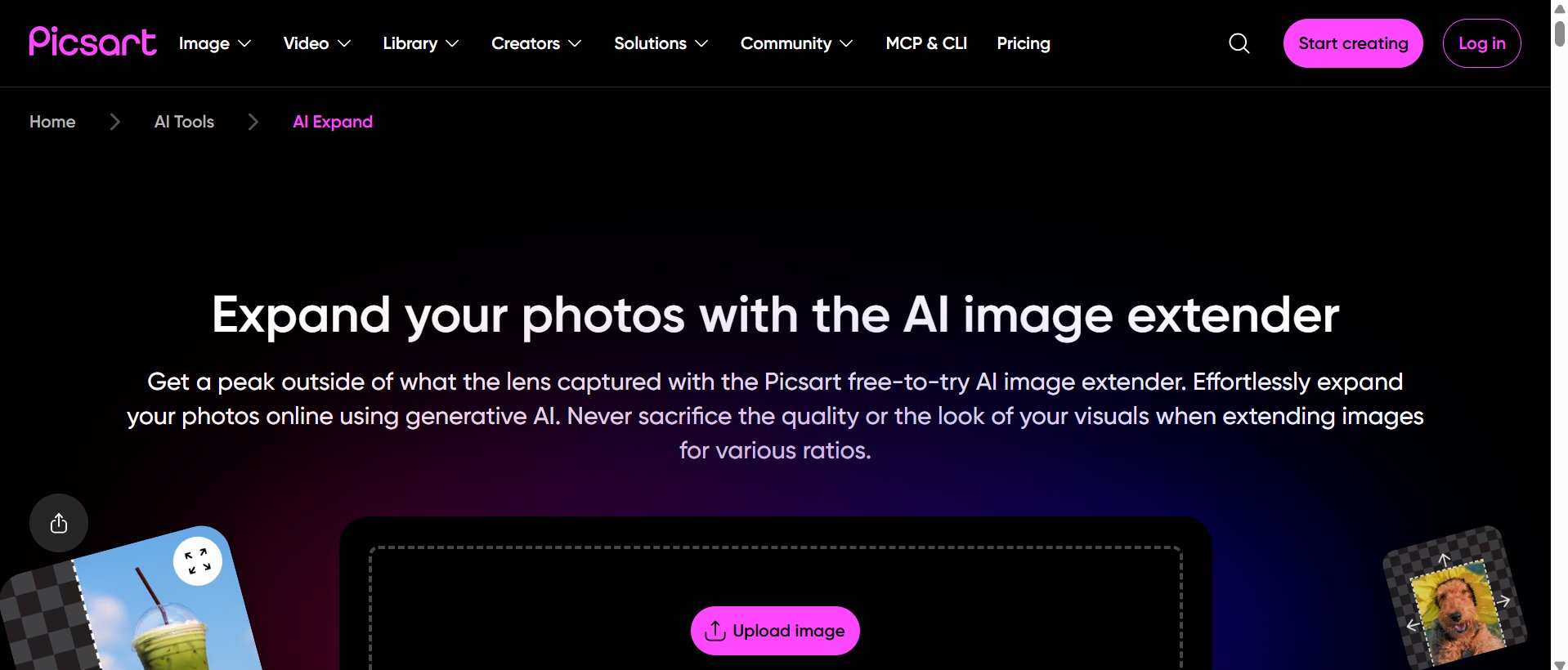
PicsArt's AI expansion can extend image borders and generate new areas that match the original image. It supports manual expansion and preset ratios such as 16:9 and 9:16, with AI expand available on web and mobile workflows.
Key features
-
AI expands for extending image borders
-
Supports 16:9 and 9:16 ratios
-
Mobile and web editing
-
AI-generated background completion
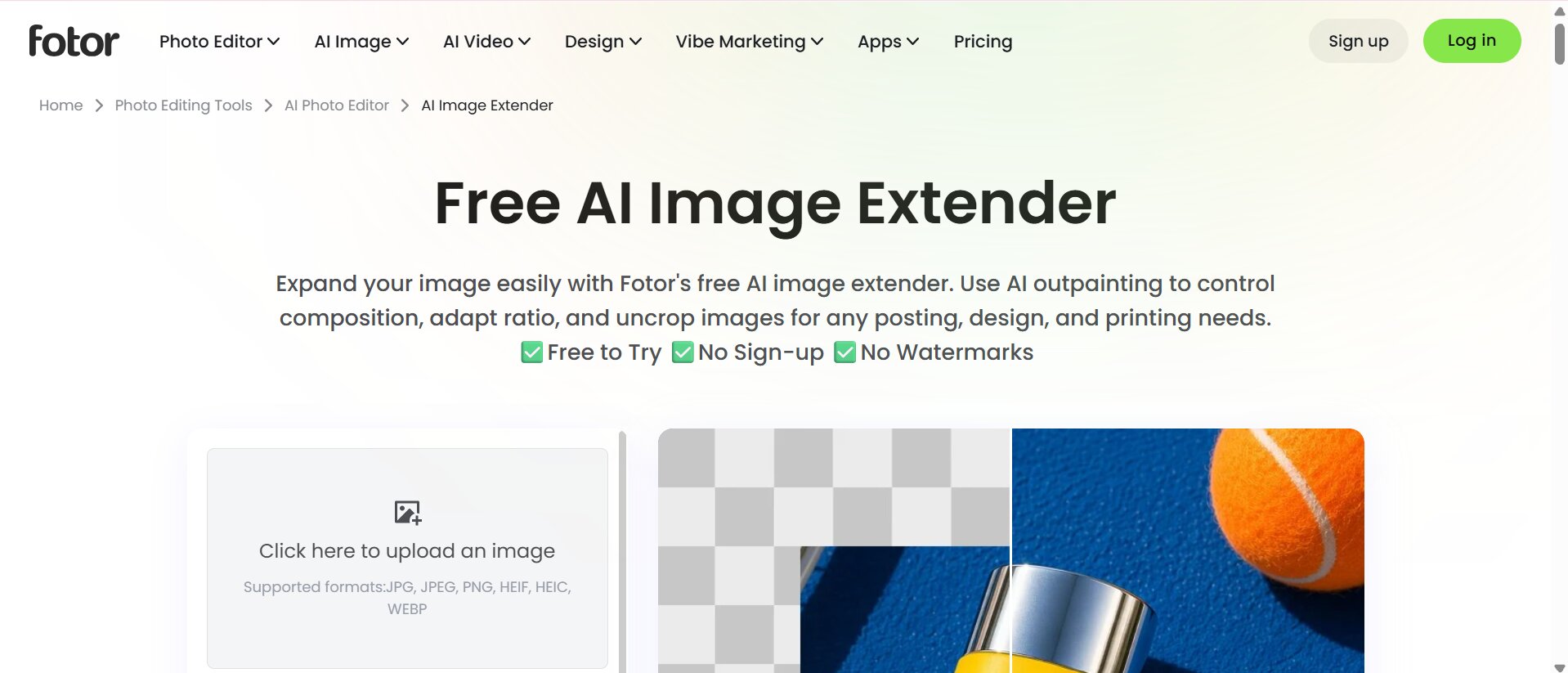
Fotor AI image extender
Fotor's AI image extender is designed to use AI outpainting to expand images, adjust compositions, and adapt photos to different ratios. It supports formats such as JPG, JPEG, PNG, HEIF, HEIC and WEBP.
Key features
-
AI outpainting
-
Support for multiple image formats
-
Adjust aspect ratio at will
-
Fast Scaling and Export of Images
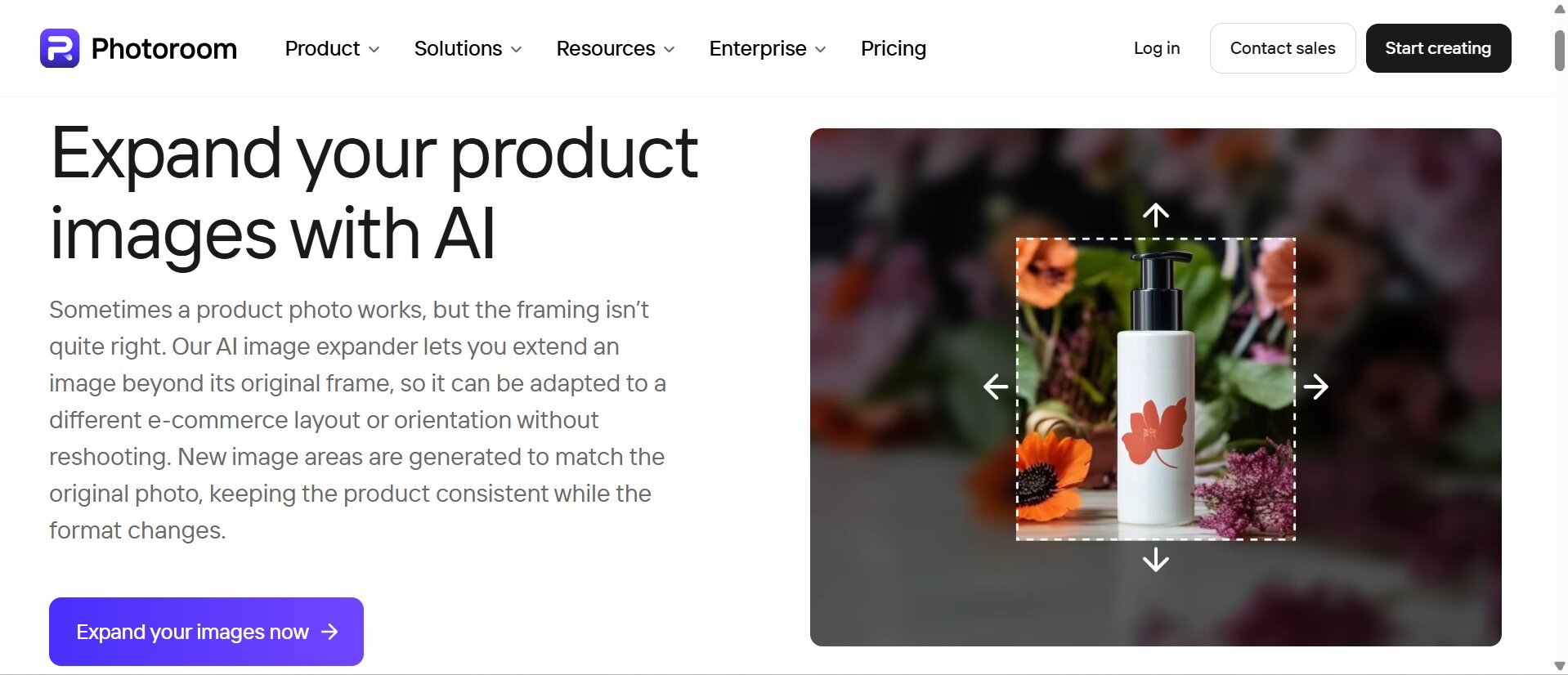
Photoroom
Photoroom is particularly relevant to ecommerce workflows where product photos need clean backgrounds and consistent presentation. It can be useful when image expansion is part of a broader product-image editing process.
Key features
-
AI-powered product photo expansion
-
Custom AI backgrounds
-
Ecommerce-focused image editing
-
Product photo workflow integration
Which AI image extender should you choose?
The right AI image extender depends on your specific needs, such as graphic design, mobile editing, quick photo expansion, or ecommerce photography. Compare each tool's features, ease of use, image quality, and editing capabilities to choose the option that best fits your workflow.
|
Tool |
Best For |
|---|---|
|
Canva AI Image Extender |
Graphic design |
|
PicsArt AI Image Extender |
Mobile editing |
|
Fotor AI Image Extender |
Quick image expansion |
|
Photoroom |
Ecommerce photography |
There is no single best tool for every workflow. Choose based on the amount of control you need, the type of images you create, and whether you need additional editing capabilities.
Best ways to use an AI photo expander
An AI photo expander can help you adapt existing images for different creative and professional needs. From ecommerce product photos and social media content to extended backgrounds and new aspect ratios, AI makes these adjustments faster and easier.
Expand product photos
An AI photo expander can assist ecommerce teams in tailoring product photography to different layouts without the need to set up another photoshoot. You can create more background space for Amazon, Shopify, Etsy, marketplace banners, and promotional creatives.
Create social media content
Different social platforms use different layouts. Instead of cropping one photo repeatedly, you can expand it to create versions for:
-
Instagram
-
Facebook
-
Pinterest
-
LinkedIn
-
TikTok
Extend photo backgrounds
A photo background extender can create additional space around portraits, travel photos, lifestyle scenes, and campaign visuals. For example, a portrait with little space above the subject can be extended to create a taller composition. A travel image can also be expanded to create additional sky or landscape space.
Prepare images for different aspect ratios
One of the most useful applications of AI extension is adapting the same source image for multiple formats.
Common examples include:
-
1:1: Square social posts and product graphics
-
4:5: Portrait-oriented social content
-
16:9: Website banners, presentations, and video thumbnails
-
9:16: Stories, Shorts, and vertical advertising
Restore cropped or old photos
AI can generate plausible extensions around old or tightly cropped photos. This can improve composition and provide missing visual space, but it cannot reproduce the exact original details that were permanently removed from the source file.
This is great if you want to extend a photo, but for a polished visual, you'll need more than just extending the canvas. Image enhancement, background editing, and high resolution exports make each expanded image look natural and ready to share. Designkit is an AI-powered creative tool that brings all these features together in one workflow.
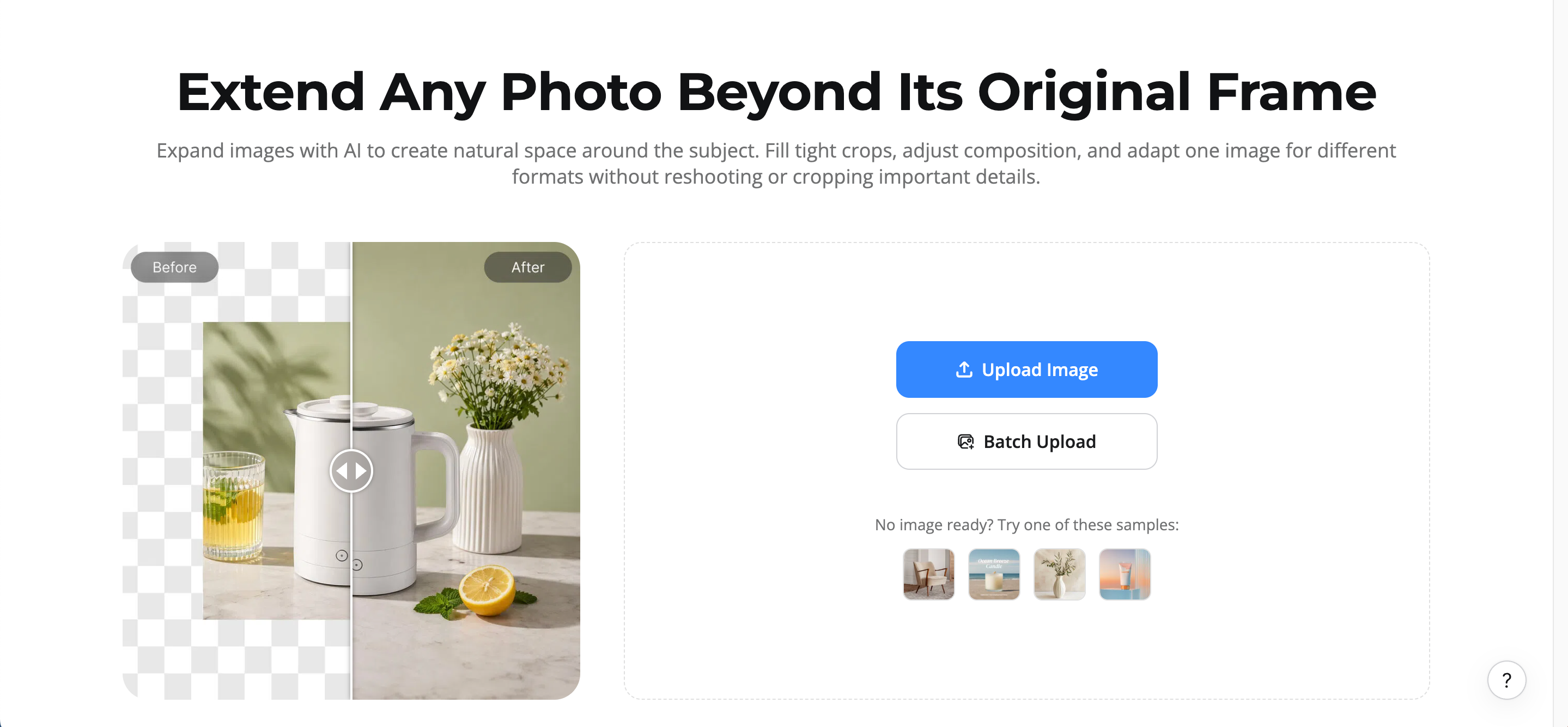
Extend images faster with Designkit AI image extender
The AI image extender in Designkit lets you extend a photo beyond its original borders, change composition, and add more space to social, e-commerce, advertising, and design workflows. Upload an image, highlight the area you want to extend, and it will generate a matching extension of the original scene.
How to extend an image with Designkit
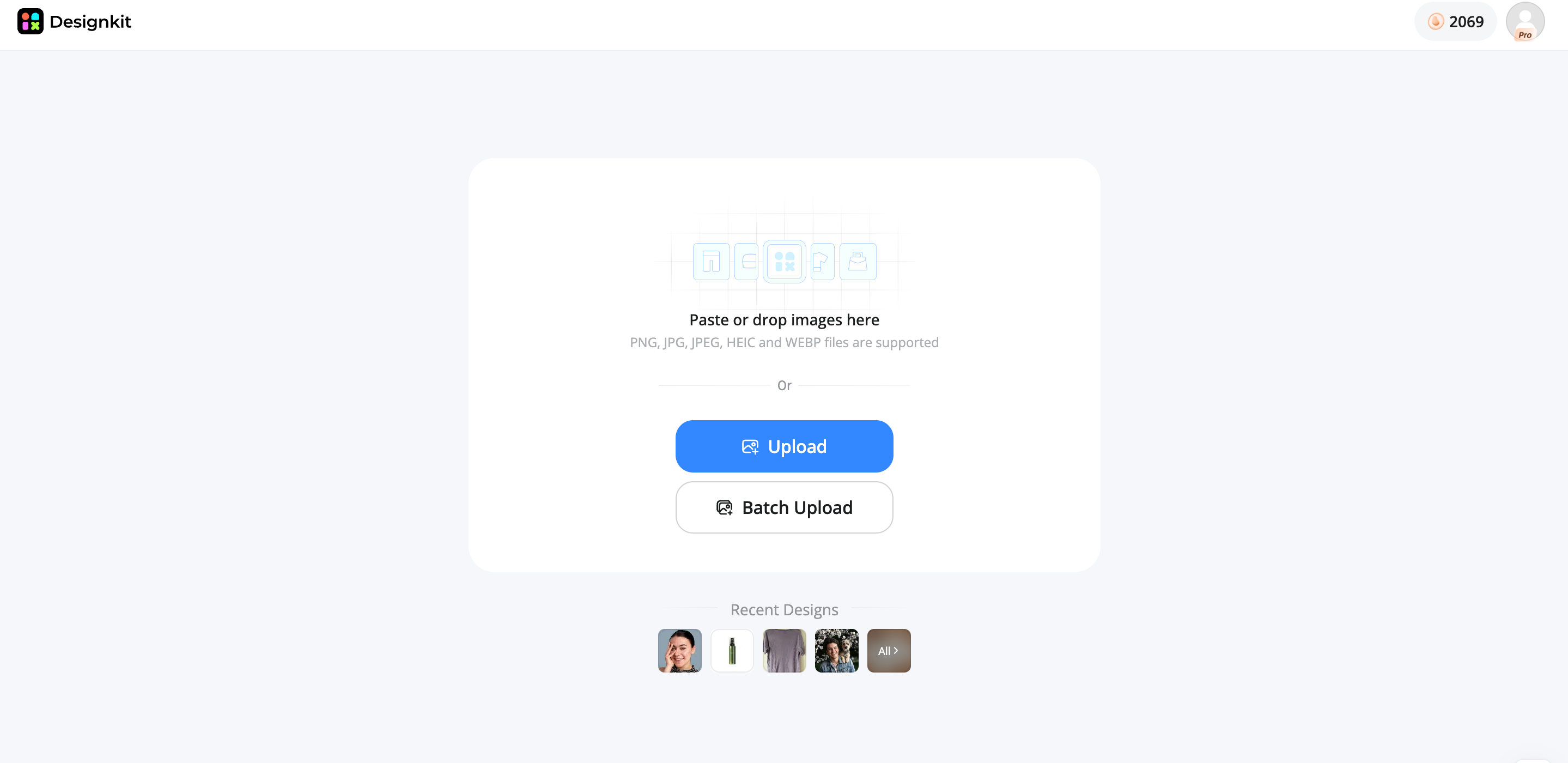
Step 1. Upload your image
Upload the photo you want to expand. Product images, social media photos, advertisements, and everyday images can all be starting points for the workflow.
Step 2. Expand your image with AI
Choose a preset format or expand the canvas manually in the direction you need. You can add space horizontally, vertically, or around multiple sides. Designkit also supports prompt-guided background expansion when you want to describe what should appear in the new area.
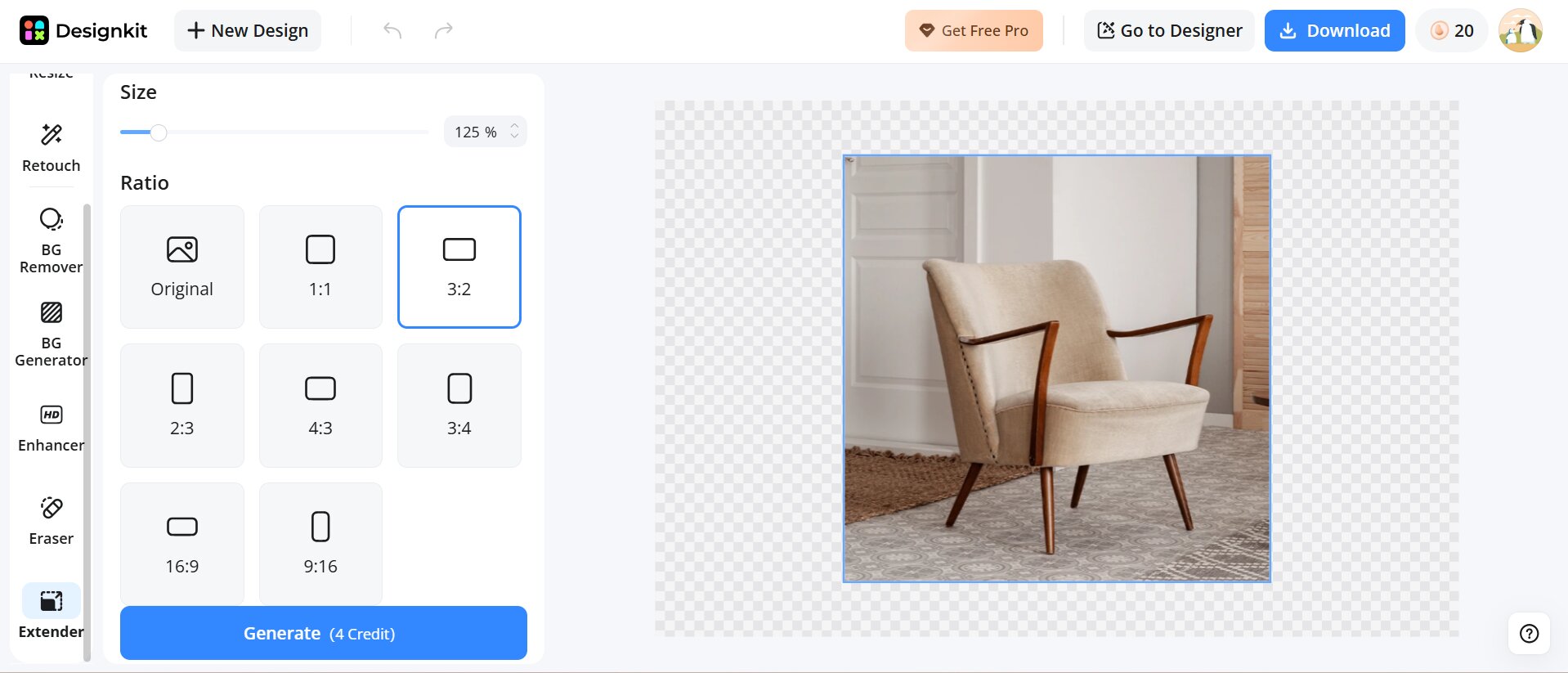
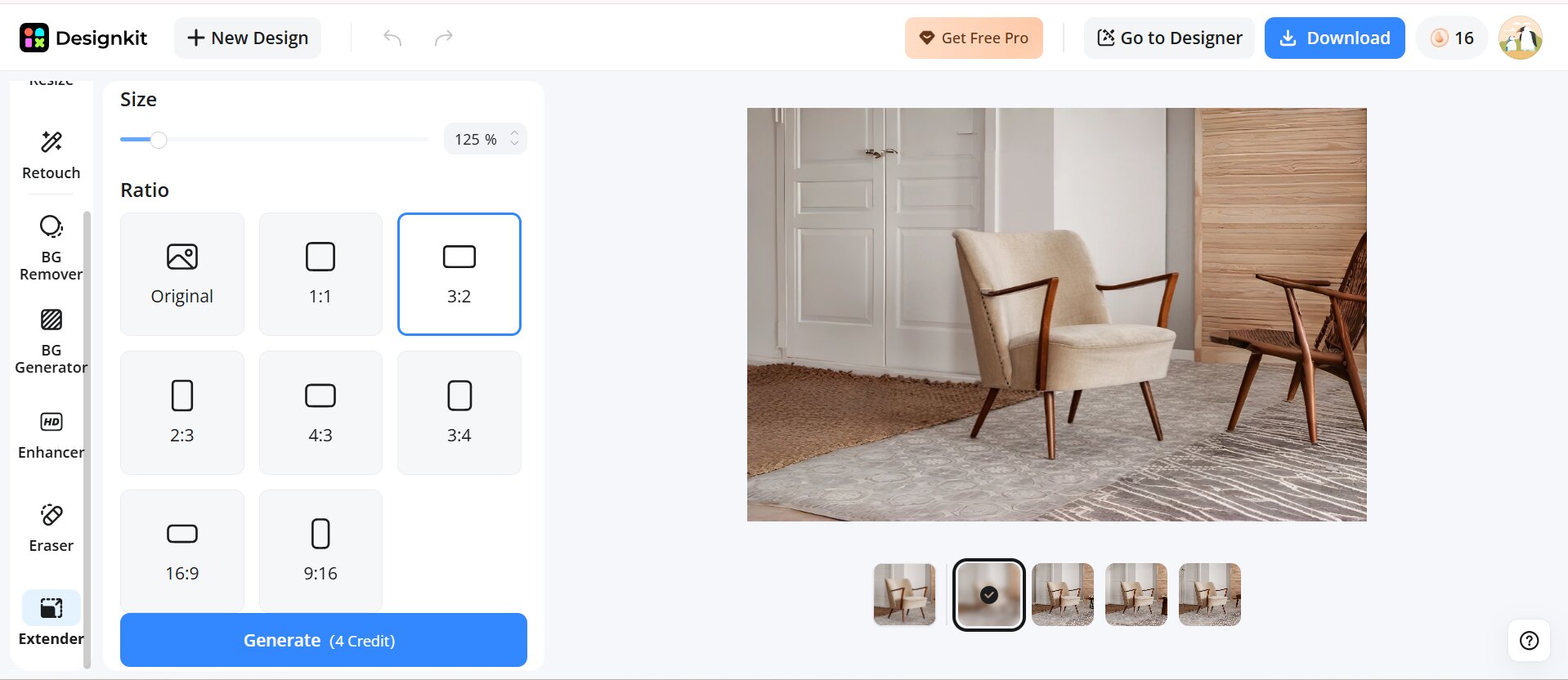
Step 3: Download the final image
Generate the expanded version and review the new areas carefully. If necessary, regenerate the result until the background, composition, and subject placement work for your intended use.
Designkit AI image extender features
-
AI image extension: Add AI-generated material that extends your photo beyond its original edges.
-
Background-Aware expansion: Produce realistic backgrounds that match the original image in color, texture, lighting, and composition.
-
AI image enhancement: Improve the sharpness, clarity, and overall image quality after enlarging your photo. You could also use the image enhancer on Designkit if there's a little more work to do to the source or final image.
-
AI object removal: Remove unwanted objects or distractions to create a cleaner, more polished final image. Use object remover when you need to clean up the expanded image before publishing.
-
Multiple aspect ratios: Adapt expanded images for different layouts, including square, portrait, landscape, and vertical formats.
-
High-Resolution export: Download expanded images in high resolution for ecommerce, social media, marketing materials, and other professional uses.
Common AI image extension mistakes
Starting with low-quality images
Low-quality images can produce less accurate extensions and visible artifacts. Start with a clear, well-lit source image for better results.
Expanding too far beyond the original photo
Extending too much can give the AI less context and lead to unnatural details. Expand gradually to maintain visual consistency.
Ignoring image composition
Consider the subject's position and available space before expanding. Leave enough room for headlines, products, or other important elements.
Choosing the wrong aspect ratio
Select the aspect ratio based on where you plan to use the image. Different platforms and layouts may require different dimensions.
Skipping image enhancement
Expansion cannot fix every image-quality issue. Enhance the image afterward if it has blur, poor lighting, or distracting elements.
Not reviewing AI-Generated details
Always check generated areas for unusual faces, objects, text, logos, or patterns. Review the final image carefully before publishing.
Final thoughts
AI image extension makes it easier to adapt existing photos without repeatedly cropping, stretching, or recreating the original image. The best AI to extend image content depends on your workflow, whether you need mobile editing, graphic design, e-commerce production, or broader AI-powered editing.
When comparing tools, focus on realistic generation, expansion controls, aspect ratio support, output quality, and additional editing features. Designkit can be particularly useful for e-commerce and marketing teams, where image expansion is just one step in a larger production workflow, including editing, resizing, product visuals, and multi-channel creative preparation.
Frequently Asked Questions
How can I extend an image without stretching it?
Can I change an image's aspect ratio without cropping?
Yes. AI image extenders can add new areas around your photo to fit different aspect ratios without removing important details. This makes it easier to adapt images for social media posts, ecommerce listings, banners, and other formats.
Is Canva Magic Expand free to use?
Canva Magic Expand availability depends on your Canva plan and account access. Some AI features may require a paid subscription or have usage limits. If you need more image editing flexibility, tools like Designkit offer image expansion together with AI enhancement and creative workflows.
Which AI image extender is best for e-commerce product photos?
The best AI image extender for ecommerce should maintain product details, lighting, and background consistency while adding new space around the image. Look for features like aspect ratio adjustment, background generation, and image enhancement. Designkit combines image expansion with ecommerce-focused editing tools for creating marketing-ready visuals.
Is PicsArt AI image extender better than Fotor for mobile editing?
PicsArt is a good choice for mobile creators who need creative effects and social media editing tools, while Fotor focuses more on quick AI image expansion and enhancement. The better option depends on whether you prioritize creative customization or a simple editing workflow.
What should I look for when choosing an AI image extender?
Look for realistic AI-generated extensions, flexible expansion options, multiple aspect ratios, and high-resolution exports. Additional tools like background editing, object removal, and image enhancement can make the workflow more efficient.
Can AI image extenders preserve image quality after expansion?
AI image extenders create new visual content instead of simply enlarging pixels, so quality depends on the original image and AI generation results. Starting with a high-resolution photo and checking the expanded areas helps achieve better results.
Which AI image extender is best for beginners?
Beginners should choose a tool with simple controls, preset ratios, and an easy export process. Canva and Fotor work well for quick edits, while Designkit is useful for users who want image expansion combined with AI editing and creative workflows.
You May Also Like
Remove.bg Shutting Down Dec 1, 2026: What Users Are Saying

7 Best Remove.bg Alternatives in 2026: Free & Paid Tools

Instagram Carousel: What It Is, How to Post & Create One

Nano Banana Prompts: 20+ Examples for Better AI Images

Ideogram AI Review 2026: Features, Pricing & Alternatives

Free Mac Photo Editor: 5 Tools Compared for Mac Users

How to Crop a Photo Into a Circle Online (Keep Quality)

How to Make an Image Transparent Online (AI Guide)

Pixlr Background Remover Review 2026: Features, Pricing & Alternatives

How to Fix Overexposed Photos: Recover Highlights Fast

OpenArt AI Review 2026: Features, Pricing & Alternatives

Best AI Headshot Generator: 9 Tools Compared for 2026

Best Stencil Maker Tools 2026: Turn Photos Into Stencils

Pixelbin Watermark Remover Review: Image & Video Results Tested

How to Make a Sticker on iPhone: Easy Step by Step Guide

Best AI Logo Generator in 2026: 10 Tools Compared

How to Turn a Photo Into a Cartoon: A Beginner-Friendly Guide

Landscape vs Portrait: Key Differences & Best Uses in 2026

How to Remove Watermark From Photo: AI, Photoshop & More

How to Fix Pixelated Photos: Photoshop, AI Tools & Tips

Bing Image Creator: How It Works, Features, Uses & Alternatives

How to Remove People from Photos with AI: A Step-by-Step Guide

How to Increase Image Resolution: AI, Photoshop & PPI

How to Add Text to a Photo: 8 Tips for Better Results

How to Fix Grainy Photos: Easy Ways to Clear Images

Creative Profile Picture Ideas for Every Style and Platform

Evoto AI Review 2026: Features, Pricing, Pros & Cons

Pixlr Photo Editor Review: Features, Pricing & Alternatives

Best AI Image Extender Tools in 2026: Expand Photos with AI

How to Make a Collage on iPhone: Easy Guide for 2026

How to Sharpen an Image in Photoshop (Smart Sharpen and Unsharp Mask)

Best Image Background Remover Tools in 2026: AI Tools Compared

How to Make Transparent Background in Paint: Step-by-Step Guide

How to Resize an Image: Best Methods, Tools & Quality Tips

Best AI Image Generator Tools in 2026: Top AI Platforms Compared

Remove.bg Review 2026: Features, Pricing & Is It Worth It?

Luminar Neo Photo Editor Review 2026: AI Features, Price & Pros

How to Post Multiple Photos on Instagram (2026 Guide)

25 Facebook Cover Photo Ideas for Personal & Business Pages

What Is a PFP? Meaning, Examples & How to Create One

Can You Edit an Instagram Post After Posting?

11 Best Canva Alternatives in 2026 for AI Design & Marketing

8 Best Midjourney Alternatives in 2026: Features, Pricing & Comparison

How to Restore Old Photos: AI Tools, Tips & Best Methods

Pixelcut AI Review 2026: Features, Pricing, Pros, Cons & Alternatives

How to Apply Watermark to Photos: Methods, Tips & AI Tools

How to Remove a Background in Illustrator: 4 Easy Methods

How to Change Background Color on Instagram Story (Easy Guide)

8 Best AI Poster Generators in 2026: Create Posters Faster with AI

10 Best AI Image Enhancers in 2026: Tested & Compared

10 Best AI Image Editors in 2026: Features, Pricing & Comparison

7 Best AI Background Changer in 2026: Remove & Replace Photo Backgrounds

Luminar Neo vs Lightroom: Features, Pricing & Comparison 2026

Kittl Review 2026: Is It Worth It? Features & Pricing

How to Make a Blurry Image Clear: 5 AI & Manual Ways

How to Remove Background on iPhone: 5 Easy Methods (2026)

Photoroom Background Remover Review 2026: Features & Alternatives

How to Remove Background in Canva: A Step-by-Step Guide

How to Remove Background in GIMP: Beginner-Friendly Guide

Funny Dog Memes to Try: Doge Meaning and 10 Original Ideas

Back to School Checklist 2026: Supplies, Timeline, and Planning

Recraft AI Review 2026: Features, Pricing, Pros, Cons & Alternatives

How to Make an Image Transparent in Google Slides: Opacity & Background Removal

VanceAI Photo Enhancer Review: Features, Pricing & Alternatives in 2026

What Does Emojify Mean? Text, Photos, & Emoji Art Explained

Top 8 Online Background Removers for Ecommerce Photos (2026)

How to Remove Background in Photoshop: 7 Easy Methods

6 Best AI Image Upscalers 2026: Tools Tested & Compared

Project Indigo Review: Is It Better Than iPhone Camera?

How Big Is an 8x10 Photo? Size, Pixels & Frame Guide

How Big Is a 4x6 Photo? Dimensions, Pixels & Printing Tips

Picsart AI Review: Features, Pricing, Pros, Cons & Alternatives

Lovart AI Review: AI Design Agent Features, Pricing & Alternatives

Fotor AI Image Generator Review: Features, Pricing & Alternatives

How to Add Emoji to Photo Online for Free

Emoji Wallpaper Ideas & How to Make One Online (2026)

Minimalist Poster Design: How to Make a Clean Poster (2026)

How to Make a Custom Poster That Is Ready to Print

Instagram Image Size Guide 2026: Post, Reel, Story & Carousel Specs

LinkedIn Image Size Guide: Profile, Post & Banner Dimensions

YouTube Profile Image Size: Best Dimensions & Safe Area 2026

How to Edit Amazon Product Photos That Boost Sales Fast
Create Perfect Image Sizes for Every Platform
Designkit helps you extend photos, generate realistic backgrounds, enhance image quality, and create professional visuals with AI for ecommerce, social media, and creative projects.
