
YouTube Shorts Monetization Requirements & Rules 2026
See the 2026 Shorts monetization checklist: YPP eligibility, the Shorts Monetization Module, eligible views, how the revenue pool pays out, and why earnings vary.

YouTube Shorts monetization in 2026 is less about a single “views needed” number and more about three separate gates: YouTube Partner Program (YPP) eligibility, accepting the Shorts Monetization Module, and earning from eligible Shorts views inside the Shorts Feed revenue pool. Shorts do not pay a fixed amount for every individual view.
This guide starts with a quick requirements checklist, then explains what changed for creators, how eligibility and payouts work, and why earnings differ channel to channel.
Quick Requirements Checklist
Scan this before diving into the details. YPP entry thresholds and Shorts ad revenue eligibility are related, but they are not the same switch.
Requirement |
What to know |
|---|---|
YPP eligibility |
Meet the applicable YouTube Partner Program requirements for your path into the program |
Shorts monetization |
Accept the Shorts Monetization Module in YouTube Studio to turn on Shorts Feed Ads revenue sharing |
Eligible views |
Only eligible Shorts views contribute to Shorts revenue sharing |
Content policies |
Content must meet YouTube monetization policies (original, policy-safe work) |
Revenue |
Shorts earnings come from the Shorts Feed revenue-sharing system, not a fixed per-view rate |
Do not collapse this into one line like “hit X subscribers and X views and Shorts pays you.” Expanded YPP access and full ad revenue access use different thresholds, and Shorts payout still depends on the module, eligible views, and the revenue pool.
What Changed in YouTube Shorts Monetization in 2026?
If you searched for “new YouTube Shorts monetization rules,” you usually want three answers: what changed, who it affects, and what to do next.
What changed
YouTube counts Shorts performance for YPP eligibility and Shorts ad revenue sharing using engaged views rather than treating every impression the same. YouTube has stated that this engaged-views update itself does not directly change a creator’s eligibility status or earnings simply because the metric definition updated.
Creators still need to separate YPP thresholds, the Shorts Monetization Module, and eligible/engaged Shorts views that feed the revenue pool. Mixing those three is what makes “new rules” threads confusing.
Policy enforcement around original, non-repetitive, non–mass-produced content remains central for monetization. Reused or heavily templated Shorts can limit revenue even when raw view counts look fine.
Who it affects
Channels tracking Shorts views toward YPP thresholds
Channels already in YPP that want Shorts Feed Ads turned on
Anyone comparing Shorts RPM-style estimates to long-form pay-per-view math
What creators need to do
Confirm which YPP path you are on (expanded access vs. full ad revenue thresholds)
Accept the Shorts Monetization Module if Shorts Feed Ads are not enabled yet
Review Studio analytics for eligible Shorts activity instead of total views alone
Keep uploads original and policy-safe so eligible views can actually convert to revenue share
For official program details, use YouTube’s Partner Program and Shorts monetization help pages rather than third-party “fixed payout” charts. A useful starting point is YouTube’s Shorts monetization help article: support.google.com/youtube/answer/12843009.
YouTube Shorts Monetization Eligibility
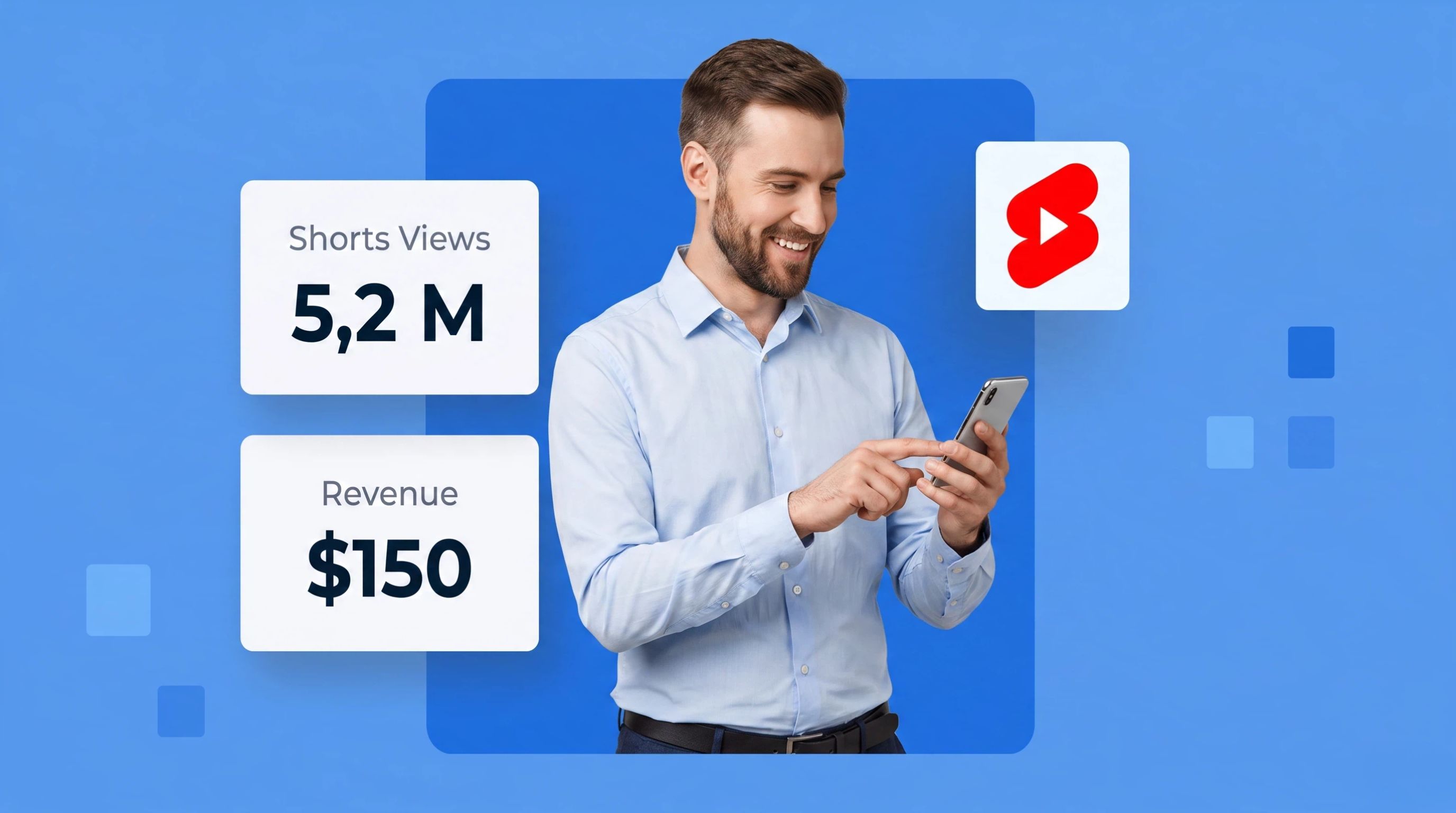
Eligibility is three questions, not one.
YPP Requirements
You need to qualify for the YouTube Partner Program before Shorts ad revenue sharing is available in the usual way. Thresholds differ by access level. Common public thresholds include:
Expanded access path: about 500 subscribers, plus recent public uploads, plus either Shorts view thresholds or long-form watch hours on a rolling window
Full ad revenue path: about 1,000 subscribers, plus either a higher Shorts views threshold (often discussed as 10M Shorts views in 90 days) or long-form watch-hour requirements
Always verify the live numbers in YouTube Studio or on YouTube’s official YPP page. Do not treat a blog table as a substitute for Studio’s eligibility checklist.
Shorts Monetization Module
Meeting YPP thresholds is not the same as earning from Shorts Feed Ads. In Studio, open Monetization and accept the Shorts Monetization Module to enable Shorts Feed Ads revenue sharing. Until that module is accepted, Shorts views will not pay out through that system.
Eligible Shorts Views
Only eligible Shorts views count toward Shorts revenue sharing. Total views in Analytics can look higher than the views that enter the Creator Pool allocation. Invalid traffic, non-qualifying playbacks, and policy limits can keep a view out of the share calculation even when the counter went up.
How Shorts Payouts Work
YouTube Shorts does not pay a fixed amount for every individual view.
Shorts Revenue Pool
Shorts Feed Ads revenue is pooled. Eligible creators receive a share based on their allocation of eligible or engaged views inside that pool. If your channel accounts for a larger share of eligible views in the relevant allocation, your share of the Creator Pool rises; if not, it falls, even at the same raw view count.
Revenue Share
After YouTube allocates Shorts Feed Ads revenue to the Creator Pool and assigns your portion based on eligible/engaged view share, creators receive 45% of the revenue allocated to them under YouTube’s current Shorts Feed Ads sharing terms. The rest stays with YouTube. Music and other rights rules can also affect how much of an allocation reaches you.
Shorts vs. Long-Form
Long-form videos often monetize through different ad placements and RPM dynamics. Shorts use the Feed revenue pool model above. That is why plugging Shorts views into a long-form “pay per 1K views” table usually misleads. Compare Shorts metrics to Shorts metrics in Studio.
Why Shorts Earnings Vary
Two channels with similar Shorts view counts can report very different revenue. The usual reasons:
Viewer Location
Advertiser budgets differ by country. A Short watched mostly in higher-demand markets can allocate more ad value than the same view count elsewhere.
Content and Advertiser Demand
Topics advertisers bid on (software, finance, commerce) often support stronger ad demand than broad meme or entertainment Shorts. Demand swings with seasonality too.
Eligible / Engaged Views
Only the views that qualify for sharing drive Shorts Feed Ads revenue. A high total-view Short with a lower eligible share underperforms a smaller Short that converts more cleanly into eligible activity.
Other Revenue Sources
Channel memberships, Super Thanks, shopping, and brand deals can sit beside Shorts Feed Ads. RPM-style summaries in Studio may blend sources depending on the metric, which is another reason fixed “Shorts pay $X per 1K views” claims fall apart.
Use this section to understand variance—not as a growth-hacking playbook. There is no universal Shorts RPM.
Create Policy-Safe YouTube Shorts With Designkit
Monetization policies favor original work over repetitive or mass-produced uploads. Designkit helps you build original visual assets, Shorts scripts and scenes, thumbnails or cover frames, and edit-ready creative directions so each Short looks intentional instead of templated.
Upload references, draft a few scene or cover options, refine on-canvas, then export. Keep the focus on original presentation and policy-safe packaging—not on spinning out near-identical clips at volume.
Open Designkit when you need original Shorts visuals that support a monetizable channel, not just more uploads.
Frequently Asked Questions
What are the YouTube Shorts monetization requirements in 2026?
What changed in YouTube Shorts monetization in 2026?
Creators should focus on engaged/eligible Shorts views, clear separation of YPP thresholds vs. the Shorts Monetization Module, and stricter expectations for original policy-safe content. YouTube has noted that the engaged-views metric update itself does not directly change eligibility or earnings on its own.
How many views do you need to monetize YouTube Shorts?
There is no one public “Shorts-only” view number that guarantees pay. YPP thresholds use different subscriber and performance paths (including Shorts views or watch hours), and Shorts Feed Ads still require the monetization module plus eligible views inside the revenue pool.
How does YouTube Shorts monetization work?
Shorts Feed Ads revenue goes into a Creator Pool. Eligible creators receive a share based on their allocation of eligible/engaged views, then receive 45% of the revenue allocated to them under current Shorts Feed Ads terms.
What are eligible Shorts views?
Eligible Shorts views are the views that qualify for Shorts revenue sharing. Total views can be higher. Invalid or non-qualifying playbacks may not enter the pool allocation.
How much do YouTube Shorts pay?
There is no fixed per-view rate. Payout depends on the Shorts Feed revenue pool, your share of eligible/engaged views, audience location, advertiser demand, and whether the Shorts Monetization Module is active.
Do Shorts pay differently from long-form videos?
Yes. Long-form often relies on different ad placements and RPM dynamics. Shorts Feed Ads use a pooled revenue-share model, so long-form pay-per-view estimates usually do not transfer cleanly.
Why do YouTube Shorts earnings vary?
Viewer location, content and advertiser demand, the share of eligible/engaged views, monetization status, and other revenue sources all move the number. Two Shorts with similar total views can earn very different amounts.
You May Also Like
Amazon Individual vs Professional Selling Plan

How to Create an Amazon Seller Account: Requirements and Steps
Amazon Product Video Requirements: Specs & Upload
Amazon Brand Registry Requirements: Trademark, Account & Cost
Amazon Global Selling: How to Open Multiple Marketplaces

How to Make an Event on Facebook: Complete Setup Guide (2026)

Amazon Sponsored Brands: What They Are and When to Use Them

Amazon Sponsored Products: How to Launch Your First Campaign

Amazon Vine Program for Sellers: Get Early Product Reviews

Amazon A+ Content Dimensions: Module Image Sizes

Print-On-Demand Designs: Create, Prepare, and Preview Your Work

Amazon A+ Content: What It Is and What to Build First

Is Print on Demand Profitable in 2026? Products and Niches

Amazon Brand Registry Application: How to Submit and Pass Review

How to Ship to Amazon FBA: Your First Shipment

What Is Amazon FBA? Should Beginners Use It in 2026

How to Get Ungated on Amazon: Restricted Category Approval Steps

Amazon Backend Keywords: Title, Bullets & Search Terms

What Is A/B Testing? A Practical Guide to Running Better Experiments

Best Time to Post on Instagram in 2026: Data & Tips

How to Get Verified on Instagram: Complete Guide

TikTok Monetization in 2026: Requirements & Ways to Earn

Instagram Desktop Posting Guide: Upload Posts, Stories & Reels

YouTube Shorts Monetization Requirements & Rules 2026

How Much Does YouTube Pay Per View? 1K, 100K & 1M Views

How to Make Money on Snapchat: 7 Ways to Earn

How to Get More Followers on Instagram in 2026

Best Time to Post on TikTok in 2026 for More Views

How to Repost on Instagram in 2026: A Simple Guide

Multichannel Marketing Guide: Strategy, Tools & Examples

How to Create Digital Products That Sell in 2026

Cyber Monday Marketing Ideas & Strategies (2026 Guide)

Black Friday Marketing Ideas for Ecommerce Brands (2026)

Instagram Marketing Guide: Strategies, Tips & AI Tools in 2026

Influencer Marketing Guide: Strategy, Campaigns & Creator Tips

15 Best Things to Sell on Etsy in 2026 (Listing Tips Included)

WooCommerce vs Shopify 2026: Pricing, Features & Which Is Better

How to Sell on Facebook Marketplace: Beginner Guide (2026)

How to Use Pinterest for Business: Strategy, Tips & Growth Guide

How to Sell on Etsy in 2026: Setup, Listings & Growth Tips

What Is a Target Audience? Types, Examples & How to Find Yours

TikTok Marketing Guide 2026: Strategies, Ideas & AI Tools

Vibe Marketing Explained: Strategy, Examples & AI Tools

How to Sell on Depop: Beginner Guide to Getting Your First Sale

Online Advertising Guide: Types, Costs & Examples (2026)

Facebook Advertising Guide: Costs, Strategy & Tools 2026

What Are E-commerce Ads? Examples, Strategy & Tools (2026)

Where to Sell Handmade Items Online (2026): Etsy, Amazon, or Shopify?

Shopify vs Amazon (2026): Brand Store or Marketplace FBA?

Amazon Handmade vs Etsy (2026): Which Is Better for Makers?

Etsy vs eBay (2026): Handmade, Vintage, or Secondhand?

Selling on Amazon vs eBay (2026): Fees, Profit & Where to Sell

What Is Brand Awareness? Examples, Strategies & Tools 2026

10 Best Online Selling Platforms (2026): Pick by What You Sell

Shopify vs Etsy (2026): Which Is Better for Handmade Sellers?

YouTube Automation Step-by-Step AI Guide for Beginners

What Is Brand Identity? Examples, Elements & Strategy

AI Marketing Agent: How It Works, Benefits & E-Commerce Examples

What Is Personalized Advertising? Examples & How It Works

How to Build a Shopify Store That Actually Converts Visitors

Amazon Marketing Guide 2026: Strategies, Tips & Tools

Local Advertising: Strategies, Examples & Tools (2026)

What Is Branded Content? Examples, Strategy & Tools 2026

What Is Performance Marketing? Strategies & Examples 2026

Inbound Marketing: Strategies, Examples & Tools (2026)
Make Shorts Worth Monetizing
Eligibility and payout rules only help if the Shorts themselves are original and watchable. Use Designkit for policy-safe visuals, covers, and scene options before you publish.


