
Kittl Review: Features, Pricing, Pros, Cons & Best Alternatives
Thinking about using Kittl for your next design project? Explore this in-depth Kittl review covering its AI features, pricing, strengths, limitations, and top alternatives to help you choose the right graphic design tool for your workflow.

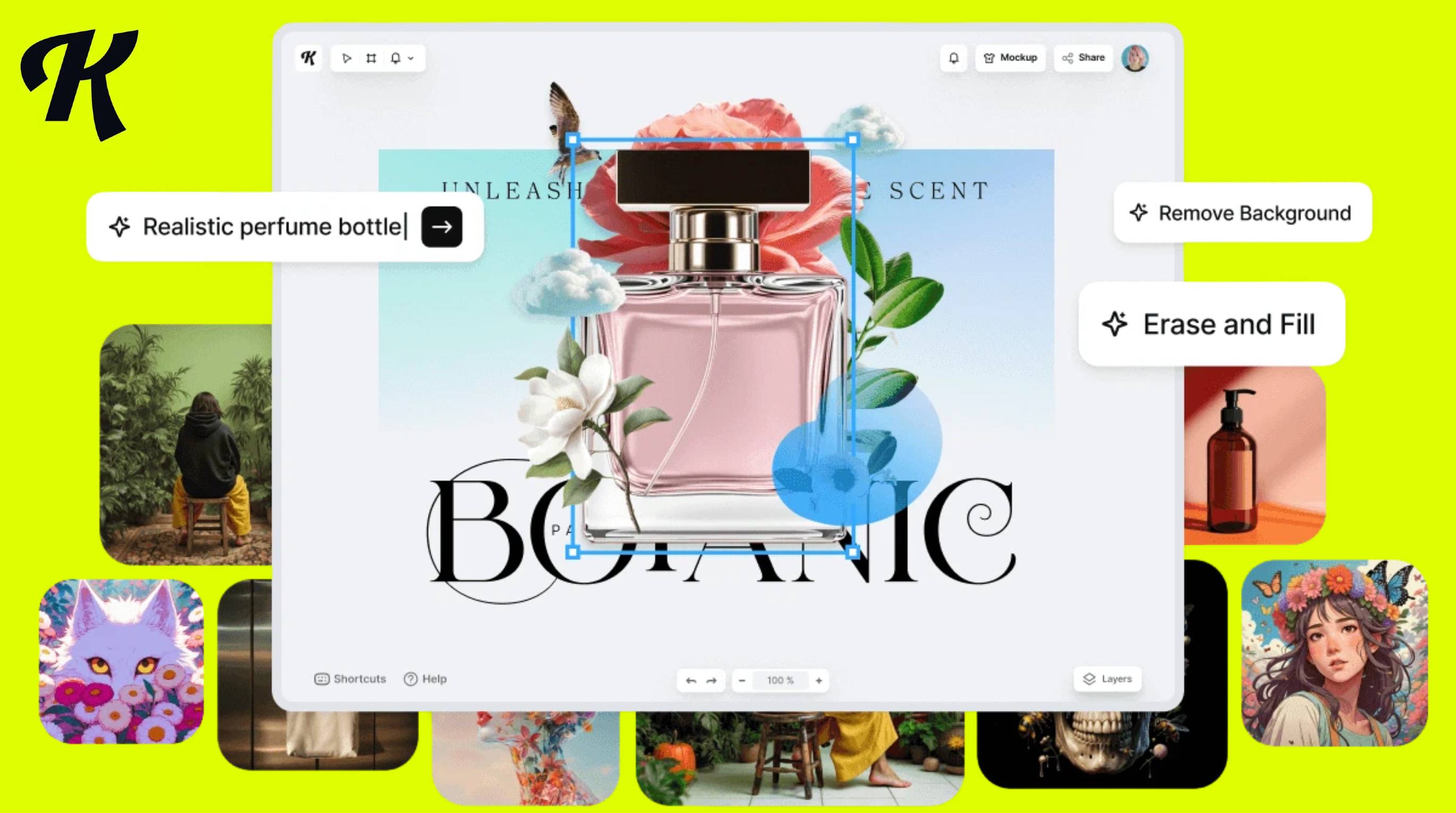
Kittl has become a popular AI graphic design platform for creating logos, illustrations, typography, and marketing visuals. But is it the right choice for your needs?
In this Kittl review, we'll examine its AI features, pricing, ease of use, strengths, limitations, and overall value. You'll also learn who it's best suited for, how it compares with similar tools, and which alternatives are worth considering before making a decision.
Quick Verdict
-
Kittl is best for POD sellers, freelancers, and brand designers who need typography-first templates and built-in mockups.
-
Pricing starts free but commercial use requires a paid plan — verify current rates on Kittl's site before committing.
-
AI tools run on a token system, so heavy AI users should budget for extra credits.
-
If your work extends beyond graphics into listings, campaigns, or multi-channel publishing, a workflow-focused tool like Designkit may fit better.
What Is Kittl?
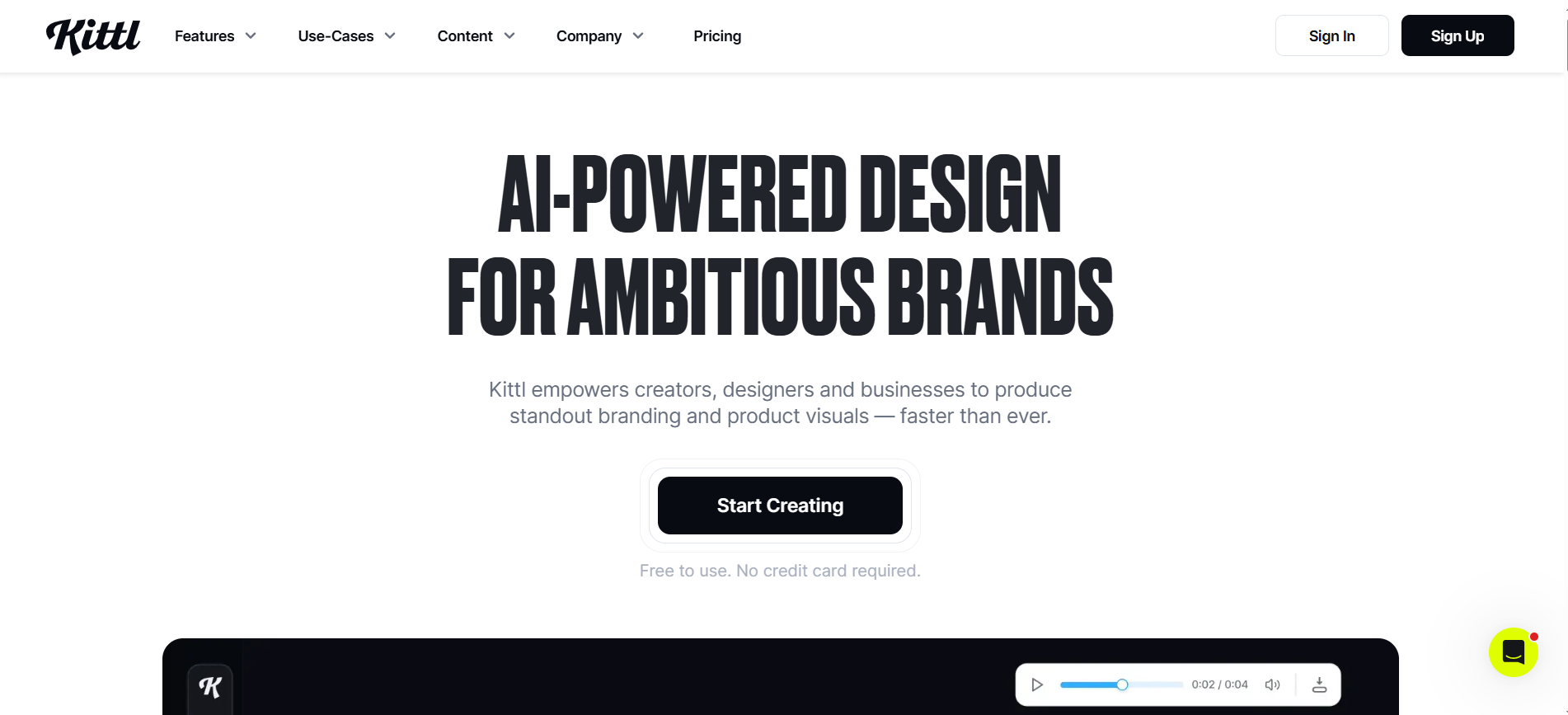
Kittl is a browser-based graphic design platform that combines AI-powered image generation, vector editing, advanced typography, and ready-made templates in one workspace. It is especially popular for creating T-shirt designs, logos, posters, social media graphics, print-on-demand (POD) products, and marketing assets without using complex desktop software. Many Kittl reviews highlight its intuitive interface, powerful text effects, and growing collection of AI tools for creators and small businesses.
Company Overview
Founded to simplify professional design, Kittl focuses on making high-quality graphics accessible to creators of all skill levels. The platform offers AI image generation, vector editing, customizable templates, mockup creation, and collaborative design features directly in the browser. It also provides a free plan alongside paid subscriptions, making it easy for users to start designing before upgrading. If you're wondering if Kittl is free, the answer is yes, a free plan is available, while premium plans unlock commercial licenses, high-resolution exports, and advanced AI capabilities.
|
User |
Fit |
|---|---|
|
POD sellers |
Excellent |
|
Etsy sellers |
Excellent |
|
Freelancers |
Excellent |
|
Ecommerce brands |
Good (for graphics; less for product-photo systems) |
|
Agencies |
Good |
|
Enterprise teams |
Limited |
Kittl is best suited for creators who produce typography-heavy designs, printable merchandise, digital products, and branded marketing materials. Print-on-demand sellers and Etsy shop owners benefit from its extensive template library, mockup tools, and vector editing capabilities, while freelancers can quickly create professional client assets.
What Makes Kittl Different?
Kittl stands out because of its industry-leading typography engine, which allows users to create professional text effects, curved lettering, vintage styles, and editable vector text with minimal effort. Unlike many browser-based editors, Kittl combines advanced typography with AI image generation, vector editing, and built-in product mockups, enabling users to design and preview merchandise without switching between multiple tools.
For creators researching Kittl graphic design capabilities, the platform offers an efficient workflow for producing logos, apparel graphics, posters, packaging, and social media visuals entirely online. Users compare Kittl pricing plans or ask how much Kittl costs to choose from a free plan for personal projects or paid Pro and Expert plans that add commercial licensing, premium assets, high-resolution exports, and expanded AI features.
Kittl AI Features Review
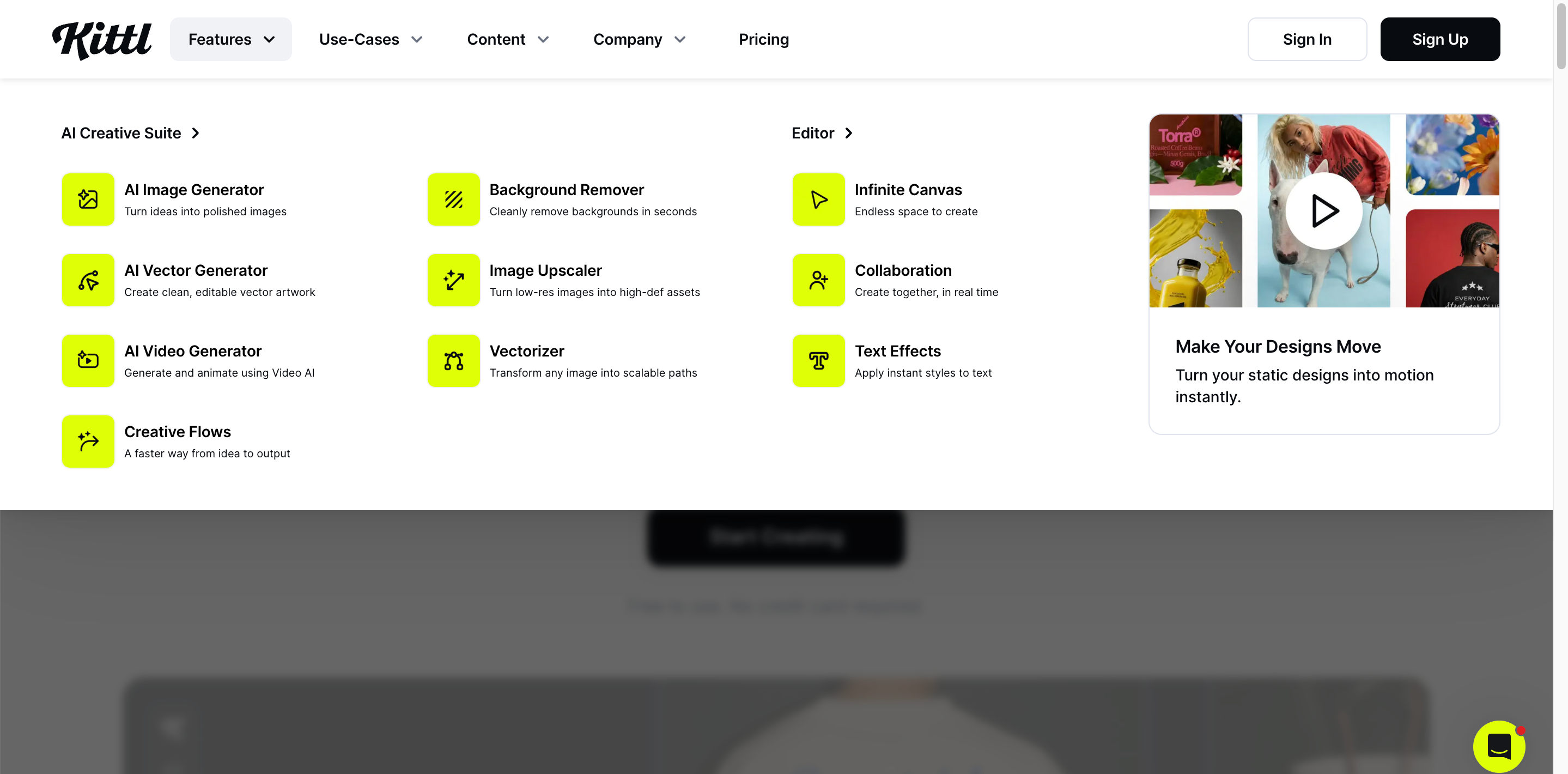
Kittl combines AI-powered design tools with an intuitive browser-based editor for creating logos, illustrations, vectors, typography, and product graphics. In this Kittl review, these are the features that stand out most.
AI Image & Logo Generation
Kittl AI generates images, illustrations, and logo concepts from text prompts. You can customize the results with built-in editing tools, making it useful for branding, social media graphics, and print-on-demand designs.
AI Vector Generator
The AI Vector Generator creates editable, scalable vector graphics for logos, T-shirts, stickers, and packaging. Unlike raster images, vectors stay sharp at any size and are easy to customize.
Typography & Text Effects
Typography is Kittl's biggest strength. It offers professional text effects, curved text, vintage styles, outlines, and textures that can be edited in a few clicks. This is one reason many Kittl reviews recommend it for Kittl graphic design projects.
Kittl Mockup Generator
The Kittl Mockup Generator lets you preview designs on products like T-shirts, hoodies, mugs, and posters without leaving the editor. It's especially useful for Etsy sellers and print-on-demand businesses.
Collaboration & Export Options
Kittl supports cloud-based collaboration and exports in formats like PNG, JPG, SVG, and PDF (depending on your plan). If you're comparing Kittl pricing plans, the free version is suitable for getting started, while paid plans add more AI credits, premium assets, commercial use, and higher-quality exports. So, is Kittl free? Yes, with optional paid upgrades for advanced features.
Kittl Pricing Plans
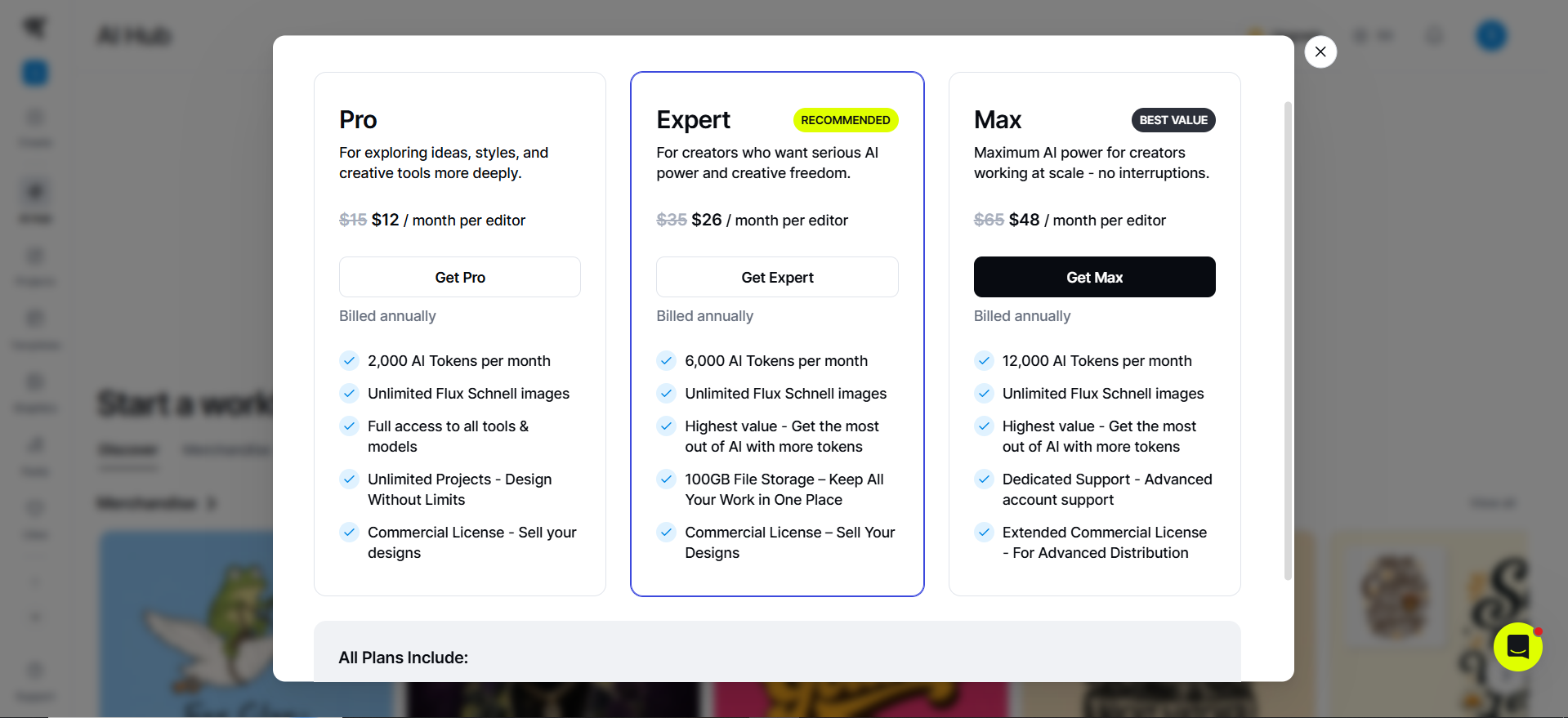
Whether you're exploring Kittl for personal projects or commercial work, the platform offers three plans to suit different needs. The free plan is ideal for learning the editor, while paid plans unlock more AI credits, premium assets, commercial licensing, and higher export limits.
Is Kittl Free?
Yes. Kittl offers a free plan that lets you create designs using basic templates and a limited number of AI credits. It's a good option for beginners, while creators who need commercial use and more AI features can upgrade to a paid plan.
|
Plan |
Best For |
Main Features |
|---|---|---|
|
Free |
Beginners testing the platform |
Basic templates, limited AI credits, standard design tools |
|
Pro |
Creators and sellers |
More AI tools, premium assets, commercial use, higher export limits |
|
Expert |
Heavy users |
Increased AI usage, advanced features, and higher usage limits |
Which Plan Offers the Best Value?
For most freelancers, creators, and small businesses, the Pro plan offers the best balance of features and price. If you're comparing Kittl pricing plans or wondering how Kittl costs, the Pro tier is typically the most practical choice because it includes the tools needed for:
-
Product design
-
Marketing graphics
-
Commercial projects
-
More frequent AI-powered design workflows
How to Create Graphics with Kittl in 5 Steps
Creating graphics with Kittl is straightforward, whether you're designing for social media, print-on-demand, or branding. Here's how the workflow typically looks.
Step 1: Upload Your Assets or Start a Project
Begin by creating a new project and uploading your product photos, logos, brand assets, or other design files. If you're starting with only an idea, open a blank project instead. This gives you an organized workspace where all design elements stay in one place, making it easier to edit, update, and manage your creative work as the project grows.
Step 2: Choose a Template or Blank Canvas
Select a professionally designed template that matches your goal, such as a social media post, presentation, flyer, or ecommerce graphic. If you want complete creative freedom, start with a blank canvas. Templates speed up the design process by providing ready-made layouts, while a blank canvas lets you build every element from scratch.
Step 3: Customize with AI Tools
Use AI-powered design tools to generate graphics, illustrations, backgrounds, icons, or other visual elements from a text prompt or uploaded image. You can then edit colors, shapes, and styles to match your brand. AI automates repetitive design tasks, helping you create high-quality visuals faster without compromising creativity.
Step 4: Refine Typography and Layout
After generating your design, fine-tune every detail by adjusting fonts, colors, spacing, alignment, and visual effects. Organize elements into a balanced layout that improves readability and creates a polished appearance. These refinements help your design look more professional, consistent with your brand, and ready for its intended audience.
Step 5: Export Your Design
Once your design is complete, export it in the file format that best suits your needs, such as PNG, JPG, PDF, or SVG where supported. Choose the appropriate resolution for print or digital use to maintain image quality. Flexible export options ensure your finished design is ready for websites, social media, marketing campaigns, or ecommerce platforms.
Kittl Pros and Cons
Ease of Use
Kittl has a clean, browser-based interface that's easy to navigate. Templates, drag-and-drop editing, and AI tools help beginners create professional graphics quickly, while advanced typography tools give experienced designers more creative control.
Export Quality
Export quality is solid for both digital and print projects. Depending on your plan, you can export in formats like PNG, JPG, SVG, and PDF, making Kittl suitable for logos, merchandise, marketing materials, and social media graphics.
Overall Value
Kittl offers excellent value for freelancers, Etsy sellers, and print-on-demand businesses. Its AI-powered workflow, typography features, and built-in mockups save time, though heavy users may benefit most from a paid plan.
|
Pros |
Cons |
|---|---|
|
|
Best Kittl Alternatives in 2026
If Kittl doesn't match your workflow, several alternatives offer different strengths depending on your design needs. While Kittl excels at typography and print-on-demand graphics, these tools focus on broader design, branding, or ecommerce content creation.
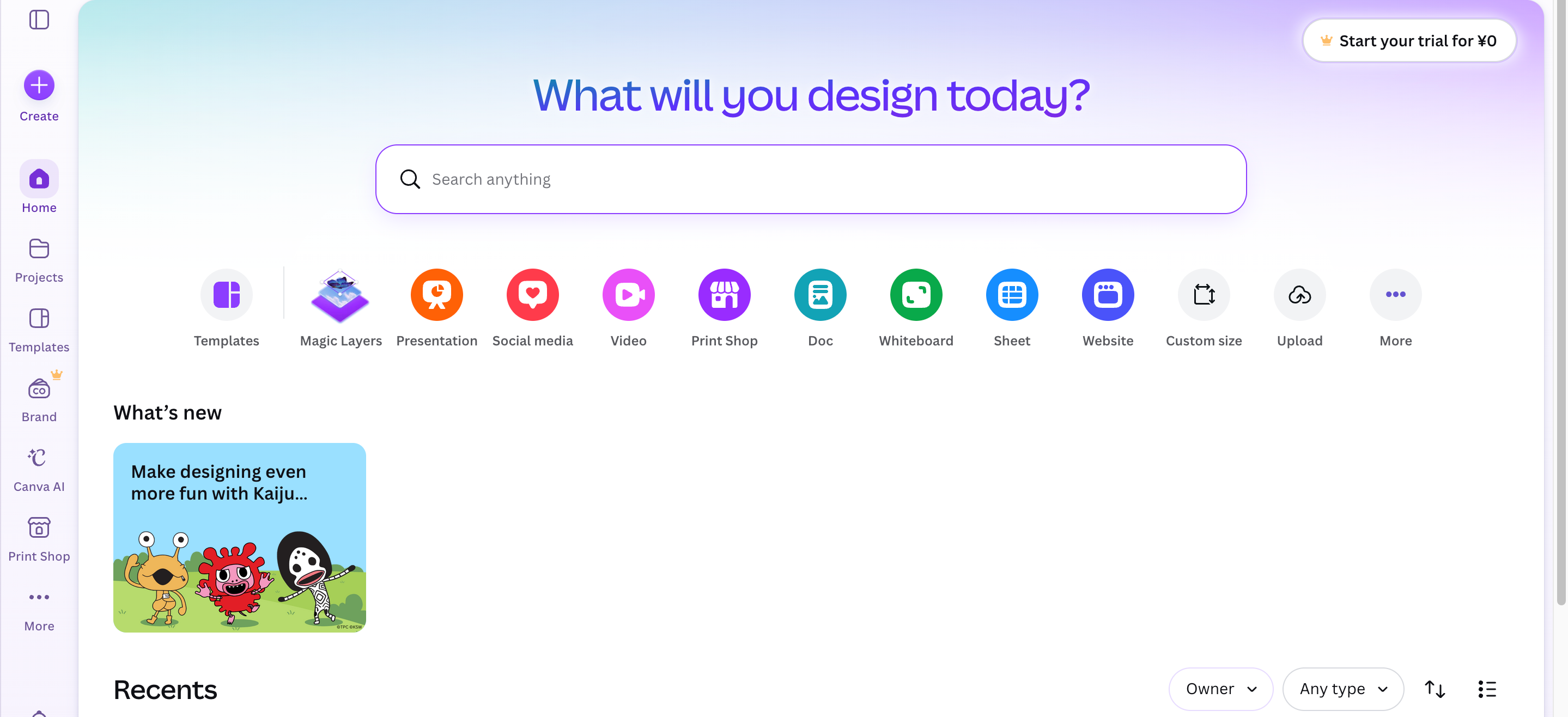
Canva
Best for: Content creators, marketers, educators, and teams
Key Features
-
Thousands of templates for social media, presentations, and marketing
-
Drag-and-drop editor with real-time collaboration
-
AI-powered design and content tools
-
Brand Kit for consistent visuals
-
Extensive integrations and stock media library
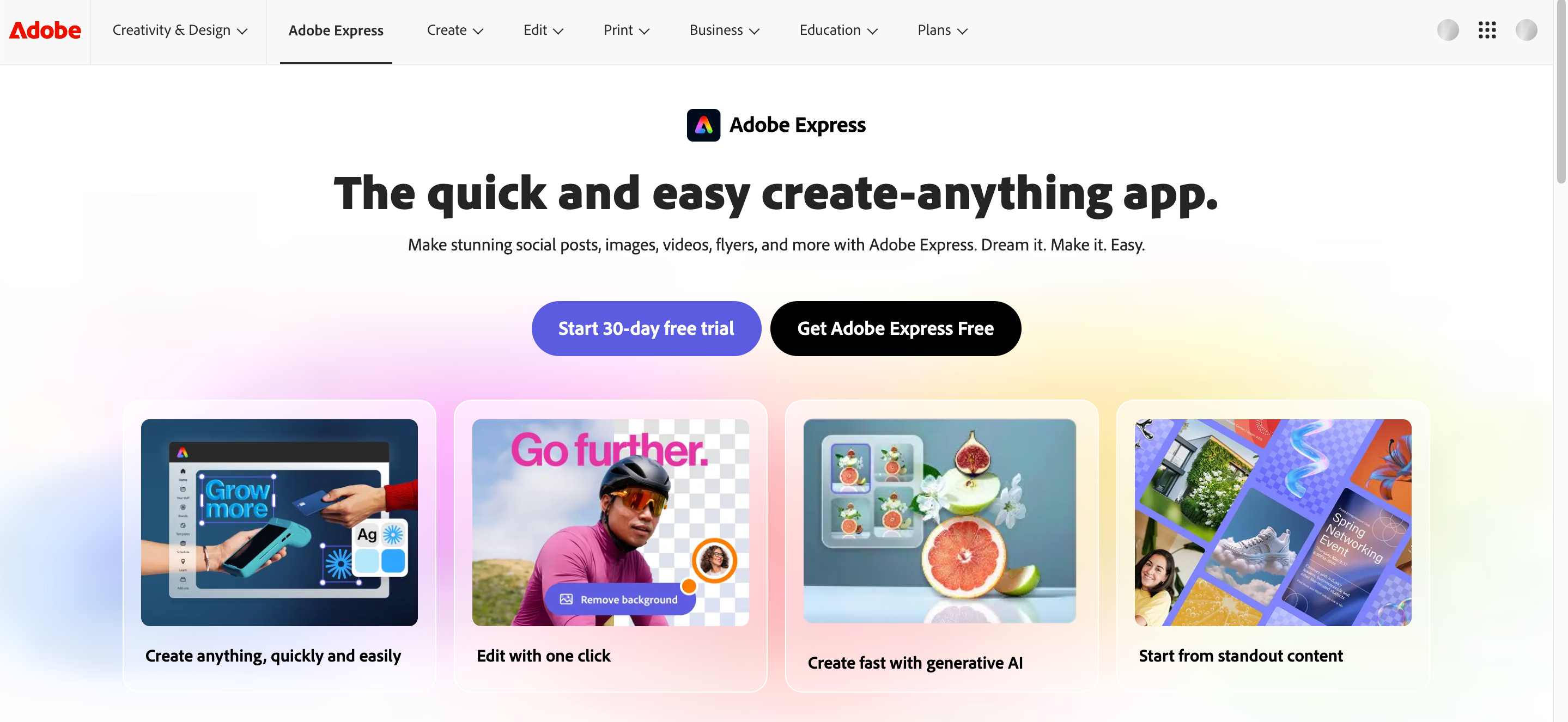
Adobe Express
Best for: Adobe Creative Cloud users and creative professionals
Key Features
-
Works seamlessly with Photoshop and Illustrator
-
AI-powered image generation and editing
-
Premium Adobe fonts and templates
-
Quick content resizing for multiple platforms
-
Cloud syncing across Adobe apps
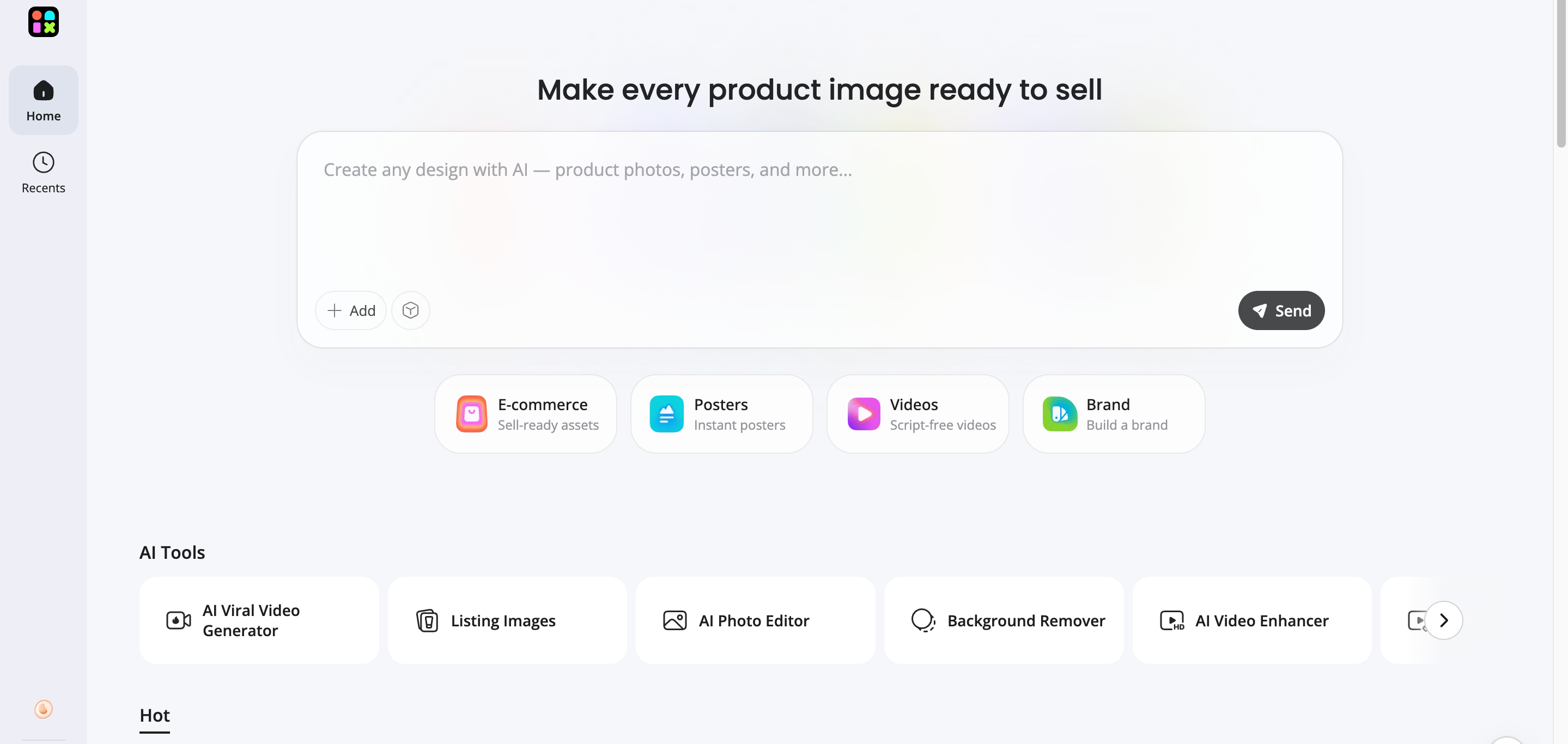
Designkit
Best for: Ecommerce brands, Shopify stores, Amazon sellers, and online marketplaces
Kittl shines at typography-heavy graphics and merch mockups. If your workflow starts with product photos and requires listing images, lifestyle scenes, advertising creatives, and multi-platform marketing assets, Designkit is built specifically for e-commerce visual production.
Key Features
Turn Product Photos into Professional Marketing Visuals
Transform plain product photos into polished banners, promotional graphics, and social media creatives using AI-powered editing tools.
Generate Ecommerce-Ready Product Images
Create marketplace-ready product images with background replacement, shadow enhancement, lifestyle scenes, and clean compositions for online stores.
Create Multiple Creative Variations Faster
Generate multiple versions of the same product creative for seasonal campaigns, promotions, A/B testing, and different audience segments.
Keep Brand Visuals Consistent Across Channels
Apply consistent colors, layouts, and branding across product listings, ads, websites, and social media content.
Resize and Repurpose Content for Every Platform
Automatically resize images for Shopify, Amazon, Instagram, Facebook, Pinterest, and other marketing channels without rebuilding each creative from scratch.
How to Create Ecommerce Marketing Assets with Designkit
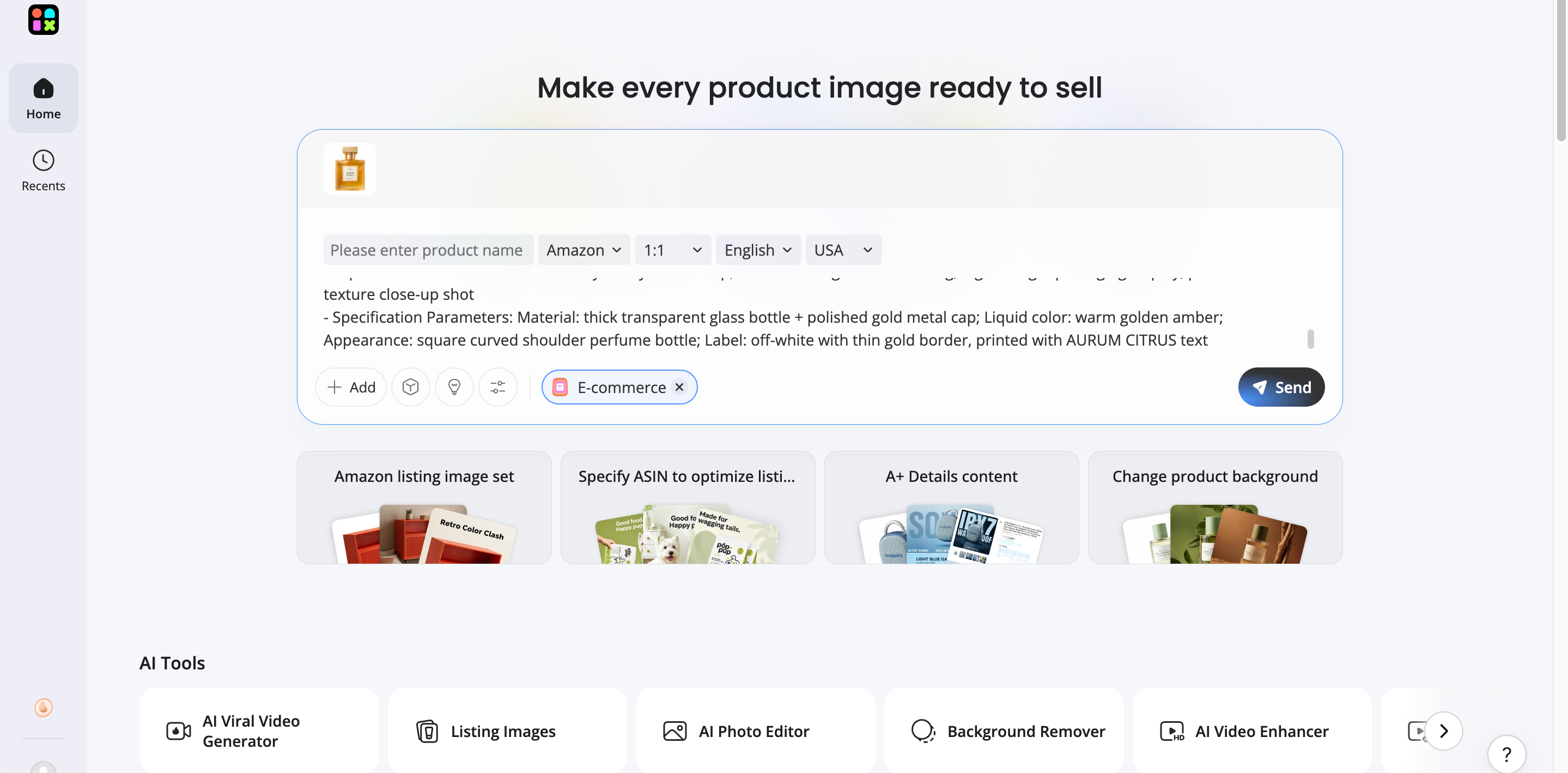
Step 1: Upload Product Images and Information
Add images, features, and goals, so Designkit understands your product, matches your brand style, and creates campaign-ready creatives fast.
Step 2: Generate Marketing-Ready Visuals
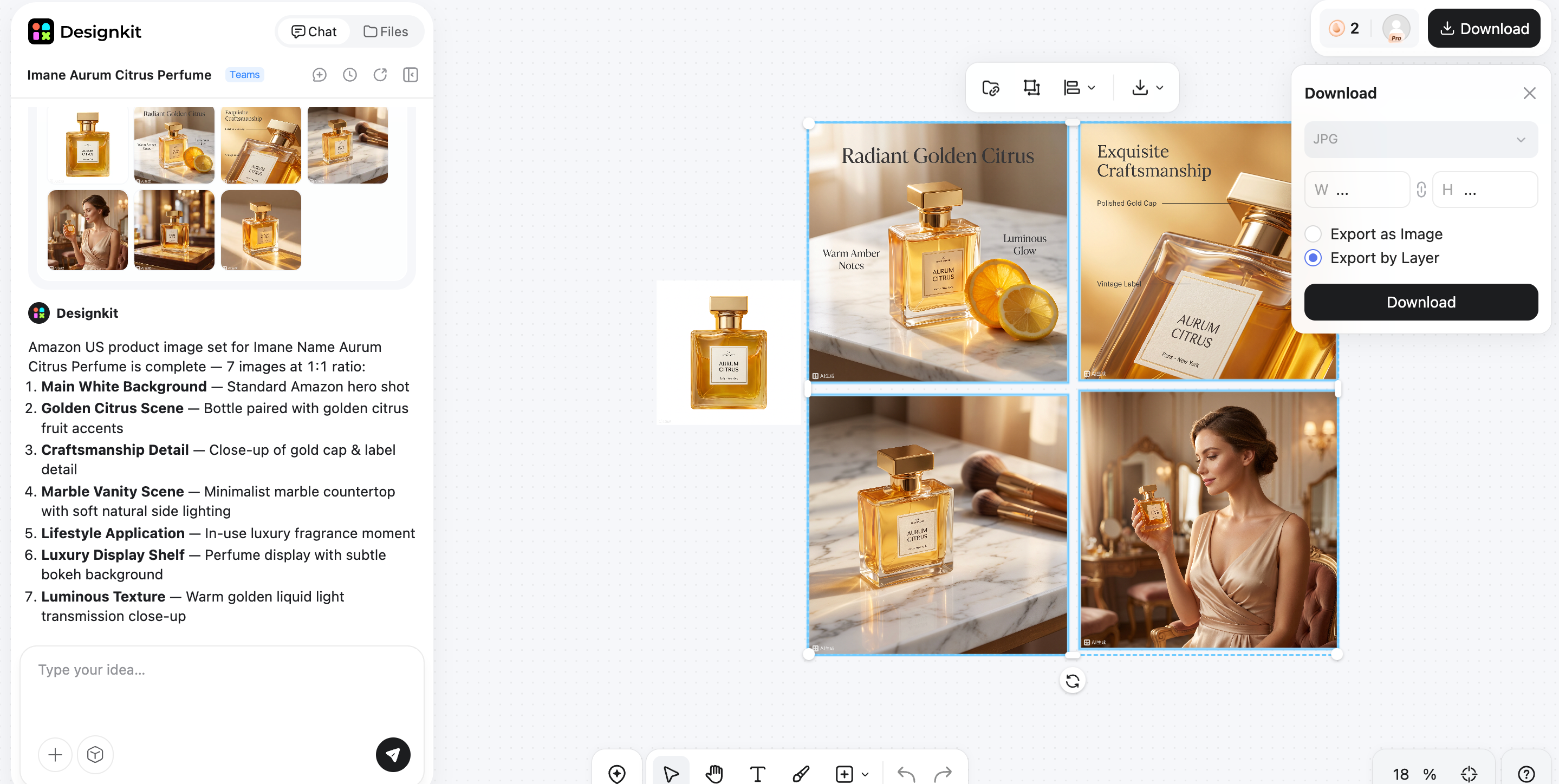
AI builds listing layouts, banners, and branded visuals in seconds, giving you polished options to review, refine, and publish without starting over.
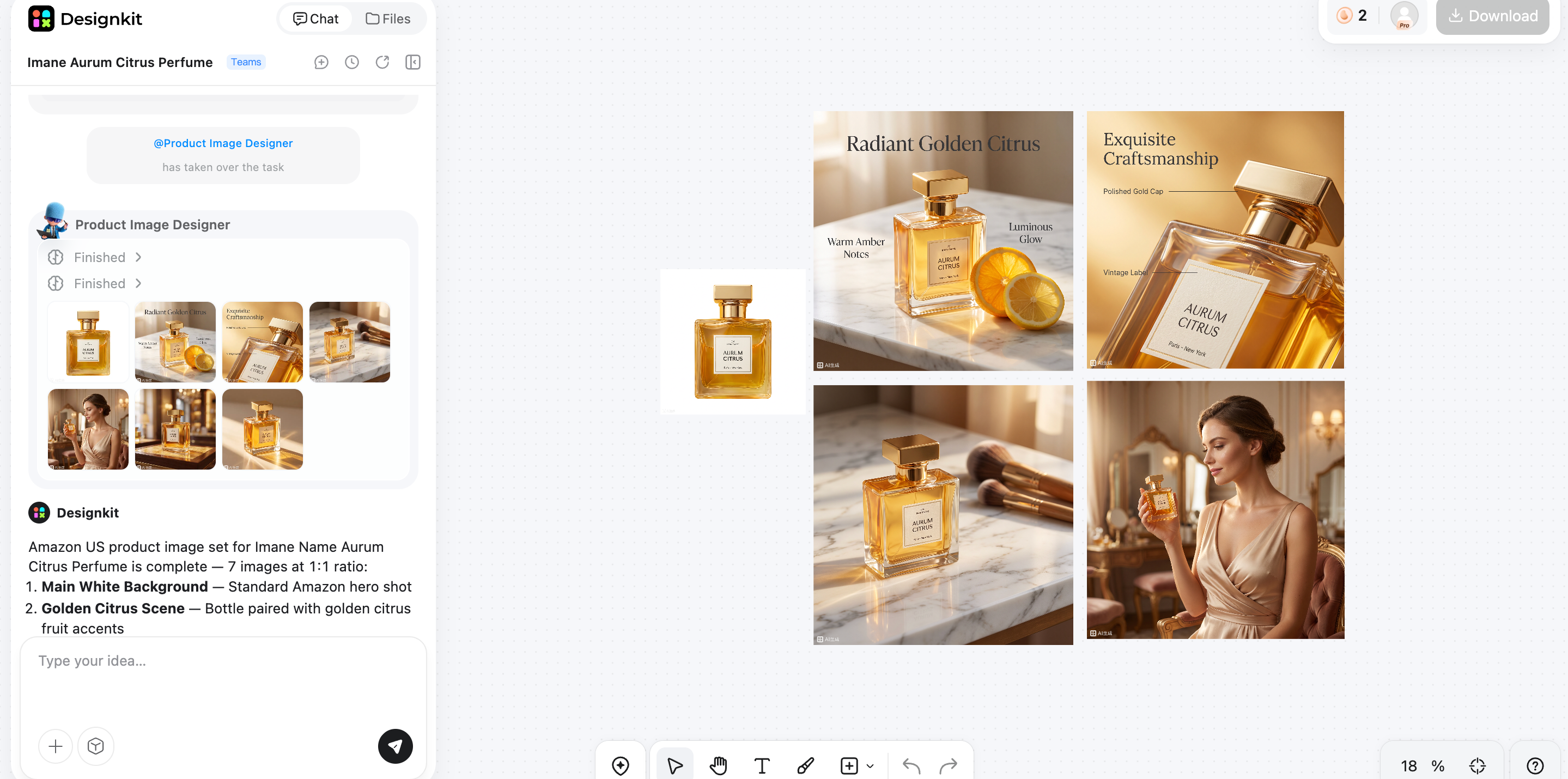
Create Ecommerce Marketing Images
Step 3: Export and Publish Everywhere
Resize and export assets for Amazon, Shopify, Etsy, and social media, so every channel gets the right format, stays on brand, and launches fast.
Final Verdict: Is Kittl Worth It in 2026?
Kittl is a worthwhile choice in 2026 for designers, freelancers, Etsy sellers, and print-on-demand businesses that need high-quality typography, AI-powered graphics, and professional mockups. Its browser-based editor makes creating logos, posters, merchandise, and marketing visuals fast and accessible.
However, it isn't designed to handle every ecommerce content need. If your business relies on product photography, marketplace listings, lifestyle images, and ad creatives, pairing Kittl with Designkit is a smarter approach. Kittl excels at creative graphic design, while Designkit streamlines ecommerce visual production, helping brands create consistent, conversion-focused assets across multiple sales and marketing channels.
Frequently Asked Questions
Is Kittl worth it for small businesses?
Can Kittl create designs for commercial use?
Yes, commercial use is supported on eligible paid plans under Kittl's licensing terms. Businesses can create branding, merchandise, packaging, and marketing graphics for commercial projects. For brands selling on Amazon or Shopify, Designkit can extend this workflow by producing marketplace-ready product images and promotional creatives.
Is Kittl suitable for beginners with no design experience?
Absolutely. Kittl's drag-and-drop editor, templates, and AI-powered tools make it easy for beginners to create professional-looking designs without advanced design skills. As your business grows, Designkit can help generate ecommerce visuals, product images, and marketing assets that go beyond standard graphic design.
Do professional designers use Kittl?
Yes. Many professional designers use Kittl for rapid concept creation, typography, posters, and print-on-demand graphics. While they may rely on advanced software for complex projects, Kittl is often used to speed up creative workflows. For ecommerce campaigns, many teams also use Designkit to produce consistent product-focused visuals across multiple channels.
Does Kittl work well for print-on-demand businesses?
Yes. Kittl is particularly well suited for print-on-demand sellers thanks to its typography tools, vector editing, and built-in mockup generator. It's ideal for creating apparel, mugs, posters, and merchandise designs. After the artwork is finished, Designkit can help create polished marketing images and promotional assets for online stores.
Can Kittl be used to design Amazon or Shopify product graphics?
Yes, Kittl can create banners, promotional graphics, and branded visuals for ecommerce stores. However, it isn't primarily built for large-scale product image production. If you need listing images, lifestyle scenes, comparison graphics, and ad creatives, Designkit offers specialized tools designed for Amazon, Shopify, and other ecommerce platforms.
What should you consider before choosing Kittl over other AI design tools?
Choose Kittl if your priority is typography, branding, illustrations, and print-on-demand design. Compare features like AI capabilities, templates, collaboration, export options, and pricing before deciding. If ecommerce marketing is a major part of your workflow, pairing Kittl with Designkit provides a more complete solution for creating both creative graphics and high-converting product visuals.
You May Also Like

7 Best Remove.bg Alternatives in 2026: Free & Paid Tools

Instagram Carousel: What It Is, How to Post & Create One

Nano Banana Prompts: 20+ Examples for Better AI Images

Ideogram AI Review 2026: Features, Pricing & Alternatives

Free Mac Photo Editor: 5 Tools Compared for Mac Users

How to Crop a Photo Into a Circle Online (Keep Quality)

How to Make an Image Transparent Online (AI Guide)

Pixlr Background Remover Review 2026: Features, Pricing & Alternatives

How to Fix Overexposed Photos: Recover Highlights Fast

OpenArt AI Review 2026: Features, Pricing & Alternatives

Best AI Headshot Generator: 9 Tools Compared for 2026

Best Stencil Maker Tools 2026: Turn Photos Into Stencils

Pixelbin Watermark Remover Review: Image & Video Results Tested

How to Make a Sticker on iPhone: Easy Step by Step Guide

Best AI Logo Generator in 2026: 10 Tools Compared

How to Turn a Photo Into a Cartoon: A Beginner-Friendly Guide

Landscape vs Portrait: Key Differences & Best Uses in 2026

How to Remove Watermark From Photo: AI, Photoshop & More

How to Fix Pixelated Photos: Photoshop, AI Tools & Tips

Bing Image Creator: How It Works, Features, Uses & Alternatives

How to Remove People from Photos with AI: A Step-by-Step Guide

How to Increase Image Resolution: AI, Photoshop & PPI

How to Add Text to a Photo: 8 Tips for Better Results

How to Fix Grainy Photos: Easy Ways to Clear Images

Creative Profile Picture Ideas for Every Style and Platform

Evoto AI Review 2026: Features, Pricing, Pros & Cons

Pixlr Photo Editor Review: Features, Pricing & Alternatives

Best AI Image Extender Tools in 2026: Expand Photos with AI

How to Make a Collage on iPhone: Easy Guide for 2026

How to Sharpen an Image in Photoshop (Smart Sharpen and Unsharp Mask)

Best Image Background Remover Tools in 2026: AI Tools Compared

How to Make Transparent Background in Paint: Step-by-Step Guide

How to Resize an Image: Best Methods, Tools & Quality Tips

Best AI Image Generator Tools in 2026: Top AI Platforms Compared

Remove.bg Review 2026: Features, Pricing & Is It Worth It?

Luminar Neo Photo Editor Review 2026: AI Features, Price & Pros

How to Post Multiple Photos on Instagram (2026 Guide)

25 Facebook Cover Photo Ideas for Personal & Business Pages

What Is a PFP? Meaning, Examples & How to Create One

Can You Edit an Instagram Post After Posting?

11 Best Canva Alternatives in 2026 for AI Design & Marketing

8 Best Midjourney Alternatives in 2026: Features, Pricing & Comparison

How to Restore Old Photos: AI Tools, Tips & Best Methods

Pixelcut AI Review 2026: Features, Pricing, Pros, Cons & Alternatives

How to Apply Watermark to Photos: Methods, Tips & AI Tools

How to Remove a Background in Illustrator: 4 Easy Methods

How to Change Background Color on Instagram Story (Easy Guide)

8 Best AI Poster Generators in 2026: Create Posters Faster with AI

10 Best AI Image Enhancers in 2026: Tested & Compared

10 Best AI Image Editors in 2026: Features, Pricing & Comparison

7 Best AI Background Changer in 2026: Remove & Replace Photo Backgrounds

Luminar Neo vs Lightroom: Features, Pricing & Comparison 2026

Kittl Review 2026: Is It Worth It? Features & Pricing

How to Make a Blurry Image Clear: 5 AI & Manual Ways

How to Remove Background on iPhone: 5 Easy Methods (2026)

Photoroom Background Remover Review 2026: Features & Alternatives

How to Remove Background in Canva: A Step-by-Step Guide

How to Remove Background in GIMP: Beginner-Friendly Guide

Funny Dog Memes to Try: Doge Meaning and 10 Original Ideas

Back to School Checklist 2026: Supplies, Timeline, and Planning

Recraft AI Review 2026: Features, Pricing, Pros, Cons & Alternatives

How to Make an Image Transparent in Google Slides: Opacity & Background Removal

VanceAI Photo Enhancer Review: Features, Pricing & Alternatives in 2026

What Does Emojify Mean? Text, Photos, & Emoji Art Explained

Top 8 Online Background Removers for Ecommerce Photos (2026)

How to Remove Background in Photoshop: 7 Easy Methods

6 Best AI Image Upscalers 2026: Tools Tested & Compared

Project Indigo Review: Is It Better Than iPhone Camera?

How Big Is an 8x10 Photo? Size, Pixels & Frame Guide

How Big Is a 4x6 Photo? Dimensions, Pixels & Printing Tips

Picsart AI Review: Features, Pricing, Pros, Cons & Alternatives

Lovart AI Review: AI Design Agent Features, Pricing & Alternatives

Fotor AI Image Generator Review: Features, Pricing & Alternatives

How to Add Emoji to Photo Online for Free

Emoji Wallpaper Ideas & How to Make One Online (2026)

Minimalist Poster Design: How to Make a Clean Poster (2026)

How to Make a Custom Poster That Is Ready to Print

Instagram Image Size Guide 2026: Post, Reel, Story & Carousel Specs

LinkedIn Image Size Guide: Profile, Post & Banner Dimensions

YouTube Profile Image Size: Best Dimensions & Safe Area 2026

How to Edit Amazon Product Photos That Boost Sales Fast
Create Ecommerce Marketing Assets Faster with AI
If you need product visuals and multi-channel marketing images beyond graphic templates, Designkit helps ecommerce brands generate listing and promo assets from one AI workflow.
