
10 Funny Dog Memes to Try and What Actually Makes Doge Different
Discover 10 original funny dog meme ideas built around familiar reactions, imagined situations, and Doge-style humor, then learn how to create one from your own concept.


Dogs are particularly good at making people laugh. Often, a confused head tilt or a sudden burst of excitement upon hearing the word "walk" can make for the perfect joke. That is why funny dog memes are so popular. The dog's expression often says everything before a caption is even added.
VCA Animal Hospitals says social dogs tilt their heads more to hold human attention. This guide covers what makes the Doge meme different from other dog memes. You will also discover 10 original meme ideas and a simple way to turn your own idea into an original dog meme without relying on old viral templates. Every example uses an original image and caption, not a recycled template.
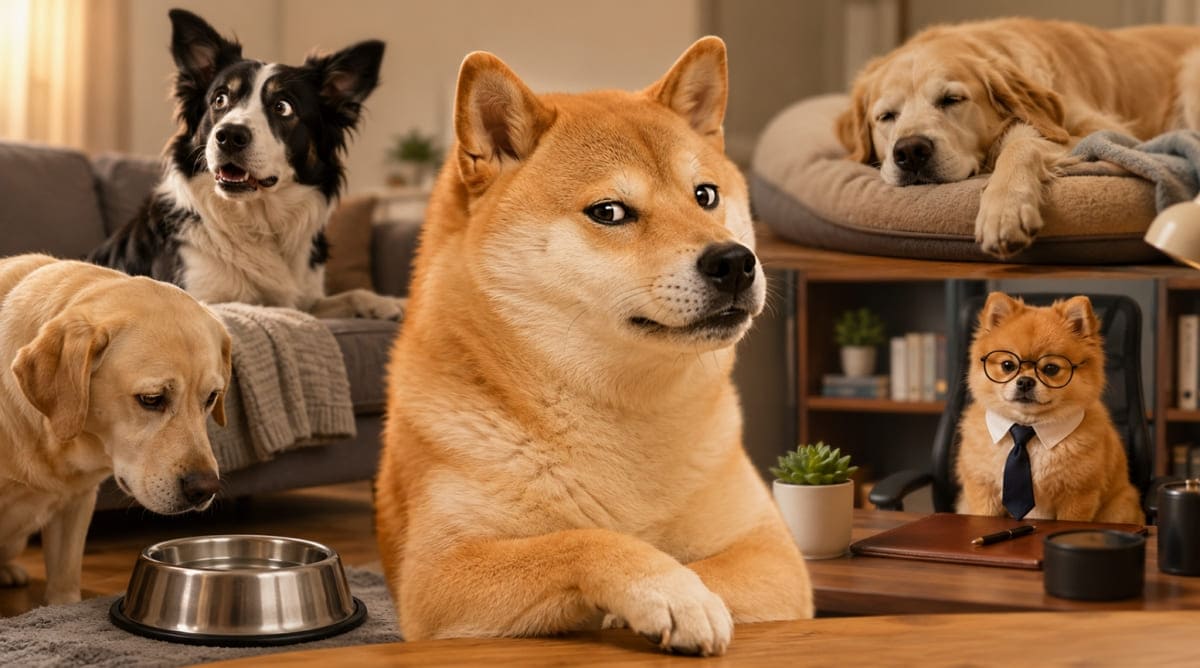
What Is the Doge Meme?
Doge is a very specific meme format, not a broader term. The format traces directly back to Kabosu, a well-known Shiba Inu. Kabosu's photo eventually became the single best-known Doge image online. That specific photo first gained widespread recognition online back in 2013. It still remains the reference point people mean by "Doge," according to Know Your Meme.
The format itself stays easy to recognize once you know its parts. A Shiba Inu meme face sits at the center of every version. Several colorful text fragments surround the dog, each one short. These fragments read like scattered internal thoughts, not full sentences. The grammar stays intentionally unusual throughout nearly every phrase used.
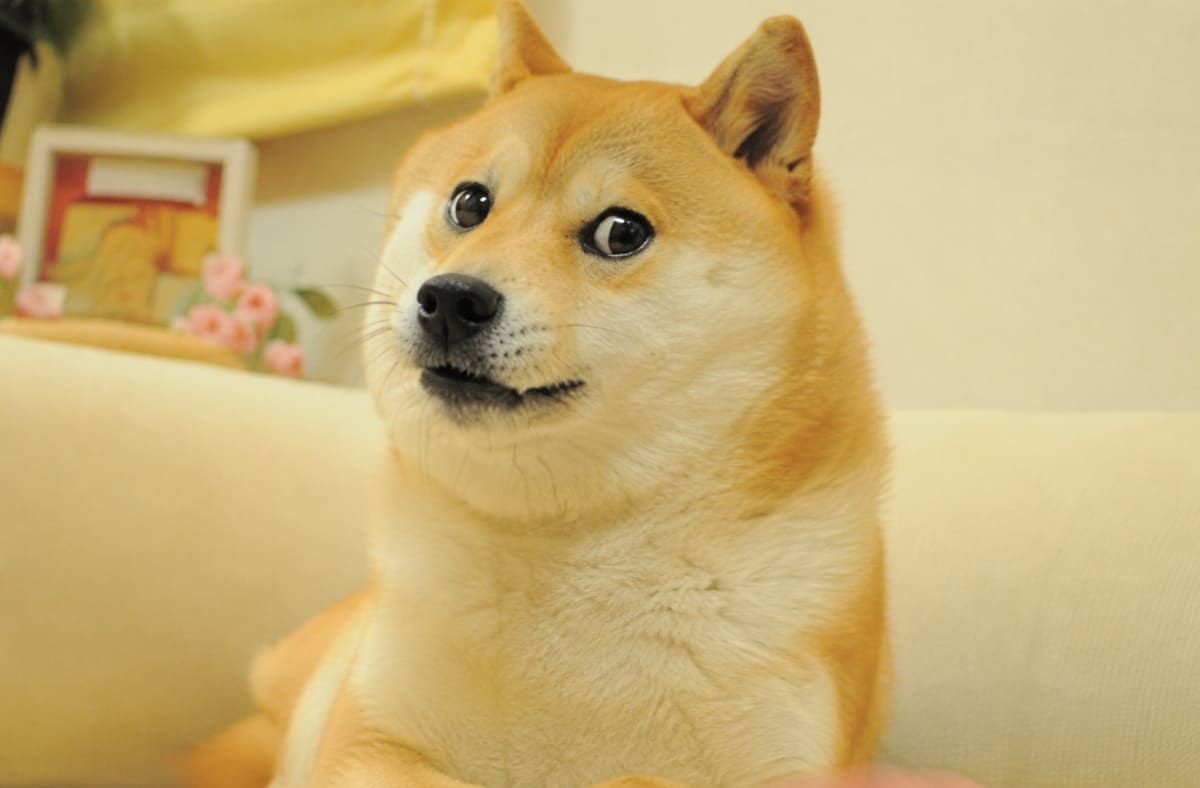
That's different from “dog meme ” as a broader term. Whether you call it a dog meme photo or a dog meme picture, dog meme covers the entire wider category of humorous dog images and reactions. Doge is included in that. Creators can apply Doge-style humor to their own original photo. That result should never be presented as the actual Doge image.
10 Funny Dog Memes for Every Kind of Mood
Some ideas work perfectly with a real dog meme photo, while others need an original scene that doesn't exist in real life. The examples below are grouped by style, making it easy to explore reaction memes, imagined situations, and Doge-inspired humor:
Everyday Dog Reaction Memes
These first 4 work especially well as a dog reaction pic or dog reaction image, since you likely already have one saved from an ordinary day at home:
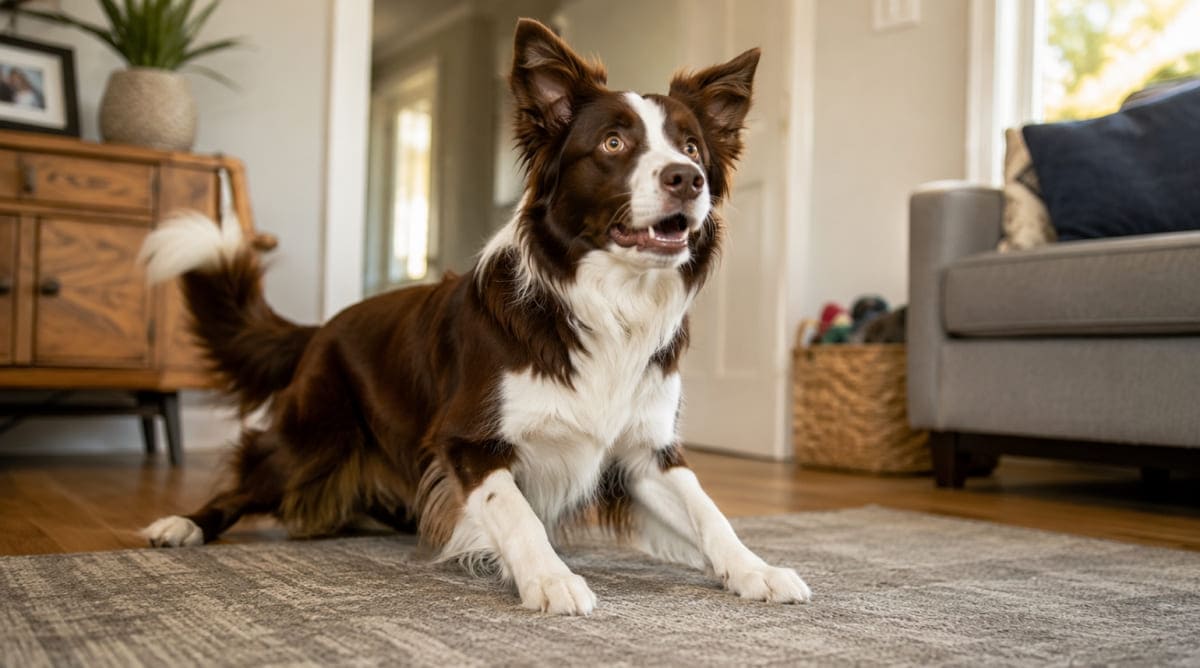
1. The Walk Was Mentioned
A dog lying flat on the floor snaps upright the instant someone says "walk" from another room. The caption: "Heard one word. Reevaluating entire day." Nothing else earns this kind of full-body response, which is what makes a dog reaction meme work.
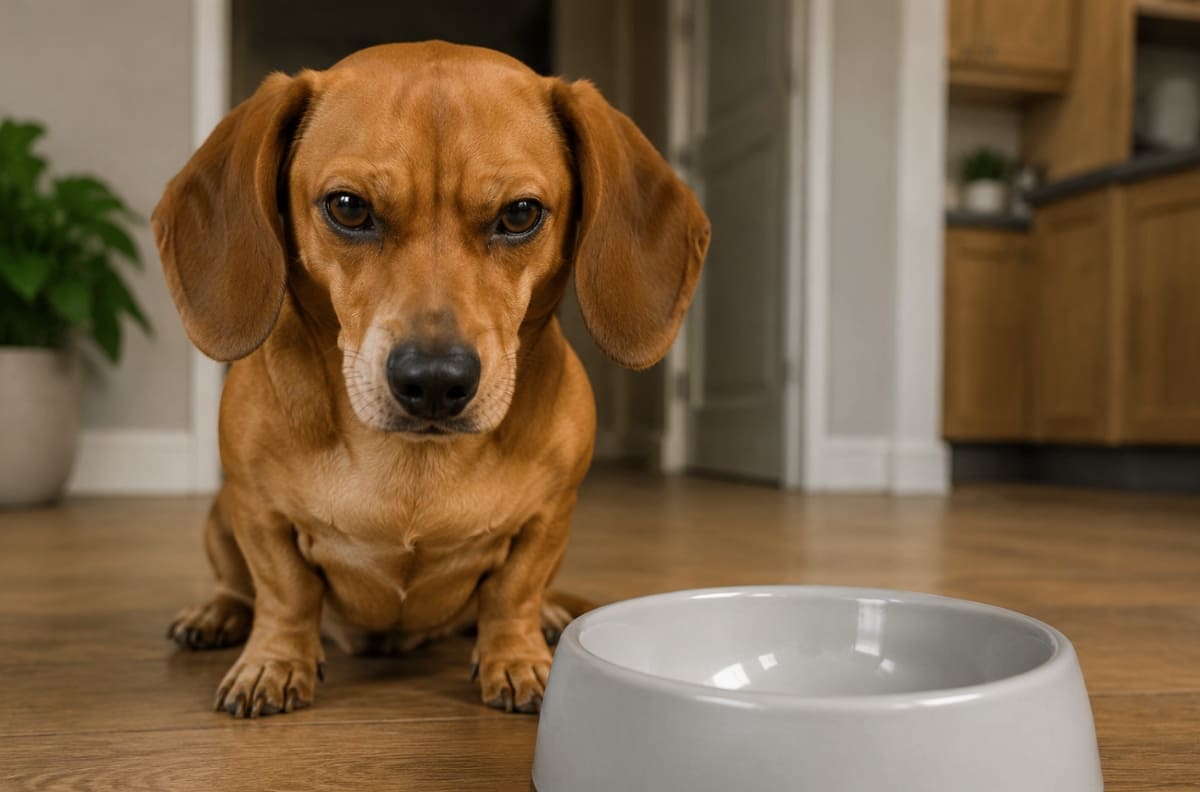
2. Dinner Is Three Minutes Late
An impatient stare aimed at an empty bowl, three minutes past the usual feeding time. The caption stays minimal: "This is not a drill." With an expression this serious, little text is needed. The dog meme face alone carries the joke here.
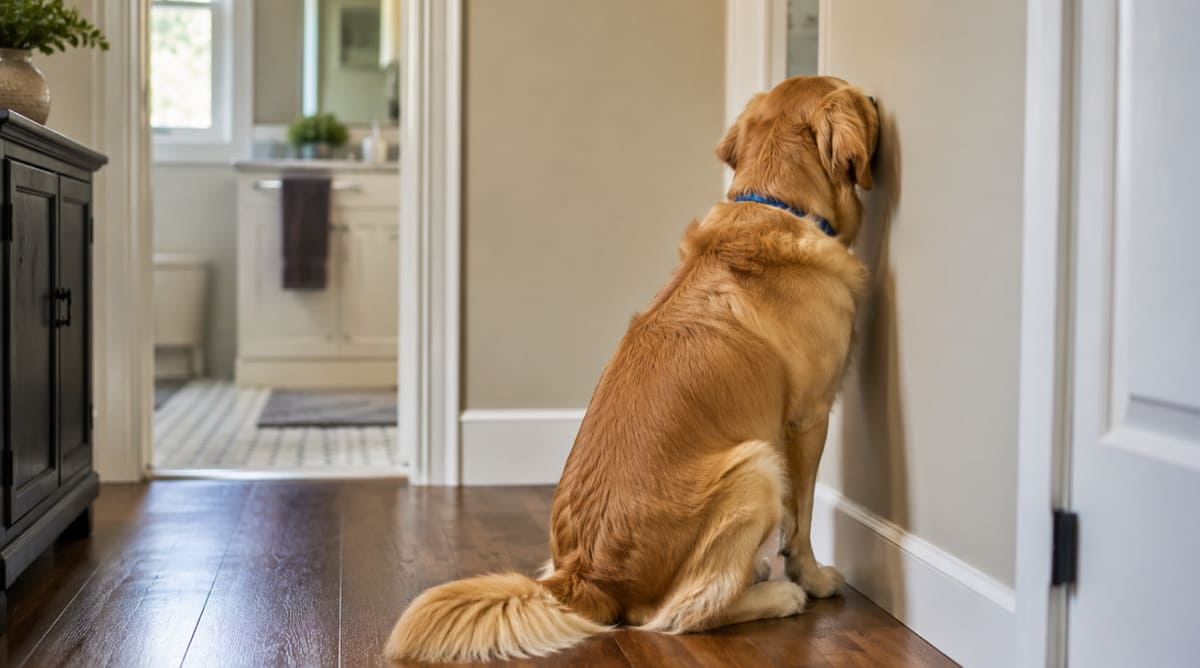
3. Pretending Not to Hear
A dog stares pointedly at the wall the moment bath time gets mentioned, clearly choosing not to notice. The caption: "Can't hear you. Very busy." It's selective hearing, not confusion, and every dog owner will recognize the exact tilt of that head.
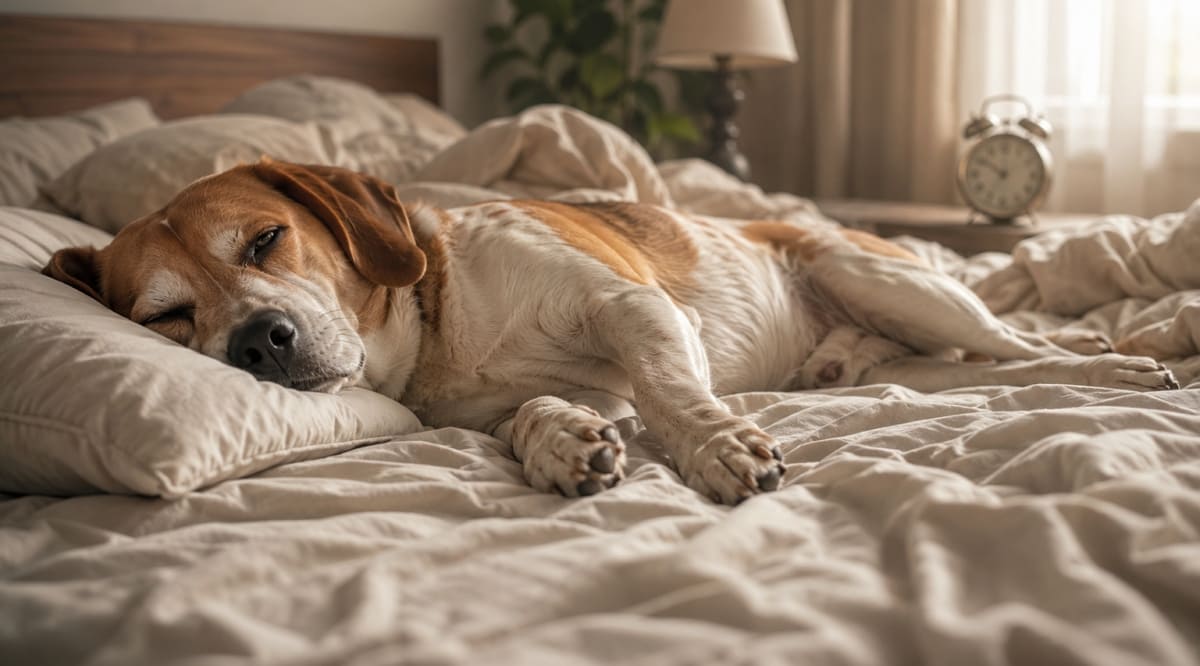
4. Monday Morning Energy
One dog sprawled sideways across the bed, one eye barely open, completely unwilling to acknowledge the alarm. The caption: "Five more minutes. Ask again never." The expression sets the mood before the caption, which is what makes a cute dog meme land. PetMD also notes head tilting often signals a dog carefully processing familiar spoken words.
Funny Dogs in Imagined Situations
These three need more setup, since the entire scene must be built from scratch before any caption gets added on top:
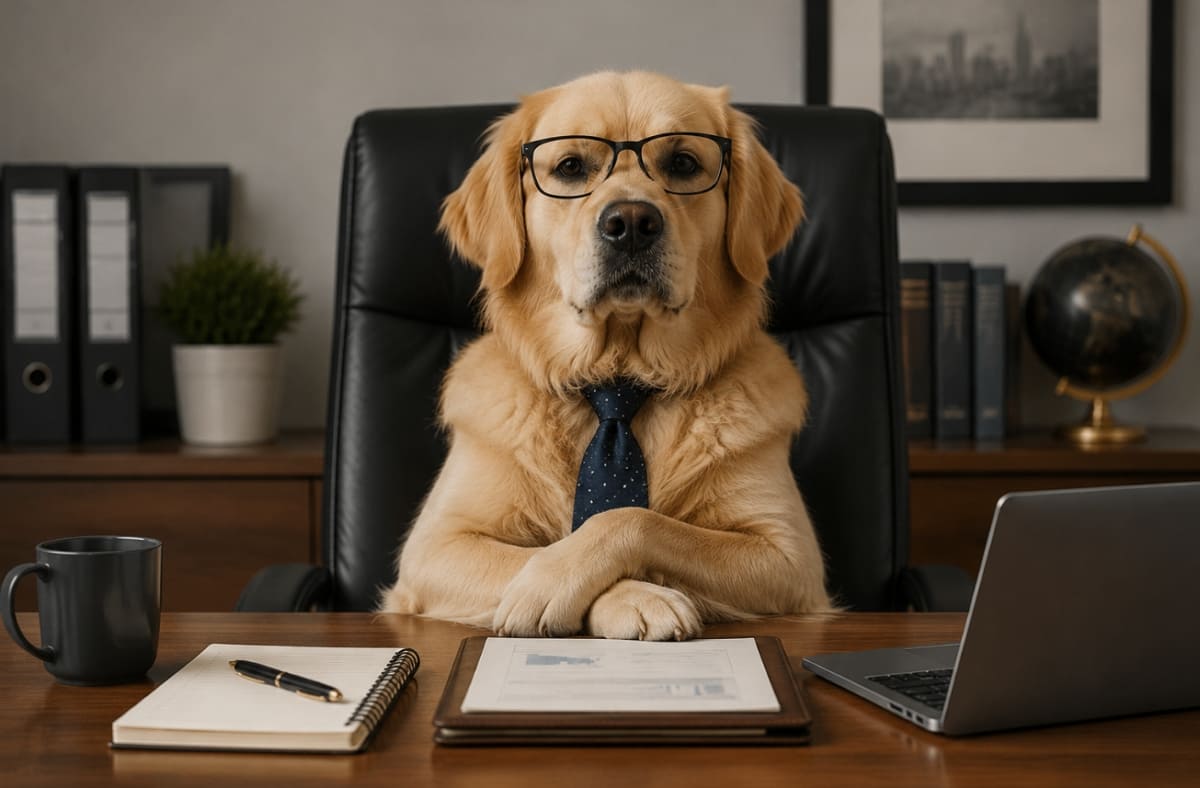
5. The Monday Morning Manager
A serious-looking dog sits behind a tidy office desk, folded paws like it's mid-meeting. The caption: "They want a decision by noon. I have never had a plan." The restrained background keeps the joke where it belongs, entirely on the dog's expression.
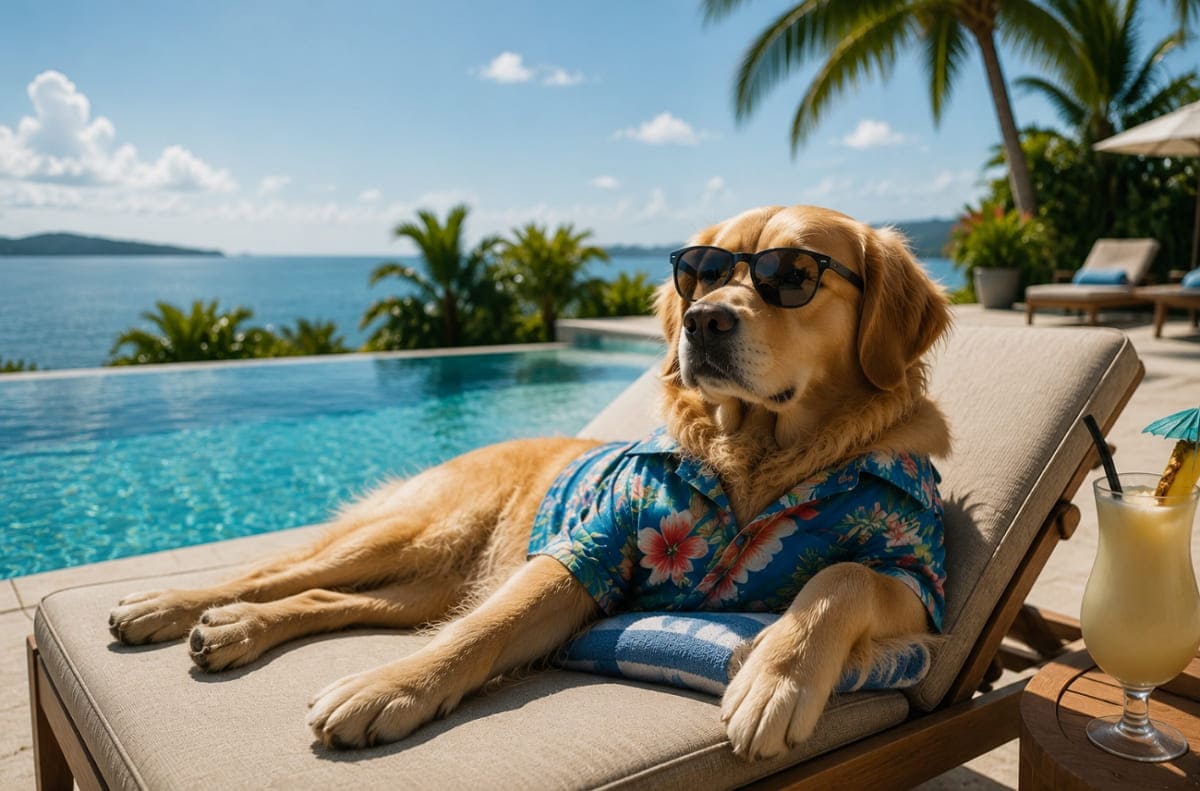
6. Vacation Mode Activated
One relaxed dog stretched out beside a pool, sunglasses optional, expression completely unbothered. The caption stays short: "Responsibilities can wait. So can everyone else." Open space around the dog leaves room for exactly one short line of text, nothing more than that.
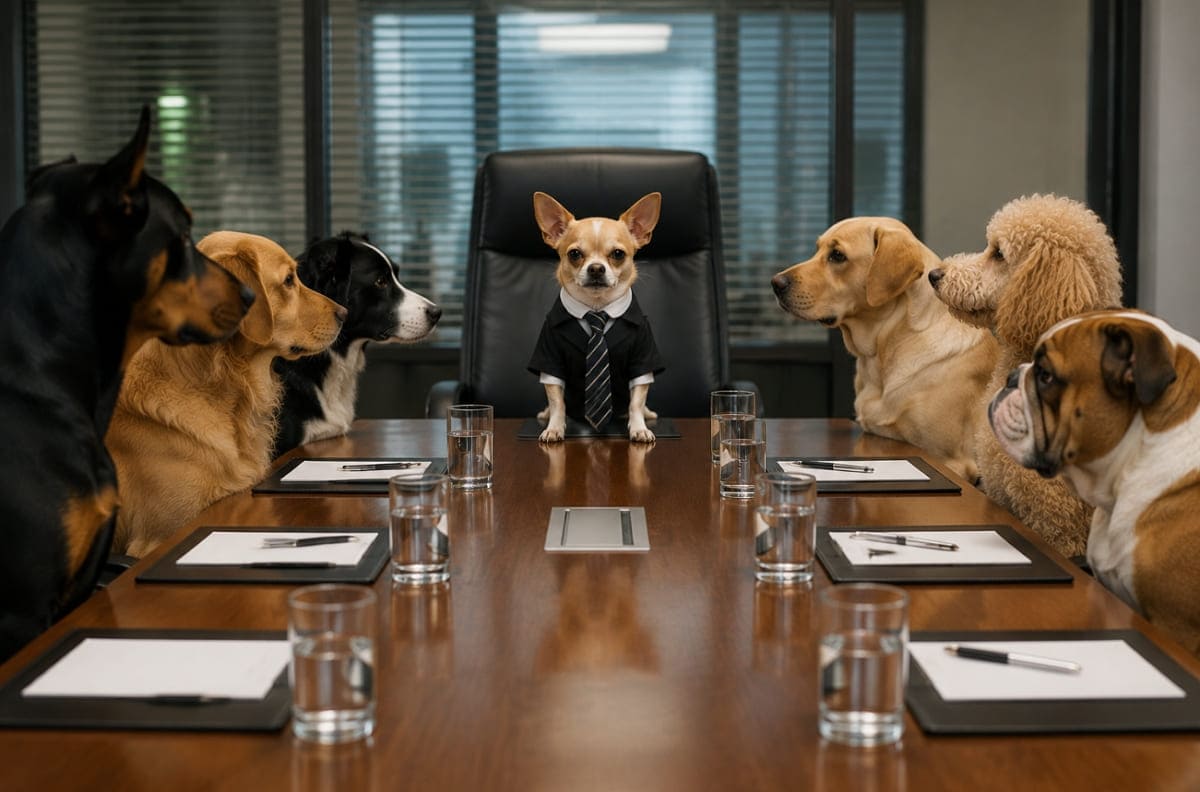
7. Tiny Dog, Major Authority
A small dog stands at the head of a long meeting table, expression dead serious. The caption: "Everyone sit. We're doing this my way." Most of the humor comes from the dramatic size difference, while the instruction-style caption simply reinforces the joke.
Doge-Style and Shiba Inu Memes
American Kennel Club traces the Shiba Inu breed back to feudal Japan history. The following examples show how a Shiba Inu meme can capture the same playful energy without copying the original doge meme:
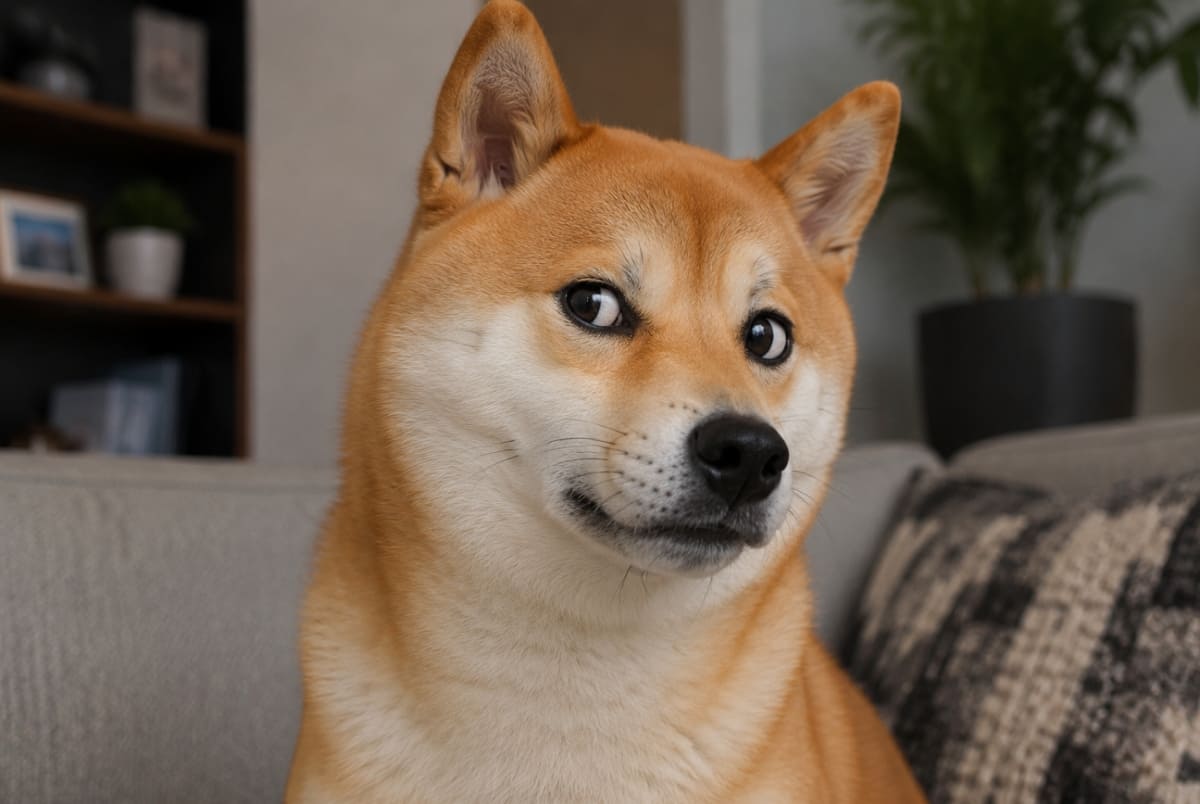
8. The Classic Side-Eye
A Shiba Inu glances sideways at something suspicious, one eyebrow doing all the emotional work. Scattered around the image: "such doubt," "very concern," "why this happening." This is an entirely original Shiba Inu meme, not a recreation of the actual Doge photo.
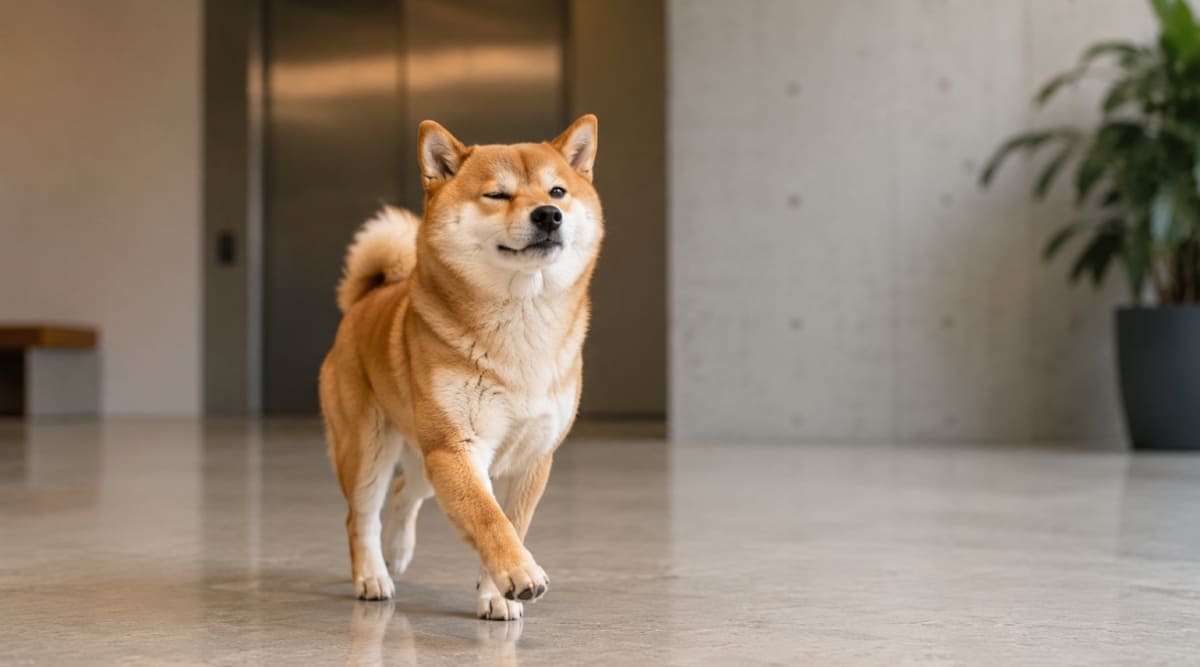
9. Confidence with No Plan
One calm Shiba Inu stands mid-stride, looking entirely sure of itself. Fragments float around it: "much confidence," "zero plan," "very committed anyway." Loose, broken phrasing follows the classic Doge-style humor. This situation is completely original rather than a familiar one simply reused.
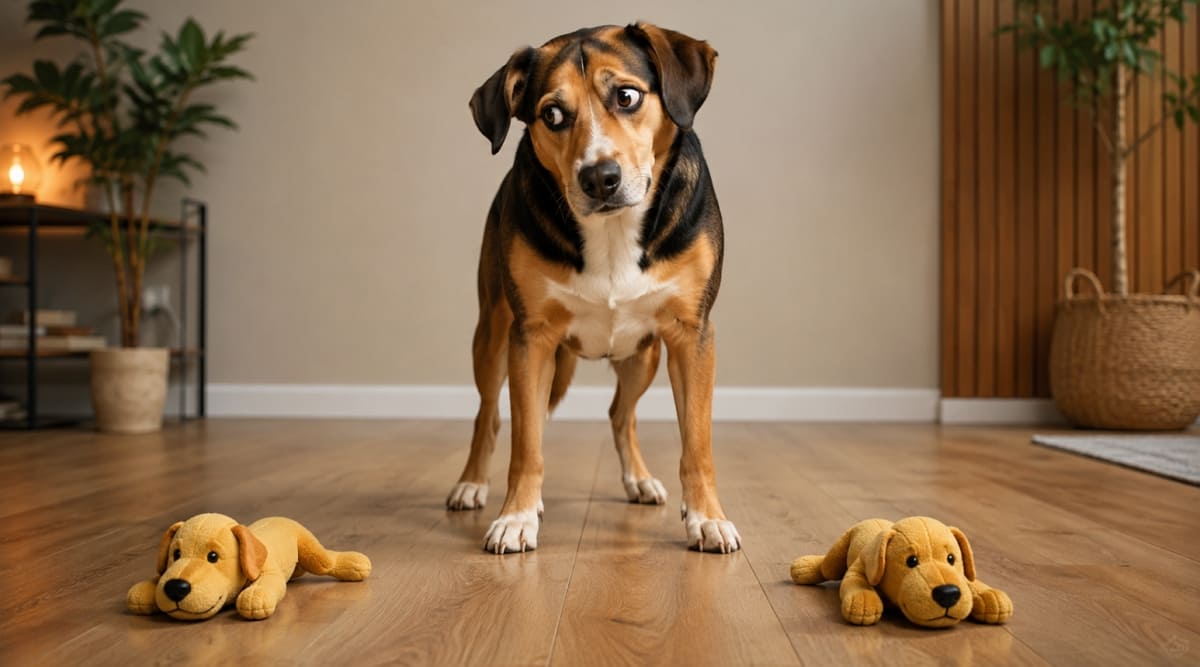
10. Too Many Choices
A dog stands frozen between two identical toys, head swiveling between them. Fragments read: "so many options," "much decision," "very stuck." Every fragment stays short enough to scan at a glance. The dog's face stays fully visible through every single fragment.
How to Make a Funny Dog Meme with Designkit
The examples above show that a funny dog meme starts with a good idea and a short caption. You can create a real reaction or a Doge-style design without using an existing dog meme template.
Designkit makes the process simple by letting you create the image first with the AI Image Generator and then add the caption with Add Text to Image. Follow the given guide to use this tool as an image generator rather than acting as a dedicated doge meme generator:
Step 1. Generate an Original Dog Meme Image
1. Open the AI Image Generator and describe the dog's breed, expression, and overall visual style in as much detail as you can manage and press “Send. ” If the result should resemble a specific pet, upload a personal photo as a reference.
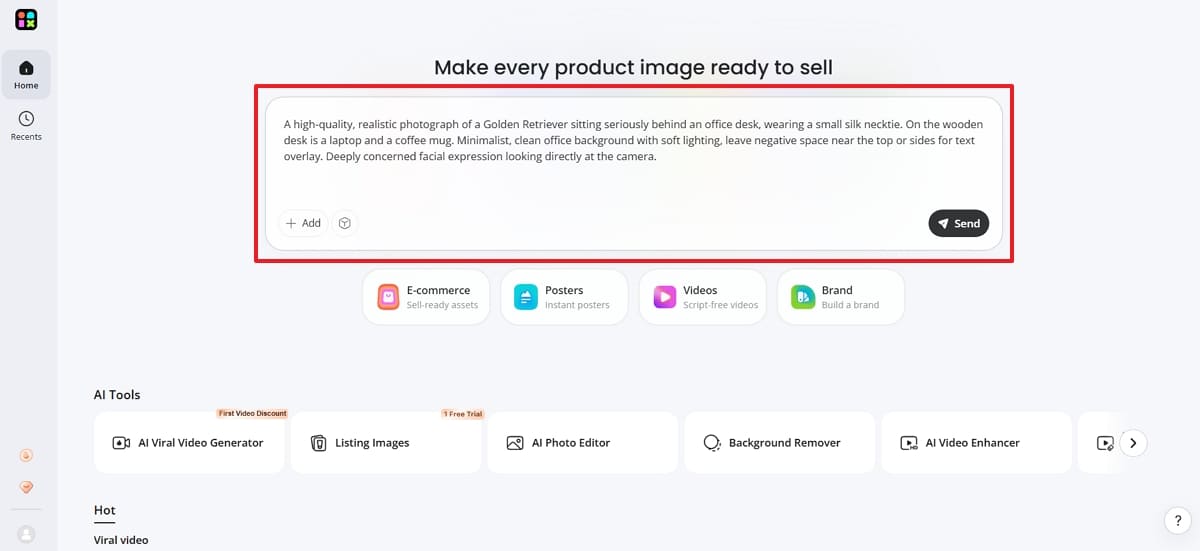
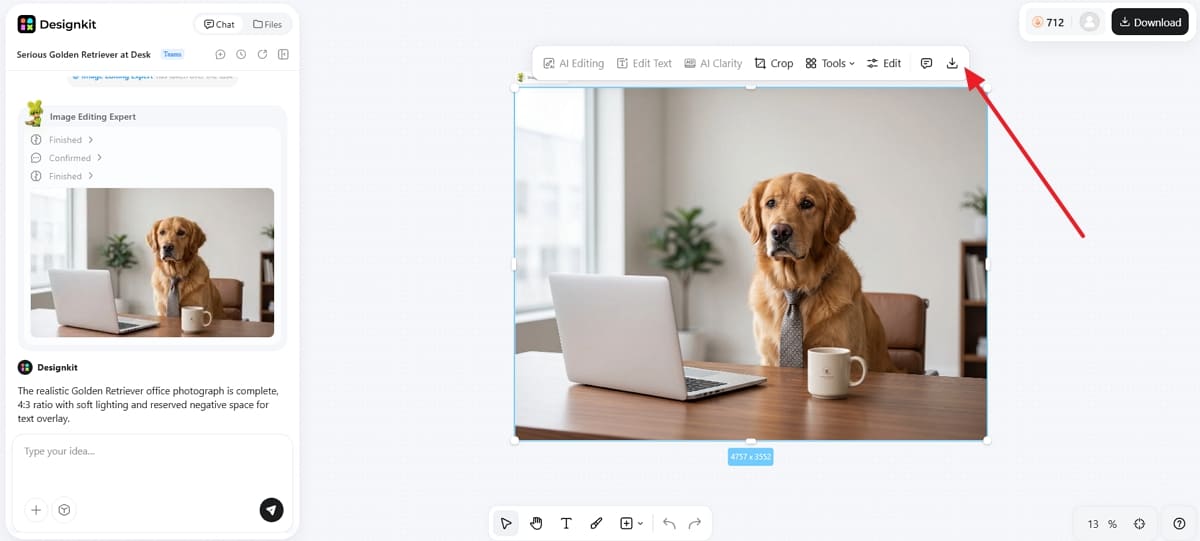
2. You can use “a serious dog sitting behind an office desk” as a working example. Once the tool creates the dog meme image, preview it and click the “Download ” icon to save it locally.
Step 2. Add the Meme Caption
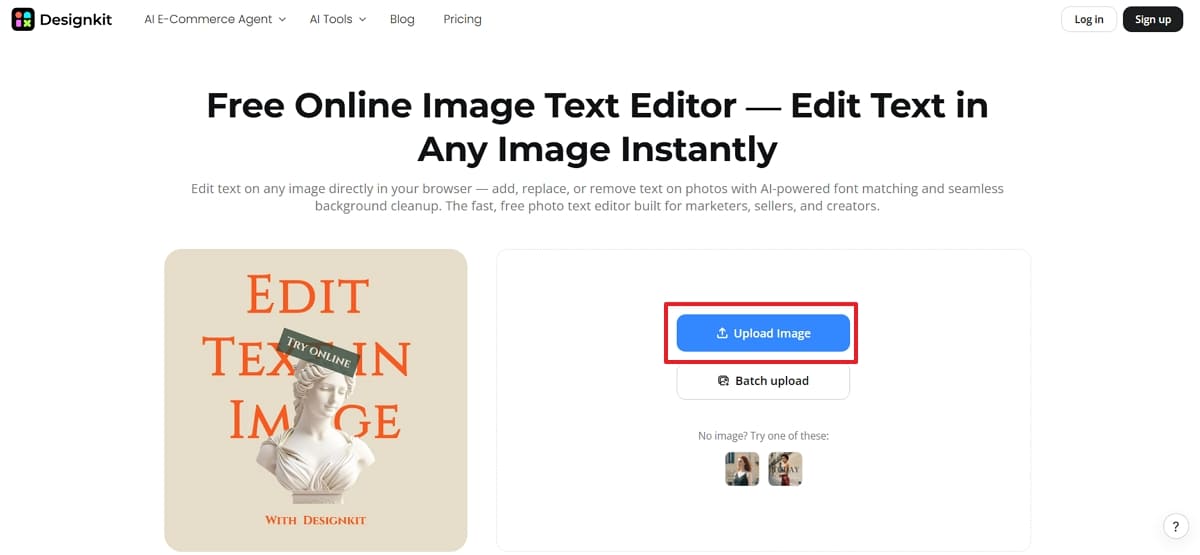
1. Now, access the “Add Text to Image” tool and press “Upload Image" to select the newly generated Dog Meme image.
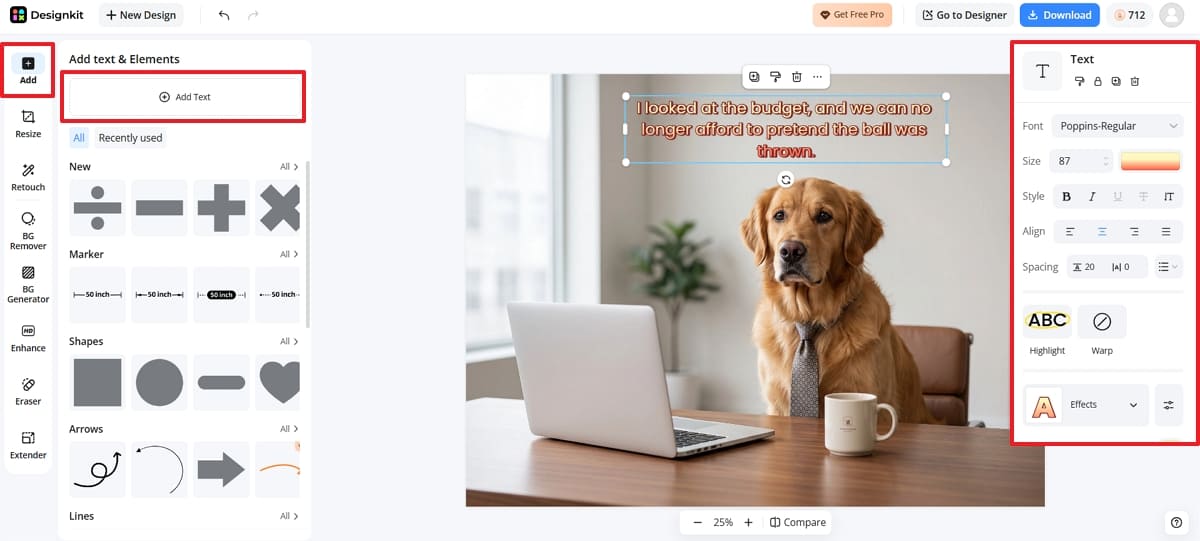
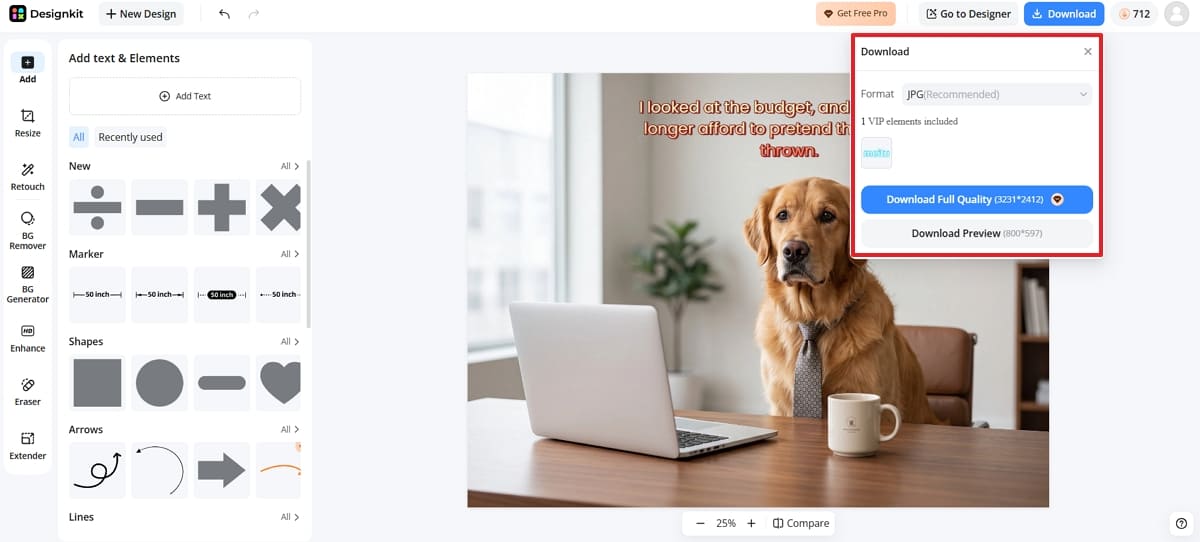
2. In the “Add ” section, press the “ Add Text ” button and type your desired meme caption on the photo. From the right panel, adjust the font, size, color, spacing, and overall placement until the text has clear contrast against the whole image.
Step 3. Review and Export Dog Meme Photo
Preview the finished meme and check that the text stays readable against the background at that smaller size. After that, click the “Download" button to select the desired format and press "Download Full Quality. ”
Conclusion
Memorable funny dog memes almost always combine the same three things. A clear expression, a familiar situation, and a caption that adds something new. You can borrow that same structure, or the loose rhythm of Doge-style humor, without recycling an existing image. Pick one recognizable reaction from your own dog, then build an original meme around exactly that idea.
Frequently Asked Questions
What is the difference between a Doge meme and a regular dog meme?
What makes a dog reaction meme funny?
A readable expression, an immediately recognizable situation, and a concise caption all make the real difference here. The caption should add a new meaning or joke instead of simply describing what the dog is already doing in the image.
How can I create a funny dog meme from my own idea?
Start by creating an original dog scene, then add your own caption that matches the expression. Review the meme at phone-screen size to make sure everything is easy to read before exporting the finished image for sharing.
Do I need a Doge meme generator or dog meme template?
Neither one is strictly necessary for this. You can start with a personal dog photo or an original generated scene, then write your own caption entirely from there. That approach genuinely gives you far more creative control than any fixed template ever really could.
Can I use existing dog meme images?
Ownership and usage permissions vary quite a bit across dog meme images. Always check ownership and usage permissions before sharing a picture publicly, including collections of cute dog memes compiled and posted by someone else.
Can cute dog memes use a real photo of my dog?
Yes, and real photos often work especially well when the expression is already easy to read clearly on its own. Pair one recognizable reaction with a familiar situation and a short, genuinely original caption. Most successful memes don't need an elaborate generated setting.
You May Also Like
Remove.bg Shutting Down Dec 1, 2026: What Users Are Saying

7 Best Remove.bg Alternatives in 2026: Free & Paid Tools

Instagram Carousel: What It Is, How to Post & Create One

Nano Banana Prompts: 20+ Examples for Better AI Images

Ideogram AI Review 2026: Features, Pricing & Alternatives

Free Mac Photo Editor: 5 Tools Compared for Mac Users

How to Crop a Photo Into a Circle Online (Keep Quality)

How to Make an Image Transparent Online (AI Guide)

Pixlr Background Remover Review 2026: Features, Pricing & Alternatives

How to Fix Overexposed Photos: Recover Highlights Fast

OpenArt AI Review 2026: Features, Pricing & Alternatives

Best AI Headshot Generator: 9 Tools Compared for 2026

Best Stencil Maker Tools 2026: Turn Photos Into Stencils

Pixelbin Watermark Remover Review: Image & Video Results Tested

How to Make a Sticker on iPhone: Easy Step by Step Guide

Best AI Logo Generator in 2026: 10 Tools Compared

How to Turn a Photo Into a Cartoon: A Beginner-Friendly Guide

Landscape vs Portrait: Key Differences & Best Uses in 2026

How to Remove Watermark From Photo: AI, Photoshop & More

How to Fix Pixelated Photos: Photoshop, AI Tools & Tips

Bing Image Creator: How It Works, Features, Uses & Alternatives

How to Remove People from Photos with AI: A Step-by-Step Guide

How to Increase Image Resolution: AI, Photoshop & PPI

How to Add Text to a Photo: 8 Tips for Better Results

How to Fix Grainy Photos: Easy Ways to Clear Images

Creative Profile Picture Ideas for Every Style and Platform

Evoto AI Review 2026: Features, Pricing, Pros & Cons

Pixlr Photo Editor Review: Features, Pricing & Alternatives

Best AI Image Extender Tools in 2026: Expand Photos with AI

How to Make a Collage on iPhone: Easy Guide for 2026

How to Sharpen an Image in Photoshop (Smart Sharpen and Unsharp Mask)

Best Image Background Remover Tools in 2026: AI Tools Compared

How to Make Transparent Background in Paint: Step-by-Step Guide

How to Resize an Image: Best Methods, Tools & Quality Tips

Best AI Image Generator Tools in 2026: Top AI Platforms Compared

Remove.bg Review 2026: Features, Pricing & Is It Worth It?

Luminar Neo Photo Editor Review 2026: AI Features, Price & Pros

How to Post Multiple Photos on Instagram (2026 Guide)

25 Facebook Cover Photo Ideas for Personal & Business Pages

What Is a PFP? Meaning, Examples & How to Create One

Can You Edit an Instagram Post After Posting?

11 Best Canva Alternatives in 2026 for AI Design & Marketing

8 Best Midjourney Alternatives in 2026: Features, Pricing & Comparison

How to Restore Old Photos: AI Tools, Tips & Best Methods

Pixelcut AI Review 2026: Features, Pricing, Pros, Cons & Alternatives

How to Apply Watermark to Photos: Methods, Tips & AI Tools

How to Remove a Background in Illustrator: 4 Easy Methods

How to Change Background Color on Instagram Story (Easy Guide)

8 Best AI Poster Generators in 2026: Create Posters Faster with AI

10 Best AI Image Enhancers in 2026: Tested & Compared

10 Best AI Image Editors in 2026: Features, Pricing & Comparison

7 Best AI Background Changer in 2026: Remove & Replace Photo Backgrounds

Luminar Neo vs Lightroom: Features, Pricing & Comparison 2026

Kittl Review 2026: Is It Worth It? Features & Pricing

How to Make a Blurry Image Clear: 5 AI & Manual Ways

How to Remove Background on iPhone: 5 Easy Methods (2026)

Photoroom Background Remover Review 2026: Features & Alternatives

How to Remove Background in Canva: A Step-by-Step Guide

How to Remove Background in GIMP: Beginner-Friendly Guide

Funny Dog Memes to Try: Doge Meaning and 10 Original Ideas

Back to School Checklist 2026: Supplies, Timeline, and Planning

Recraft AI Review 2026: Features, Pricing, Pros, Cons & Alternatives

How to Make an Image Transparent in Google Slides: Opacity & Background Removal

VanceAI Photo Enhancer Review: Features, Pricing & Alternatives in 2026

What Does Emojify Mean? Text, Photos, & Emoji Art Explained

Top 8 Online Background Removers for Ecommerce Photos (2026)

How to Remove Background in Photoshop: 7 Easy Methods

6 Best AI Image Upscalers 2026: Tools Tested & Compared

Project Indigo Review: Is It Better Than iPhone Camera?

How Big Is an 8x10 Photo? Size, Pixels & Frame Guide

How Big Is a 4x6 Photo? Dimensions, Pixels & Printing Tips

Picsart AI Review: Features, Pricing, Pros, Cons & Alternatives

Lovart AI Review: AI Design Agent Features, Pricing & Alternatives

Fotor AI Image Generator Review: Features, Pricing & Alternatives

How to Add Emoji to Photo Online for Free

Emoji Wallpaper Ideas & How to Make One Online (2026)

Minimalist Poster Design: How to Make a Clean Poster (2026)

How to Make a Custom Poster That Is Ready to Print

Instagram Image Size Guide 2026: Post, Reel, Story & Carousel Specs

LinkedIn Image Size Guide: Profile, Post & Banner Dimensions

YouTube Profile Image Size: Best Dimensions & Safe Area 2026

How to Edit Amazon Product Photos That Boost Sales Fast
Give Your Dog Meme an Original Punchline
Pair a clear dog expression with a short caption that adds the joke. Create the image with Designkit, then finish it with your own text.


