
Best Image Background Remover Tools in 2026 for Clean AI Editing
Find the best image background remover tools to create clean, professional visuals. Compare AI accuracy, batch editing, and workflows for ecommerce, marketing, and social media.

Removing a distracting background can instantly improve the quality of product photos, marketing visuals, and social media content. An image background remover uses AI to detect your subject and remove backgrounds with just a few clicks, saving time compared to manual editing. With so many options available, choosing the right tool depends on accuracy, editing features, export quality, and workflow.
This guide compares the best image background remover tools in 2026, highlights their strengths and limitations, and explains how to create clean, professional images for e-commerce, advertising, websites, and marketplace listings.
Quick picks
-
Best single-image accuracy: Remove.bg
-
Best for ecommerce sellers (cutout + product studio): Photoroom/Pixelcut
-
Best for marketing visual cutout in one flow: Designkit
What Is an Image Background Remover?
An image background remover is a tool that automatically detects the main subject in a photo and removes everything behind it. Instead of spending time tracing edges by hand, modern AI background removal tools use machine learning to separate people, pets, objects, and other subjects from the background in just a few seconds.
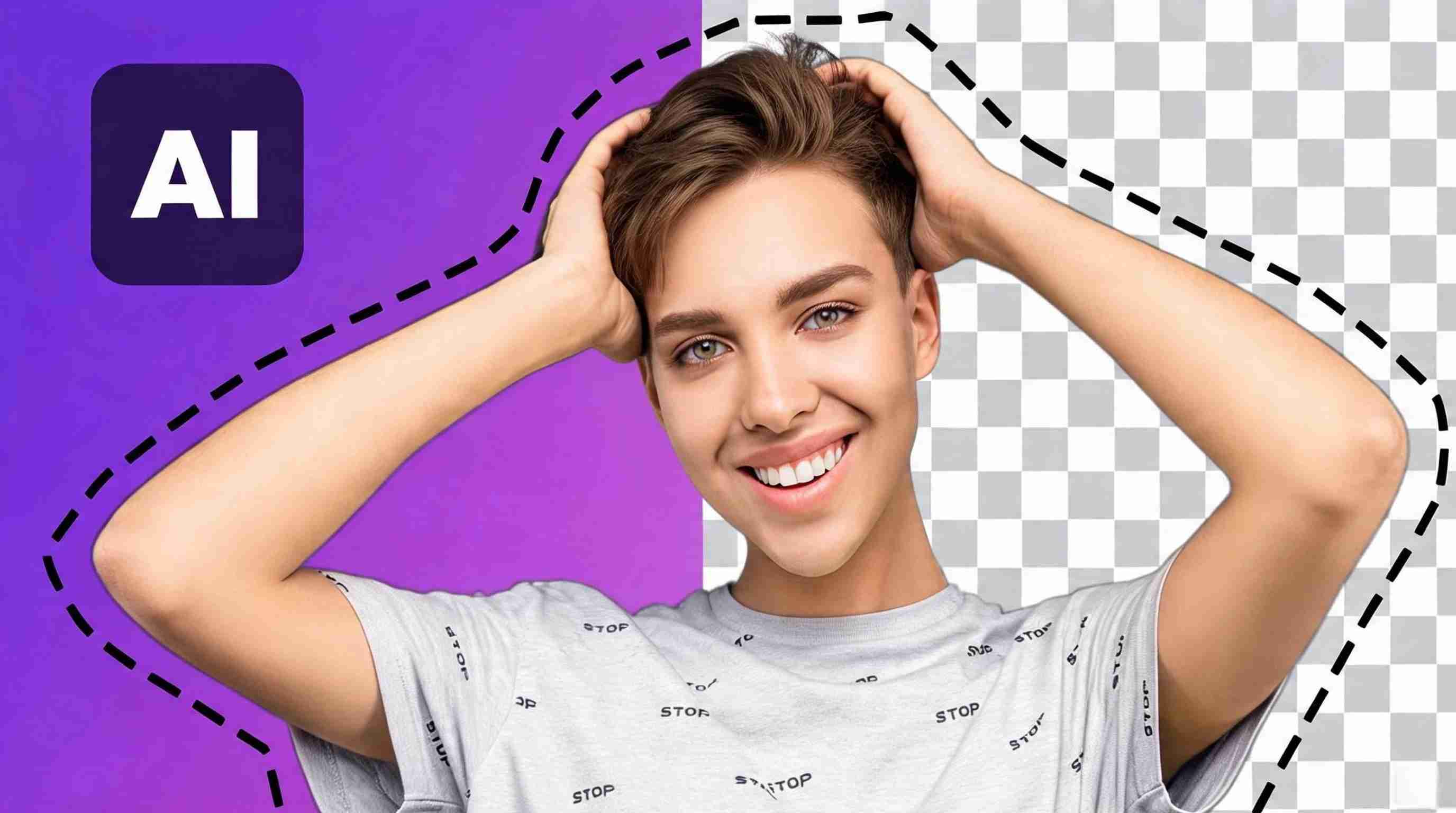
Whether you're updating a profile picture, creating social media graphics, editing family photos, or making transparent PNGs, the best AI background remover can simplify the entire process while maintaining clean, natural-looking edges.
How AI Removes Image Backgrounds
AI-powered background removers analyze an image to identify the foreground subject and distinguish it from the background. Advanced models recognize facial features, hair strands, pet fur, clothing, and fine details that traditional editing methods often struggle to preserve.
Unlike conventional editing software, today's AI tools to remove background require little to no manual input. Upload your image, let the AI process it, and download a transparent PNG or replace the background with a new scene in seconds. This automation is why many users consider AI the best background image remover for everyday editing.
Automatic vs. Manual Background Removal
There are two common ways to remove an image background:
Automatic background removal uses AI to detect and erase the background with a single click. It is fast, beginner-friendly, and ideal for portraits, pet photos, travel images, and social media content.
Manual background removal relies on selection tools, brushes, or pen tools to outline the subject by hand. While it offers greater control for complex edits, it also requires more time and editing experience.
For most users, the best online background remover 2026 combines AI automation with optional manual refinements, giving you speed without sacrificing quality.
When to Use an AI Background Remover
An AI image background remover is useful whenever you want the subject to stand out or fit into a different design. Common use cases include:
-
Creating professional profile pictures.
-
Removing distracting backgrounds from family or travel photos.
-
Editing pet portraits for social media.
-
Designing invitations, greeting cards, or posters.
-
Making transparent PNG images for presentations or creative projects.
-
Replacing backgrounds for YouTube thumbnails and marketing graphics.
These everyday tasks are why the best free background remover tools have become popular among creators, students, and casual users alike.
Benefits of Transparent Background Images
Transparent background images offer much more flexibility than photos with solid backgrounds. They can be placed over any color, pattern, or graphic without awkward borders, making them perfect for digital and print projects.
Benefits include:
-
Easy integration into presentations and marketing materials.
-
Cleaner profile pictures and social media graphics.
-
Better compatibility with design software.
-
More creative freedom when changing backgrounds.
-
Professional-looking visuals without advanced editing skills.
Most AI background removal tools export images as transparent PNG files, allowing you to reuse the same image across multiple projects.
Why Use an AI Image Background Remover?
Modern AI has transformed what used to be a tedious editing task into a process that takes only a few clicks. Whether you're editing a selfie, a pet portrait, or a family photo, the best AI background remover delivers clean results quickly while reducing the need for professional editing skills.
Save Time vs. Manual Editing
Traditional background removal can take several minutes, or even hours, depending on the complexity of the image. Selecting fine details like curly hair or fluffy pet fur often requires patience and precision.
AI automates this process, producing accurate cutouts in seconds. This makes the best free bg remover an excellent choice for anyone who edits photos regularly but doesn't want to spend time using complicated software.
Improve Photos for Social Media and Personal Projects
Removing a distracting background instantly makes portraits, pet photos, and lifestyle images look cleaner and more polished. You can replace busy surroundings with solid colors, scenic landscapes, or creative backgrounds that better match your style.
Whether you're updating a LinkedIn profile, creating Instagram content, designing invitations, or making YouTube thumbnails, an image background remover helps produce professional-looking visuals with minimal effort.
Batch Edits and Keep Visuals Consistent
Many modern AI tools to remove background support batch processing, allowing you to edit multiple images at once. This is especially useful when working with large collections of portraits, school photos, event photography, or pet albums.
Applying the same clean background or transparent style across every image creates a consistent visual identity while saving significant editing time. That's one reason the best free background remover 2026 options continue to grow in popularity among content creators, photographers, and everyday users.
Best Image Background Remover Tools in 2026
Choosing the right image background remover depends on your editing needs, budget, and workflow. Some tools focus on quick one-click cutouts, while others offer complete AI-powered editing suites with background replacement, image enhancement, and batch processing. The comparison below highlights the best online background remover 2026 options for beginners, creators, marketers, and professionals.
|
Tool |
Best For |
Free Plan |
AI Background Removal |
Batch Processing |
Starting Price |
|---|---|---|---|---|---|
|
Adobe Express |
Creative professionals |
Yes |
Yes |
Limited |
From $9.99/month |
|
Canva |
Social media & beginners |
Yes |
Yes |
Yes (Pro) |
From $15/month |
|
remove.bg |
Fast background removal |
Yes |
Yes |
Yes |
Pay per credit / Subscription |
|
Pixelcut |
Content creators |
Yes |
Yes |
Yes |
From $9.99/month |
|
Clipdrop |
AI image editing |
Yes |
Yes |
Limited |
From $15/month |
|
PhotoRoom |
Mobile editing |
Yes |
Yes |
Yes |
From $9.99/month |
|
Designkit |
AI-powered creative workflows |
Yes |
Yes |
Yes |
Free & paid plans |
|
Erase.bg |
Personal use |
Yes |
Yes |
Limited |
Free & paid credits |
Adobe Express
Best for: Designers, marketers, and professionals who need background removal alongside graphic design tools.
Key features
-
One-click AI background removal
-
Transparent PNG export
-
Background replacement
-
Adobe Stock integration
-
Templates for social media and presentations
Pricing
-
Free plan available
-
Premium starts at $9.99/month
Advantages
-
Excellent edge detection
-
Integrates with Adobe's creative ecosystem
-
Ideal for polished marketing visuals
Limitations
-
Some AI features require a premium subscription.
-
More design-focused than a dedicated background removal tool.
Ideal users
Graphic designers, freelancers, educators, and businesses looking for the best reliable background remover with professional design capabilities.
Canva
Best for: Beginners creating social media posts, presentations, and personal graphics.
Key features
-
AI Background Remover
-
Drag-and-drop editor
-
Thousands of templates
-
Magic Edit and AI design tools
-
Cloud-based collaboration
Pricing
-
Free plan available
-
Canva Pro starts at $15/month
Advantages
-
Very beginner-friendly
-
Combines editing and design in one platform
-
Great template library
Limitations
-
Background remover is available only with Canva Pro.
-
Limited advanced photo editing controls.
Ideal users
Students, influencers, small businesses, and anyone searching for the best free background remover with additional design features.
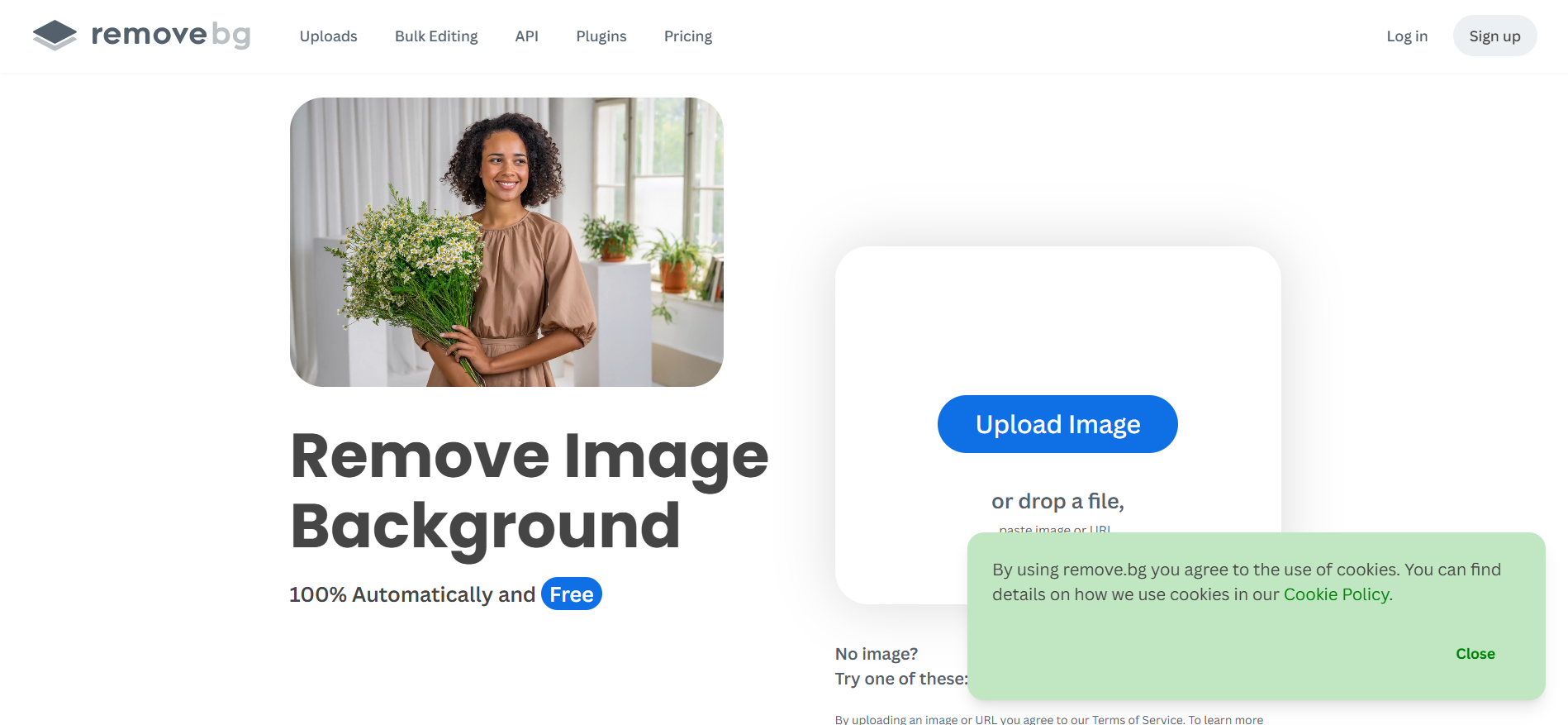
Remove.bg
Best for: Fast, dedicated background removal.
Key features
-
Automatic AI cutouts
-
API integration
-
High-resolution downloads
-
Bulk image processing
-
Transparent PNG export
Pricing
-
Free previews
-
Credit-based and subscription plans
Advantages
-
Extremely fast processing
-
Excellent results for portraits and pets
-
Supports bulk editing
Limitations
-
Primarily focused on background removal.
-
Full-resolution downloads require credits.
Ideal users
Photographers, agencies, developers, and users who want one of the most trusted AI background removal tools.
Pixelcut
Best for: Content creators and social media marketers.
Key features
-
AI background remover
-
AI image enhancement
-
Magic Eraser
-
AI-generated backgrounds
-
Batch editing
Pricing
-
Free plan available
-
Pro starts at $9.99/month
Advantages
-
Mobile-friendly
-
Fast AI editing workflow
-
Great for social content
Limitations
-
Advanced exports require Pro.
-
Fewer traditional editing tools than desktop software.
Ideal users
Creators producing Instagram, TikTok, Pinterest, and YouTube content who need a flexible best background image remover.

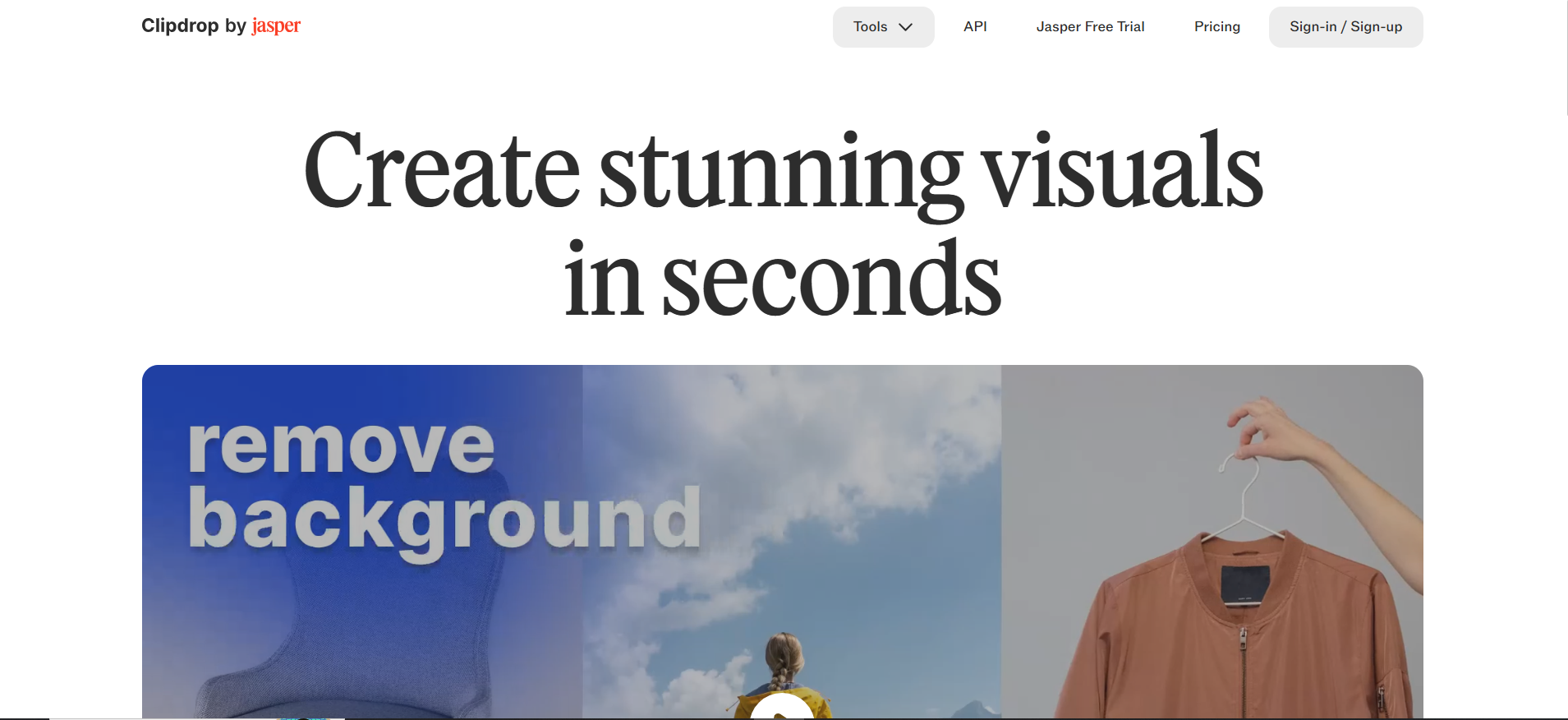
Clipdrop
Best for: AI-powered creative editing beyond background removal.
Key features
-
AI background removal
-
Cleanup tool
-
Image upscaler
-
Relight AI
-
Background replacement
Pricing
-
Free plan available
-
Pro starts at $15/month
Advantages
-
High-quality AI processing
-
Multiple creative AI features
-
Simple interface
Limitations
-
Premium plan is needed for frequent use.
-
Fewer design templates than Canva.
Ideal users
Designers and AI enthusiasts are looking for versatile AI tools to remove background and enhance images.
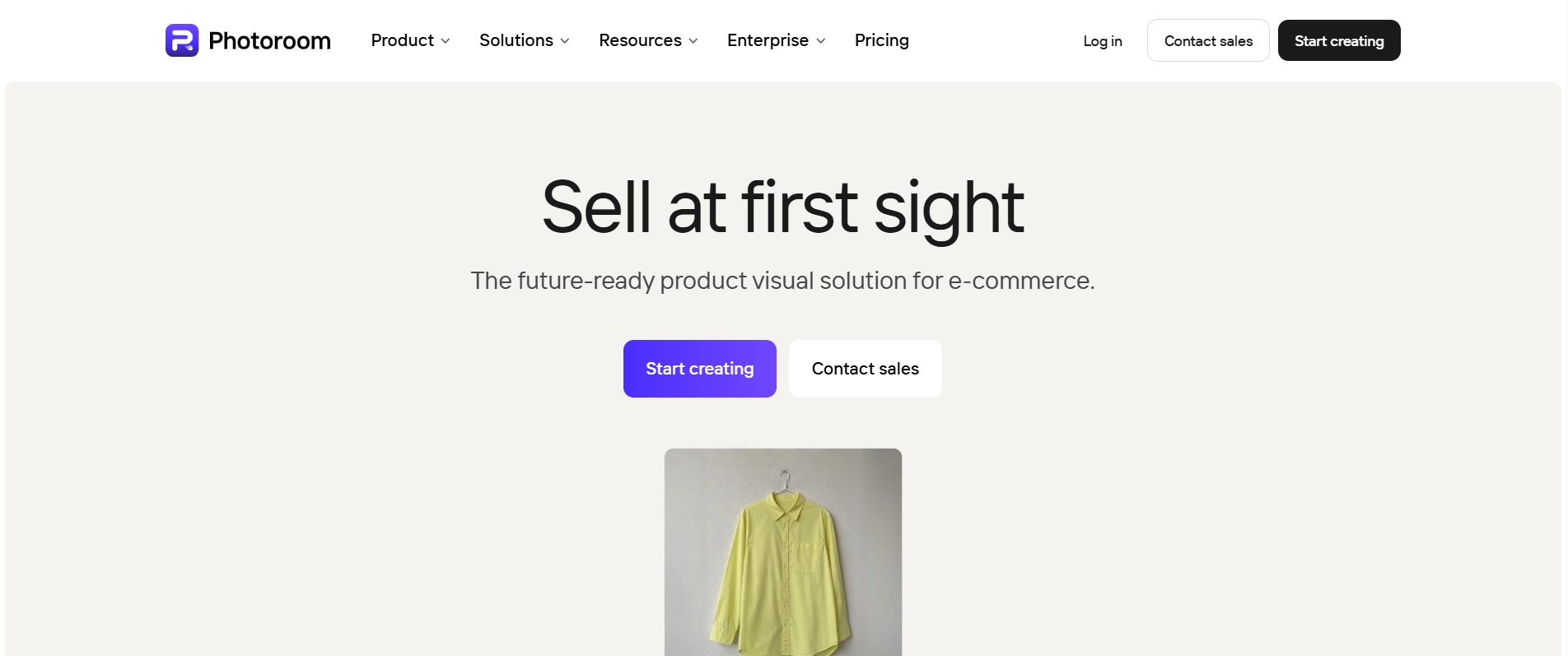
PhotoRoom
Best for: Mobile photo editing and quick content creation.
Key features
-
One-click background remover
-
AI background generation
-
Object removal
-
Batch editing
-
Ready-made templates
Pricing
-
Free plan available
-
Pro starts at $9.99/month
Advantages
-
Excellent mobile experience
-
Fast editing
-
Great for portraits and lifestyle photos
Limitations
-
Watermarks on some free exports.
-
Certain AI features require Pro.
Ideal users
Influencers, freelancers, and casual creators looking for an easy-to-use best AI background remover on desktop or mobile.
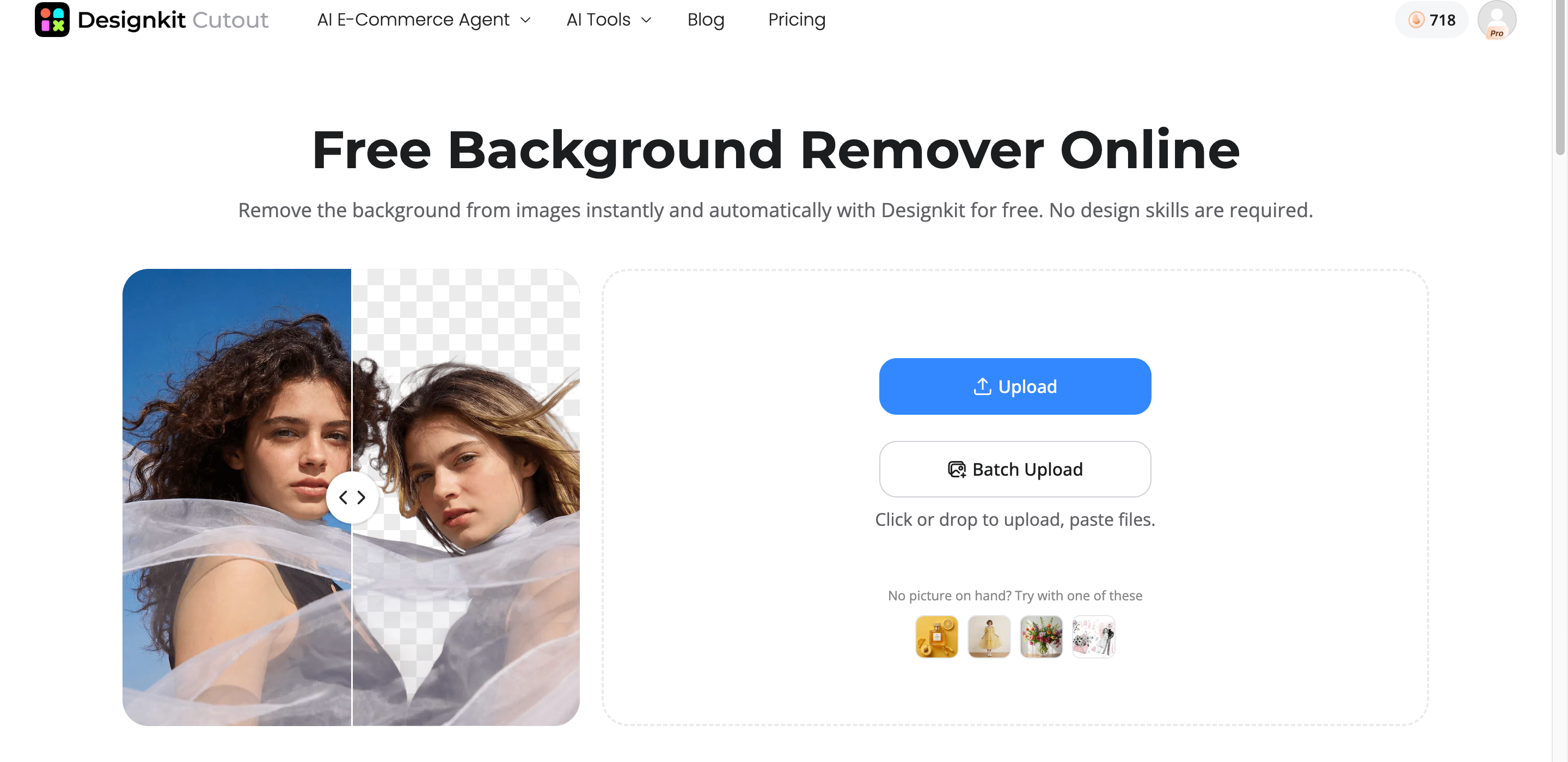
Designkit
Best for: AI-powered image editing and creating marketing-ready visuals from a single workflow.
Key features
-
AI image background remover
-
AI background generation
-
Batch background editing
-
AI image enhancement
-
Smart resize for multiple platforms
-
One-click export for social media and marketing assets
Pricing
-
Free plan available
-
Paid plans with additional AI features
Advantages
-
Combines background removal with AI-powered image editing.
-
Supports consistent editing across multiple images.
-
Streamlines creative workflows without switching between different tools.
Limitations
-
Some advanced AI features are available only on paid plans.
-
Less suitable for users seeking a traditional desktop photo editor.
Ideal users
Content creators, marketers, bloggers, educators, and anyone looking for a modern image background remover that also simplifies AI-powered design workflows.
Erase.bg
Best for: Quick background removal for personal projects.
Key features
-
AI-powered background removal
-
Transparent PNG downloads
-
API support
-
Mobile app
-
High-resolution output
Pricing
-
Free for basic use
-
Paid credits for commercial and high-volume editing
Advantages
-
Simple interface
-
Fast processing
-
Works well for portraits, pets, and everyday photos
Limitations
-
Limited editing tools beyond background removal.
-
Batch features are more limited than some competitors.
Ideal users
Individuals, students, and small teams are looking for a lightweight best free bg remover for occasional editing tasks.
How to Choose the Best Background Remover
Not all background removal tools deliver the same results. While some excel at quick cutouts, others provide advanced editing features, higher-quality exports, and AI-powered enhancements. When comparing the best background remover options, consider the following factors to find the right tool for your workflow.
Background Removal Accuracy
The quality of an image background remover largely depends on how accurately it separates the subject from the background. Basic tools may struggle with fine details, while advanced AI models can preserve even the most challenging edges.
Look for tools that accurately handle:
-
Fine hair and flyaway strands
-
Pet fur and feathers
-
Transparent or reflective glass objects
-
Thin straps, jewelry, and accessories
-
Soft edges and semi-transparent materials
If you frequently edit portraits or pet photos, choosing one of the best AI background remover tools with advanced edge detection will produce cleaner, more natural-looking results.
Batch Processing Support
Editing one image at a time can quickly become time-consuming, especially if you're working with large photo collections. Many modern AI background removal tools include batch processing, allowing you to remove backgrounds from multiple images in a single workflow.
Batch editing is particularly useful for:
-
School and graduation photos
-
Family photo collections
-
Pet photography sessions
-
Event photography
-
Social media content creation
If efficiency is a priority, batch processing can save significant editing time while maintaining a consistent look across every image.
Export Quality
Removing the background is only part of the process—the final image quality matters just as much. Before choosing a tool, check what export options are available.
Important factors include:
-
High-resolution downloads
-
Transparent PNG support
-
No unwanted compression
-
Watermark-free exports
-
Multiple file formats for different projects
Some best free background remover tools limit image resolution or add watermarks to free downloads, while premium plans typically unlock higher-quality exports suitable for professional use.
Editing Features
Many modern tools go beyond simple background removal. Instead of stopping at a transparent image, they let you transform your photos with AI-powered editing features.
Useful features include:
-
AI background replacement
-
Custom background colors or scenes
-
Automatic shadow generation
-
Image enhancement and retouching
-
Ready-made templates for social media and creative projects
If you want more than just background removal, look for a platform that combines editing, enhancement, and design capabilities in one place rather than relying on multiple AI tools to remove background.
Ease of Use
The best software should make editing simple, regardless of your experience level. An intuitive interface helps you complete edits quickly without learning complex photo-editing techniques.
Consider whether the tool offers:
-
One-click background removal
-
Simple drag-and-drop uploads
-
Fast AI processing
-
Mobile and desktop compatibility
-
Minimal learning curve
For beginners and casual creators, an easy-to-use best online background remover 2026 can produce professional-looking results without requiring advanced editing skills.
Pricing and Free Plans
Pricing varies widely between background removal tools. Some offer generous free plans, while others charge per image or require a monthly subscription for premium features.
Before choosing a tool, compare:
-
Free plan limitations
-
Monthly or annual subscription costs
-
Credit-based pricing models
-
Batch editing availability
-
Premium AI editing features
-
Commercial usage rights
If you only edit photos occasionally, a best free bg remover may be all you need. However, frequent creators and professionals often benefit from paid plans that include higher-resolution exports, batch processing, and advanced AI editing features.
Remove Image Backgrounds Faster with Designkit
Removing a background is often just the first step in creating professional marketing visuals. After isolating your subject, you may need to replace the background, add branding, create product banners, resize images for different platforms, or build listing-ready creatives. Designkit brings these tasks into a single workflow, helping businesses move from raw product photos to polished assets without switching between multiple design tools. Whether you're preparing images for Shopify, Amazon, social media, or advertising campaigns, Designkit helps streamline the editing process while keeping your visuals consistent across every marketing channel.
How to Remove Background from an Image with Designkit
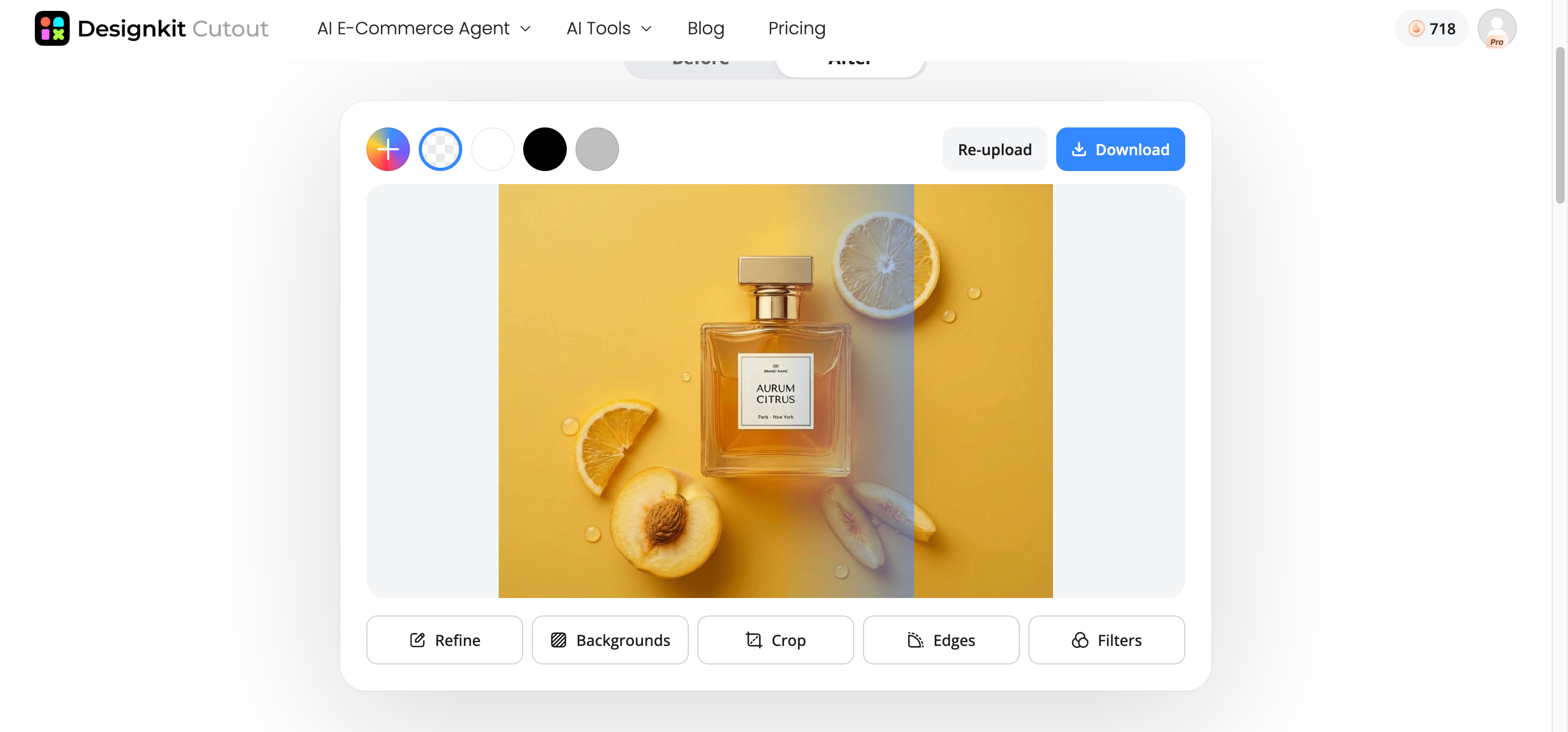
Step 1: Upload Your Image
Import your product photo or marketing image. The AI automatically detects the subject and removes the background while preserving fine details like hair, edges, and shadows.
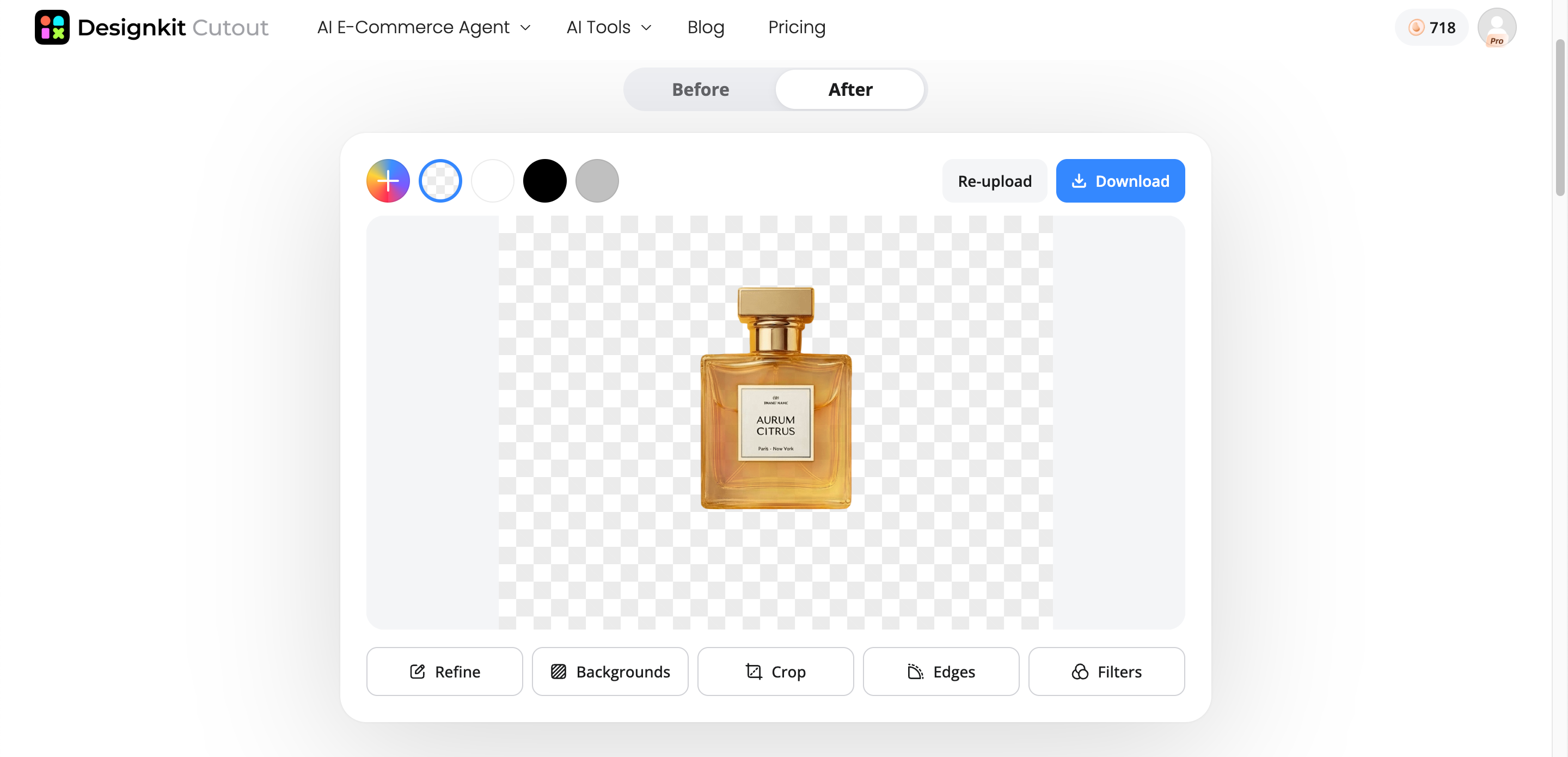
Step 2: Remove and Customize the Background
Replace the background with a solid color, transparent PNG, or custom scene. Add branding, adjust the layout, and prepare the image for your intended marketing channel.
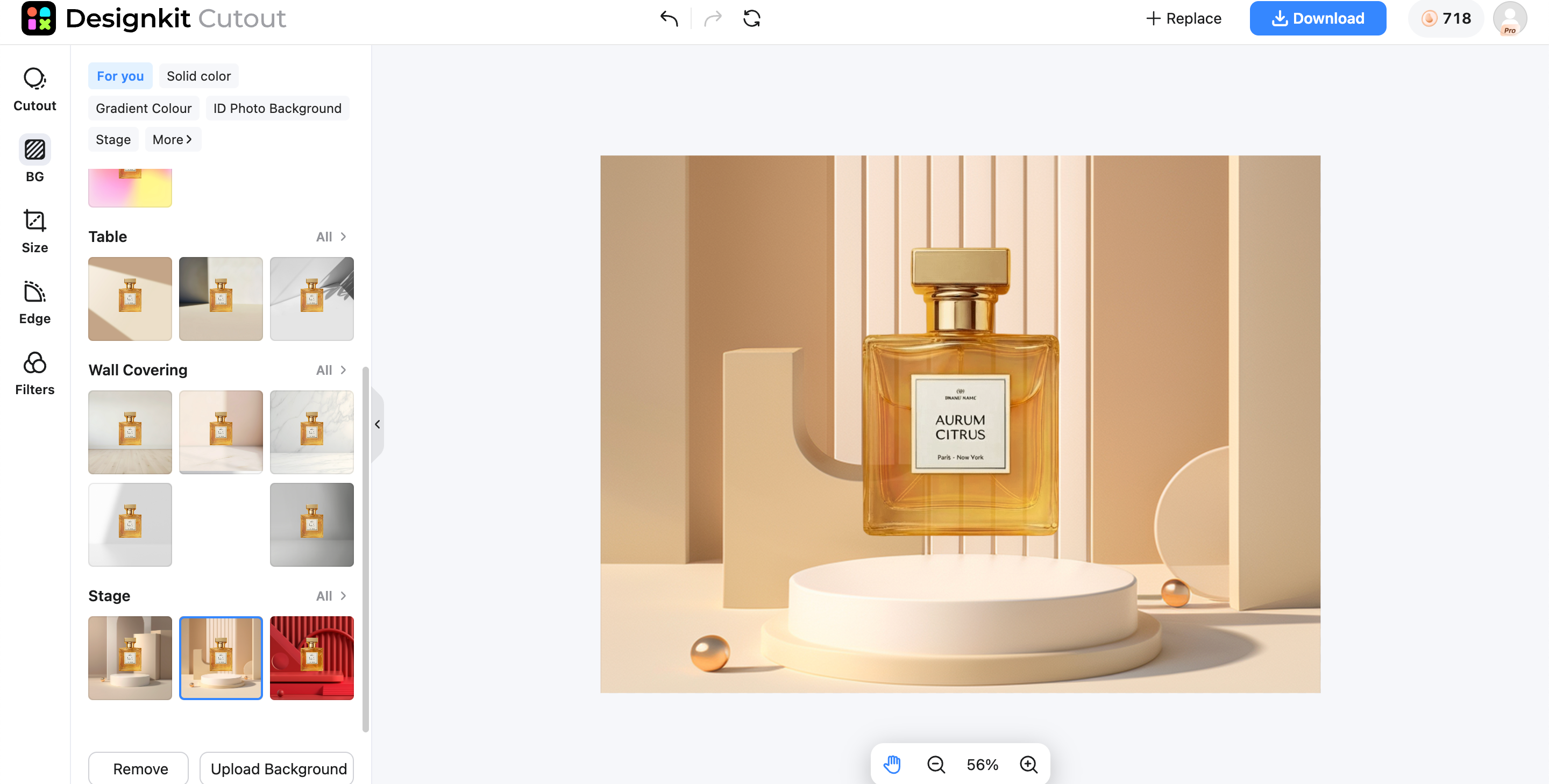
Step 3: Export Your Final Image
Download the finished image in the correct dimensions for marketplaces, websites, social media, or advertising campaigns. Save reusable templates to speed up future projects.
Capabilities of Designkit for Image Editing and Creation
AI Background Removal/Cutout
Remove backgrounds from portraits, pet photos, and lifestyle images with AI-powered precision. Designkit preserves fine details like hair and fur, delivering clean cutouts in seconds with minimal manual editing.
AI Background Generation
Replace plain or distracting backgrounds with realistic AI-generated scenes, solid colors, or creative environments. Easily customize images for social media, presentations, or personal projects in just a few clicks.
Product Image Enhancement
Enhance image quality with AI-powered sharpening, lighting adjustments, color correction, and detail enhancement. Create brighter, cleaner, and more professional visuals without advanced photo-editing skills.
Bulk Creative Variations
Generate multiple versions of the same image automatically by applying different backgrounds, colors, or styles. Save time while creating consistent visuals for campaigns, content libraries, or large photo collections.
Multi-Platform Resizing
Resize edited images instantly for Instagram, Facebook, LinkedIn, YouTube, TikTok, presentations, and more. AI maintains image quality and proper composition, eliminating the need for manual cropping.
Pro Tips for Better Background Removal Results
Even the best AI background remover can produce better results when you follow a few simple editing practices. Starting with a quality image and using AI features strategically helps create cleaner cutouts and more natural-looking visuals.
Start with Clear Photos
The quality of the original image has a direct impact on the final result. A high-resolution, well-lit photo allows an image background remover to detect the subject more accurately, especially around challenging details like hair, pet fur, and accessories. Choosing images with good contrast between the subject and the background also improves edge detection and reduces the need for manual touch-ups.
Keep Natural Shadows When Realism Matters
When replacing a background, preserving subtle shadows helps the subject look naturally integrated into the new scene. Without realistic shadows, images can appear flat or artificially edited. Many modern AI background removal tools include shadow retention or AI-generated shadow effects that create a more polished and lifelike appearance, particularly for portraits and pet photos.
Generate Multiple Background Versions for Testing
Instead of relying on a single edit, create several background variations to see which style works best. Testing different colors, environments, or AI-generated scenes can improve the visual appeal of your content and help you choose the version that best matches your creative goal. This flexibility is one reason the best online background remover 2026 solutions have become popular among content creators.
Maintain a Consistent Visual Style
Consistency makes your images look more professional and recognizable. Using similar background colors, lighting, and editing styles across your photos creates a cohesive visual identity, whether you're editing family portraits, pet images, or social media graphics. Saving reusable templates or presets can also make future editing faster and more efficient.
Create Platform-Specific Sizes After the Cutout
Remove the background before resizing your image for different platforms. Working with a transparent cutout gives you greater flexibility when adjusting the composition for social media, presentations, websites, or digital marketing materials. Many AI tools to remove background include smart resizing features that automatically optimize images for multiple platforms while preserving image quality.
Conclusion
The best image background remover is one that combines accurate AI detection, fast workflows, and high-quality exports. While basic tools can remove backgrounds, the ideal solution should also help you replace backgrounds, enhance image quality, generate creative variations, and resize visuals for different platforms. If you want to streamline your editing process from start to finish, Designkit offers AI-powered background removal alongside background generation, image enhancement, bulk editing, and multi-platform resizing in one workflow. Whether you're editing portraits, pet photos, or marketing content, it helps you create polished, professional visuals ready to share across multiple channels.
Frequently Asked Questions
What is the best image background remover?
Which AI removes image backgrounds most accurately?
The most accurate AI background removers can detect fine details like hair, pet fur, transparent objects, and thin accessories while producing clean, natural edges. Accuracy also depends on the quality of the original image. Designkit uses advanced AI to deliver precise cutouts and includes editing tools that let you refine results, replace backgrounds, and create professional-quality images with minimal effort.
Can I remove an image background for free?
Yes. Many AI background removers offer free plans that let you remove backgrounds with just a few clicks. Free versions may limit image resolution, add watermarks, or restrict premium features. Designkit offers a free option to get started while providing advanced AI editing, background generation, and higher-quality exports through its premium plans for users with more demanding workflows.
How do I make a transparent PNG?
To create a transparent PNG, upload your image to an AI background remover, let it remove the background automatically, and export the result as a PNG file. This format preserves transparency, making it ideal for websites, presentations, and graphic design. With Designkit, you can create transparent PNGs in one click and continue editing by adding new backgrounds or enhancing the image before exporting.
Which background remover is best for product photos?
The best background remover for product photos should deliver clean cutouts, preserve fine edges, and maintain realistic shadows. It should also support high-resolution exports for online marketplaces. Designkit goes beyond simple background removal by offering AI image enhancement, custom background generation, batch editing, and smart resizing, making it ideal for creating professional product images.
Can AI remove backgrounds from multiple images at once?
Yes. Many modern AI tools support batch processing, allowing you to remove backgrounds from multiple images in one workflow instead of editing them individually. This saves significant time and keeps results consistent. Designkit includes bulk editing capabilities, enabling you to process large image collections, apply creative variations, and prepare visuals for different marketing channels efficiently.
Do AI background removers reduce image quality?
High-quality AI background removers are designed to preserve image clarity while removing the background. Some free tools may compress images or limit download resolution, but premium tools maintain higher quality. Designkit helps retain sharp details while enhancing lighting, colors, and overall image quality, ensuring your final visuals look professional across digital platforms.
What file format should I export after removing the background?
PNG is the preferred format because it supports transparent backgrounds without reducing image quality. If transparency isn't needed, JPG or WebP can be suitable alternatives depending on the project. Designkit lets you export high-quality images in formats that fit your workflow, making it easy to use the same visual across websites, presentations, and social media.
Which background remover is best for e-commerce product images?
For e-commerce, the best background remover should do more than erase backgrounds. It should help create consistent, high-quality product visuals optimized for online marketplaces. Designkit is built for this workflow, combining AI background removal with product enhancement, background generation, bulk creative variations, and multi-platform resizing to produce marketplace-ready images efficiently.
You May Also Like

7 Best Remove.bg Alternatives in 2026: Free & Paid Tools

Instagram Carousel: What It Is, How to Post & Create One

Nano Banana Prompts: 20+ Examples for Better AI Images

Ideogram AI Review 2026: Features, Pricing & Alternatives

Free Mac Photo Editor: 5 Tools Compared for Mac Users

How to Crop a Photo Into a Circle Online (Keep Quality)

How to Make an Image Transparent Online (AI Guide)

Pixlr Background Remover Review 2026: Features, Pricing & Alternatives

How to Fix Overexposed Photos: Recover Highlights Fast

OpenArt AI Review 2026: Features, Pricing & Alternatives

Best AI Headshot Generator: 9 Tools Compared for 2026

Best Stencil Maker Tools 2026: Turn Photos Into Stencils

Pixelbin Watermark Remover Review: Image & Video Results Tested

How to Make a Sticker on iPhone: Easy Step by Step Guide

Best AI Logo Generator in 2026: 10 Tools Compared

How to Turn a Photo Into a Cartoon: A Beginner-Friendly Guide

Landscape vs Portrait: Key Differences & Best Uses in 2026

How to Remove Watermark From Photo: AI, Photoshop & More

How to Fix Pixelated Photos: Photoshop, AI Tools & Tips

Bing Image Creator: How It Works, Features, Uses & Alternatives

How to Remove People from Photos with AI: A Step-by-Step Guide

How to Increase Image Resolution: AI, Photoshop & PPI

How to Add Text to a Photo: 8 Tips for Better Results

How to Fix Grainy Photos: Easy Ways to Clear Images

Creative Profile Picture Ideas for Every Style and Platform

Evoto AI Review 2026: Features, Pricing, Pros & Cons

Pixlr Photo Editor Review: Features, Pricing & Alternatives

Best AI Image Extender Tools in 2026: Expand Photos with AI

How to Make a Collage on iPhone: Easy Guide for 2026

How to Sharpen an Image in Photoshop (Smart Sharpen and Unsharp Mask)

Best Image Background Remover Tools in 2026: AI Tools Compared

How to Make Transparent Background in Paint: Step-by-Step Guide

How to Resize an Image: Best Methods, Tools & Quality Tips

Best AI Image Generator Tools in 2026: Top AI Platforms Compared

Remove.bg Review 2026: Features, Pricing & Is It Worth It?

Luminar Neo Photo Editor Review 2026: AI Features, Price & Pros

How to Post Multiple Photos on Instagram (2026 Guide)

25 Facebook Cover Photo Ideas for Personal & Business Pages

What Is a PFP? Meaning, Examples & How to Create One

Can You Edit an Instagram Post After Posting?

11 Best Canva Alternatives in 2026 for AI Design & Marketing

8 Best Midjourney Alternatives in 2026: Features, Pricing & Comparison

How to Restore Old Photos: AI Tools, Tips & Best Methods

Pixelcut AI Review 2026: Features, Pricing, Pros, Cons & Alternatives

How to Apply Watermark to Photos: Methods, Tips & AI Tools

How to Remove a Background in Illustrator: 4 Easy Methods

How to Change Background Color on Instagram Story (Easy Guide)

8 Best AI Poster Generators in 2026: Create Posters Faster with AI

10 Best AI Image Enhancers in 2026: Tested & Compared

10 Best AI Image Editors in 2026: Features, Pricing & Comparison

7 Best AI Background Changer in 2026: Remove & Replace Photo Backgrounds

Luminar Neo vs Lightroom: Features, Pricing & Comparison 2026

Kittl Review 2026: Is It Worth It? Features & Pricing

How to Make a Blurry Image Clear: 5 AI & Manual Ways

How to Remove Background on iPhone: 5 Easy Methods (2026)

Photoroom Background Remover Review 2026: Features & Alternatives

How to Remove Background in Canva: A Step-by-Step Guide

How to Remove Background in GIMP: Beginner-Friendly Guide

Funny Dog Memes to Try: Doge Meaning and 10 Original Ideas

Back to School Checklist 2026: Supplies, Timeline, and Planning

Recraft AI Review 2026: Features, Pricing, Pros, Cons & Alternatives

How to Make an Image Transparent in Google Slides: Opacity & Background Removal

VanceAI Photo Enhancer Review: Features, Pricing & Alternatives in 2026

What Does Emojify Mean? Text, Photos, & Emoji Art Explained

Top 8 Online Background Removers for Ecommerce Photos (2026)

How to Remove Background in Photoshop: 7 Easy Methods

6 Best AI Image Upscalers 2026: Tools Tested & Compared

Project Indigo Review: Is It Better Than iPhone Camera?

How Big Is an 8x10 Photo? Size, Pixels & Frame Guide

How Big Is a 4x6 Photo? Dimensions, Pixels & Printing Tips

Picsart AI Review: Features, Pricing, Pros, Cons & Alternatives

Lovart AI Review: AI Design Agent Features, Pricing & Alternatives

Fotor AI Image Generator Review: Features, Pricing & Alternatives

How to Add Emoji to Photo Online for Free

Emoji Wallpaper Ideas & How to Make One Online (2026)

Minimalist Poster Design: How to Make a Clean Poster (2026)

How to Make a Custom Poster That Is Ready to Print

Instagram Image Size Guide 2026: Post, Reel, Story & Carousel Specs

LinkedIn Image Size Guide: Profile, Post & Banner Dimensions

YouTube Profile Image Size: Best Dimensions & Safe Area 2026

How to Edit Amazon Product Photos That Boost Sales Fast
Create Professional Images with AI Background Removal
Remove backgrounds, generate realistic scenes, and create marketing-ready visuals faster with Designkit.
