
GPT Image 2 Prompts for Product Photos That Sell
Learn a product-first prompt formula, then copy job-ready lines for clean packshots, lifestyle scenes, and short promo text in GPT Image 2 or ChatGPT image tools.

If you searched for GPT Image 2 prompts or ChatGPT image prompts , you likely want lines you can paste today. A lot of public libraries jump between portraits, posters, and meme art. This guide stays on commercial product stills : catalog heroes, lifestyle frames, and short text cards you can run in GPT Image 2 or ChatGPT’s image tools. The focus here is how to write the prompt .
Shared demo product (same category throughout): a frosted glass skincare serum bottle with a soft sage pump and a clean white front label that reads DEW 15 in simple dark sans-serif. Exact bottle shape. Exact label layout. No extra brand marks beyond that label. Swap the product line and label text for your SKU. Keep the lock language.
If you already have a real product photo, upload it as a reference and say which details must match. Text-only prompts still work for concept tests. A photo lock is usually safer when the SKU must stay exact.
Why Pretty Prompts Still Miss the Product
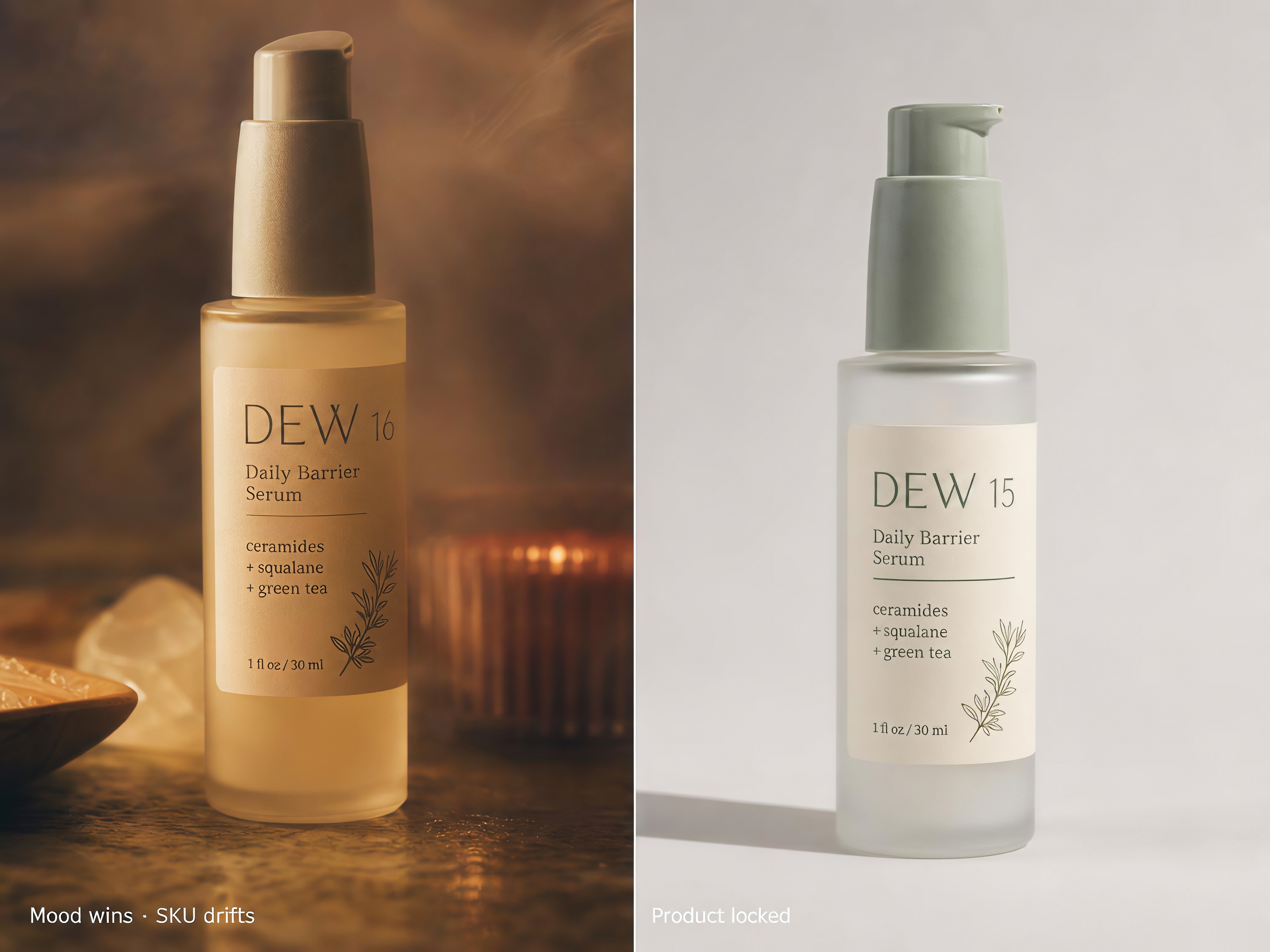
Feed-ready prompts chase mood: cinematic haze, dreamy grain, editorial drama. That can look great on social and still fail for product work, because the model quietly redesigns the bottle, invents a logo, or softens the silhouette.
A commercial product prompt has two jobs:
-
Lock what must match the real SKU.
-
Vary only the job: backdrop, angle, lifestyle context, or one short sale word.
A product-first formula
Stack the request in this order:
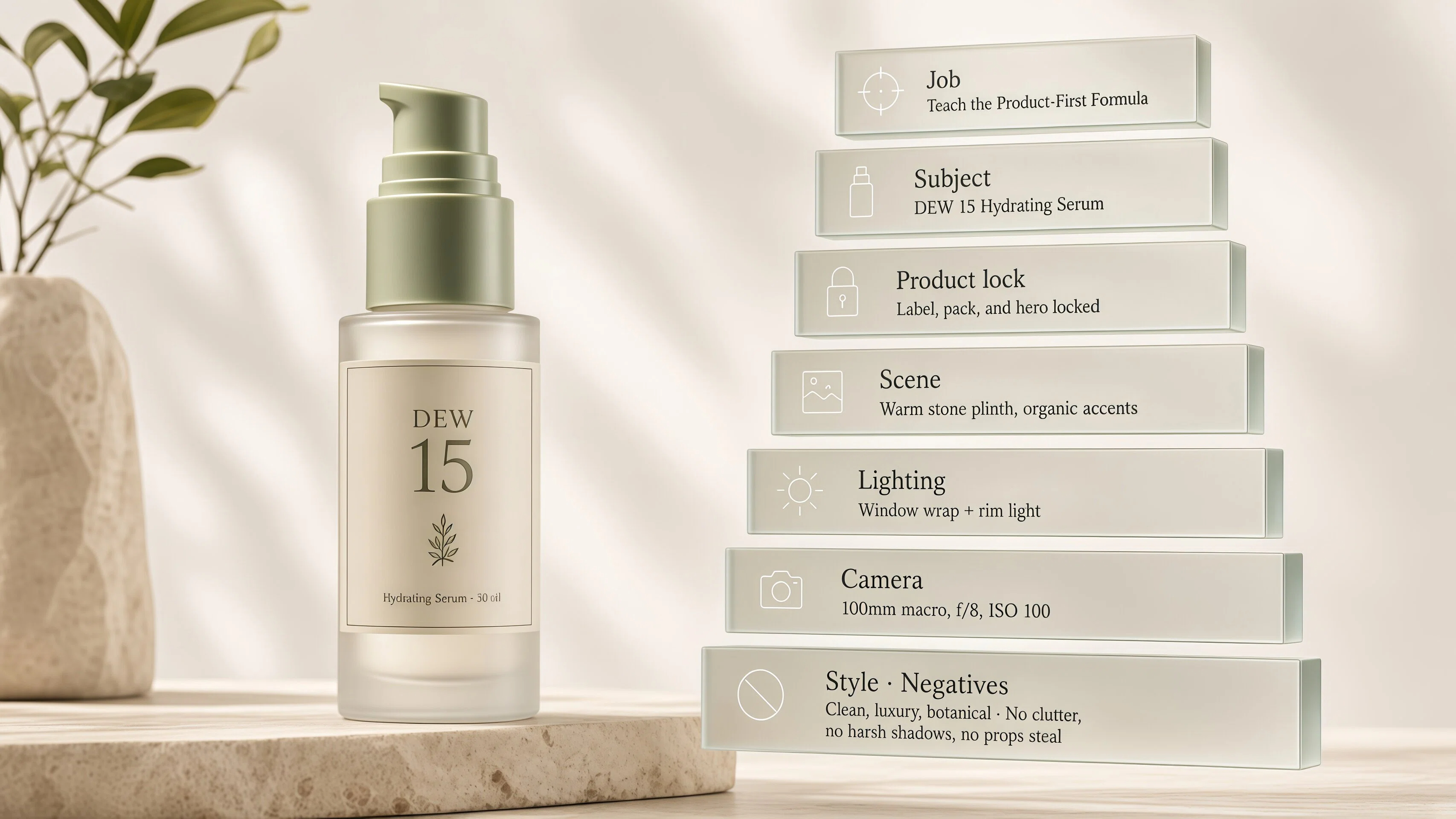
Job + Subject + Product lock + Scene + Lighting + Camera + Style + Negatives
OpenAI’s own prompting notes often lead with scene, then subject, then details and constraints. For product ads, naming the job first still helps, because it sets catalog vs lifestyle vs promo before the model invents a prettier bottle.
|
Slot |
What to write |
Why it matters |
|---|---|---|
|
Job |
Product ad, catalog still, social card |
Sets the output type first |
|
Subject |
Exact product and materials |
Stops a prettier redesign |
|
Product lock |
Exact shape, exact label text, no redesign |
Protects fidelity |
|
Scene |
Seamless backdrop, stone tray, or linen |
Sets the use case |
|
Lighting |
Soft studio or window side light |
Controls realism |
|
Camera |
Front, 45°, macro |
Matches ads vs detail crops |
|
Style |
Photoreal commercial product photography |
Blocks illustration drift |
|
Negatives |
No floating product, no extra bottles, no warped label text |
Cuts common AI tells |
-
Use case: First paste when you need a clean catalog hero.
-
Prompt: "Create a premium product catalog still of a frosted glass skincare serum bottle with a soft sage pump and a clean white front label that reads "DEW 15" in simple dark sans-serif, exact shape, exact label layout, on a soft light-gray seamless backdrop, gentle studio light, realistic contact shadow, front three-quarter view, photoreal commercial product photography. No floating product, no extra bottles, no watermark, no redesigned packaging."
What must stay locked
Lock silhouette, pump color, glass frost, and the label word DEW 15 . Prefer one clear label over invented packaging marks.
Words that quietly redesign the SKU
Watch for: luxury redesign, improved packaging, fantasy bottle, stylized product, reimagine, concept art. Those invite a prettier SKU than the one you sell.
When the White Background Looks Fake
Shoppers forgive a styled lifestyle crop. They punish a hero that looks suspended in a bright void. Fake seamless backgrounds usually come from a missing contact shadow, overexposed glass, or floating language in the prompt.
For marketplace heroes, keep the product large in frame and grounded. For social crops, set the aspect ratio up front (1:1 for feed, 9:16 for stories) so the composition is built for the channel.
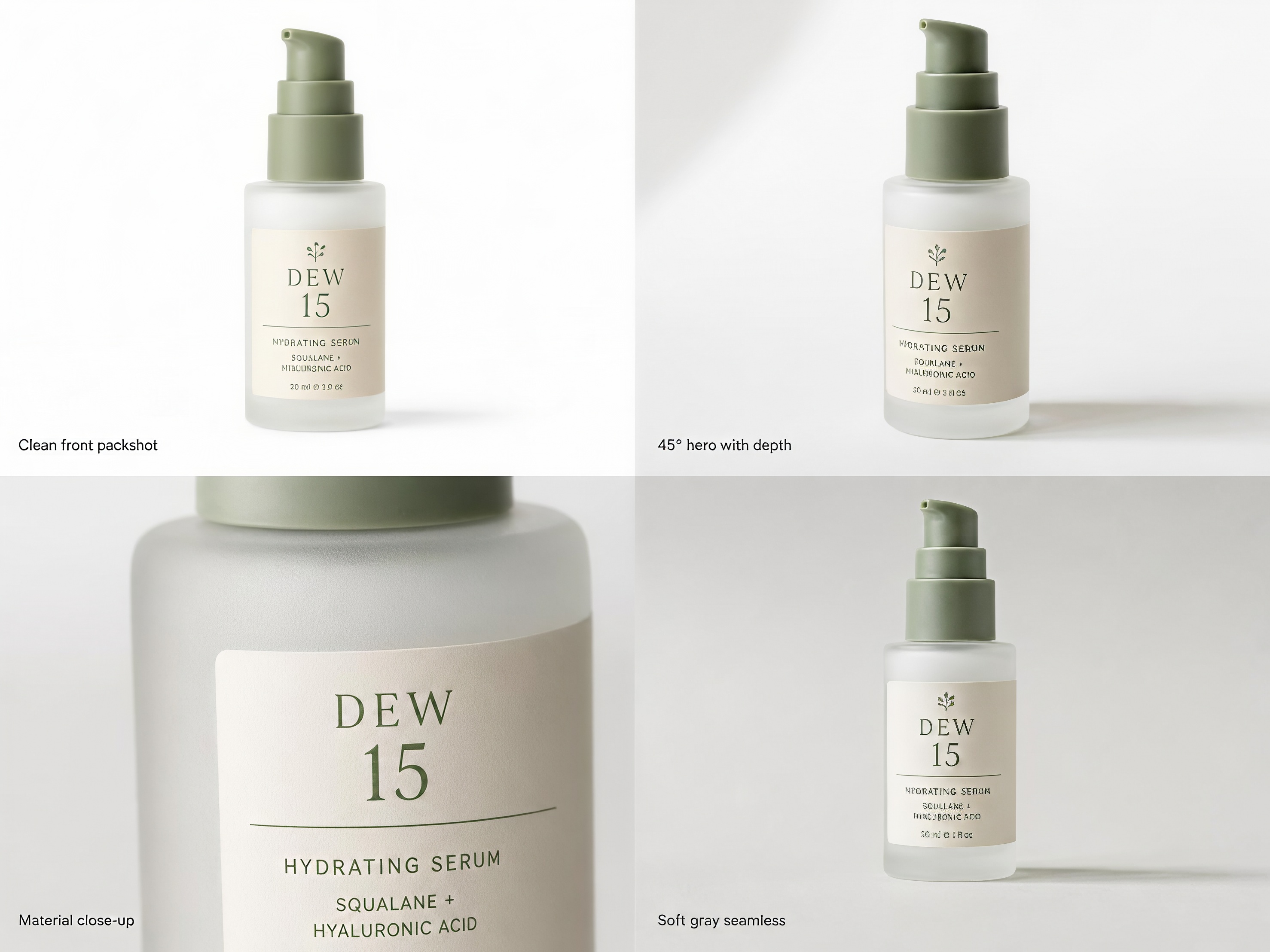
Clean front packshot
-
Use case: Primary product hero for a store or brand site.
-
Prompt: "Photoreal product packshot of a frosted glass skincare serum bottle with a soft sage pump and a clean white label reading "DEW 15", exact shape, exact label, centered on pure white seamless, soft even studio light, subtle realistic contact shadow, front view, sharp edges, commercial catalog photography. No props, no reflection pool, no watermark."
45° hero with depth
-
Use case: Campaign crop that still keeps product clarity.
-
Prompt: "Photoreal product photo of a frosted glass skincare serum bottle with soft sage pump and white "DEW 15" label, exact shape, exact label text, on seamless white, soft key light from upper left, gentle fill, light contact shadow, 45-degree three-quarter angle, shallow depth of field on the pump tip, ecommerce hero still. No floating, no extra products."
Material close-up
-
Use case: Texture proof for glass and label print.
-
Prompt: "Macro product photography of a frosted glass skincare serum bottle shoulder and white "DEW 15" label edge, soft sage pump partially in frame, soft studio light showing frosted glass texture and crisp label print, white seamless behind, commercial beauty still. Keep product identity, no invented logos, no warped letters."
Soft gray seamless
-
Use case: When pure white feels too harsh for beauty brands.
-
Prompt: "Photoreal product photo of a frosted glass skincare serum bottle with soft sage pump and white "DEW 15" label on light gray seamless paper, exact shape, exact label, soft diffused studio light, gentle shadow, front view, premium catalog look. No props, no text overlay beyond the label, no watermark."
Reuse tip: change only the product name, materials, and camera angle. Leave the lock line and the “no floating / no redesign” negatives alone.
Lifestyle Shots Where Shoppers Still See the SKU
Lifestyle should answer “where does this live?” without hiding the bottle. If the scene wins and the SKU loses, keep that frame for mood boards or ads, not as your only hero.
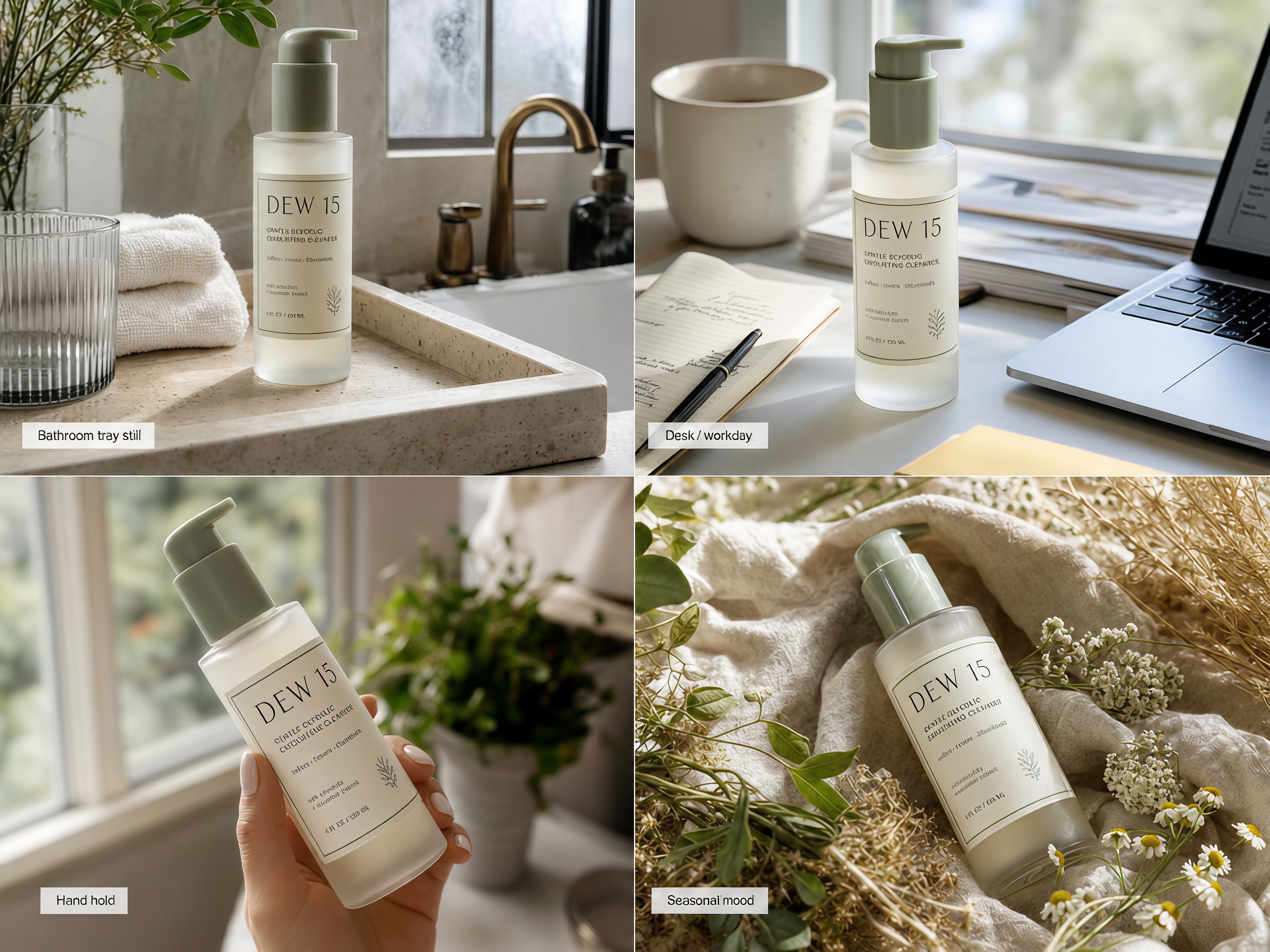
Bathroom tray still
-
Use case: Beauty social or secondary product-page image.
-
Prompt: "Photoreal lifestyle product photo of a frosted glass skincare serum bottle with soft sage pump and white "DEW 15" label standing on a light stone bathroom tray, soft morning window light, towel softly blurred behind, product sharp and centered, natural commercial lifestyle still. Keep product recognizable, exact label text, no crowded props."
Desk / workday context
-
Use case: Everyday brand storytelling for social.
-
Prompt: "Photoreal lifestyle product photo of a frosted glass skincare serum bottle with soft sage pump and white "DEW 15" label on a pale desk next to a closed notebook, exact product identity, cool daylight, calm commercial composition, product dominant in frame. No brand logos on props."
Hand hold without stealing the frame
-
Use case: UGC-style ads where the product must stay readable.
-
Prompt: "Photoreal lifestyle photo of a woman’s hand holding a frosted glass skincare serum bottle with soft sage pump and white "DEW 15" label, exact bottle facing camera, soft natural light, refined nude manicure, blurred indoor background, commercial UGC-style still. No face needed, keep label fully legible."
Seasonal mood without burying the SKU
-
Use case: Campaign mood that still sells the object.
-
Prompt: "Photoreal lifestyle product photo of a frosted glass skincare serum bottle with soft sage pump and white "DEW 15" label on linen with two small dried flowers at the edge, exact product design, warm soft daylight, product large and sharp in center, gentle seasonal mood. No clutter, no text overlay beyond the label, no redesign."
If hardware details are hard to read at thumbnail size, use that frame in secondary placements. Keep one locked seamless packshot as the primary product image.
Why Sale Text Melts on the Image
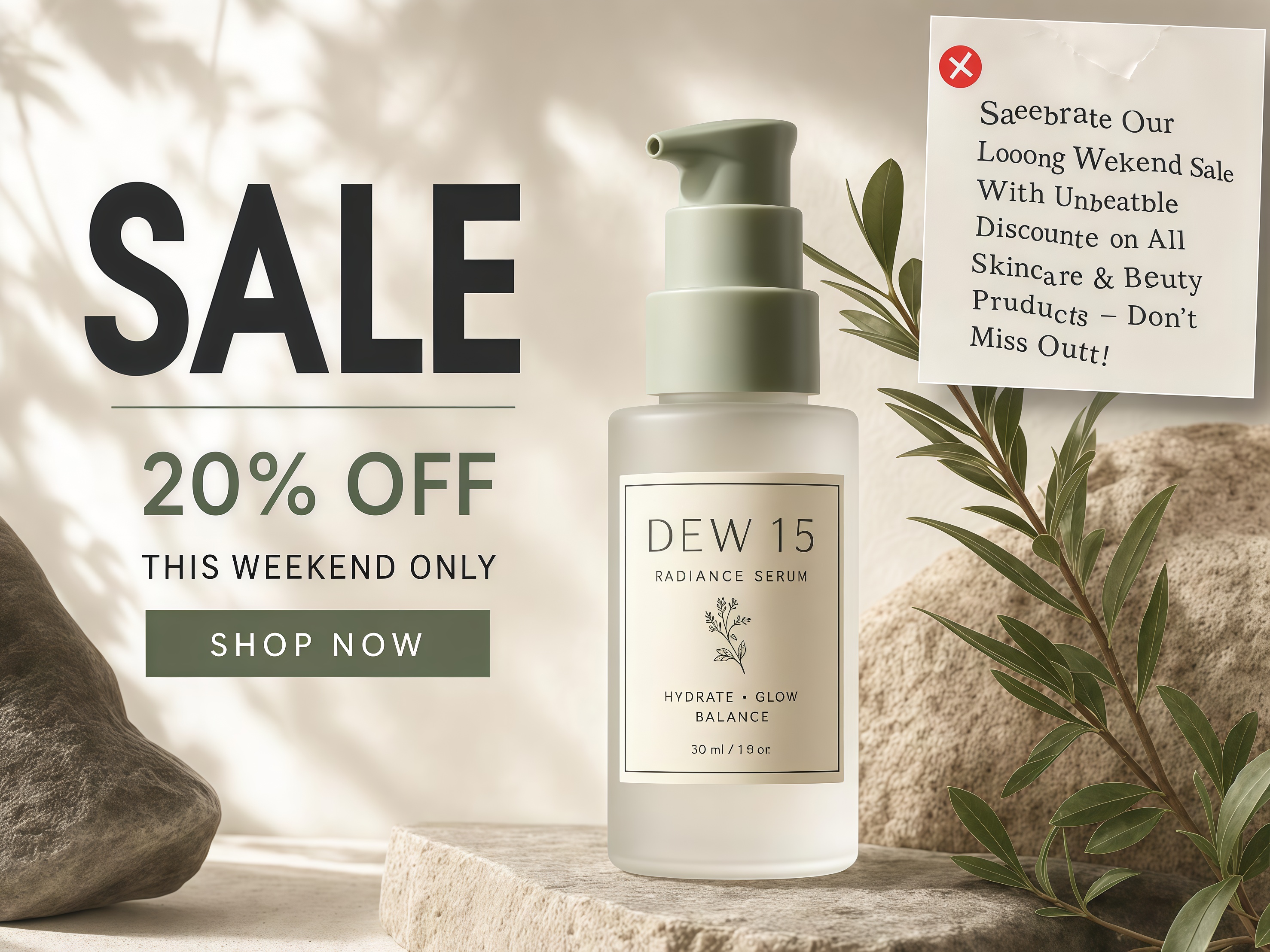
On-image text fails when you ask for a paragraph. GPT Image 2 and ChatGPT image tools do better with one short word , a clear placement, and high contrast. Put the exact word in quotes. Keep the bottle label separate from the promo word so the model does not merge them.
Bad long-copy request
-
Use case: What not to paste.
-
Prompt: "Create a sale poster with the frosted glass serum bottle and write Limited time skincare event save twenty percent this weekend only shop now across the top in elegant script."
Short SALE card
-
Use case: Promo stills and paid social hooks.
-
Prompt: "Photoreal ecommerce promo still of a frosted glass skincare serum bottle with soft sage pump and white "DEW 15" label on soft white, exact product shape, exact label, large bold sans-serif word "SALE" in the top-left corner in dark charcoal, high contrast, short and fully legible, clean commercial ad layout. No long sentences, no extra logos, no warped letters."
Tiny price tag
-
Use case: Simple offer cards.
-
Prompt: "Photoreal square social product card: frosted glass skincare serum bottle with soft sage pump and white "DEW 15" label centered on light beige, exact product, small bottom bar with bold text "$48", crisp sans-serif, high contrast. Keep bottle and label unchanged, no paragraph text, no watermark."
Soft social CTA
-
Use case: Story or feed CTA without a wall of copy.
-
Prompt: "Photoreal lifestyle-ad still of a frosted glass skincare serum bottle with soft sage pump and white "DEW 15" label on stone tray, exact product, bottom-right short text "SHOP", bold white letters with soft dark shadow for contrast, readable at small size. No long CTA sentences, no extra products."
Fix warped letters
-
Use case: Follow-up when the first render melts the type.
-
Prompt: "Keep the same frosted glass skincare serum bottle with soft sage pump and white "DEW 15" label and the same composition. Fix only the on-image promo text so "SALE" is sharp, correctly spelled, evenly spaced, and fully legible. Do not change the product shape or the bottle label."
Trending art prompts can spark ideas. Do not paste them as your only product hero.
ChatGPT Quietly Changed Your Product
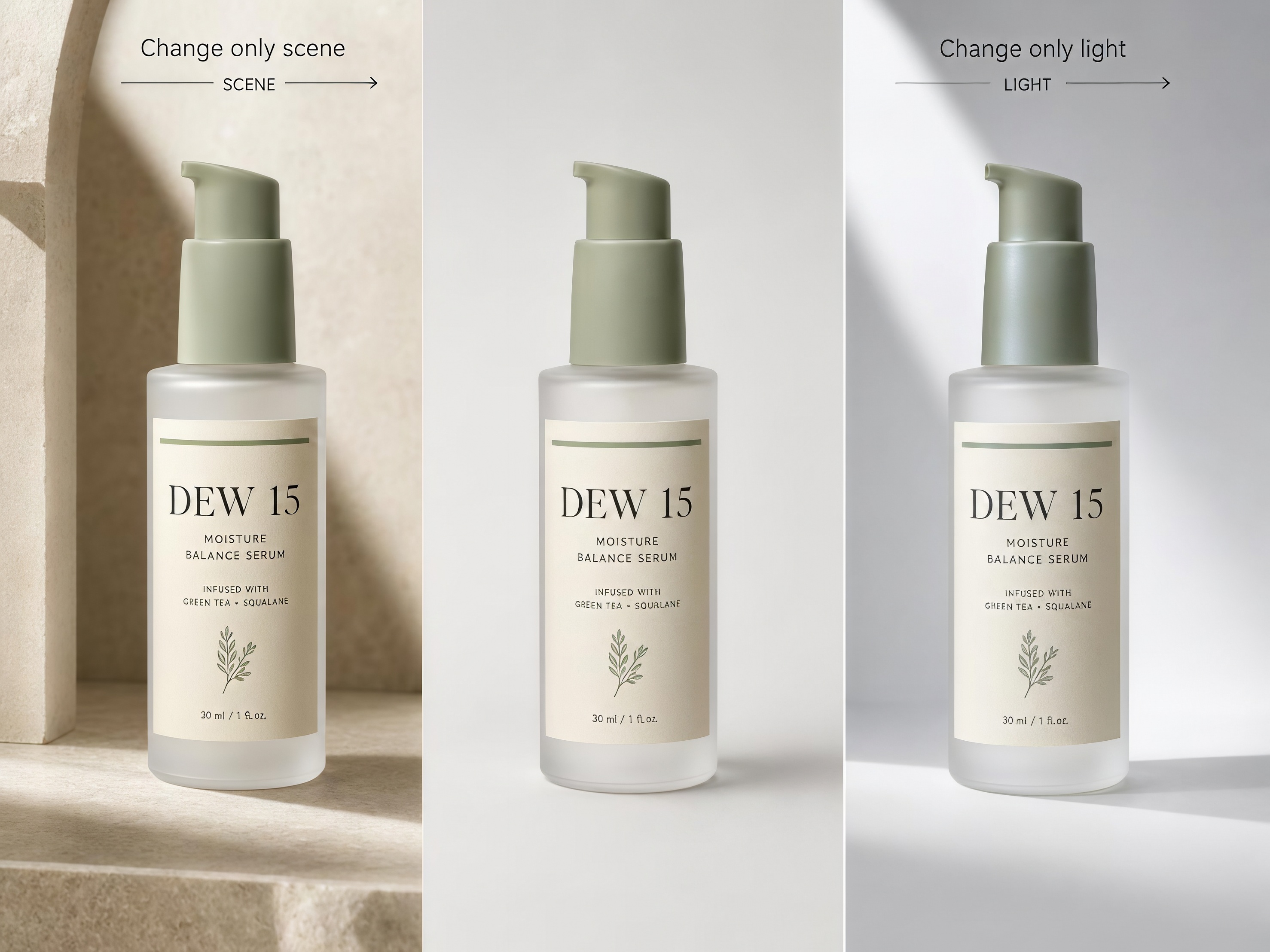
You like the new background. The bottle is different. Pump taller. Frost warmer. Label letters soft. That is the default failure when you rewrite the whole prompt instead of locking the product.
Change only the scene
-
Use case: Background variants without a redesign.
-
Prompt: "Keep the identical frosted glass skincare serum bottle with soft sage pump and white "DEW 15" label from the previous image, exact shape, exact label. Change only the background to a soft beige seamless. Keep lighting similar. Do not redesign the product."
Change only the light
-
Use case: Lighting tests for campaign consistency.
-
Prompt: "Keep the identical frosted glass skincare serum bottle with soft sage pump and white "DEW 15" label. Change only the lighting to cooler daylight from the left. Same angle, same product, no redesign."
Keep the label exact
-
Use case: When the model invents extra marks or warps the print.
-
Prompt: "Keep the identical frosted glass skincare serum bottle. Keep the white label reading "DEW 15" exact and fully legible. Do not alter bottle geometry or add extra brand marks."
For one SKU, ChatGPT image tools and GPT Image 2 are enough to test these lines. When you need many SKUs, on-brand variants, and publish-ready stills without rewriting a novel every time, Designkit is a strong next step .
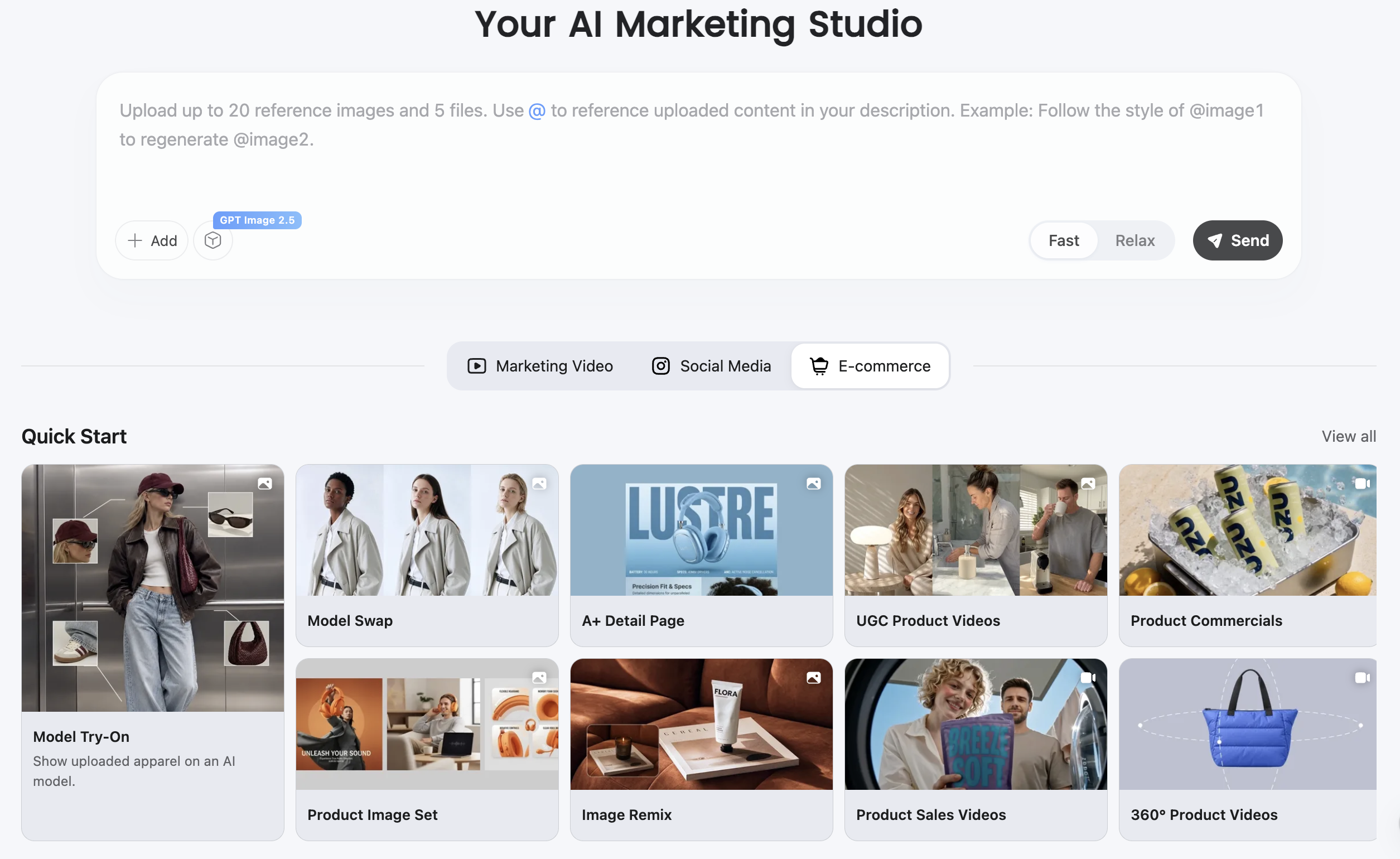
Designkit helps teams generate AI product photography and shoppable stills from real product references, then scale backgrounds and variants in one workspace. If you want a smoother path from one locked product to a full gallery, Designkit is a great option to try.
Conclusion
Strong GPT Image 2 prompts for product photos name the job, lock the SKU, then change only the scene, light, or one short word. Keep on-image text short and quoted. When the model redesigns the bottle, fix with a lock follow-up instead of a full rewrite. For jewelry facets, dense electronics, or packaging where every label character is legal-critical, keep a real photo in the loop.
For model strengths and limits, see our GPT Image 2 review . For ecommerce workflow context, see GPT Image 2 for ecommerce product images .
Frequently Asked Questions
What are the best GPT Image 2 prompts for product photos?
How do I write ChatGPT prompts for pictures that look like real photos?
Name materials, camera angle, and lighting. Say photoreal commercial product photography. Avoid fantasy, illustration, and redesign language.
Can GPT Image 2 put readable text on product images?
Short quoted words and tiny price tags work more often than sentences. Place the text, demand high contrast, and use a fix follow-up if letters warp. For a deeper capability take, see the GPT Image 2 review.
What should I avoid in product image prompts?
Redesign language, invented logos, blank paper labels where a real label should exist, long headlines, and floating products with no shadow. Treat art-only trending prompts as inspiration, not as your only hero.
Where can I learn what GPT Image 2 can do overall?
Read our GPT Image 2 review and GPT Image 2 for ecommerce product images.
You May Also Like

GPT Image 2 Prompts for Product Photos (Copy-Paste Examples)

How to List a Product on Amazon: Materials Checklist for First Listings

Kling vs Veo for Product Video & UGC Ads (2026)

Nano Banana vs Midjourney for Product Photos and Campaign Visuals (2026)

Seedance 2.5 Review: What Changed in ByteDance's New Model

MiniMax H3: Features, Benchmarks, Pricing, and How to Use It

Luma vs Seedance (2026): Ray 3.2 or Seedance 2.0?

Gemini Omni Review: Real Tests, Pros & Limitations for Video Generation

GPT Image 2 Review: Features, Prompts & E-commerce Use Cases

Happy Horse 1.0: The AI Video Model E-Commerce Sellers Need to Know About
AI UGC for Ecommerce in 2026: Text-to-Video, Image-to-Video & Reference Replication Guide

HappyHorse AI Review: Features, Benchmarks & How to Use It
Seedance 3.0 Predictions: Will AI Video Enter the Feature Film Era?
Grok AI vs ChatGPT: Features, Pricing & Best Choice (2026)
How to Use Grok AI: Features, Tips & Best Prompts (2026 Guide)
Sora Is Shutting Down? Best AI Video Alternatives for Creators in 2026
Seedance 2.0 for Ecommerce: Create AI Product Videos in Minutes
Seedance 2.0 Review: Features, Improvements, Pricing & How It Works (2026)
Turn Prompts into Product Stills
You now have paste-ready prompts for packshots, lifestyle scenes, and short promo text. When you are ready to turn one locked product into more on-brand variants, Designkit is a great place to continue.
