

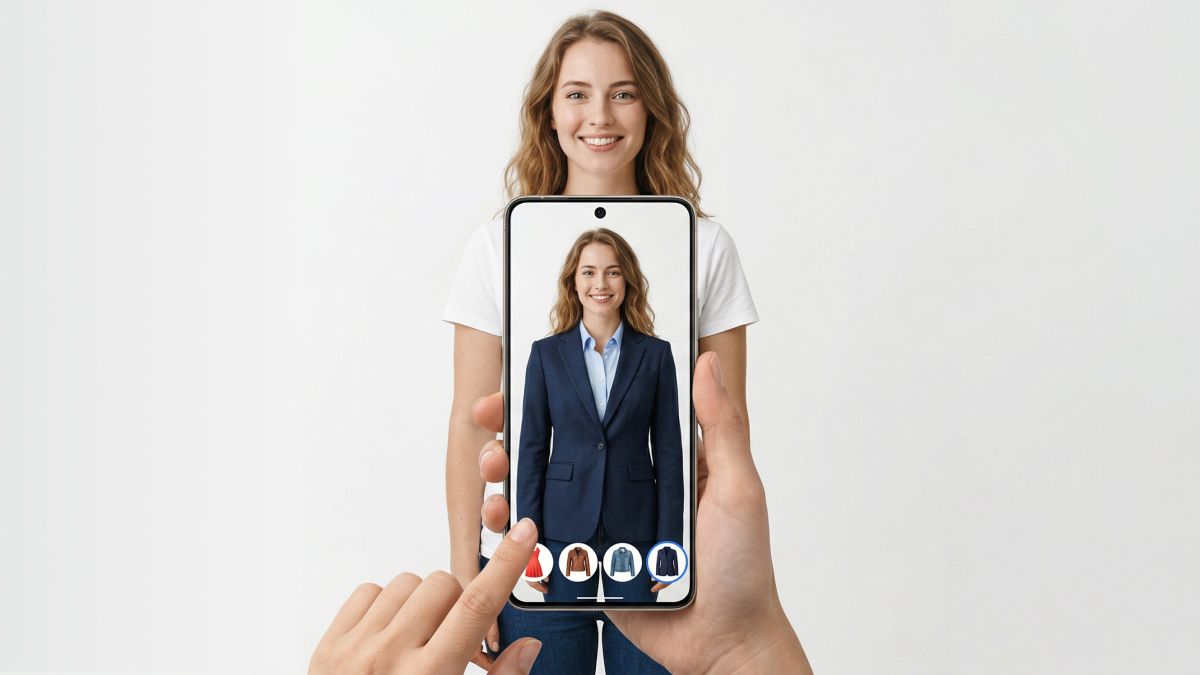
Shopping online feels exciting, yet choosing clothes without trying them on remains challenging. Many shoppers hesitate because they cannot fully visualize style and color accuracy. This is where learning how to try on clothes virtually becomes extremely useful today.
Virtual try-on technology allows you to preview outfits using simple photos or digital models. It helps reduce uncertainty and makes online fashion decisions more confident and informed. Still, understanding the process properly ensures better results and avoids common mistakes early. So, this guide explains everything clearly so you can start your first virtual fitting easily.
Part 1. Why Virtual Try-On is a Must-Have for Smart Shoppers
Virtual try-on is a digital tool that lets you preview outfits before buying. This technology helps you try on clothes virtually using a simple personal photo. You can easily see how specific colors and styles look on your body. Additionally, it supports smart decision-making but does not replace a real-life fit check.
As a result, most shoppers use it to visualize the overall vibe and aesthetic of garments. Thus, this modern approach ensures that you feel much more confident when shopping online. Therefore, follow these key points to understand why you should virtually try on clothes:
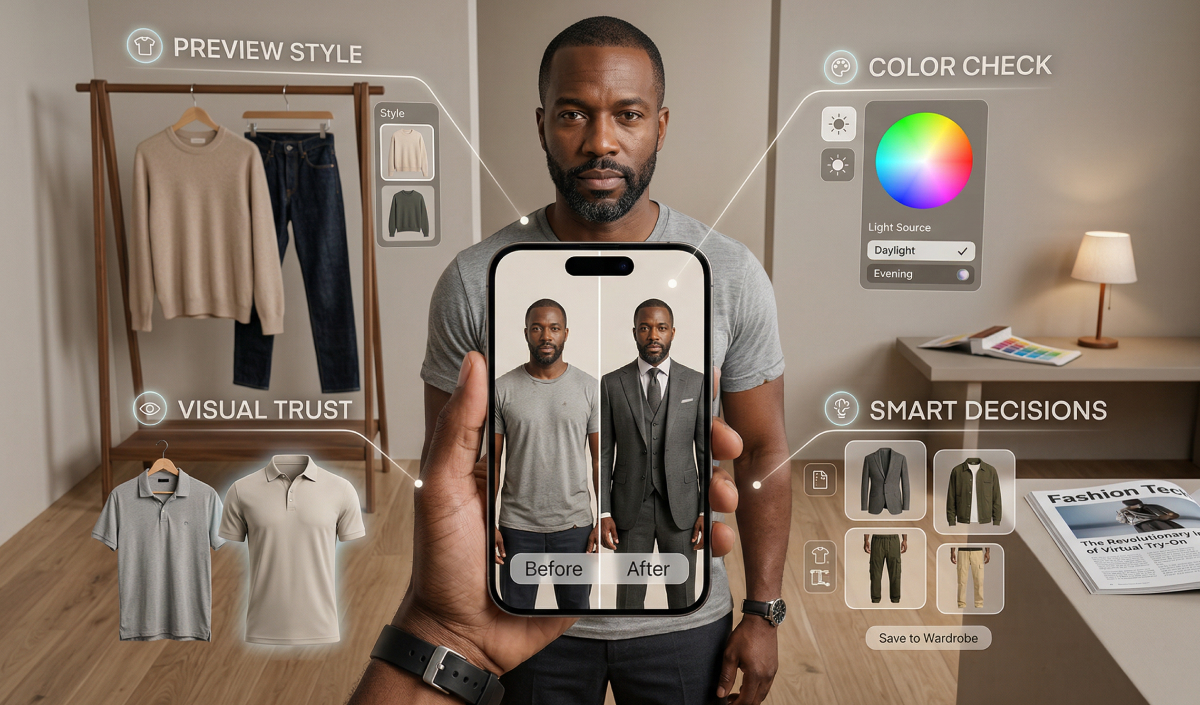
1. Preview Style: See how a specific trend or silhouette matches your personal fashion.
2. Color Check: Compare different shades to find the most flattering look for your skin.
3. Visual Trust: Build confidence in your choice before completing the checkout process today.
4. Decision Support: Use a virtual clothes try-on to filter out unsuitable fashion items.
According to the Research and Markets 2026 report, the global virtual try-on market will reach 15.29 billion dollars by late next year.
1.1. A Beginner’s Guide to How AI Fittings Work
Understanding a virtual try-on clothes online tool involves a very simple technical process. Modern platforms use advanced algorithms to map digital fabric onto your unique frame. Therefore, this virtual try-on clothing is far more realistic than a static filter. An AI clothing try-on calculates how textures interact with your specific body. So, adhere to this organized table to understand the core steps of a digital fitting:
|
Step |
Action Required |
Expected Outcome |
|---|---|---|
|
Upload |
Provide a clear photo of yourself or choose a model. |
The AI establishes your body proportions and unique posture for the fit. |
|
Select |
Pick a specific garment from the digital collection or upload an image. |
The system identifies the fabric type, sleeve length, and overall clothing shape. |
|
Generate |
Click the button to let the AI process your new fashion look. |
You receive a realistic preview of the virtual try-on clothing result. |
1.2. Why Virtual Try-On is the Secret to Zero-Regret Purchases
Many shoppers hesitate because they cannot visualize how a bold style looks. You can try clothes on virtually to test different colors against your skin. This specific method helps you virtually try on clothes with total digital confidence. Thus, using these tools offers the following key advantages for every modern and smart shopper:
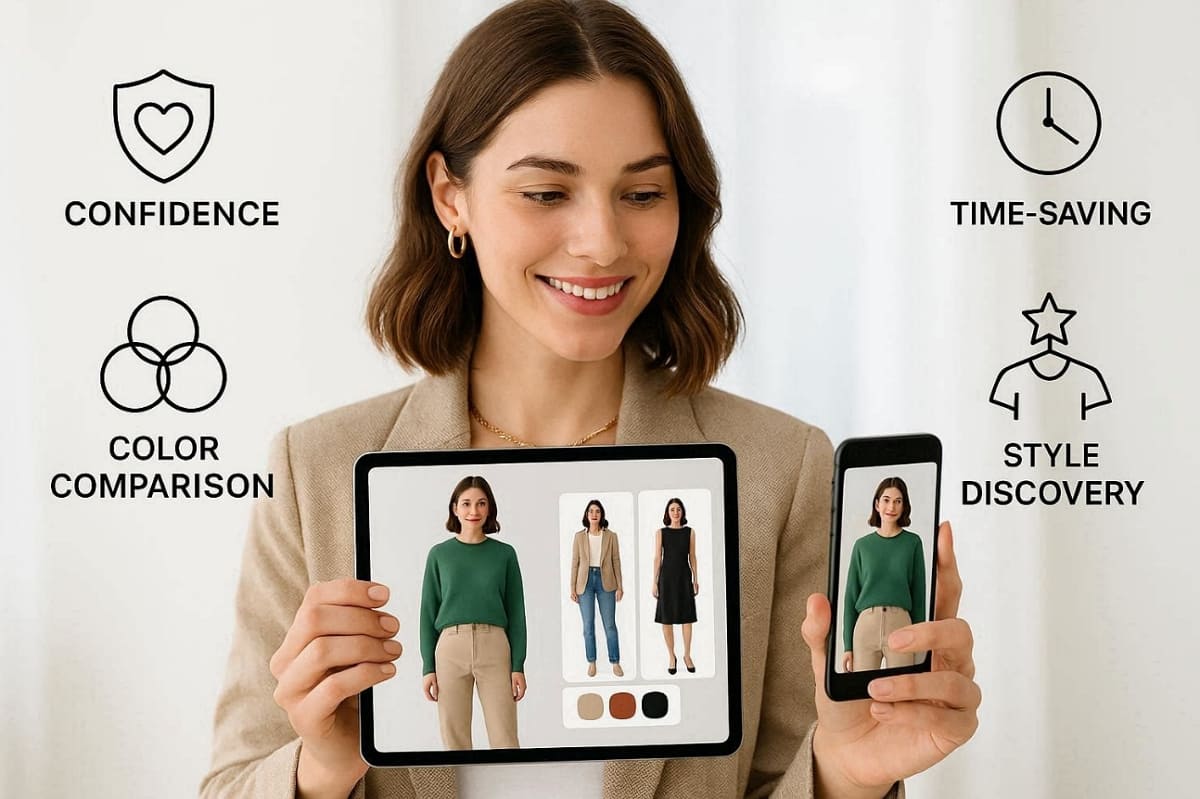
1. Eliminate Guesswork: See exactly how a silhouette complements your natural body shape.
2. Color Comparison: Test multiple shades of the same item to find your perfect match.
3. Style Discovery: Experiment with new fashion trends without the risk of a bad purchase.
4. Time Efficiency: Narrow down your choices quickly before visiting a physical store or checkout.
5. Confidence Boost: Feel certain that your final choice reflects your unique and personal aesthetic.
As a result, that confidence often leads to fewer mistakes and happier buying decisions. Furthermore, a Capital One Shopping report shows that 90% of Gen Z shoppers say that digital fitting tools improve their overall experience.
Part 2. A Step-by-Step Walkthrough to Your First Virtual Fitting
Starting your first digital style session is an easy and very rewarding process. Using virtual try-on clothes online requires specific preparation for total accuracy. This core section provides the practical guidance needed for a perfect first attempt. We will walk you through the full process from photography to final review:
2.1. How to Snap the Perfect Reference Image for AI Accuracy
The quality of your reference photo determines the final result of your look. You should always try on clothes virtually using a high-resolution portrait image. An AI clothing try-on works best when your posture is perfectly natural. Alongside that, a virtual clothes try-on requires even lighting to avoid any dark shadows. Use this comparison table to capture the best possible image for your fitting:
|
Feature |
The Perfect Setup (Do) |
Common Mistakes (Avoid) |
|---|---|---|
|
Lighting |
Face a bright window to get clear and natural light. |
Avoid using a camera flash or standing in dark rooms. |
|
Background |
Stand against a plain, neutral wall with no visible clutter. |
Do not take photos in messy bedrooms or crowded mirrors. |
|
Posture |
Keep your body straight with arms slightly away from your sides. |
Avoid sitting down or crossing your arms over your chest. |
|
Resolution |
Use your back camera for a sharp and quality shot. |
Never use a blurry selfie camera. |
2.2. Uploading Your Selfie and Browsing Digital Collections
Once your photo is ready, you can start your virtual try-on clothing. Most platforms allow you to upload your selfie directly into the secure system. Therefore, using virtual try-on clothes online involves selecting your favorite fashion items. At this point, you must learn how to try on clothes virtually by browsing various collections.
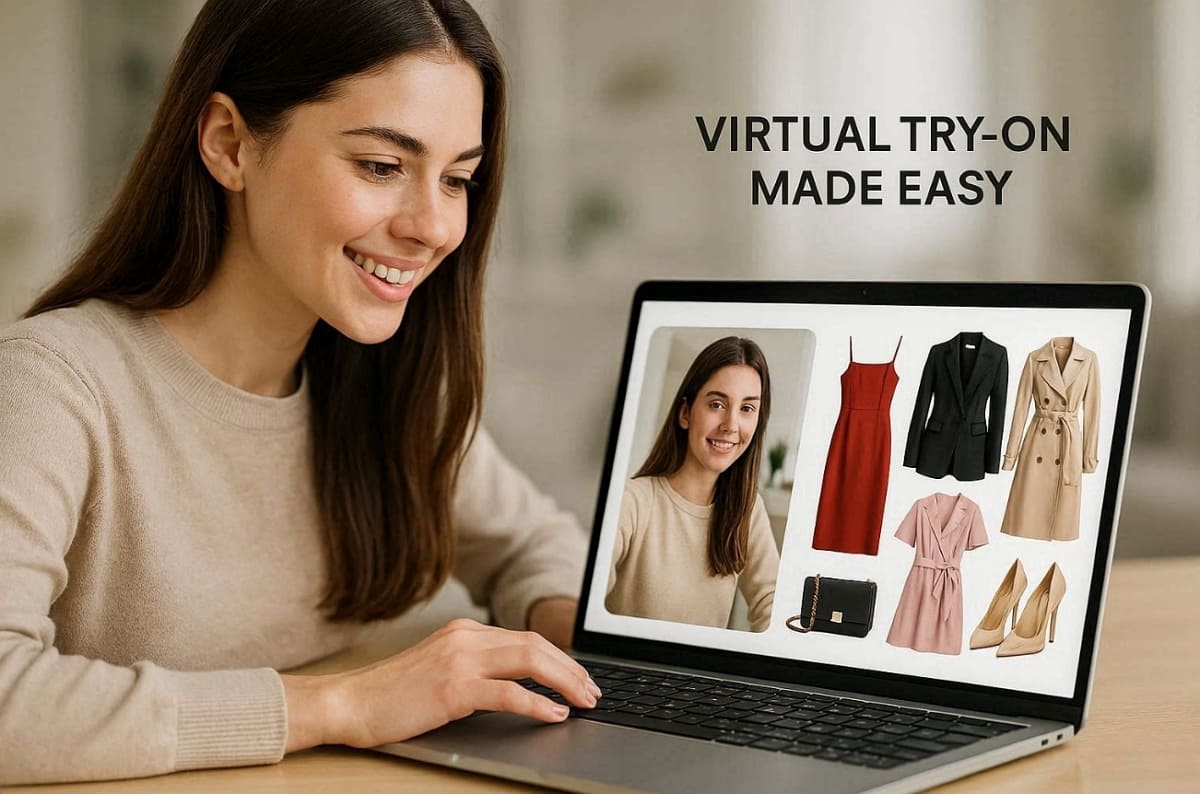
Along with that, prepare a clean garment image to help the AI process the fabric correctly. Some professional shopping sites might even skip a few steps for a faster experience. Yet, always check that the digital clothing matches your desired style and color preferences.
2.3. Analyzing the Fit, Style, and Realism of Your AI Look
Once the generation is complete, you must evaluate how you virtually try on clothes. An AI clothing try-on provides a visual guide to your potential new style. You can use this checklist to judge the accuracy of your first digital fashion preview:
1. Shoulder Alignment: Does the garment sit naturally on your frame without any distortion?
2. Sleeve Accuracy: Check if the length matches your expectations for this specific clothing item.
3. Waist Proportion: Ensure the fit around your middle looks realistic and not overly tight.
4. Color Matching: Verify that the digital shade looks good against your natural skin tone.
5. Style Harmony: Determine if the overall silhouette matches the vibe you want to achieve.
Apart from that, modern virtual fitting rooms now deliver hyper-personalized sizing accuracy with an error of less than 1%, according to Style3D Fashion Tech Trends.
2.4. Tweaking Your Setup for a More Natural and Accurate Fit
First-time users often get much better results on their very second digital attempt. You can learn how to try on clothes virtually by changing one small variable. Moreover, improving your virtual try-on clothes online requires a few very simple technical adjustments. Follow these troubleshooting tips to enhance the realism of your digital clothing preview:
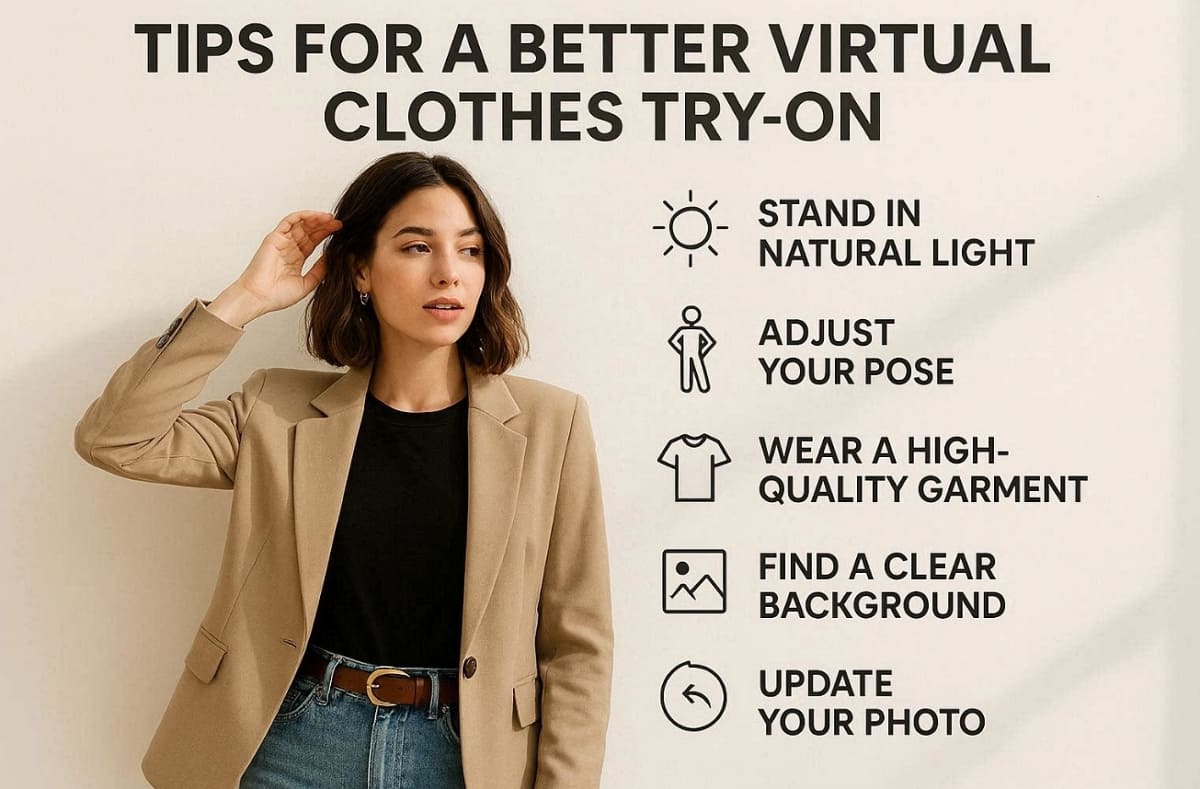
1. Adjust Pose: Stand in a more neutral position to help the AI map fabric.
2. Fix Lighting: Move closer to a natural light source to remove any dark shadows.
3. Refine Garment: Use a higher quality image of the clothing for much better detail.
4. Clear Background: Ensure the area behind you is simple and completely free of clutter.
5. Update Photo: Retake your selfie if the original resolution seems too low for processing.
These simple testing processes make it easier to test clothes virtually confidently.
Part 3. Comparing Selfies, AI Models, and Product Tools
Different methods help users virtually try on clothes based on their needs and goals. Each option offers unique benefits for virtual try-on clothing and overall realism. Some methods focus on personalization, while others prioritize speed and convenience. So, understanding these options helps you choose how to try clothes on virtually effectively. Explore this comparison to select the best virtual try-on clothing method confidently:
|
Method |
Best Use Case |
Experience |
|---|---|---|
|
Selfies |
Personal styling and realistic previews |
High personalization and accuracy |
|
AI Models |
Quick inspiration and polished visuals |
Moderate realism with less personalization |
|
Product Tools |
Fast browsing on shopping sites |
Convenient but limited control |
3.1. When Your Own Selfies Provide the Best Results
Uploading a personal selfie is ideal when you want to try on clothes virtually. This method ensures the most realistic preview of how a style fits your body. An AI clothing try-on works perfectly for evaluating your actual silhouette and shape. You have these specific advantages when you try clothes on virtually, using your own photo:
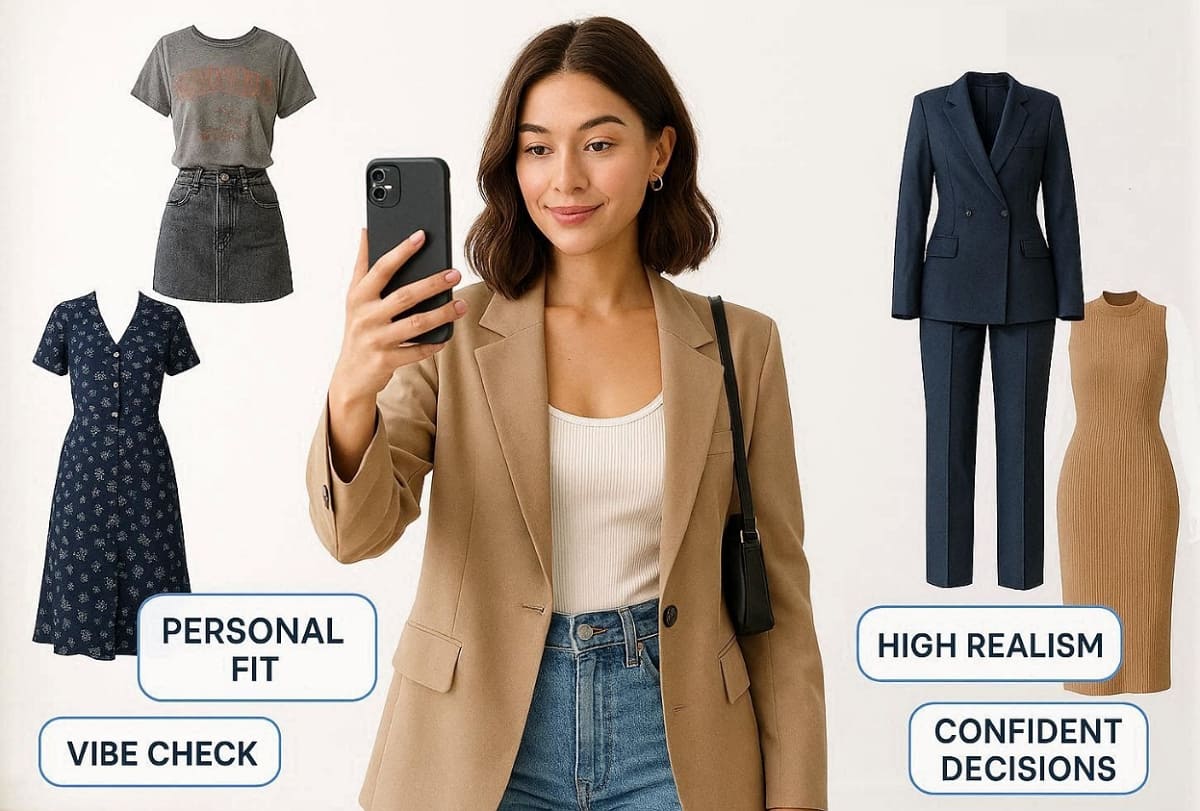
1. Personal Fit: See exactly how the garment interacts with your unique and natural proportions.
2. Vibe Check: Confirm if the style matches your face, hair, and overall personal aesthetic.
3. High Realism: Get a truthful representation of the final look before you spend money.
4. Confident Decisions: Reduce the need for returns by seeing the outfit on your frame.
3.2. Using Professional AI Models for High-Fashion Looks
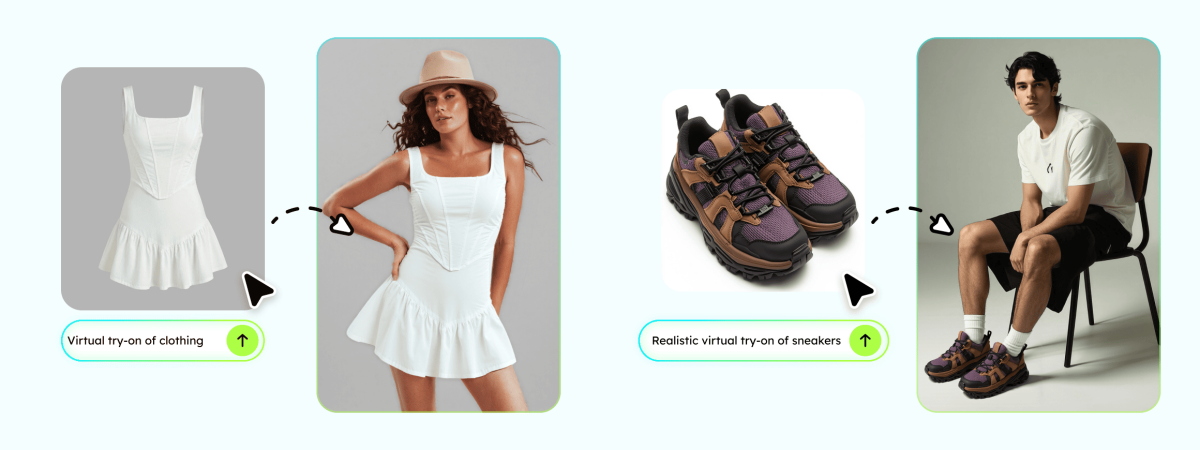
Professional AI models are great for exploring a virtual clothes try-on quickly. This specific option is helpful when you do not have a suitable reference photo. You can virtually try on clothes to see general style directions and new trends. It provides a more polished and high-fashion look for your digital outfit preview.
Furthermore, using a virtual try-on clothing model is perfect for finding quick visual inspiration. While less personalized, it offers a clean and very quality fashion aesthetic. So, choose this method if you want to browse multiple collections with minimal user effort.
3.3. Utilizing Built-in Retailer Tools on Product Pages
Many major online stores now offer a virtual try-on clothes online feature. This convenient option allows you to try clothes on virtually while you browse. At this point, retailer tools are usually faster because they are built directly into the website. However, these specific systems often provide less control over your personal image settings.
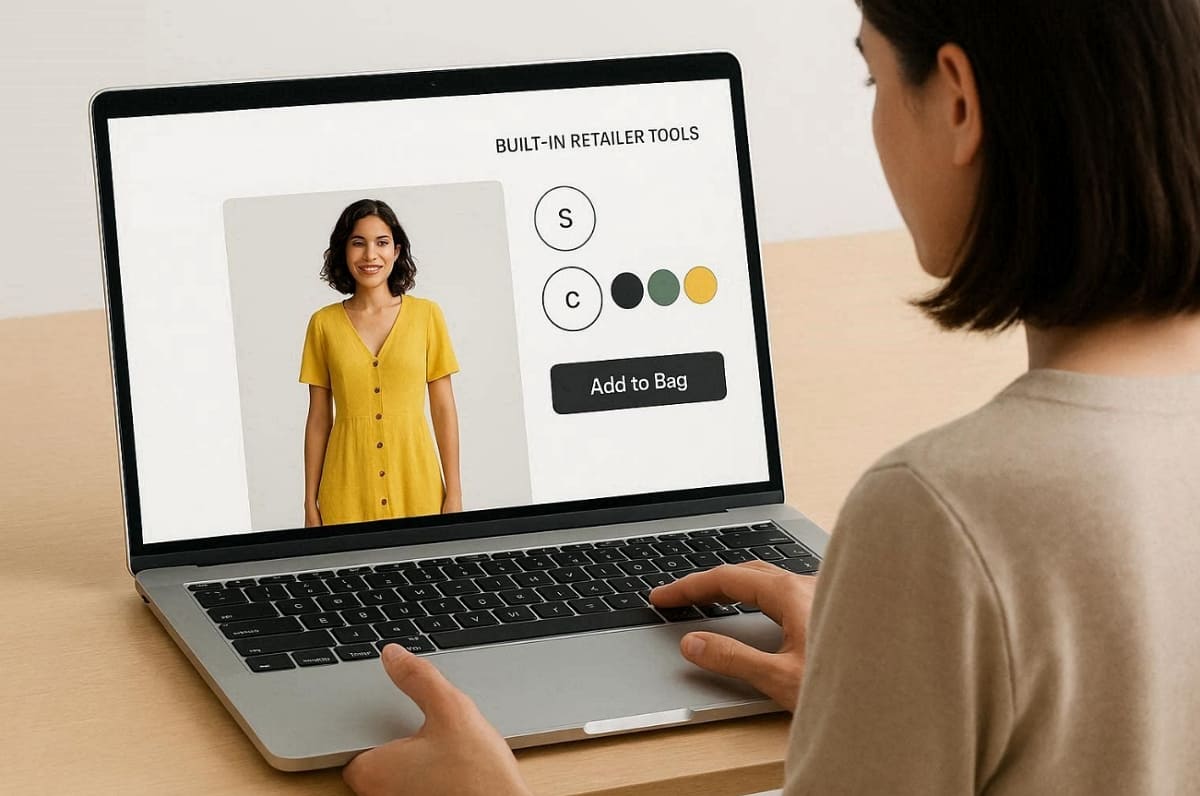
In addition, using a virtual try-on clothing tool on a shop page is very efficient. During usage, you can quickly switch between different sizes and colors with just one click. While easy to use, the realism might be lower than that of dedicated professional apps. One Envive 2026 Statistics states that personalized AI experiences typically increase retail revenue for brands by up to 25%.
3.4. Which Virtual Try-On Method Is Best for Beginners
Apart from the above, finding the best way to virtually try on clothes depends on your goals. An AI clothing helps you see outfits before you make any purchase. Anyhow, follow this simple decision guide to choose your ideal method for digital fittings:
1. Use a Selfie: Choose this for personal fit checks and the most realistic previews.
2. Use AI Models: Select this for quick style inspiration and high-quality fashion visuals.
3. Use Retailer Tools: Pick this for fast browsing directly on your favorite shopping sites.
If you want a smoother experience, you can explore Designkit Virtual Try-On to test outfits on your photos directly. It simplifies how to try on clothes virtually with more controlled and cleaner results. Additionally, the Designkit AI Outfit Generator helps you experiment with complete looks. It is especially useful for discovering new combinations and styling ideas before making any purchase decisions.
Apart from that, its dedicated AI Image Generator can help you create cleaner and more professional fashion images. Additionally, Designkit’s AI Product Photography Generator supports users who want quality apparel visuals.
Part 4. How to Fix Distorted Lighting and Realism Issues
Solving common beginner frustrations helps you get much better results with your fitting. Learning to fix these specific issues will significantly reduce your digital fashion drop-off. Many users find that small adjustments make an AI clothing try-on realistic. So, this section shows you how to troubleshoot your results to try on clothes virtually:
4.1. Fix Pose and Body Alignment Issues in AI Clothing Try On
Usually, awkward arm positions can often break the logic of an AI clothing try-on. Side angles or seated poses usually cause significant distortion in your final preview. Plus, poor alignment often makes the digital fabric look messy or completely out of place. Thus, follow these specific rules to ensure that you virtually try on clothes correctly:
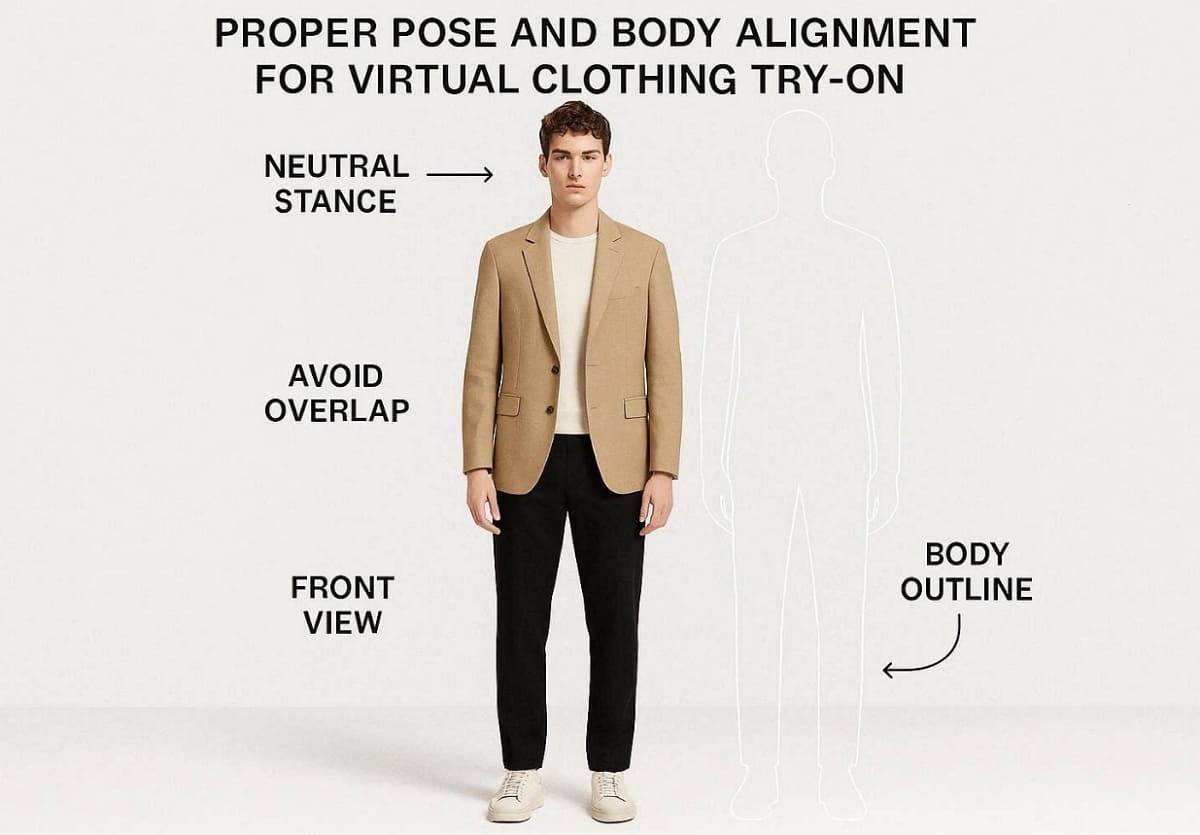
1. Neutral Stance: Stand straight with your feet apart to provide a clear silhouette.
2. Avoid Overlap: Keep your hands away from your torso to prevent any fabric clipping.
3. Front View: Always face the camera directly for the most accurate and realistic fit.
4. Body Outline: Ensure your entire frame is visible within the photo for better mapping.
4.2. Fix Lighting and Color Problems in Virtual Try-On Clothes Online
Many times, poor indoor lighting can easily distort a virtual try-on clothes online result. Along with that, strong filters or yellow lights often change the actual color of your garment. Yet, you should always use natural light for a better virtual clothes try-on. Hence, use the given simple table to identify and fix your specific digital lighting problems:
|
Lighting Issue |
Common Cause |
Recommended Fix |
|---|---|---|
|
Yellow Tint |
Use warm indoor light bulbs during your personal fashion photo session. |
Move closer to a bright window for clean and natural white light. |
|
Dark Shadows |
Standing in a room with only one weak overhead light source. |
Ensure your face and body are evenly lit from the front. |
|
Color Mismatch |
Using a low-quality garment photo with very poor color saturation. |
Upload an HD image that shows the true clothing fabric color. |
|
Heavy Grain |
Taking your reference selfie in a very low-light environment today. |
Use your back camera in a well-lit space for maximum clarity. |
4.3. Make Virtual Try-On Clothing Look More Realistic
A virtual try-on clothing output may appear to be slightly fake or distorted many times. This normally occurs when the quality of the image is so poor that the AI engine cannot handle it. You must, then, always look after unfinished edges on garments to have a very clean finish. To virtually try on clothes realistically, you should focus on these important factors:
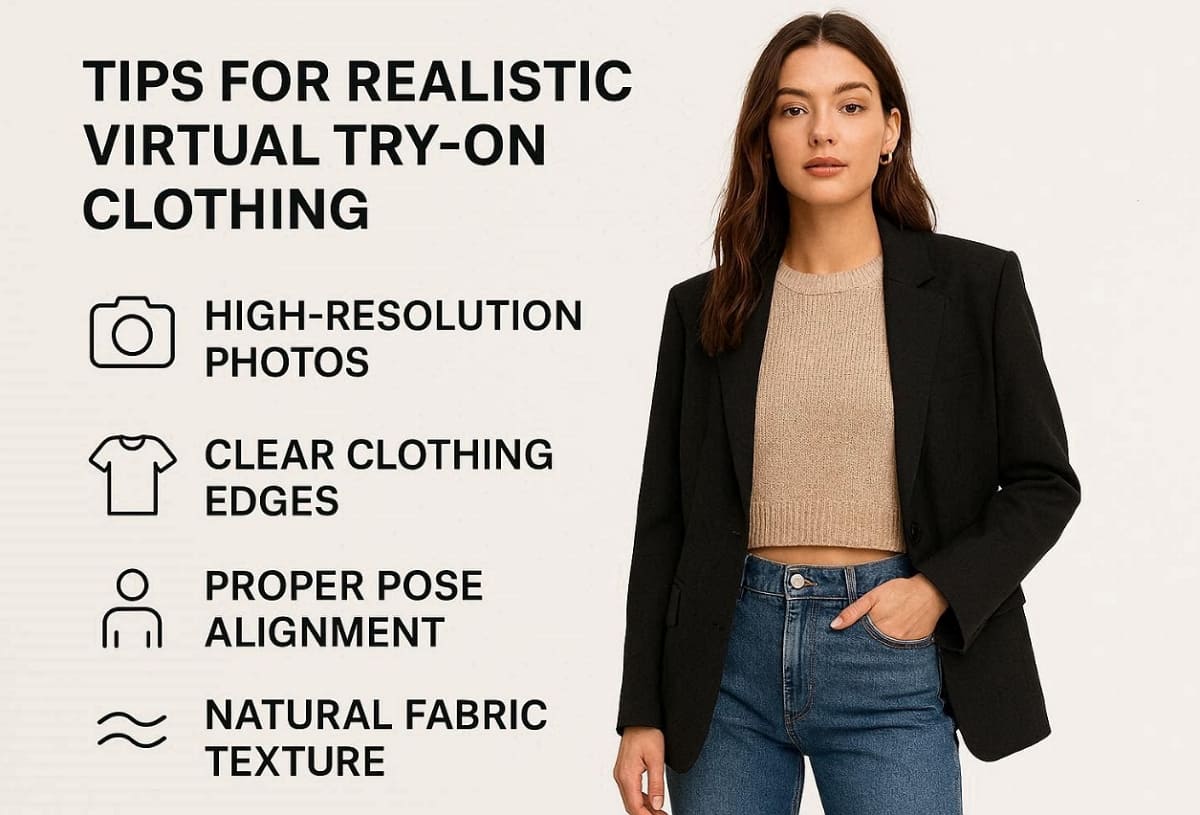
1. High Resolution: Use sharp images to help the AI process every fine fabric detail.
2. Edge Clarity: Ensure that the clothing boundaries do not look blurry or heavily pixelated.
3. Pose Alignment: Match your body angle to the specific structure of the chosen garment.
4. Fabric Consistency: Check that the digital texture looks natural against your skin and background.
For much better visual quality, you can explore the Designkit ecosystem of creative tools. The AI Image Generator helps you refine and polish your final generated fashion looks. Designkit also offers an AI Product Photography Generator for a cleaner and professional presentation.
4.4. Know What Virtual Try-On Can and Cannot Tell You About Fit
It is important to remember that digital tools have some specific functional limitations. You can try clothes on virtually to evaluate general style and color preferences. However, a virtual try-on clothes online session cannot provide an exact size measurement. So, the best way to try on clothes virtually is explained in the given table:
|
Aspect |
What It Shows |
What It Cannot Guarantee |
|---|---|---|
|
Style |
Helps you try clothes on virtually for style evaluation. |
Cannot ensure exact personal satisfaction with the purchase. |
|
Color |
Virtual try-on clothes online shows realistic shade combinations. |
Lighting differences still slightly affect real-life color appearance. |
|
Fit |
Provides a general silhouette during AI clothing try-on previews. |
Cannot confirm exact size, tightness, or fabric stretch behavior. |
In addition, Rewarx research found that AI virtual try-on reduces e-commerce returns by up to 35%.
Conclusion
To sum up, modern technology has finally made it easier to choose your new favorite outfits. This helpful guide provides all the steps needed to learn how to try on clothes virtually. You can now visualize different styles and colors with incredible digital accuracy. Yet for those seeking professional results, Designkit offers dedicated AI-powered features to help you create high-quality, realistic apparel shots.
Frequently Asked Questions
What kind of photo works best for a virtual fitting?
Is a simple selfie enough to get an accurate result?
A simple selfie is usually enough if you use your high-quality back camera. An
AI clothing try-on
requires clear visibility of your entire upper body shape. Yet make sure you stand against a plain background to avoid digital clutter.
How accurate are the results for choosing a size?
Digital previews are excellent for style, but they cannot confirm your exact body size. In such cases, you should always learn how to try on clothes virtually by checking size charts. Thus, combine your visual fit results with real customer reviews to make a better choice.
Why do some virtual clothing outputs look slightly fake?
Usually, low image resolution or poor indoor lighting can make your final output look fake. Moreover, an awkward pose often prevents virtual try-on clothes online from looking natural. Hence, using a high-quality garment image will help the AI correctly process the textures.
How should a beginner choose the best-fitting tool?
Beginners should start with simple retail tools for a fast, easy experience. Additionally, you can try clothes on virtually to find new trends and interesting fashion styles. For professional visuals, try tools like Designkit, which offers an AI Image Generator or an AI Product Listing Images Generator for much more polished results. Furthermore, the Amazon Listing Images Generator helps users who sell their unique clothes online.
You May Also Like

How to Match Makeup by Undertone: Virtual Lipstick and Foundation Try-On

Wedding Dress Styles for Every Body Type: A Practical Guide for 2026

7 Best AI Virtual Makeup Try-On Tools for Realistic Results in 2026

AI Virtual Makeup Try-On: Boost Beauty E-Commerce Sales in 2026

Free Online Glasses Try-On Tools: See Yourself in Glasses Instantly

Top Virtual Ring Try-On Tools for Engagement and Wedding Rings in 2026

How to Try Shoes On Virtually: A Step-by-Step Guide

Best Virtual Shoe Try-On Tools for Ecommerce: 2026 Guide

How to Try On Wigs and Bangs Virtually to Find Your Perfect Style

Create Model Outfit Photos Instantly With AI Outfit Generator

Best AI Virtual Try-On Clothes Tools for Any Body Type

How to Try On Clothes Online with AI for Better Fit & Style

Virtual Nose Ring Try On Online Before Your Piercing

How to Try Makeup Online with AI and Virtual Makeup Try-On Apps (2026)

How to Use Virtual Earring Try-On for a Flattering Look in 2026

How to Try On Engagement Rings Online with AI in 2026

Scale Your Jewelry Brand with Virtual Jewelry Try-On Solutions

How to Try Hairstyles on Your Face Online (Step-by-Step Guide)

Best Virtual Hairstyle Try-On Tools Online for Realistic Previews 2026

How to Use a Free AI Hairstyle Generator to Find Your Perfect Look

Virtual Hair Color Try-On Guide for Every Skin Tone (2026)

Virtual Wedding Dress Try-On Online for Brides in 2026

How to Choose the Right Sunglasses for Your Face Shape Online

How Accurate Is Virtual Glasses Try-On? AI vs AR Compared

Best Virtual Try-On Glasses Apps in 2026 (Free & Paid Tools)

How AI Virtual Try-On Is Transforming Eyewear Ecommerce

5 Best Virtual Try-On Glasses Tools for Ecommerce and Consumers 2026

How to Try On Glasses Online with AI in 2026 (Easy Guide)

How to Create Jewelry Photos with AI Models That Drive Sales in 2026

AI-Generated Fashion Models: Technology, Brand Adoption & Trends

How to Batch Generate 100+ AI Clothing Model Photos Fast

7 Best AI Fashion Model Generators for Ecommerce in 2026

AI Clothing Model Photos for E-Commerce: Platform Rules & Best Practices

How AI Virtual Try-On Helps Fashion Brands Boost Sales & Reduce Returns

AI Fashion Models vs Real Models: Which Is Better for Brands?

Best Free AI Fashion Model Generators for Real Product Photos

Virtual Outfit Try-On Guide: Plan Outfits Before You Buy

What Is an AI Clothing Model Generator? Full Guide for Sellers

Virtual Try-On Technology in 2026: How It Works & Key Trends

10 Best Virtual Try-On Apps & Tools for Online Shopping in 2026

How to Create AI Fashion Models: Complete Step-by-Step Guide

How to Use AI Fashion Models for E-Commerce Product Photos: A Complete 2026 Guide

How to Virtually Try On Clothes Online: A Complete Guide
Make every product image ready to sell
Designkit is an all-in-one AI platform for ecommerce visuals. Create product photos, AI videos, virtual try-ons, and Amazon listing images in seconds. Generate HD backgrounds, batch edit photos, and scale your brand with studio-quality content.


