
How to Sell on Etsy in 2026: A Complete Seller Guide
Learn how to sell on Etsy in 2026: open a shop, understand fees, create listings, price products, improve photos, and grow sales with practical tips.

Selling on Etsy is easier than ever, but building consistent sales takes more than listing products. Successful sellers understand what shoppers are searching for, create compelling listings, use high quality product images, and continually optimize their shops based on performance.
This guide walks you through how to sell on Etsy in 2026. You'll learn how to set up your shop, choose profitable products, optimize your listings, attract more buyers, and grow your sales. It also explains how AI tools can help you create professional product images and marketing content faster, saving time while improving your store's performance.
How Does Etsy Work?
If you're wondering how Etsy works, think of it as a marketplace that connects independent sellers with buyers looking for unique products. Sellers create a shop, publish listings, and Etsy helps surface those products through search results, category pages, recommendations, and advertising. Buyers can discover items by searching keywords, browsing collections, or clicking promoted listings. When a purchase is made, Etsy processes the order through its platform, and the seller ships the product or delivers a digital download.
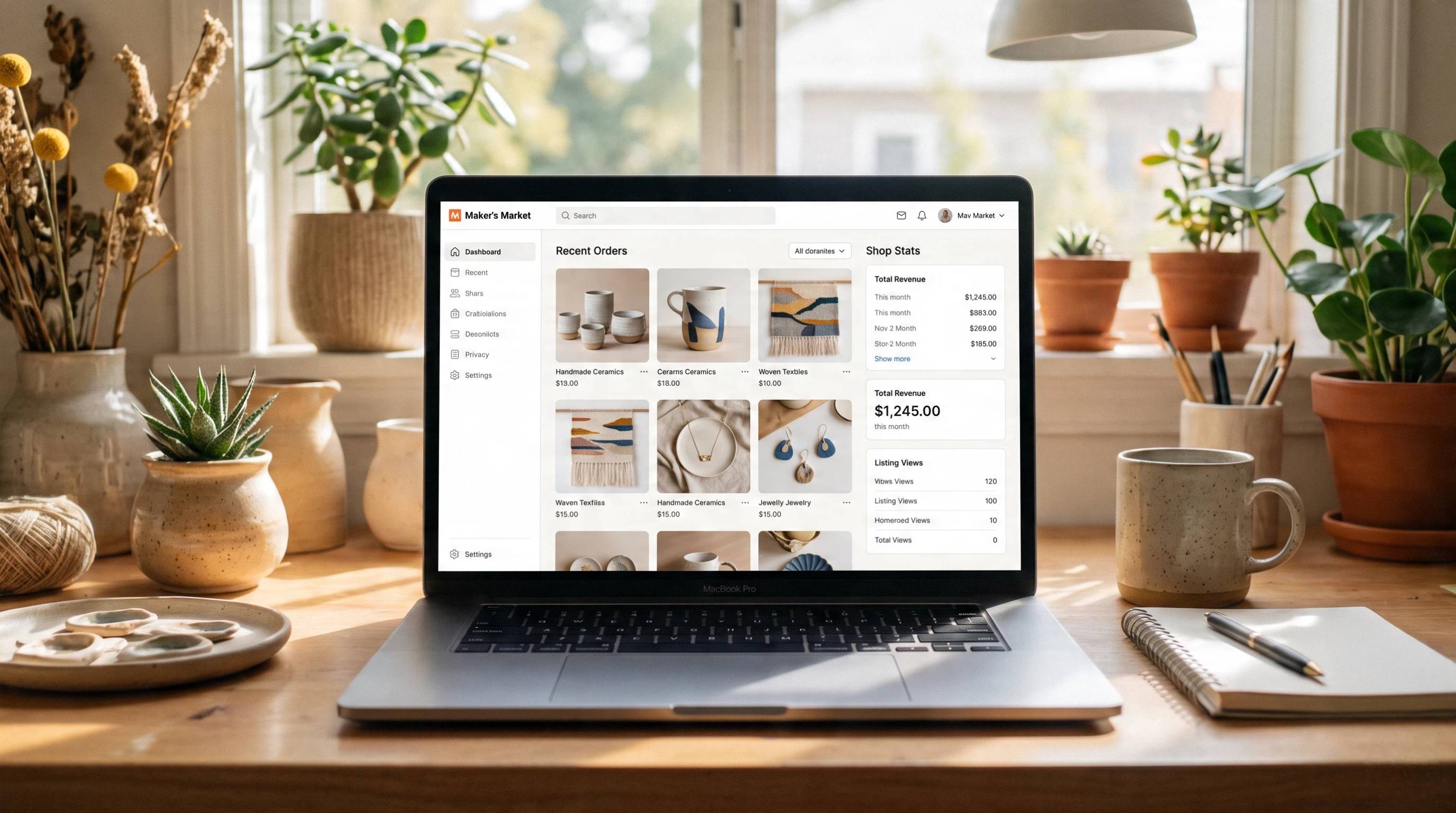
How Etsy Connects Sellers with Buyers
Etsy acts as the bridge between millions of shoppers and independent businesses. Instead of driving all of your own traffic, you benefit from Etsy's built-in audience. Buyers typically find products through:
-
Keyword searches that match listing titles, descriptions, and tags
-
Category and collection browsing
-
Personalized recommendations
-
Etsy Ads and Offsite Ads
-
Seasonal and trending searches
Because thousands of sellers may offer similar products, success depends on creating high-quality listings with clear photos, accurate descriptions, competitive pricing, positive reviews, and relevant keywords. The better your listing matches what buyers are searching for, the more likely it is to appear in search results.
Is Etsy the Right Platform for Your Business?
Etsy is designed for businesses that sell creative, personalized, or niche products rather than mass-produced retail items. It works especially well if you want access to an existing customer base without building a standalone ecommerce store from day one.
Who Etsy Works Best For
Etsy is a strong choice for:
-
Handmade creators who sell crafts, jewelry, artwork, candles, clothing, or home décor
-
Digital product sellers offering planners, templates, printables, fonts, or digital art
-
Vintage sellers with collectible or vintage items that meet Etsy's policies
-
Print-on-demand businesses creating custom apparel, mugs, posters, or accessories
-
Small ecommerce brands testing new products or reaching customers interested in unique goods
Whether you're learning how to become a seller on Etsy for the first time or expanding an existing business, the marketplace offers a relatively simple way to start selling without building your own website.
Etsy Limitations to Understand
While Etsy offers many advantages, it's important to understand its limitations before investing significant time and inventory.
-
High competition: Many popular categories contain thousands of similar listings, making it harder for new shops to stand out.
-
Limited customer ownership: Etsy controls much of the customer relationship, so building your own email list or brand loyalty can be challenging.
-
Marketplace fees: Listing, transaction, payment processing, and advertising fees reduce your profit margin.
-
Dependence on listing quality: Visibility depends heavily on product photography, descriptions, keywords, pricing, reviews, and overall shop performance.
Understanding these challenges helps you build a pricing strategy and optimize your listings from the beginning.
Etsy Fees
Before selling things on Etsy, make sure you understand the platform's fees so you can price your products profitably. Etsy occasionally updates its pricing and policies, so always verify the latest information in Etsy Help before publishing your shop.
|
Fee type |
Typical pattern |
Notes |
|---|---|---|
|
Listing fee |
About $0.20 per listing |
Renews when an item sells or after approximately 4 months if it remains active |
|
Transaction fee |
About 6.5% |
Generally applies to the item price plus shipping you charge |
|
Payment processing |
Region-based (percentage + fixed fee) |
Charged through Etsy Payments and varies by country |
|
Offsite Ads/Etsy Ads |
Optional or attributed |
Advertising costs can affect your final profit depending on your settings and eligibility |
Simple Pricing Example
Suppose you want to sell things on Etsy and price a handmade mug at $30 with $5 shipping.
-
Customer pays: $35
-
Etsy deducts the listing fee, transaction fee, payment processing fee, and any applicable advertising fees.
-
If your product costs $12 to make and $6 to ship, your remaining profit will be lower than the original sale price.
The key takeaway is to calculate all Etsy fees, production costs, packaging, and shipping before setting your prices. Building these costs into your pricing helps protect your profit margin as your shop grows.
How To Start Selling On Etsy Step By Step
Step 1: Create An Etsy Seller Account
The first step in how to sell things on Etsy is opening your seller account. Visit Etsy, select Sell on Etsy, and follow the setup process. You'll choose your shop language, country, and currency, create a unique shop name, enable Etsy Payments (where available), and add basic shop policies covering shipping, returns, and exchanges. Completing these details early helps build trust with potential buyers.
Step 2: Choose Your Products And Niche
Choosing the right niche makes it easier to grow your shop. Rather than selling a little of everything, focus on a specific product category and audience. A clear niche helps Etsy understand your listings and makes your brand more memorable.
Benefits of choosing a niche include:
-
Easier ranking for relevant searches
-
Clearer brand identity
-
Better customer targeting
-
More consistent product development
Popular niches include handmade jewelry, printable planners, personalized gifts, home décor, craft supplies, and vintage collectibles.
Step 3: Set Up Shipping
Shipping is an important part of your shop setup. Etsy lets you create shipping profiles so you can apply the same settings across multiple listings. You can choose:
-
Calculated shipping, where shipping costs are automatically estimated based on the buyer's location.
-
Flat-rate shipping, where you set a fixed shipping price yourself.
Some sellers include shipping costs in the product price to offer "free shipping," although its impact on search visibility may vary over time. For digital products, Etsy automatically delivers purchased files to customers, so no physical shipping is required.
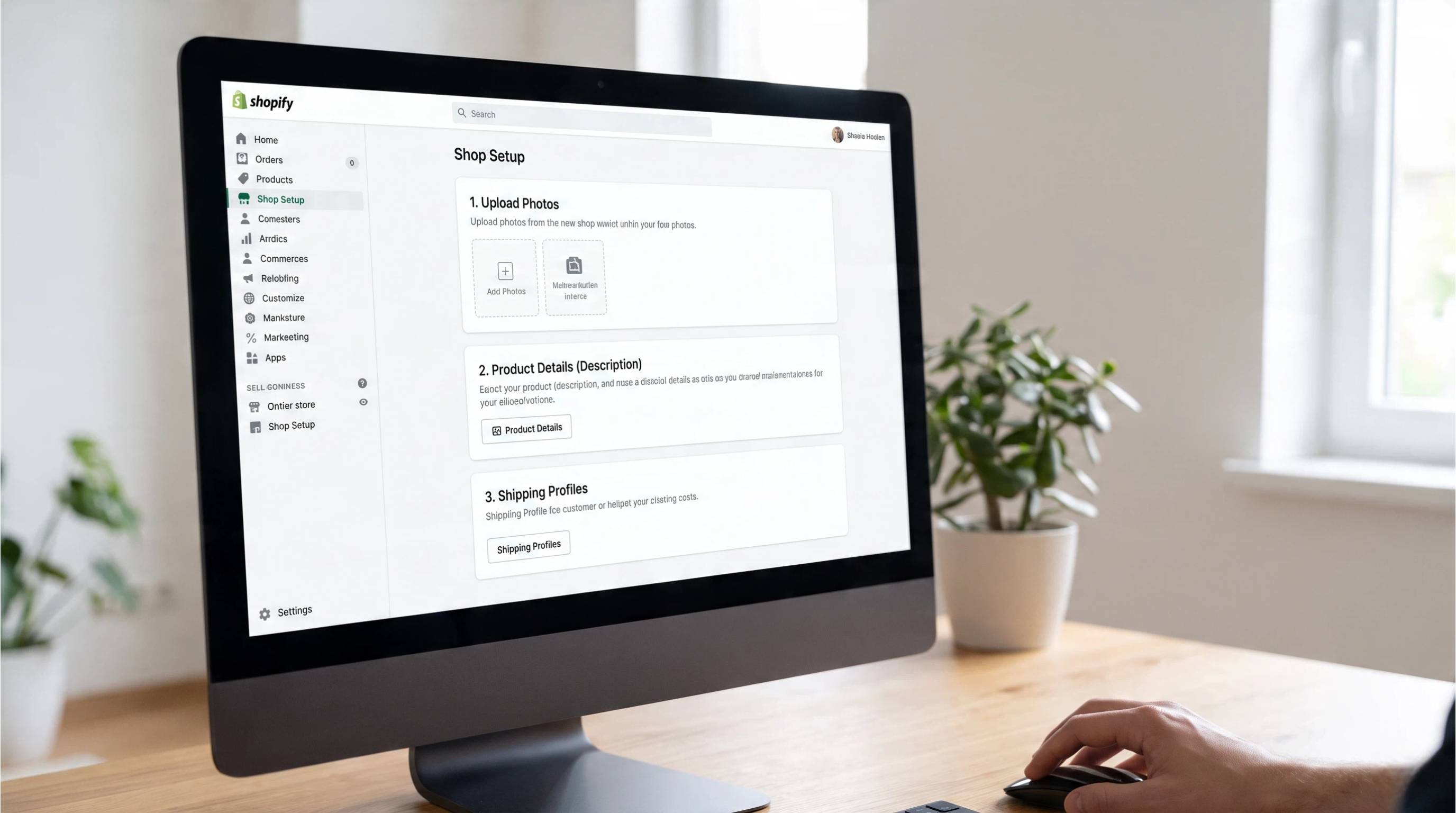
Step 4: Create Your First Product Listing
Your first listing is more than simply uploading a product. A well-optimized listing improves your chances of appearing in Etsy search results and converting visitors into buyers.
A strong Etsy listing includes:
-
A keyword-optimized title
-
High-quality, attractive product images
-
A detailed product description
-
Relevant tags
-
Accurate attributes, such as category, color, material, and size
-
Competitive pricing
-
Complete shipping information
While you can launch with just a few products, aim to build 10–20 listings over time. More listings create additional opportunities to appear in search results and reach different customer needs.
Step 5: Build Your Storefront Branding
A professional storefront helps shoppers recognize and remember your business. Consistent branding also builds credibility and encourages repeat purchases.
Focus on creating:
-
A professional shop banner
-
A clear, recognizable logo
-
Consistent product photography and visual style
Strong branding makes your shop look more established and helps customers quickly identify your products as your catalog grows.
How To Create An Etsy Listing That Converts
A successful Etsy listing is not only about ranking in search. It also needs to convince shoppers to click, trust your shop, and complete a purchase. Every part of your listing, from the title to the images and description, should answer buyer questions and make the product feel worth buying.
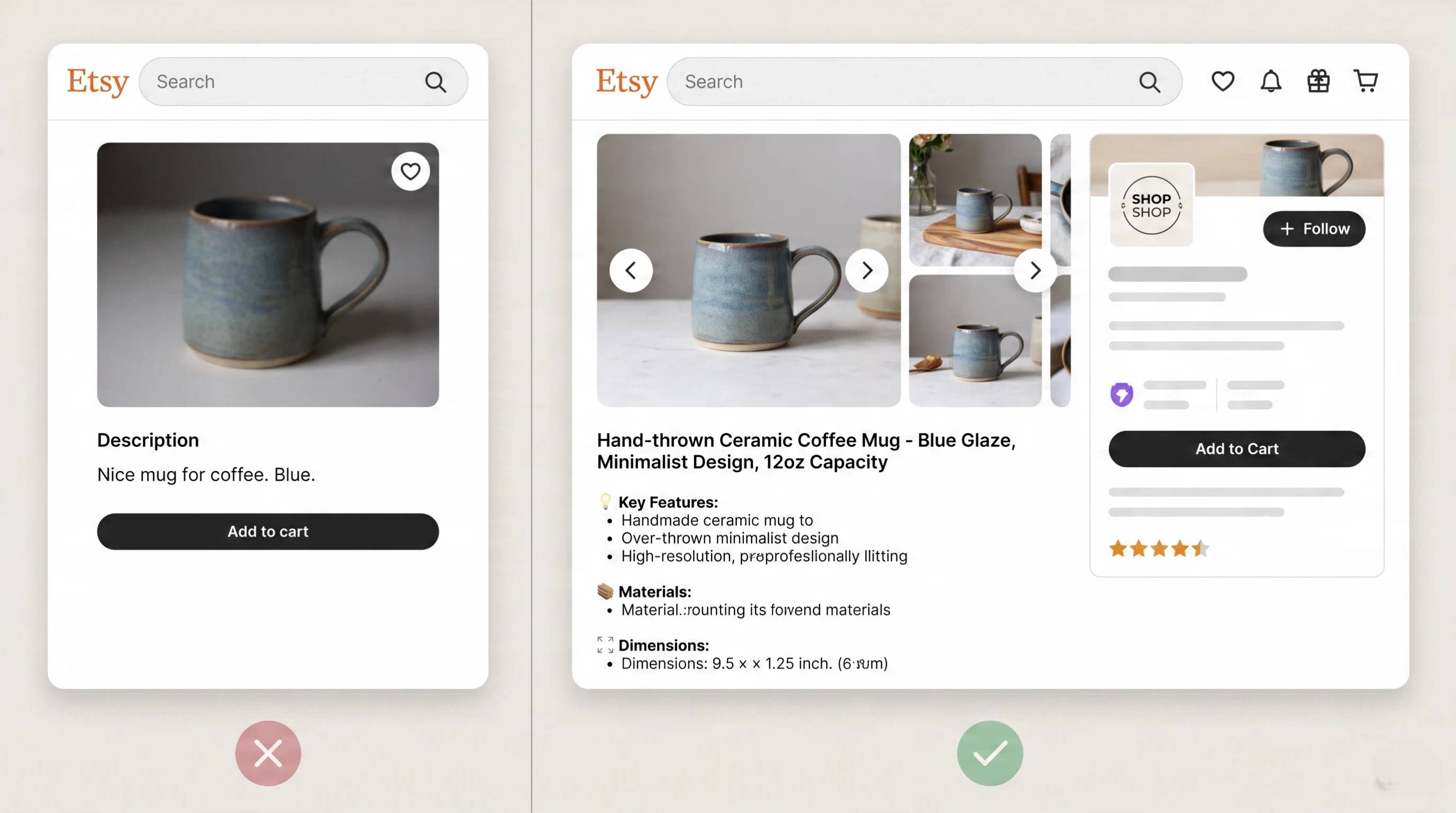
Optimize Your Etsy Title And Tags
Your title and tags should reflect what buyers are actually searching for. Start with buyer search intent by thinking about the words customers would use to find your product. Use clear, descriptive keywords that accurately describe the item, its style, material, or purpose. Avoid keyword stuffing or repeating the same phrases unnecessarily, as it can make listings harder to read and doesn't improve the shopping experience. A natural, informative title helps both Etsy's search system and potential buyers understand your product.
Create Professional Product Images
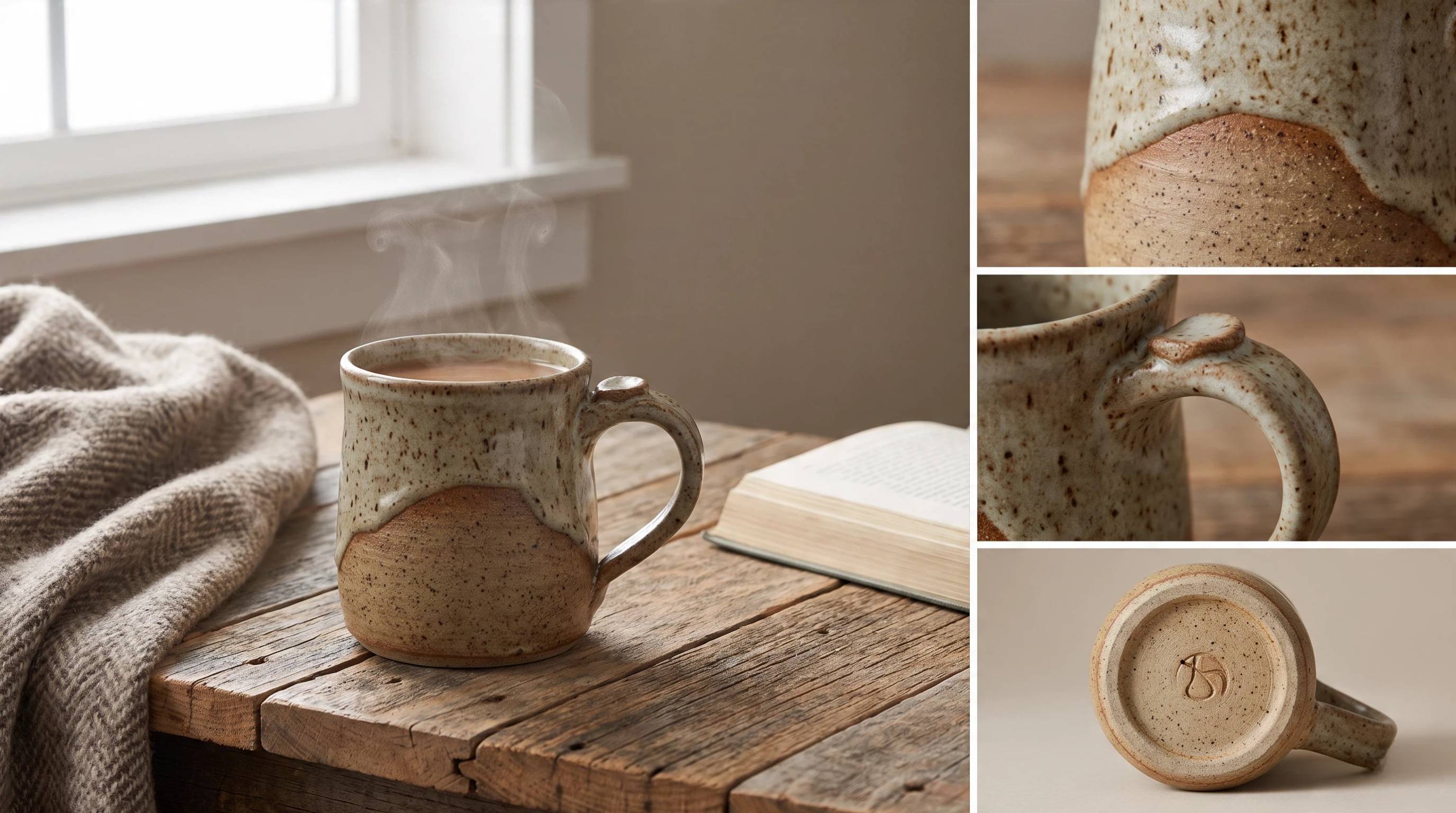
Product images often determine whether a shopper clicks your listing. The first image should clearly showcase the product since it usually appears in Etsy search results and has the biggest impact on click-through rates. Include lifestyle photos that show the item in real use, close-up images that highlight important details, and pictures with size references, so buyers understand the product's scale. If your item comes in different colors, materials, or styles, display each variation clearly to help shoppers choose the option that best fits their needs.
Write Descriptions That Answer Buyer Questions
A strong product description should give buyers the information they need before making a purchase. Clearly explain the materials used, the product's dimensions, and its intended use. If you offer personalization or custom options, describe exactly what customers can customize and how the ordering process works. Answering common questions within the description helps build confidence, reduces confusion, and can lead to fewer pre-purchase messages.
Add Videos And Multiple Images
Adding videos alongside multiple product images gives shoppers a better understanding of what they're buying. A short video can demonstrate the product from different angles, show its texture, size, movement, or how it works in everyday use. This visual proof helps buyers verify quality, reduces uncertainty, and creates greater trust in the listing. When shoppers can clearly see what to expect, they're often more confident about completing a purchase.
Etsy Product Photography: How To Make Listings Stand Out
Why Product Images Matter On Etsy
Product images are one of the biggest factors that influence whether a shopper clicks your listing. Because Etsy is highly competitive, strong visuals help your products stand out in search results and build confidence before buyers read the description.
Good product photos help you:
-
Stand out from competing listings
-
Earn more thumbnail clicks in Etsy search
-
Build trust with professional-looking visuals
-
Showcase product quality and important details
-
Increase the likelihood of conversions
Common Etsy Photo Problems
Many Etsy sellers struggle to create images that consistently attract buyers. Some of the most common issues include:
-
Plain background photos with no visual variety
-
Poor lighting that makes products look dull or inaccurate
-
Inconsistent editing styles across different listings
-
Missing lifestyle images that show the product in use
-
Limited angles that leave buyers with unanswered questions
Improving these areas can make your shop look more polished and help shoppers better understand what they're buying.
How AI Helps Improve Etsy Product Visuals
AI tools simplify product photography by helping sellers create more professional images in less time. Instead of reshooting products repeatedly, you can enhance existing photos and prepare them for ecommerce listings.
AI can help you:
-
Improve lighting and overall image quality
-
Remove or replace distracting backgrounds
-
Create realistic lifestyle scenes
-
Maintain a consistent style across your shop
-
Generate listing-ready visuals more efficiently
Better visuals create stronger first impressions, increase buyer confidence, and provide a natural transition to specialized ecommerce design tools like Designkit.
Create High-Converting Etsy Listings Faster With AI Tool
Creating an Etsy shop is only the beginning. The real challenge is producing enough high-quality listings that attract clicks and convert visitors into buyers. Designkit's AI Etsy listing generator helps Etsy sellers turn simple product photos into professional listing assets, including polished product images, lifestyle visuals, and marketing creatives without the cost of traditional photoshoots.
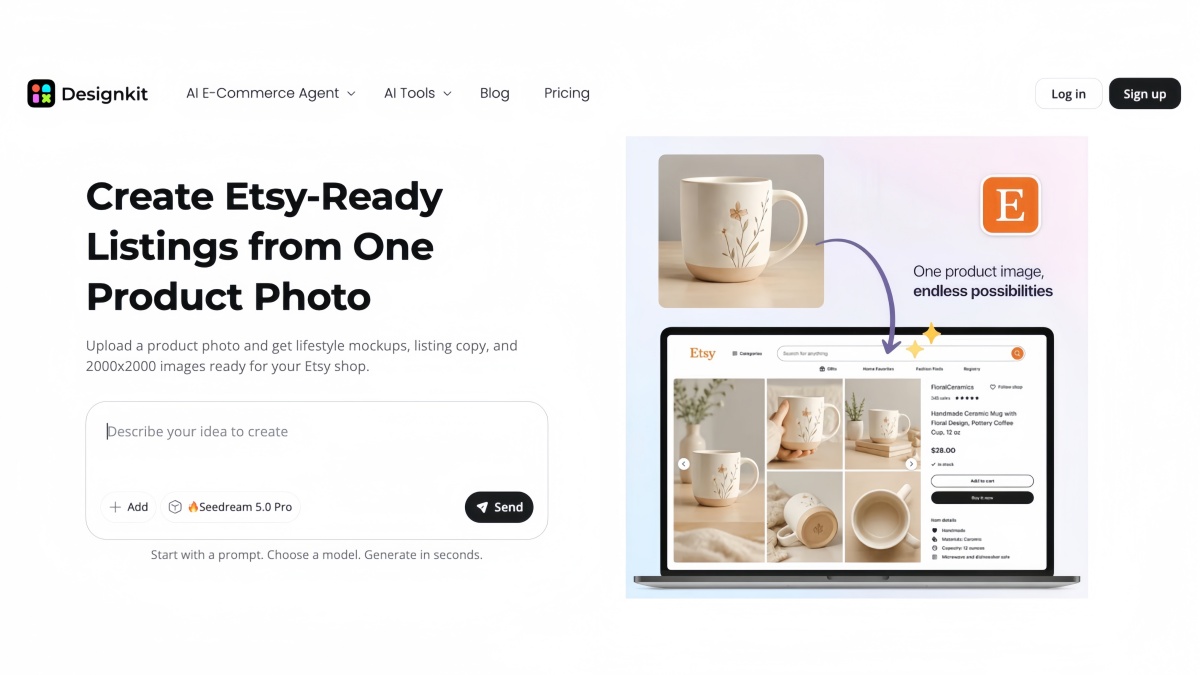
How To Create Etsy Listing Visuals With Designkit
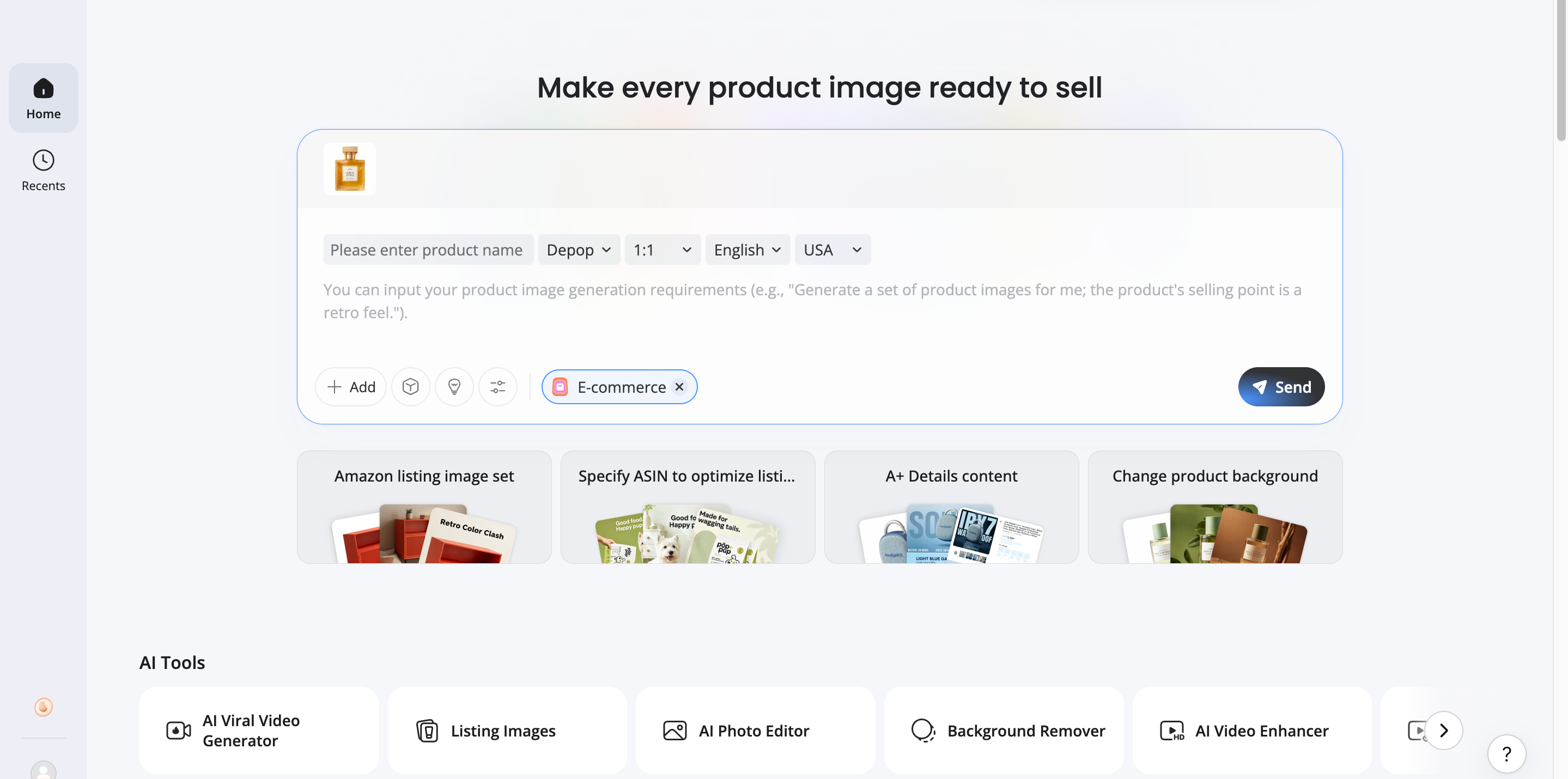
Step 1: Upload Your Product Photo
Upload your product photo to Designkit. Use an existing studio image or a clear smartphone photo to start creating listing visuals.
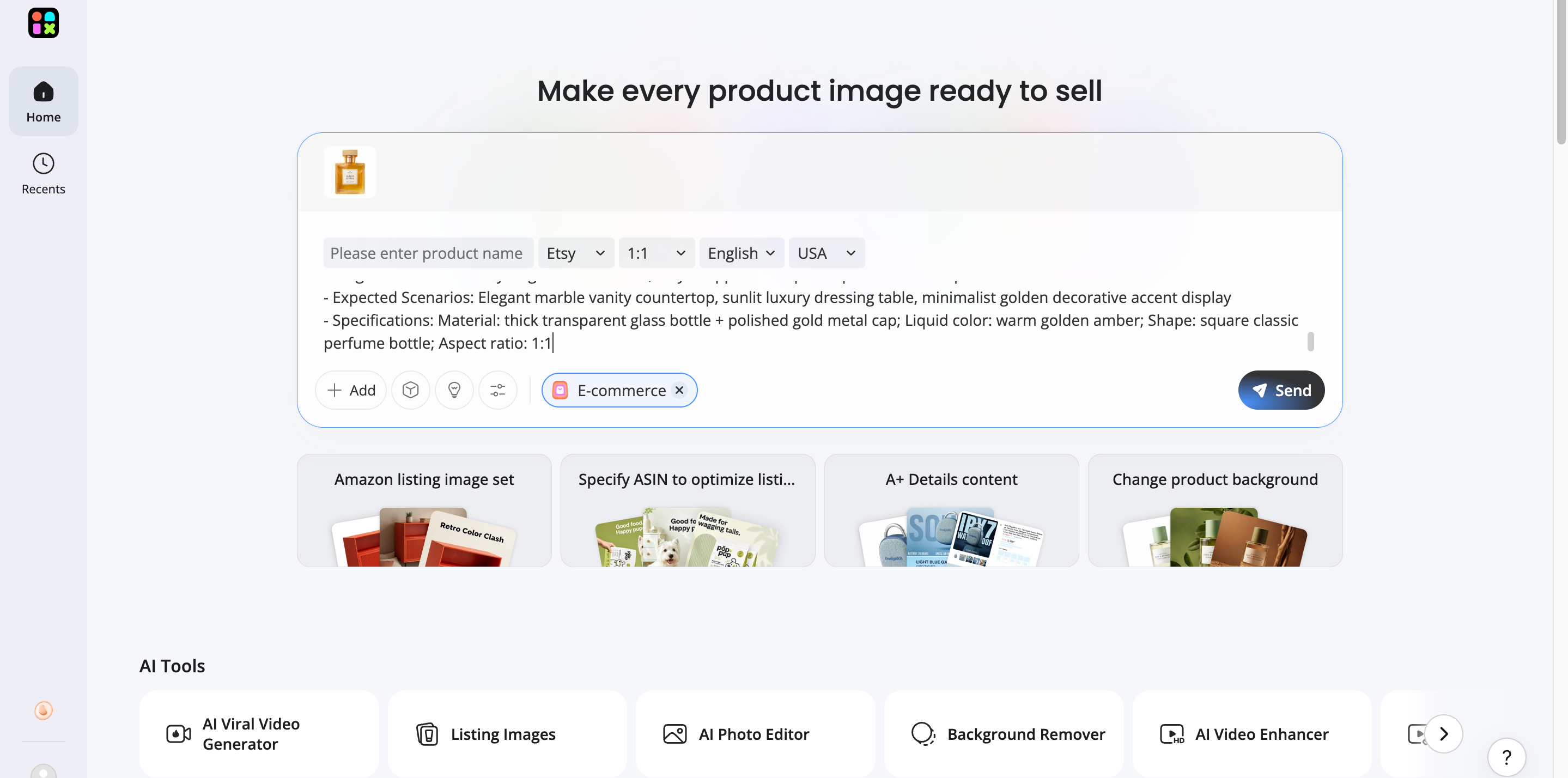
Step 2: Generate Listing-Ready Visuals
Generate polished product images, lifestyle scenes, and creative variations designed to make your Etsy listings more appealing.
Step 3: Export And Upload To Etsy
Export your finished visuals in high quality and upload them to your Etsy listings for a consistent, professional storefront.
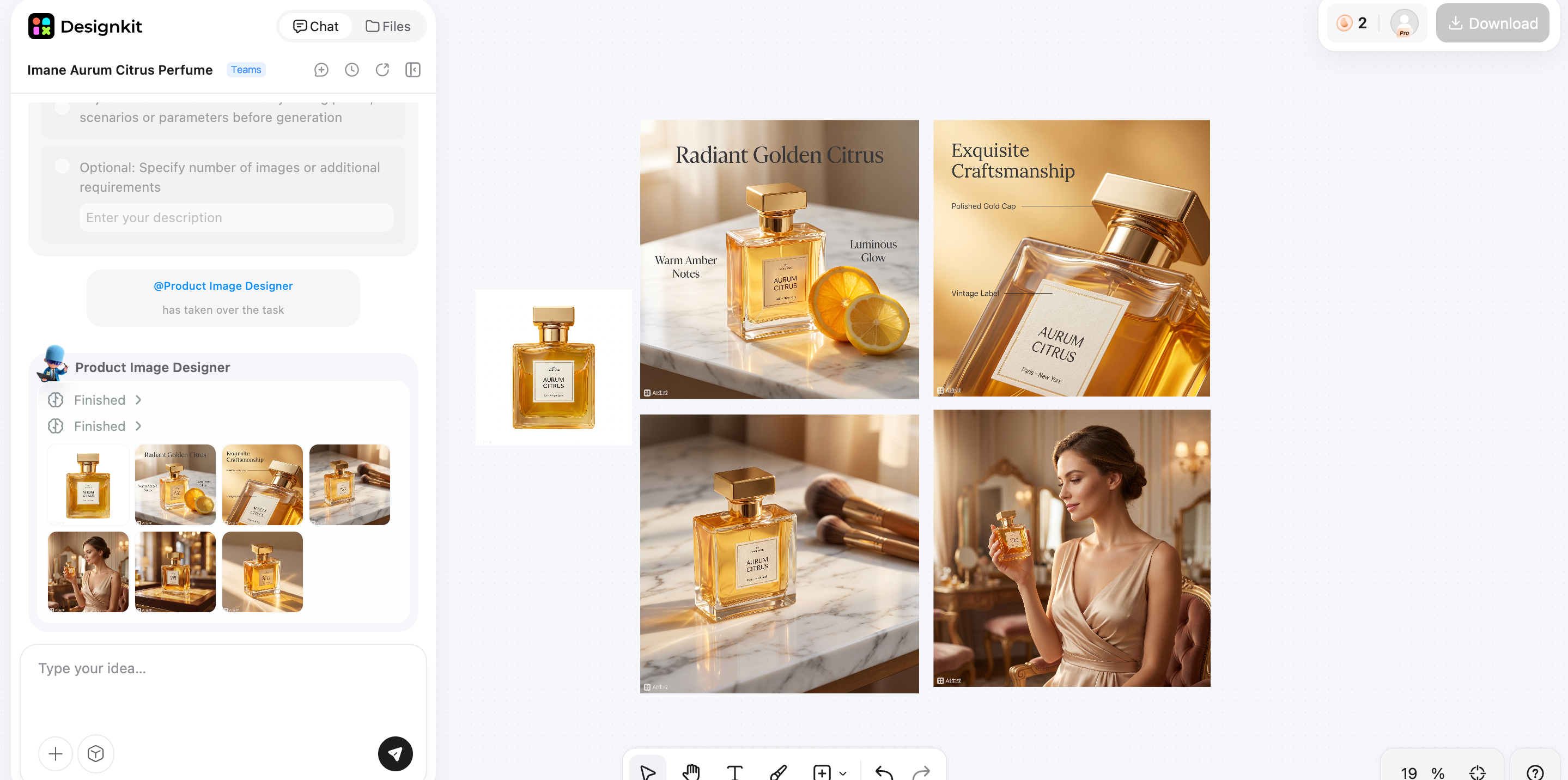
Create High-Converting Etsy Listings
How Designkit Helps Etsy Sellers
Create Professional Product Images And Videos
Turn simple product photos into polished ecommerce visuals with AI. Designkit helps you create clean product images, realistic lifestyle scenes, and engaging Etsy videos that showcase features clearly, helping your Etsy listings capture attention and build buyer confidence without the need for expensive photography or editing software.
Generate Multiple Listing Variations
Create multiple versions of your product visuals in just a few clicks. Test different backgrounds, layouts, colors, and styles to match seasonal promotions, product variants, or different customer preferences. More visual options also give you greater flexibility when updating existing Etsy listings.
Keep Your Etsy Store Visually Consistent
Maintain a cohesive look across your entire Etsy shop with consistent backgrounds, lighting, colors, and branding. A unified visual style makes your storefront appear more professional, strengthens brand recognition, and creates a better shopping experience that encourages customers to explore more of your products.
Etsy Selling Tips For Beginners
Launching an Etsy shop is only the first step. Long-term success comes from improving your listings, understanding what buyers want, and building trust over time. These beginner-friendly tips can help you increase visibility, attract more customers, and grow your sales.
1. Start With Quality Over Quantity
Focus on creating well-optimized listings instead of uploading dozens of products at once. High-quality photos, detailed descriptions, accurate keywords, and competitive pricing will usually perform better than a large number of incomplete listings.
2. Improve Existing Listings
Don't leave your listings unchanged after publishing. Update titles, tags, descriptions, photos, and pricing based on customer feedback and shop performance. Small improvements can gradually increase search visibility and conversions.
3. Analyze Competitors
Study successful Etsy shops in your niche to understand pricing, photography styles, product presentation, and customer expectations. Look for ideas you can adapt while maintaining your own unique brand and products.
4. Test Images And Titles
Experiment with different thumbnail images and product titles to see what attracts more clicks. Testing one change at a time makes it easier to identify which updates improve your listing's performance.
5. Collect Reviews
Positive reviews help build trust with new buyers and can improve your shop's reputation. Provide accurate descriptions, ship orders on time, and offer friendly customer service to encourage satisfied customers to leave feedback.
6. Promote With Pinterest Or Social
Share your Etsy products on platforms like Pinterest, Instagram, or Facebook to reach new audiences. Consistent social promotion can bring additional traffic while helping you grow brand awareness outside Etsy.
7. Consider Ads Only After Organic Listings Convert
Run Etsy Ads after your listings already attract organic traffic and convert well. Promoting a strong listing usually delivers better results than paying to advertise one that still needs improvement.
Working toward Etsy's Star Seller badge by shipping orders on time, responding quickly to messages, and maintaining strong reviews can help build buyer confidence and strengthen your shop's reputation.
Conclusion
Selling successfully on Etsy takes more than simply opening a shop. Choosing the right niche, creating optimized listings, using high-quality product photography, and refining your store over time all contribute to better visibility and higher conversions.
As your catalog grows, consistency and professional presentation become even more important for standing out in a competitive marketplace. While Etsy connects you with millions of potential buyers, Designkit helps you create polished product images, lifestyle visuals, and listing-ready creatives faster. Together, they make it easier to launch new products, strengthen your brand, and grow your Etsy business with confidence.
Frequently Asked Questions
How Much Does It Cost To Sell On Etsy?
How Do I Start Selling On Etsy With No Experience?
You can start by creating an Etsy seller account, choosing a niche, adding your products, setting up shipping, and publishing your first listings. Focus on clear product descriptions, quality photos, and good customer service while improving your shop over time. If creating professional visuals feels challenging, Designkit helps beginners produce listing-ready images and creatives with AI, making it easier to launch a polished Etsy store.
What Sells Best On Etsy?
Popular Etsy categories include handmade products, personalized gifts, digital downloads, vintage items, craft supplies, home décor, and print-on-demand products. The best-selling products are those that meet a specific customer's needs and are presented with strong branding and professional listings. Designkit helps showcase these products with high-quality images and lifestyle visuals that attract more buyers.
How Many Products Should I List On Etsy?
You can launch it with a few quality listings, but many sellers aim to build 10–20 products over time. More listings create additional opportunities to appear in Etsy search results and reach different buyer interests. As your shop expands, Designkit makes it easier to create consistent product images and listing assets across your growing catalog without starting from scratch.
How Do I Make My Etsy Product Photos Look Professional?
Use good lighting, sharp images, clean backgrounds, multiple angles, lifestyle photos, and accurate size references. Consistent editing and clear product presentation also help build buyer trust. Designkit simplifies this process by enhancing product photos, generating lifestyle scenes, and creating polished ecommerce visuals without requiring advanced editing skills.
Can AI Help Create Etsy Listings?
Yes. AI can assist with writing product descriptions, improving titles, generating keyword ideas, editing product images, and creating marketing assets. It saves time while helping sellers produce more professional listings. Designkit combines AI-powered image creation and editing tools to help you build attractive, listing-ready visuals that improve your Etsy storefront.
Is Etsy Good For Small Businesses?
Yes. Etsy gives small businesses access to a large audience without the cost of building a standalone ecommerce website. It's especially suitable for handmade products, digital goods, vintage items, and niche brands. To compete effectively, professional presentation matters, and Designkit helps small businesses create high-quality product visuals that strengthen their brand and improve listing performance.
You May Also Like

Amazon A+ Content Dimensions: Module Image Sizes

Print-On-Demand Designs: Create, Prepare, and Preview Your Work

Amazon A+ Content: What It Is and What to Build First

Is Print on Demand Profitable in 2026? Products and Niches

Amazon Brand Registry Application: How to Submit and Pass Review

How to Ship to Amazon FBA: Your First Shipment

What Is Amazon FBA? Should Beginners Use It in 2026

How to Get Ungated on Amazon: Restricted Category Approval Steps

Amazon Backend Keywords: Title, Bullets & Search Terms

What Is A/B Testing? A Practical Guide to Running Better Experiments

Best Time to Post on Instagram in 2026: Data & Tips

How to Get Verified on Instagram: Complete Guide

TikTok Monetization in 2026: Requirements & Ways to Earn

Instagram Desktop Posting Guide: Upload Posts, Stories & Reels

YouTube Shorts Monetization Requirements & Rules 2026

How Much Does YouTube Pay Per View? 1K, 100K & 1M Views

How to Make Money on Snapchat: 7 Ways to Earn

How to Get More Followers on Instagram in 2026

Best Time to Post on TikTok in 2026 for More Views

How to Repost on Instagram in 2026: A Simple Guide

Multichannel Marketing Guide: Strategy, Tools & Examples

How to Create Digital Products That Sell in 2026

Cyber Monday Marketing Ideas & Strategies (2026 Guide)

Black Friday Marketing Ideas for Ecommerce Brands (2026)

Instagram Marketing Guide: Strategies, Tips & AI Tools in 2026

Influencer Marketing Guide: Strategy, Campaigns & Creator Tips

15 Best Things to Sell on Etsy in 2026 (Listing Tips Included)

WooCommerce vs Shopify 2026: Pricing, Features & Which Is Better

How to Sell on Facebook Marketplace: Beginner Guide (2026)

How to Use Pinterest for Business: Strategy, Tips & Growth Guide

How to Sell on Etsy in 2026: Setup, Listings & Growth Tips

What Is a Target Audience? Types, Examples & How to Find Yours

TikTok Marketing Guide 2026: Strategies, Ideas & AI Tools

Vibe Marketing Explained: Strategy, Examples & AI Tools

How to Sell on Depop: Beginner Guide to Getting Your First Sale

Online Advertising Guide: Types, Costs & Examples (2026)

Facebook Advertising Guide: Costs, Strategy & Tools 2026

What Are E-commerce Ads? Examples, Strategy & Tools (2026)

Where to Sell Handmade Items Online (2026): Etsy, Amazon, or Shopify?

Shopify vs Amazon (2026): Brand Store or Marketplace FBA?

Amazon Handmade vs Etsy (2026): Which Is Better for Makers?

Etsy vs eBay (2026): Handmade, Vintage, or Secondhand?

Selling on Amazon vs eBay (2026): Fees, Profit & Where to Sell

What Is Brand Awareness? Examples, Strategies & Tools 2026

10 Best Online Selling Platforms (2026): Pick by What You Sell

Shopify vs Etsy (2026): Which Is Better for Handmade Sellers?

YouTube Automation Step-by-Step AI Guide for Beginners

What Is Brand Identity? Examples, Elements & Strategy

AI Marketing Agent: How It Works, Benefits & E-Commerce Examples

What Is Personalized Advertising? Examples & How It Works

How to Build a Shopify Store That Actually Converts Visitors

Amazon Marketing Guide 2026: Strategies, Tips & Tools

Local Advertising: Strategies, Examples & Tools (2026)

What Is Branded Content? Examples, Strategy & Tools 2026

What Is Performance Marketing? Strategies & Examples 2026

Inbound Marketing: Strategies, Examples & Tools (2026)
Create Etsy Listings That Get More Attention
Turn simple product photos into clearer listing visuals and on-brand shop assets so you can focus on products and service.
