
How to Create Amazon A+ Content for Your First Publish
Not sure what Amazon A+ Content is, or which modules to build first? This guide covers what Basic A+ is, what to prep, which modules earn the first publish, and how to get a clean project live.


Knowing you need A+ is easy. Knowing what it is, what to prep, and which modules to publish first is where first projects stall. Plenty of sellers open A+ Content Manager, add too many modules, then get stuck on weak photos, tiny mobile text, or a reject notice.
This guide shows how to start Basic A+ (often called Standard A+) the practical way: what it is, what to prep, which modules earn the first publish, and how to get a clean project live. Gallery specs stay in linked guides, and full A+ module sizes are in our Amazon A+ content dimensions guide.
What Amazon A+ Content Is
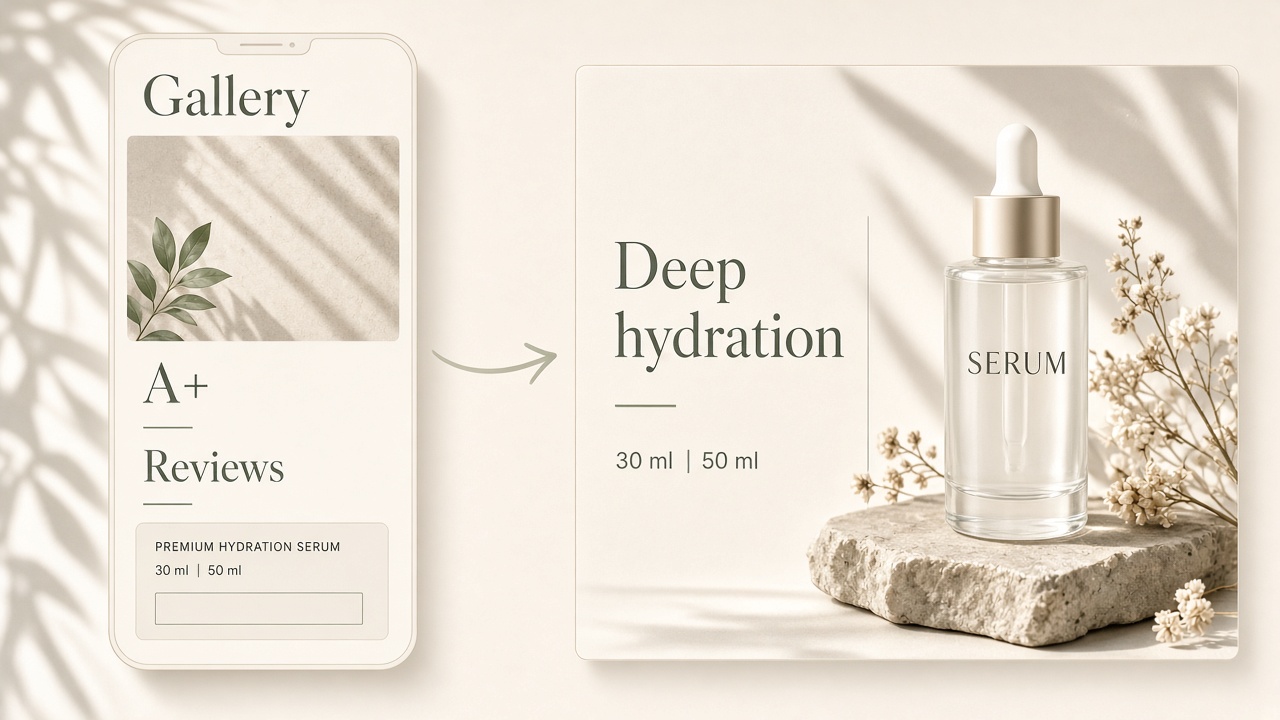
Amazon A+ Content is a free tool (for eligible accounts) that lets you replace a plain text product description with modular layouts. Shoppers see it on the product detail page under Product Description , usually after the gallery and buying box area, and before reviews. You may still hear the older name Enhanced Brand Content, or EBC; it is the same idea, richer product storytelling on the listing.
Your main gallery still does the early job: thumbnails, clicks, and the first look at the product. A+ sits lower on the page. It answers the slower questions: how it works, how it compares inside your line, and what it looks like in real use.
Amazon groups related page tools this way:
- Basic A+ Content: images, text layouts, logo placements, comparison charts, and technical specification charts. Amazon’s current guidance allows up to five Basic modules per ASIN.
- Premium A+ Content: a larger page footprint and extra module types such as video, hotspots, and carousels, if your brand qualifies in Seller Central.
- Brand Story: a separate “From the brand” block for brand mission and discovery. It is related, but it is not the same as product A+.
If you are building your first project, start with Basic A+. Get one clear product story live before you chase Premium features.
What to Prep Before You Build A+
Skip the “is this for me?” filter. Treat this as a desk checklist before you open A+ Content Manager.
Account and ASIN ready
You need a Professional selling plan. For most brand sellers, the brand should already be in Brand Registry, and you need a Brand Representative or Reseller role on that brand. You can only apply A+ to brand-owned ASINs. If A+ Content Manager is missing, fix plan and brand access first. But if you have not finished Brand Registry enrollment yet, see our Brand Registry application guide.
Carry over what used to live in plain text
Publishing Basic or Premium A+ replaces the old text product description. Anything important that only lived in that text needs a home in your modules.
Proof points, not slogans
Write three to five claims you can support with a photo or a measurable detail. “Dries in 2 hours” beats “amazing quality.” Keep a short comparison frame for your own variants or models. Amazon does not allow competitor comparisons in A+.
Assets
Gather clean product shots, one or two lifestyle scenes, and close-ups for materials or controls. You do not need a full design system on day one. You need images sharp enough to read on a phone.
Story order
Decide the scroll before you pick templates: what it is → why it helps → how it compares in your line → how people use it. That order keeps the first project short.
Basic first
Premium can wait. Amazon shows Premium when your account qualifies. Until then, Basic is enough to teach the product.
The First Modules Worth Building
Most first projects fail by adding every layout in the picker. Build the modules that remove purchase doubt.
1. Feature or benefit banner
One strong visual plus a short claim. This is the “what am I looking at?” beat.
2. Feature detail with text
Explain the two or three points that change the buying decision. Keep copy short. Long paragraphs get skipped on mobile.
3. Comparison chart
Compare your own sizes, kits, or models. Shoppers use this to stop guessing which ASIN to buy.
4. Lifestyle or use scene
Show the product in context so shoppers can picture ownership.
That starter stack is usually enough. Save dense technical tables for products where specs drive the sale (electronics, parts, gear). Save Brand Story and Premium modules for a later pass.
For exact pixel sizes and template exports, use Amazon’s upload fields in A+ Content Manager, or a dedicated size guide. Wrong dimensions are a common reject reason, but the numbers belong next to the module you chose, not in a generic list. When you are ready to draft those module visuals, you can start from Designkit’s Amazon A+ Content page.

How to Create and Submit A+ Content
Amazon’s path is straightforward once your prep folder is ready.
- In Seller Central, open Advertising , then A+ Content Manager , and choose Start creating A+ Content .
- Select Basic A+ Content for your first project (or Brand Story if you are only building the brand block).
- Add modules one at a time. Upload images, type short copy, and preview on desktop and mobile. If type looks tiny on a phone, fix it now.
- Apply the content to one or more brand-owned ASINs.
- Choose Review & submit , then track status in A+ Content Manager. Approved content goes live on the matching detail pages for the language you selected.
Amazon lists A+ as free when you meet eligibility. Timing for review is not a fixed public SLA, so trust the status column rather than a guessed number of days.
Guidelines that cause most rejections (from Amazon’s public A+ guidance):
- No “best-selling,” “top-rated,” or similar ranking boasts in text or images.
- No pricing, promotions, shipping promises, QR codes, outside links, or contact details.
- No competitor product comparisons.
- Awards need the certifying body and year.
- Keep image files within Amazon’s limits (Amazon cites a 2MB max per image in its design guide). Prefer clear, non-animated stills.
- You must have rights to every asset you upload.
If Amazon rejects the project, fix the stated issue and resubmit. Do not rebuild the whole stack unless the feedback asks for it.
Build Your A+ Modules in Designkit
Seller Central is where you assemble and submit. Designkit is where you can turn existing product photos into module-ready frames before you upload.
Open the Designkit Workspace and follow this path:
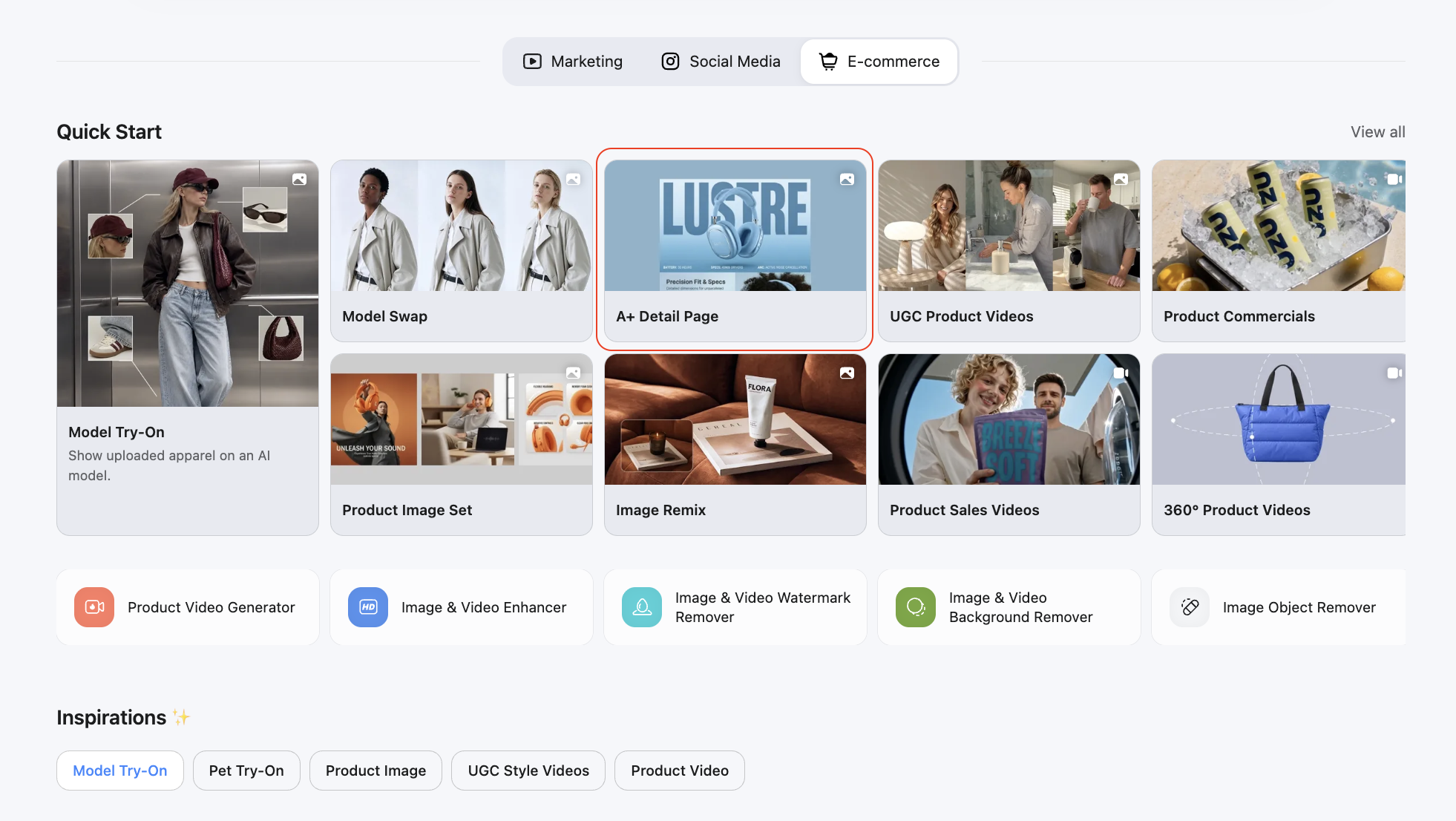
Step 1: Open Workspace and start an A+ project
Go to the Designkit Workspace and start a project for Amazon A+ module visuals. Use the Amazon A+ Content flow so layouts stay oriented to listing modules.
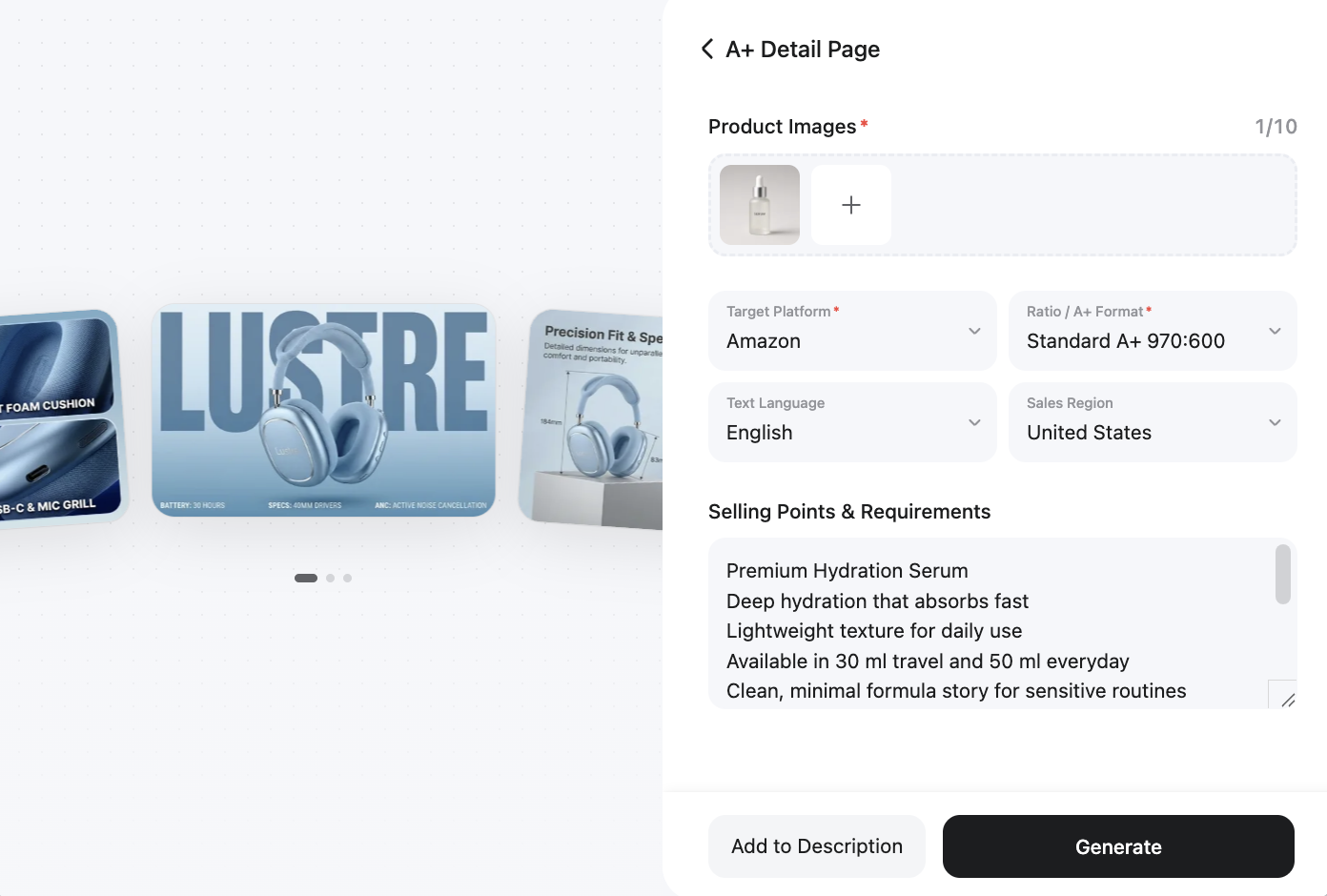
Step 2: Upload photos and generate modules
Upload your product photos, add market or language, enter your key selling points and other information about your product, then generate the A+ module layouts.
Step 3: Review, download, then place in Seller Central
Check text size and product accuracy in Workspace. Download the frames, then place them into your Basic A+ modules in A+ Content Manager. Preview on mobile again before you submit.
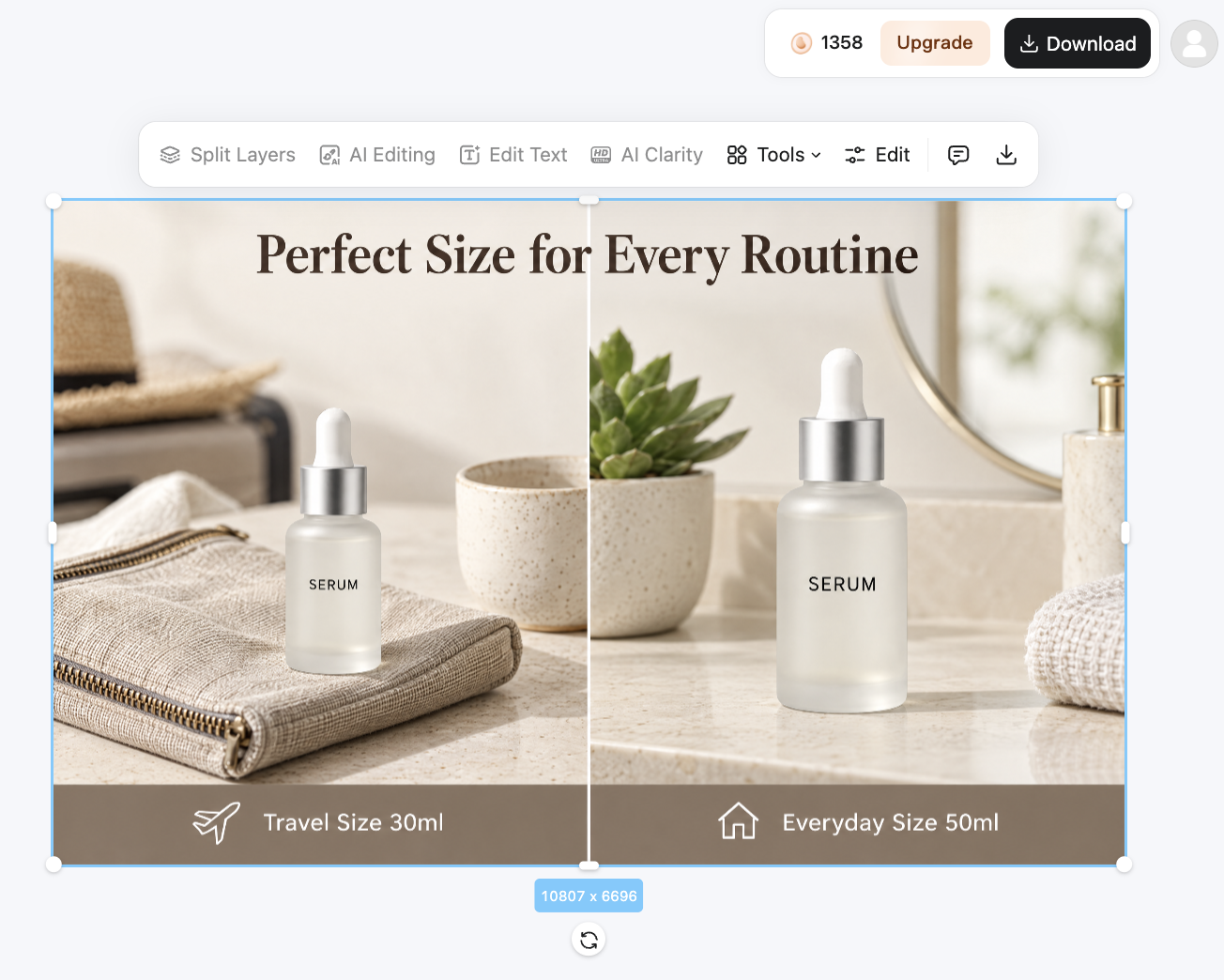
Designkit helps you draft the visuals. Amazon still reviews the final project. Keep claims consistent with your listing title and bullets.
Final Thoughts
A+ Content gives shoppers a clearer product story under the gallery. Prep your proof points and assets, publish a short Basic stack, submit in Seller Central, and use Designkit Workspace when you need module images. Add Premium or Brand Story after that first project is live and clean. Once A+ is live, the next brand surface many sellers add is a Storefront, how to create an Amazon storefront covers that path.
Frequently Asked Questions
Does A+ Content help Amazon search ranking?
How long does Amazon take to approve A+ Content?
There is no single public clock that applies to every account. Submit, then watch the status in A+ Content Manager. Some third-party guides quote multi-day windows, but your queue can move faster or slower.
Can one A+ project cover multiple ASINs?
Yes. After you build the content, you can apply it to multiple brand-owned ASINs when the story fits those products. Keep variants honest. A chart that only matches one size should not be forced onto every ASIN.
What should I do if Amazon rejects my A+ Content?
Read the reject reason first. Most fixes are concrete: unreadable mobile text, unsupported claims, weak image quality, or copy that conflicts with listing rules. Edit that piece and resubmit.
Where do I find exact A+ module image sizes?
Open the module in A+ Content Manager and use the size shown for that upload field. Module families differ, and Amazon can update fields. For a planning chart outside Seller Central, use a dedicated A+ size guide once you know which modules you will ship.
You May Also Like

Amazon A+ Content Dimensions: Module Image Sizes

Print-On-Demand Designs: Create, Prepare, and Preview Your Work

Amazon A+ Content: What It Is and What to Build First

Is Print on Demand Profitable in 2026? Products and Niches

Amazon Brand Registry Application: How to Submit and Pass Review

How to Ship to Amazon FBA: Your First Shipment

What Is Amazon FBA? Should Beginners Use It in 2026

How to Get Ungated on Amazon: Restricted Category Approval Steps

Amazon Backend Keywords: Title, Bullets & Search Terms

What Is A/B Testing? A Practical Guide to Running Better Experiments

Best Time to Post on Instagram in 2026: Data & Tips

How to Get Verified on Instagram: Complete Guide

TikTok Monetization in 2026: Requirements & Ways to Earn

Instagram Desktop Posting Guide: Upload Posts, Stories & Reels

YouTube Shorts Monetization Requirements & Rules 2026

How Much Does YouTube Pay Per View? 1K, 100K & 1M Views

How to Make Money on Snapchat: 7 Ways to Earn

How to Get More Followers on Instagram in 2026

Best Time to Post on TikTok in 2026 for More Views

How to Repost on Instagram in 2026: A Simple Guide

Multichannel Marketing Guide: Strategy, Tools & Examples

How to Create Digital Products That Sell in 2026

Cyber Monday Marketing Ideas & Strategies (2026 Guide)

Black Friday Marketing Ideas for Ecommerce Brands (2026)

Instagram Marketing Guide: Strategies, Tips & AI Tools in 2026

Influencer Marketing Guide: Strategy, Campaigns & Creator Tips

15 Best Things to Sell on Etsy in 2026 (Listing Tips Included)

WooCommerce vs Shopify 2026: Pricing, Features & Which Is Better

How to Sell on Facebook Marketplace: Beginner Guide (2026)

How to Use Pinterest for Business: Strategy, Tips & Growth Guide

How to Sell on Etsy in 2026: Setup, Listings & Growth Tips

What Is a Target Audience? Types, Examples & How to Find Yours

TikTok Marketing Guide 2026: Strategies, Ideas & AI Tools

Vibe Marketing Explained: Strategy, Examples & AI Tools

How to Sell on Depop: Beginner Guide to Getting Your First Sale

Online Advertising Guide: Types, Costs & Examples (2026)

Facebook Advertising Guide: Costs, Strategy & Tools 2026

What Are E-commerce Ads? Examples, Strategy & Tools (2026)

Where to Sell Handmade Items Online (2026): Etsy, Amazon, or Shopify?

Shopify vs Amazon (2026): Brand Store or Marketplace FBA?

Amazon Handmade vs Etsy (2026): Which Is Better for Makers?

Etsy vs eBay (2026): Handmade, Vintage, or Secondhand?

Selling on Amazon vs eBay (2026): Fees, Profit & Where to Sell

What Is Brand Awareness? Examples, Strategies & Tools 2026

10 Best Online Selling Platforms (2026): Pick by What You Sell

Shopify vs Etsy (2026): Which Is Better for Handmade Sellers?

YouTube Automation Step-by-Step AI Guide for Beginners

What Is Brand Identity? Examples, Elements & Strategy

AI Marketing Agent: How It Works, Benefits & E-Commerce Examples

What Is Personalized Advertising? Examples & How It Works

How to Build a Shopify Store That Actually Converts Visitors

Amazon Marketing Guide 2026: Strategies, Tips & Tools

Local Advertising: Strategies, Examples & Tools (2026)

What Is Branded Content? Examples, Strategy & Tools 2026

What Is Performance Marketing? Strategies & Examples 2026

Inbound Marketing: Strategies, Examples & Tools (2026)
Build Your First A+ Modules
You know what to prep and which Basic modules to publish first. Open Designkit Workspace, turn product photos into A+ frames, then place them in Seller Central.
