
Amazon Listing Images Guide (2026): Requirements, Best Practices, Workflow & Tools


Building a successful ecommerce brand requires performing an Amazon product listing image strategy. Modern shoppers make split-second decisions based entirely on the quality of your visuals. Yet, a professional gallery must balance strict platform compliance with aggressive consumer conversion goals.
Salsify’s 2025 Consumer Research Report states that 77% of consumers always rely on product images during purchase decisions. Thus, this comprehensive guide provides a practical framework for creating a 7-slot image system. We will explore essential 2026 requirements and mobile-first design principles for global sellers.
- Part 2. Amazon Product Images Requirements 2026: Size, Format, White Background Main Image
- Part 3. The 7 Amazon Listing Photos Strategy
- Part 4. A+ Content Image Workflow—Turn Amazon Product Listing Images into Conversion Assets
- Part 5. Practices for Amazon Product Listing Images Optimization
- Conclusion
Part 1. Amazon Product Listing Images Strategy
A strong Amazon product images system combines structure and consistent execution. According to Ecom Brainly, professional visuals and quality graphics can boost your total listing conversion by 30%. Your gallery must combine a hero image with 6 distinct secondary image assets.
Each image must serve a specific purpose instead of repeating similar information. Sellers targeting US and EU shoppers must focus on improving their total conversion. To simplify implementation, here is how the system is typically organized:
|
Component |
Purpose |
Key Outcome |
|
Main Image |
Capture attention and drive initial clicks |
Improves click-through rate |
|
Secondary Images |
Explain features, usage, and product details |
Builds clarity and buyer confidence |
|
A+ Content |
Provide deeper storytelling and comparisons |
Strengthens trust and conversion |
Before building this system, it is important to understand recent platform changes, as they can directly impact functionality, performance, and compatibility across different environments.

1.1 What’s Changed in 2026: Why Amazon Listing Images Are Harder
Amazon now strictly enforces rules against misleading visuals and unverifiable certification badge icons. You must avoid making exaggerated claims or using unauthorized competitor comparison graphics. Moreover, higher expectations for realism mean your Amazon listing photos must show actual materials.
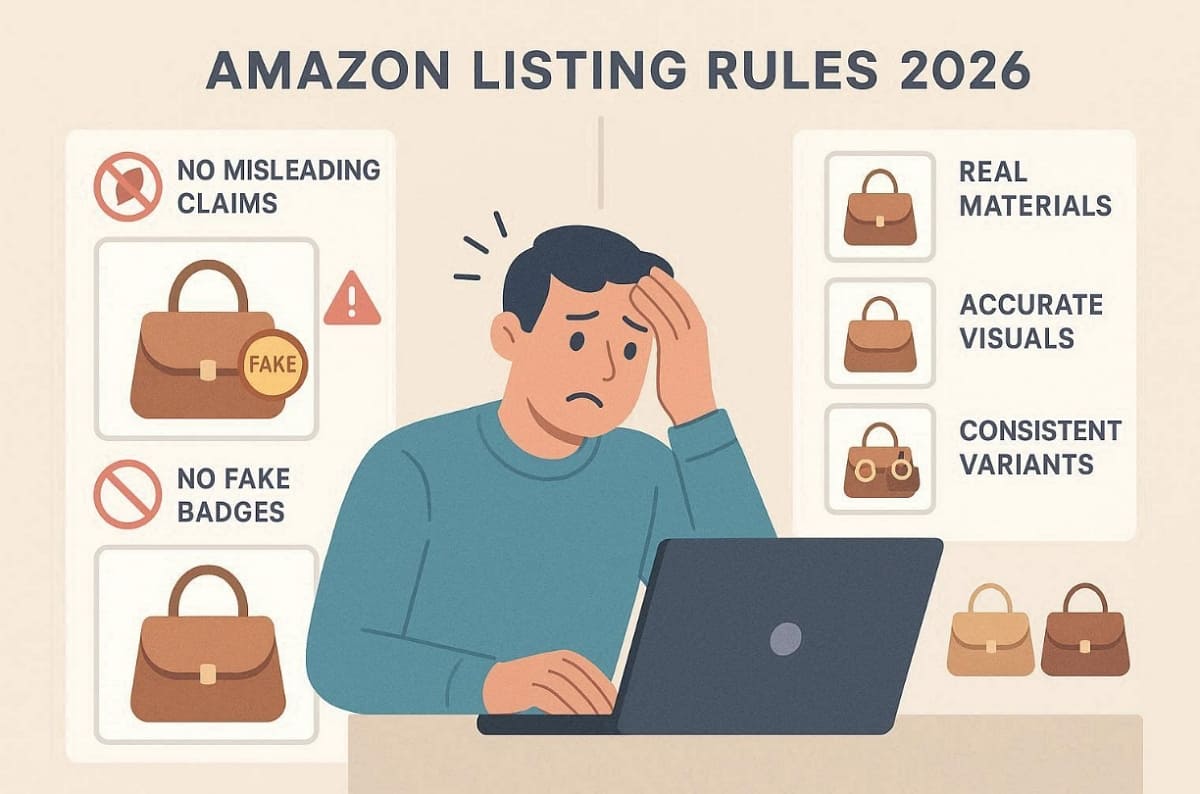
Shoppers and algorithms both demand total consistency across every single product variant offered. Along with that, every individual image slot now has a very specific job to perform well. So, maintaining total accuracy is the only way to build long-term trust with buyers.
1.2 Mobile-First Readability Is Now a Requirement
Mobile browsing behavior dictates how you should design your Amazon product listing images now. Most shoppers make quick decisions based entirely on small thumbnail views on phones. According to Droids On Roids, mobile shoppers now drive over 78% of the total global ecommerce traffic in 2026.
Therefore, short attention spans require you to present one key idea per image clearly. Thus, follow these actionable rules to ensure your Amazon product images remain mobile-friendly:
1. Large Typography: Use bold and readable fonts that stand out on small screens.
2. Safe Margins: Keep important text away from the edges to prevent any cropping.
3. Strong Contrast: Ensure your graphic overlays are easily visible against the image background.
4. High Resolution: Provide enough pixels to allow for clear and sharp close-up zooming.
Apart from the above, a 1:1 aspect ratio layout performs best within the standard mobile shopping app interface. So, avoiding dense walls of text will significantly improve your overall mobile user experience.
Part 2. Amazon Product Images Requirements 2026: Size, Format, White Background Main Image
Meeting technical standards ensures your Amazon product images remain compliant and fully optimized. Amazon requires specific formats and visual clarity for every uploaded image asset. Ignoring these rules can result in suppressed listings or complete image rejection issues. To simplify execution, use the following essential requirements checklist:
|
Requirement |
Standard Specification |
Why It Matters |
|
File Format |
JPEG, PNG, or TIFF |
Ensures compatibility with the Amazon system |
|
Image Resolution |
Minimum 1000px, recommended 2000px+ |
Enables zoom and improves clarity |
|
Aspect Ratio |
Square 1:1 preferred |
Fits mobile and desktop layouts properly |
|
Background |
Pure white for the main image |
Maintains compliance and clean visuals |
|
Image Sharpness |
High clarity with accurate colors |
Builds trust and avoids misleading views |
Beyond technical setup, the main image has stricter compliance expectations. Moreover, product pages featuring photos can generate up to 95% more organic traffic than those without, according to GrabOn.
2.1 Main Image Rules: White Background and Product Clarity
Your main Amazon product photo must use a completely pure white RGB(255,255,255) background. The product should fill most of the frame without touching the image edges. Only include items that are actually sold within the product package. Besides, avoid adding text, watermarks, borders, or promotional graphic overlays completely.
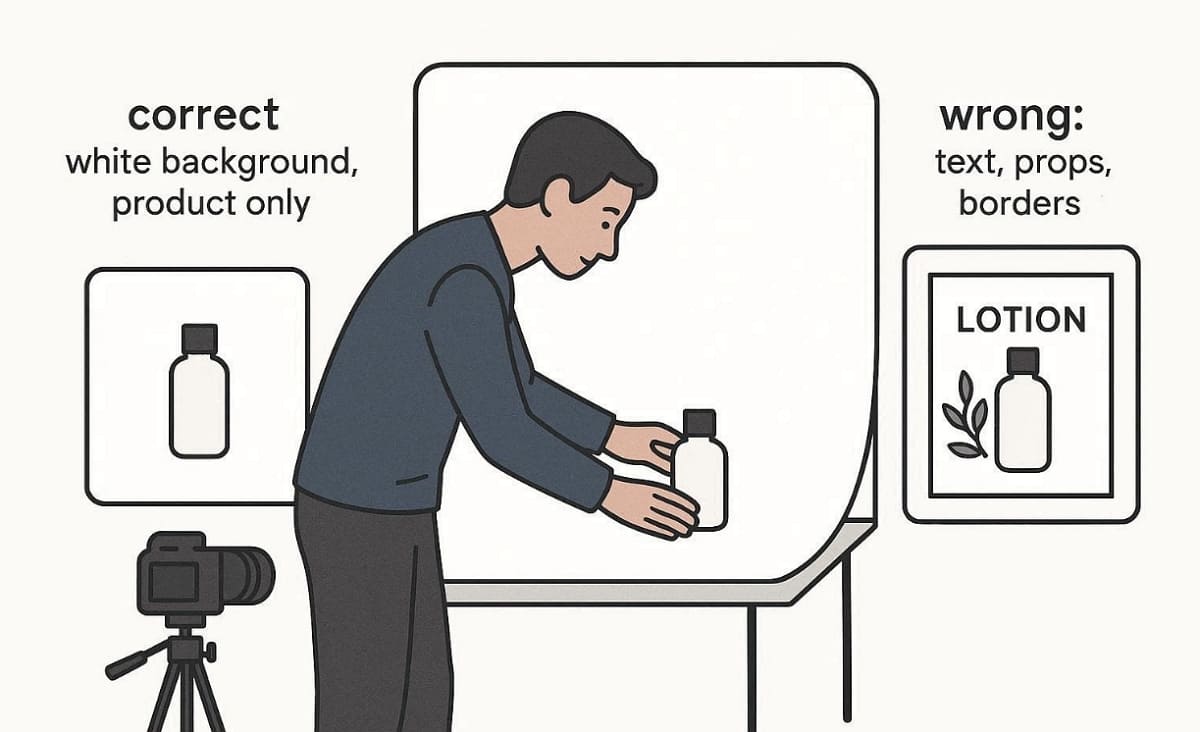
You can also verify final specs directly in Seller Central before publishing any product images. Later, we will also cover how Designkit supports this professional technical workflow in the tools section. Designkit can further support scaling image production workflows efficiently.
2.2 Common Reasons Images Fail Compliance
Identifying common errors early prevents your Amazon listing photos from facing sudden platform suppression. Review this comparison table to understand typical compliance failures and their professional fast fixes:
|
Problem |
Why It Fails |
How to Fix It |
|
Off-White Background |
Violates strict main image guidelines |
Replace with a pure white background |
|
Poor Cropping |
The product appears cut or too small |
Adjust framing to the proper fill ratio |
|
Low Resolution |
Fails the Zoom requirement |
Export a higher resolution image version |
|
Misleading Props |
Confuses buyers about included items |
Remove or clearly define included items |
|
Fake Certifications |
Breaks trust and policy rules |
Use only verifiable and real badges |
So, this approach allows you to quickly generate a compliant white-background draft for your listing. According to multiple sources, 71% of consumers have returned products because the actual item didn’t match the photos.
Part 3. The 7 Amazon Listing Photos Strategy
Every visual asset in your gallery must perform a very specific professional job. Using Amazon product listing images effectively helps shoppers move quickly toward a final purchase. You should avoid duplicating similar information across multiple secondary image slots in your gallery.
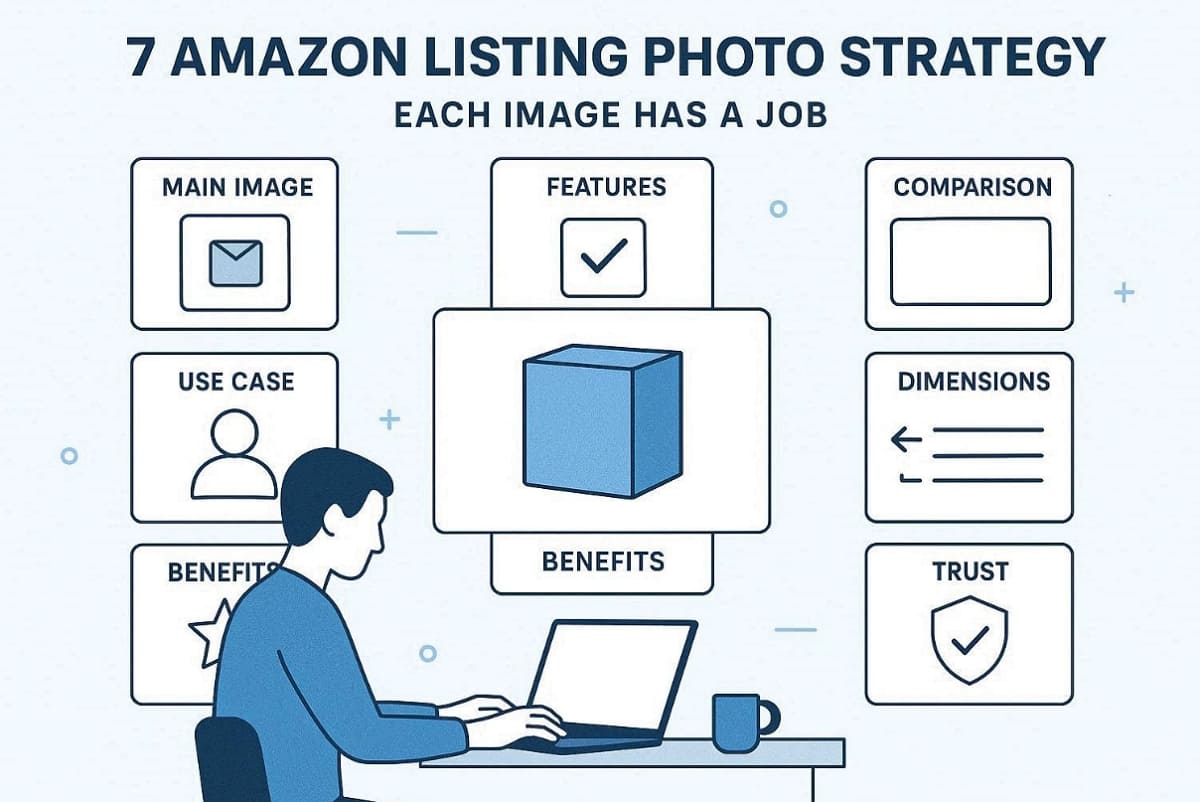
Instead, use each frame to address a unique customer objection or technical product question. A structured approach to Amazon listing photos significantly increases your overall store conversion. Here, you can use Designkit AI Product Photography Generator to generate concept drafts and multiple compositions for review. Follow this specific disclosure order to maximize the engagement of every mobile shopping visitor:
3.1 Main (Hero) Image: How to Boost CTR While Staying Compliant
The main Amazon product images must instantly capture attention within crowded search results. Use proper framing so the product fills the space without touching image boundaries. In addition to this, consistency across all product variants is essential for building buyer trust. Common issues often make images look cheap or unprofessional in search listings, which is explored in the table below:
|
Issue |
Cause |
Fix |
|
Dull lighting |
Poor exposure or weak light setup |
Use balanced and soft lighting |
|
Over-sharpened image |
Excessive editing |
Apply natural and minimal sharpening |
|
Incorrect angle |
Distorts product appearance |
Use an eye-level or slightly angled view |
After capturing attention, the next image must quickly communicate value.
3.2 Feature/Benefit Image: Explain the Value in 3 Seconds
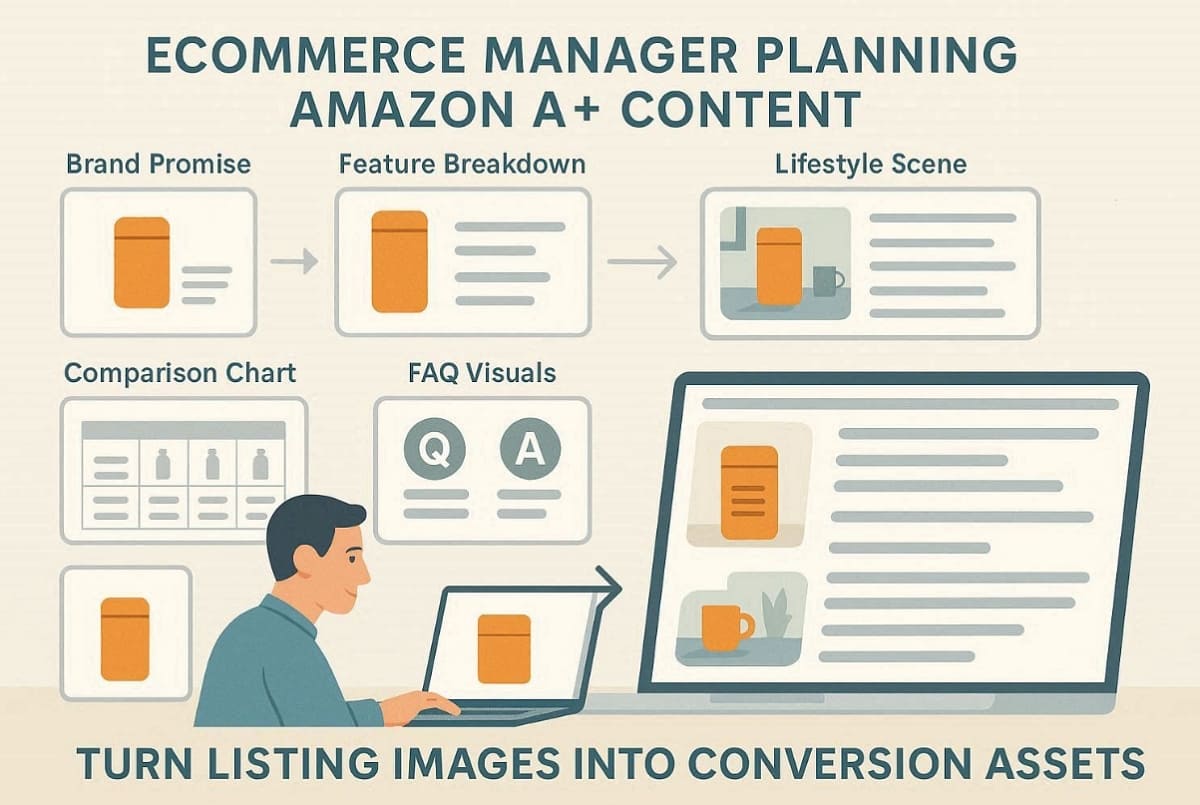
A strong Amazon product listing image layout uses a clear “Feature → Benefit → Proof” structure. This specific product image slot should highlight the most important technical advantages. Additionally, keep your text overlays short and use a large font for better mobile readability. Provide a quality close-up view to showcase unique materials or advanced internal product components. To improve effectiveness, follow this quick structure on the given table:
|
Element |
Purpose |
Example Use Case |
|
Feature |
What the product offers |
Waterproof outer material |
|
Benefit |
Why it matters to the user |
Keeps items safe in the rain |
|
Proof |
Visual or data supporting the claim |
Water droplets are shown on the surface |
Hence, you must avoid making any unverifiable performance claims within these feature callout graphic assets. At this particular point, Designkit AI Product Listing Images Generator can quickly produce multiple layout drafts for selection.
3.3 Lifestyle Image: Realism That Resonates with US/EU Shoppers
Professional Amazon listing photos must feature your product in a very realistic setting. Choose a specific target persona and setting that matches your ideal Western consumer. Also, avoid using any misleading props that could confuse a shopper about the purchase. Yet, authentic "step-in-context" scenes often outperform a generic lifestyle photo in a search result.
In addition, ImagePulser research shows that including lifestyle images can improve conversions up to 31% compared to listings without them. Focus on authenticity to build deep trust with your potential US buyers. To address this need, Designkit AI Product Photography Generator can help fill any asset gaps for your scenes. Nevertheless, always verify that every generated image strictly matches your actual product details.
3.4 Dimensions/Specs Image: Remove Fit Uncertainty and Lower Returns
Providing clear technical data reduces return rates for your Amazon product images significantly. You must use dual units featuring both inches and centimeters for global shoppers. Plus, focus on the most critical dimensions that help a buyer understand the total size. Adhere to these essential rules to ensure your technical graphics remain clear and professional:
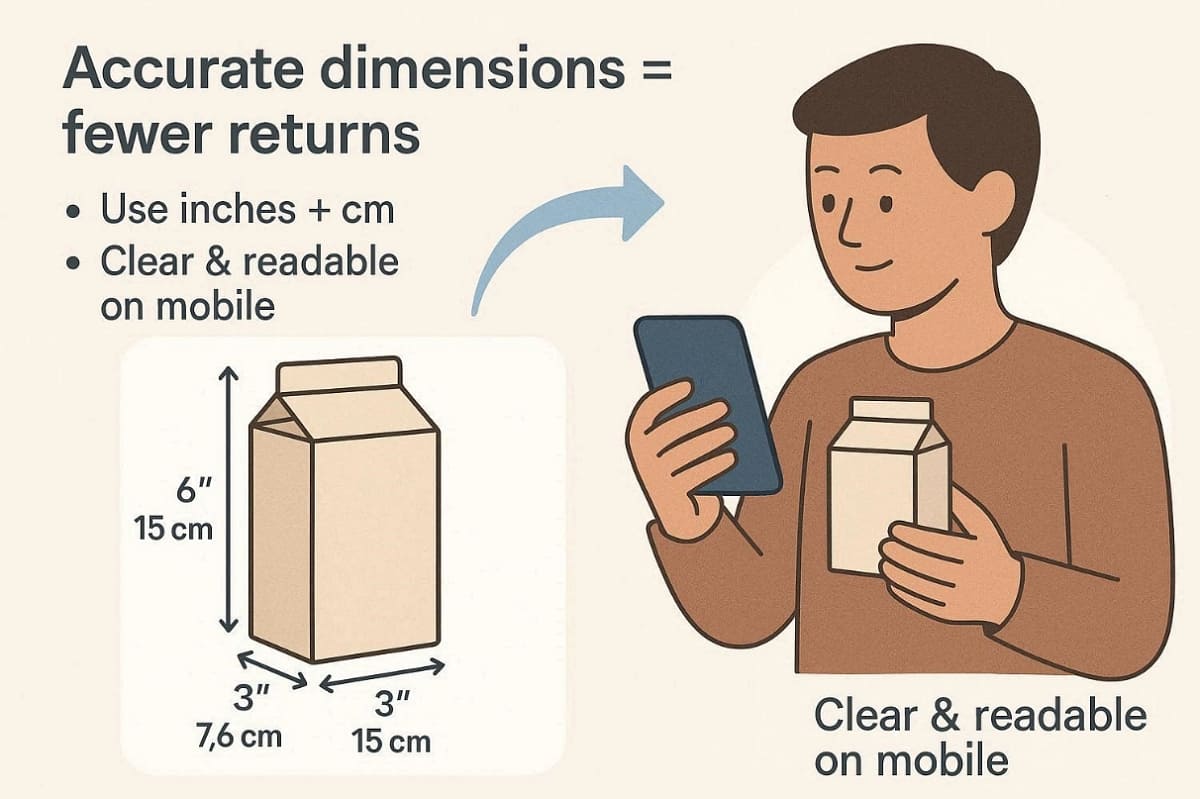
1. Simple Annotation: Use very clean lines and clear pointers for every measurement shown.
2. Mobile Readability: Ensure all numbers are large enough to be read on phones.
3. Accurate Scaling: Verify that all visual comparisons represent the actual size very truthfully.
3.5 Comparison Image: How to “Prove Better” Without Violations
You must use Amazon product listing images to highlight your superior quality. It is best to compare your current model against your older product versions. Besides, follow this internal comparison guide to avoid any potential platform policy violation issues:
1. Internal Comparison: Contrast different models or bundle options from your own brand.
2. Relevant Metrics: Choose technical fields that truly matter most to your target audience.
3. Verifiable Wording: Use specific data points instead of making vague or broad claims.
3.6 What’s Included / Unboxing: Prevent Confusion and Bad Reviews
Your Amazon product photo must clearly show every item included in the package. You must also maintain total clarity for every single color or size variant offered. So, see the table below for the best ways to present your unboxing experience:
|
Element |
Requirement |
Customer Impact |
|
Quantities |
Show exact item counts for every product bundle clearly |
Reduces confusion about total items received |
|
Accessories |
Label each included part with clear and simple identifiers |
Prevents disappointment during the unboxing experience |
|
Packaging |
Display the retail box exactly as delivered to customers |
Sets accurate expectations before product arrival |
As a result, such strategies here prevent avoidable returns and poor reviews.
3.7 Trust / Installation / How-To: Address Final Objections
Professional Amazon listing photos should address any remaining technical concerns before checkout. Include simple installation steps to show that your product is very easy to use. Moreover, only use verifiable certification badges that meet the strict standards of Amazon platforms. Avoid using restricted medical claims or exaggerated phrases like “the best” or “#1.”
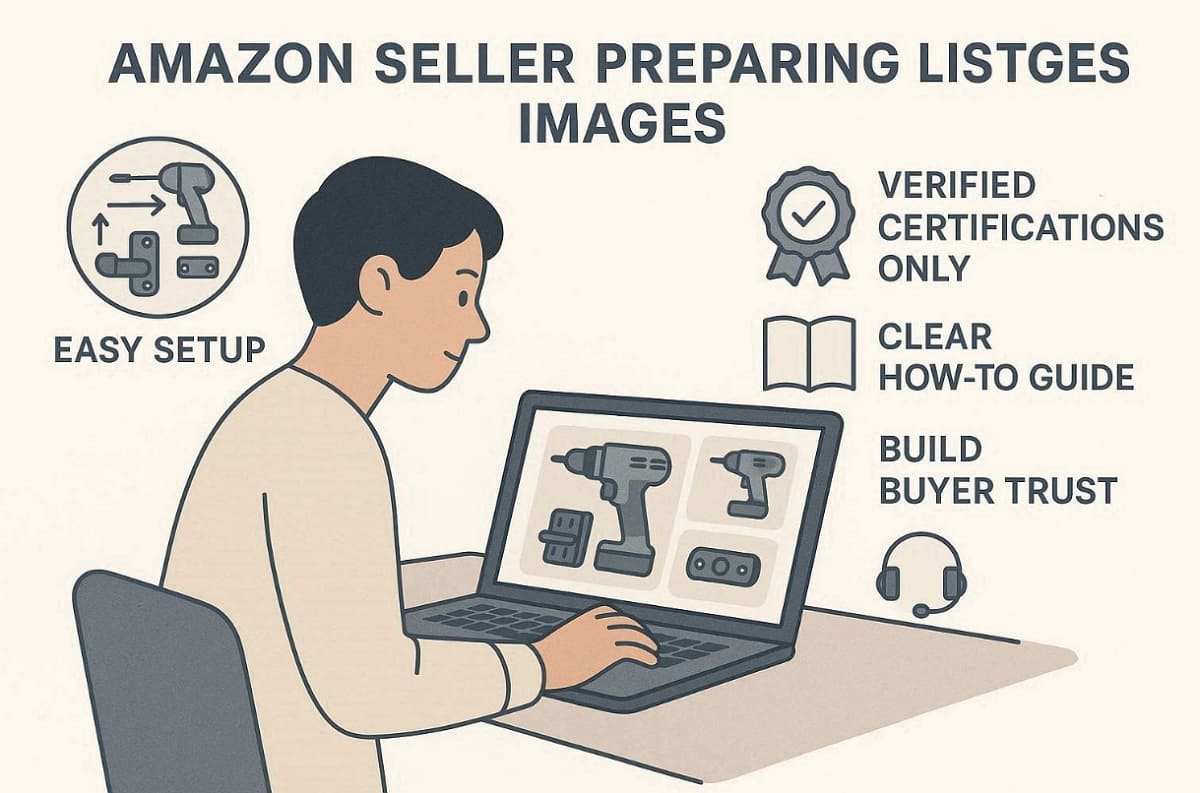
In addition, outline your support process or warranty scope to build deeper confidence with buyers. Sellers should also provide a clear how-to guide to help reduce last-mile friction for every potential customer. Moreover, always verify that every instructional image strictly matches the actual product assembly process.
Part 4. A+ Content Image Workflow—Turn Amazon Product Listing Images into Conversion Assets
While your gallery images drive quick decisions, A+ content creates much deeper conviction. You should strategically turn your Amazon product images into a storytelling asset. A professional layout must include lifestyle scenes and a comparison chart for buyers.
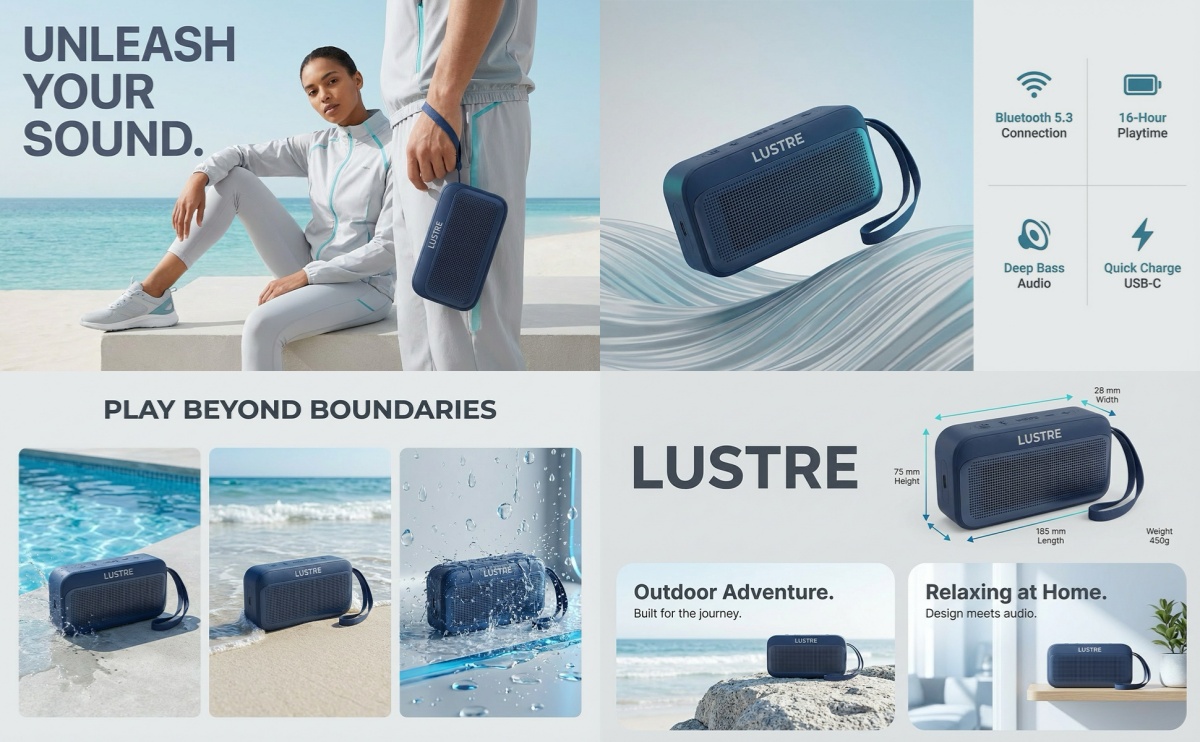
To build an effective workflow, follow this recommended module flow for your brand:
1. Brand Promise: Start with a high-impact header that defines your core mission.
2. Feature Breakdown: Use close-up shots to explain complex technical details to the user.
3. Lifestyle Context: Show the product in a realistic environment to resonate with shoppers.
4. Comparison Chart: Use a clean table to prove value against your other models.
5. FAQ Visuals: Address common customer questions with clear and helpful instructional graphic assets.
In addition, Designkit can batch-generate A+ image drafts in consistent styles and professional sizes. So, position this tool as a productivity aid for drafts and rapid localization tasks. However, you must still perform final policy and accuracy checks before publishing.
Common A+ Mistakes and Fixes: Repetition, Mobile Unreadability, Inconsistent Design
Identifying frequent design errors helps you maintain a very professional brand appearance. Your Amazon product images should use large fonts to ensure total mobile readability. Review the following table to identify and fix common A+ content design mistakes:
|
Common Issue |
Problem Description |
Recommended Fix |
|
Repetition |
Duplicate content across sections |
Add new value in each module |
|
Mobile Unreadable |
Text too small or cluttered layout |
Use larger fonts and spacing |
|
Inconsistent Style |
Mismatched colors and typography |
Apply unified design system |
|
Text Overload |
Too much written information |
Use visuals and comparisons instead |
Control the information density per screen to keep your potential shoppers fully engaged. So, following these best practices ensures your content remains both compliant and highly persuasive.
Part 5. Practices for Amazon Product Listing Images Optimization
Scaling your brand requires a repeatable and professional visual asset production workflow. Moreover, optimizing your Amazon listing photos involves a structured end-to-end standard operating procedure. You must perform a strict compliance quality check before publishing any new assets.
Here, Designkit allows you to generate multi-variant drafts for white backgrounds and lifestyle scenes. Sellers can also use the Amazon Listing Images Generator to maintain consistent high-resolution batch output.

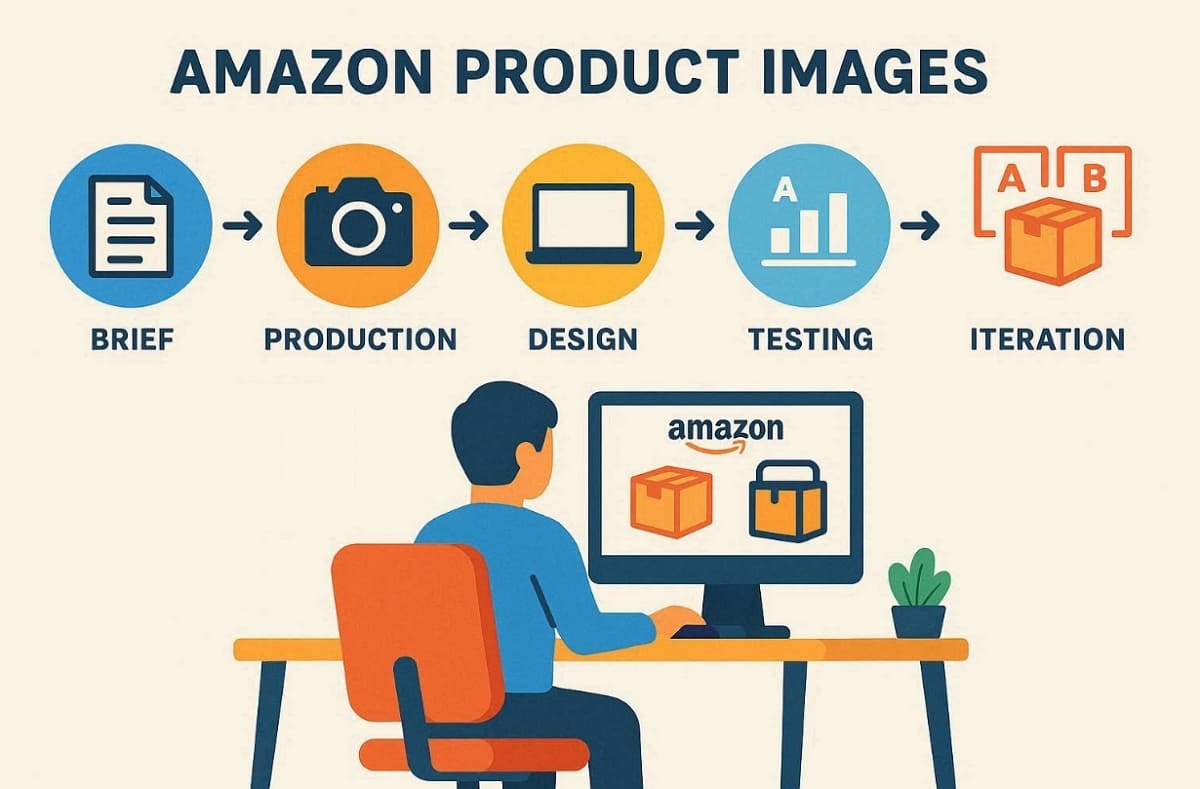
To improve your performance, follow this structured optimization and testing workflow systematically:
1. Brief Phase: Define your image slot plan and establish clear policy red lines.
2. Production Phase: Capture raw assets using professional photography or an AI Product Photography Generator.
3. Design Phase: Apply text overlays while maintaining strict discipline for mobile-first user readability.
4. Testing Phase: Use A/B testing to identify which Amazon product photo drives more clicks.
5. Iteration Phase: Utilize customer data and return rates to continuously improve your visual gallery.
Decision Guide: Choosing the Best Production Method for Your Brand
Selecting the right approach depends on your specific budget and total launch speed. So, review this comparison table to decide how to produce your Amazon product images:
|
Method |
Best Use Case |
Key Advantage |
|
Studio Shoot |
Premium products requiring realism and accuracy |
Highest control over lighting and details |
|
Outsourcing |
Large catalogs needing consistent output |
Saves time and ensures scalability |
|
AI Generation |
Fast drafts and multiple variations |
Rapid production and cost efficiency |
According to Nightjar, AI generation delivers 46,775% ROI through 15% conversion lifts typically. In addition to the above, applying color psychology helps your brand stand out within a crowded search page.
Conclusion
To sum up, building a successful brand requires a repeatable Amazon product listing images strategy. Use the 7-slot strategy for progressive disclosure and fewer customer misunderstandings at checkout. Also, a structured iteration SOP will help you continuously improve your overall store conversion. To accelerate the production and testing of variants, tools like Designkit can support your workflow. So, maintaining quality Amazon product images ensures long-term trust and massive growth in 2026.
Frequently Asked Questions
What is the maximum number of images allowed on an Amazon listing?
Can the main product image include any text or certification badges?
The main hero image must remain completely free of any text or badges. Amazon requires a pure white RGB(255,255,255) background with only the actual product clearly shown. In addition, compliance with your Amazon listing photos ensures that your listing remains active online.
Are shadows or reflections allowed in the main product image?
Natural shadows are generally allowed to provide a realistic sense of product depth. Yet, you must avoid harsh or distracting reflections that reduce the overall visual clarity. Besides, quality Amazon product images must maintain a very professional and clean appearance throughout.
What are the minimum pixel requirements for effective image zooming?
You should provide images with at least 1000 pixels on the longest side. Recommended settings of 2000 pixels or higher ensure the best possible zoom quality. Every Amazon product photo needs high resolution to build deep trust with buyers.
Can secondary images use collages or side-by-side product comparisons?
Secondary slots are perfect for showing collages or internal comparisons of your brand. You should use these images to explain complex features and unique value propositions. To cater to this need, Designkit can help generate multiple comparison variations to test with your target audience.
Is it acceptable to show freebies or decorative props in images?
You must only show items that are actually included within the product package. Misleading props often cause confusion and lead to very high customer return rates. So, ensure your Amazon product listing images reflect the exact contents being sold.
Can AI-generated images be used for Amazon listings in 2026?
AI images are acceptable when matching a physical product exactly without exaggeration. Designkit helps generate variations quickly, but requires a final check for platform policy. Thus, you must verify that every image accurately represents the real physical product details.
How to manage image variations for the US/UK/DE marketplaces?
Create modular PSD templates with replaceable text layers strategically. Different countries often require unique units of measurement and specific cultural visual cues. Besides, consistent Amazon product images across all regions strengthen your global brand identity.
You May Also Like

T-Shirt Design Size Guide: Placement, Dimensions, & DPI

How to Sell on Poshmark: A Complete Beginner's Guide

Zeely Reviews 2026: Features, Pricing, Pros, Cons & Alternatives

Create TikTok Ads From One Photo: An AI Product Launch Kit

Depop vs Poshmark: Which Is Better for Selling in 2026?

How to Create an Amazon Storefront: 4-Step Guide for New Sellers

How to Sell Books on Amazon in 2026: Beginner Guide

How to Sell on Amazon in 2026: A Complete Seller Guide

AI Product Photography: 7 Best Tools for Ecommerce in 2026

What Is a Hero Image? Definition, Examples & Design Tips

Pippit AI Review 2026: Features, Pricing, Pros & Cons

Back to School Ad: 7 Creative Ideas for Better Campaign Results

Top 7 Back-to-School Sales Ideas to Boost Retail Sales (2026)

How to Create a Complete World Cup Product Listing Image Set

How to Create Amazon Summer Sale Posters and Banners with AI

Amazon Summer Sale 2026: Listing Design Trends & Product Image Ideas

Ecommerce Video Ads: 7 Strategies That Drive Higher Conversions

How to Photograph Shoes for Your Ecommerce Store in 2026

Product Photography Ideas: Creative Tips & Techniques for Better Shots

Product Photography Pricing 2026: Full Cost Guide by Type

White Background Product Photography Guide & Tips 2026

Product Photography Starter Package: Gear Checklist 2026

Shopify Product Photography Guide with Tips & Setup

Amazon Main Image Requirements: Size, Guidelines & Tips

Shopify Image Size 2026: Complete Guide and Tips for Better Product Display

Studio Product Photography vs AI Product Photography in 2026

7 Product Photography Mistakes That Hurt Ecommerce Sales

Change Outfit Colors Online for Outfit Preview with AI Clothes Color Changer

How to Create Amazon Infographics: Boost Sales with Compelling Visuals

How to Create Outdoor Product Scenes Without a Photoshoot Using AI

Optimize Etsy Images for Mobile: Listing Photos That Convert

Amazon 7-Image Listing Strategy: Boost Sales by Optimizing Every Image

Etsy Thumbnail Optimization: Keep Your Product Fully Visible

The Etsy Thumbnail Formula That Drives More Clicks and Sales

How to Create Pro Amazon Listing Photos Without a Studio

10 High-Converting Lifestyle Product Images for Amazon Listings

How to Automate Your E-commerce Visuals with OpenClaw Workflow

Top 5 AI Tools to Generate Amazon Product Listing Images in 2026

How to Turn One Photo into 10 Etsy Listing Images Fast: Batch Workflow

Etsy Listing Photo Size Guide (2026): Mobile, Desktop & Shop View Specs

Turn White Background Images into Lifestyle Amazon Listings

Fix Etsy Image Cropping: Optimize Listing Photos for Every Device

Amazon Listing Images: Essential Shot List & Optimization Guide

How to Create Lifestyle Product Images Without a Studio

Lifestyle Product Photography Trends 2026: Authentic Looks at Scale

How to Master Lifestyle Product Photography in 2026

Amazon Listing Images Guide 2026: 7-Slot Strategy & Requirements

360 Product Photography Guide 2026: Setup, Shoot and Workflow

Beginner's Guide to Generate Product Photos from Different Angles

AI Product Photography: Create Ecommerce Images Without a Photoshoot

How to Create Realistic AI Product Photos: Step-by-Step Pro Guide

Keep AI Product Images Consistent Across SKUs: Lighting, Color, Background

How to Scale E-commerce with a Product Image Generator

How to Use AI for Spring Product Photography: 2026 Amazon Guide

How to Create a Budget Home Product Photography Setup with AI

How to Achieve Professional Product Photography Standards in 2026

How to Take Product Photos with Phone: Pro Guide for Amazon & AI

Best AI Product Image Generator 2026: Top Tools for Amazon Sales

Amazon Photography Service vs. AI Generator: Best Choice for Sales

What Is Product Photography? Angles, Lighting & Editing Guide

Amazon Spring Sale 2026: Create High-Converting Listing Images (Guide)

AI Agents Transform Amazon Product Photography in 2026

Amazon Photoshoot in 2026: Do You Still Need a Studio?

11 Must-Have Tools for Amazon Product Photography in 2026

2026 Amazon Image Trends Shaping Seller Success and Conversions

Amazon Product Photography Requirements & Best Practices 2026
Make every product image ready to sell
Designkit is an all-in-one AI platform for ecommerce visuals. Create product photos, AI videos, virtual try-ons, and Amazon listing images in seconds. Generate HD backgrounds, batch edit photos, and scale your brand with studio-quality content.
