
How to Try On Engagement Rings Online Using AI (Step-by-Step Guide)
Preview engagement rings on your own hand with AI. Compare styles instantly, explore different designs, and shop with more confidence online.

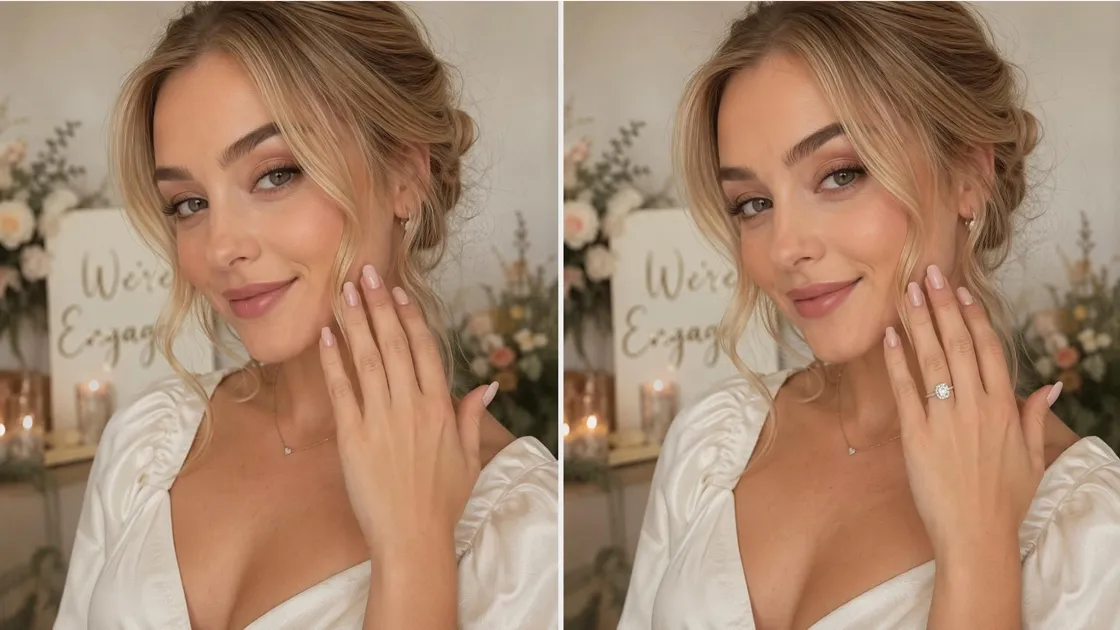
Buying an engagement ring involved visiting several stores and still not being certain about your final choice. That scenario has totally changed today. Thanks to sophisticated AI technologies, you can try engagement rings online while relaxing at home. You can even get a real-time view of how different ring designs look on your finger. Be it the traditional solitaire or the fashionable halo, trying on an engagement ring virtually will give you the confidence to limit your choices before making your final decision.
If you're new to this technology, don't worry — it is easier than it seems. This guide will explain step-by-step how to virtually try on rings through AI, even if you don't have any experience with a ring try-on application. It shows you how to prepare the best hand photo, operate an AI ring try on application, and assess the realistic outcome; thus, you will be able to see a ring on your hand and pick a style that truly resonates with your personality.
Part 1. Why Trying On Engagement Rings Online Saves Time and Reduces Risk
The major problem with buying a ring is that product photos almost never reveal the whole story. A piece that looks great on a website can seem totally different when you put it in your hand— too large, too subtle, or simply not your style. This doubt causes a lot of people to hesitate or regret their purchase later. Trying engagement rings online with current tools takes away the uncertainty by letting you see how each style fits your hand, which can give you more certainty about your choice in the first place.
However, going to the traditional way of shopping in a store also has its inconveniences. It takes a lot of time to visit several jewelers and the effort to deal with pushy salespeople could easily prevent you from freely exploring or comparing options at your own pace. This is where AI ring tries on technology completely changes the experience. Instead of making hasty decisions, you can look at different styles, try various settings and adjust your choices from the comfort of your home.
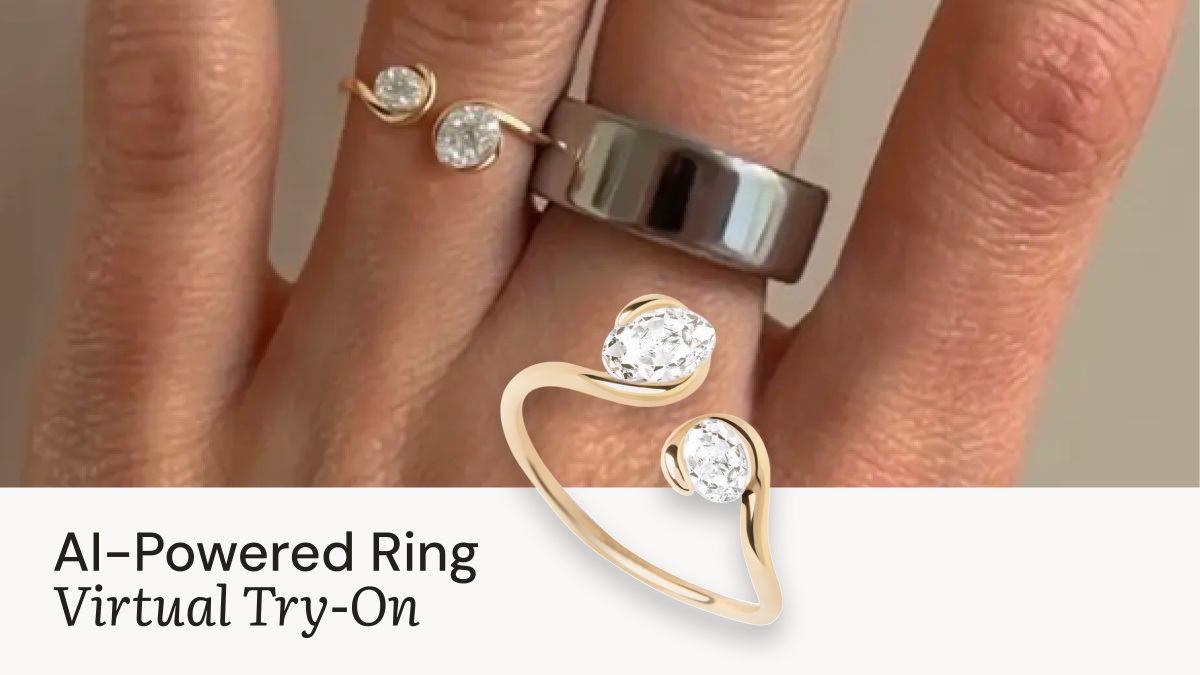
Part 2. What You Need Before You Try On Rings Virtually
Before you begin to try on jewelry virtually, a bit of prep can really help you a lot. AI tools may be very reliable, but the degree of your results depends a lot on the input you give them. To get a realistic preview and to really see how a ring looks on your hand, you will need just two things: a sharp ring image and a nice photo of your hand. When these are ready, the rest of the process is very easy, quick, and quite accurate.
2.1 How to Find and Save the Right Ring Photos
When trying on rings virtually, it is essential to pick the right ring photos to get perfect results. These pictures will be the "digital ring" which the AI uses to place on your hand, so quality and clarity are the ones that come first.
The best places to get ring pictures are jewelry e-commerce stores, official brand websites, and inspiration sites like Pinterest. Usually, online stores offer clean product shots that are compatible with an AI ring try on tool, especially when the ring is presented from the front or a slightly angled view. Brand websites are even better because they frequently have higher-resolution images with fewer distractions in the background.
While saving pictures, try not to take overly edited ones or images used in promotional material where the ring is lost in a complicated lighting or styled scene. Instead, pick up pictures that are product-focused and only showcase the ring design. Also, it is very helpful to keep 3-5 different styles saved for example, solitaire, halo, and vintage-inspired so that you can compare how each one looks during the virtual engagement ring try on session. This will make it possible for you to decide what type of ring suits your taste the most.

2.2 How to Take a Hand Photo That Works for AI Try-On
The next crucial stage is taking a clear picture of your hand. Because the AI refers to this photograph as the starting point for positioning, it is important to make it appear as natural and straightforward as possible.
Lighting is a crucial factor
Make sure you take your photo in front of a window or in daylight. A well-lit photo will help the AI ring try on tool to detect your hand's skin tone and finger shape more accurately. This way, you will get a realistic effect of the ring when you try on a ring virtually.
Choose a neat and simple background
Pick a flat, clean area like a table, bed sheet, or wall painted with neutral colors. When there is no mess in the background, your hand remains the center of attention. Besides, the system can locate the ring on your finger better during your virtual engagement ring try on session.
Hold your hand naturally and firmly
You can lay your hand down or turn it a little bit with fingers loose and spread out. Don't twist or curl your fingers. Too much finger bending will change the way the ring looks in the end preview.
Don't overdo it with filters and editing
Beauty filters, skin retouching software, or extensively modified pictures are to be avoided. These are going to confuse the AI and lower the accuracy of your engagement ring trying on experience with virtual tools.
Get a clear top or slightly front angle
For most online ring try-on software, interaction with your hand from the top or a slightly angled front view is the normal operation. So, make sure your hand is fully visible from this position. It will enable the correct placement of the ring on your finger.
Follow these basic tips, and your image will be perfectly equipped for the AI ring try on tool to give you an authentic and smooth result.
Part 3. How to Try On Engagement Rings Online with AI Step by Step
After you have prepared the images of your ring and a photo of your hand, the real step towards trying on engagement rings online turns out to be very straightforward. Latest AI technology has been created to do all the work within few clicks, providing you with a highly engagement ring try on virtual experience even if you have no technical skills at all.
Here is an easy try on engagement ring online guide to using AI virtual try-on software:
3.1 Upload Your Ring and Hand Photo to the AI Try-On Tool
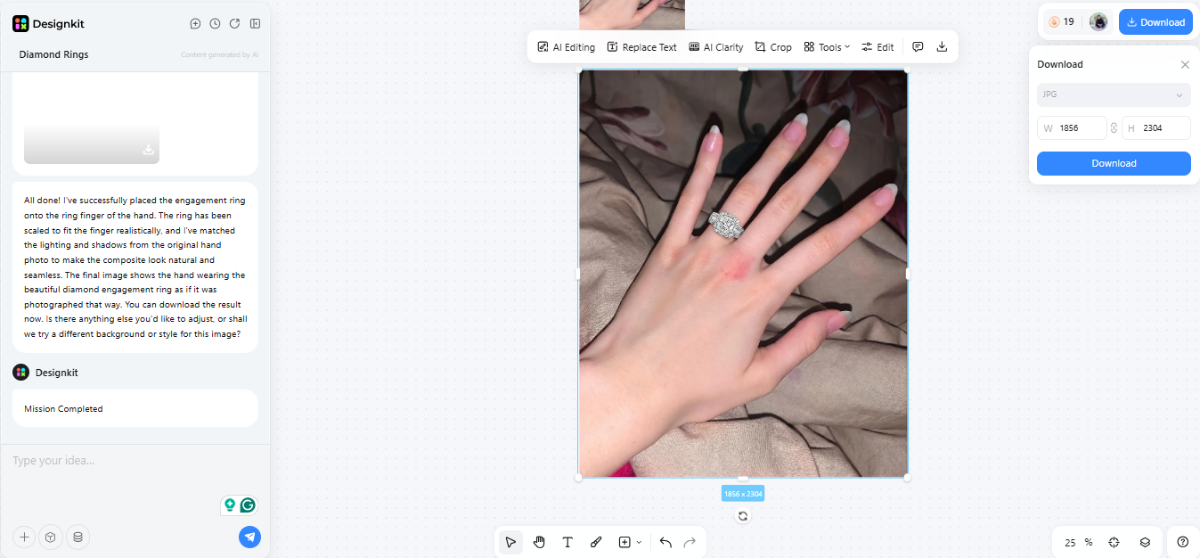
Open the Designkit Virtual Try-On tool. Upload your ring image and hand photo together in the upload interface. The tool supports common formats like JPG and PNG, so make sure both files are clear, well-lit, and high resolution for best results.
After uploading the images, just hit the "Send" button. Designkit will process the images almost instantly and show you a photorealistic depiction of how the ring would look on your hand.
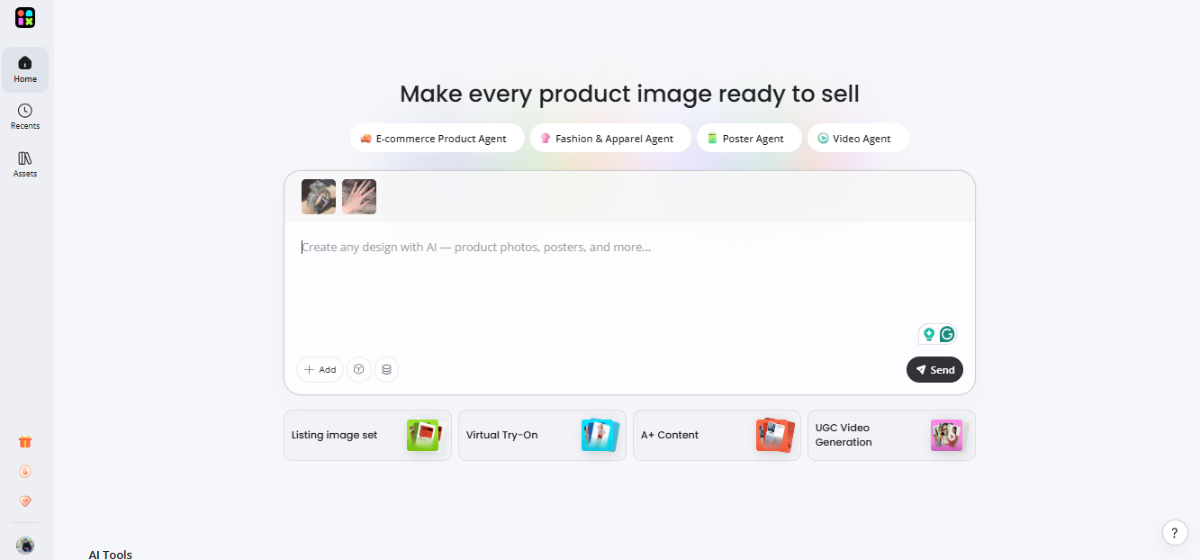
3.2 Enter A Prompt for Accurate AI Placement
Once the upload is complete, Designkit gives you the option to control the result through a straightforward prompt. This is a way to further specify the way the ring should be placed and presented on the hand.
Example prompt:
"Place the uploaded engagement ring on the ring finger of the hand image. Ensure realistic scale, natural lighting, and correct alignment with skin tone and shadows."
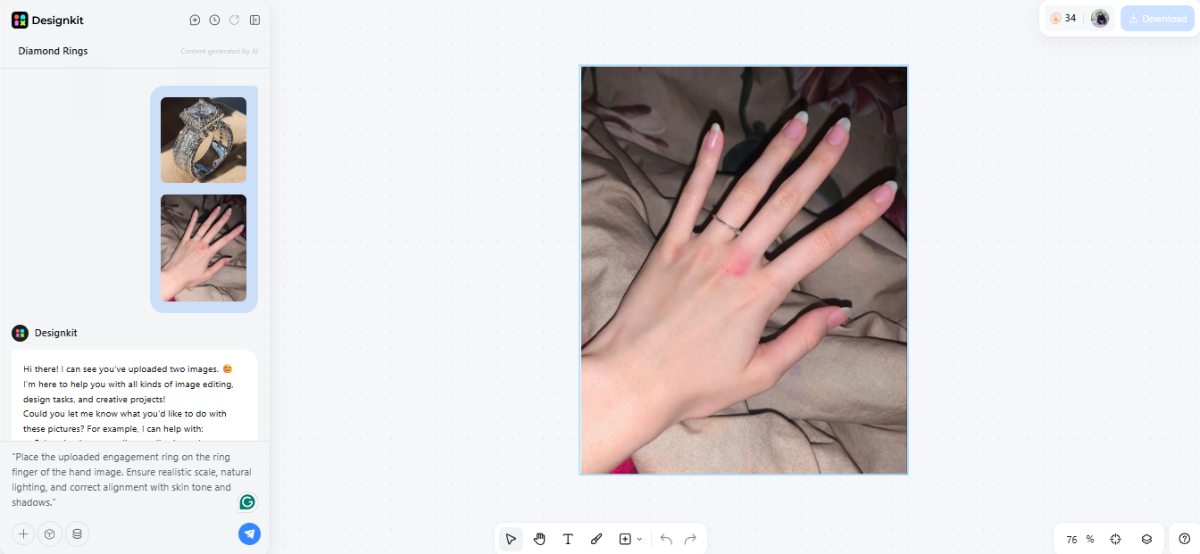
3.3 Generate the Result and Download Image
After submitting the prompt, Designkit takes care of the rest of your request and produces your engagement ring try on virtual final image.
Take a minute to assess the output, measure the size and shape of the ring, the sparkle, and the total appearance. Once satisfied, click "Download" to save image.
Try Engagement Rings Online Free
Part 4. How to Compare Styles and Make a Confident Decision
After trying on engagement rings online, comparing the different designs directly on your hand is when things get interesting. This is precisely why AI has become such a great tool in this area. It takes the guessing out and helps you go beyond "I like this design" to really "this one suits me."
So now, besides using your imagination or just looking at the photos of the product, you have the real visual previews that can lead you to the right decision.
4.1 Trying different ring designs on the same hand
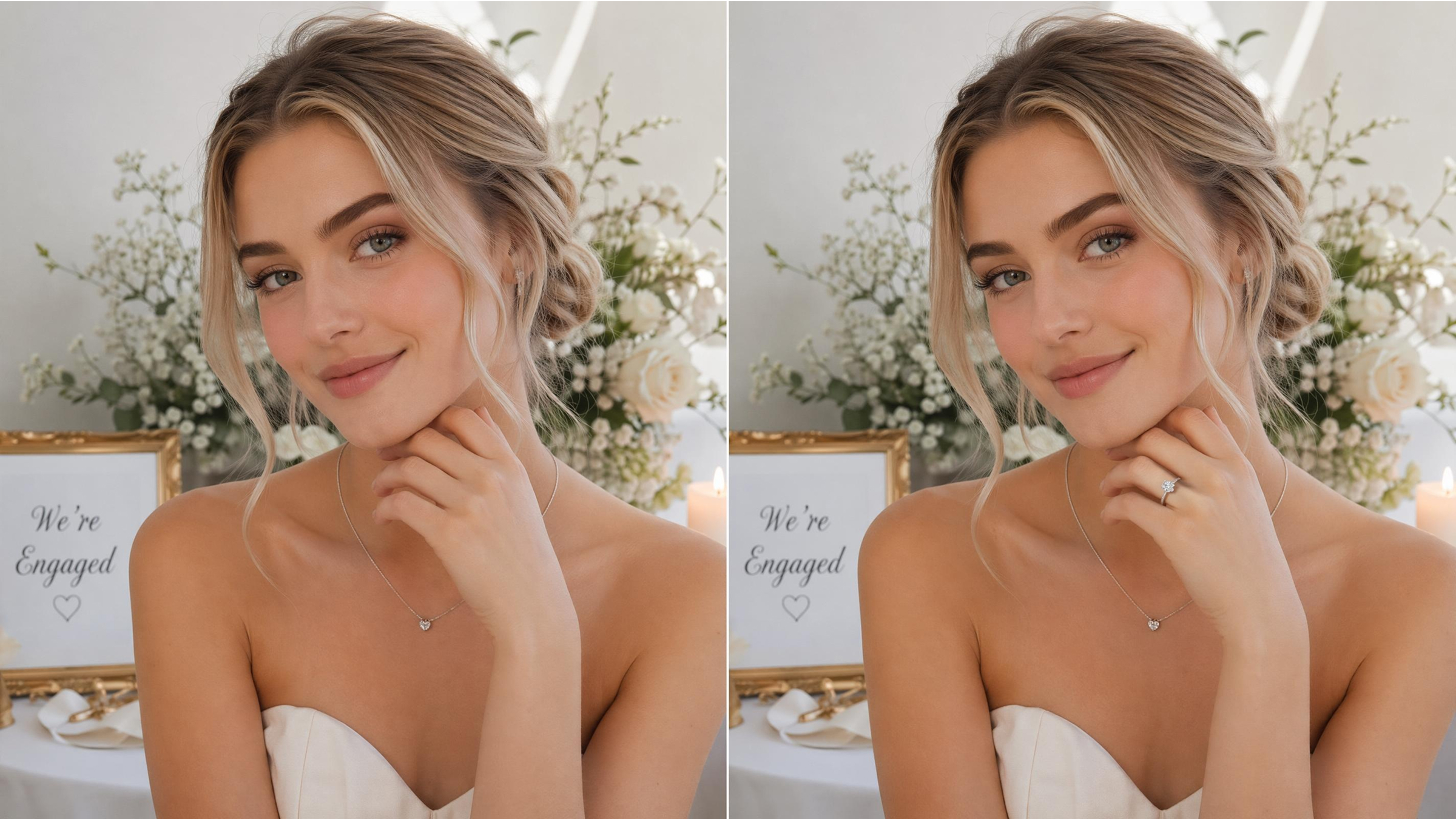
For fair comparison, you should always use a single photo of one hand when trying different designs. For example, if you lead with a solitaire and halo rings, or three-stone and vintage-inspired ones, keeping the hand photo unchanged helps you get in and compare only the ring styles and not lighting or angles. This is probably one of the most important steps in an engagement ring try on virtual workflow.
As you produce different results in the Designkit Virtual Try-On tool, save each output separately so you can review them side by side. This way, you can easily notice even the smallest differences in the way each ring sits on your finger.
When comparing, pay attention to practical visual cues:
- Which design visually matches your finger type
- Which size of the gem appears as the right size rather than too big or too small
- Which type is comfortable for you in everyday use, as opposed to wearing only on special occasions
Try Engagement Rings Online Free
4.2 Share Your Results and Narrow Down Before Visiting a Store
After looking at different styles and trying rings virtually, your next move should be using those outcomes as a sort of decision filter. Hopefully, you will have actual visual samples with you that reflect how each piece of jewelry would really look on your hand, which will be way better than starting all over again in a store.
Start by downloading or taking screenshots of your favorite AI-generated previews from the Designkit Virtual Try-On tool. Sharing these images with your partner, close friends, or family members becomes a powerful way of comparing that you can also get feedback from them, which is great at this stage since others might notice details you could miss, like proportions, style balance, or overall presence on your hand.
You should keep in mind that virtual try-on is just a screening tool and not the last step. Although it provides a good visual representation of the design and looks, it lacks aspects of the physical world, such as weight, comfort, and precise sizing. That is why the right thing to do is to narrow down your favorites to 2 to 3 pieces after your virtual session.
Conclusion
The use of AI to virtually try engagement rings online has revolutionized the first-time buyers' journey of discovering and selecting rings. Besides relying on the power of imagination or static product photos, you can get realistic previews of different ring styles right on your hand in only a few minutes. This not only makes the early decision process much more sure and less stressful, but also very convenient and timesaving.
If you follow a well-thought-out workflow, image prep, utilizing the Designkit Virtual Try-On tool, and examining multiple designs, you acquire a strong visual grasp of what fits your style and the shape of the finger. Though it is not a substitute for the last face-to-face experience, having AI rings try on at hand lessens doubt considerably and lets you go to a store with clear ideas and directions, not confusion.
Frequently Asked Questions
Are AI try-on tools free to use?
How accurate are virtual engagement ring try-on results?
Virtual results are highly realistic in terms of style, proportion, and placement, but they are still a digital simulation. Lighting, scale perception, and finger texture may slightly differ from real life. That's why engagement ring try on virtual tools are best used for comparison and selection, not final sizing decisions.
Can custom or bespoke ring designs be previewed?
Yes, most AI systems like Designkit Virtual Try-On allow you to upload any ring design, including custom or bespoke concepts. This makes it possible to preview unique settings before production, helping you visualize personalized designs during the try on rings process.
Do I need a specific device to use AI ring try-on tools?
No, most tools like Designkit Virtual Try-On work on standard devices, including smartphones, tablets, and desktops. A good camera and a stable internet connection are enough for smooth performance.
Can virtual try-on replace visiting a jewelry store?
No, it cannot fully replace an in-store experience. However, it acts as a powerful first step. By narrowing down your preferences using AI ring try on tools, you can visit a store with 2–3 strong choices, making the final decision faster and more confident.
You May Also Like

How to Match Makeup by Undertone: Virtual Lipstick and Foundation Try-On

Wedding Dress Styles for Every Body Type: A Practical Guide for 2026

7 Best AI Virtual Makeup Try-On Tools for Realistic Results in 2026

AI Virtual Makeup Try-On: Boost Beauty E-Commerce Sales in 2026

Free Online Glasses Try-On Tools: See Yourself in Glasses Instantly

Top Virtual Ring Try-On Tools for Engagement and Wedding Rings in 2026

How to Try Shoes On Virtually: A Step-by-Step Guide

Best Virtual Shoe Try-On Tools for Ecommerce: 2026 Guide

How to Try On Wigs and Bangs Virtually to Find Your Perfect Style

Create Model Outfit Photos Instantly With AI Outfit Generator

Best AI Virtual Try-On Clothes Tools for Any Body Type

How to Try On Clothes Online with AI for Better Fit & Style

Virtual Nose Ring Try On Online Before Your Piercing

How to Try Makeup Online with AI and Virtual Makeup Try-On Apps (2026)

How to Use Virtual Earring Try-On for a Flattering Look in 2026

How to Try On Engagement Rings Online with AI in 2026

Scale Your Jewelry Brand with Virtual Jewelry Try-On Solutions

How to Try Hairstyles on Your Face Online (Step-by-Step Guide)

Best Virtual Hairstyle Try-On Tools Online for Realistic Previews 2026

How to Use a Free AI Hairstyle Generator to Find Your Perfect Look

Virtual Hair Color Try-On Guide for Every Skin Tone (2026)

Virtual Wedding Dress Try-On Online for Brides in 2026

How to Choose the Right Sunglasses for Your Face Shape Online

How Accurate Is Virtual Glasses Try-On? AI vs AR Compared

Best Virtual Try-On Glasses Apps in 2026 (Free & Paid Tools)

How AI Virtual Try-On Is Transforming Eyewear Ecommerce

5 Best Virtual Try-On Glasses Tools for Ecommerce and Consumers 2026

How to Try On Glasses Online with AI in 2026 (Easy Guide)

How to Create Jewelry Photos with AI Models That Drive Sales in 2026

AI-Generated Fashion Models: Technology, Brand Adoption & Trends

How to Batch Generate 100+ AI Clothing Model Photos Fast

7 Best AI Fashion Model Generators for Ecommerce in 2026

AI Clothing Model Photos for E-Commerce: Platform Rules & Best Practices

How AI Virtual Try-On Helps Fashion Brands Boost Sales & Reduce Returns

AI Fashion Models vs Real Models: Which Is Better for Brands?

Best Free AI Fashion Model Generators for Real Product Photos

Virtual Outfit Try-On Guide: Plan Outfits Before You Buy

What Is an AI Clothing Model Generator? Full Guide for Sellers

Virtual Try-On Technology in 2026: How It Works & Key Trends

10 Best Virtual Try-On Apps & Tools for Online Shopping in 2026

How to Create AI Fashion Models: Complete Step-by-Step Guide

How to Use AI Fashion Models for E-Commerce Product Photos: A Complete 2026 Guide

How to Virtually Try On Clothes Online: A Complete Guide
Preview Your Dream Engagement Ring Before You Buy
Upload a hand photo and instantly see how different engagement ring styles look on your finger. Compare cuts, settings, and designs with realistic AI previews before making your final decision.
