
AI Fashion Model Generator Online for Ecommerce Clothing Shots
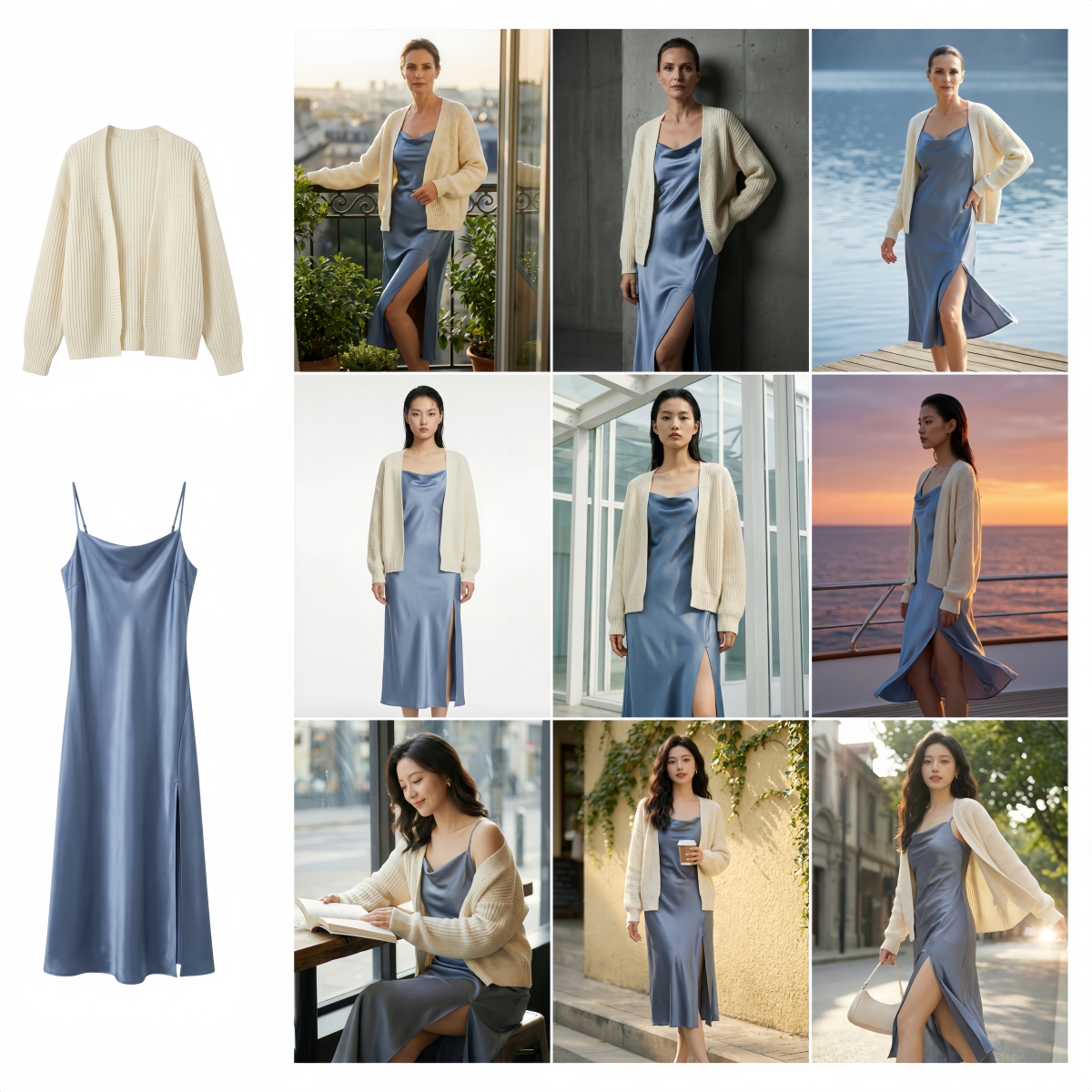
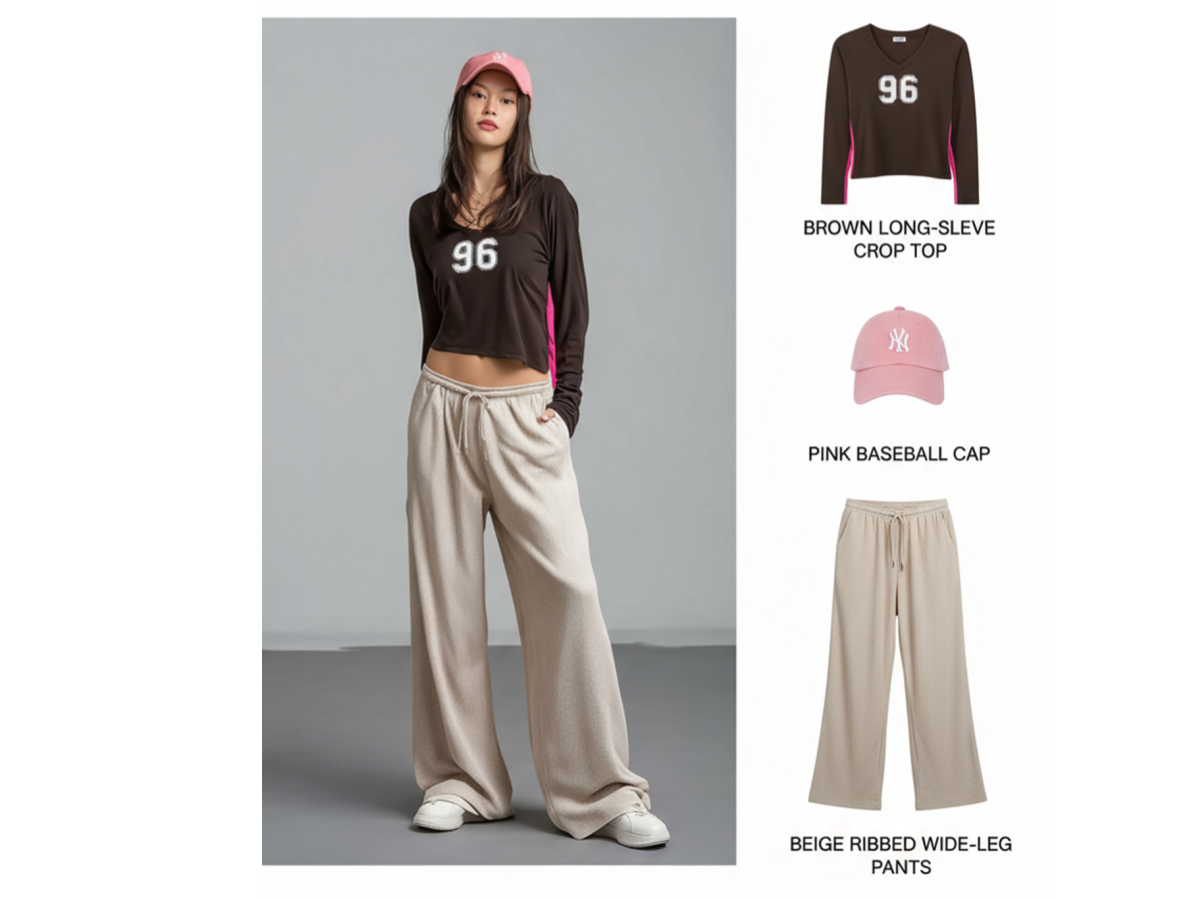
Designkit turns a flat clothing image into five styled model photos in one click. Built for online sellers who need product pages filled fast. Skip the photoshoot — get studio-quality fashion model images in minutes, not weeks.
How to Generate Model Photos in Three Steps
Upload Clothing or Outfit Image
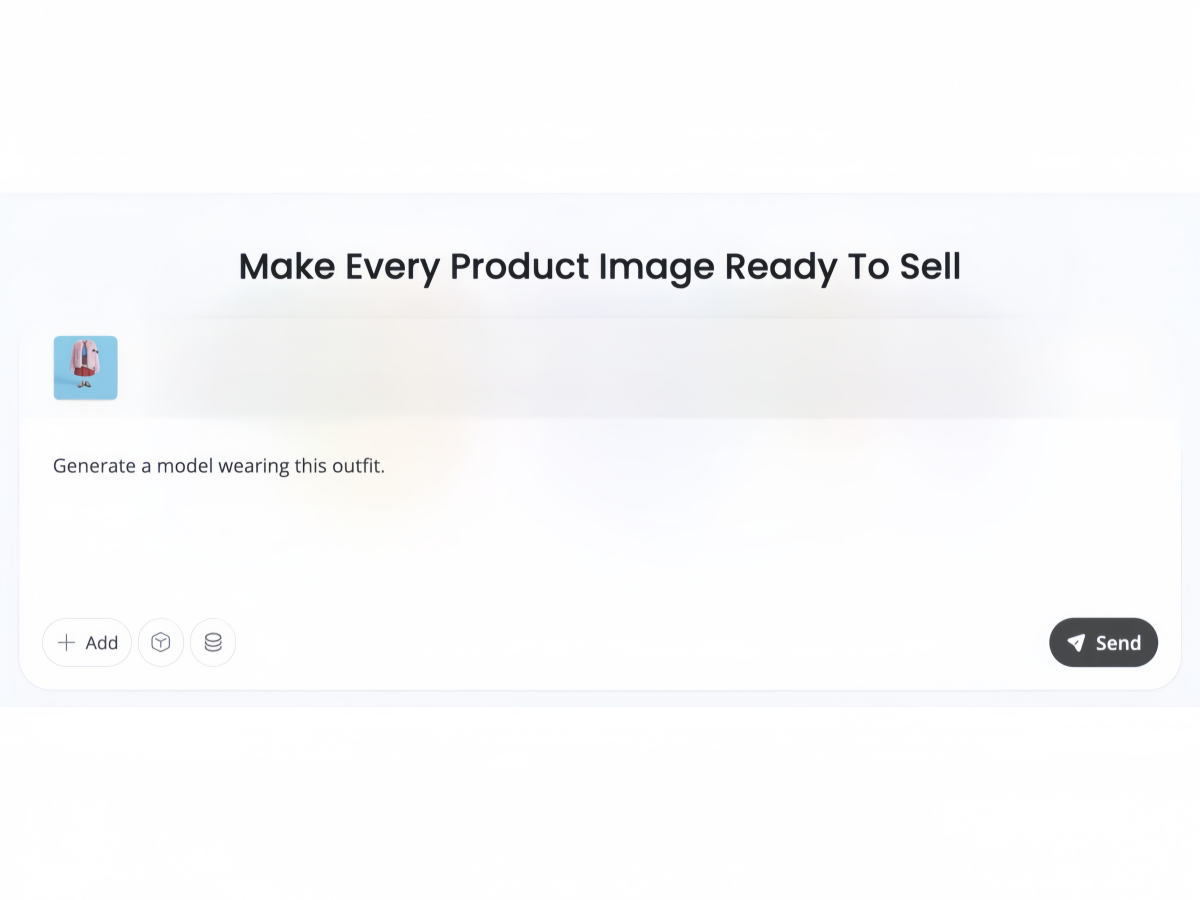
Drop a garment photo — a single piece or a full outfit — into the Designkit input field. If you already have a model reference image, include it alongside the clothing to guide the result. A prompt like "Generate a model wearing this outfit" appears automatically.
Choose Image Size, Model Ethnicity, and Scene
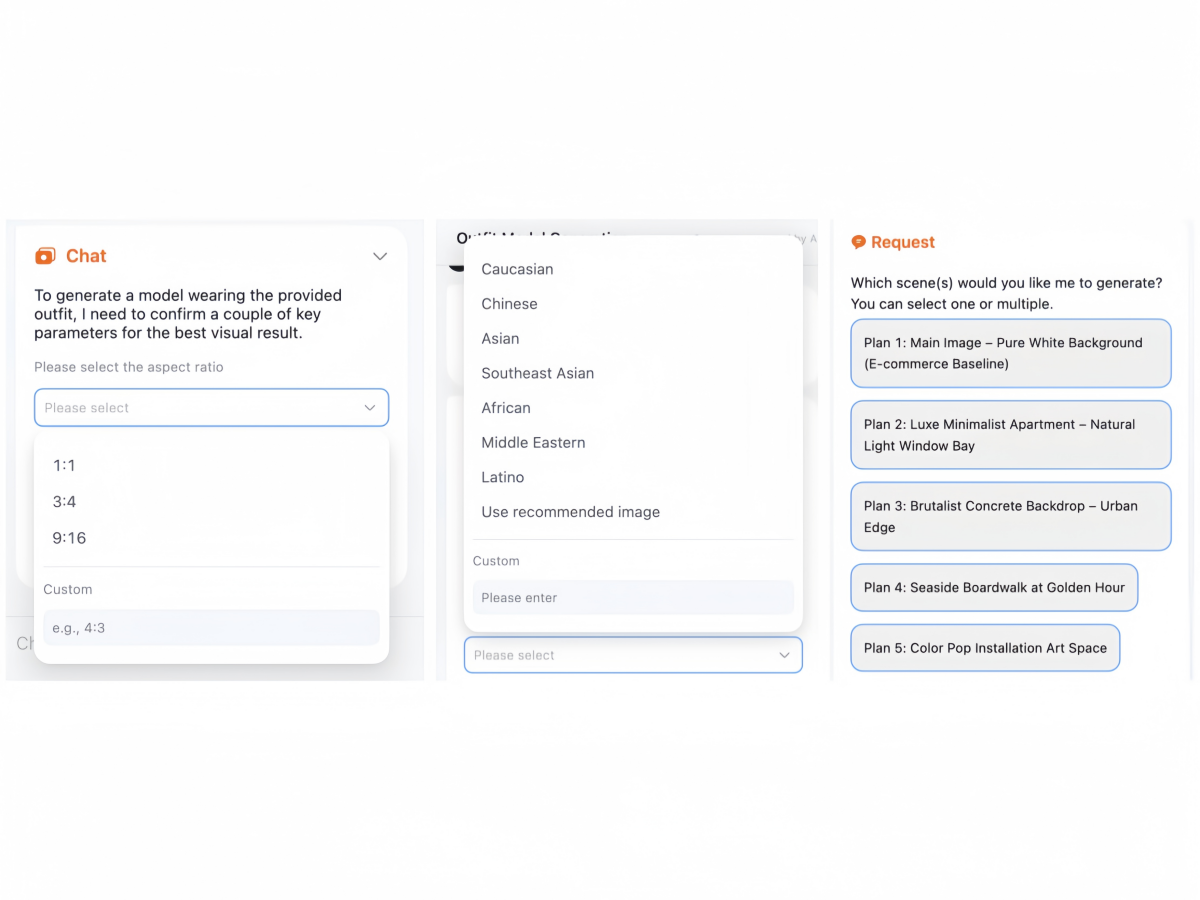
Select the output image dimensions and choose a model ethnicity. Then pick one or more preset scenes — pure white background, minimalist apartment, brutalist concrete, golden-hour boardwalk, or color-pop art space. You'll see your selections summarized before generation starts.
Export Model Photos — Edit or Download in Bulk
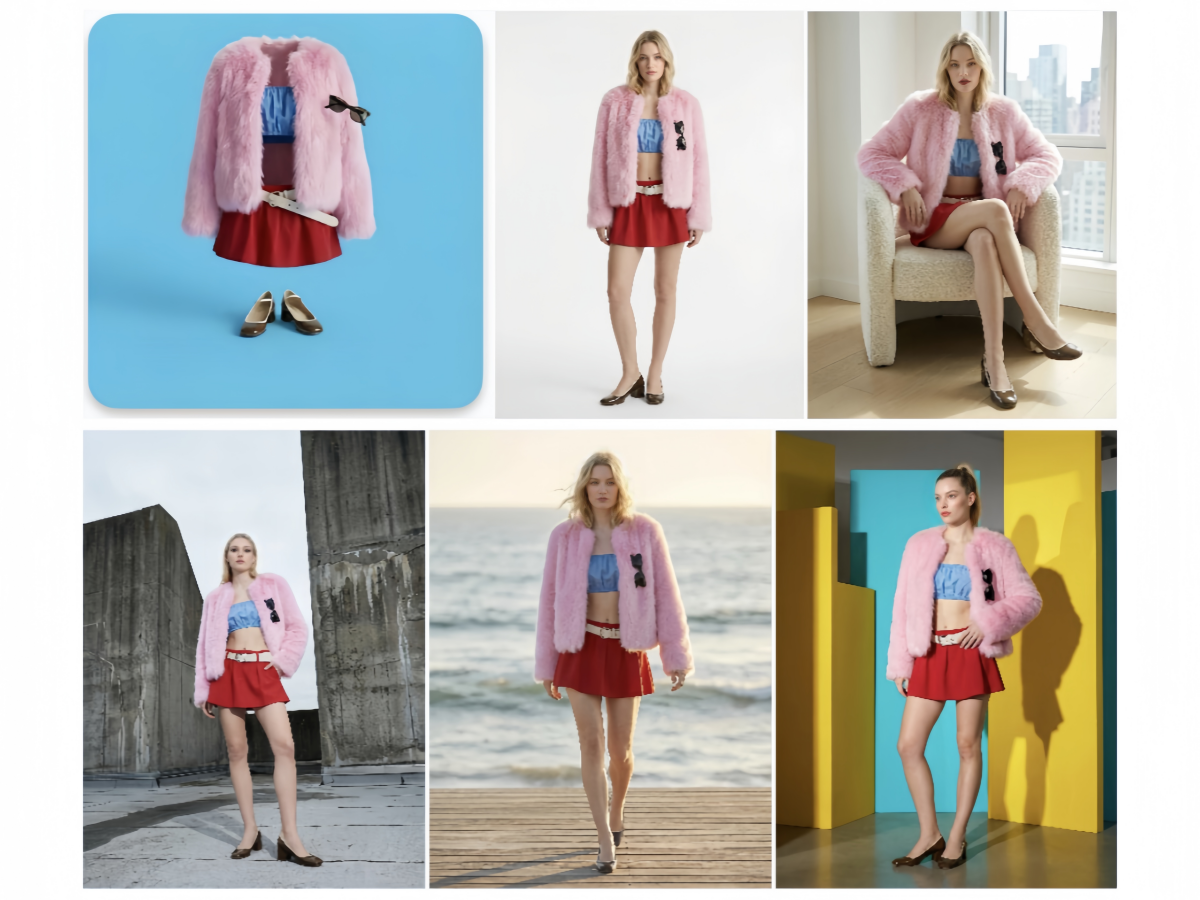
Designkit delivers five AI-generated model images at once. Review them, then simply download one or batch-export all. Need adjustments? Built-in AI editing tools — clarity enhancement, background removal, object removal, image extension — are right there in the editor.
Key Capabilities of AI Fashion Model Generator
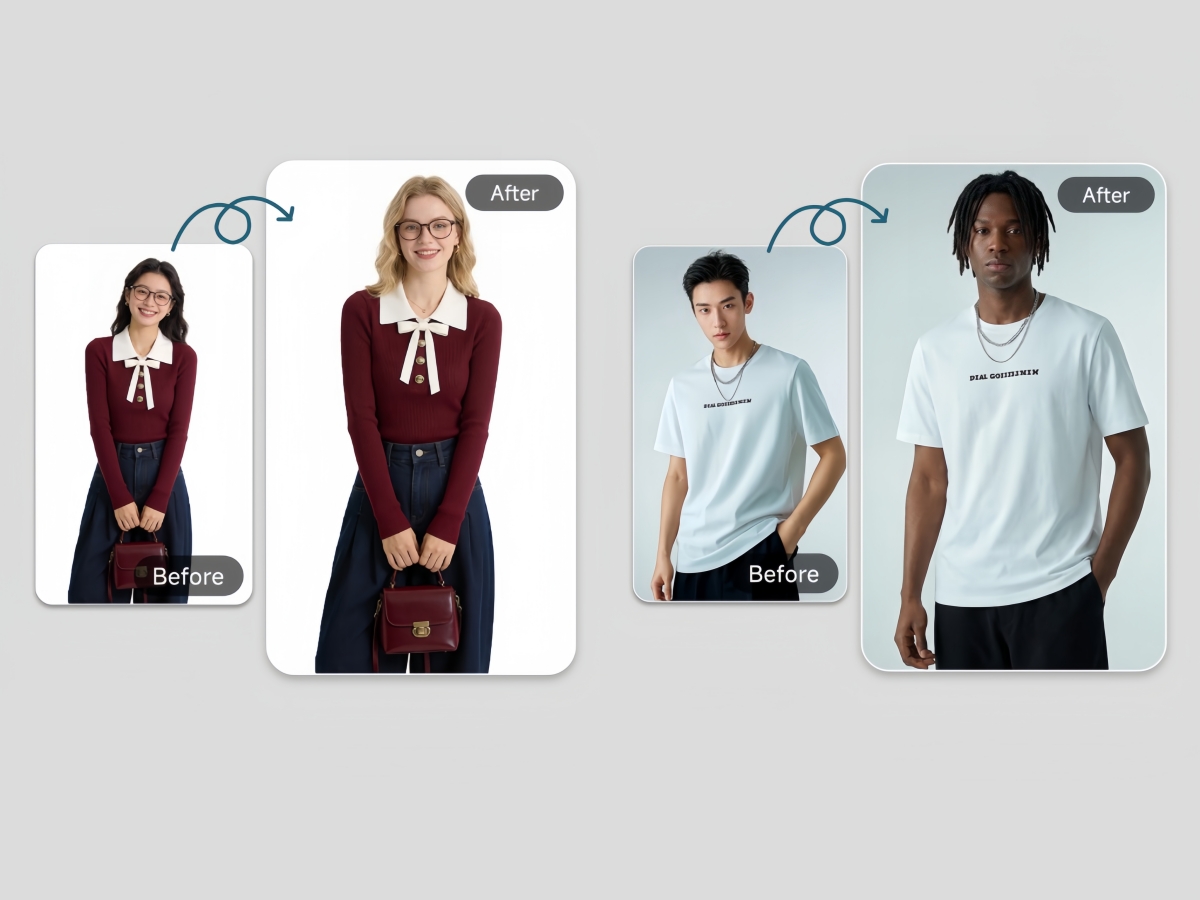
Ethnicity Selection for Global Storefront Visuals
Online stores selling across multiple regions need model diversity without multiplying photoshoot budgets. Designkit's configuration layer lets you select model ethnicity and image dimensions before generation, so a single garment image can produce localized visuals for different markets. That's catalog-level variety from one source file.
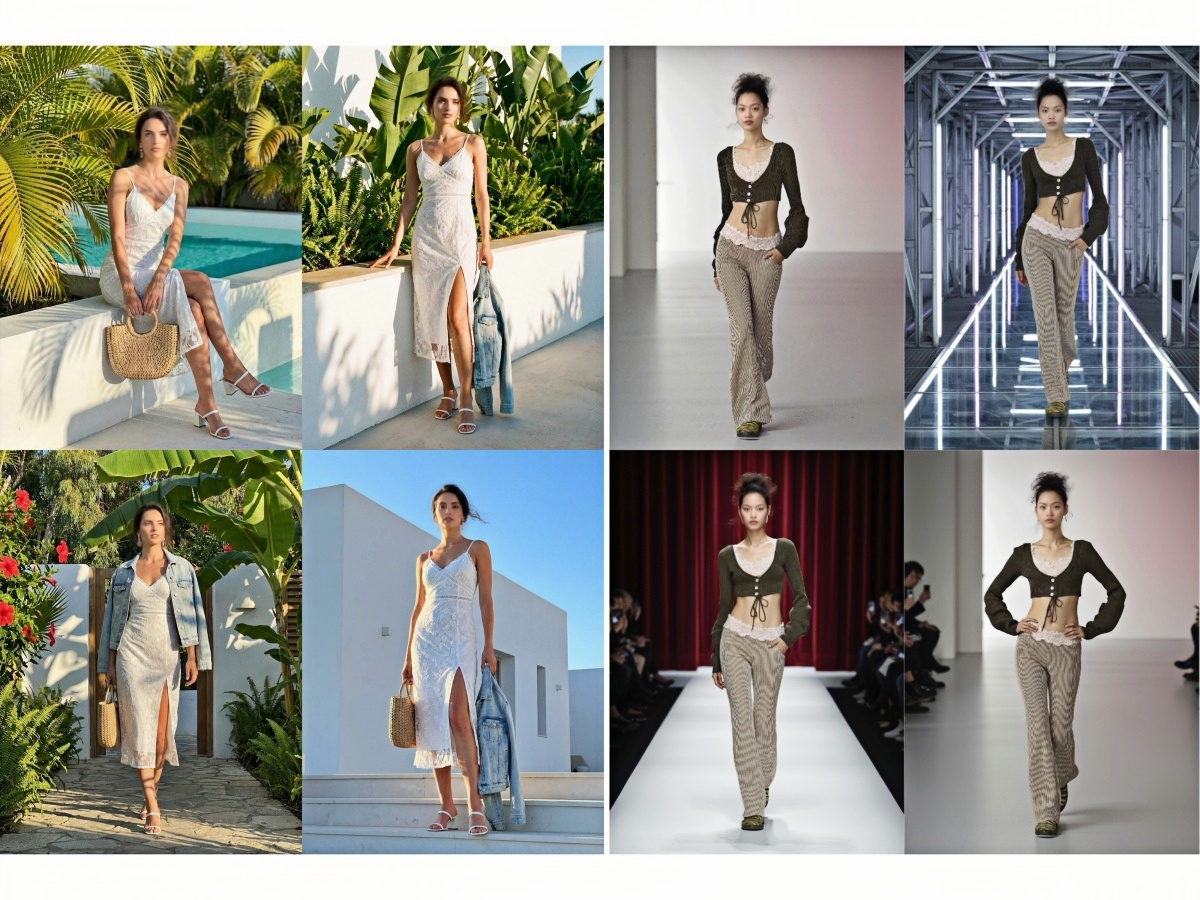
Five Scene Presets That Replace Styled Location Shoots
Preset scene selection includes white background, apartment, urban, seaside, and artistic environments. The AI applies lighting and composition based on the chosen setting. Traditional background replacement often looks inconsistent, but these presets maintain cohesive visual quality across listings.
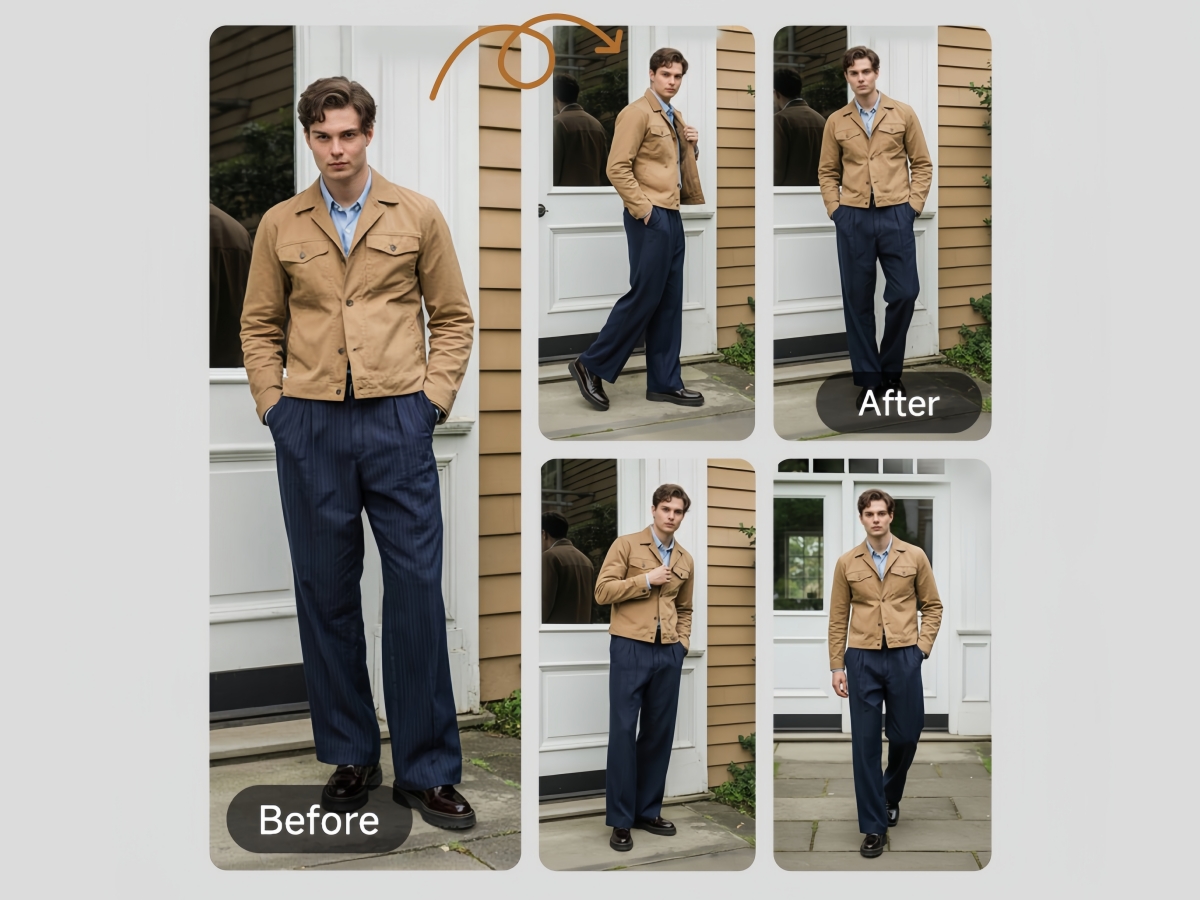
Pose and Angle Variation from One Flat Garment Photo
Traditional product photography locks each garment into one pose per session unless you reshoot. Designkit generates multiple model poses and viewing angles — standing, walking, three-quarter turn — from the same source image. You get visual variety across your listings without needing to direct a live model through each position.
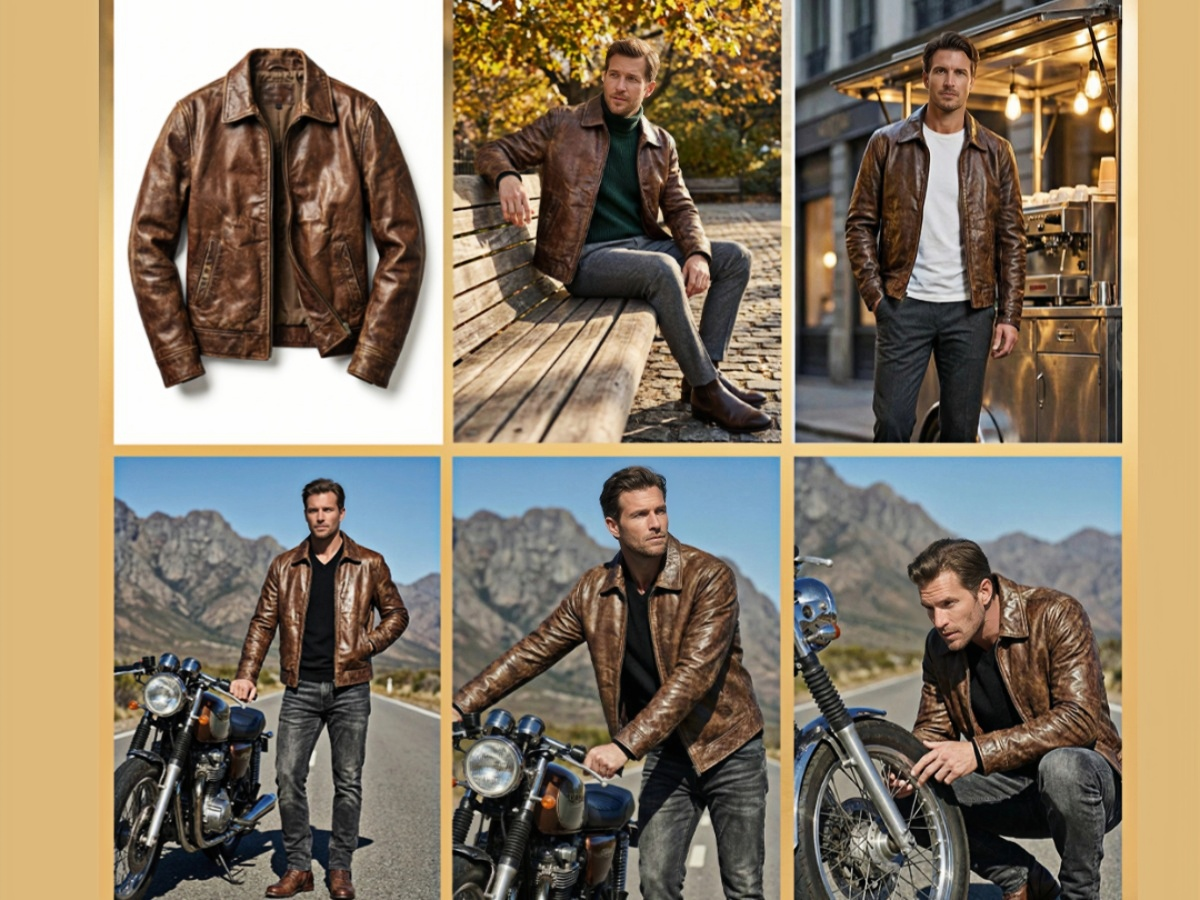
Batch Generation — Five Distinct Model Images per Upload
One garment photo fed into Designkit returns five unique model images in a single generation cycle. Each image varies in pose, framing, or scene context depending on your configuration. Compare that to a manual shoot, where five usable selects typically require 50+ raw captures and hours of culling.
Post-Generation AI Editing Without Leaving the Workspace
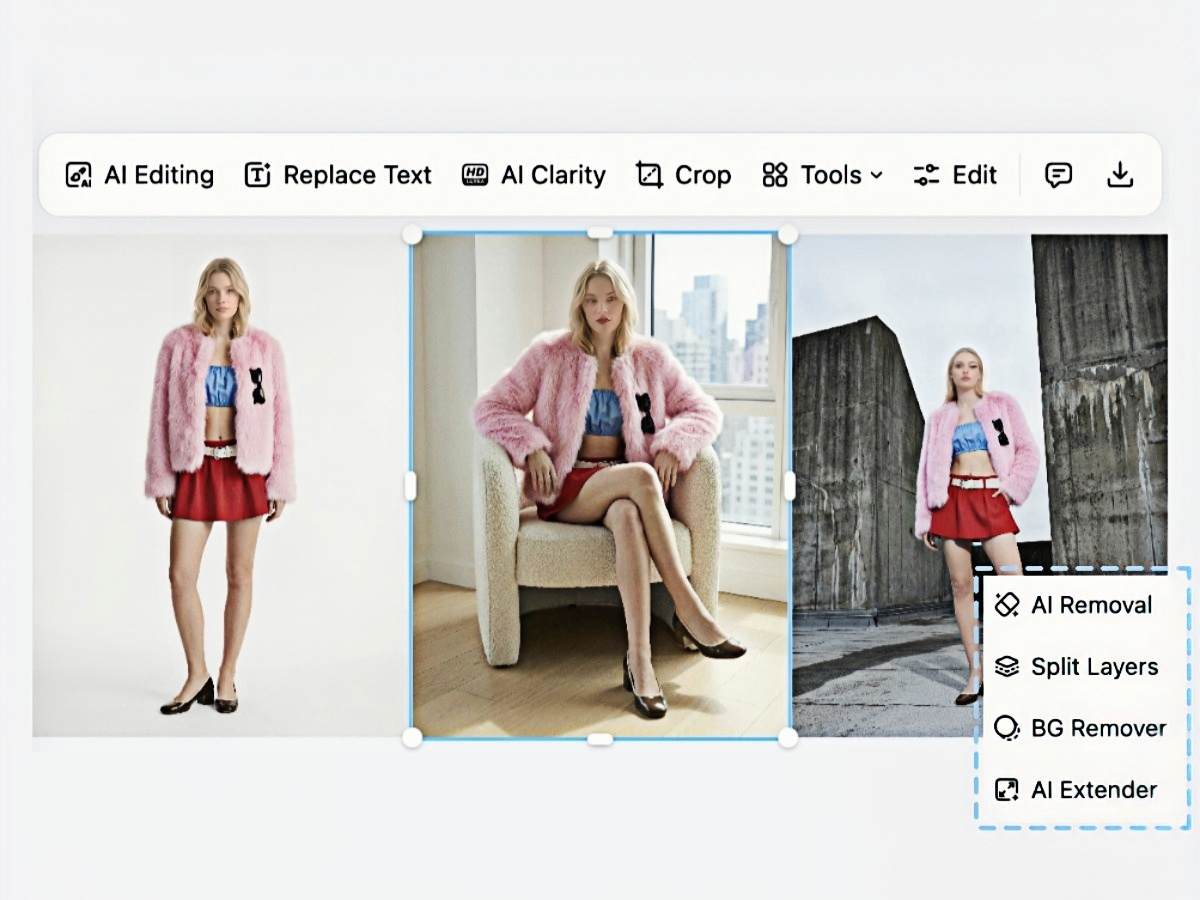
Editing tools support background removal, clarity enhancement, text replacement, and layer splitting. Basic adjustments like crop, stroke, and shadows are also included. Manual editing workflows usually require multiple tools, but Designkit keeps everything in one place for faster iteration.
AI Fashion Model Generator in Real E-Commerce
AI Fashion Model Generator for Shopify and Online Store Listings
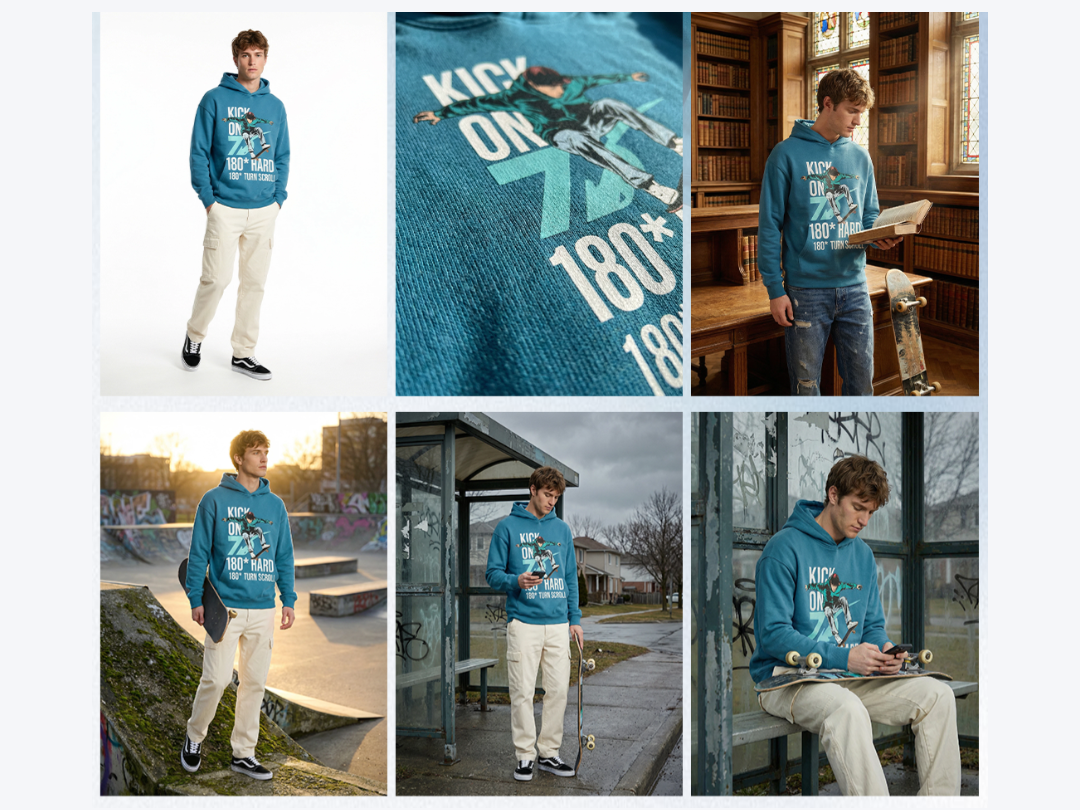
Shopify store owners adding 20–50 new products a month face a bottleneck: every SKU needs at least one on-model image to convert browsers into buyers. Designkit's fashion model generator turns flat-lay garment photos into styled model images, so you can populate listings the same day inventory arrives. The result is a consistent product page without recurring photographer invoices.
Why Designkit Excels in AI Fashion Model Generation
Full Visual Variety from a Single Garment File
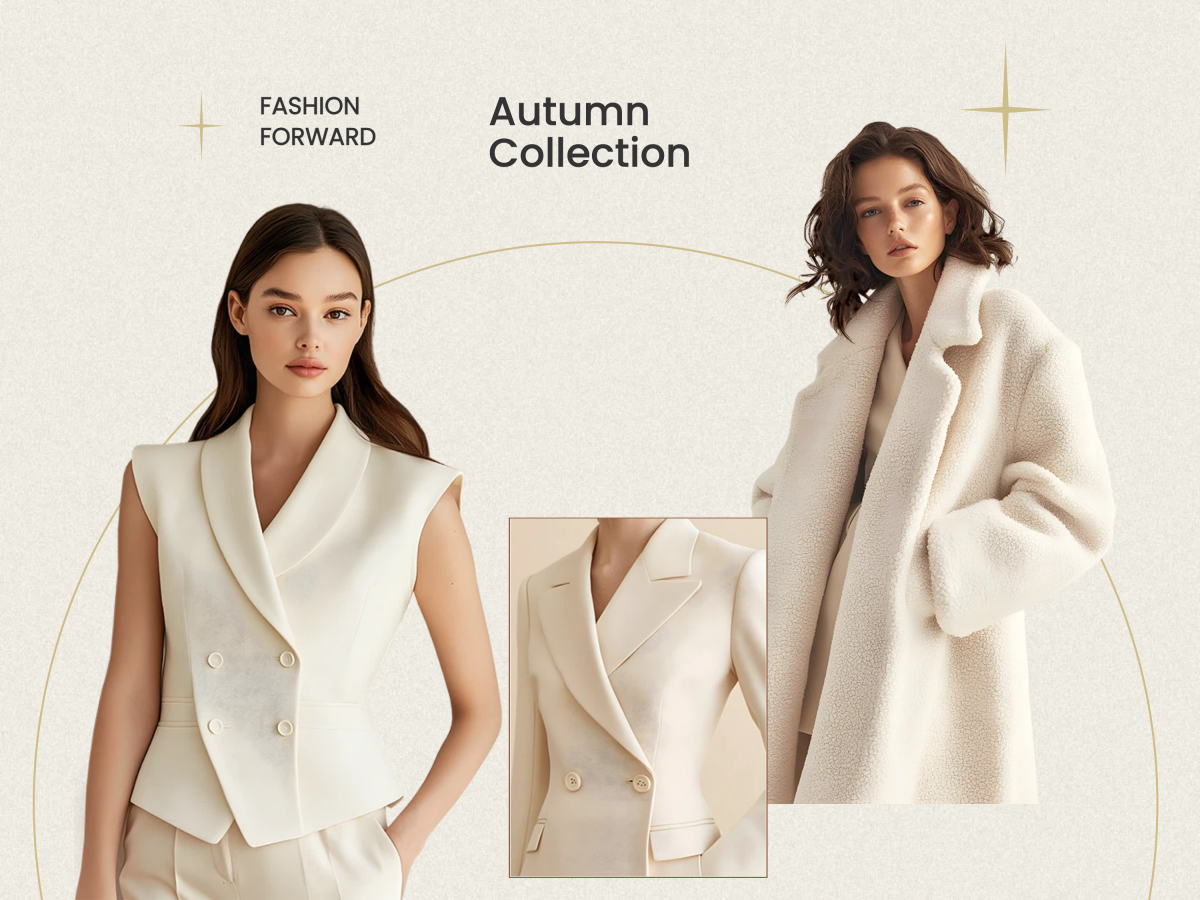
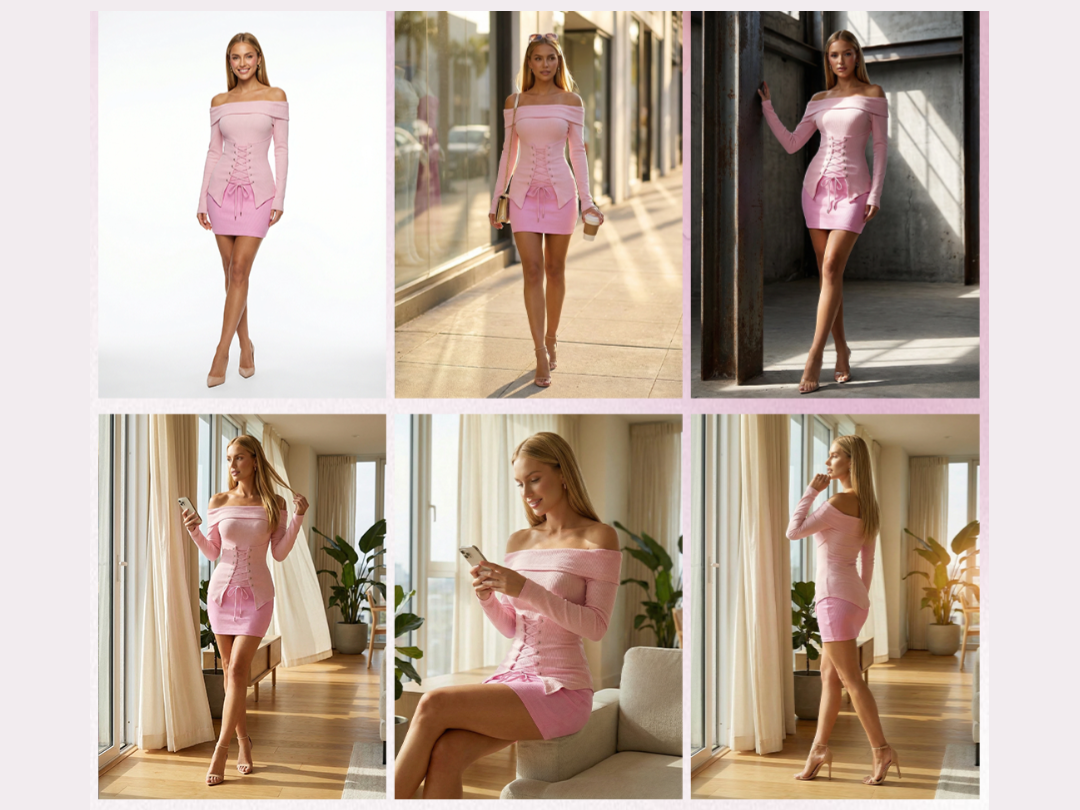
One uploaded image generates models across multiple ethnicities, poses, angles, and five scene backgrounds. For sellers listing 100+ SKUs per season, production timelines compress from weeks to hours.
Consistent Visual Quality Across Every Listing
Batch output from Designkit maintains uniform lighting, color grading, and framing across every generated image, regardless of whether you're producing 5 or 500. Your storefront looks cohesive by default, not by accident.
Edit, Swap, and Export Inside One Workspace
AI clarity, background removal, canvas extension, and layer splitting all live in the same editor where model images are generated. Here, the path from upload to final export never leaves a single tab.
Frequently Asked Questions About AI Fashion Model Generators
What is an AI fashion model generator and how does it work?
Can I upload any clothing image to generate model photos?
Yes — single garments and full outfits both work. The image should clearly show the clothing item against a reasonably clean background. Complex patterns or very small text on fabric may not reproduce with full accuracy, since AI generation inherently involves some interpretation of fine details.
Does Designkit support batch export of generated images?
Yes. Each generation cycle produces five model images at once. Export them individually or use the batch-export option to download all five in a single action. Specific output resolution or compression settings aren't currently adjustable — images export at the system's default quality.
Is Designkit free to use for generating AI model photos?
Designkit offers a free entry point — you can upload a garment and generate model photos without a paid subscription to evaluate the output quality. Specific plan limits (number of generations, export resolution, access to the full editing toolkit) depend on your account tier. The most current plan details are on the Designkit pricing page at designkit.com.
What scene types are available for generating ecommerce model photos?
Five preset scenes are currently available: Pure White Background (e-commerce baseline), Luxe Minimalist Apartment with natural window light, Brutalist Concrete Backdrop (urban edge), Seaside Boardwalk at Golden Hour (lifestyle), and Color Pop Installation Art Space (editorial high-contrast). You can select one scene per generation run or choose multiple — the system generates five images per scene selected. Custom or free-text scene descriptions aren't currently supported.
What file formats does the clothing model generator accept and export?
The upload accepts standard image formats including JPG and PNG. Exported images are delivered as downloadable files suitable for direct use in online store listings, ad platforms, and social media. Resolution and compression controls aren't manually adjustable at export — the system outputs at the quality level optimized for e-commerce use. If your workflow requires specific size variants, the crop and AI extend tools within the editing suite can handle dimension adjustments post-generation.
What happens after the model images are generated — can I edit them?
Yes. Built-in AI editing tools are available right in the workspace: AI clarity for sharpening, AI removal for erasing unwanted elements, background removal for transparent exports, AI extend for expanding the canvas, and basic adjustments like cropping and shadow control. Export individually or batch-download all five images at once.
Generate AI Fashion Model Photos — Start with Designkit
Designkit's model generation pipeline handles ethnicity, pose, angle, and scene selection in a single workflow — no photographer, no studio, no casting. Five export-ready model images arrive from one clothing upload, with AI editing built in for last-mile adjustments. Whether it's a weekly product drop or a 500-SKU catalog refresh, there's no faster path from flat garment to finished listing photo.
