
Father’s Day Card Ideas: Messages, Printable Designs, and Personalized Cards
From short card messages to printable designs and video greetings, find every Father's Day card idea in one place.


You do not need a complicated Father’s Day card to make it feel thoughtful. What makes it work is the match between the message, the design, and the person receiving it.
The challenge is deciding where to start. Some people already know what they want to say but need a card design to hold the message. Many people have a photo or a card style in mind but get stuck when it is time to write the greeting. This guide brings both parts together: Father’s Day card messages, printable card ideas, DIY design details, and digital greetings you can send online.
Father’s Day Card Ideas for Every Style
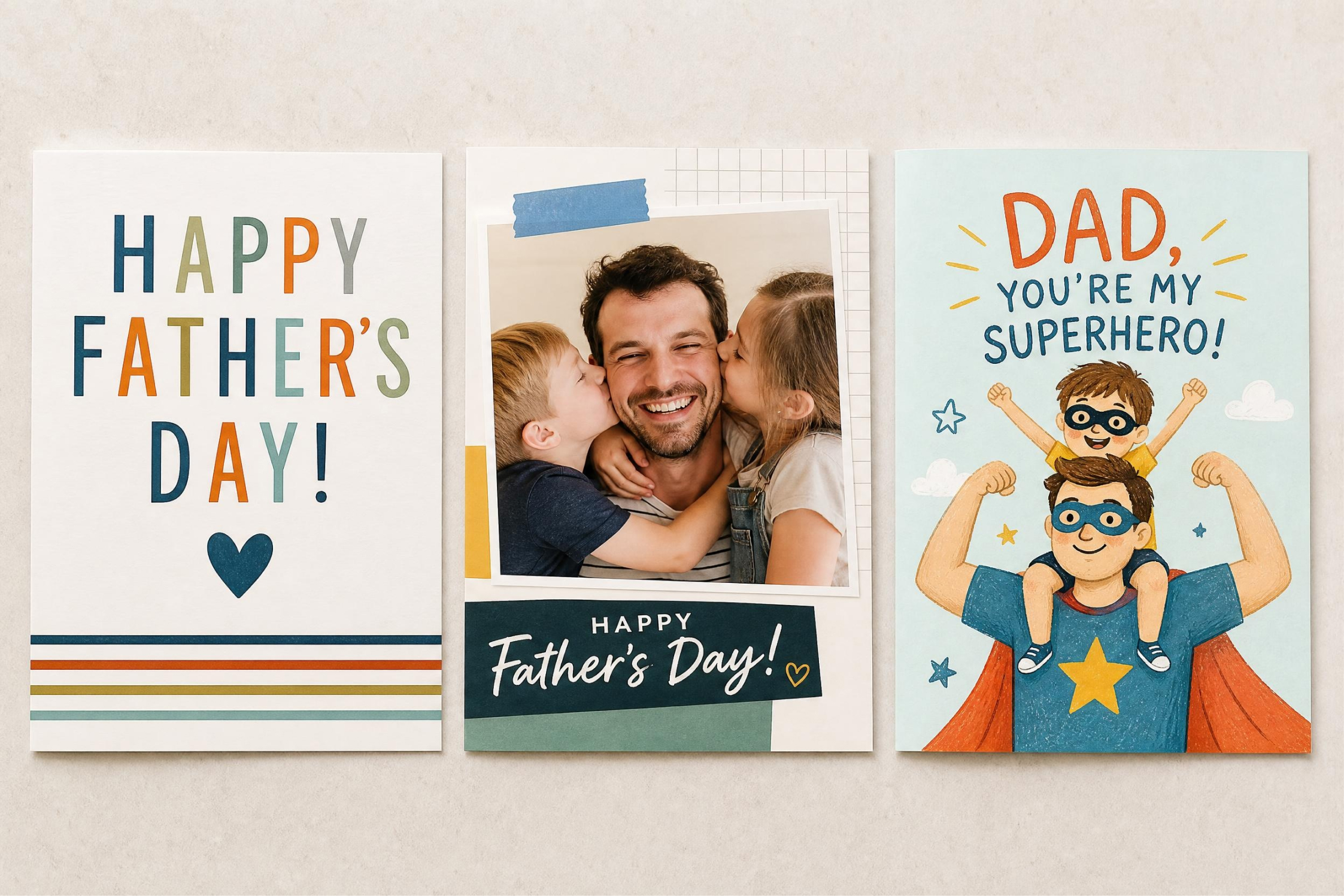
Before writing the message, choose the style of the card. The style sets the tone, so the words do not have to do all the work.
With a simple, traditional design, the focus stays on the words. For something more playful, there is room for inside jokes, family references, or illustrations that reflect his personality. If there is a hobby, routine, or running joke that instantly reminds everyone of him, that can become the theme of the card rather than just a detail in the message.
Photo-based cards work a little differently. When the image already carries the emotion, the message should stay simple. A family picture from a trip, a photo of Dad with the kids, or an old snapshot can become the center of the card. In that case, the text only needs to frame the memory instead of explaining it.
Once the style is clear, it becomes much easier to decide what to write.
What to Write in a Father’s Day Card
The best Father’s Day card messages sound specific. They do not need to be long, but they should feel like they were written for one person.
Short Father’s Day Card Messages
Short messages are useful when the design already has a strong visual. If the card uses a family photo, a child’s drawing, or a simple illustrated cover, one clear sentence is usually enough.
Here are a few short Father’s Day card messages you can use or adjust:
-
Happy Father’s Day to the one who always shows up.
-
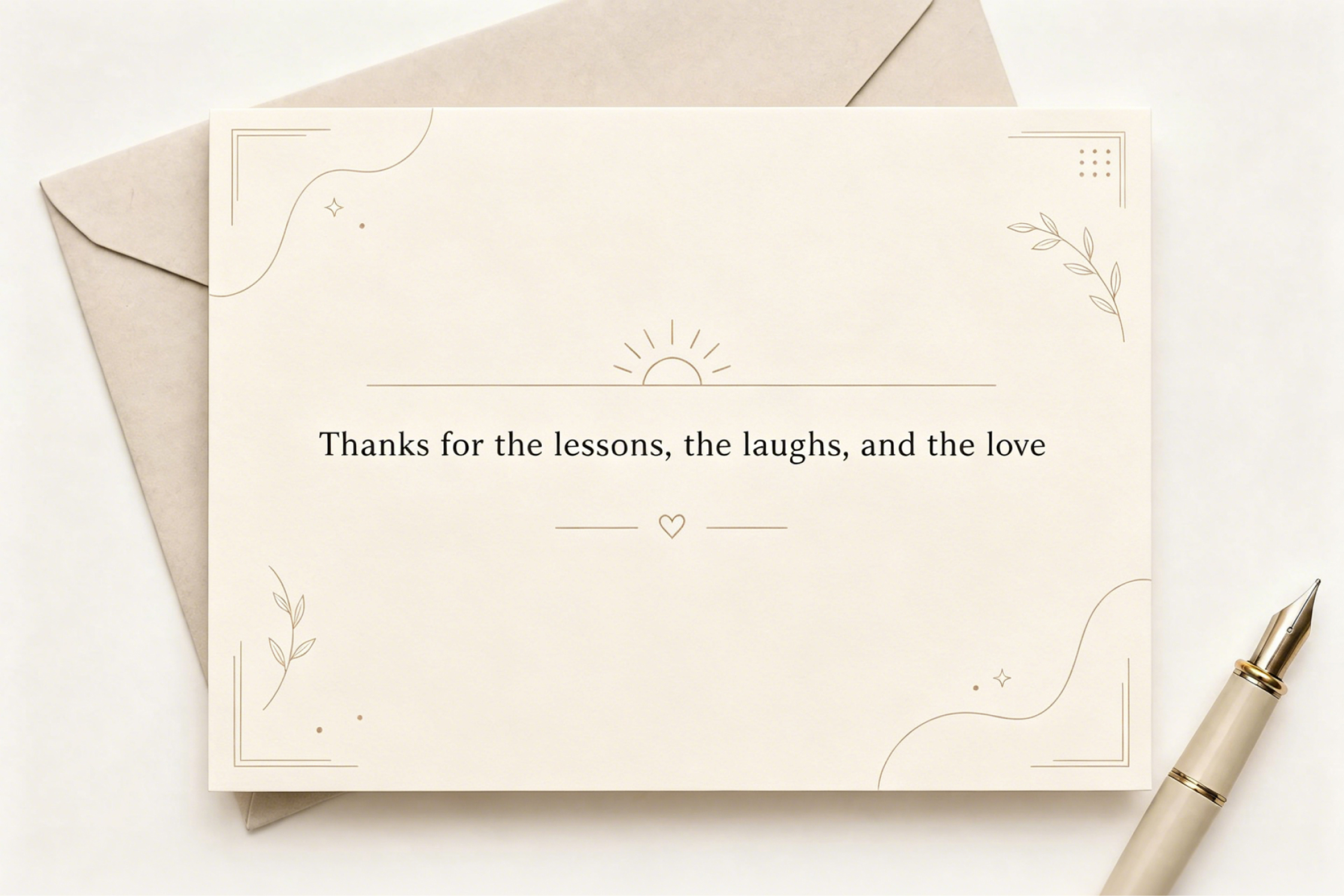
Thanks for the lessons, the laughs, and the love.
-
Still the best dad, driver, fixer, and snack provider.
-
For all the little things you do that never go unnoticed.
-
Happy Father’s Day from the people who know how lucky they are.
-
You make ordinary days feel safer and funnier.
-
Thanks for being our favorite person to call.
Use one of these lines as the main message instead of crowding the card with too much text. If the card has a photo, let the message sit near the image without competing with it. A short line can work as the card title, an image overlay, or a simple cover message when paired with a clean photo or AI-generated background.
Heartfelt Father’s Day Card Greetings
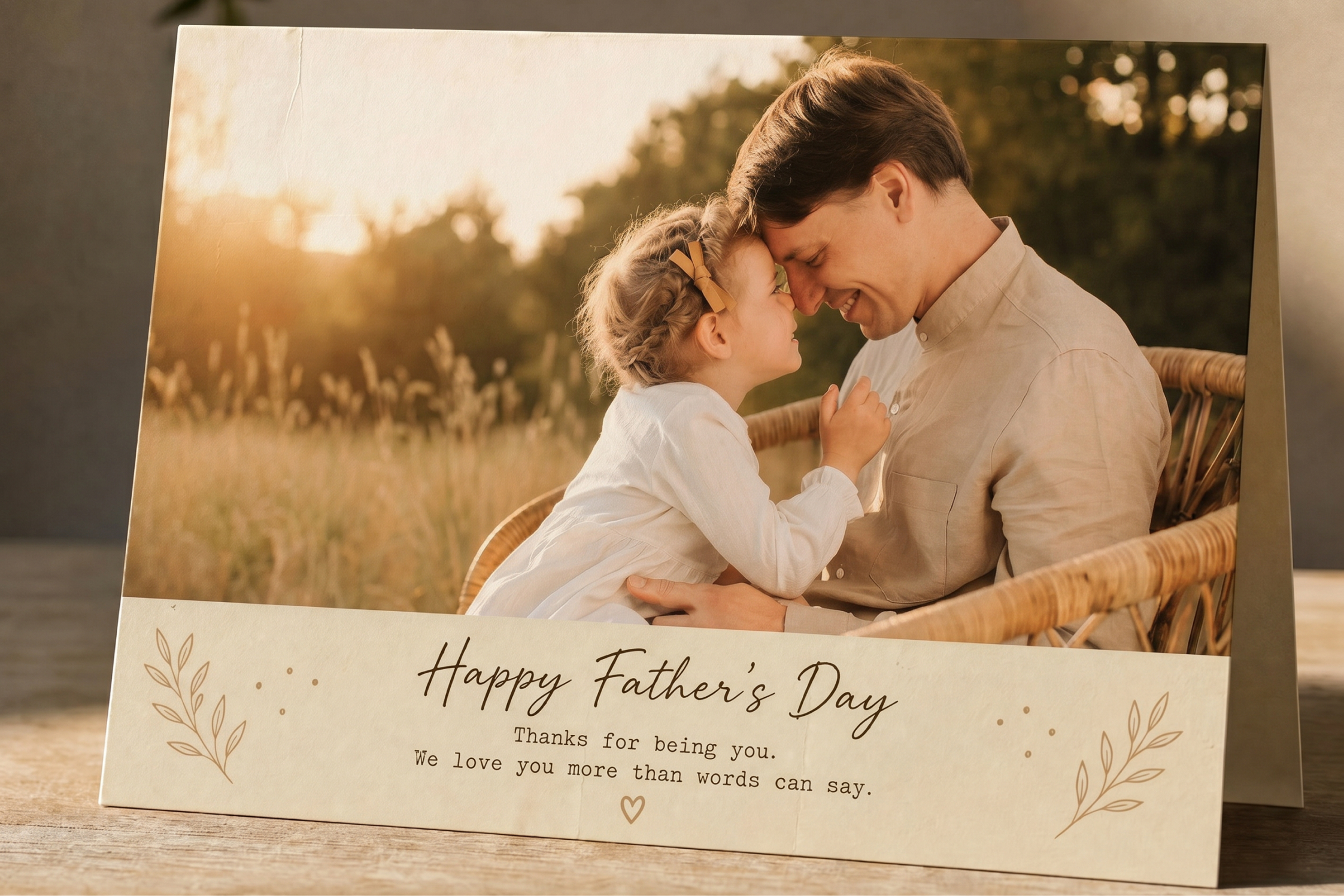
A heartfelt greeting works best when the card has space for a real note. This could be the inside of a folded card, the back of a photo card, or the opening and closing frame of a digital card.
The tone should match the relationship. Before writing the message, think about your relationship with Dad. An adult son or daughter might want to mention a memory or thank him for his support, while a partner may focus on what he means to the family as a father. For younger children, a simple message is often enough because their drawings, excitement, and honest words usually say more than a long note.
Here are a few examples:
-
Happy Father’s Day, Dad. Thank you for protecting me, encouraging me, and making me laugh when I needed it most.
-
I may not say it enough, but I notice everything you do for our family. Thank you for being there in ways big and small.
-
Happy Father’s Day to the man our family is lucky to love. Watching you be a dad is one of my favorite parts of our life.
-
Thank you for giving us a home filled with patience, advice, jokes, and love.
-
You have always made me feel supported, even when I was still figuring things out. I am grateful for that every day.
Once the message feels right, design the card around it instead of forcing the words into a busy layout. A heartfelt note usually lands better with a calm photo, soft background, or simple card cover that gives the words room to breathe.
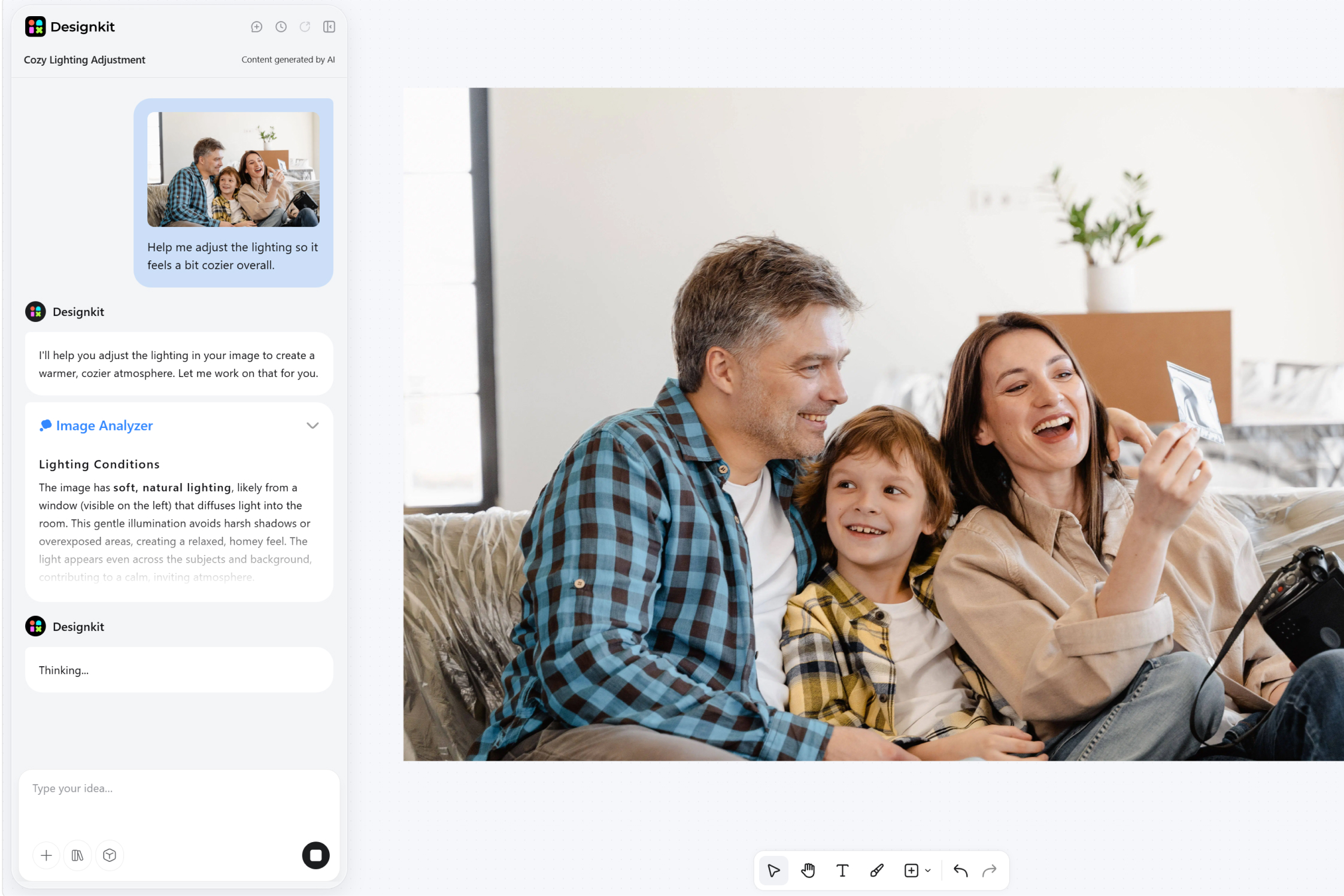
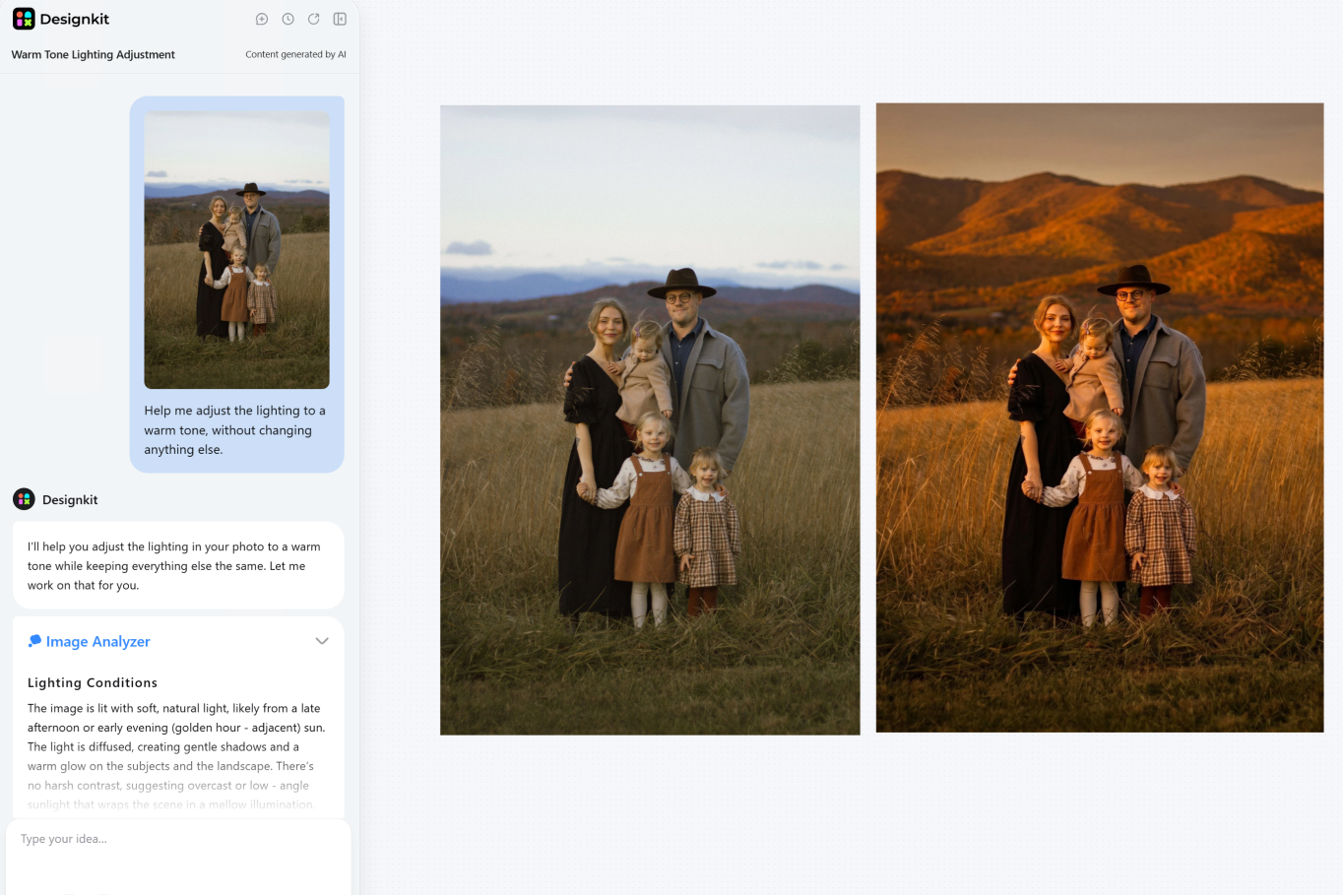
If you are using a family photo, clean up anything that pulls attention away from the moment. Designkit's AI Photo Editor can adjust the light, tidy the background, or remove distracting details before the AI Image Generator shapes it into a card cover that matches the greeting.
For a video card, the same message can become an opening line and a closing note, so the greeting feels natural rather than crowded.
Create a Father’s Day Card Free
Funny Things to Write in a Father’s Day Card
A funny Father’s Day card works when the joke feels familiar. The best jokes are usually built around something Dad already laughs about, such as his favorite chair, his grilling confidence, his driving directions, or the same joke he has told for years.
The goal is not to roast him. A funny card should still feel affectionate.
Here are a few ideas:
-
Happy Father’s Day to the man who taught me everything, including how to pretend I know where I’m going.
-
Thanks for all the advice I ignored and later realized was right.
-
You are still the family’s official spider remover and remote control expert.
-
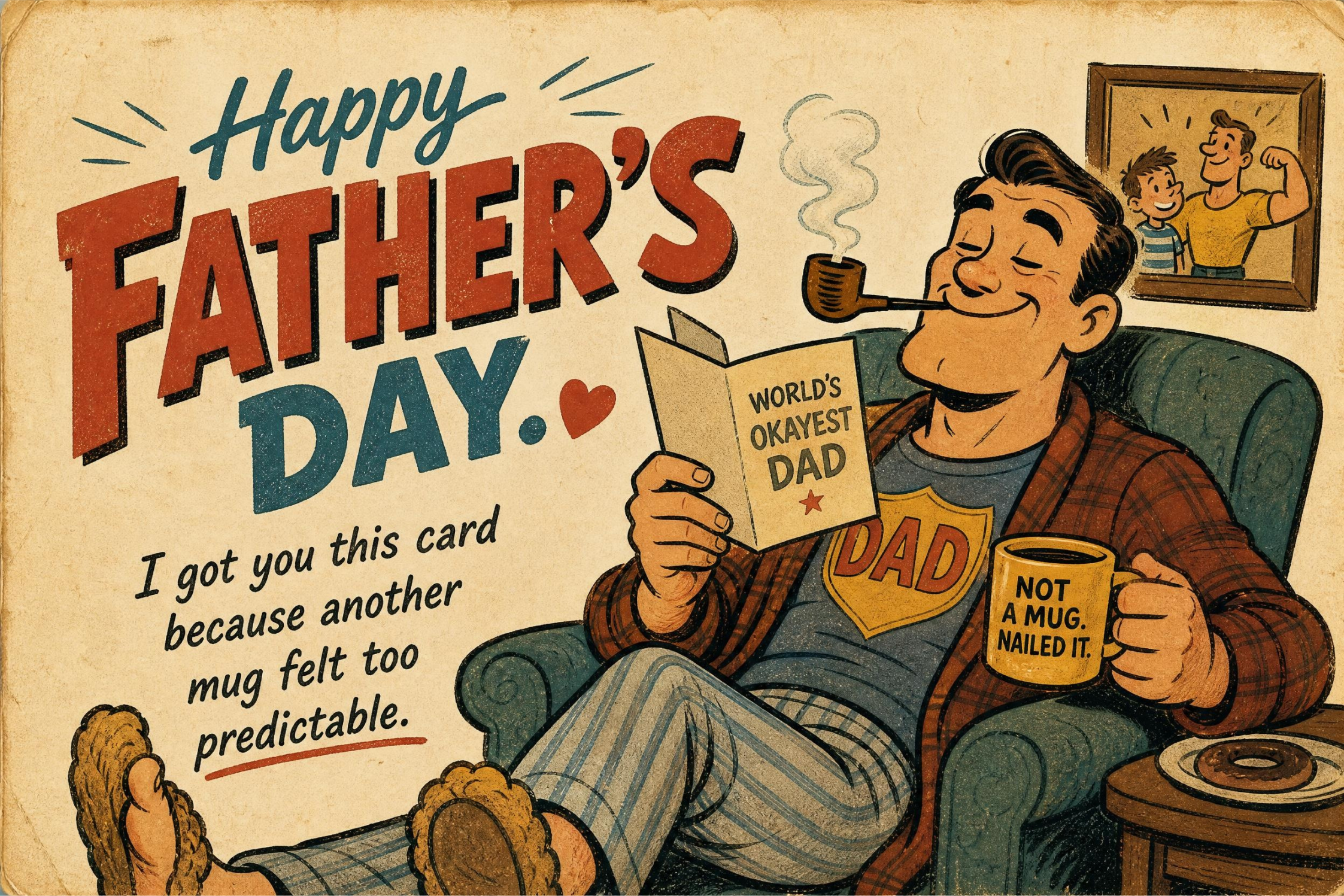
Happy Father’s Day. I got you this card because another mug felt too predictable.
-
Thanks for being the reason I know how to check tire pressure and avoid terrible decisions.
-
Dad, your jokes are still bad. Luckily, your parenting is pretty great.
Funny messages work better when the visual supports the joke. A plain card can make the line feel flat, while a simple illustration or playful photo can make it feel intentional. With Designkit’s AI Image Generator, you can create a card cover that matches the humor, such as a retro dad-style illustration, a simple comic scene, or a character-based visual that fits the message.
Printable and DIY Father’s Day Cards You Can Design Online
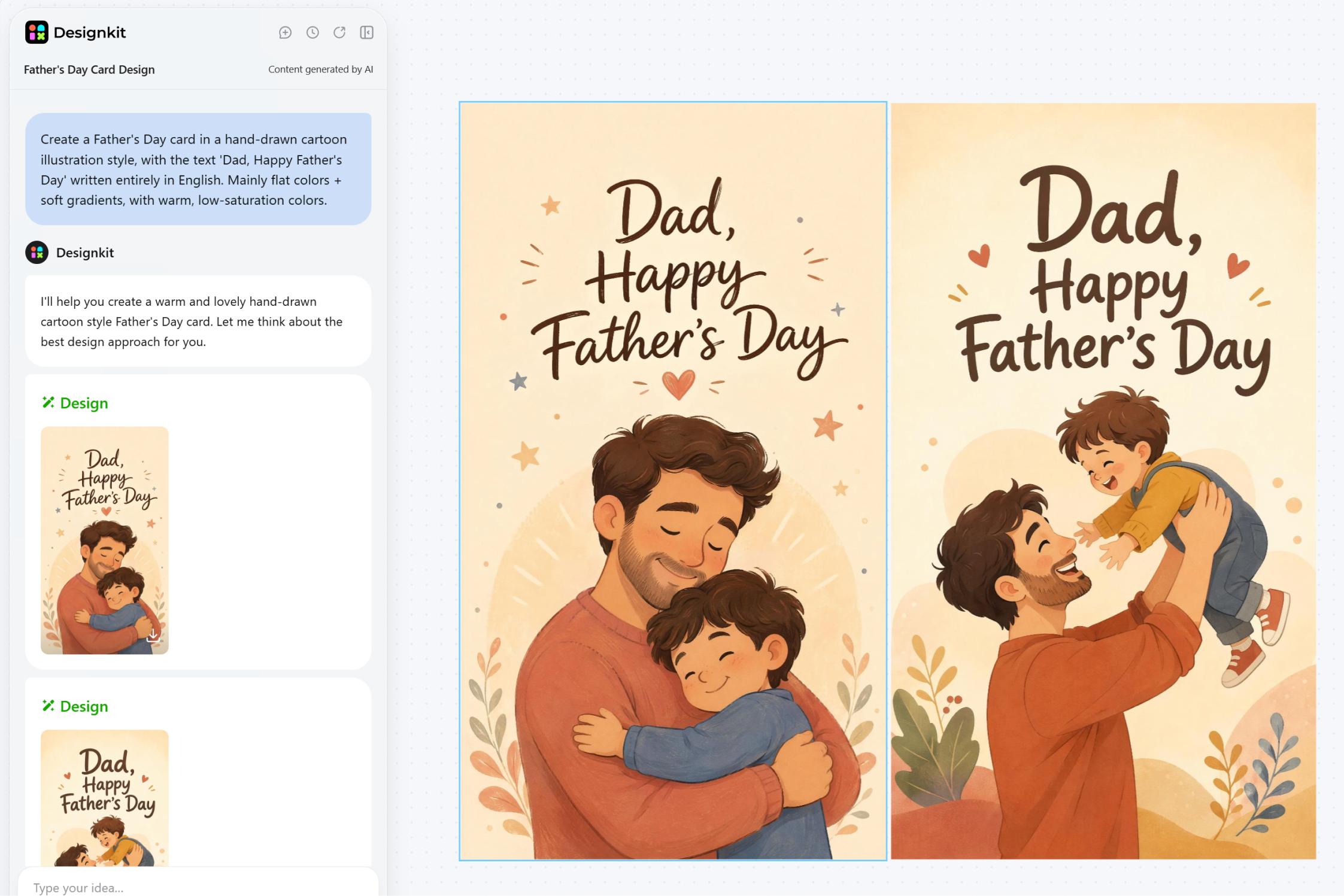
A printable Father’s Day card is a good choice when you want a finished design you can download and print yourself. DIY cards leave more opportunities to add personal details before the final file is ready.
Printable Father’s Day Card Designs You Can Download
A printable Father’s Day card needs a layout that still looks good after it leaves the screen. The front should have enough space for the main message or image, and the inside should leave room for handwriting or a longer note. If the design looks crowded on your laptop, it will usually feel even tighter once printed.
Start with the format. A flat card is easier to print at home because the whole design sits on one side. If you prefer a more traditional look, use a folded card, but make sure the front cover, interior writing space, and margins are planned carefully. The text should be easy to read, and the design should not place important details too close to the edge.
Designkit can be used to create the card design file and export it when the layout is finished. After downloading the completed design, you can print it at home, bring it to a local print shop, or upload it to a third-party printing service.
The Designkit AI Image Generator works well for printable card layouts because it makes it easier to arrange the cover, message, and visual structure. If you want a custom illustration or photo-inspired cover instead of a plain template-style layout, the AI Image Generator can create the visual before you place it into the card design.
Personalized Father’s Day Cards with Photos and Custom Details
A personalized card should start with one detail that feels real. It could be a family photo, a child's drawing, Dad's nickname, or a line that sounds like something your family would actually say.
The design should follow that detail. If the photo is the strongest part, keep the rest of the card simple so attention stays on the image. When the card centers on a child's drawing, a homemade-style layout usually feels more natural than a polished look. If the inspiration comes from Dad's hobby, even a small visual reference can make the card feel more specific.
Before placing a photo on the card, clean up anything that pulls attention away from the people in it. Adjusting the lighting, tidying the background, or removing a distracting object can make a casual snapshot feel like it belongs on a card. Designkit's AI Photo Editor handles those edits quickly, and the AI Image Generator can then shape the cleaned photo into a specific card style.
For small decorative details, keep them simple. A cutout, a small icon, or a text graphic can add personality without crowding the layout.
Turn a Father's Day Card into a Digital Greeting
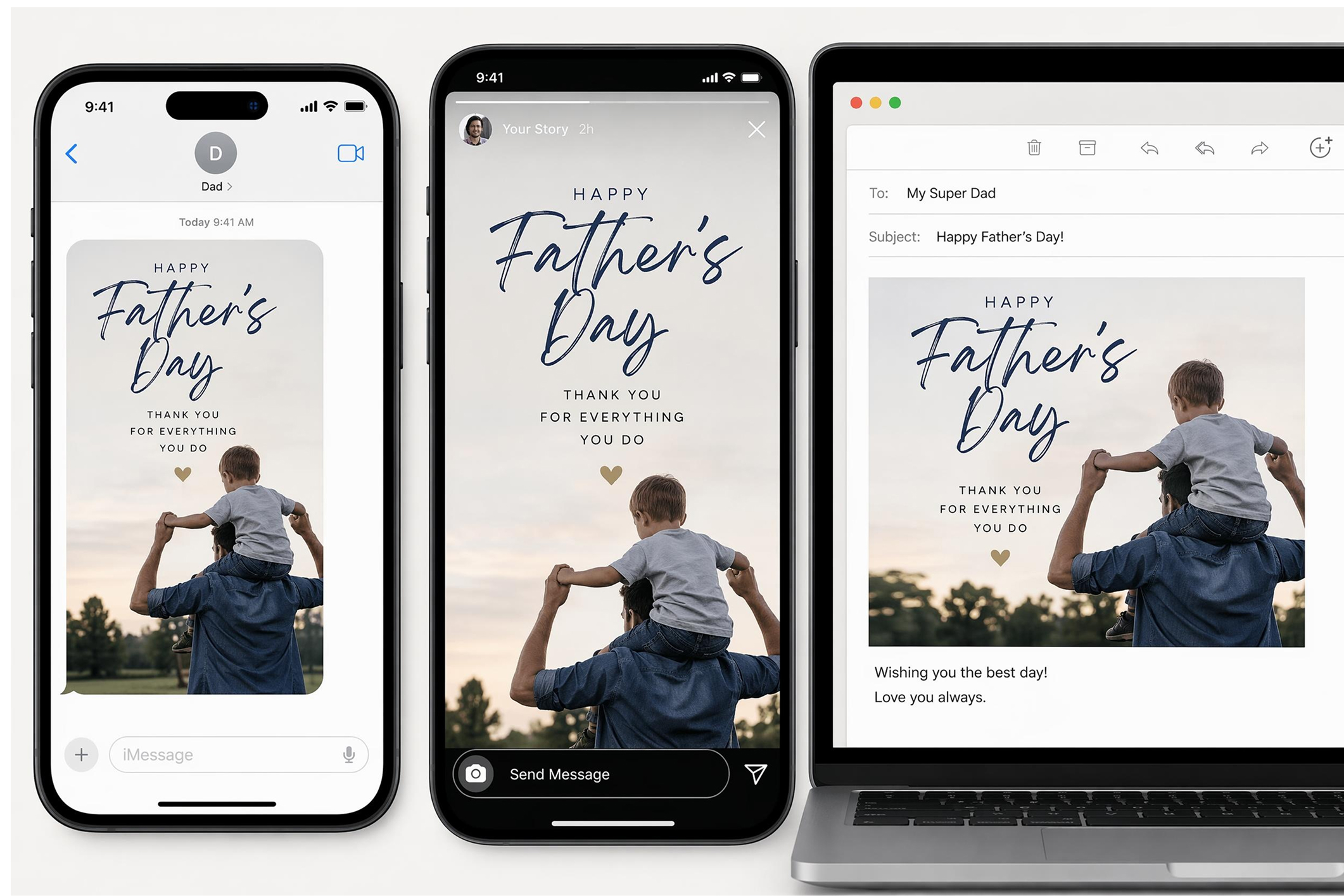
Not every card needs to be printed. Sending a Father's Day card digitally makes sense when Dad lives far away, when time is short, or when the card is meant to be shared rather than kept on a shelf.
Think about where Dad will open it first. A card sent by text needs to be readable on a small screen, so one clean image with a short line usually lands better than a busy layout. For an Instagram Story or Facebook post, the design can carry more visual weight because there is more room to catch attention. Email tends to suit a simpler layout that feels closer to a traditional greeting card format.
Once you know the format, build the card around it. Designkit's AI Image Generator creates the cover visual, and it can also adjust the layout if the card needs to fit a social post, email header, or phone-friendly size.
Make a Short Father’s Day Video Card
A video card earns its place when a still image feels too quiet for what you want to say. Start with the message, then decide how much movement it needs.
Something from the kids often hits differently as a short video because their tone, phrasing, or energy carries the feeling in a way that text alone cannot. A funny message can become a quick greeting clip built around a visual gag. A more heartfelt note can turn into a simple tribute with a few photos and a closing line.
Keep the idea focused, especially if the video will be sent in a family chat or posted on social media. Designkit’s AI Video Generator and Video Agent can turn a card message or short prompt into a Father’s Day video, and a single clear idea will almost always feel stronger than a longer video trying to cover everything at once.
Make a Short Father’s Day Video Free
Conclusion
A good Father’s Day card starts with one clear idea: a message, a photo, a joke, or a memory. Once that part feels personal, the design becomes much easier to build. From a printable card to a digital greeting or a short video, all of it can start from the same idea, one photo, one message, or one detail that feels personal.
Frequently Asked Questions
What should I write on a Father’s Day card?
How do I make a printable Father’s Day card?
Create a card design with a clear front, enough writing space, and readable text. Download the final file, then print it at home or use a local print shop or third-party service.
What makes a funny Father’s Day card work?
A funny card works best when the joke feels familiar and affectionate. Use dad jokes, family habits, or light teasing that Dad would actually enjoy.
Can I make a Father’s Day card with AI?
Yes. You can use AI to create card visuals, edit photos, build printable layouts, or turn a card message into a short video greeting.
You May Also Like

7 Best Remove.bg Alternatives in 2026: Free & Paid Tools
Amazon A+ Content Dimensions: Module Image Sizes
Print-On-Demand Designs: Create, Prepare, and Preview Your Work

T-Shirt Design Size Guide: Placement, Dimensions, & DPI
Amazon A+ Content: What It Is and What to Build First
Is Print on Demand Profitable in 2026? Products and Niches
Amazon Brand Registry Application: How to Submit and Pass Review
How to Ship to Amazon FBA: Your First Shipment
What Is Amazon FBA? Should Beginners Use It in 2026

GPT Image 2 Prompts for Product Photos (Copy-Paste Examples)

How to List a Product on Amazon: Materials Checklist for First Listings

How to Get Ungated on Amazon: Restricted Category Approval Steps

Kling vs Veo for Product Video & UGC Ads (2026)

Nano Banana vs Midjourney for Product Photos and Campaign Visuals (2026)
Amazon Backend Keywords: Title, Bullets & Search Terms

How to Sell on Poshmark: A Complete Beginner's Guide

Zeely Reviews 2026: Features, Pricing, Pros, Cons & Alternatives
Instagram Carousel: What It Is, How to Post & Create One
What Is A/B Testing? A Practical Guide to Running Better Experiments
Best Time to Post on Instagram in 2026: Data & Tips
How to Get Verified on Instagram: Complete Guide

TikTok Monetization in 2026: Requirements & Ways to Earn

Instagram Desktop Posting Guide: Upload Posts, Stories & Reels
Nano Banana Prompts: 20+ Examples for Better AI Images
YouTube Shorts Monetization Requirements & Rules 2026

Hair Color Ideas 2026: Trending Shades & Virtual Try On

How to Write an Instagram Bio: Examples, Tips & Ideas
How Much Does YouTube Pay Per View? 1K, 100K & 1M Views
How to Make Money on Snapchat: 7 Ways to Earn

How to Get More Followers on Instagram in 2026

Best Time to Post on TikTok in 2026 for More Views
How to Repost on Instagram in 2026: A Simple Guide
Ideogram AI Review 2026: Features, Pricing & Alternatives

PixVerse AI Review 2026: Is It Worth Using for AI Videos?
Free Mac Photo Editor: 5 Tools Compared for Mac Users
How to Crop a Photo Into a Circle Online (Keep Quality)

Create TikTok Ads From One Photo: An AI Product Launch Kit
How to Make an Image Transparent Online (AI Guide)
Pixlr Background Remover Review 2026: Features, Pricing & Alternatives

How to Fix Overexposed Photos: Recover Highlights Fast

How to Animate a Picture with AI: Easy Step-by-Step Guide
OpenArt AI Review 2026: Features, Pricing & Alternatives
Best AI Headshot Generator: 9 Tools Compared for 2026
Best Stencil Maker Tools 2026: Turn Photos Into Stencils
Pixelbin Watermark Remover Review: Image & Video Results Tested
How to Make a Sticker on iPhone: Easy Step by Step Guide
Best AI Logo Generator in 2026: 10 Tools Compared
How to Turn a Photo Into a Cartoon: A Beginner-Friendly Guide

How to Write a Video Script: Structure, Tips & Examples

Depop vs Poshmark: Which Is Better for Selling in 2026?
Landscape vs Portrait: Key Differences & Best Uses in 2026

How to Create an Amazon Storefront: 4-Step Guide for New Sellers
How to Remove Watermark From Photo: AI, Photoshop & More

How to Sell Books on Amazon in 2026: Beginner Guide
How to Fix Pixelated Photos: Photoshop, AI Tools & Tips
Bing Image Creator: How It Works, Features, Uses & Alternatives

Best Products to Sell on Amazon: 10 Ideas for Beginners
How to Remove People from Photos with AI: A Step-by-Step Guide

What Is B-Roll? Meaning, Examples, and How to Use It
How to Increase Image Resolution: AI, Photoshop & PPI
How to Add Text to a Photo: 8 Tips for Better Results

How to Sell on Amazon in 2026: A Complete Seller Guide
How to Fix Grainy Photos: Easy Ways to Clear Images

How to Make a TikTok Video: A Step-by-Step Guide 2026

How to Make an Instagram Post: Step by Step Creation Guide

Social Media Copywriting: Tips, Examples & Best Practices

Creative Profile Picture Ideas for Every Style and Platform
Evoto AI Review 2026: Features, Pricing, Pros & Cons
Pixlr Photo Editor Review: Features, Pricing & Alternatives
Best AI Image Extender Tools in 2026: Expand Photos with AI
How to Make a Collage on iPhone: Easy Guide for 2026

What Are AI Fruits? The Trend, the Formats, and How to Make One
How to Sharpen an Image in Photoshop (Smart Sharpen and Unsharp Mask)

Seedance 2.5 Review: What Changed in ByteDance's New Model
Best Image Background Remover Tools in 2026: AI Tools Compared
How to Make Transparent Background in Paint: Step-by-Step Guide
How to Resize an Image: Best Methods, Tools & Quality Tips

LTX Studio Review: Features, Pricing & AI Filmmaking Guide
Best AI Image Generator Tools in 2026: Top AI Platforms Compared

Remove.bg Review 2026: Features, Pricing & Is It Worth It?

MiniMax H3: Features, Benchmarks, Pricing, and How to Use It
Luminar Neo Photo Editor Review 2026: AI Features, Price & Pros

How to Post Multiple Photos on Instagram (2026 Guide)
25 Facebook Cover Photo Ideas for Personal & Business Pages
What Is a PFP? Meaning, Examples & How to Create One
Multichannel Marketing Guide: Strategy, Tools & Examples
How to Create Digital Products That Sell in 2026

How to Make a Slideshow for Facebook: Photos, Music & Tips 2026

HeyGen vs Arcads: Which AI Video Tool Wins in 2026?

AI Product Photography: 7 Best Tools for Ecommerce in 2026
Can You Edit an Instagram Post After Posting?
Cyber Monday Marketing Ideas & Strategies (2026 Guide)
Black Friday Marketing Ideas for Ecommerce Brands (2026)
11 Best Canva Alternatives in 2026 for AI Design & Marketing
Instagram Marketing Guide: Strategies, Tips & AI Tools in 2026

8 Best Midjourney Alternatives in 2026: Features, Pricing & Comparison
Influencer Marketing Guide: Strategy, Campaigns & Creator Tips
How to Restore Old Photos: AI Tools, Tips & Best Methods

Arcads AI Review 2026: Features, Pricing, Pros, Cons & Alternatives

Pixelcut AI Review 2026: Features, Pricing, Pros, Cons & Alternatives

What Is a Hero Image? Definition, Examples & Design Tips
How to Apply Watermark to Photos: Methods, Tips & AI Tools
How to Remove a Background in Illustrator: 4 Easy Methods
How to Change Background Color on Instagram Story (Easy Guide)

Pippit AI Review 2026: Features, Pricing, Pros & Cons
8 Best AI Poster Generators in 2026: Create Posters Faster with AI
10 Best AI Image Enhancers in 2026: Tested & Compared
10 Best AI Image Editors in 2026: Features, Pricing & Comparison

7 Best AI Background Changer in 2026: Remove & Replace Photo Backgrounds
Luminar Neo vs Lightroom: Features, Pricing & Comparison 2026
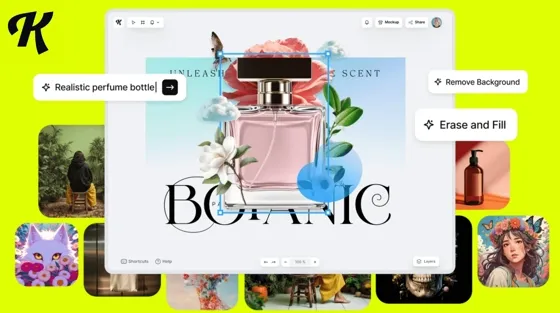
Kittl Review 2026: Is It Worth It? Features & Pricing

15 Best Things to Sell on Etsy in 2026 (Listing Tips Included)
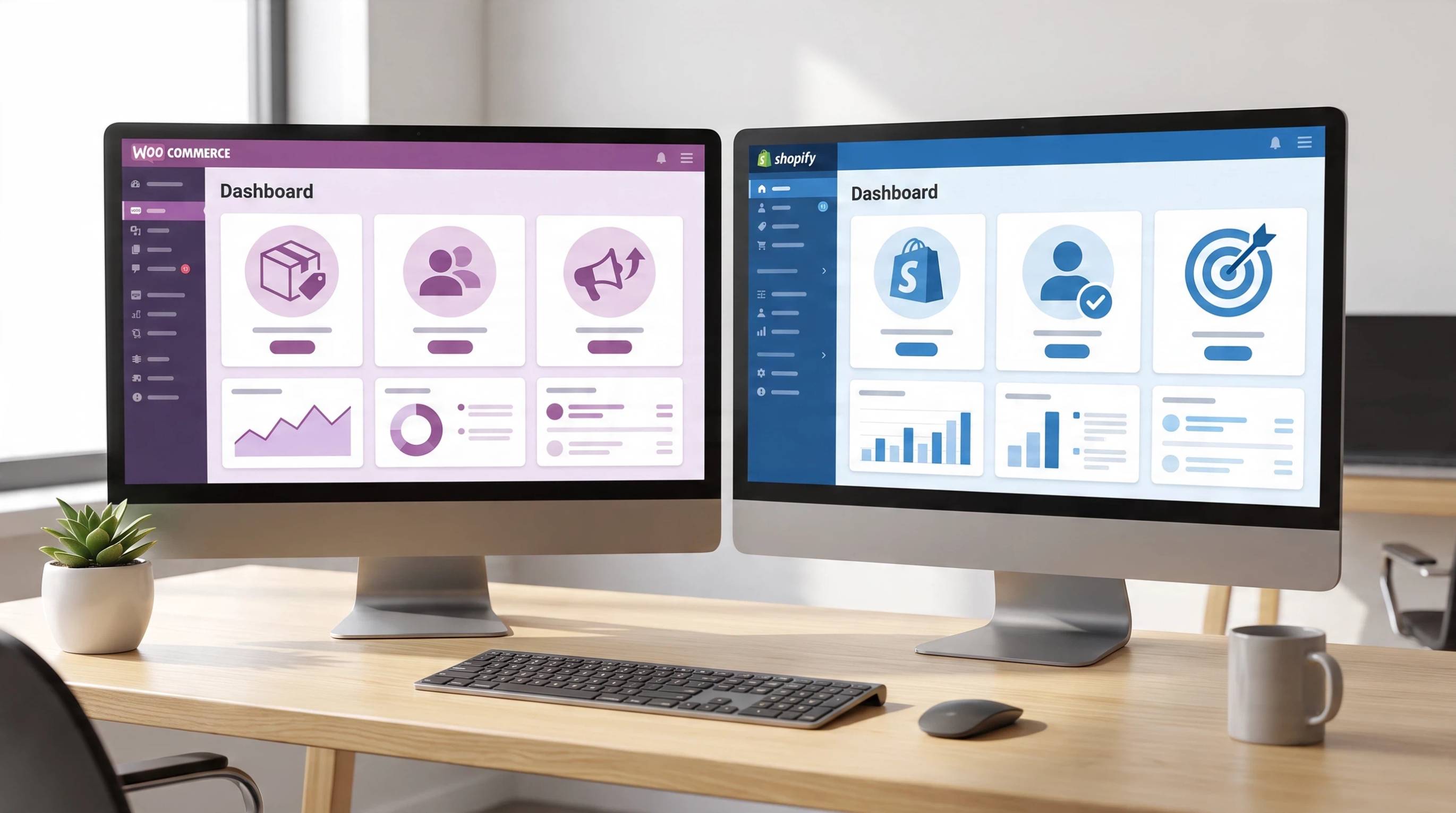
WooCommerce vs Shopify 2026: Pricing, Features & Which Is Better
How to Sell on Facebook Marketplace: Beginner Guide (2026)
How to Use Pinterest for Business: Strategy, Tips & Growth Guide
How to Sell on Etsy in 2026: Setup, Listings & Growth Tips
What Is a Target Audience? Types, Examples & How to Find Yours
How to Make a Blurry Image Clear: 5 AI & Manual Ways
TikTok Marketing Guide 2026: Strategies, Ideas & AI Tools
How to Remove Background on iPhone: 5 Easy Methods (2026)
Photoroom Background Remover Review 2026: Features & Alternatives
How to Remove Background in Canva: A Step-by-Step Guide
How to Remove Background in GIMP: Beginner-Friendly Guide

How to Celebrate National Dog Day 2026: Date & Easy Ideas
Funny Dog Memes to Try: Doge Meaning and 10 Original Ideas
Back to School Checklist 2026: Supplies, Timeline, and Planning
Recraft AI Review 2026: Features, Pricing, Pros, Cons & Alternatives
How to Make an Image Transparent in Google Slides: Opacity & Background Removal

VanceAI Photo Enhancer Review: Features, Pricing & Alternatives in 2026

Vibe Marketing Explained: Strategy, Examples & AI Tools
How to Sell on Depop: Beginner Guide to Getting Your First Sale
What Does Emojify Mean? Text, Photos, & Emoji Art Explained

Back to School Ad: 7 Creative Ideas for Better Campaign Results

Top 7 Back-to-School Sales Ideas to Boost Retail Sales (2026)
Top 8 Online Background Removers for Ecommerce Photos (2026)
How to Remove Background in Photoshop: 7 Easy Methods
6 Best AI Image Upscalers 2026: Tools Tested & Compared

Luma vs Seedance (2026): Ray 3.2 or Seedance 2.0?

15 Simple Self-Care Ideas for Busy Schedules and Daily Life

Celebrate International Cat Day 2026: Date & 10 Fun Ideas
Project Indigo Review: Is It Better Than iPhone Camera?

How to Match Makeup by Undertone: Virtual Lipstick and Foundation Try-On

Chic Outfit Ideas for Every Occasion: 15 Stylish Looks & Tips
How Big Is an 8x10 Photo? Size, Pixels & Frame Guide
How Big Is a 4x6 Photo? Dimensions, Pixels & Printing Tips
Picsart AI Review: Features, Pricing, Pros, Cons & Alternatives
Lovart AI Review: AI Design Agent Features, Pricing & Alternatives
Fotor AI Image Generator Review: Features, Pricing & Alternatives
How to Add Emoji to Photo Online for Free
Online Advertising Guide: Types, Costs & Examples (2026)
Facebook Advertising Guide: Costs, Strategy & Tools 2026
What Are E-commerce Ads? Examples, Strategy & Tools (2026)
Where to Sell Handmade Items Online (2026): Etsy, Amazon, or Shopify?
Shopify vs Amazon (2026): Brand Store or Marketplace FBA?
Amazon Handmade vs Etsy (2026): Which Is Better for Makers?
Etsy vs eBay (2026): Handmade, Vintage, or Secondhand?
Selling on Amazon vs eBay (2026): Fees, Profit & Where to Sell

What Is Brand Awareness? Examples, Strategies & Tools 2026

10 Best Online Selling Platforms (2026): Pick by What You Sell
Shopify vs Etsy (2026): Which Is Better for Handmade Sellers?

Wedding Dress Styles for Every Body Type: A Practical Guide for 2026
Emoji Wallpaper Ideas & How to Make One Online (2026)

YouTube Automation Step-by-Step AI Guide for Beginners
What Is Brand Identity? Examples, Elements & Strategy

Creatify AI Reviews: Features, Pricing & Alternatives (2026)
Minimalist Poster Design: How to Make a Clean Poster (2026)
What Are Satisfying Videos? Types, Tips & How to Make (2026)

How to Find a Product by Image: 7 Methods That Work (2026)
How to Make a Custom Poster That Is Ready to Print

Gemini Omni Review: Real Tests, Pros & Limitations for Video Generation
How to Generate Product Videos from Images with AI (2026 Guide)
Instagram Image Size Guide 2026: Post, Reel, Story & Carousel Specs

AI Marketing Agent: How It Works, Benefits & E-Commerce Examples

Aesthetic Poster Ideas: Find Your Style and Create Printable Art
How to Create a Product Launch Video with AI: A Step-by-Step Guide
LinkedIn Image Size Guide: Profile, Post & Banner Dimensions
YouTube Profile Image Size: Best Dimensions & Safe Area 2026
What Is Personalized Advertising? Examples & How It Works
How to Build a Shopify Store That Actually Converts Visitors
What Is a Brand Video? Types, Examples & How to Create One

How to Create a Complete World Cup Product Listing Image Set

20 FIFA World Cup Merchandise Ideas That Fans Actually Buy
AI Product Demo vs Live Demo: Which Gets More SaaS Sign-Ups?

How to Create Amazon Summer Sale Posters and Banners with AI

Amazon Summer Sale 2026: Listing Design Trends & Product Image Ideas
How to Create AI Product Promotion Videos in Minutes (Step-by-Step)
Best AI Product Video Ad Generators for Ecommerce in 2026

Father's Day Gift Ideas: Personalized Card, Poster and Video

Father's Day Card Ideas: Messages, Printable and Personalized Cards

Amazon Marketing Guide 2026: Strategies, Tips & Tools
Local Advertising: Strategies, Examples & Tools (2026)
What Is Branded Content? Examples, Strategy & Tools 2026
What Is Performance Marketing? Strategies & Examples 2026
Inbound Marketing: Strategies, Examples & Tools (2026)

How to Boost Ecommerce Sales: Proven Strategies That Work
How to Add Video to eBay Listing: Step-by-Step Seller Guide

Ecommerce Video Ads: 7 Strategies That Drive Higher Conversions

7 Best AI Virtual Makeup Try-On Tools for Realistic Results in 2026

AI Virtual Makeup Try-On: Boost Beauty E-Commerce Sales in 2026

Free Online Glasses Try-On Tools: See Yourself in Glasses Instantly

Top Virtual Ring Try-On Tools for Engagement and Wedding Rings in 2026

How to Try Shoes On Virtually: A Step-by-Step Guide

Best Virtual Shoe Try-On Tools for Ecommerce: 2026 Guide

How to Try On Wigs and Bangs Virtually to Find Your Perfect Style

How to Photograph Shoes for Your Ecommerce Store in 2026
Short Form Video Marketing for E-commerce: AI Video Guide
What Is Video Marketing? E-commerce Guide & Strategies 2026

Create Model Outfit Photos Instantly With AI Outfit Generator

Best AI Virtual Try-On Clothes Tools for Any Body Type
How to Edit Amazon Product Photos That Boost Sales Fast

Product Photography Ideas: Creative Tips & Techniques for Better Shots

Product Photography Pricing 2026: Full Cost Guide by Type
Google Veo 4 Explained: Features, AI Video Creation & What’s New

How to Try On Clothes Online with AI for Better Fit & Style

Virtual Nose Ring Try On Online Before Your Piercing

White Background Product Photography Guide & Tips 2026

Product Photography Starter Package: Gear Checklist 2026

How to Try Makeup Online with AI and Virtual Makeup Try-On Apps (2026)

How to Use Virtual Earring Try-On for a Flattering Look in 2026

How to Try On Engagement Rings Online with AI in 2026

Scale Your Jewelry Brand with Virtual Jewelry Try-On Solutions

How to Try Hairstyles on Your Face Online (Step-by-Step Guide)

Best Virtual Hairstyle Try-On Tools Online for Realistic Previews 2026

How to Use a Free AI Hairstyle Generator to Find Your Perfect Look

Virtual Hair Color Try-On Guide for Every Skin Tone (2026)

Virtual Wedding Dress Try-On Online for Brides in 2026

How to Choose the Right Sunglasses for Your Face Shape Online

How Accurate Is Virtual Glasses Try-On? AI vs AR Compared

Best Virtual Try-On Glasses Apps in 2026 (Free & Paid Tools)

How AI Virtual Try-On Is Transforming Eyewear Ecommerce

5 Best Virtual Try-On Glasses Tools for Ecommerce and Consumers 2026

How to Try On Glasses Online with AI in 2026 (Easy Guide)

How to Create Jewelry Photos with AI Models That Drive Sales in 2026

Shopify Product Photography Guide with Tips & Setup

AI-Generated Fashion Models: Technology, Brand Adoption & Trends

How to Batch Generate 100+ AI Clothing Model Photos Fast

7 Best AI Fashion Model Generators for Ecommerce in 2026

Amazon Main Image Requirements: Size, Guidelines & Tips

Shopify Image Size 2026: Complete Guide and Tips for Better Product Display

Studio Product Photography vs AI Product Photography in 2026

7 Product Photography Mistakes That Hurt Ecommerce Sales

AI Clothing Model Photos for E-Commerce: Platform Rules & Best Practices

How AI Virtual Try-On Helps Fashion Brands Boost Sales & Reduce Returns

AI Fashion Models vs Real Models: Which Is Better for Brands?

Best Free AI Fashion Model Generators for Real Product Photos

Virtual Outfit Try-On Guide: Plan Outfits Before You Buy

GPT Image 2 Review: Features, Prompts & E-commerce Use Cases

What Is an AI Clothing Model Generator? Full Guide for Sellers

Change Outfit Colors Online for Outfit Preview with AI Clothes Color Changer

Virtual Try-On Technology in 2026: How It Works & Key Trends

How to Create Amazon Infographics: Boost Sales with Compelling Visuals

10 Best Virtual Try-On Apps & Tools for Online Shopping in 2026

How to Create AI Fashion Models: Complete Step-by-Step Guide

How to Use AI Fashion Models for E-Commerce Product Photos: A Complete 2026 Guide

How to Virtually Try On Clothes Online: A Complete Guide

How to Create Outdoor Product Scenes Without a Photoshoot Using AI
GPT-Image-2 for Ecommerce Product Images: What It Means for Online Stores

Optimize Etsy Images for Mobile: Listing Photos That Convert

Amazon 7-Image Listing Strategy: Boost Sales by Optimizing Every Image

Happy Horse 1.0: The AI Video Model E-Commerce Sellers Need to Know About

Etsy Thumbnail Optimization: Keep Your Product Fully Visible
AI UGC for Ecommerce in 2026: Text-to-Video, Image-to-Video & Reference Replication Guide

The Etsy Thumbnail Formula That Drives More Clicks and Sales
HappyHorse AI Review: Features, Benchmarks & How to Use It

How to Create Pro Amazon Listing Photos Without a Studio

10 High-Converting Lifestyle Product Images for Amazon Listings

How to Automate Your E-commerce Visuals with OpenClaw Workflow

Top 5 AI Tools to Generate Amazon Product Listing Images in 2026

How to Turn One Photo into 10 Etsy Listing Images Fast: Batch Workflow

Etsy Listing Photo Size Guide (2026): Mobile, Desktop & Shop View Specs

Turn White Background Images into Lifestyle Amazon Listings

Fix Etsy Image Cropping: Optimize Listing Photos for Every Device

Amazon Listing Images: Essential Shot List & Optimization Guide

How to Create Lifestyle Product Images Without a Studio
Seedance 3.0 Predictions: Will AI Video Enter the Feature Film Era?
Grok AI vs ChatGPT: Features, Pricing & Best Choice (2026)
How to Use Grok AI: Features, Tips & Best Prompts (2026 Guide)
Sora Is Shutting Down? Best AI Video Alternatives for Creators in 2026

Lifestyle Product Photography Trends 2026: Authentic Looks at Scale

How to Master Lifestyle Product Photography in 2026

Amazon Listing Images Guide 2026: 7-Slot Strategy & Requirements

360 Product Photography Guide 2026: Setup, Shoot and Workflow

Beginner's Guide to Generate Product Photos from Different Angles

AI Product Photography: Create Ecommerce Images Without a Photoshoot

How to Create Realistic AI Product Photos: Step-by-Step Pro Guide

Keep AI Product Images Consistent Across SKUs: Lighting, Color, Background
Seedance 2.0 for Ecommerce: Create AI Product Videos in Minutes
Seedance 2.0 Review: Features, Improvements, Pricing & How It Works (2026)

How to Scale E-commerce with a Product Image Generator

How to Use AI for Spring Product Photography: 2026 Amazon Guide

How to Create a Budget Home Product Photography Setup with AI

How to Achieve Professional Product Photography Standards in 2026

How to Take Product Photos with Phone: Pro Guide for Amazon & AI

Best AI Product Image Generator 2026: Top Tools for Amazon Sales

Amazon Photography Service vs. AI Generator: Best Choice for Sales

What Is Product Photography? Angles, Lighting & Editing Guide

Amazon Spring Sale 2026: Create High-Converting Listing Images (Guide)

AI Agents Transform Amazon Product Photography in 2026

Amazon Photoshoot in 2026: Do You Still Need a Studio?

11 Must-Have Tools for Amazon Product Photography in 2026

2026 Amazon Image Trends Shaping Seller Success and Conversions

Amazon Product Photography Requirements & Best Practices 2026
Make a Father's Day Card That Feels Personal
Whether you need a printable card layout, a photo-based design, or a short video greeting, Designkit gives you the tools to build it from a single photo, message, or idea.
