
LTX Studio Review: Is This AI Filmmaking Platform Worth Using in 2026?
Explore LTX Studio's AI filmmaking workflow, including story generation, storyboards, character consistency, pricing, and limitations. See whether it is the right AI video tool for creators in 2026.

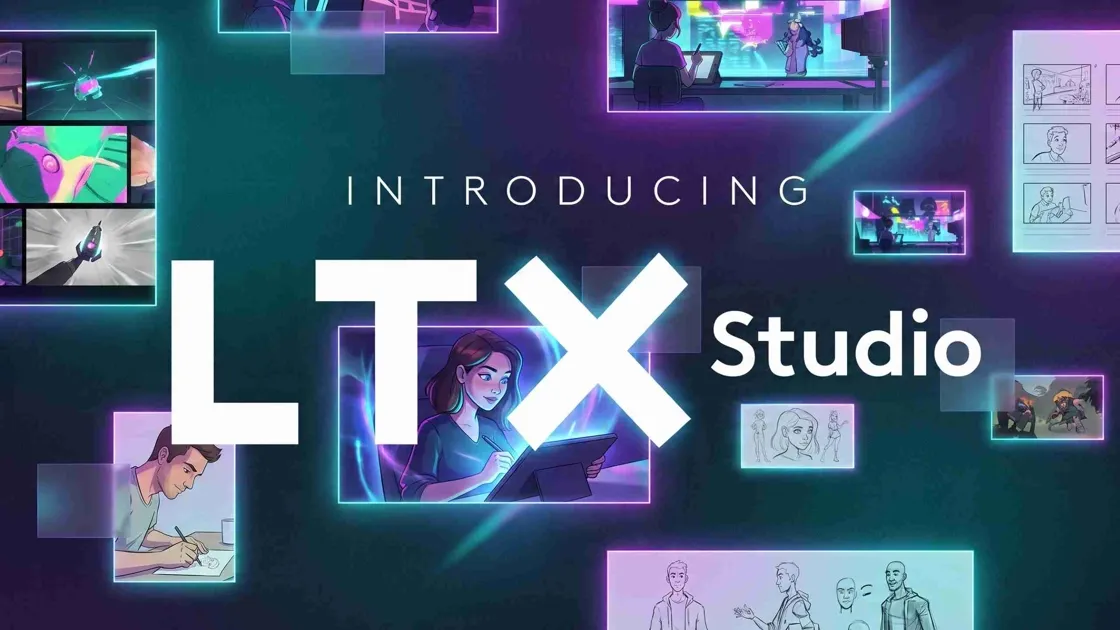
LTX Studio is an AI-powered storytelling and filmmaking platform designed to help creators generate complete video productions from a single idea. It combines scripting, storyboarding, shot planning, character consistency, and AI video generation into one workspace, making it popular among filmmakers, agencies, marketers, and content creators.
In this LTX Studio review, we'll evaluate its AI filmmaking capabilities, creative workflow, pricing, performance, strengths, limitations, and alternatives to help you decide whether it's the right platform for your projects.
What is LTX Studio?
LTX Studio is an AI filmmaking platform that enables producers to plan and produce videos from concept to finish. It differs from traditional AI video generators that are focused on creating individual clips by combining script writing, storyboarding, scene planning, character consistency, and editing tools within one browser-based workspace, making it suitable for narrative videos, marketing campaigns, and creative productions.

What makes LTX Studio unique?
LTX Studio combines multiple stages of video production into one AI-powered workflow. Its standout capabilities include:
-
AI-powered storytelling workflow: Generate a complete story structure from a simple prompt or script. The AI helps organize ideas into scenes before video production begins.
-
Automatic storyboard generation: Create visual storyboards that outline each scene automatically. This makes it easier to review and refine the narrative before rendering.
-
Character consistency: Maintain the same character appearance and style across multiple scenes. This reduces the need to manually recreate characters throughout the project.
-
Cinematic controls: Adjust camera angles, shot composition, and visual direction to create more polished, film-like videos. These controls offer greater creative flexibility than basic AI video generators.
-
Complete creative workspace: Manage scripts, storyboards, scenes, and edits from a single browser-based platform. Keeping everything in one place helps streamline the overall filmmaking workflow.
Who should use LTX Studio?
LTX Studio is designed for creators who need more than a simple AI video generator. It is particularly suitable for:
-
Filmmakers: Plan scripts, storyboards, and scenes in one workspace before moving into production.
-
Creative agencies: Collaborate on campaigns and manage video projects with a structured AI workflow.
-
Marketing teams: Develop promotional videos, product explainers, and branded content more efficiently.
-
Advertisers: Create story-driven ad concepts with consistent visuals and cinematic scene planning.
-
YouTubers: Speed up pre-production by generating scripts, shot lists, and storyboards from a single idea.
-
Content creators: Produce engaging videos for social media, education, or entertainment with less manual planning.
-
Storytelling professionals: Build narrative-driven projects while maintaining character and scene consistency throughout the production process.
How to create videos with LTX Studio
LTX Studio provides a structured filmmaking process to take creators from an initial idea to a completed project. It doesn't just make one AI clip; it manages the whole production process, allowing you to easily create longer, more coherent videos.
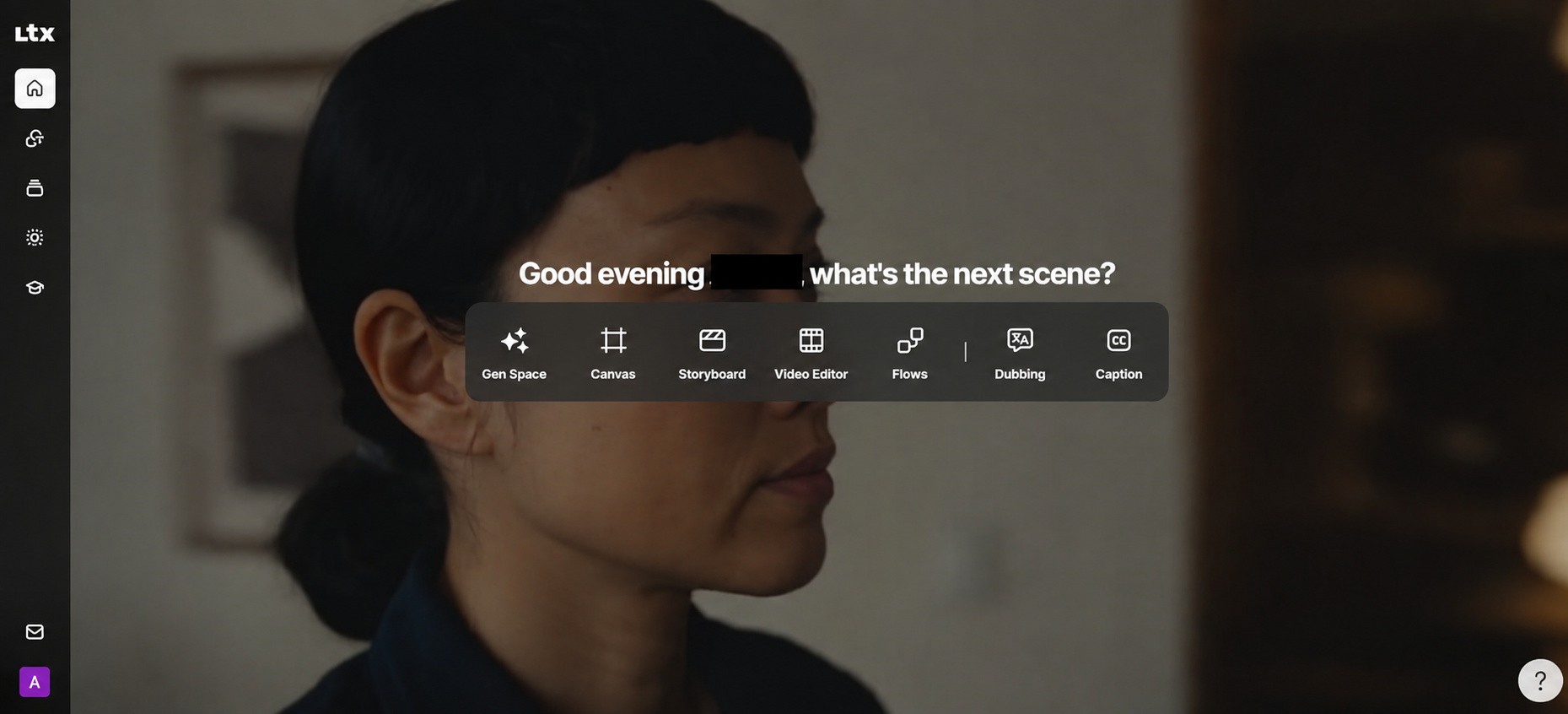
Step 1: Sign in and open the workspace
Visit the LTX Studio website and sign in to your account. From the main dashboard, open Gen Space to access the platform's AI video creation tools and start a new project.

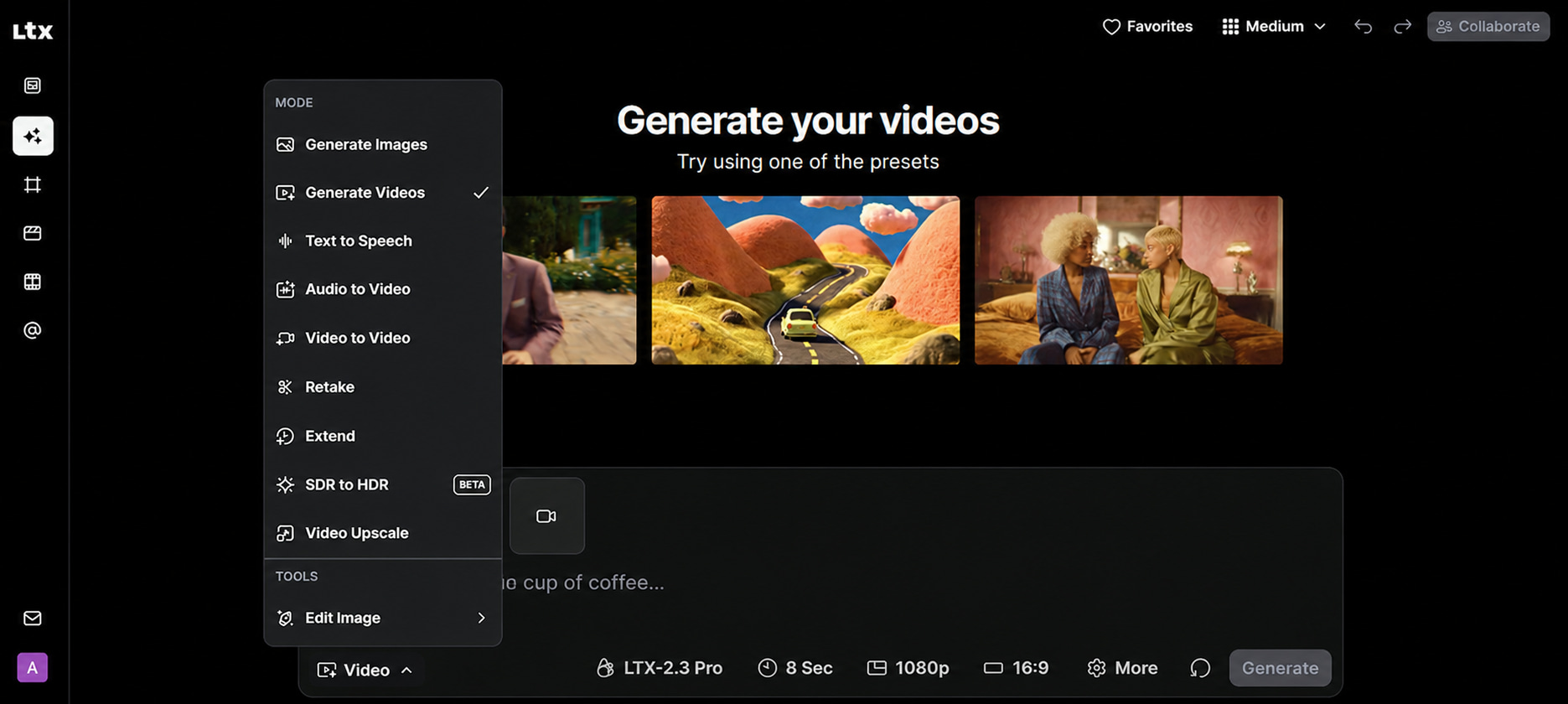
Step 2: Choose the video generation mode
Open the Mode menu and select Generate Videos to enter the text-to-video workspace. This prepares the project for AI video generation and gives you access to the available creation settings.
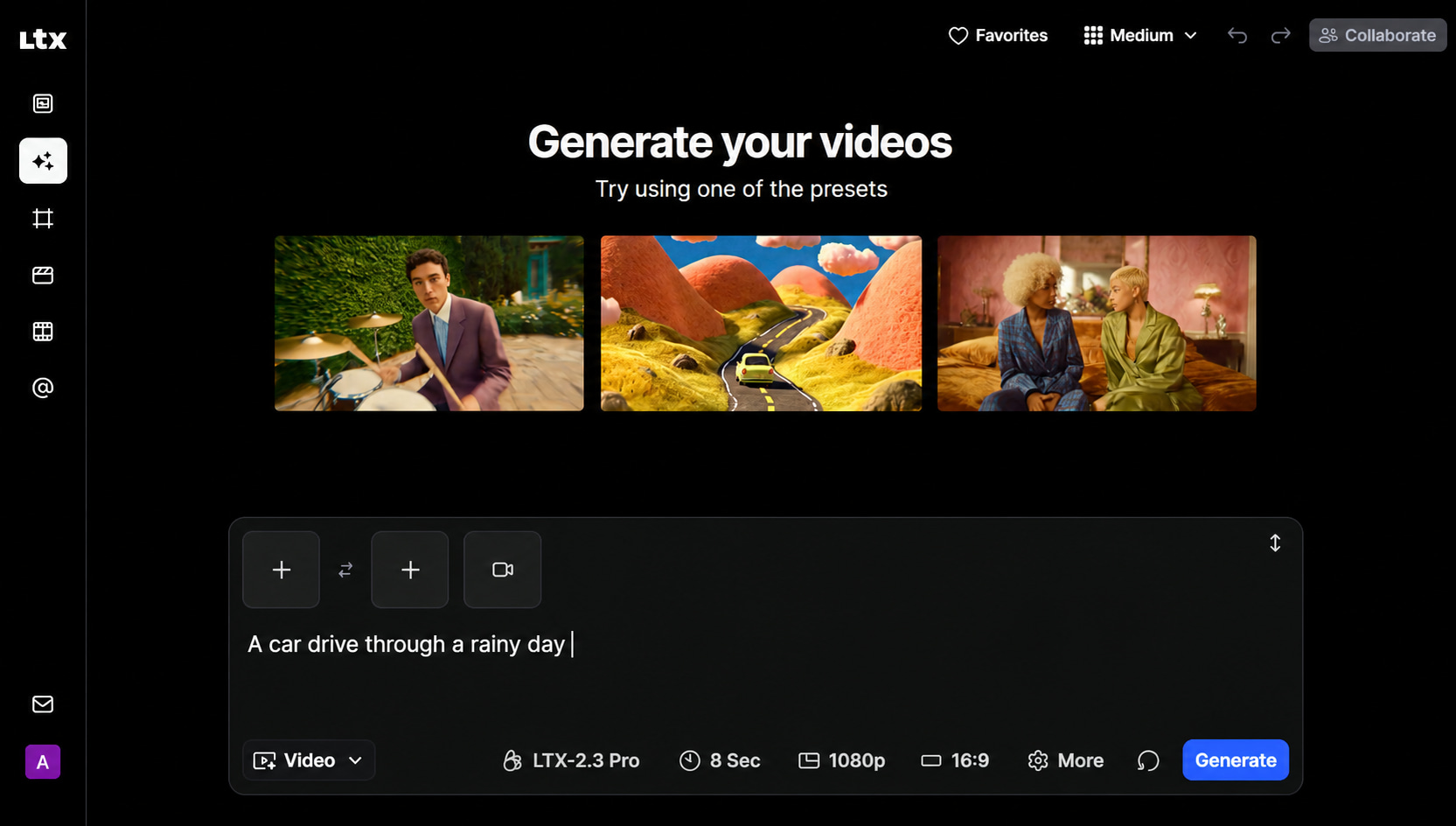
Step 3: Enter your prompt and customize settings
Describe the video you want to create in the prompt box, then choose the AI model, video duration, resolution, aspect ratio, and other settings that match your project requirements before generating the video.
Step 4: Generate and review your video
Click Generate and wait for LTX Studio to create your video based on your selected settings. Once the output is ready, review the results and make further adjustments if needed before using it in your project.
LTX Studio review: Features and performance
LTX Studio is more than a collection of AI tools, as it offers a connected workflow to plan and produce videos. To understand its performance, it is worth evaluating its storytelling capabilities, editing experience, and overall usability rather than just focusing on its feature list.
AI filmmaking and storytelling
The best feature of LTX Studio is the storytelling workflow. In testing, it produced structured screenplays, scene breakdowns, and storyboards from simple prompts, with high character consistency across numerous scenes. The platform also includes camera controls and shot planning that make videos feel more cinematic than basic text-to-video generators. The structured process speeds up production in the early stages and reduces the need for manual planning, but the quality of the prompts still impacts the final result.
Editing workflow and creative controls
LTX Studio provides one workspace for scripts, storyboards, scenes, and timeline editing, allowing for more efficient updates than toggling between several tools. They can change characters, reorder scenes, change graphic styles, and change tempo without having to start the production over. While not a replacement for professional editing tools for thorough post-production, it gives adequate creative flexibility for most AI-assisted filmmaking operations.
Performance and ease of use
It has a simple, browser-based interface that arranges your projects into logical stages of creation, and once you get the hang of it, navigation is rather basic. Most projects turn out storyboards and sequences fast; however, the more complicated the production, the longer it takes to render. Overall, LTX Studio manages to strike a good mix between automation and creative control, making it an appealing alternative for filmmakers who want a more automated workflow but don't want to sacrifice flexibility.
LTX Studio pricing
LTX Studio has a free plan and some paid memberships. User can choose a plan according to their creative needs. The answer is both. If you are asking whether LTX Studio is free or paid. There's a free plan to test the site out with limited credits, and there are paid options that allow for recurring credits, commercial rights, and more features. Finding out about LTX Studio pricing helps in deciding if the platform is worth using for hobbyists, professional producers, or businesses.
LTX Studio plans and pricing
LTX Studio is credit-based, and subscription plans include monthly recurring credits, as well as commercial usage rights. LTX Studio has a free plan, but it comes with 800 one-time credits, which are good for testing the platform but don't renew monthly.
|
Plan |
Monthly price |
Credits |
Commercial use |
Best for |
|---|---|---|---|---|
|
Free |
$0 |
800 one-time credits |
Personal use only |
Trying the platform |
|
Lite |
$15/month |
8,000 credits/month |
Yes |
Individual creators |
|
Standard |
$35/month |
28,000 credits/month |
Yes |
Regular creators and small teams |
|
Pro |
$125/month |
110,000 credits/month |
Yes |
Professionals and agencies |
|
Enterprise |
Custom |
Custom |
Yes |
Large organizations |
Note: The Free plan includes 800 one-time credits that do not renew monthly. Paid plans receive recurring monthly credits. Verify pricing, credits, and commercial use terms on the official LTX Studio price page before publishing, as they may change.
Is LTX Studio worth the price?
The free plan is a good method for new users to try the platform before paying for a subscription. For most creators, the Standard plan provides the best value in terms of monthly credits and price, while the Lite plan is suitable for infrequent projects and the Pro plan is more geared towards agencies or pros with regular productions. Overall, LTX Studio's cost is competitive for an AI film-producing platform, especially if your workflow benefits from storyboarding, production planning, and character consistency over simple text-to-video generation.
LTX Studio pros and cons
Like any AI creative platform, LTX Studio has its advantages and compromises. It's better than a lot of its competitors, thanks to an organized approach to filming, but it does have some limitations that could affect users depending on skill level and production goals.
What LTX Studio does well
-
Provides an end-to-end AI filmmaking workflow from script to storyboard.
-
Maintains strong character consistency across multiple scenes.
-
Simplifies production planning with AI-generated scene layouts.
-
Offers cinematic camera controls for more polished storytelling.
-
Supports collaborative project management within a browser-based workspace.
-
Features a modern interface that is easy to navigate after the initial learning curve.
LTX Studio limitations
-
Many advanced capabilities require a paid subscription.
-
New users may need time to learn the complete workflow.
-
Rendering times increase for longer or more detailed projects.
-
Final output quality depends heavily on prompt quality.
-
It cannot fully replace professional editors for detailed post-production work.
Best LTX Studio alternatives
LTX Studio is a strong choice for AI-assisted filmmaking, but it may not suit every workflow. Depending on your goals, you may need a platform focused on AI video editing, realistic video generation, or creating marketing visuals. Here are some of the best LTX Studio alternatives to consider.
Runway
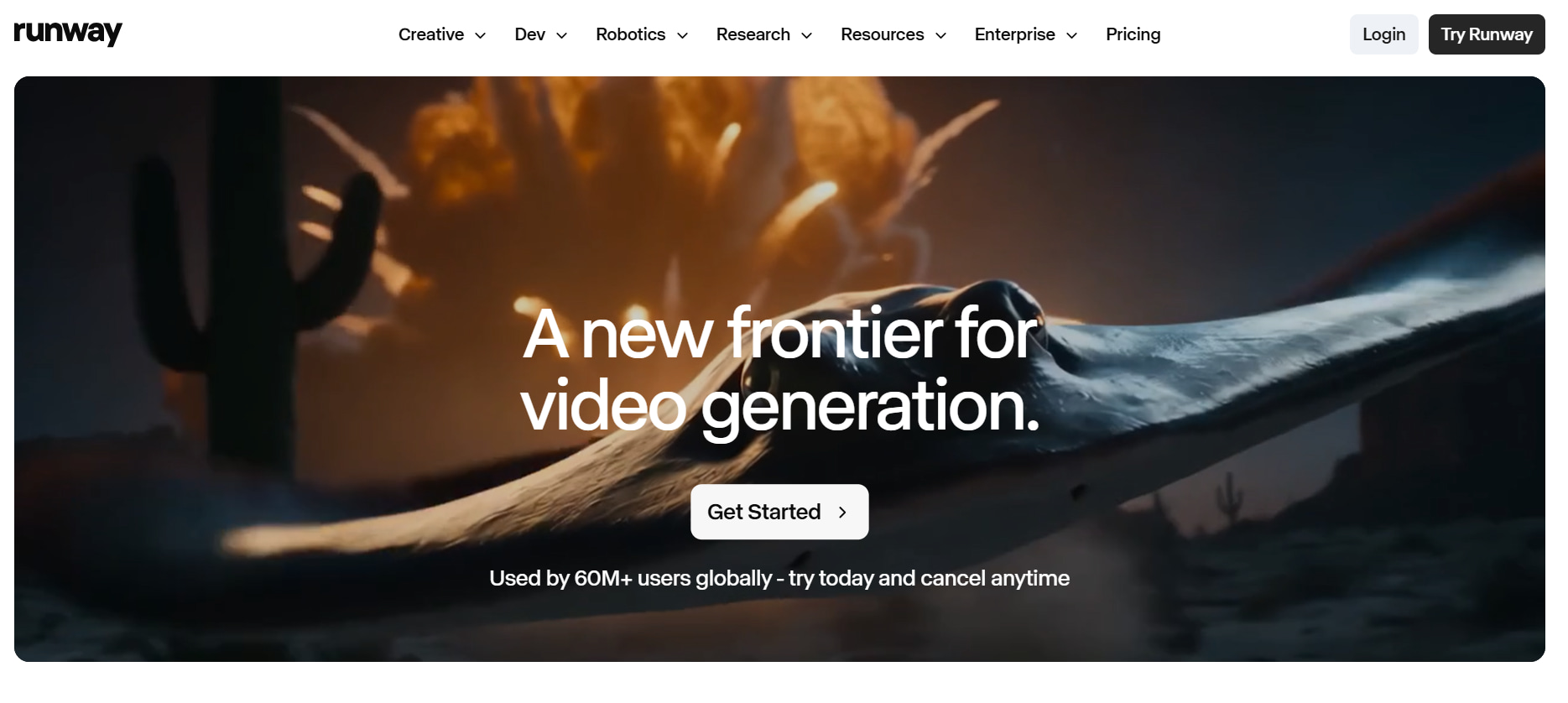
Runway is a good choice for those looking to get advanced AI editing features and video generation. It's become a favorite of filmmakers and creative pros, with features like object removal, motion tracking, inpainting, and text-to-video.
Best for: AI video editing and motion generation
Kling AI
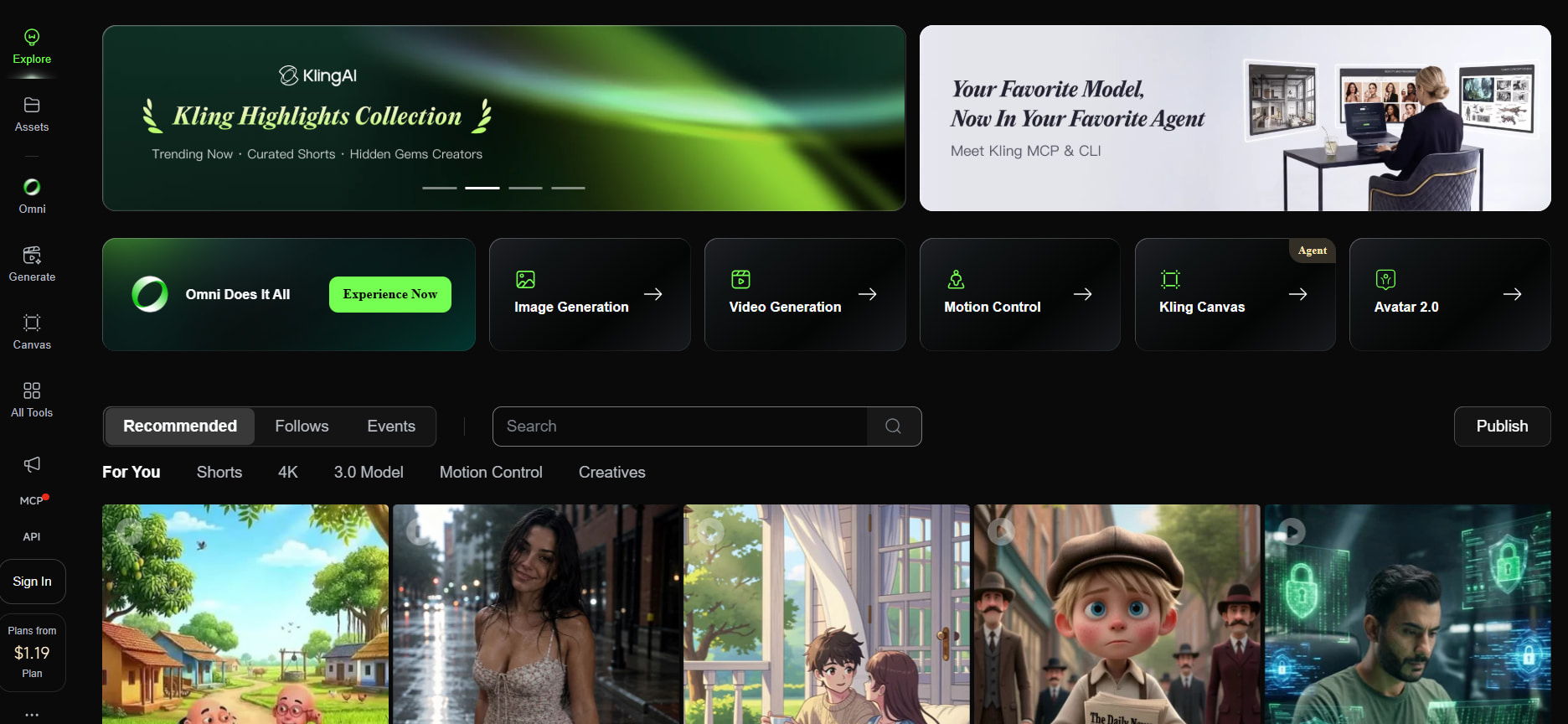
Kling AI is about getting realistic videos with natural motion and fine details. It's great for those who create cinematic flicks, promotional videos, or creative concepts where visual quality is the main focus.
Best for: Realistic AI video generation
Pika
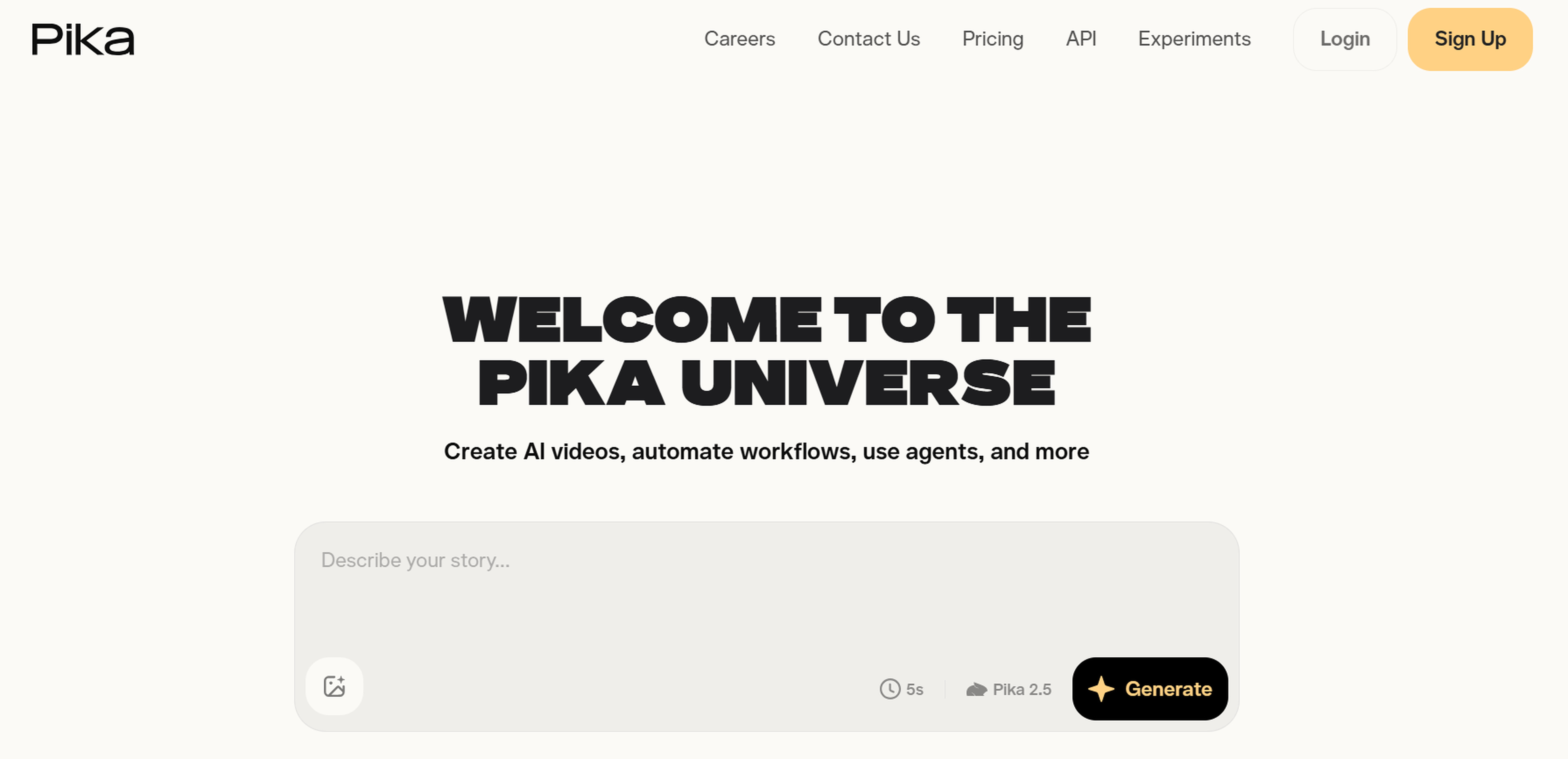
Pika is built for making short films fast using text prompts or graphics. Its straightforward interface and rapid generating speed are great for social media providers looking for interesting content without a lengthy production process.
Best for: Short-form AI videos
Designkit
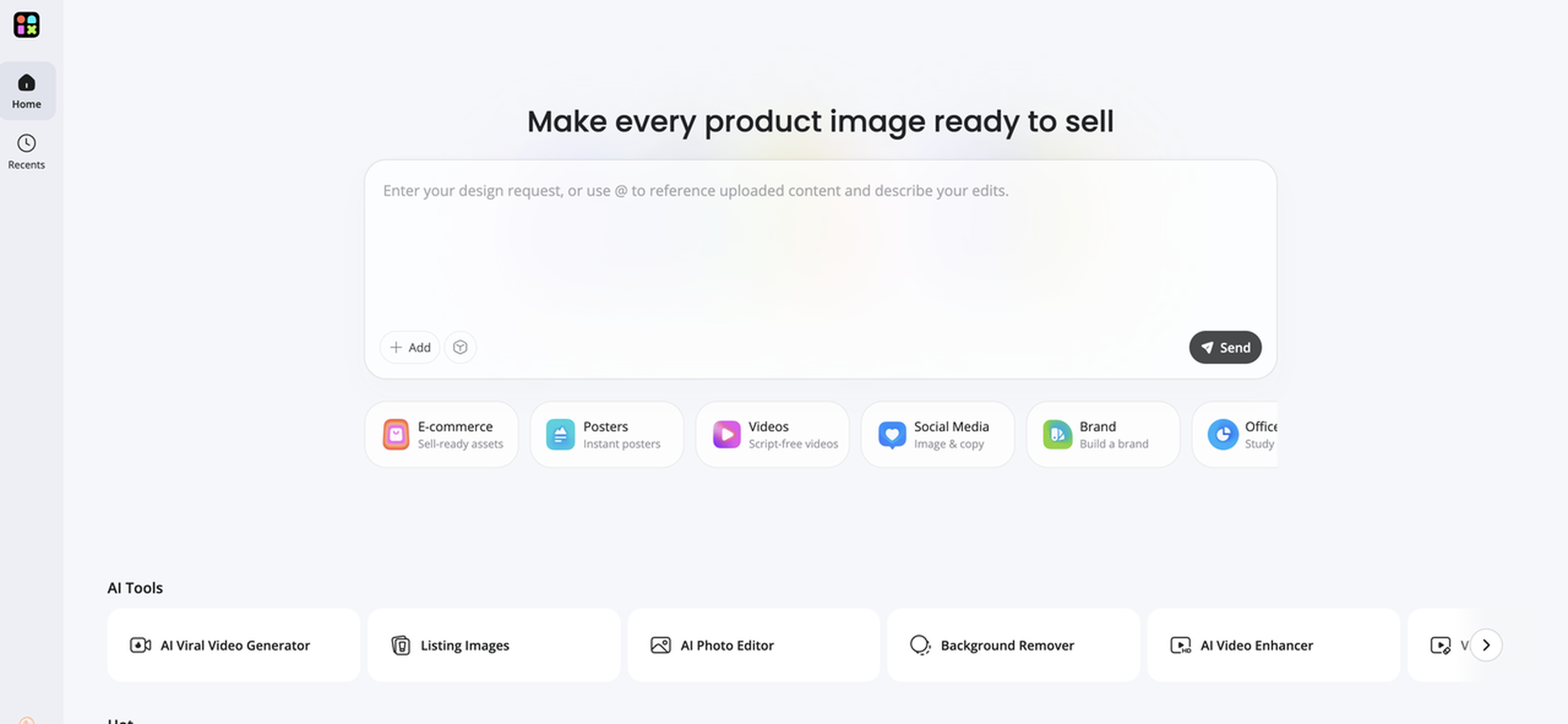
Designkit provides AI-powered tools for creating videos and other visual content for marketing and ecommerce. Along with AI video generation, it supports product photography, image generation, background creation, social media graphics, and marketing creatives. This broader creative workflow makes it useful for businesses and creators who need to produce video content alongside the product and promotional visuals that support their campaigns.
Best for: Businesses, marketers, and creators needing AI video and marketing visuals
Features
-
AI video creation: Generate videos for product promotions, social media, advertising, and other creative campaigns. Turn ideas into engaging video content without relying entirely on traditional production workflows.
-
AI image generation: Create original visuals from text prompts for marketing campaigns, social media, branding, and creative projects. Generate new content quickly without building every visual from scratch.
-
Product photography: Create professional product visuals with AI for ecommerce stores and advertising campaigns. Generate different scenes, styles, and settings to showcase products across multiple marketing channels.
-
AI backgrounds: Generate or replace backgrounds to create new environments for products and other visual assets. Adapt your content to different campaigns without reshooting the original image.
-
Marketing creatives: Create banners, advertisements, promotional graphics, and campaign assets with AI. Develop supporting visuals alongside videos to build more complete marketing campaigns.
-
Social media graphics: Create engaging visuals for platforms such as Instagram, Facebook, LinkedIn, and X. Produce different creative formats to support social campaigns and maintain a consistent content flow.
3 steps to creating engaging videos with Designkit
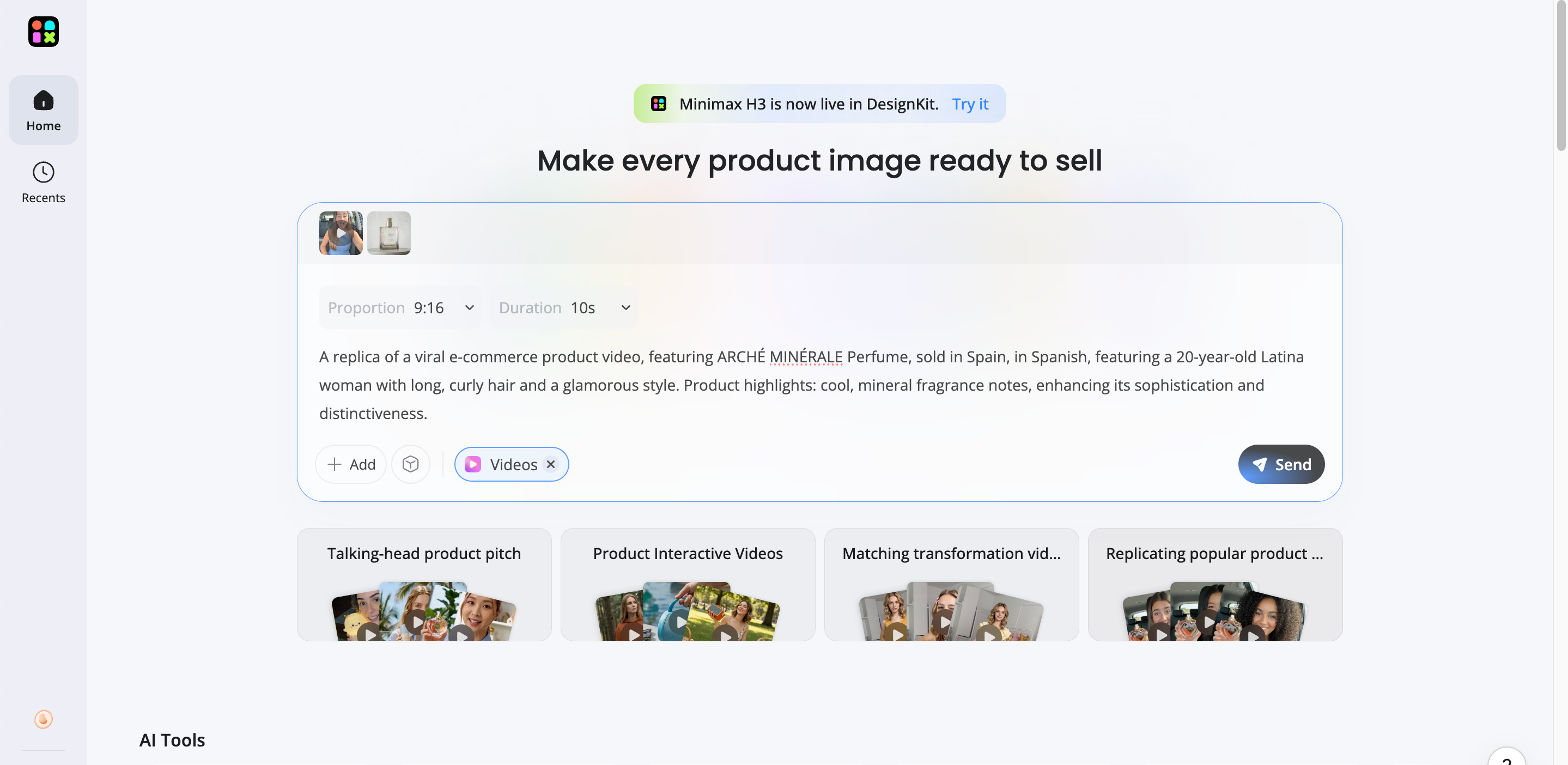
Step 1: Enter a prompt or upload an image
Describe the visual you want to create or upload an existing image to start your design project.
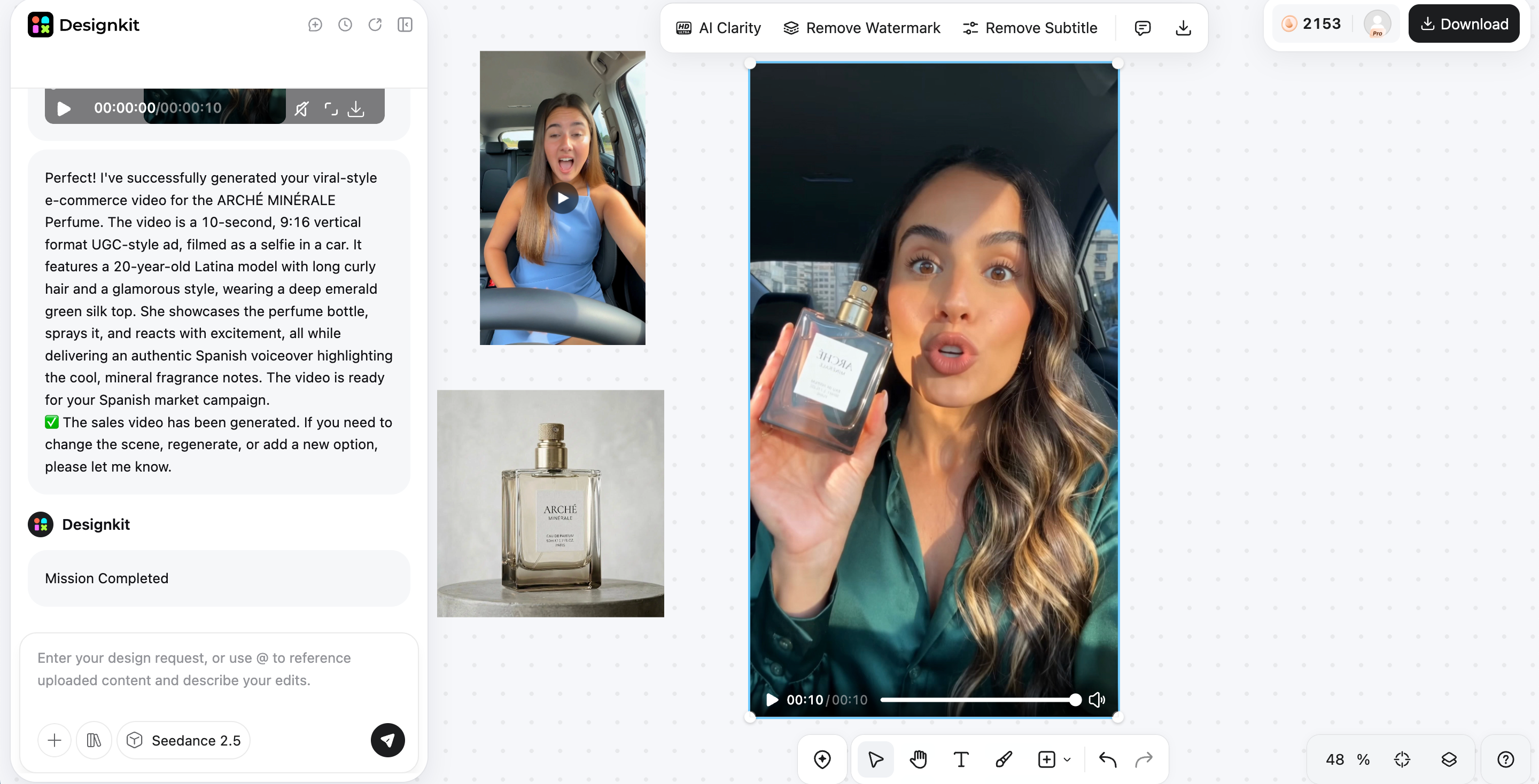
Step 2: Customize your video with AI
Adjust backgrounds, styles, colors, and layouts to match your brand or campaign requirements.
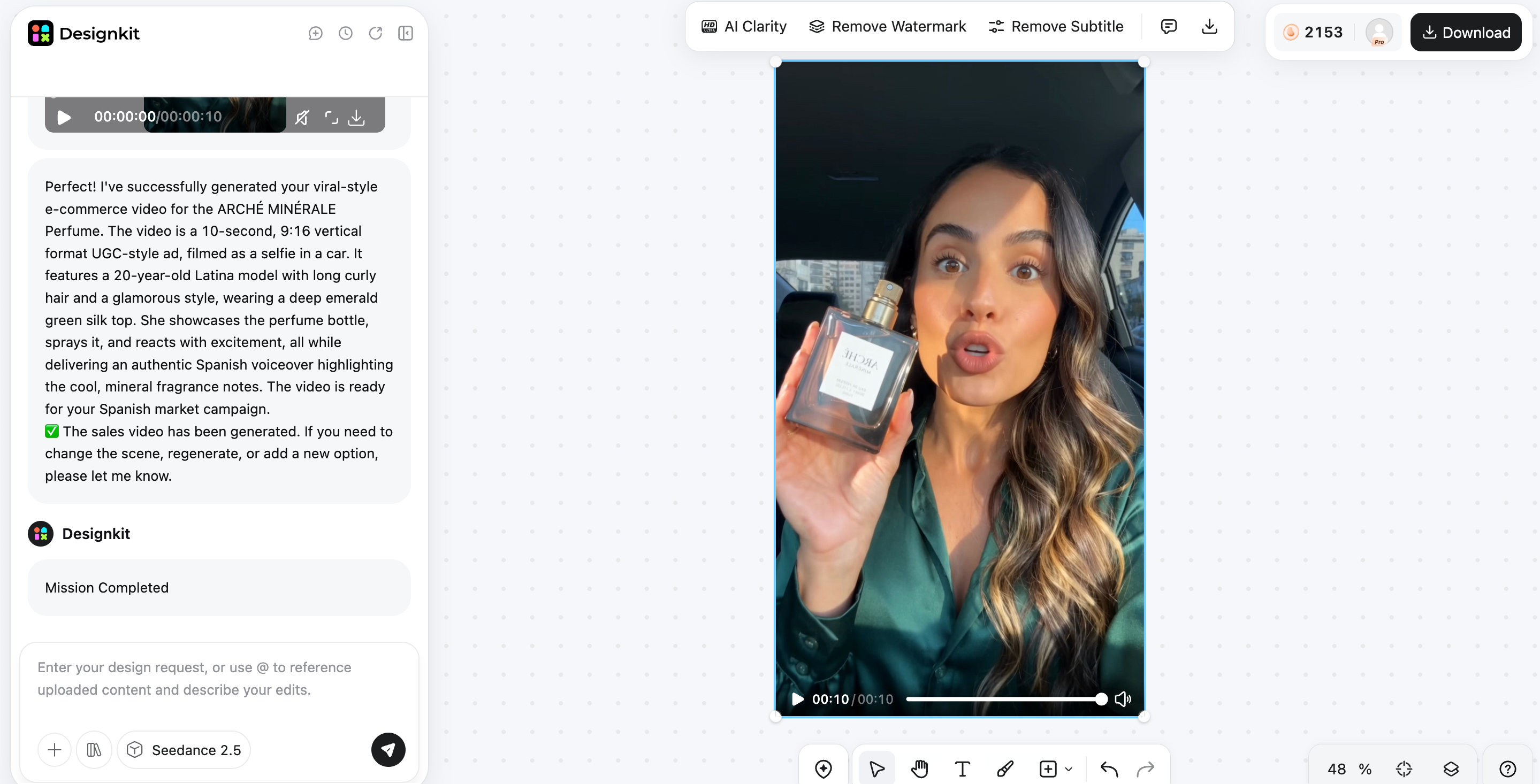
Step 3: Export your finished visual
Download the completed design and use it across websites, advertisements, ecommerce stores, or social media.
LTX Studio vs Designkit: Which one should you choose?
Both platforms use AI to make creative work easier, although they are used for different objectives. LTX Studio focuses on storytelling and video production, and Designkit on creating imagery and marketing elements for companies and content creators.
|
Feature |
LTX Studio |
Designkit |
|---|---|---|
|
Main focus |
AI filmmaking |
AI image creation & design |
|
Storyboarding |
Excellent |
No |
|
Script generation |
Yes |
No |
|
Character consistency |
Strong |
Limited |
|
AI video workflow |
Complete |
Basic |
|
AI image generation |
Basic |
Advanced |
|
Product photography |
No |
Yes |
|
Marketing creatives |
Limited |
Excellent |
|
Platform |
Browser |
Browser |
|
Best for |
Filmmakers & storytellers |
Businesses, marketers & ecommerce |
Choose LTX Studio if you need
Choose LTX Studio if your aim is creating story-driven videos with a disciplined production approach. It is the best alternative for filmmakers, agencies, and creators who want AI-assisted scripting, storyboarding, scene planning, and character consistency before moving into production.
Choose Designkit if you need
If you want to create quality visuals for marketing or ecommerce, Designkit is a good choice. It's excellent for product images, branded visuals, AI backgrounds, and social media creatives without the complexities of a filmmaking platform.
Conclusion
LTX Studio stands out as an AI filmmaking platform that brings scripting, storyboarding, scene planning, and character consistency into a single workflow. Its structured approach makes it well-suited for filmmakers, agencies, and creators producing story-driven content rather than standalone AI video clips. While the free plan is useful for exploring the platform, paid plans unlock greater creative flexibility and commercial use. If your focus is AI filmmaking, LTX Studio is a solid choice. For AI-generated marketing visuals, product photography, and ecommerce content, Designkit is a better fit.
Frequently Asked Questions
Is LTX Studio free?
Do LTX Studio free credits renew every month?
No, you'll get a one-off 800 credits with the free plan that never renews. Paid subscriptions are the only way to get recurring monthly credits, so take a look at the latest plan specifics before you select one.
Which LTX Studio plans include commercial use?
The Lite, Standard, Pro, and Enterprise plans are commercial usage only, and the free plan is for personal use only. If your commercial projects are more about product photos, social media graphics, or marketing assets rather than AI filmmaking, Designkit can be another option to investigate.
Is LTX Studio good for beginners?
Yes. Its interface is relatively easy to learn, although new users may need time to understand the complete filmmaking workflow. Beginners who only need AI-generated marketing visuals or product images may find Designkit easier to get started with.
Can LTX Studio generate complete videos from a script?
Yes. You can begin with a prompt or script, generate storyboards and scenes, edit the timeline, and export a finished AI-assisted video. If your project requires supporting visuals such as promotional graphics or product images, Designkit can help create those assets.
What are the best LTX Studio alternatives for AI video creation?
Popular alternatives include Runway for AI video editing, Kling AI for realistic video generation, and Pika for short-form AI videos. If your priority is AI-generated images, product photography, or marketing creatives rather than filmmaking, Designkit is a strong alternative.
Is LTX Studio worth using in 2026?
Yes, if your goal is creating story-driven videos with AI-assisted scripting, storyboarding, and production planning. However, if your workflow centers on ecommerce content, product photography, or branded marketing visuals instead of filmmaking, Designkit is likely the better choice.
You May Also Like

HeyGen vs Arcads: Which AI Video Tool Wins in 2026?
Arcads AI Review 2026: Features, Pricing, Pros, Cons & Alternatives
Creatify AI Reviews: Features, Pricing & Alternatives (2026)

What Are Satisfying Videos? Types, Tips & How to Make (2026)

How to Generate Product Videos from Images with AI (2026 Guide)

How to Create a Product Launch Video with AI: A Step-by-Step Guide

What Is a Brand Video? Types, Examples & How to Create One

AI Product Demo vs Live Demo: Which Gets More SaaS Sign-Ups?

How to Create AI Product Promotion Videos in Minutes (Step-by-Step)

Best AI Product Video Ad Generators for Ecommerce in 2026

How to Boost Ecommerce Sales: Proven Strategies That Work
How to Add Video to eBay Listing: Step-by-Step Seller Guide
Short Form Video Marketing for E-commerce: AI Video Guide
What Is Video Marketing? E-commerce Guide & Strategies 2026
Create Professional Visual Content with AI
From product images to marketing graphics, Designkit helps businesses create polished visuals without complex design workflows. Generate, edit, and customize AI-powered content for ecommerce, advertising, and social media in one place.
