
5 Best PicCopilot Alternatives for E-commerce Sellers (2026)
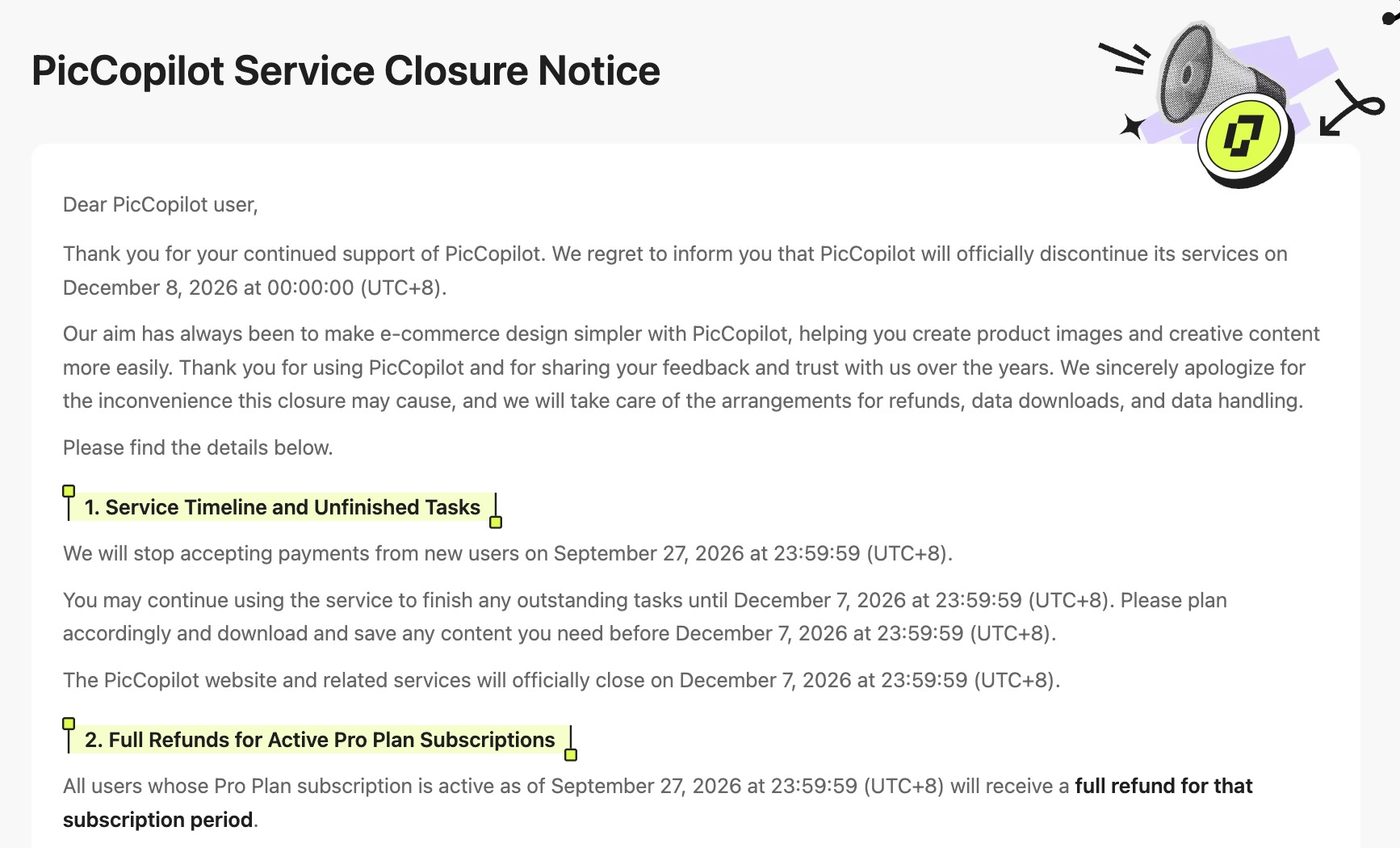
PicCopilot’s closure notice sets December 7, 2026, at 23:59:59 (UTC+8) as the final moment to finish tasks. If you use it for on-model fashion photos, text inside product images, or short product videos, now is the time to find a replacement.


TL;DR:
PicCopilot’s closure notice sets December 7, 2026, at 23:59:59 (UTC+8) as the final moment to finish tasks. This guide compares WeShop AI, FASHN, Botika, Photoroom, and Designkit for on-model photos, in-image translation, and product video. Save the PicCopilot files you still need, and test two shortlisted tools on five live SKUs before you switch.
This guide compares five of the best PicCopilot alternatives for e-commerce sellers: WeShop AI, FASHN, Botika, Photoroom, and Designkit. Each tool serves a different workflow. The comparison uses documented features, pricing, free access, and limitations. It does not assign an overall score.
Before you switch, save the PicCopilot files you still need and test two shortlisted tools on five live SKUs. Designkit publishes this article and is included in the comparison. The tools are a shortlist, not a ranked list.
PicCopilot Is Closing: What to Save First
The dates below come from PicCopilot’s closure copy in the site bundle pics-copilot-assets/4.0.0, read on October 27, 2026. Source: piccopilot.com.
PicCopilot shutdown deadline
PicCopilot’s closure notice sets December 7, 2026, at 23:59:59 (UTC+8) as the final moment to finish tasks. The service discontinuation timestamp is December 8, 2026, at 00:00:00 (UTC+8). These are consecutive timestamps marking the same shutdown boundary, not two separate opportunities to use the service.
December 7, 2026 at 23:59:59 (UTC+8) is 15:59:59 UTC. In December that is 15:59:59 in the UK (GMT), 16:59:59 in Central Europe (CET), 10:59:59 in US Eastern (EST), and 07:59:59 in US Pacific (PST).
Data-package window
The data package opens on September 28, 2026, at 23:59:59 (UTC+8). Its download deadline is a separate line on the closure notice in your account.
The notice lists these files in the package:
-
Uploaded assets and generated assets
-
Order history and credit transaction history
-
Registered email, registration date and time, and other personal information
-
Agent conversation history
-
Account activity logs, such as login times
The notice says transaction records can be kept for the period the law requires. Other personal data is destroyed within a maximum of 90 days from December 8, 2026 at 00:00:00 (UTC+8). The package does not move your account, credits, or projects into another tool.
|
Notice timestamp (UTC+8) |
What the copy calls it |
Status on Oct 27, 2026 |
|---|---|---|
|
Sep 27, 2026, 23:59:59 |
New payments stop. Refund eligibility is tied to this time. |
Already passed |
|
Sep 28, 2026, 23:59:59 |
Data-package download opens. |
Already passed |
|
Oct 8, 2026 |
Refund batches start. |
Already passed |
|
Dec 7, 2026, 23:59:59 |
Final moment to finish tasks. |
Still ahead |
|
Dec 8, 2026, 00:00:00 |
Service discontinuation. The 90-day data clock starts. |
Still ahead |
Refunds: quote each language, and do not widen it
The English notice says users whose Pro Plan subscription is still active as of September 27, 2026 at 23:59:59 (UTC+8) receive a full refund for that subscription period. It says the refund goes back to the original payment method, with no application, in batches from October 8, 2026, and to allow about 30 days. “That subscription period” is the notice’s phrase. This article does not restate it as the remaining days only, or as every past charge.
The Chinese notice describes users who were still inside an active membership at that moment, and a full refund for that subscription period. The Chinese wording we read does not repeat the English sentence about the original payment method. Keep the two versions side by side, and confirm both on the live notice.
The closure notice does not say what happens to unused credits. The handling of unused credits could not be confirmed from the closure notice. For a specific refund status, use the official notice or the refund record. An older help-center article about a 7-day window, zero credits used, and an email titled Refund Request is a different document. Do not use it to explain unused credits under the closure.
Accio Work covers part of the image work
The notice says some PicCopilot capabilities have moved to Accio Work, for image creation and other work scenarios. It does not say your login, credits, or projects move with them. On October 27, 2026, Accio Design Expert still listed templates for a model shot, front/side/back views, apparel video, footwear try-on video, and image text translation. Accio is a partial path, not a sixth full replacement, and not a restored PicCopilot account.
How We Compared These PicCopilot Alternatives
Four questions, and no score:
-
Task fit. Does the official page include on-model fashion images, translation of text inside the image, and product video?
-
Output consistency. Is a model or face reference included? A reference control is not a person who has been shown to stay consistent across SKUs.
-
Workflow. Is the feature in the web app, the API, or both? Those are different entitlements.
-
Cost. Compare spend only when the input and the output task are close. Otherwise say the conditions differed.
Not verified means the feature could not be confirmed from the available official documentation, not necessarily that the tool does not support it. Output quality and cross-SKU consistency require separate testing.
Five-SKU test
This article does not publish test scores. Use this method on the two tools you shortlist.
-
Pick five live SKUs that differ in color, print, material, or cut. Include a logo or small text element if your listings depend on it.
-
Use the closest workflow each tool actually supports. If it cannot take a face reference, a flat lay, or a video brief, record that. Do not force one model photo onto a tool with nowhere to upload it.
-
Score garment detail, whether the person stays consistent across the five SKUs, whether you would publish the file, and how long generation took.
-
Record regenerations, usable files, and credits or points spent.
-
Compare cost per usable file only when the input and the output task are close. If they are not, label the conditions as different.
For garment detail, check color, print, logo, buttons, length, and silhouette against the source photo.
PicCopilot Alternatives Compared
Yes means the official pages list the feature. An asterisk means plan access or generation limits still apply, and those limits are on the vendor’s own page. Not verified means the feature could not be confirmed from the pages checked on October 27, 2026. It does not mean the tool lacks the feature.
|
Tool |
Best for |
On-model images |
Image translation |
Product video |
|---|---|---|---|---|
|
WeShop AI |
Try-on, product images, and video |
Yes |
Yes* |
Yes* |
|
FASHN |
Fashion image and video workflows |
Yes |
Not verified |
Yes* |
|
Botika |
On-model photos with human retouch |
Yes |
Not verified |
Yes* |
|
Photoroom |
Product cutouts and backgrounds |
Pro and above |
Not verified |
Max and Ultra |
|
Designkit |
Try-on, image translation, and product video |
Yes |
Yes |
Free: not included. Basic: limited. Pro: included |
Model Consistency and Output Quality: What We Could Verify
|
Tool |
Model or face reference |
Garment fidelity claims |
Garment fidelity testing |
|---|---|---|---|
|
WeShop AI |
Face swap and Face Forge are included. A catalog identity control was not verified. |
Not verified |
Not tested |
|
FASHN |
Face Reference is included. In Studio it adds 2 credits per image. |
Not verified |
Not tested |
|
Botika |
A model library is included. Uploading your own model was not verified. |
Retouch rounds are included. That is a fix service, not a fidelity guarantee. |
Not tested |
|
Photoroom |
Not verified on the pricing page. |
Enterprise Guarantee names color, shape, and product details for eligible annual contracts. It is not part of Pro. |
Not tested |
|
Designkit |
You can set a model reference, plus ethnicity, age, body type, and pose. |
Color, texture, and silhouette are the stated goal. |
Not tested |
Feature availability is based on official product documentation checked on October 27, 2026. A listed model reference does not show that the same person holds across SKUs. A listed product video does not show that every product category can generate a video.
5 Best PicCopilot Alternatives
Same four blocks for each tool: best for, key features, pricing and free trial, limitations. Order is not a rank.
WeShop AI
Best for. Sellers who want try-on, product images, and video in one studio. Virtual Try-On is a Premium API skill on the pricing page, reserved for Enterprise. Web try-on and API try-on are different entitlements.
Key features. The help center lists Virtual Try-On, AI Fashion Model, and an AI translate tool. Video is included, and it costs far more points than a still. Ultra’s API is Standard OpenAPI and excludes Premium skills such as Virtual Try-On. Enterprise includes those Premium skills.
Pricing and free trial. On October 27, 2026 the pricing table showed Pro at $9.9/month, Ultra at $45/month, and Enterprise at $457/month, with annual billing described as 20% off. Monthly points do not roll over. Only Ultra and Enterprise can buy extra points. Signup points are listed as 200 on the pricing table and as 50 in the help center. Check the balance on the account you open.
Limitations.
-
Points on the current pricing FAQ do not roll over.
-
A still image and a video do not share one practical point cost.
-
Garment fidelity is Not tested.
FASHN
Best for. A clothing studio with product-to-model, try-on, packshot, model swap, and short video, plus a public credit table. In-image translation was not on the app pricing page, so this evidence does not cover that part of a PicCopilot job.
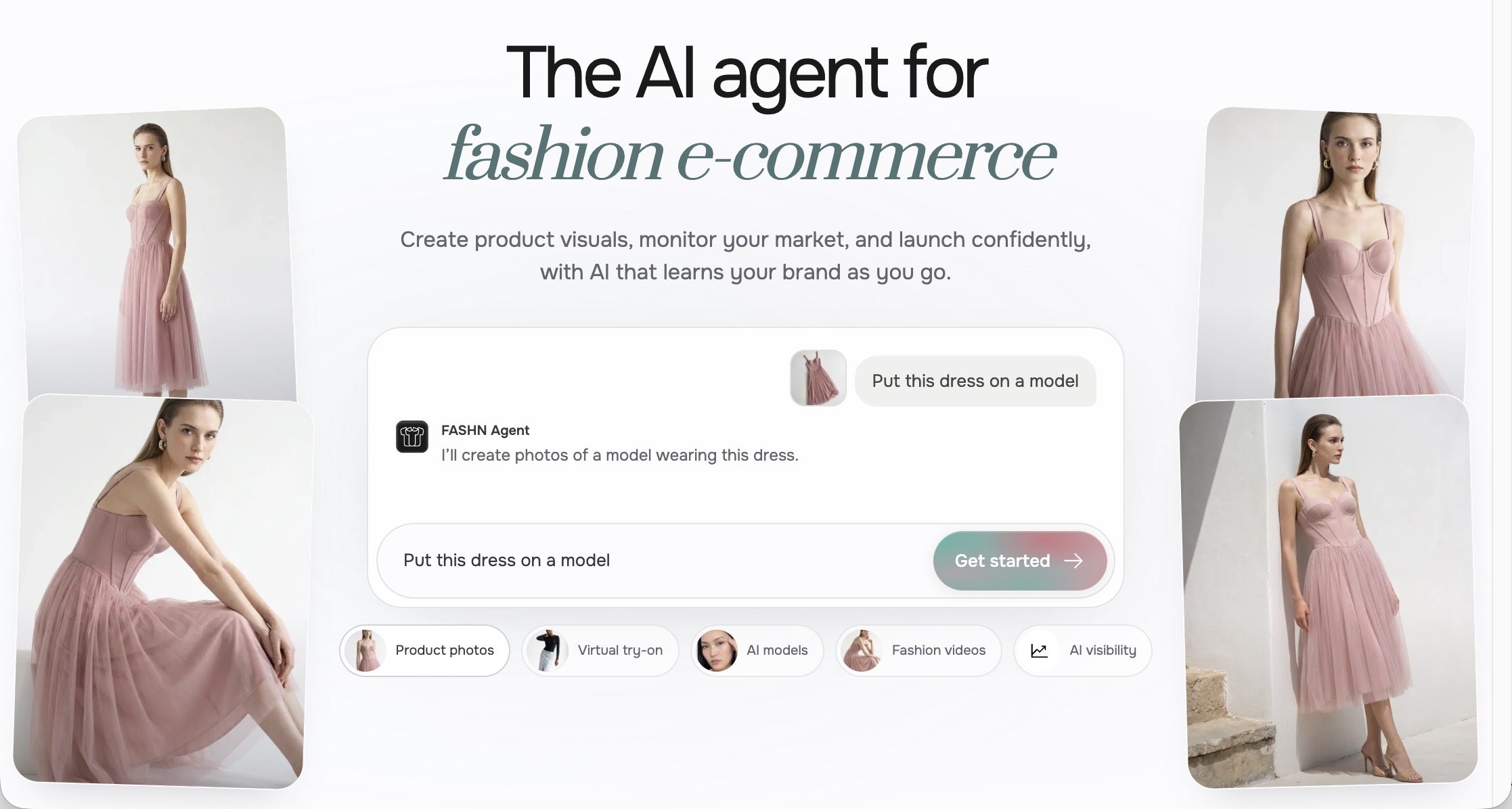
Key features. The app pricing page includes product-to-model, try-on, packshot, model swap, images up to 4K, and Face Reference. Video goes up to 720p on Basic and 1080p on Pro. App credits and API credits are separate.
Pricing and free trial. Basic is $19/month for 200 credits. Pro is $49/month for 750 credits. Annual billing costs 10 months. The page includes 10 complimentary credits to try the tools before paying. Treat them as a trial balance, not a permanent free plan, and not as 10 images. The page does not say these credits renew. Unused credits are not refunded.
Limitations.
-
Ten trial credits are not a free PicCopilot alternative. Output count changes with mode, resolution, and add-ons.
-
Image translation: Not verified.
-
Face Reference is a control. Cross-SKU consistency is Not tested.
Botika
Best for. Clothing brands that want on-model photos plus a human retouch round, and that will read the live price for the billing period they select.
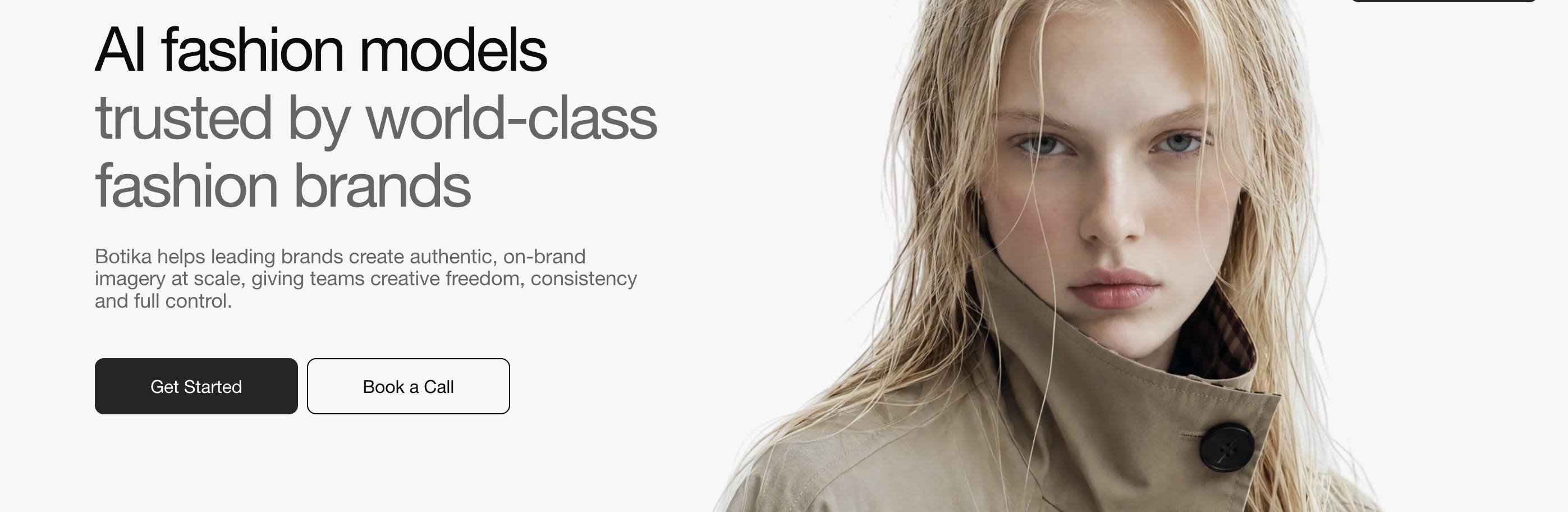
Key features. On botika.com/pricing, Pro lists 2 retouch rounds per photo, delivery of those fixes in about 48 hours, no Botika watermark, a limited model library, limited backgrounds, 2K images, and video generated from images. Advanced adds another retouch round, the full model and background libraries, and 4K. The pricing FAQ says 1 credit per photo and 5 credits per video, with rollover while the subscription stays active. It also says you can start with a free trial, and it does not state how many trial credits that includes.
Pricing and free trial. The monthly and annual figures displayed on the pricing page did not consistently match the stated annual discount in our October 27, 2026 check. Because the displayed figures could not be reconciled, we have omitted a starting dollar price. Confirm the amount shown for your selected billing period before subscribing. The Shopify app listing uses different plan names and prices from the website. Use the listing for the channel you will pay on.
Limitations.
-
Pro’s model and background libraries are limited. Full libraries start on Advanced.
-
Image translation: Not verified.
-
Retouch rounds fix submitted issues. They are not a published match guarantee for color, print, and pattern.
-
The FAQ allows commercial use of generated photos and restricts presenting Botika’s AI models as real models. Read the terms before a campaign that implies a real person.
Photoroom
Best for. Sellers who need cutouts, backgrounds, and a large export allowance, with AI Fashion Models on Pro. Product video is a higher plan.
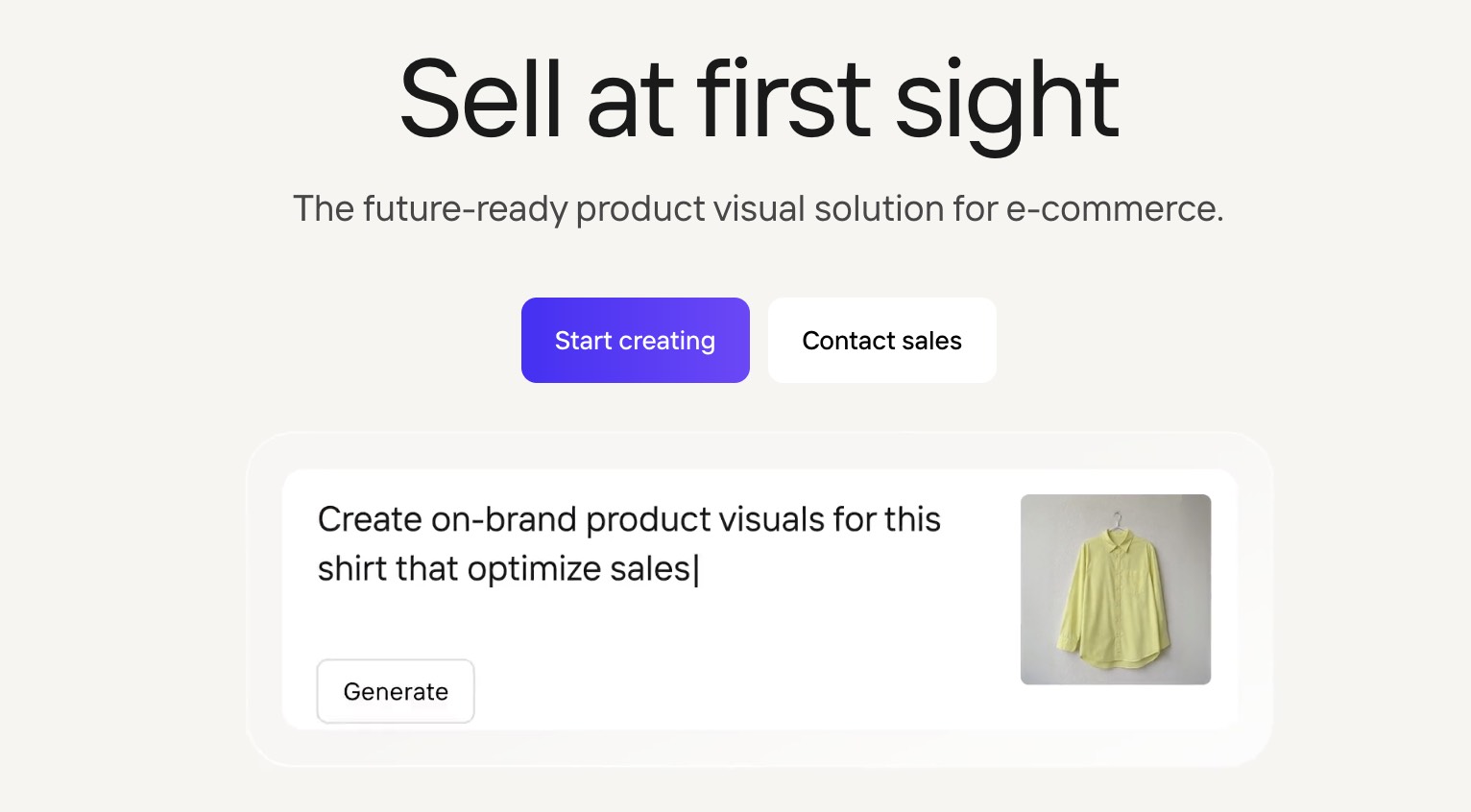
Key features. On photoroom.com/pricing, Pro includes AI Fashion Models and does not include Video Generator. Max and Ultra add video. The plan table lists a maximum if the monthly credit pool is spent on one feature: up to 1,600 AI Fashion Model generations at 1K on Pro, up to 50 video generations on Max, and up to 150 on Ultra. Those are maximums for one feature, not a count of files you would publish. The table does not state video length or resolution. API use is separate from exports.
Pricing and free trial. The yearly toggle showed Pro at $7.50 per month, billed yearly, with 8,000 AI credits and 1,000 exports. The monthly Pro price did not render, so it is not quoted. Credits can vary by country. Refunds are available up to one week after purchase, and the path depends on where you paid.
Limitations.
-
Video Generator is not included on Pro.
-
Image translation: Not verified. A user-uploaded model reference was not verified on the pricing page.
Designkit
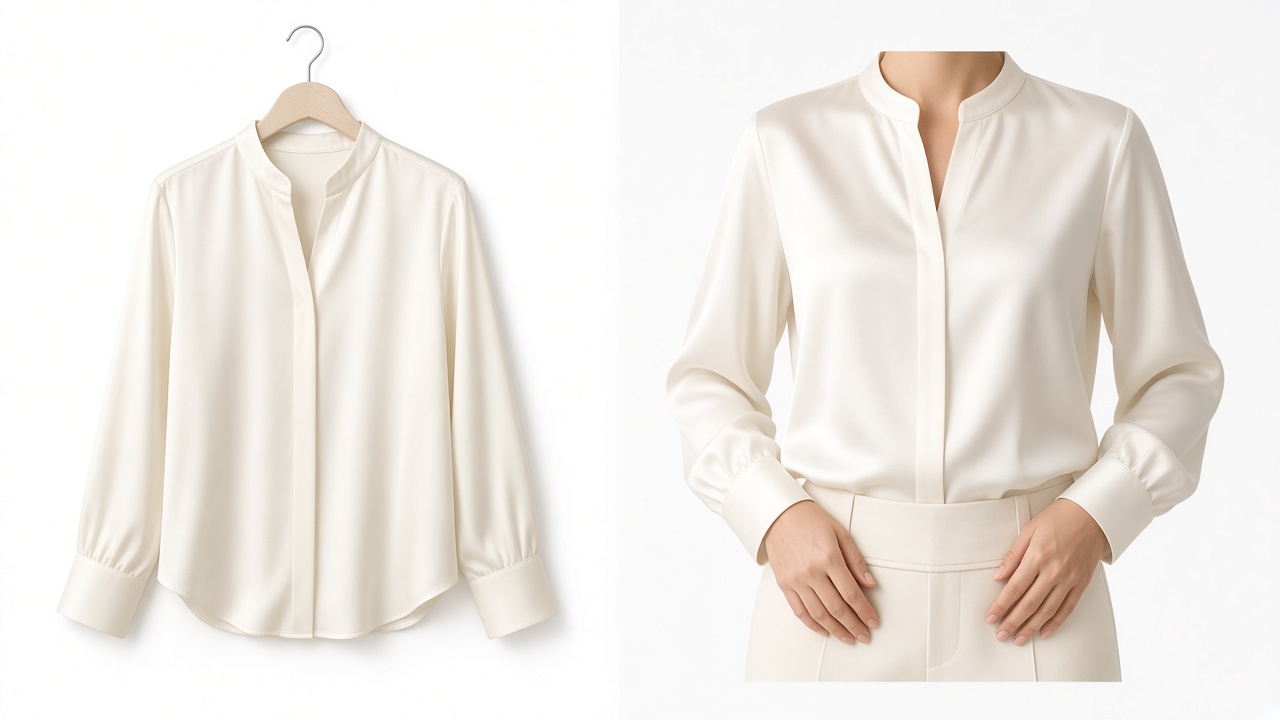
Best for. Sellers who need on-model images, translation of text inside the image, and product video from the same web account, and who will check garment details before moving a catalog. The free plan does not include product video generation.

Key features. Virtual Try-On covers clothes, shoes, jewelry, accessories, and outfits made from more than one product. You set a model reference, scene, aspect ratio, ethnicity, age, body type, and pose. The stated goal is to keep color, texture, and silhouette consistent with the upload. Image Translator replaces text in the image in 20+ languages and keeps layout and spacing. Product Video turns product images and selling points into a showcase, demonstration, or ad. The pricing page is the source for who can generate video.
Pricing and free trial. Checked on October 27, 2026. Free is $0 and includes 20 credits on first login. Product video generation is not included. Other video tools on Free, including the video background remover, enhancer, and watermark remover, are limited to 5-second previews. A preview is an edit of an existing video. It is not a product video. Basic includes 500 credits a month and limited video generation, plus 5 free uses a day of those video editing tools. Pro includes 1,500 credits a month, video generation, and a 7-day trial, plus 15 free uses a day of those editing tools. Paid dollar prices rendered as 0. Confirm Basic and Pro at checkout.
A homepage FAQ mentions 10 credits for a daily login. That line is not on the pricing page, so it is not counted here. The credits page says top-up transactions are non-refundable. Confirm the refund rule for the way you pay. A subscription refund and a credit top-up are not the same policy.
Limitations.
-
Free does not include product video generation. Five-second previews apply to other video tools.
-
Color, texture, and silhouette are a stated goal. Garment fidelity testing is Not tested.
-
Dollar prices must be confirmed at checkout.
-
Designkit does not import a PicCopilot data package.
Try PicCopilot Alternative Now
How to Choose a PicCopilot Alternative
Choose by the file you still have to make this month. Keep two finalists and run the five-SKU test.
-
Clothing studio, with a credit table you can audit. Start with FASHN. Add a second tool if text inside the image has to change language.
-
Try-on plus several video models in one login. Start with WeShop AI. Budget for Enterprise only if try-on has to run through the API.
-
On-model photos plus a human retouch round. Start with Botika after you read the monthly and yearly price on the channel you will pay.
-
Cutouts and backgrounds first. Photoroom Pro covers AI Fashion Models and exports. Video means Max or Ultra. PicCopilot vs Photoroom is that split: exports on Pro, video on a higher plan, and API usage in a separate wallet.
-
On-model images, in-image translation, and product video in one web account. Test Designkit. The free 20 credits can try still images. They do not include product video generation.
-
The path named in PicCopilot’s notice. Try Accio Work’s templates, and keep the PicCopilot download. Accio does not restore the account.
Conclusion
PicCopilot’s closure notice makes it important to save your existing assets and choose a replacement before the final timestamp in that notice. WeShop AI, FASHN, Botika, Photoroom, and Designkit each support different workflows, so compare the features and costs that matter to your catalog rather than choosing by feature count alone.
Test two shortlisted tools on five of your own SKUs, check garment details, and compare the cost of files you would actually publish. Recheck pricing and plan limits before subscribing. The figures in this guide were checked on October 27, 2026.
Frequently Asked Questions
What is the best PicCopilot alternative?
Is there a free PicCopilot alternative?
You can open more than one tool without paying. None of the five was confirmed to include a finished on-model image, translated image text, and a downloadable product video on the free allowance. Designkit’s free plan is 20 credits on first login, without product video generation. FASHN provides 10 complimentary trial credits, but the number of usable outputs depends on the generation mode, resolution, and any additional options. These credits are a trial balance, not a permanent free plan.
When is PicCopilot shutting down?
The final moment to finish tasks is December 7, 2026, at 23:59:59 (UTC+8). Service discontinuation is December 8, 2026, at 00:00:00 (UTC+8), one second later. Time-zone conversions, the refund wording, and the data-package window are in the closing section above.
Does PicCopilot refund unused credits?
The closure notice does not say what happens to unused credits. In English, a Pro Plan still active on September 27, 2026 at 23:59:59 (UTC+8) receives a full refund for that subscription period, back to the original payment method. The Chinese notice describes users still inside an active membership, and a full refund for that subscription period. It does not, in the wording we read, repeat the payment-method sentence. For a specific refund, use the official notice or the refund record. Do not apply the older 7-day help-center policy to unused credits.
Does Accio Work replace PicCopilot?
No. Accio Work is the partial image move named in PicCopilot’s notice, not a restored account. Design Expert templates include on-model shots, three views, apparel video, footwear try-on video, and image text translation. Credits, projects, and the login do not move over. Download the PicCopilot package, then test Accio as its own workspace.
How much does it cost to replace PicCopilot?
There is no single replacement price. On October 27, 2026, readable starting points included FASHN Basic at $19 a month and Photoroom Pro at $7.50 a month billed yearly. Botika’s dollar figures could not be reconciled with the stated annual discount, and Designkit’s paid dollar figures rendered as 0. After the five-SKU test, divide what you spent by the files you would publish, and only compare tools whose inputs and outputs were close.
Can I keep the images I already made in PicCopilot?
Yes. Download the data package from your PicCopilot account. It includes uploaded and generated assets, plus the account and history files named in the notice, and it does not move those files into another tool. The package opens on September 28, 2026, at 23:59:59 (UTC+8). Follow the download deadline printed on the notice in your account.
You May Also Like

Predis.ai Review 2026: Pricing, Features & Who It’s For

AdCreative.ai Review: Pricing, Pros, Cons & Alternatives

5 Best PicCopilot Alternatives for Sellers (2026)

Best AI Ad Generators in 2026: Tools for Creating Better Ads
T-Shirt Design Size Guide: Placement, Dimensions, & DPI

How to Sell on Poshmark: A Complete Beginner's Guide
Zeely Reviews 2026: Features, Pricing, Pros, Cons & Alternatives

Create TikTok Ads From One Photo: An AI Product Launch Kit
Depop vs Poshmark: Which Is Better for Selling in 2026?
How to Create an Amazon Storefront: 4-Step Guide for New Sellers

How to Sell Books on Amazon in 2026: Beginner Guide

How to Sell on Amazon in 2026: A Complete Seller Guide
AI Product Photography: 7 Best Tools for Ecommerce in 2026

What Is a Hero Image? Definition, Examples & Design Tips
Pippit AI Review 2026: Features, Pricing, Pros & Cons
Back to School Ad: 7 Creative Ideas for Better Campaign Results

Top 7 Back-to-School Sales Ideas to Boost Retail Sales (2026)
How to Create a Complete World Cup Product Listing Image Set

How to Create Amazon Summer Sale Posters and Banners with AI
Amazon Summer Sale 2026: Listing Design Trends & Product Image Ideas
Ecommerce Video Ads: 7 Strategies That Drive Higher Conversions
How to Photograph Shoes for Your Ecommerce Store in 2026

Product Photography Ideas: Creative Tips & Techniques for Better Shots
Product Photography Pricing 2026: Full Cost Guide by Type
White Background Product Photography Guide & Tips 2026
Product Photography Starter Package: Gear Checklist 2026

Shopify Product Photography Guide with Tips & Setup
Amazon Main Image Requirements: Size, Guidelines & Tips

Shopify Product Image Size: Dimensions, Ratios & Best Practices

Studio Product Photography vs AI Product Photography in 2026

7 Product Photography Mistakes That Hurt Ecommerce Sales
Change Outfit Colors Online for Outfit Preview with AI Clothes Color Changer

How to Create Amazon Infographics: Boost Sales with Compelling Visuals

How to Create Outdoor Product Scenes Without a Photoshoot Using AI

Optimize Etsy Images for Mobile: Listing Photos That Convert
Amazon 7-Image Listing Strategy: Boost Sales by Optimizing Every Image
Etsy Thumbnail Optimization: Keep Your Product Fully Visible
The Etsy Thumbnail Formula That Drives More Clicks and Sales

How to Create Pro Amazon Listing Photos Without a Studio
10 High-Converting Lifestyle Product Images for Amazon Listings

How to Automate Your E-commerce Visuals with OpenClaw Workflow

Top 5 AI Tools to Generate Amazon Product Listing Images in 2026

How to Turn One Photo into 10 Etsy Listing Images Fast: Batch Workflow
Etsy Listing Photo Size Guide (2026): Mobile, Desktop & Shop View Specs
Turn White Background Images into Lifestyle Amazon Listings

Fix Etsy Image Cropping: Optimize Listing Photos for Every Device
Amazon Listing Images: Essential Shot List & Optimization Guide
How to Create Lifestyle Product Images Without a Studio
Lifestyle Product Photography Trends 2026: Authentic Looks at Scale
How to Master Lifestyle Product Photography in 2026

Amazon Listing Images Guide 2026: 7-Slot Strategy & Requirements
360 Product Photography Guide 2026: Setup, Shoot and Workflow
Beginner's Guide to Generate Product Photos from Different Angles
AI Product Photography: Create Ecommerce Images Without a Photoshoot

How to Create Realistic AI Product Photos: Step-by-Step Pro Guide
Keep AI Product Images Consistent Across SKUs: Lighting, Color, Background

How to Scale E-commerce with a Product Image Generator

How to Use AI for Spring Product Photography: 2026 Amazon Guide
How to Create a Budget Home Product Photography Setup with AI

How to Achieve Professional Product Photography Standards in 2026

How to Take Product Photos with Phone: Pro Guide for Amazon & AI
6 Best AI Product Image Generators in 2026
Amazon Photography Service vs. AI Generator: Best Choice for Sales
What Is Product Photography? Angles, Lighting & Editing Guide
Amazon Spring Sale 2026: Create High-Converting Listing Images (Guide)

AI Agents Transform Amazon Product Photography in 2026
Amazon Photoshoot in 2026: Do You Still Need a Studio?
11 Must-Have Tools for Amazon Product Photography in 2026
2026 Amazon Image Trends Shaping Seller Success and Conversions
Amazon Product Photography Requirements & Best Practices 2026
Create On-Model Product Photos with Designkit
Upload your product photos and generate on-model images for your catalog. Check color, print, logos, and silhouette before using the results in your listings.