
Is AdCreative.ai Worth It? Features, Costs & Alternatives
AdCreative.ai promises faster ad variants and creative scoring. This review covers pricing, what the generator actually produces, and when Designkit is a better fit for flexible product visuals.

TL;DR:
AdCreative.ai helps teams generate ad variants and score creatives, but pricing and template limits may not fit every brand. Weigh billing risk against output control, and use Designkit when you need more flexible product and campaign visuals.
Making good commercials is not just pretty pictures. You need clear messaging, appropriate product pictures, consistent branding, and creative versions that fit varied advertising situations. AdCreative.ai is a tool for marketers to create advertising creatives and copy. But it is the output ready for use, and is the membership worth the money you have?
This AdCreative.ai review looks into its features, creative quality, pricing, pros and cons, and feedback from consumers. You will also see how Designkit can assist a broader ecommerce workflow, from researching product-focused thoughts to producing and refining marketing pictures.
AdCreative.ai Ad Generator: Can It Produce Ads Worth Using?
AdCreative.ai focuses on helping businesses develop advertising assets with AI. Its usefulness depends on whether the generated content matches your product, audience, brand guidelines, and campaign objectives.
Do More Ad Variations Actually Save Production Time?
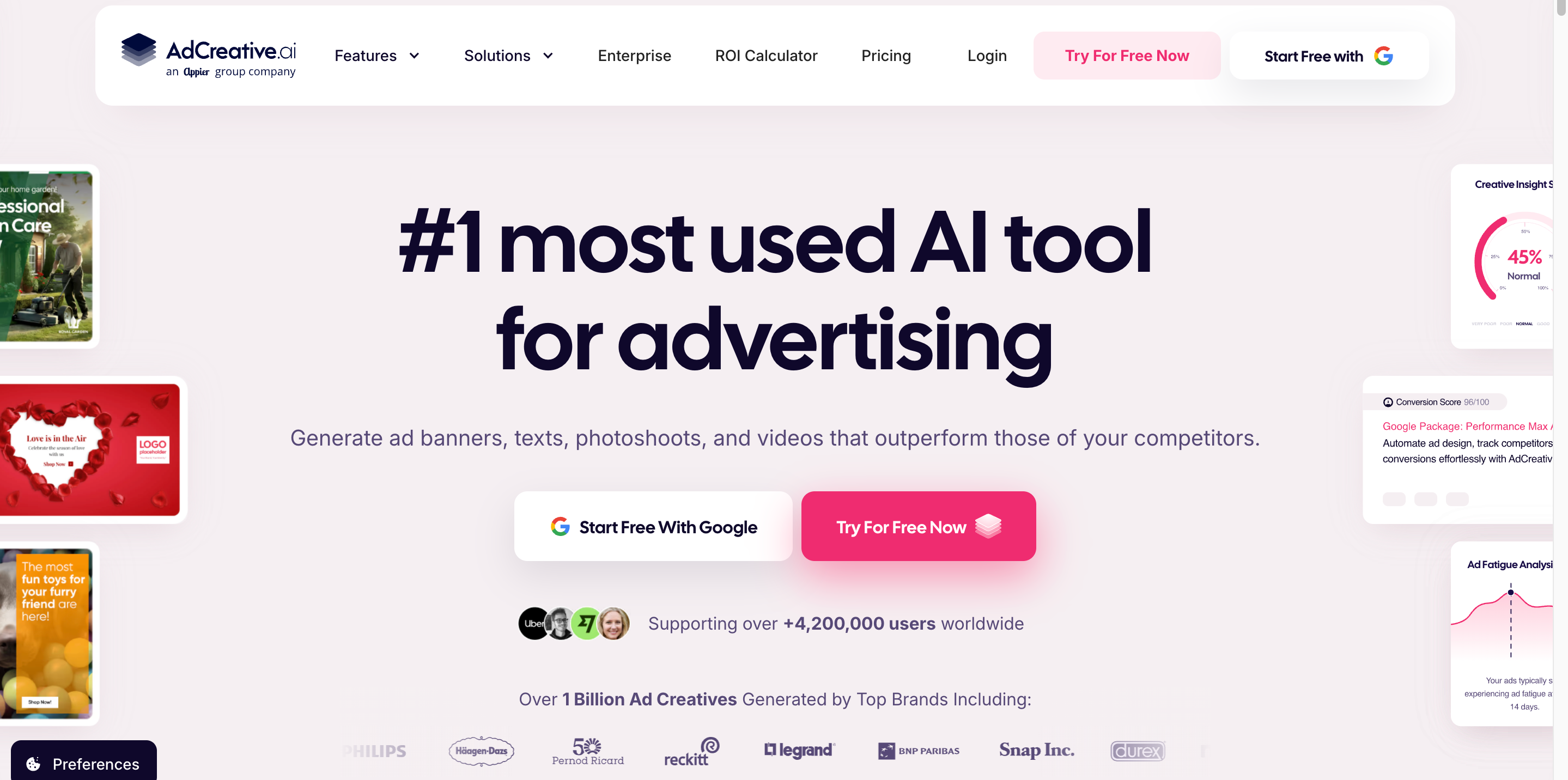
It also saves production time by allowing marketers to test different hooks, layouts, and product presentations without reinventing the wheel for each new ad. However, similar looking creatives may not give substantial A/B testing chances, and hence each version should be testing a different feature, such as the headline, product image, or call to action. You want actual efficiency numbers; measure the time it takes you to generate, update and export your assets.
How Much Editing Do Generated Ads Need Before They Are Usable?
Ads generated may require some modification before they are ready to publish depending on the quality of your prompts and the output of the tool. Providing explicit product descriptions, audience knowledge and brand references might get better first results, but each asset still needs quality checking.
-
Product accuracy: Verify that packaging, colors, proportions, and other product details match the actual item.
-
Brand consistency: Check that fonts, colors, tone, and visual elements align with your brand guidelines.
-
Layout quality: Ensure text is readable, spacing is balanced, and the design has a clear visual hierarchy.
-
Message clarity: Confirm that the ad communicates a specific, relevant benefit to the target audience.
-
Technical requirements: Check image dimensions, file formats, and placement specifications before exporting or publishing.
Can You Use AI-Generated Ad Copy Without Major Revisions?
The platform can assist with advertising copy, including headlines and promotional messaging. This can be useful when you need to explore different ways of communicating a product's benefits. Still, review every headline and call to action. Generic language, repetitive claims, vague benefits, and unsupported promises can weaken an otherwise promising ad. Confirm that the copy matches your brand's voice, reflects accurate product information, and complies with the advertising platform's policies.
What Can Creative Scoring Tell You Before You Spend on Ads?
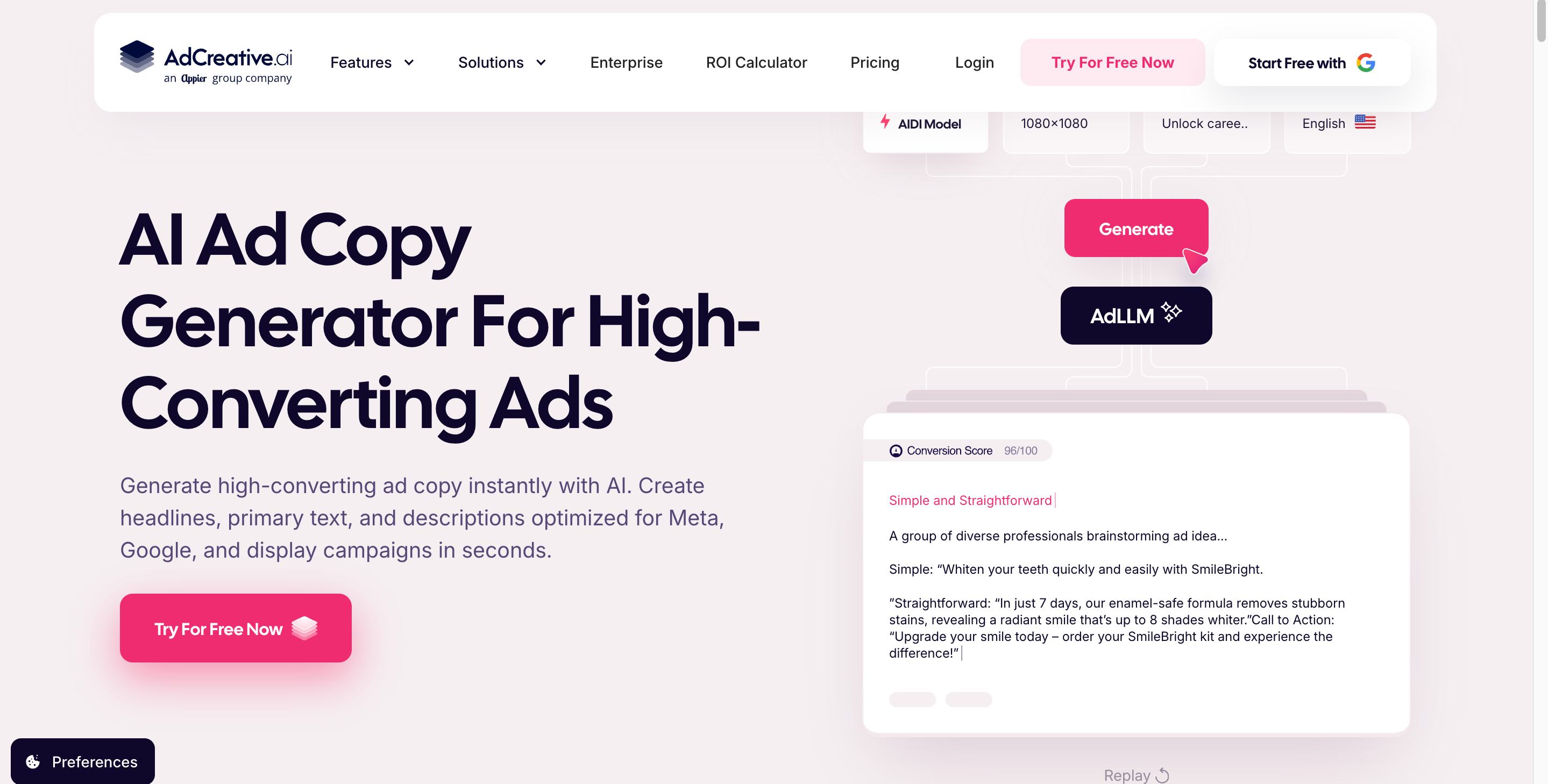
Creative by AdCreative.ai's scoring function is meant to assist users in evaluating advertising creatives. Refer to the current product documentation for information on the scoring criteria available and how scores are created. Think of a score as an initial assessment, not a promise of performance. A high score is not an indicator that an ad will drive more clicks, conversions, or revenue. Actual results vary according to audience targeting, offer quality, landing page experience, competition, and campaign design. Score your concepts first, then evaluate your conclusions with real marketing data.
Will Generated Assets Fit Your Campaign Requirements?
When exporting an ad, check its dimensions, aspect ratio, text legibility, and compliance with the placement where it will be used. An asset created for a social feed may require tweaks for a vertical narrative, display banner or ecommerce product page. Check what formats, resizing choices, and editing features are supported by your current plan. Not every creative developed is inherently ready for every channel.
AdCreative.ai Pricing and Reviews: Cost, Billing Risks, and Value
The subscription price is only one part of the buying decision. Your total cost also depends on usage limits, the number of usable assets, and how long it takes to refine them.
AdCreative.ai Pricing: What Will You Pay for Usable Creatives?
AdCreative.ai offers monthly and annual subscription plans designed for businesses with different advertising needs. Pricing varies by plan and credit allowance, so comparing both billing options can help you choose a plan that fits your budget and creative production requirements.
|
Plan |
Monthly Credits |
Monthly Billing |
Yearly Billing (Per Month) |
|---|---|---|---|
|
Starter |
20 credits/month |
$39/month |
$20/month |
|
Professional |
300 credits/month |
$249/month |
$125/month |
|
Ultimate |
300 credits/month |
$999/month |
$500/month |
What the Free Trial Includes and When Billing Begins
If you can get a free trial, make sure you read the rules before joining up. See the features and credits included, whether payment details are required, and what happens at the end of the trial. Pay special attention to automatic renewal, the first billing date and the price that kicks in after the trial. If you merely want to try the platform, set a reminder before the cancellation deadline. Don't think that cancelling a trial automatically cancels a subscription. Please follow the cancellation process as mentioned and keep the confirmation of your documentation.
What Positive Reviews Reveal About Time Savings and Usability
Reviews are positive when consumers find a creative platform easy to use, fast at generating ideas, and useful for exploring ad versions. But just because something generates initial ideas, doesn't mean the finished assets are ready to publish. Compare feedback from consumers similar to you, with workflows similar to yours, and test the results against your own goods, brand guidelines and campaign goals.
Trustpilot Billing and Refund Complaints: What Buyers Should Verify
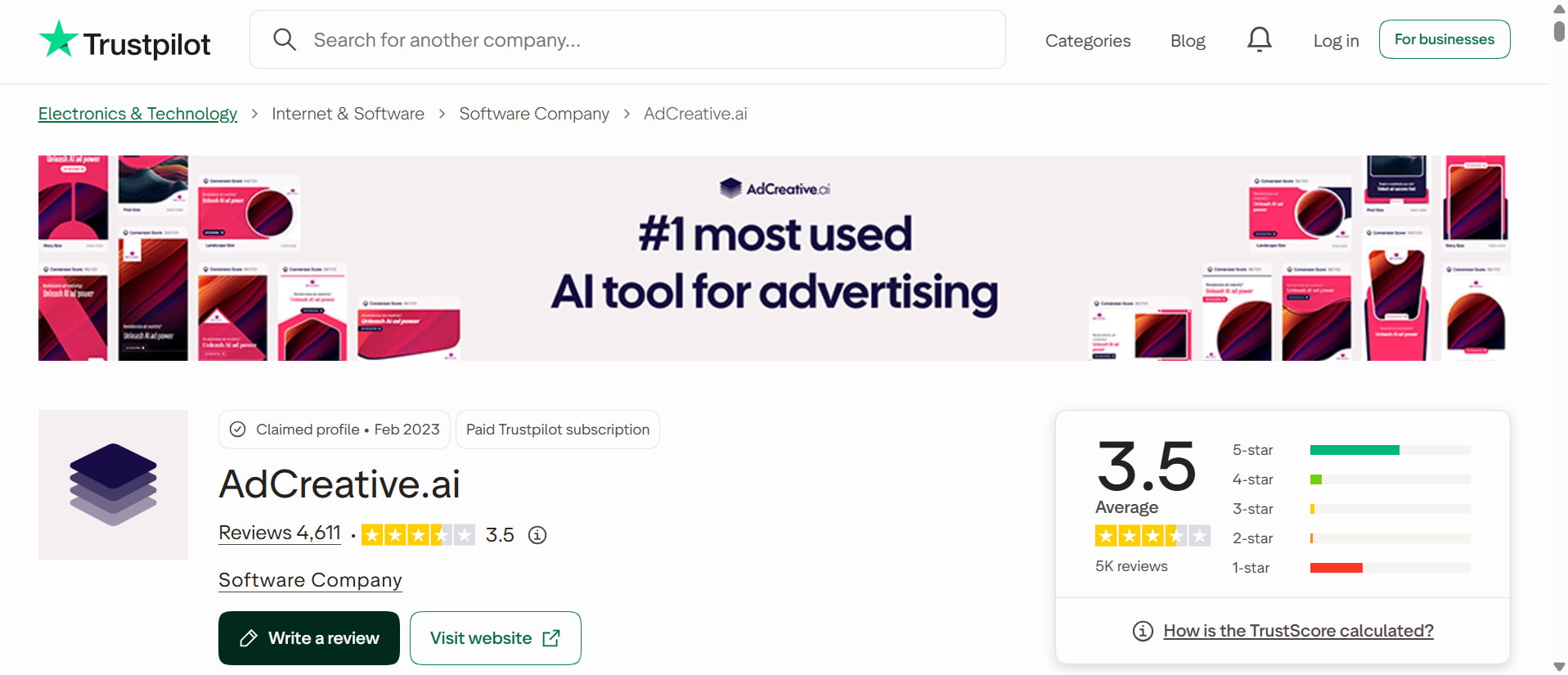
The AdCreative.ai Trustpilot page can help you investigate customer feedback about billing, automatic renewals, cancellations, refunds, and support. Look for recurring patterns across recent reviews rather than treating individual complaints as universal facts, and verify subscription terms directly before purchasing.
Before You Subscribe: Check Costs, Renewal, Cancellation, and Refund Terms
Before subscribing to AdCreative.ai, review the pricing, billing terms, and cancellation policy to avoid unexpected charges. Use this checklist to evaluate the plan and confirm it meets your needs.
-
Subscription cost: Confirm the total price, billing frequency, and any additional fees before paying.
-
Credits and limits: Check how many credits are included and whether generation or download limits apply.
-
Renewal terms: Verify the renewal date, post-trial price, and whether the subscription renews automatically.
-
Cancellation and refunds: Read the current policies to understand eligibility, deadlines, and refund conditions.
-
Cancellation process: Confirm how to cancel and whether you must complete specific steps before the next billing date.
-
Output quality: Test the platform with your actual product details and brand assets before committing to a longer plan.
-
Payment records: Save receipts, subscription confirmations, and cancellation records in case you need to resolve a billing issue.
AdCreative.ai Pros and Cons: Is It Worth the Cost?
AdCreative.ai may help marketers produce ad concepts and explore creative alternatives faster, but its worth relies on the quality of the output, the amount of editing required, and subscription prices. Considering its primary advantages and limits might help you decide if it fits your workflow, budget and campaign goals.
AdCreative.ai Pros and Cons
|
Pros |
Cons |
|---|---|
|
|
|
|
|
|
|
|
|
|
|
|
Create and Refine Advertising Visuals With Designkit
AdCreative.ai focuses on advertising creative generation, while Designkit supports a broader visual workflow for ecommerce and marketing teams. You can develop new visual concepts, improve existing product images, explore different backgrounds, and prepare assets for multiple marketing channels. This flexibility is useful when you need more than ready-made ad variations and want greater control over how products appear across campaigns.

How to Create AI Advertising Visuals With Designkit
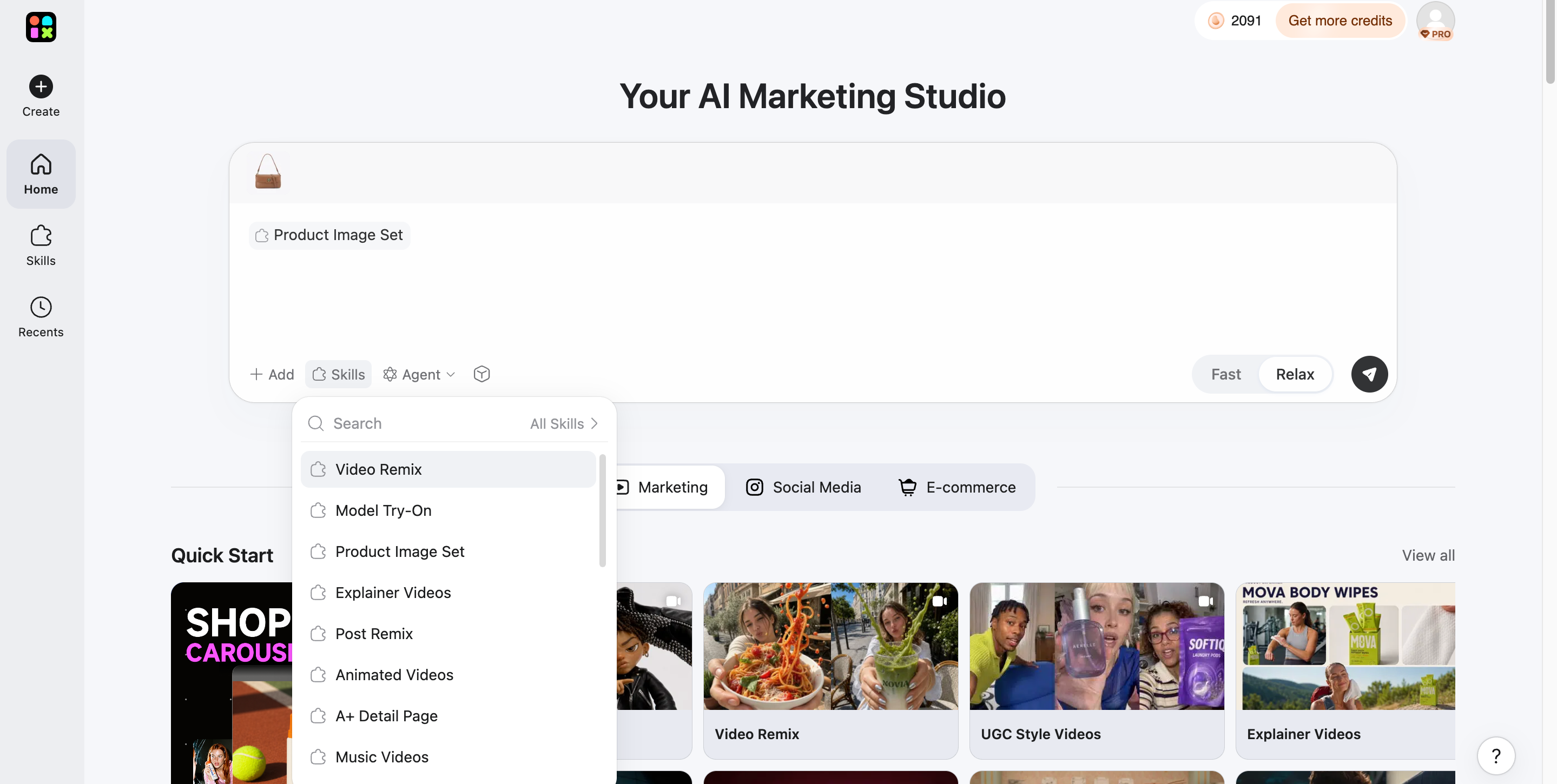
Step 1: Upload Your Product Image
Open Designkit's AI Marketing Studio and upload your existing product image to use as a reference. Choose a clear image that shows the product's important details, shape, and colors. Then, describe your preferred advertising style, including the background, lighting, and overall visual direction.
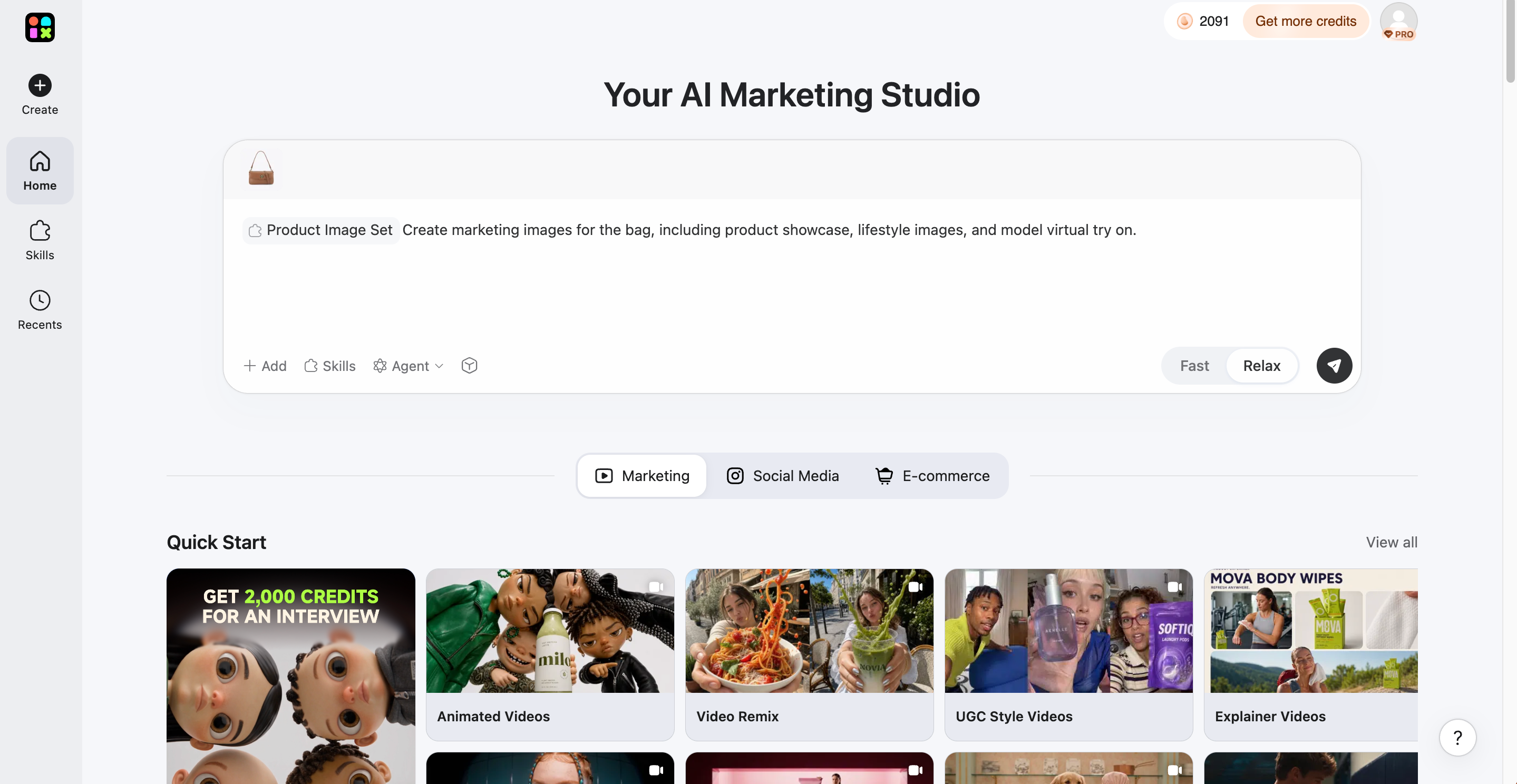
Step 2: Generate the Product Image
Enter your prompt and let Designkit generate a new product visual based on your uploaded image and creative instructions. Review the generated result to check the product placement, background, lighting, and composition. If the visual does not match your expectations, adjust your prompt and generate another version.
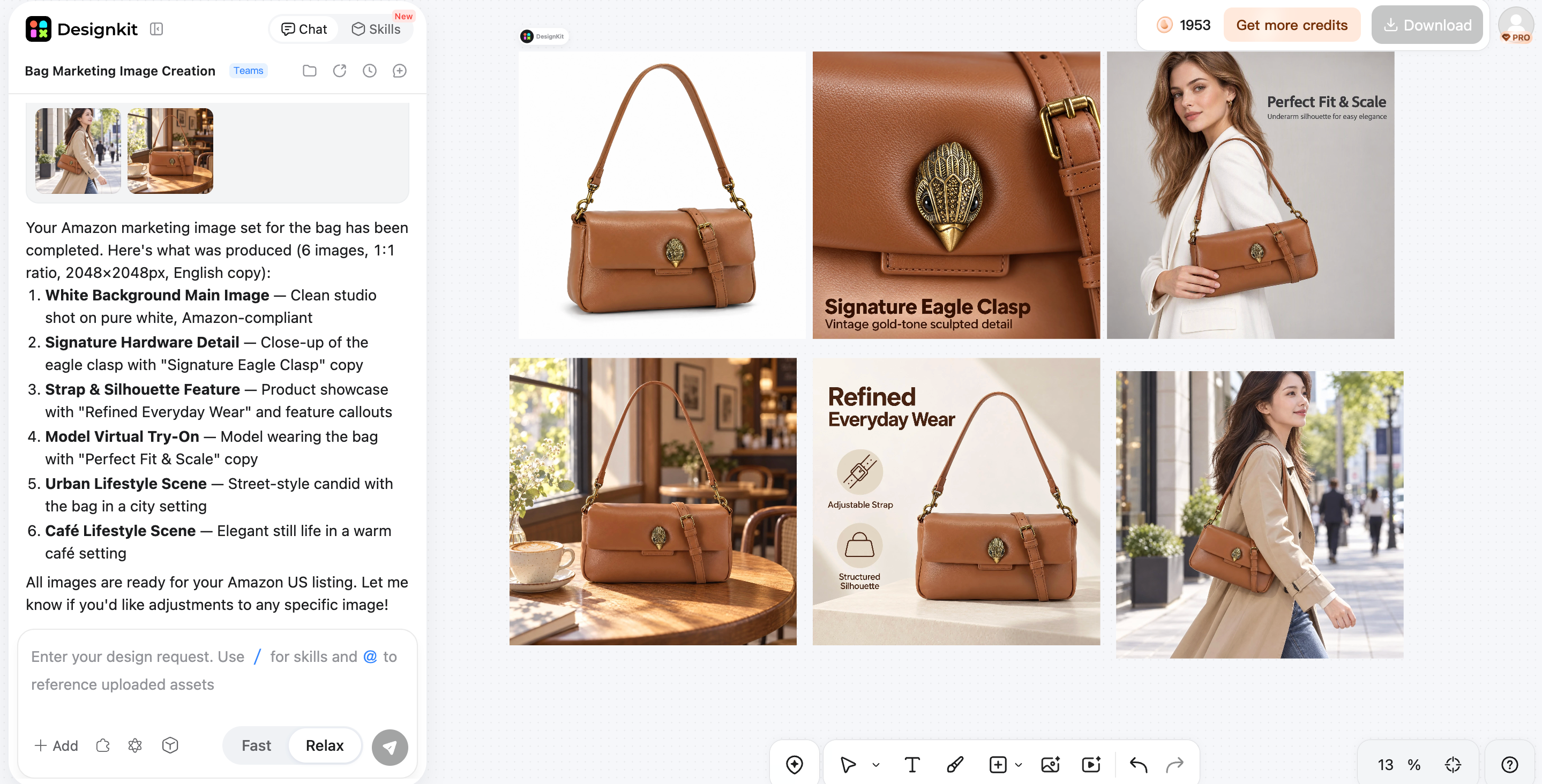
Step 3: Download the Final Image
Once you're happy with the generated product image, select the Download option to save it to your device. Before downloading, check that the product details are accurate and the image quality suits your needs. You can then use the final visual for ecommerce listings, social media content, and digital advertising campaigns.
Why Choose Designkit for Ad Visual Creation
Start With a Product Image or a New Visual Concept
You can work from an existing product photo instead of arranging a new photoshoot for every campaign. Designkit's AI product photography generator helps turn product images into studio-style or lifestyle visuals. This can be useful when you need fresh campaign assets but want to keep the original product as the focus.
Explore Alternative Backgrounds and Visual Directions
A background can change the mood of an ad without changing the product itself. With Designkit's AI background generator, you can experiment with different scenes, from clean studio-style backdrops to lifestyle settings. This gives you options for adapting visuals to seasonal promotions, social media campaigns, or different audience preferences.
Refine Existing Images for Campaign Use
Not every image needs to be recreated from scratch. If an existing photo has a distracting background, uneven lighting, or framing that does not suit the campaign, you can edit it before using it in an ad. Designkit's AI photo editor for product photos supports tasks such as background replacement, color refinement, and resizing, helping you prepare images for different placements.
Prepare Visual Assets for Ecommerce and Marketing
Advertising visuals often need to serve more than one purpose. You may need a main product image for a store, a lifestyle image for a campaign, and additional images for social media or product pages. Designkit's guide to creating e-commerce product images without a photoshoot offers related ideas for generating, reviewing, and refining product visuals. Adapt each final asset to the platform's image requirements and check that product details remain accurate before publishing.
AdCreative.ai vs. Designkit: Which Fits Your Workflow?
AdCreative.ai is a better fit to investigate when advertising-focused generation and creative evaluation are central to your process. Designkit is worth exploring when your priority is product imagery, visual editing, and broader ecommerce content production.
|
Consideration |
Adcreative.ai |
DesignKit |
|---|---|---|
|
Primary purpose |
Advertising creative generation |
AI-powered visual creation and enhancement |
|
Creative workflow |
Generate advertising-focused creative variations |
Create and refine marketing visuals |
|
Ad performance tools |
Evaluate available ad-focused features, including Creative Scoring |
Do not assume equivalent scoring capabilities |
|
Campaign workflow |
Assess its advertising and ad-account features against your campaign needs |
Focus on visual asset creation rather than assuming campaign-management functionality |
|
Ecommerce visuals |
Consider its suitability for product advertising |
Create and enhance ecommerce product imagery |
|
Best fit for |
Teams focused on ad production and campaign-oriented workflows |
Users who need flexible visual creation and image refinement |
Choose AdCreative.ai If You Need
Choose AdCreative.ai if your primary goal is to create advertising creatives for marketing campaigns. It is suited to workflows that require multiple ad concepts and variations, AI-assisted advertising copy, and creative evaluation features to help assess potential performance. It may be a good fit for marketers and businesses that want to streamline their advertising production process.
Choose Designkit If You Need
Choose Designkit if you need flexible AI-powered visual creation for ecommerce and marketing. It supports workflows focused on generating marketing visuals, creating product imagery and scenes, preparing product listing images, and refining existing visuals. It may be a better fit for ecommerce businesses and designers who want to create and enhance product-focused images for different marketing needs.
Final Verdict: Is AdCreative.ai Worth It?
AdCreative.ai is worth considering if you want to generate advertising concepts, explore creative variations, and reduce repetitive production work. Its value depends on output quality, editing requirements, subscription limits, and whether its features support your campaign goals. Customer feedback also makes it important to review trial conversion, renewal, cancellation, and refund terms before subscribing. If you need a more flexible approach to e-commerce imagery and visual refinement, Designkit is another option to explore. Test each platform against your real workflow before committing to a paid plan.
Frequently Asked Questions
What is Adcreative.ai used for?
How does the Adcreative.ai Ad generator work?
The AdCreative.ai ad generator helps users develop advertising creatives from relevant product and brand inputs. Depending on the available features, users can explore different visual concepts and copy options. Review each output for accuracy, brand consistency, and placement requirements.
How much does Adcreative.ai cost?
AdCreative.ai pricing depends on the available subscription plans, billing terms, and included allowances. Check the official website for current prices and confirm the credits, restrictions, and renewal terms before subscribing.
Does Adcreative.ai offer a free trial?
Trial availability and conditions should be confirmed on the official website before signup. Check the trial duration, any payment-card requirement, the post-trial price, and whether the subscription renews automatically.
How do I complete an Adcreative.ai login?
Visit the official AdCreative.ai website and select the login option. Enter the credentials associated with your account and follow any verification prompts. If you cannot access your account, use the available password-recovery or support options.
Is Adcreative.ai good for ecommerce Ads?
It may help ecommerce teams explore product advertising concepts and copy variations. However, product accuracy, brand consistency, and placement requirements still need review. Test the output with your own products before using them in a live campaign.
Can AI-Generated Ads replace a designer?
AI can assist with ideation, initial layouts, and creative variations, but it does not eliminate the need for human judgment. Designers and marketers remain important for brand consistency, product accuracy, visual refinement, and campaign strategy.
You May Also Like

5 Best PicCopilot Alternatives for Sellers (2026)

Best AI Ad Generators in 2026: Tools for Creating Better Ads
T-Shirt Design Size Guide: Placement, Dimensions, & DPI

How to Sell on Poshmark: A Complete Beginner's Guide
Zeely Reviews 2026: Features, Pricing, Pros, Cons & Alternatives
Create TikTok Ads From One Photo: An AI Product Launch Kit
Depop vs Poshmark: Which Is Better for Selling in 2026?
How to Create an Amazon Storefront: 4-Step Guide for New Sellers

How to Sell Books on Amazon in 2026: Beginner Guide

How to Sell on Amazon in 2026: A Complete Seller Guide

AI Product Photography: 7 Best Tools for Ecommerce in 2026

What Is a Hero Image? Definition, Examples & Design Tips
Pippit AI Review 2026: Features, Pricing, Pros & Cons
Back to School Ad: 7 Creative Ideas for Better Campaign Results

Top 7 Back-to-School Sales Ideas to Boost Retail Sales (2026)
How to Create a Complete World Cup Product Listing Image Set

How to Create Amazon Summer Sale Posters and Banners with AI
Amazon Summer Sale 2026: Listing Design Trends & Product Image Ideas
Ecommerce Video Ads: 7 Strategies That Drive Higher Conversions
How to Photograph Shoes for Your Ecommerce Store in 2026

Product Photography Ideas: Creative Tips & Techniques for Better Shots

Product Photography Pricing 2026: Full Cost Guide by Type
White Background Product Photography Guide & Tips 2026
Product Photography Starter Package: Gear Checklist 2026
Shopify Product Photography Guide with Tips & Setup
Amazon Main Image Requirements: Size, Guidelines & Tips

Shopify Product Image Size: Dimensions, Ratios & Best Practices

Studio Product Photography vs AI Product Photography in 2026

7 Product Photography Mistakes That Hurt Ecommerce Sales
Change Outfit Colors Online for Outfit Preview with AI Clothes Color Changer

How to Create Amazon Infographics: Boost Sales with Compelling Visuals

How to Create Outdoor Product Scenes Without a Photoshoot Using AI

Optimize Etsy Images for Mobile: Listing Photos That Convert

Amazon 7-Image Listing Strategy: Boost Sales by Optimizing Every Image
Etsy Thumbnail Optimization: Keep Your Product Fully Visible
The Etsy Thumbnail Formula That Drives More Clicks and Sales
How to Create Pro Amazon Listing Photos Without a Studio

10 High-Converting Lifestyle Product Images for Amazon Listings

How to Automate Your E-commerce Visuals with OpenClaw Workflow

Top 5 AI Tools to Generate Amazon Product Listing Images in 2026

How to Turn One Photo into 10 Etsy Listing Images Fast: Batch Workflow
Etsy Listing Photo Size Guide (2026): Mobile, Desktop & Shop View Specs
Turn White Background Images into Lifestyle Amazon Listings

Fix Etsy Image Cropping: Optimize Listing Photos for Every Device
Amazon Listing Images: Essential Shot List & Optimization Guide

How to Create Lifestyle Product Images Without a Studio

Lifestyle Product Photography Trends 2026: Authentic Looks at Scale
How to Master Lifestyle Product Photography in 2026

Amazon Listing Images Guide 2026: 7-Slot Strategy & Requirements
360 Product Photography Guide 2026: Setup, Shoot and Workflow
Beginner's Guide to Generate Product Photos from Different Angles
AI Product Photography: Create Ecommerce Images Without a Photoshoot

How to Create Realistic AI Product Photos: Step-by-Step Pro Guide
Keep AI Product Images Consistent Across SKUs: Lighting, Color, Background

How to Scale E-commerce with a Product Image Generator

How to Use AI for Spring Product Photography: 2026 Amazon Guide

How to Create a Budget Home Product Photography Setup with AI

How to Achieve Professional Product Photography Standards in 2026

How to Take Product Photos with Phone: Pro Guide for Amazon & AI

6 Best AI Product Image Generators in 2026
Amazon Photography Service vs. AI Generator: Best Choice for Sales
What Is Product Photography? Angles, Lighting & Editing Guide
Amazon Spring Sale 2026: Create High-Converting Listing Images (Guide)

AI Agents Transform Amazon Product Photography in 2026
Amazon Photoshoot in 2026: Do You Still Need a Studio?
11 Must-Have Tools for Amazon Product Photography in 2026

2026 Amazon Image Trends Shaping Seller Success and Conversions
Amazon Product Photography Requirements & Best Practices 2026
Build Ad Creatives You Can Actually Ship
Create product visuals, refine the layout, and export campaign-ready assets in Designkit. Start free and test a few directions today.