
Design a VTuber Character for Streaming and Content
Build a recognizable VTuber character from a text idea or reference image, then create new outfits, scenes, UGC-style content, and videos around the same persona.
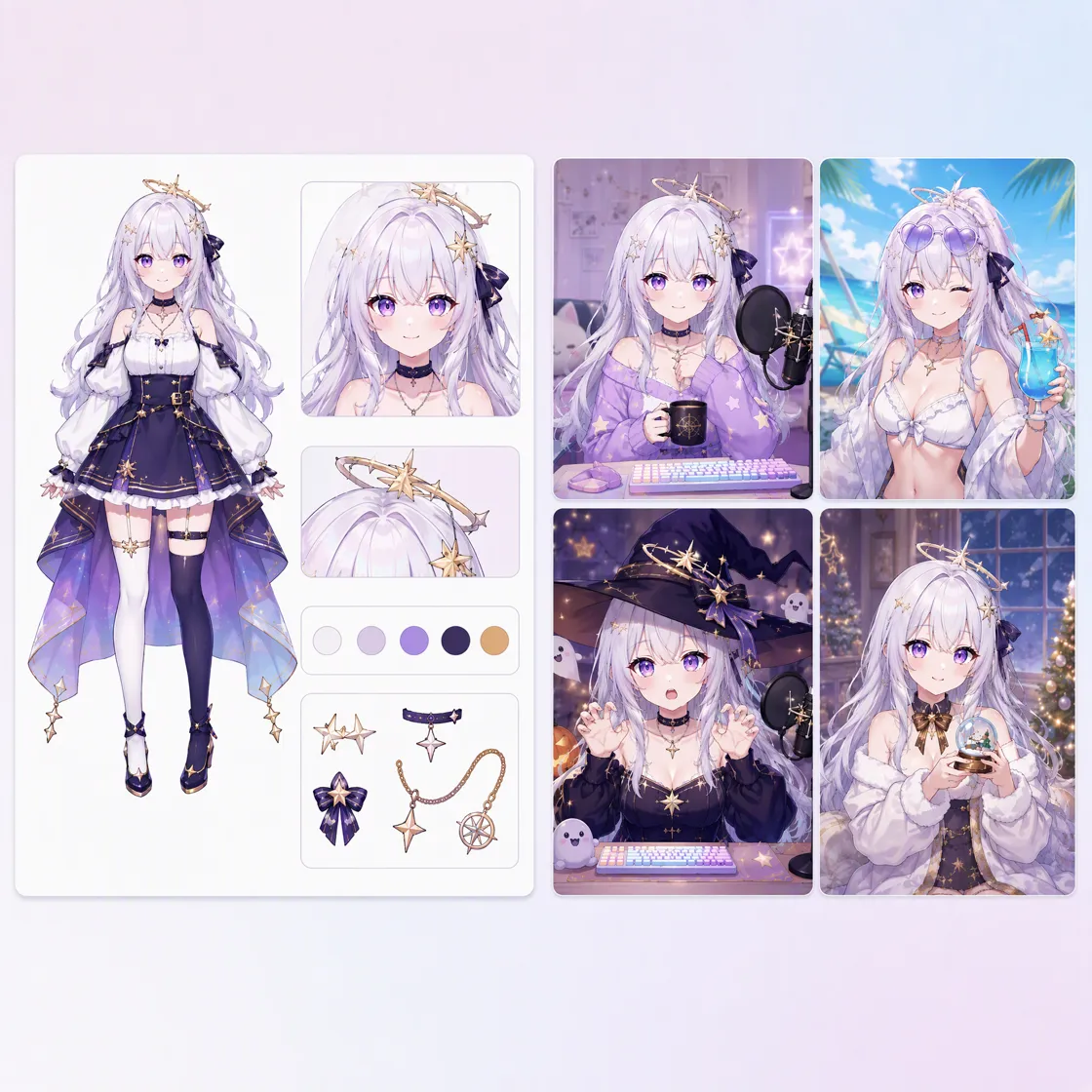
How to Make a VTuber Avatar With AI
Step 1. Sign In and Open the Design Workspace
Sign in to Designkit and open the workspace to start creating your VTuber character. Prepare a prompt describing the character’s appearance, personality, outfit, visual style, colors, accessories, and distinctive features.
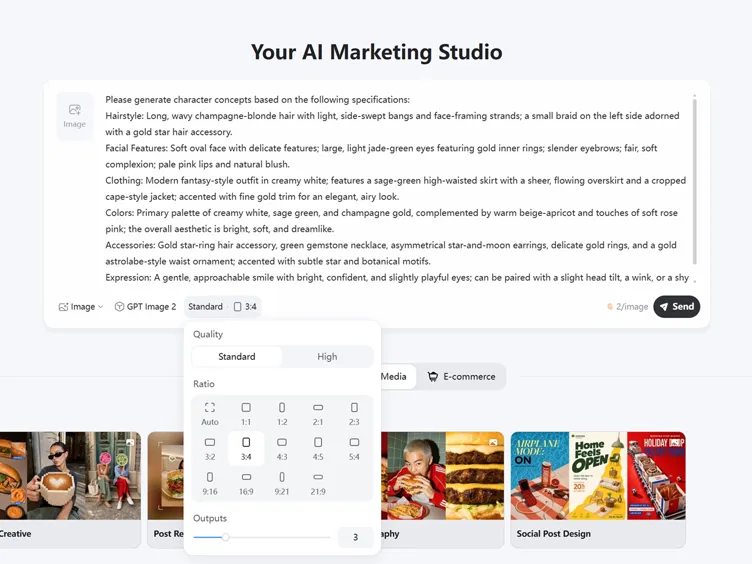
Step 2. Design Your VTuber Character
Enter your character description or upload a reference image to guide generation. Define hairstyle, facial features, clothing, colors, and accessories, then generate and choose the version that best matches your VTuber persona.
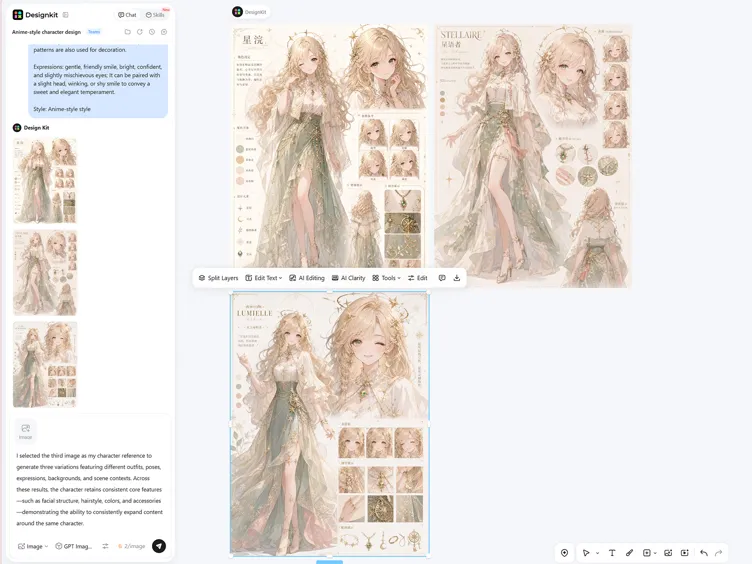
Step 3. Create More Content With the Same Character
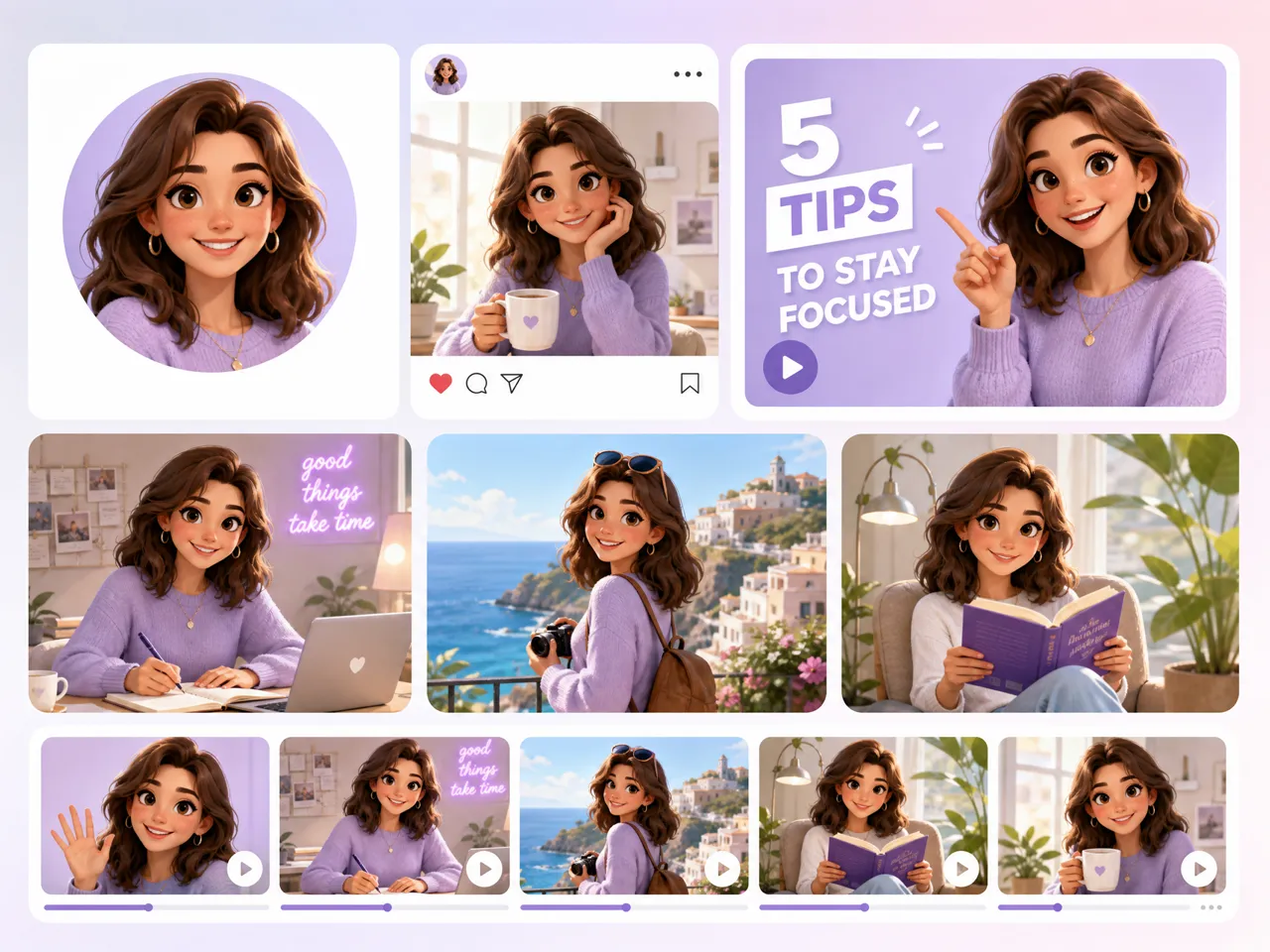
Once the virtual character is established, use the generated image as a reference for new content. Create outfits, poses, expressions, backgrounds, and thumbnails while keeping the core character recognizable.
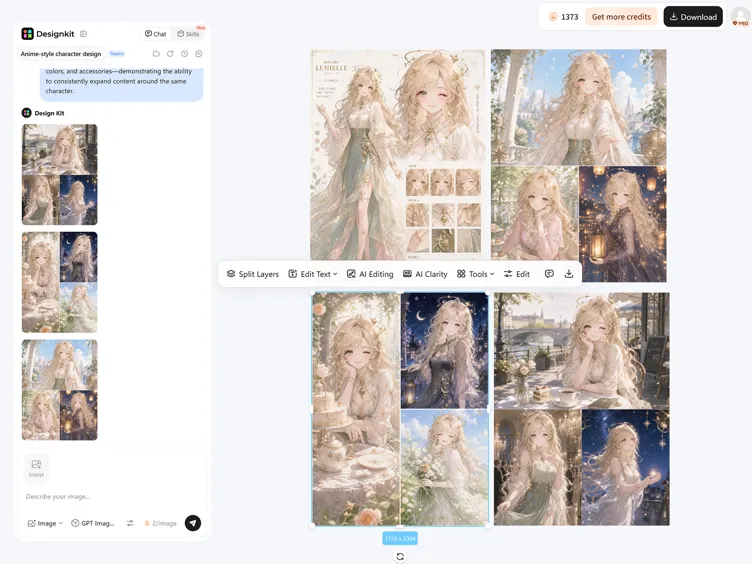
What Makes Designkit an Ideal VTuber Maker
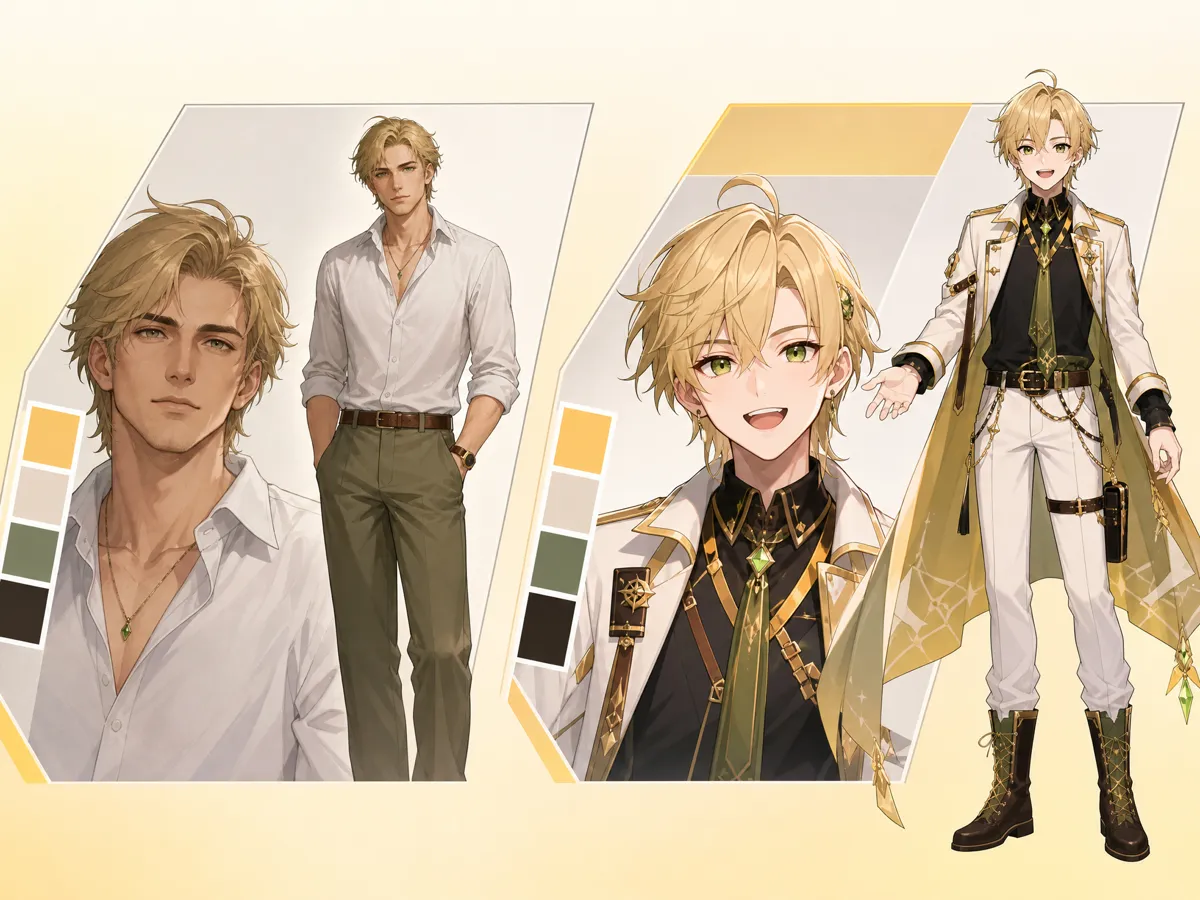
Turn Existing Profile Into a VTuber Character
Turn an existing character reference or profile image into a new virtual persona without starting from a blank canvas. Designkit's AI image generator can help develop the appearance, outfit, colors, and distinctive details of your character, making it a practical VTuber character creator for exploring a new avatar direction.
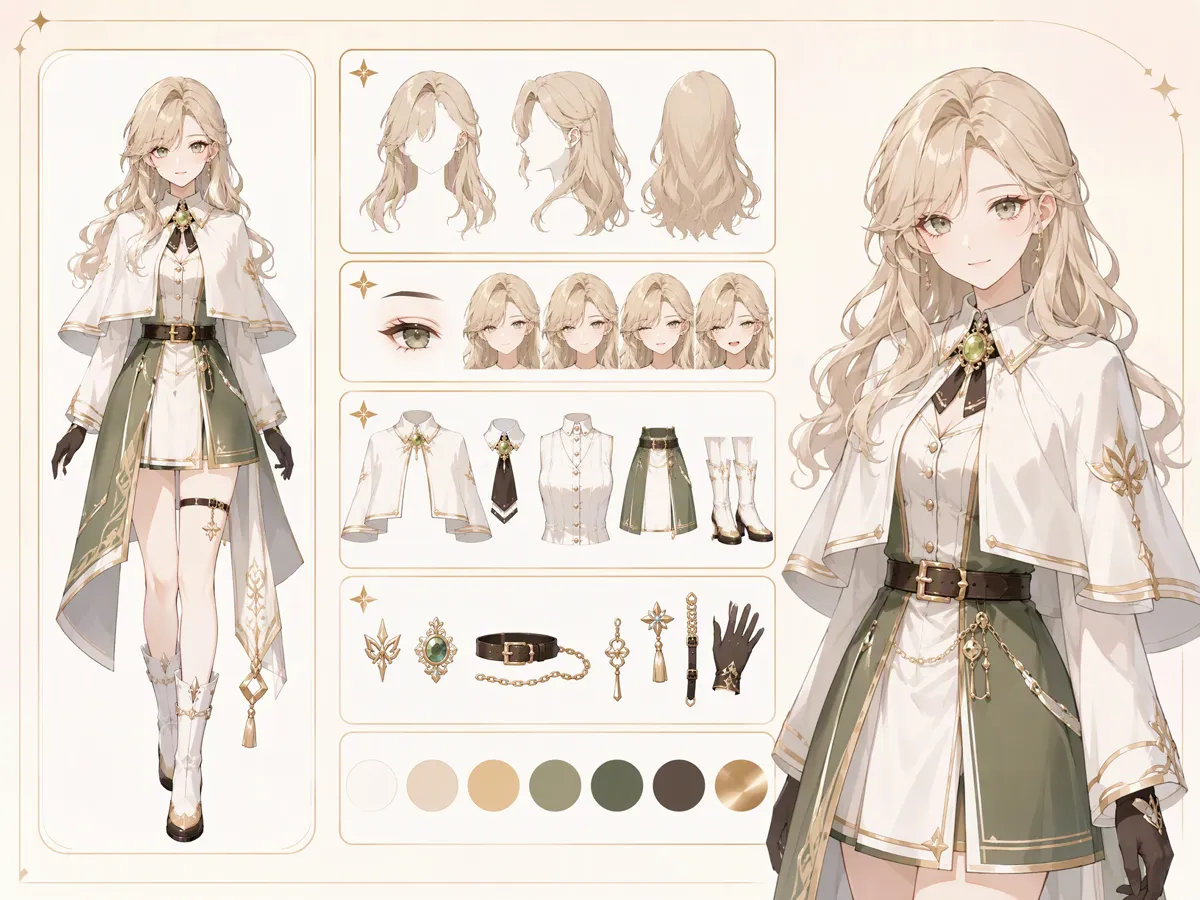
Build One Clear Base Look You Can Reuse Across Content
Start with one defined appearance and establish the visual details that make your character recognizable. Designkit lets you shape the hairstyle, facial features, clothing, accessories, colors, and overall style, giving you a reusable VTuber model that can serve as the foundation for future content and character variations.
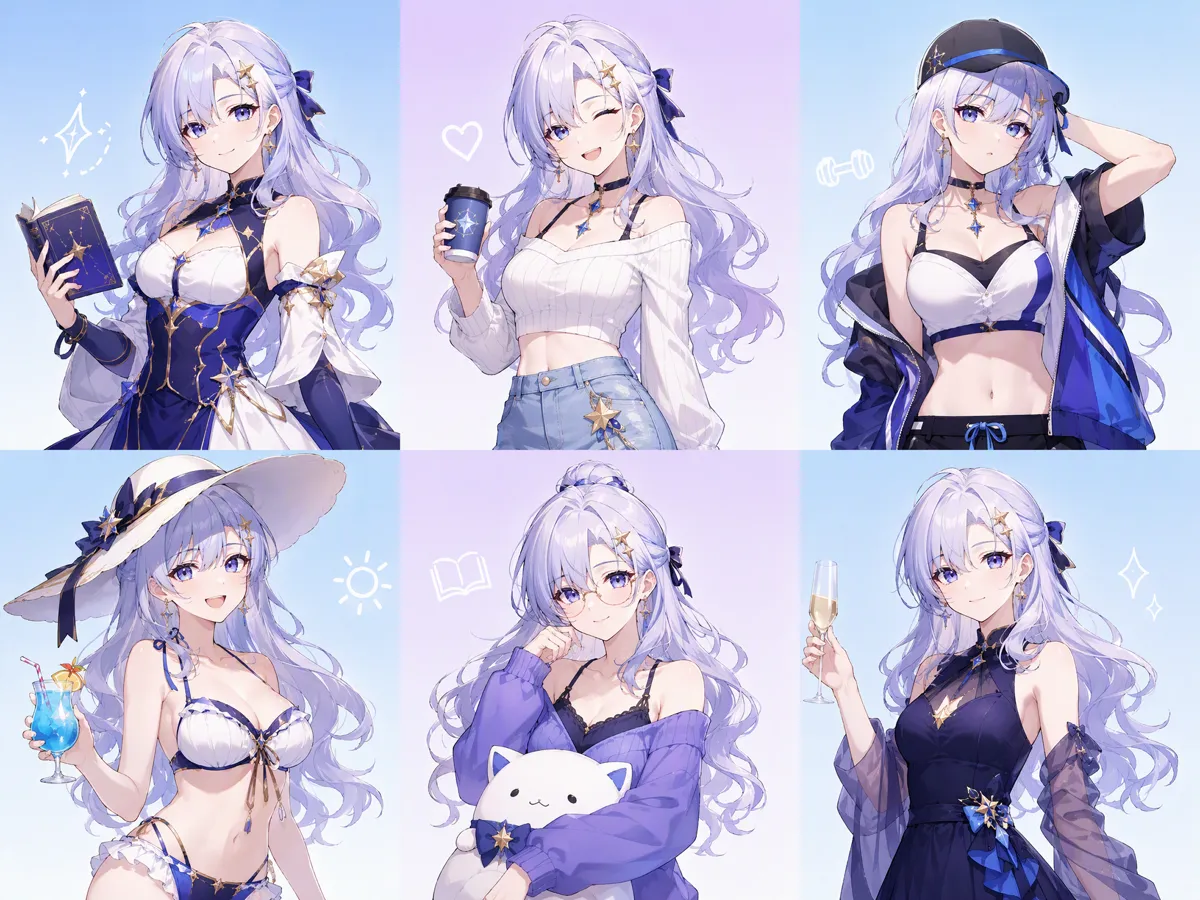
Keep Your VTuber Recognizable Across New Looks
Create new outfits, poses, expressions, and settings while keeping the core identity of your virtual character intact. Designkit helps you work from an established reference, making it easier to develop your VTuber avatar for different themes, campaigns, streams, and social posts without redesigning the character from scratch each time.
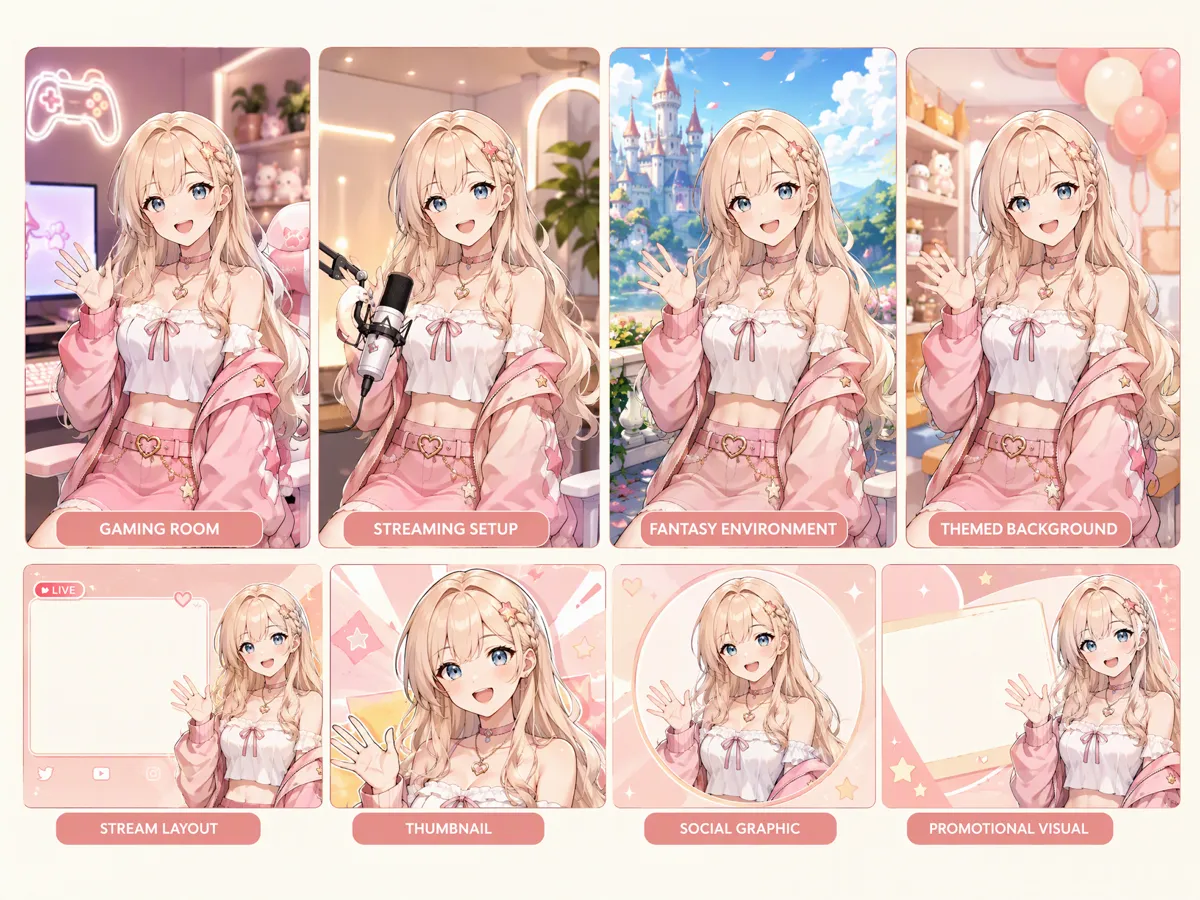
Create Stream Scenes Around Your VTuber
Build visual settings that place your VTuber inside different streaming or content environments. Designkit can generate backgrounds, rooms, themed scenes, and supporting visuals around your AI character, helping you develop stream layouts, thumbnails, social graphics, and promotional concepts that match the character’s established visual direction.
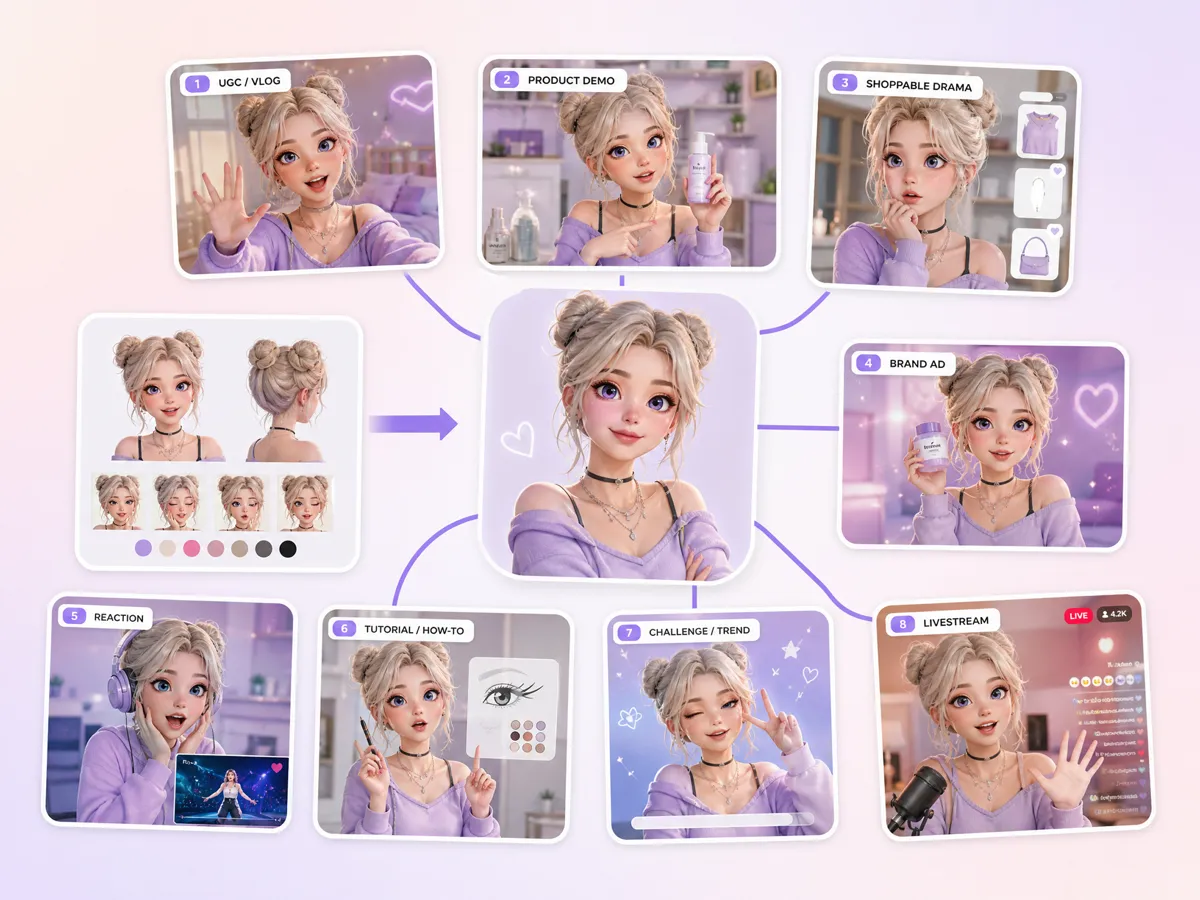
Animate Your VTuber Character into 8-Type Videos
Turn your established VTuber character into different video concepts for streaming, social content, and promotional use. Designkit's AI video generator can extend your VTuber into animated content while giving you room to explore different scenes, movements, and storytelling directions. This creates more ways to use one character beyond a static VTuber model creator workflow.
VTuber Creation for Streaming, Social Content, Gaming, and Brands
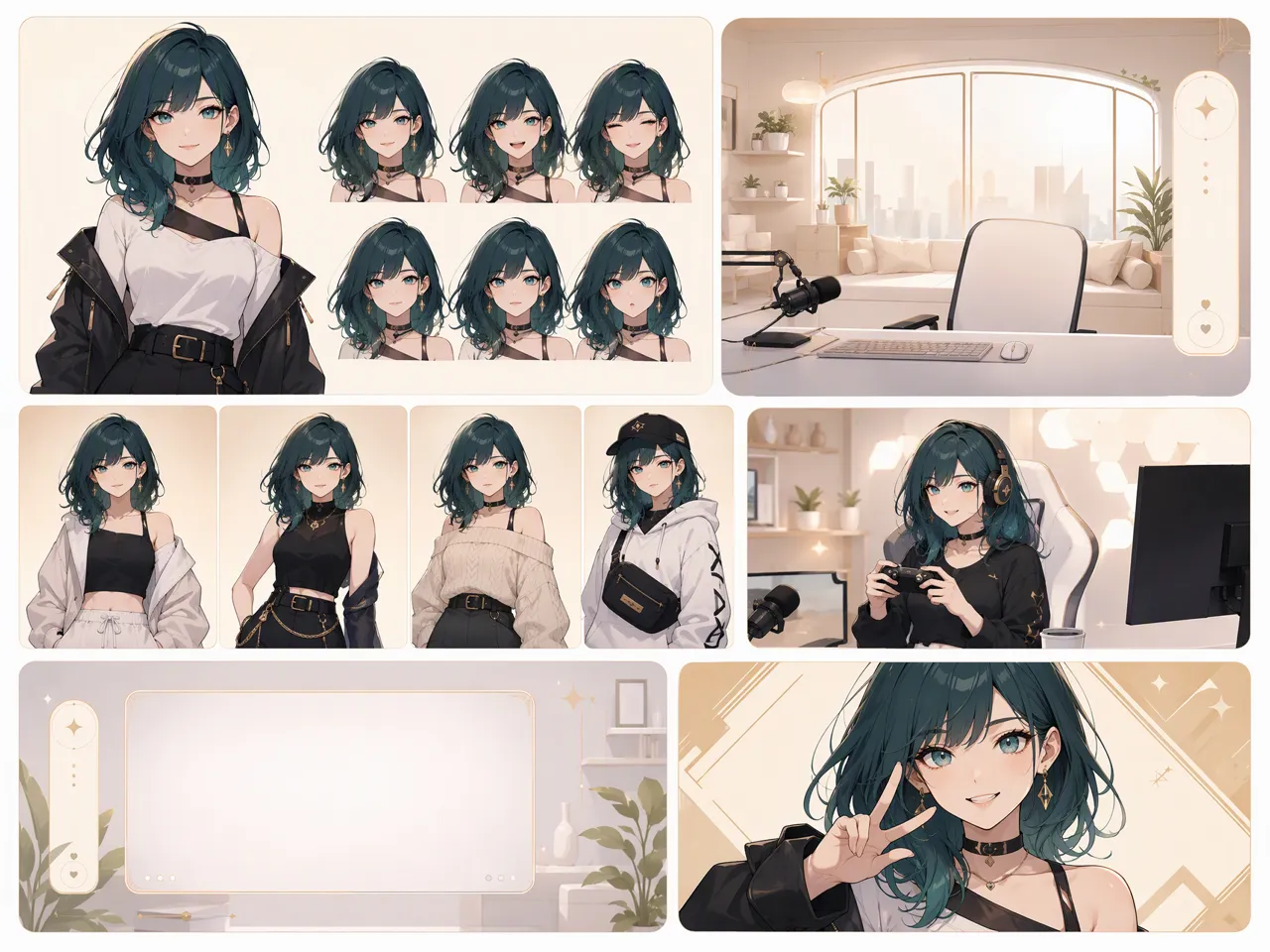
Build A Recurring VTuber Persona for Livestream Content
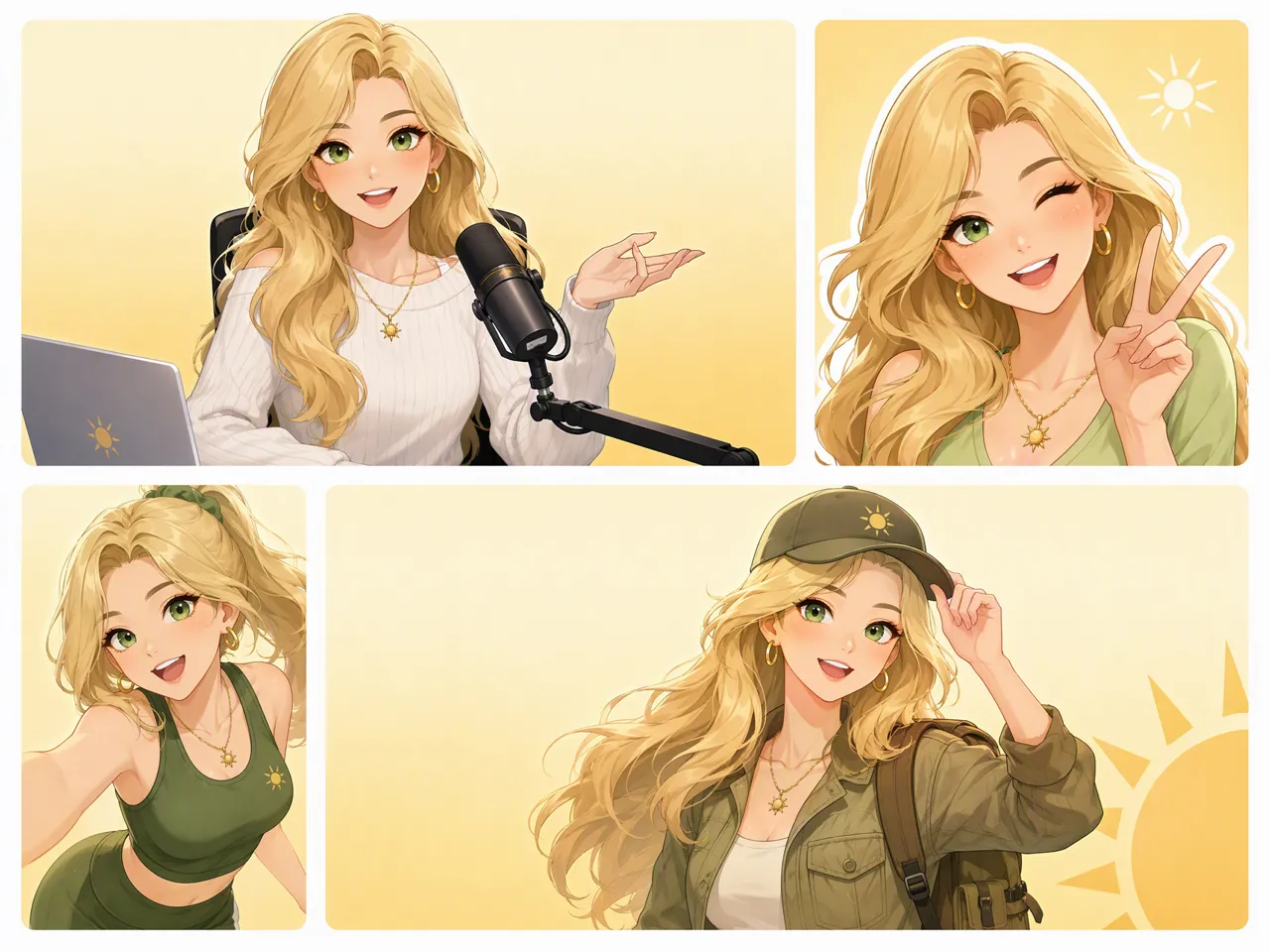
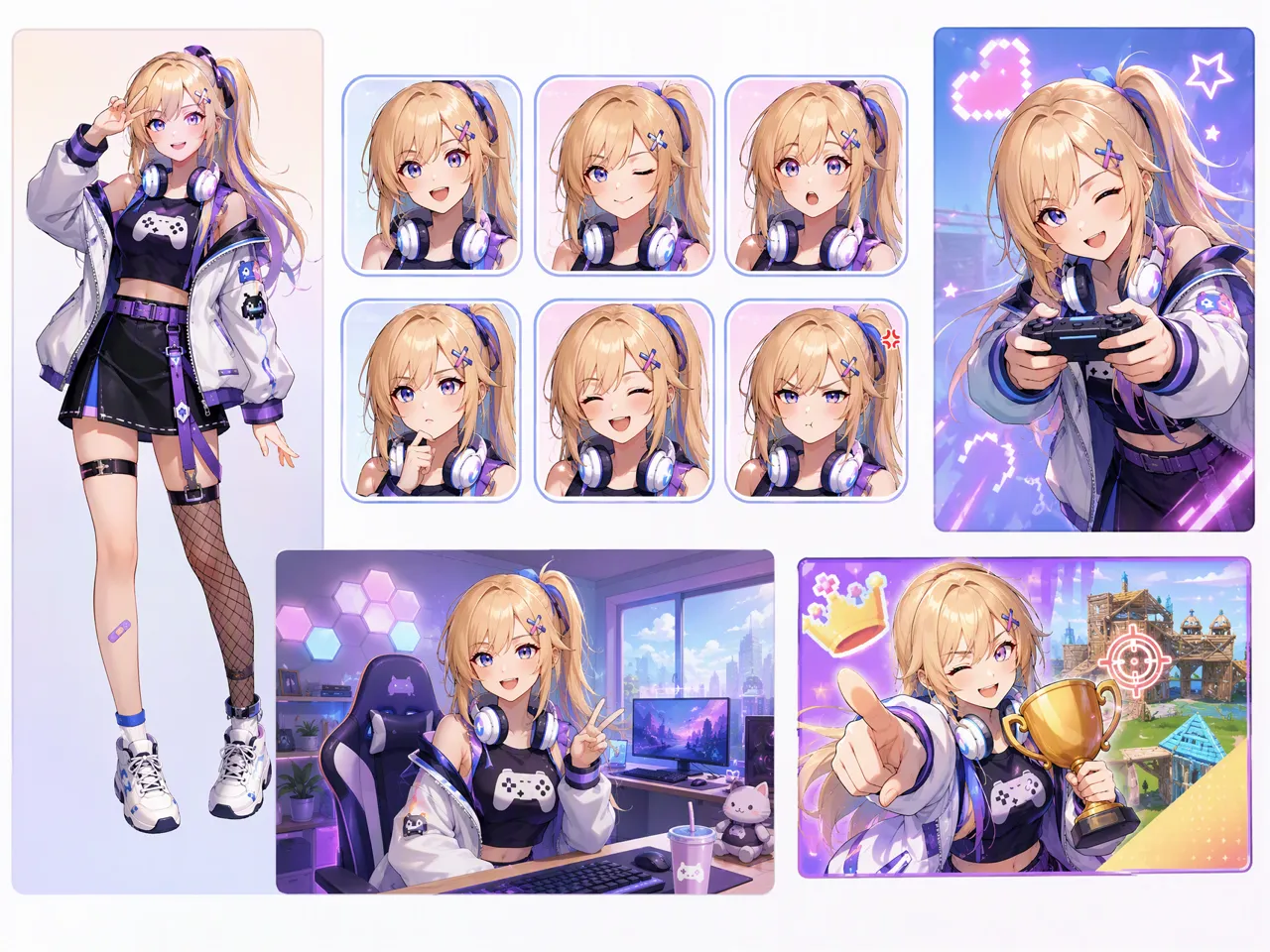
Create a reusable VTuber avatar for livestreams, gaming sessions, and recurring channel content. Designkit helps shape the character’s appearance, outfits, and scenes so streamers can develop a recognizable virtual identity without designing a new persona for every broadcast.
Why Create Your VTuber With Designkit
Start Without Drawing From Scratch
Turn a written character idea or visual reference into a developed avatar concept instead of building every design element manually.
Combine Creation and Editing
Refine the generated visual with related image-editing workflows instead of moving assets between separate creative tools.
Try VTuber Creation With Free Credits
Start experimenting with your VTuber persona using free credits before committing to a larger character-production workflow.
Unlock More Creative Possibilities for Image Projects
AI Nail Generator

Random Image Generator
AI Ad Creative Tool
Photo Book Maker
Frequently Asked Questions
Can I Make a VTuber Avatar Online Without Drawing Skills?
Can I Use a Free VTuber Maker to Create a 2D Avatar?
Yes, you can use a free 2D VTuber model maker to explore a character concept without commissioning artwork before you know what you want. Designkit lets you generate a 2D-style character from a description or reference, experiment with different visual directions, and develop a base avatar that can be reused across future content.
Can I Create a VTuber From a Photo or Existing Character?
Yes. You can use a photo, illustration, or existing character as a visual reference when developing a new VTuber concept. Designkit’s VTuber model creator can help transform that reference into a virtual character direction while preserving key visual cues such as hairstyle, clothing, colors, and overall appearance for further content creation.
How Can I Keep the Same VTuber Character Across Different Images?
Use the same character reference and maintain key identifying details such as facial features, hairstyle, colors, clothing style, and accessories across generations. Designkit helps you make a VTuber model and reuse its visual direction when creating new scenes, poses, and content, making it easier to keep the character recognizable across different images.
Can I Create Different Outfits for the Same VTuber?
Yes. You can create outfit variations while keeping the character’s core appearance recognizable. Change clothing, accessories, colors, or styling to match different streams, seasons, events, or content themes. Designkit works as a VTuber character creator, helping you explore new looks from an established character rather than starting with an unrelated avatar each time.
Can I Create a 3D VTuber With AI?
Yes, AI can help you explore the visual concept and appearance of a 3D VTuber, although creating a fully rigged, production-ready 3D model may require additional modeling and rigging tools. Designkit can help develop the character’s appearance, outfit, expressions, and visual references before moving into a dedicated 3D production workflow.
Can I Use an AI-Generated VTuber on Twitch and YouTube?
An AI-generated VTuber can be used for Twitch or YouTube content, provided the content follows each platform’s current rules and any applicable licensing requirements for the assets used. Designkit can help you create a VTuber model and develop supporting images, thumbnails, scenes, and video concepts around the same virtual persona.
Create Your Own VTuber Character Today
Create a recognizable virtual character, then develop new outfits, scenes, UGC-style content, and videos around the same persona.



VTuber Creators Share Their Character-Making Experience
Real creator perspectives on developing virtual personas and channel visuals with AI.
Finally Found a Character Direction I Actually Like
I had the character idea in my head, but it never really felt like a complete persona. After trying a few hairstyles, outfits, and colors, I finally had a look that felt consistent enough to build the channel around.
One Character Gave Us a Lot More Content Options
We didn't want every thumbnail to show a different character. Keeping the same visual direction while changing poses and outfits made the whole channel feel much more connected.
The Outfit Changes Made a Bigger Difference Than I Expected
The first character was fine, but I wasn't sure how to make the persona work for different types of content. Trying seasonal and gaming outfits gave me a much clearer idea of where I wanted to take the character.
Our Virtual Character Became Part of the Brand
We started with a simple virtual character idea for social content. Once we had a recognizable look, we could use the same persona across campaign visuals, short videos, and other branded content without creating a new character every time.