
See Your Bridal Look With an AI Wedding Veil Try-On
Preview a wedding veil on your own photo before making a choice. Explore different lengths, lace finishes, and bridal styling ideas with Designkit's AI virtual try-on tools.
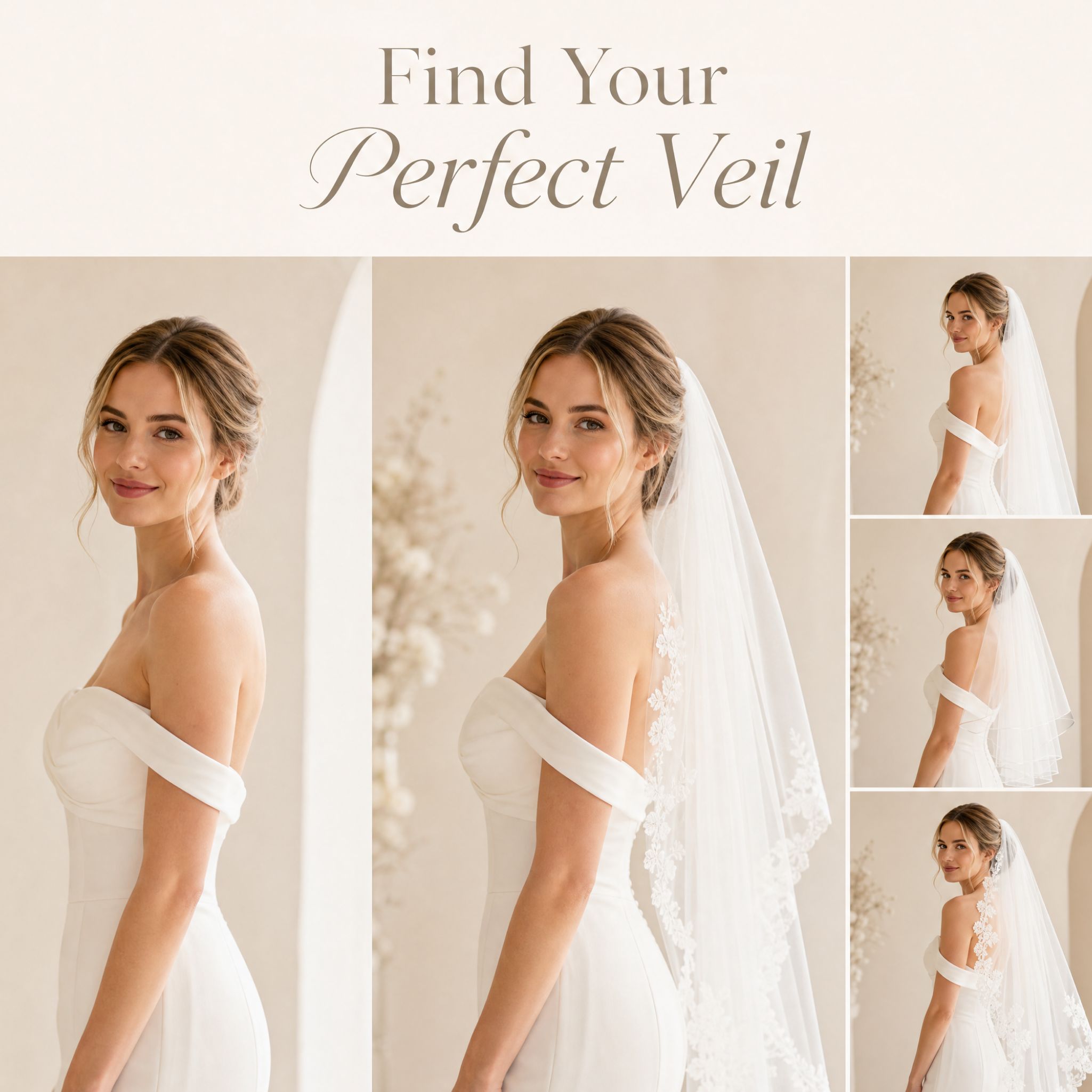
How to Try On a Wedding Veil Online With Designkit
Step 1. Upload Your Bridal Photo
Open Designkit's Virtual Try-On tool and upload a clear photo of your bridal look to use as the reference for your veil preview.
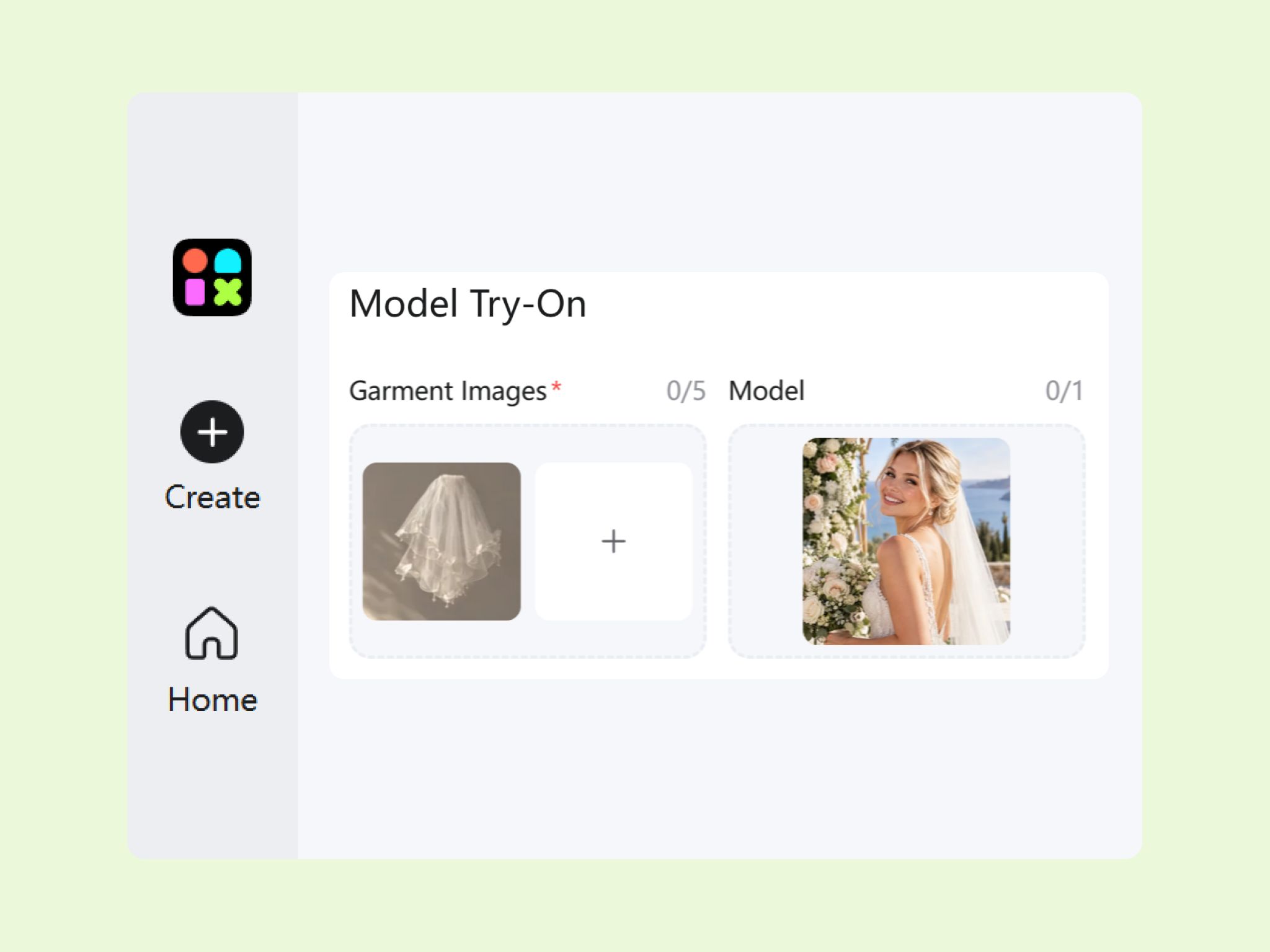
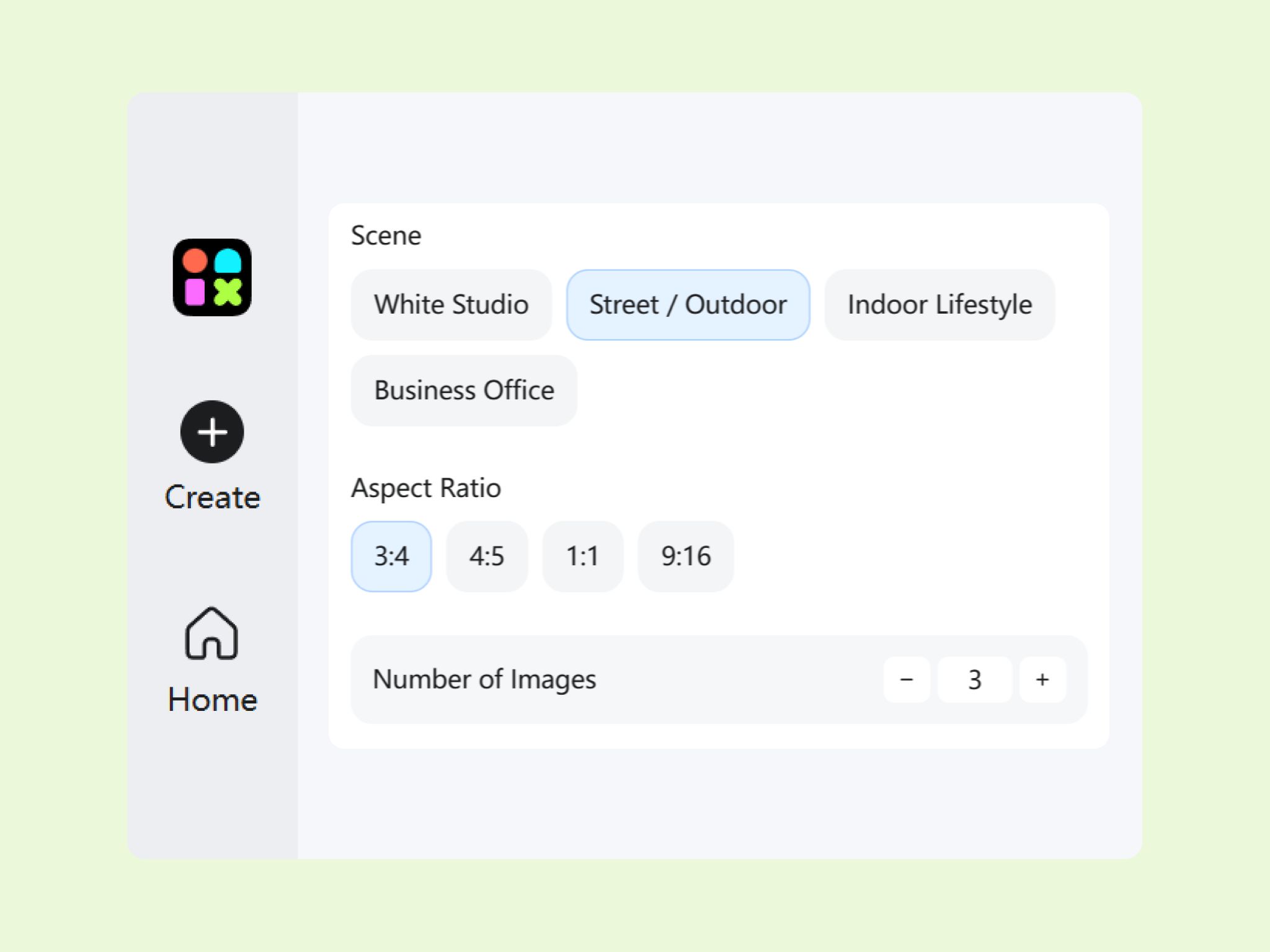
Step 2. Set Your Model, Scene, and Style
Choose a suitable model reference, scene, and aspect ratio, then describe the wedding veil style you want to preview in the prompt.
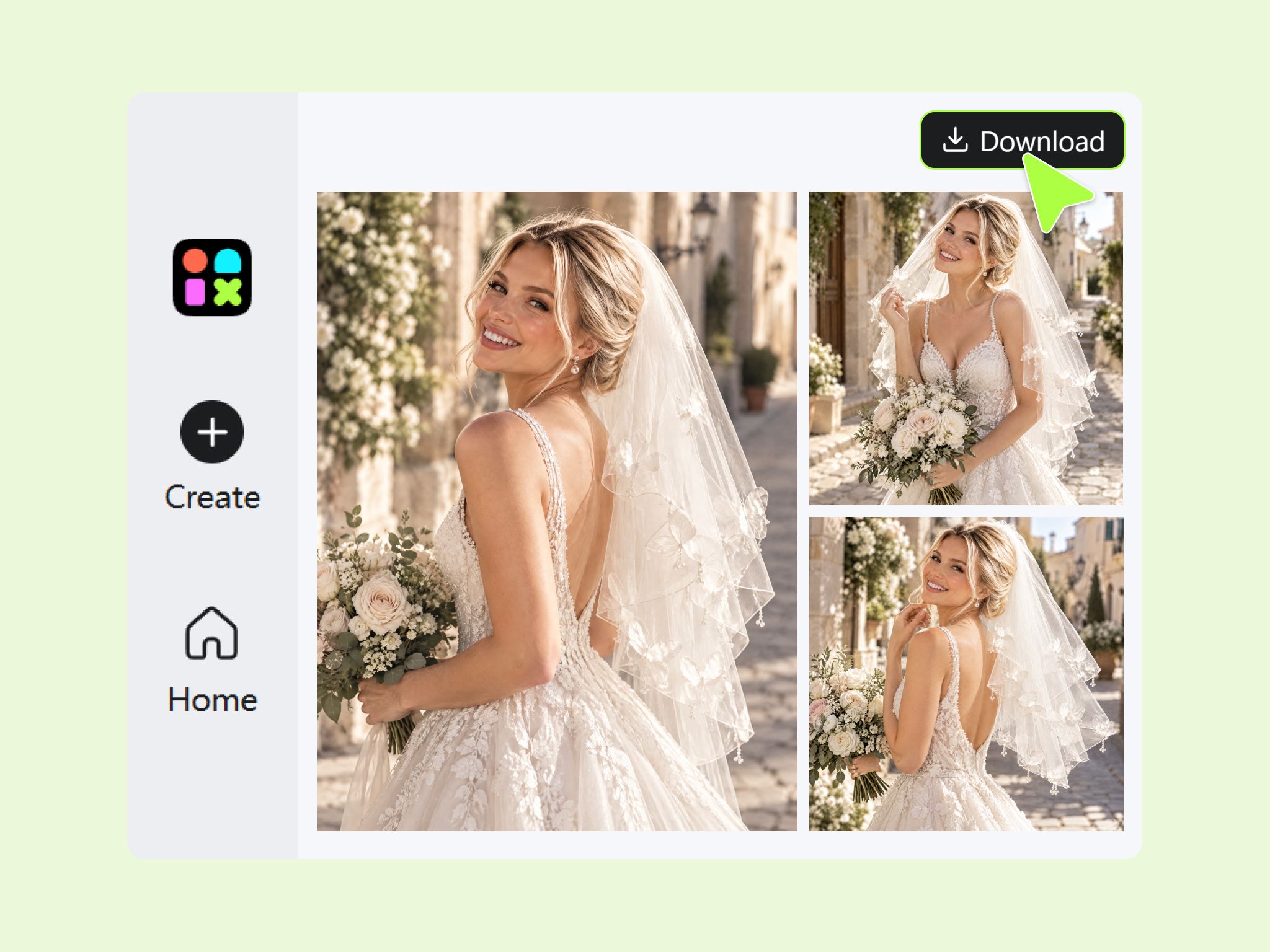
Step 3. Generate and Export Your Veil Try-On
Click Generate to create your virtual bridal look. Review the result, then download the image if it matches your styling ideas.
What You Can Explore With Designkit's Virtual Try-On
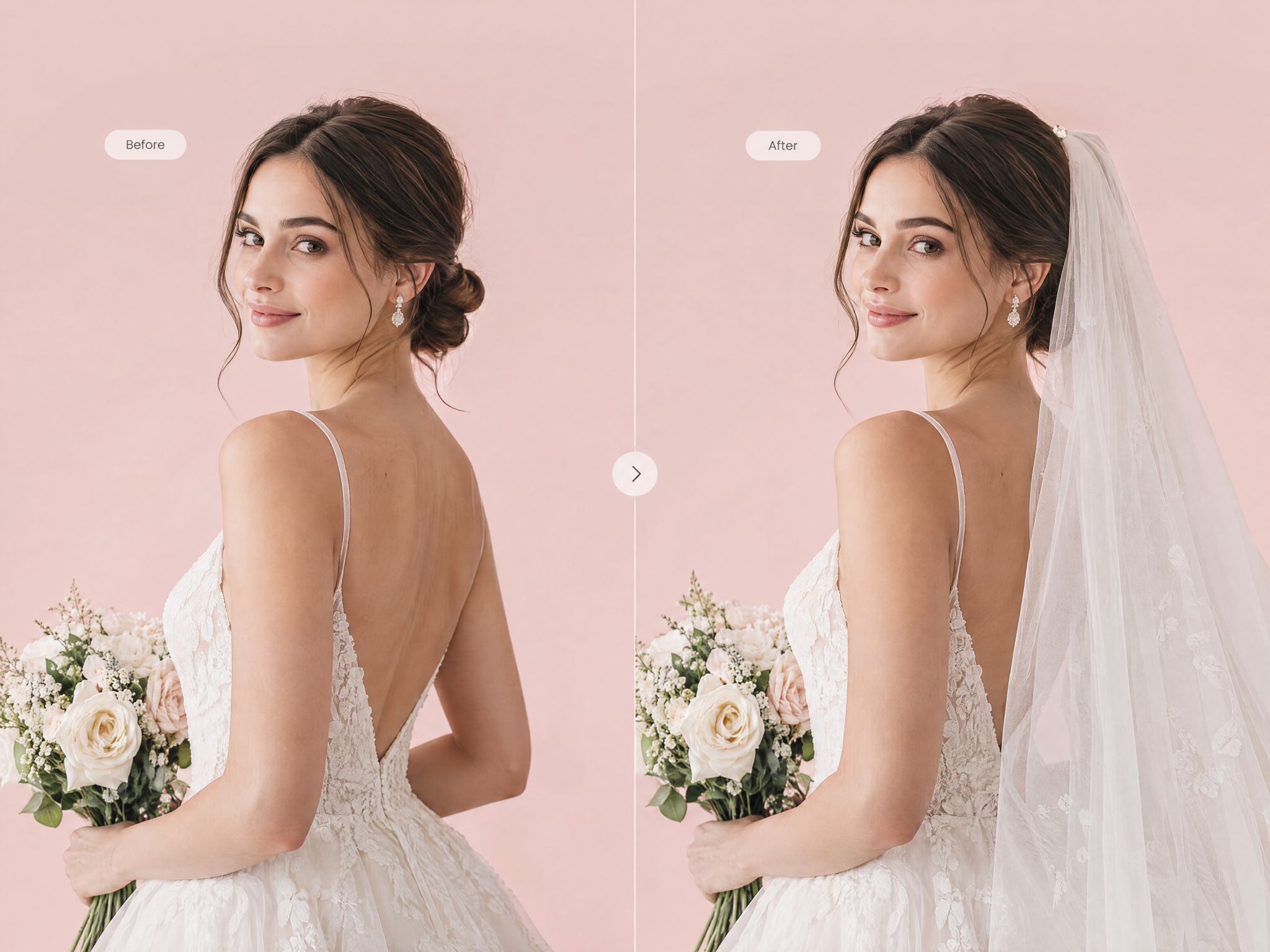
Preview a Wedding Veil on Your Own Bridal Photo
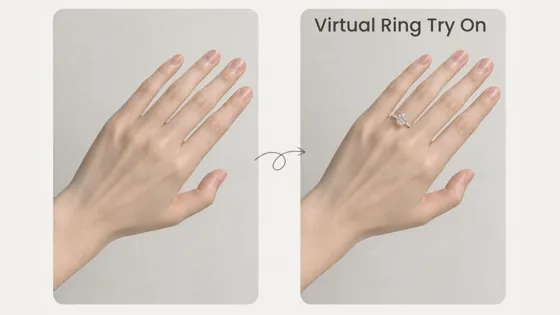
See how a veil could complement your bridal look before booking a fitting or purchasing an accessory. Upload a photo and use Designkit to explore a wedding veil try on online, helping you compare styling ideas with your own face and dress rather than relying only on catalog photos. This makes early bridal planning more personal and convenient.
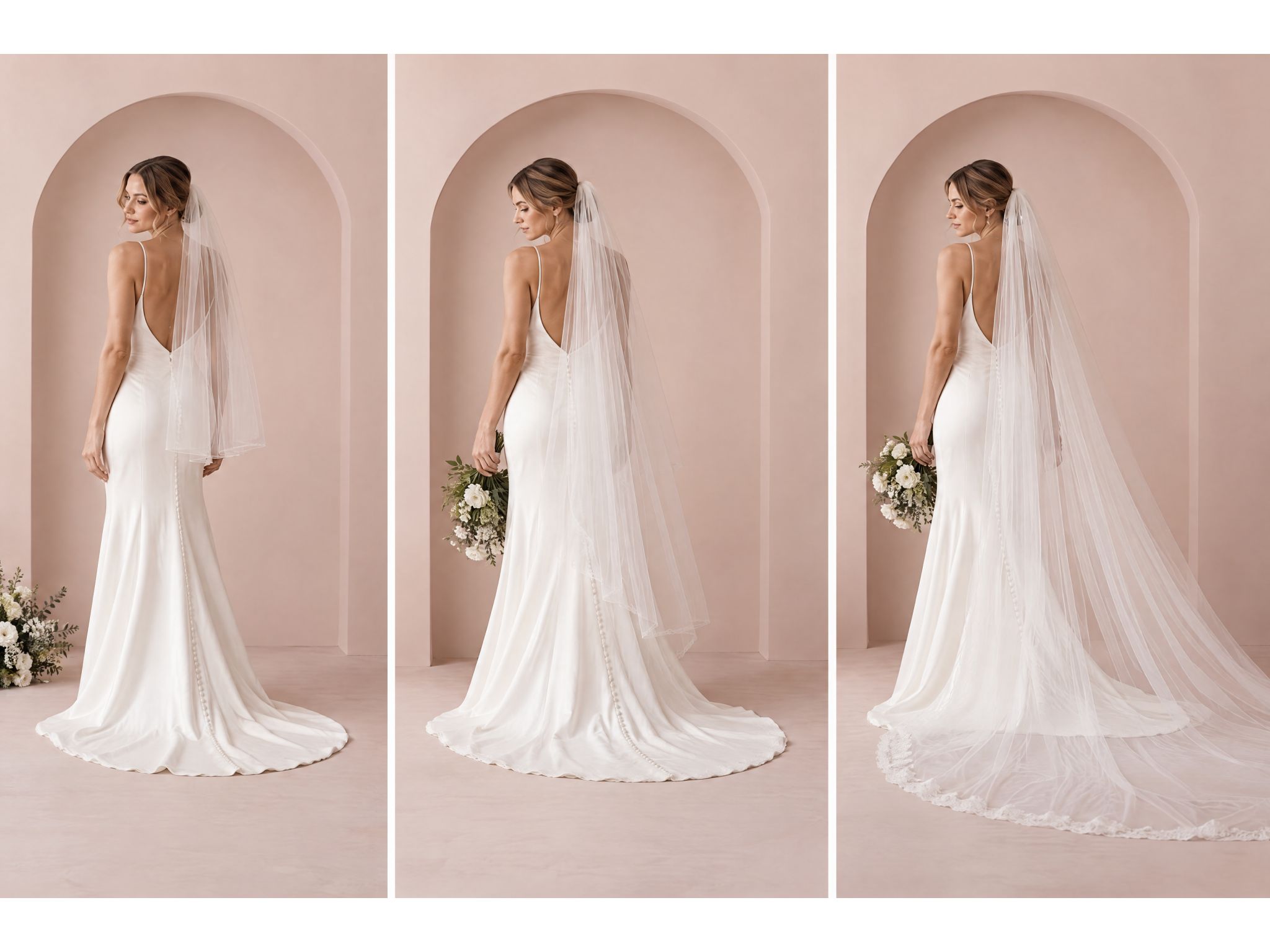
Compare Cathedral, Chapel, and Fingertip Lengths
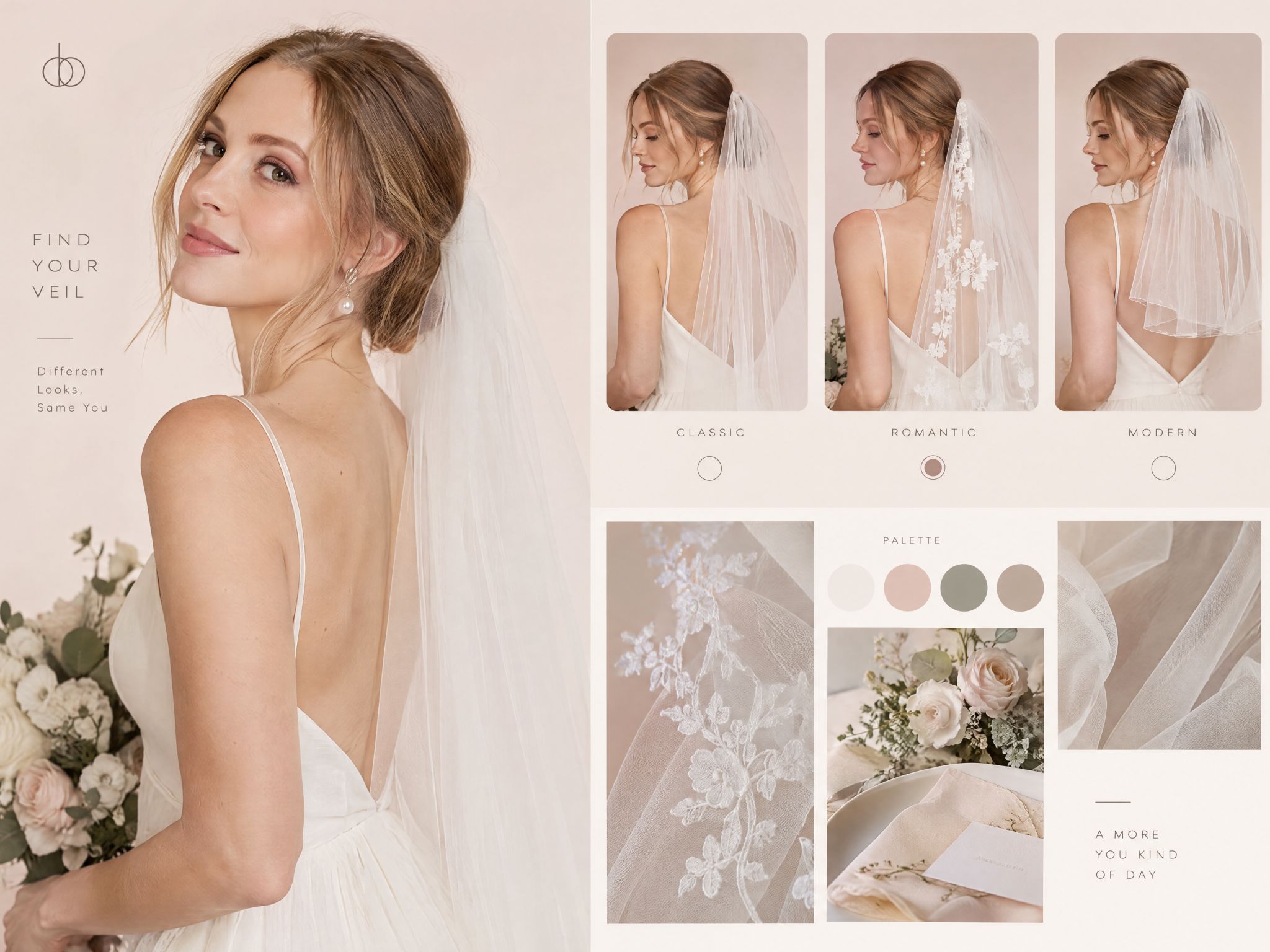
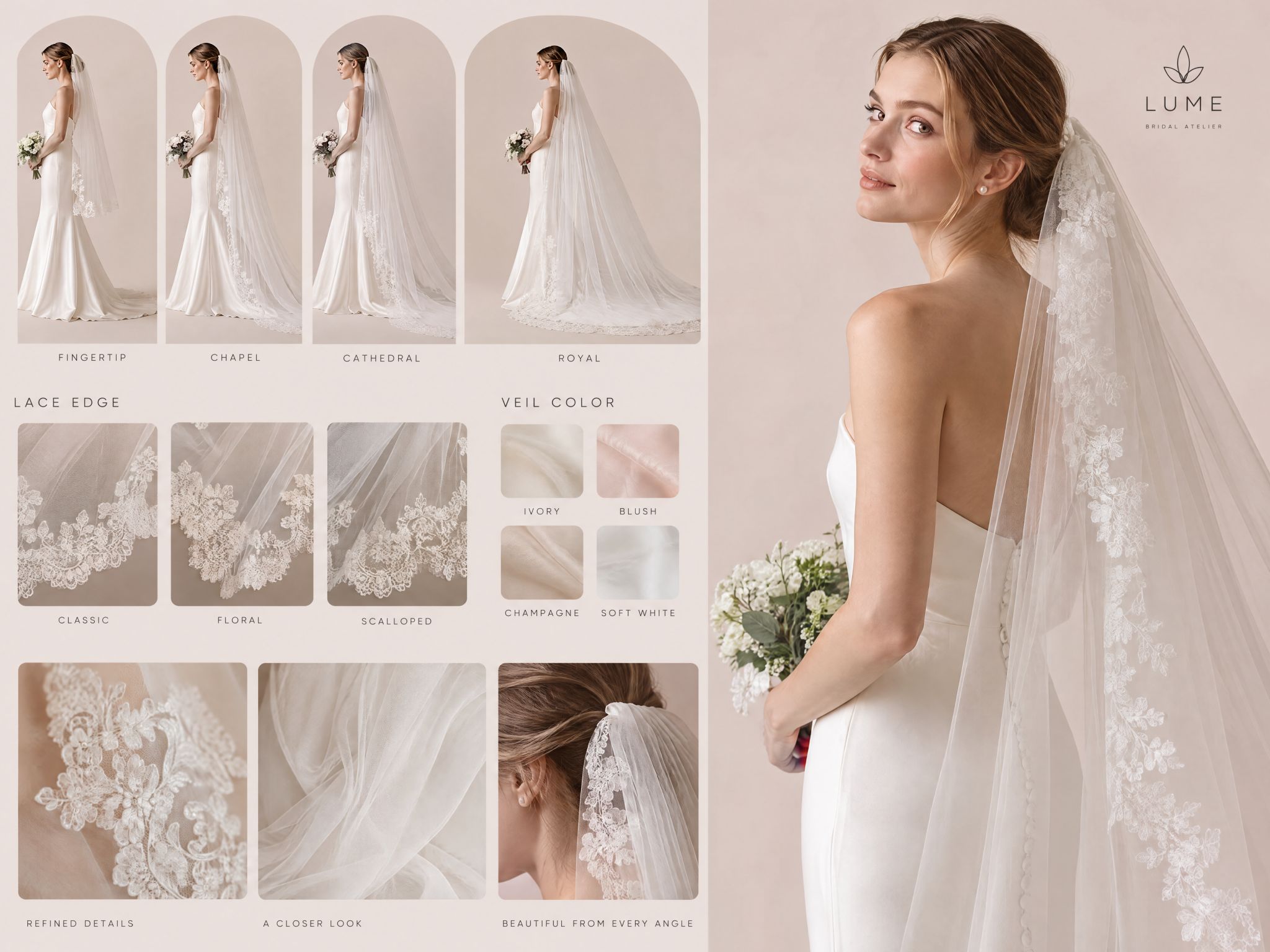
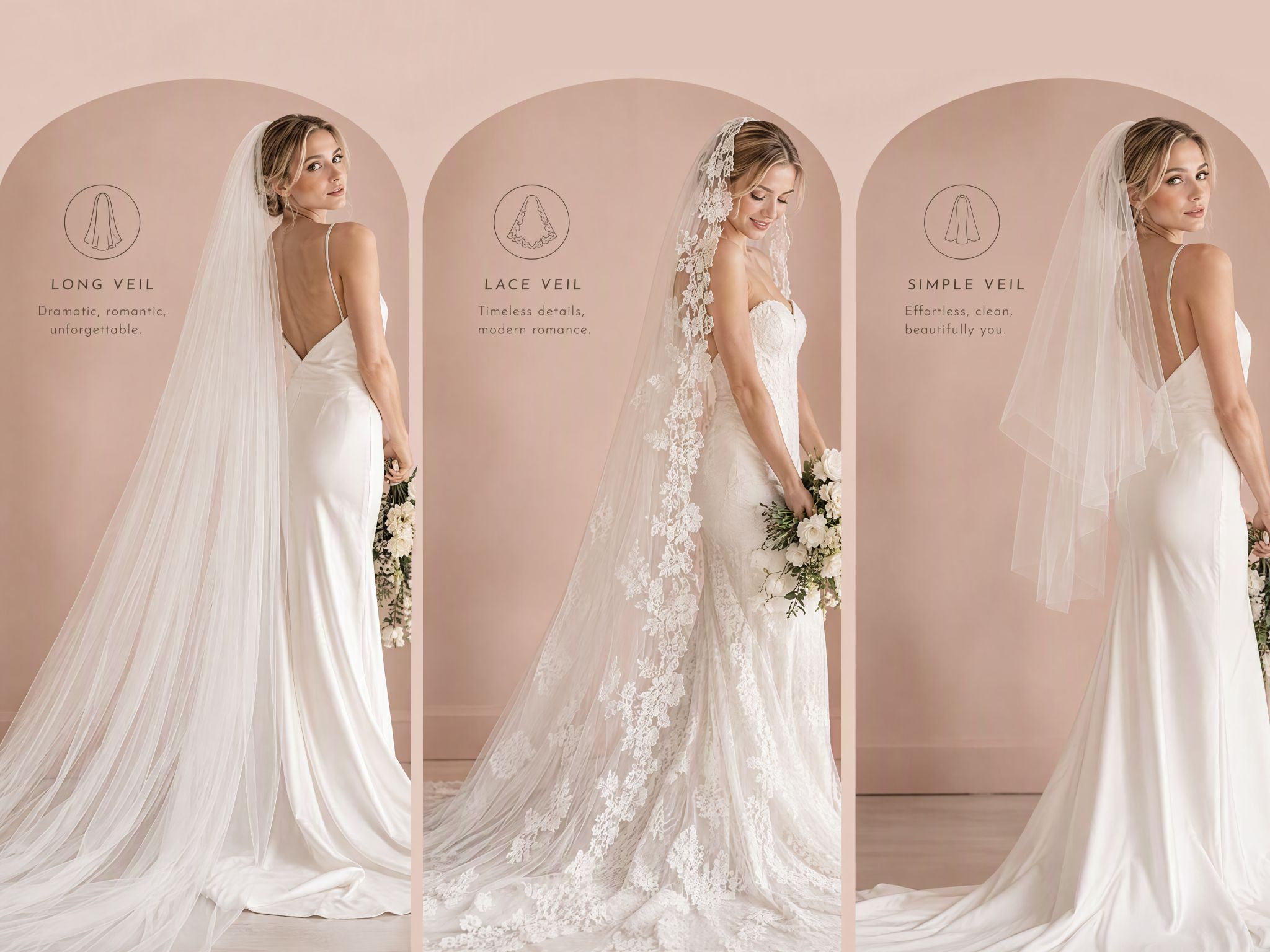
The right veil length can change the overall balance of your wedding outfit, from a dramatic cathedral train to a practical fingertip style. Use Designkit's bridal veil try on experience to explore different length options on your photo and narrow down your preferences before visiting a bridal boutique or ordering a veil online.
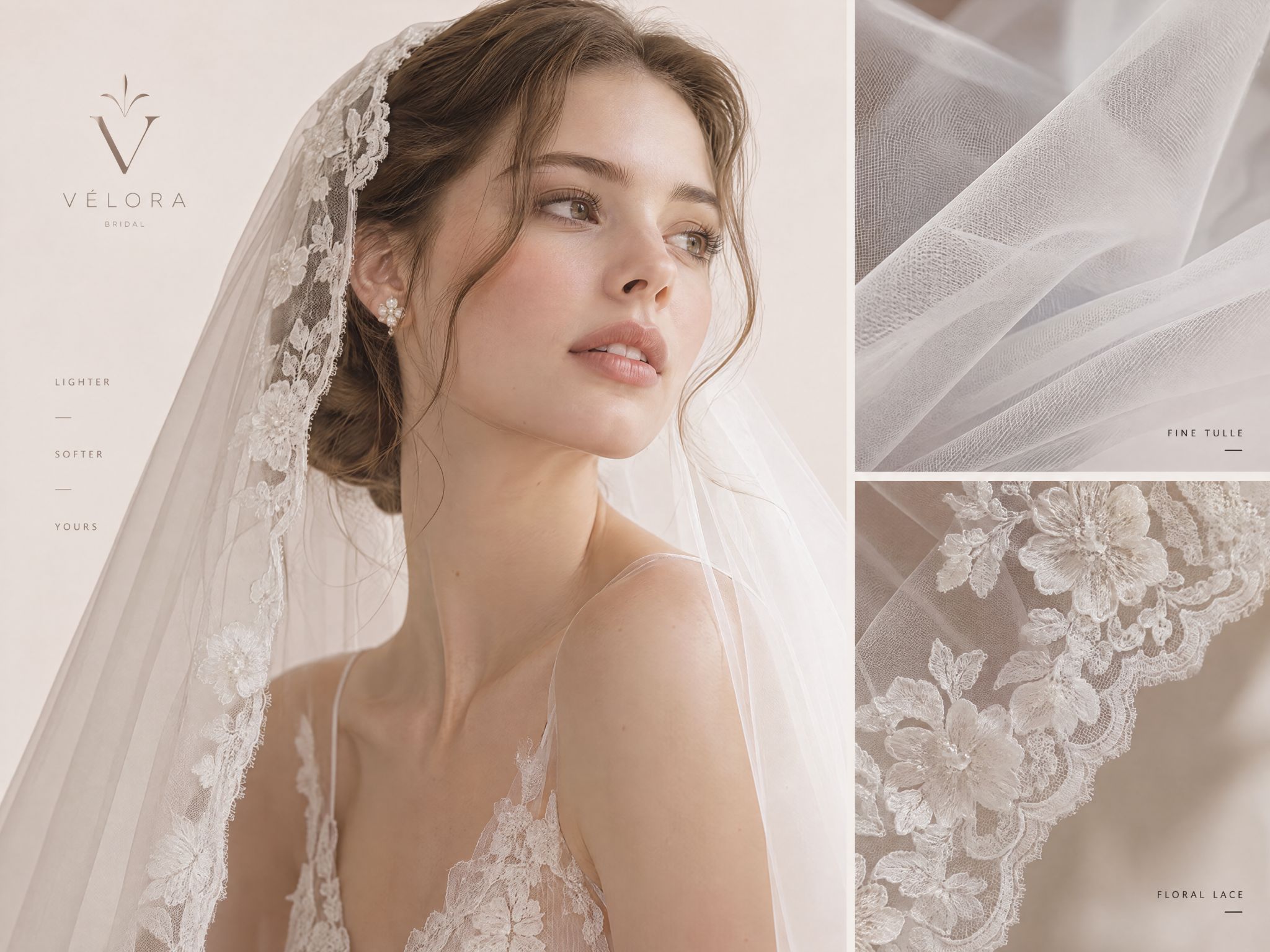
Explore Sheer Tulle and Intricate Lace Details
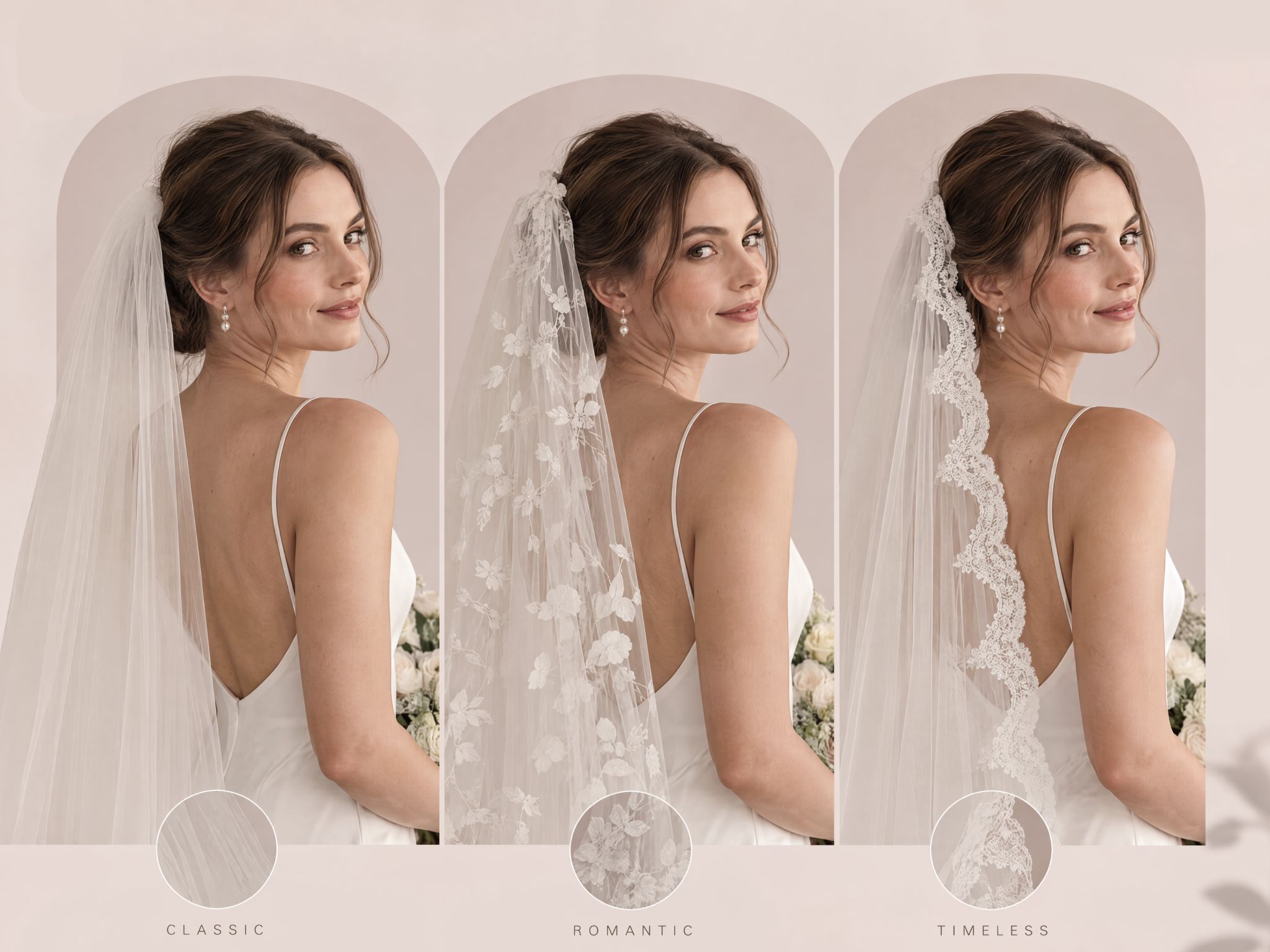
A delicate tulle veil creates a different look from one finished with floral lace, embroidered edges, or decorative appliqués. With Designkit's AI virtual try on wedding veil photo workflow, explore different veil details to see which aesthetic best suits your bridal style. Use these previews to guide your accessory search and communicate your preferences during fittings.
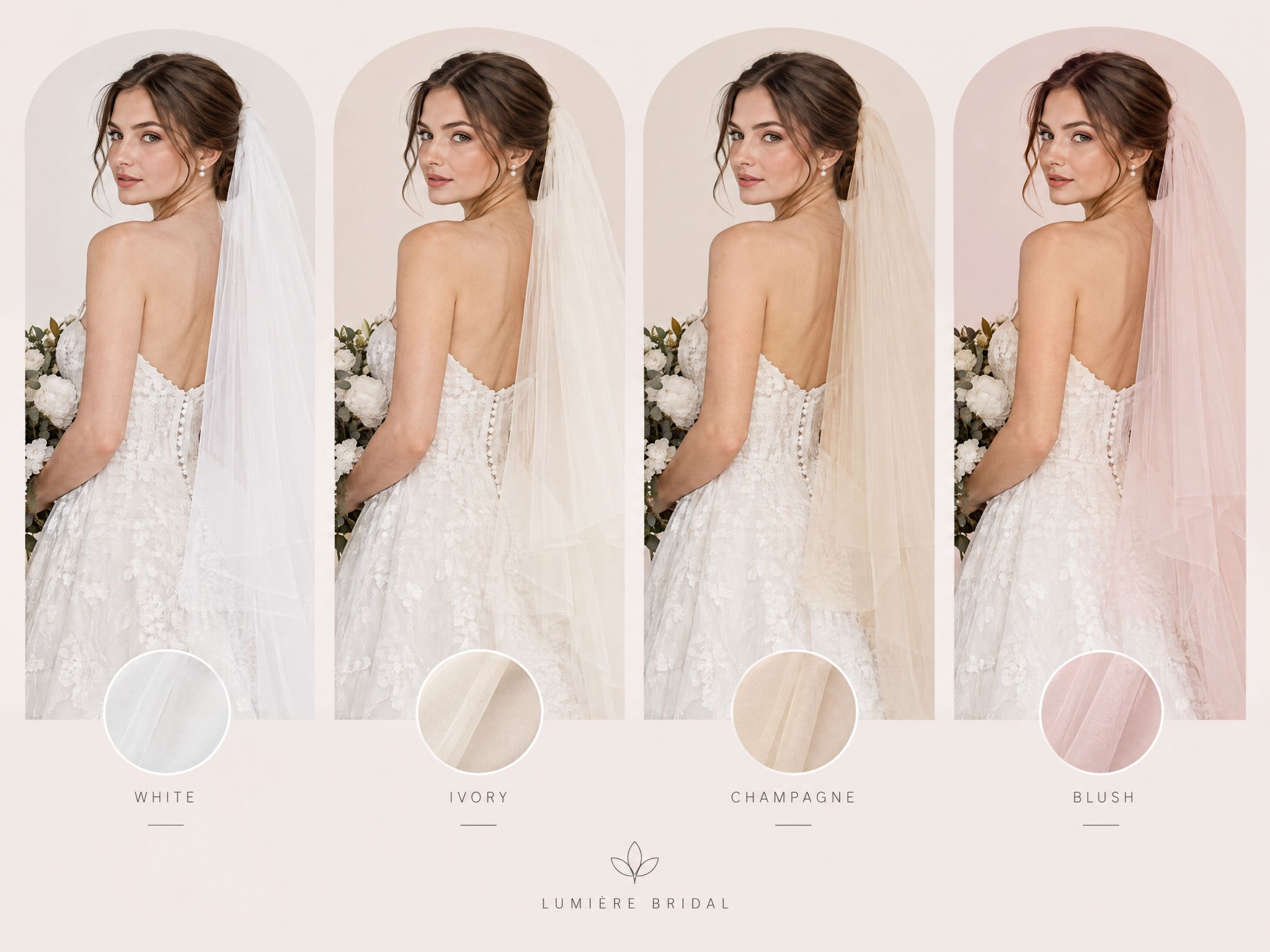
Find a Veil Color That Complements Your Dress
Ivory, bright white, and champagne veils can look noticeably different beside your wedding dress. Use Designkit to explore bridal veil color ideas on your own photo and consider how each shade complements your outfit. This wedding veil trend exploration can help you shortlist colors before shopping, although screen lighting and fabric samples may affect the final match.
Coordinate Your Veil With Hair and Dress Details
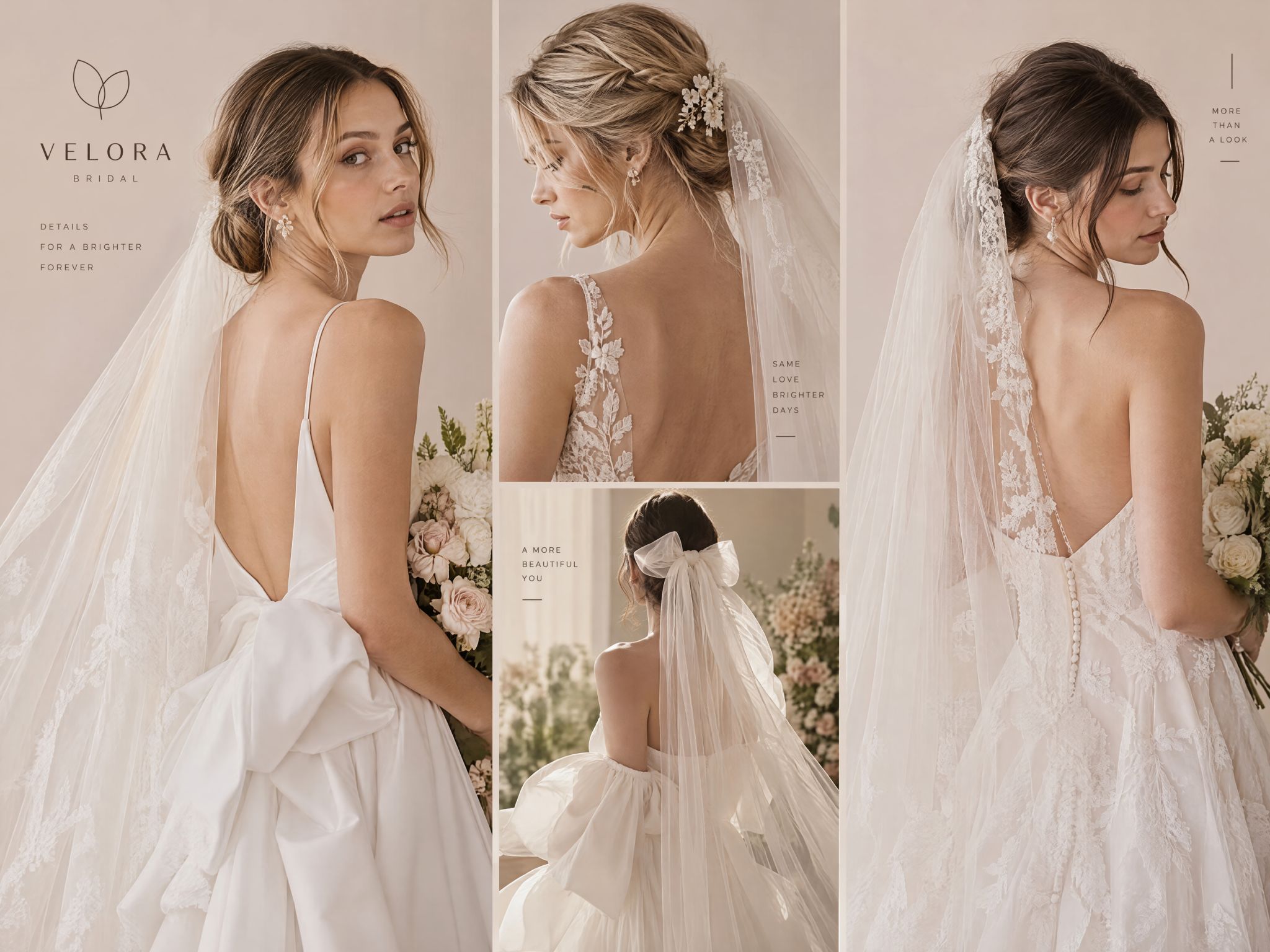
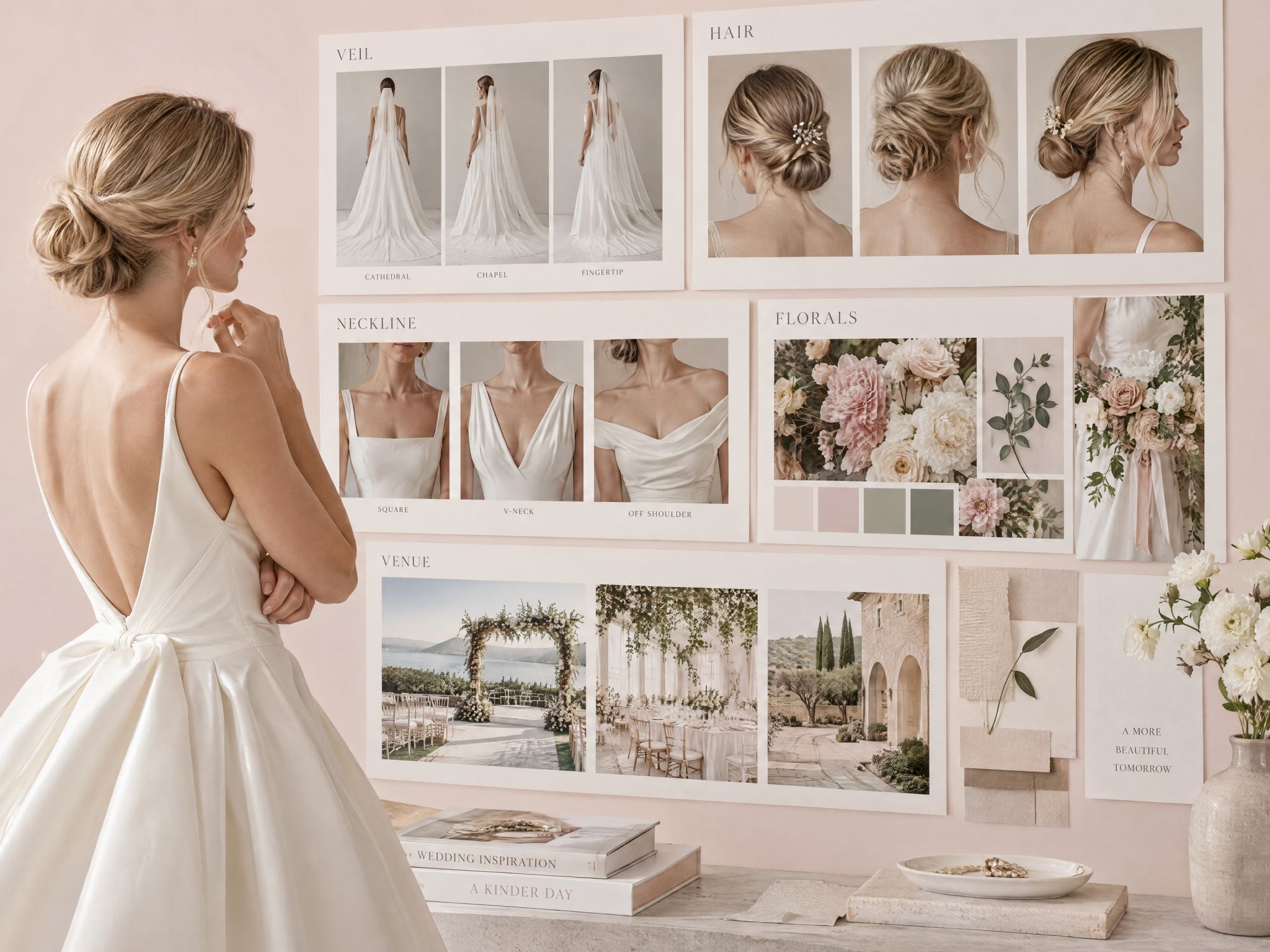
Your veil should work with your hairstyle, neckline, and dress embellishments rather than compete with them. Use Designkit to explore a coordinated bridal look, then consider a hairstyle changer workflow to compare possible hairstyles with your preferred veil. These previews can help you plan a cohesive look before your hair trial and final accessory fitting.
Keep Your Face and Hairstyle Recognizable in Every Preview
A useful bridal preview should help you judge the veil without losing the details that make your look personal. Upload a clear photo to Designkit and review how the veil appears alongside your facial features and hairstyle. When comparing the best AI virtual try-on tools or planning a virtual wedding dress try on online, prioritize previews that make styling comparisons clear while checking generated details carefully.
Who Can Use an AI Wedding Veil Try-On Photo
Narrow Veil Lengths at Home Before Your Boutique Visit
Compare cathedral, chapel, and fingertip styles before visiting a bridal boutique. Designkit lets you try on veils at home using your own photo, helping you shortlist options that complement your dress and preferred look before spending time on in-person fittings.
Why Choose Designkit for Virtual Wedding Veil Try-On
Explore veil lengths, colors, and lace details on your own bridal photo to shortlist styles that complement your dress before shopping or booking a fitting.

Brides, bridal consultants, and wedding planners can use visual previews to compare veil ideas and communicate styling preferences before appointments.

Explore bridal veil styles online with Designkit, making it convenient to review different looks during wedding planning without installing desktop editing software.
Frequently Asked Questions
Can I try on a wedding veil virtually using my own photo?
Can I upload a veil product photo as a reference?
A product photo can help communicate the veil style you want to explore, but whether it can be used directly as a reference depends on the available workflow. Designkit helps you explore bridal styling ideas through virtual try-on previews, so check the available image inputs before starting your wedding veil try-on online.
Can bridal shops use these previews with clients?
Yes, bridal shops can use virtual previews as conversation starters to help clients communicate their preferences before an in-person fitting. Designkit can support early consultations by helping bridal teams explore veil lengths and styling ideas visually. Actual veils should still be tried on to confirm fit, fabric, and appearance.
Which wedding veil styles can I preview with AI?
Depending on the available options, virtual previews can help you explore different veil lengths and decorative styles, including cathedral, chapel, fingertip, sheer tulle, and lace-trimmed designs. Designkit helps you compare bridal looks on your photo, making it easier to identify styles worth trying in person before purchasing.
Can I compare different veil lengths on the same photo?
Yes, using the same photo to compare veil lengths makes it easier to assess how each option changes your overall bridal look. Designkit helps you explore different veil styling ideas, from short fingertip designs to dramatic cathedral lengths, so you can shortlist your preferred options before a boutique appointment.
Can I try on a wedding veil at home without visiting a bridal shop?
Yes, you can explore virtual veil styling at home before visiting a boutique. Designkit lets you preview bridal styling ideas using your own photo, helping you narrow down colors, lengths, and details in advance. This can make your shopping trip more focused, although an in-person fitting is still useful for checking the actual veil.
Will a virtual wedding veil try-on show the exact final result?
No, a virtual wedding veil try-on provides a visual estimate rather than a guarantee of the final appearance. Designkit helps you explore potential styles, but generated previews may differ from real fabric, lace, lighting, and veil placement. Use the images for inspiration and confirm your choice with the actual product or a bridal fitting.
What photo should I use for an AI wedding veil try-on?
Choose a clear, well-lit photo where your face, hairstyle, shoulders, and upper body are visible. A simple background and a pose that shows your hair clearly can make it easier to assess the veil placement. Designkit helps you explore bridal looks from a photo, so start with an image that resembles your intended wedding-day hairstyle.
Compare Veil Styles on Your Photo Before Your Next Fitting
Explore veil lengths, lace finishes, and bridal styling ideas with Designkit's AI virtual try-on tools before your next shopping trip or styling appointment.



How Brides and Wedding Professionals Use Designkit
Explore how brides, boutiques, and stylists can use virtual veil previews to compare bridal looks before the big day.
I Could Narrow My Veil Options Before the Boutique Visit
I kept saving cathedral and fingertip veils from Instagram and still couldn’t tell how any of them would look on me with my hair and dress. Trying a few lengths on my own photo made it much easier to drop the ones that felt too heavy or too plain. By the time I went to the boutique, I already had two styles I liked, so the appointment felt a lot less overwhelming.
I Can Build More Focused Bridal Inspiration Posts
Instead of publishing a post that simply lists popular veil styles, I can use Designkit to develop visual concepts around specific choices, such as cathedral versus fingertip length or a plain edge versus lace. Those comparisons give me a more concrete angle for bridal inspiration content and make it easier to plan a series of related posts.
The Visuals Help Keep Everyone on the Same Page
Brides often collect inspiration from several places, and family members or vendors may picture different things from the same description. Designkit helps me prepare visual references for discussions about the veil, hairstyle, and dress details. That gives the bride and her team a shared starting point before they finalize the look.
The Previews Give Brides Something Specific to Discuss
Customers often describe a veil as "romantic" or "classic," but those words can mean very different things to different people. Designkit lets us prepare visual examples of different lengths and finishes to help structure the conversation. We can use those images as references before the customer tries the actual veils in the boutique.