
Remove Wrinkles From Clothes Photos Without a Reshoot
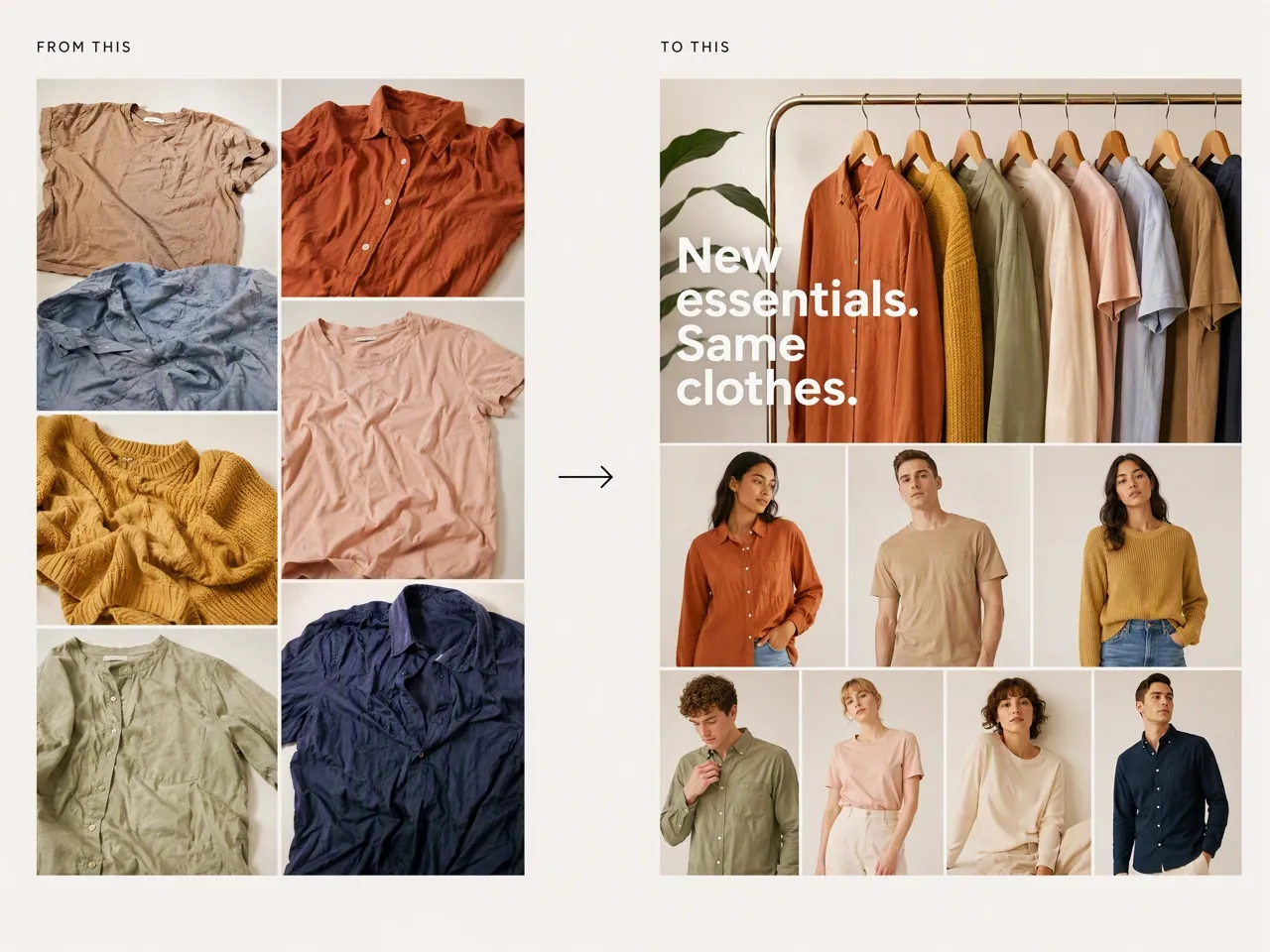
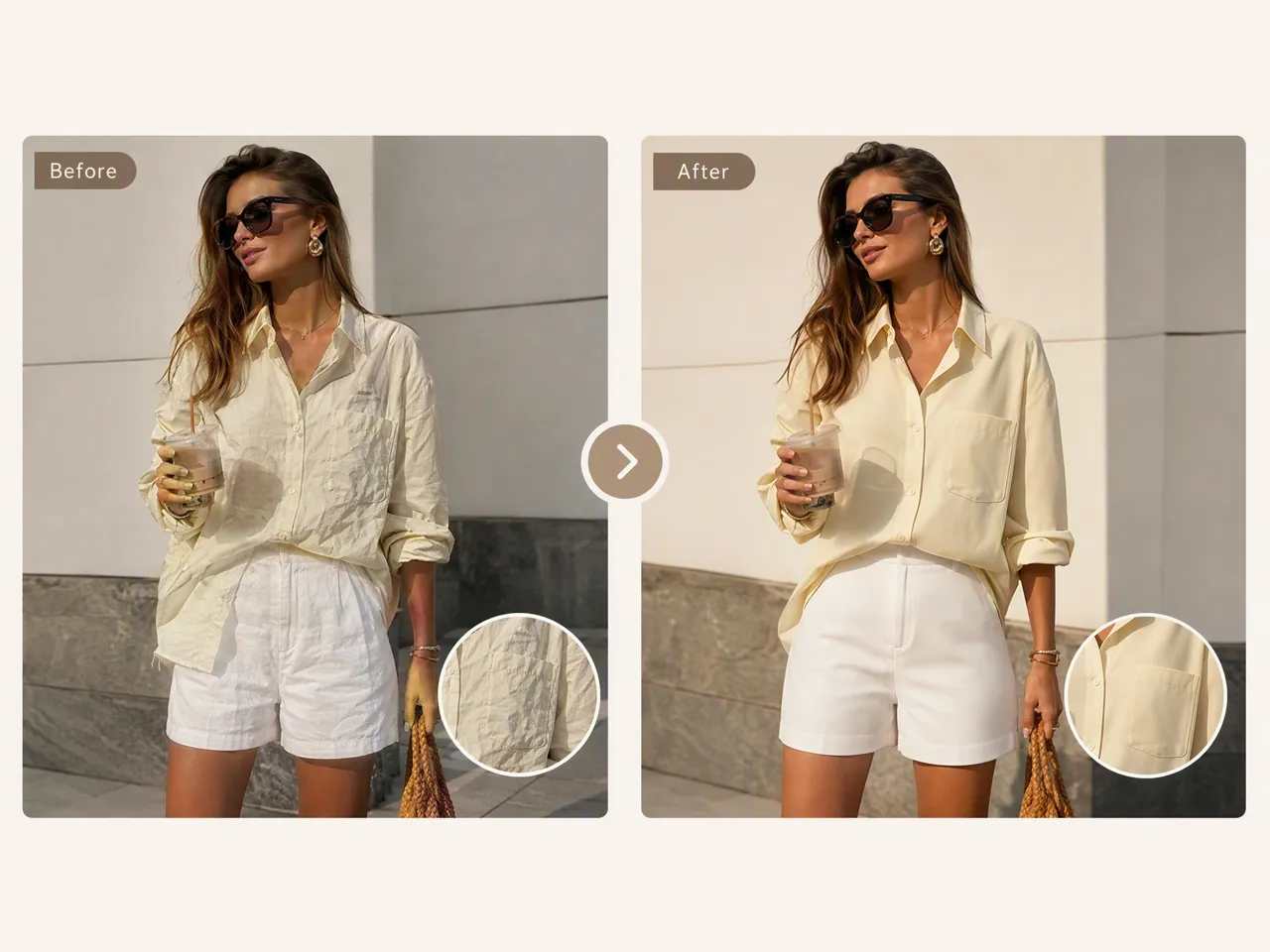
Remove visible wrinkles directly from the image. Clean up shirts, dresses, jackets, and other garments while keeping the original fabric and lighting natural.
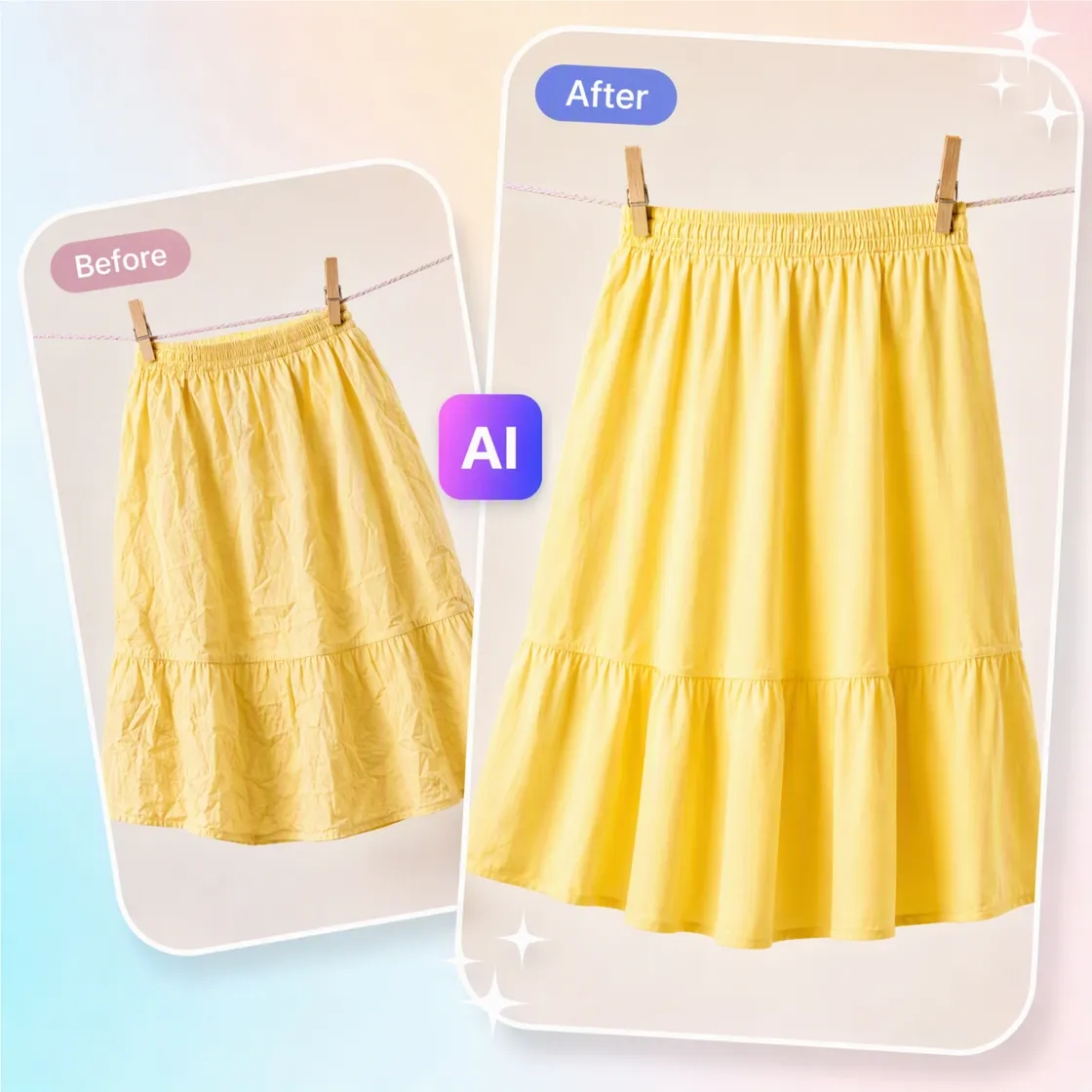
How to Remove Wrinkles From Clothes in Photo
Upload Your Clothing Photo
Upload a shirt, dress, jacket, or outfit photo from a phone shoot, studio set, or existing product catalog.

Describe the Wrinkles to Remove
Describe the wrinkled areas or fabric zones to refine. Designkit smooths those creases while keeping texture, seams, shape, and logos.

Review and Export the Result
Compare with the original, adjust if needed, then export for product listings, lookbooks, ads, or social posts.
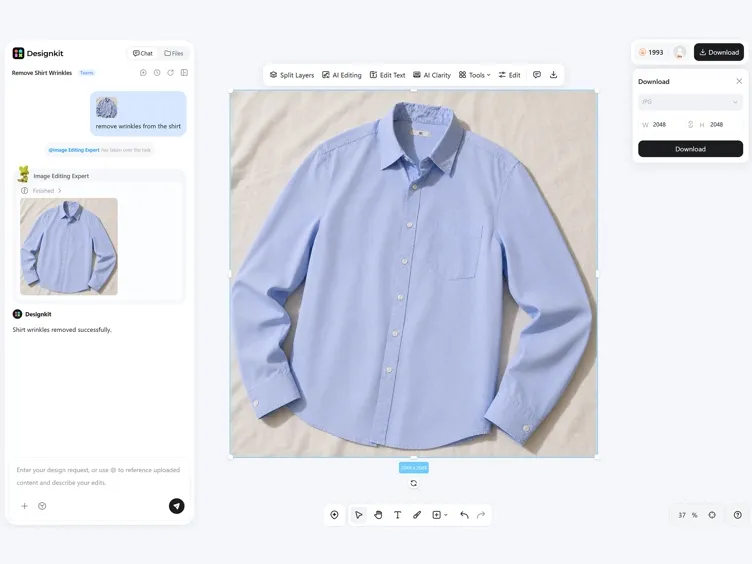
What Makes Designkit Ideal for Removing Wrinkles From Clothes
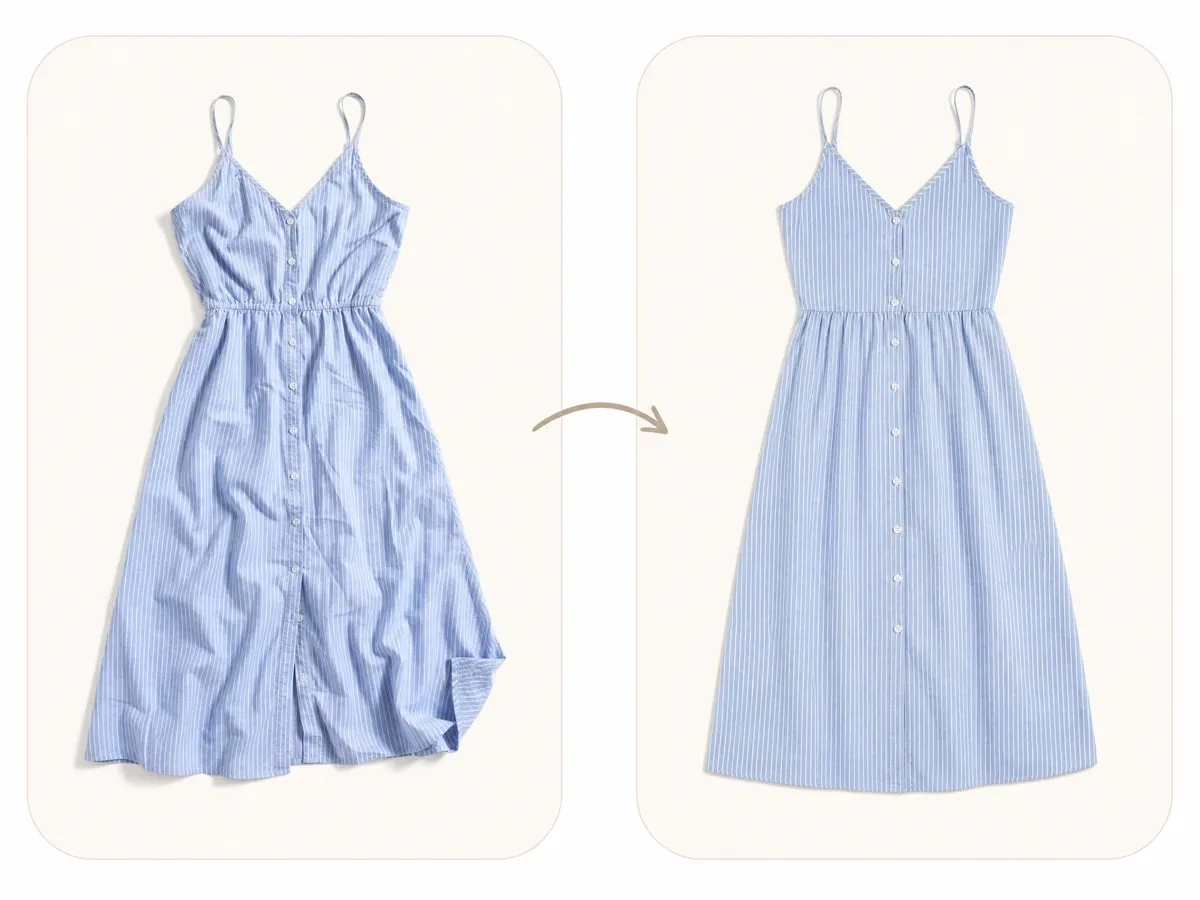
Fix Apparel Photos Without Ironing or Reshooting
A garment does not always need another trip to the steamer or studio because a few creases showed up on camera. Designkit lets you remove wrinkles from clothes photos after the shoot, helping you salvage otherwise usable images.
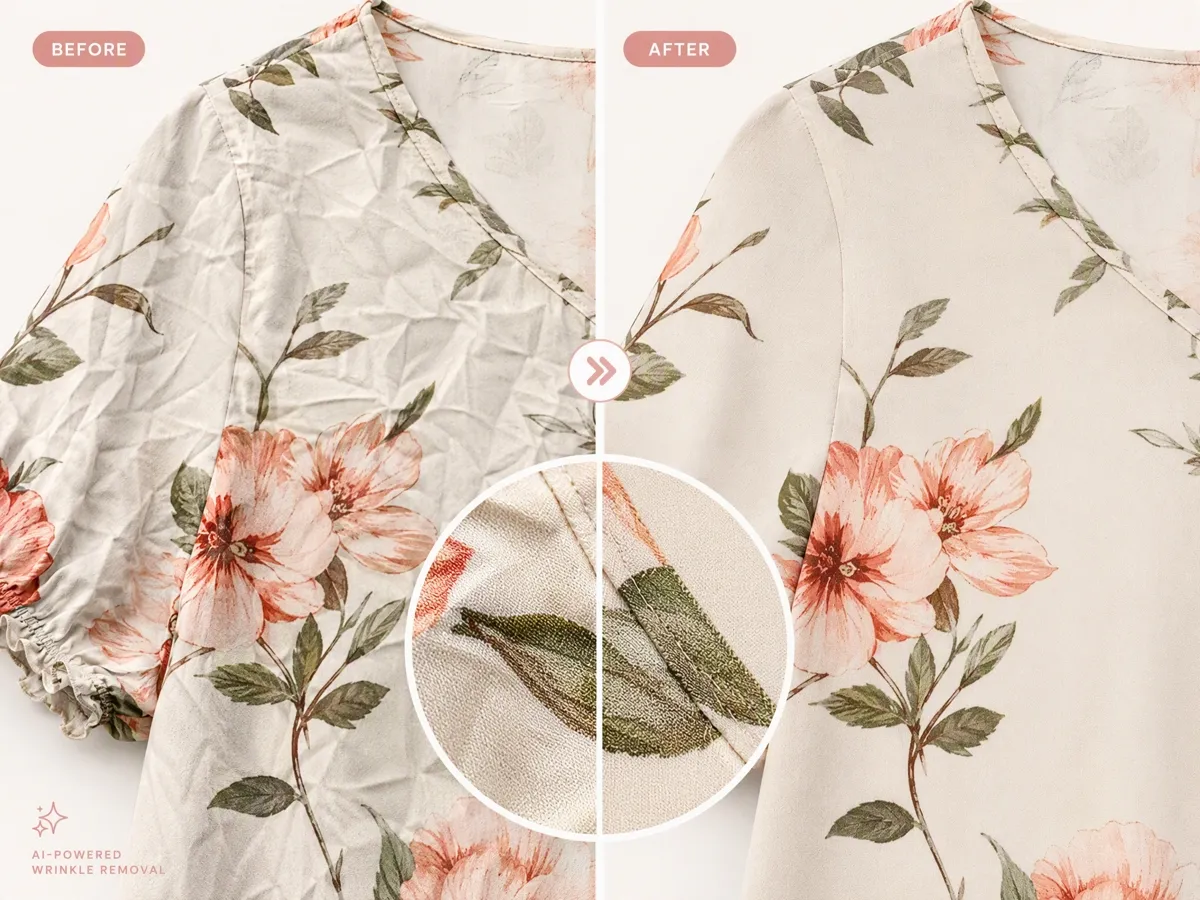
Keep Fabric Details After Wrinkle Removal
Removing wrinkles should not turn a shirt into a flat patch of color. Designkit smooths visible creases while retaining fabric texture, seams, patterns, logos, and natural shadows.
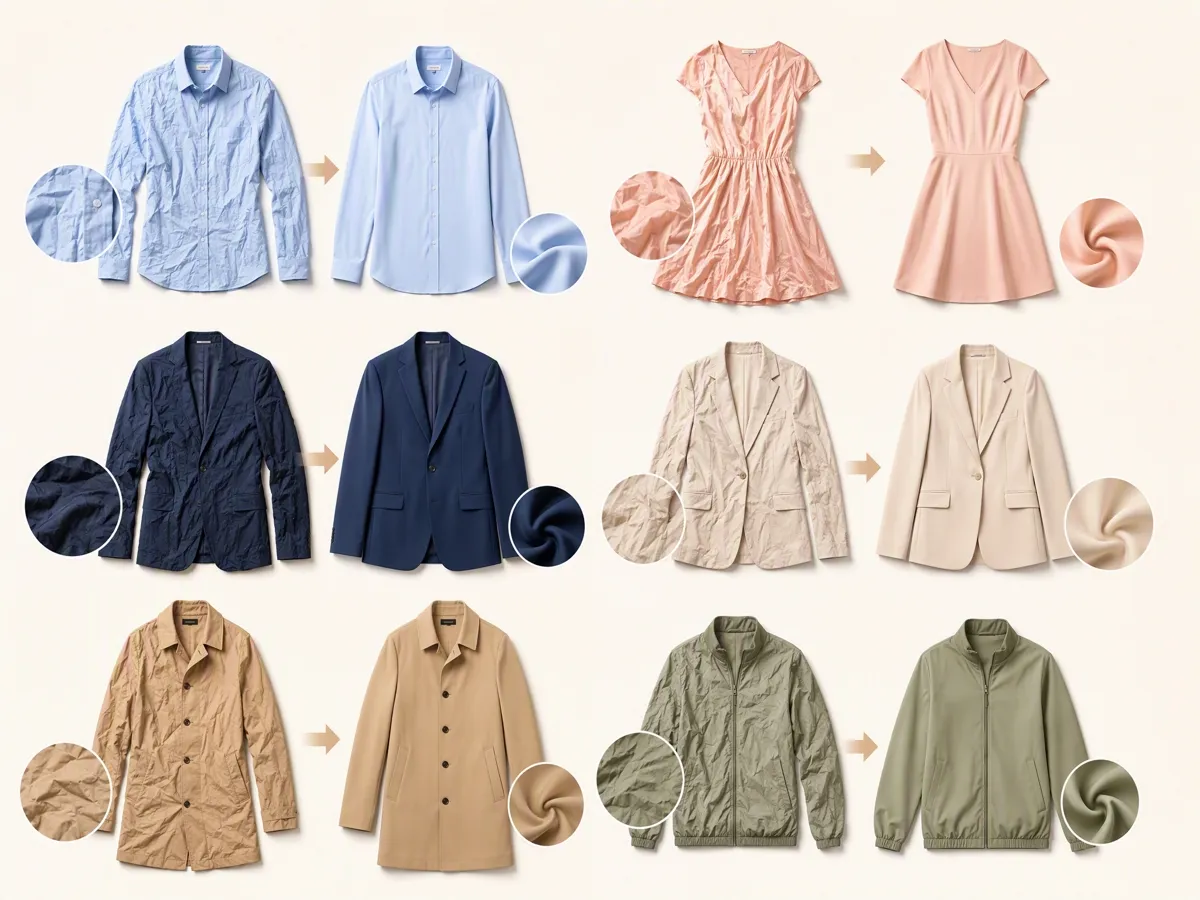
Retouch Different Garments in the Same Workflow
From shirts and dresses to jackets, suits, uniforms, and casualwear, clothing wrinkles can show up in very different ways. Designkit gives you one photo editing workflow for different apparel types instead of switching tools for each garment.
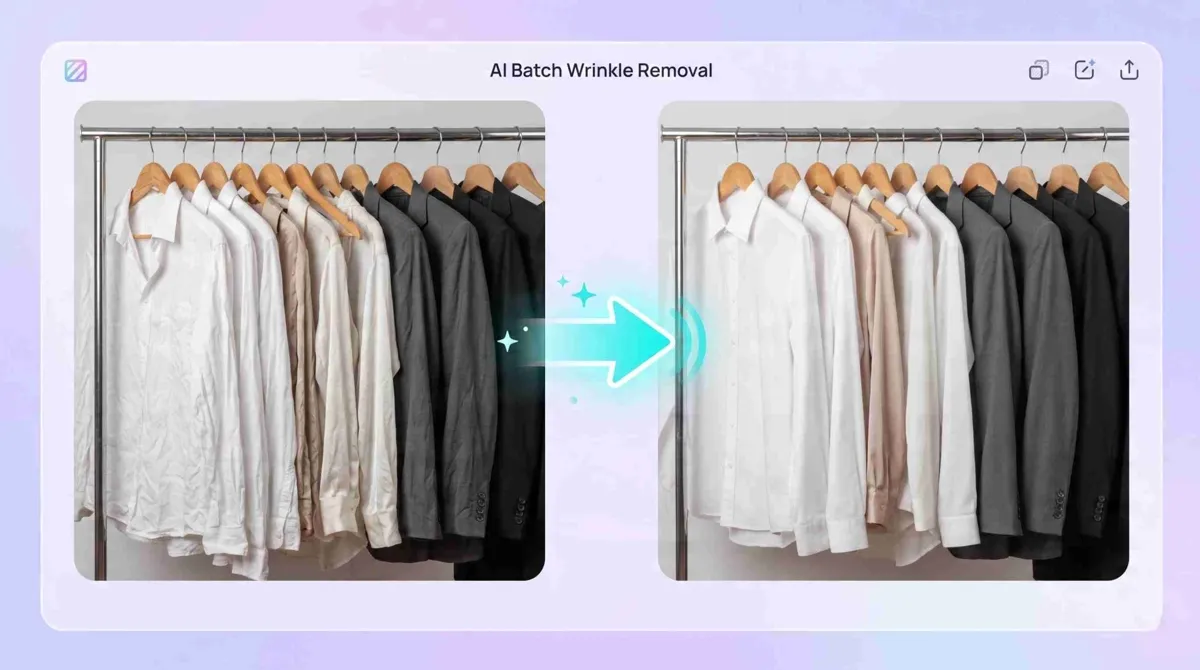
Process Large Apparel Collections Consistently
Fashion stores often need to prepare dozens or hundreds of product images before a launch. Designkit helps teams apply wrinkle removal across apparel collections while maintaining a consistent visual style.
Who Uses Designkit to Remove Wrinkles From Clothes Photos
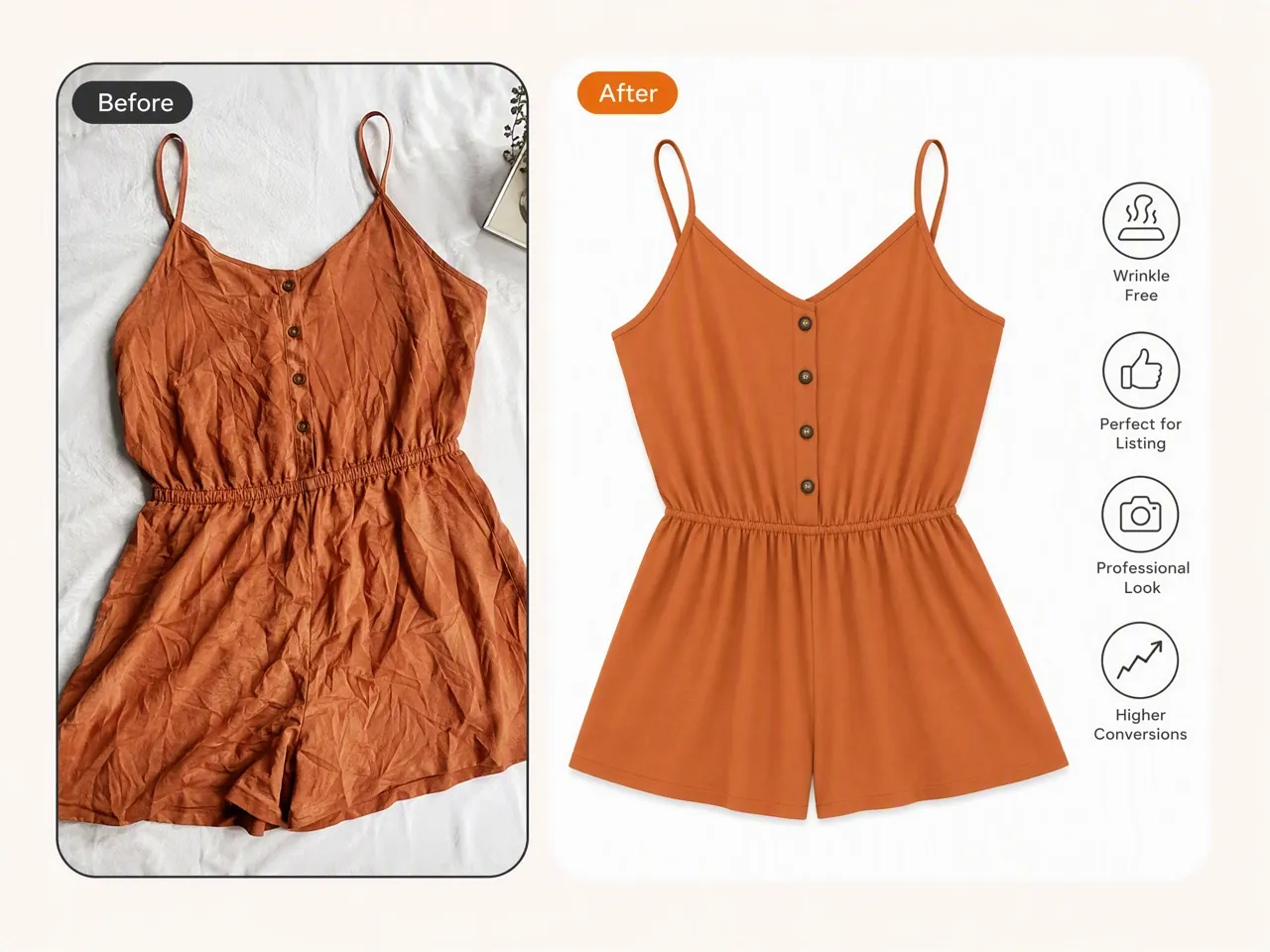
Improve Product Listings With Cleaner Apparel Photos
Clothing photos often lose attention when shirts, dresses, or jackets appear wrinkled in product images. Designkit helps sellers remove wrinkles from clothes photos before uploading them to marketplaces, online stores, and product catalogs.
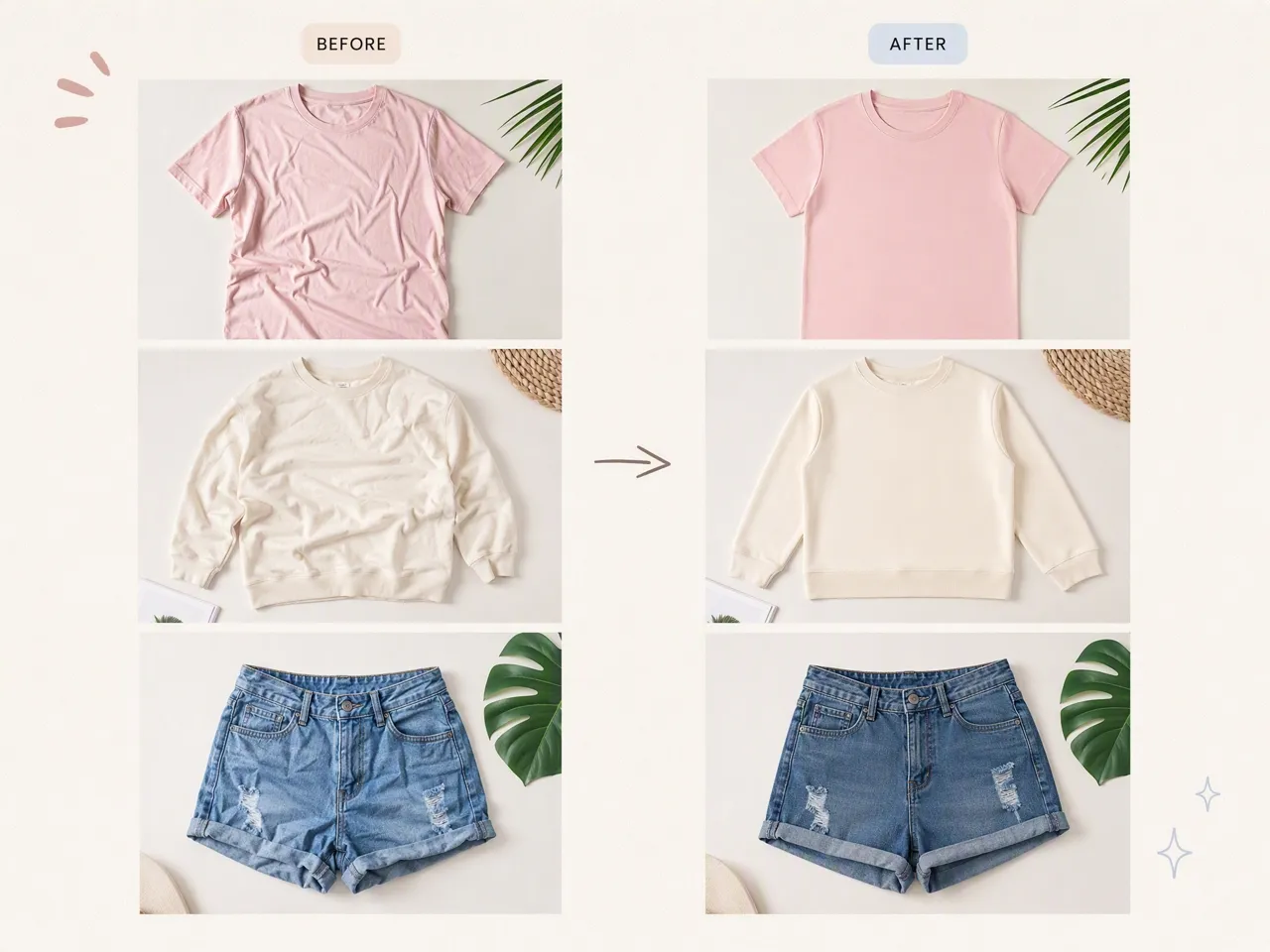
Why Choose Designkit to Remove Wrinkles From Clothes

Skip Heavy Photoshop-Style Fabric Work
Routine crease cleanup no longer needs detailed masking, cloning, and fabric brush work in complex desktop editors. Designkit handles everyday clothing photo fixes with a faster AI edit.
Reduce Dependence on External Retouching Services
Sending every clothing image to professional editors can increase production costs and slow campaign updates. Designkit gives teams another option for handling routine apparel image improvements internally.

Start With Free Signup Credits
Try Designkit's AI wrinkle remover with free signup credits. Upload clothing photos, explore AI editing results, and create cleaner apparel images before choosing a plan.
Unlock More Creative Possibilities

AI Shopify Photo Editor: Remove Backgrounds, Resize & Enhance
AI Jewelry Photo Editor: Improve Listing Images Without Editing Skills
AI Photo Editor Online: Edit Images with AI
AI Photo Editor for E-Commerce Sellers

Batch Photo Editor: Edit Multiple Images Online

AI Beauty Photo Editor: Get More Sales with Enhanced Product Photos
Frequently Asked Questions
How can I remove wrinkles from clothes in a photo?
Can AI remove clothes wrinkles without changing the fabric texture?
Yes. A common concern with AI wrinkle removal is that clothes may look unrealistic after editing. Designkit focuses on reducing visible wrinkles while preserving fabric texture, stitching, patterns, folds, and natural shadows.
What is the best way to remove wrinkles from clothes photos for ecommerce?
For ecommerce images, the best approach depends on the condition of the original photo. If the lighting, product angle, and garment details are already good, AI editing can help remove wrinkles from clothes photos without arranging another photoshoot.
Can I remove wrinkles from a shirt photo without taking a new picture?
Yes. If a shirt photo has unwanted creases, you can upload the existing image and use Designkit to clean up the wrinkles digitally. This helps sellers and creators reuse usable photos instead of photographing the same item again.
Can I edit multiple clothing photos at once?
Yes. You can apply the same AI editing workflow across multiple apparel images. Designkit helps you apply an AI wrinkle removal workflow across multiple clothing photos, making it easier to clean up apparel images from the same collection.
Give Your Clothing Photos a Cleaner Finish
Don't reshoot a good photo over a few stubborn creases. Upload your apparel image, remove visible wrinkles with AI, and keep the garment details that make the photo look real.

What Users Say About Designkit AI Wrinkle Remover
Feedback from ecommerce sellers, photographers, creators, and apparel teams using Designkit to clean up clothing photos and reuse existing image assets.
Saved Product Photos Without Another Shoot
Some of our clothing photos looked great overall, but small wrinkles on shirts and dresses made them less suitable for product listings. Instead of arranging another photoshoot, I used Designkit to remove the visible creases while keeping the original colors and fabric details. It helped us reuse photos that were already ready for our store.
Simplified Fashion Photo Retouching
Clothing wrinkles are common during fashion shoots, especially when models move or outfits need frequent adjustments. Designkit helps me clean up those small imperfections after the shoot while keeping the lighting, texture, and shape of the garments natural. It has become a useful step in my post-production workflow.
Prepared Apparel Images for New Campaigns
We often have older product images that still match our brand style but need small improvements before being used again. Removing wrinkles from clothes photos with Designkit allows us to refresh existing assets for seasonal promotions, social campaigns, and updated collections.
Created Better Outfit Content for Social Media
When creating outfit content, small wrinkles can distract from the overall look of the photo. Designkit helps me refine clothing details before publishing, so the focus stays on the style, colors, and overall presentation instead of unwanted creases. FAQs