
Turn Product Ideas Into Packaging Designs With AI
Upload your product photo and brand assets, then generate packaging concepts for boxes, pouches, bottles, and labels. Compare directions with your team before you pay for samples or production.
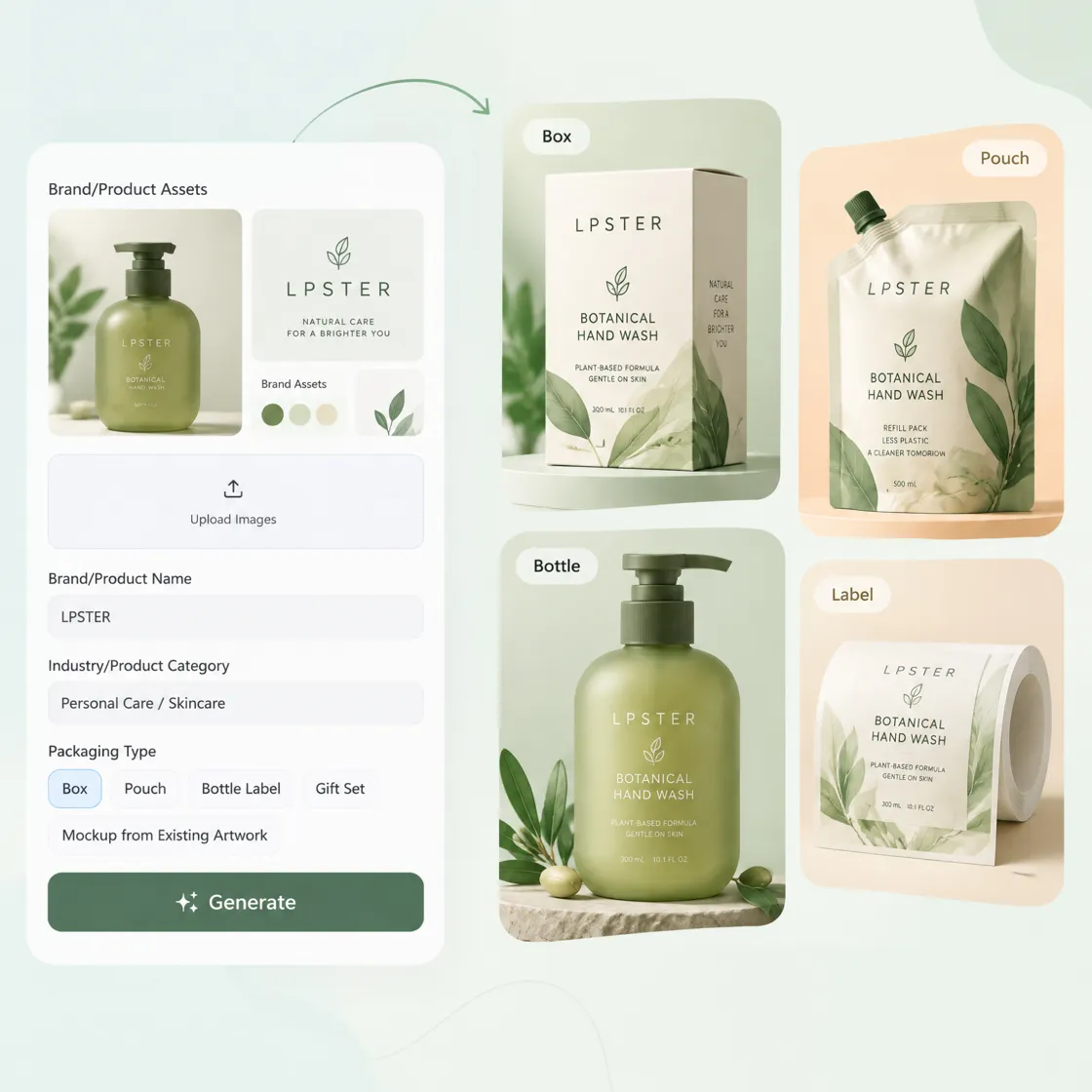
How to Design Product Packaging With Designkit
Step 1. Set Up Your Packaging Project
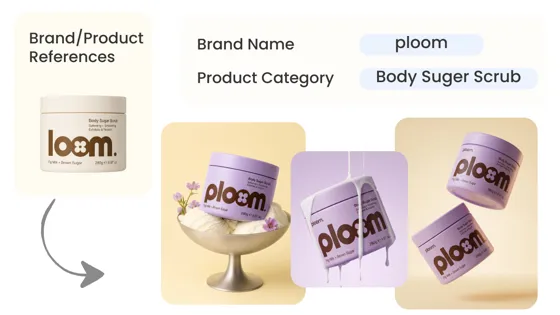
Sign up or log in to Designkit. Choose Brand Design and click Packaging Design. Upload your product photos, logos, brand assets, or existing packaging references to provide a starting point.
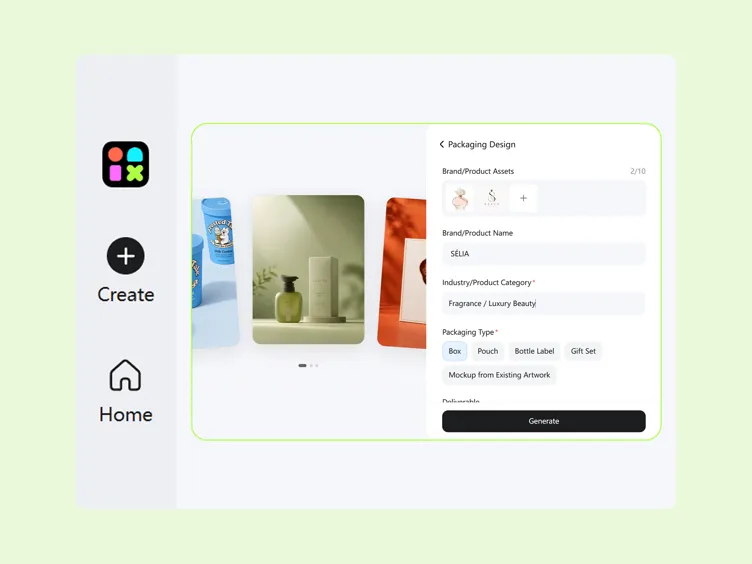
Step 2. Enter Package and Brand Details
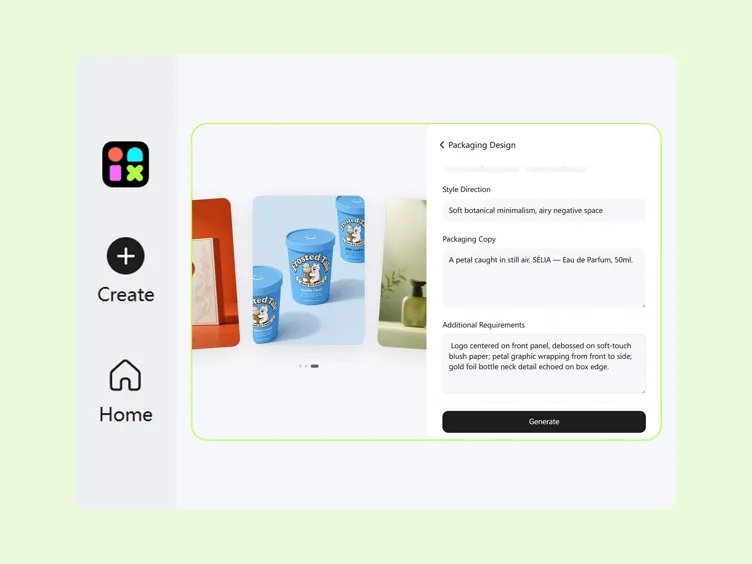
Enter the Brand Name and Product Category. Define the Packaging Type, Design Type, target audience, colors, materials, typography, graphics, and branding requirements, then click Generate.
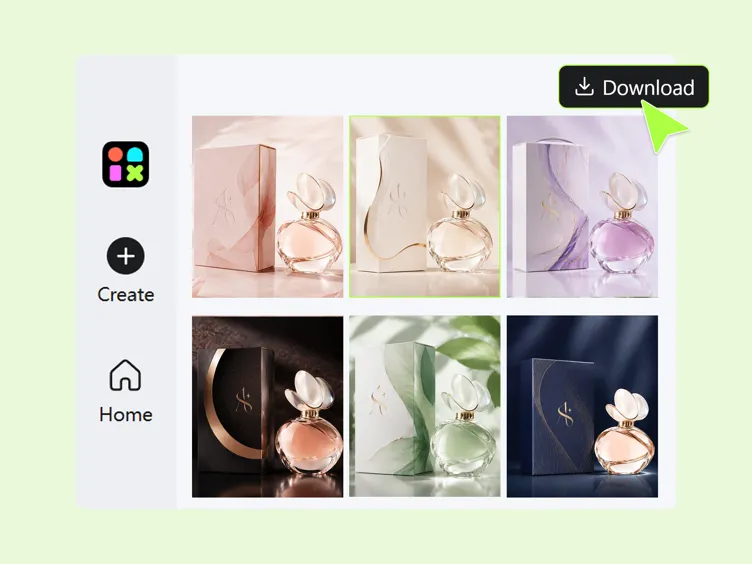
Step 3. Generate, Refine, and Download
Review generated packaging concepts and compare layout, branding, colors, graphics, and product presentation. Refine the preferred concept as needed, then download to save the final packaging design.
What Can You Create With Designkit's AI Packaging Design Generator
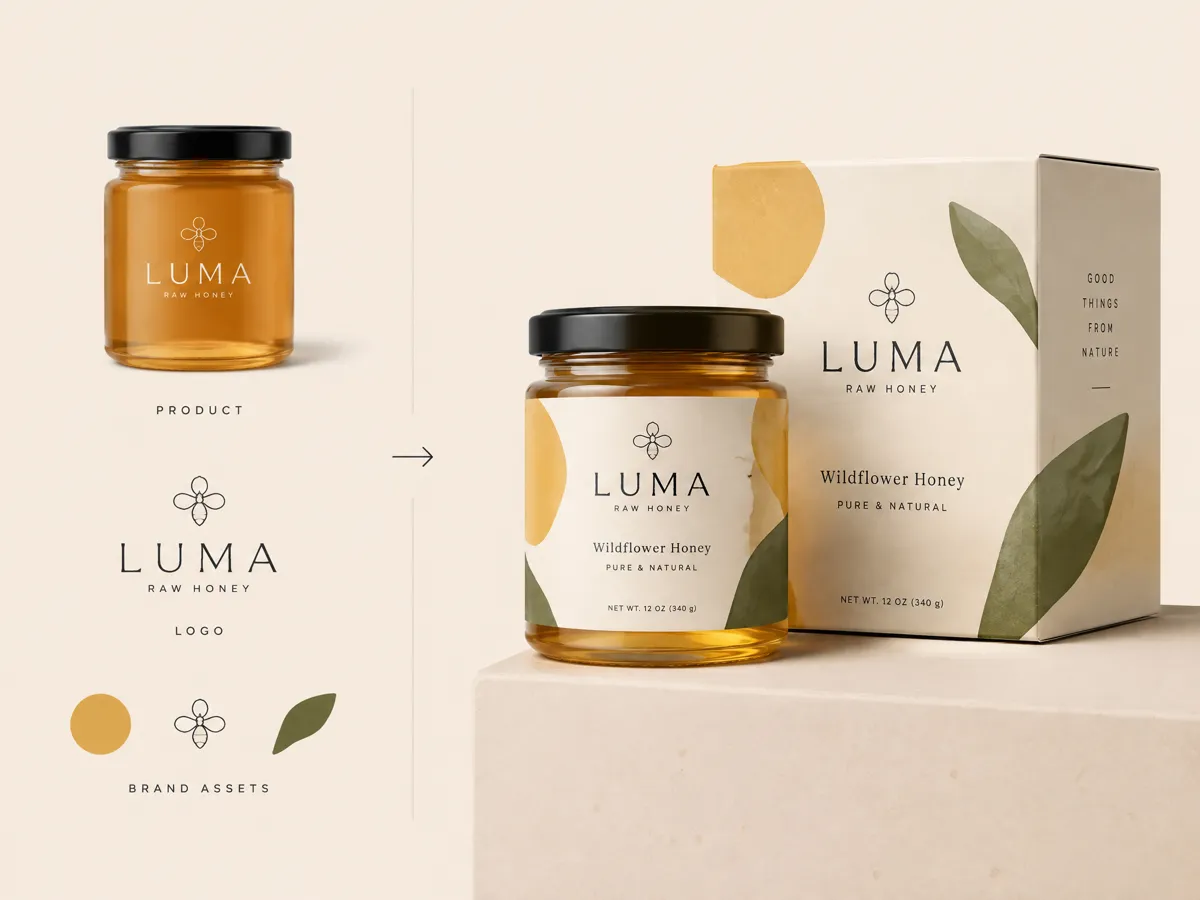
From Product Photo & Logo to On-Brand Packaging
Start with a product photo, logo, or existing visual reference and turn it into a packaging concept without designing every element from scratch. Designkit works as a packaging design tool for exploring layouts, colors, graphics, and product presentation around your existing references. Use image to image when you want the new concept to stay visually connected to the original product.
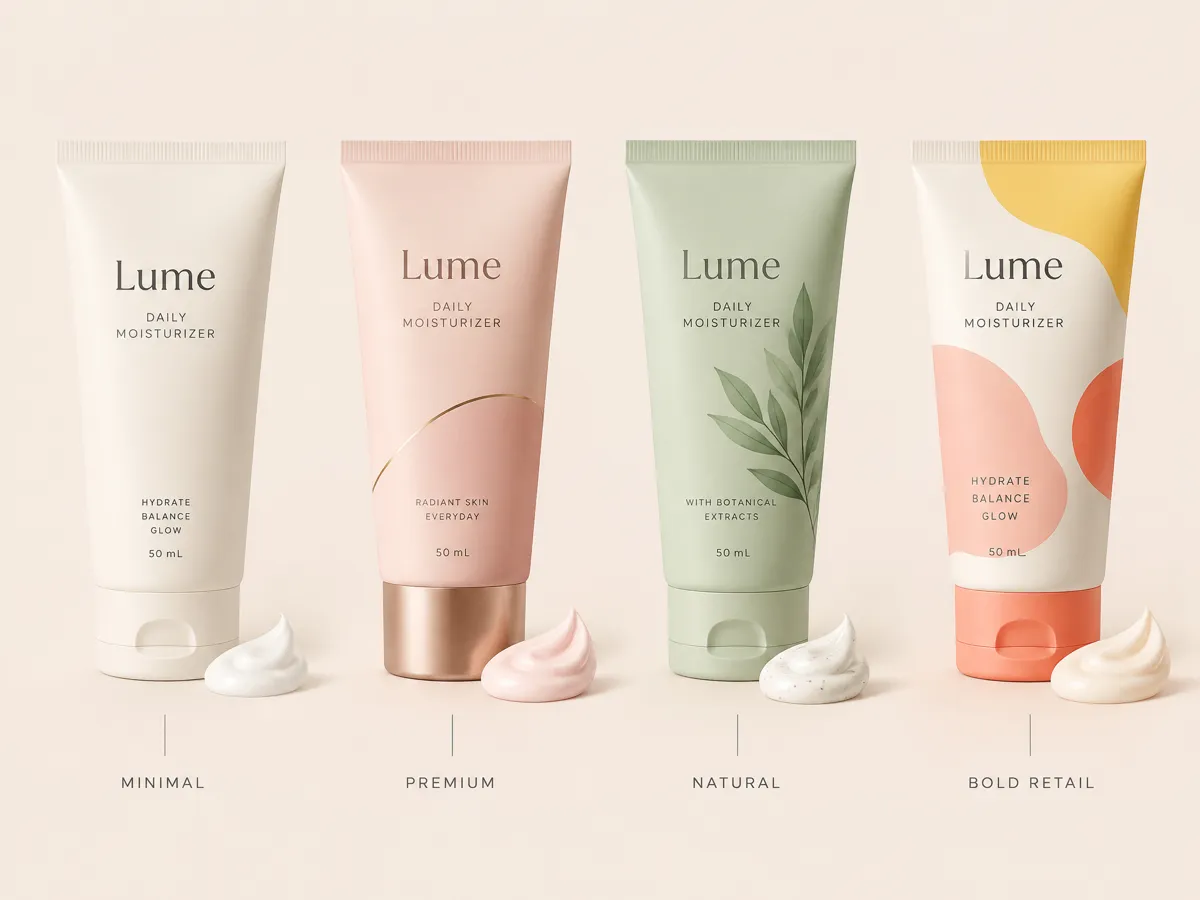
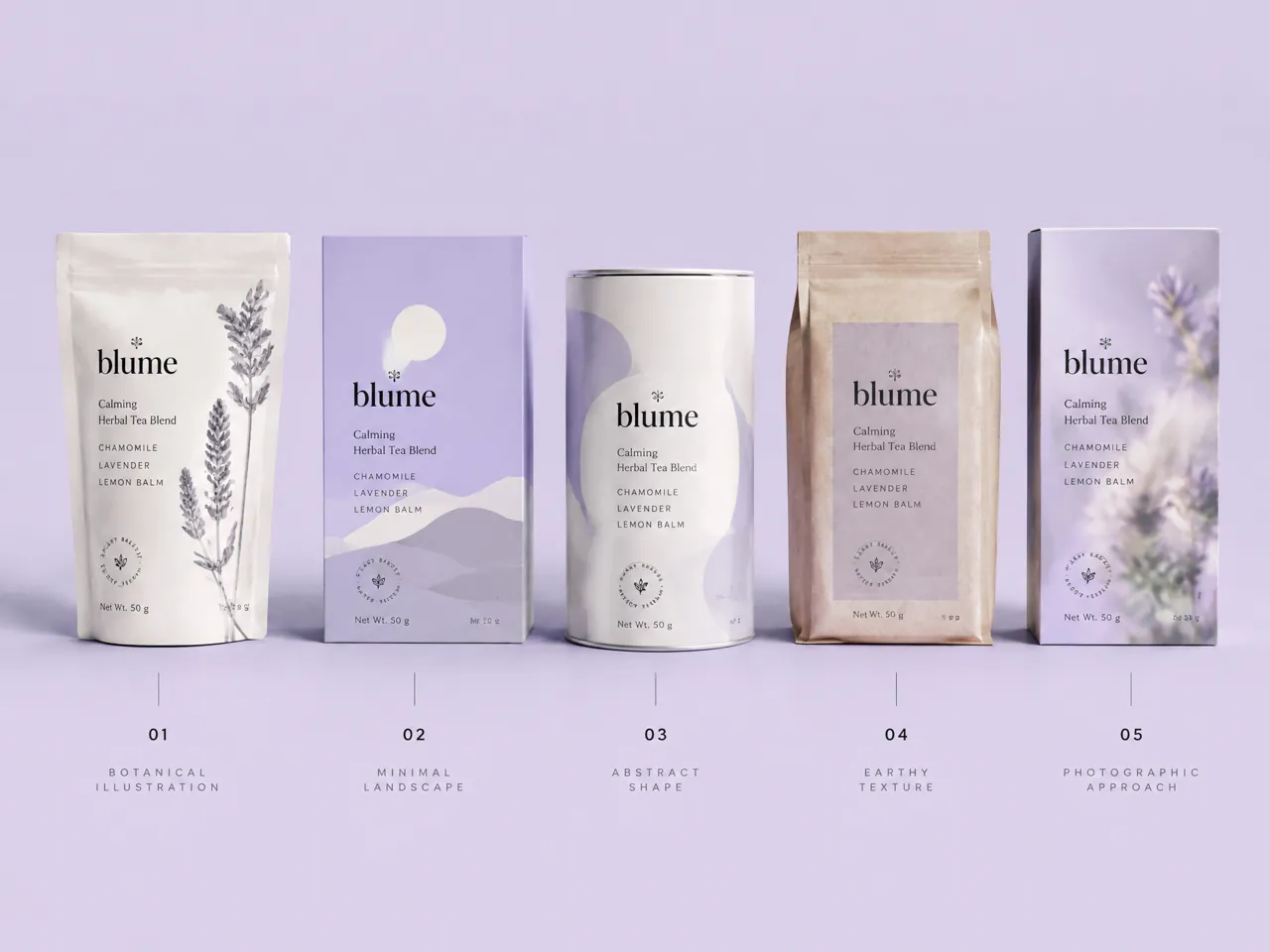
Generate Multiple Packaging Concepts for One Product
One product can require several packaging directions before you know which visual approach fits. Designkit lets you explore different layouts, colors, styles, and compositions from the same product idea. As an AI product packaging design generator, it can help you create variations for different audiences, product lines, or campaign directions without rebuilding each concept manually.
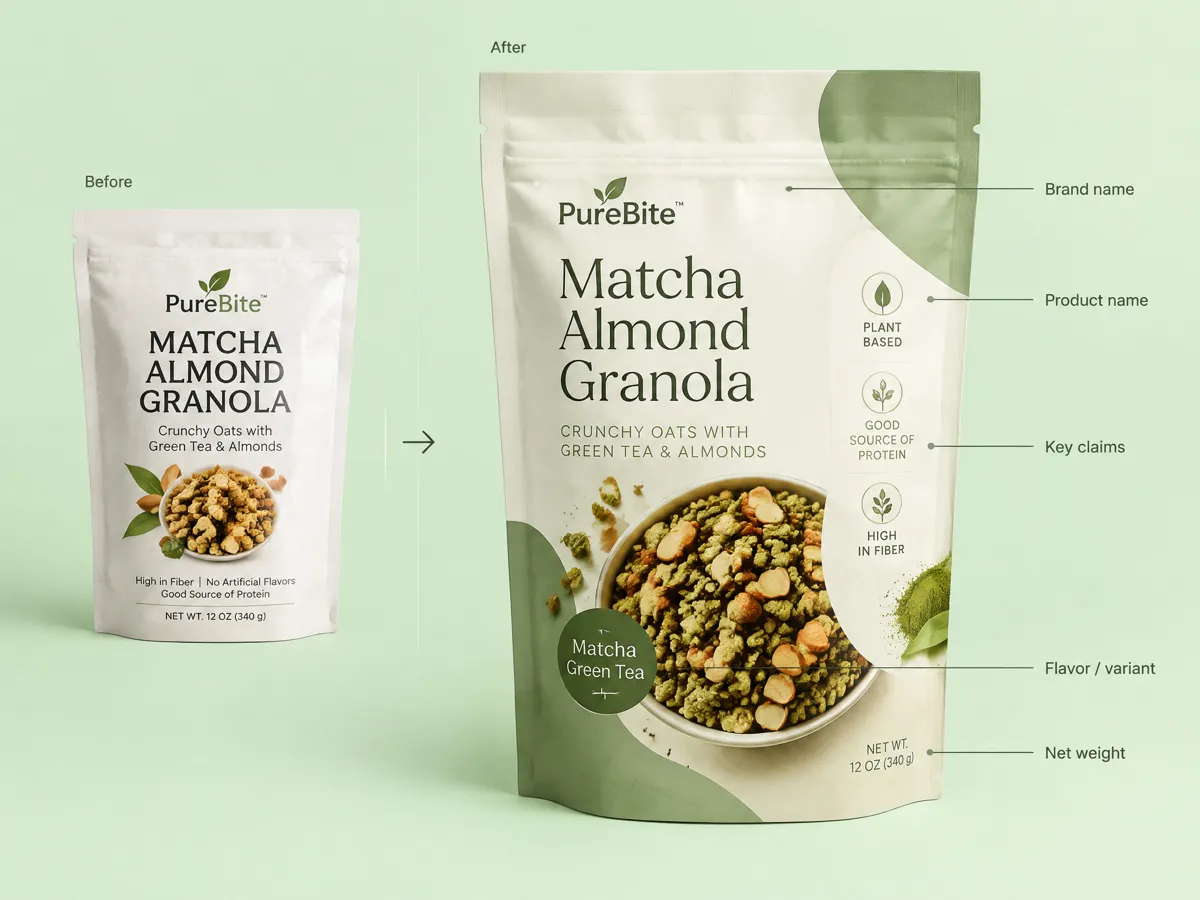
Organize Product Names and Claims on Your Packaging
Packaging needs more than attractive visuals. Product names, features, claims, ingredients, and other key information need to fit into the design without making the front of the package difficult to understand. Designkit can help turn your product details into visual packaging concepts, while its AI product listing workflow can support the product information behind the design.
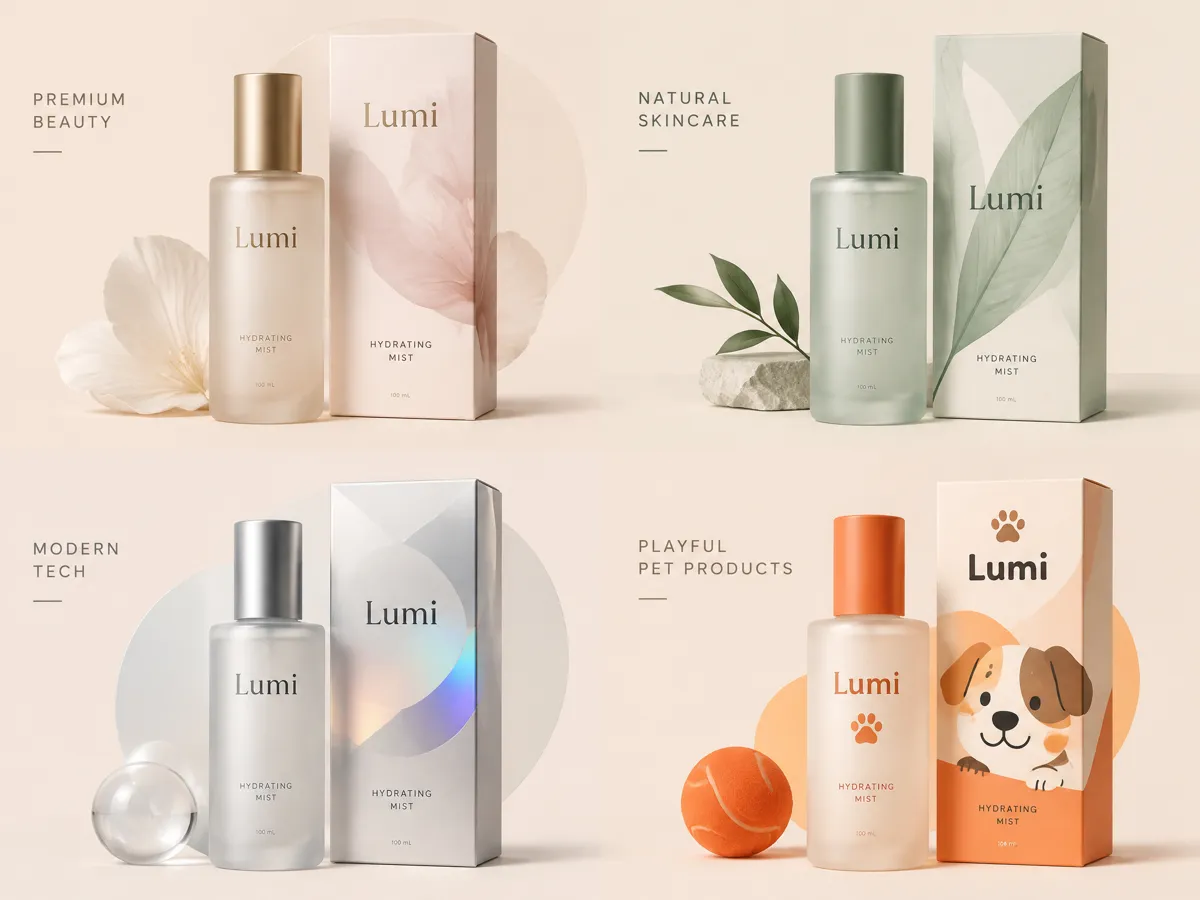
Match the Packaging to Your Brand and Audience
Different products need different visual directions depending on their brand identity and target audience. Describe your brand style, product details, colors, and audience to explore packaging concepts that reflect those requirements. After creating the design, you can extend the concept into a mockup to see how the package could appear as a product presentation.
Who Uses Designkit for AI Packaging Design
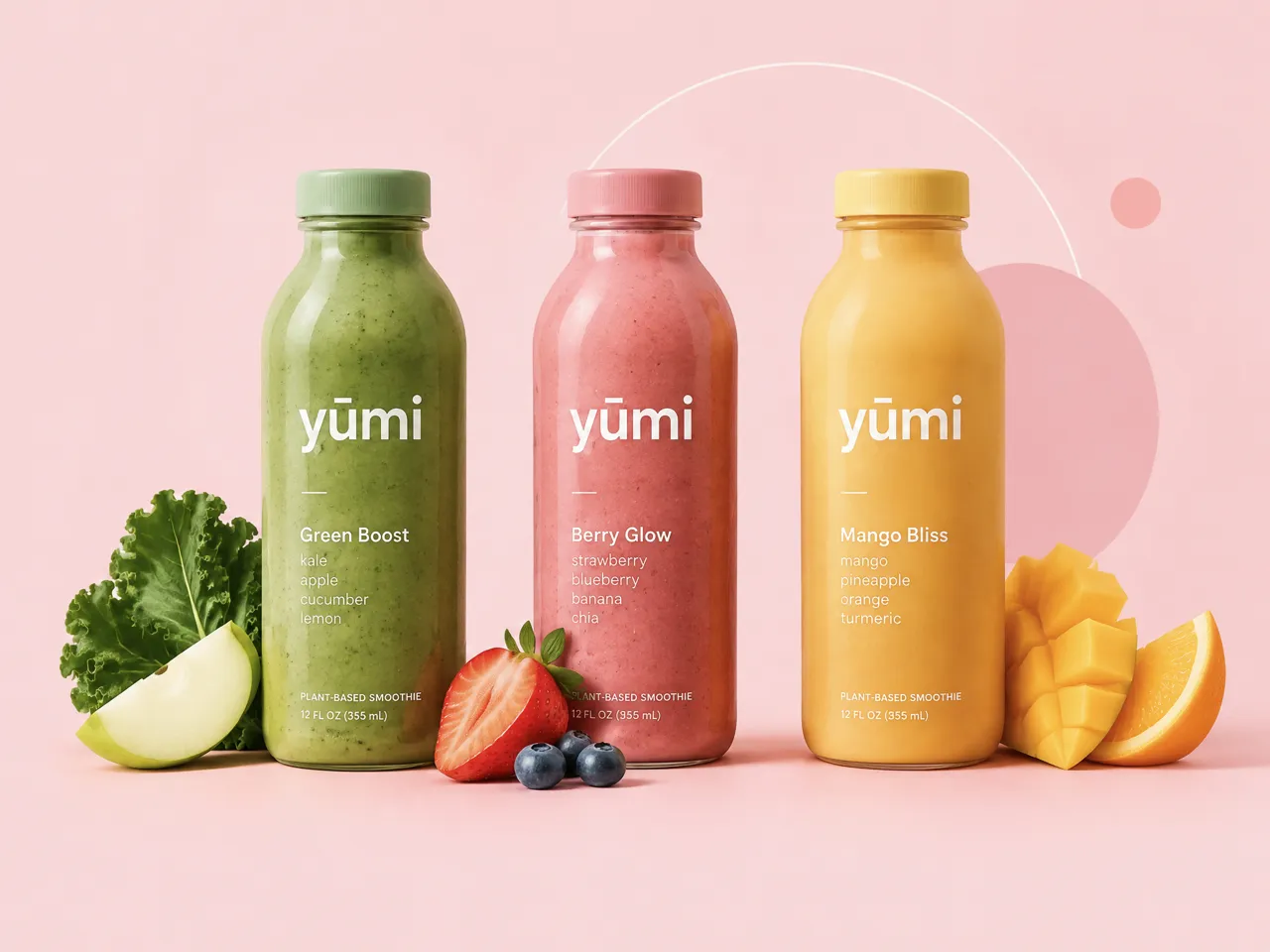
Explore Packaging for Different Flavors and Product Variants
Create packaging variations for different flavors, sizes, or product lines while keeping the core product identity recognizable. Use an AI package design workflow to explore colors, layouts, graphics, and visual directions before deciding how each variant should look.
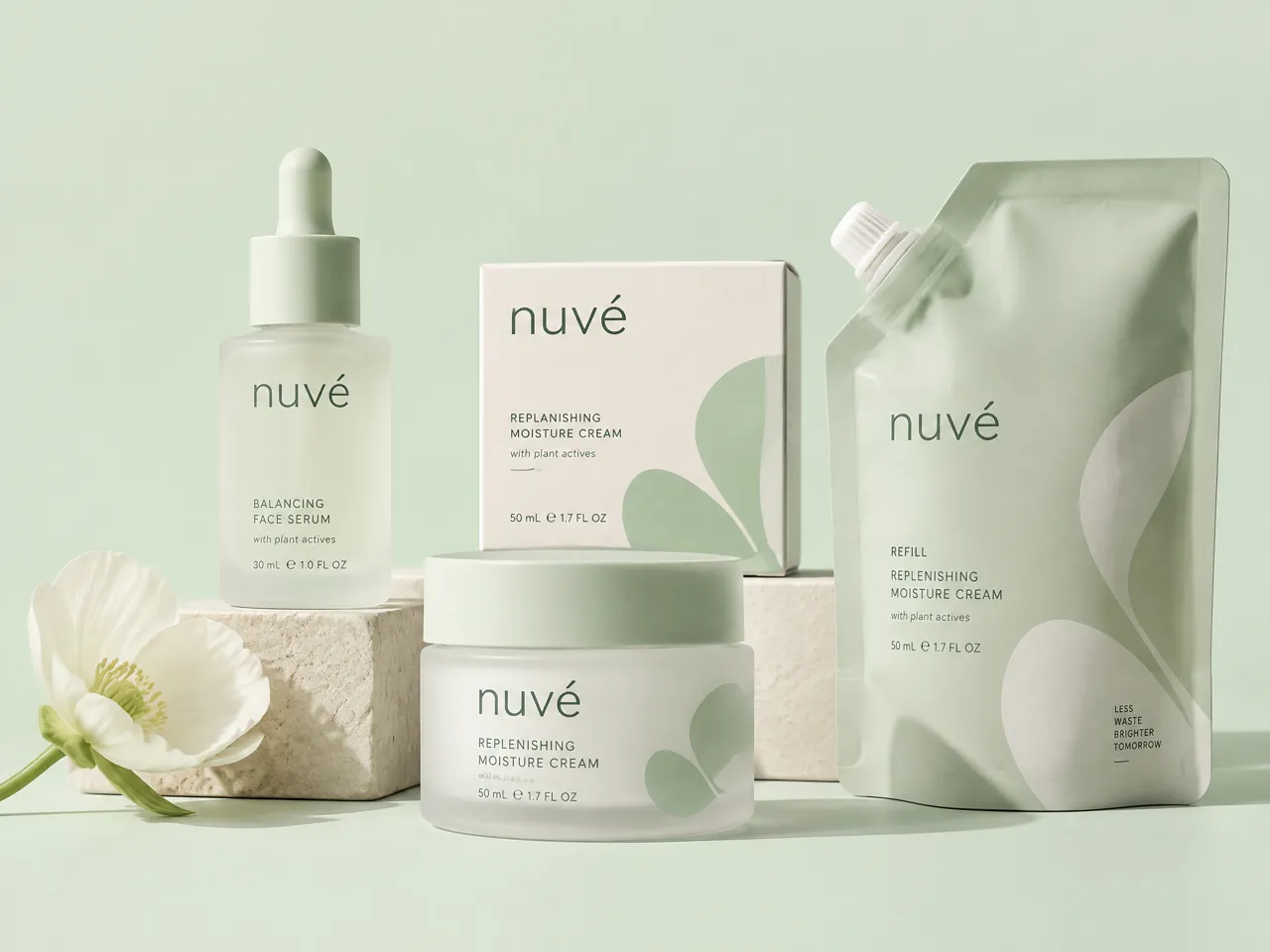
Why Explore Packaging Concepts With Designkit
Explore Packaging Design Without Hiring a Designer
Create packaging concepts from your product details, logo, and visual references before paying for a full design project or outsourcing early-stage ideas.
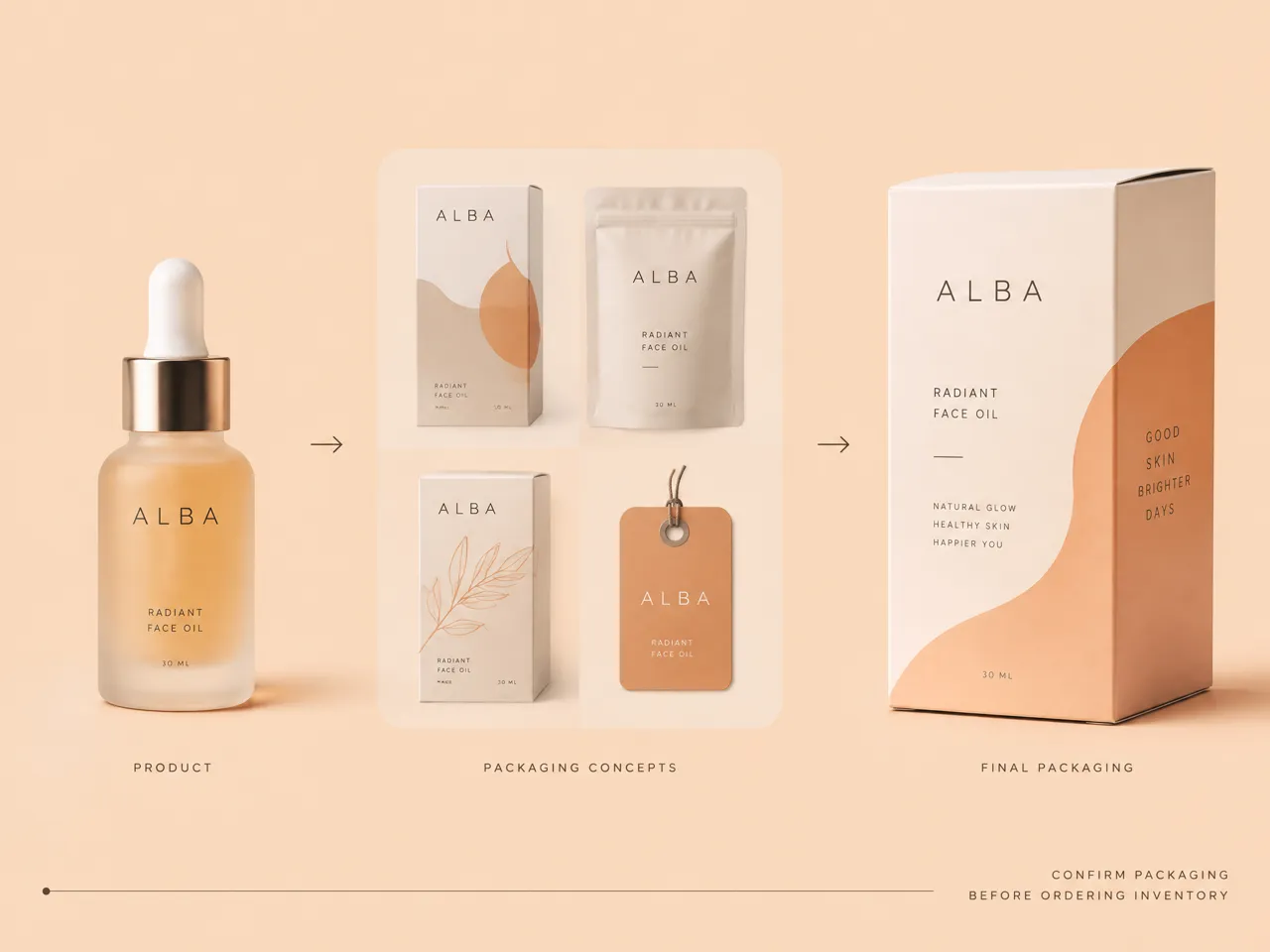
Compare Ideas Before Paying for Production Work
Explore different packaging layouts, colors, and visual directions before ordering inventory or committing to final artwork, so you can review concepts first.

Design Product Packaging With Free Credits
Use Designkit's available free credits to explore packaging concepts before investing in production-ready design work, helping you test ideas within your initial budget.
Unlock More Creative Possibilities for Your Product Visuals
AI Design Generator
AI Color Palette Generator
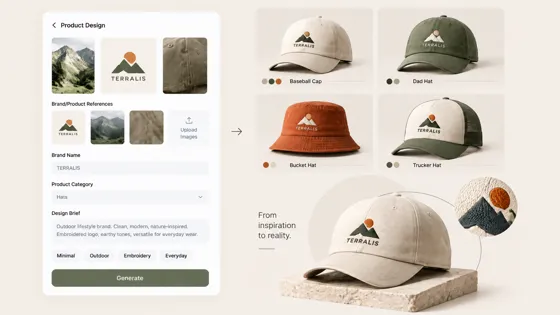
AI Hat Design Tool
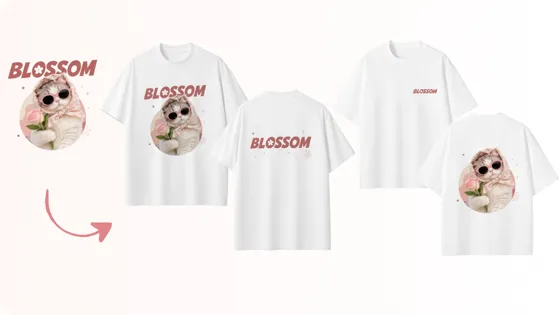
AI T-Shirt Design Maker
Frequently Asked Questions
Can I create multiple packaging concepts for one product?
Do AI packaging designs look professional enough for reviews?
AI-generated packaging concepts can be detailed enough for early reviews, presentations, and client discussions, although they should not automatically be treated as final production artwork. Designkit helps you create packaging concepts from product information, brand references, and visual requirements, giving you concrete designs to review and refine before moving into final artwork.
What types of packaging can I design with AI?
You can create concepts for boxes, pouches, bottles, jars, tubes, bags, cartons, labels, and other product packaging formats. Designkit works as a packaging generator where you can describe the product, packaging style, audience, and visual direction to explore a suitable concept. You can also use text to image when developing packaging visuals from a written creative direction.
Can I use my own logo or product image in AI packaging design?
Yes. You can use your own product images, logos, and other visual references to guide the packaging concept instead of starting with a completely generic idea. Designkit can work from these references to develop packaging around your existing product identity. Its image-based workflow is useful when you want the generated concept to stay connected to the product you already sell.
Can I use AI packaging design for ecommerce products?
AI packaging design can help ecommerce sellers explore how a product should be presented before ordering inventory or finalizing production. Designkit lets you develop packaging concepts from product details and visual references, while its AI image generator capabilities can support additional product visuals for listings, campaigns, and other ecommerce content.
Is an AI packaging design ready for printing or manufacturing?
Not necessarily. An AI-generated concept is generally better treated as a visual starting point rather than guaranteed print-ready or manufacturing-ready artwork. Designkit helps you explore the package structure, visual direction, branding, and content before final production. The selected concept may still need professional artwork preparation, technical specifications, guidelines, and printer or manufacturer checks.
Generate Your First Packaging Concepts Free
Upload product photo and brand assets. Compare directions before briefing a designer or print order.



See How Different Creators Use Designkit to Explore Packaging Ideas
Different product creators use AI packaging design to test ideas before moving into detailed production work.
This Saved Us From Going in Circles
We had so many opinions about the packaging that every discussion seemed to end with another discussion. Seeing different concepts made things much easier. We could point at an actual design and say what worked or didn't. It saved us a lot of back-and-forth.
Our Packaging Finally Feels Like Our Brand
Some of the first designs looked good, but honestly, they could have been for any brand. Once I added our logo, colors, and existing brand references, the direction felt much closer to us. The packaging had more of our personality instead of just looking nice.
We Finally Found a Direction We All Liked
We had one packaging idea that was okay, but nobody was really excited about it. I wanted to see what else was possible before we settled. Creating a few different concepts helped us compare them properly, and one of the later versions was much closer to what the team had been imagining.
Our Product Package Became Much Clearer
We had way too much information to fit on the package, and I was worried it would end up looking crowded. Exploring different layouts helped us figure out what needed to be seen first and what could be less prominent. The whole package feels much clearer now.